
Introduction to ABAP4 HISTORY OF SAP was founded
Introduction to ABAP/4.
HISTORY OF SAP was founded in 1972 by five people: Wellenreuther, Hopp, Hector, Plattner and Tchira. Wellenreuther , while working at IBM , developed a financial accounting package running in batch for an IBM customer – Naturin. SAP bought rights from Naturin and started to design and implement the real-time finance system as a standard package based on Wellenreuther ’s experience in the application. They sold the first copy of the standard system to ICI. Simultaneously, they developed a Materials management system as a bespoke software for ICI by reserving all property rights.
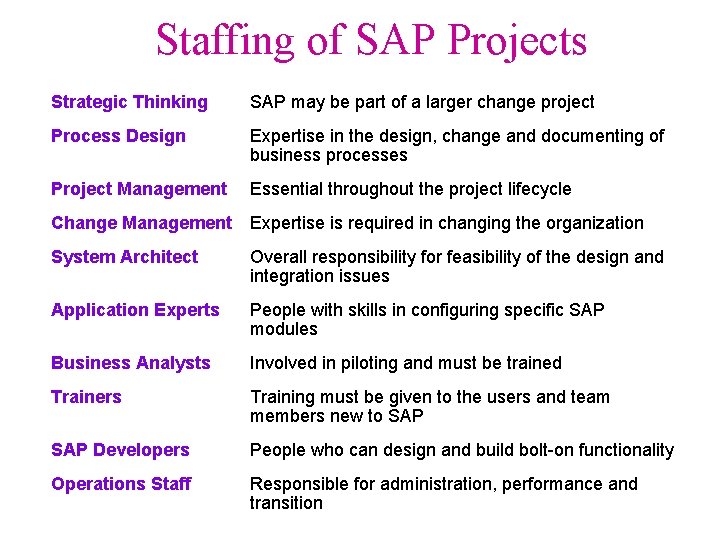
Staffing of SAP Projects Strategic Thinking SAP may be part of a larger change project Process Design Expertise in the design, change and documenting of business processes Project Management Essential throughout the project lifecycle Change Management Expertise is required in changing the organization System Architect Overall responsibility for feasibility of the design and integration issues Application Experts People with skills in configuring specific SAP modules Business Analysts Involved in piloting and must be trained Trainers Training must be given to the users and team members new to SAP Developers People who can design and build bolt-on functionality Operations Staff Responsible for administration, performance and transition
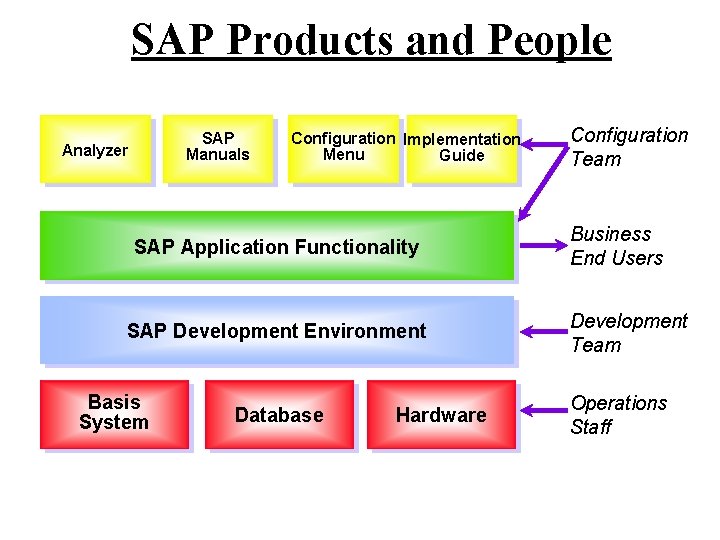
SAP Products and People SAP Manuals Analyzer Configuration Implementation Menu Guide SAP Application Functionality SAP Development Environment Basis System Database Hardware Configuration Team Business End Users Development Team Operations Staff
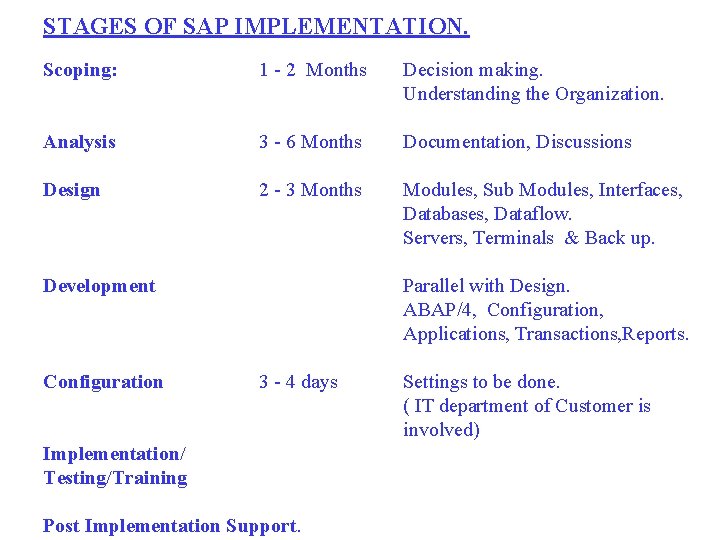
STAGES OF SAP IMPLEMENTATION. Scoping: 1 - 2 Months Decision making. Understanding the Organization. Analysis 3 - 6 Months Documentation, Discussions Design 2 - 3 Months Modules, Sub Modules, Interfaces, Databases, Dataflow. Servers, Terminals & Back up. Development Configuration Parallel with Design. ABAP/4, Configuration, Applications, Transactions, Reports. 3 - 4 days Implementation/ Testing/Training Post Implementation Support. Settings to be done. ( IT department of Customer is involved)
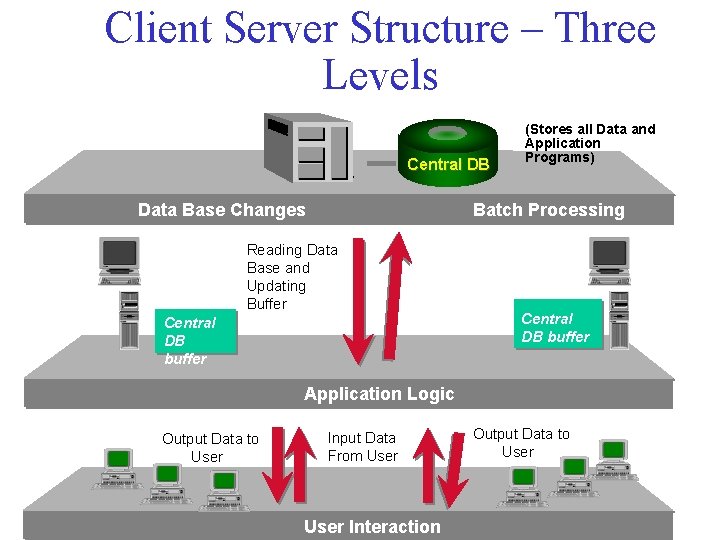
Client Server Structure – Three Levels Central DB (Stores all Data and Application Programs) Batch Processing Data Base Changes Reading Data Base and Updating Buffer Central DB buffer Application Logic Output Data to User Input Data From User Interaction Output Data to User
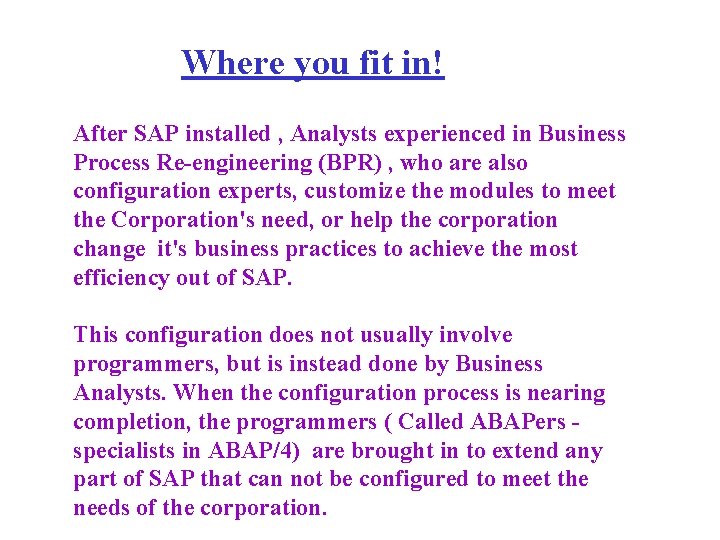
Where you fit in! After SAP installed , Analysts experienced in Business Process Re-engineering (BPR) , who are also configuration experts, customize the modules to meet the Corporation's need, or help the corporation change it's business practices to achieve the most efficiency out of SAP. This configuration does not usually involve programmers, but is instead done by Business Analysts. When the configuration process is nearing completion, the programmers ( Called ABAPers specialists in ABAP/4) are brought in to extend any part of SAP that can not be configured to meet the needs of the corporation.
OK. Lets’ get straight into ABAP/4
ABAP/4 • Advanced Business Application Programming - 4 th generation Language. • ABAP/4 is the backbone of SAP R/3. • All the R/3 applications and parts of Basis system were developed in ABAP/4.
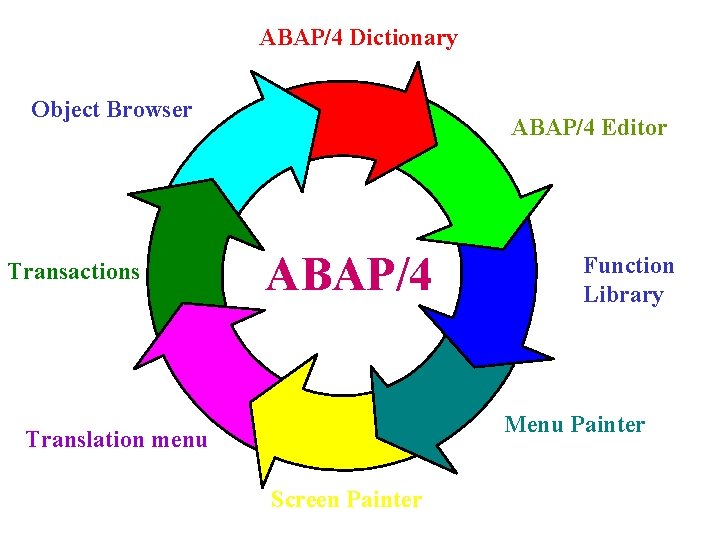
ABAP/4 Dictionary Object Browser Transactions ABAP/4 Editor ABAP/4 Function Library Menu Painter Translation menu Screen Painter
When you login to a SAP server the following screen appears
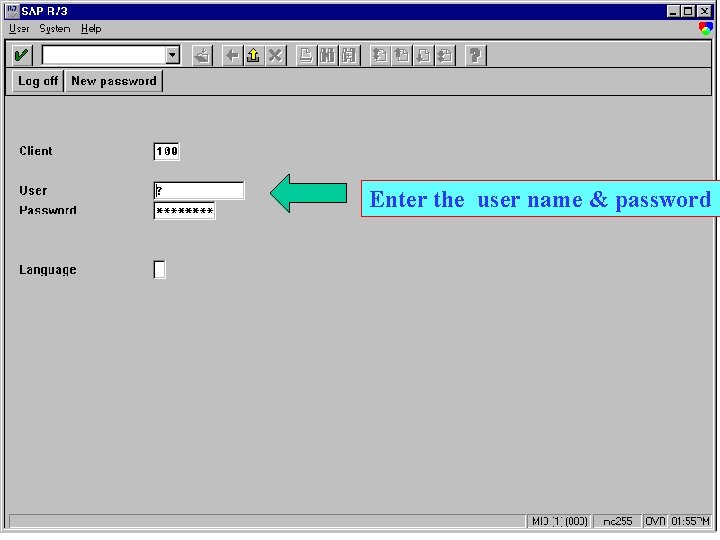
Enter the user name & password
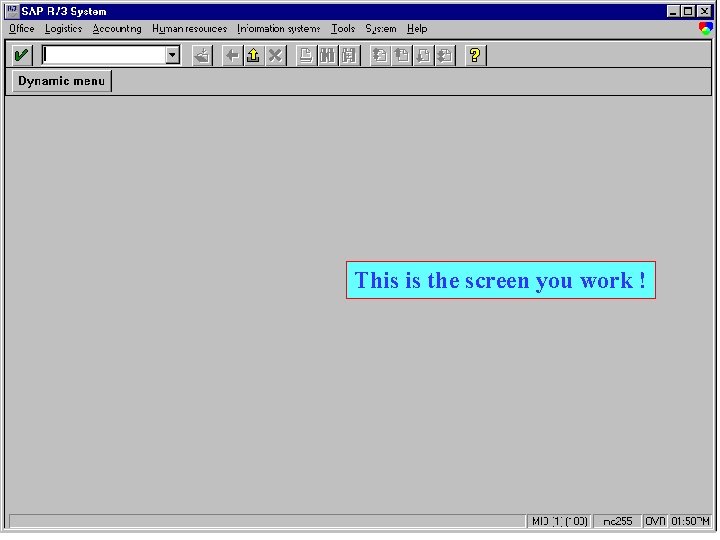
This is the screen you work !
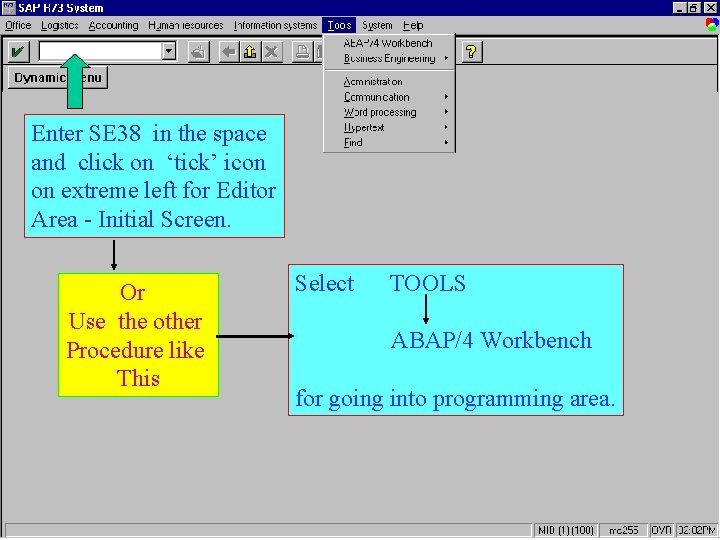
Enter SE 38 in the space and click on ‘tick’ icon on extreme left for Editor Area - Initial Screen. Or Use the other Procedure like This Select TOOLS ABAP/4 Workbench for going into programming area.
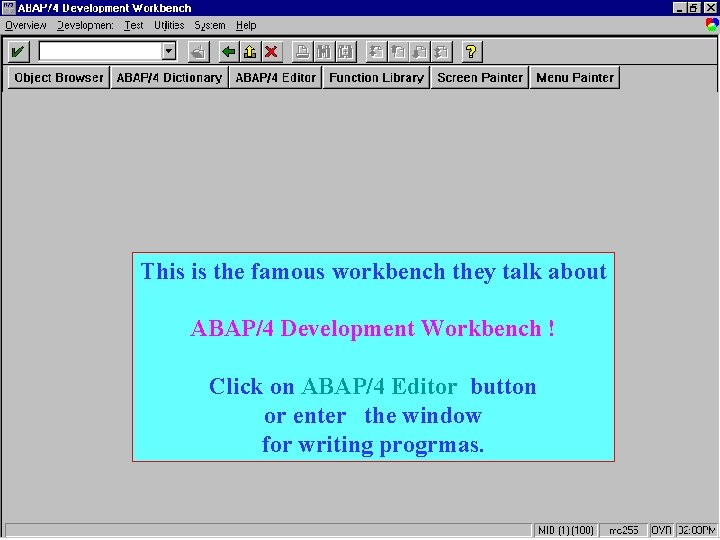
This is the famous workbench they talk about ABAP/4 Development Workbench ! Click on ABAP/4 Editor button or enter the window for writing progrmas.
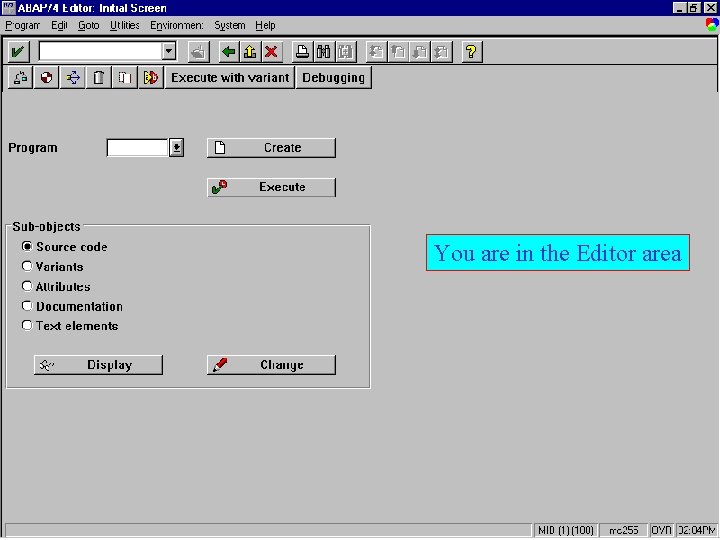
You are in the Editor area
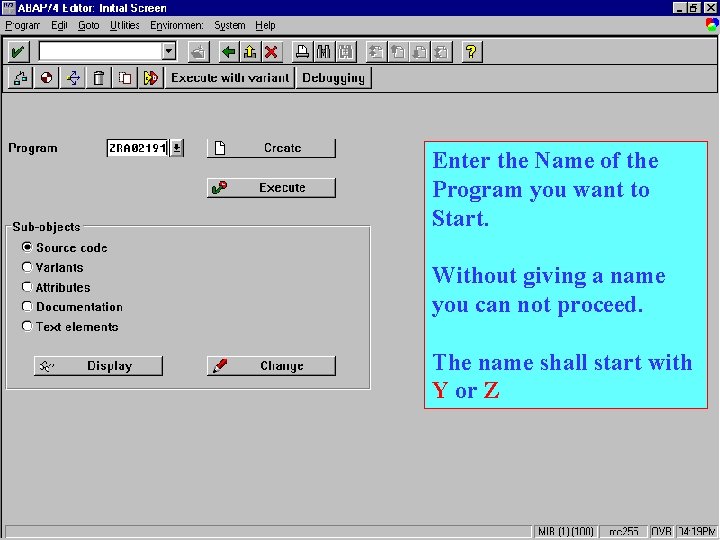
Enter the Name of the Program you want to Start. Without giving a name you can not proceed. The name shall start with Y or Z
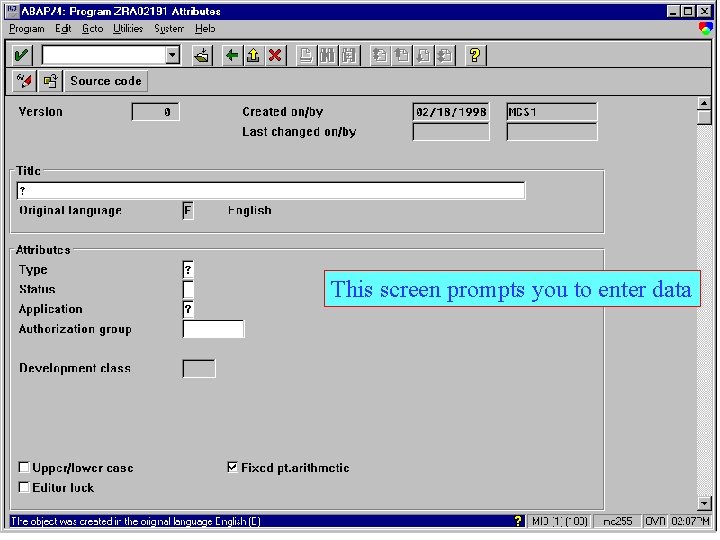
This screen prompts you to enter data
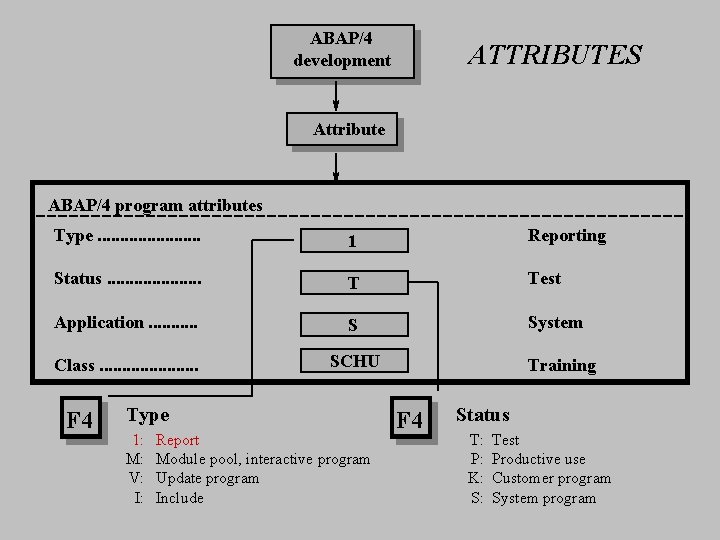
ABAP/4 development ATTRIBUTES Attribute ABAP/4 program attributes Type. . . 1 Reporting Status. . . . . T Test Application. . . S System Class. . . . . SCHU F 4 Type 1: M: V: I: Report Module pool, interactive program Update program Include Training F 4 Status T: P: K: S: Test Productive use Customer program System program
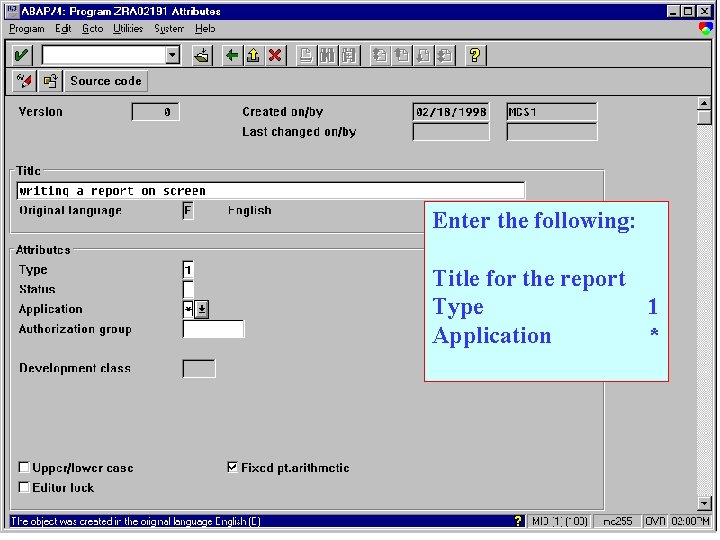
Enter the following: Title for the report Type 1 Application *
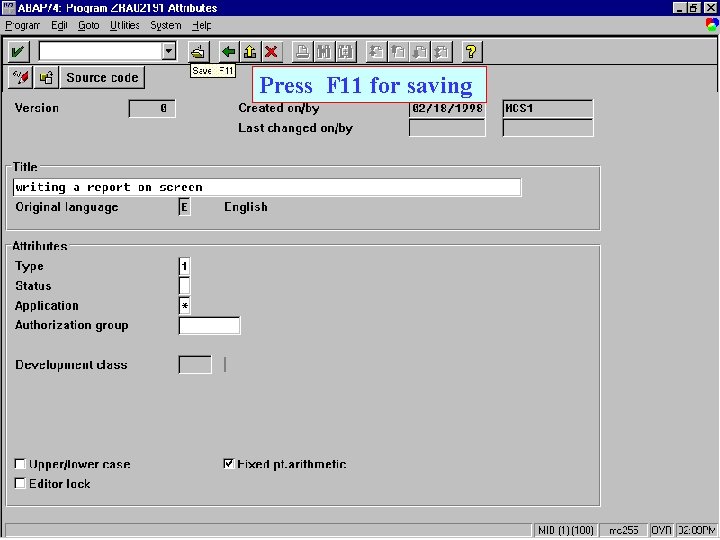
Press F 11 for saving
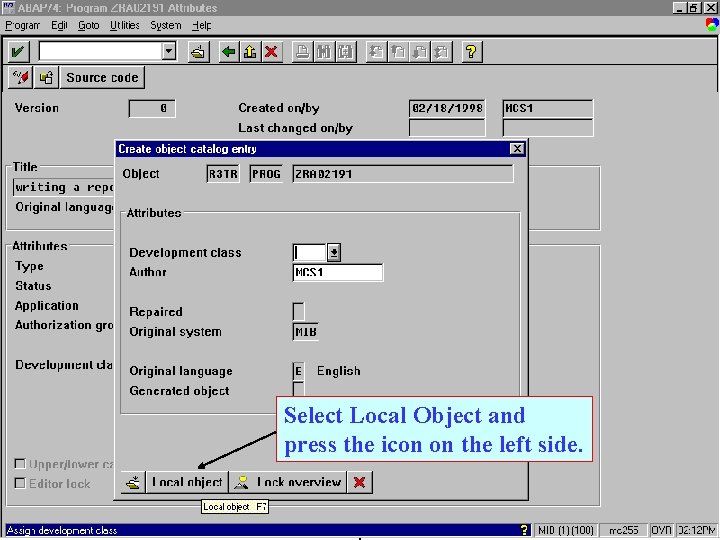
Select Local Object and press the icon on the left side.
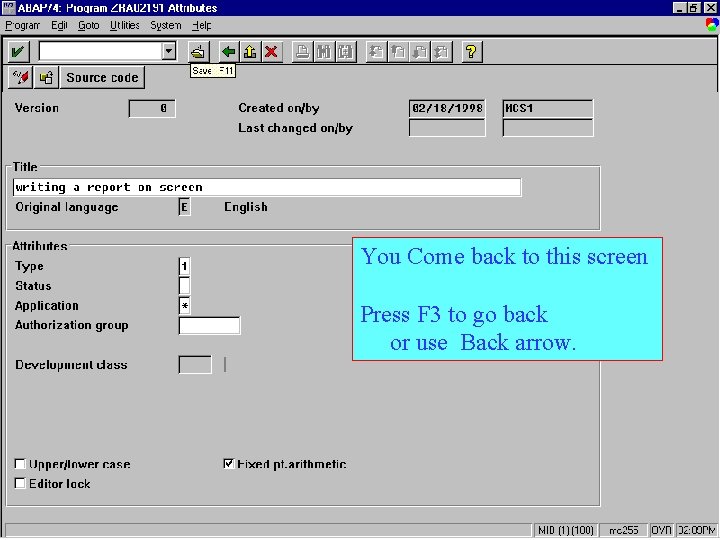
You Come back to this screen Press F 3 to go back or use Back arrow.
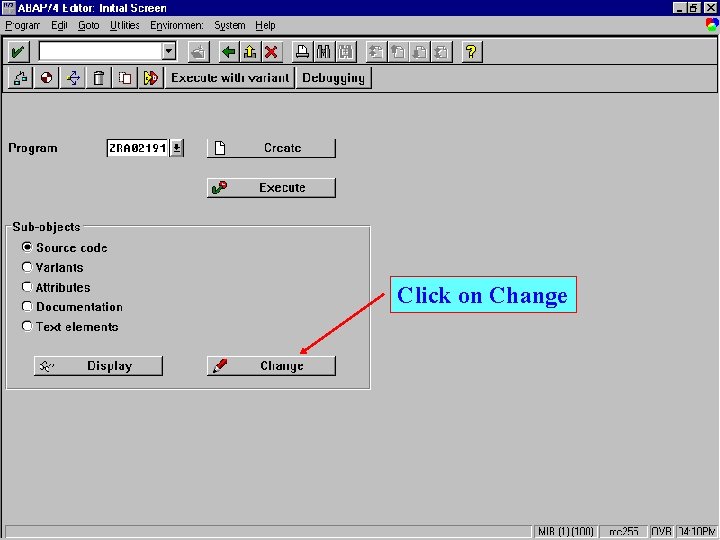
Click on Change
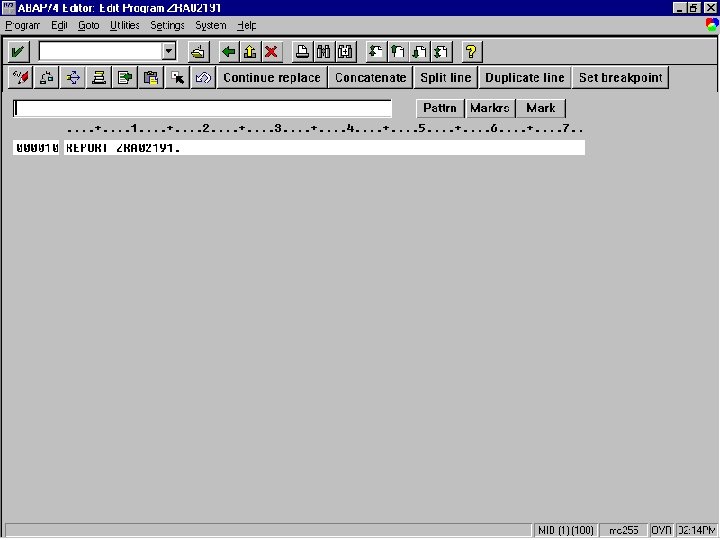
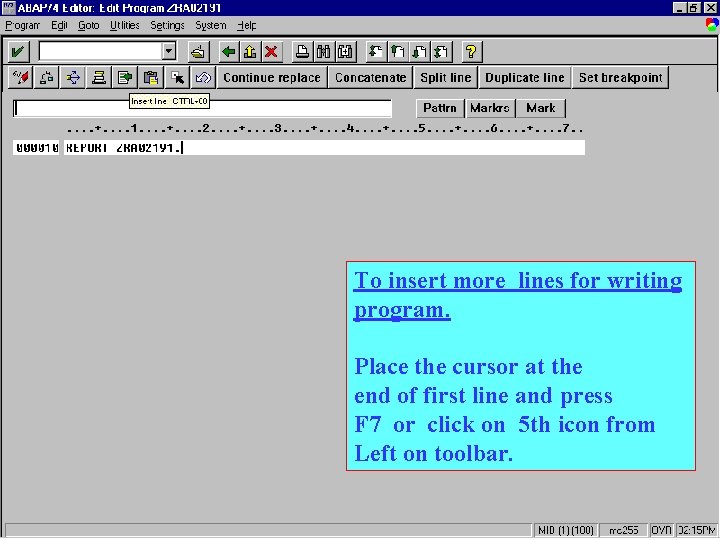
To insert more lines for writing program. Place the cursor at the end of first line and press F 7 or click on 5 th icon from Left on toolbar.
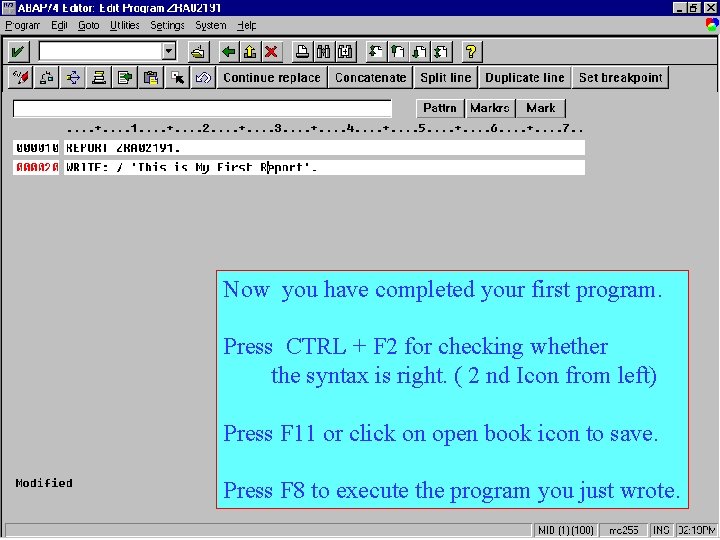
Now you have completed your first program. Press CTRL + F 2 for checking whether the syntax is right. ( 2 nd Icon from left) Press F 11 or click on open book icon to save. Press F 8 to execute the program you just wrote.
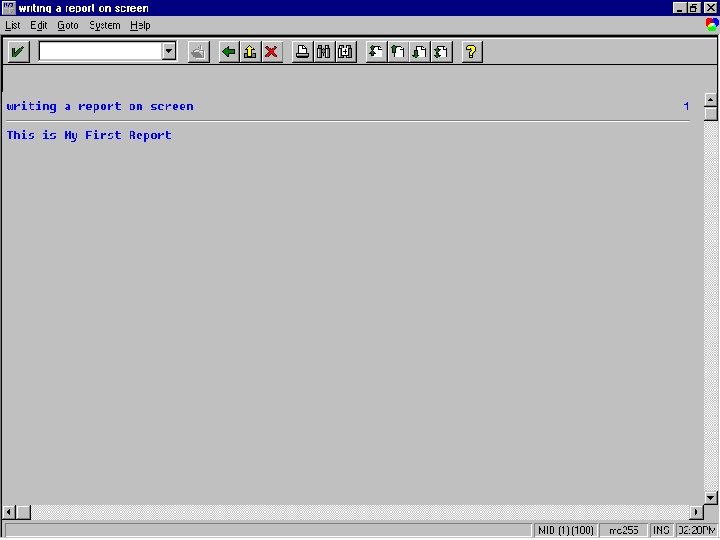
Congrats! You have just become an ABAPer.
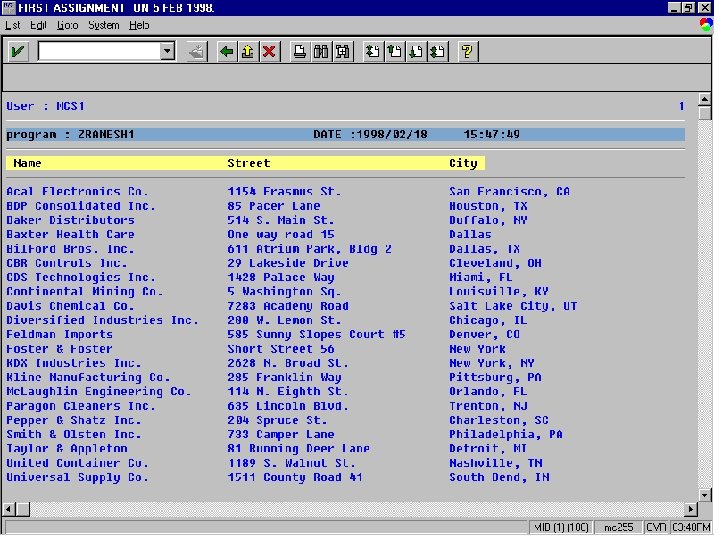
Lets’ take a bigger program Take data from a table called TABNA and print the following fields NAME 1, STREET, CITY. contents on the screen
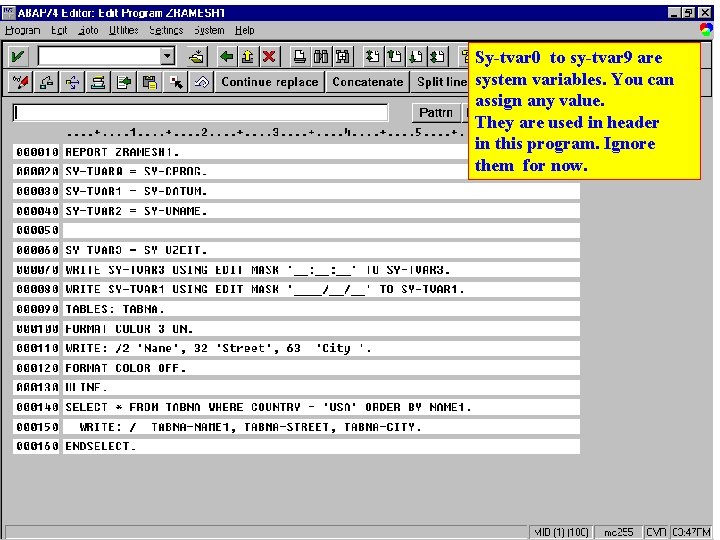
Sy-tvar 0 to sy-tvar 9 are system variables. You can assign any value. They are used in header in this program. Ignore them for now.
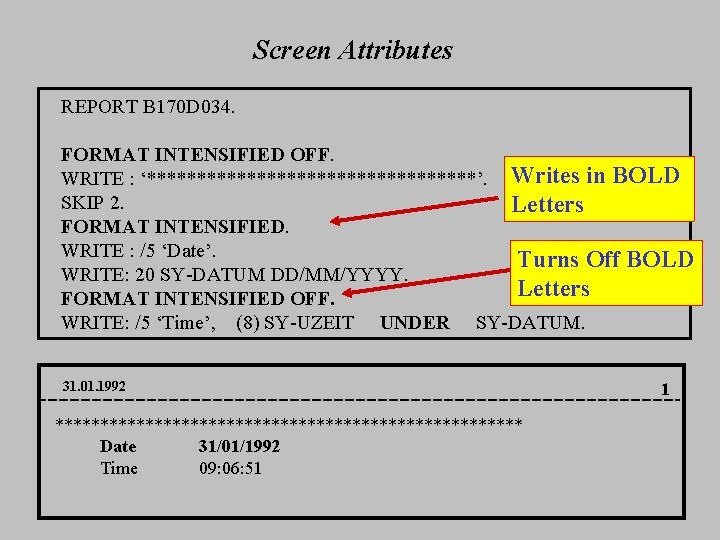
Screen Attributes REPORT B 170 D 034. FORMAT INTENSIFIED OFF. WRITE : ‘*****************’. Writes in BOLD SKIP 2. Letters FORMAT INTENSIFIED. WRITE : /5 ‘Date’. Turns Off BOLD WRITE: 20 SY-DATUM DD/MM/YYYY. Letters FORMAT INTENSIFIED OFF. WRITE: /5 ‘Time’, (8) SY-UZEIT UNDER SY-DATUM. 31. 01. 1992 ************************** Date 31/01/1992 Time 09: 06: 51 1
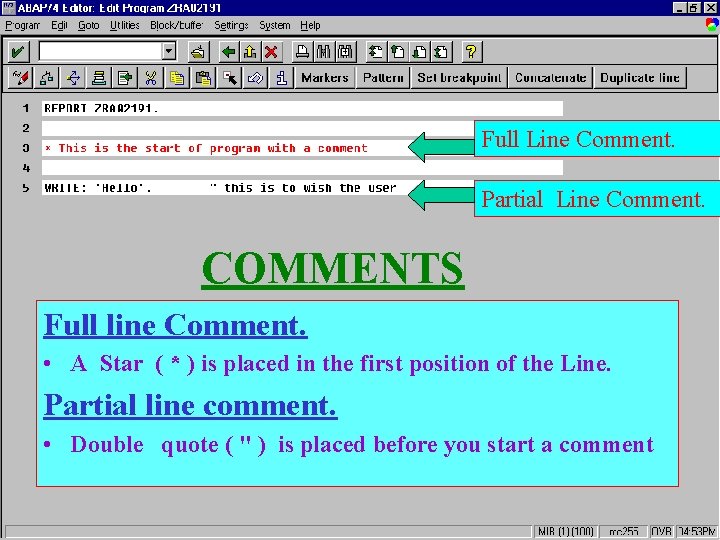
Full Line Comment. Partial Line Comment. COMMENTS Full line Comment. • A Star ( * ) is placed in the first position of the Line. Partial line comment. • Double quote ( " ) is placed before you start a comment
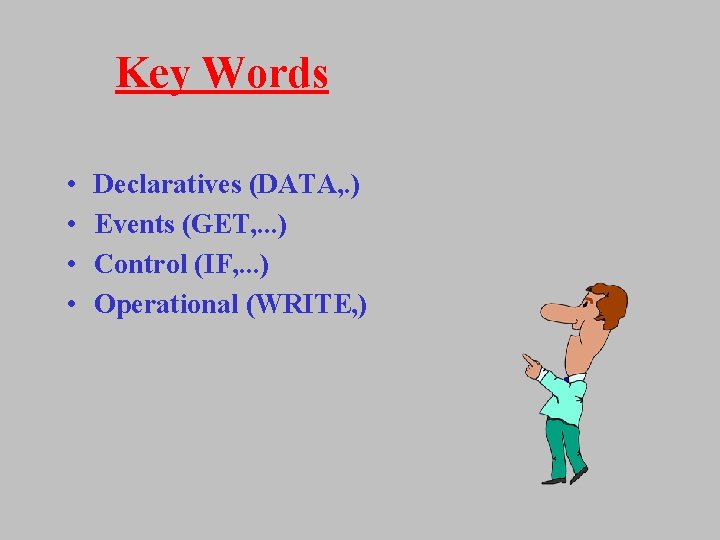
Key Words • • Declaratives (DATA, . ) Events (GET, . . . ) Control (IF, . . . ) Operational (WRITE, )
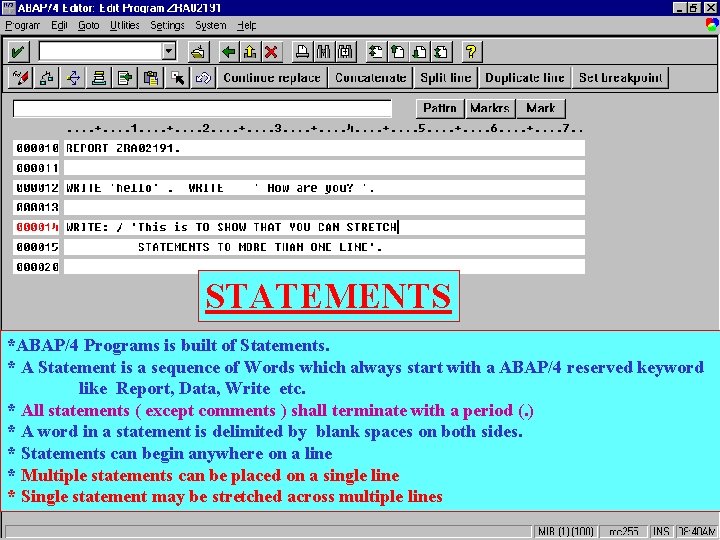
STATEMENTS *ABAP/4 Programs is built of Statements. * A Statement is a sequence of Words which always start with a ABAP/4 reserved keyword like Report, Data, Write etc. * All statements ( except comments ) shall terminate with a period (. ) * A word in a statement is delimited by blank spaces on both sides. * Statements can begin anywhere on a line * Multiple statements can be placed on a single line * Single statement may be stretched across multiple lines
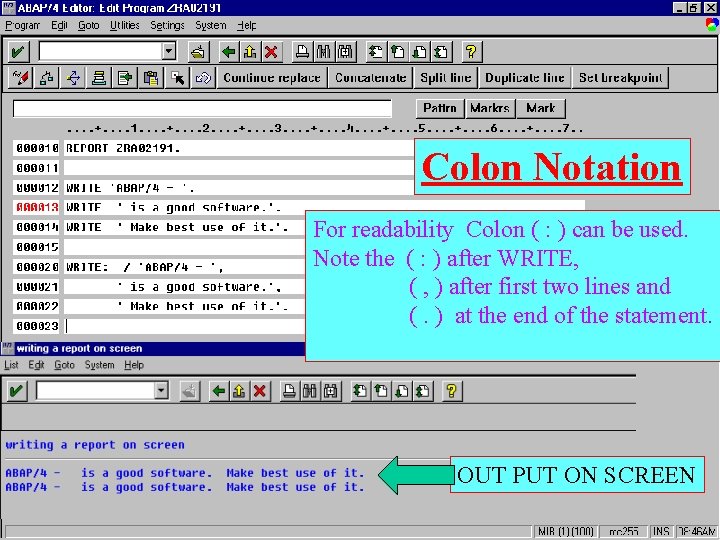
Colon Notation For readability Colon ( : ) can be used. Note the ( : ) after WRITE, ( , ) after first two lines and (. ) at the end of the statement. OUT PUT ON SCREEN
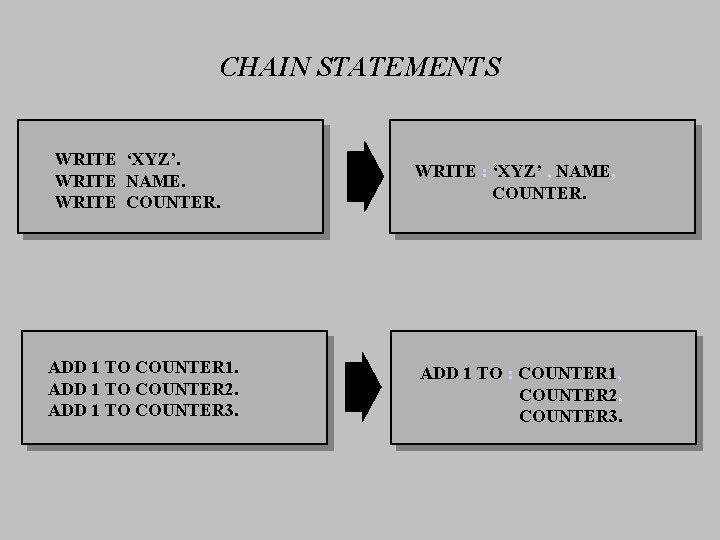
CHAIN STATEMENTS WRITE ‘XYZ’. WRITE NAME. WRITE COUNTER. ADD 1 TO COUNTER 1. ADD 1 TO COUNTER 2. ADD 1 TO COUNTER 3. WRITE : ‘XYZ’ , NAME, COUNTER. ADD 1 TO : COUNTER 1, COUNTER 2, COUNTER 3.
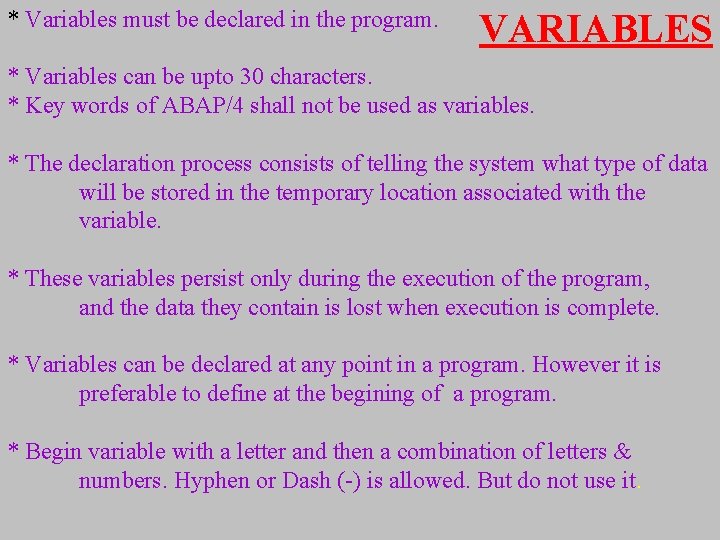
* Variables must be declared in the program. VARIABLES * Variables can be upto 30 characters. * Key words of ABAP/4 shall not be used as variables. * The declaration process consists of telling the system what type of data will be stored in the temporary location associated with the variable. * These variables persist only during the execution of the program, and the data they contain is lost when execution is complete. * Variables can be declared at any point in a program. However it is preferable to define at the begining of a program. * Begin variable with a letter and then a combination of letters & numbers. Hyphen or Dash (-) is allowed. But do not use it.
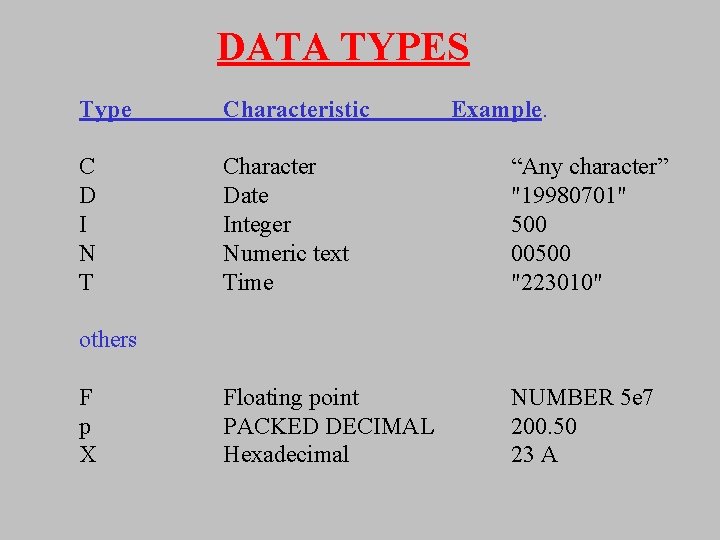
DATA TYPES Type Characteristic Example. C D I N T Character Date Integer Numeric text Time “Any character” "19980701" 500 00500 "223010" Floating point PACKED DECIMAL Hexadecimal NUMBER 5 e 7 200. 50 23 A others F p X
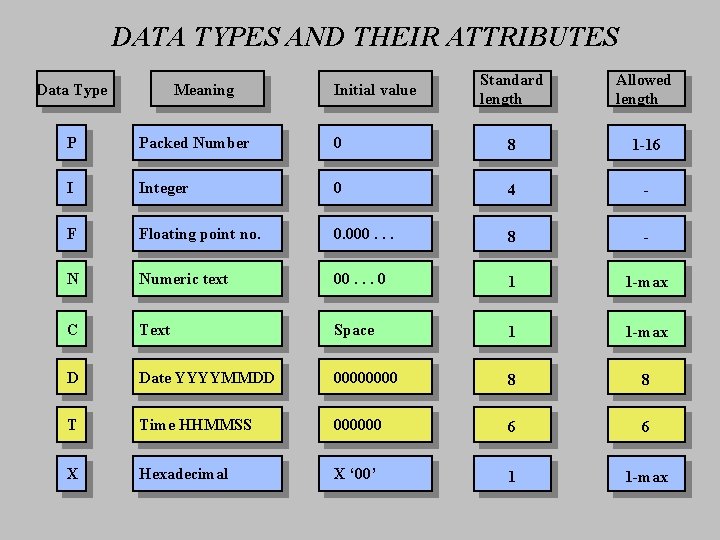
DATA TYPES AND THEIR ATTRIBUTES Data Type Meaning Initial value Standard length Allowed length P Packed Number 0 8 1 -16 I Integer 0 4 - F Floating point no. 0. 000. . . 8 - N Numeric text 00. . . 0 1 1 -max C Text Space 1 1 -max D Date YYYYMMDD 0000 8 8 T Time HHMMSS 000000 6 6 X Hexadecimal X ‘ 00’ 1 1 -max
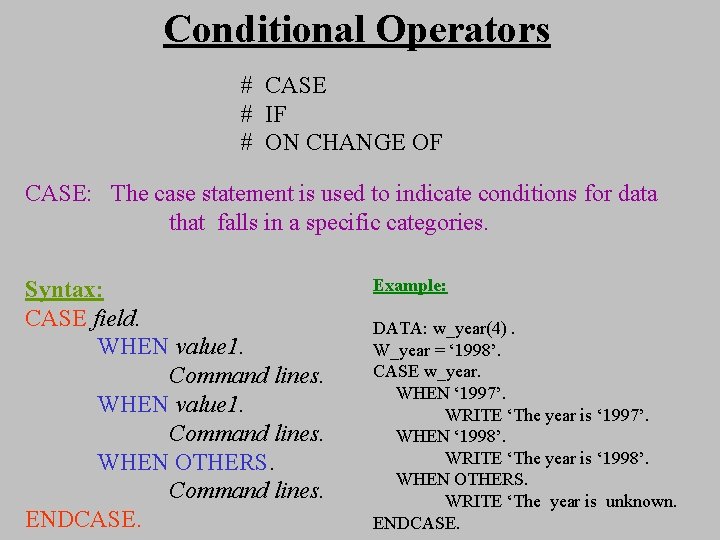
Conditional Operators # CASE # IF # ON CHANGE OF CASE: The case statement is used to indicate conditions for data that falls in a specific categories. Syntax: CASE field. WHEN value 1. Command lines. WHEN OTHERS. Command lines. ENDCASE. Example: DATA: w_year(4). W_year = ‘ 1998’. CASE w_year. WHEN ‘ 1997’. WRITE ‘The year is ‘ 1997’. WHEN ‘ 1998’. WRITE ‘The year is ‘ 1998’. WHEN OTHERS. WRITE ‘The year is unknown. ENDCASE.
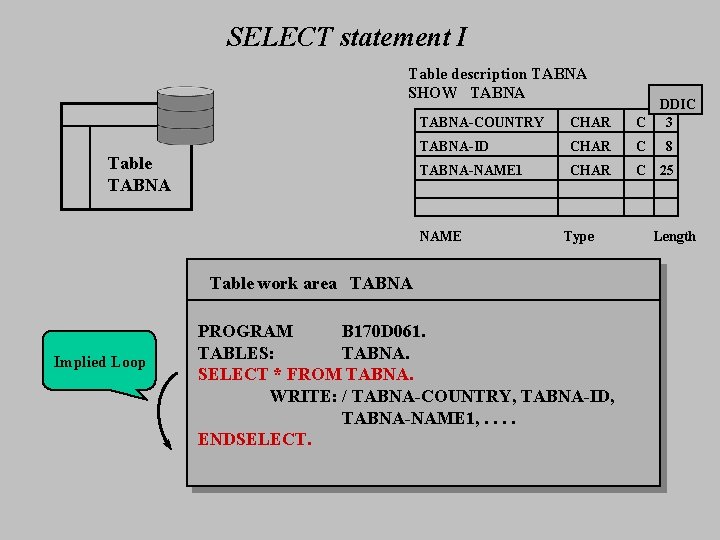
SELECT statement I Table description TABNA SHOW TABNA Table TABNA-COUNTRY CHAR DDIC C 3 TABNA-ID CHAR C TABNA-NAME 1 CHAR C 25 NAME Type Table work area TABNA Implied Loop PROGRAM B 170 D 061. TABLES: TABNA. SELECT * FROM TABNA. WRITE: / TABNA-COUNTRY, TABNA-ID, TABNA-NAME 1, . . ENDSELECT. 8 Length
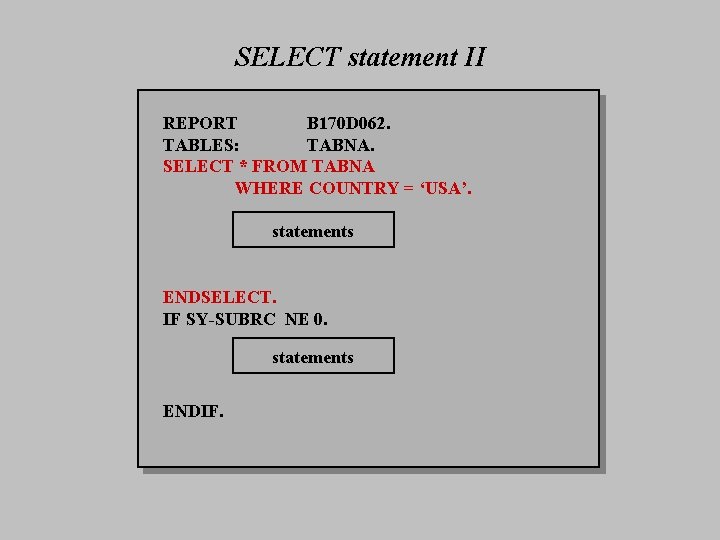
SELECT statement II REPORT B 170 D 062. TABLES: TABNA. SELECT * FROM TABNA WHERE COUNTRY = ‘USA’. statements ENDSELECT. IF SY-SUBRC NE 0. statements ENDIF.
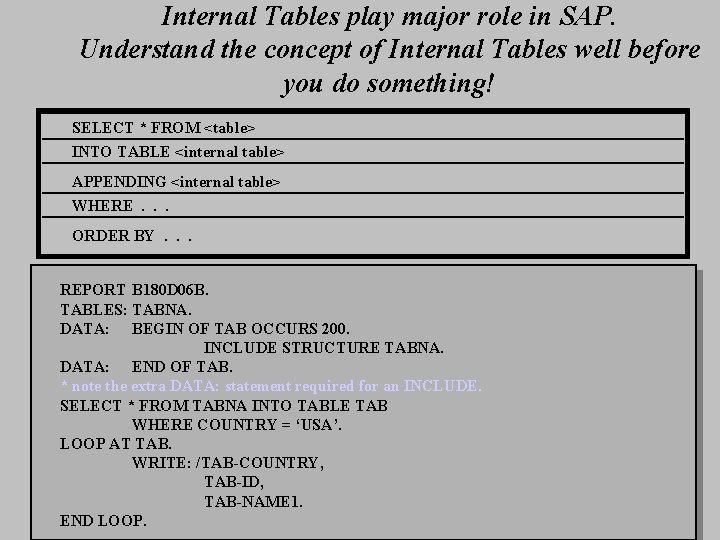
Internal Tables play major role in SAP. Understand the concept of Internal Tables well before you do something! SELECT * FROM <table> INTO TABLE <internal table> APPENDING <internal table> WHERE. . . ORDER BY. . . REPORT B 180 D 06 B. TABLES: TABNA. DATA: BEGIN OF TAB OCCURS 200. INCLUDE STRUCTURE TABNA. DATA: END OF TAB. * note the extra DATA: statement required for an INCLUDE. SELECT * FROM TABNA INTO TABLE TAB WHERE COUNTRY = ‘USA’. LOOP AT TAB. WRITE: /TAB-COUNTRY, TAB-ID, TAB-NAME 1. END LOOP.

I have tried to give some info to take a look at ABAP/4. Go through training or refer books to master ABAP/4. SAP is difficult to master. Concentrate on what you are good at. ALL THE BEST !
- Slides: 46