
Introduction The Center for Acquisition Resource Excellence CARE
- Slides: 19
Introduction The Center for Acquisition Resource Excellence (CARE) Portal homepage has replaced the Acquisition Resource Center (ARC) homepage and the Electronic Contract Management System (e. CMS) landing page. The CARE Portal homepage layout is similar to the ARC, so navigation to your artifacts and community sites is straightforward. This site is intended to be the interface to all things Acquisition-related for acquisition professionals and all stakeholders throughout the Agency. Authorized users may access the pre-award, and post-award functionality Department legacy system modules from this portal utilizing their existing network logon access credentials. CARE functionality includes: • Action Summary Reports that return detailed information for e. CMS Action IDs; • Direct links to Contracting Module, Planning Module, FAC-Warrant Electronic Certification (e. CERT), and Procurement Policy; • Dashboard metric reporting with drill-down capability; • Agency News; and • Access to artifacts and Communities previously available through the ARC. 1
Goal and Agenda Goal of Webinar: To ease the transition from the ARC and e. CMS landing pages to the CARE Portal by familiarizing end users with the CARE Portal homepage layout and navigation; and to introduce the Action Summary Report interface. Agenda: Introduction Overview of portal Overview of reporting Q&A / Wrap-up 5 minutes 10 minutes 2
CARE Homepage 3
4
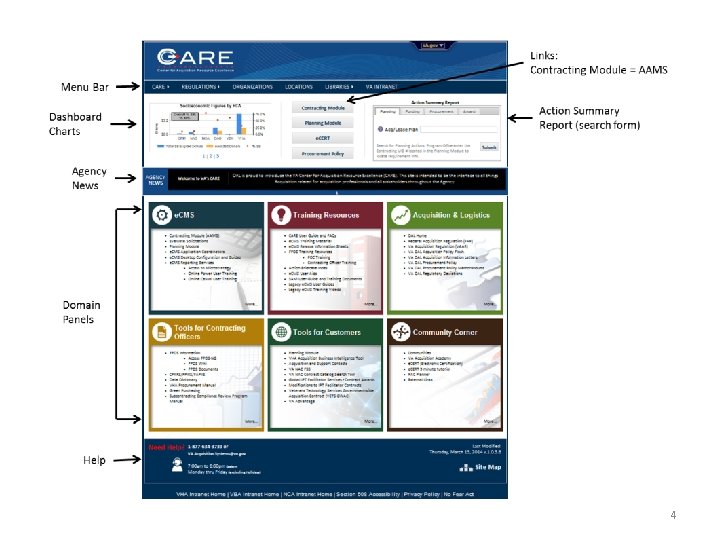
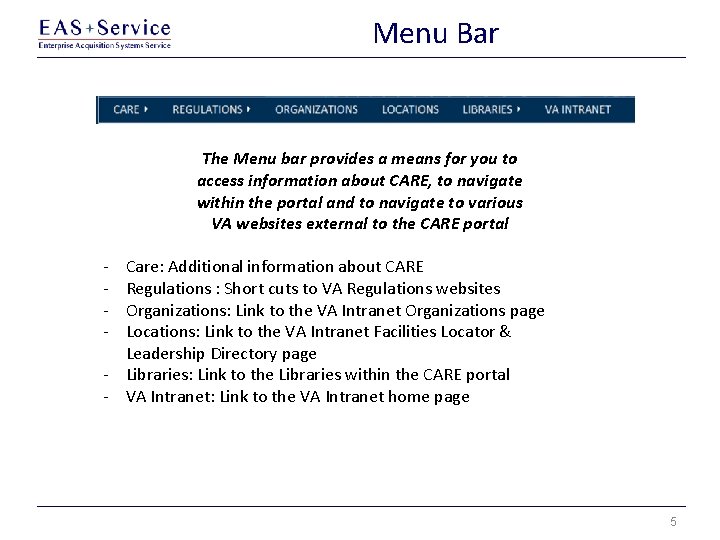
Menu Bar The Menu bar provides a means for you to access information about CARE, to navigate within the portal and to navigate to various VA websites external to the CARE portal - Care: Additional information about CARE Regulations : Short cuts to VA Regulations websites Organizations: Link to the VA Intranet Organizations page Locations: Link to the VA Intranet Facilities Locator & Leadership Directory page - Libraries: Link to the Libraries within the CARE portal - VA Intranet: Link to the VA Intranet home page 5
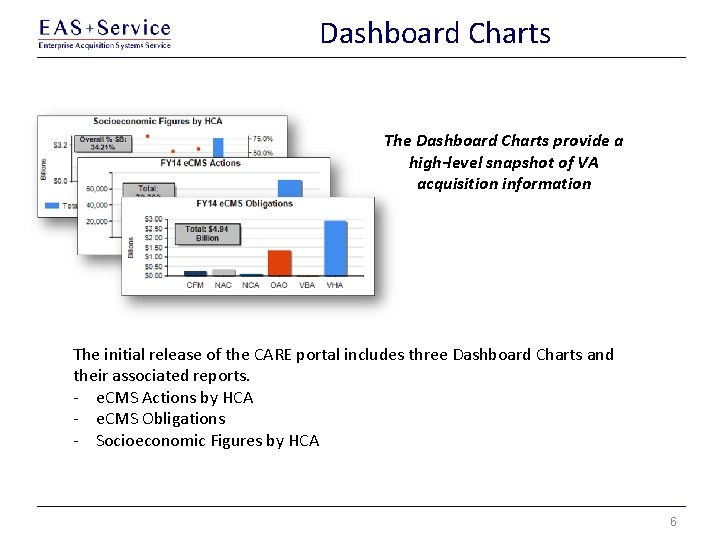
Dashboard Charts The Dashboard Charts provide a high-level snapshot of VA acquisition information The initial release of the CARE portal includes three Dashboard Charts and their associated reports. - e. CMS Actions by HCA - e. CMS Obligations - Socioeconomic Figures by HCA 6
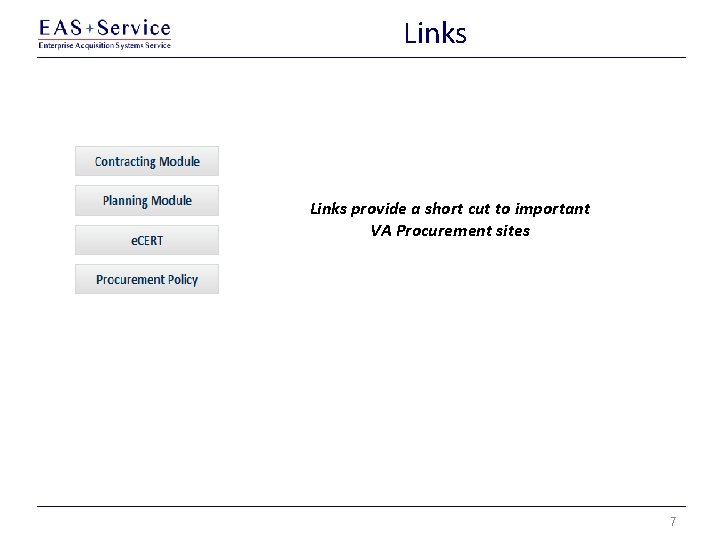
Links provide a short cut to important VA Procurement sites 7
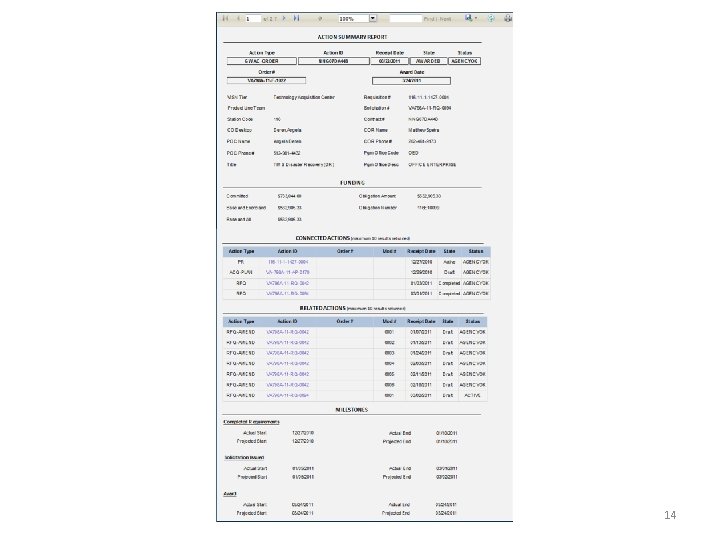
Action Summary Report Planning, Funding, Procurement, and Award Tabs 8
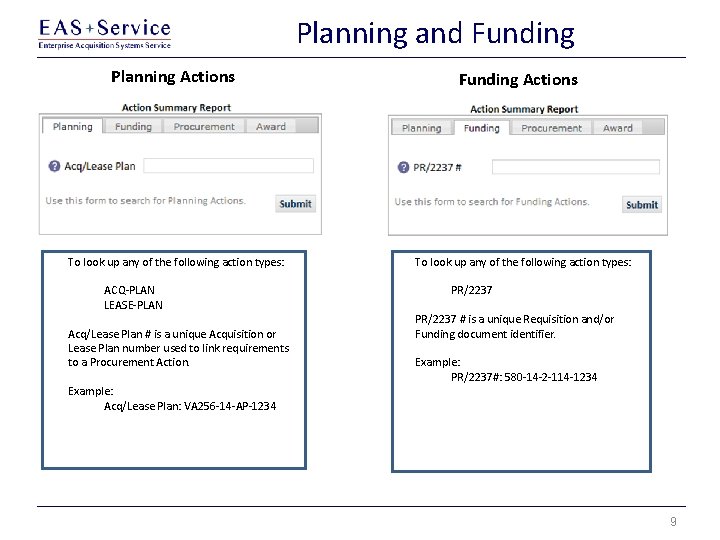
Planning and Funding Planning Actions To look up any of the following action types: ACQ-PLAN LEASE-PLAN Acq/Lease Plan # is a unique Acquisition or Lease Plan number used to link requirements to a Procurement Action. Example: Acq/Lease Plan: VA 256 -14 -AP-1234 Funding Actions To look up any of the following action types: PR/2237 # is a unique Requisition and/or Funding document identifier. Example: PR/2237#: 580 -14 -2 -114 -1234 9
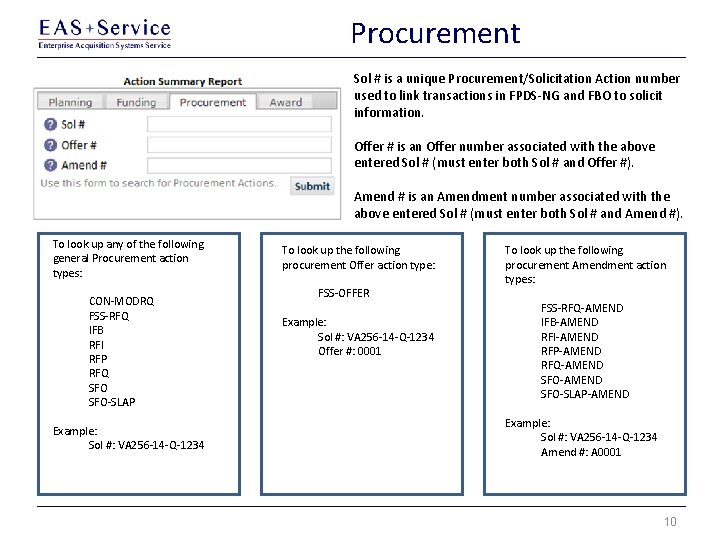
Procurement Sol # is a unique Procurement/Solicitation Action number used to link transactions in FPDS-NG and FBO to solicit information. Offer # is an Offer number associated with the above entered Sol # (must enter both Sol # and Offer #). Amend # is an Amendment number associated with the above entered Sol # (must enter both Sol # and Amend #). To look up any of the following general Procurement action types: CON-MODRQ FSS-RFQ IFB RFI RFP RFQ SFO-SLAP Example: Sol #: VA 256 -14 -Q-1234 To look up the following procurement Offer action type: FSS-OFFER Example: Sol #: VA 256 -14 -Q-1234 Offer #: 0001 To look up the following procurement Amendment action types: FSS-RFQ-AMEND IFB-AMEND RFI-AMEND RFP-AMEND RFQ-AMEND SFO-SLAP-AMEND Example: Sol #: VA 256 -14 -Q-1234 Amend #: A 0001 10
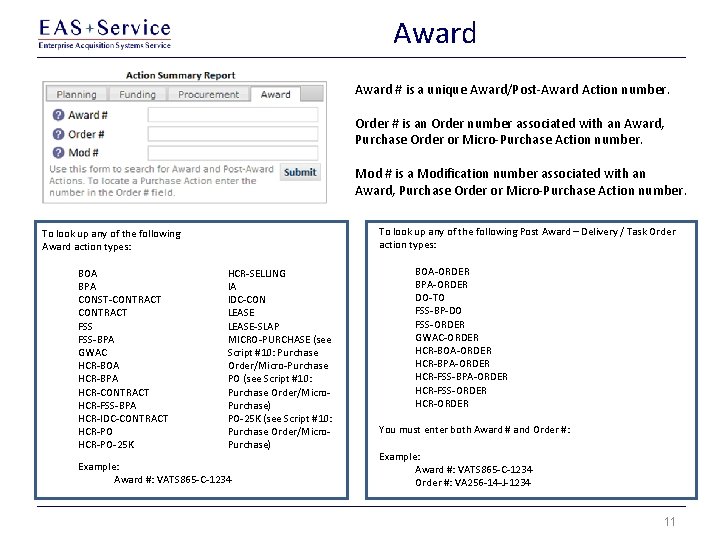
Award # is a unique Award/Post-Award Action number. Order # is an Order number associated with an Award, Purchase Order or Micro-Purchase Action number. Mod # is a Modification number associated with an Award, Purchase Order or Micro-Purchase Action number. To look up any of the following Post Award – Delivery / Task Order action types: To look up any of the following Award action types: BOA BPA CONST-CONTRACT FSS FSS-BPA GWAC HCR-BOA HCR-BPA HCR-CONTRACT HCR-FSS-BPA HCR-IDC-CONTRACT HCR-PO-25 K HCR-SELLING IA IDC-CON LEASE-SLAP MICRO-PURCHASE (see Script #10: Purchase Order/Micro-Purchase PO (see Script #10: Purchase Order/Micro. Purchase) PO-25 K (see Script #10: Purchase Order/Micro. Purchase) Example: Award #: VATS 865 -C-1234 BOA-ORDER BPA-ORDER DO-TO FSS-BP-DO FSS-ORDER GWAC-ORDER HCR-BOA-ORDER HCR-BPA-ORDER HCR-FSS-ORDER HCR-ORDER You must enter both Award # and Order #: Example: Award #: VATS 865 -C-1234 Order #: VA 256 -14 -J-1234 11
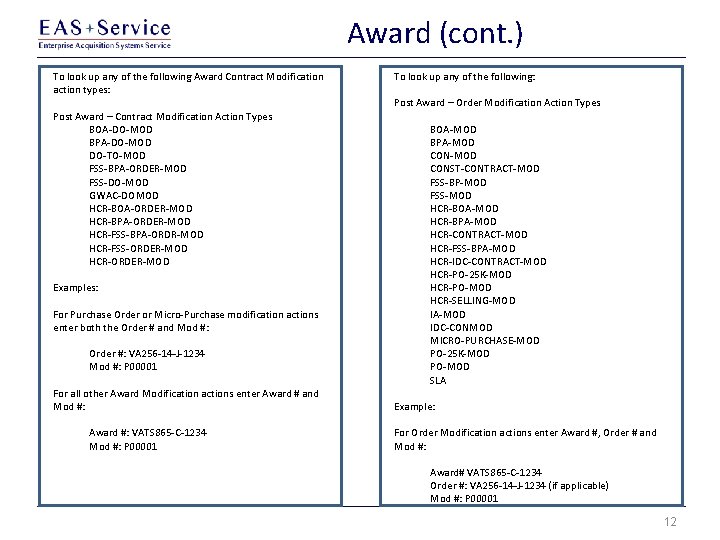
Award (cont. ) To look up any of the following Award Contract Modification action types: Post Award – Contract Modification Action Types BOA-DO-MOD BPA-DO-MOD DO-TO-MOD FSS-BPA-ORDER-MOD FSS-DO-MOD GWAC-DOMOD HCR-BOA-ORDER-MOD HCR-BPA-ORDER-MOD HCR-FSS-BPA-ORDR-MOD HCR-FSS-ORDER-MOD HCR-ORDER-MOD Examples: For Purchase Order or Micro-Purchase modification actions enter both the Order # and Mod #: Order #: VA 256 -14 -J-1234 Mod #: P 00001 For all other Award Modification actions enter Award # and Mod #: Award #: VATS 865 -C-1234 Mod #: P 00001 To look up any of the following: Post Award – Order Modification Action Types BOA-MOD BPA-MOD CONST-CONTRACT-MOD FSS-BP-MOD FSS-MOD HCR-BOA-MOD HCR-BPA-MOD HCR-CONTRACT-MOD HCR-FSS-BPA-MOD HCR-IDC-CONTRACT-MOD HCR-PO-25 K-MOD HCR-PO-MOD HCR-SELLING-MOD IA-MOD IDC-CONMOD MICRO-PURCHASE-MOD PO-25 K-MOD PO-MOD SLA Example: For Order Modification actions enter Award #, Order # and Mod #: Award# VATS 865 -C-1234 Order #: VA 256 -14 -J-1234 (if applicable) Mod #: P 00001 12
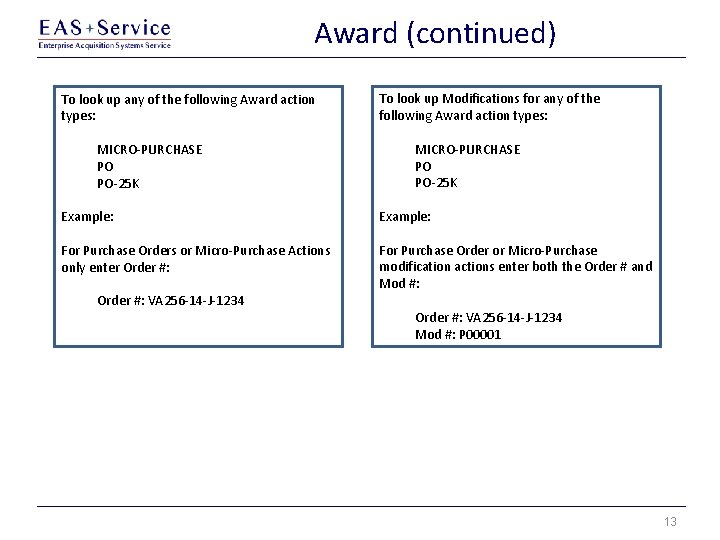
Award (continued) To look up any of the following Award action types: MICRO-PURCHASE PO PO-25 K To look up Modifications for any of the following Award action types: MICRO-PURCHASE PO PO-25 K Example: For Purchase Orders or Micro-Purchase Actions only enter Order #: For Purchase Order or Micro-Purchase modification actions enter both the Order # and Mod #: Order #: VA 256 -14 -J-1234 Mod #: P 00001 13
14
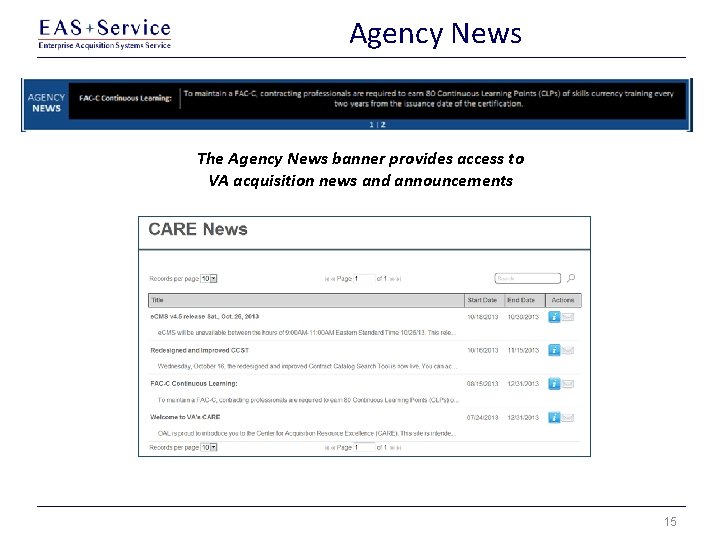
Agency News The Agency News banner provides access to VA acquisition news and announcements 15
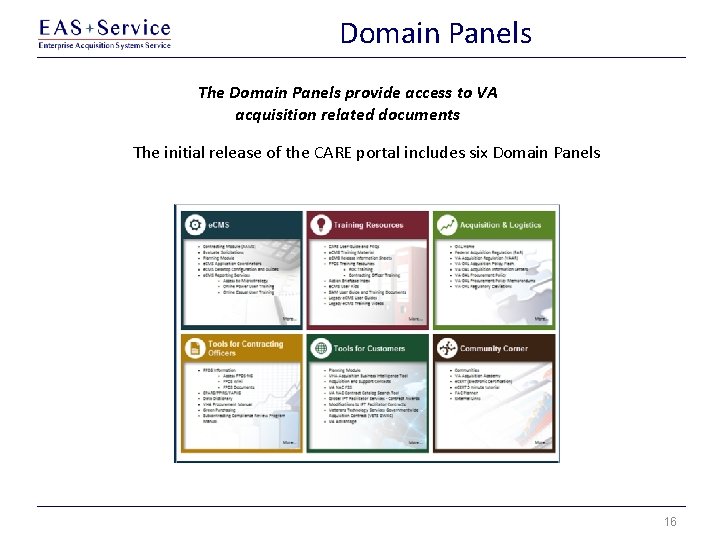
Domain Panels The Domain Panels provide access to VA acquisition related documents The initial release of the CARE portal includes six Domain Panels 16
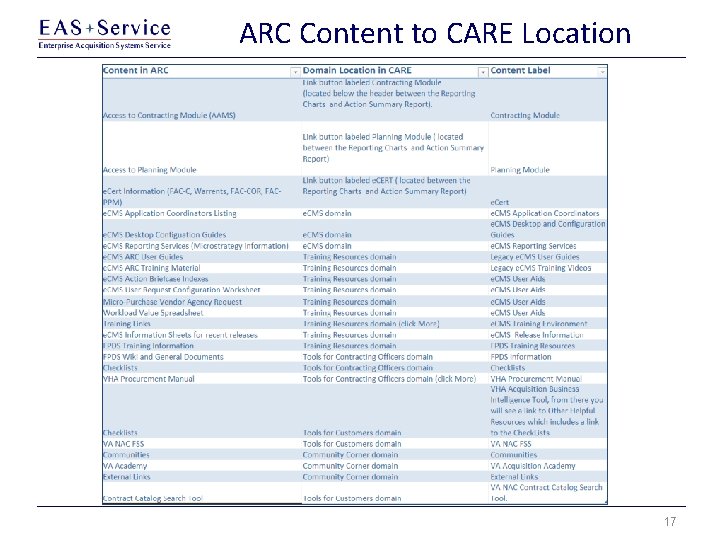
ARC Content to CARE Location 17
Need Help? The Help feature provides information for contacting the VA Acquisition Systems Help Desk team 18
Q&A / Wrap-up In Summary… CARE functionality includes: • Action Summary Reports that return detailed information for e. CMS Action IDs; • Direct links to Contracting Module, Planning Module, FAC-Warrant Electronic Certification (e. CERT), and Procurement Policy; • Dashboard metric reporting with drill-down capability; • Agency News; and • Access to artifacts and Communities previously available through the ARC. The CARE User Guide and Frequently Asked Questions documents are accessible on CARE by clicking on the CARE User Guide and FAQs link in the Training Resources domain panel. Please contact the VAAS Helpdesk at 1 -877 -634 -3739, or via email at VA. Acquisition. Systems@va. gov, if you have any questions or require assistance. We welcome any feedback you have regarding the features and operations of e. CMS. Questions? 19