
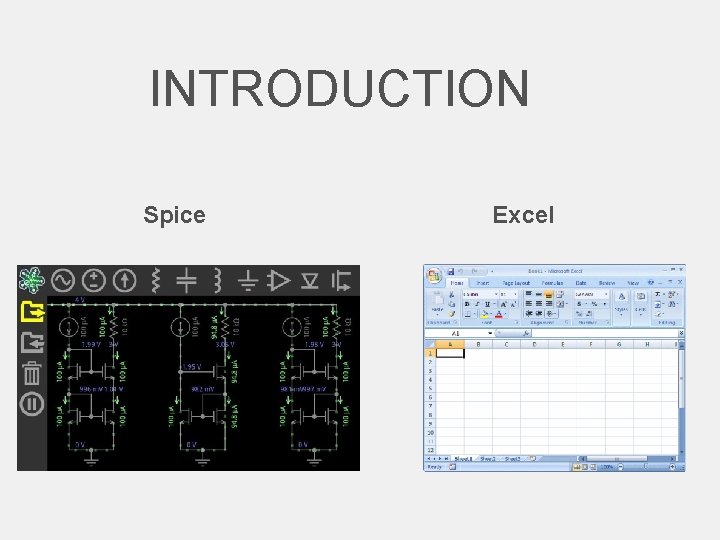
INTRODUCTION Spice Excel SPICE Simulation Program with Integrated



- Slides: 44
INTRODUCTION Spice Excel
SPICE Simulation Program with Integrated Circuit Emphasis
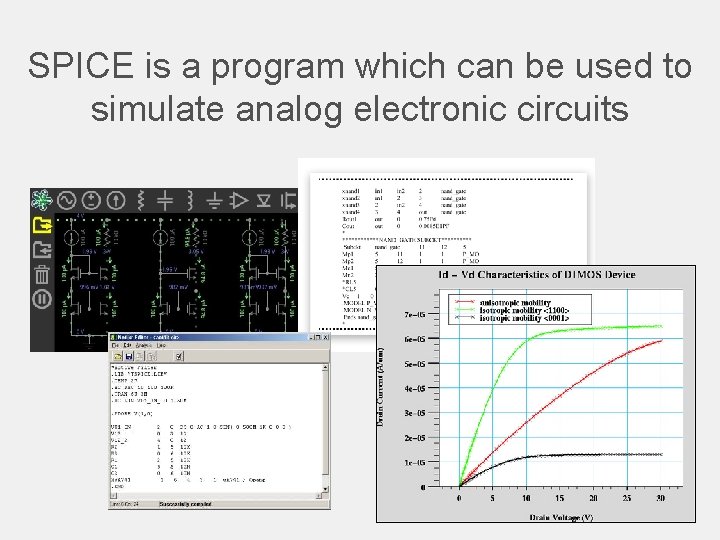
SPICE is a program which can be used to simulate analog electronic circuits
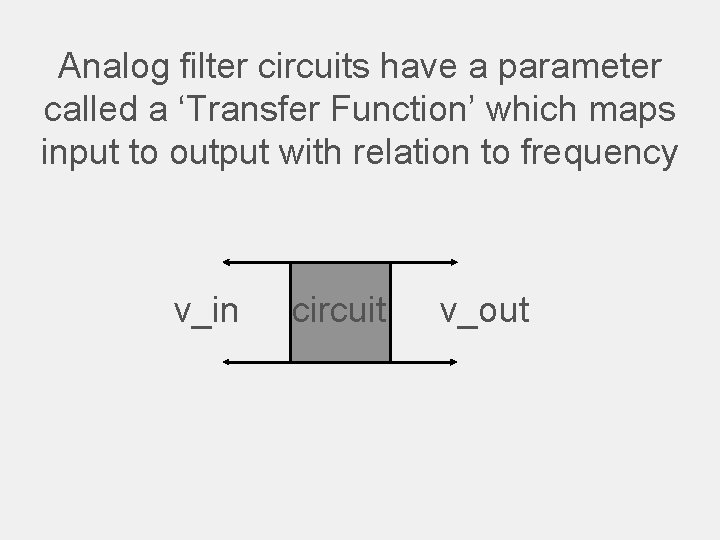
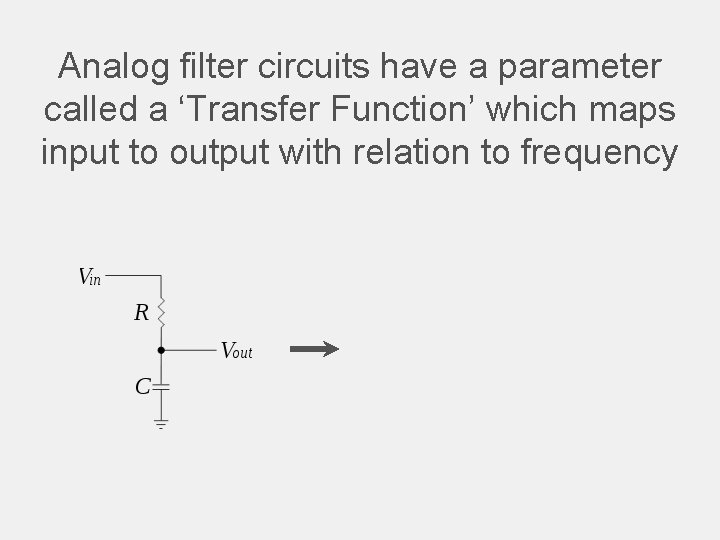
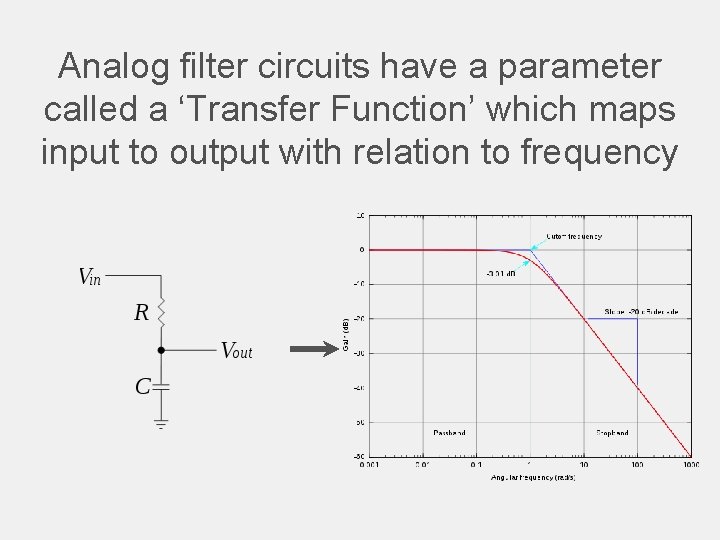
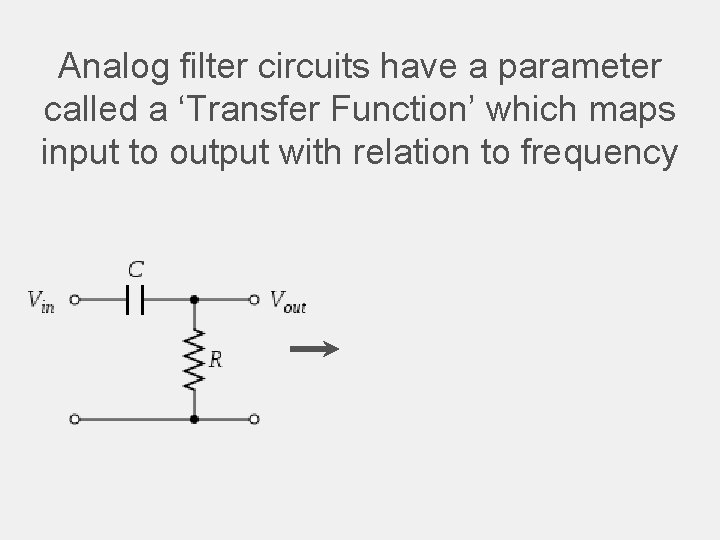
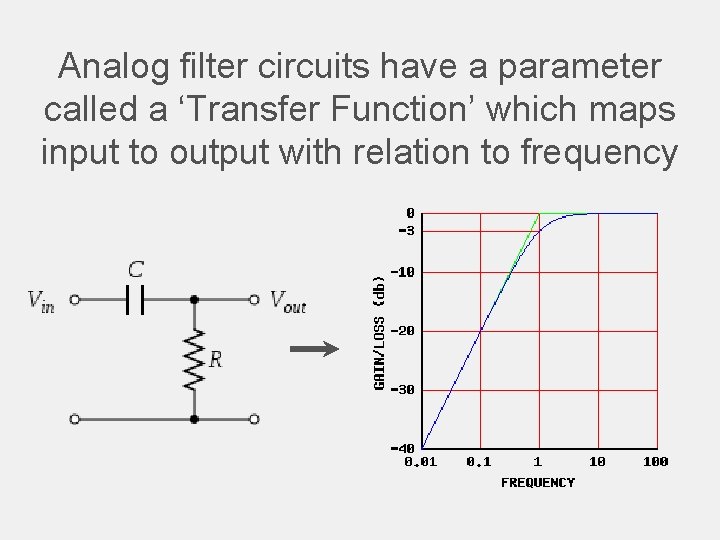
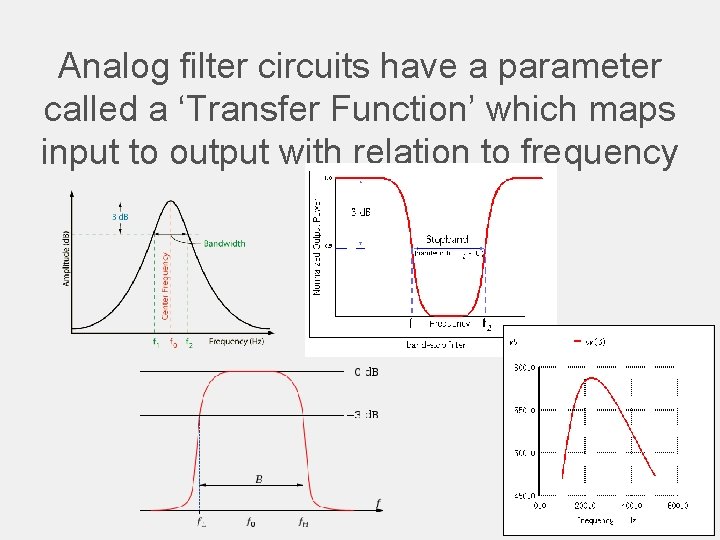
Analog filter circuits have a parameter called a ‘Transfer Function’ which maps input to output with relation to frequency v_in circuit v_out
Analog filter circuits have a parameter called a ‘Transfer Function’ which maps input to output with relation to frequency
Analog filter circuits have a parameter called a ‘Transfer Function’ which maps input to output with relation to frequency
Analog filter circuits have a parameter called a ‘Transfer Function’ which maps input to output with relation to frequency
Analog filter circuits have a parameter called a ‘Transfer Function’ which maps input to output with relation to frequency
Analog filter circuits have a parameter called a ‘Transfer Function’ which maps input to output with relation to frequency
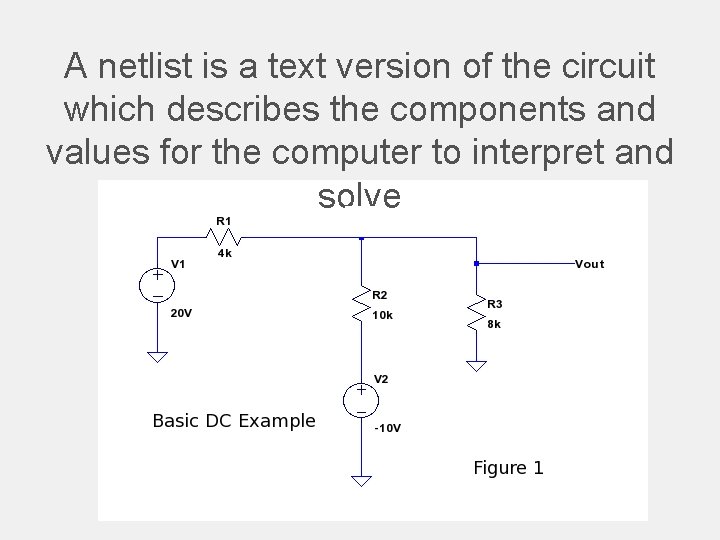
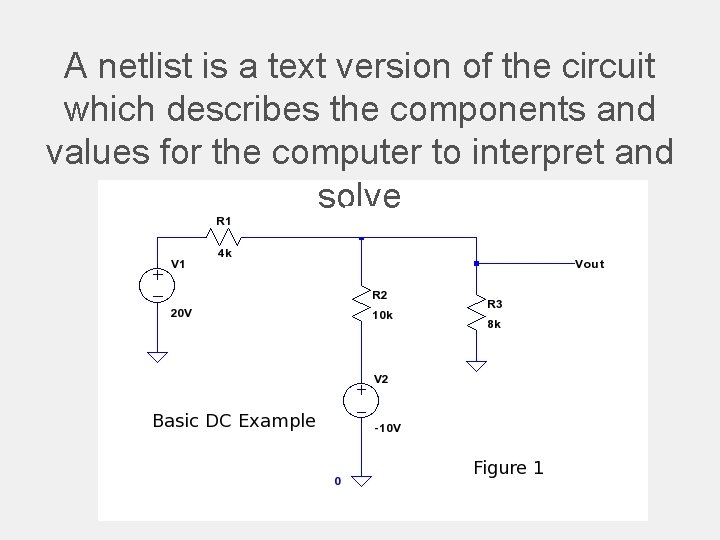
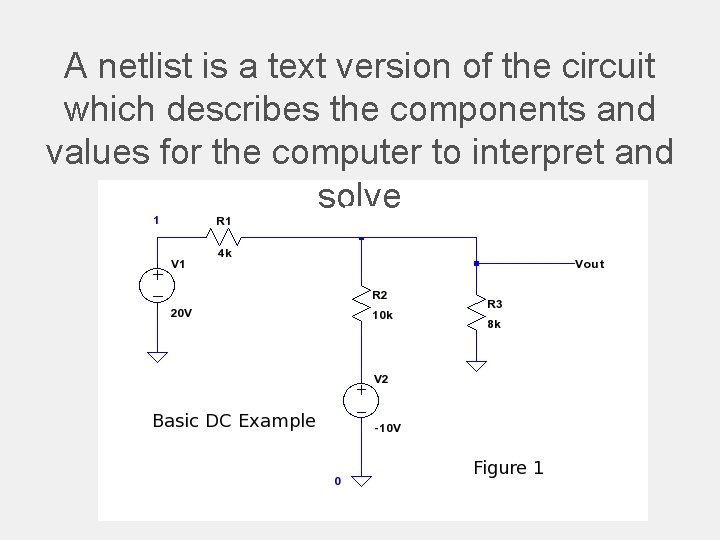
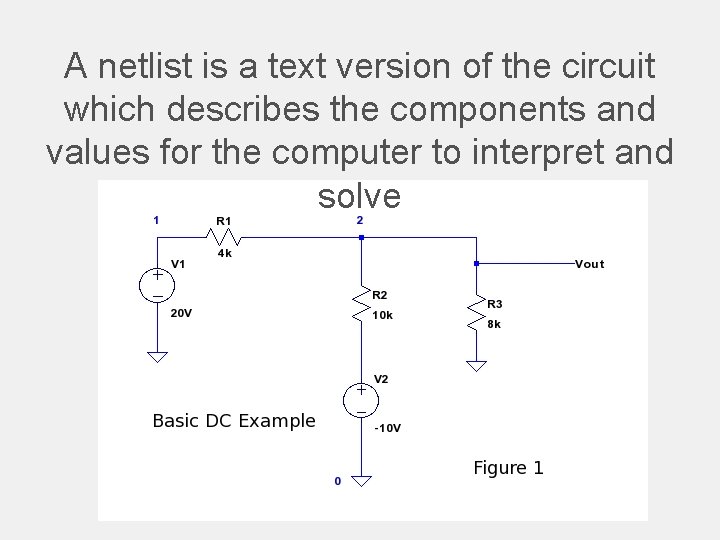
A netlist is a text version of the circuit which describes the components and values for the computer to interpret and solve
A netlist is a text version of the circuit which describes the components and values for the computer to interpret and solve
A netlist is a text version of the circuit which describes the components and values for the computer to interpret and solve
A netlist is a text version of the circuit which describes the components and values for the computer to interpret and solve
A netlist is a text version of the circuit which describes the components and values for the computer to interpret and solve
A netlist is a text version of the circuit which describes the components and values for the computer to interpret and solve
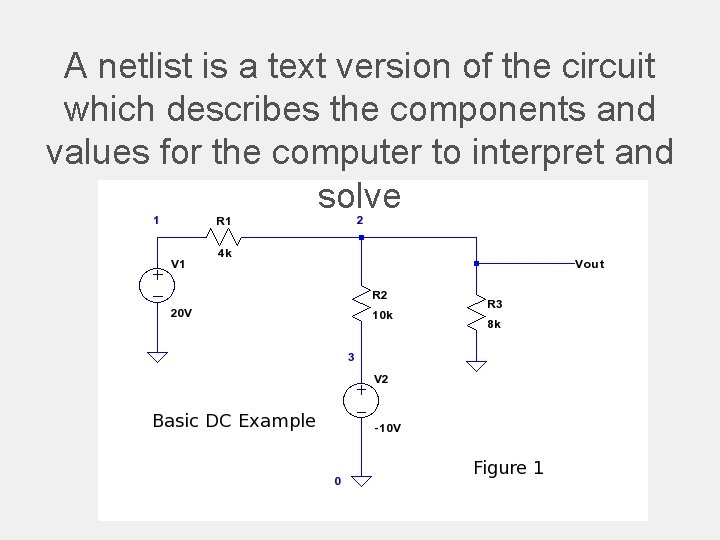
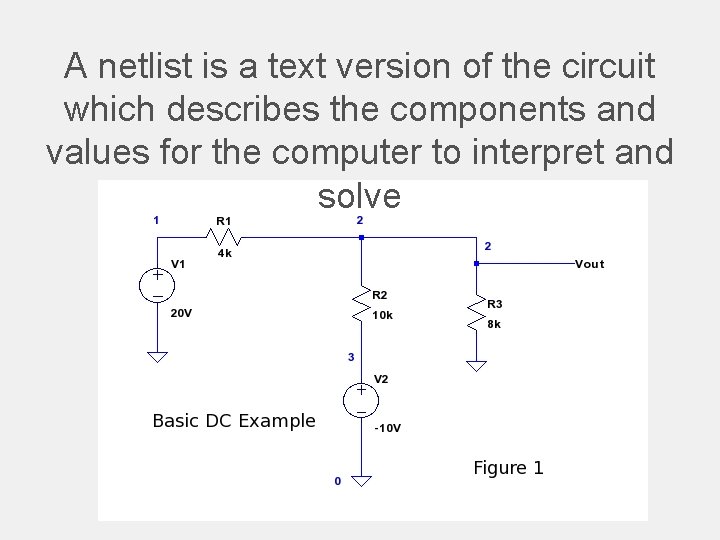
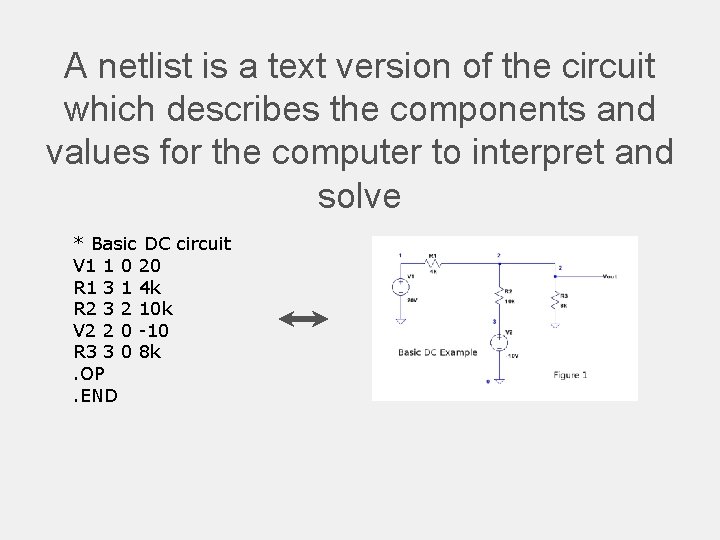
A netlist is a text version of the circuit which describes the components and values for the computer to interpret and solve * Basic DC circuit V 1 1 0 20 R 1 3 1 4 k R 2 3 2 10 k V 2 2 0 -10 R 3 3 0 8 k. OP. END
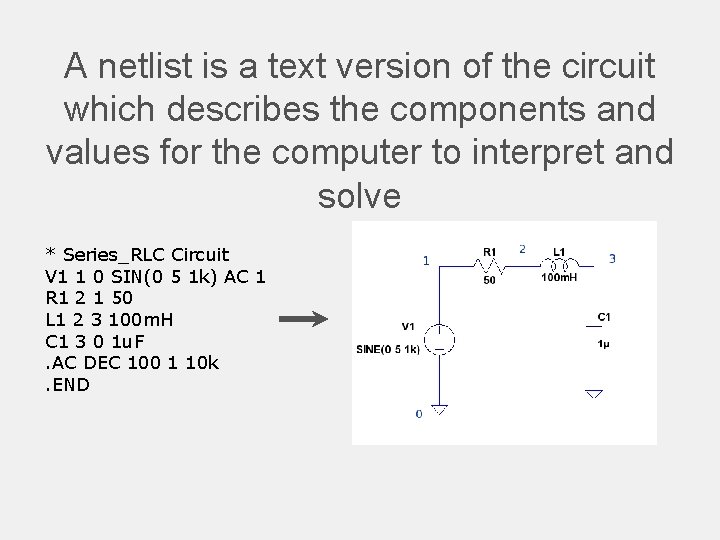
A netlist is a text version of the circuit which describes the components and values for the computer to interpret and solve * Series_RLC Circuit V 1 1 0 SIN(0 5 1 k) AC 1 R 1 2 1 50 L 1 2 3 100 m. H C 1 3 0 1 u. F. AC DEC 100 1 10 k. END
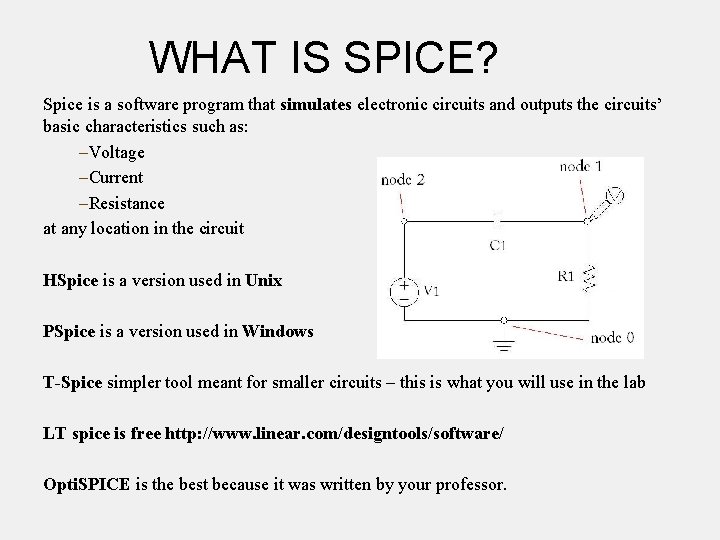
WHAT IS SPICE? Spice is a software program that simulates electronic circuits and outputs the circuits’ basic characteristics such as: –Voltage –Current –Resistance at any location in the circuit HSpice is a version used in Unix PSpice is a version used in Windows T-Spice simpler tool meant for smaller circuits – this is what you will use in the lab LT spice is free http: //www. linear. com/designtools/software/ Opti. SPICE is the best because it was written by your professor.
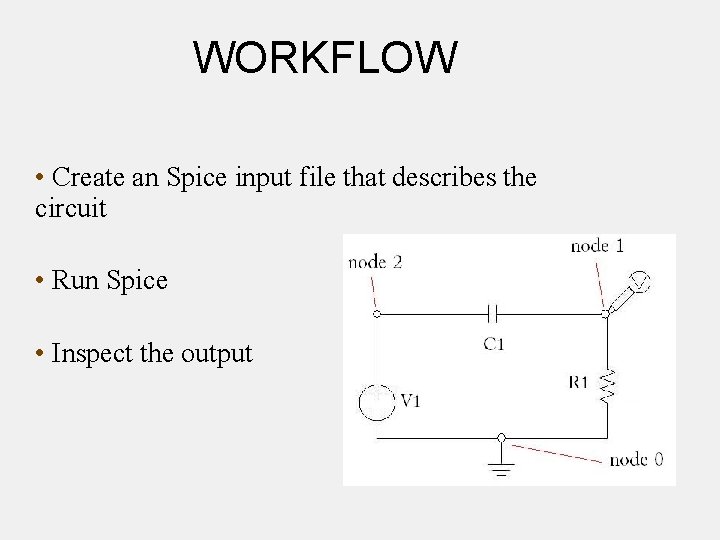
WORKFLOW • Create an Spice input file that describes the circuit • Run Spice • Inspect the output
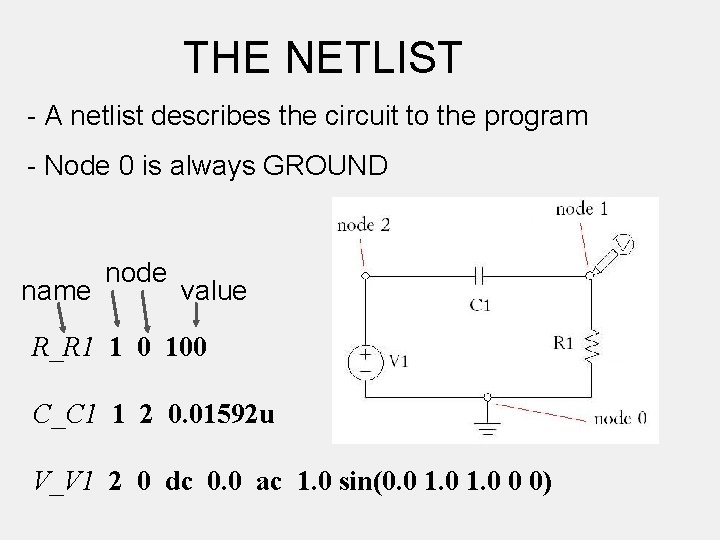
THE NETLIST - A netlist describes the circuit to the program - Node 0 is always GROUND name node value R_R 1 1 0 100 C_C 1 1 2 0. 01592 u V_V 1 2 0 dc 0. 0 ac 1. 0 sin(0. 0 1. 0 0 0)
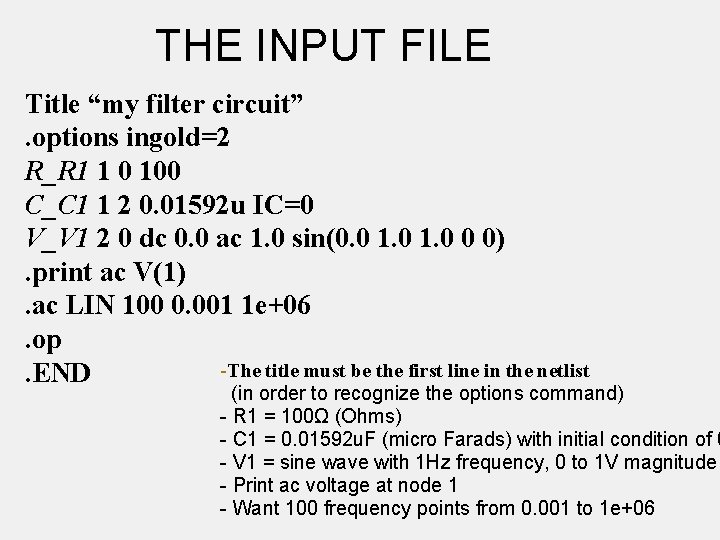
THE INPUT FILE Title “my filter circuit”. options ingold=2 R_R 1 1 0 100 C_C 1 1 2 0. 01592 u IC=0 V_V 1 2 0 dc 0. 0 ac 1. 0 sin(0. 0 1. 0 0 0). print ac V(1). ac LIN 100 0. 001 1 e+06. op -The title must be the first line in the netlist. END (in order to recognize the options command) - R 1 = 100Ω (Ohms) - C 1 = 0. 01592 u. F (micro Farads) with initial condition of 0 - V 1 = sine wave with 1 Hz frequency, 0 to 1 V magnitude - Print ac voltage at node 1 - Want 100 frequency points from 0. 001 to 1 e+06
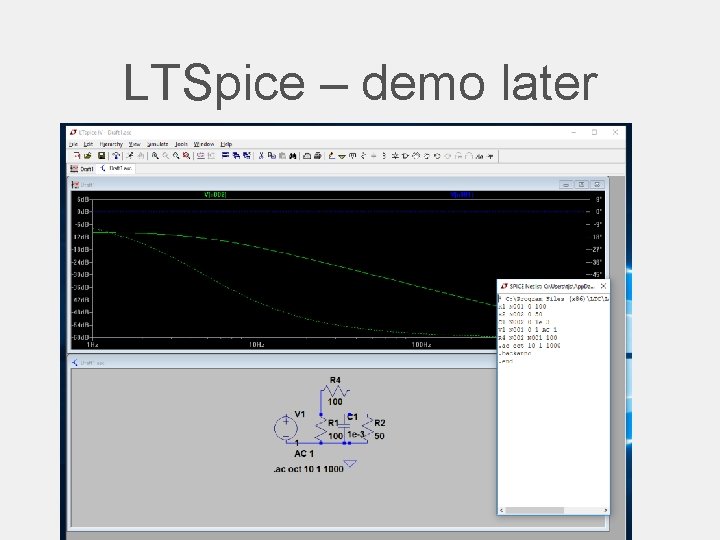
LTSpice – demo later
Others might be available • Hspice (not likely and difficult to use) • Instructions likely obsolete • PSpice • Not sure we have full licence • Tspice • Might be ok – netlist based I think. • Opti. Spice – the best (it’s mine).
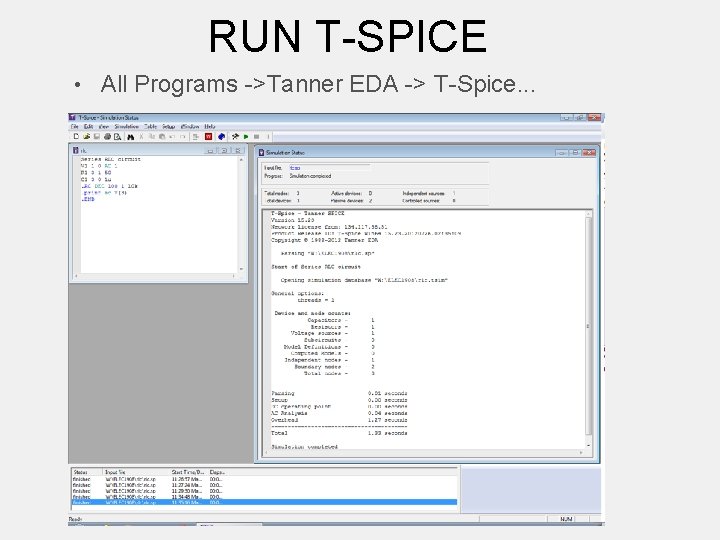
RUN T-SPICE • All Programs ->Tanner EDA -> T-Spice. . .
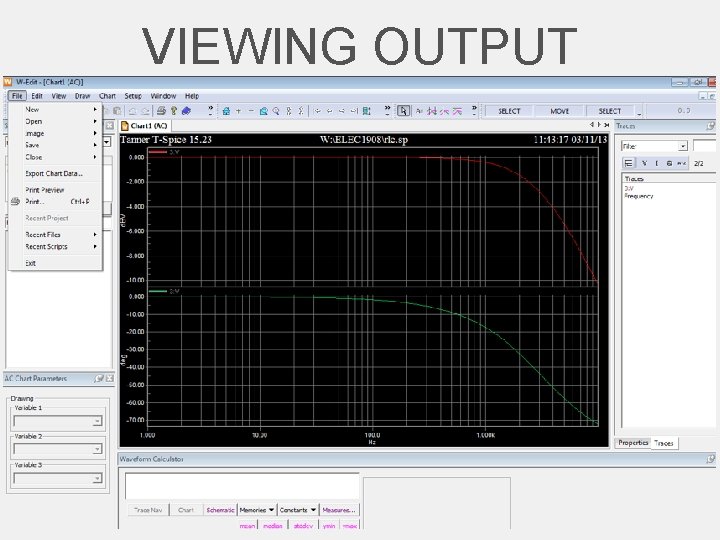
VIEWING OUTPUT
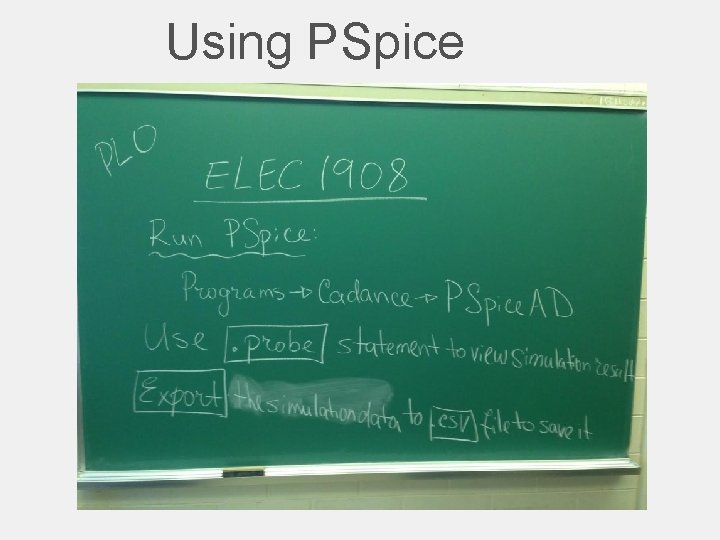
Using PSpice
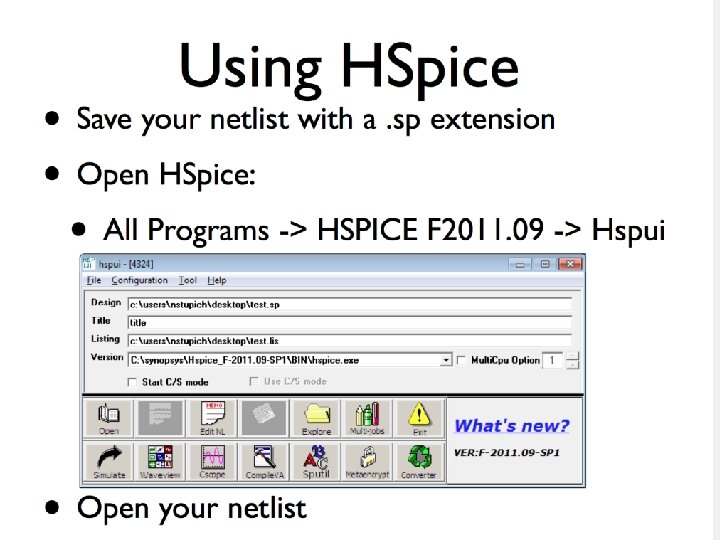
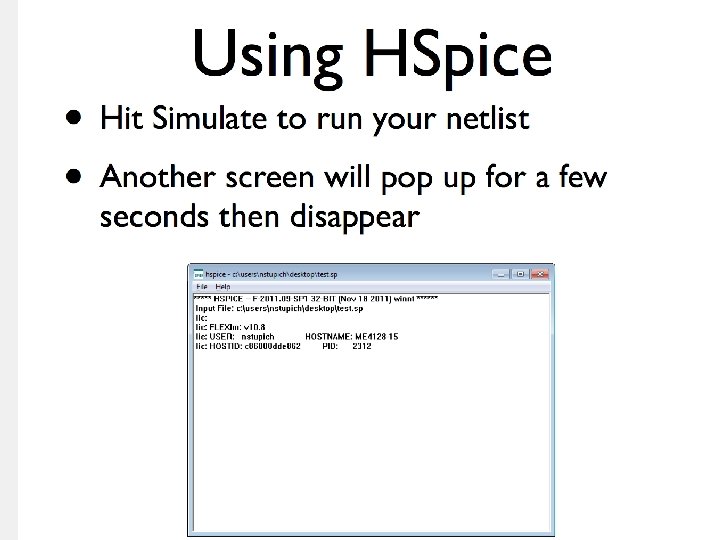
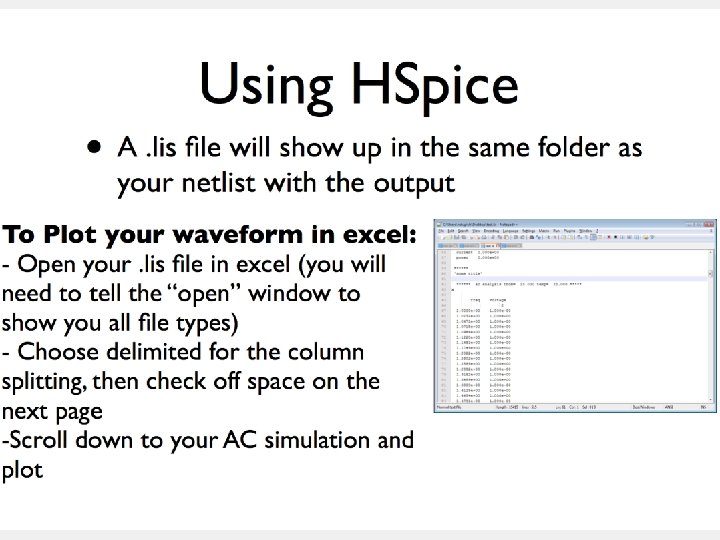
Using HSPICE
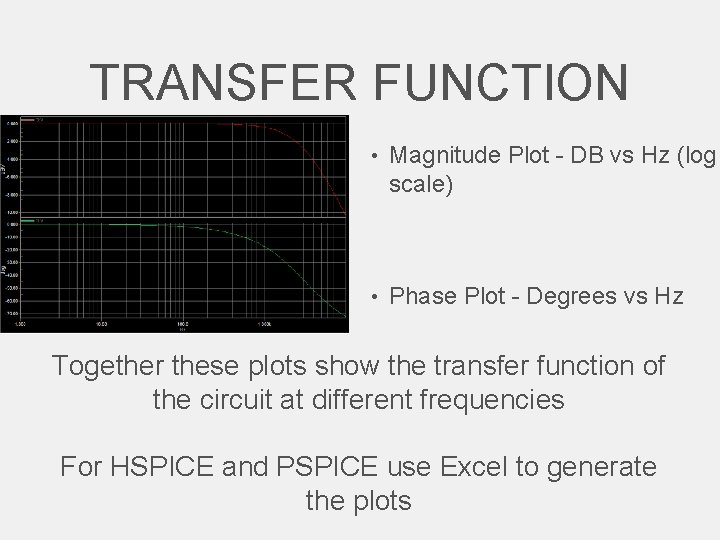
TRANSFER FUNCTION • Magnitude Plot - DB vs Hz (log scale) • Phase Plot - Degrees vs Hz Together these plots show the transfer function of the circuit at different frequencies For HSPICE and PSPICE use Excel to generate the plots
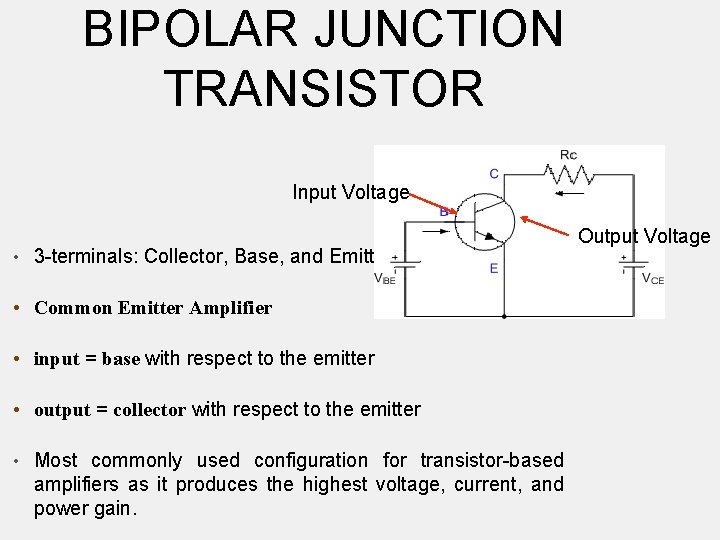
BIPOLAR JUNCTION TRANSISTOR Input Voltage • 3 -terminals: Collector, Base, and Emitter • Common Emitter Amplifier • input = base with respect to the emitter • output = collector with respect to the emitter • Most commonly used configuration for transistor-based amplifiers as it produces the highest voltage, current, and power gain. Output Voltage
BJT
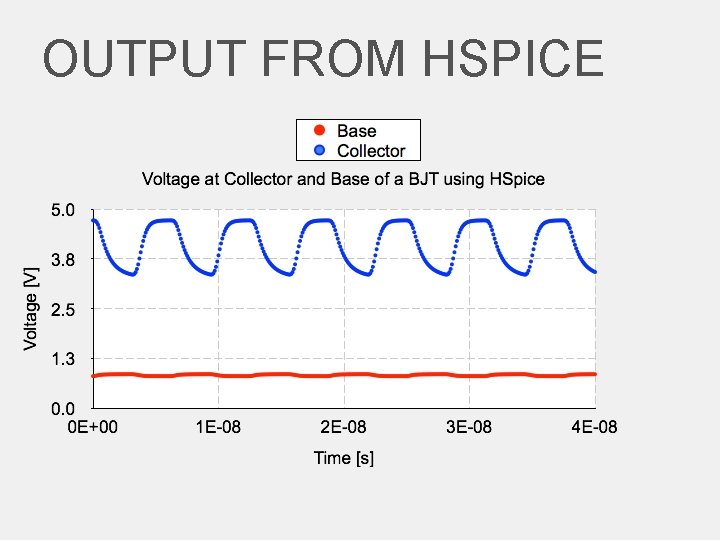
OUTPUT FROM HSPICE
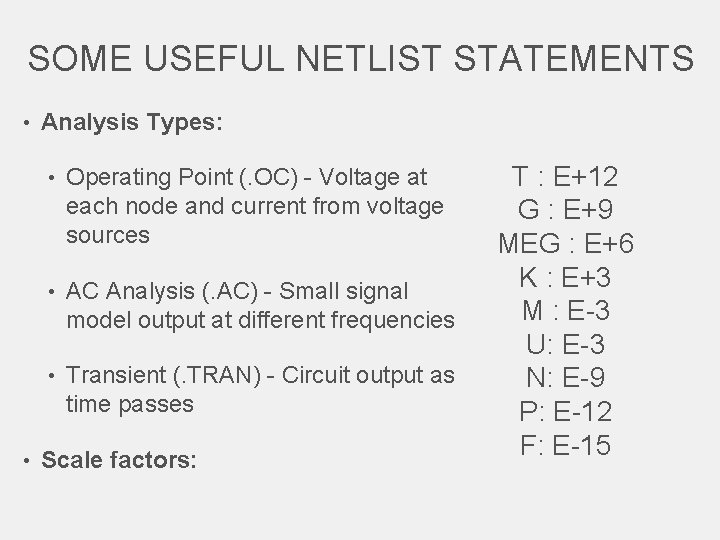
SOME USEFUL NETLIST STATEMENTS • Analysis Types: • Operating Point (. OC) - Voltage at each node and current from voltage sources • AC Analysis (. AC) - Small signal model output at different frequencies • Transient (. TRAN) - Circuit output as time passes • Scale factors: T : E+12 G : E+9 MEG : E+6 K : E+3 M : E-3 U: E-3 N: E-9 P: E-12 F: E-15
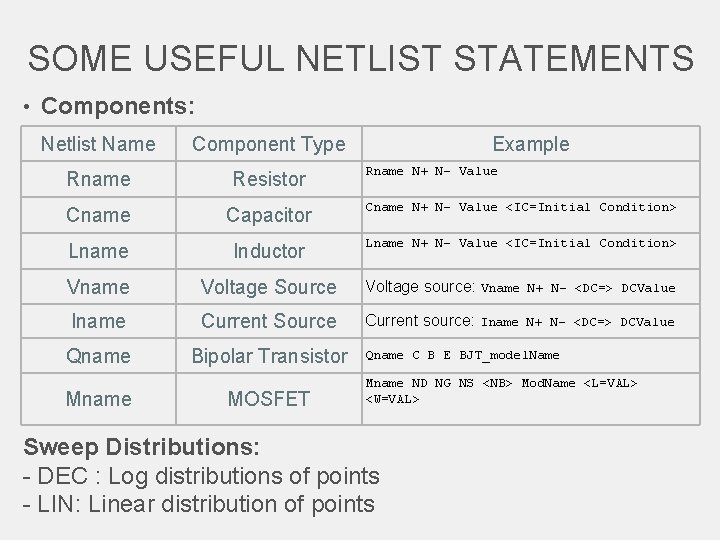
SOME USEFUL NETLIST STATEMENTS • Components: Netlist Name Component Type Rname Resistor Cname Capacitor Cname N+ N- Value <IC=Initial Condition> Lname Inductor Lname N+ N- Value <IC=Initial Condition> Vname Voltage Source Voltage source: Vname N+ N- <DC=> DCValue Iname Current Source Current source: Iname N+ N- <DC=> DCValue Qname Bipolar Transistor Mname MOSFET Example Rname N+ N- Value Qname C B E BJT_model. Name Mname ND NG NS <NB> Mod. Name <L=VAL> <W=VAL> Sweep Distributions: - DEC : Log distributions of points - LIN: Linear distribution of points
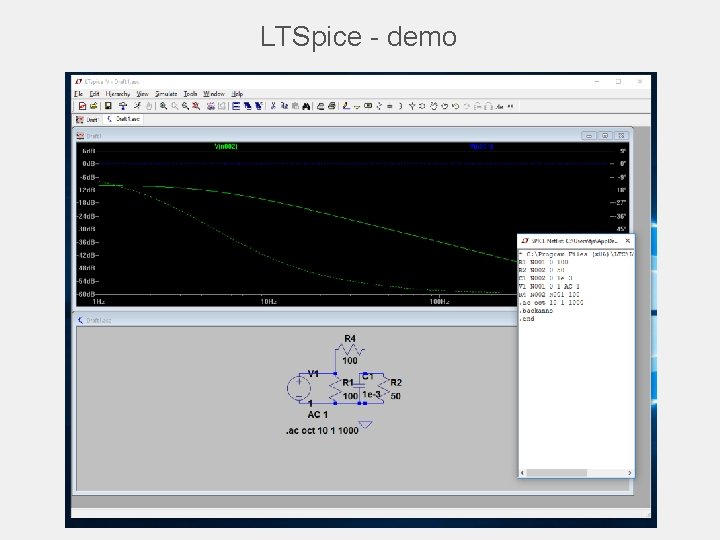
LTSpice - demo
TIPS IN EXCEL
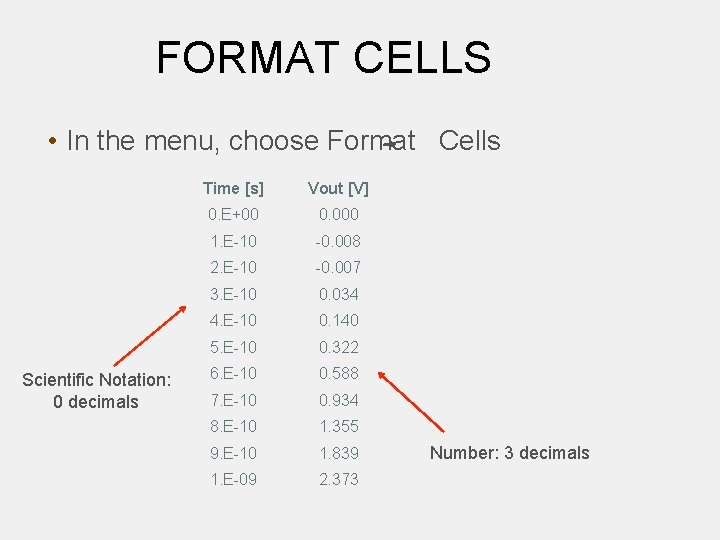
FORMAT CELLS • In the menu, choose Format Cells Scientific Notation: 0 decimals Time [s] Vout [V] 0. E+00 0. 000 1. E-10 -0. 008 2. E-10 -0. 007 3. E-10 0. 034 4. E-10 0. 140 5. E-10 0. 322 6. E-10 0. 588 7. E-10 0. 934 8. E-10 1. 355 9. E-10 1. 839 1. E-09 2. 373 Number: 3 decimals
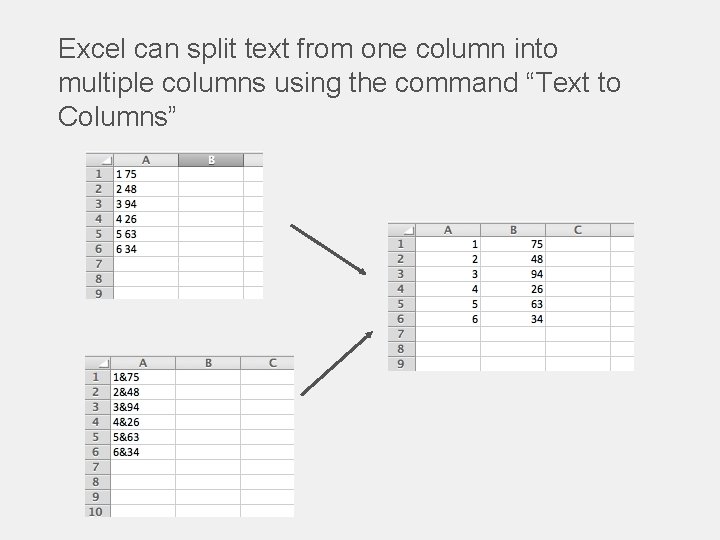
Excel can split text from one column into multiple columns using the command “Text to Columns”
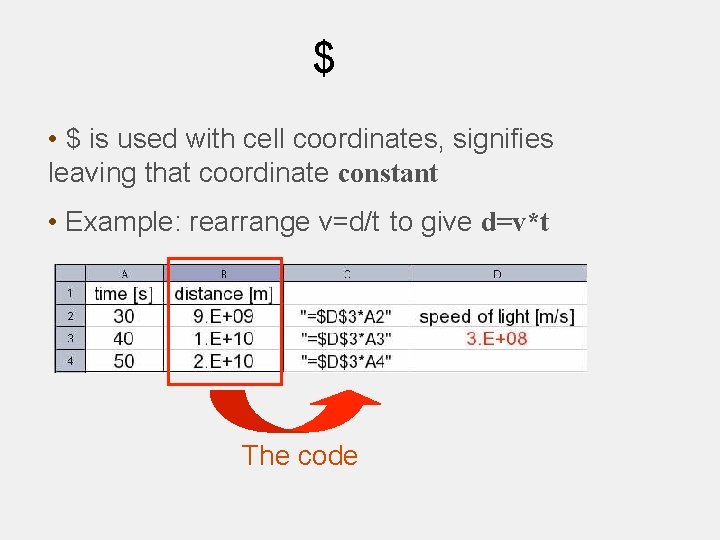
$ • $ is used with cell coordinates, signifies leaving that coordinate constant • Example: rearrange v=d/t to give d=v*t The code
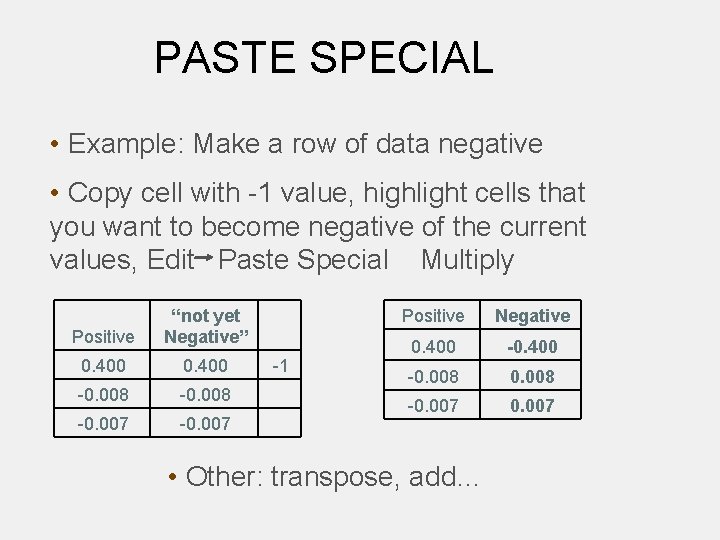
PASTE SPECIAL • Example: Make a row of data negative • Copy cell with -1 value, highlight cells that you want to become negative of the current values, Edit Paste Special Multiply Positive “not yet Negative” 0. 400 -0. 008 -0. 007 -1 Positive Negative 0. 400 -0. 008 -0. 007 • Other: transpose, add…
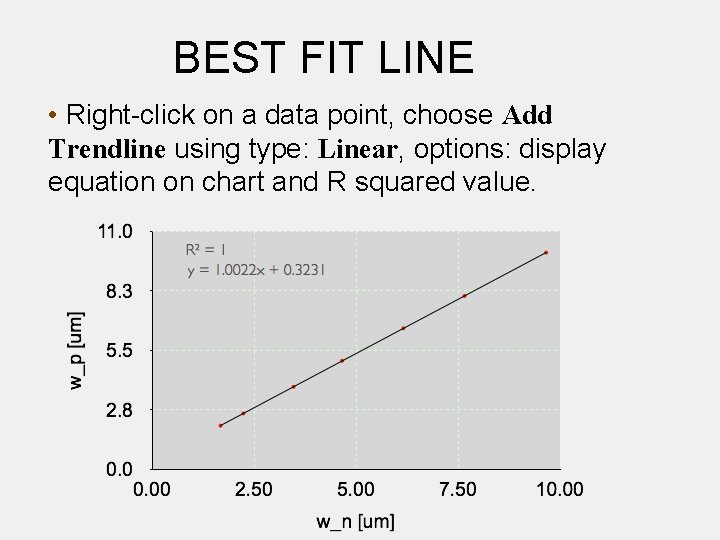
BEST FIT LINE • Right-click on a data point, choose Add Trendline using type: Linear, options: display equation on chart and R squared value.
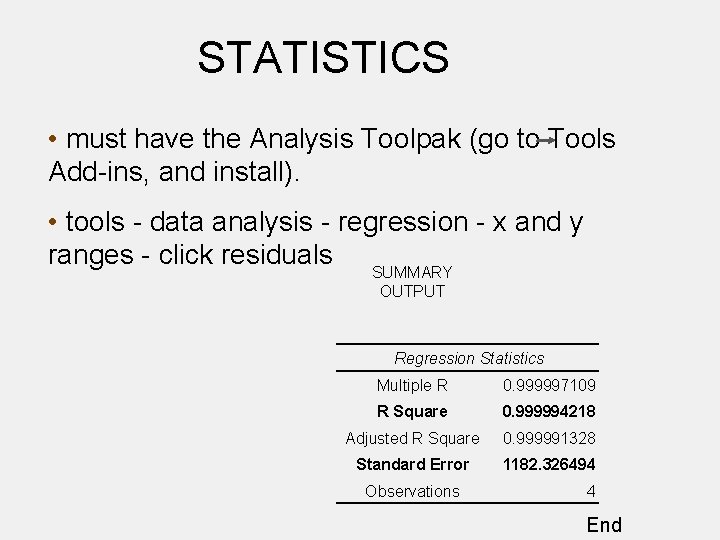
STATISTICS • must have the Analysis Toolpak (go to Tools Add-ins, and install). • tools - data analysis - regression - x and y ranges - click residuals SUMMARY OUTPUT Regression Statistics Multiple R 0. 999997109 R Square 0. 999994218 Adjusted R Square 0. 999991328 Standard Error 1182. 326494 Observations 4 End
NOW TO APPLY YOUR KNOWLEDGE!