
Introduction of Current Deep Learning Software Packages Three

![During Training Dropout[1] Batch Normalization[2] Overfitting help alleviate overfitting during training in Caffe [1]](https://slidetodoc.com/presentation_image_h2/46003022ef615ecb95a2c83eec27141a/image-26.jpg "During Training Dropout[1] Batch Normalization[2] Overfitting help alleviate overfitting during training in Caffe [1]")
- Slides: 45
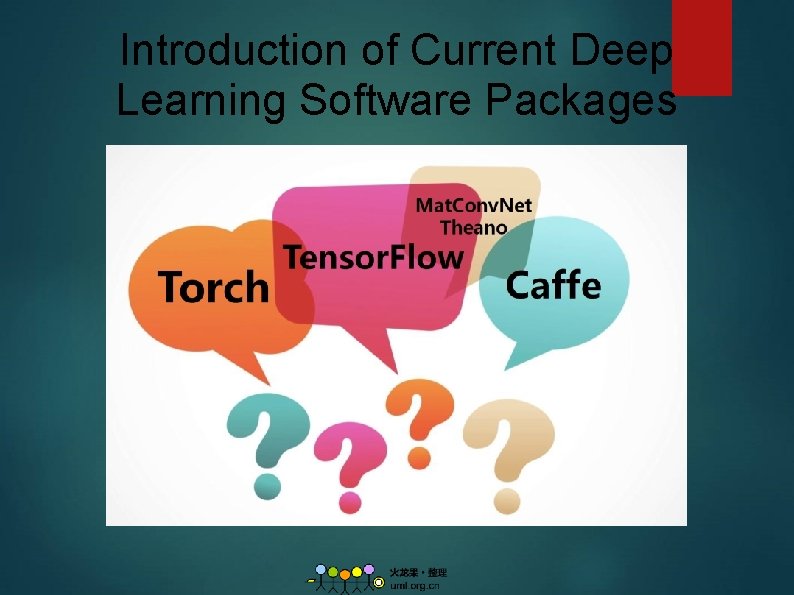
Introduction of Current Deep Learning Software Packages
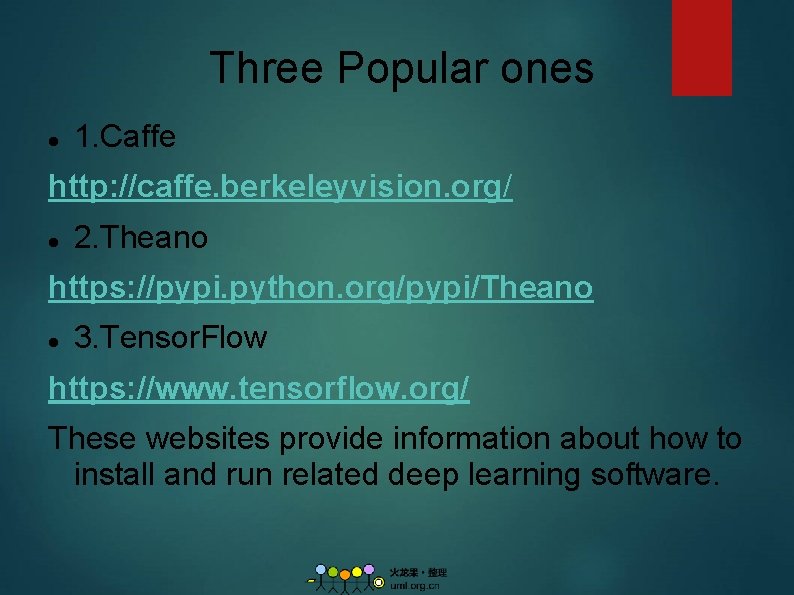
Three Popular ones 1. Caffe http: //caffe. berkeleyvision. org/ 2. Theano https: //pypi. python. org/pypi/Theano 3. Tensor. Flow https: //www. tensorflow. org/ These websites provide information about how to install and run related deep learning software.
1. Caffe 1. Overview: Caffe(Convolutional Architecture For Feature Extraction) Created by Yangqing Jia(贾扬清), UC Berkeley. Written in C++, has Python and MATLAB interface. 2. Github page: https: //github. com/BVLC/caffe 3. Tutorial: http: //caffe. berkeleyvision. org/tutorial/ 4. Install method(CUDA+Caffe): Ouxinyu. github. io/Blogs/2014723001. html
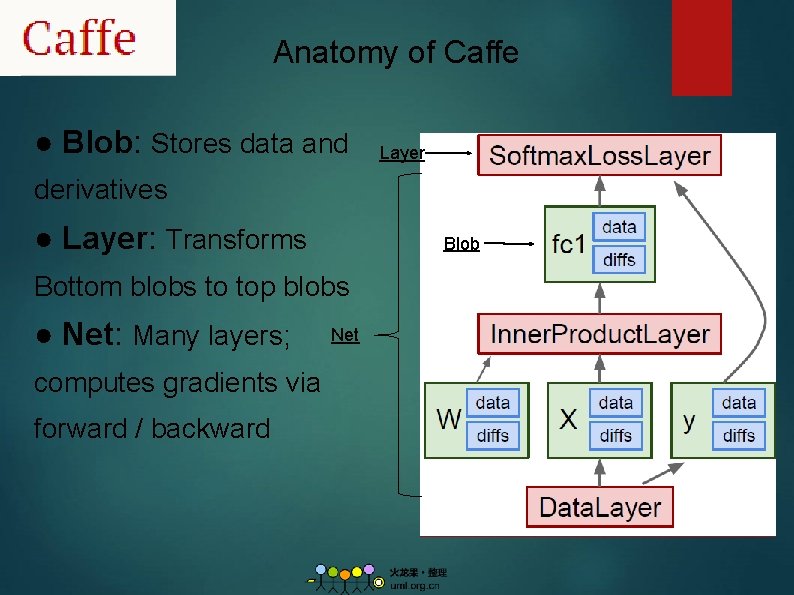
Anatomy of Caffe ● Blob: Stores data and Layer derivatives ● Layer: Transforms Blob Bottom blobs to top blobs ● Net: Many layers; computes gradients via forward / backward Net
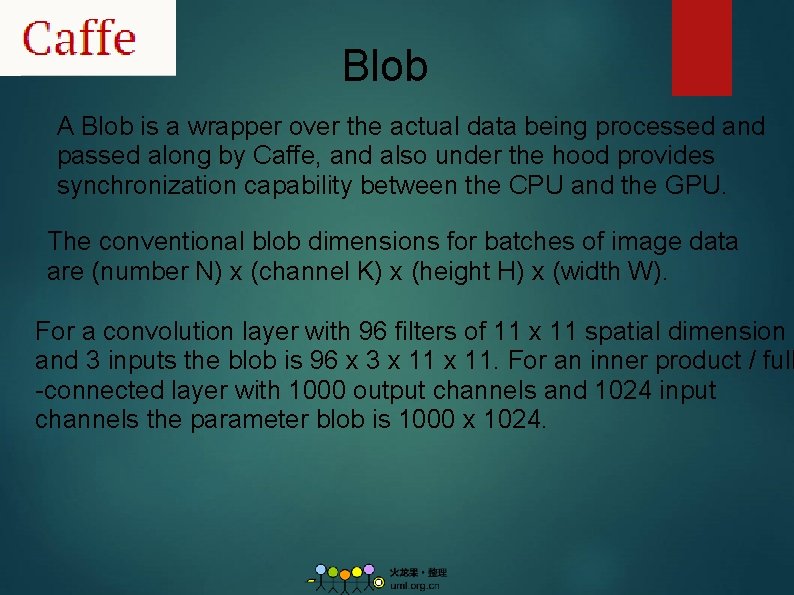
Blob A Blob is a wrapper over the actual data being processed and passed along by Caffe, and also under the hood provides synchronization capability between the CPU and the GPU. The conventional blob dimensions for batches of image data are (number N) x (channel K) x (height H) x (width W). For a convolution layer with 96 filters of 11 x 11 spatial dimension and 3 inputs the blob is 96 x 3 x 11. For an inner product / full -connected layer with 1000 output channels and 1024 input channels the parameter blob is 1000 x 1024.
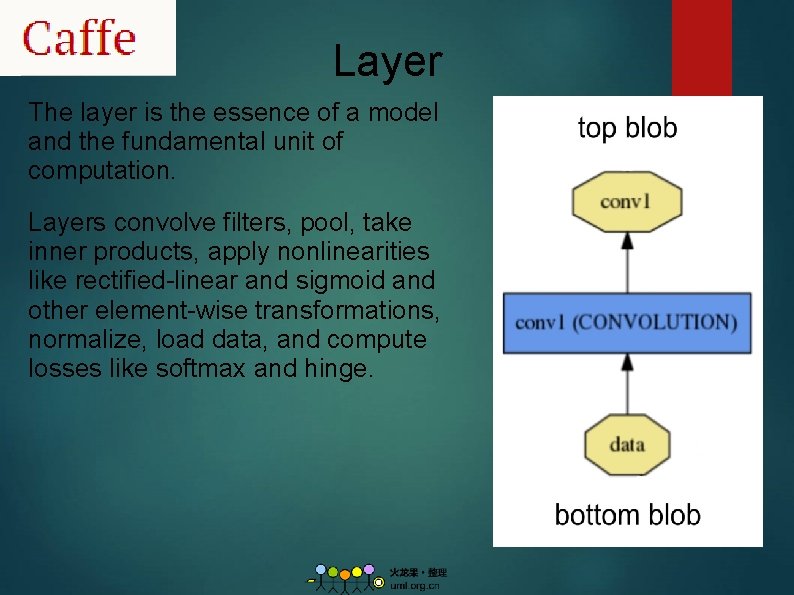
Layer The layer is the essence of a model and the fundamental unit of computation. Layers convolve filters, pool, take inner products, apply nonlinearities like rectified-linear and sigmoid and other element-wise transformations, normalize, load data, and compute losses like softmax and hinge.
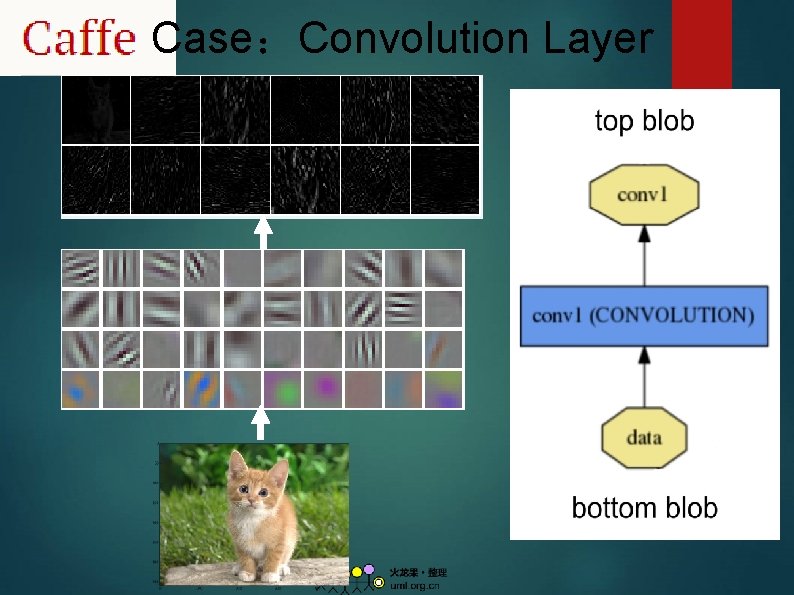
Case:Convolution Layer
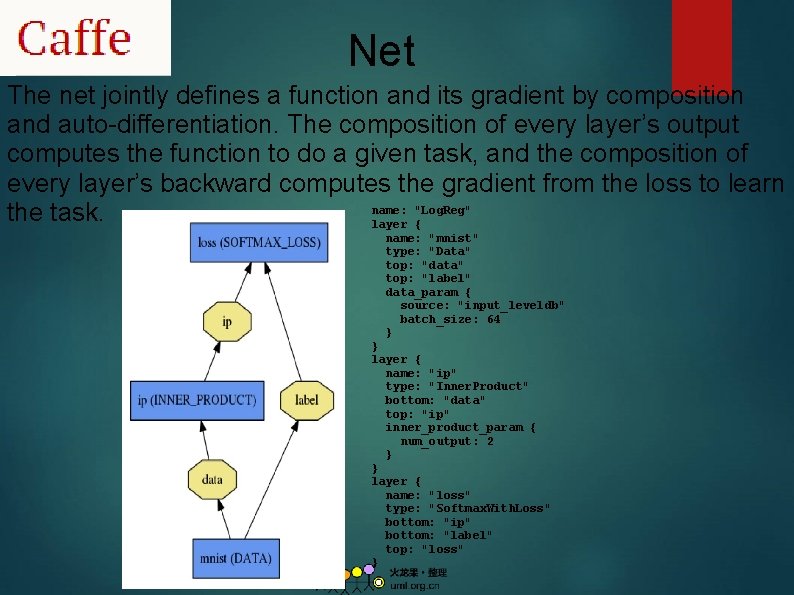
Net The net jointly defines a function and its gradient by composition and auto-differentiation. The composition of every layer’s output computes the function to do a given task, and the composition of every layer’s backward computes the gradient from the loss to learn name: "Log. Reg" the task. layer { name: "mnist" type: "Data" top: "data" top: "label" data_param { source: "input_leveldb" batch_size: 64 } } layer { name: "ip" type: "Inner. Product" bottom: "data" top: "ip" inner_product_param { num_output: 2 } } layer { name: "loss" type: "Softmax. With. Loss" bottom: "ip" bottom: "label" top: "loss" }
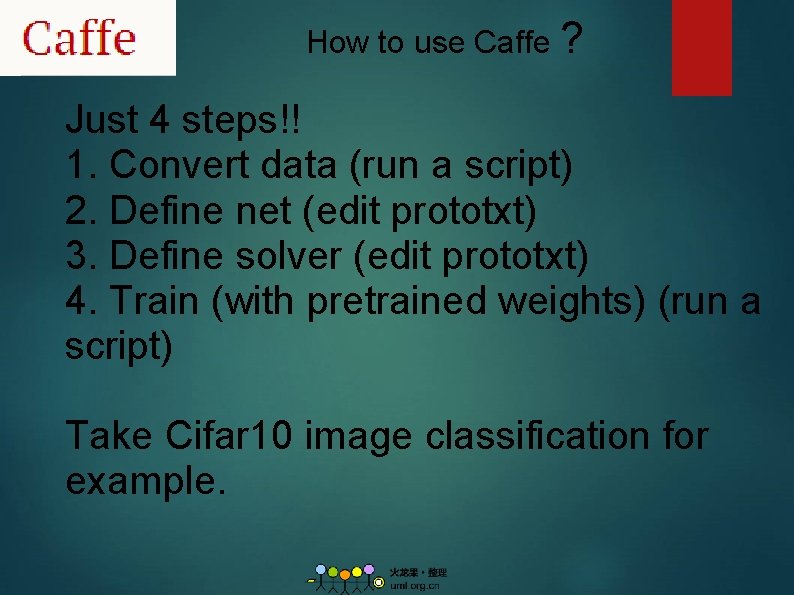
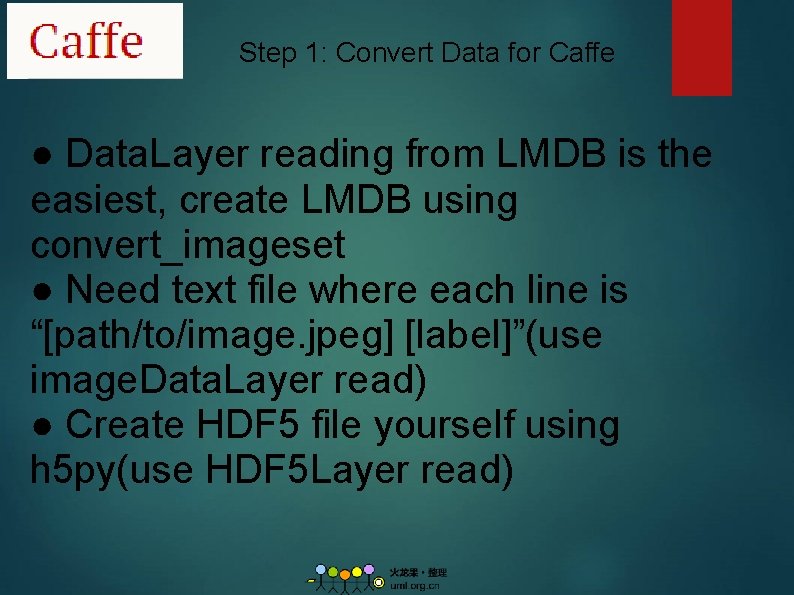
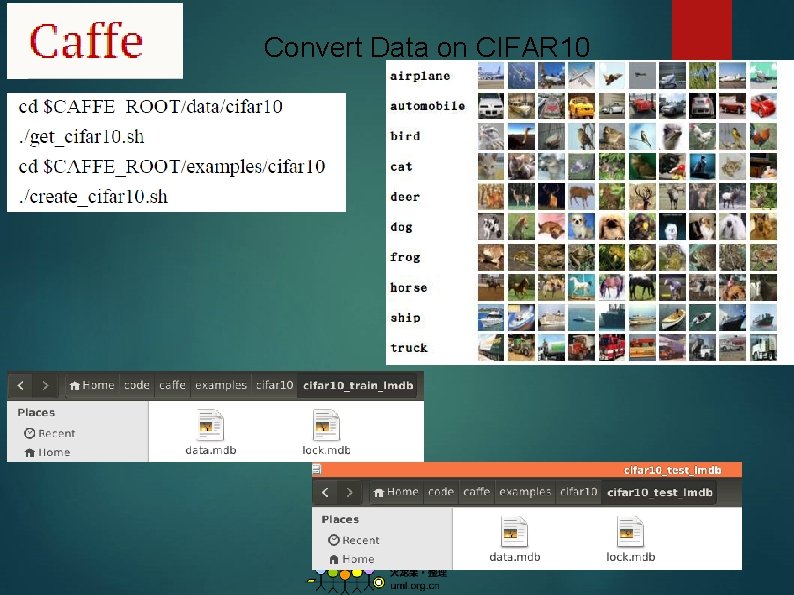
How to use Caffe ? Just 4 steps!! 1. Convert data (run a script) 2. Define net (edit prototxt) 3. Define solver (edit prototxt) 4. Train (with pretrained weights) (run a script) Take Cifar 10 image classification for example.
Step 1: Convert Data for Caffe ● Data. Layer reading from LMDB is the easiest, create LMDB using convert_imageset ● Need text file where each line is “[path/to/image. jpeg] [label]”(use image. Data. Layer read) ● Create HDF 5 file yourself using h 5 py(use HDF 5 Layer read)
Convert Data on CIFAR 10
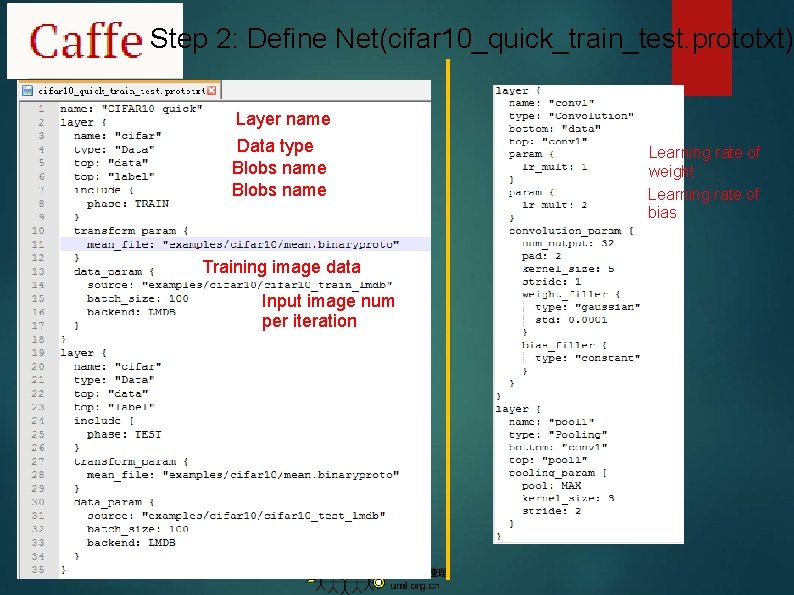
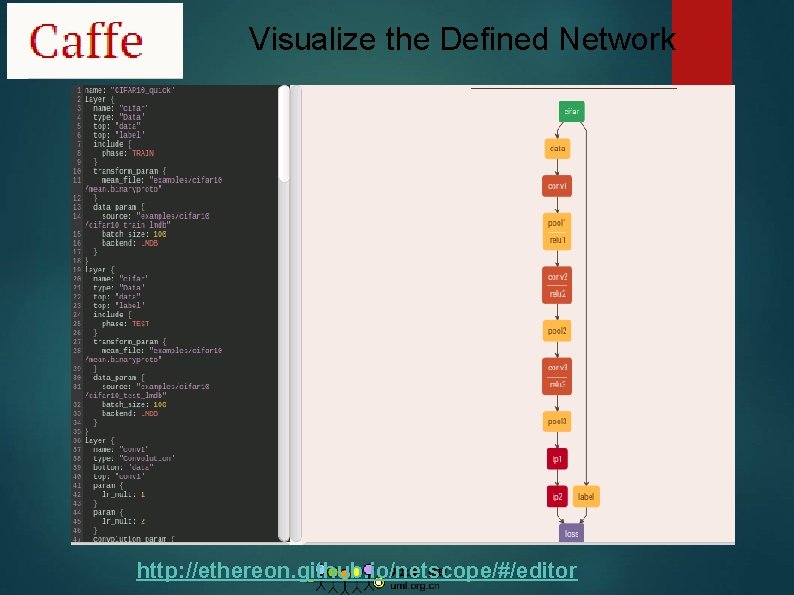
Step 2: Define Net(cifar 10_quick_train_test. prototxt) Layer name Data type Blobs name Training image data Input image num per iteration Learning rate of weight Learning rate of bias
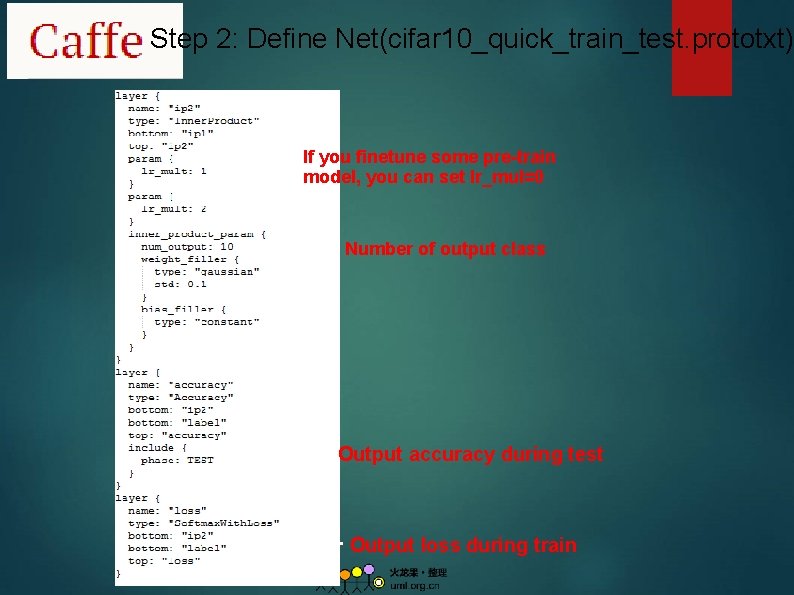
Step 2: Define Net(cifar 10_quick_train_test. prototxt) If you finetune some pre-train model, you can set lr_mul=0 Number of output class Output accuracy during test Output loss during train
Visualize the Defined Network http: //ethereon. github. io/netscope/#/editor
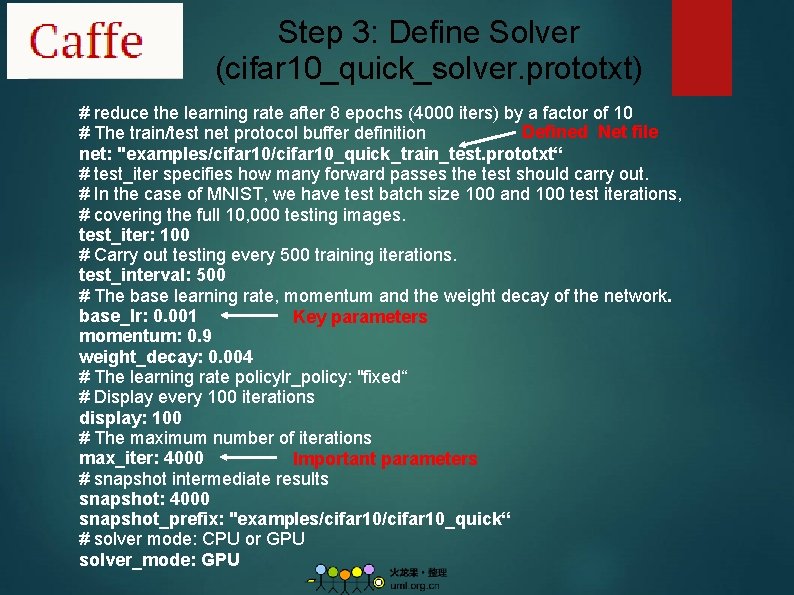
Step 3: Define Solver (cifar 10_quick_solver. prototxt) # reduce the learning rate after 8 epochs (4000 iters) by a factor of 10 Defined Net file # The train/test net protocol buffer definition net: "examples/cifar 10_quick_train_test. prototxt“ # test_iter specifies how many forward passes the test should carry out. # In the case of MNIST, we have test batch size 100 and 100 test iterations, # covering the full 10, 000 testing images. test_iter: 100 # Carry out testing every 500 training iterations. test_interval: 500 # The base learning rate, momentum and the weight decay of the network. base_lr: 0. 001 Key parameters momentum: 0. 9 weight_decay: 0. 004 # The learning rate policylr_policy: "fixed“ # Display every 100 iterations display: 100 # The maximum number of iterations max_iter: 4000 Important parameters # snapshot intermediate results snapshot: 4000 snapshot_prefix: "examples/cifar 10_quick“ # solver mode: CPU or GPU solver_mode: GPU
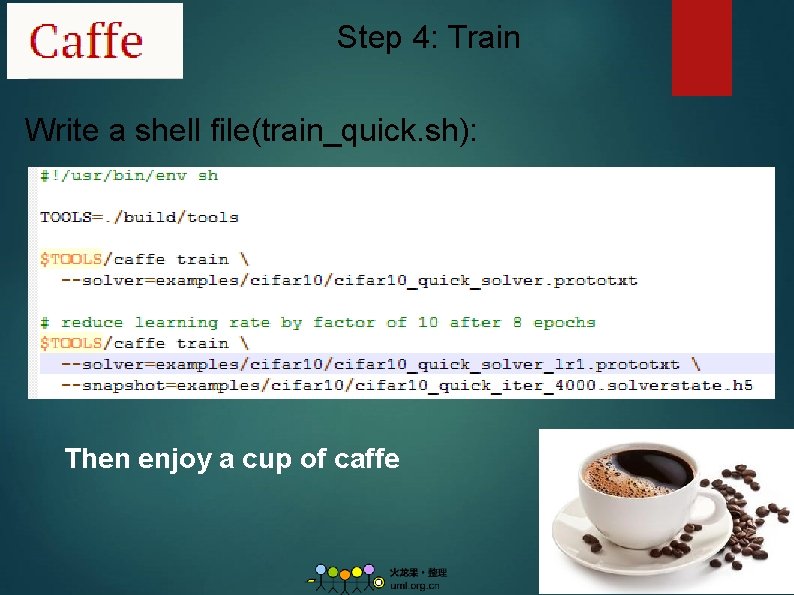
Step 4: Train Write a shell file(train_quick. sh): Then enjoy a cup of caffe
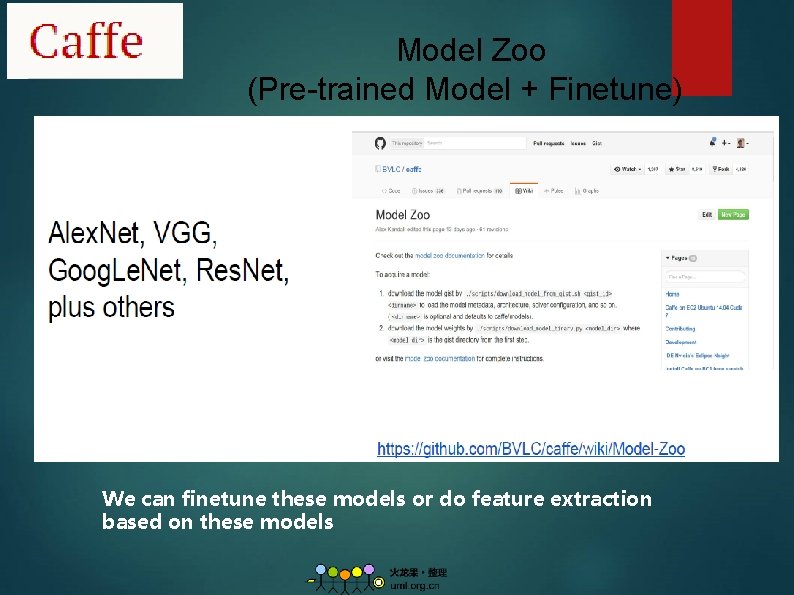
Model Zoo (Pre-trained Model + Finetune) We can finetune these models or do feature extraction based on these models
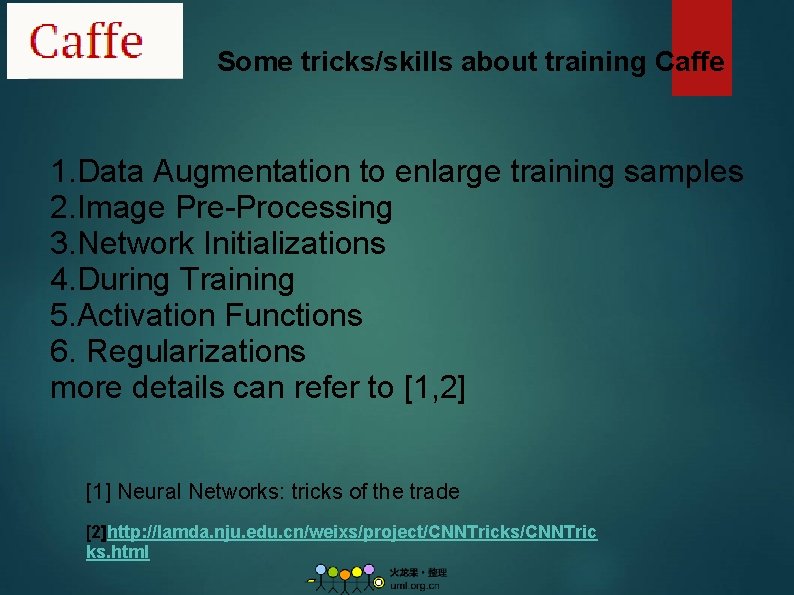
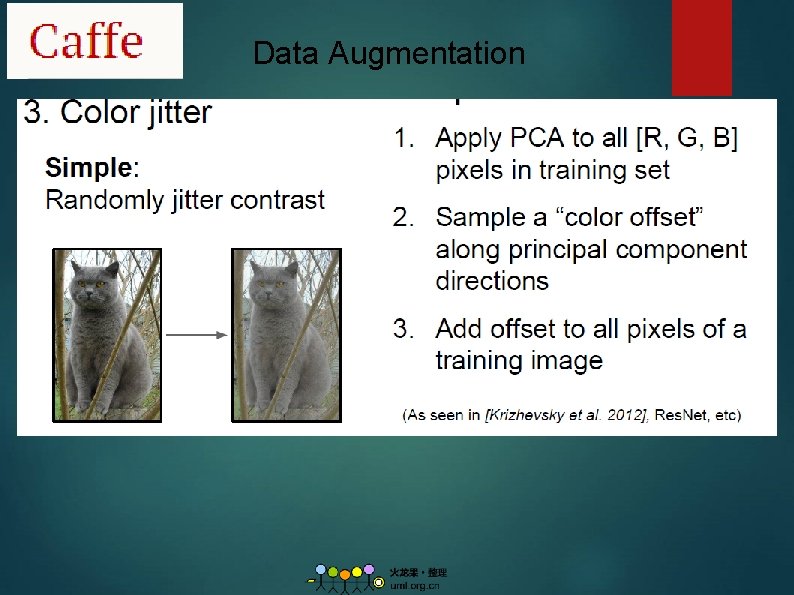
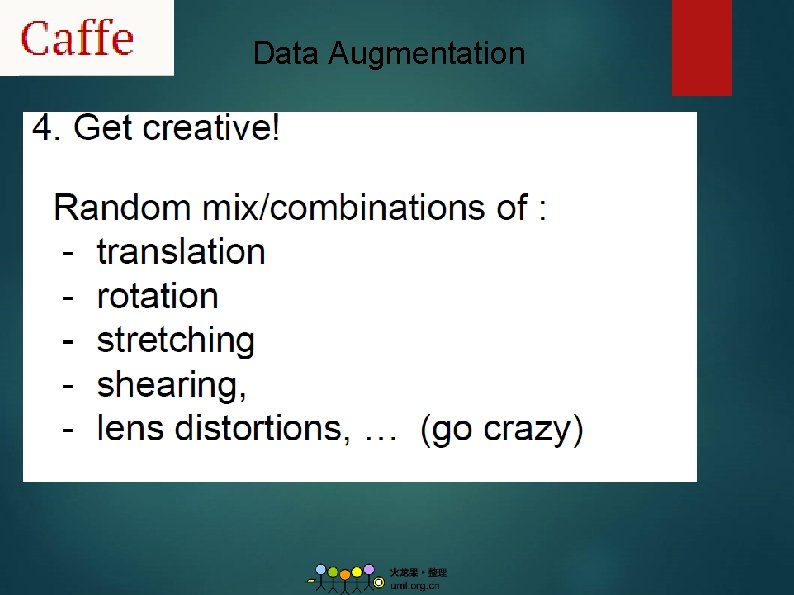
Some tricks/skills about training Caffe 1. Data Augmentation to enlarge training samples 2. Image Pre-Processing 3. Network Initializations 4. During Training 5. Activation Functions 6. Regularizations more details can refer to [1, 2] [1] Neural Networks: tricks of the trade [2]http: //lamda. nju. edu. cn/weixs/project/CNNTricks/CNNTric ks. html
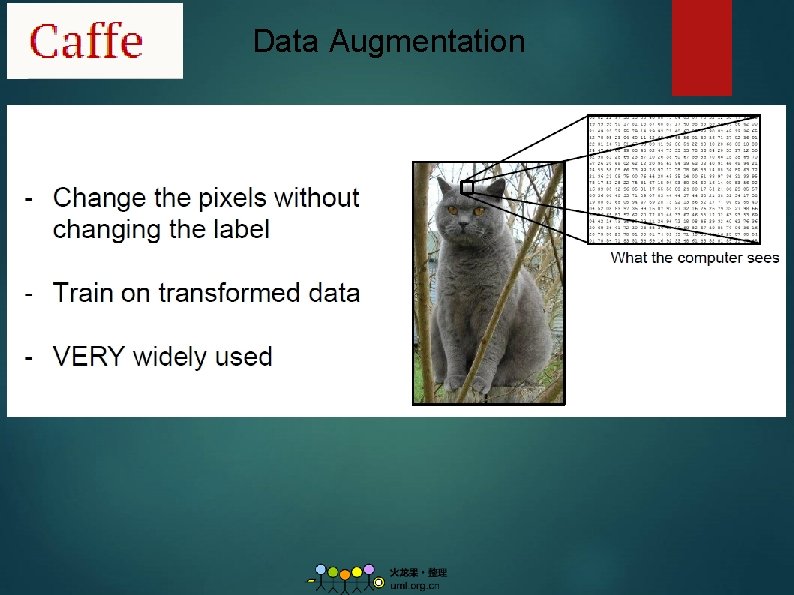
Data Augmentation
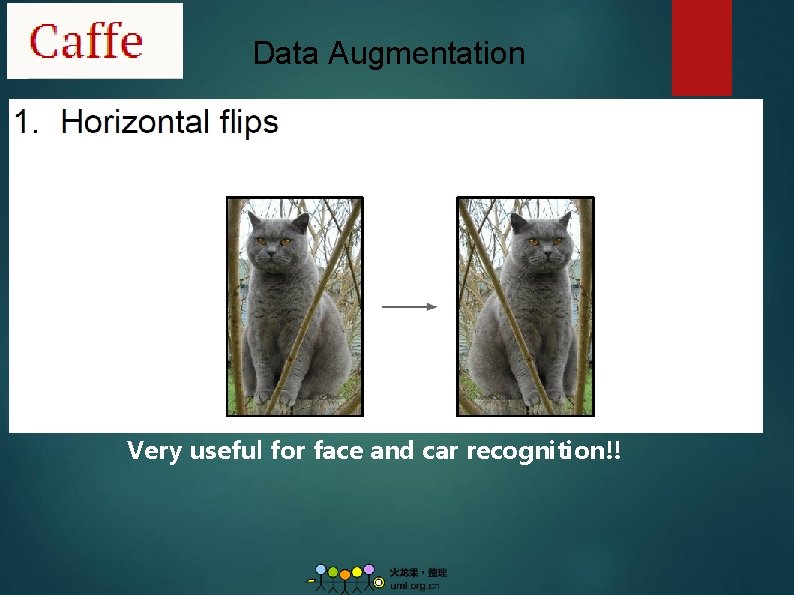
Data Augmentation Very useful for face and car recognition!!
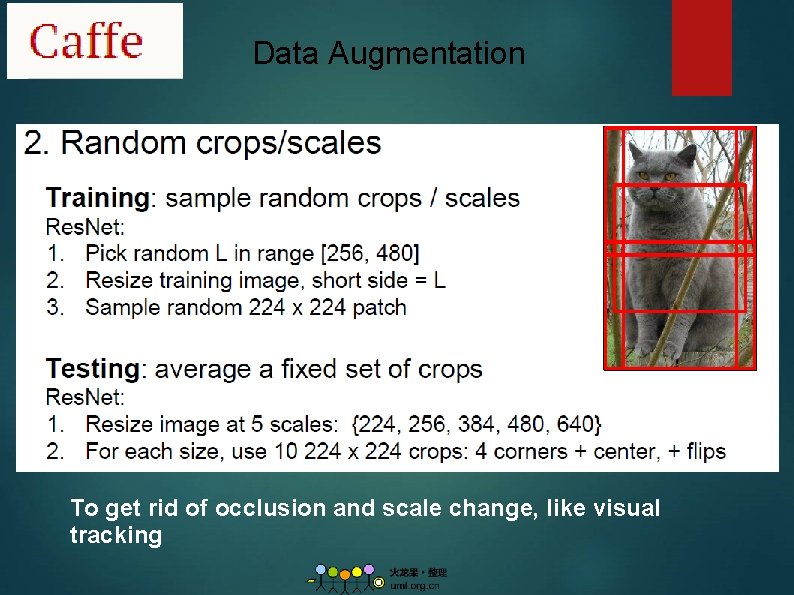
Data Augmentation To get rid of occlusion and scale change, like visual tracking
Data Augmentation
Data Augmentation
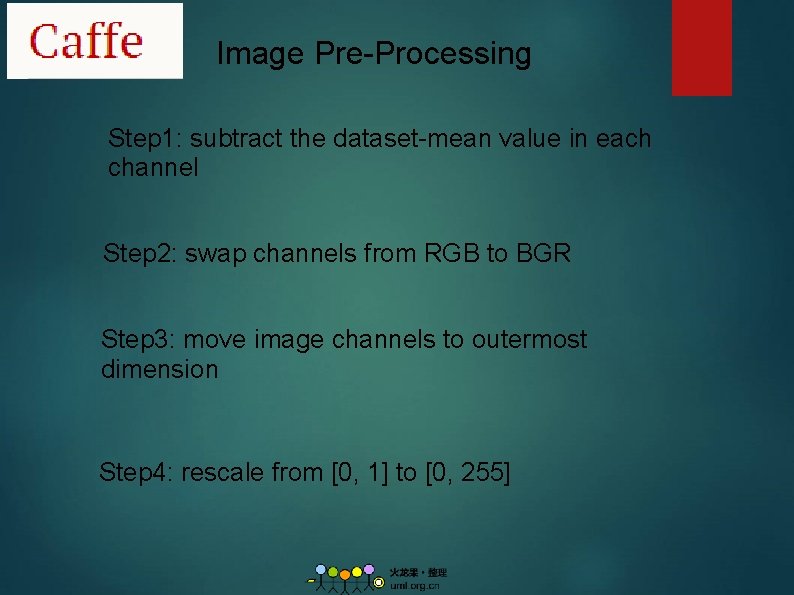
Image Pre-Processing Step 1: subtract the dataset-mean value in each channel Step 2: swap channels from RGB to BGR Step 3: move image channels to outermost dimension Step 4: rescale from [0, 1] to [0, 255]
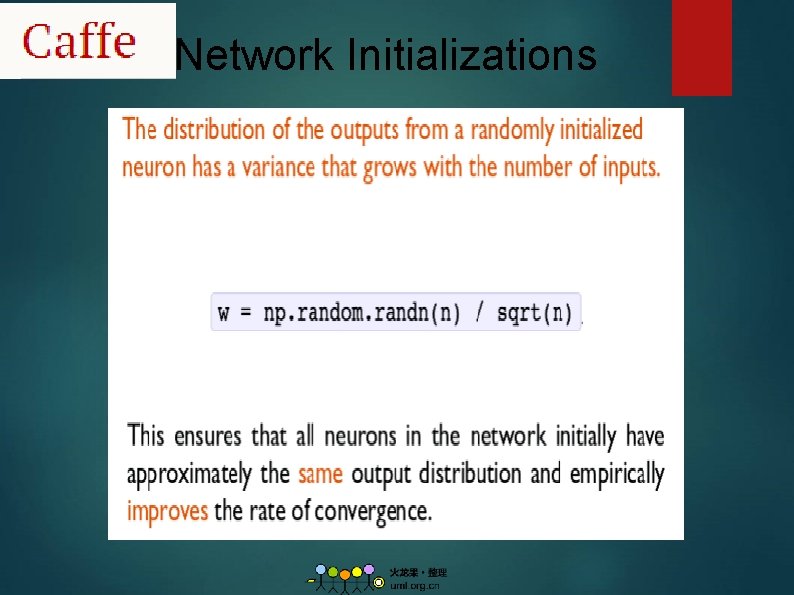
Network Initializations
During Training Dropout[1] Batch Normalization[2] Overfitting help alleviate overfitting during training in Caffe [1] Srivastava, Nitish, et al. "Dropout: a simple way to prevent neural networks from overfitting. " Journal of Machine Learning Research 15. 1 (2014): 1929 -1958. [2] S. Ioffe and C. Szegedy. Batch normalization: Accelerating deep network training by reducing internal covariate shift. ar. Xiv preprint ar. Xiv: 1502. 03167, 2015
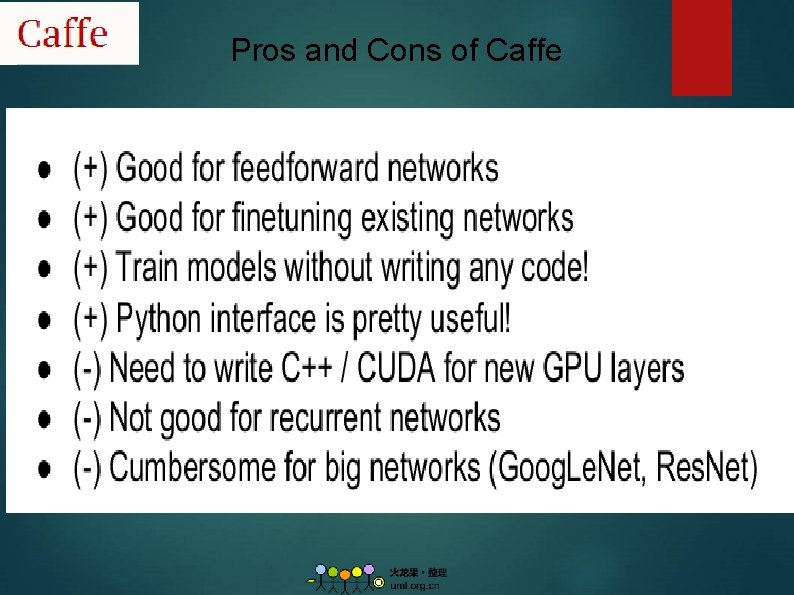
Pros and Cons of Caffe
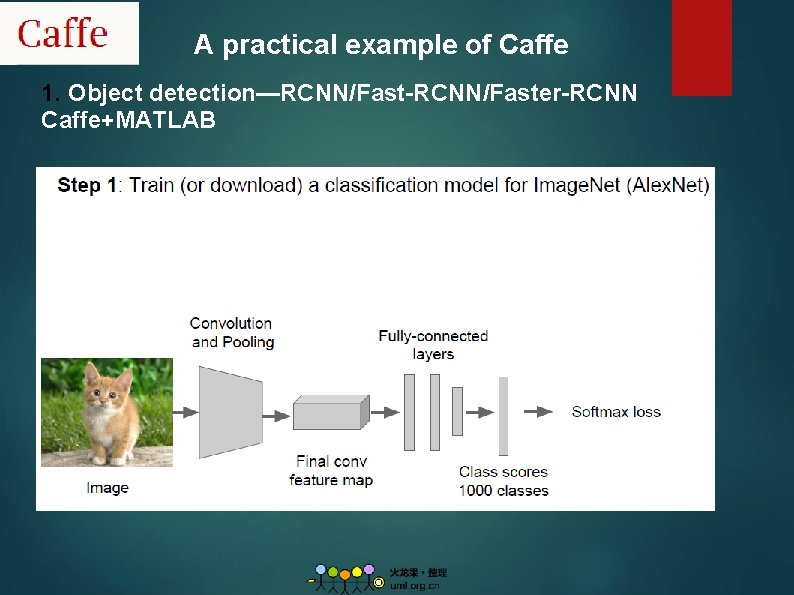
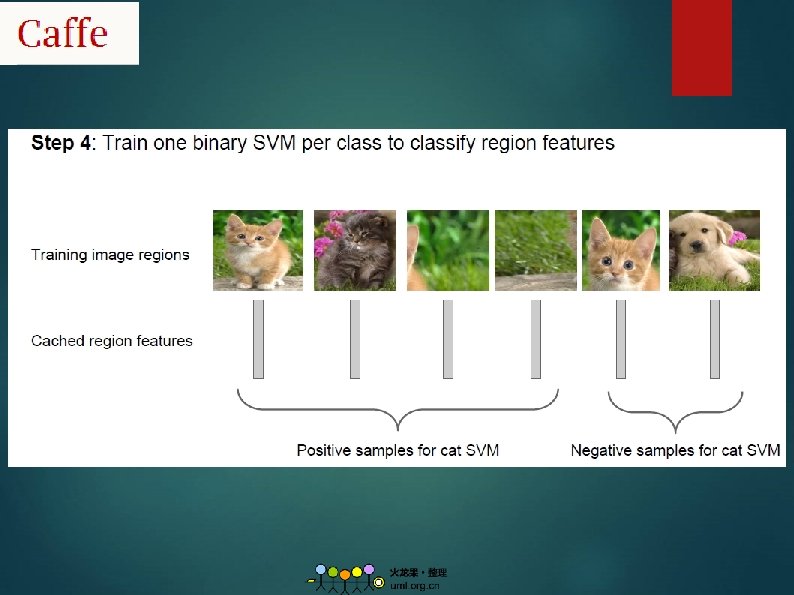
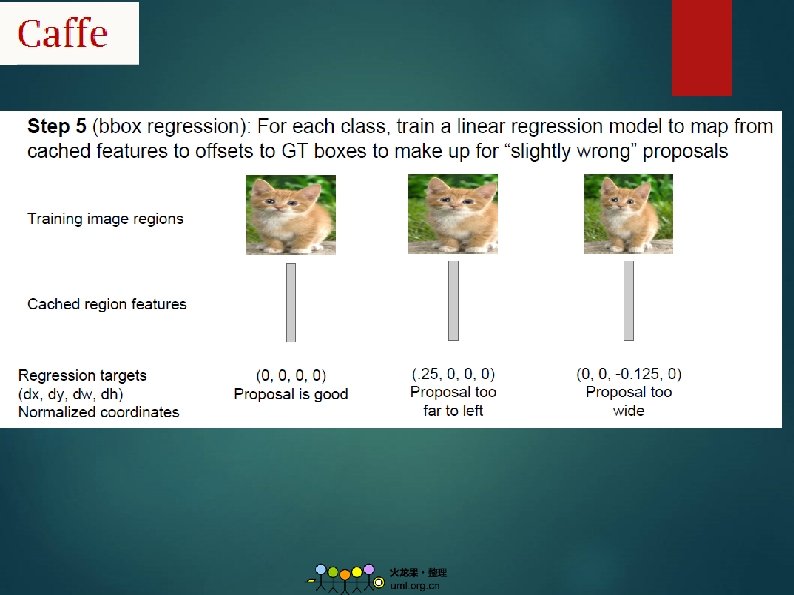
A practical example of Caffe 1. Object detection—RCNN/Fast-RCNN/Faster-RCNN Caffe+MATLAB
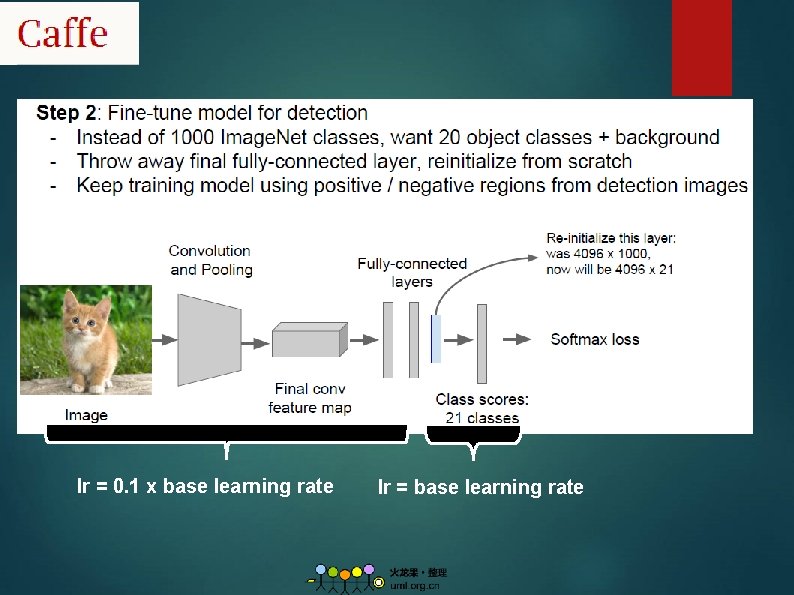
lr = 0. 1 x base learning rate lr = base learning rate
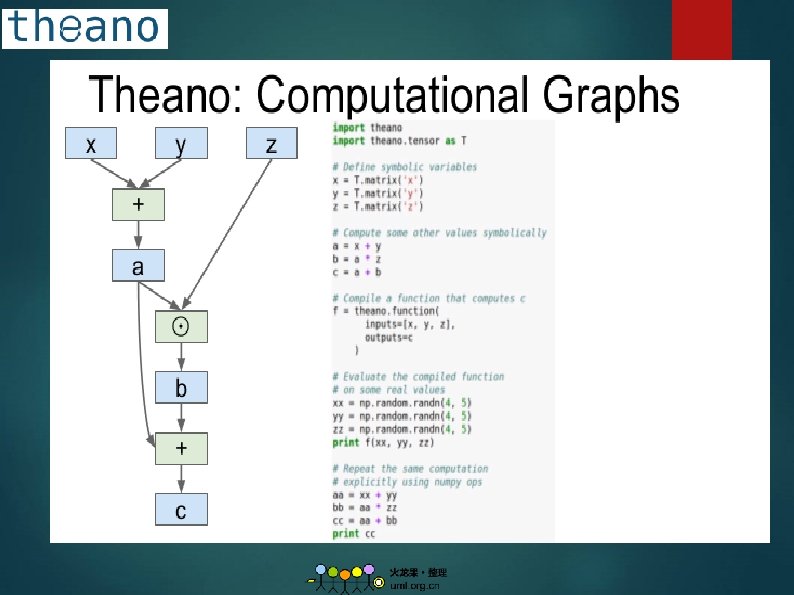
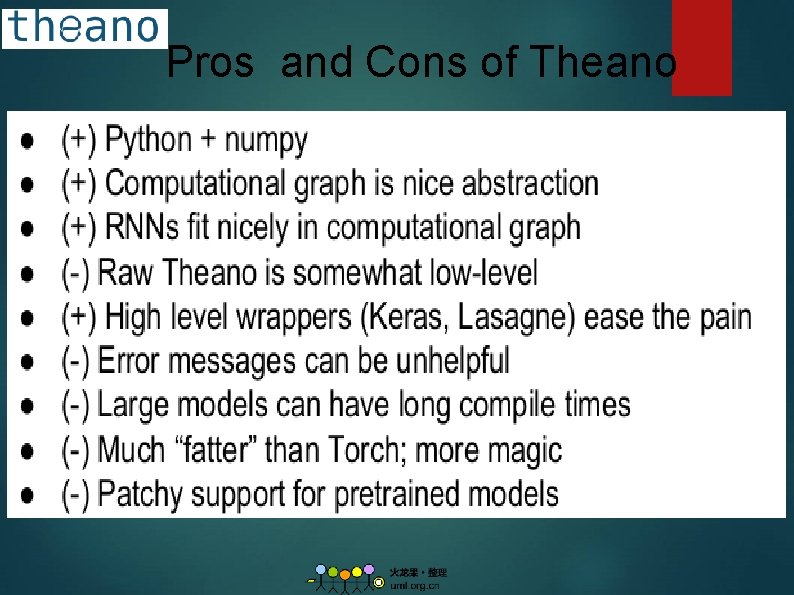
2. Theano 1. Overview: A Python library that allows to define, optimize and evaluate mathematical expression. From Yoshua Bengio’s group at University of Montreal. Embracing computation graphs, symbolic computation. High-level wrappers: Keras, Lasagne. 2. Github: https: //github. com/Theano 3. Tutorial: http: //deeplearning. net/tutorial/contents. html
Pros and Cons of Theano
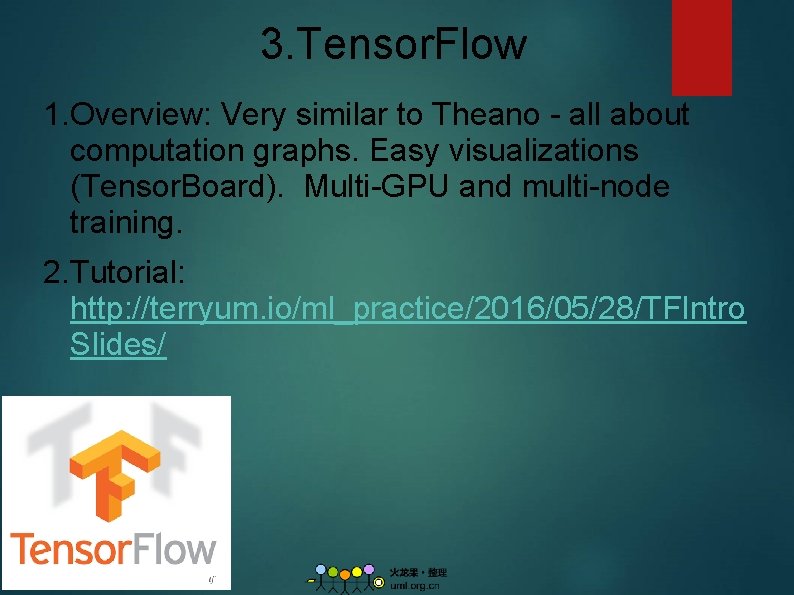
3. Tensor. Flow 1. Overview: Very similar to Theano - all about computation graphs. Easy visualizations (Tensor. Board). Multi-GPU and multi-node training. 2. Tutorial: http: //terryum. io/ml_practice/2016/05/28/TFIntro Slides/
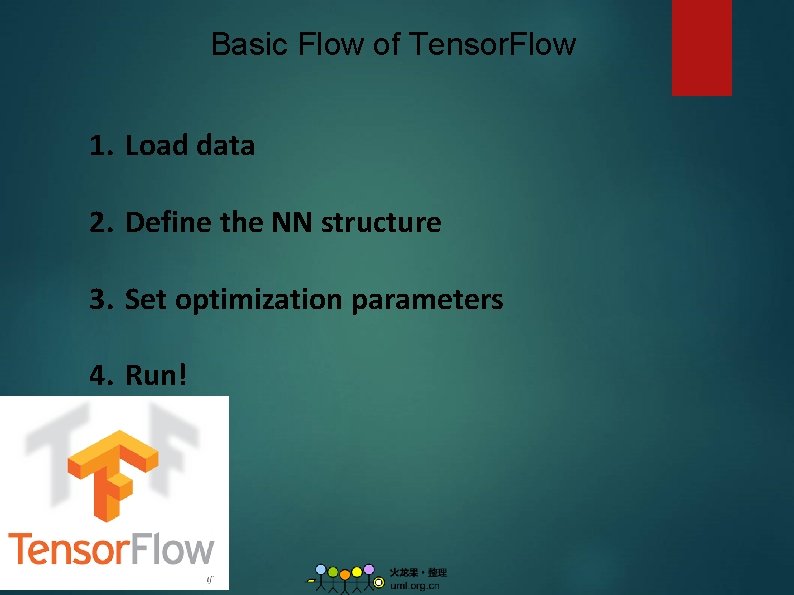
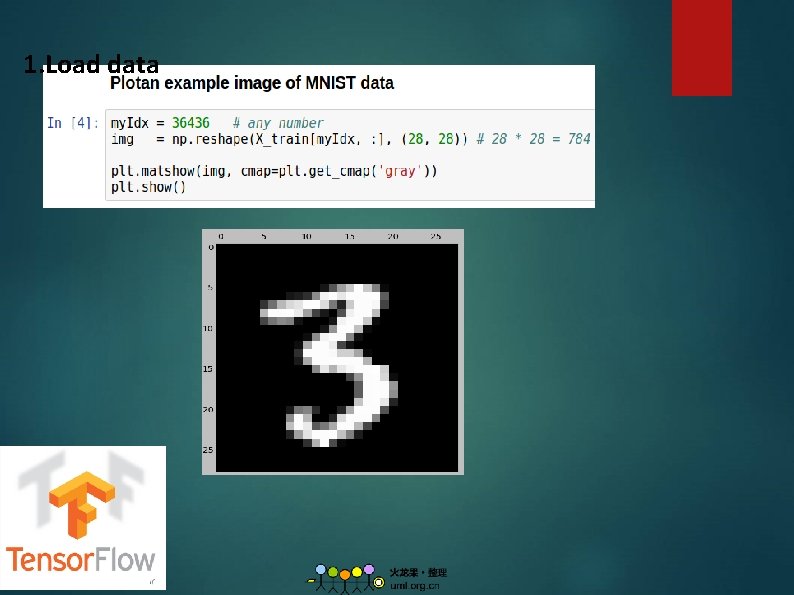
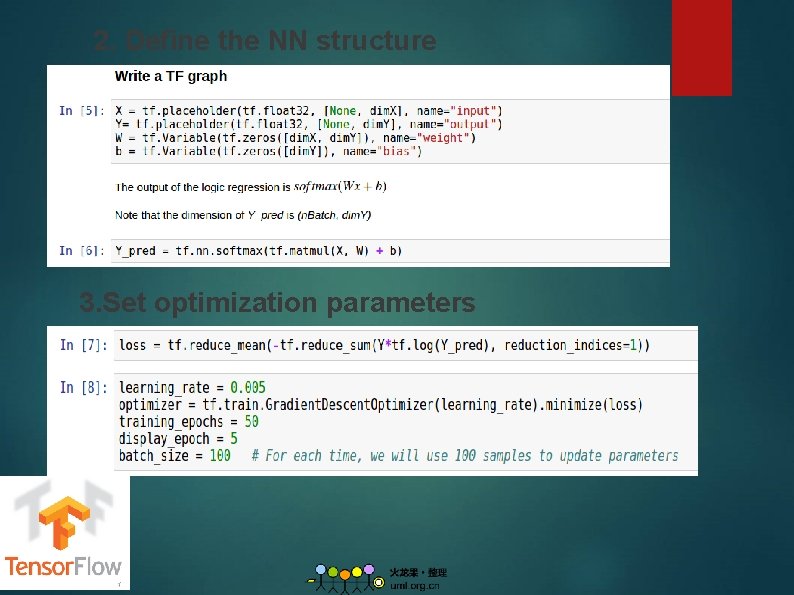
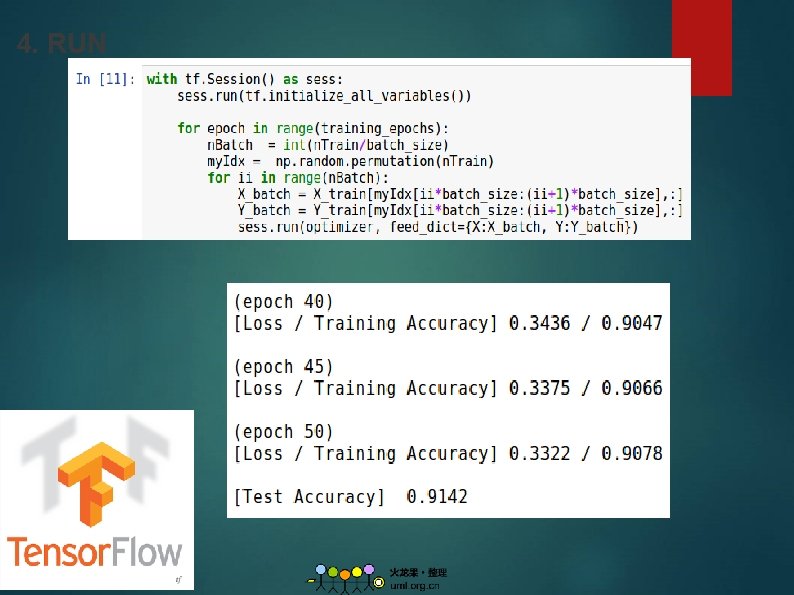
Basic Flow of Tensor. Flow 1. Load data 2. Define the NN structure 3. Set optimization parameters 4. Run!
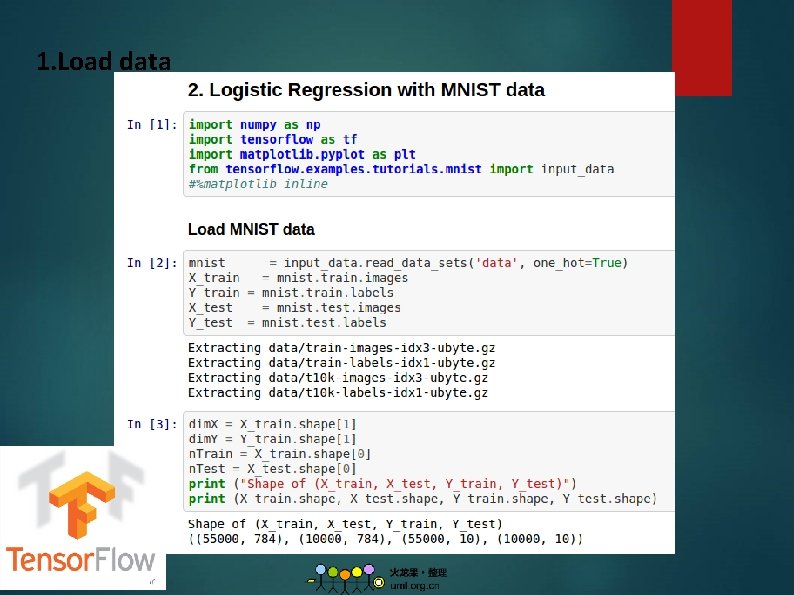
1. Load data
1. Load data
2. Define the NN structure 3. Set optimization parameters
4. RUN
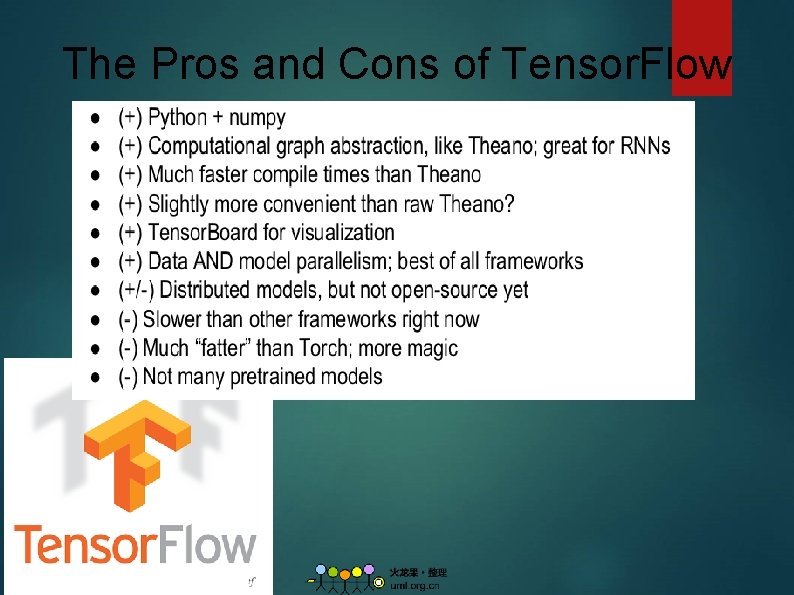
The Pros and Cons of Tensor. Flow
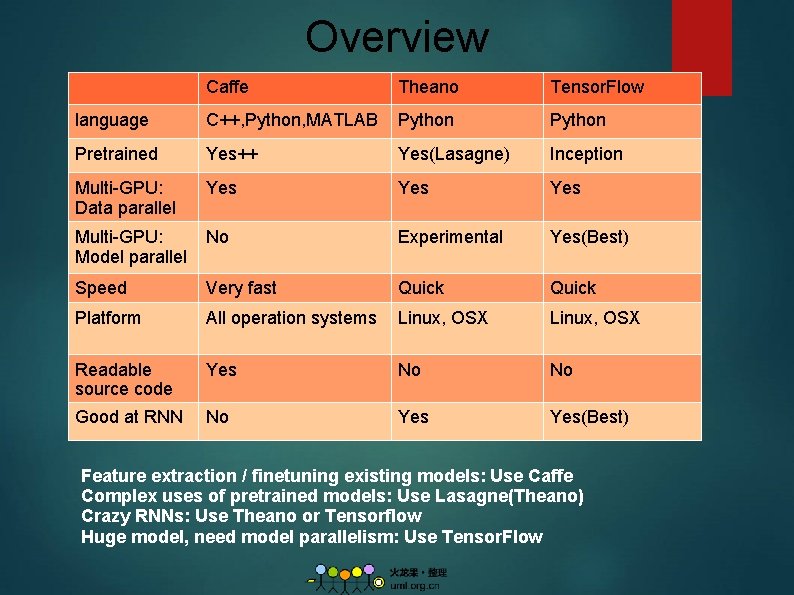
Overview Caffe Theano Tensor. Flow language C++, Python, MATLAB Python Pretrained Yes++ Yes(Lasagne) Inception Multi-GPU: Data parallel Yes Yes Multi-GPU: Model parallel No Experimental Yes(Best) Speed Very fast Quick Platform All operation systems Linux, OSX Readable source code Yes No No Good at RNN No Yes(Best) Feature extraction / finetuning existing models: Use Caffe Complex uses of pretrained models: Use Lasagne(Theano) Crazy RNNs: Use Theano or Tensorflow Huge model, need model parallelism: Use Tensor. Flow
Other popular deep learning tools 1. Matconvnet: From VGG: http: //www. vlfeat. org/matconvnet/ 2. Torch 7: https: //github. com/torch 7 3. Mxnet http: //mxnet. readthedocs. io/en/latest/
Reference 1. http: //blog. csdn. net/qiexingqieying/article/detail s/51734347 2. https: //github. com/zer 0 n/deepframeworks/blob/ master/README. md 3. http: //lchiffon. github. io/2015/11/16/long. html 4. 深度学习: 21天实战caffe 5. http: //blog. csdn. net/u 011762313/article/categor y/5705779