
Introduction of BMC PATROL for Sybase Solution align
Introduction of BMC PATROL for Sybase Solution align Ivan WONG, Solution Offering Specialist, BMC Software (HK) Ltd.
Agenda • What is PATROL? • BMC Solution Overview › Infrastructure Monitoring › Database Monitoring • Why our solution is the best? • Q & A

What is BMC PATROL? align
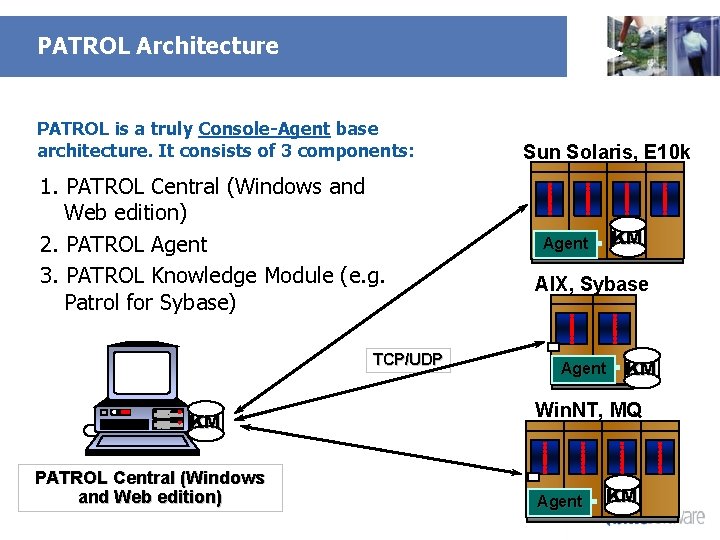
PATROL Architecture PATROL is a truly Console-Agent base architecture. It consists of 3 components: 1. PATROL Central (Windows and Web edition) 2. PATROL Agent 3. PATROL Knowledge Module (e. g. Patrol for Sybase) TCP/UDP KM PATROL Central (Windows and Web edition) Sun Solaris, E 10 k KM Agent AIX, Sybase Agent KM Win. NT, MQ Agent KM
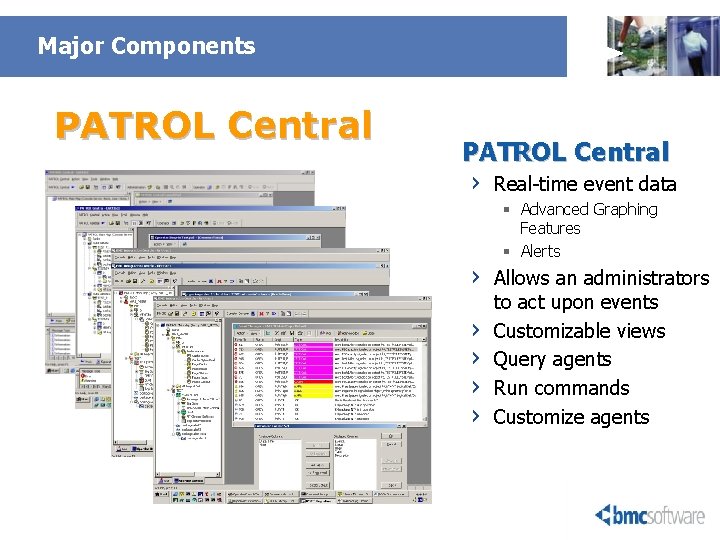
Major Components PATROL Central › Real-time event data › › › § Advanced Graphing Features § Alerts Allows an administrators to act upon events Customizable views Query agents Run commands Customize agents
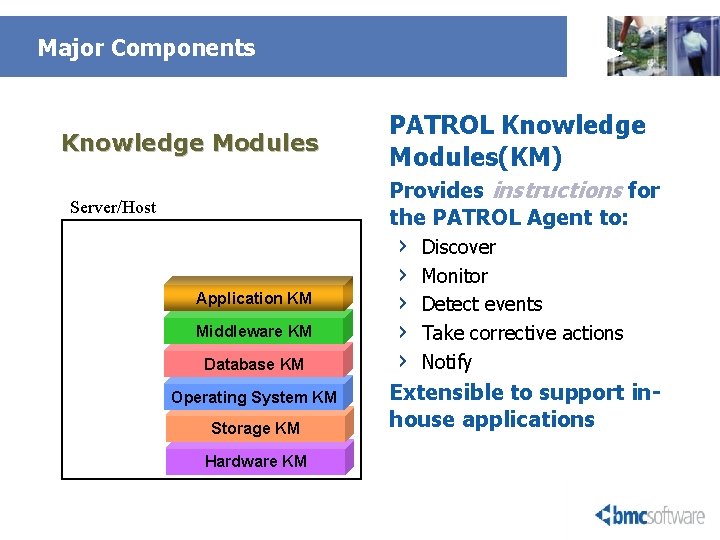
Major Components Knowledge Modules PATROL Knowledge Modules(KM) Provides instructions for the PATROL Agent to: Server/Host Application KM Middleware KM Database KM Operating System KM Storage KM Hardware KM › › › Discover Monitor Detect events Take corrective actions Notify Extensible to support inhouse applications
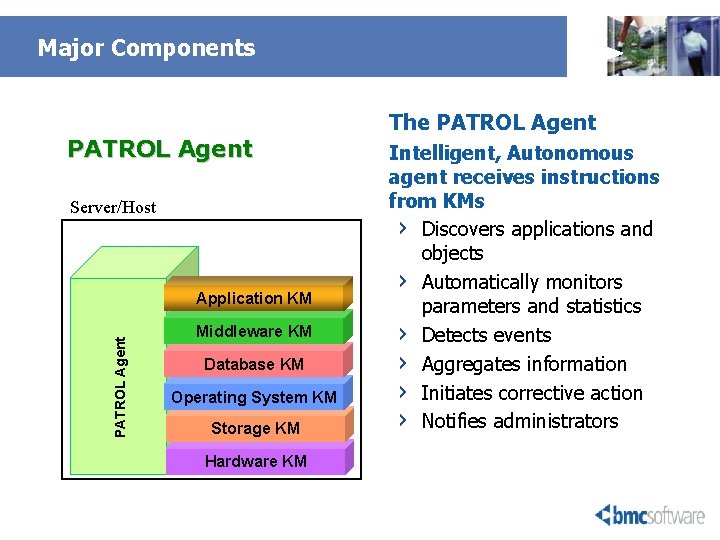
Major Components PATROL Agent Server/Host PATROL Agent Application KM Middleware KM Database KM Operating System KM Storage KM Hardware KM The PATROL Agent Intelligent, Autonomous agent receives instructions from KMs › Discovers applications and objects › Automatically monitors parameters and statistics › Detects events › Aggregates information › Initiates corrective action › Notifies administrators
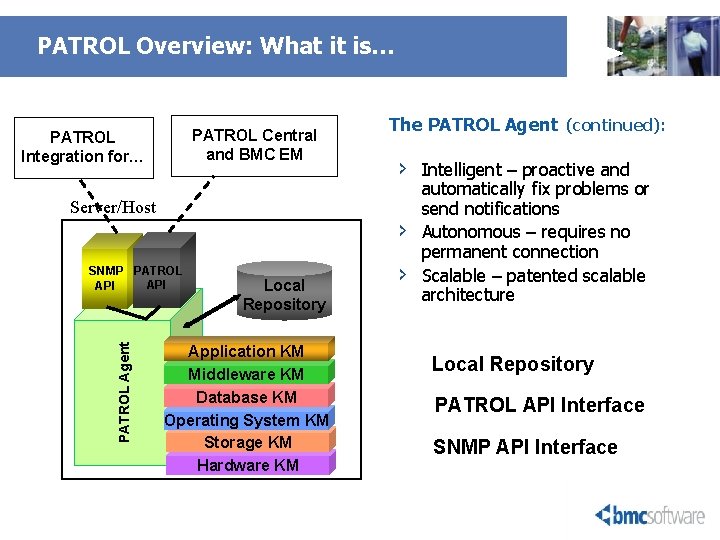
PATROL Overview: What it is… PATROL Central and BMC EM PATROL Integration for… Server/Host › › SNMP PATROL API PATROL Agent The PATROL Agent (continued): Local Repository Application KM Middleware KM Database KM Operating System KM Storage KM Hardware KM › Intelligent – proactive and automatically fix problems or send notifications Autonomous – requires no permanent connection Scalable – patented scalable architecture Local Repository PATROL API Interface SNMP API Interface
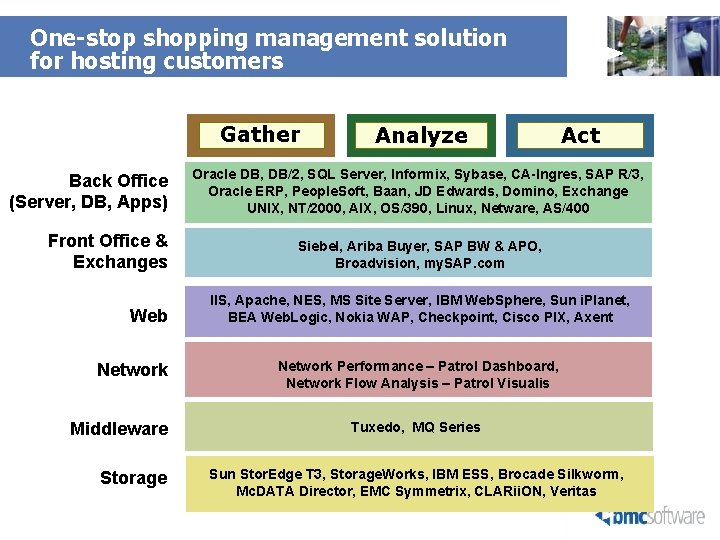
One-stop shopping management solution for hosting customers Gather Back Office (Server, DB, Apps) Front Office & Exchanges Web Network Middleware Storage Analyze Act Oracle DB, DB/2, SQL Server, Informix, Sybase, CA-Ingres, SAP R/3, Oracle ERP, People. Soft, Baan, JD Edwards, Domino, Exchange UNIX, NT/2000, AIX, OS/390, Linux, Netware, AS/400 Siebel, Ariba Buyer, SAP BW & APO, Broadvision, my. SAP. com IIS, Apache, NES, MS Site Server, IBM Web. Sphere, Sun i. Planet, BEA Web. Logic, Nokia WAP, Checkpoint, Cisco PIX, Axent Network Performance – Patrol Dashboard, Network Flow Analysis – Patrol Visualis Tuxedo, MQ Series Sun Stor. Edge T 3, Storage. Works, IBM ESS, Brocade Silkworm, Mc. DATA Director, EMC Symmetrix, CLARii. ON, Veritas

How Patrol help to manage ALL Technology Layers ? Proactively Monitor, Measure, Tune, Perform Diagnosis align
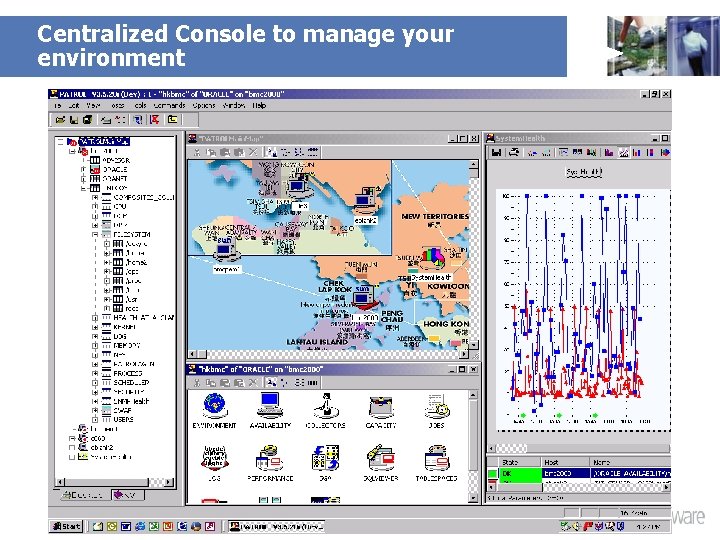
Centralized Console to manage your environment
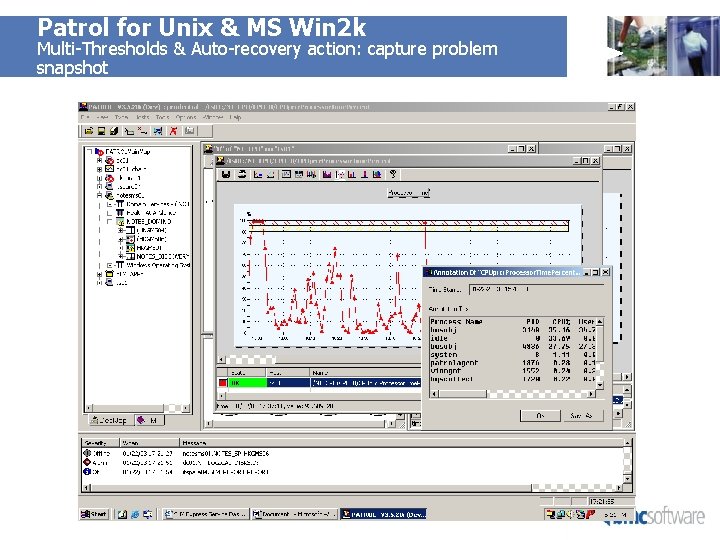
Patrol for Unix & MS Win 2 k Multi-Thresholds & Auto-recovery action: capture problem snapshot
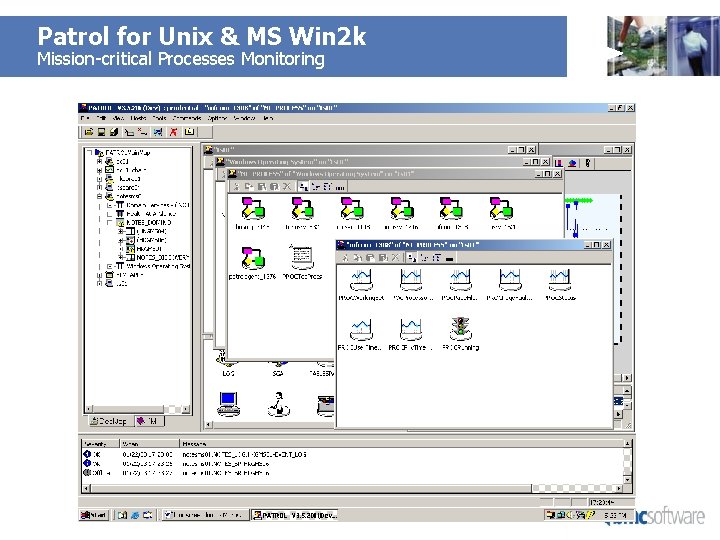
Patrol for Unix & MS Win 2 k Mission-critical Processes Monitoring
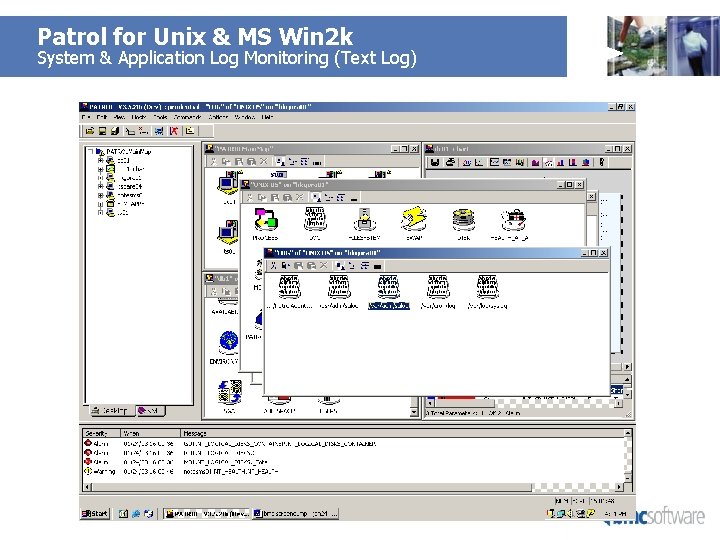
Patrol for Unix & MS Win 2 k System & Application Log Monitoring (Text Log)
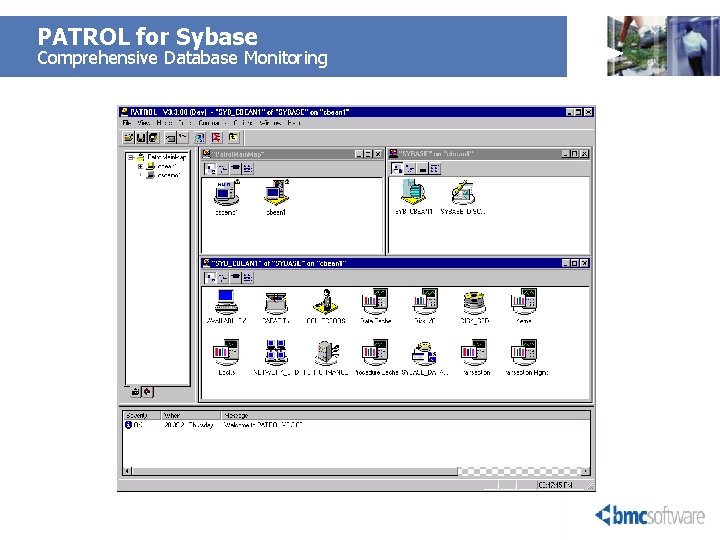
PATROL for Sybase Comprehensive Database Monitoring
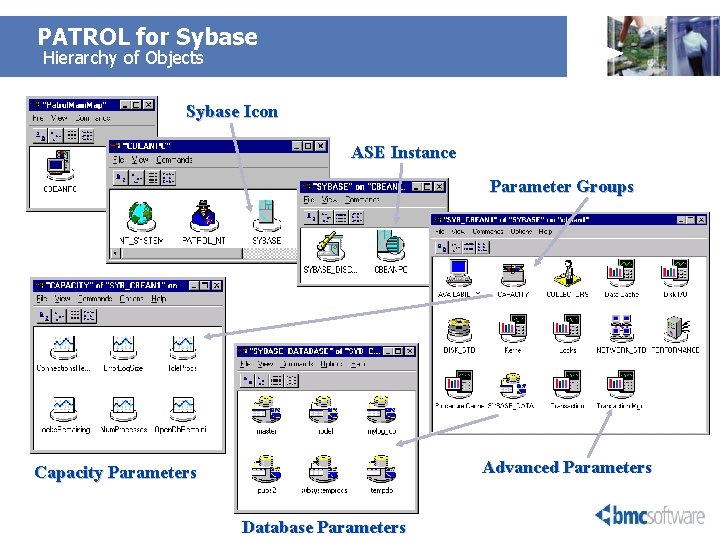
PATROL for Sybase Hierarchy of Objects Sybase Icon ASE Instance Parameter Groups Advanced Parameters Capacity Parameters Database Parameters
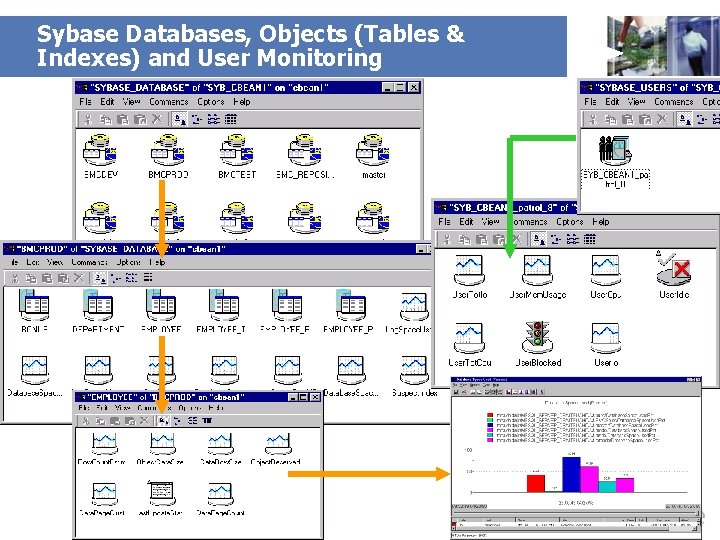
Sybase Databases, Objects (Tables & Indexes) and User Monitoring
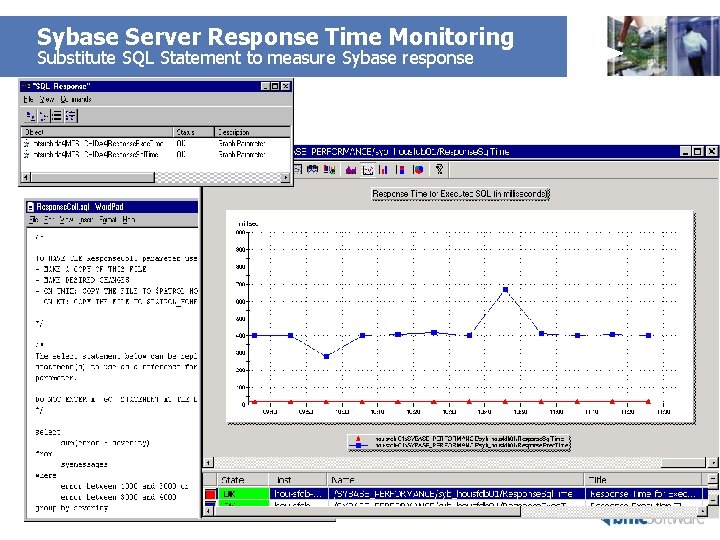
Sybase Server Response Time Monitoring Substitute SQL Statement to measure Sybase response
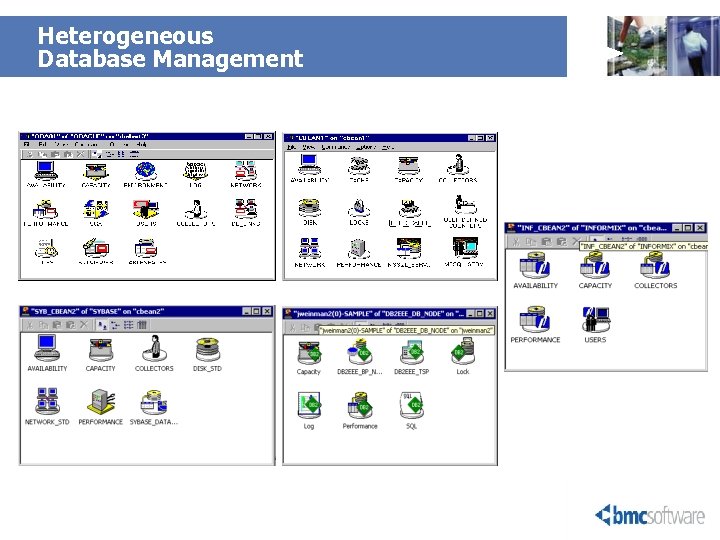
Heterogeneous Database Management
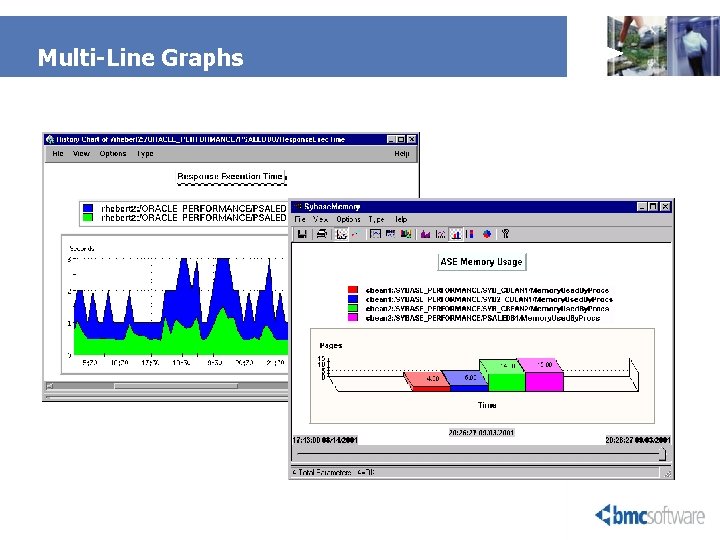
Multi-Line Graphs
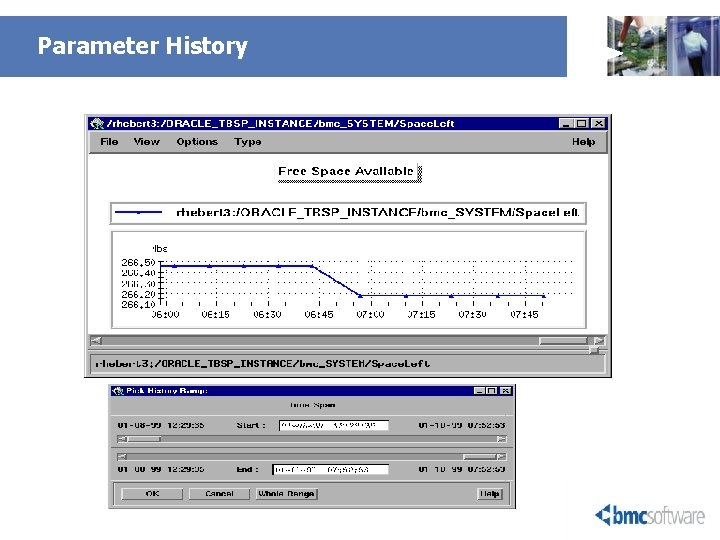
Parameter History
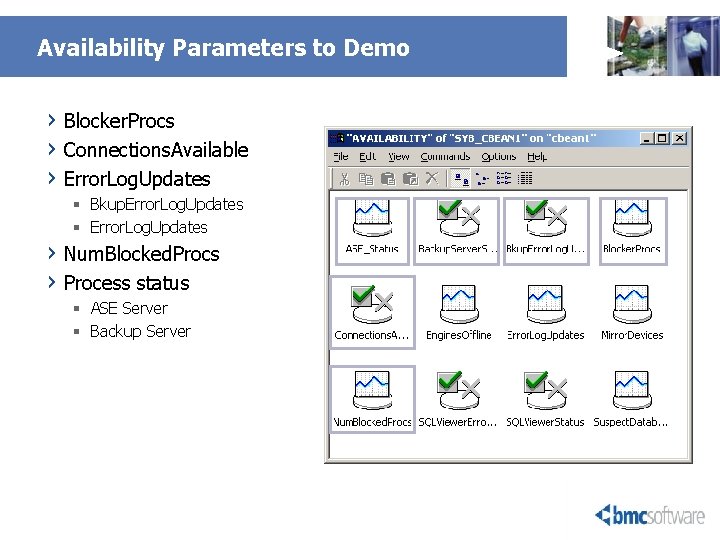
Availability Parameters to Demo › Blocker. Procs › Connections. Available › Error. Log. Updates § Bkup. Error. Log. Updates § Error. Log. Updates › Num. Blocked. Procs › Process status § ASE Server § Backup Server
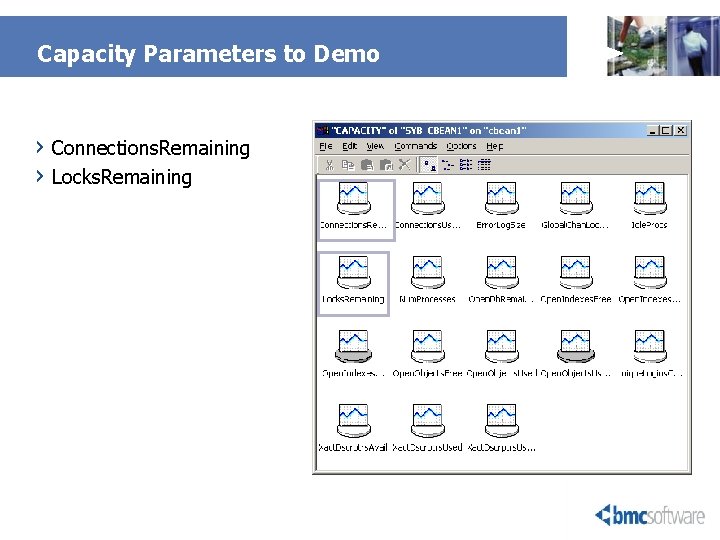
Capacity Parameters to Demo › Connections. Remaining › Locks. Remaining
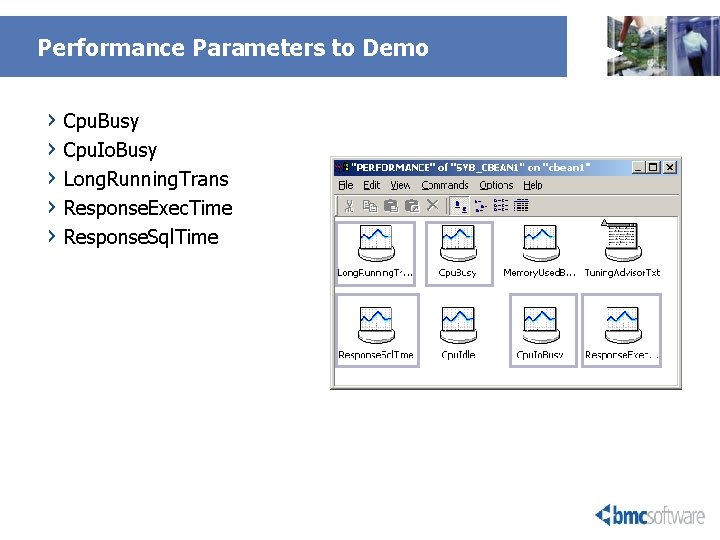
Performance Parameters to Demo › Cpu. Busy › Cpu. Io. Busy › Long. Running. Trans › Response. Exec. Time › Response. Sql. Time
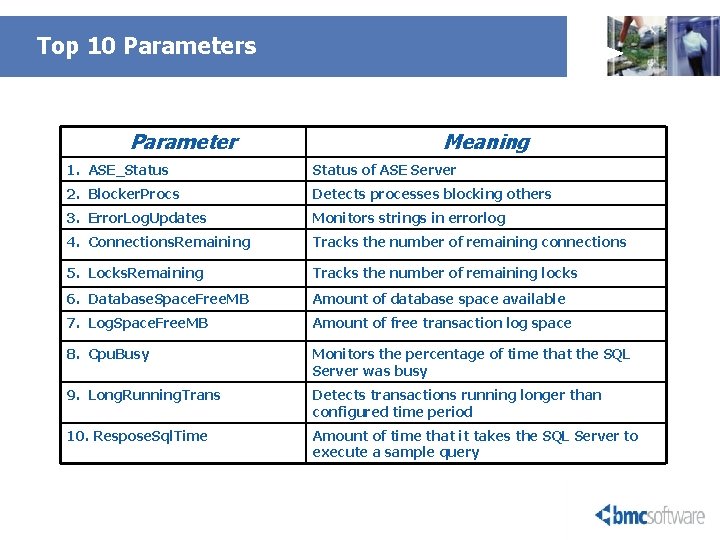
Top 10 Parameters Parameter Meaning 1. ASE_Status of ASE Server 2. Blocker. Procs Detects processes blocking others 3. Error. Log. Updates Monitors strings in errorlog 4. Connections. Remaining Tracks the number of remaining connections 5. Locks. Remaining Tracks the number of remaining locks 6. Database. Space. Free. MB Amount of database space available 7. Log. Space. Free. MB Amount of free transaction log space 8. Cpu. Busy Monitors the percentage of time that the SQL Server was busy 9. Long. Running. Trans Detects transactions running longer than configured time period 10. Respose. Sql. Time Amount of time that it takes the SQL Server to execute a sample query
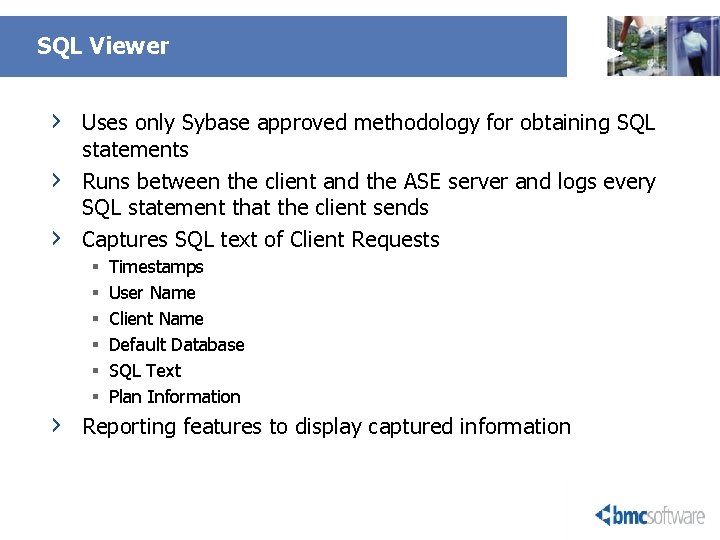
SQL Viewer › › Uses only Sybase approved methodology for obtaining SQL statements Runs between the client and the ASE server and logs every SQL statement that the client sends Captures SQL text of Client Requests § § § Timestamps User Name Client Name Default Database SQL Text Plan Information Reporting features to display captured information
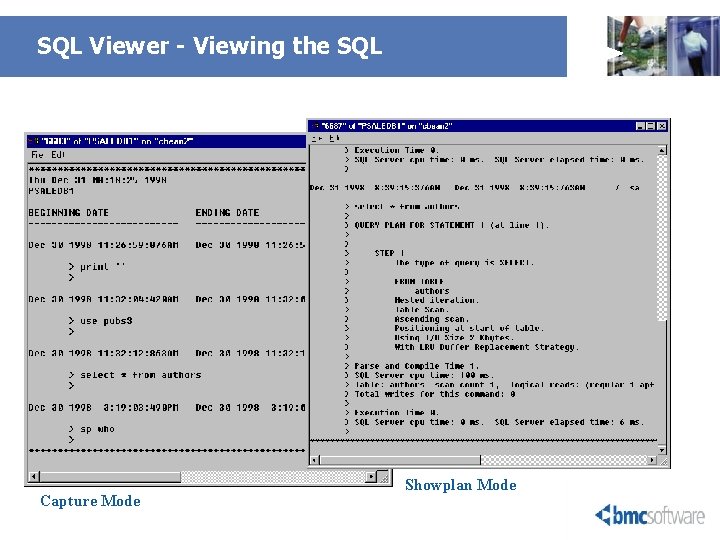
SQL Viewer - Viewing the SQL Capture Mode Showplan Mode
SQL Snapshot - Description › › Used to view last SQL statement sent by a SQL Server client process. For stored procedure or trigger, used to view: § Name of the stored procedure or trigger § Text of the currently executing line within the stored procedure or trigger Supported Operating Systems: § Unix - HPUX, AIX, Solaris, Digital Unix, Red Hat Linux § Windows - NT v 4. 0, 2000 Incorporated into selected parameter recovery actions to collect and consolidate into one place additional details on the alert condition Menu command choices
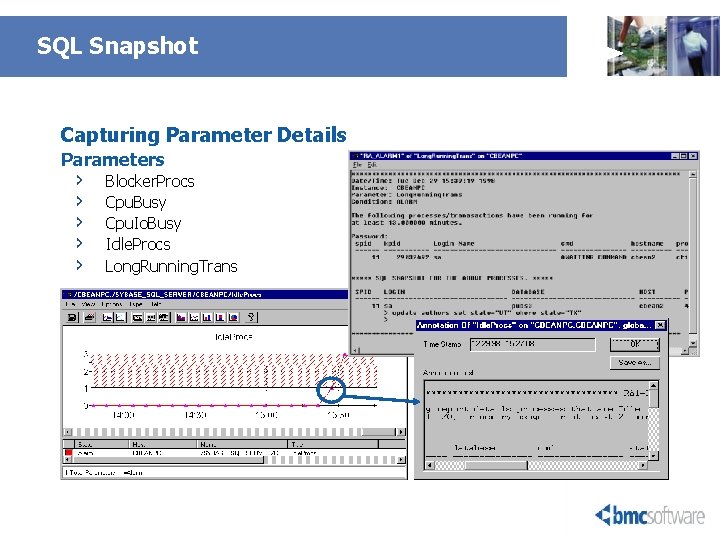
SQL Snapshot Capturing Parameter Details Parameters › › › Blocker. Procs Cpu. Busy Cpu. Io. Busy Idle. Procs Long. Running. Trans
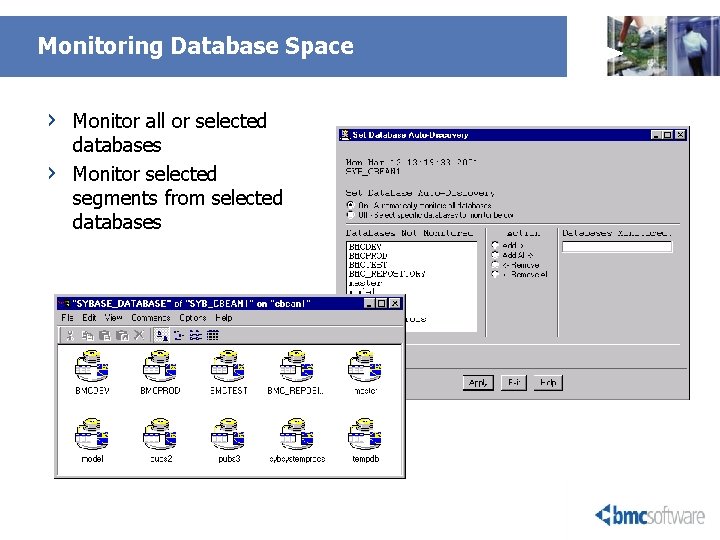
Monitoring Database Space › › Monitor all or selected databases Monitor selected segments from selected databases
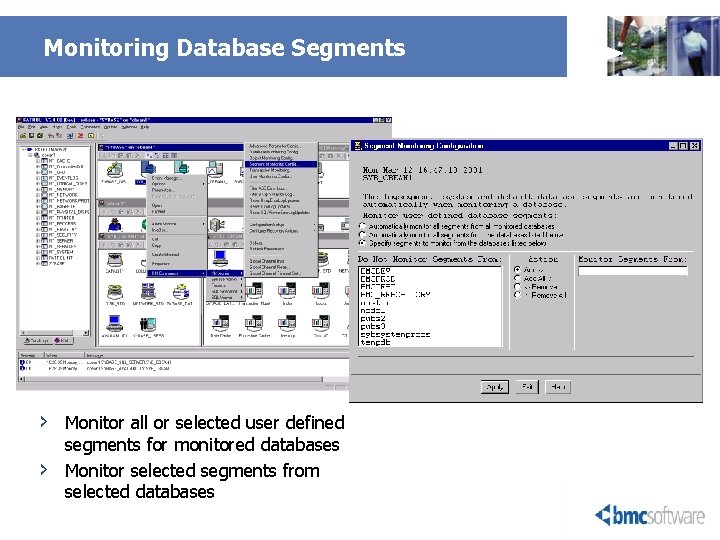
Monitoring Database Segments › › Monitor all or selected user defined segments for monitored databases Monitor selected segments from selected databases
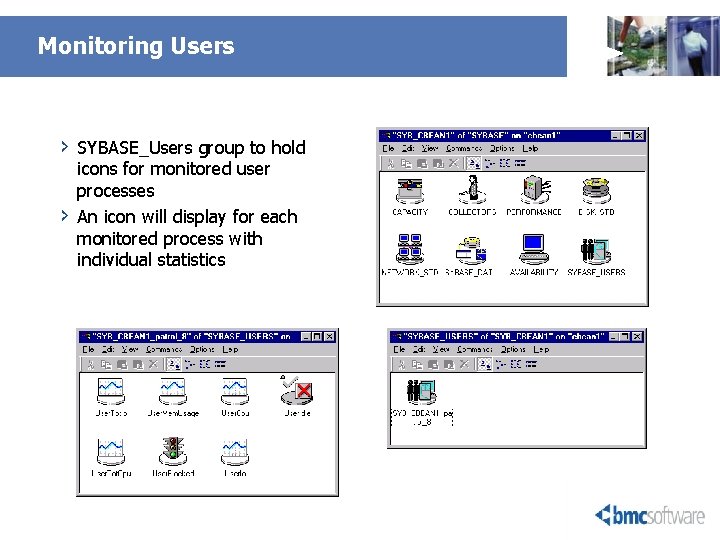
Monitoring Users › › SYBASE_Users group to hold icons for monitored user processes An icon will display for each monitored process with individual statistics
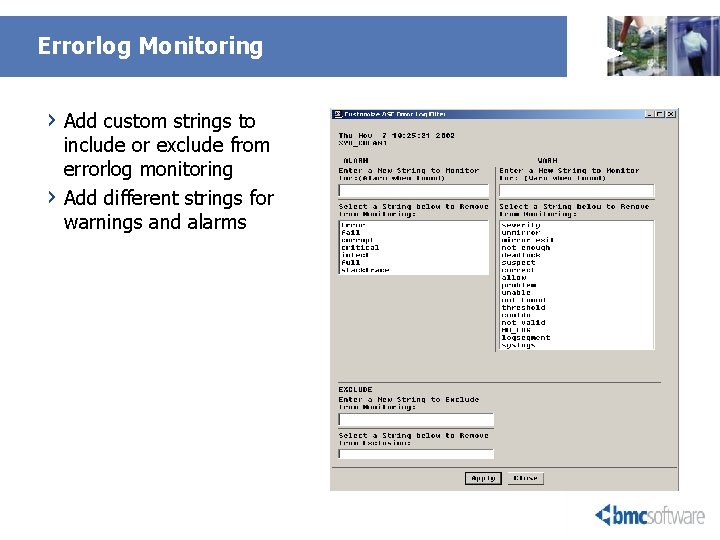
Errorlog Monitoring › Add custom strings to › include or exclude from errorlog monitoring Add different strings for warnings and alarms
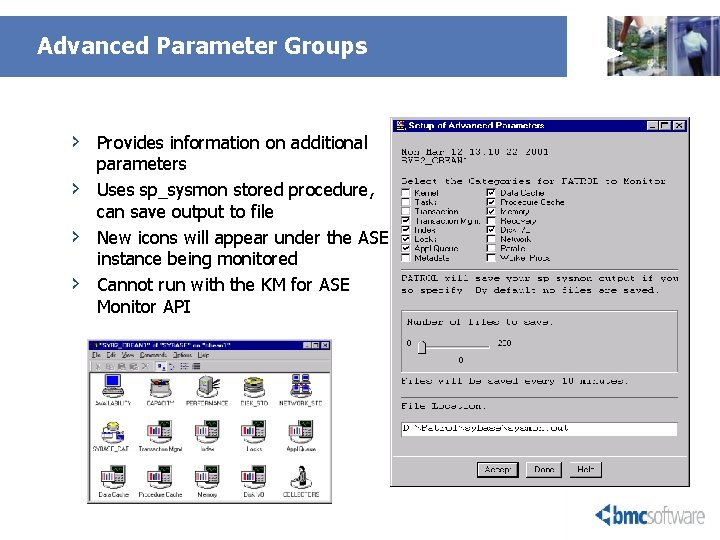
Advanced Parameter Groups › › Provides information on additional parameters Uses sp_sysmon stored procedure, can save output to file New icons will appear under the ASE instance being monitored Cannot run with the KM for ASE Monitor API
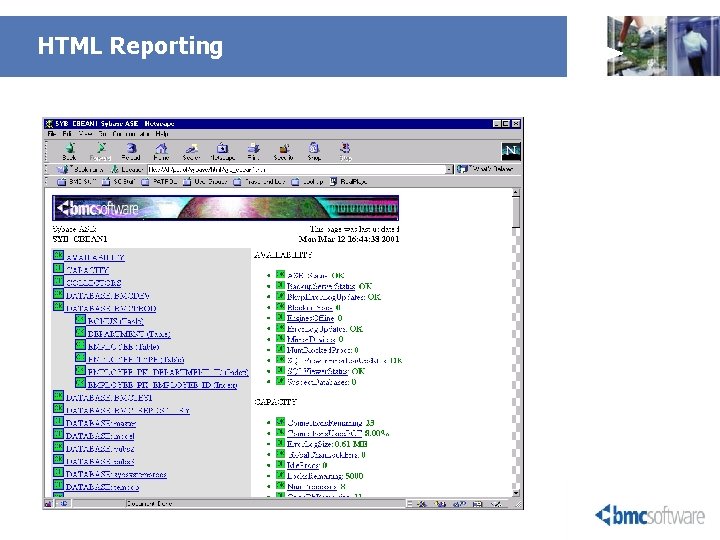
HTML Reporting
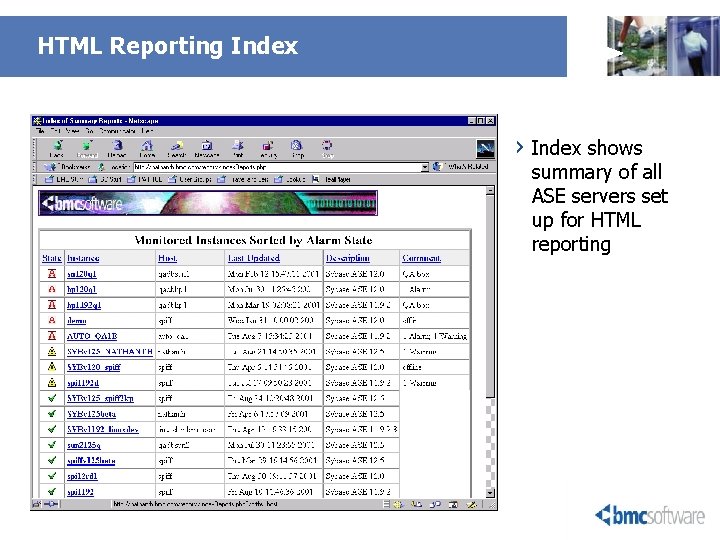
HTML Reporting Index › Index shows summary of all ASE servers set up for HTML reporting

Why Our Solution is the best? align
3 Key points to remember Today • Heterogeneous Management § Centralize control and Proactively manage for multiple platforms and multiple versions of OS & Oracle database • Not only a “Monitoring’ solution § Improve User Satisfaction Slow response time, CPU hogs, DB deadlock, insufficient space for DB to grow, long running SQL, reach cursor limit e. t. c. § Improve Server & Database Performance Easy Correlation which help to pin-point performance bottleneck Also provide Advisor for optimize DB performance § Provide Trend Analysis Evaluate trends in object usage to identify “Hot” objects and avoid storage problem Make Storage recommendation to reduce disk fragmentation, and hence I/O • Ease-of-use, quick to implement and extensible

THANK YOU FOR COMING! Questions? 39 20 February 2021 © 2003 BMC Software
- Slides: 39