
Introducing the BOC Home Oxygen Portal BOC are

Introducing the BOC Home Oxygen Portal BOC are proud to announce the provision of a new online service designed to benefit both clinicians and patients, the “Home Oxygen Portal”. The portal provides a suite of tools to make routine tasks for clinicians simpler and more intuitive, along with the ease of access. Register now by visiting www. bochop. co. uk Linde: Living healthcare

What can I do with the Home Oxygen Portal? HOOF s You can submit HOOFs online via the Home Oxygen Portal. HOOF completion is automatically error checked and validated, eliminating clinical errors. Videos Handy how-to guides for the Portal & safety / instructional videos for Oxygen use are available from the Portal. Linde: Living healthcare Dashboard Patient flow, hours and usage are accessible at the touch of a button, allowing you to review prescriptions and patient compliance and have more informed discussions. Removals Submit removal requests for patient oxygen online, saving you time on completing a full HOOF. Removal requests are also archived for later review. Safeties Inform BOC of safety incidents online, which are monitored and responded to 24 hours per day. Incidents are logged and archived for future review. Archiv e HOOFs, Removals and Safeties are archived for later retrieval and download. You can share access to your HOOFs via a Prescribing Group on the Portal. 2
What can I do with the Home Oxygen Portal? Using the portal, you can: How do I register for the Home Oxygen Portal? – Submit Home Oxygen Order Forms online. – Review previous Home Oxygen Order Forms you’ve submitted. – Review Home Oxygen Order Forms submitted by colleagues within a prescriber group which can be requested via your HOS lead. – Check patient prescription information such as flow and hours of use. – Check what equipment and cylinders a patient holds. – Review a patient’s compliance with their prescription. – See any safety concerns, either current or historic. Registration is quick and simple. Log on to www. bochop. co. uk, click “Register Here” and follow the instructions! Registrations are processed same day and you will receive email confirmation that you can now access the Portal. Once registered, you’ll be given access to either the Part A or Part B online ordering forms based on your profession. The Portals digital interface provides a number of benefits over manual working practices, such as: - A @@nhs. net email address. - Internet Explorer 11 or the latest versions of Google Chrome or Mozilla Firefox on your computer or device. – Error Checking – When completing a HOOF via the Portal, it will inform you if you’ve omitted any necessary information or requested a flow or consumables that are incompatible with the equipment to be provided. – Instant Receipts & Delivery – When a HOOF from the Portal is processed confirmation is immediately forwarded to your nhs. net email, and a second confirmation is sent to your email when the installation is completed. Furthermore, as the HOOF is not being sent via fax there is zero chance of transmission failure. – Mobile Working – Work as you move by using the Portal on a tablet; discuss a new or old prescription with patients in person, move freely between locations, and access prescriptions and compliance at the touch of a button. Linde: Living healthcare In order to register and to comply with Information Governance requirements, you will need: As data is encrypted and transferred securely between the Portal and your device, you can access the Portal from anywhere you can get a connection without worry of data being intercepted in transit. 3

Portal Features – The BOC Home Oxygen Portal has a number of useful features for clinicians, including: - Instantaneous online HOOF submission, including error checking to eliminate rejections due to missed details and loading of previous patient data, complete with automated email confirmations. - A dashboard that can track an individual patient’s oxygen usage on either equipment or cylinders, as well as providing prescription and SIRI information. The dashboard is visually designed to be simple but effective, enabling you to show it to patients to have more informed and engaging discussions about their prescription and historic usage. - HOOF Archive – access and download copies of HOOFs submitted through the portal by yourself or those submitted from your prescribing group which can be set up on request. Linde: Living healthcare 09/03/2021 Fußzeile 4 4

HOP Feature Showcase – HOOF Submission – The Home Oxygen Portal fully supports online completion of both Part A and Part B type HOOFs, mapping entered data to the appropriate fields. – Errors or omissions are notified to the user in real time, preventing clerical errors that would result in a HOOF rejection. – Patients who have previously had oxygen removed due to known Health & Safety risks are highlighted also. Linde: Living healthcare 09/03/2021 Fußzeile 5 5
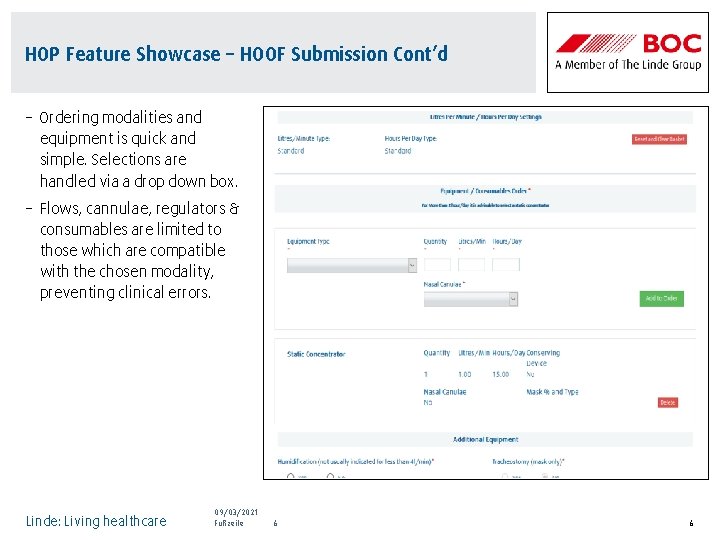
HOP Feature Showcase – HOOF Submission Cont’d – Ordering modalities and equipment is quick and simple. Selections are handled via a drop down box. – Flows, cannulae, regulators & consumables are limited to those which are compatible with the chosen modality, preventing clinical errors. Linde: Living healthcare 09/03/2021 Fußzeile 6 6
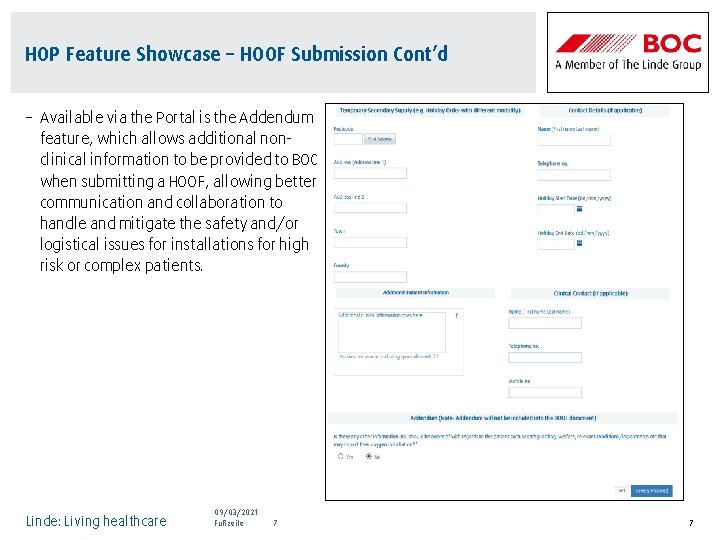
HOP Feature Showcase – HOOF Submission Cont’d – Available via the Portal is the Addendum feature, which allows additional nonclinical information to be provided to BOC when submitting a HOOF, allowing better communication and collaboration to handle and mitigate the safety and/or logistical issues for installations for high risk or complex patients. Linde: Living healthcare 09/03/2021 Fußzeile 7 7
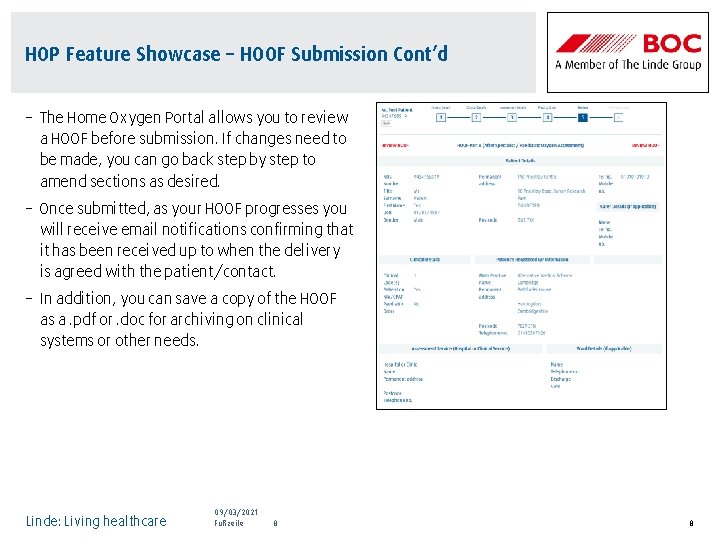
HOP Feature Showcase – HOOF Submission Cont’d – The Home Oxygen Portal allows you to review a HOOF before submission. If changes need to be made, you can go back step by step to amend sections as desired. – Once submitted, as your HOOF progresses you will receive email notifications confirming that it has been received up to when the delivery is agreed with the patient/contact. – In addition, you can save a copy of the HOOF as a. pdf or. doc for archiving on clinical systems or other needs. Linde: Living healthcare 09/03/2021 Fußzeile 8 8

HOP Feature Showcase – HOOF Submission Cont’d – The Home Oxygen Portal also requires the HOCF and IHORM boxes be ticked before allowing the user to proceed with HOOF submission, eliminating an error type that accounts for 30% of all HOOF based rejections. – Confirmations and corrections can be CCed to another nhs. net email address if required. Linde: Living healthcare 09/03/2021 Footer 9
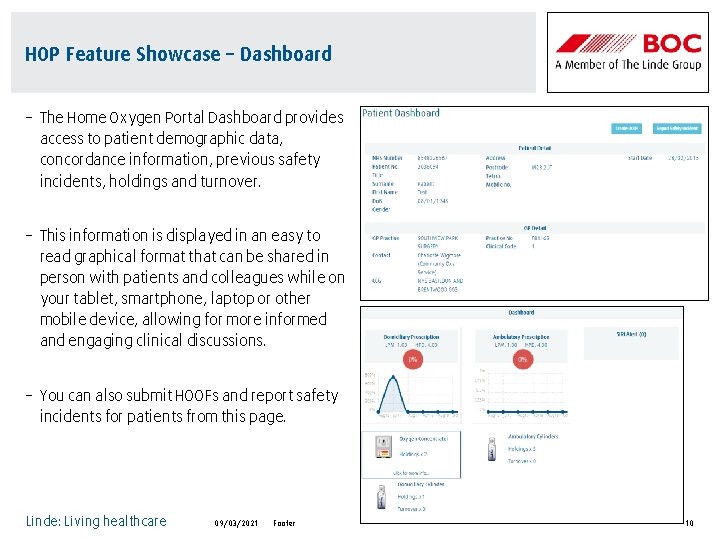
HOP Feature Showcase – Dashboard – The Home Oxygen Portal Dashboard provides access to patient demographic data, concordance information, previous safety incidents, holdings and turnover. – This information is displayed in an easy to read graphical format that can be shared in person with patients and colleagues while on your tablet, smartphone, laptop or other mobile device, allowing for more informed and engaging clinical discussions. – You can also submit HOOFs and report safety incidents for patients from this page. Linde: Living healthcare 09/03/2021 Footer 10
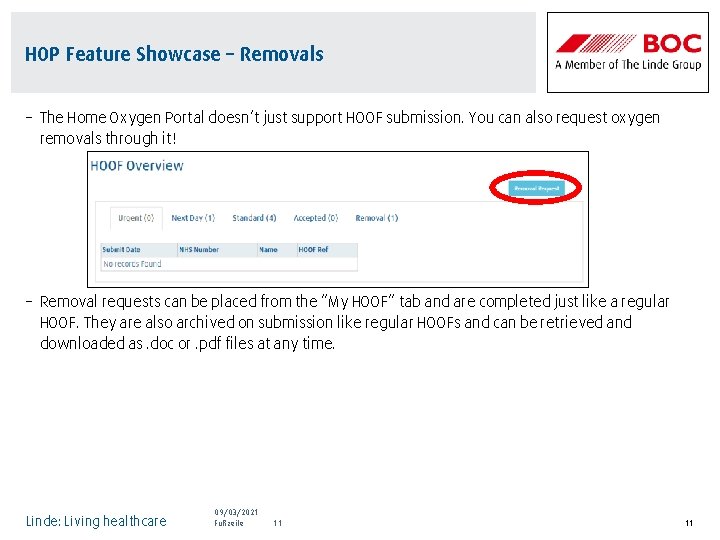
HOP Feature Showcase – Removals – The Home Oxygen Portal doesn’t just support HOOF submission. You can also request oxygen removals through it! – Removal requests can be placed from the “My HOOF” tab and are completed just like a regular HOOF. They are also archived on submission like regular HOOFs and can be retrieved and downloaded as. doc or. pdf files at any time. Linde: Living healthcare 09/03/2021 Fußzeile 11 11

HOP Feature Showcase – Incident Reporting – The Home Oxygen Portal also allows reporting of safety incidents for your patients. – This can be accessed from the Patient Dashboard on the HOP and will be responded to immediately by BOC. Safety incidents are also archived and tracked against individual patients so you can review this later on the dashboard as needed. Linde: Living healthcare 09/03/2021 Fußzeile 12 12
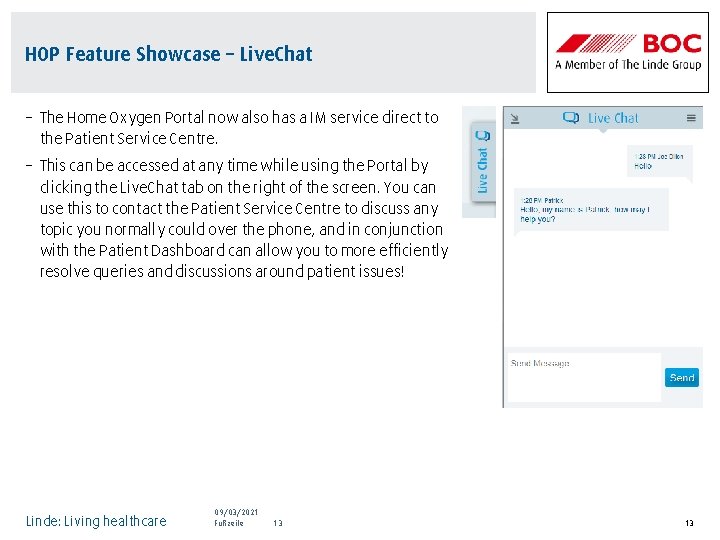
HOP Feature Showcase – Live. Chat – The Home Oxygen Portal now also has a IM service direct to the Patient Service Centre. – This can be accessed at any time while using the Portal by clicking the Live. Chat tab on the right of the screen. You can use this to contact the Patient Service Centre to discuss any topic you normally could over the phone, and in conjunction with the Patient Dashboard can allow you to more efficiently resolve queries and discussions around patient issues! Linde: Living healthcare 09/03/2021 Fußzeile 13 13

User guides – – – – – Registration & Overview HOOF Archive HOOF Submission How To Patient Dashboard Removals & Safeties Reporting Access Overview Awareness & Safety Training - Oxygen Therapy Awareness & Safety Training - Slips, Trips & Falls Linde: Living healthcare 09/03/2021 Footer 14
- Slides: 14