
Introducing Ciscos Integrated Services Router Rugged IR 1101
- Slides: 2
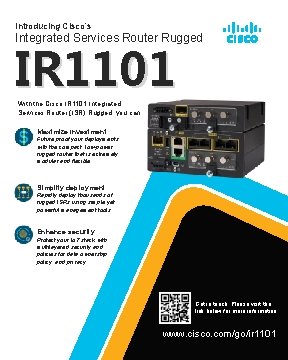
Introducing Cisco’s Integrated Services Router Rugged IR 1101 With the Cisco IR 1101 Integrated Services Router (ISR) Rugged, you can: Maximize Investment Future proof your deployments with the compact, low-power, rugged router that is extremely modular and flexible. Simplify deployment Rapidly deploy thousands of rugged ISRs using simple yet powerful management tools. Enhance security Protect your Io. T stack with multilayered security and policies for data ownership, policy, and privacy. Get in touch. Please visit the link below for more information. www. cisco. com/go/ir 1101
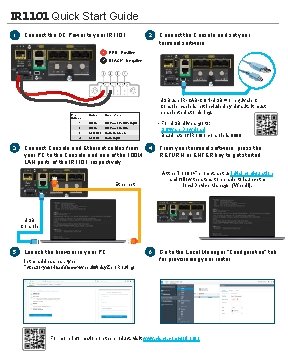
IR 1101 Quick Start Guide 1 Connect the DC Power to your IR 1101. Pin Number 3 1 RED - Positive 2 BLACK - Negative Name Description 1 DC In + DC Power Positive Input 2 DC In - DC Power Return 3 ALM REF Alarm Common 4 ALM IN 2 USB use IR-CAB-CON-USB = or equivalent Console cable is not included by default. It must be selected at ordering. • For USB drivers go to: Software Download Baud rate of IR 1101 console is 9600 Alarm Input Connect Console and Ethernet cables from your PC to the Console and one of the 100 M LAN ports of the IR 1101 respectively. Connect the Console and set your terminal software. 4 From your terminal software, press the RETURN or ENTER key to get started. At the “ir 1101>” prompt, set up initial configuration and follow the steps to be able to launch the local Device Manager (Web. UI). Ethernet USB Console 5 Launch the browser in your PC. In the address bar, type “https: //<your-ipaddress>/webui/#/day. Zero. Routing 6 Go to the Local Manager “Configuration” tab for provisioning your router. For more information on the product, visit: www. cisco. com/go/ir 1101