
Intro to Computer Graphics and Image Formation Angel
- Slides: 38
Intro to Computer Graphics and Image Formation Angel 1. 1 -1. 5 Angel: Interactive Computer Graphics 5 E © Addison-Wesley 2009 1
What is Computer Graphics? Angel: Interactive Computer Graphics 5 E © Addison-Wesley 2009 2
Computer Graphics • Computer graphics deals with all aspects of creating images with a computer – Hardware – Software – Applications Angel: Interactive Computer Graphics 5 E © Addison-Wesley 2009 3
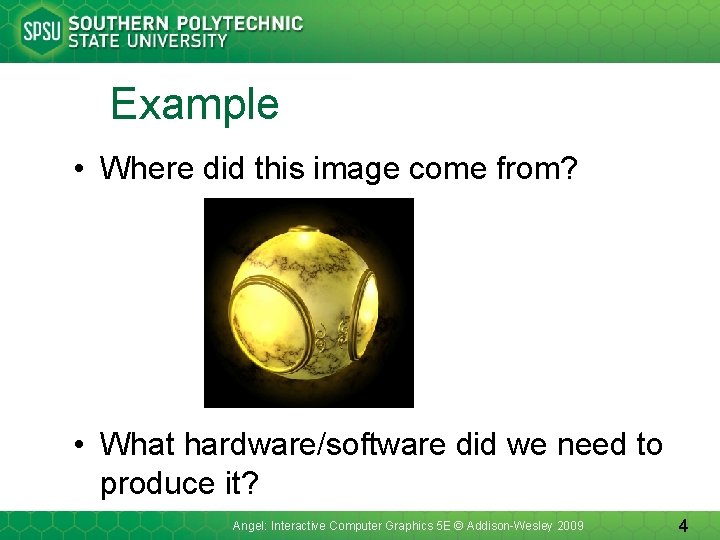
Example • Where did this image come from? • What hardware/software did we need to produce it? Angel: Interactive Computer Graphics 5 E © Addison-Wesley 2009 4
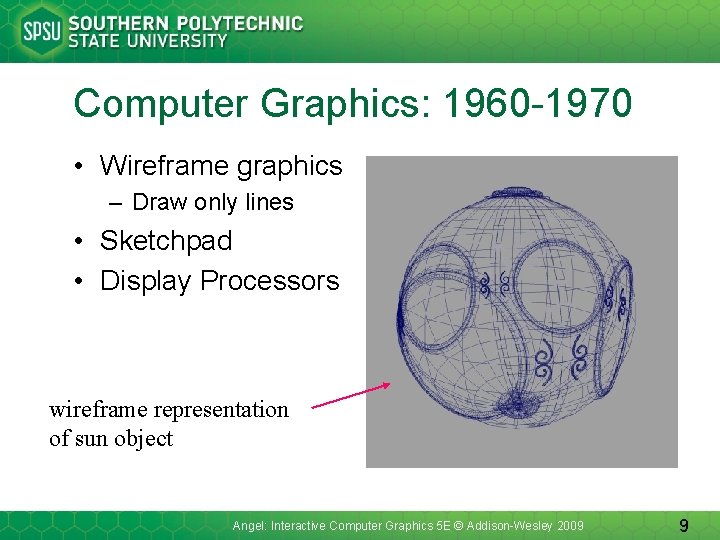
Preliminary Answer • Application: The object is an artist’s rendition of the sun for an animation to be shown in a domed environment (planetarium) • Software: Maya for modeling and rendering but Maya is built on top of Open. GL • Hardware: PC with graphics card for modeling and rendering Angel: Interactive Computer Graphics 5 E © Addison-Wesley 2009 5
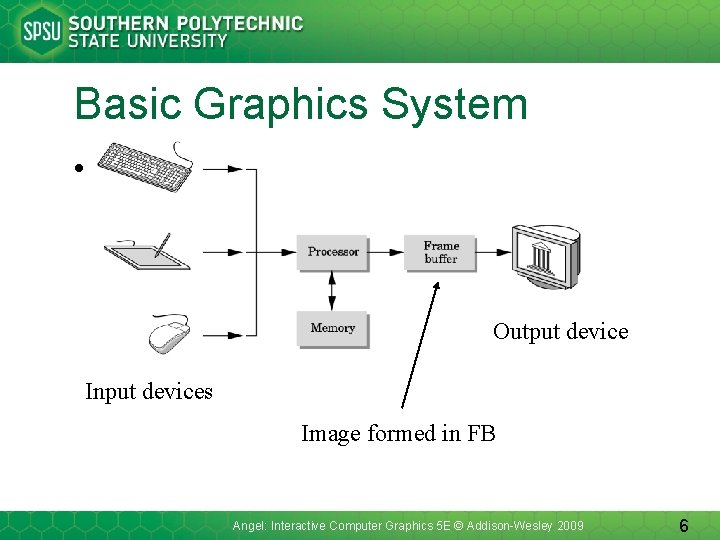
Basic Graphics System • Output device Input devices Image formed in FB Angel: Interactive Computer Graphics 5 E © Addison-Wesley 2009 6
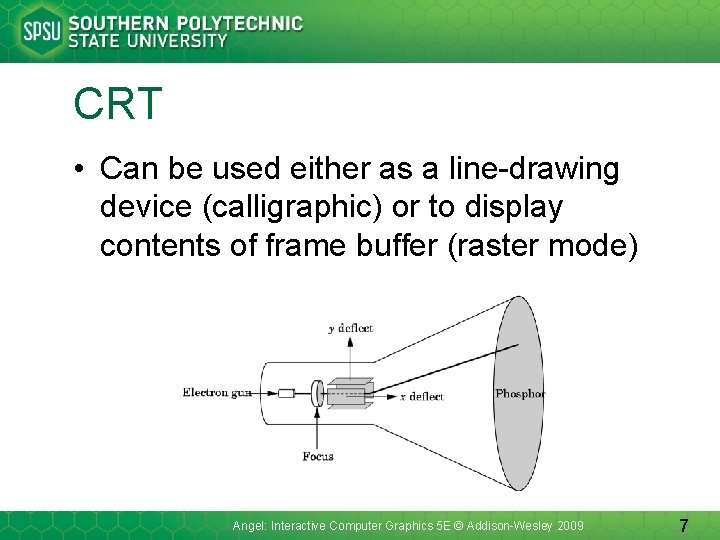
CRT • Can be used either as a line-drawing device (calligraphic) or to display contents of frame buffer (raster mode) Angel: Interactive Computer Graphics 5 E © Addison-Wesley 2009 7
Computer Graphics: 1950 -1960 • Computer graphics goes back to the earliest days of computing – Strip charts – Pen plotters – Simple displays using A/D converters to go from computer to calligraphic CRT • Cost of refresh for CRT too high – Computers slow, expensive, unreliable Angel: Interactive Computer Graphics 5 E © Addison-Wesley 2009 8
Computer Graphics: 1960 -1970 • Wireframe graphics – Draw only lines • Sketchpad • Display Processors wireframe representation of sun object Angel: Interactive Computer Graphics 5 E © Addison-Wesley 2009 9
Sketchpad • Ivan Sutherland’s Ph. D thesis at MIT – Recognized the potential of man-machine interaction – Loop • Display something • User moves light pen • Computer generates new display – Sutherland also created many of the now common algorithms for computer graphics Angel: Interactive Computer Graphics 5 E © Addison-Wesley 2009 10
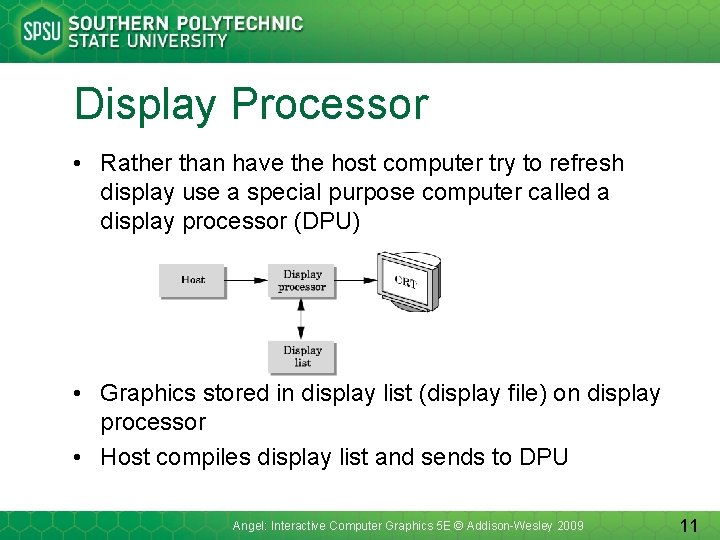
Display Processor • Rather than have the host computer try to refresh display use a special purpose computer called a display processor (DPU) • Graphics stored in display list (display file) on display processor • Host compiles display list and sends to DPU Angel: Interactive Computer Graphics 5 E © Addison-Wesley 2009 11
Computer Graphics: 1970 -1980 • Raster Graphics • Beginning of graphics standards • Workstations and PCs Angel: Interactive Computer Graphics 5 E © Addison-Wesley 2009 12
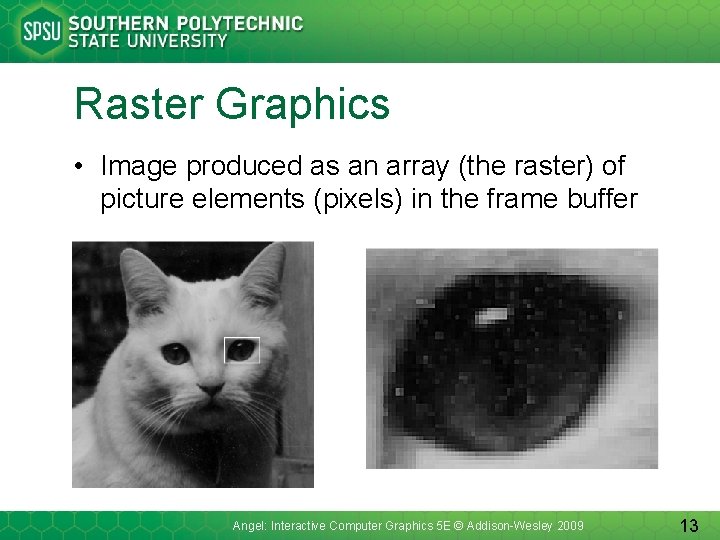
Raster Graphics • Image produced as an array (the raster) of picture elements (pixels) in the frame buffer Angel: Interactive Computer Graphics 5 E © Addison-Wesley 2009 13
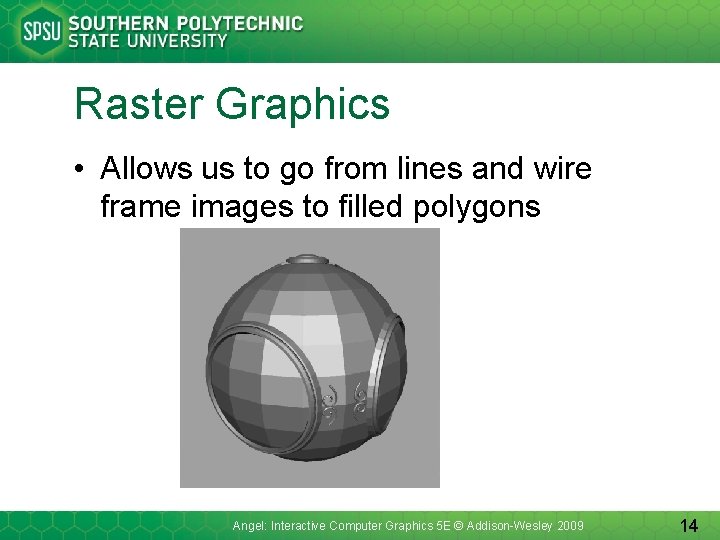
Raster Graphics • Allows us to go from lines and wire frame images to filled polygons Angel: Interactive Computer Graphics 5 E © Addison-Wesley 2009 14
PCs and Workstations • Although we no longer make the distinction between workstations and PCs, historically they evolved from different roots – Early workstations characterized by • Networked connection: client-server model • High-level of interactivity – Early PCs included frame buffer as part of user memory • Easy to change contents and create images Angel: Interactive Computer Graphics 5 E © Addison-Wesley 2009 15
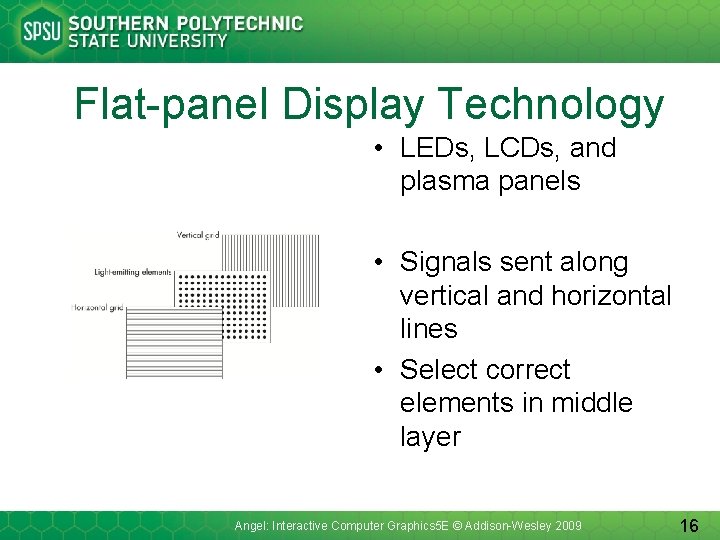
Flat-panel Display Technology • LEDs, LCDs, and plasma panels • Signals sent along vertical and horizontal lines • Select correct elements in middle layer Angel: Interactive Computer Graphics 5 E © Addison-Wesley 2009 16
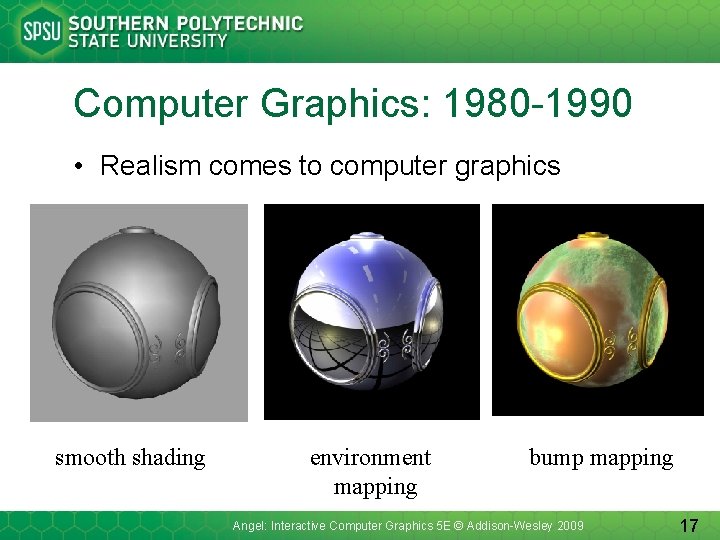
Computer Graphics: 1980 -1990 • Realism comes to computer graphics smooth shading environment mapping bump mapping Angel: Interactive Computer Graphics 5 E © Addison-Wesley 2009 17
Computer Graphics: 1980 -1990 • Special purpose hardware – Silicon Graphics geometry engine • VLSI implementation of graphics pipeline • Industry-based standards – PHIGS – Render. Man • Networked graphics: X Window System • Human-Computer Interface (HCI) Angel: Interactive Computer Graphics 5 E © Addison-Wesley 2009 18
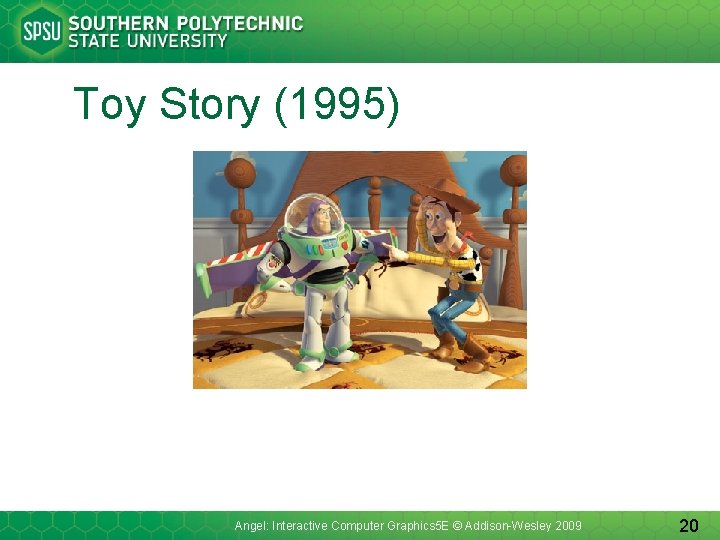
Computer Graphics: 1990 -2000 • Open. GL API • Completely computer-generated featurelength movies (Toy Story) are successful • New hardware capabilities – Texture mapping – Blending – Accumulation, stencil buffers Angel: Interactive Computer Graphics 5 E © Addison-Wesley 2009 19
Toy Story (1995) Angel: Interactive Computer Graphics 5 E © Addison-Wesley 2009 20
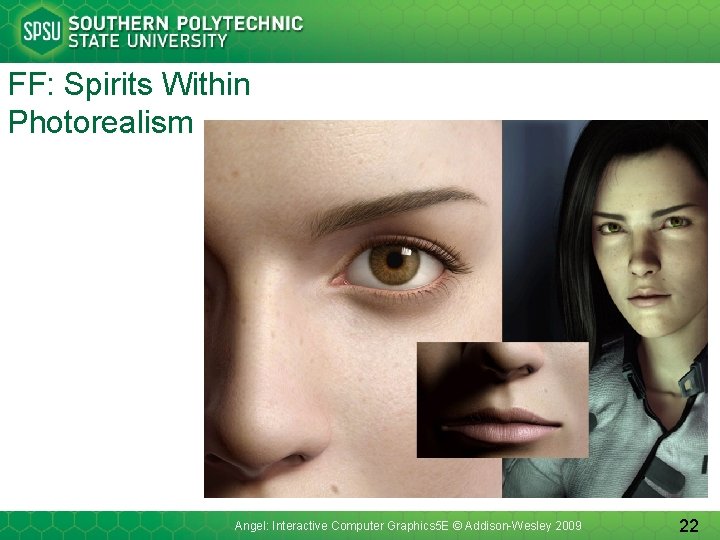
Computer Graphics: 2000 • Photorealism • Graphics cards for PCs dominate market – Nvidia, ATI • Game boxes and game players determine direction of market • Computer graphics routine in movie industry: Maya, Lightwave • Programmable pipelines Angel: Interactive Computer Graphics 5 E © Addison-Wesley 2009 21
FF: Spirits Within Photorealism Angel: Interactive Computer Graphics 5 E © Addison-Wesley 2009 22
Image Formation Angel: Interactive Computer Graphics 5 E © Addison-Wesley 2009 23
Objectives • Fundamental imaging notions • Physical basis for image formation – Light – Color – Perception • Synthetic camera model • Other models Angel: Interactive Computer Graphics 5 E © Addison-Wesley 2009 24
Image Formation • In computer graphics, we form images which are generally two dimensional using a process analogous to how images are formed by physical imaging systems – Cameras – Microscopes – Telescopes – Human visual system Angel: Interactive Computer Graphics 5 E © Addison-Wesley 2009 25
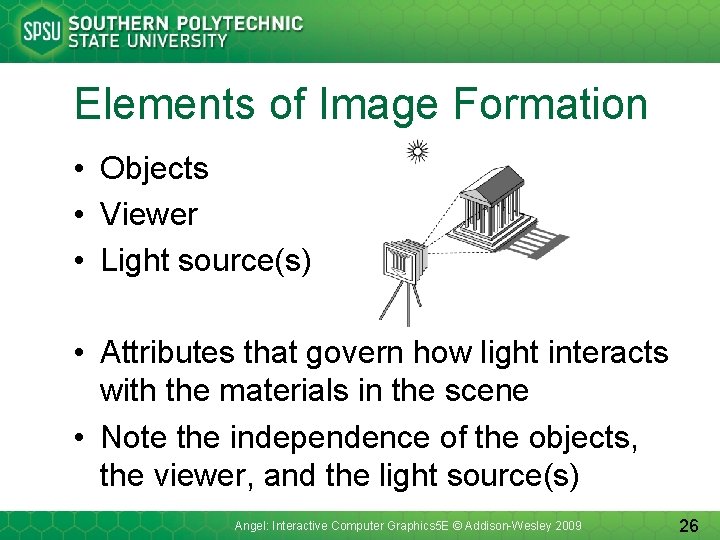
Elements of Image Formation • Objects • Viewer • Light source(s) • Attributes that govern how light interacts with the materials in the scene • Note the independence of the objects, the viewer, and the light source(s) Angel: Interactive Computer Graphics 5 E © Addison-Wesley 2009 26
Light • Light is the part of the electromagnetic spectrum that causes a reaction in our visual systems • Generally these are wavelengths in the range of about 350 -750 nm (nanometers) • Long wavelengths appear as reds and short wavelengths as blues Angel: Interactive Computer Graphics 5 E © Addison-Wesley 2009 27
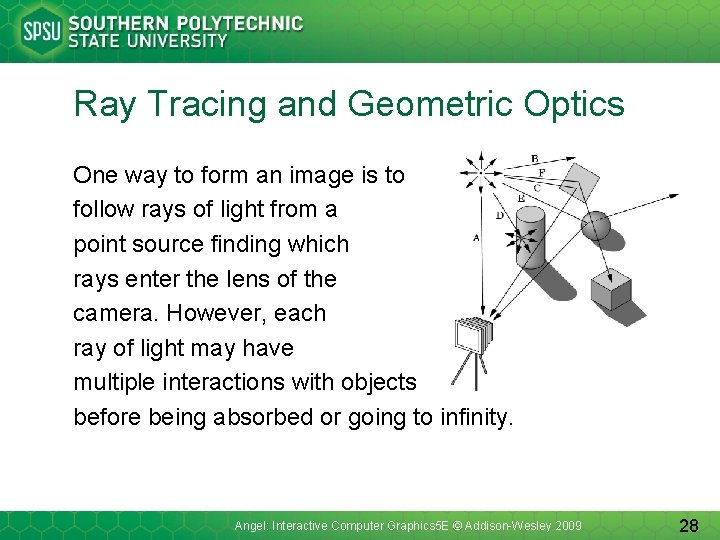
Ray Tracing and Geometric Optics One way to form an image is to follow rays of light from a point source finding which rays enter the lens of the camera. However, each ray of light may have multiple interactions with objects before being absorbed or going to infinity. Angel: Interactive Computer Graphics 5 E © Addison-Wesley 2009 28
Luminance and Color Images • Luminance Image – Monochromatic – Values are gray levels – Analogous to working with black and white film or television • Color Image – Has perceptional attributes of hue, saturation, and lightness – Do we have to match every frequency in visible spectrum? No! Angel: Interactive Computer Graphics 5 E © Addison-Wesley 2009 29
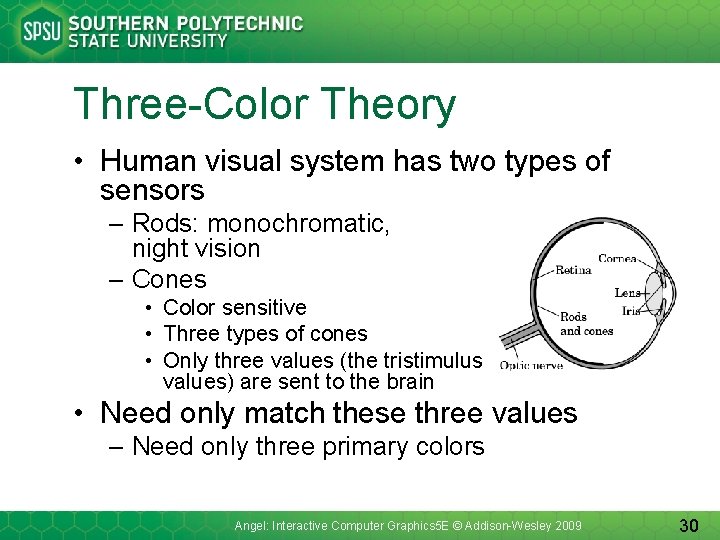
Three-Color Theory • Human visual system has two types of sensors – Rods: monochromatic, night vision – Cones • Color sensitive • Three types of cones • Only three values (the tristimulus values) are sent to the brain • Need only match these three values – Need only three primary colors Angel: Interactive Computer Graphics 5 E © Addison-Wesley 2009 30
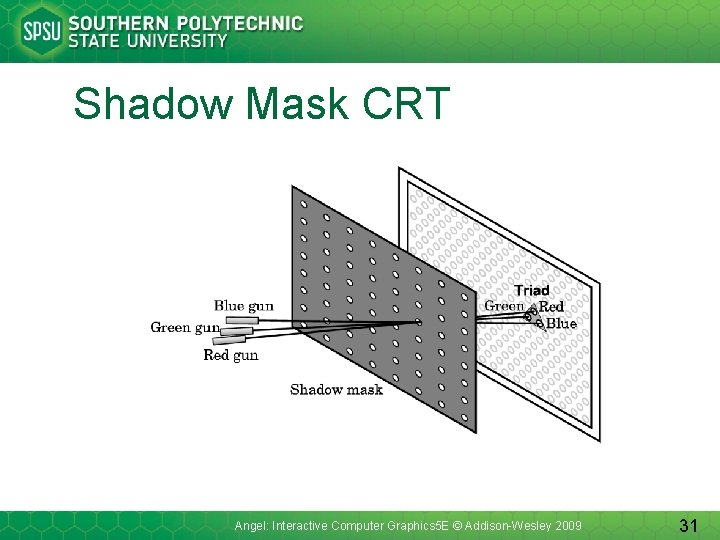
Shadow Mask CRT Angel: Interactive Computer Graphics 5 E © Addison-Wesley 2009 31
Additive and Subtractive Color • Additive color – Form a color by adding amounts of three primaries • CRTs, projection systems, positive film – Primaries are Red (R), Green (G), Blue (B) • Subtractive color – Form a color by filtering white light with cyan (C), Magenta (M), and Yellow (Y) filters • Light-material interactions • Printing • Negative film Angel: Interactive Computer Graphics 5 E © Addison-Wesley 2009 32
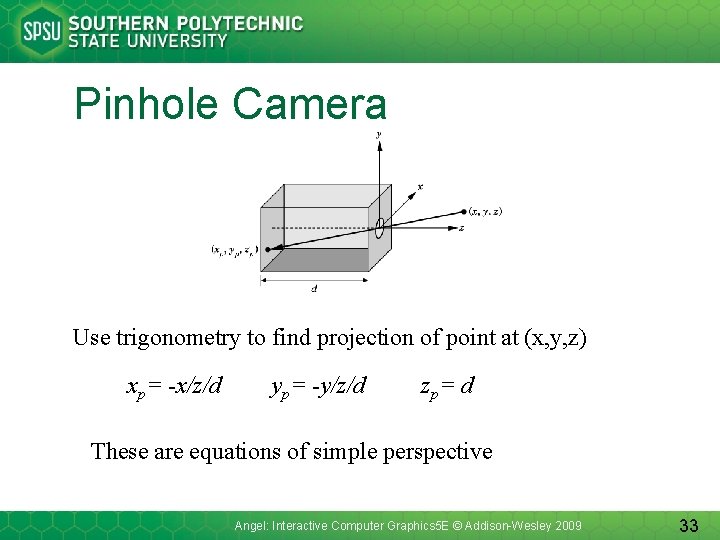
Pinhole Camera Use trigonometry to find projection of point at (x, y, z) xp= -x/z/d yp= -y/z/d zp= d These are equations of simple perspective Angel: Interactive Computer Graphics 5 E © Addison-Wesley 2009 33
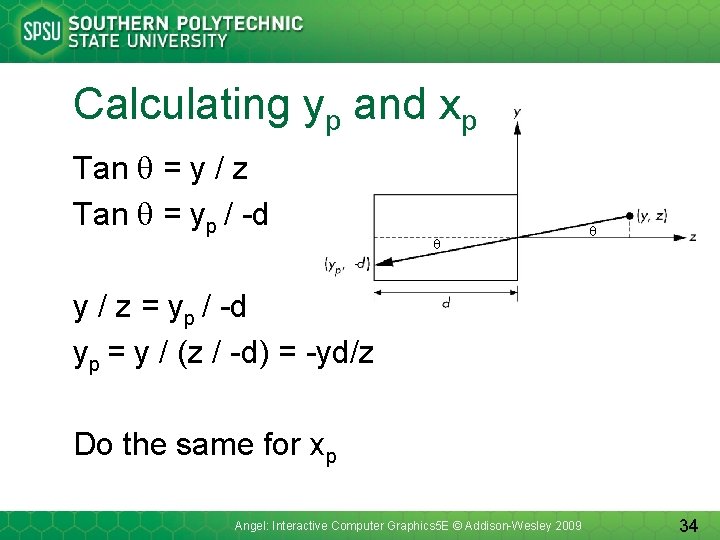
Calculating yp and xp Tan = y / z Tan = yp / -d - y / z = yp / -d yp = y / (z / -d) = -yd/z Do the same for xp Angel: Interactive Computer Graphics 5 E © Addison-Wesley 2009 34
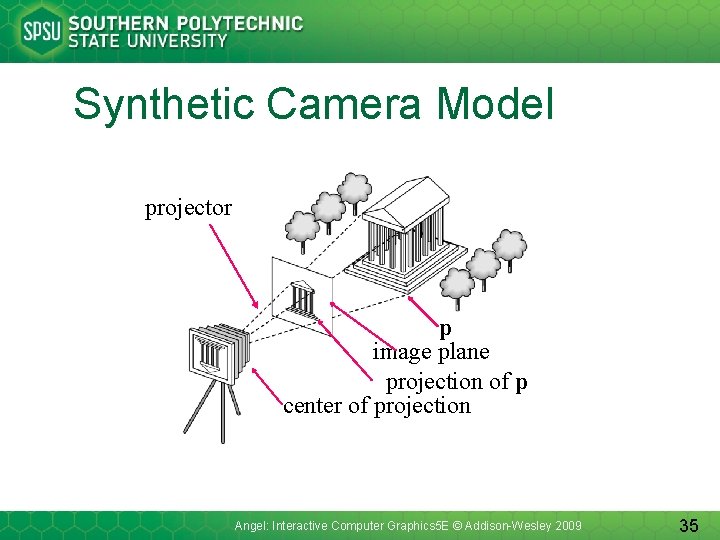
Synthetic Camera Model projector p image plane projection of p center of projection Angel: Interactive Computer Graphics 5 E © Addison-Wesley 2009 35
Advantages • Separation of objects, viewer, light sources • Two-dimensional graphics is a special case of three-dimensional graphics • Leads to simple software API – Specify objects, lights, camera, attributes – Let implementation determine image • Leads to fast hardware implementation Angel: Interactive Computer Graphics 5 E © Addison-Wesley 2009 36
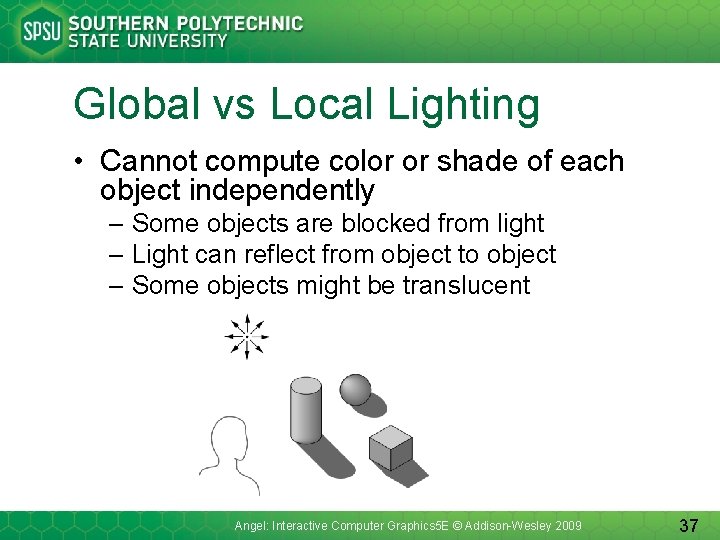
Global vs Local Lighting • Cannot compute color or shade of each object independently – Some objects are blocked from light – Light can reflect from object to object – Some objects might be translucent Angel: Interactive Computer Graphics 5 E © Addison-Wesley 2009 37
Why not ray tracing? • Ray tracing seems more physically based so why don’t we use it to design a graphics system? • Possible and is actually simple for simple objects such as polygons and quadrics with simple point sources • In principle, can produce global lighting effects such as shadows and multiple reflections but ray tracing is slow and not well-suited for interactive applications Angel: Interactive Computer Graphics 5 E © Addison-Wesley 2009 38