
Intro to Backbone js In the beginning web
Intro to Backbone. js • In the beginning web applications were just static HTML pages(HTML, CSS, JS). • Later, in web 2. 0, server side programming languages (like PHP, Ruby, Java, …) were added to generate HTML pages dynamically based on user input and data stored in database. • That was a huge improvement, and most of the pages served today use this approach. However, to provide the web site with even more responsiveness, speed, and enhanced user interaction, it requires bringing the logic closer to the client (browser).
Intro to Backbone. js • Java, Flash and some other languages can run in the browsers besides JS. However, these require extra plugins and are not as ubiquitous as Java. Script. • Web applications nowadays require heavy use of Java. Script to generate content on the fly. The user needn’t wait between requests and page refreshes. • A lot of the logic/code that used to be on the server side is being moved to the client side. JS allows web sites to render only content that changes without needing to reload the full-page on every request (i. e. Gmail, Pandora, Pinterest, Nokia Maps 3 D. And …)
Intro to Backbone. js • A common problem with large JS web application developed is that they can become pretty messy really quickly. The lack of structure makes the code hard to maintain. • This is where Backbone comes into play. It provides structure to organize the code and increase maintainability. • Backbone is not the only framework like this; in fact, there are many JS frameworks that attempt to offer similar benefits, like Ember. js, Angular. js and so on.

Backbone. js • A super light library that makes the process of creating complex, interactive and data driven apps so much easier. • It provides a clean way to surgically separate your data from your presentation. • You can create easy to maintain front ends. • It's backend agnostic and works well with any of the modern Java. Script libraries you're already using. • Backbone has a smooth process of sending RESTful requests to the server.
Backbone. js • Backbone is a collection of cohesive objects, weighing in at a shade under 4 kb, that lend structure to your code and basically helps you build a proper MVC app in the browser. • Backbone supplies structure to Java. Script-heavy applications by providing models with key-value binding and custom events, collections with a rich API of enumerable functions, views with declarative event handling, and connects it all to your existing application over a RESTful JSON interface.
Backbone. js • Backbone isn't considered true MVC – C is for Collection not Controller, but it still offers many of the same benefits and enables us to write powerful yet maintainable code. • When a model's contents or state is changed, other objects that have subscribed to the model are notified so they can proceed accordingly. Here, the views listen to changes in the model, and update themselves accordingly instead of the model having to deal with the views manually. • Designed to use a standard AJAX call when you want to talk to the server.
Backbone. js • A number of adapters have sprung up covering most of the favorites including Websockets and local storage. • Backbone provides a clean way to surgically separate your data from your presentation. The model that works with the data is only concerned with synchronizing with a server while the view's primary duty is listening to changes to the subscribed model and rendering the HTML.
Backbone. js • Backbone vs j. Query: Backbone handles all the higher level abstractions, while j. Query - or similar libraries work with the DOM, normalize events and so on. • Benefits: the front end code devolves into a steaming, dirty pile of nested callbacks, DOM manipulations, HTML for the presentation amidst other unsayable acts. • Backbone is ideally suited for creating front end heavy, data driven applications.
Backbone. js • Storing data and state in the DOM is a bad idea. Fat models and skinny controllers are the way to go. • Workflow is simplified when business logic is taken care of by models. Templating is an absolute necessity. Putting HTML inside your Java. Script gives you bad karma.
Backbone. js Benefits • Key-value binding and custom events: ü When a model's contents or state is changed, other objects that have subscribed to the model are notified so they can proceed accordingly. ü The views listen to changes in the model, and update themselves accordingly instead of the model having to deal with the views manually.
Backbone. js Benefits • Rich API of enumerable functions ü Backbone ships with a number of very useful functions for handling and working with your data. ü Unlike other implementation, arrays in Java. Script are pretty neutered, which really is a hampering problem when you have to deal with data.
Backbone. js Benefits • Views with declarative event handling ü Your days of writing spaghetti bind calls are over. ü You can programmatically declare which callback needs to be associated with specific elements.
Backbone. js Benefits • RESTful JSON interface ü Even though the default method is to use a standard AJAX call when you want to talk to the server, you can easily switch it out to anything you need. ü A number of adapters have sprung up covering most of the favorites including Websockets and local storage. ü Backbone can separate your data from your view. ü The model that works with the data is only concerned with synchronizing with a server while the view's primary duty is listening to changes to the subscribed model and rendering the HTML.
Backbone. js FAQ • Does it replace j. Query? ü No. They're pretty complementary in their scopes with almost no overlaps in functionality. Backbone handles all the higher level abstractions, while j. Query - or similar libraries - work with the DOM, normalize events and so on. ü Their scopes and use cases are pretty different and because you know one doesn't mean that you shouldn't learn the other. As a Java. Script developer, you should know how to effectively work with both.
Backbone. js FAQ • Why should I be using this? ü Because more often than not, the front end code devolves into a steaming, dirty pile of nested callbacks, DOM manipulations, HTML for the presentation amidst other unsayable acts. ü Backbone offers a significantly clean and elegant way of managing this chaos.
Backbone. js • Where should I be using this? ü Backbone is ideally suited for creating front end heavy, data driven applications. ü Think the GMail interface, new Twitter or any other revelation of the past few years. ü It makes creating complex apps easier. ü While you can shoehorn it for more mainstream web pages, this is really a library that is tailored for web apps.
Backbone. js • I can still use other libraries on the page, right? Absolutely. Not only your typical DOM accessing, AJAX wrapping kind, but also the rest of your templating and script loading kind. It's very, very loosely coupled, which means you can use almost all of your tools in conjunction with Backbone.
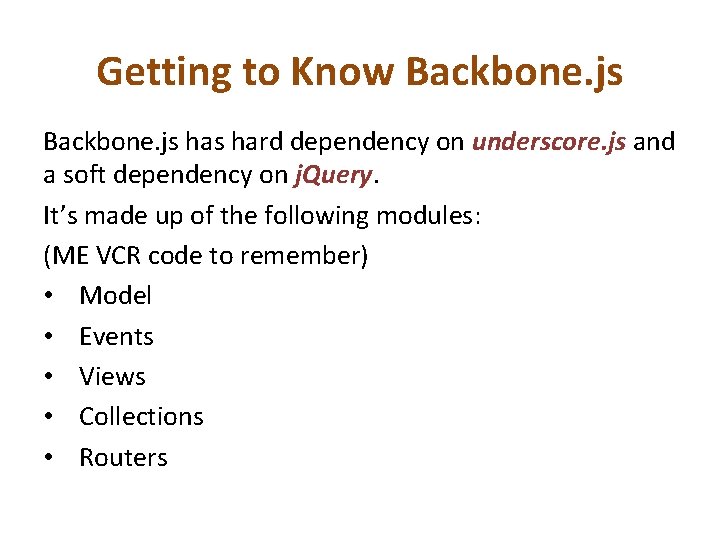
Getting to Know Backbone. js has hard dependency on underscore. js and a soft dependency on j. Query. It’s made up of the following modules: (ME VCR code to remember) • Model • Events • Views • Collections • Routers
Model • In Backbone, a model represents a singular entity - a record in a database. • Models are the heart of any Java. Script application, containing the interactive data as well as a large part of the logic surrounding it; conversions, validations, computed properties, and access control takes place here.
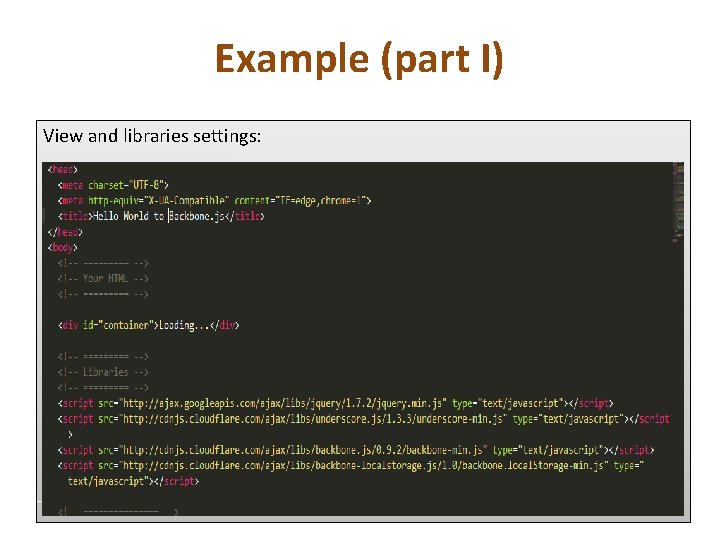
Example (part I) View and libraries settings:
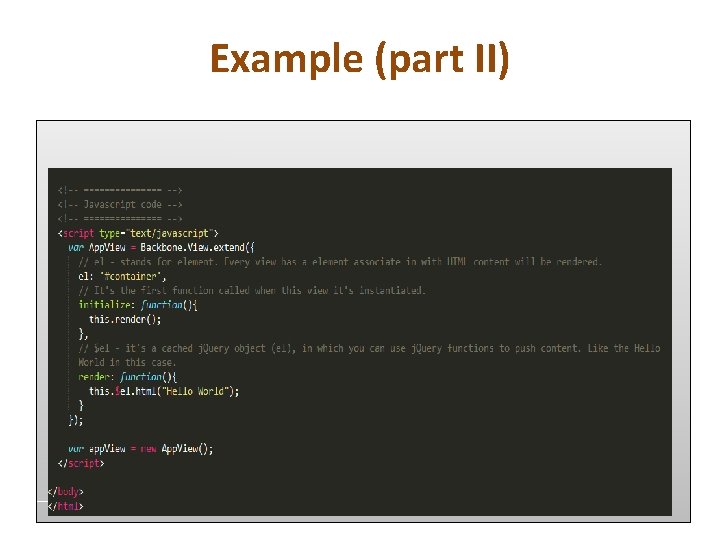
Example (part II)
Example (part III) • Backbone’s Views are the equivalent of ‘controllers’ on MVC frameworks (like Ruby on Rails), if you are not familiar with MVC frameworks, that’s okay. • Backbone’s Views glue together user events (clicks, pressed keys, etc. ), render HTML views and templates, and interact with models which contains the data of the application. • When ‘Loading…’ it’s because you need to initialize the view first: var app. View = new App. View(); • So you just had “Hello Wold” in Backbone and an introduction to the View module.
backbone. js Conclusion ü MVC model for the front end, otherwise too messy and incredibly hard to maintain. ü Storing data and state in the DOM is a bad idea. This started making more sense after creating apps that needed different parts of the app to be updated with the same data. ü Fat models and skinny controllers are the way to go. Workflow is simplified when business logic is taken care of by models. ü Templating is an absolute necessity. Putting HTML inside your Java. Script gives you bad karma.
- Slides: 23