
INTORDUCTION TO JDBC JDBC JAVA DATABASE CONNECTIVITY JDBC
INTORDUCTION TO JDBC
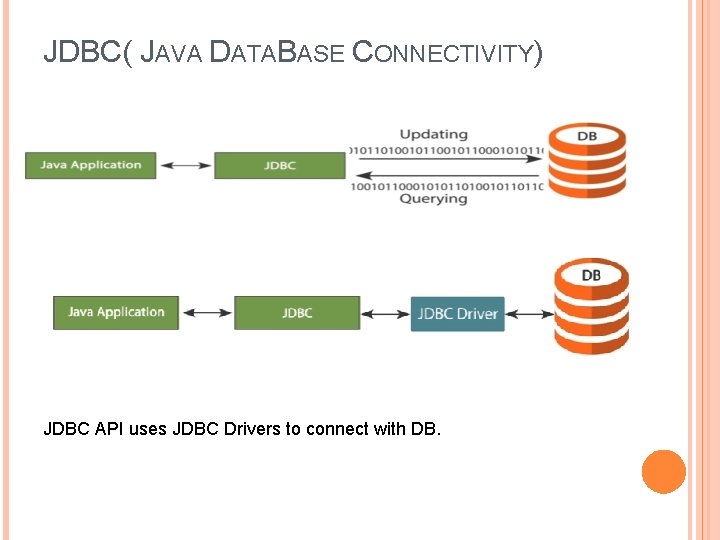
JDBC( JAVA DATABASE CONNECTIVITY) JDBC API uses JDBC Drivers to connect with DB.
INTRODUCTION A J 2 EE application supplies database access using the Java Database Connection (JDBC) interface contained in the JDBC application programming interface (API). The JDBC interface has methods that open a connection to a database management system (DBMS), then transmit messages (queries) to insert, retrieve, modify, or delete data stored in a database. The DBMS uses the same connection to send messages back to the J 2 EE application. These messages contain rows of data requested by the J 2 EE application or information indicating the status of the query being processed by the DBMS.
JDBC CONCEPT The challenge faced by Sun Microsystems in the late 1990 s was to develop a way for Java developers to write high-level code that accesses all popular DBMSs. One major obstacle to overcome was a language barrier. Each DBMS defined its own low-level way to interact with programs to access data stored in its databases. This meant that low-level code written to communicate with an Oracle database might need to be rewritten to access a DB 2 database. Sun met the challenge in 1996 with the creation of the JDBC driver and the JDBC API. Both were created out of necessity because until then Java couldn’t access DBMSs and therefore wasn’t considered an industrial-strength programming language. Each JDBC Drivers has some specifications that describes the detail functionalities of each driver.
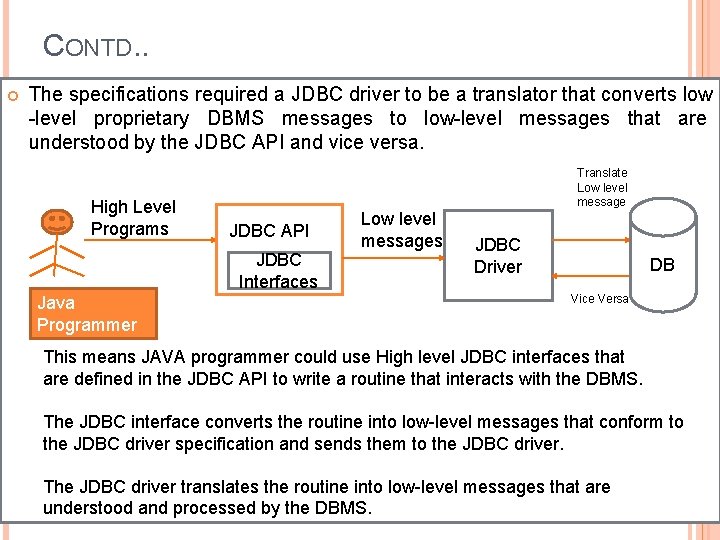
CONTD. . The specifications required a JDBC driver to be a translator that converts low -level proprietary DBMS messages to low-level messages that are understood by the JDBC API and vice versa. High Level Programs Translate Low level message JDBC API JDBC Interfaces Java Programmer Low level messages JDBC Driver DB Vice Versa This means JAVA programmer could use High level JDBC interfaces that are defined in the JDBC API to write a routine that interacts with the DBMS. The JDBC interface converts the routine into low-level messages that conform to the JDBC driver specification and sends them to the JDBC driver. The JDBC driver translates the routine into low-level messages that are understood and processed by the DBMS.
CONTD… JDBC drivers created by DBMS manufacturers have to: ■ Open a connection between the DBMS and the J 2 EE application ■ Translate low-level equivalents of SQL statements sent by the J 2 EE application into messages that can be processed by the DBMS ■ Return data that conforms to the JDBC specification to the JDBC driver ■ Return information, such as error messages, that conforms to the JDBC specification to the JDBC driver ■ Provide transaction management routines that conform to the JDBC specification ■ Close the connection between the DBMS and the J 2 EE application NOTE: The JDBC driver makes J 2 EE applications database independent, which complements Java’s philosophy of platform independence. (www. sun. com) : web site for commercial DBMS provided by SUN.
JDBC DRIVER TYPES JDBC drivers divided into four groups Type 1 JDBC to ODBC Driver Type 2 Java/Native Code Driver Type 3 JDBC Driver Type 4 JDBC Drivers enables java programs to interact with DBMS To Connect with different databases like Oracle, DB 2, My. SQL etc , we are using with drivers.
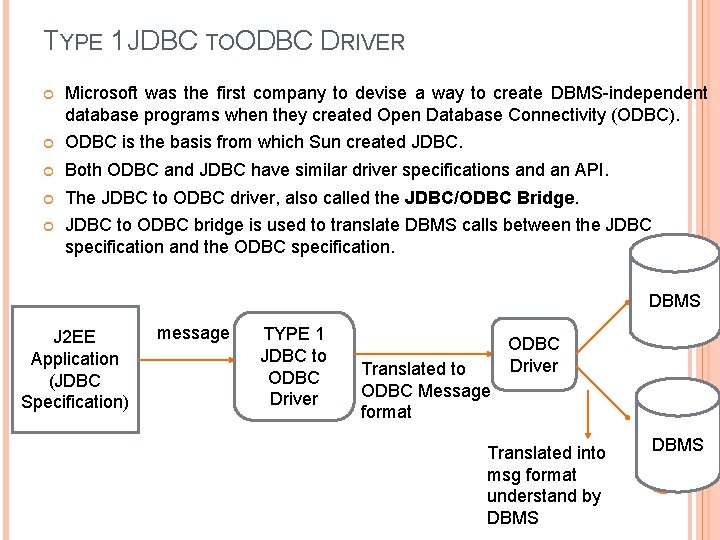
TYPE 1 JDBC TOODBC DRIVER Microsoft was the first company to devise a way to create DBMS-independent database programs when they created Open Database Connectivity (ODBC). ODBC is the basis from which Sun created JDBC. Both ODBC and JDBC have similar driver specifications and an API. The JDBC to ODBC driver, also called the JDBC/ODBC Bridge. JDBC to ODBC bridge is used to translate DBMS calls between the JDBC specification and the ODBC specification. DBMS J 2 EE Application (JDBC Specification) message TYPE 1 JDBC to ODBC Driver Translated to ODBC Message format ODBC Driver Translated into msg format understand by DBMS
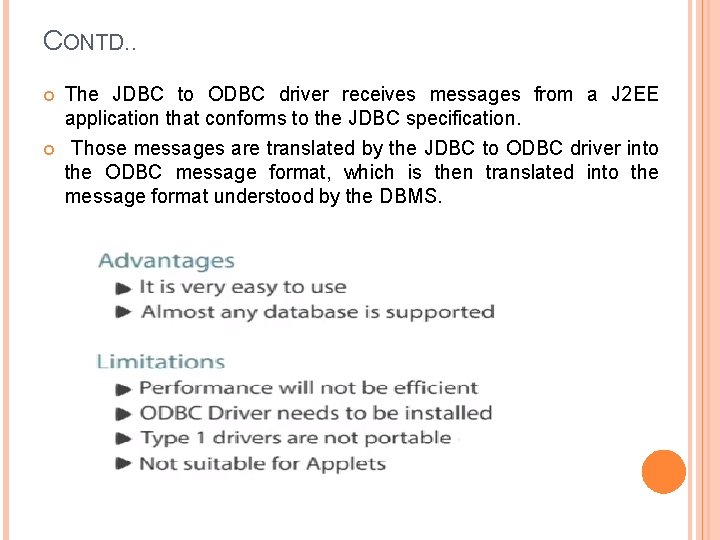
CONTD. . The JDBC to ODBC driver receives messages from a J 2 EE application that conforms to the JDBC specification. Those messages are translated by the JDBC to ODBC driver into the ODBC message format, which is then translated into the message format understood by the DBMS.
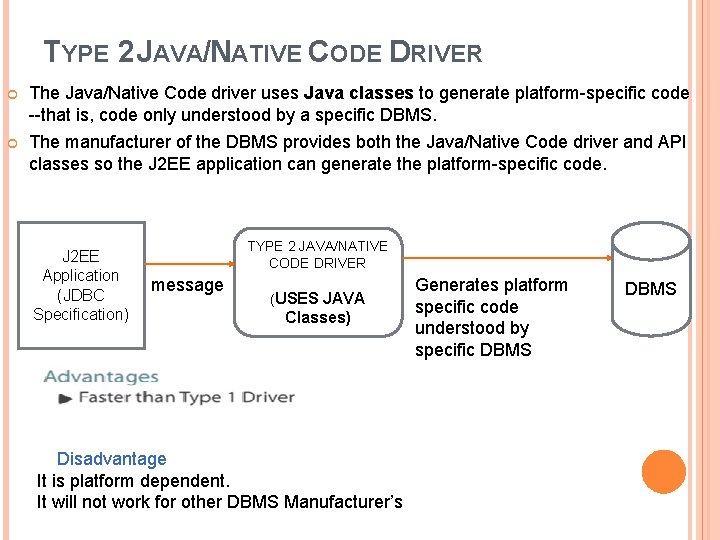
TYPE 2 JAVA/NATIVE CODE DRIVER The Java/Native Code driver uses Java classes to generate platform-specific code --that is, code only understood by a specific DBMS. The manufacturer of the DBMS provides both the Java/Native Code driver and API classes so the J 2 EE application can generate the platform-specific code. J 2 EE Application (JDBC Specification) TYPE 2 JAVA/NATIVE CODE DRIVER message (USES JAVA Classes) Disadvantage It is platform dependent. It will not work for other DBMS Manufacturer’s Generates platform specific code understood by specific DBMS
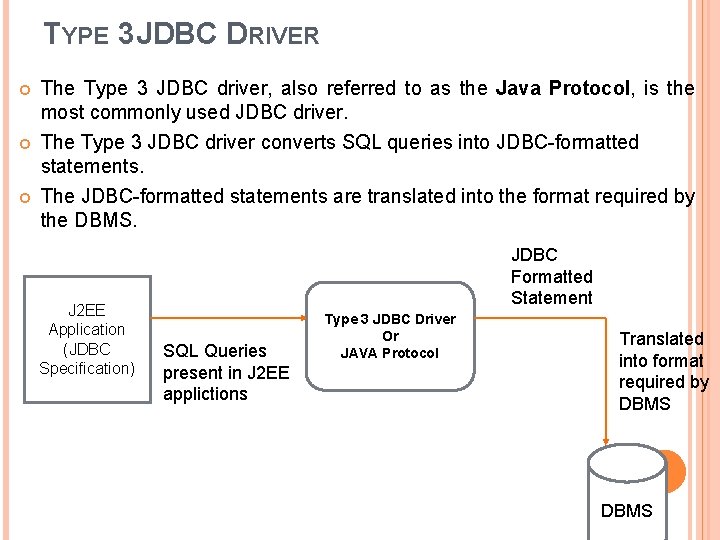
TYPE 3 JDBC DRIVER The Type 3 JDBC driver, also referred to as the Java Protocol, is the most commonly used JDBC driver. The Type 3 JDBC driver converts SQL queries into JDBC-formatted statements. The JDBC-formatted statements are translated into the format required by the DBMS. J 2 EE Application (JDBC Specification) JDBC Formatted Statement SQL Queries present in J 2 EE applictions Type 3 JDBC Driver Or JAVA Protocol Translated into format required by DBMS
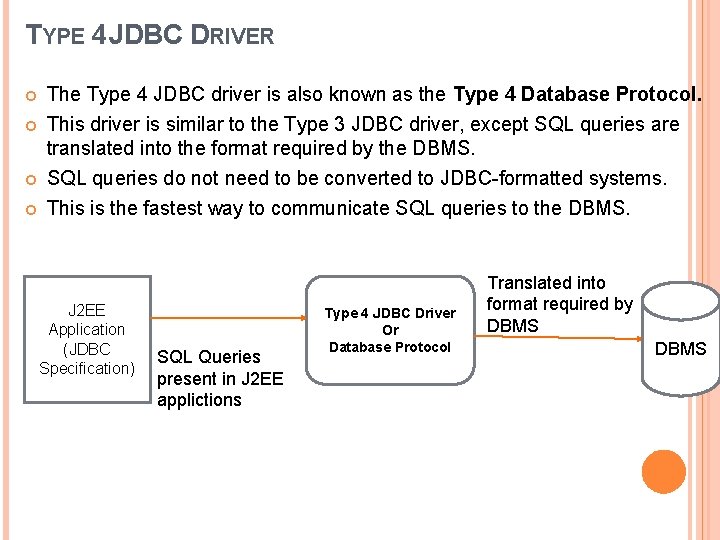
TYPE 4 JDBC DRIVER The Type 4 JDBC driver is also known as the Type 4 Database Protocol. This driver is similar to the Type 3 JDBC driver, except SQL queries are translated into the format required by the DBMS. SQL queries do not need to be converted to JDBC-formatted systems. This is the fastest way to communicate SQL queries to the DBMS. J 2 EE Application (JDBC Specification) SQL Queries present in J 2 EE applictions Type 4 JDBC Driver Or Database Protocol Translated into format required by DBMS
JDBC PACKAGES The JDBC API is contained in two packages 1) java. sql : contains core JDBC interfaces of the JDBC API. These include the JDBC interfaces that provide the basics for connecting to the DBMS and interacting with data stored in the DBMS. 2) javax. sql : it is the extended version of java. sql which contains JDBC Interface that interacts with JNDI and manages connection pooling and some advanced JDBC features.
OVERVIEW OF THE JDBC PROCESS / STEPS IN JDBC PROCESS Each J 2 EE applications has to interact with DBMS. To interact with DBMS, the process is divided into 5 steps. 1) Load the JDBC Driver 2) Connect to the DBMS 3) Create and Execute an SQL Statement 4) Process Data Returned by the DBMS 5) Terminate the Connection to the DBMS
LOAD THE JDBC DRIVER The JDBC driver must be loaded before the J 2 EE application can connect to the DBMS. The Class. for. Name( ) method is used to load the JDBC driver Suppose a developer wants to work offline and write a J 2 EE application that interacts with Microsoft Access on the developer’s PC, The developer must write a routine that loads the JDBC/ODBC Bridge driver called sun. jdbc. odbc. Jdbc. Odbc. Driver. The driver is loaded by calling the Class. for. Name( ) method and passing it the name of the driver, as shown below: Class. for. Name( "sun. jdbc. odbc. Jdbc. Odbc. Driver");
CONNECT TO THE DBMS Once the driver is loaded, the J 2 EE application must connect to the DBMS using the method. Driver. Manager. get. Connection( ) The java. sql. Driver. Manager class is the highest class in the java. sql hierarchy and is responsible for managing driver information. The Driver. Manager. get. Connection() method is passed the URL of the database, along with the user ID and password if required by the DBMS. The URL is a String object that contains the driver name and the name of the database that is being accessed by the J 2 EE application. Db = Driver. Manager. get. Connection(url, user. ID, password); The Driver. Manager. get. Connection() returns a Connection interface that is used throughout the process to reference the database. The java. sql. Connection interfaces another member of the java. sql package that manages communications between the driver and the J 2 EE application.
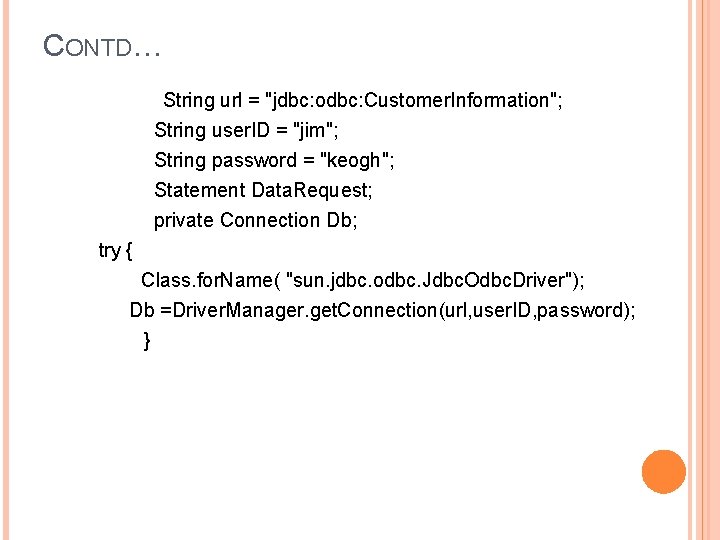
CONTD… String url = "jdbc: odbc: Customer. Information"; String user. ID = "jim"; String password = "keogh"; Statement Data. Request; private Connection Db; try { Class. for. Name( "sun. jdbc. odbc. Jdbc. Odbc. Driver"); Db =Driver. Manager. get. Connection(url, user. ID, password); }
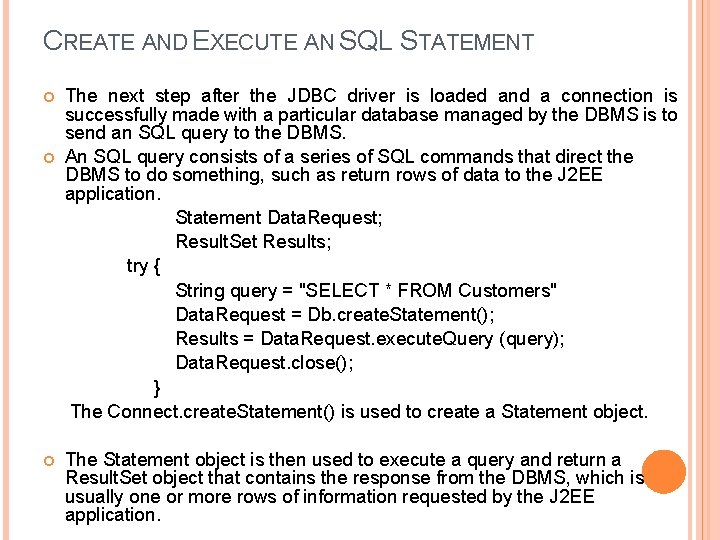
CREATE AND EXECUTE AN SQL STATEMENT The next step after the JDBC driver is loaded and a connection is successfully made with a particular database managed by the DBMS is to send an SQL query to the DBMS. An SQL query consists of a series of SQL commands that direct the DBMS to do something, such as return rows of data to the J 2 EE application. Statement Data. Request; Result. Set Results; try { String query = "SELECT * FROM Customers" Data. Request = Db. create. Statement(); Results = Data. Request. execute. Query (query); Data. Request. close(); } The Connect. create. Statement() is used to create a Statement object. The Statement object is then used to execute a query and return a Result. Set object that contains the response from the DBMS, which is usually one or more rows of information requested by the J 2 EE application.
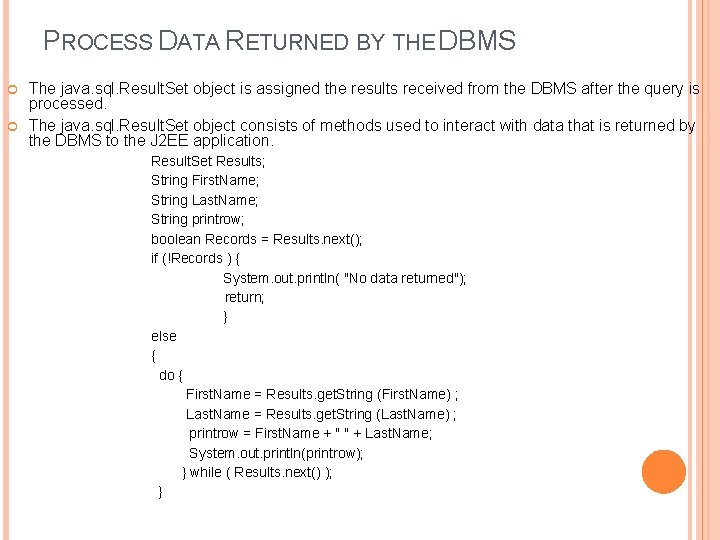
PROCESS DATA RETURNED BY THE DBMS The java. sql. Result. Set object is assigned the results received from the DBMS after the query is processed. The java. sql. Result. Set object consists of methods used to interact with data that is returned by the DBMS to the J 2 EE application. Result. Set Results; String First. Name; String Last. Name; String printrow; boolean Records = Results. next(); if (!Records ) { System. out. println( "No data returned"); return; } else { do { First. Name = Results. get. String (First. Name) ; Last. Name = Results. get. String (Last. Name) ; printrow = First. Name + " " + Last. Name; System. out. println(printrow); } while ( Results. next() ); }
CONTD… Assume in above J 2 EE application requested a customer’s first name and last name from a table. The result returned by the DBMS is already assigned to the Result. Set object called Results. The first time that the next( ) method of the Result. Set is called, the Result. Set pointer is positioned at the first row in the Result. Set and returns a boolean value. If false, this indicates that no rows are present in the Result. Set. A true value returned by the next() method means at least one row of data is present in the Result. Set, which causes the code to enter the do…while loop. The get. String( ) method of the Result. Set object is used to copy the value of a specified column in the current row of the Result. Set to a String object. The get. String( ) method is passed the name of the column in the Result. Set whose content needs to be copied, and the get. String( ) method returns the value from the specified column.
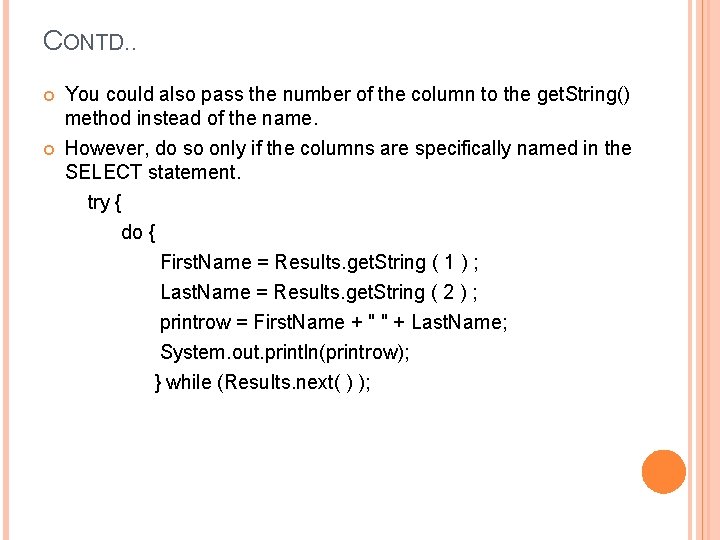
CONTD. . You could also pass the number of the column to the get. String() method instead of the name. However, do so only if the columns are specifically named in the SELECT statement. try { do { First. Name = Results. get. String ( 1 ) ; Last. Name = Results. get. String ( 2 ) ; printrow = First. Name + " " + Last. Name; System. out. println(printrow); } while (Results. next( ) );
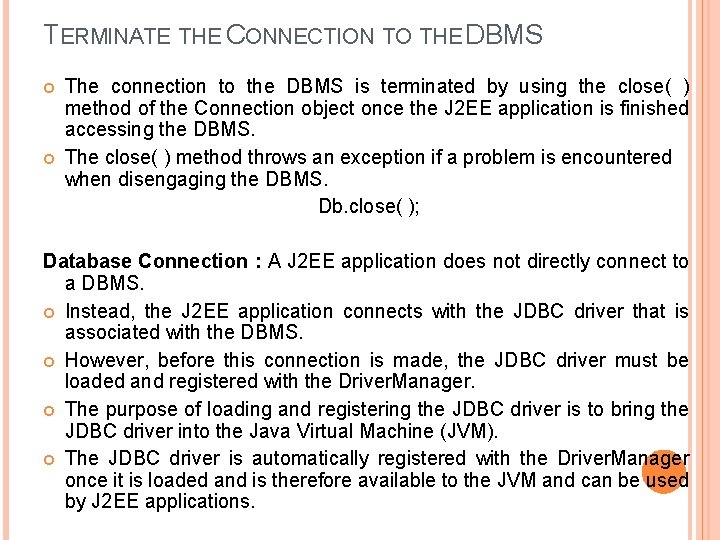
TERMINATE THE CONNECTION TO THE DBMS The connection to the DBMS is terminated by using the close( ) method of the Connection object once the J 2 EE application is finished accessing the DBMS. The close( ) method throws an exception if a problem is encountered when disengaging the DBMS. Db. close( ); Database Connection : A J 2 EE application does not directly connect to a DBMS. Instead, the J 2 EE application connects with the JDBC driver that is associated with the DBMS. However, before this connection is made, the JDBC driver must be loaded and registered with the Driver. Manager. The purpose of loading and registering the JDBC driver is to bring the JDBC driver into the Java Virtual Machine (JVM). The JDBC driver is automatically registered with the Driver. Manager once it is loaded and is therefore available to the JVM and can be used by J 2 EE applications.
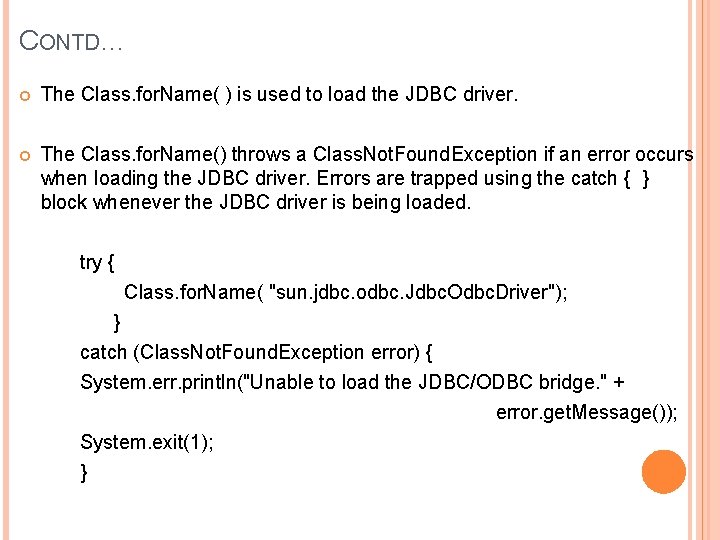
CONTD… The Class. for. Name( ) is used to load the JDBC driver. The Class. for. Name() throws a Class. Not. Found. Exception if an error occurs when loading the JDBC driver. Errors are trapped using the catch { } block whenever the JDBC driver is being loaded. try { Class. for. Name( "sun. jdbc. odbc. Jdbc. Odbc. Driver"); } catch (Class. Not. Found. Exception error) { System. err. println("Unable to load the JDBC/ODBC bridge. " + error. get. Message()); System. exit(1); }
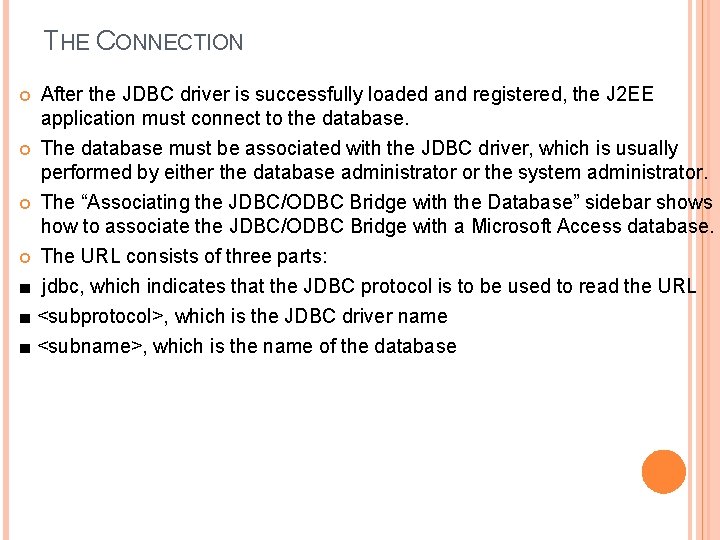
THE CONNECTION After the JDBC driver is successfully loaded and registered, the J 2 EE application must connect to the database. The database must be associated with the JDBC driver, which is usually performed by either the database administrator or the system administrator. The “Associating the JDBC/ODBC Bridge with the Database” sidebar shows how to associate the JDBC/ODBC Bridge with a Microsoft Access database. The URL consists of three parts: ■ jdbc, which indicates that the JDBC protocol is to be used to read the URL ■ <subprotocol>, which is the JDBC driver name ■ <subname>, which is the name of the database
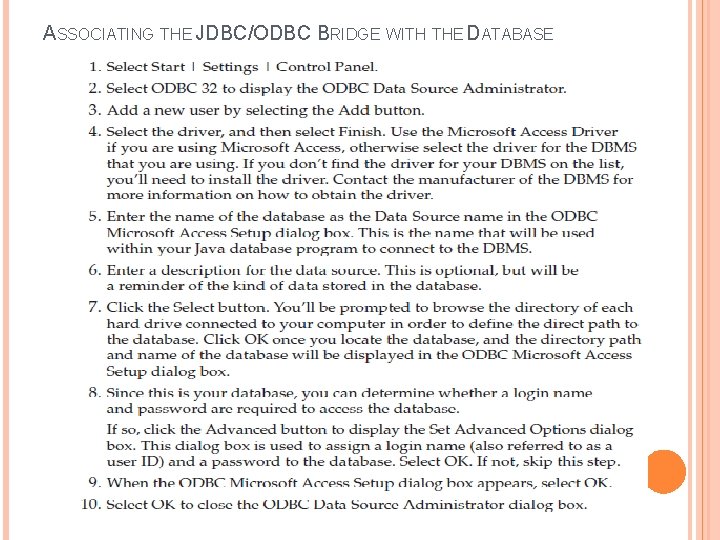
ASSOCIATING THE JDBC/ODBC BRIDGE WITH THE DATABASE
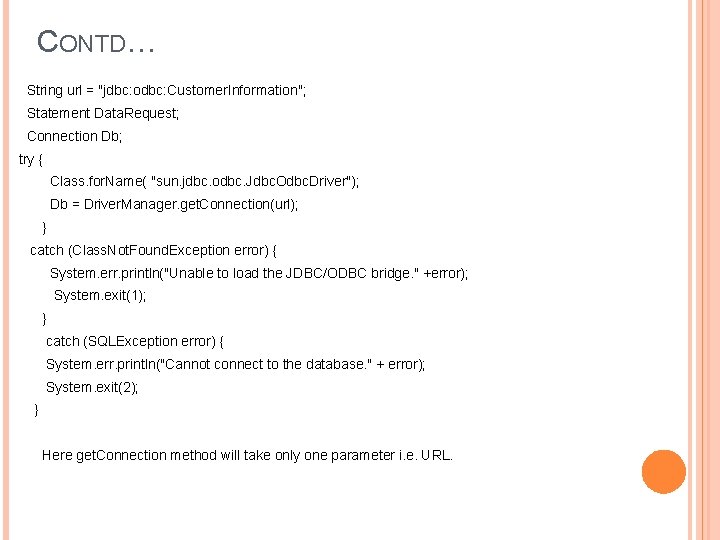
CONTD… String url = "jdbc: odbc: Customer. Information"; Statement Data. Request; Connection Db; try { Class. for. Name( "sun. jdbc. odbc. Jdbc. Odbc. Driver"); Db = Driver. Manager. get. Connection(url); } catch (Class. Not. Found. Exception error) { System. err. println("Unable to load the JDBC/ODBC bridge. " +error); System. exit(1); } catch (SQLException error) { System. err. println("Cannot connect to the database. " + error); System. exit(2); } Here get. Connection method will take only one parameter i. e. URL.
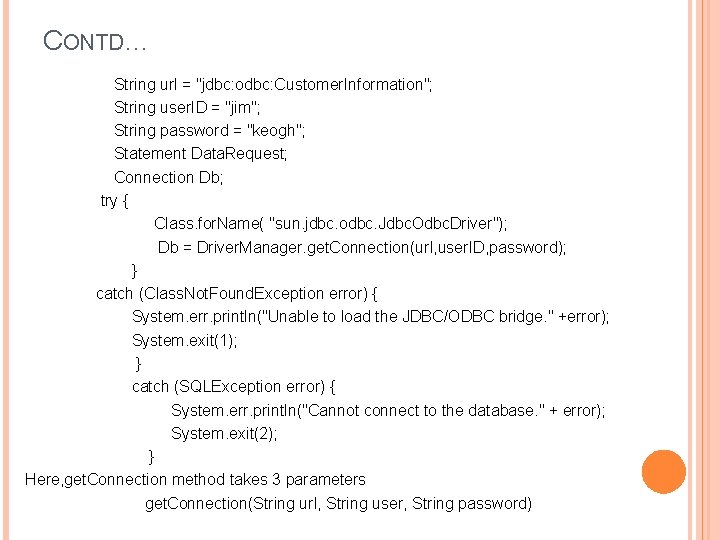
CONTD… String url = "jdbc: odbc: Customer. Information"; String user. ID = "jim"; String password = "keogh"; Statement Data. Request; Connection Db; try { Class. for. Name( "sun. jdbc. odbc. Jdbc. Odbc. Driver"); Db = Driver. Manager. get. Connection(url, user. ID, password); } catch (Class. Not. Found. Exception error) { System. err. println("Unable to load the JDBC/ODBC bridge. " +error); System. exit(1); } catch (SQLException error) { System. err. println("Cannot connect to the database. " + error); System. exit(2); } Here, get. Connection method takes 3 parameters get. Connection(String url, String user, String password)
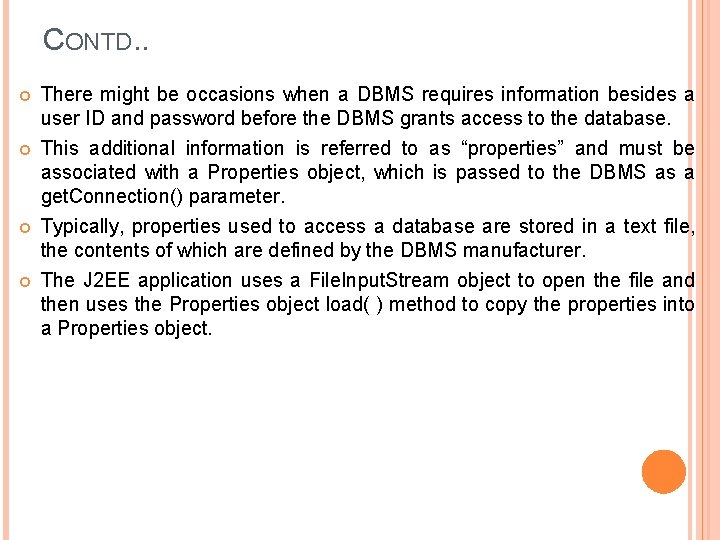
CONTD. . There might be occasions when a DBMS requires information besides a user ID and password before the DBMS grants access to the database. This additional information is referred to as “properties” and must be associated with a Properties object, which is passed to the DBMS as a get. Connection() parameter. Typically, properties used to access a database are stored in a text file, the contents of which are defined by the DBMS manufacturer. The J 2 EE application uses a File. Input. Stream object to open the file and then uses the Properties object load( ) method to copy the properties into a Properties object.
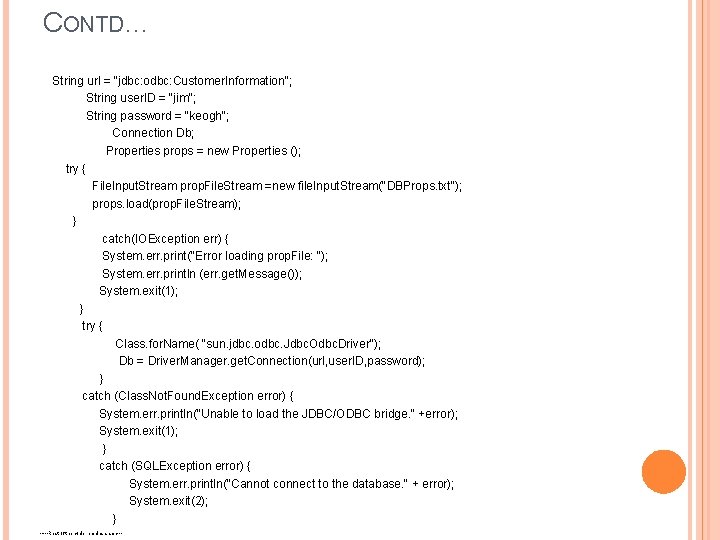
CONTD… String url = "jdbc: odbc: Customer. Information"; String user. ID = "jim"; String password = "keogh"; Connection Db; Properties props = new Properties (); try { File. Input. Stream prop. File. Stream =new file. Input. Stream("DBProps. txt"); props. load(prop. File. Stream); } catch(IOException err) { System. err. print("Error loading prop. File: "); System. err. println (err. get. Message()); System. exit(1); } try { Class. for. Name( "sun. jdbc. odbc. Jdbc. Odbc. Driver"); Db = Driver. Manager. get. Connection(url, user. ID, password); } catch (Class. Not. Found. Exception error) { System. err. println("Unable to load the JDBC/ODBC bridge. " +error); System. exit(1); } catch (SQLException error) { System. err. println("Cannot connect to the database. " + error); System. exit(2); } -----Rest of the code remains same---
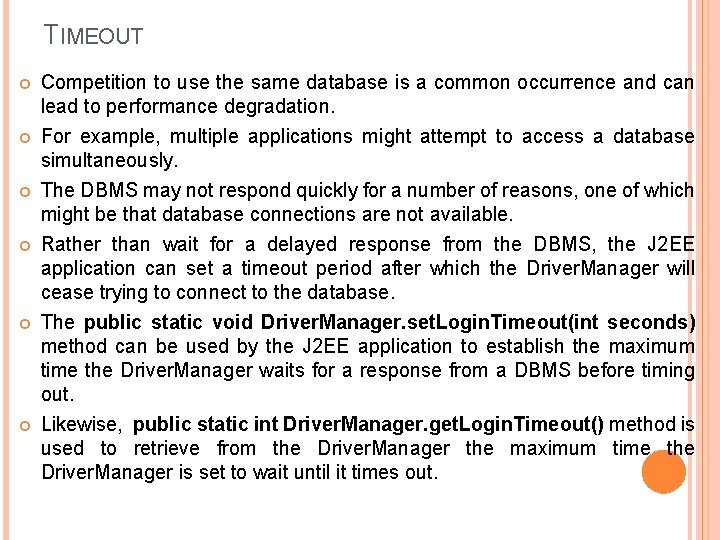
TIMEOUT Competition to use the same database is a common occurrence and can lead to performance degradation. For example, multiple applications might attempt to access a database simultaneously. The DBMS may not respond quickly for a number of reasons, one of which might be that database connections are not available. Rather than wait for a delayed response from the DBMS, the J 2 EE application can set a timeout period after which the Driver. Manager will cease trying to connect to the database. The public static void Driver. Manager. set. Login. Timeout(int seconds) method can be used by the J 2 EE application to establish the maximum time the Driver. Manager waits for a response from a DBMS before timing out. Likewise, public static int Driver. Manager. get. Login. Timeout() method is used to retrieve from the Driver. Manager the maximum time the Driver. Manager is set to wait until it times out.
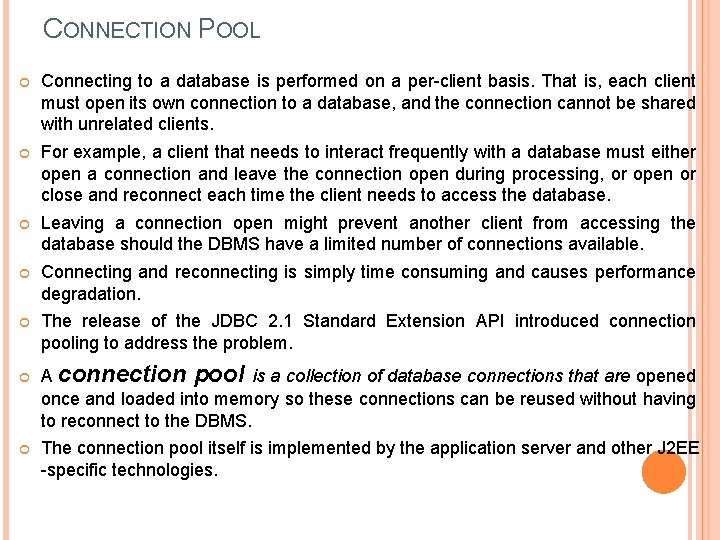
CONNECTION POOL Connecting to a database is performed on a per-client basis. That is, each client must open its own connection to a database, and the connection cannot be shared with unrelated clients. For example, a client that needs to interact frequently with a database must either open a connection and leave the connection open during processing, or open or close and reconnect each time the client needs to access the database. Leaving a connection open might prevent another client from accessing the database should the DBMS have a limited number of connections available. Connecting and reconnecting is simply time consuming and causes performance degradation. The release of the JDBC 2. 1 Standard Extension API introduced connection pooling to address the problem. A connection pool is a collection of database connections that are opened once and loaded into memory so these connections can be reused without having to reconnect to the DBMS. The connection pool itself is implemented by the application server and other J 2 EE -specific technologies.
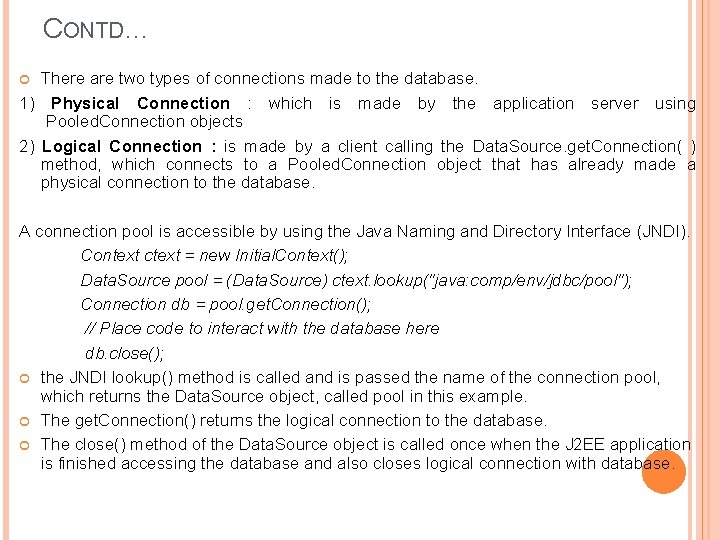
CONTD… There are two types of connections made to the database. 1) Physical Connection : which is made by the application server using Pooled. Connection objects 2) Logical Connection : is made by a client calling the Data. Source. get. Connection( ) method, which connects to a Pooled. Connection object that has already made a physical connection to the database. A connection pool is accessible by using the Java Naming and Directory Interface (JNDI). Context ctext = new Initial. Context(); Data. Source pool = (Data. Source) ctext. lookup("java: comp/env/jdbc/pool"); Connection db = pool. get. Connection(); // Place code to interact with the database here db. close(); the JNDI lookup() method is called and is passed the name of the connection pool, which returns the Data. Source object, called pool in this example. The get. Connection() returns the logical connection to the database. The close() method of the Data. Source object is called once when the J 2 EE application is finished accessing the database and also closes logical connection with database.
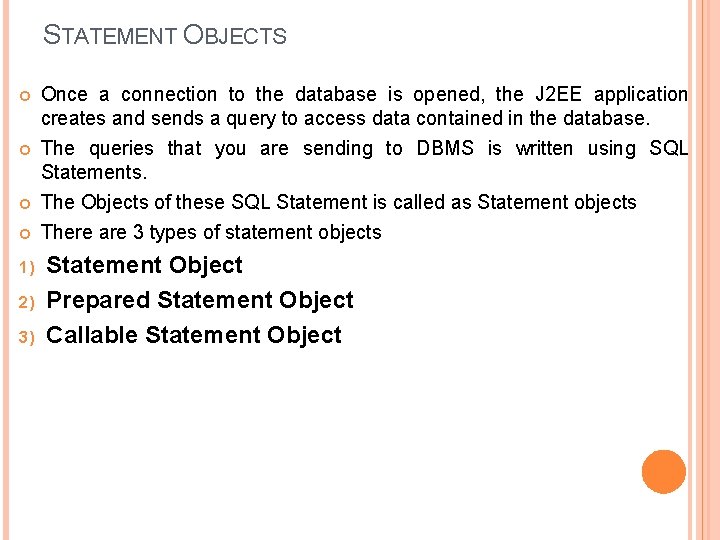
STATEMENT OBJECTS Once a connection to the database is opened, the J 2 EE application creates and sends a query to access data contained in the database. The queries that you are sending to DBMS is written using SQL Statements. The Objects of these SQL Statement is called as Statement objects There are 3 types of statement objects 1) 2) 3) Statement Object Prepared Statement Object Callable Statement Object
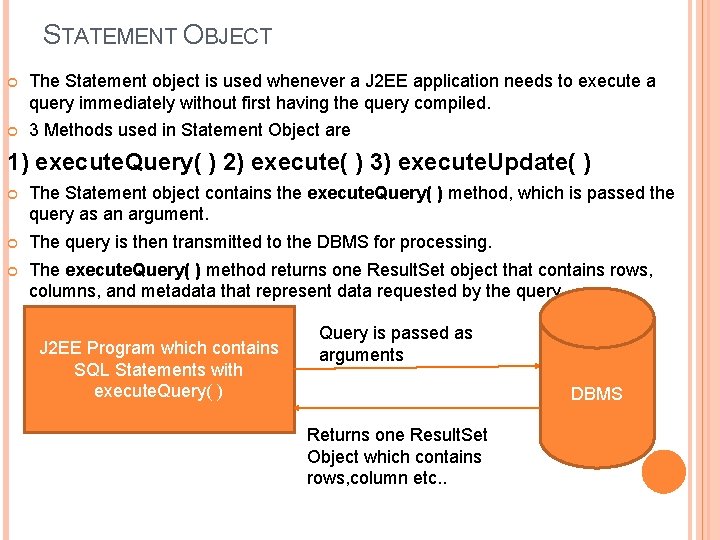
STATEMENT OBJECT The Statement object is used whenever a J 2 EE application needs to execute a query immediately without first having the query compiled. 3 Methods used in Statement Object are 1) execute. Query( ) 2) execute( ) 3) execute. Update( ) The Statement object contains the execute. Query( ) method, which is passed the query as an argument. The query is then transmitted to the DBMS for processing. The execute. Query( ) method returns one Result. Set object that contains rows, columns, and metadata that represent data requested by the query. J 2 EE Program which contains SQL Statements with execute. Query( ) Query is passed as arguments DBMS Returns one Result. Set Object which contains rows, column etc. .
CONTD… The execute( ) method of the Statement object is used when multiple results may be returned. A third commonly used method of the Statement object is the execute. Update( ) method. The execute. Update( ) method is used to execute queries that contain UPDATE and DELETE SQL statements, which change values in a row and remove a row, respectively. The execute. Update( ) method returns an integer indicating the number of rows that were updated by the query. execute. Update() is used to INSERT, UPDATE, DELETE, and DDL statements.
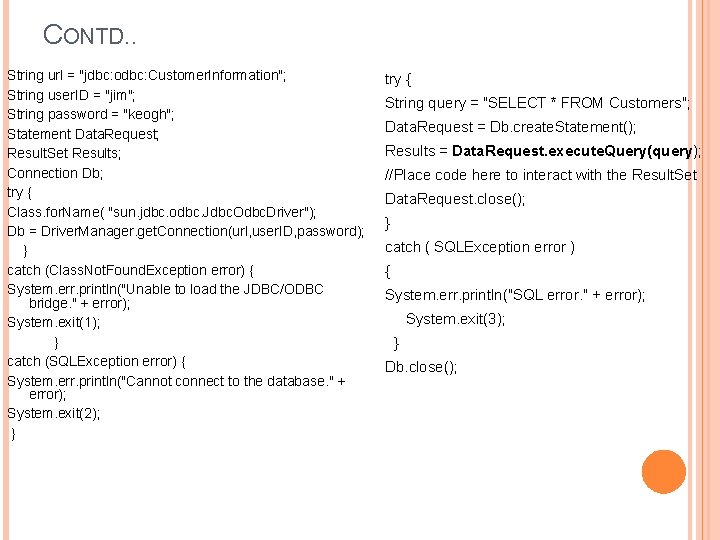
CONTD. . String url = "jdbc: odbc: Customer. Information"; String user. ID = "jim"; String password = "keogh"; Statement Data. Request; Result. Set Results; Connection Db; try { Class. for. Name( "sun. jdbc. odbc. Jdbc. Odbc. Driver"); Db = Driver. Manager. get. Connection(url, user. ID, password); } catch (Class. Not. Found. Exception error) { System. err. println("Unable to load the JDBC/ODBC bridge. " + error); System. exit(1); } catch (SQLException error) { System. err. println("Cannot connect to the database. " + error); System. exit(2); } try { String query = "SELECT * FROM Customers"; Data. Request = Db. create. Statement(); Results = Data. Request. execute. Query(query); //Place code here to interact with the Result. Set Data. Request. close(); } catch ( SQLException error ) { System. err. println("SQL error. " + error); System. exit(3); } Db. close();
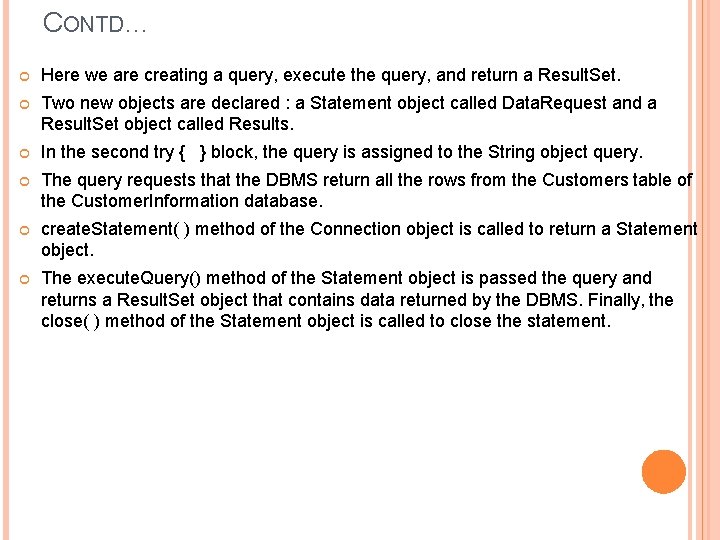
CONTD… Here we are creating a query, execute the query, and return a Result. Set. Two new objects are declared : a Statement object called Data. Request and a Result. Set object called Results. In the second try { } block, the query is assigned to the String object query. The query requests that the DBMS return all the rows from the Customers table of the Customer. Information database. create. Statement( ) method of the Connection object is called to return a Statement object. The execute. Query() method of the Statement object is passed the query and returns a Result. Set object that contains data returned by the DBMS. Finally, the close( ) method of the Statement object is called to close the statement.
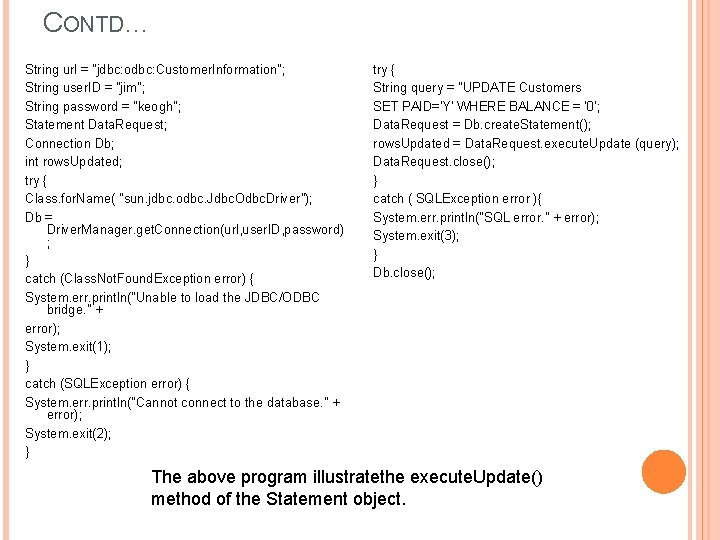
CONTD… String url = "jdbc: odbc: Customer. Information"; String user. ID = "jim"; String password = "keogh"; Statement Data. Request; Connection Db; int rows. Updated; try { Class. for. Name( "sun. jdbc. odbc. Jdbc. Odbc. Driver"); Db = Driver. Manager. get. Connection(url, user. ID, password) ; } catch (Class. Not. Found. Exception error) { System. err. println("Unable to load the JDBC/ODBC bridge. " + error); System. exit(1); } catch (SQLException error) { System. err. println("Cannot connect to the database. " + error); System. exit(2); } try { String query = "UPDATE Customers SET PAID='Y' WHERE BALANCE = '0'; Data. Request = Db. create. Statement(); rows. Updated = Data. Request. execute. Update (query); Data. Request. close(); } catch ( SQLException error ){ System. err. println("SQL error. " + error); System. exit(3); } Db. close(); The above program illustratethe execute. Update() method of the Statement object.
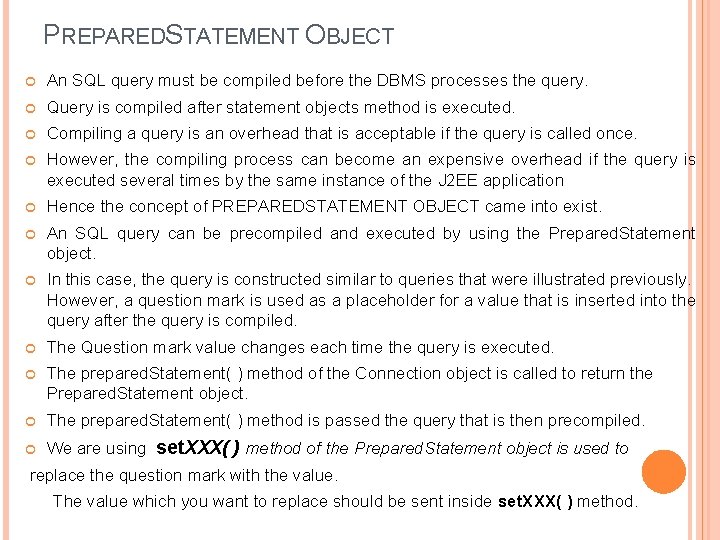
PREPAREDSTATEMENT OBJECT An SQL query must be compiled before the DBMS processes the query. Query is compiled after statement objects method is executed. Compiling a query is an overhead that is acceptable if the query is called once. However, the compiling process can become an expensive overhead if the query is executed several times by the same instance of the J 2 EE application Hence the concept of PREPAREDSTATEMENT OBJECT came into exist. An SQL query can be precompiled and executed by using the Prepared. Statement object. In this case, the query is constructed similar to queries that were illustrated previously. However, a question mark is used as a placeholder for a value that is inserted into the query after the query is compiled. The Question mark value changes each time the query is executed. The prepared. Statement( ) method of the Connection object is called to return the Prepared. Statement object. The prepared. Statement( ) method is passed the query that is then precompiled. We are using set. XXX( ) method of the Prepared. Statement object is used to replace the question mark with the value. The value which you want to replace should be sent inside set. XXX( ) method.
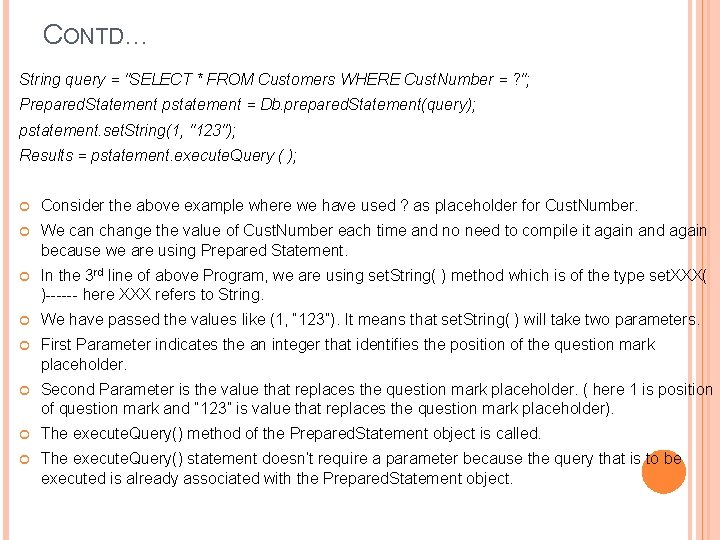
CONTD… String query = "SELECT * FROM Customers WHERE Cust. Number = ? "; Prepared. Statement pstatement = Db. prepared. Statement(query); pstatement. set. String(1, "123"); Results = pstatement. execute. Query ( ); Consider the above example where we have used ? as placeholder for Cust. Number. We can change the value of Cust. Number each time and no need to compile it again and again because we are using Prepared Statement. In the 3 rd line of above Program, we are using set. String( ) method which is of the type set. XXX( )------ here XXX refers to String. We have passed the values like (1, “ 123”). It means that set. String( ) will take two parameters. First Parameter indicates the an integer that identifies the position of the question mark placeholder. Second Parameter is the value that replaces the question mark placeholder. ( here 1 is position of question mark and “ 123” is value that replaces the question mark placeholder). The execute. Query() method of the Prepared. Statement object is called. The execute. Query() statement doesn’t require a parameter because the query that is to be executed is already associated with the Prepared. Statement object.
CONTD… The advantage of using the Prepared. Statement object is that the query is precompiled once. And also the set. XXX() method called as needed to change the specified values of the query without having to recompile the query. The Prepared. Statement object also has an execute() method an execute. Update() method. The precompiling is performed by the DBMS and is referred to as late binding. When the DBMS receives the request, the DBMS attempts to match the query to a previously compiled query. If found, then parameters passed to the query using the set. XXX() methods are bound and the query is executed. If not found, then the query is compiled and retained by the DBMS for later use.
CALLABLESTATEMENT The Callable. Statement is used to call a stored procedure from within a J 2 EE object. A stored procedure is a block of code and is identified by a unique name. The type and style of code depend on the DBMS vendor and can be written in PL/SQL, Transact. SQL, C, or another programming language. The stored procedure is executed by invoking the name of the stored procedure. The Callable. Statement object uses three types of parameters when calling a stored procedure. These parameters are IN, OUT and INOUT. The IN parameter contains any data that needs to be passed to the stored procedure and whose value is assigned using the set. XXX() method. The OUT parameter contains the value returned by the stored procedures, if any. The OUT parameter must be registered using the register. Out. Parameter( ) method. And then is later retrieved by the J 2 EE application using the get. XXX() method. The INOUT parameter is a single parameter used for both passing information to the stored procedure and retrieving information from a stored procedure.
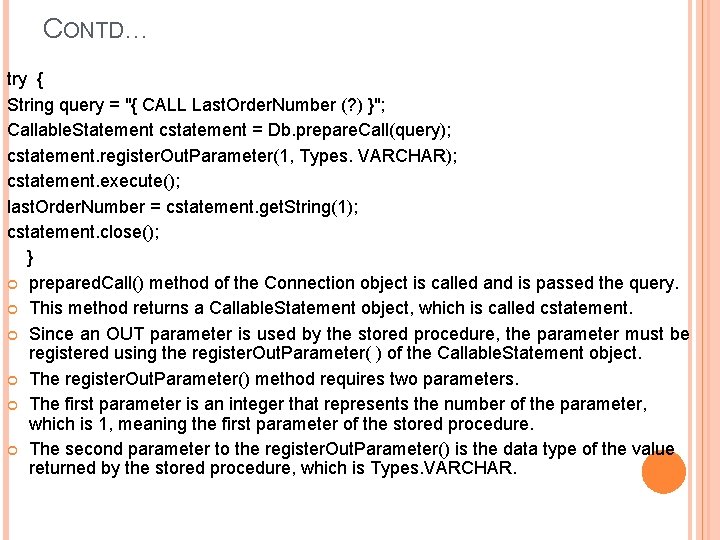
CONTD… try { String query = "{ CALL Last. Order. Number (? ) }"; Callable. Statement cstatement = Db. prepare. Call(query); cstatement. register. Out. Parameter(1, Types. VARCHAR); cstatement. execute(); last. Order. Number = cstatement. get. String(1); cstatement. close(); } prepared. Call() method of the Connection object is called and is passed the query. This method returns a Callable. Statement object, which is called cstatement. Since an OUT parameter is used by the stored procedure, the parameter must be registered using the register. Out. Parameter( ) of the Callable. Statement object. The register. Out. Parameter() method requires two parameters. The first parameter is an integer that represents the number of the parameter, which is 1, meaning the first parameter of the stored procedure. The second parameter to the register. Out. Parameter() is the data type of the value returned by the stored procedure, which is Types. VARCHAR.
CONTD… The execute( ) method of the Callable. Statement object is called next to execute the query. The execute() method doesn’t require the name of the query because the query is already identified when the Callable. Statement object.
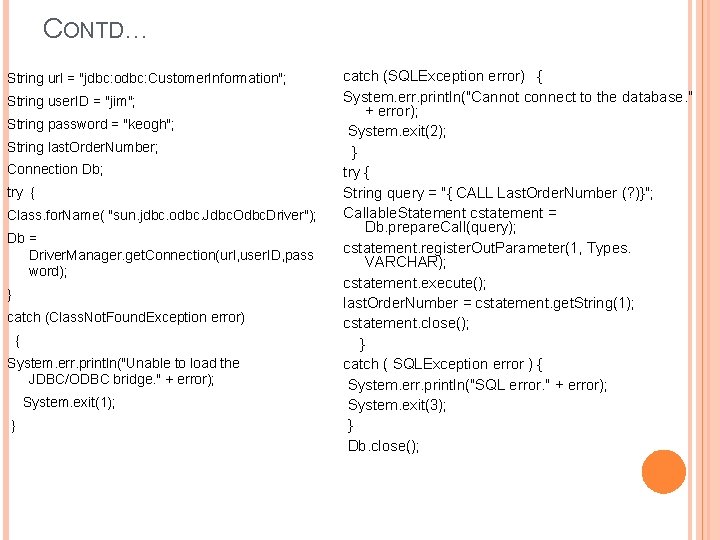
CONTD… String url = "jdbc: odbc: Customer. Information"; String user. ID = "jim"; String password = "keogh"; String last. Order. Number; Connection Db; try { Class. for. Name( "sun. jdbc. odbc. Jdbc. Odbc. Driver"); Db = Driver. Manager. get. Connection(url, user. ID, pass word); } catch (Class. Not. Found. Exception error) { System. err. println("Unable to load the JDBC/ODBC bridge. " + error); System. exit(1); } catch (SQLException error) { System. err. println("Cannot connect to the database. " + error); System. exit(2); } try { String query = "{ CALL Last. Order. Number (? )}"; Callable. Statement cstatement = Db. prepare. Call(query); cstatement. register. Out. Parameter(1, Types. VARCHAR); cstatement. execute(); last. Order. Number = cstatement. get. String(1); cstatement. close(); } catch ( SQLException error ) { System. err. println("SQL error. " + error); System. exit(3); } Db. close();
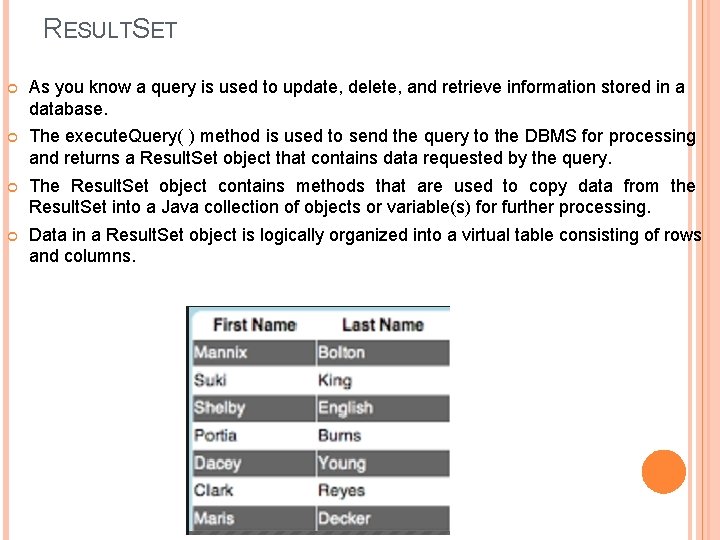
RESULTSET As you know a query is used to update, delete, and retrieve information stored in a database. The execute. Query( ) method is used to send the query to the DBMS for processing and returns a Result. Set object that contains data requested by the query. The Result. Set object contains methods that are used to copy data from the Result. Set into a Java collection of objects or variable(s) for further processing. Data in a Result. Set object is logically organized into a virtual table consisting of rows and columns.
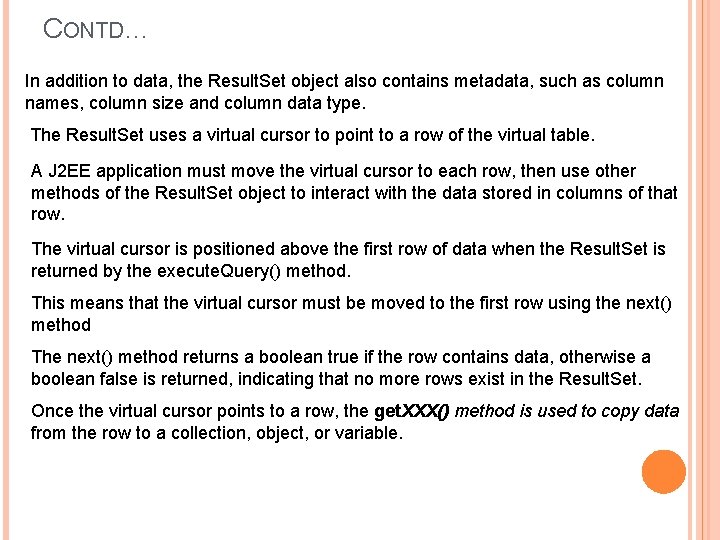
CONTD… In addition to data, the Result. Set object also contains metadata, such as column names, column size and column data type. The Result. Set uses a virtual cursor to point to a row of the virtual table. A J 2 EE application must move the virtual cursor to each row, then use other methods of the Result. Set object to interact with the data stored in columns of that row. The virtual cursor is positioned above the first row of data when the Result. Set is returned by the execute. Query() method. This means that the virtual cursor must be moved to the first row using the next() method The next() method returns a boolean true if the row contains data, otherwise a boolean false is returned, indicating that no more rows exist in the Result. Set. Once the virtual cursor points to a row, the get. XXX() method is used to copy data from the row to a collection, object, or variable.
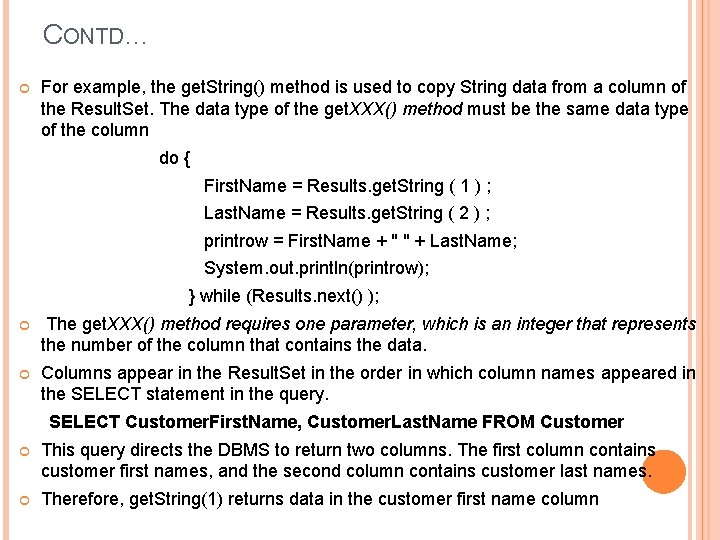
CONTD… For example, the get. String() method is used to copy String data from a column of the Result. Set. The data type of the get. XXX() method must be the same data type of the column do { First. Name = Results. get. String ( 1 ) ; Last. Name = Results. get. String ( 2 ) ; printrow = First. Name + " " + Last. Name; System. out. println(printrow); } while (Results. next() ); The get. XXX() method requires one parameter, which is an integer that represents the number of the column that contains the data. Columns appear in the Result. Set in the order in which column names appeared in the SELECT statement in the query. SELECT Customer. First. Name, Customer. Last. Name FROM Customer This query directs the DBMS to return two columns. The first column contains customer first names, and the second column contains customer last names. Therefore, get. String(1) returns data in the customer first name column
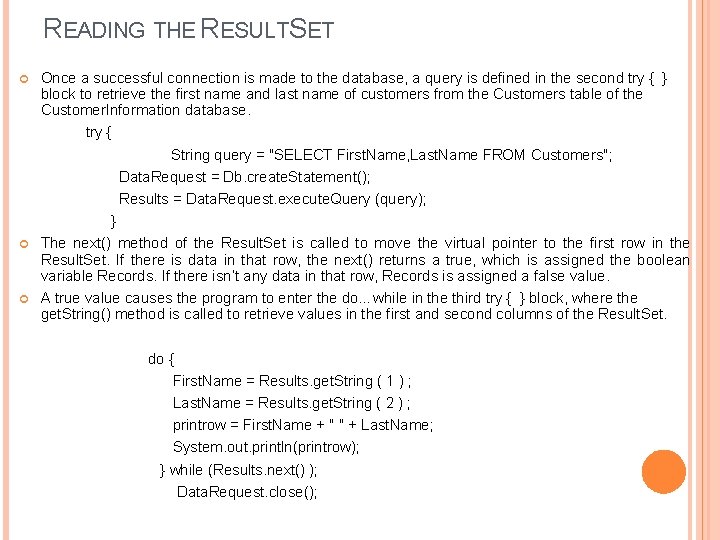
READING THE RESULTSET Once a successful connection is made to the database, a query is defined in the second try { } block to retrieve the first name and last name of customers from the Customers table of the Customer. Information database. try { String query = "SELECT First. Name, Last. Name FROM Customers"; Data. Request = Db. create. Statement(); Results = Data. Request. execute. Query (query); } The next() method of the Result. Set is called to move the virtual pointer to the first row in the Result. Set. If there is data in that row, the next() returns a true, which is assigned the boolean variable Records. If there isn’t any data in that row, Records is assigned a false value. A true value causes the program to enter the do…while in the third try { } block, where the get. String() method is called to retrieve values in the first and second columns of the Result. Set. do { First. Name = Results. get. String ( 1 ) ; Last. Name = Results. get. String ( 2 ) ; printrow = First. Name + " " + Last. Name; System. out. println(printrow); } while (Results. next() ); Data. Request. close();
CONTD… The next( ) method is called in the while statement to move the virtual cursor to the next row in the Result. Set and determine whethere is data in that row. If so, statements within the do…while loop are executed again. If not, the program breaks out of the loop and executes the close( ) statement.
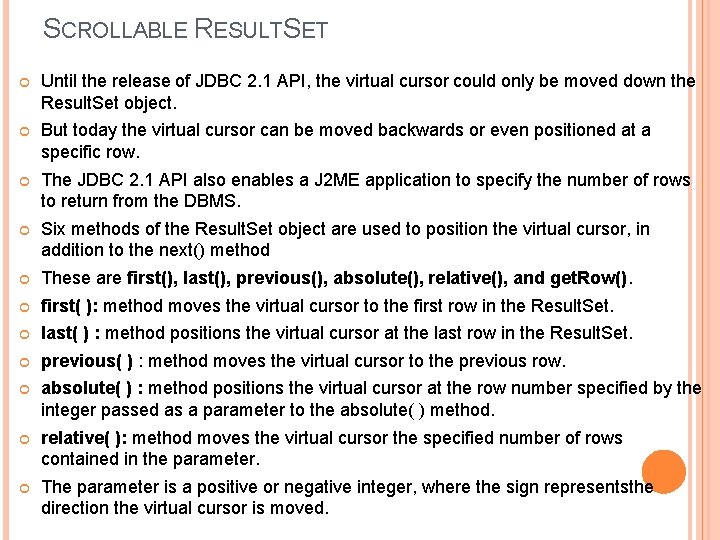
SCROLLABLE RESULTSET Until the release of JDBC 2. 1 API, the virtual cursor could only be moved down the Result. Set object. But today the virtual cursor can be moved backwards or even positioned at a specific row. The JDBC 2. 1 API also enables a J 2 ME application to specify the number of rows to return from the DBMS. Six methods of the Result. Set object are used to position the virtual cursor, in addition to the next() method These are first(), last(), previous(), absolute(), relative(), and get. Row(). first( ): method moves the virtual cursor to the first row in the Result. Set. last( ) : method positions the virtual cursor at the last row in the Result. Set. previous( ) : method moves the virtual cursor to the previous row. absolute( ) : method positions the virtual cursor at the row number specified by the integer passed as a parameter to the absolute( ) method. relative( ): method moves the virtual cursor the specified number of rows contained in the parameter. The parameter is a positive or negative integer, where the sign representsthe direction the virtual cursor is moved.
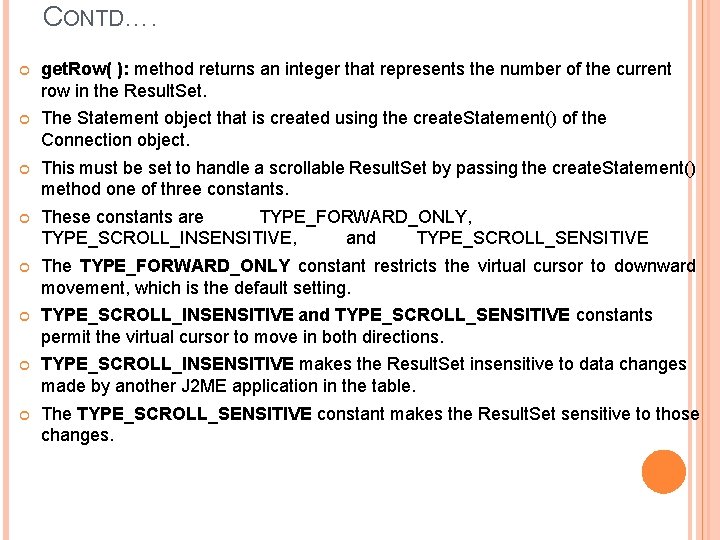
CONTD…. get. Row( ): method returns an integer that represents the number of the current row in the Result. Set. The Statement object that is created using the create. Statement() of the Connection object. This must be set to handle a scrollable Result. Set by passing the create. Statement() method one of three constants. These constants are TYPE_FORWARD_ONLY, TYPE_SCROLL_INSENSITIVE, and TYPE_SCROLL_SENSITIVE The TYPE_FORWARD_ONLY constant restricts the virtual cursor to downward movement, which is the default setting. TYPE_SCROLL_INSENSITIVE and TYPE_SCROLL_SENSITIVE constants permit the virtual cursor to move in both directions. TYPE_SCROLL_INSENSITIVE makes the Result. Set insensitive to data changes made by another J 2 ME application in the table. The TYPE_SCROLL_SENSITIVE constant makes the Result. Set sensitive to those changes.
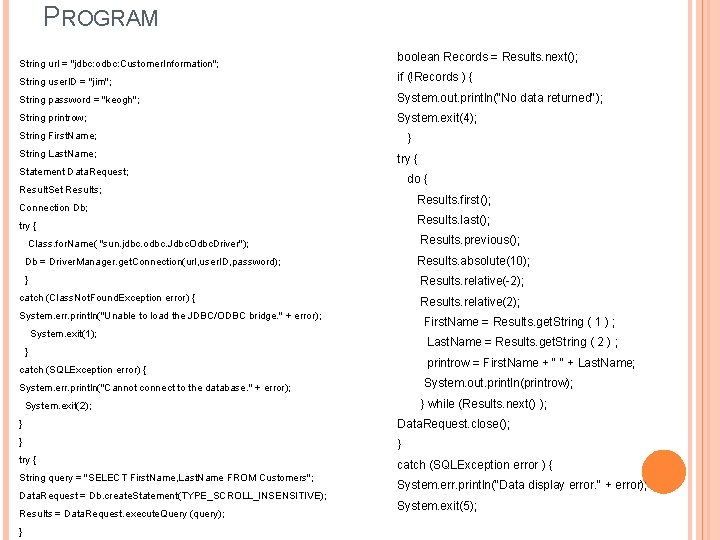
PROGRAM String url = "jdbc: odbc: Customer. Information"; boolean Records = Results. next(); String user. ID = "jim"; if (!Records ) { String password = "keogh"; System. out. println("No data returned"); String printrow; System. exit(4); String First. Name; } String Last. Name; try { Statement Data. Request; do { Result. Set Results; Results. first(); Connection Db; Results. last(); try { Results. previous(); Class. for. Name( "sun. jdbc. odbc. Jdbc. Odbc. Driver"); Results. absolute(10); Db = Driver. Manager. get. Connection(url, user. ID, password); } Results. relative(-2); catch (Class. Not. Found. Exception error) { Results. relative(2); System. err. println("Unable to load the JDBC/ODBC bridge. " + error); First. Name = Results. get. String ( 1 ) ; System. exit(1); Last. Name = Results. get. String ( 2 ) ; } printrow = First. Name + " " + Last. Name; catch (SQLException error) { System. out. println(printrow); System. err. println("Cannot connect to the database. " + error); } while (Results. next() ); System. exit(2); } Data. Request. close(); } } try { catch (SQLException error ) { String query = "SELECT First. Name, Last. Name FROM Customers"; Data. Request = Db. create. Statement(TYPE_SCROLL_INSENSITIVE); Results = Data. Request. execute. Query (query); } System. err. println("Data display error. " + error); System. exit(5);
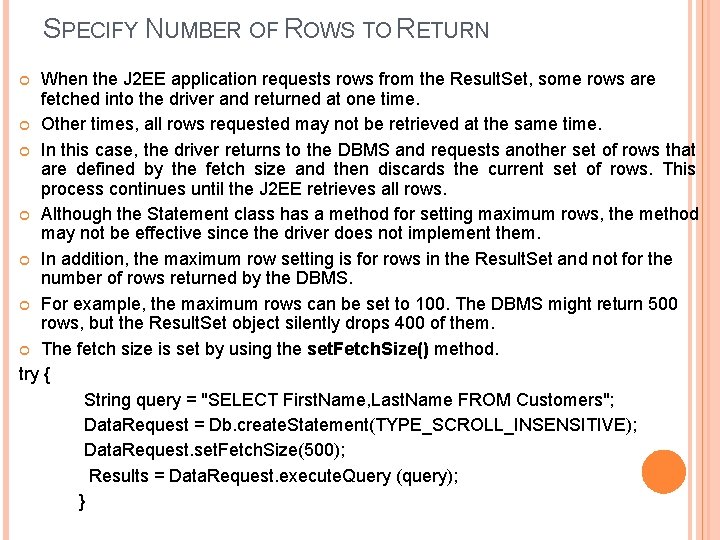
SPECIFY NUMBER OF ROWS TO RETURN When the J 2 EE application requests rows from the Result. Set, some rows are fetched into the driver and returned at one time. Other times, all rows requested may not be retrieved at the same time. In this case, the driver returns to the DBMS and requests another set of rows that are defined by the fetch size and then discards the current set of rows. This process continues until the J 2 EE retrieves all rows. Although the Statement class has a method for setting maximum rows, the method may not be effective since the driver does not implement them. In addition, the maximum row setting is for rows in the Result. Set and not for the number of rows returned by the DBMS. For example, the maximum rows can be set to 100. The DBMS might return 500 rows, but the Result. Set object silently drops 400 of them. The fetch size is set by using the set. Fetch. Size() method. try { String query = "SELECT First. Name, Last. Name FROM Customers"; Data. Request = Db. create. Statement(TYPE_SCROLL_INSENSITIVE); Data. Request. set. Fetch. Size(500); Results = Data. Request. execute. Query (query); }
UPDATABLE RESULTSET Rows contained in the Result. Set can be updated similar to how rows in a table can be updated. This is made possible by passing the create. Statement() method of the Connection object the CONCUR_UPDATABLE. Alternatively, the CONCUR_READ_ONLY constant can be passed to the create. Statement() method to prevent the Result. Set from being updated. There are three ways to update a Result. Set. These are updating values in a row, deleting a row, and inserting a new row. Once the execute. Query() method of the Statement object returns a Result. Set, the update. XXX() method is used to change the value of a column in the current row of the Result. Set. The XXX is replaced with the data type of the column that is to be updated. The update. XXX() method requires two parameters. The first is either the number or name of the column of the Result. Set that is being updated. The second is the value that will replace the value in the column of the Result. Set. Avalue in a column of the Result. Set can be replaced with a NULL value by using the update. Null() method.
CONTD… The update. Null( ) method requires one parameter, which is the number of the column in the current row of the Result. Set. The update. Null() doesn’t accept the name of the column as a parameter. The update. Row() method is called after all the update. XXX() methods are called. The update. Row() method changes values in columns of the current row of the Result. Set based on the values of the update. XXX() methods.
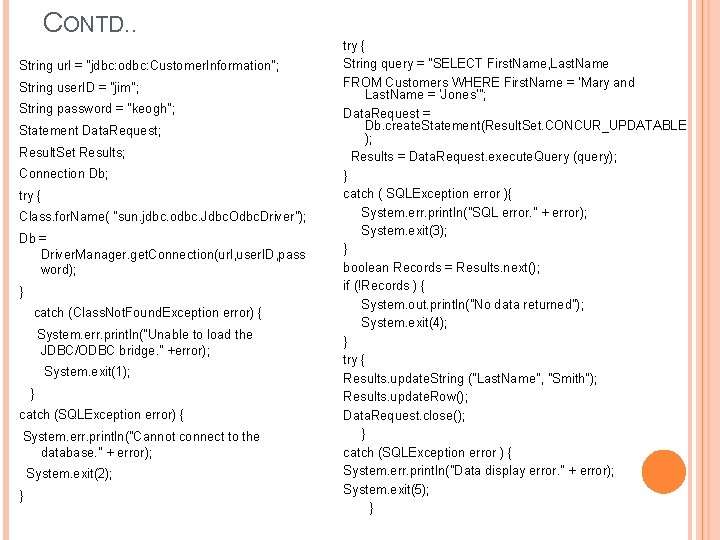
CONTD. . String url = "jdbc: odbc: Customer. Information"; String user. ID = "jim"; String password = "keogh"; Statement Data. Request; Result. Set Results; Connection Db; try { Class. for. Name( "sun. jdbc. odbc. Jdbc. Odbc. Driver"); Db = Driver. Manager. get. Connection(url, user. ID, pass word); } catch (Class. Not. Found. Exception error) { System. err. println("Unable to load the JDBC/ODBC bridge. " +error); System. exit(1); } catch (SQLException error) { System. err. println("Cannot connect to the database. " + error); System. exit(2); } try { String query = "SELECT First. Name, Last. Name FROM Customers WHERE First. Name = 'Mary and Last. Name = 'Jones'"; Data. Request = Db. create. Statement(Result. Set. CONCUR_UPDATABLE ); Results = Data. Request. execute. Query (query); } catch ( SQLException error ){ System. err. println("SQL error. " + error); System. exit(3); } boolean Records = Results. next(); if (!Records ) { System. out. println("No data returned"); System. exit(4); } try { Results. update. String ("Last. Name", "Smith"); Results. update. Row(); Data. Request. close(); } catch (SQLException error ) { System. err. println("Data display error. " + error); System. exit(5); }
DELETE A ROW IN THE RESULTSET The delete. Row() method is used to remove a row from a Result. Set. Sometimes this is advantageous when processing the Result. Set because this is a way to eliminate rows from future processing. For example, each row of a Result. Set may have to pass three tests. Those that fail to pass the first test could be deleted from the Result. Set, thereby reducing the number of rows that have to be evaluated for the second test. The delete. Row( ) method is passed an integer that contains the number of the row to be deleted. Move the virtual cursor to the row in the Result. Set that should be deleted. To do this task, we can use absolute( ) method. If the current row to be deleted then zero integer is to passed to the method. Results. delete. Row(0);
INSERT A ROW IN THE RESULTSET Inserting a row into the Result. Set is accomplished using basically the same technique used to update the Result. Set. That is, the update. XXX() method is used to specify the column and value that will be placed into the column of the Result. Set. We can insert one or more number of rows using same method. The update. XXX() method requires two parameters. The first parameter is either the name of the column or the number of the column of the Result. Set. The second parameter is the new value that will be placed in the column of the Result. Set. The insert. Row() method is called after the update. XXX() methods, which causes a new row to be inserted into the Result. Set with given values.
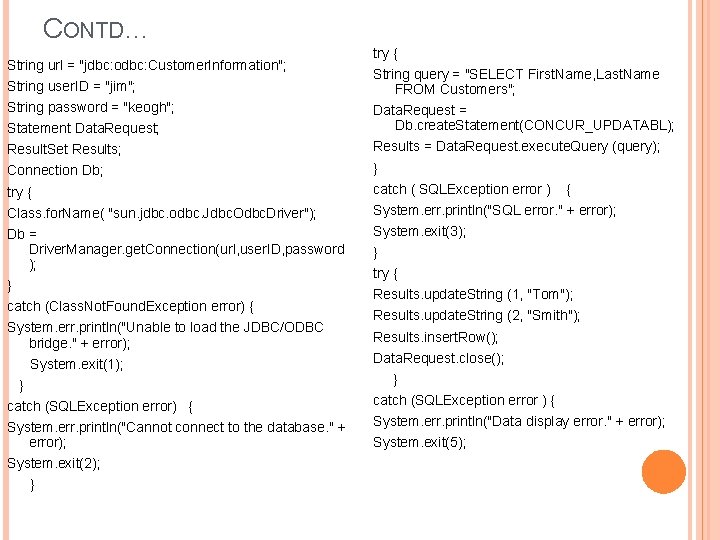
CONTD… String url = "jdbc: odbc: Customer. Information"; String user. ID = "jim"; String password = "keogh"; try { String query = "SELECT First. Name, Last. Name FROM Customers"; Statement Data. Request; Data. Request = Db. create. Statement(CONCUR_UPDATABL); Result. Set Results; Results = Data. Request. execute. Query (query); Connection Db; } try { catch ( SQLException error ) Class. for. Name( "sun. jdbc. odbc. Jdbc. Odbc. Driver"); System. err. println("SQL error. " + error); Db = Driver. Manager. get. Connection(url, user. ID, password ); System. exit(3); } catch (Class. Not. Found. Exception error) { System. err. println("Unable to load the JDBC/ODBC bridge. " + error); System. exit(1); } } try { Results. update. String (1, "Tom"); Results. update. String (2, "Smith"); Results. insert. Row(); Data. Request. close(); } catch (SQLException error) { catch (SQLException error ) { System. err. println("Cannot connect to the database. " + error); System. exit(5); System. exit(2); } { System. err. println("Data display error. " + error);
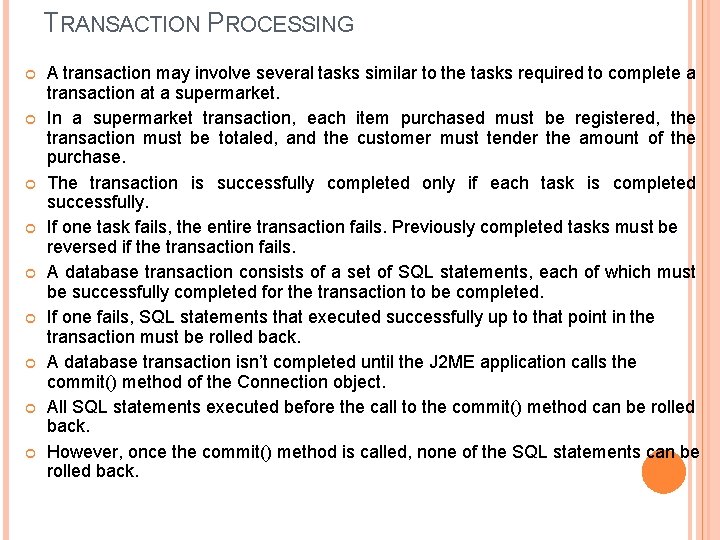
TRANSACTION PROCESSING A transaction may involve several tasks similar to the tasks required to complete a transaction at a supermarket. In a supermarket transaction, each item purchased must be registered, the transaction must be totaled, and the customer must tender the amount of the purchase. The transaction is successfully completed only if each task is completed successfully. If one task fails, the entire transaction fails. Previously completed tasks must be reversed if the transaction fails. A database transaction consists of a set of SQL statements, each of which must be successfully completed for the transaction to be completed. If one fails, SQL statements that executed successfully up to that point in the transaction must be rolled back. A database transaction isn’t completed until the J 2 ME application calls the commit() method of the Connection object. All SQL statements executed before the call to the commit() method can be rolled back. However, once the commit() method is called, none of the SQL statements can be rolled back.
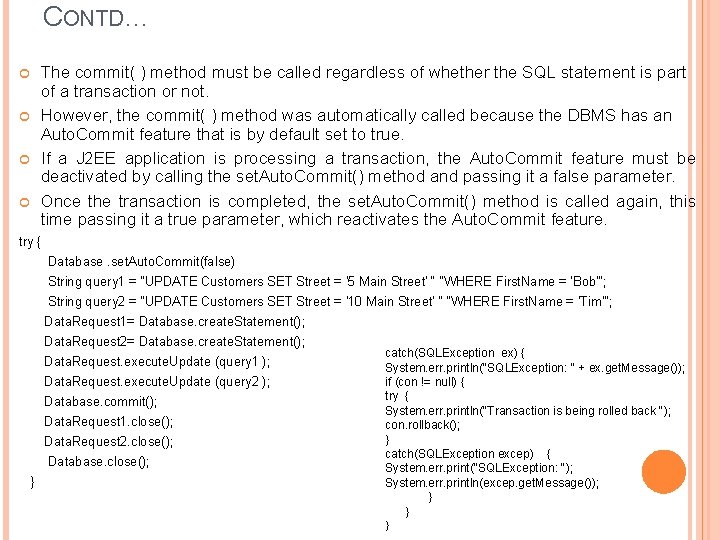
CONTD… The commit( ) method must be called regardless of whether the SQL statement is part of a transaction or not. However, the commit( ) method was automatically called because the DBMS has an Auto. Commit feature that is by default set to true. If a J 2 EE application is processing a transaction, the Auto. Commit feature must be deactivated by calling the set. Auto. Commit() method and passing it a false parameter. Once the transaction is completed, the set. Auto. Commit() method is called again, this time passing it a true parameter, which reactivates the Auto. Commit feature. try { Database. set. Auto. Commit(false) String query 1 = "UPDATE Customers SET Street = '5 Main Street' “ "WHERE First. Name = 'Bob'"; String query 2 = "UPDATE Customers SET Street = '10 Main Street' “ "WHERE First. Name = 'Tim'"; Data. Request 1= Database. create. Statement(); Data. Request 2= Database. create. Statement(); Data. Request. execute. Update (query 1 ); Data. Request. execute. Update (query 2 ); Database. commit(); Data. Request 1. close(); Data. Request 2. close(); Database. close(); } catch(SQLException ex) { System. err. println("SQLException: " + ex. get. Message()); if (con != null) { try { System. err. println("Transaction is being rolled back "); con. rollback(); } catch(SQLException excep) { System. err. print("SQLException: "); System. err. println(excep. get. Message()); } } }
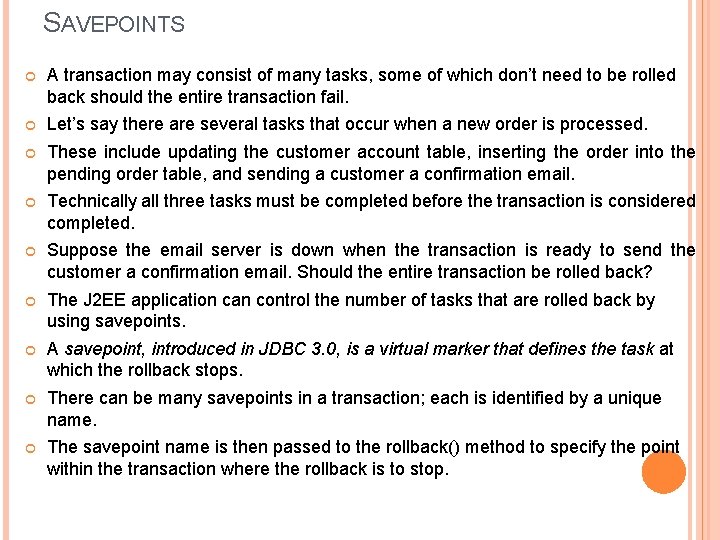
SAVEPOINTS A transaction may consist of many tasks, some of which don’t need to be rolled back should the entire transaction fail. Let’s say there are several tasks that occur when a new order is processed. These include updating the customer account table, inserting the order into the pending order table, and sending a customer a confirmation email. Technically all three tasks must be completed before the transaction is considered completed. Suppose the email server is down when the transaction is ready to send the customer a confirmation email. Should the entire transaction be rolled back? The J 2 EE application can control the number of tasks that are rolled back by using savepoints. A savepoint, introduced in JDBC 3. 0, is a virtual marker that defines the task at which the rollback stops. There can be many savepoints in a transaction; each is identified by a unique name. The savepoint name is then passed to the rollback() method to specify the point within the transaction where the rollback is to stop.
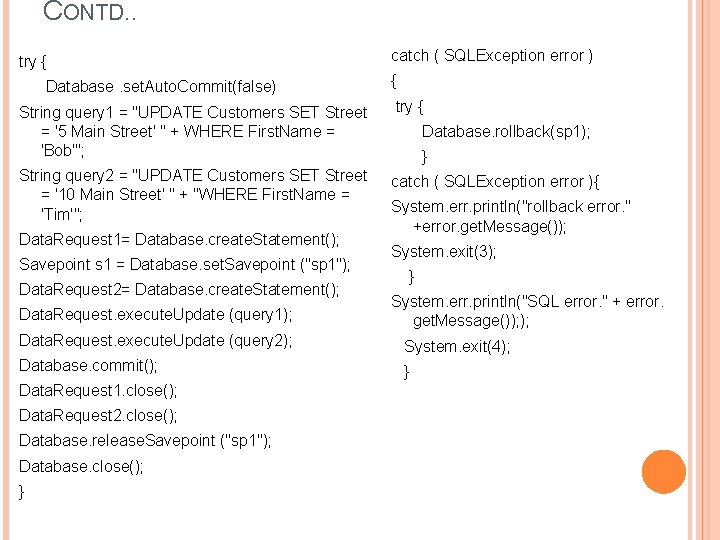
CONTD. . try { Database. set. Auto. Commit(false) catch ( SQLException error ) { String query 1 = "UPDATE Customers SET Street = '5 Main Street' " + WHERE First. Name = 'Bob'"; try { String query 2 = "UPDATE Customers SET Street = '10 Main Street' " + "WHERE First. Name = 'Tim'"; catch ( SQLException error ){ Data. Request 1= Database. create. Statement(); Savepoint s 1 = Database. set. Savepoint ("sp 1"); Data. Request 2= Database. create. Statement(); Data. Request. execute. Update (query 1); Database. rollback(sp 1); } System. err. println("rollback error. " +error. get. Message()); System. exit(3); } System. err. println("SQL error. " + error. get. Message()); ); Data. Request. execute. Update (query 2); System. exit(4); Database. commit(); } Data. Request 1. close(); Data. Request 2. close(); Database. release. Savepoint ("sp 1"); Database. close(); }
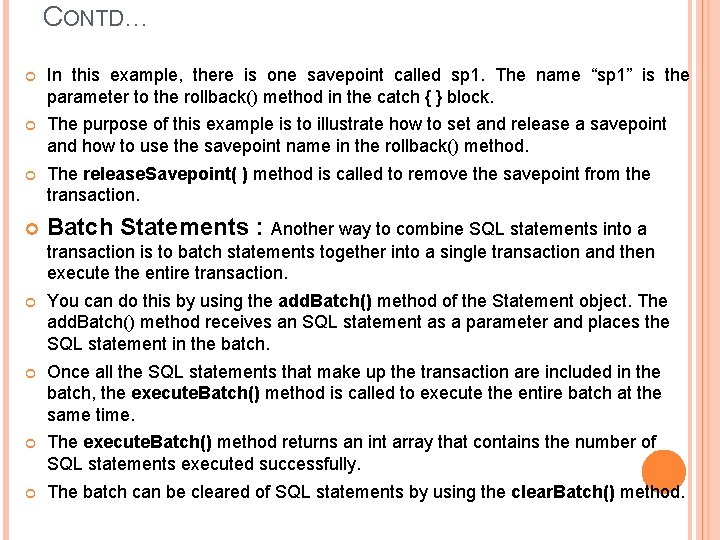
CONTD… In this example, there is one savepoint called sp 1. The name “sp 1” is the parameter to the rollback() method in the catch { } block. The purpose of this example is to illustrate how to set and release a savepoint and how to use the savepoint name in the rollback() method. The release. Savepoint( ) method is called to remove the savepoint from the transaction. Batch Statements : Another way to combine SQL statements into a transaction is to batch statements together into a single transaction and then execute the entire transaction. You can do this by using the add. Batch() method of the Statement object. The add. Batch() method receives an SQL statement as a parameter and places the SQL statement in the batch. Once all the SQL statements that make up the transaction are included in the batch, the execute. Batch() method is called to execute the entire batch at the same time. The execute. Batch() method returns an int array that contains the number of SQL statements executed successfully. The batch can be cleared of SQL statements by using the clear. Batch() method.
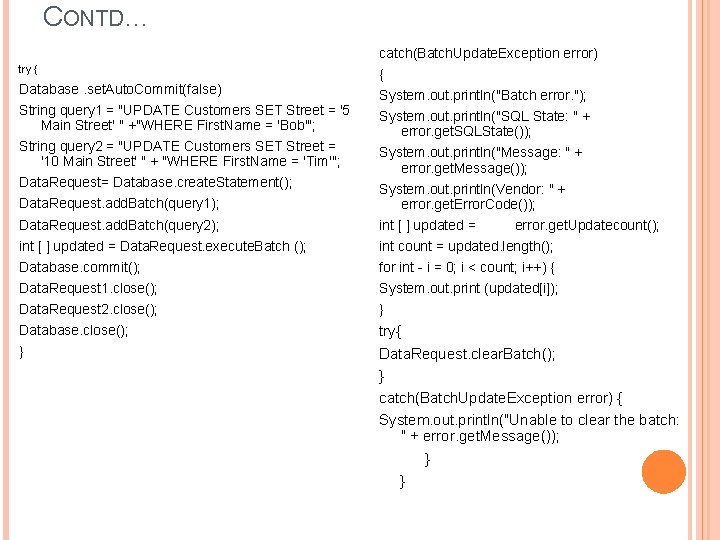
CONTD… catch(Batch. Update. Exception error) try { Database. set. Auto. Commit(false) String query 1 = "UPDATE Customers SET Street = '5 Main Street' " +"WHERE First. Name = 'Bob'"; String query 2 = "UPDATE Customers SET Street = '10 Main Street' " + "WHERE First. Name = 'Tim'"; Data. Request= Database. create. Statement(); { System. out. println("Batch error. "); System. out. println("SQL State: " + error. get. SQLState()); System. out. println("Message: " + error. get. Message()); Data. Request. add. Batch(query 1); System. out. println(Vendor: " + error. get. Error. Code()); Data. Request. add. Batch(query 2); int [ ] updated = Data. Request. execute. Batch (); int count = updated. length(); Database. commit(); for int - i = 0; i < count; i++) { Data. Request 1. close(); System. out. print (updated[i]); Data. Request 2. close(); } Database. close(); try{ Data. Request. clear. Batch(); } catch(Batch. Update. Exception error) { System. out. println("Unable to clear the batch: " + error. get. Message()); } } } error. get. Updatecount();
METADATA Metadata is data about data. A J 2 EE application can access metadata by using the Database. Meta. Data interface. The Database. Meta. Data interface is used to retrieve information about databases, tables, columns, and indexes, among other information about the DBMS. A J 2 EE application retrieves metadata about the database by calling the get. Meta. Data() method of the Connection object. The get. Meta. Data() method returns a Database. Meta. Data object that contains information about the database and its components. Here are some of the more commonly used Database. Meta. Data object methods: get. Database. Product. Name() Returns the product name of the database ■ get. User. Name() Returns the user name ■ get. URL() Returns the URL of the database ■ get. Schemas() Returns all the schema names available in this database ■ get. Primary. Keys() Returns primary keys ■ get. Procedures() Returns stored procedure names ■ get. Tables() Returns names of tables in the database
RESULTSET METADATA Two types of metadata can be retrieved from the DBMS: 1) metadata that describes the database 2) metadata that describes the Result. Set Metadata that describes the Result. Set is retrieved by calling the get. Meta. Data() method of the Result. Set object. Result. Set. Meta. Data rm = Result. get. Meta. Data() Once the Result. Set metadata is retrieved, the J 2 ME application call methods of the Result. Set. Meta. Data object to retrieve specific kinds of metadata. The more commonly called methods are ■ get. Column. Count() Returns the number of columns contained in the Result. Set ■ get. Column. Name(int number) Returns the name of the column specified by the column number ■ get. Column. Type(int number) Returns the data type of the column specified by the column number
- Slides: 68