
Interval browser and f MRIEngine Slicer tools for
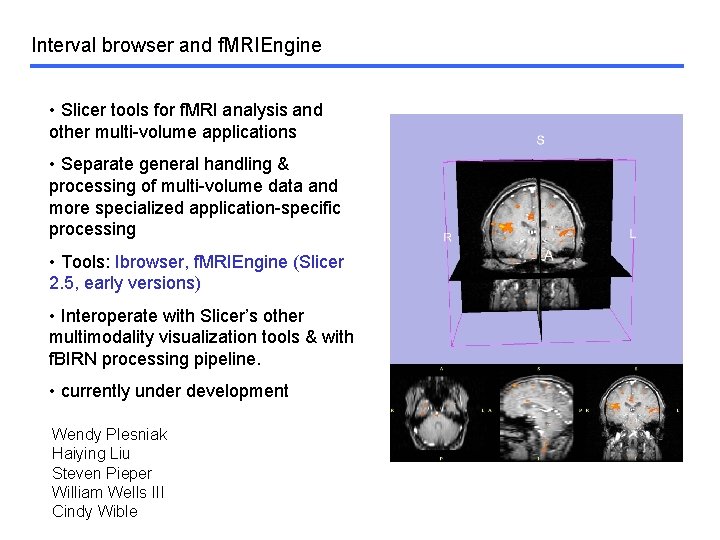
Interval browser and f. MRIEngine • Slicer tools for f. MRI analysis and other multi-volume applications • Separate general handling & processing of multi-volume data and more specialized application-specific processing • Tools: Ibrowser, f. MRIEngine (Slicer 2. 5, early versions) • Interoperate with Slicer’s other multimodality visualization tools & with f. BIRN processing pipeline. • currently under development Wendy Plesniak Haiying Liu Steven Pieper William Wells III Cindy Wible
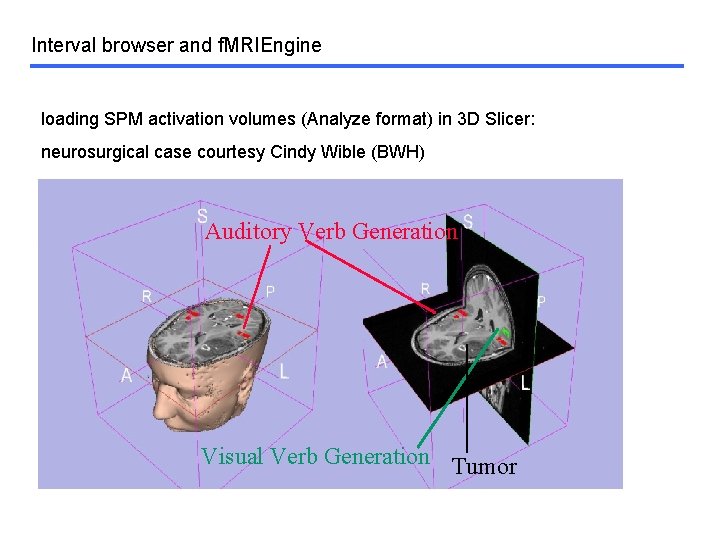
Interval browser and f. MRIEngine loading SPM activation volumes (Analyze format) in 3 D Slicer: neurosurgical case courtesy Cindy Wible (BWH) Auditory Verb Generation Visual Verb Generation Tumor
Interval browser and f. MRIEngine: Overview • Ibrowser basic features (current) • f. MRIEngine basic features (current) • motivation • Ibrowser design goals • Ibrowser: features under dev. & ongoing work • f. MRIEngine design goals • f. MRIEngine features under dev. & ongoing work • Demo
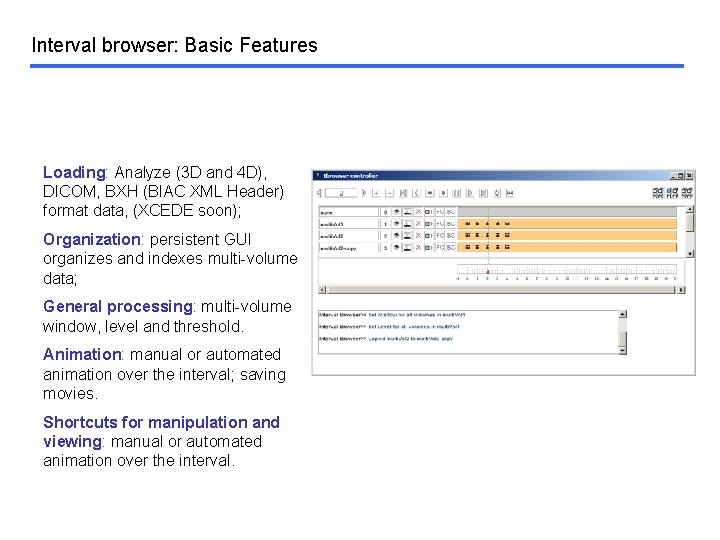
Interval browser: Basic Features Loading: Analyze (3 D and 4 D), DICOM, BXH (BIAC XML Header) format data, (XCEDE soon); Organization: persistent GUI organizes and indexes multi-volume data; General processing: multi-volume window, level and threshold. Animation: manual or automated animation over the interval; saving movies. Shortcuts for manipulation and viewing: manual or automated animation over the interval.
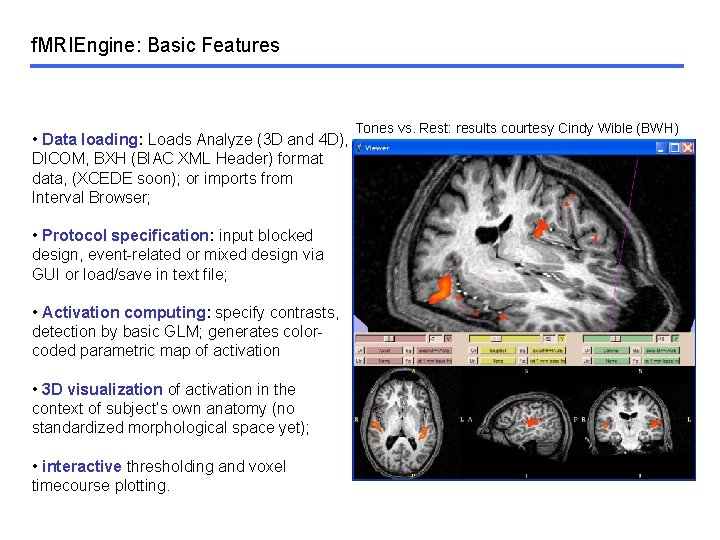
f. MRIEngine: Basic Features • Data loading: Loads Analyze (3 D and 4 D), DICOM, BXH (BIAC XML Header) format data, (XCEDE soon); or imports from Interval Browser; • Protocol specification: input blocked design, event-related or mixed design via GUI or load/save in text file; • Activation computing: specify contrasts, detection by basic GLM; generates colorcoded parametric map of activation • 3 D visualization of activation in the context of subject’s own anatomy (no standardized morphological space yet); • interactive thresholding and voxel timecourse plotting. Tones vs. Rest: results courtesy Cindy Wible (BWH)
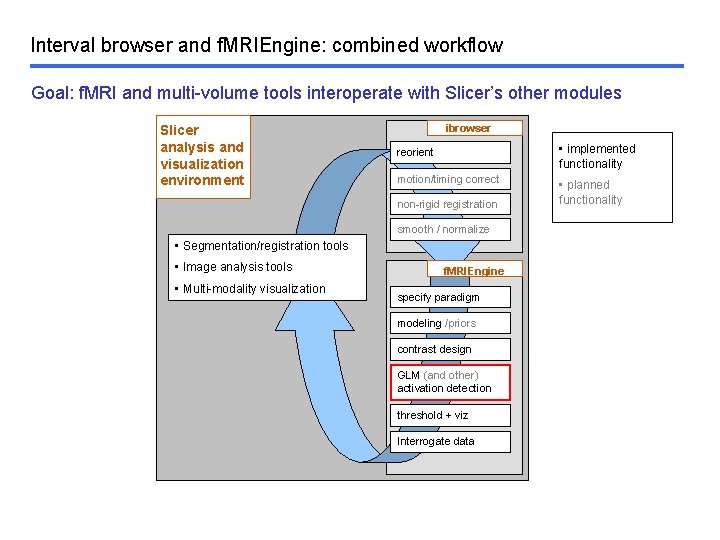
Interval browser and f. MRIEngine: combined workflow Goal: f. MRI and multi-volume tools interoperate with Slicer’s other modules Slicer analysis and visualization environment ibrowser reorient • implemented functionality motion/timing correct • planned functionality non-rigid registration smooth / normalize • Segmentation/registration tools • Image analysis tools • Multi-modality visualization f. MRIEngine specify paradigm modeling /priors contrast design GLM (and other) activation detection threshold + viz Interrogate data
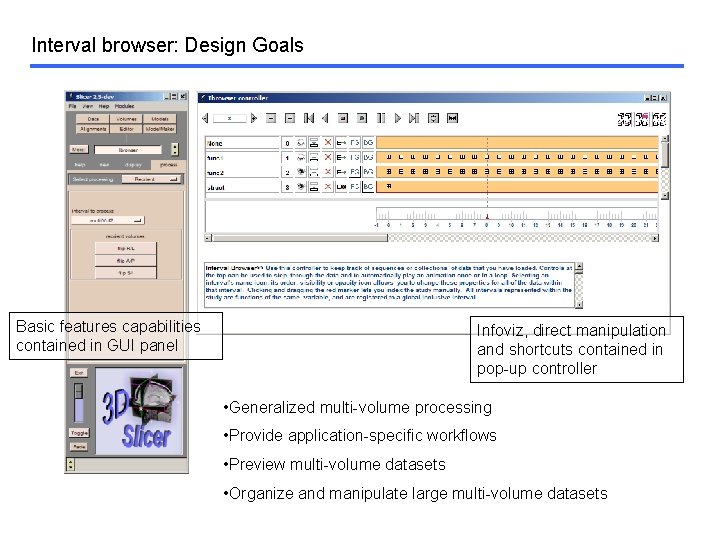
Interval browser: Design Goals Basic features capabilities contained in GUI panel Infoviz, direct manipulation and shortcuts contained in pop-up controller • Generalized multi-volume processing • Provide application-specific workflows • Preview multi-volume datasets • Organize and manipulate large multi-volume datasets
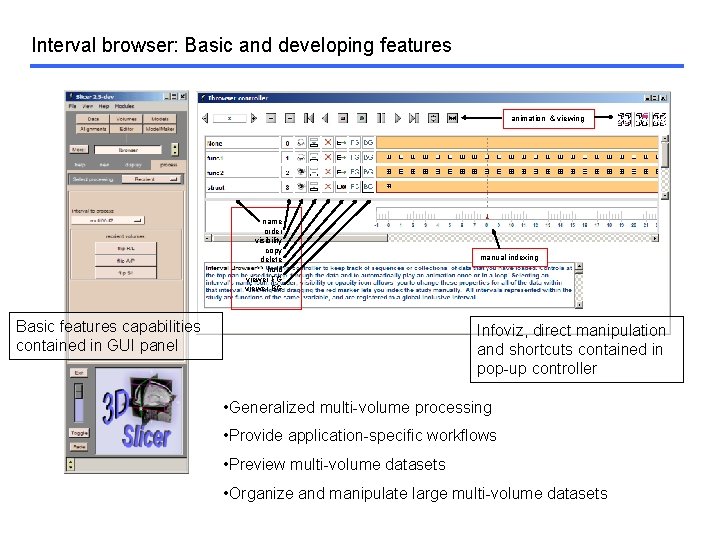
Interval browser: Basic and developing features animation & viewing name order visibility copy delete hold viewer FG viewer BG Basic features capabilities contained in GUI panel manual indexing Infoviz, direct manipulation and shortcuts contained in pop-up controller • Generalized multi-volume processing • Provide application-specific workflows • Preview multi-volume datasets • Organize and manipulate large multi-volume datasets
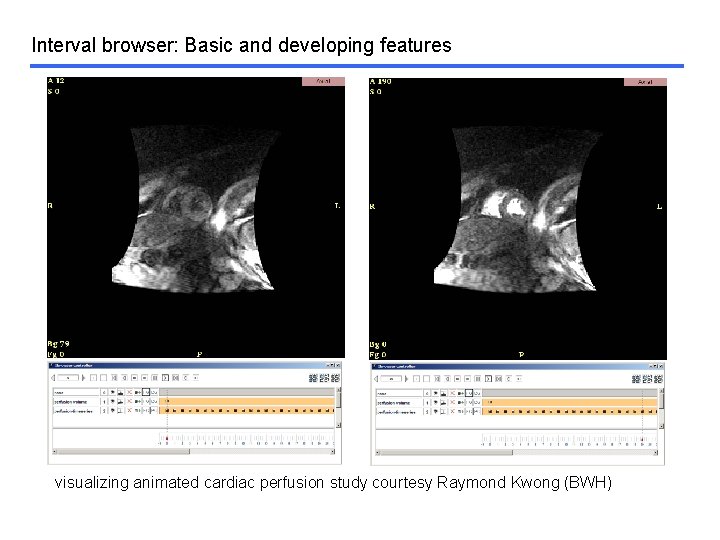
Interval browser: Basic and developing features visualizing animated cardiac perfusion study courtesy Raymond Kwong (BWH)
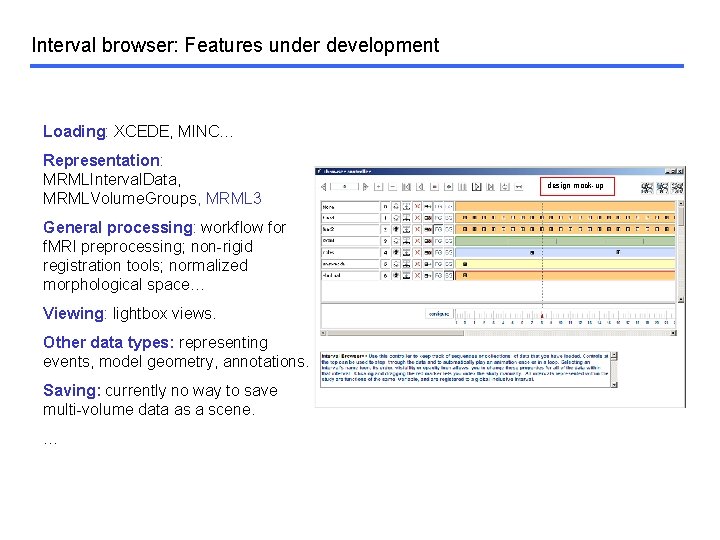
Interval browser: Features under development Loading: XCEDE, MINC… Representation: MRMLInterval. Data, MRMLVolume. Groups, MRML 3 General processing: workflow for f. MRI preprocessing; non-rigid registration tools; normalized morphological space… Viewing: lightbox views. Other data types: representing events, model geometry, annotations. Saving: currently no way to save multi-volume data as a scene. … design mock-up
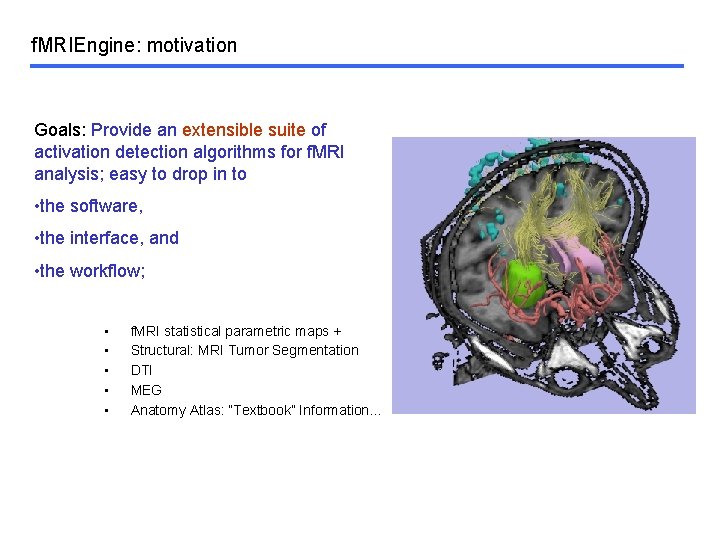
f. MRIEngine: motivation Goals: Provide an extensible suite of activation detection algorithms for f. MRI analysis; easy to drop in to • the software, • the interface, and • the workflow; • • • f. MRI statistical parametric maps + Structural: MRI Tumor Segmentation DTI MEG Anatomy Atlas: “Textbook” Information…
f. MRIEngine: Design Goals Interfaces for f. MRI analysis packages tend to be complicated. Design goals for GUI: • Easily adaptable for new activation detectors • Simple to compare detectors • Support users’ workflow • Provide help & info where appropriate
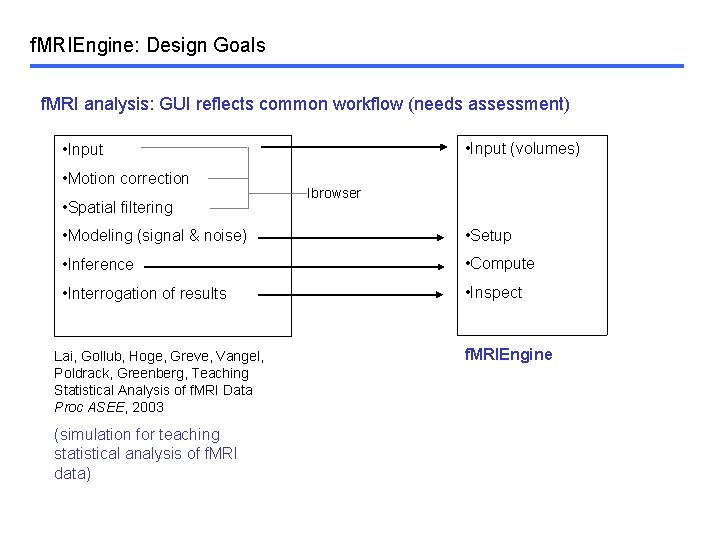
f. MRIEngine: Design Goals f. MRI analysis: GUI reflects common workflow (needs assessment) • Input (volumes) • Input • Motion correction • Spatial filtering Ibrowser • Modeling (signal & noise) • Setup • Inference • Compute • Interrogation of results • Inspect Lai, Gollub, Hoge, Greve, Vangel, Poldrack, Greenberg, Teaching Statistical Analysis of f. MRI Data Proc ASEE, 2003 (simulation for teaching statistical analysis of f. MRI data) f. MRIEngine
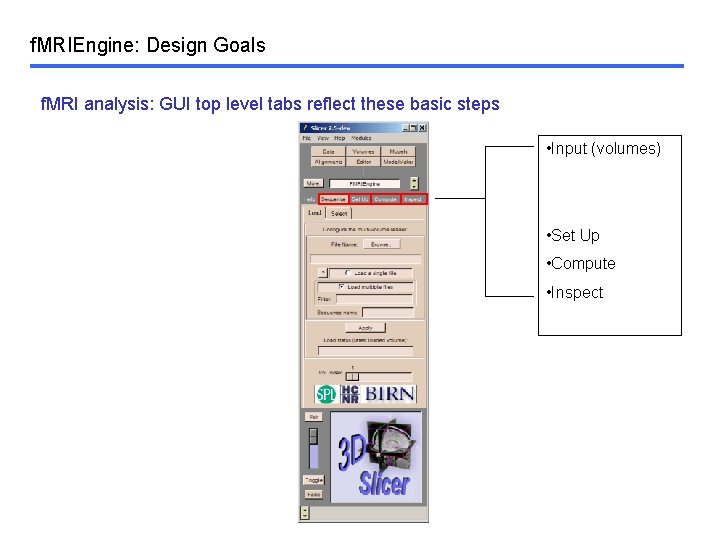
f. MRIEngine: Design Goals f. MRI analysis: GUI top level tabs reflect these basic steps • Input (volumes) • Set Up • Compute • Inspect
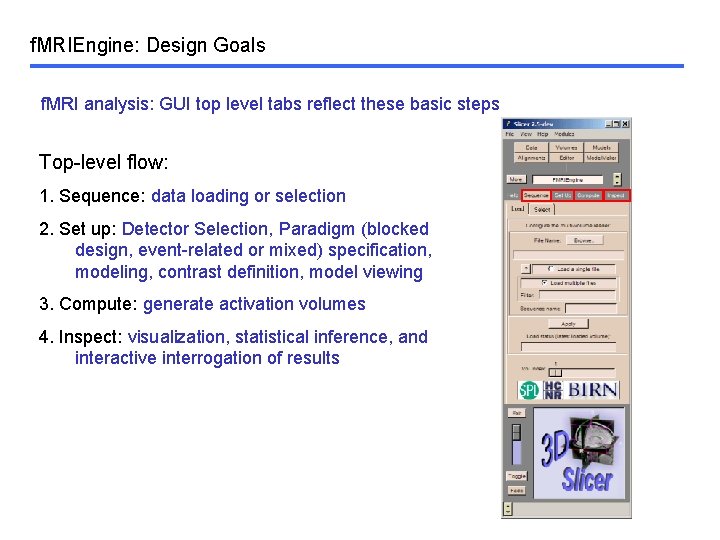
f. MRIEngine: Design Goals f. MRI analysis: GUI top level tabs reflect these basic steps Top-level flow: 1. Sequence: data loading or selection 2. Set up: Detector Selection, Paradigm (blocked design, event-related or mixed) specification, modeling, contrast definition, model viewing 3. Compute: generate activation volumes 4. Inspect: visualization, statistical inference, and interactive interrogation of results
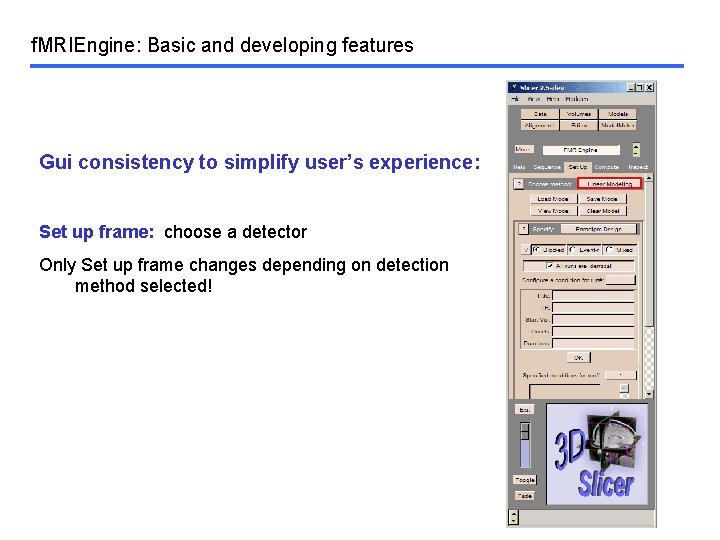
f. MRIEngine: Basic and developing features Gui consistency to simplify user’s experience: Set up frame: choose a detector Only Set up frame changes depending on detection method selected!
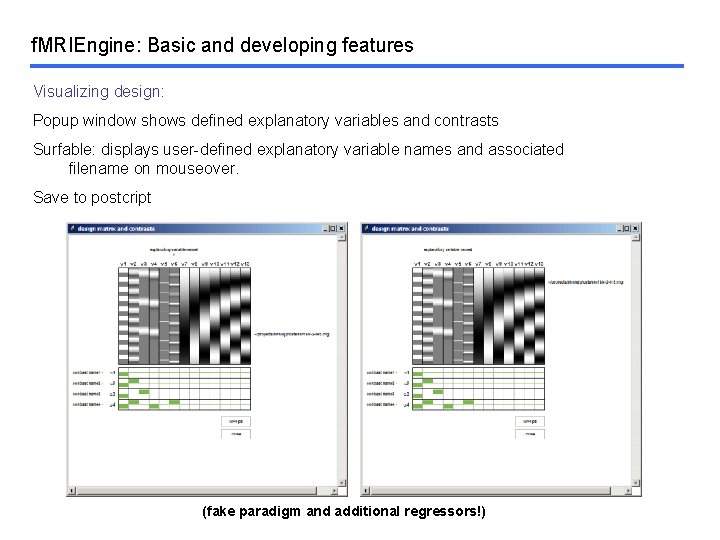
f. MRIEngine: Basic and developing features Visualizing design: Popup window shows defined explanatory variables and contrasts Surfable: displays user-defined explanatory variable names and associated filename on mouseover. Save to postcript (fake paradigm and additional regressors!)
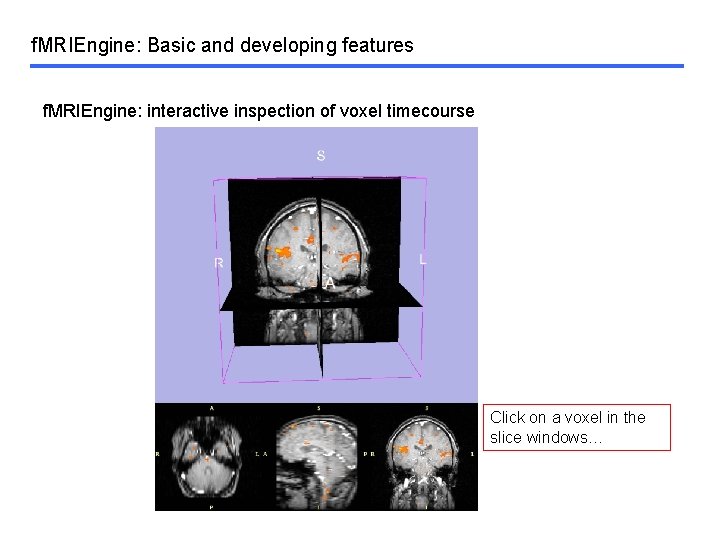
f. MRIEngine: Basic and developing features f. MRIEngine: interactive inspection of voxel timecourse Click on a voxel in the slice windows…
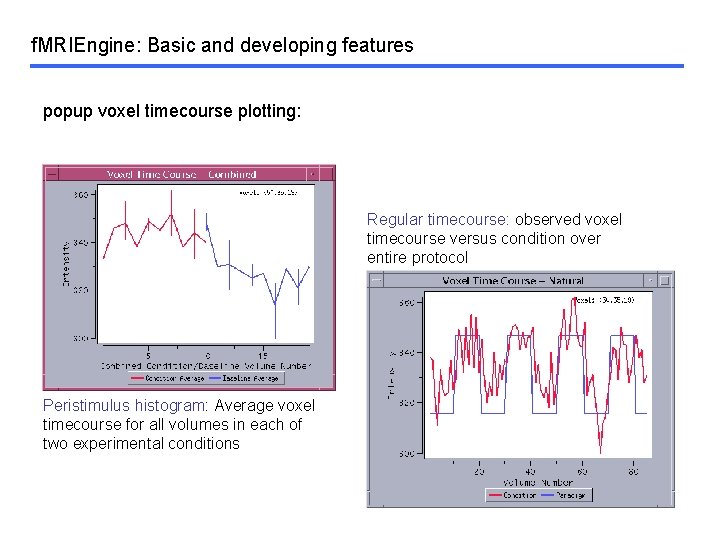
f. MRIEngine: Basic and developing features popup voxel timecourse plotting: Regular timecourse: observed voxel timecourse versus condition over entire protocol Peristimulus histogram: Average voxel timecourse for all volumes in each of two experimental conditions
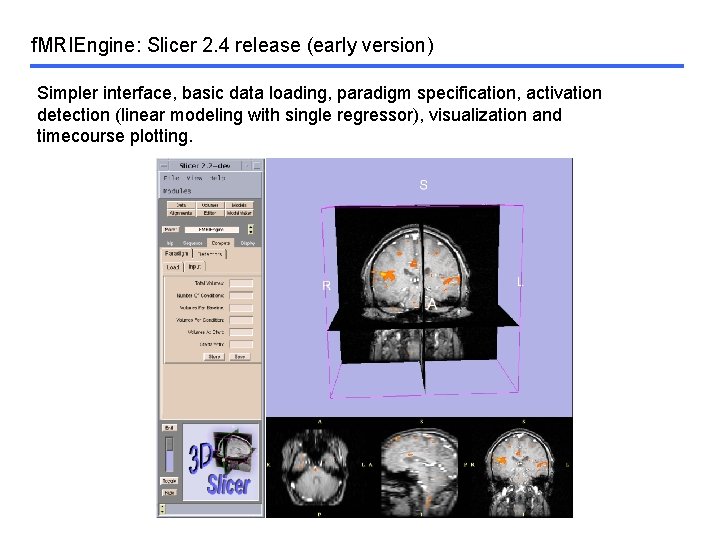
f. MRIEngine: Slicer 2. 4 release (early version) Simpler interface, basic data loading, paradigm specification, activation detection (linear modeling with single regressor), visualization and timecourse plotting.
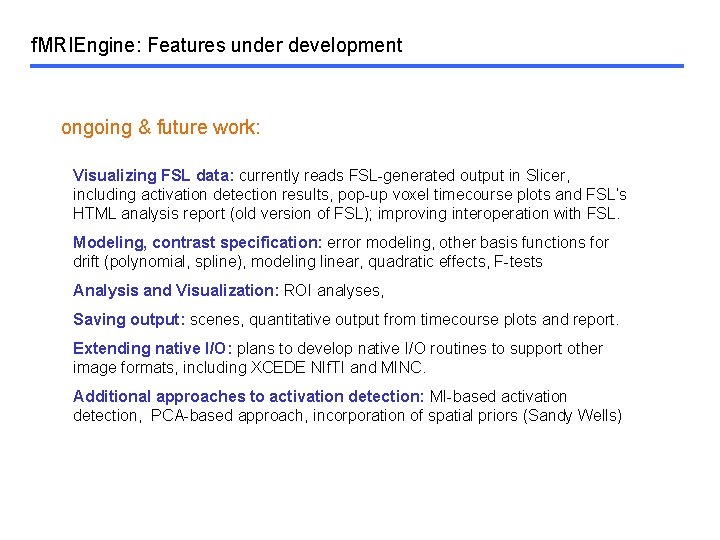
f. MRIEngine: Features under development ongoing & future work: Visualizing FSL data: currently reads FSL-generated output in Slicer, including activation detection results, pop-up voxel timecourse plots and FSL’s HTML analysis report (old version of FSL); improving interoperation with FSL. Modeling, contrast specification: error modeling, other basis functions for drift (polynomial, spline), modeling linear, quadratic effects, F-tests Analysis and Visualization: ROI analyses, Saving output: scenes, quantitative output from timecourse plots and report. Extending native I/O: plans to develop native I/O routines to support other image formats, including XCEDE NIf. TI and MINC. Additional approaches to activation detection: MI-based activation detection, PCA-based approach, incorporation of spatial priors (Sandy Wells)
- Slides: 21