
Internet Protocol Security IPsec Secure Sockets Layer SSL
- Slides: 54
Internet Protocol Security (IPsec) & Secure Sockets Layer (SSL) INFSCI 1075: Network Security – Spring 2013 Amir Masoumzadeh
Review � Over the last few weeks � Cryptography � Authentication, � Main Key Establishment characteristics � Security services are similar � Need some entity authentication and key establishment � Provide authentication, integrity and confidentiality 2 Make use of message authentication codes and encryption
Application-Transparent Security � Questions � Should all applications employ their own authentication, integrity, and confidentiality mechanisms? � Can we make security transparent to applications? � At what layer should such security services be implemented? � Are there problems if we do take this approach? � SSL and IPsec are two common ways of providing the same security services to all applications 3
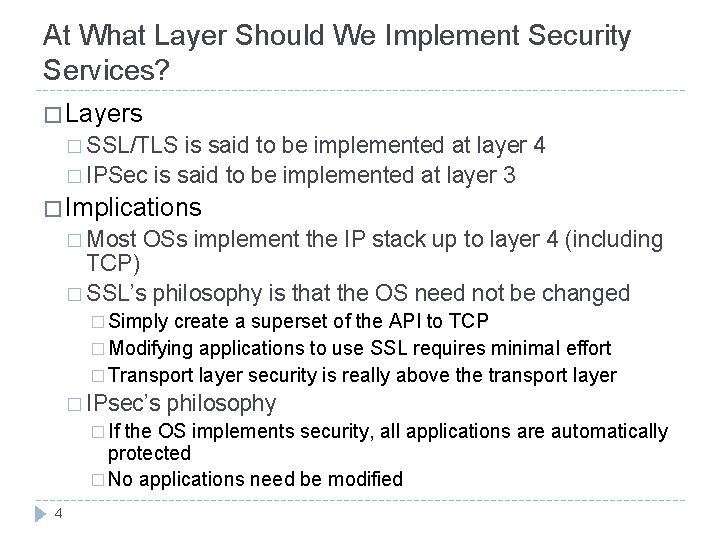
At What Layer Should We Implement Security Services? � Layers � SSL/TLS is said to be implemented at layer 4 � IPSec is said to be implemented at layer 3 � Implications � Most OSs implement the IP stack up to layer 4 (including TCP) � SSL’s philosophy is that the OS need not be changed � Simply create a superset of the API to TCP � Modifying applications to use SSL requires minimal effort � Transport layer security is really above the transport layer � IPsec’s � If philosophy the OS implements security, all applications are automatically protected � No applications need be modified 4
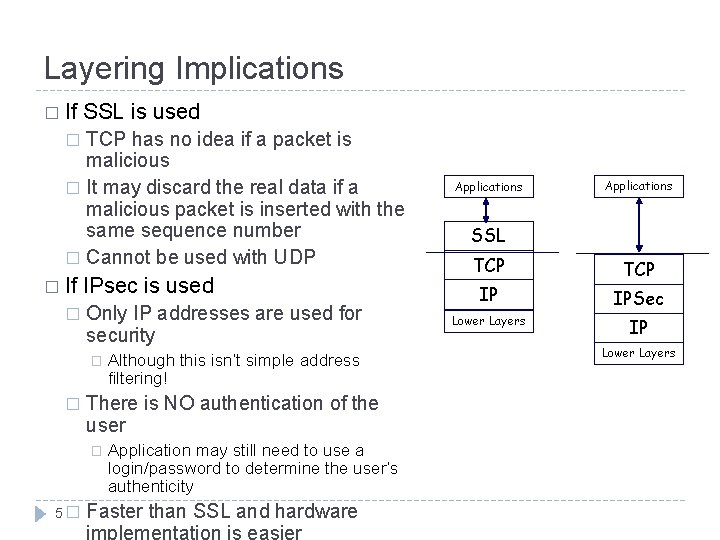
Layering Implications � If SSL is used TCP has no idea if a packet is malicious � It may discard the real data if a malicious packet is inserted with the same sequence number � Cannot be used with UDP � � If � IPsec is used Only IP addresses are used for security � � There is NO authentication of the user � 5� Although this isn’t simple address filtering! Application may still need to use a login/password to determine the user’s authenticity Faster than SSL and hardware Applications SSL TCP IP IPSec Lower Layers IP Lower Layers
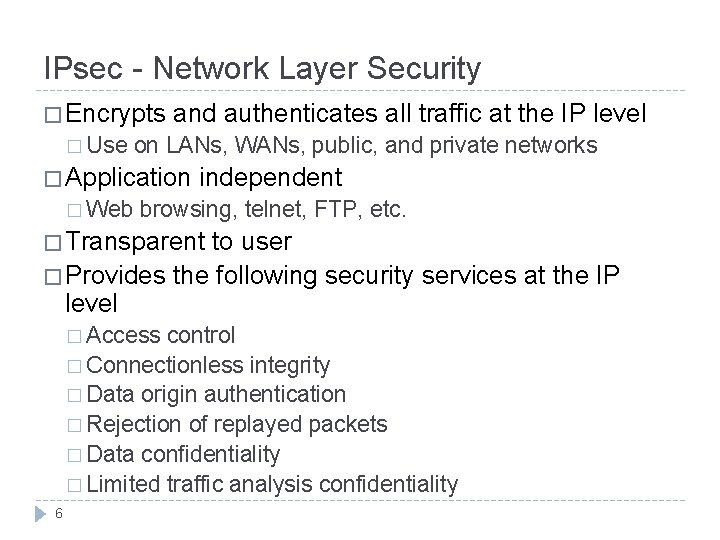
IPsec - Network Layer Security � Encrypts � Use and authenticates all traffic at the IP level on LANs, WANs, public, and private networks � Application � Web independent browsing, telnet, FTP, etc. � Transparent to user � Provides the following security services at the IP level � Access control � Connectionless integrity � Data origin authentication � Rejection of replayed packets � Data confidentiality � Limited traffic analysis confidentiality 6
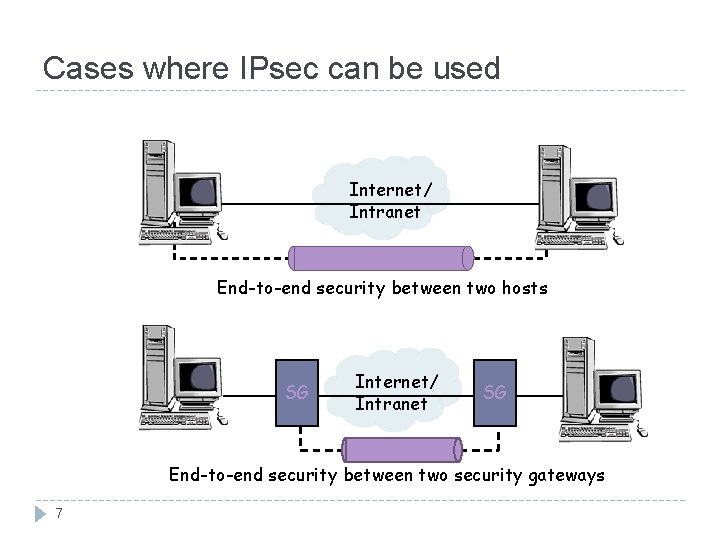
Cases where IPsec can be used Internet/ Intranet End-to-end security between two hosts SG Internet/ Intranet SG End-to-end security between two security gateways 7
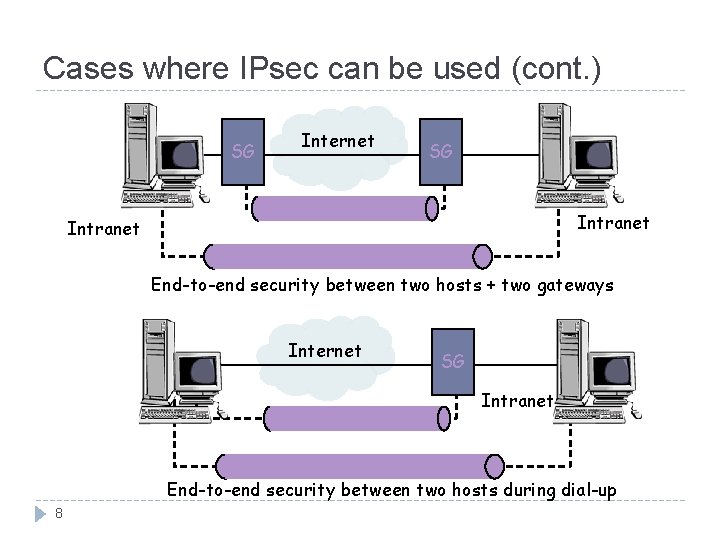
Cases where IPsec can be used (cont. ) SG Internet SG Intranet End-to-end security between two hosts + two gateways Internet SG Intranet End-to-end security between two hosts during dial-up 8
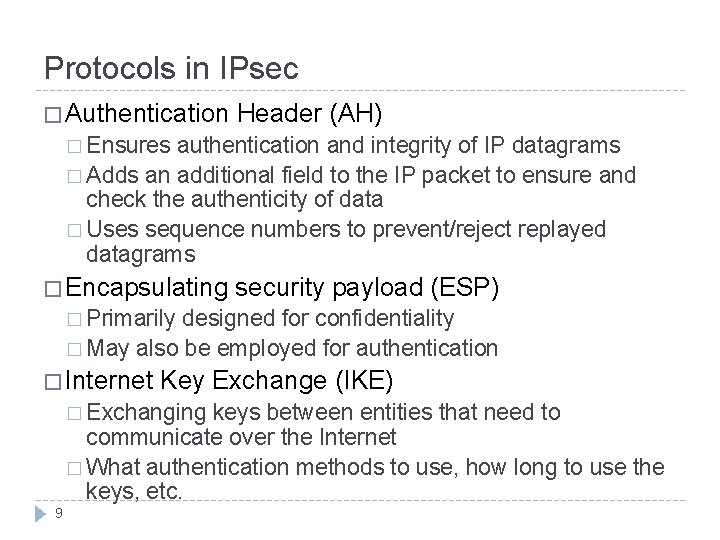
Protocols in IPsec � Authentication Header (AH) � Ensures authentication and integrity of IP datagrams � Adds an additional field to the IP packet to ensure and check the authenticity of data � Uses sequence numbers to prevent/reject replayed datagrams � Encapsulating security payload (ESP) � Primarily designed for confidentiality � May also be employed for authentication � Internet Key Exchange (IKE) � Exchanging keys between entities that need to communicate over the Internet � What authentication methods to use, how long to use the keys, etc. 9
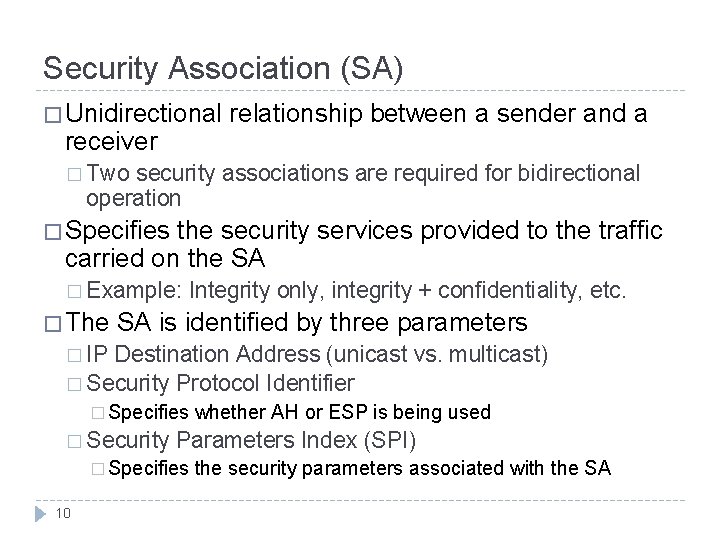
Security Association (SA) � Unidirectional receiver relationship between a sender and a � Two security associations are required for bidirectional operation � Specifies the security services provided to the traffic carried on the SA � Example: � The Integrity only, integrity + confidentiality, etc. SA is identified by three parameters � IP Destination Address (unicast vs. multicast) � Security Protocol Identifier � Specifies � Security Parameters Index (SPI) � Specifies 10 whether AH or ESP is being used the security parameters associated with the SA
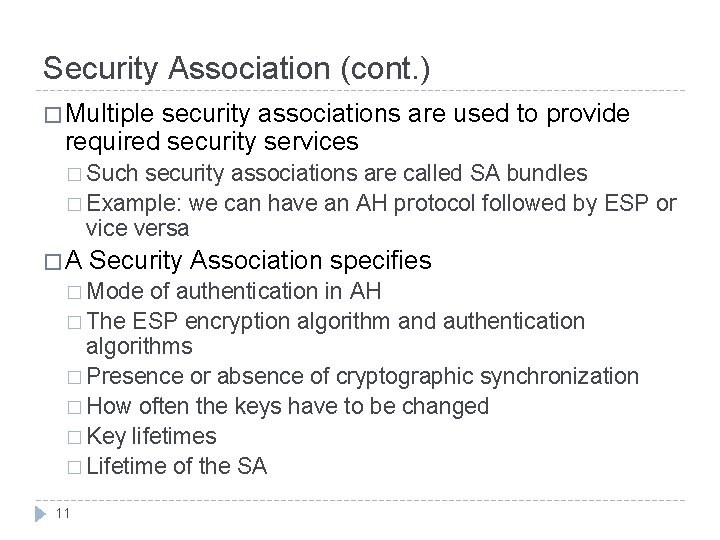
Security Association (cont. ) � Multiple security associations are used to provide required security services � Such security associations are called SA bundles � Example: we can have an AH protocol followed by ESP or vice versa �A Security Association specifies � Mode of authentication in AH � The ESP encryption algorithm and authentication algorithms � Presence or absence of cryptographic synchronization � How often the keys have to be changed � Key lifetimes � Lifetime of the SA 11
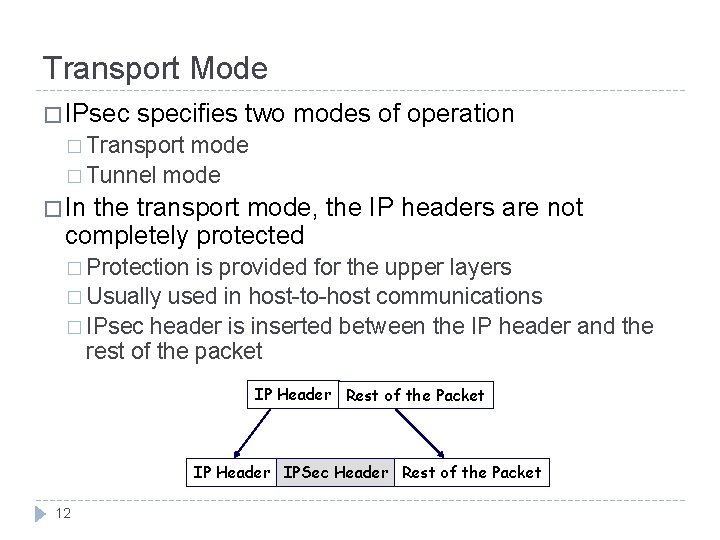
Transport Mode � IPsec specifies two modes of operation � Transport mode � Tunnel mode � In the transport mode, the IP headers are not completely protected � Protection is provided for the upper layers � Usually used in host-to-host communications � IPsec header is inserted between the IP header and the rest of the packet IP Header Rest of the Packet IP Header IPSec Header Rest of the Packet 12
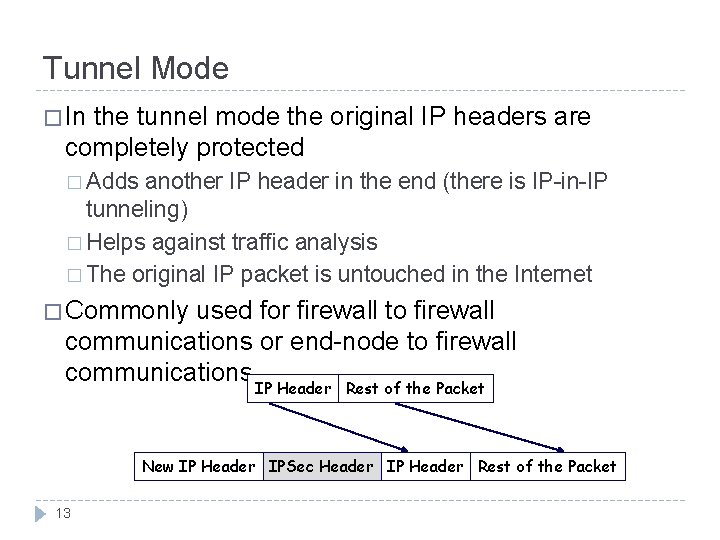
Tunnel Mode � In the tunnel mode the original IP headers are completely protected � Adds another IP header in the end (there is IP-in-IP tunneling) � Helps against traffic analysis � The original IP packet is untouched in the Internet � Commonly used for firewall to firewall communications or end-node to firewall communications IP Header Rest of the Packet New IP Header IPSec Header IP Header Rest of the Packet 13
Authentication Header (AH) � Provides � Support for data integrity and authentication of IP packets � Prevention of address spoofing and replay attacks � Does not provide confidentiality of payload data � Authentication is based on using a MAC � Parties must share a secret key � Problem � NAT is not supported and using AH implies that NAT needs to be removed 14
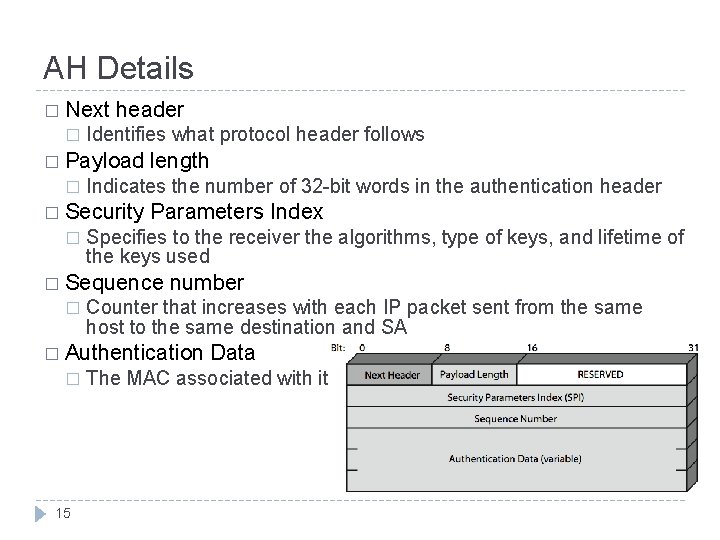
AH Details � Next � header Identifies what protocol header follows � Payload � Indicates the number of 32 -bit words in the authentication header � Security � length Parameters Index Specifies to the receiver the algorithms, type of keys, and lifetime of the keys used � Sequence � number Counter that increases with each IP packet sent from the same host to the same destination and SA � Authentication � 15 Data The MAC associated with it
AH: Preventing Replay � Using 32 bit sequence numbers helps detect replay of IP packets � The sender initializes a sequence number for every SA at zero � Each succeeding IP packet within a SA increments the sequence number � The SA expires when 232 packets are sent � Receiver implements a window size of W to keep track of authenticated packets � Receiver checks the MAC to see if the packet is authentic 16
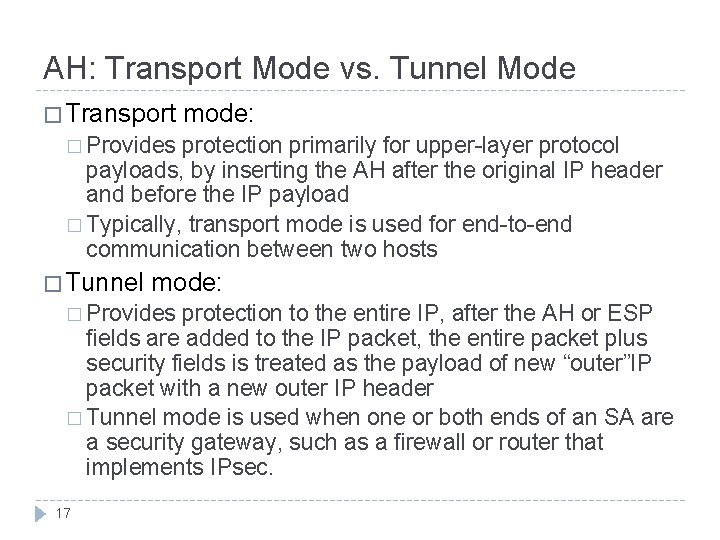
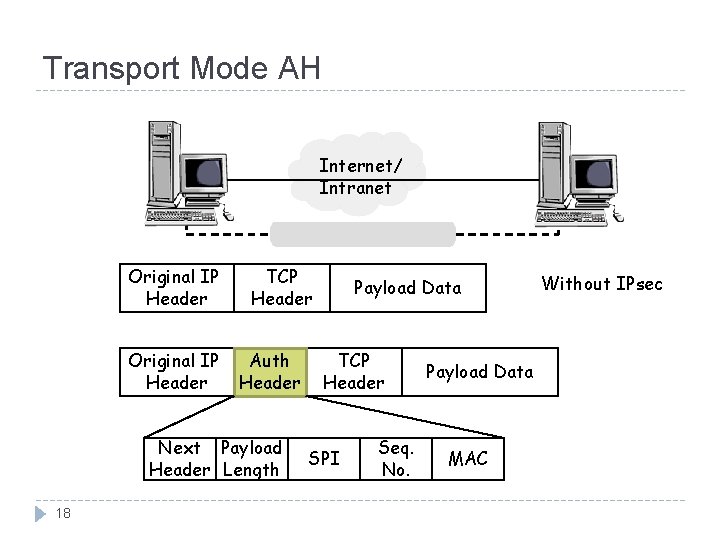
AH: Transport Mode vs. Tunnel Mode � Transport mode: � Provides protection primarily for upper-layer protocol payloads, by inserting the AH after the original IP header and before the IP payload � Typically, transport mode is used for end-to-end communication between two hosts � Tunnel mode: � Provides protection to the entire IP, after the AH or ESP fields are added to the IP packet, the entire packet plus security fields is treated as the payload of new “outer”IP packet with a new outer IP header � Tunnel mode is used when one or both ends of an SA are a security gateway, such as a firewall or router that implements IPsec. 17
Transport Mode AH Internet/ Intranet Original IP Header TCP Header Auth Header Next Payload Header Length 18 Payload Data TCP Header SPI Seq. No. Payload Data MAC Without IPsec
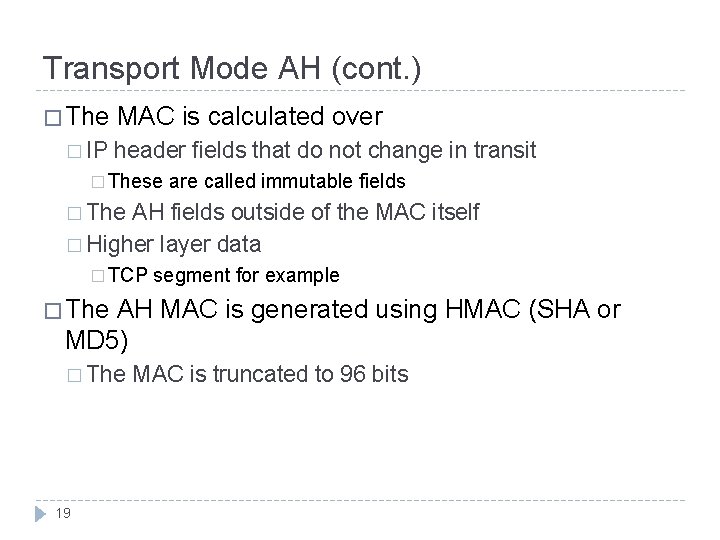
Transport Mode AH (cont. ) � The � IP MAC is calculated over header fields that do not change in transit � These are called immutable fields � The AH fields outside of the MAC itself � Higher layer data � TCP segment for example � The AH MAC is generated using HMAC (SHA or MD 5) � The 19 MAC is truncated to 96 bits
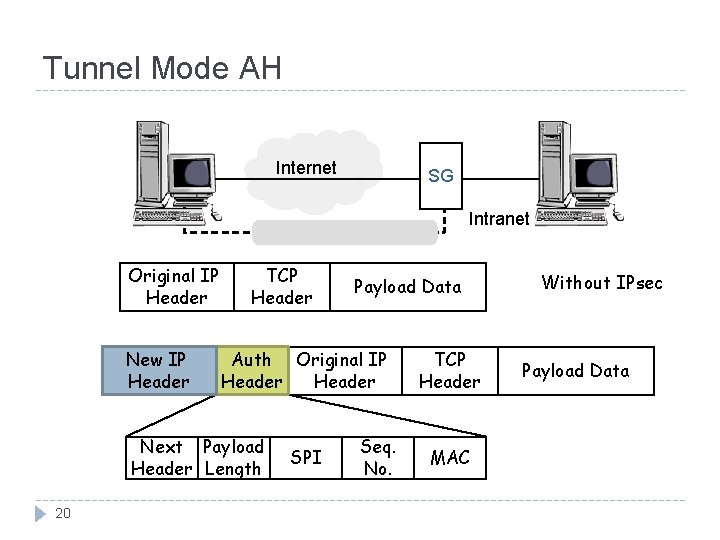
Tunnel Mode AH Internet SG Intranet Original IP Header New IP Header TCP Header Auth Original IP Header Next Payload Header Length 20 Payload Data SPI Seq. No. TCP Header MAC Without IPsec Payload Data
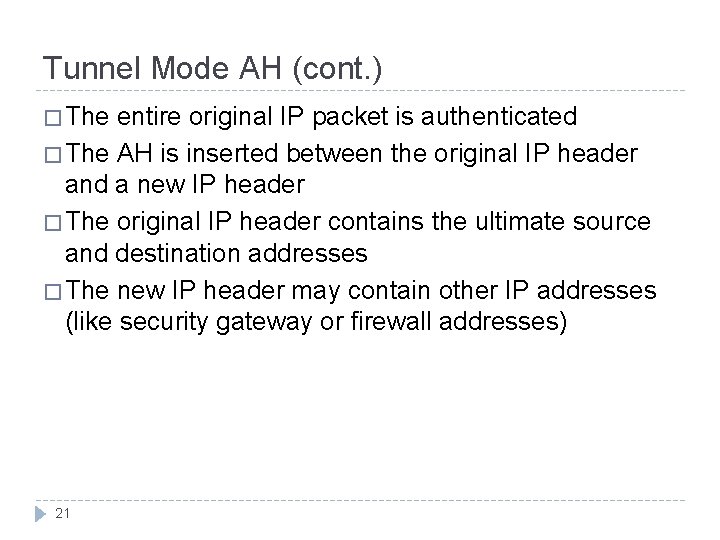
Tunnel Mode AH (cont. ) � The entire original IP packet is authenticated � The AH is inserted between the original IP header and a new IP header � The original IP header contains the ultimate source and destination addresses � The new IP header may contain other IP addresses (like security gateway or firewall addresses) 21
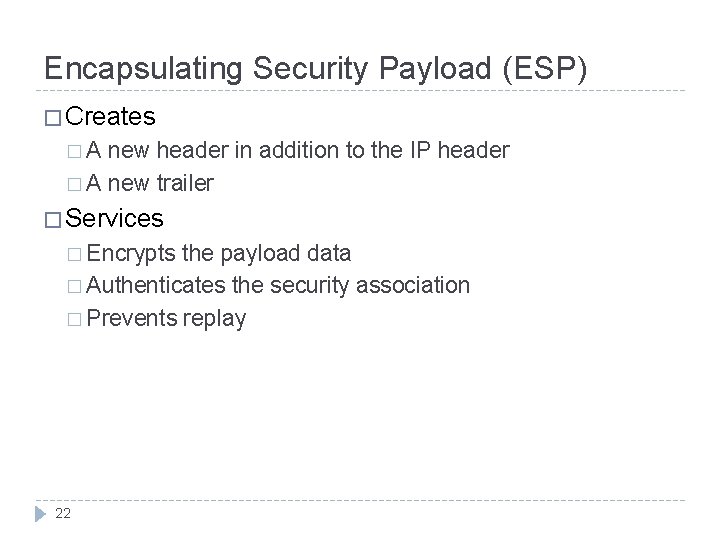
Encapsulating Security Payload (ESP) � Creates �A new header in addition to the IP header � A new trailer � Services � Encrypts the payload data � Authenticates the security association � Prevents replay 22
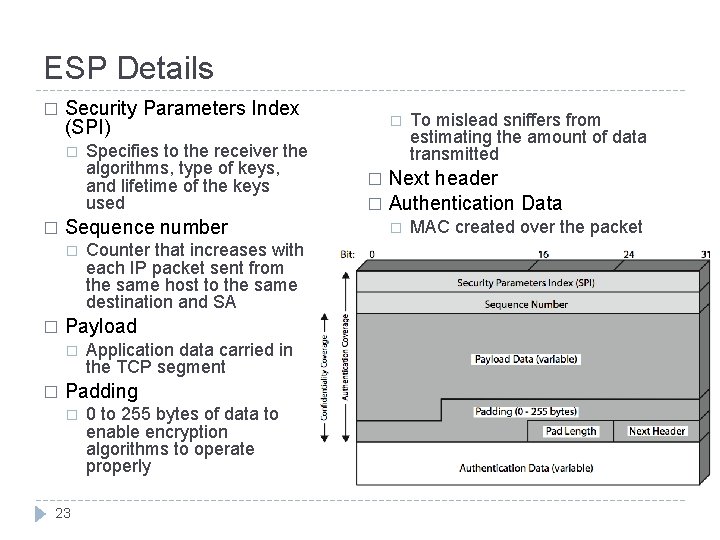
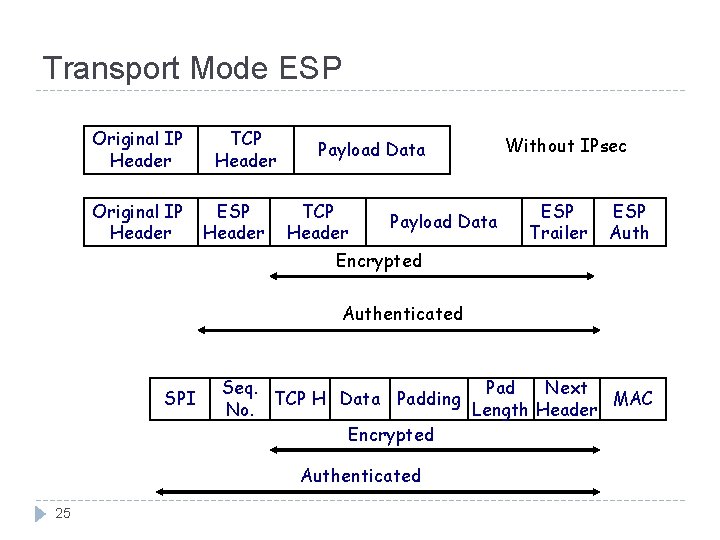
ESP Details � Security Parameters Index (SPI) � � Sequence number � � Counter that increases with each IP packet sent from the same host to the same destination and SA Payload � � Specifies to the receiver the algorithms, type of keys, and lifetime of the keys used Application data carried in the TCP segment Padding � 23 0 to 255 bytes of data to enable encryption algorithms to operate properly � To mislead sniffers from estimating the amount of data transmitted Next header � Authentication Data � � MAC created over the packet
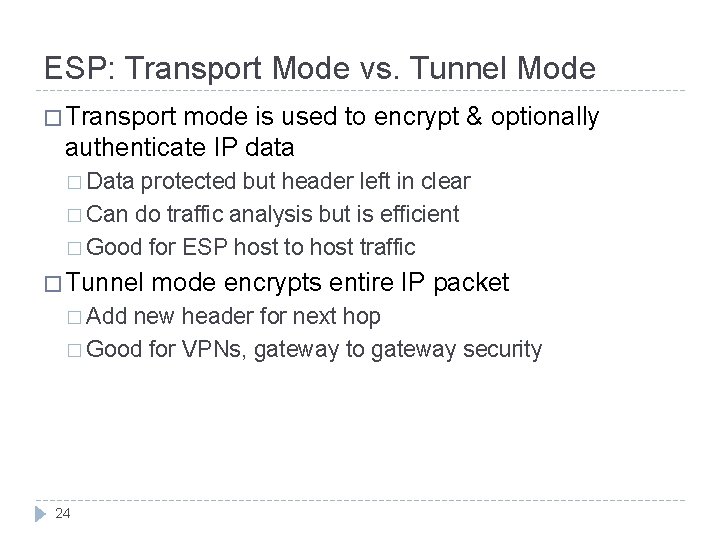
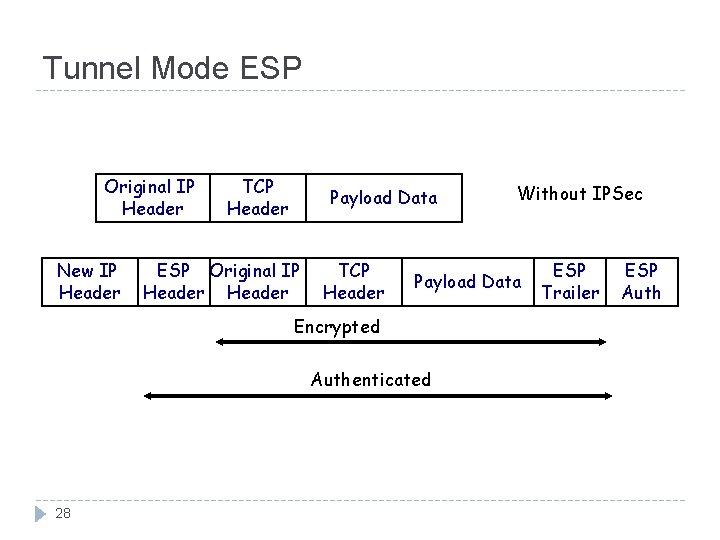
ESP: Transport Mode vs. Tunnel Mode � Transport mode is used to encrypt & optionally authenticate IP data � Data protected but header left in clear � Can do traffic analysis but is efficient � Good for ESP host to host traffic � Tunnel � Add mode encrypts entire IP packet new header for next hop � Good for VPNs, gateway to gateway security 24
Transport Mode ESP Original IP Header TCP Header ESP Header Payload Data TCP Header Payload Data Without IPsec ESP Trailer ESP Auth Encrypted Authenticated SPI Seq. Pad Next TCP H Data Padding MAC No. Length Header Encrypted Authenticated 25
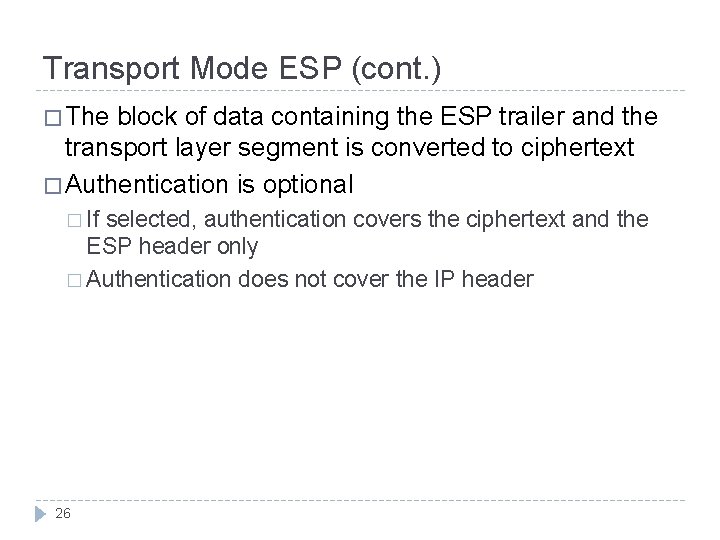
Transport Mode ESP (cont. ) � The block of data containing the ESP trailer and the transport layer segment is converted to ciphertext � Authentication is optional � If selected, authentication covers the ciphertext and the ESP header only � Authentication does not cover the IP header 26
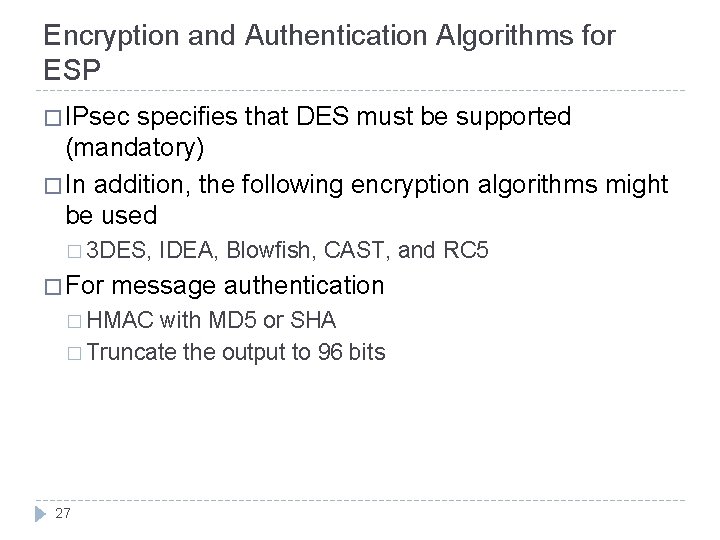
Encryption and Authentication Algorithms for ESP � IPsec specifies that DES must be supported (mandatory) � In addition, the following encryption algorithms might be used � 3 DES, � For IDEA, Blowfish, CAST, and RC 5 message authentication � HMAC with MD 5 or SHA � Truncate the output to 96 bits 27
Tunnel Mode ESP Original IP Header New IP Header TCP Header Payload Data ESP Original IP Header TCP Header Payload Data Encrypted Authenticated 28 Without IPSec ESP Trailer ESP Auth
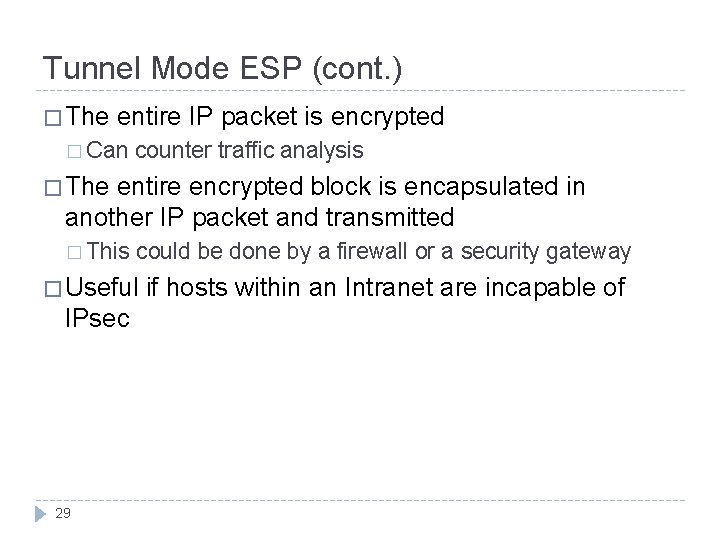
Tunnel Mode ESP (cont. ) � The entire IP packet is encrypted � Can counter traffic analysis � The entire encrypted block is encapsulated in another IP packet and transmitted � This could be done by a firewall or a security gateway � Useful IPsec 29 if hosts within an Intranet are incapable of
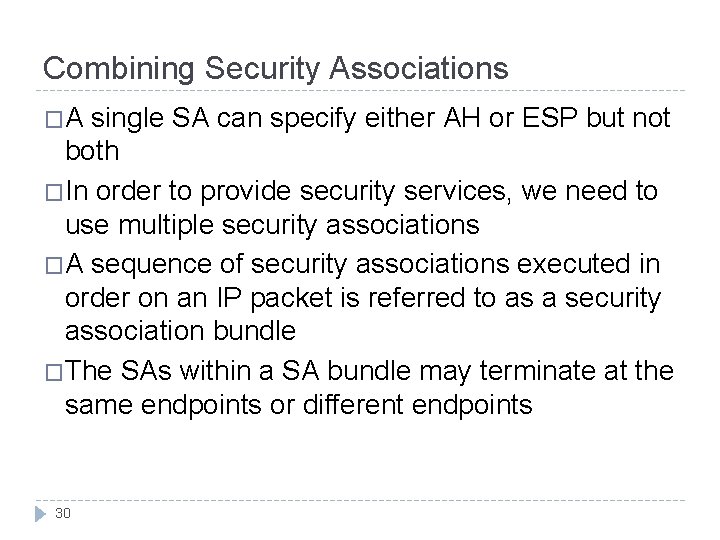
Combining Security Associations �A single SA can specify either AH or ESP but not both �In order to provide security services, we need to use multiple security associations �A sequence of security associations executed in order on an IP packet is referred to as a security association bundle �The SAs within a SA bundle may terminate at the same endpoints or different endpoints 30
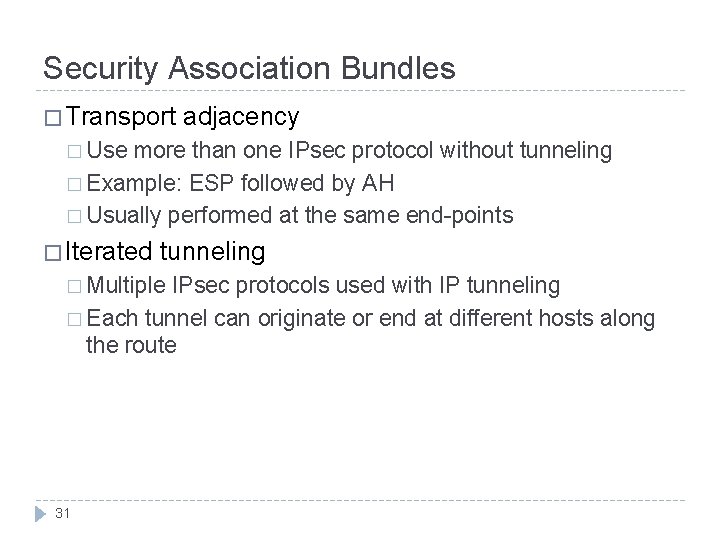
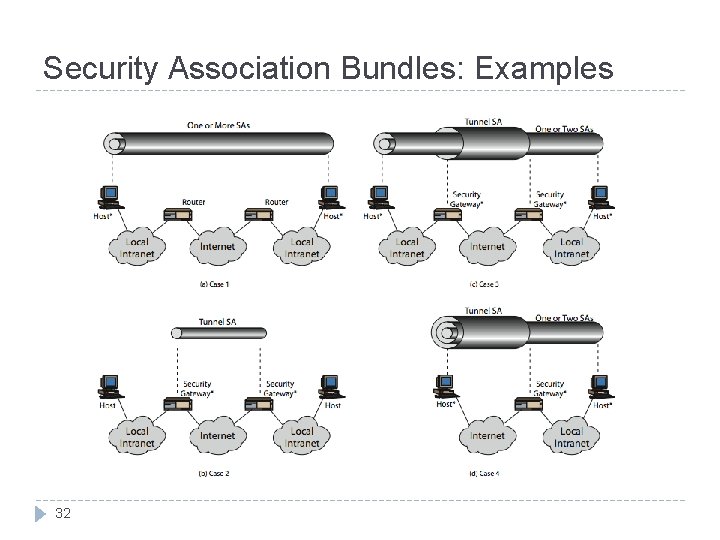
Security Association Bundles � Transport adjacency � Use more than one IPsec protocol without tunneling � Example: ESP followed by AH � Usually performed at the same end-points � Iterated tunneling � Multiple IPsec protocols used with IP tunneling � Each tunnel can originate or end at different hosts along the route 31
Security Association Bundles: Examples 32
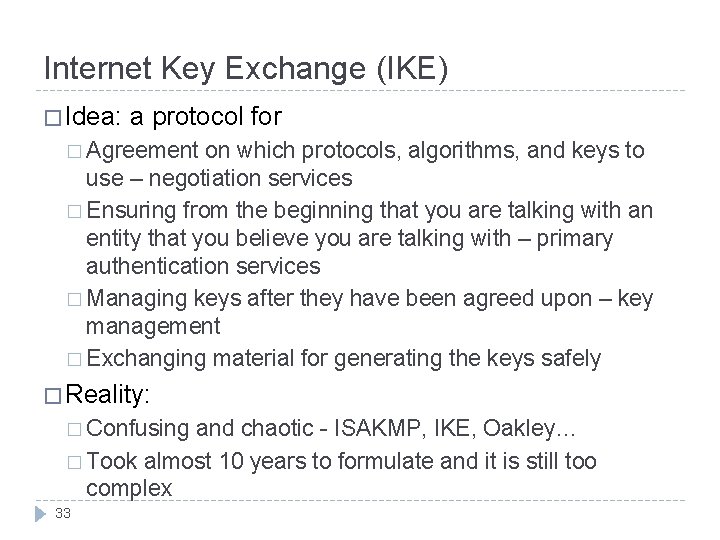
Internet Key Exchange (IKE) � Idea: a protocol for � Agreement on which protocols, algorithms, and keys to use – negotiation services � Ensuring from the beginning that you are talking with an entity that you believe you are talking with – primary authentication services � Managing keys after they have been agreed upon – key management � Exchanging material for generating the keys safely � Reality: � Confusing and chaotic - ISAKMP, IKE, Oakley… � Took almost 10 years to formulate and it is still too complex 33
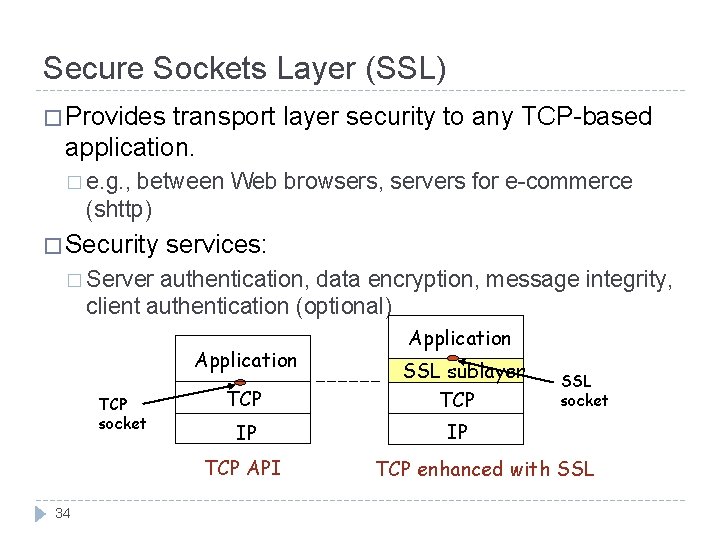
Secure Sockets Layer (SSL) � Provides transport layer security to any TCP-based application. � e. g. , between Web browsers, servers for e-commerce (shttp) � Security services: � Server authentication, data encryption, message integrity, client authentication (optional) Application TCP socket TCP SSL sublayer TCP IP IP TCP API 34 Application SSL socket TCP enhanced with SSL
SSL (cont. ) � Open protocol designed by Netscape � SSLv 2 was the first deployed version � Microsoft created its own protocol called PCT (Private Communications Technology) � Netscape overhauled SSLv 2 and created SSLv 3 � Version 3 used public input and industry backing � SSL subsequently became Internet standard known as TLS (Transport Layer Security) � Uses TCP to provide a reliable end-to-end service 35
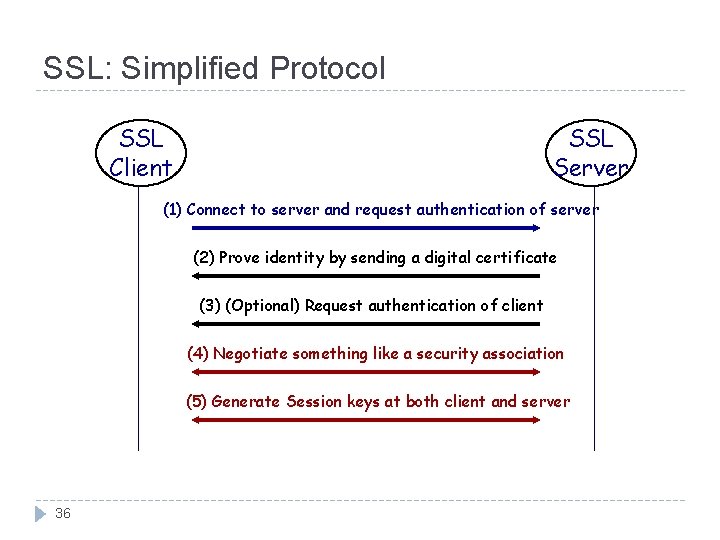
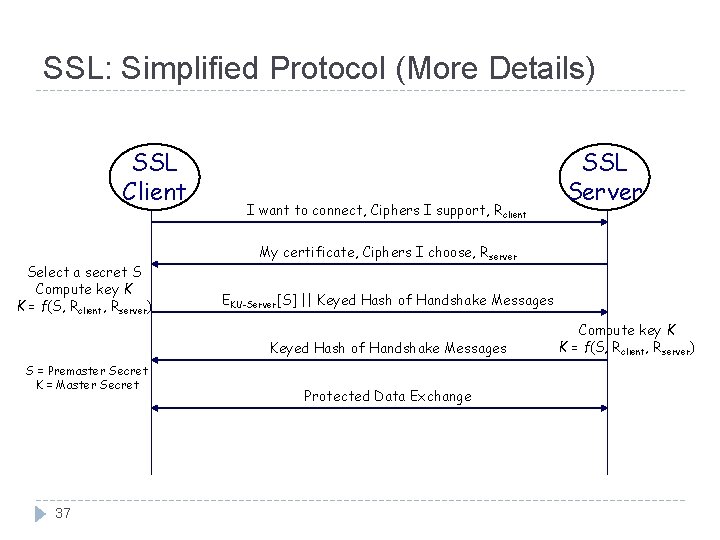
SSL: Simplified Protocol SSL Client SSL Server (1) Connect to server and request authentication of server (2) Prove identity by sending a digital certificate (3) (Optional) Request authentication of client (4) Negotiate something like a security association (5) Generate Session keys at both client and server 36
SSL: Simplified Protocol (More Details) SSL Client Select a secret S Compute key K K = f(S, Rclient, Rserver) I want to connect, Ciphers I support, Rclient My certificate, Ciphers I choose, Rserver EKU-Server[S] || Keyed Hash of Handshake Messages S = Premaster Secret K = Master Secret 37 SSL Server Protected Data Exchange Compute key K K = f(S, Rclient, Rserver)
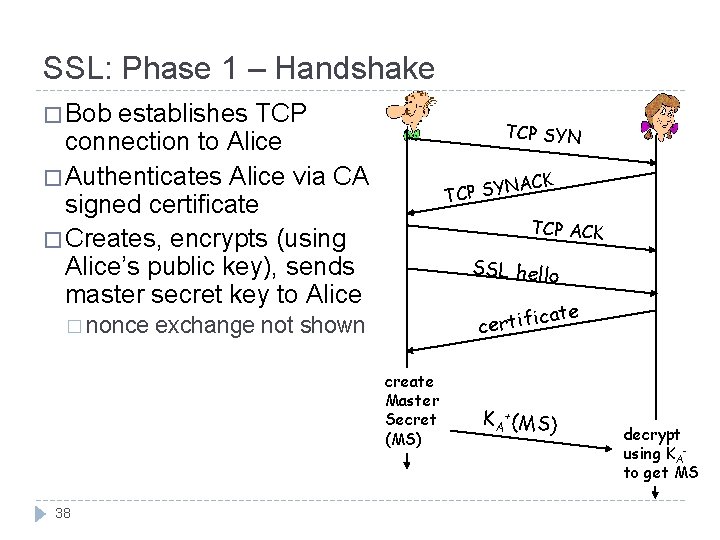
SSL: Phase 1 – Handshake � Bob establishes TCP connection to Alice � Authenticates Alice via CA signed certificate � Creates, encrypts (using Alice’s public key), sends master secret key to Alice � nonce TCP SYN ACK N Y S P TC TCP ACK SSL hello ca certifi exchange not shown create Master Secret (MS) 38 KA +(MS) te decrypt using KAto get MS
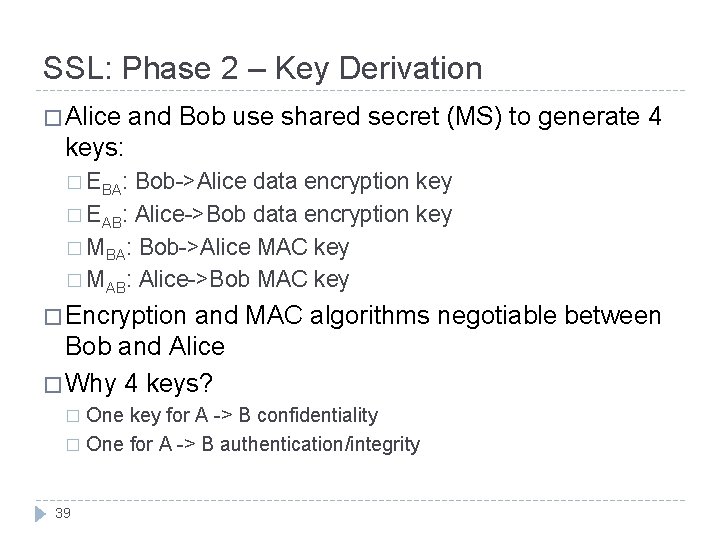
SSL: Phase 2 – Key Derivation � Alice and Bob use shared secret (MS) to generate 4 keys: � EBA: Bob->Alice data encryption key � EAB: Alice->Bob data encryption key � MBA: Bob->Alice MAC key � MAB: Alice->Bob MAC key � Encryption and MAC algorithms negotiable between Bob and Alice � Why 4 keys? One key for A -> B confidentiality � One for A -> B authentication/integrity � 39
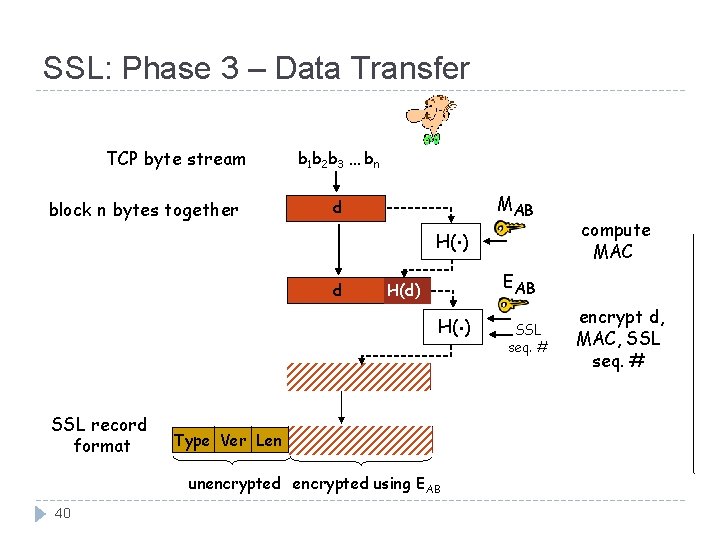
SSL: Phase 3 – Data Transfer TCP byte stream block n bytes together b 1 b 2 b 3 … bn d . MAB H( ) d H(d) . H( ) SSL record format Type Ver Len d H(d) unencrypted using EAB 40 compute MAC EAB SSL seq. # encrypt d, MAC, SSL seq. #
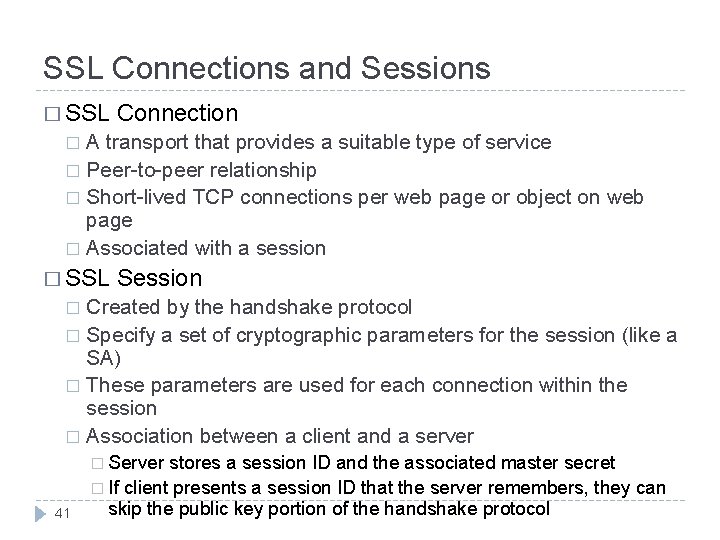
SSL Connections and Sessions � SSL Connection A transport that provides a suitable type of service � Peer-to-peer relationship � Short-lived TCP connections per web page or object on web page � Associated with a session � � SSL Session Created by the handshake protocol � Specify a set of cryptographic parameters for the session (like a SA) � These parameters are used for each connection within the session � Association between a client and a server � � Server 41 stores a session ID and the associated master secret � If client presents a session ID that the server remembers, they can skip the public key portion of the handshake protocol
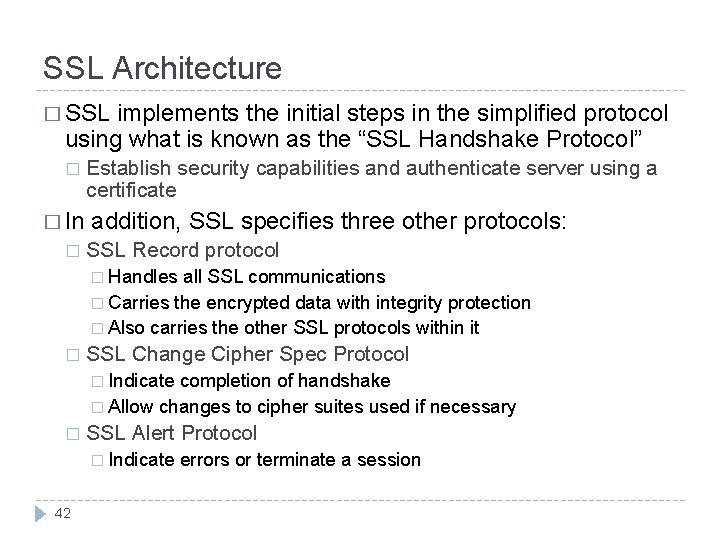
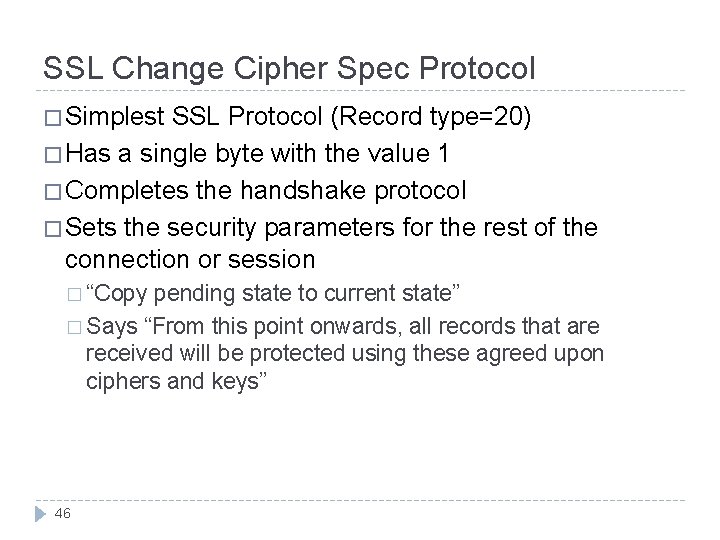
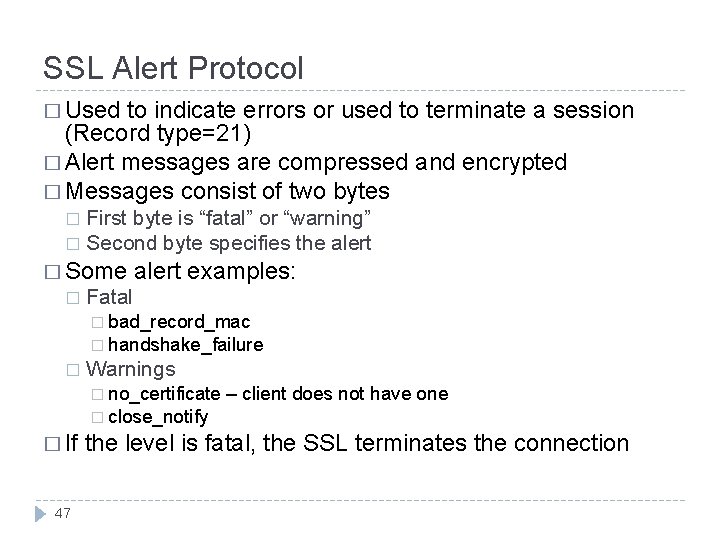
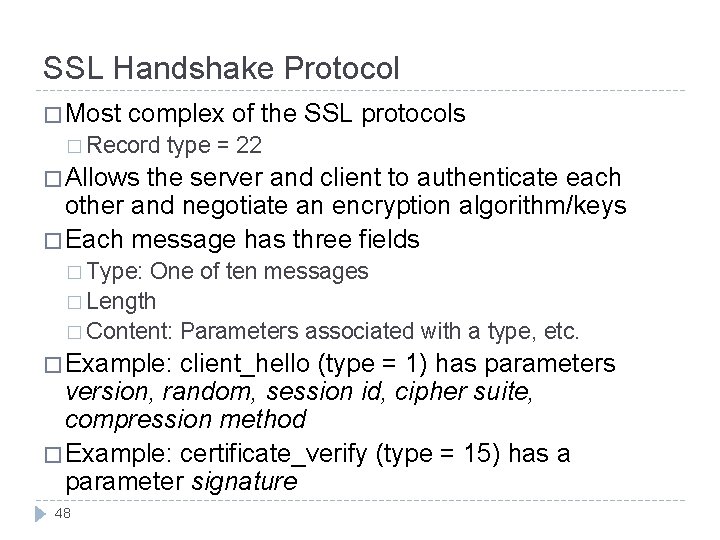
SSL Architecture � SSL implements the initial steps in the simplified protocol using what is known as the “SSL Handshake Protocol” � � In � Establish security capabilities and authenticate server using a certificate addition, SSL specifies three other protocols: SSL Record protocol � Handles all SSL communications � Carries the encrypted data with integrity protection � Also carries the other SSL protocols within it � SSL Change Cipher Spec Protocol � Indicate completion of handshake � Allow changes to cipher suites used if necessary � SSL Alert Protocol � Indicate 42 errors or terminate a session
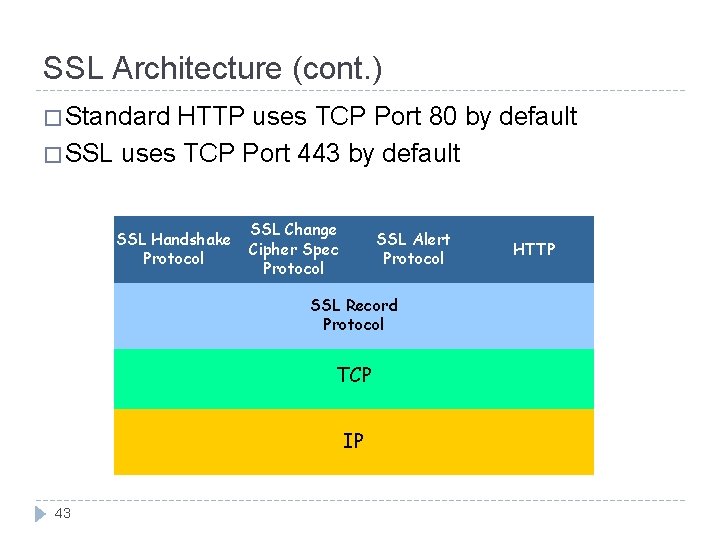
SSL Architecture (cont. ) � Standard HTTP uses TCP Port 80 by default � SSL uses TCP Port 443 by default SSL Handshake Protocol SSL Change Cipher Spec Protocol SSL Alert Protocol SSL Record Protocol TCP IP 43 HTTP
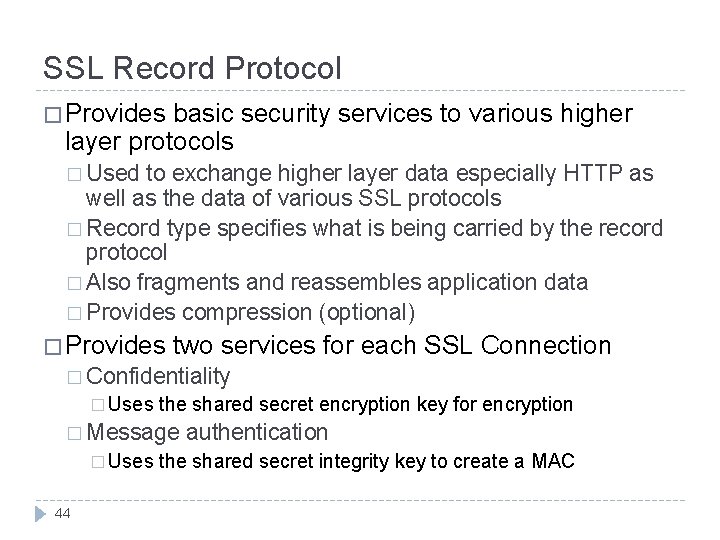
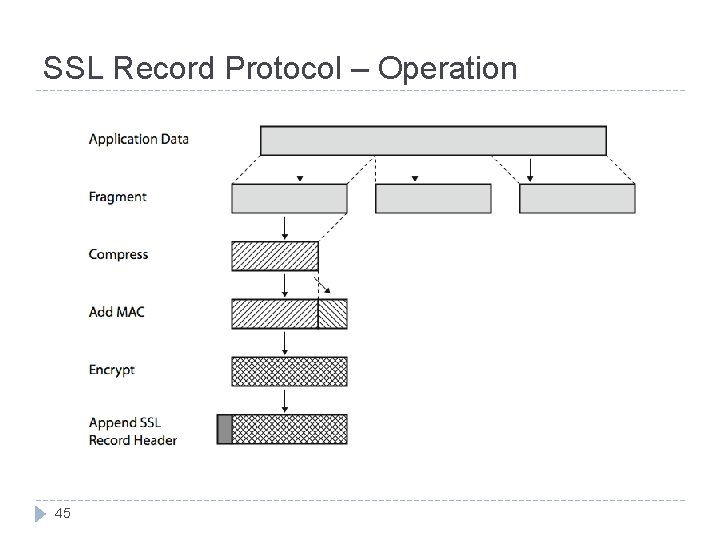
SSL Record Protocol � Provides basic security services to various higher layer protocols � Used to exchange higher layer data especially HTTP as well as the data of various SSL protocols � Record type specifies what is being carried by the record protocol � Also fragments and reassembles application data � Provides compression (optional) � Provides two services for each SSL Connection � Confidentiality � Uses the shared secret encryption key for encryption � Message � Uses 44 authentication the shared secret integrity key to create a MAC
SSL Record Protocol – Operation 45
SSL Change Cipher Spec Protocol � Simplest SSL Protocol (Record type=20) � Has a single byte with the value 1 � Completes the handshake protocol � Sets the security parameters for the rest of the connection or session � “Copy pending state to current state” � Says “From this point onwards, all records that are received will be protected using these agreed upon ciphers and keys” 46
SSL Alert Protocol � Used to indicate errors or used to terminate a session (Record type=21) � Alert messages are compressed and encrypted � Messages consist of two bytes First byte is “fatal” or “warning” � Second byte specifies the alert � � Some � alert examples: Fatal � bad_record_mac � handshake_failure � Warnings � no_certificate – client does not have one � close_notify � If 47 the level is fatal, the SSL terminates the connection
SSL Handshake Protocol � Most complex of the SSL protocols � Record type = 22 � Allows the server and client to authenticate each other and negotiate an encryption algorithm/keys � Each message has three fields � Type: One of ten messages � Length � Content: Parameters associated with a type, etc. � Example: client_hello (type = 1) has parameters version, random, session id, cipher suite, compression method � Example: certificate_verify (type = 15) has a parameter signature 48
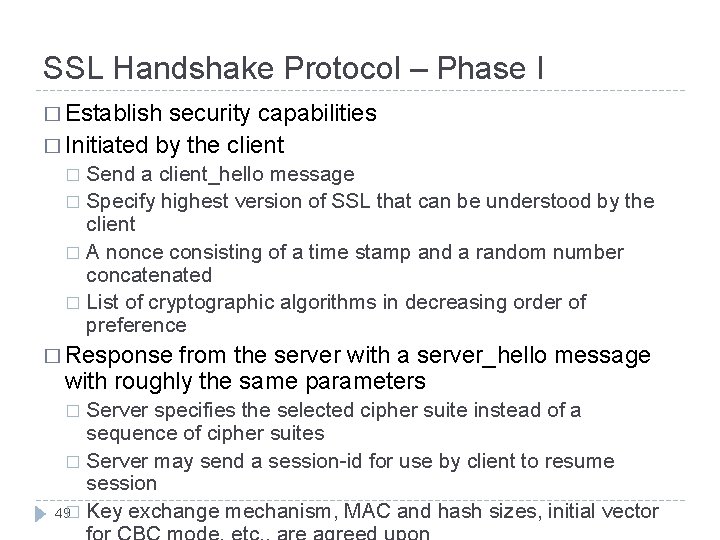
SSL Handshake Protocol – Phase I � Establish security capabilities � Initiated by the client Send a client_hello message � Specify highest version of SSL that can be understood by the client � A nonce consisting of a time stamp and a random number concatenated � List of cryptographic algorithms in decreasing order of preference � � Response from the server with a server_hello message with roughly the same parameters Server specifies the selected cipher suite instead of a sequence of cipher suites � Server may send a session-id for use by client to resume session 49� Key exchange mechanism, MAC and hash sizes, initial vector �
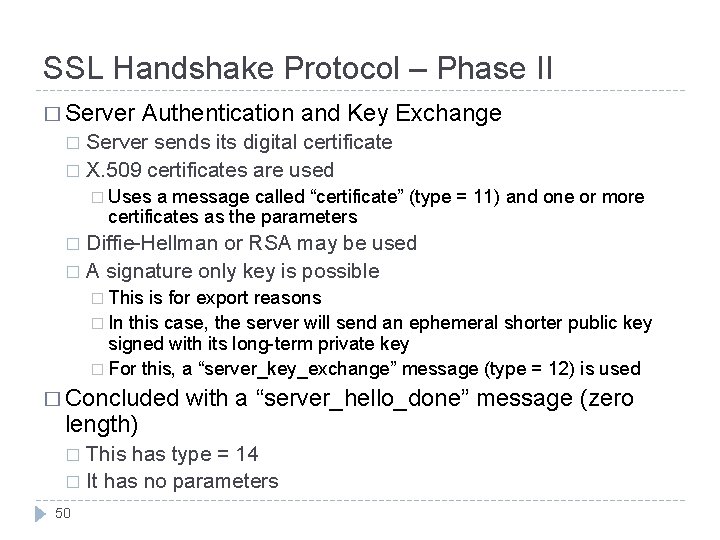
SSL Handshake Protocol – Phase II � Server Authentication and Key Exchange Server sends its digital certificate � X. 509 certificates are used � � Uses a message called “certificate” (type = 11) and one or more certificates as the parameters Diffie-Hellman or RSA may be used � A signature only key is possible � � This is for export reasons � In this case, the server will send an ephemeral shorter public key signed with its long-term private key � For this, a “server_key_exchange” message (type = 12) is used � Concluded length) with a “server_hello_done” message (zero This has type = 14 � It has no parameters � 50
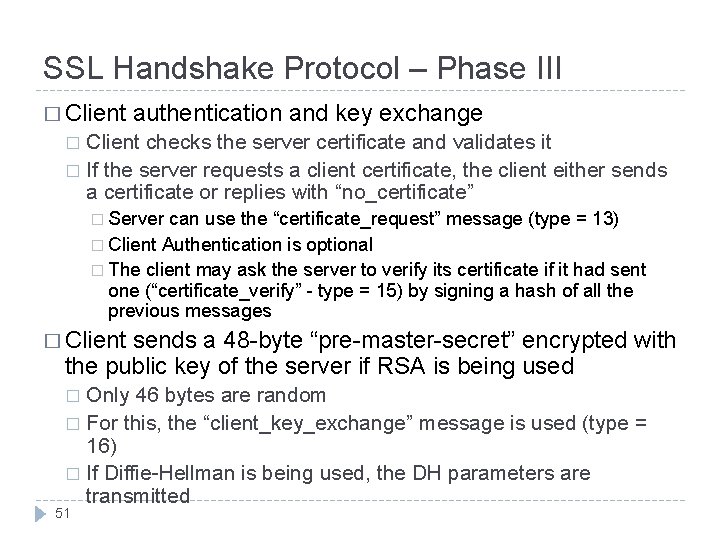
SSL Handshake Protocol – Phase III � Client authentication and key exchange Client checks the server certificate and validates it � If the server requests a client certificate, the client either sends a certificate or replies with “no_certificate” � � Server can use the “certificate_request” message (type = 13) � Client Authentication is optional � The client may ask the server to verify its certificate if it had sent one (“certificate_verify” - type = 15) by signing a hash of all the previous messages � Client sends a 48 -byte “pre-master-secret” encrypted with the public key of the server if RSA is being used Only 46 bytes are random � For this, the “client_key_exchange” message is used (type = 16) � If Diffie-Hellman is being used, the DH parameters are transmitted � 51
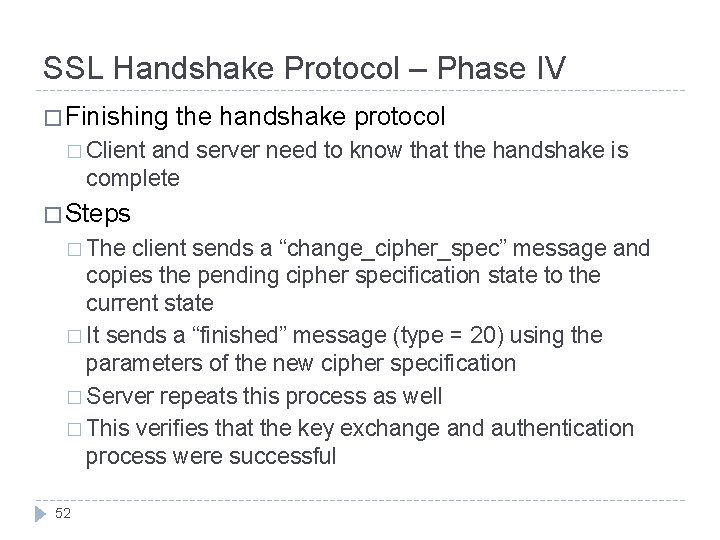
SSL Handshake Protocol – Phase IV � Finishing the handshake protocol � Client and server need to know that the handshake is complete � Steps � The client sends a “change_cipher_spec” message and copies the pending cipher specification state to the current state � It sends a “finished” message (type = 20) using the parameters of the new cipher specification � Server repeats this process as well � This verifies that the key exchange and authentication process were successful 52
SSL Handshake: Remarks � The handshake protocol usually creates an SSL session � Each session can have multiple connections � Sessions avoid unnecessary and expensive negotiation of security parameters for each connection � Each session has a pending state and a current operating state � The handshake protocol followed by the cipher spec change protocol makes the pending state the current state � The old current state is deleted initial current state is always one with no encryption, no MAC and no compression 53
TLS (Transport Layer Security) � Specified in RFC 2246 (January 1999) � Makes use of HMAC and not HMAC-like message authentication � Has more alert messages than SSLv 3 � Uses a pseudorandom function (PRF) based on HMAC to create keys � TLS messages are used within EAP for WLAN authentication and key exchange � WTLS is a variant of TLS that is used in the wireless application protocol (WAP) 54