
Internet Overview roadmap 1 1 What is the
- Slides: 28
Internet Overview: roadmap 1. 1 What is the Internet? (A simple overview last week) Today, A closer look at the Internet structure! 1. 2 Network edge q end systems, access networks, links 1. 3 Network core q circuit switching, packet switching 1. 4 Delay, loss and throughput in Internet 1. 5 Protocol layers, service models 1. 6 Networks under attack: security Lecture 2 1 -1
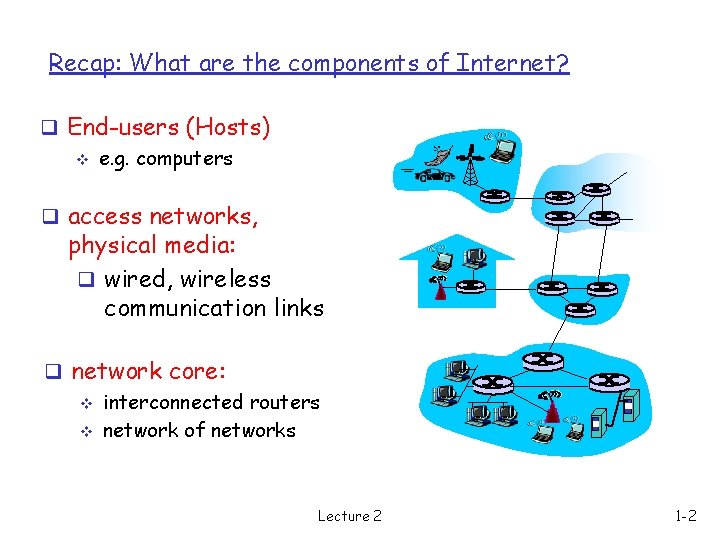
Recap: What are the components of Internet? q End-users (Hosts) v e. g. computers q access networks, physical media: q wired, wireless communication links q network core: v interconnected routers v network of networks Lecture 2 1 -2
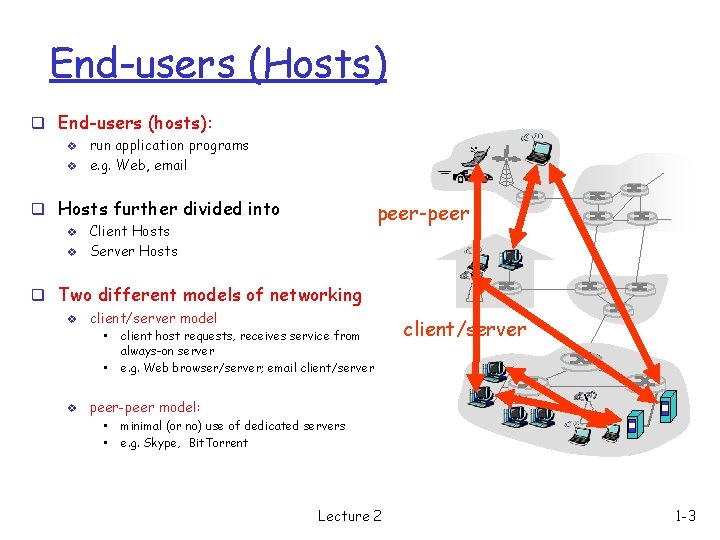
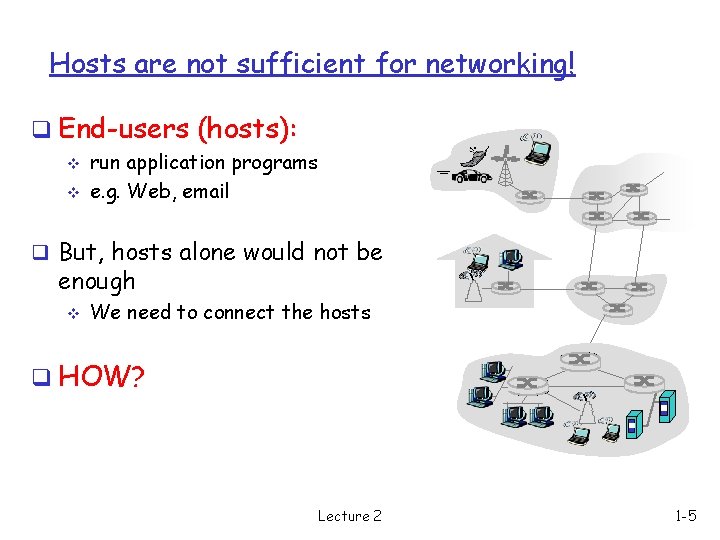
End-users (Hosts) q End-users (hosts): v v run application programs e. g. Web, email q Hosts further divided into v v peer-peer Client Hosts Server Hosts q Two different models of networking v client/server model • • v client host requests, receives service from always-on server e. g. Web browser/server; email client/server peer-peer model: • • minimal (or no) use of dedicated servers e. g. Skype, Bit. Torrent Lecture 2 1 -3
The Client/Server Model q Client/server model is the dominant design for Internet applications v v server - is the information provider client - is the information consumer q example v web server and a client running web browser v a CNN web server simultaneously serves thousands of clients. Lecture 2 1 -4
Hosts are not sufficient for networking! q End-users (hosts): v v run application programs e. g. Web, email q But, hosts alone would not be enough v We need to connect the hosts q HOW? Lecture 2 1 -5
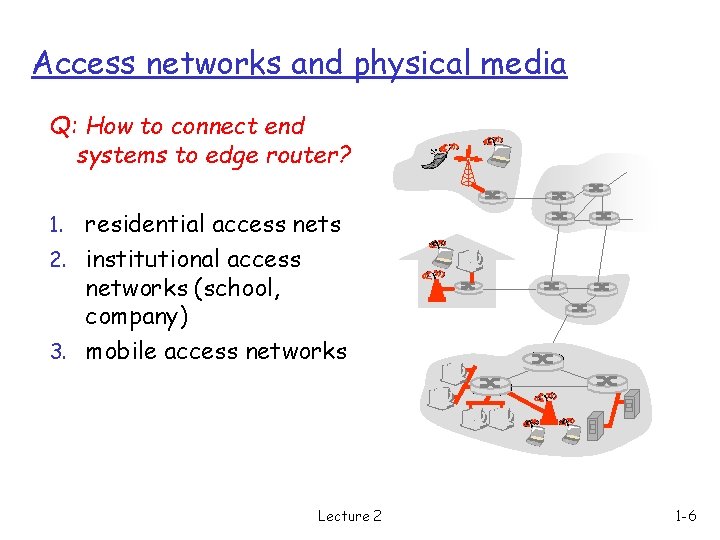
Access networks and physical media Q: How to connect end systems to edge router? residential access nets 2. institutional access networks (school, company) 3. mobile access networks 1. Lecture 2 1 -6
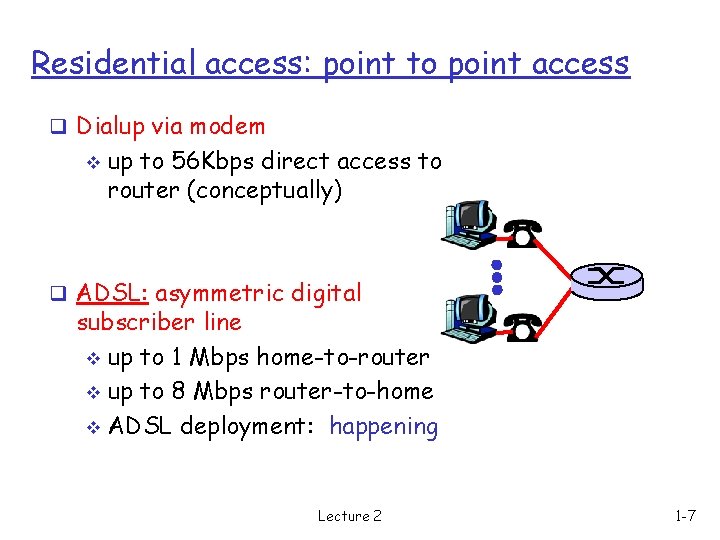
Residential access: point to point access q Dialup via modem v up to 56 Kbps direct access to router (conceptually) q ADSL: asymmetric digital subscriber line v up to 1 Mbps home-to-router v up to 8 Mbps router-to-home v ADSL deployment: happening Lecture 2 1 -7
Residential access: cable modems q HFC: hybrid fiber coax asymmetric: up to 10 Mbps upstream, 1 Mbps downstream q network of cable and fiber attaches homes to ISP router v shared access to router among home v issues: congestion q deployment: available via cable companies, e. g. , Media. One, Cable. Vision v Lecture 2 1 -8
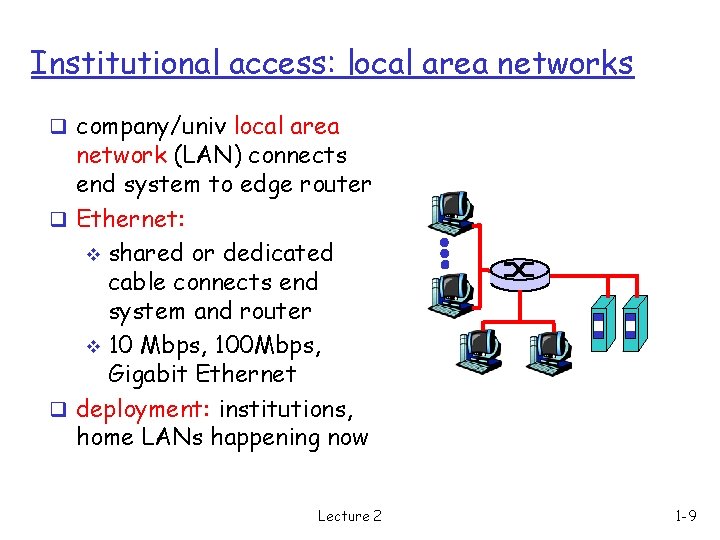
Institutional access: local area networks q company/univ local area network (LAN) connects end system to edge router q Ethernet: v shared or dedicated cable connects end system and router v 10 Mbps, 100 Mbps, Gigabit Ethernet q deployment: institutions, home LANs happening now Lecture 2 1 -9
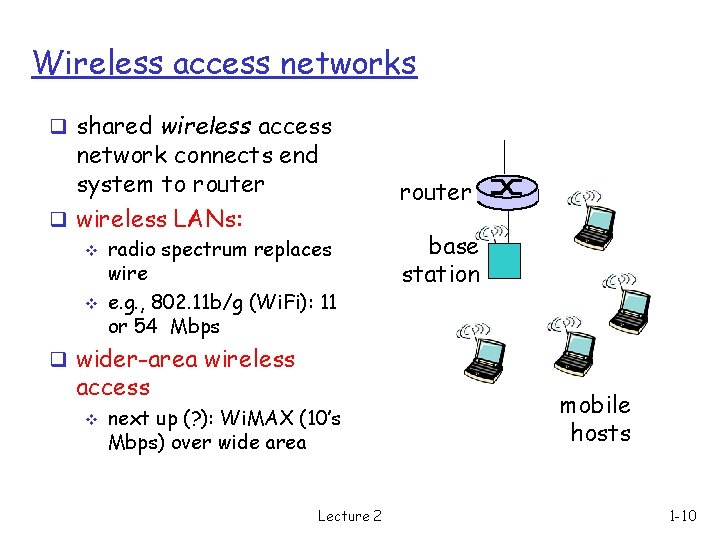
Wireless access networks q shared wireless access network connects end system to router q wireless LANs: v v radio spectrum replaces wire e. g. , 802. 11 b/g (Wi. Fi): 11 or 54 Mbps router base station q wider-area wireless access v next up (? ): Wi. MAX (10’s Mbps) over wide area Lecture 2 mobile hosts 1 -10
Internet Overview: roadmap 1. 1 What is the Internet? (A simple overview last week) Today, A closer look at the Internet structure! 1. 2 Network edge q end systems, access networks, links 1. 3 Network core q circuit switching, packet switching 1. 4 Delay, loss and throughput in Internet 1. 5 Protocol layers, service models 1. 6 Networks under attack: security Lecture 2 1 -11
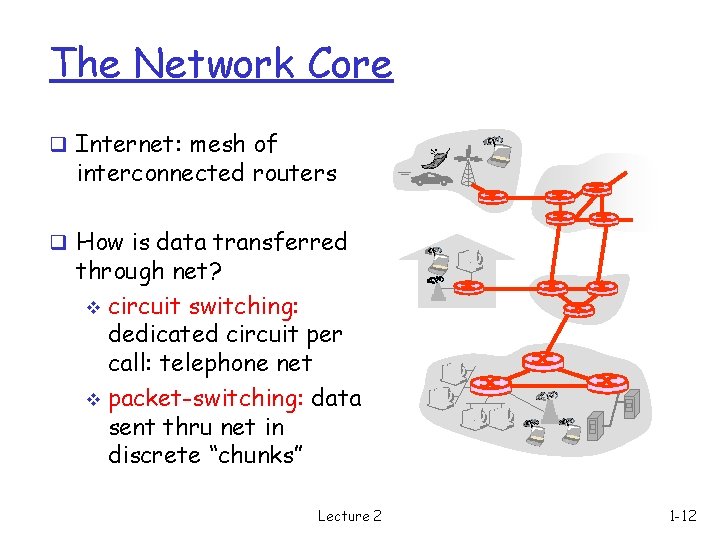
The Network Core q Internet: mesh of interconnected routers q How is data transferred through net? v circuit switching: dedicated circuit per call: telephone net v packet-switching: data sent thru net in discrete “chunks” Lecture 2 1 -12
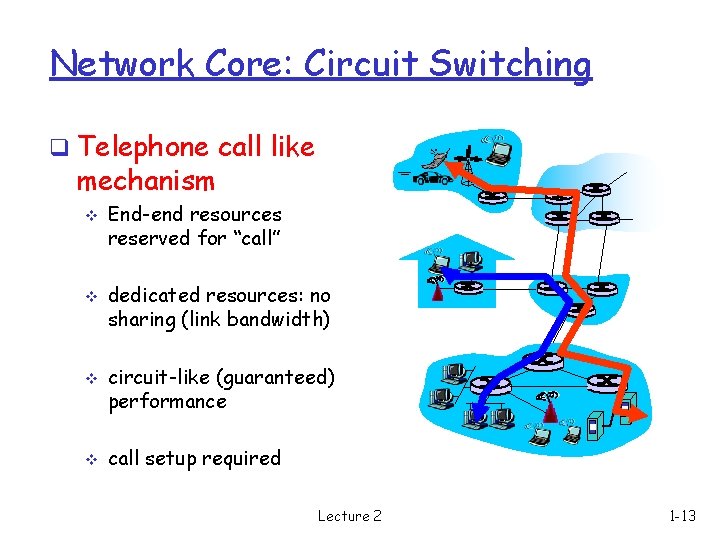
Network Core: Circuit Switching q Telephone call like mechanism v v End-end resources reserved for “call” dedicated resources: no sharing (link bandwidth) circuit-like (guaranteed) performance call setup required Lecture 2 1 -13
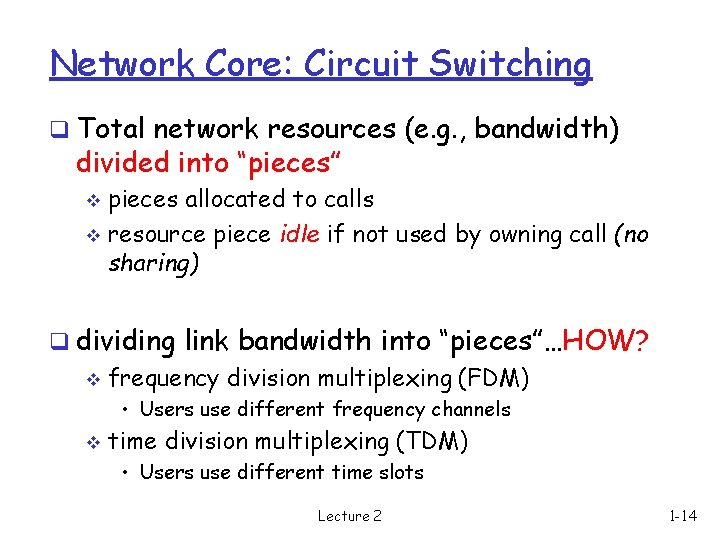
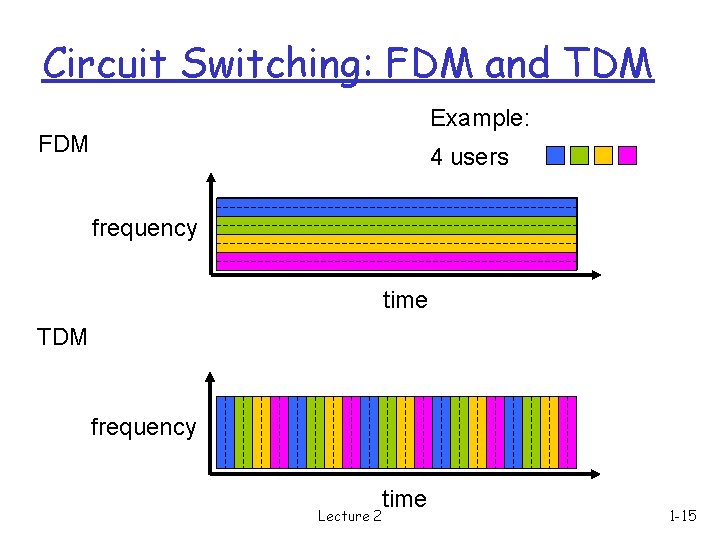
Network Core: Circuit Switching q Total network resources (e. g. , bandwidth) divided into “pieces” pieces allocated to calls v resource piece idle if not used by owning call (no sharing) v q dividing link bandwidth into “pieces”…HOW? v frequency division multiplexing (FDM) • Users use different frequency channels v time division multiplexing (TDM) • Users use different time slots Lecture 2 1 -14
Circuit Switching: FDM and TDM Example: FDM 4 users frequency time TDM frequency Lecture 2 time 1 -15
Numerical example 1 q You need to send a file of size 640, 000 bits to your friend. You are using a circuit-switched network with TDM. Suppose, the circuit-switch network link has a bit rate of 1. 536 Mbps (1 Mb = 106 bits) and uses TDM with 24 slots. How long does it take you to send the file to your friend? Let’s work it out! Lecture 2 1 -16
Disadvantages of Circuit-Switching q Only static number of users q This number must be fixed before the actual operation q Each user gets only a “piece of the pie” even if the other users are possibly idle v Prev. example: I get only 1/24 th of the entire time q Resource wastage q Impossible to admit new user in the middle of the operation Lecture 2 1 -17
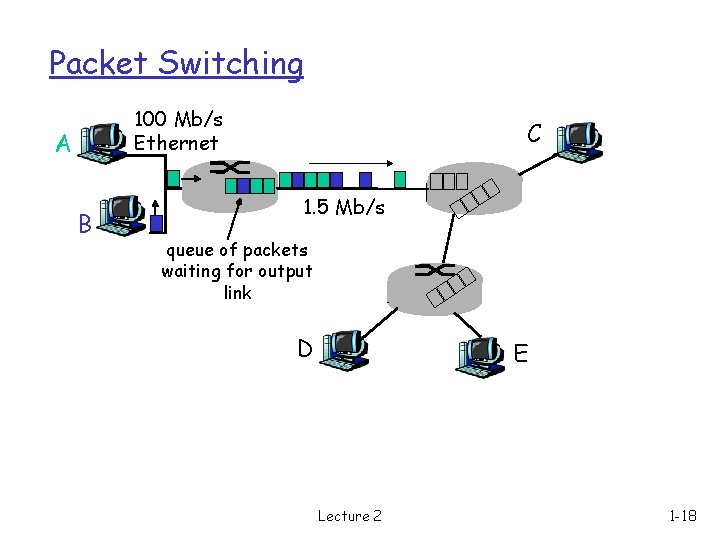
Packet Switching 100 Mb/s Ethernet A B C 1. 5 Mb/s queue of packets waiting for output link D E Lecture 2 1 -18
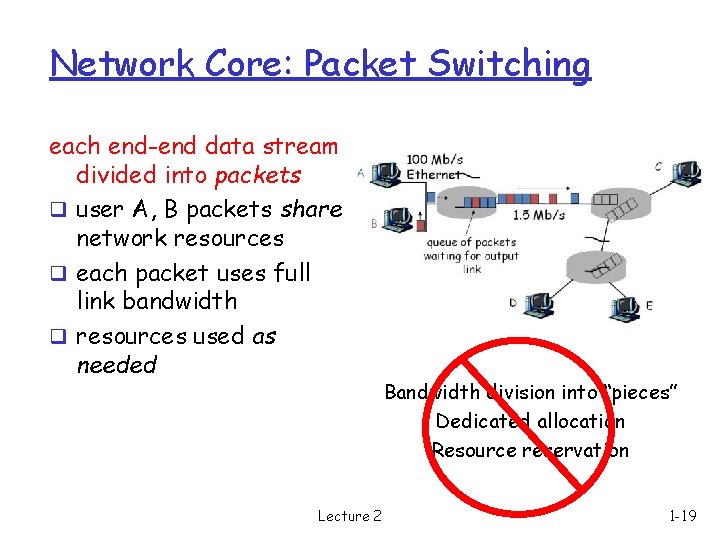
Network Core: Packet Switching each end-end data stream divided into packets q user A, B packets share network resources q each packet uses full link bandwidth q resources used as needed Lecture 2 Bandwidth division into “pieces” Dedicated allocation Resource reservation 1 -19
Packet switching versus circuit switching q Adv: Packet switching allows users to use the network dynamically! v resource sharing v simpler, no call setup v New user can enter or leave inside the operation q Is there any downside of packet switching? v With excessive number of users packet delay and loss v Efficiency of the system (measured in throughput) drops! Lecture 2 1 -20
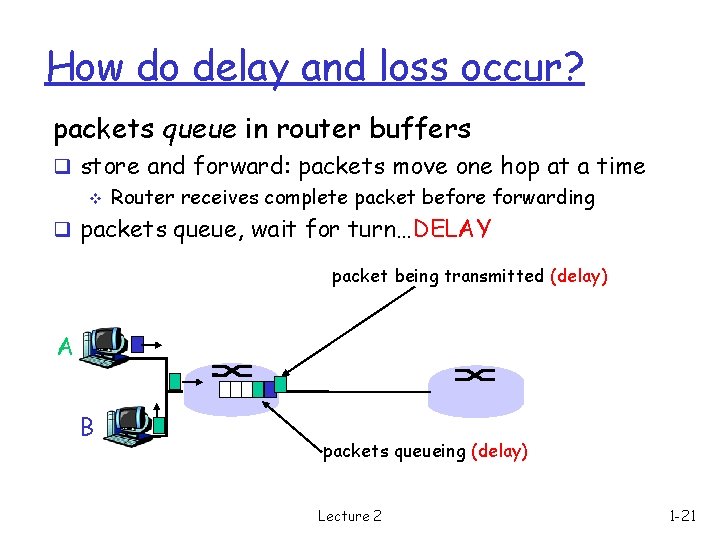
How do delay and loss occur? packets queue in router buffers q store and forward: packets move one hop at a time v Router receives complete packet before forwarding q packets queue, wait for turn…DELAY packet being transmitted (delay) A B packets queueing (delay) Lecture 2 1 -21
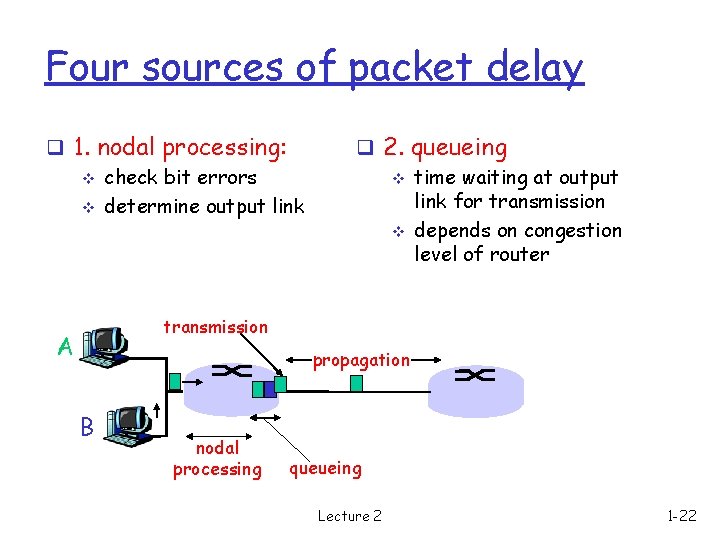
Four sources of packet delay q 1. nodal processing: v check bit errors v determine output link q 2. queueing v time waiting at output link for transmission v depends on congestion level of router transmission A propagation B nodal processing queueing Lecture 2 1 -22
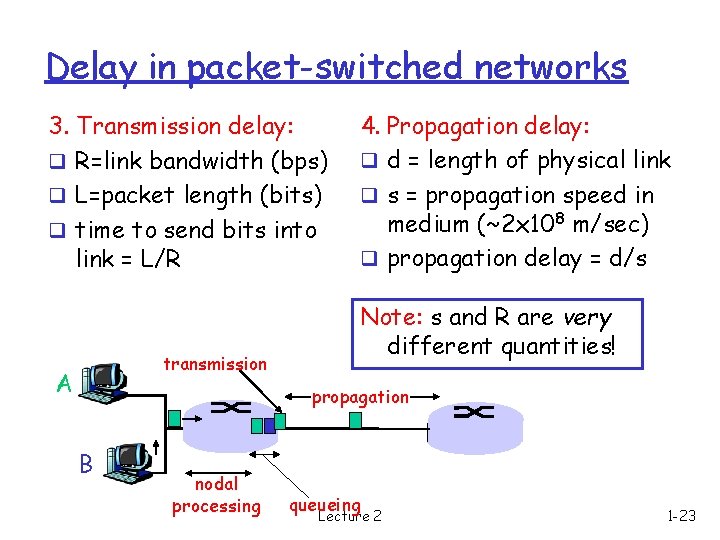
Delay in packet-switched networks 3. Transmission delay: q R=link bandwidth (bps) q L=packet length (bits) q time to send bits into link = L/R transmission A 4. Propagation delay: q d = length of physical link q s = propagation speed in medium (~2 x 10⁸ m/sec) q propagation delay = d/s Note: s and R are very different quantities! propagation B nodal processing queueing Lecture 2 1 -23
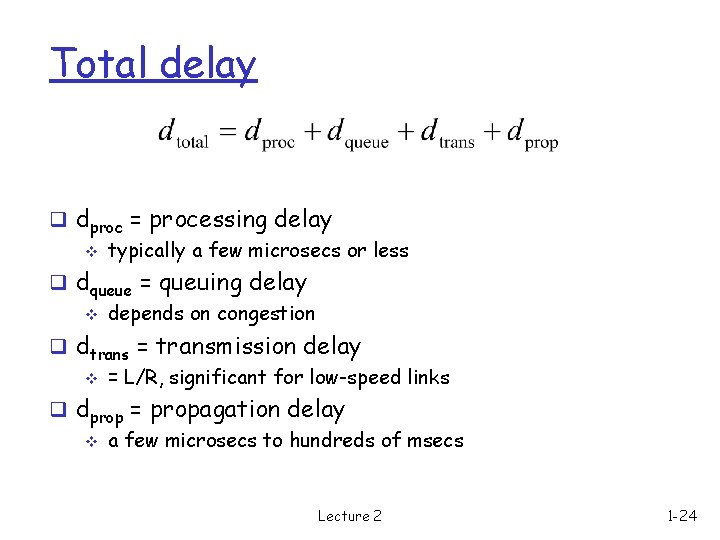
Total delay q dproc = processing delay v typically a few microsecs or less q dqueue = queuing delay v depends on congestion q dtrans = transmission delay v = L/R, significant for low-speed links q dprop = propagation delay v a few microsecs to hundreds of msecs Lecture 2 1 -24
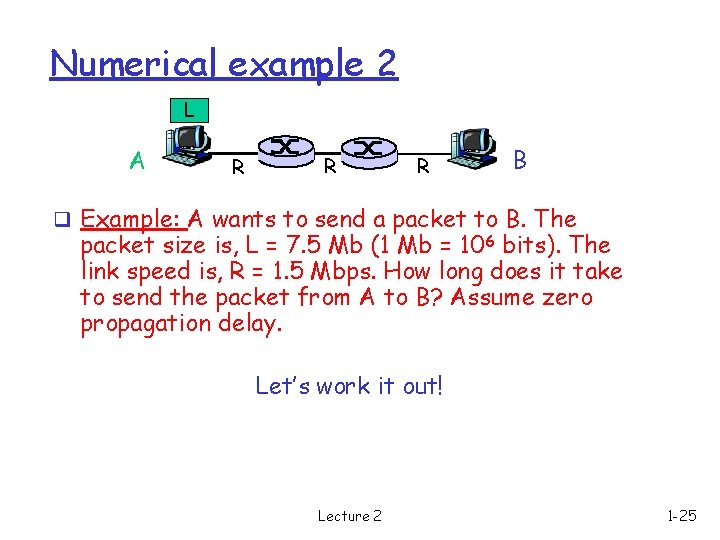
Numerical example 2 L A R R R B q Example: A wants to send a packet to B. The packet size is, L = 7. 5 Mb (1 Mb = 106 bits). The link speed is, R = 1. 5 Mbps. How long does it take to send the packet from A to B? Assume zero propagation delay. Let’s work it out! Lecture 2 1 -25
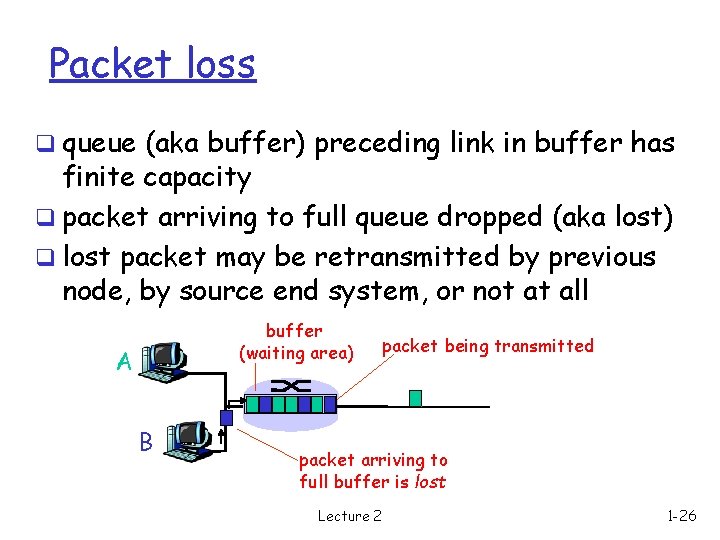
Packet loss q queue (aka buffer) preceding link in buffer has finite capacity q packet arriving to full queue dropped (aka lost) q lost packet may be retransmitted by previous node, by source end system, or not at all buffer (waiting area) A B packet being transmitted packet arriving to full buffer is lost Lecture 2 1 -26
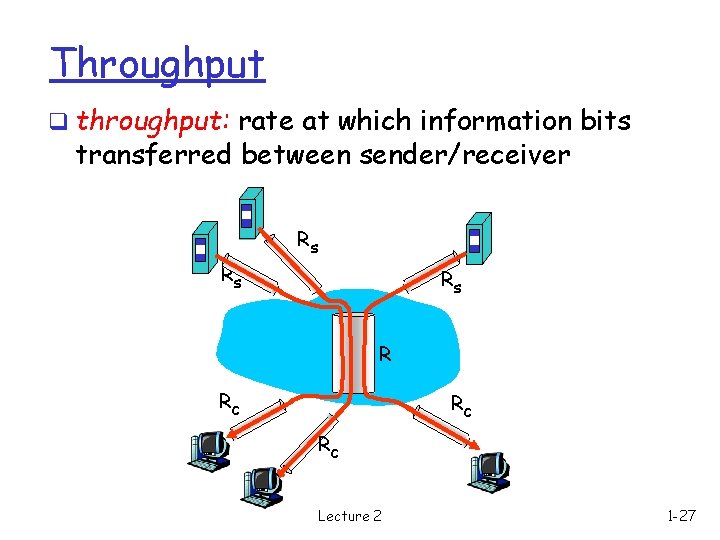
Throughput q throughput: rate at which information bits transferred between sender/receiver Rs Rs Rs R Rc Rc Rc Lecture 2 1 -27
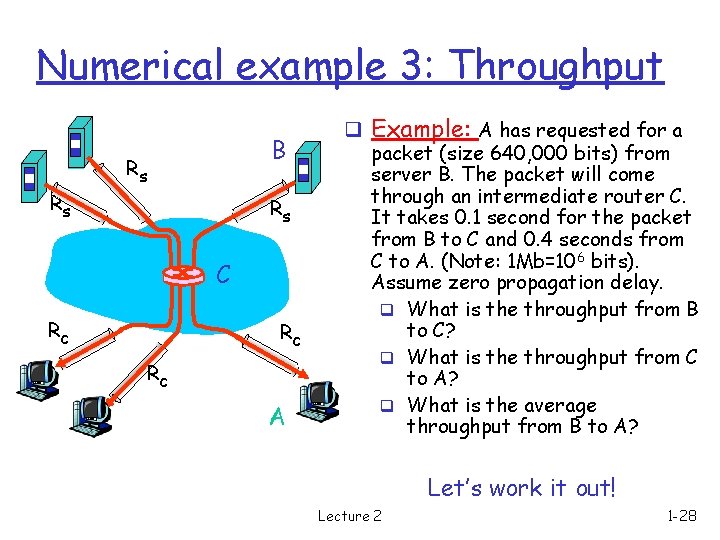
Numerical example 3: Throughput B Rs Rs Rs C Rc Rc Rc A q Example: A has requested for a packet (size 640, 000 bits) from server B. The packet will come through an intermediate router C. It takes 0. 1 second for the packet from B to C and 0. 4 seconds from C to A. (Note: 1 Mb=106 bits). Assume zero propagation delay. q What is the throughput from B to C? q What is the throughput from C to A? q What is the average throughput from B to A? Let’s work it out! Lecture 2 1 -28