
Internet Email Marks25 Credits1 Prepared By Milan kumar
Internet & E-mail Marks-25 Credits-1 Prepared By: Milan kumar Shiuli. Razat Suvra Das. Shubha Sarker. IMSF 2010 -1011 1
Content • • • • • What Is internet? . . 03 Father of Internet and WWW…………. . . ………. 04 Basic terms on internet…………………. . 05 -06 Difference between and WWW………. . . ……… 07 Types of network topology………………. . 08 Types of network……………………. 09 Elements of web and email address…. . . ……. . 10 Internet browser………………. . . . ………………… 11 Search engines…………………. . . . ………………. 12 Domain categories…………. . . ……………. 13 How do I create an email account……. . … 14 -15 How do I get into my gmail account………. . . … 16 Creating an email account in yahoo. com. . 17 -20 Sign in to yahoo email ID………………. 21 Sending email…………………… 22 -23 Online education site……………. . . 24 -25 Online earning concept……………… 26 • • Blogging makes bloggers………………. . 27 Job sites……………………………. 28 Online job application…………………. 29 Online buying and selling………………. . 30 Cyber crime………………………. . 31 -33 Safety on the internet………………… 34 File extension………………………. . 35 Online Groups……………. . 36 2
What is Internet? • The Internet is a world wide network that connects millions of computers to share and exchange data, news, opinions, and research results. The Internet has new information every day. To read information on the Internet you need a program such as Internet Explorer, Mozilla Firefox, Google Chrome, Opera etc. 3
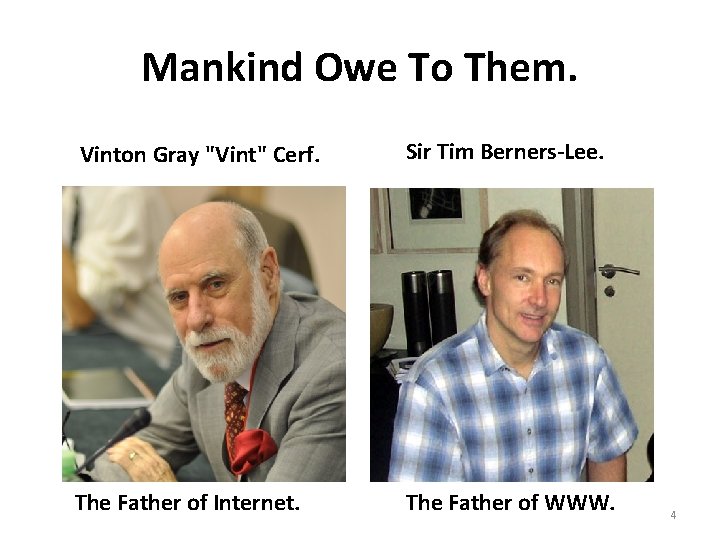
Mankind Owe To Them. Vinton Gray "Vint" Cerf. Sir Tim Berners-Lee. The Father of Internet. The Father of WWW. 4
Basic terms on Internet. • WWW –The world wide web is a service that is provided on the internet and it is not same as the Internet� • Online – you are connected to the Internet by telephone line or cable line. � • Offline – you are using your computer but are not connected to the Internet. • Web site – a business, government or person’s page on the Internet where you can put information for people to read. • Web page – one page of a web site 5
Basic terms on Internet. • Download – to get a program or files from the Internet and put them in your computer. • �Link – a word or a picture in a web site that takes you to another web site when you click it. • �Internet address – an address that you need to type to get to a web site. All Internet addresses start with ‘http: //’. Many Internet addresses have ‘www’ as the first letters, but some don’t. For example, this is an Internet address: www. cu. ac. bd • �E-mail address – an E-mail address has a person’s name or nick name followed by @ and then the Internet company’s name. For example, this is an E-mail address : Milanshiuli@gmail. com 6
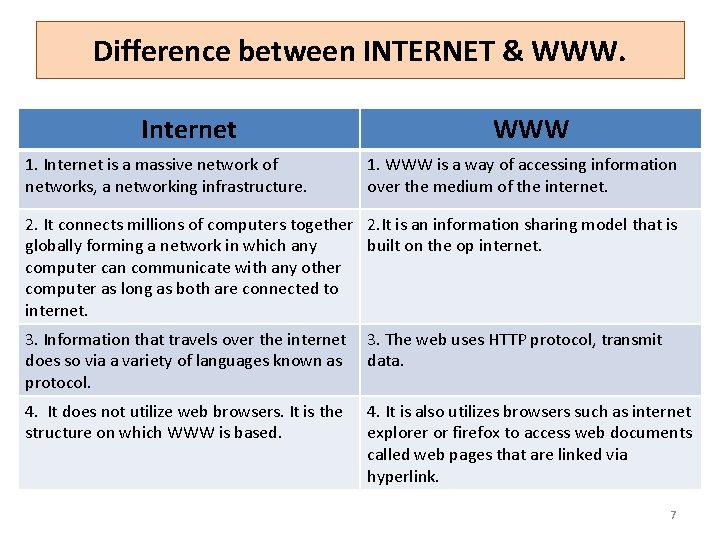
Difference between INTERNET & WWW. Internet 1. Internet is a massive network of networks, a networking infrastructure. WWW 1. WWW is a way of accessing information over the medium of the internet. 2. It connects millions of computers together 2. It is an information sharing model that is globally forming a network in which any built on the op internet. computer can communicate with any other computer as long as both are connected to internet. 3. Information that travels over the internet does so via a variety of languages known as protocol. 3. The web uses HTTP protocol, transmit data. 4. It does not utilize web browsers. It is the structure on which WWW is based. 4. It is also utilizes browsers such as internet explorer or firefox to access web documents called web pages that are linked via hyperlink. 7
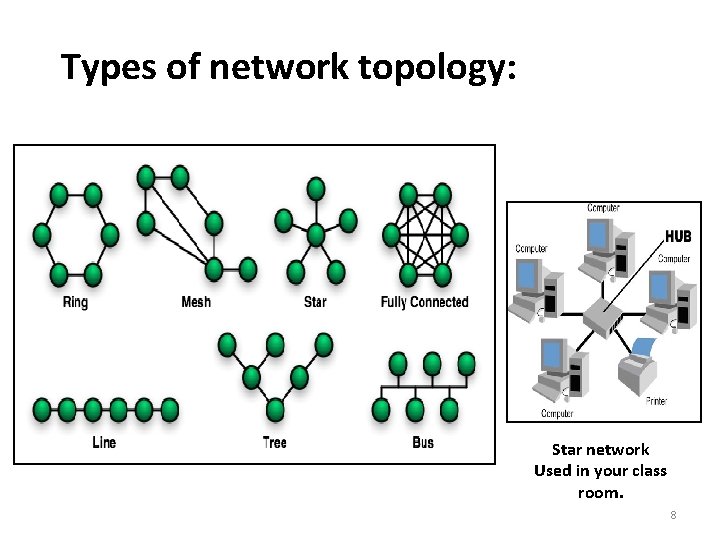
Types of network topology: Star network Used in your class room. 8
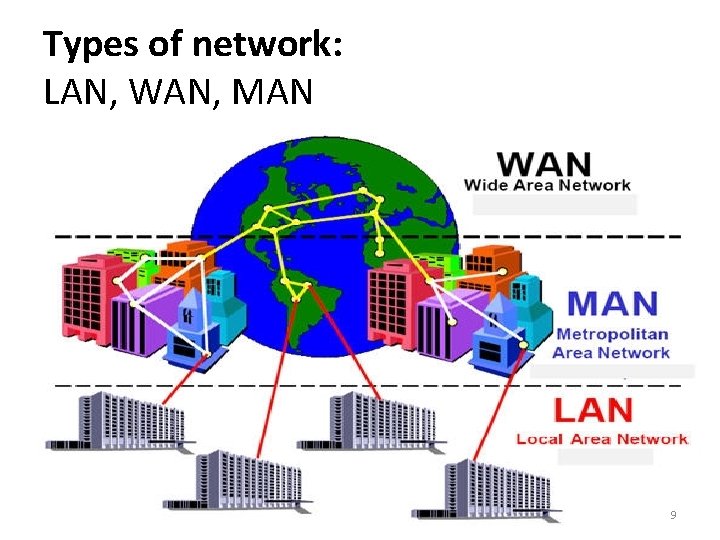
Types of network: LAN, WAN, MAN 9
Elements of web and mail address • Web Address http: //www. google. com/ http : Hyper Text Transfer Protocol : Colon // (Forward) Slash \ Backward Slash www : World Wilde Web google : Domain Name com : Top Level Domain • Mail Address forkan. cu@gmail. com forkan. cu user name @ (at) Separator gmail Domain Name. com Top Level Domain 10
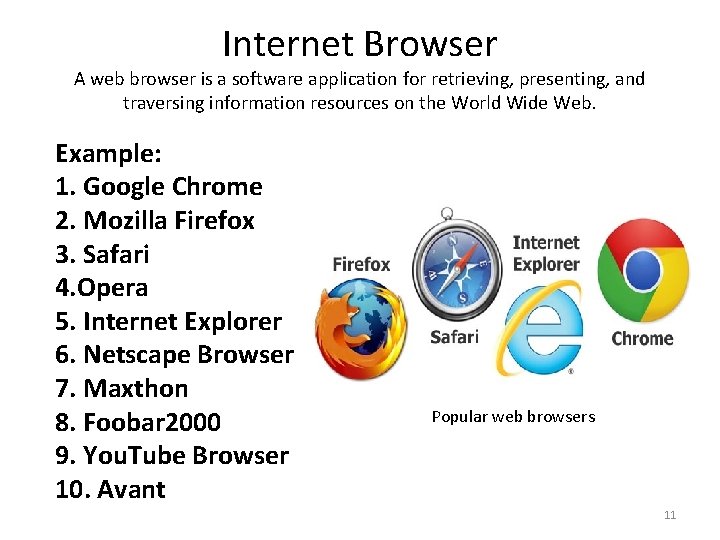
Internet Browser A web browser is a software application for retrieving, presenting, and traversing information resources on the World Wide Web. Example: 1. Google Chrome 2. Mozilla Firefox 3. Safari 4. Opera 5. Internet Explorer 6. Netscape Browser 7. Maxthon 8. Foobar 2000 9. You. Tube Browser 10. Avant Popular web browsers 11
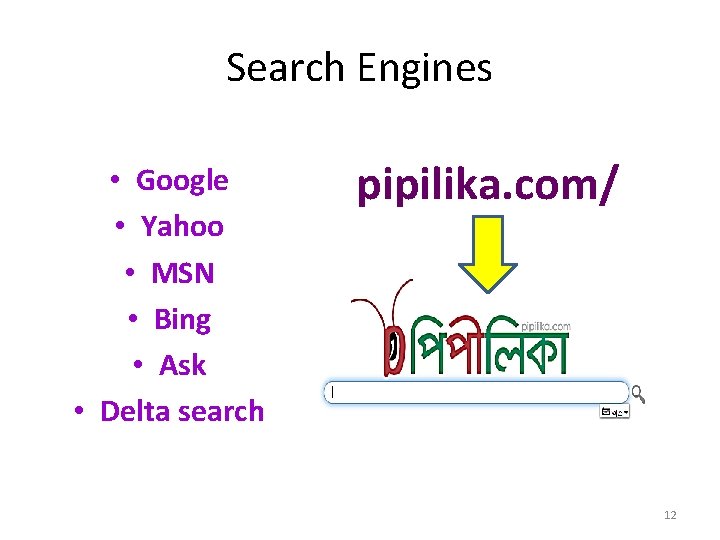
Search Engines • Google • Yahoo • MSN • Bing • Ask • Delta search pipilika. com/ 12
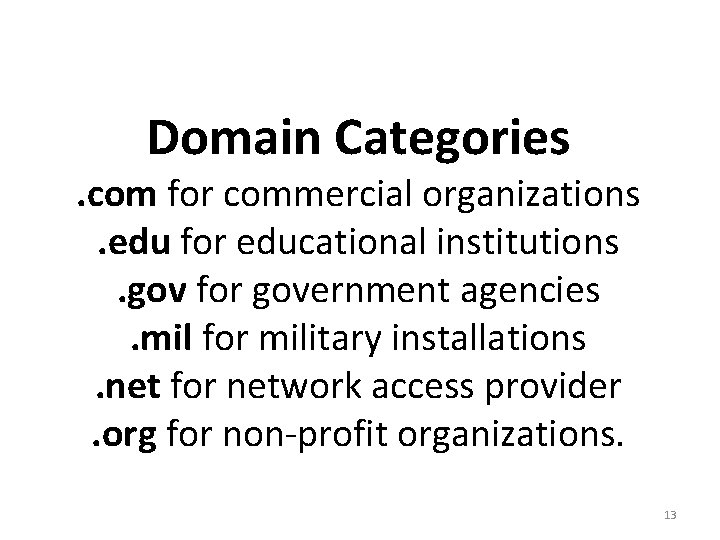
Domain Categories . com for commercial organizations. edu for educational institutions. gov for government agencies. mil for military installations. net for network access provider. org for non-profit organizations. 13
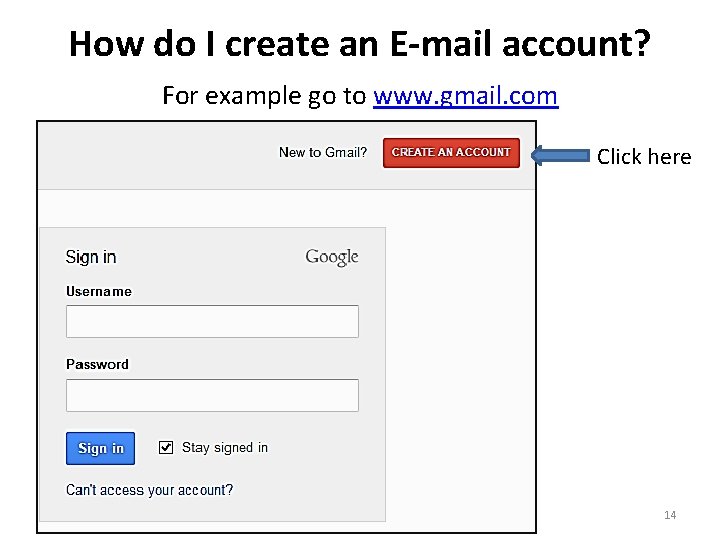
How do I create an E-mail account? For example go to www. gmail. com Click here 14
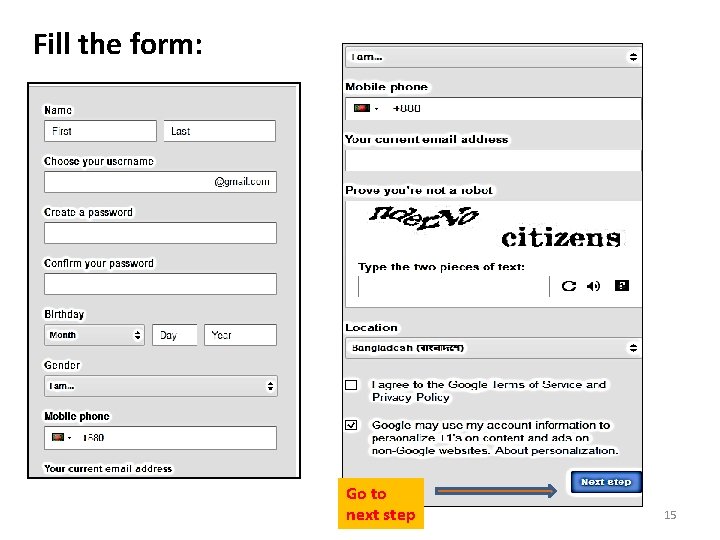
Fill the form: Go to next step 15
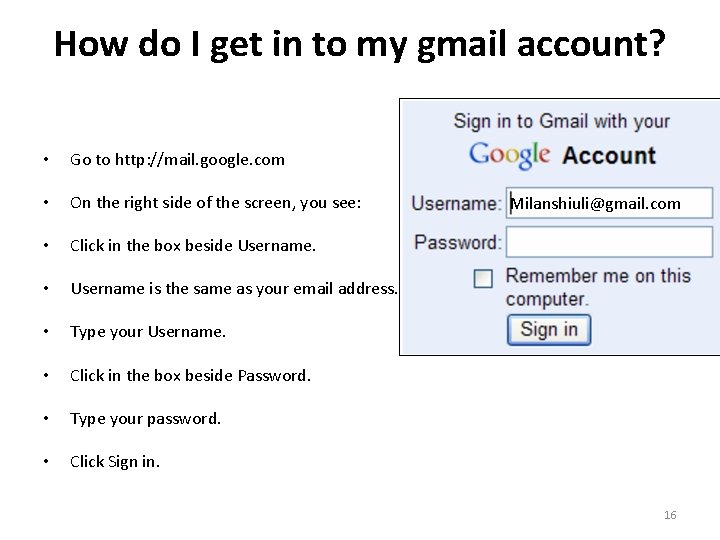
How do I get in to my gmail account? • Go to http: //mail. google. com • On the right side of the screen, you see: • Click in the box beside Username. • Username is the same as your email address. • Type your Username. • Click in the box beside Password. • Type your password. • Click Sign in. Milanshiuli@gmail. com 16
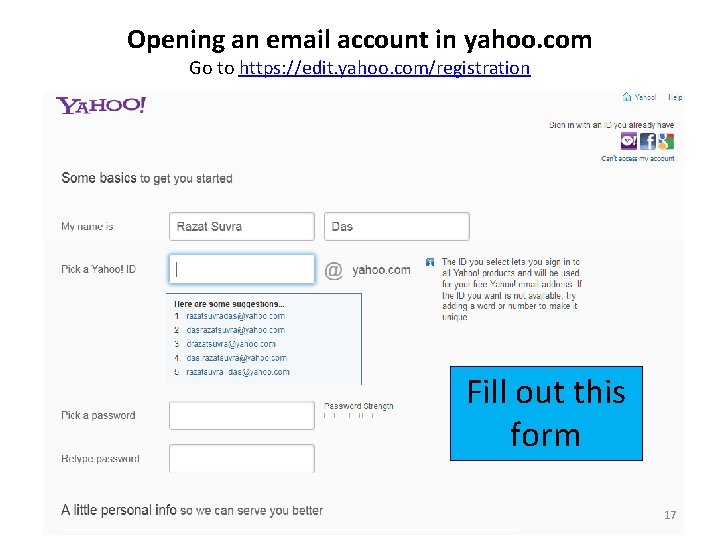
Opening an email account in yahoo. com Go to https: //edit. yahoo. com/registration Fill out this form 17
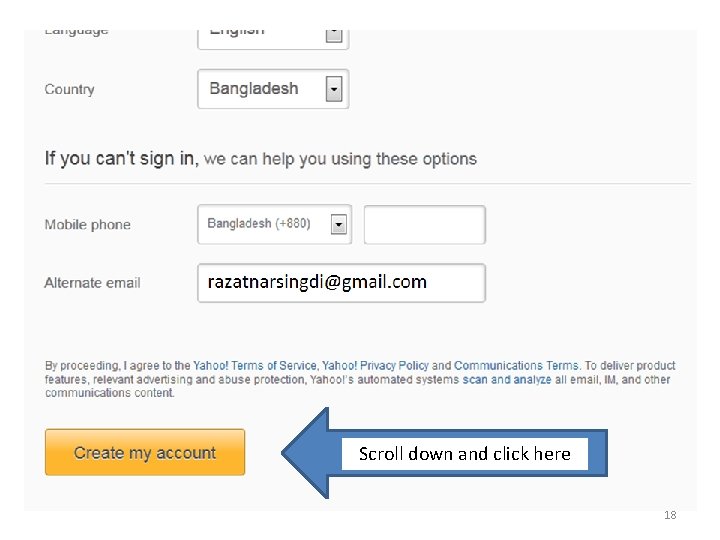
Scroll down and click here 18
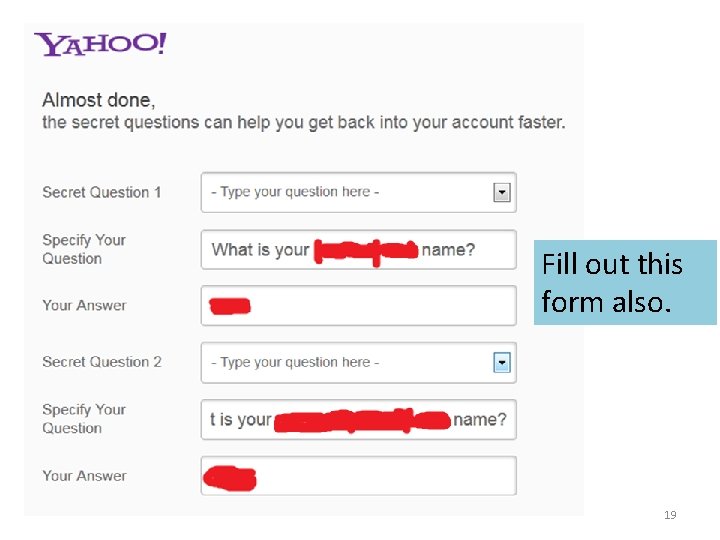
Fill out this form also. 19
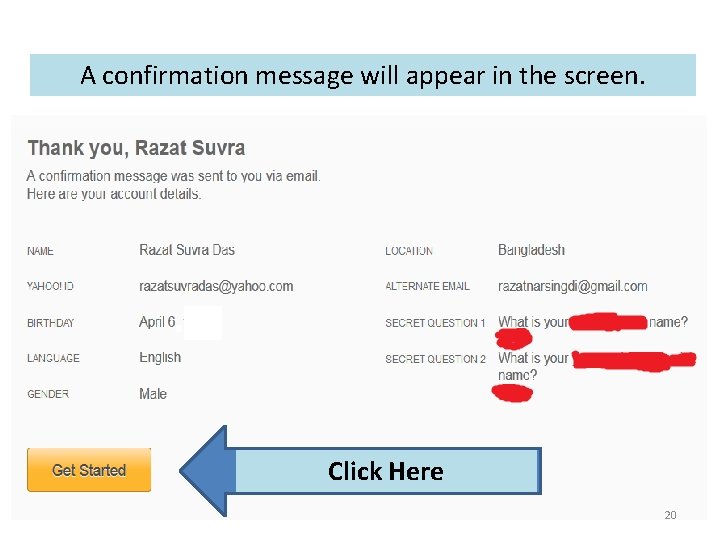
A confirmation message will appear in the screen. Click Here 20
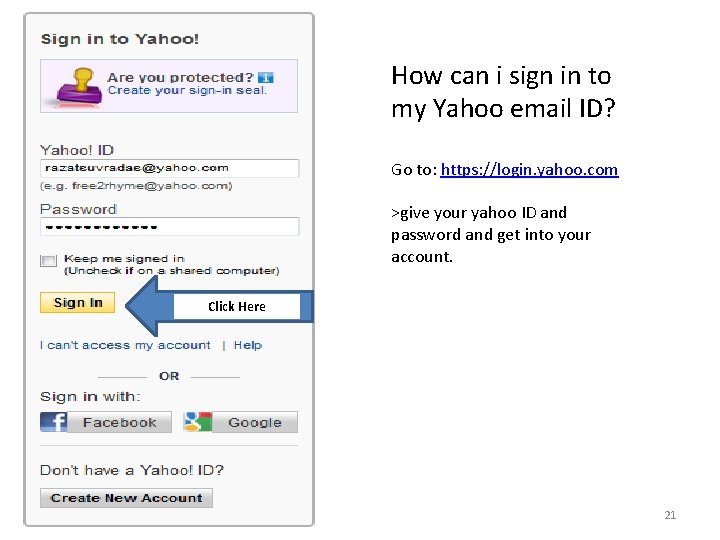
How can i sign in to my Yahoo email ID? Go to: https: //login. yahoo. com >give your yahoo ID and password and get into your account. Click Here 21
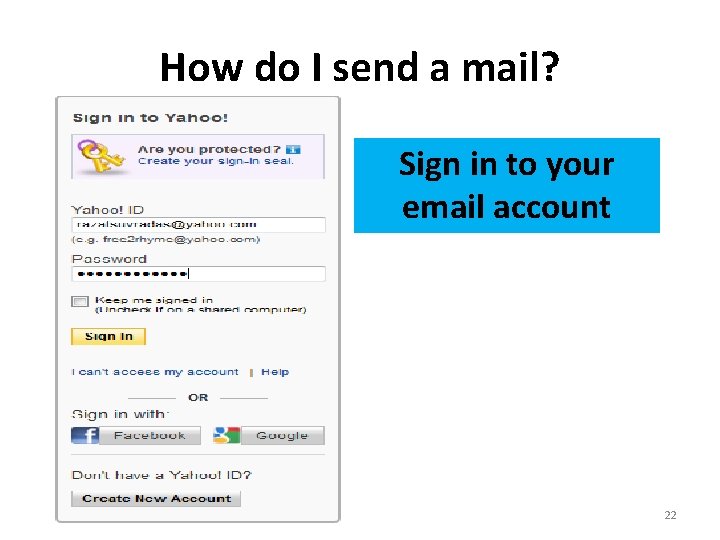
How do I send a mail? Sign in to your email account 22
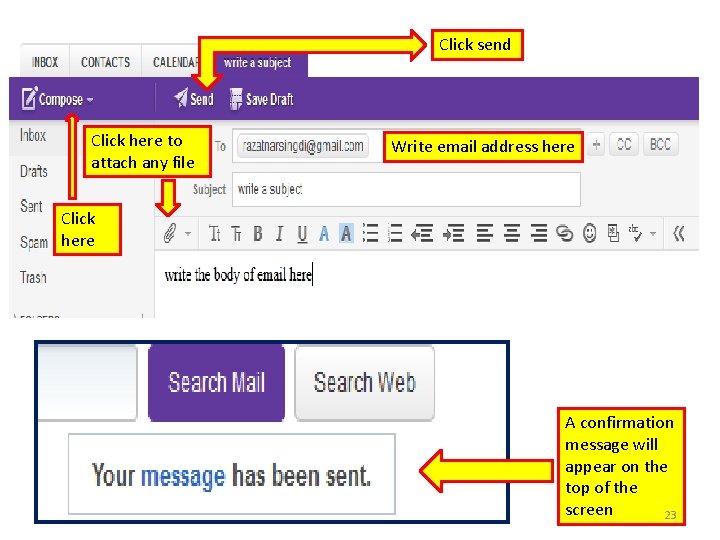
Click send Click here to attach any file Write email address here Click here A confirmation message will appear on the top of the screen 23
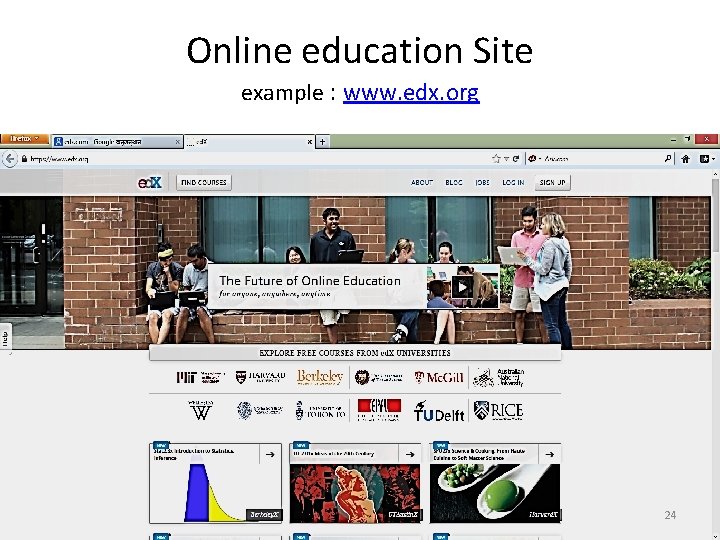
Online education Site example : www. edx. org 24
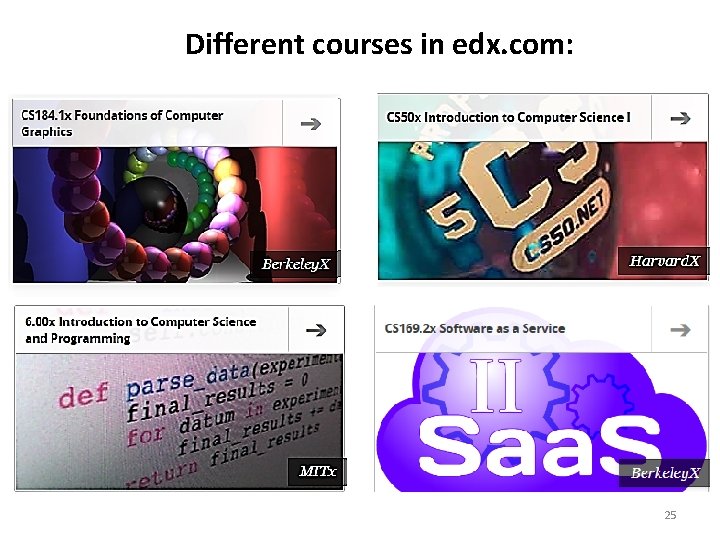
Different courses in edx. com: 25
Online Earning Concept. Freelancing: Freelance Market Places: www. rentacoder. com www. Get. AFreelancer. com www. o. Desk. com www. freelancer. com www. allfreelancework. com www. getacoder. com www. elance. com 26
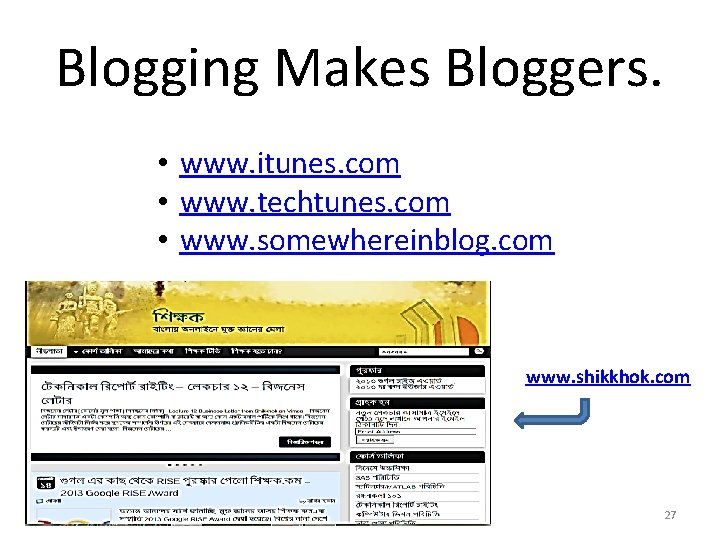
Blogging Makes Bloggers. • www. itunes. com • www. techtunes. com • www. somewhereinblog. com www. shikkhok. com 27

Job Sites 28
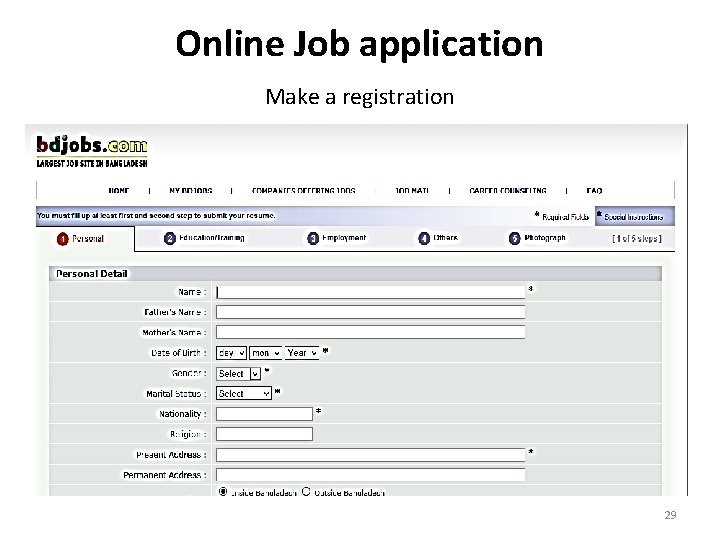
Online Job application Make a registration 29
Online Buying and Selling. www. bikroy. com www. cellbazar. com www. amazon. com www. rokomari. com 30
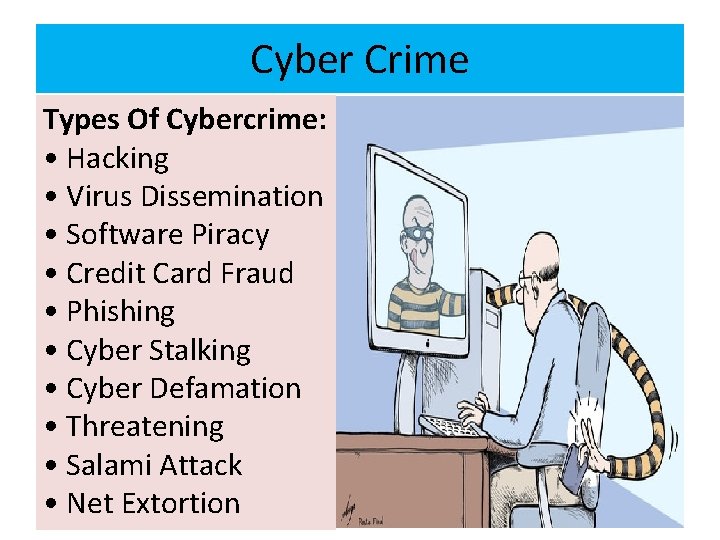
Cyber Crime Types Of Cybercrime: • Hacking • Virus Dissemination • Software Piracy • Credit Card Fraud • Phishing • Cyber Stalking • Cyber Defamation • Threatening • Salami Attack • Net Extortion 31
VIRUS DISSEMINATION (������) Malicious software that attaches iitself to other software. (virus, worms, Trojan Horse, Time bomb, Logic Bomb, Rabbit and Bacterium are the malicious soft wares) SOFTWARE PIRACY Theft of software through the iillegal copying of genuine programs or the counterfeiting and distribution of products intended to pass for the original. Retail revenue losses world wide are ever increasing due to this crime. NET EXTORTION( ������ ) Copying the company’s confidential data in order to extort said company for huge amount. PHISHING It is technique of pulling out confidential information from the bank/financial institutional account holders by deceptive(���� ) means. 32
CYBER STALKING The Criminal follows the victim by sending emails, entering the chat rooms frequently. CYBER DEFAMATION (������� ) The Criminal sends emails containing defamatory matters to all concerned of the victim or post the defamatory matters on a website. (disgruntled employee may do this against boss, exboys friend against girl, divorced husband against wife etc) SALAMI ATTACK In such crime criminal makes insignificant changes in such a manner that such changes would go unnoticed. Criminal makes such program that deducts small amount like 2. 50 per month from the account of all the customer of the Bank and deposit the same in his account. In this case no account holder will approach the bank for such small amount but criminal gains huge amount. 33
Safety on the Internet • There is a lot of good information on the Internet, but there is also some bad information. If you go to a web site that you don’t like, leave that web site and go to a better. • Be very careful about giving your credit card numbers on the Internet. • Be very careful about giving personal information on the Internet. The Internet is usually not private • Use internet security for virus. 34
File Extension • • • Web browser: . html, . htm, . php, . asp, . xml. etc. HTML : Hyper Text Markup Language PHP : Hypertext Preprocessor ASP : Active Server Pages XML: Extensible Markup Language 35
Meet here all together web • https: //groups. google. com/d/forum/ict-center-cu • https: //www. facebook. com/groups/ICTCentre. CU/ mail • ICTCentre. CU@groups. facebook. com • ICT-Centre-cu@googlegroups. com • Forkan. cu@gmail. com 36

37
- Slides: 37