
Internet ecommerce PART 2 LEARNING OBJECTIVES Web 1
Internet & e-commerce PART 2
LEARNING OBJECTIVES • Web 1. 0 - Ebusiness – – Disruptive Technologies and Web 1. 0 Advantages of Ebusiness Models The Challenges of Ebusiness • Web 2. 0 – Business 2. 0 – – Web 2. 0: Advantages of Business 2. 0 Networking Communities with Business 2. 0 Tools for Collaborating The Challenges of Business 2. 0 • Internet Basics
Disruptive Technologies • Disruptive technology – A new way of doing things that initially does not meet the needs of existing customers
WEB 1. 0 – THE CATALYST FOR EBUSINESS • Ecommerce – Buying and selling of goods and services over the Internet
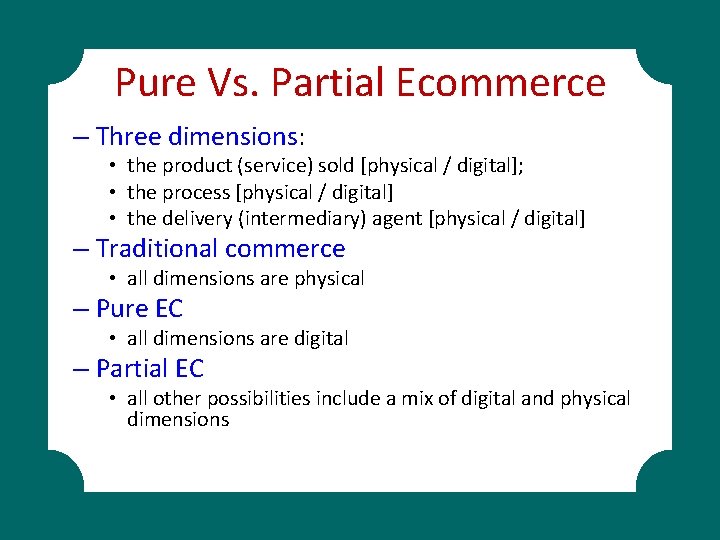
Pure Vs. Partial Ecommerce – Three dimensions: • the product (service) sold [physical / digital]; • the process [physical / digital] • the delivery (intermediary) agent [physical / digital] – Traditional commerce • all dimensions are physical – Pure EC • all dimensions are digital – Partial EC • all other possibilities include a mix of digital and physical dimensions
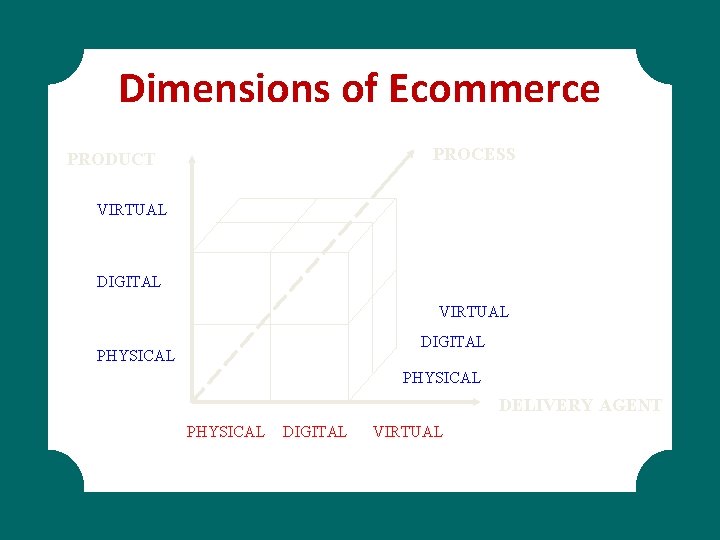
Dimensions of Ecommerce PROCESS PRODUCT VIRTUAL DIGITAL PHYSICAL DELIVERY AGENT PHYSICAL DIGITAL VIRTUAL
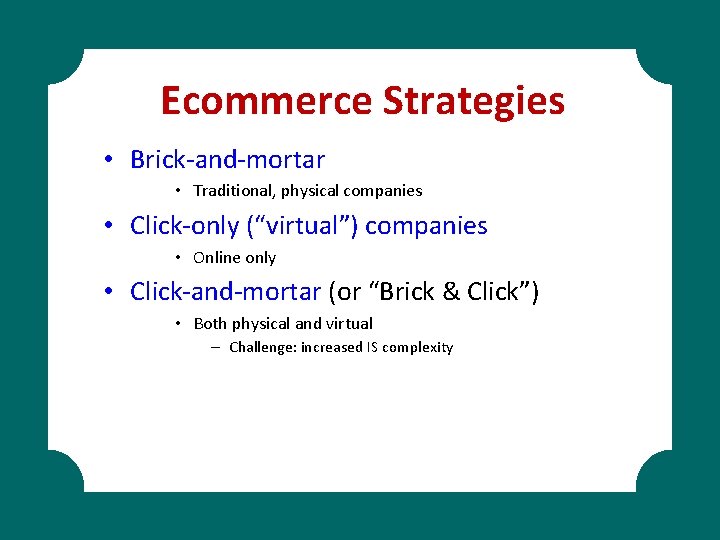
Ecommerce Strategies • Brick-and-mortar • Traditional, physical companies • Click-only (“virtual”) companies • Online only • Click-and-mortar (or “Brick & Click”) • Both physical and virtual – Challenge: increased IS complexity
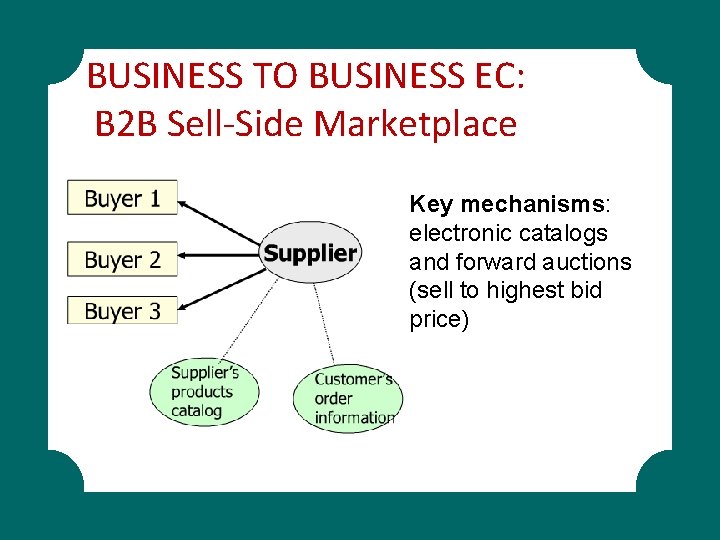
BUSINESS TO BUSINESS EC: B 2 B Sell-Side Marketplace Key mechanisms: electronic catalogs and forward auctions (sell to highest bid price)
In the sell-side marketplace, organizations sell their products or services to other organizations Electronically from their own Web site and/or from a third-party Web site. This model is similar to the B 2 C model in which the buyer comes to the seller’s site, views catalogs, and places an order. In the B 2 B sell-side marketplace, the buyers are organizations.
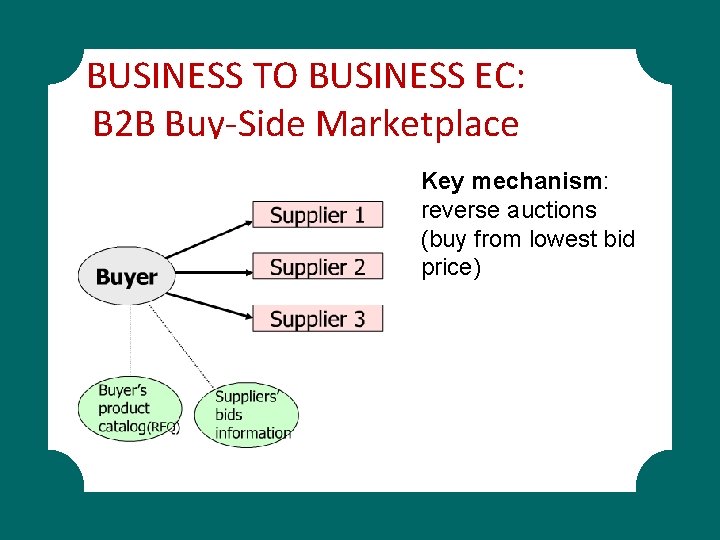
BUSINESS TO BUSINESS EC: B 2 B Buy-Side Marketplace Key mechanism: reverse auctions (buy from lowest bid price)
The buy-side marketplace is a model in which organizations buy needed products and services from other organizations electronically.
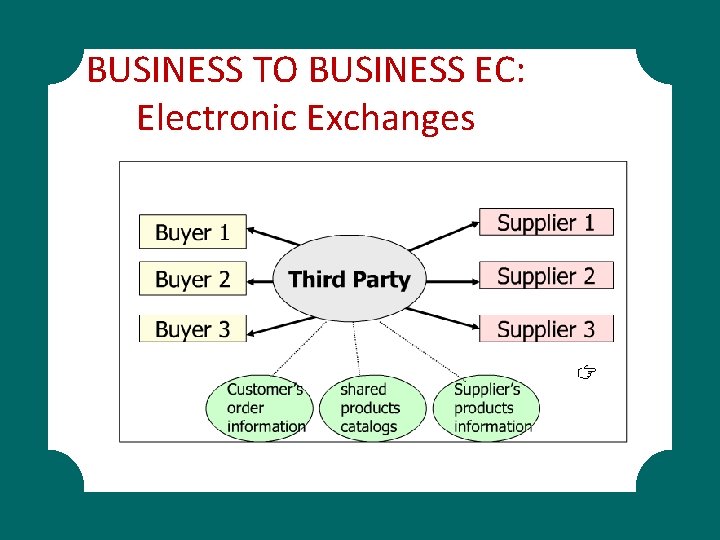
BUSINESS TO BUSINESS EC: Electronic Exchanges
B 2 B Ebusiness Linking Value Chain & Value Systems • With Internet and WWW, B 2 B now available to companies of all sizes – Intranet – internal, private network using Web technologies to facilitate transmission of proprietary information within the organization – Extranet – two or more firms using the Internet to do business together
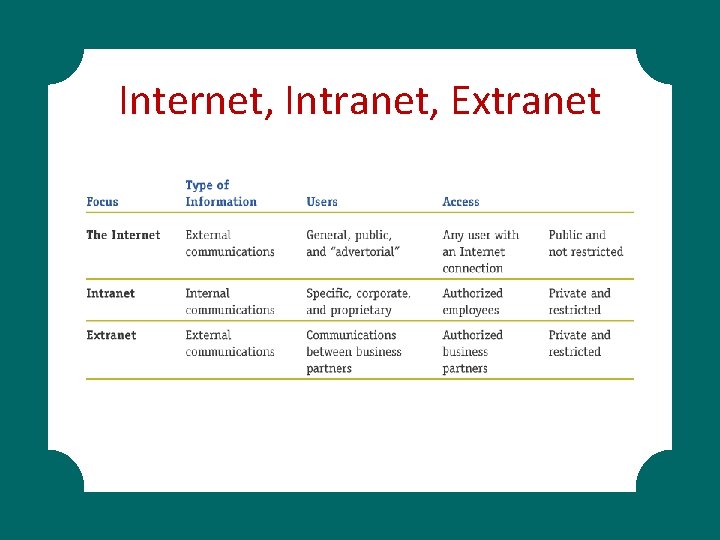
Internet, Intranet, Extranet
Intranet • Intranet System Architecture – Firewalls – hardware devices with special software that prevent unauthorized access – An intranet server is placed behind the firewall – Packets are never routed outside the firewall, but remain within the organizations network
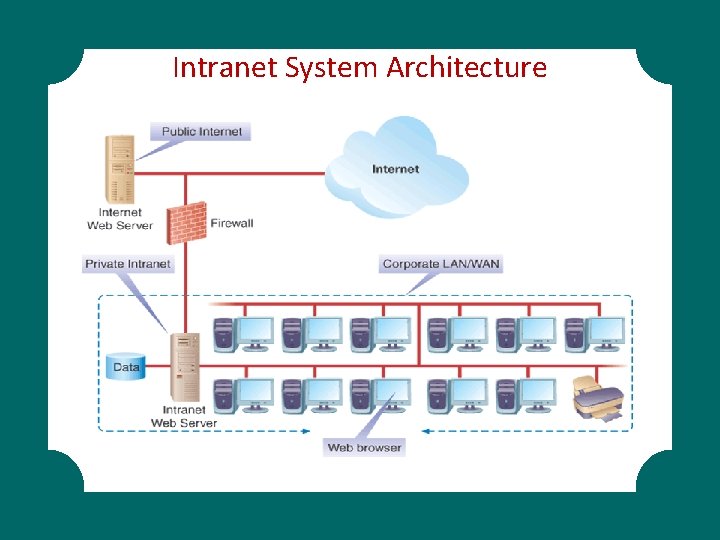
Intranet System Architecture
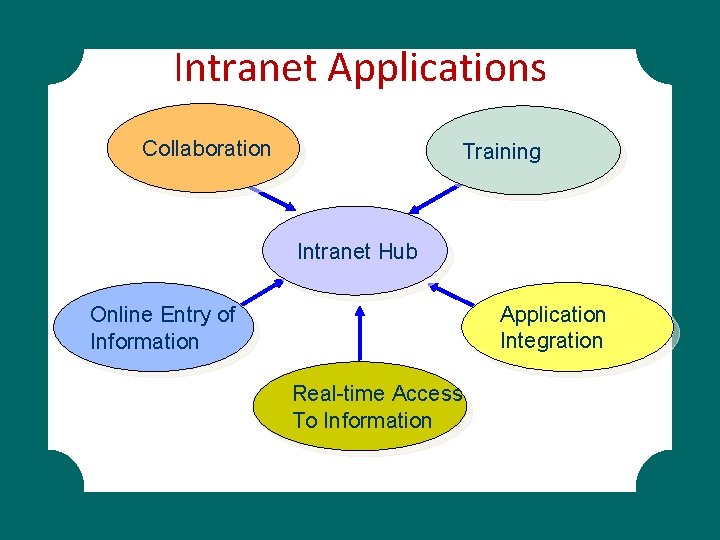
Intranet Applications Collaboration Training Intranet Hub Application Integration Online Entry of Information Real-time Access To Information
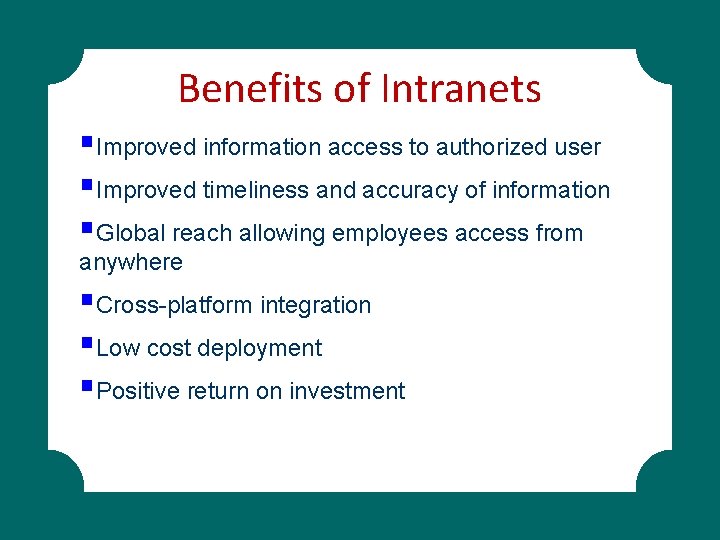
Benefits of Intranets §Improved information access to authorized user §Improved timeliness and accuracy of information §Global reach allowing employees access from anywhere §Cross-platform integration §Low cost deployment §Positive return on investment
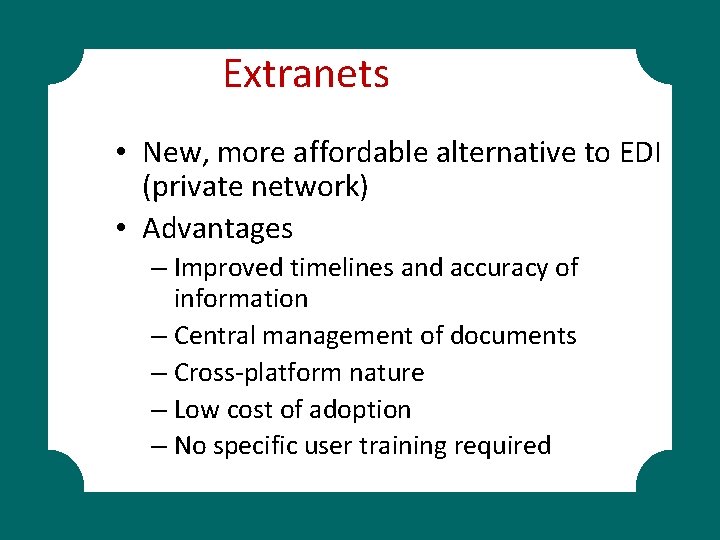
Extranets • New, more affordable alternative to EDI (private network) • Advantages – Improved timelines and accuracy of information – Central management of documents – Cross-platform nature – Low cost of adoption – No specific user training required
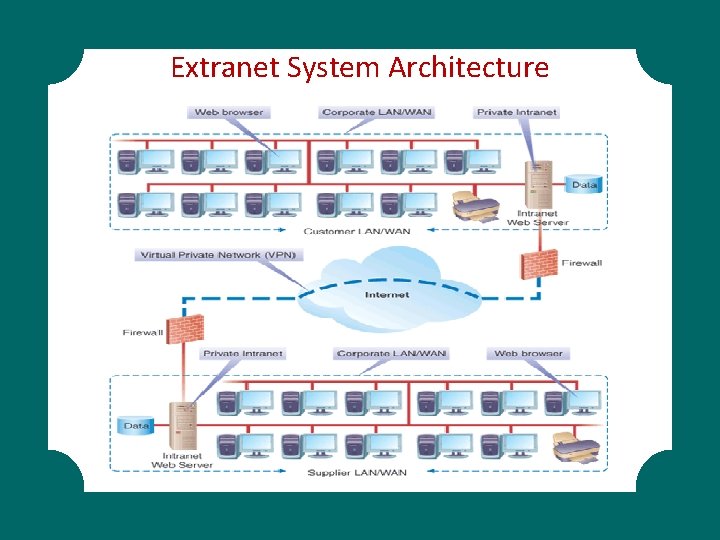
Extranet System Architecture
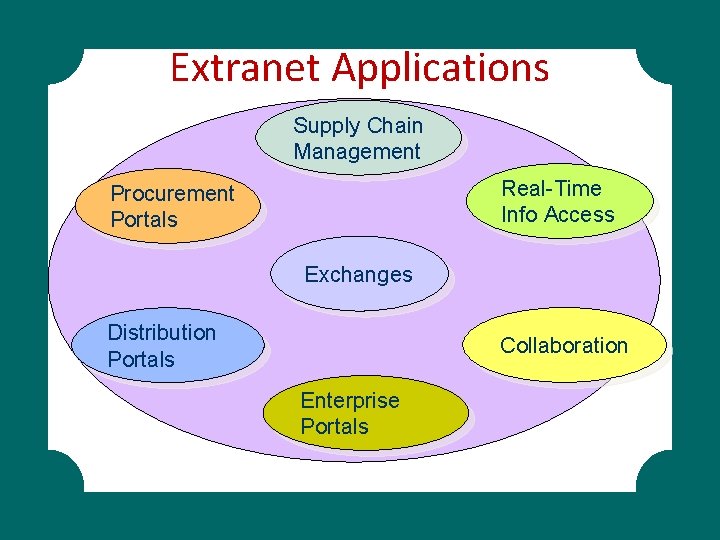
Extranet Applications Supply Chain Management Real-Time Info Access Procurement Portals Exchanges Distribution Portals Collaboration Enterprise Portals
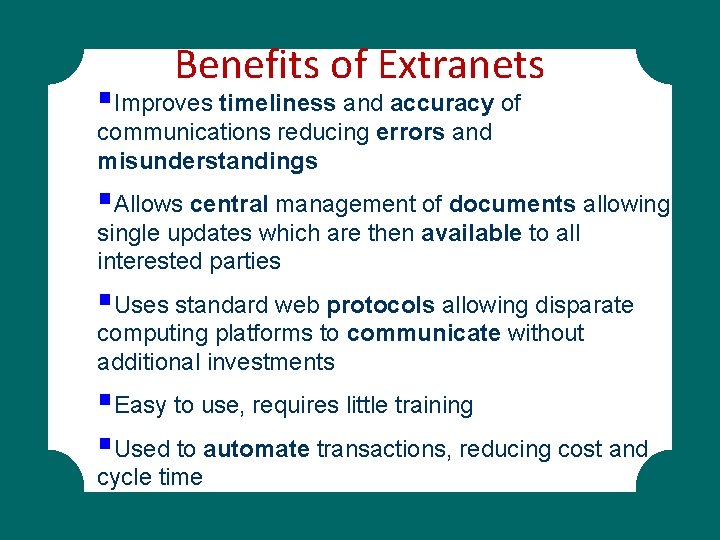
Benefits of Extranets §Improves timeliness and accuracy of communications reducing errors and misunderstandings §Allows central management of documents allowing single updates which are then available to all interested parties §Uses standard web protocols allowing disparate computing platforms to communicate without additional investments §Easy to use, requires little training §Used to automate transactions, reducing cost and cycle time
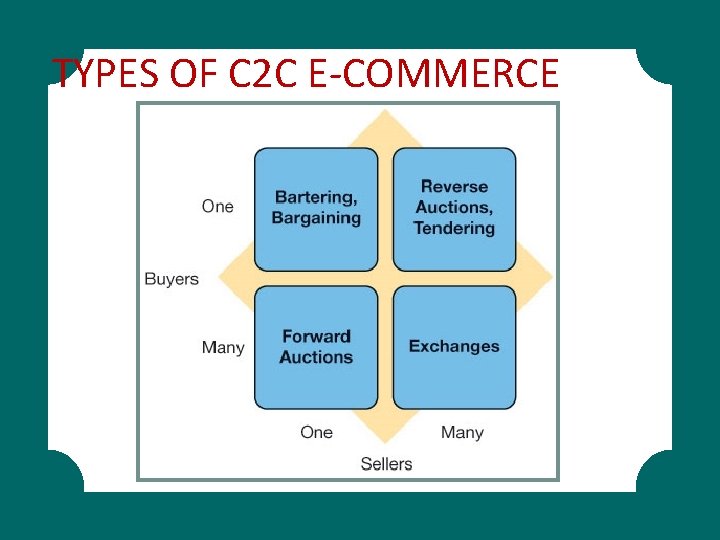
TYPES OF C 2 C E-COMMERCE
E-Auctions • Forward auction – Sellers post goods or services for sale – Buyers bid on these items – Highest bid wins • Reverse auction – – Buyers post a request for quote (RFQ) Seller proposes a bid Lowest seller bid wins Used frequently in B 2 B e-commerce
E-Auction Fraud • E-auctions marred with more fraud than any other Internet activity – 42% of all Internet-fraud related complaints – Average loss: $1, 155 • Types of e-Auction fraud – – – Bid luring Reproductions Bid shielding Shipping fraud Payment failure Nonshipment
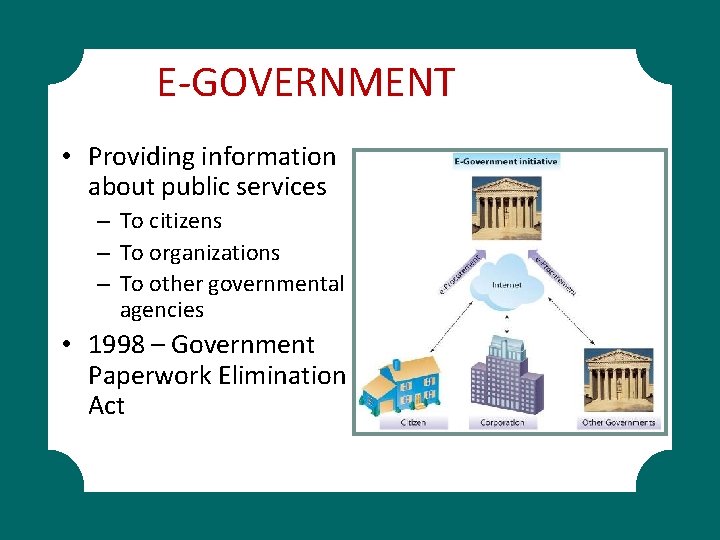
E-GOVERNMENT • Providing information about public services – To citizens – To organizations – To other governmental agencies • 1998 – Government Paperwork Elimination Act
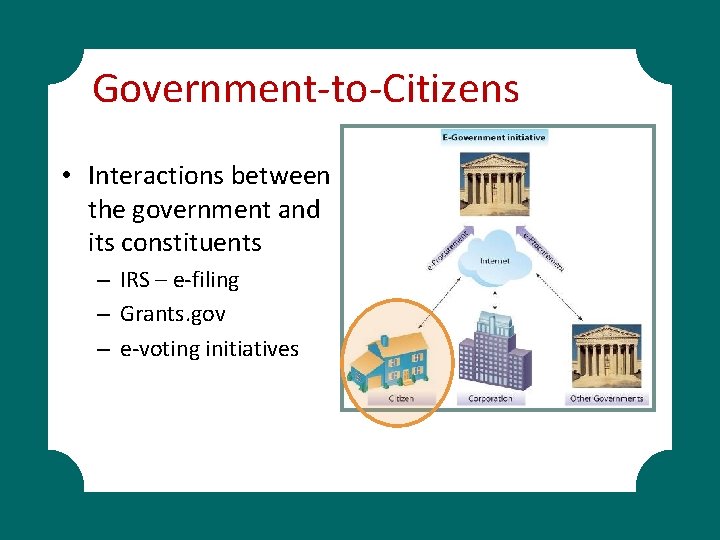
Government-to-Citizens • Interactions between the government and its constituents – IRS – e-filing – Grants. gov – e-voting initiatives
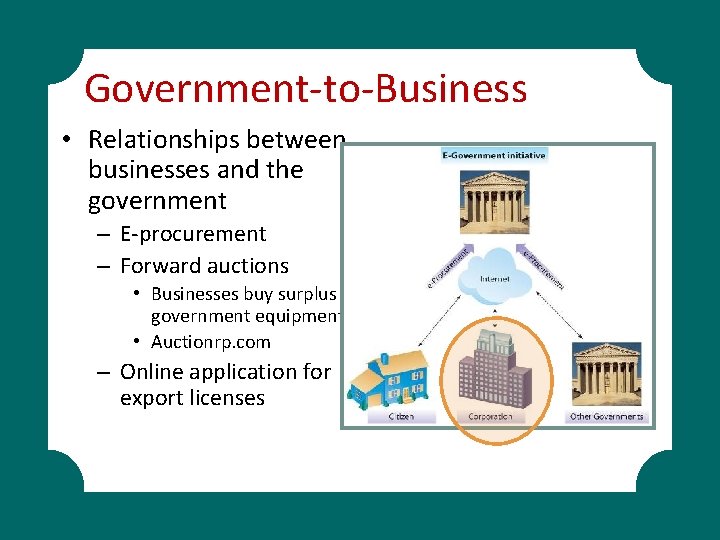
Government-to-Business • Relationships between businesses and the government – E-procurement – Forward auctions • Businesses buy surplus government equipment • Auctionrp. com – Online application for export licenses
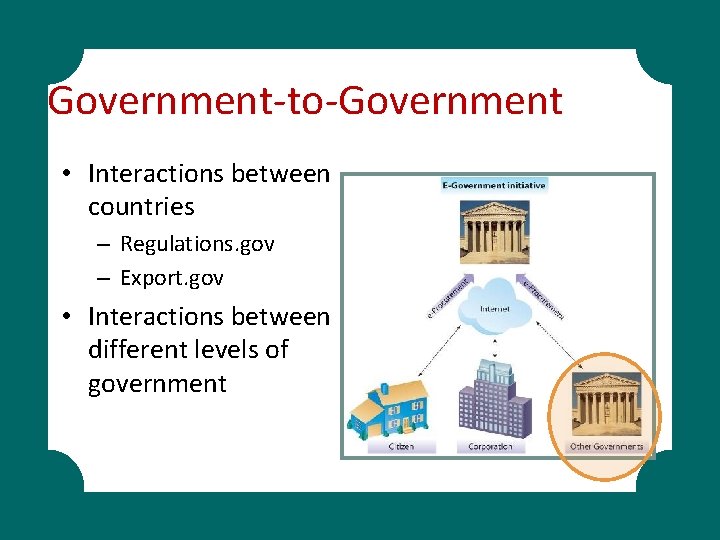
Government-to-Government • Interactions between countries – Regulations. gov – Export. gov • Interactions between different levels of government
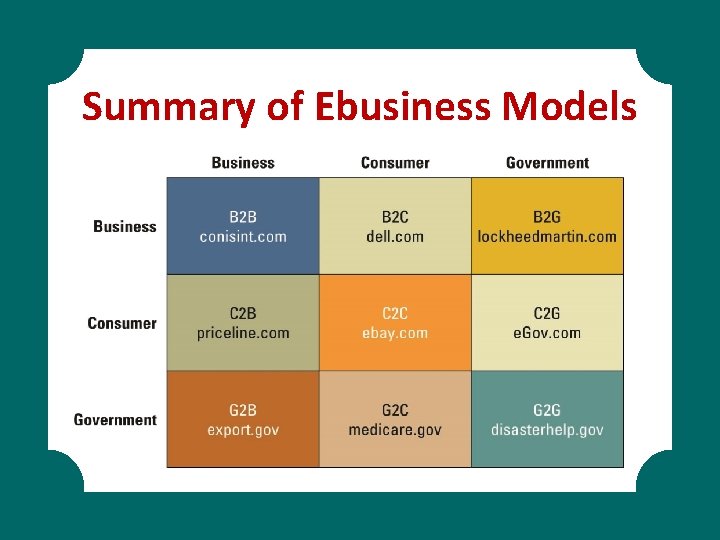
Summary of Ebusiness Models
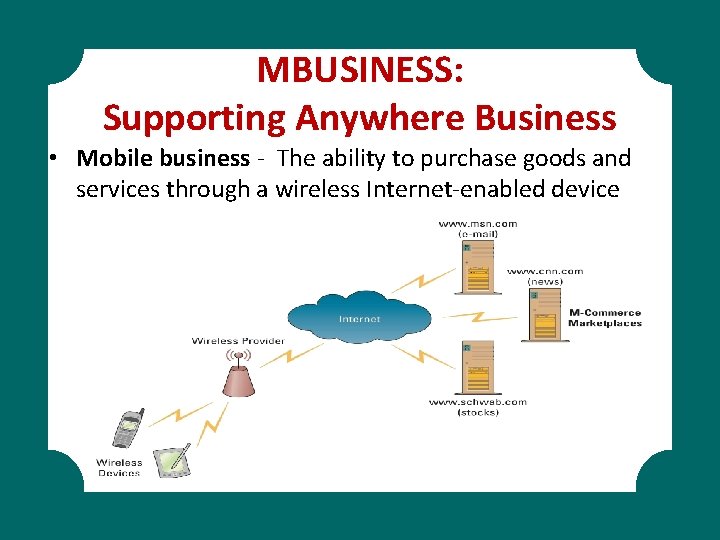
MBUSINESS: Supporting Anywhere Business • Mobile business - The ability to purchase goods and services through a wireless Internet-enabled device
WEB 2. 0: ADVANTAGES OF BUSINESS 2. 0 • Web 2. 0 – The next generation of Internet use – a more mature, distinctive communications platform characterized by three qualities – Collaboration – Sharing – Free
Web 2. 0 is a set of economic, social, and technology trends that collectively form the basis for the next generation of the Internet—a more mature, distinctive medium characterized by user participation, openness, and network effects. Although the term suggests a new version of the World Wide Web, it does not refer to an update to Web technical specifications; instead, it refers to changes in the ways software developers and endusers use the Web as a platform.
Characteristics of Business 2. 0 § § Content sharing through open sourcing User-contributed content Collaboration inside the organization Collaboration outside the organization
Content Sharing Through Open Sourcing • Open system – Nonproprietary hardware and software based on publicly known standards that allows third parties to create add-on products to plug into or interoperate with the system • Source code – contains instructions written by a programmer specifying the actions to be performed by computer software • Open source – any software whose source code is made available free for any third party to review and modify
User-contributed Content • User-contributed content – Created and updated by many users for many users – Reputation system – Where buyers post feedback on sellers
Collaboration Inside The Organization • Collaboration system – Set of tools that supports the work of teams or groups by facilitating the sharing and flow of information • Collective intelligence – Collaborating and tapping into the core knowledge of all employees, partners, and customers • Knowledge management - Involves capturing, classifying, evaluating, retrieving, and sharing information assets in a way that provides context for effective decisions and actions
Collaboration Inside The Organization • Knowledge-based assets fall into two categories – Explicit knowledge – Consists of anything that can be documented, achieved, and codified, often with the help of IT – Tacit knowledge – Knowledge contained in people’s heads
Collaboration Outside The Organization • Crowdsourcing – the wisdom of the crowd – Asynchronous communication – Synchronous communication • Asynchronous communication such as email in which the message and the response do not occur at the same time. • Synchronous communications that occur at the same time such as IM or chat.
Networking Communities With Business 2. 0 • Social media – Websites that rely on user participation and user-contributed content • Social network – An application that connects people by matching profile information • Social networking – The practice of expanding your business and/or social contacts by a personal network
Social Tagging • Tags – Specific keywords or phrases incorporated into website content for means of classification or taxonomy – Social tagging – Folksonomy – Website bookmark – Social bookmarking
Business 2. 0 Tools For Collaborating • Blog – Online journal that allows users to post their own comments, graphics, and video – Microblogging – Real simple syndication
Business 2. 0 Tools For Collaborating • Wiki – Collaborative Web page that allows users to add, remove, and change content, which can be easily organization and reorganized as required – Network effect – Describes how products in a network increase in value to users as the number of users increases
Business 2. 0 Tools For Collaborating • Mashup – Website or Web application that uses content from more than one source to create a completely new product or service – Application programming interface – Mashup editor
The Challenges Of Business 2. 0 • Technology dependence • Information vandalism • Violations of copyright and plagiarism
WEB 3. 0 The Next Generation • Web 3. 0 – Based on “intelligent” Web applications using natural language processing, machine-based learning and reasoning, and intelligence applications • Semantic Web – A component of Web 2. 0 that describes things in a way that computers can understand • Integration of legacy devices, open technologies for integration, worldwide online database …
INTERNET BASICS • Web Domain Names and Addresses – Uniform Resource Locator (URL) – Common domain extensions • . edu. org. mil. com. net • . ca. th. no (country codes) – IP (Internet Protocol) Addresses
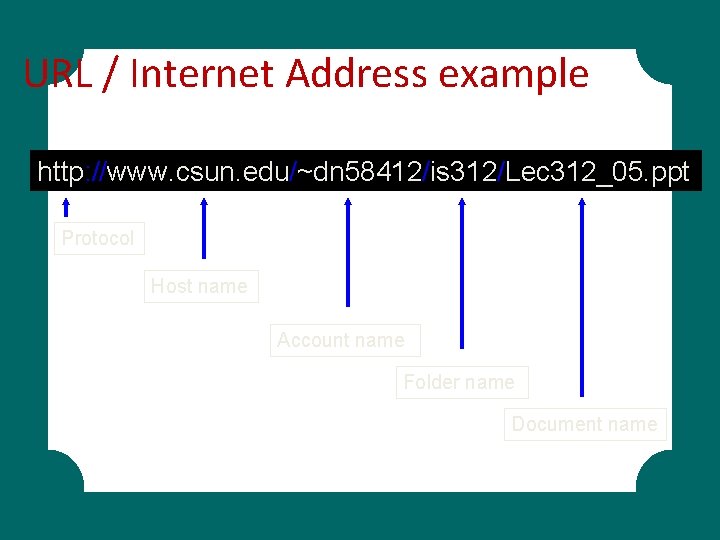
URL / Internet Address example http: //www. csun. edu/~dn 58412/is 312/Lec 312_05. ppt Protocol Host name Account name Folder name Document name
The Internet. . . • Who Manages the Internet? – The Internet Registry – acts as a central repository for Internet-related information and which provides central allocation of network system identifiers – Domain Name System (DNS) – a system used to associate Internet host names with their Internet IP addresses – Internet Corporation for Assigned Names and Numbers (ICANN) – a non-profit corporation manages IP addresses, domain names, and root server system management – Inter. NIC Registration Service – assigns Internet addresses
The Internet. . . • How to connect to the Internet – Internet Service Providers (ISPs) – Network Access Points (NAPs) – Internet Backbone
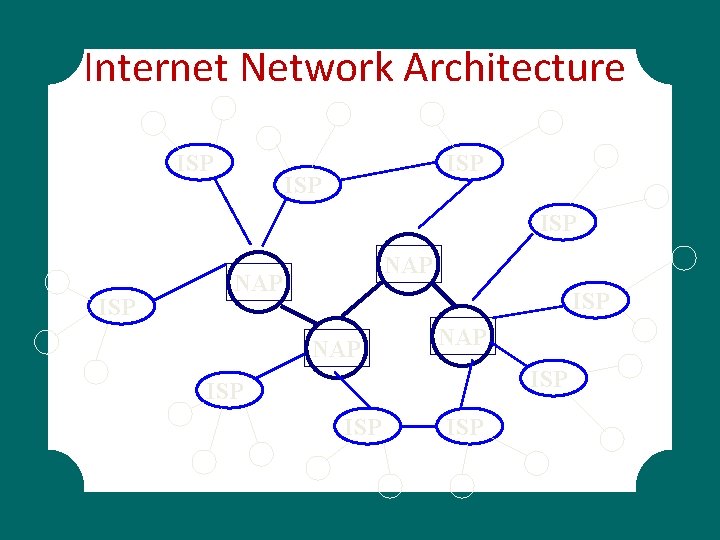
Internet Network Architecture ISP ISP ISP NAP NAP ISP ISP
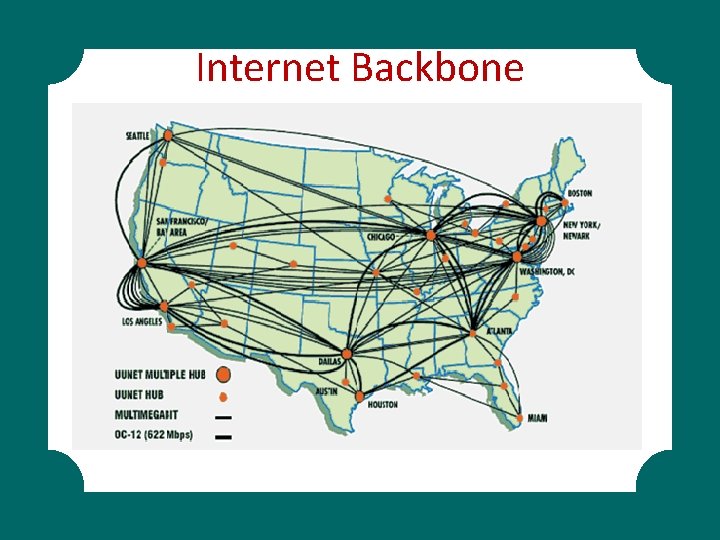
Internet Backbone
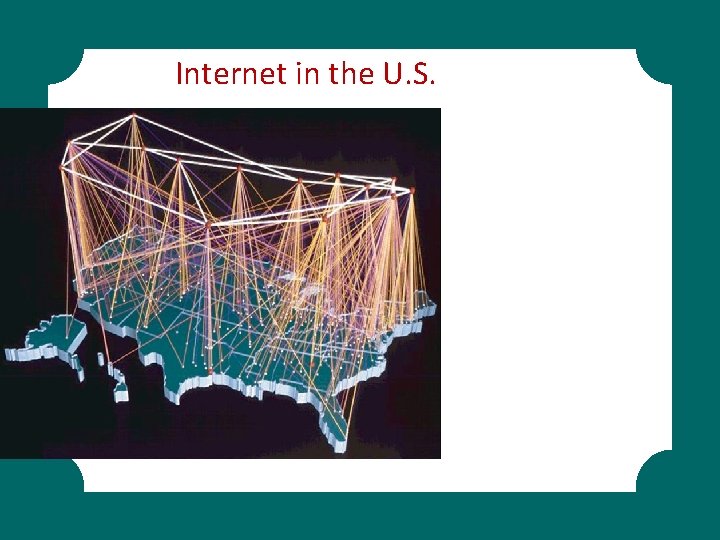
Internet in the U. S.
The Internet. . . • Internet Connections – Plain Old Telephone Service (POTS) – Integrated Services Digital Network (ISDN) – Digital Subscriber Line (DSL) – Cable Modems – Satellite Connections – T 1 Lines – Asynchronous Transfer Mode (ATM)
The Internet. . . • Security in the Internet – Encryption – Firewalls – Authentication
The Internet. . . • Internet Tools – – – – E-mail Telnet File transfer Listserv Usenet Archie WAIS – Gopher – Voice over IP
World Wide Web • • Web browser (Explorer, Firefox, etc…) Hypertext Hyperlinks Hypertext Markup Language (HTML) Web servers Hypertext Transfer Protocol (HTTP) Uniform Resource Locator (URL)
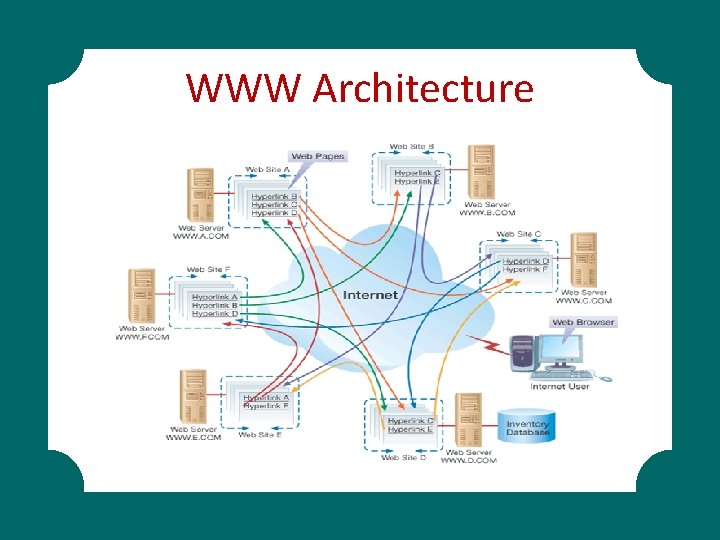
WWW Architecture

THANKYOU
- Slides: 59