
Internet Basics A managementlevel overview of the Internet
Internet Basics A management-level overview of the Internet, its architecture, capabilities, and protocols. Copyright 2011 SPMI / Online Development
What is the The Internet? A Technical Answer u The Internet is a network of networks, reaching around the world, connecting computers of all shapes and sizes, all exchanging data through a standard called “TCP/IP”. u The shape and content of the Internet change continually, as computers and networks are added and removed.
What is the The Internet? A Functional Answer u. A • • • set of Protocols (applications), including: Electronic Mail Usenet Newsgroups File Transfer Protocol (FTP) Hypertext Transfer (The World Wide Web) Others

Connecting to the Internet Your Access Provider (ex: Netcom, AOL) Dial-up or direct Access PC Other Computers, most with dedicated connections.
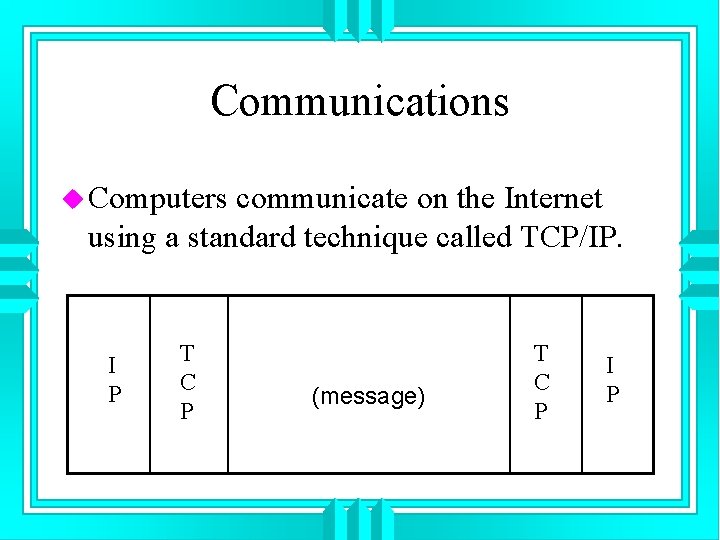
Communications u Computers communicate on the Internet using a standard technique called TCP/IP. I P T C P (message) T C P I P

How Data Gets Around u The TCP/IP standard is used to move packets of data across the Internet. u Each packet is: • • Broken down Transmitted Received Re-assembled
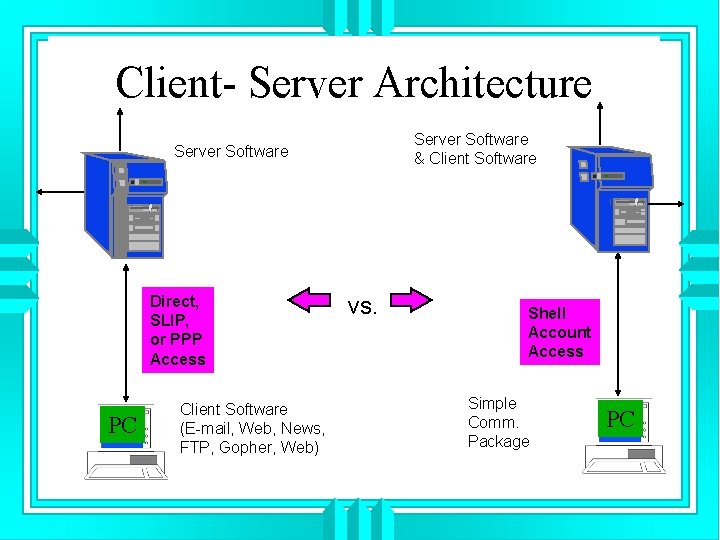
Client- Server Architecture Server Software & Client Software Server Software Direct, SLIP, or PPP Access PC Client Software (E-mail, Web, News, FTP, Gopher, Web) vs. Shell Account Access Simple Comm. Package PC
Electronic Mail u E-mail is the exchange of free-form messages between users of computers connected to the Internet. Each user has an E-mail address. u E-mail client programs usually include store, reply, forward, delete, and fileattachment capabilities.

Electronic Mail (cont. ) u E-mail is the Internet’s least common denominator, with over 40 million users having Internet E-mail access. u Many E-mail servers are only occasionally connected to the Internet, in order to collect and send messages to and from the server’s local users.
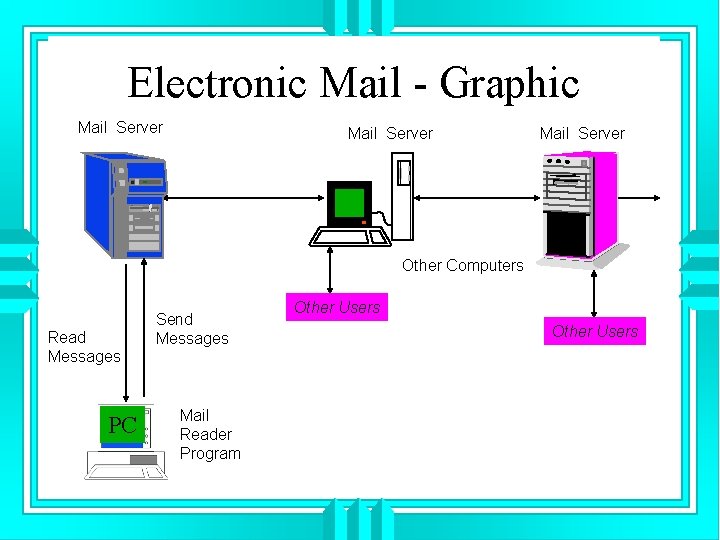
Electronic Mail - Graphic Mail Server Other Computers Read Messages PC Send Messages Mail Reader Program Other Users
Usenet News u Usenet is a very large, distributed bulletin board system, which is continuously transferred among Usenet sites across the Internet. u Usenet content is comprised of a large number of articles, posted by users, and organized by topic into Newsgroups.
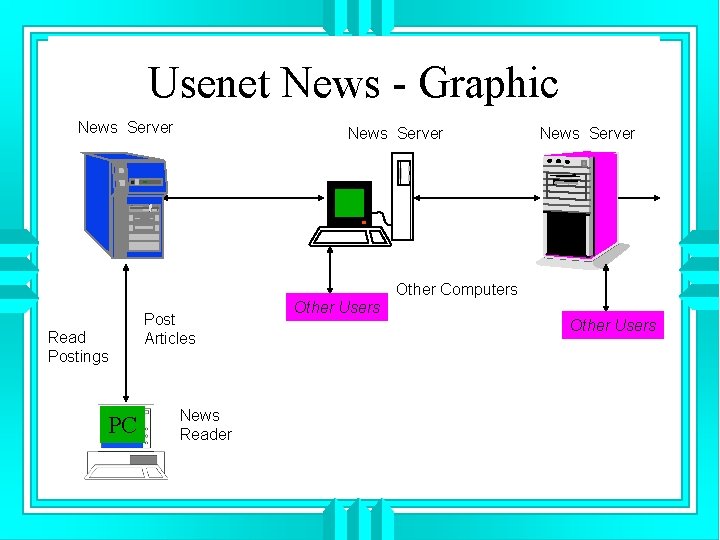
Usenet News - Graphic News Server Other Computers Read Postings PC Post Articles News Reader Other Users
File Transfer Protocol (FTP) u FTP is the tool used for downloading (and occasionally uploading) files between computers on the Internet. u FTP works with two types of files: • ASCII Files (unformatted text). • Binary Files (programs, formatted data, pictures, sound, video).
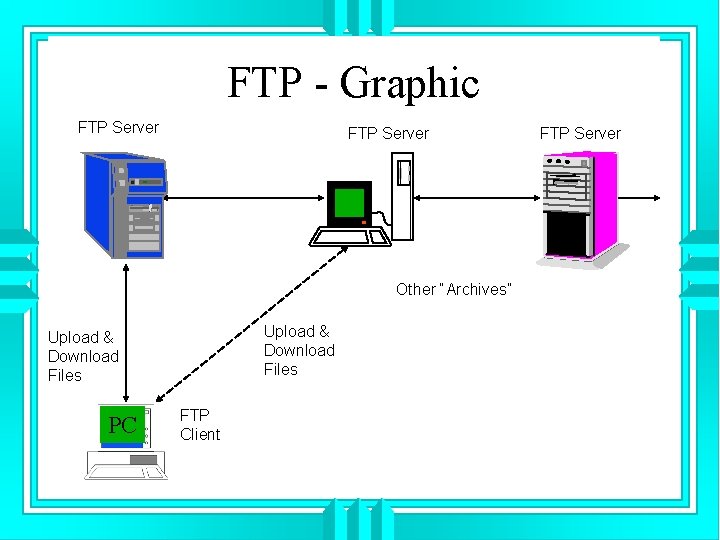
FTP - Graphic FTP Server Other “Archives” Upload & Download Files PC FTP Client FTP Server
The World Wide Web u The Web is the collection of servers, documents, and links which are accessible to anyone with Internet access and a Web client browser. u The Web uses the Hypertext Transfer Protocol to link Web pages from various computers together.
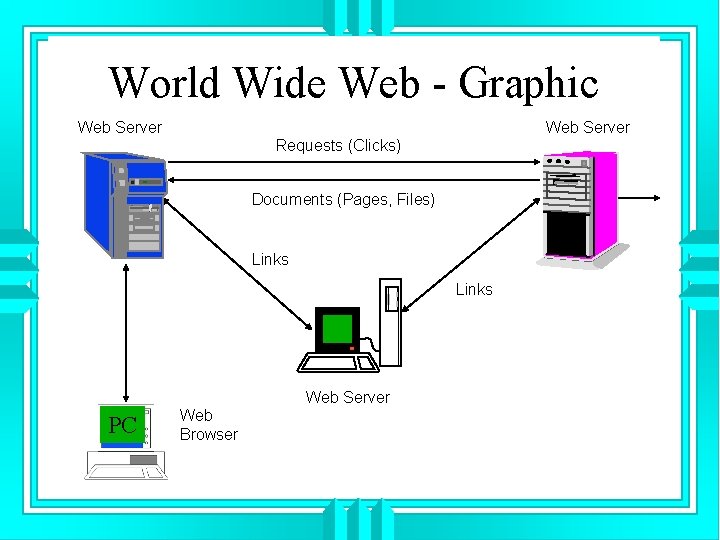
World Wide Web - Graphic Web Server Requests (Clicks) Documents (Pages, Files) Links Web Server PC Web Browser
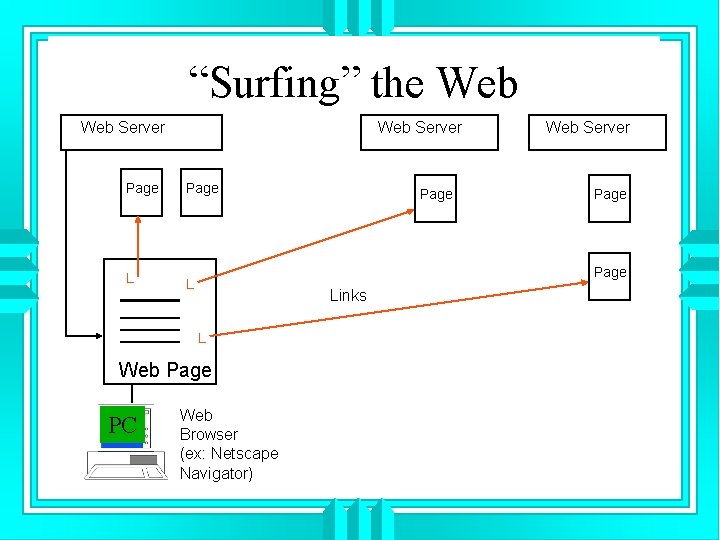
“Surfing” the Web Server Page L L Page Links L Web Page PC Page Web Server Web Browser (ex: Netscape Navigator)
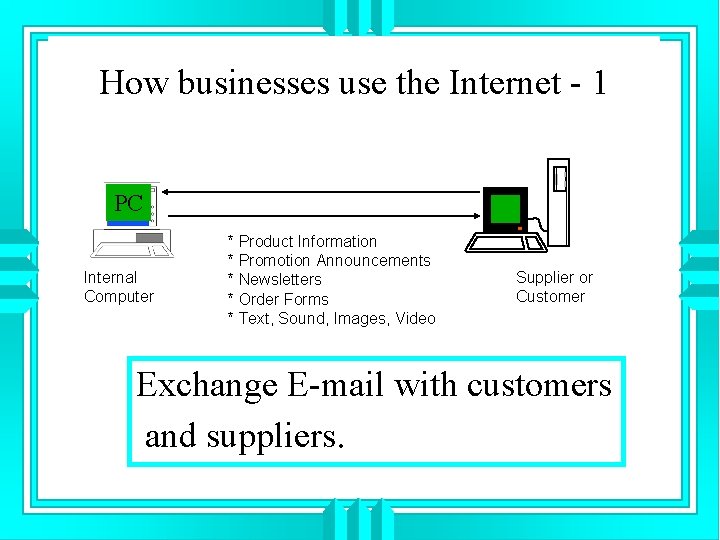
How businesses use the Internet - 1 PC Internal Computer * Product Information * Promotion Announcements * Newsletters * Order Forms * Text, Sound, Images, Video Supplier or Customer Exchange E-mail with customers and suppliers.
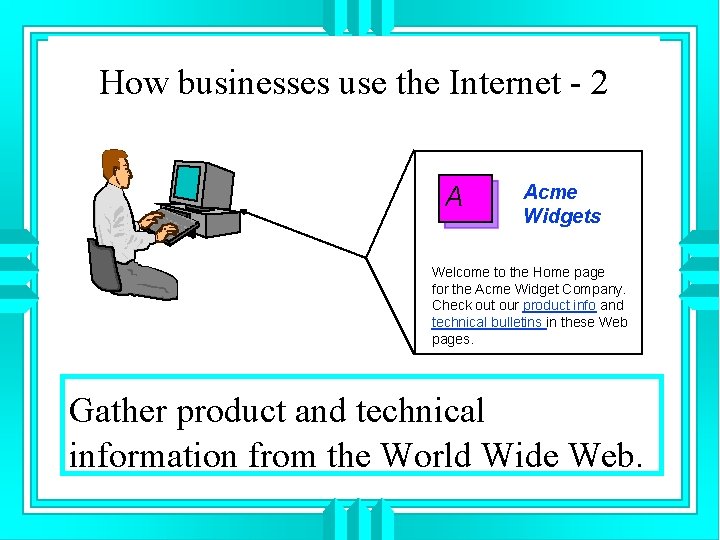
How businesses use the Internet - 2 A Acme Widgets Welcome to the Home page for the Acme Widget Company. Check out our product info and technical bulletins in these Web pages. Gather product and technical information from the World Wide Web.
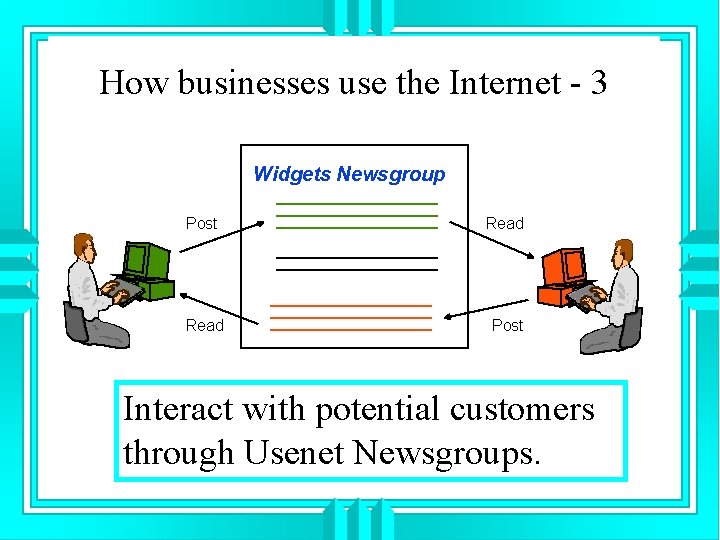
How businesses use the Internet - 3 Widgets Newsgroup Post Read Post Interact with potential customers through Usenet Newsgroups.
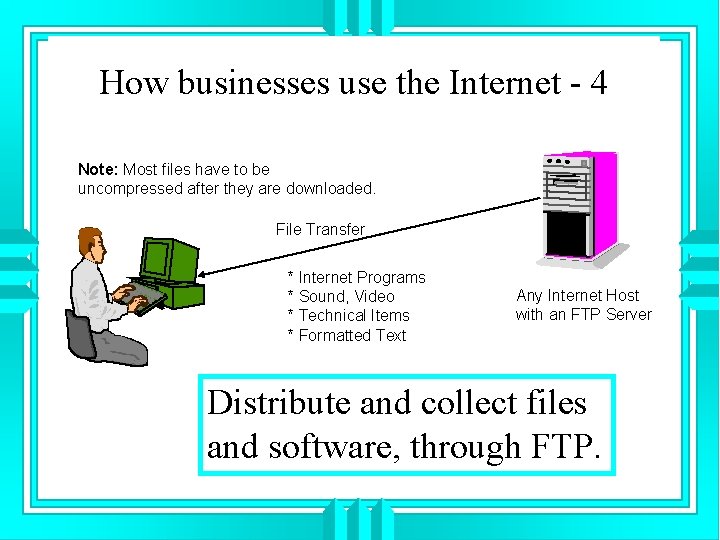
How businesses use the Internet - 4 Note: Most files have to be uncompressed after they are downloaded. File Transfer * Internet Programs * Sound, Video * Technical Items * Formatted Text Any Internet Host with an FTP Server Distribute and collect files and software, through FTP.
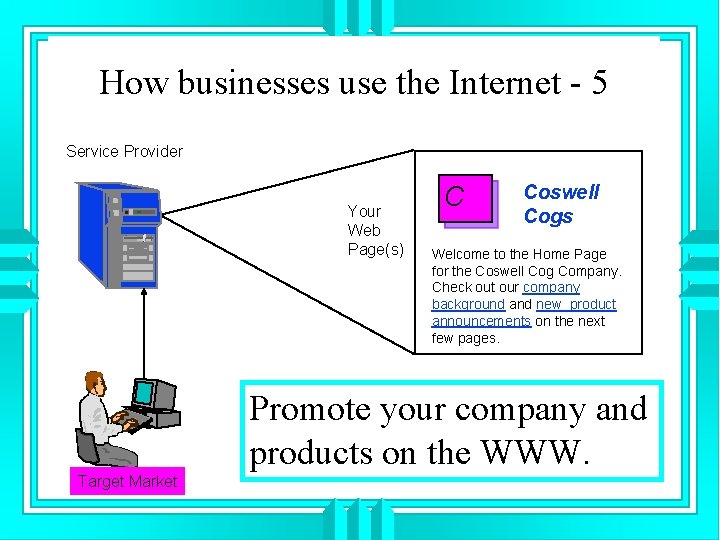
How businesses use the Internet - 5 Service Provider Your Web Page(s) C Coswell Cogs Welcome to the Home Page for the Coswell Cog Company. Check out our company background and new product announcements on the next few pages. Promote your company and products on the WWW. Target Market
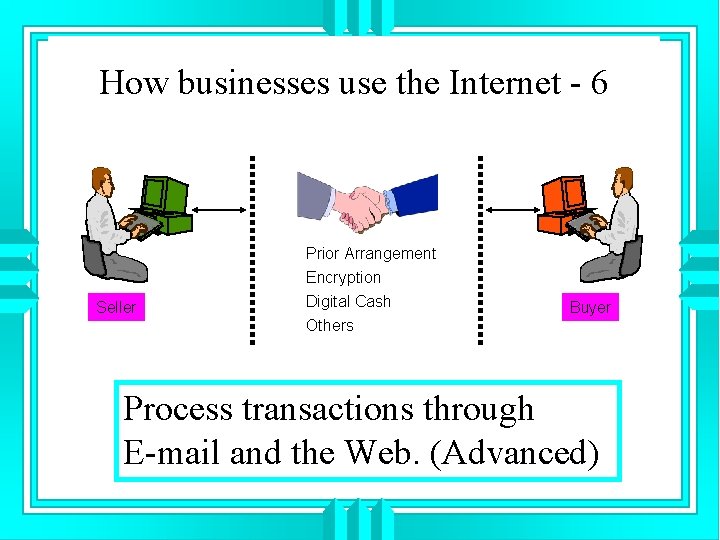
How businesses use the Internet - 6 Seller Prior Arrangement Encryption Digital Cash Others Buyer Process transactions through E-mail and the Web. (Advanced)
Getting Started u Review and understand the different types of Internet connections and services, and the advantages and costs of each. u Evaluate your online business requirements and objectives, considering your target audience. u Consider developing in phases.
- Slides: 24