
Internet Access Control Project Status Peter Wiegard 12
- Slides: 3
Internet Access Control Project Status Peter Wiegard 12 th December 2017
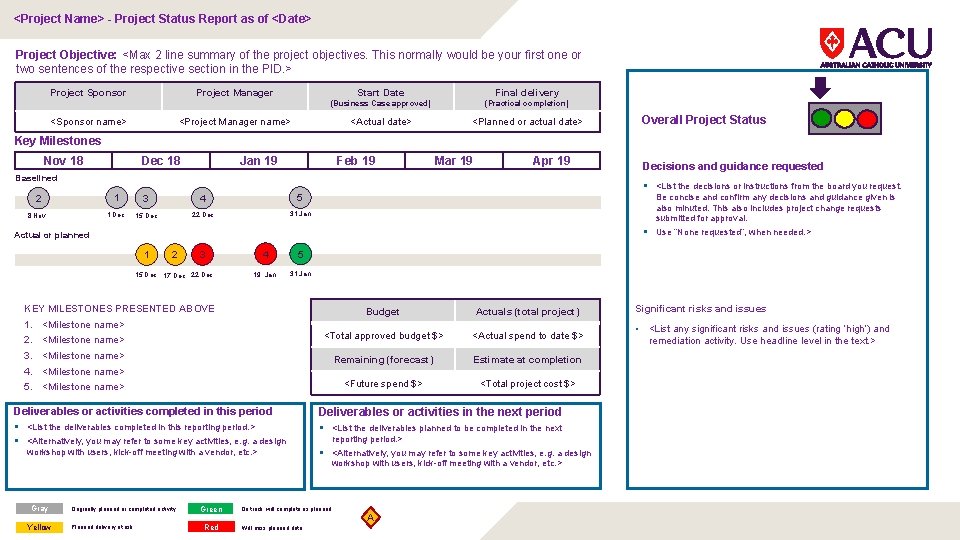
<Project Name> - Project Status Report as of <Date> Project Objective: <Max 2 line summary of the project objectives. This normally would be your first one or two sentences of the respective section in the PID. > Project Sponsor Project Manager <Sponsor name> Start Date Final delivery (Business Case approved) (Practical completion) <Actual date> <Planned or actual date> <Project Manager name> Overall Project Status Key Milestones Nov 18 Dec 18 Jan 19 Feb 19 Mar 19 Apr 19 Baselined § <List the decisions or instructions from the board you request. 2 1 3 4 5 8 Nov 1 Dec 15 Dec 22 Dec 31 Jan Be concise and confirm any decisions and guidance given is also minuted. This also includes project change requests submitted for approval. § Use “None requested”, when needed. > Actual or planned 1 2 4 5 19 Jan 31 Jan 3 15 Dec 17 Dec 22 Dec KEY MILESTONES PRESENTED ABOVE 1. 2. 3. 4. 5. Budget Actuals (total project) <Milestone name> <Total approved budget $> <Actual spend to date $> <Milestone name> Remaining (forecast) Estimate at completion <Future spend $> <Total project cost $> <Milestone name> Deliverables or activities completed in this period Deliverables or activities in the next period § <List the deliverables completed in this reporting period. > § <Alternatively, you may refer to some key activities, e. g. a design § <List the deliverables planned to be completed in the next workshop with users, kick-off meeting with a vendor, etc. > reporting period. > § <Alternatively, you may refer to some key activities, e. g. a design workshop with users, kick-off meeting with a vendor, etc. > Gray Yellow Decisions and guidance requested Originally planned or completed activity Planned delivery at risk Green Red On track; will complete as planned Will miss planned date A Significant risks and issues • <List any significant risks and issues (rating ‘high’) and remediation activity. Use headline level in the text. >
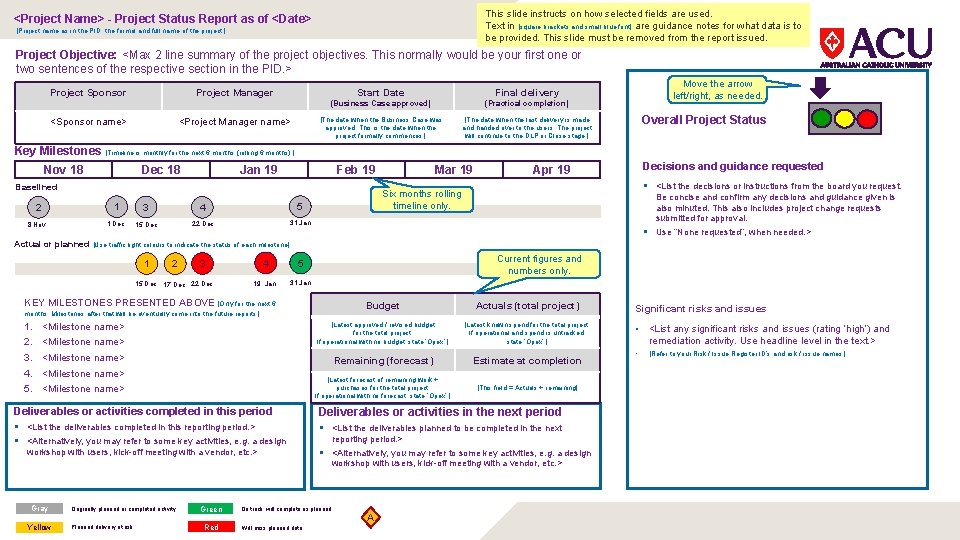
This slide instructs on how selected fields are used. Text in [square brackets and small blue font] are guidance notes for what data is to be provided. This slide must be removed from the report issued. <Project Name> - Project Status Report as of <Date> [Project name as in the PID, the formal and full name of the project. ] Project Objective: <Max 2 line summary of the project objectives. This normally would be your first one or two sentences of the respective section in the PID. > Project Sponsor Project Manager <Sponsor name> <Project Manager name> Start Date Final delivery (Business Case approved) (Practical completion) [The date when the Business Case was approved. This is the date when the project formally commences. ] [The date when the last delivery is made and handed over to the users. The project will continue to the DLP or Close stage. ] Move the arrow left/right, as needed. Overall Project Status Key Milestones [Timeline is monthly for the next 6 months (rolling 6 months). ] Nov 18 Dec 18 Jan 19 Feb 19 Baselined 2 1 3 4 5 8 Nov 1 Dec 15 Dec 22 Dec 31 Jan Mar 19 Decisions and guidance requested Apr 19 § <List the decisions or instructions from the board you request. Six months rolling timeline only. Be concise and confirm any decisions and guidance given is also minuted. This also includes project change requests submitted for approval. § Use “None requested”, when needed. > Actual or planned [Use traffic light colours to indicate the status of each milestone] 1 2 4 5 19 Jan 31 Jan 3 15 Dec 17 Dec 22 Dec Current figures and numbers only. KEY MILESTONES PRESENTED ABOVE [Only for the next 6 Budget Actuals (total project) <Milestone name> [Latest approved / revised budget for the total project. If operational with no budget, state ‘Opex’. ] [Latest known spend for the total project. If operational and spend is untracked, state ‘Opex’. ] <Milestone name> Remaining (forecast) Estimate at completion [Latest forecast of remaining work + purchases for the total project. If operational with no forecast, state ‘Opex’. ] [This field = Actuals + remaining] months. Milestones after that will be eventually come into the future reports. ] 1. 2. 3. 4. 5. <Milestone name> Deliverables or activities completed in this period Deliverables or activities in the next period § <List the deliverables completed in this reporting period. > § <Alternatively, you may refer to some key activities, e. g. a design § <List the deliverables planned to be completed in the next workshop with users, kick-off meeting with a vendor, etc. > reporting period. > § <Alternatively, you may refer to some key activities, e. g. a design workshop with users, kick-off meeting with a vendor, etc. > Gray Yellow Originally planned or completed activity Planned delivery at risk Green Red On track; will complete as planned Will miss planned date A Significant risks and issues • <List any significant risks and issues (rating ‘high’) and remediation activity. Use headline level in the text. > • [Refer to your Risk / Issue Register ID’s and risk / issue names. ]