
Interfacing with the General Ledger Richard Byrom Oracle
Interfacing with the General Ledger Richard Byrom Oracle Applications Consultant 13 th Cheque Payroll Seminar 12 th December 2001
Agenda • Set of Books • Standard Oracle Interfaces • Payroll Interfaces • Applications Desktop Integrator
Set of Books • In order to determine what information is required to be interfaced into the General Ledger the infrastructure of the General Ledger/ Set of Books needs to be understood
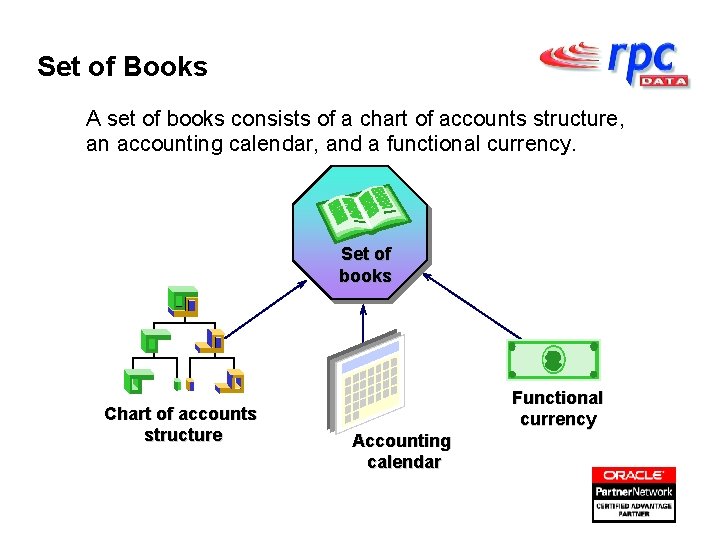
Set of Books A set of books consists of a chart of accounts structure, an accounting calendar, and a functional currency. Set of books Chart of accounts structure Functional currency Accounting calendar
Chart of Accounts Structure Define a flexible chart of accounts structure: • Create up to 32 segments of up to 25 characters per segment. • Define each segment name and the order in which it appears. • Attach a list of valid values to each segment.

Chart of Accounts examples Tailor your account structure for your industry and reporting requirements. Choose the number of segments, as well as the length, name, and order of each segment. Examples: – Manufacturing: XX XXXXXX Company Cost Center XX XXX Account Product Line Sub account – News Distribution: XX XXX XXX XX Division Account Region Story Distribution – Project Oriented: XXXXX XX Company Account Department Project Type
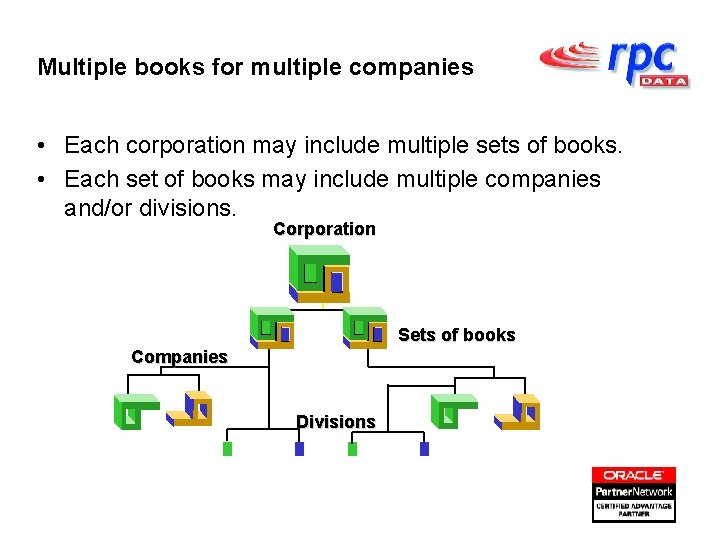
Multiple books for multiple companies • Each corporation may include multiple sets of books. • Each set of books may include multiple companies and/or divisions. Corporation Sets of books Companies Divisions
Standard Oracle Interfaces • Import journal entries from feeder systems – Third Party Systems - Billing, Banking etc. – Oracle Sub-ledgers - AP, AR, Payroll – Includes statistical information - airtime, customers • Review journal import data • Correct and delete journal import data
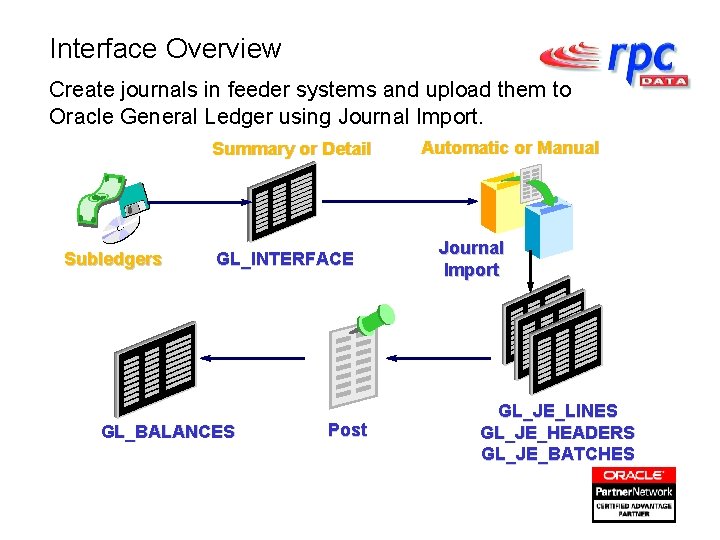
Interface Overview Create journals in feeder systems and upload them to Oracle General Ledger using Journal Import. Summary or Detail Subledgers GL_INTERFACE GL_BALANCES Post Automatic or Manual Journal Import GL_JE_LINES GL_JE_HEADERS GL_JE_BATCHES
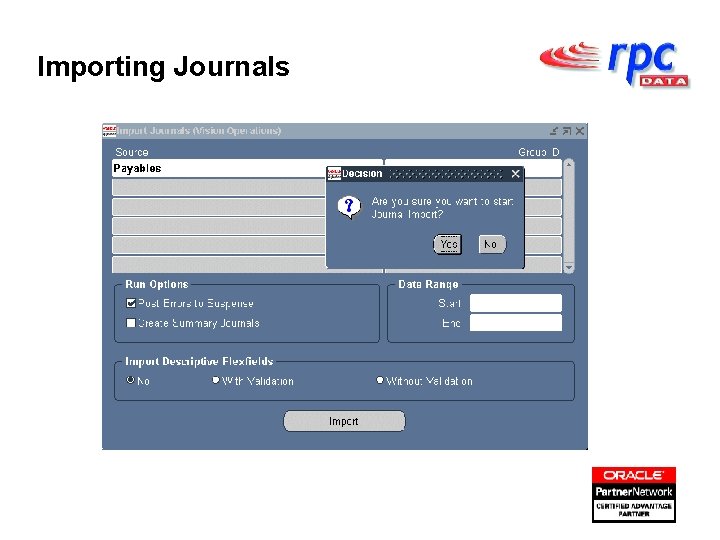
Importing Journals
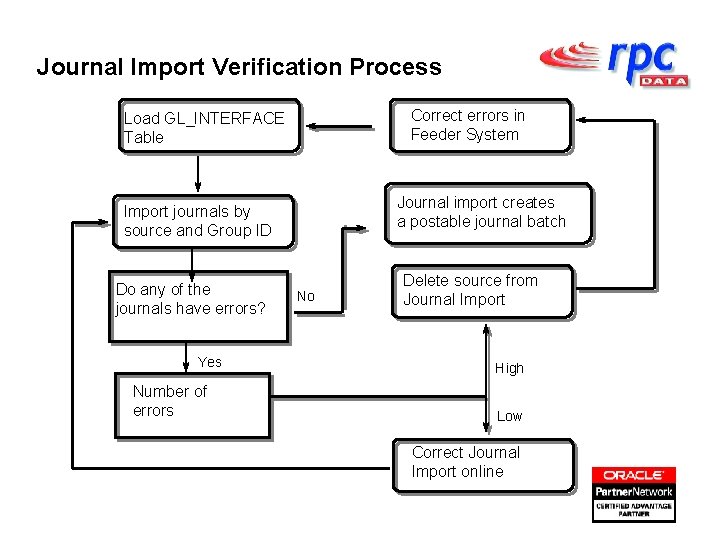
Journal Import Verification Process Correct errors in Feeder System Load GL_INTERFACE Table Journal import creates a postable journal batch Import journals by source and Group ID Do any of the journals have errors? Yes Number of errors No Delete source from Journal Import High Low Correct Journal Import online
Drilling down to Sub-Ledger Detail You can drill down further to see detailed information about a respective journal activity in a Sub-ledger.
Payroll Interface Elements are all types of earnings, deductions, employer charges and non-payroll payments that go through the payroll. Typical examples of elements are: • Regular Salary • Wages • Bonus Payments • Health Insurance • Stock Purchase Plan • Pension Contributions
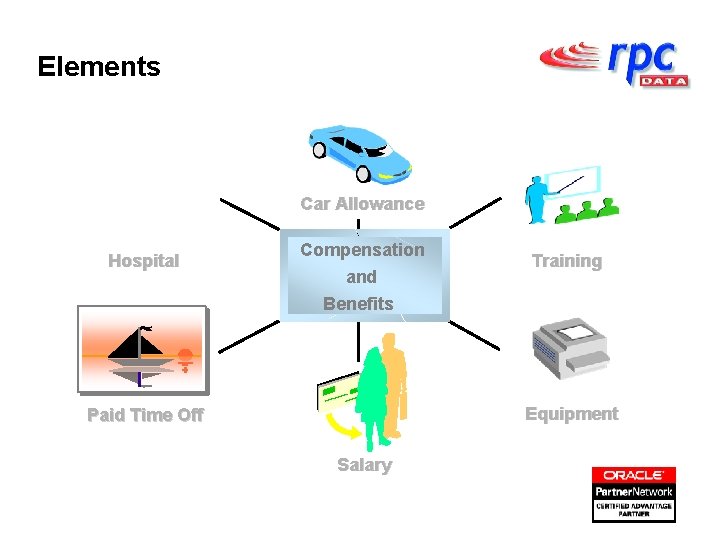
Elements Car Allowance Hospital Compensation and Benefits Training Equipment Paid Time Off Salary
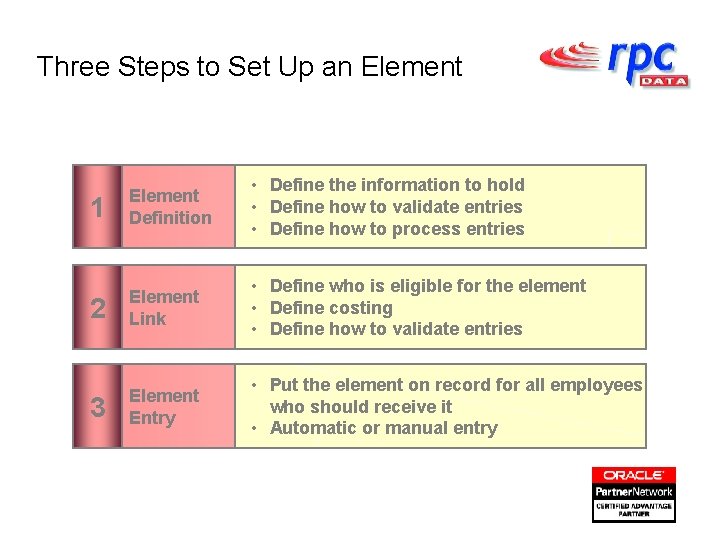
Three Steps to Set Up an Element 1 Element Definition • Define the information to hold • Define how to validate entries • Define how to process entries 2 Element Link • Define who is eligible for the element • Define costing • Define how to validate entries 3 Element Entry • Put the element on record for all employees who should receive it • Automatic or manual entry
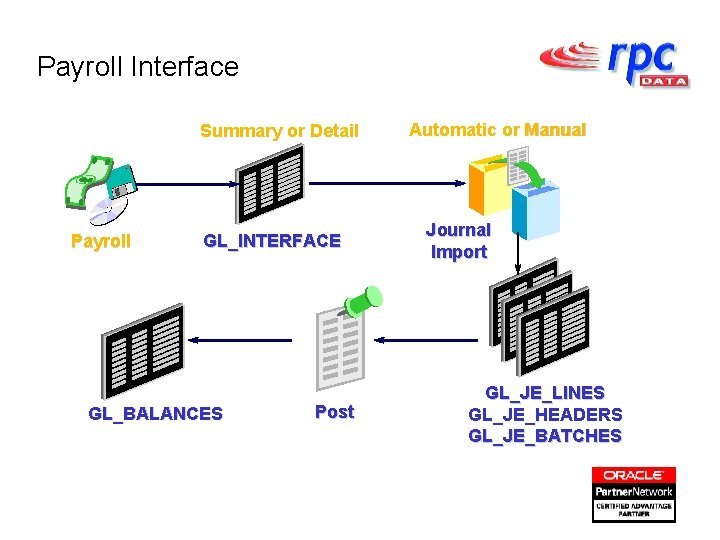
Payroll Interface Summary or Detail Payroll GL_INTERFACE GL_BALANCES Post Automatic or Manual Journal Import GL_JE_LINES GL_JE_HEADERS GL_JE_BATCHES
ADI Functionality Applications Desktop Integrator is a spreadsheet tool which enables you to interface data in spreadsheet format directly into Oracle, it can also drill down into Oracle from a spreadsheet to provide you with the required information. It’s features are: - • Journal Import • Budgeting • Analysis and Drilldown • Fixed Asset Import • Account Hierarchy Editor • Physical Inventory Run • Import Text File
- Slides: 17