
INTERFACES ABSTRACT CLASSES AND DATA STRUCTURES INTERFACES Let
INTERFACES, ABSTRACT CLASSES, AND DATA STRUCTURES
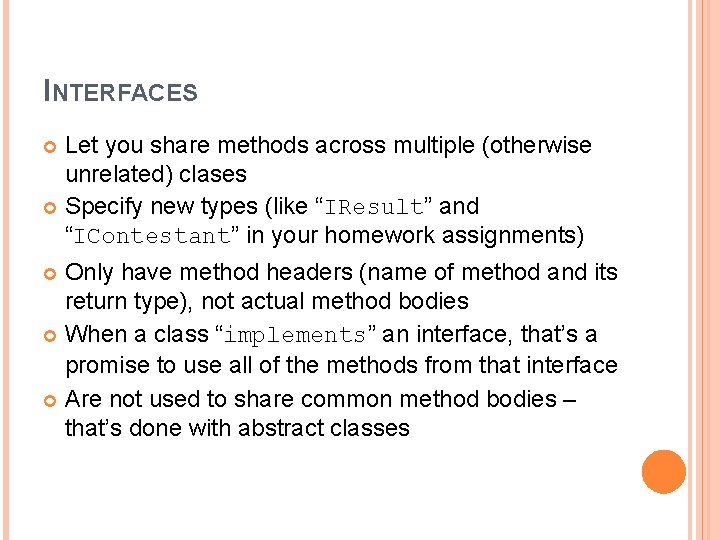
INTERFACES Let you share methods across multiple (otherwise unrelated) clases Specify new types (like “IResult” and “IContestant” in your homework assignments) Only have method headers (name of method and its return type), not actual method bodies When a class “implements” an interface, that’s a promise to use all of the methods from that interface Are not used to share common method bodies – that’s done with abstract classes
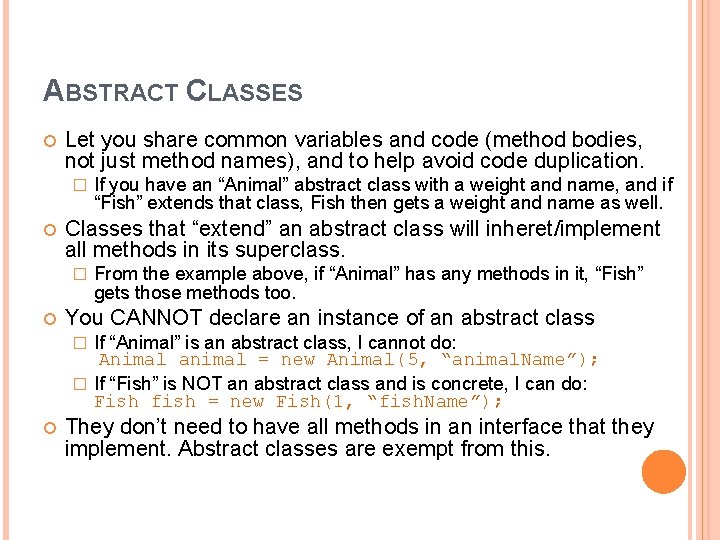
ABSTRACT CLASSES Let you share common variables and code (method bodies, not just method names), and to help avoid code duplication. � Classes that “extend” an abstract class will inheret/implement all methods in its superclass. � If you have an “Animal” abstract class with a weight and name, and if “Fish” extends that class, Fish then gets a weight and name as well. From the example above, if “Animal” has any methods in it, “Fish” gets those methods too. You CANNOT declare an instance of an abstract class If “Animal” is an abstract class, I cannot do: Animal animal = new Animal(5, “animal. Name”); � If “Fish” is NOT an abstract class and is concrete, I can do: Fish fish = new Fish(1, “fish. Name”); � They don’t need to have all methods in an interface that they implement. Abstract classes are exempt from this.
HOW MANY CLASSES CAN YOU EXTEND? Only one. A class can implement multiple interfaces, but it can only extend one class.
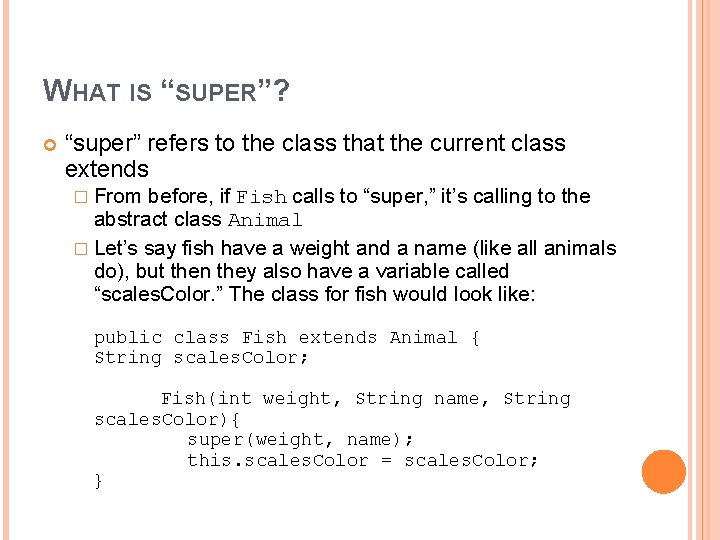
WHAT IS “SUPER”? “super” refers to the class that the current class extends � From before, if Fish calls to “super, ” it’s calling to the abstract class Animal � Let’s say fish have a weight and a name (like all animals do), but then they also have a variable called “scales. Color. ” The class for fish would look like: public class Fish extends Animal { String scales. Color; Fish(int weight, String name, String scales. Color){ super(weight, name); this. scales. Color = scales. Color; }
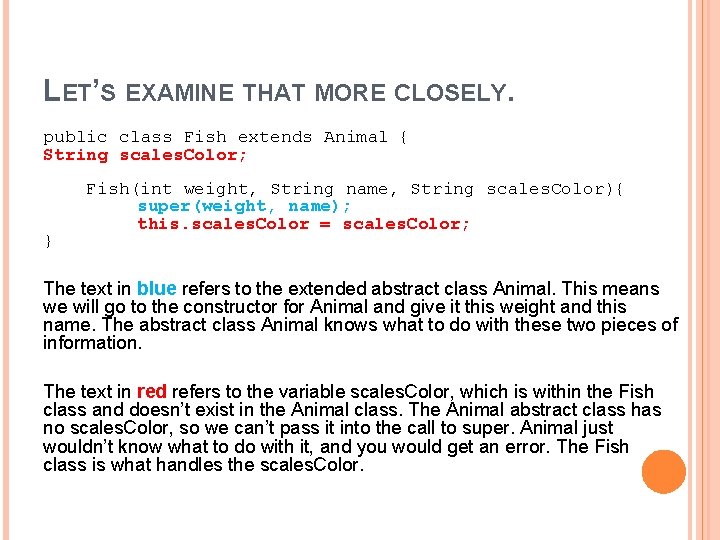
LET’S EXAMINE THAT MORE CLOSELY. public class Fish extends Animal { String scales. Color; } Fish(int weight, String name, String scales. Color){ super(weight, name); this. scales. Color = scales. Color; The text in blue refers to the extended abstract class Animal. This means we will go to the constructor for Animal and give it this weight and this name. The abstract class Animal knows what to do with these two pieces of information. The text in red refers to the variable scales. Color, which is within the Fish class and doesn’t exist in the Animal class. The Animal abstract class has no scales. Color, so we can’t pass it into the call to super. Animal just wouldn’t know what to do with it, and you would get an error. The Fish class is what handles the scales. Color.
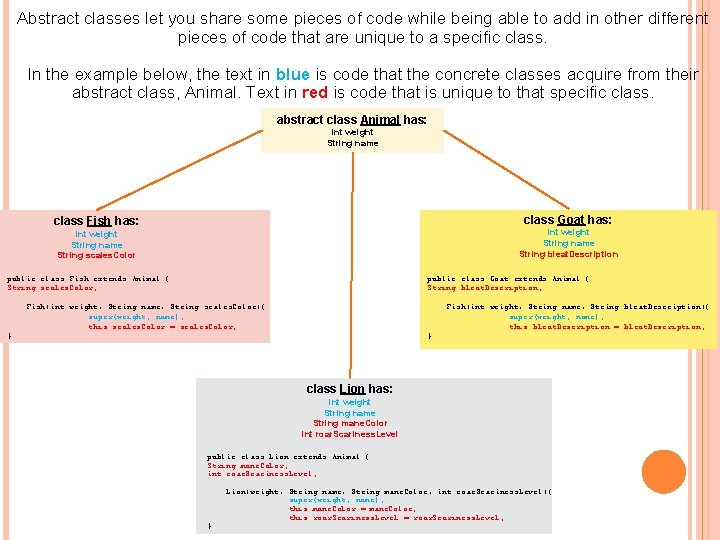
Abstract classes let you share some pieces of code while being able to add in other different pieces of code that are unique to a specific class. In the example below, the text in blue is code that the concrete classes acquire from their abstract class, Animal. Text in red is code that is unique to that specific class. abstract class Animal has: int weight String name class Goat has: class Fish has: int weight String name String bleat. Description int weight String name String scales. Color public class Fish extends Animal { String scales. Color; public class Goat extends Animal { String bleat. Description; Fish(int weight, String name, String scales. Color){ super(weight, name); this. scales. Color = scales. Color; Fish(int weight, String name, String bleat. Description){ super(weight, name); this. bleat. Description = bleat. Description; } } class Lion has: int weight String name String mane. Color int roar. Scariness. Level public class Lion extends Animal { String mane. Color; int roar. Scariness. Level; } Lion(weight, String name, String mane. Color, int roar. Scariness. Level){ super(weight, name); this. mane. Color = mane. Color; this. roar. Scariness. Level = roar. Scariness. Level;
BINARY SEARCH TREES Each node has two children (left and right) Left’s key is smaller than parent’s key Right’s key is larger than parent’s key
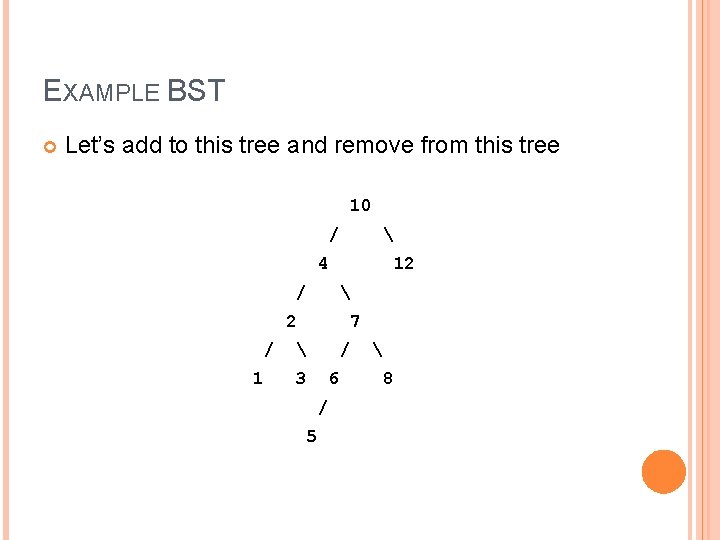
EXAMPLE BST Let’s add to this tree and remove from this tree 10 / 4 / 12 2 / 1 7 / 3 6 / 5 8
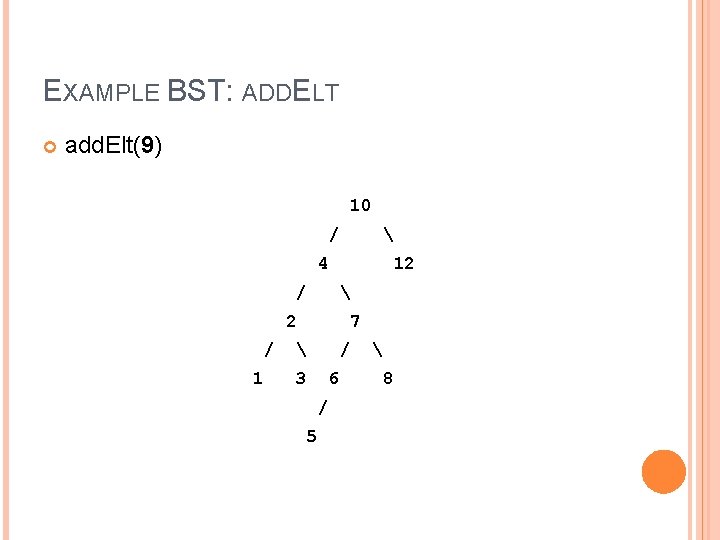
EXAMPLE BST: ADDELT add. Elt(9) 10 / 4 / 12 2 / 1 7 / 3 6 / 5 8
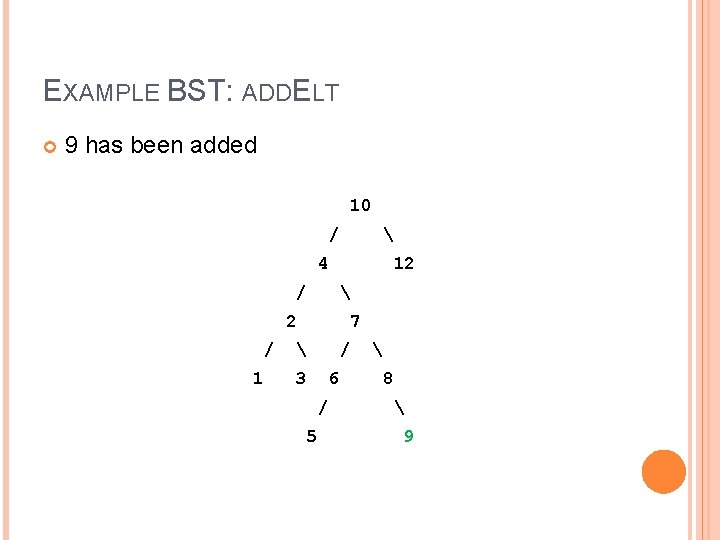
EXAMPLE BST: ADDELT 9 has been added 10 / 4 12 / 2 / 1 7 / 3 6 / 5 8 9
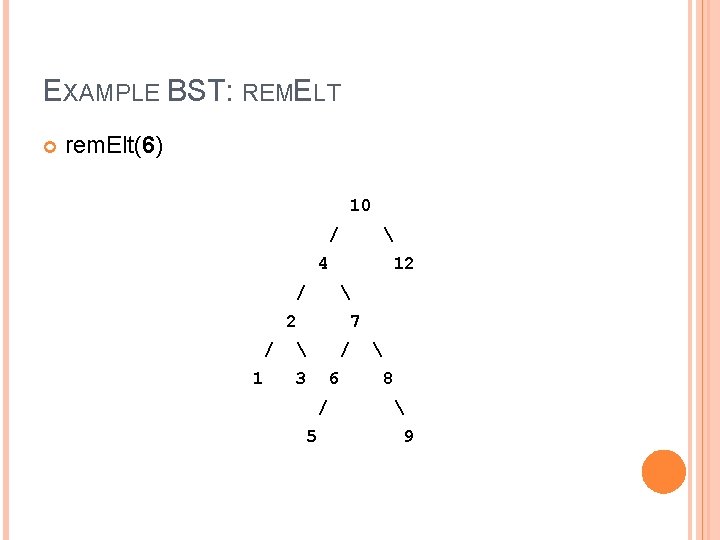
EXAMPLE BST: REMELT rem. Elt(6) 10 / 4 12 / 2 / 1 7 / 3 6 / 5 8 9
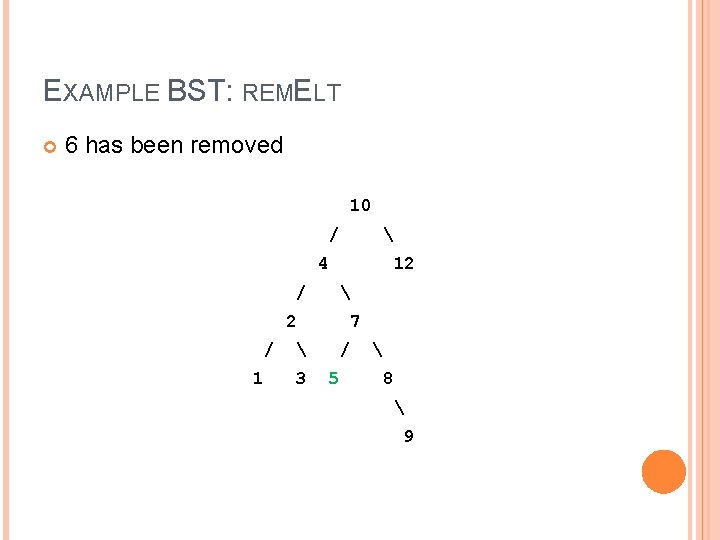
EXAMPLE BST: REMELT 6 has been removed 10 / 4 / 12 2 / 1 7 3 / 5 8 9
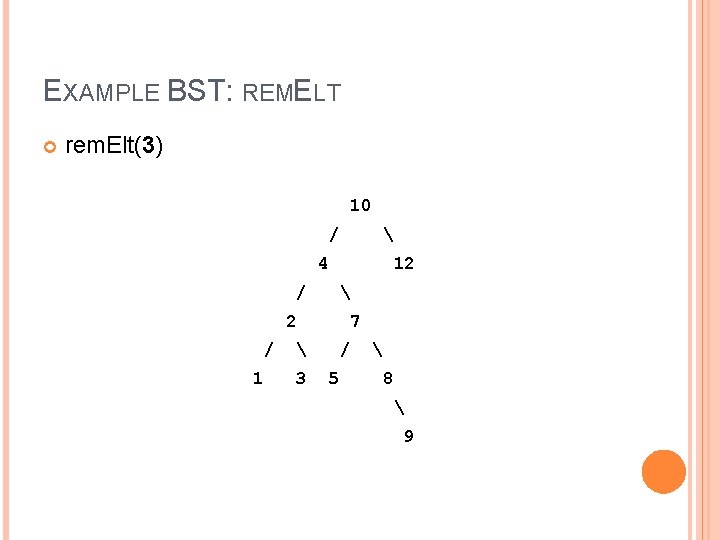
EXAMPLE BST: REMELT rem. Elt(3) 10 / 4 / 12 2 / 1 7 3 / 5 8 9
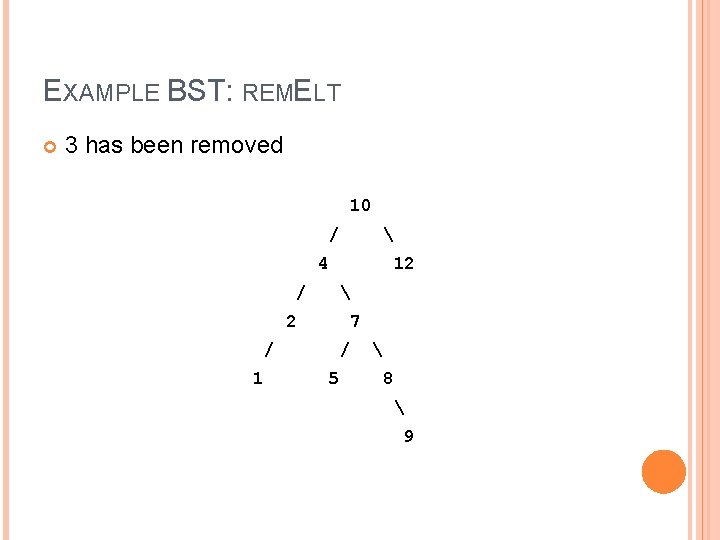
EXAMPLE BST: REMELT 3 has been removed 10 / 4 / 12 2 / 1 7 / 5 8 9
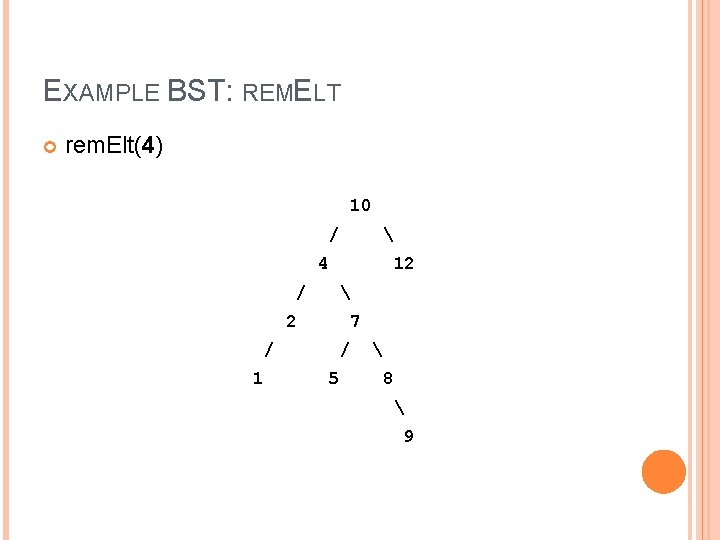
EXAMPLE BST: REMELT rem. Elt(4) 10 / 4 / 12 2 / 1 7 / 5 8 9
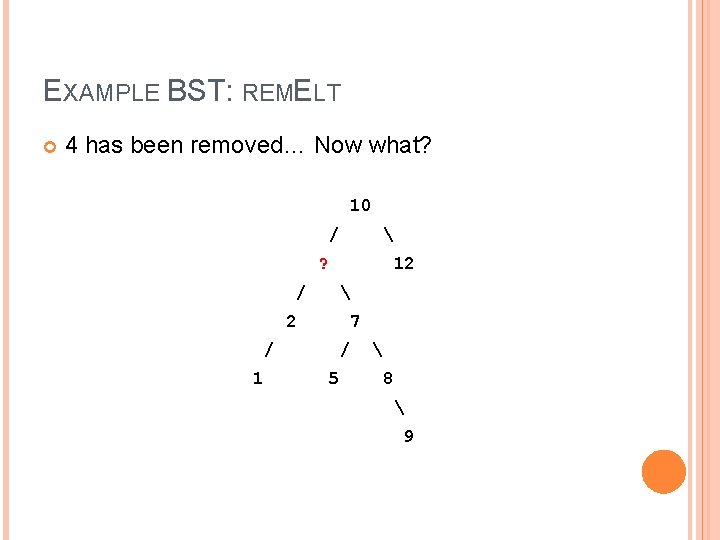
EXAMPLE BST: REMELT 4 has been removed… Now what? 10 / ? / 12 2 / 1 7 / 5 8 9
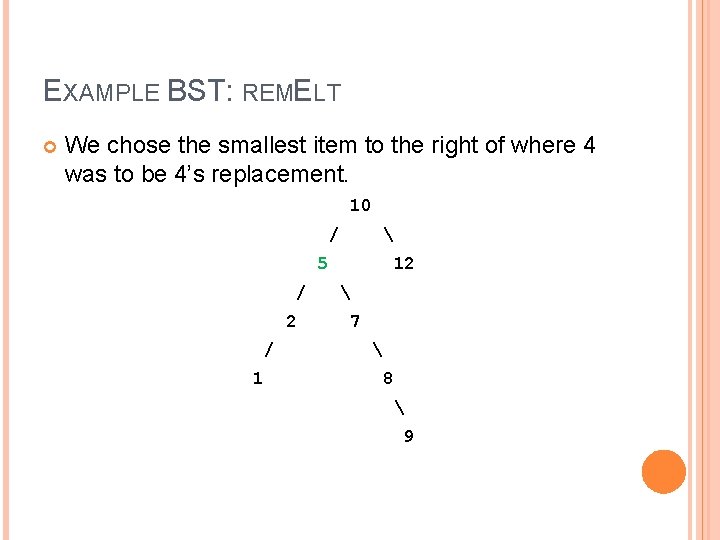
EXAMPLE BST: REMELT We chose the smallest item to the right of where 4 was to be 4’s replacement. 10 / 5 / 2 / 1 12 7 8 9
- Slides: 18