
Interactive Fiscal Plan The Introduction provides a brief
Interactive Fiscal Plan The Introduction provides a brief description of the definition, purpose, and limitations of this model. Go to Introduction The Quick Guide provides an overview on how to use this model. Go to Quick Guide Next
Interactive Fiscal Plan: What is the Fiscal Plan? INTRODUCTON Every year, the County Executive recommends, and the County Council approves, a “fiscal plan” for the upcoming six years. The fiscal plan includes operating budget revenue and expenditure estimates for the upcoming six fiscal years. The Montgomery County Charter prohibits the Council from approving an annual operating budget in which expenditures exceed revenues. The approved fiscal includes a single set of revenue and expenditure assumptions that result in a balanced budget (expenditures equal revenues) in each year of the upcoming six fiscal years. The assumptions included in the approved fiscal plan are prepared by the County’s Department of Finance and Office of Management and Budget based on current policies and economic projections. Back Next
Interactive Fiscal Plan: INTRODUCTON What is the Interactive Fiscal Plan? The interactive fiscal plan is a budget model that measures the multi-year effect of alternative revenue and expenditure assumptions on the aggregate (all-agency) County operating budget. Using the model, you can input alternative assumptions regarding major revenue and expenditure categories. The model calculates the cumulative six-year effect of adjusting the assumed average annual rate of change for each major budget variable. The model displays the effect of these alternative assumptions on the sixth fiscal year. The model allows you to allocate available resources among four locally funded agencies: Montgomery County Public Schools, Montgomery College, the Montgomery Count Government, and the Montgomery County portion of the Maryland-National Capital Park and Planning Commission (M-NCPPC). The model displays agency budgets in the aggregate but does not show expenditures at the program level. Back Next
Interactive Fiscal Plan: INTRODUCTON What is the purpose of the Interactive Fiscal Plan? The interactive fiscal plan is a tool to help the County Council and the community better understand the relationship among different elements of the operating budget. This model allows the user to adjust assumptions in the County’s six-year fiscal plan. The model shows the relationship among different budget elements and provides the user the opportunity to explore alternative approaches to balancing the budget. What are the limitations of the Interactive Fiscal Plan? The interactive fiscal plan is not designed to craft an operating budget for a single year. The model does not include specific program line items within agency budgets nor does the model account for one-year deviations from multi-year trends. Rather, the model is intended to help long-term planning in the context of economic and fiscal risk and uncertainty. Back Next
Interactive Fiscal Plan: QUICK GUIDE Step-by-Step Instructions Each page of the model includes a button in the upper left corner that reads: “How to Use this Page. ” Click on the button to access step-by-instructions on how to use the model. The instructions also include definitions of terms and explanation of budget considerations and model default settings. Back Next
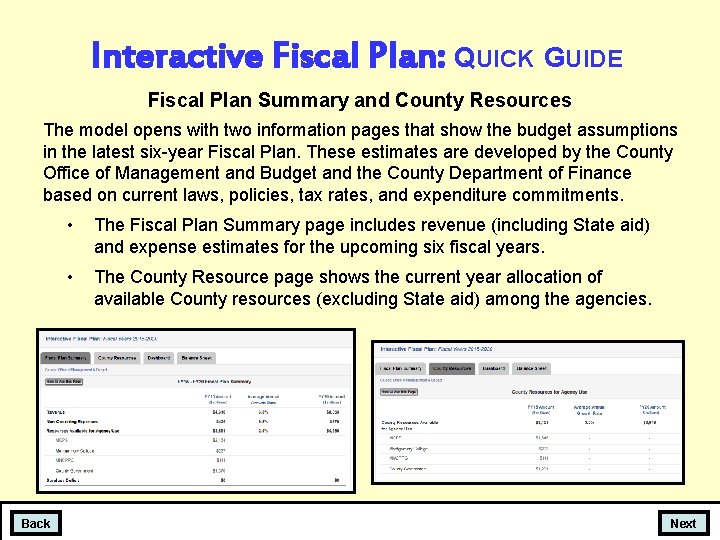
Interactive Fiscal Plan: QUICK GUIDE Fiscal Plan Summary and County Resources The model opens with two information pages that show the budget assumptions in the latest six-year Fiscal Plan. These estimates are developed by the County Office of Management and Budget and the County Department of Finance based on current laws, policies, tax rates, and expenditure commitments. Back • The Fiscal Plan Summary page includes revenue (including State aid) and expense estimates for the upcoming six fiscal years. • The County Resource page shows the current year allocation of available County resources (excluding State aid) among the agencies. Next
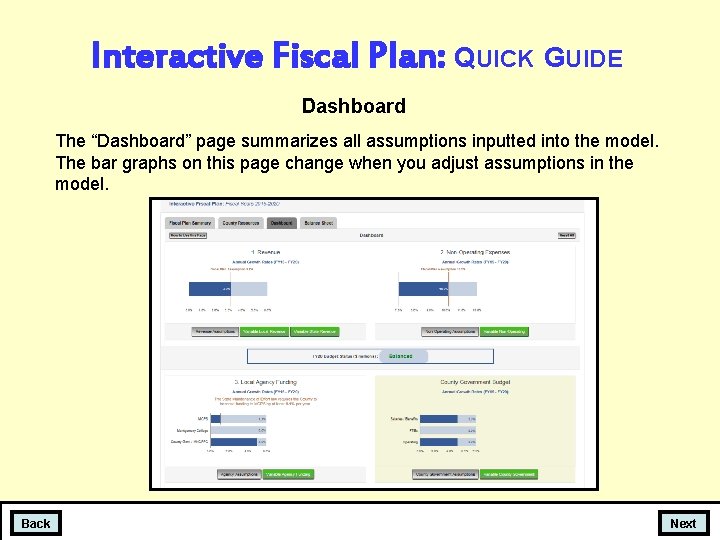
Interactive Fiscal Plan: QUICK GUIDE Dashboard The “Dashboard” page summarizes all assumptions inputted into the model. The bar graphs on this page change when you adjust assumptions in the model. Back Next
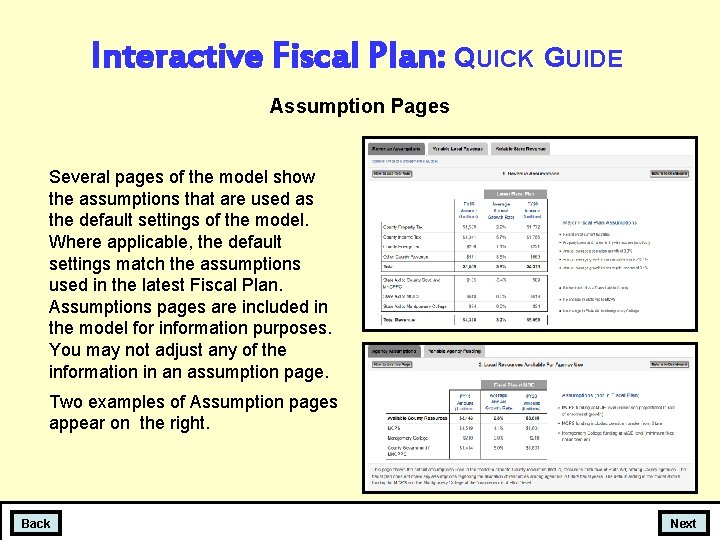
Interactive Fiscal Plan: QUICK GUIDE Assumption Pages Several pages of the model show the assumptions that are used as the default settings of the model. Where applicable, the default settings match the assumptions used in the latest Fiscal Plan. Assumptions pages are included in the model for information purposes. You may not adjust any of the information in an assumption page. Two examples of Assumption pages appear on the right. Back Next
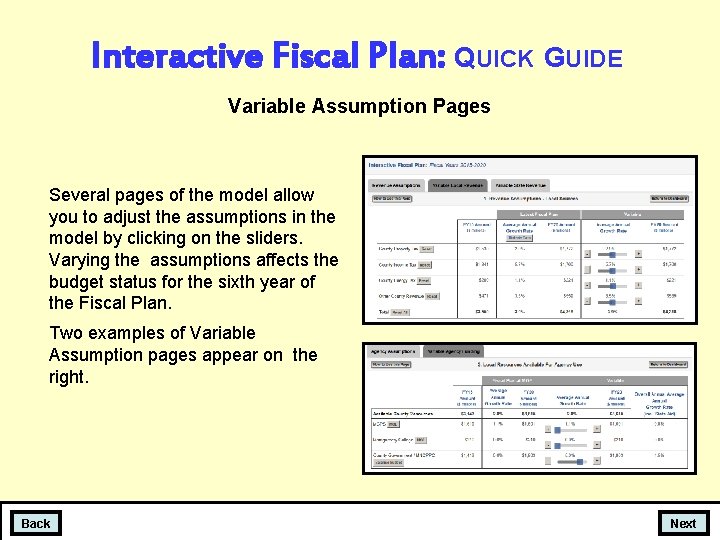
Interactive Fiscal Plan: QUICK GUIDE Variable Assumption Pages Several pages of the model allow you to adjust the assumptions in the model by clicking on the sliders. Varying the assumptions affects the budget status for the sixth year of the Fiscal Plan. Two examples of Variable Assumption pages appear on the right. Back Next
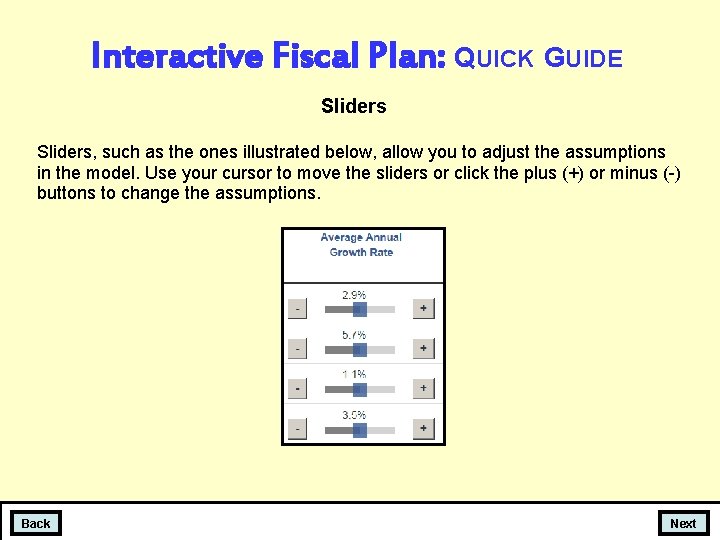
Interactive Fiscal Plan: QUICK GUIDE Sliders, such as the ones illustrated below, allow you to adjust the assumptions in the model. Use your cursor to move the sliders or click the plus (+) or minus (-) buttons to change the assumptions. Back Next
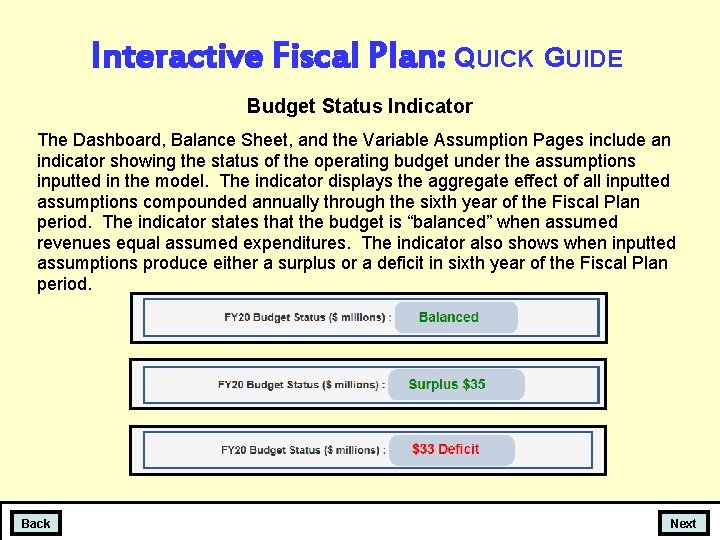
Interactive Fiscal Plan: QUICK GUIDE Budget Status Indicator The Dashboard, Balance Sheet, and the Variable Assumption Pages include an indicator showing the status of the operating budget under the assumptions inputted in the model. The indicator displays the aggregate effect of all inputted assumptions compounded annually through the sixth year of the Fiscal Plan period. The indicator states that the budget is “balanced” when assumed revenues equal assumed expenditures. The indicator also shows when inputted assumptions produce either a surplus or a deficit in sixth year of the Fiscal Plan period. Back Next
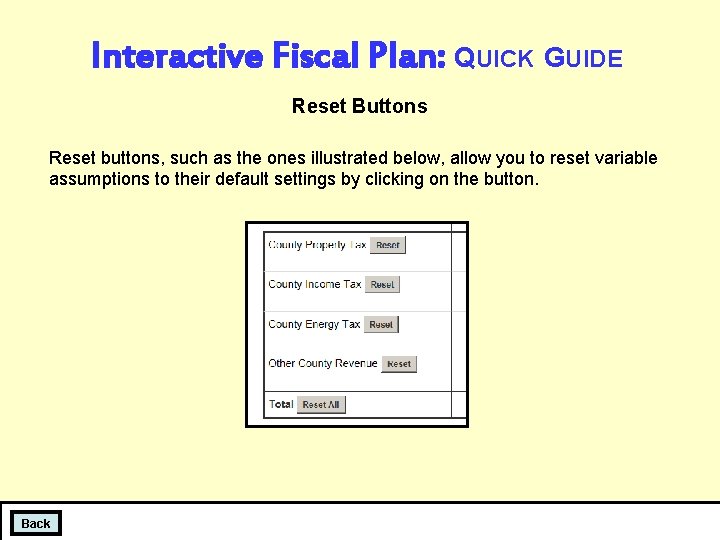
Interactive Fiscal Plan: QUICK GUIDE Reset Buttons Reset buttons, such as the ones illustrated below, allow you to reset variable assumptions to their default settings by clicking on the button. Back
- Slides: 12