
Interaction Diagrams Sequence diagrams Collaboration diagrams are the
Interaction Diagrams • Sequence diagrams • Collaboration diagrams are the Interaction diagrams showing dynamic aspects of system. An interaction diagram shows an interaction, consisting of set of objects & their relationships, including the messages that may be dispatched among them.
• Interaction Diagrams commonly contain • Objects • Links • Messages It may also contain notes & constraints • Interaction Diagrams are used typically in two ways : 1. To model flows of control by time ordering 2. To model flows of control by organization
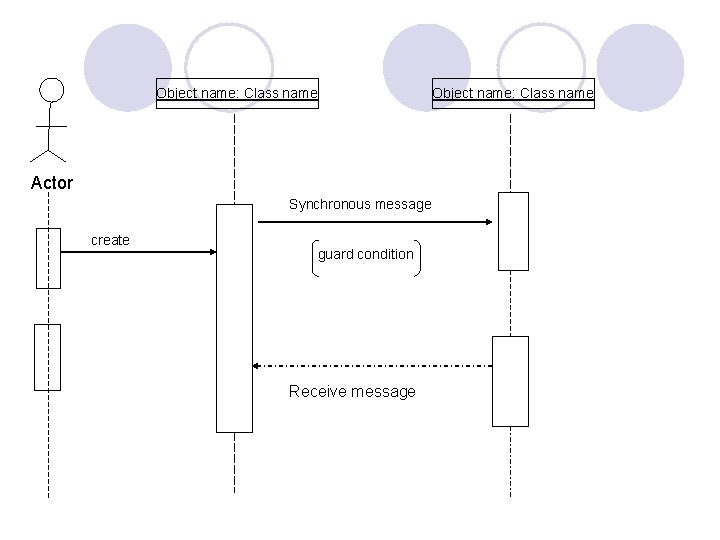
Sequence Diagram Sequence A • diagram interaction anis diagram that emphasizes the time ordering of messages. Graphically, • sequence a diagram table athat isshows objects arranged along the X-axis & messages ordered in increasing time, along the Y-axis. ence • them from collaboration diagrams as, 1. There is the object lifeline. o that represents the existence of an object over a period of time.
o Most objects that appear in an interaction diagram will be in existence for the duration of the interaction, so these objects are all aligned at the top of the diagram, with their lifelines drawn from the top of the diagram to the bottom. o Objects may be created during the interaction. Their lifelines start with the receipt of the message stereotyped as create. o Objects may be destroyed during the interaction. Their lifeline ends with the receipt of the message stereotyped as destroy.
2. There is the focus of control. o The focus of control is a tall, thin rectangle that shows the period of time during which an object is performing an action, either directly or through a subordinate procedure. o The top of the rectangle is aligned with the start of the action & the bottom is aligned with its completion. o You can show the nesting of a focus of control by stacking another focus of control slightly to the right of its parent. o If you want to be especially precise about where the focus of control lies, you can also shade the region of the rectangle during which the object’s method is actually computing.
Object name: Class name Actor Synchronous message create guard condition Receive message
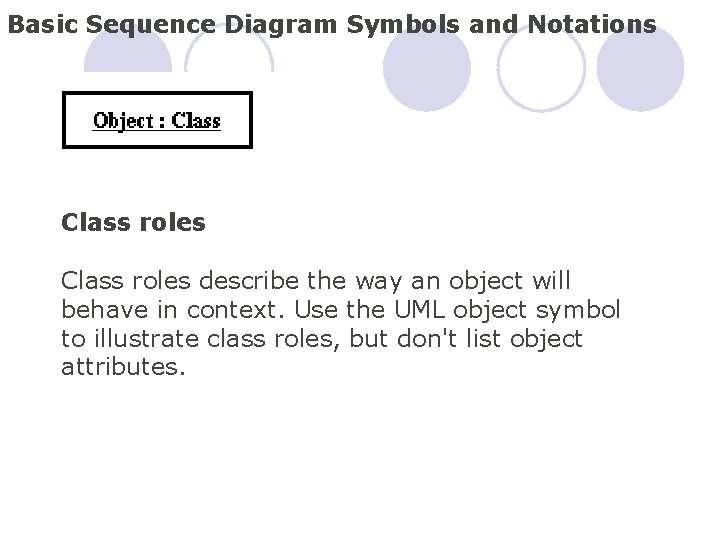
Basic Sequence Diagram Symbols and Notations Class roles describe the way an object will behave in context. Use the UML object symbol to illustrate class roles, but don't list object attributes.
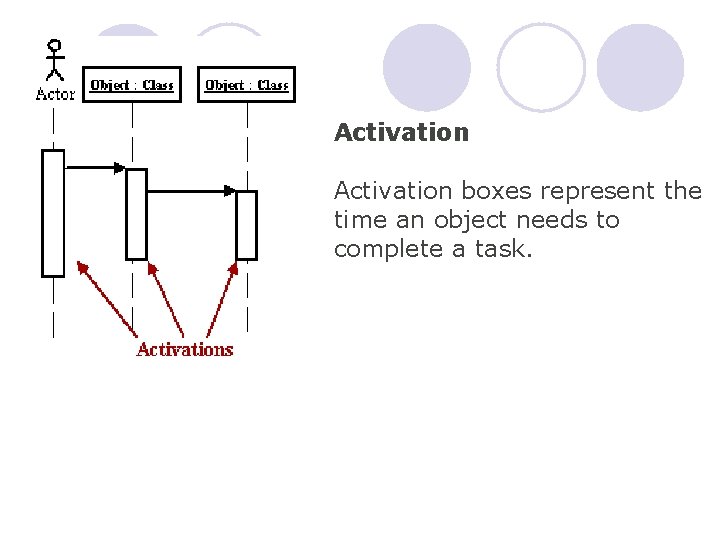
Activation boxes represent the time an object needs to complete a task.
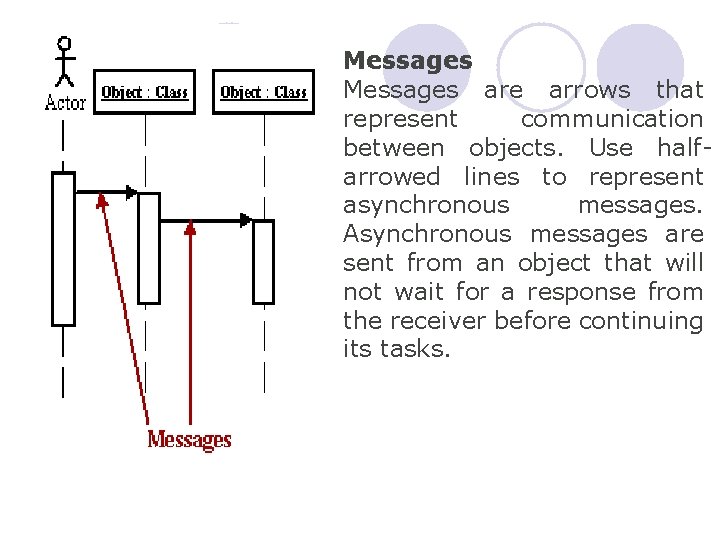
Messages are arrows that represent communication between objects. Use halfarrowed lines to represent asynchronous messages. Asynchronous messages are sent from an object that will not wait for a response from the receiver before continuing its tasks.
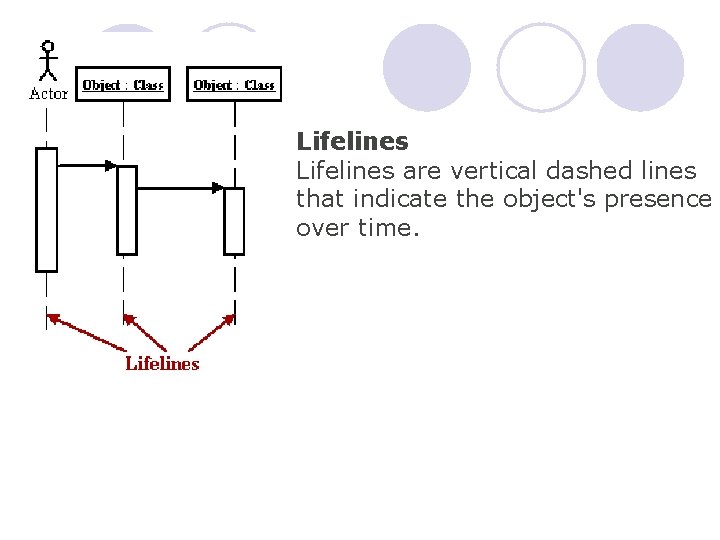
Lifelines are vertical dashed lines that indicate the object's presence over time.
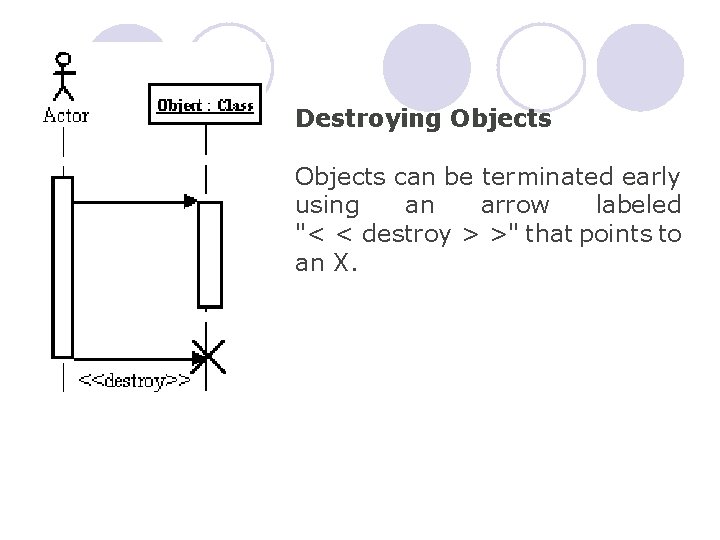
Destroying Objects can be terminated early using an arrow labeled "< < destroy > >" that points to an X.
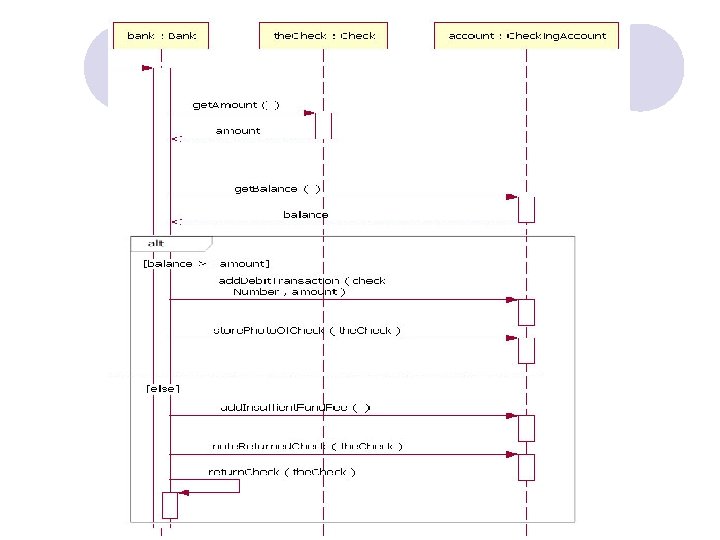
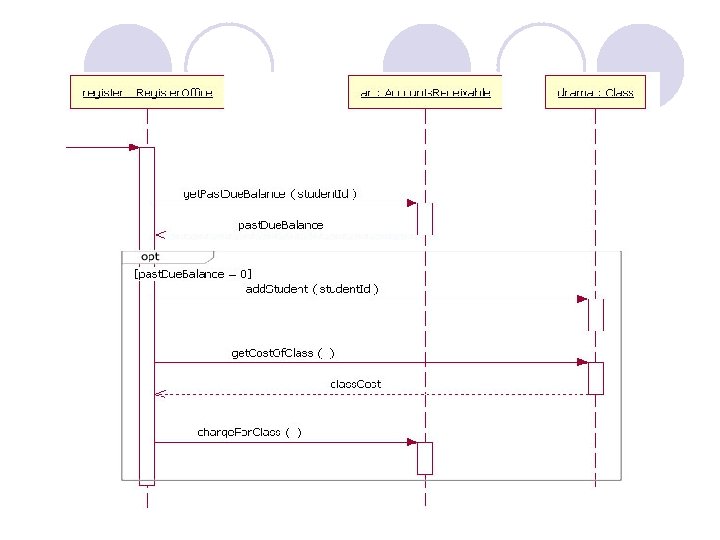
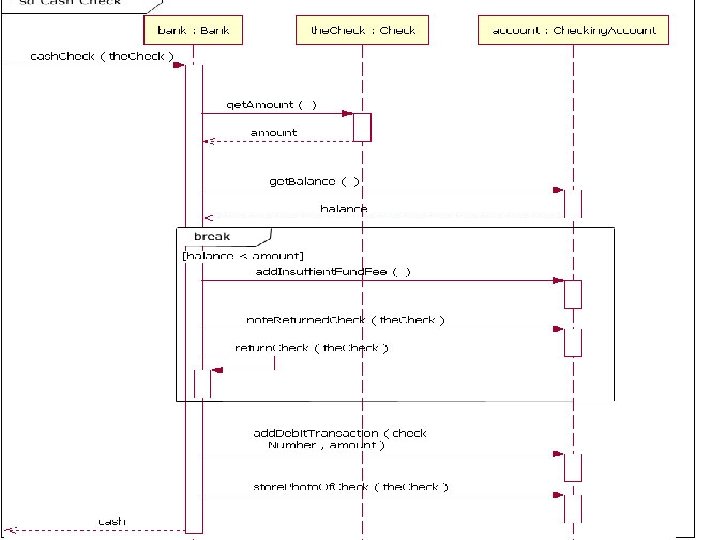
Interaction Operators l Alternatives : It shows if else condition l Option : It shows sequence only when condition is true. l Break : This operand shows when the interaction fragment should execute and then terminate. l Loop : This operand indicates that the contained event occurrences are to be executed some number of times.
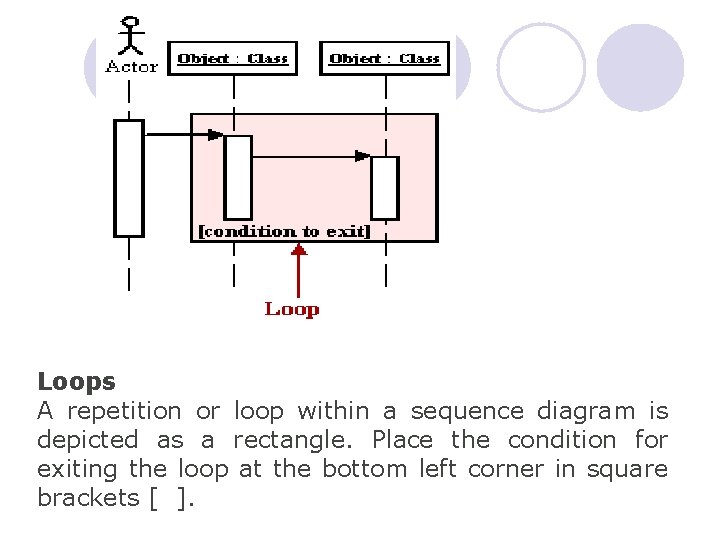
Loops A repetition or loop within a sequence diagram is depicted as a rectangle. Place the condition for exiting the loop at the bottom left corner in square brackets [ ].
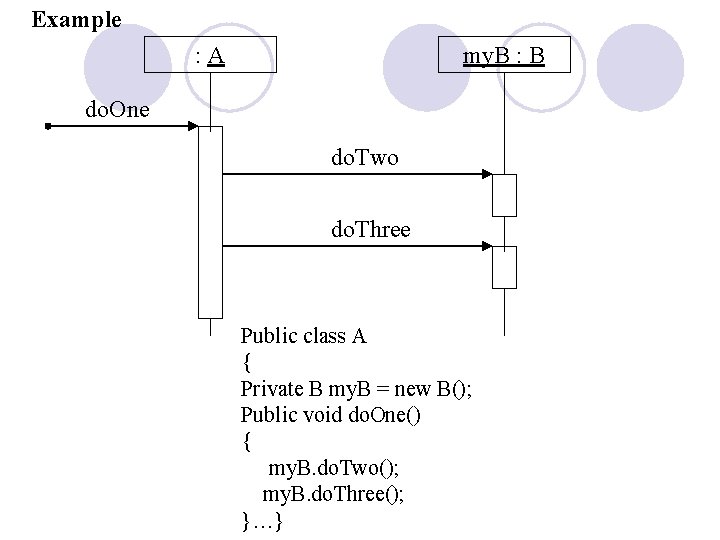
Example : A my. B : B do. One do. Two do. Three Public class A { Private B my. B = new B(); Public void do. One() { my. B. do. Two(); my. B. do. Three(); }…}

Collaboration Diagram Collaboration • A diagram an interaction is diagram that emphasizes the structural organization of the objects that send & receive messages. phically, • of vertices & arcs.
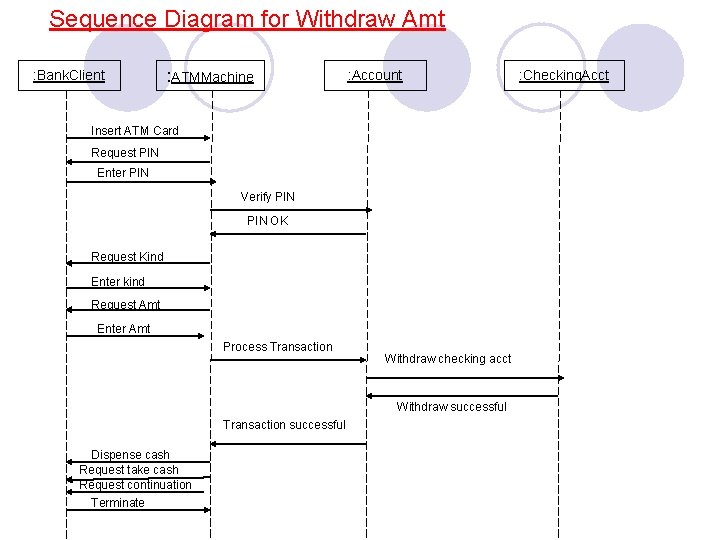
Sequence Diagram for Withdraw Amt : Bank. Client : ATMMachine : Account Insert ATM Card Request PIN Enter PIN Verify PIN OK Request Kind Enter kind Request Amt Enter Amt Process Transaction Withdraw checking acct Withdraw successful Transaction successful Dispense cash Request take cash Request continuation Terminate : Checking. Acct
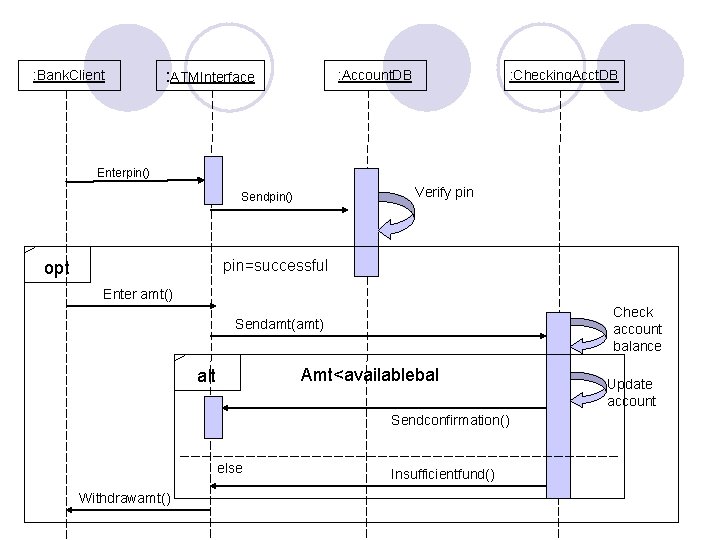
: Bank. Client : ATMInterface : Account. DB : Checking. Acct. DB Enterpin() Verify pin Sendpin() pin=successful opt Enter amt() Check account balance Sendamt(amt) Amt<availablebal alt Sendconfirmation() else Withdrawamt() Insufficientfund() Update account
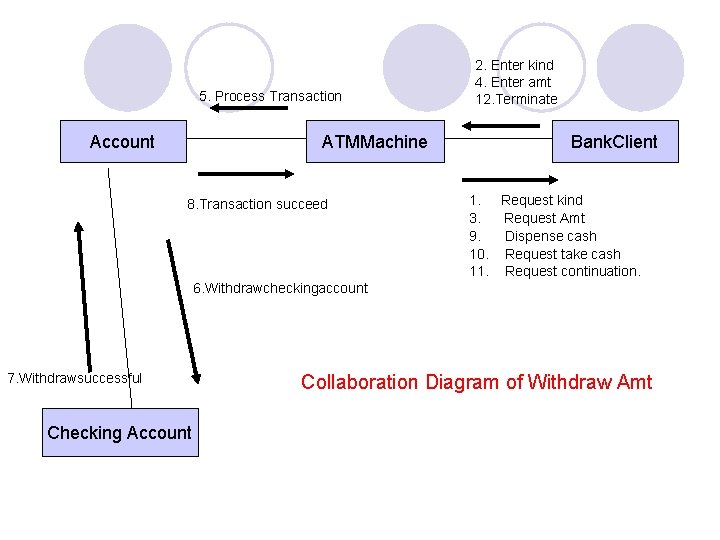
5. Process Transaction Account ATMMachine 8. Transaction succeed 2. Enter kind 4. Enter amt 12. Terminate Bank. Client 1. Request kind 3. Request Amt 9. Dispense cash 10. Request take cash 11. Request continuation. 6. Withdrawcheckingaccount 7. Withdrawsuccessful Checking Account Collaboration Diagram of Withdraw Amt
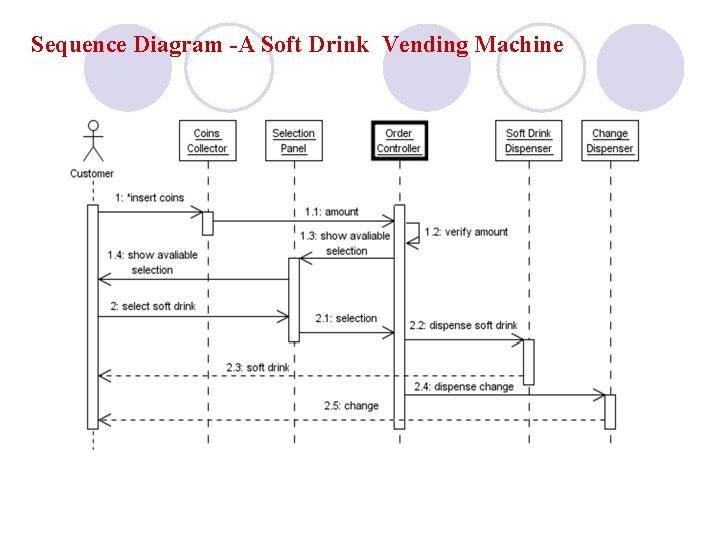
Sequence Diagram -A Soft Drink Vending Machine
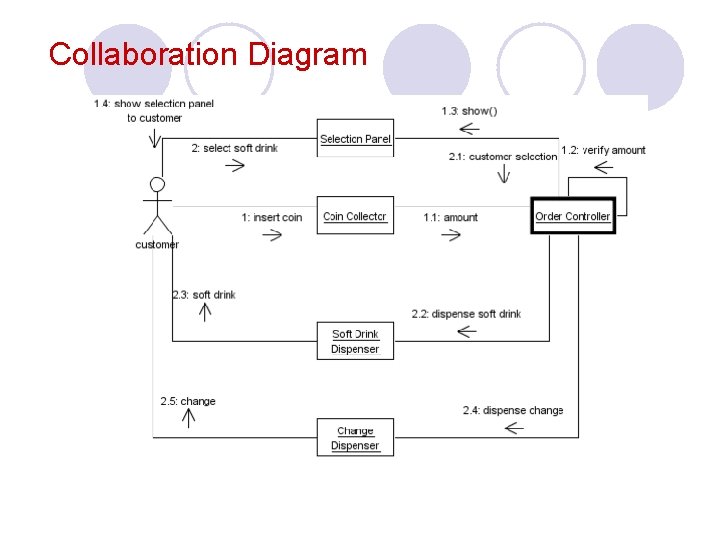
Collaboration Diagram
- Slides: 23