
Interaction Diagrams CS 124 Object collaboration l A
Interaction Diagrams CS 124
Object collaboration l A use carried out involves objects and interaction or collaboration between these objects l l l Method calls between objects This collaboration is depicted in the UML through an Interaction Diagram Two types: l l Collaboration diagram Sequence diagram
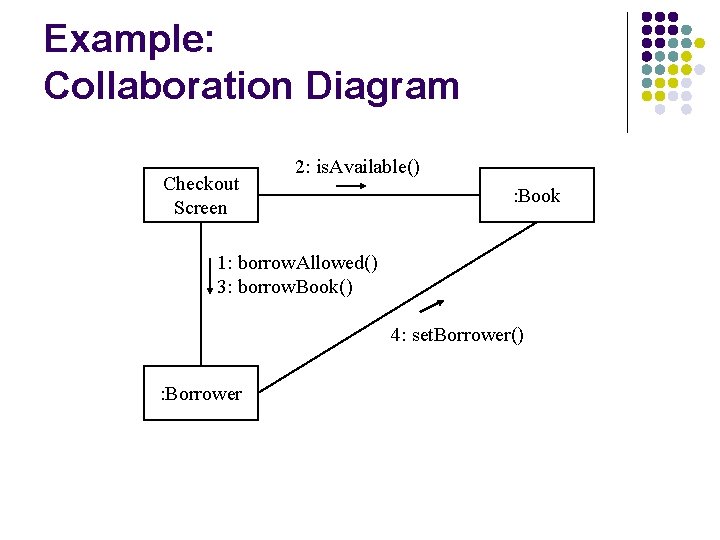
Example: Collaboration Diagram Checkout Screen 2: is. Available() : Book 1: borrow. Allowed() 3: borrow. Book() 4: set. Borrower() : Borrower

Interaction (Collaboration) Diagram Notation l l l Rectangles: Classes/Objects Arrows: Messages/Method Calls Labels on Arrows l l l sequence number (whole numbers or X. X. X notation) method name (the message passed) more details, if helpful and necessary (iterators, conditions, parameters, types, return types)
Methods l Interaction Diagrams suggest/imply methods for classes l l l Has consequences on detailed class diagram The label(s) of an arrow should be a method of the class the arrow points to Library System l Borrower class should have at least two methods (check. If. Delinquent and borrow. Book)
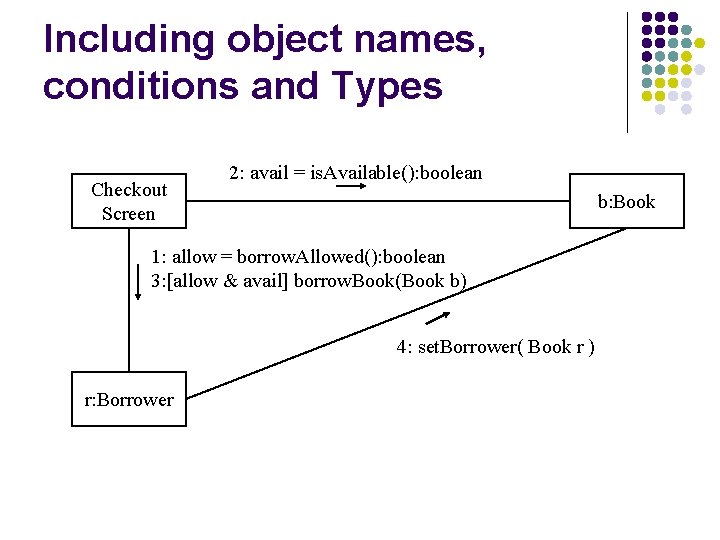
Including object names, conditions and Types Checkout Screen 2: avail = is. Available(): boolean b: Book 1: allow = borrow. Allowed(): boolean 3: [allow & avail] borrow. Book(Book b) 4: set. Borrower( Book r ) r: Borrower
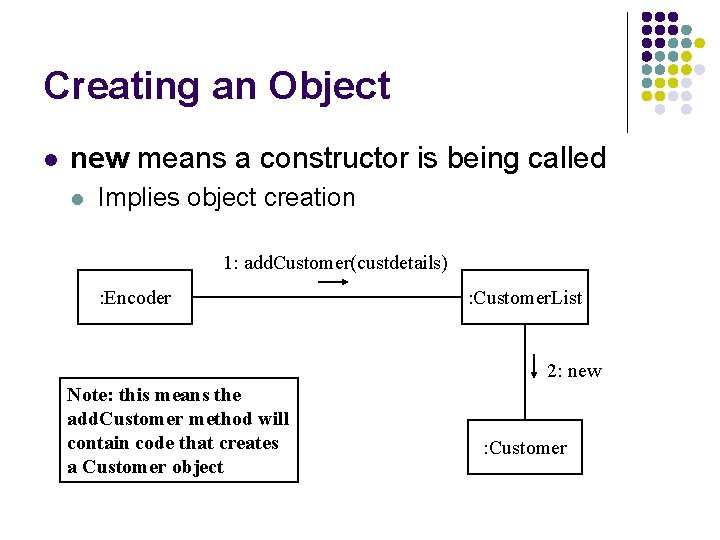
Creating an Object l new means a constructor is being called l Implies object creation 1: add. Customer(custdetails) : Encoder : Customer. List 2: new Note: this means the add. Customer method will contain code that creates a Customer object : Customer
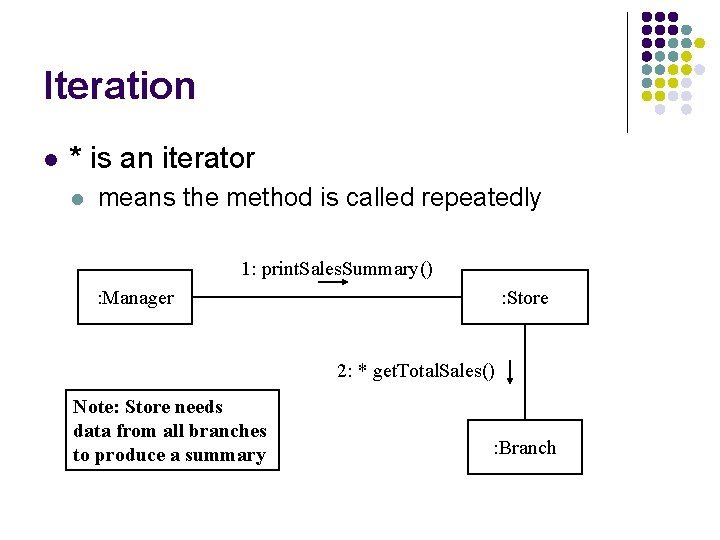
Iteration l * is an iterator l means the method is called repeatedly 1: print. Sales. Summary() : Manager : Store 2: * get. Total. Sales() Note: Store needs data from all branches to produce a summary : Branch
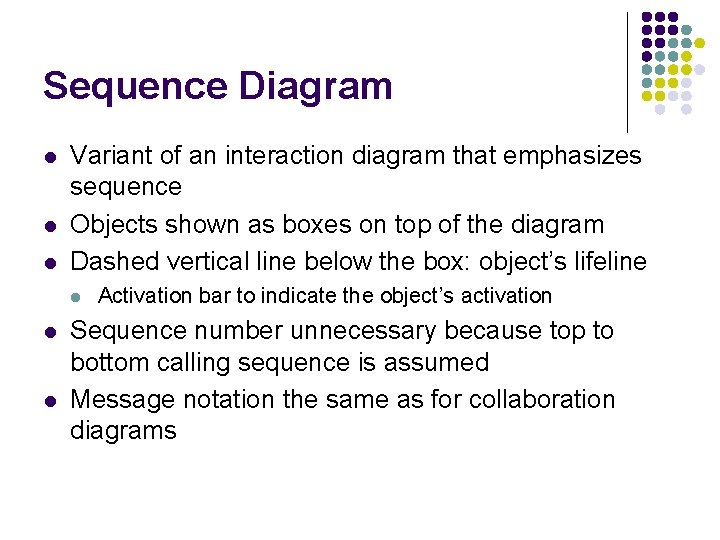
Sequence Diagram l l l Variant of an interaction diagram that emphasizes sequence Objects shown as boxes on top of the diagram Dashed vertical line below the box: object’s lifeline l l l Activation bar to indicate the object’s activation Sequence number unnecessary because top to bottom calling sequence is assumed Message notation the same as for collaboration diagrams
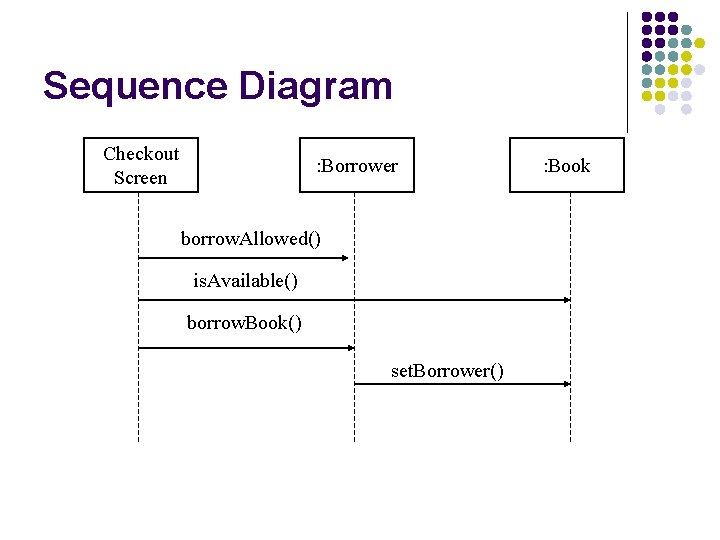
Sequence Diagram Checkout Screen : Borrower borrow. Allowed() is. Available() borrow. Book() set. Borrower() : Book
Collaboration versus Sequence Diagrams l Use collaboration diagrams when you want to make use of a two-dimensional layout of interacting objects l l Ok when there aren’t that many objects Use sequence diagrams when layout doesn’t help in presentation and when you want to clarify calling sequence
- Slides: 11