
Intentional Camera Movement Light Painting Karen Smale Feb
Intentional Camera Movement & Light Painting Karen Smale Feb 2015
ICM Intentional Camera Movement: ICM

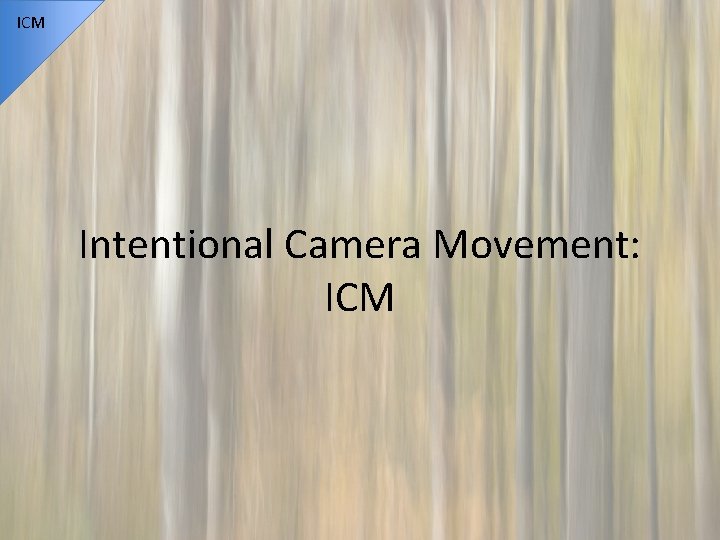
ICM What is ICM? • The camera moves during the exposure – The subject may or may not move • Intentional – This is not camera shake • Requires longer exposures (1/10 sec or more) – ISO 100 – f/22 (smallest aperture) – Might need a neutral density filter on a bright day
ICM Different techniques 1. Pan with your subject, which is moving 2. Pan/rotate to make abstract or impressionistic art of a scene that is not moving 3. Zoom to create the illusion of movement 4. Camera-tossing: for a completely random abstract image

ICM Intentional Camera Movement “The landscape you see through the viewfinder is a canvas wet with paint, your film in your camera is a blank sheet of white paper pressed against it. Any movement of your camera will result in the landscape being painted onto the film according to the movement. ” Photographing Creative Landscapes - Michael Orton, 2002.

ICM Technique 1: Panning w/ moving subject This keeps your subject in (relatively) sharp focus while smearing out the background (which eliminates distractions nicely). Photo by Karen Smale 1/20 sec (ISO 100, f/25)
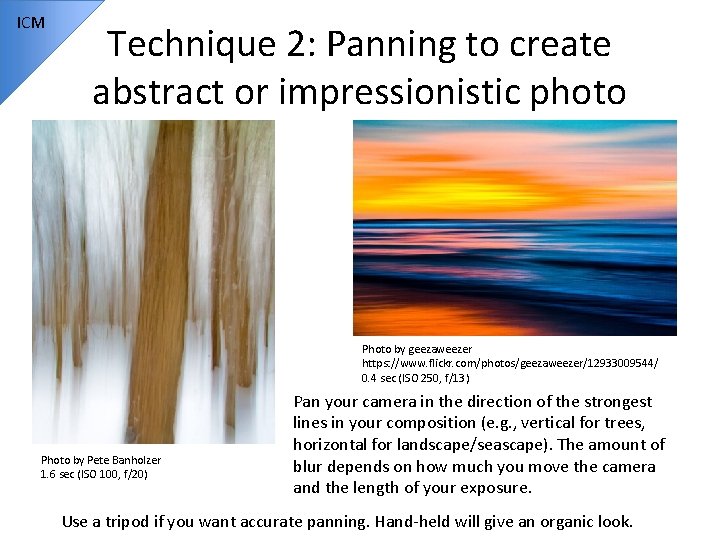
ICM Technique 2: Panning to create abstract or impressionistic photo Photo by geezaweezer https: //www. flickr. com/photos/geezaweezer/12933009544/ 0. 4 sec (ISO 250, f/13) Photo by Pete Banholzer 1. 6 sec (ISO 100, f/20) Pan your camera in the direction of the strongest lines in your composition (e. g. , vertical for trees, horizontal for landscape/seascape). The amount of blur depends on how much you move the camera and the length of your exposure. Use a tripod if you want accurate panning. Hand-held will give an organic look.
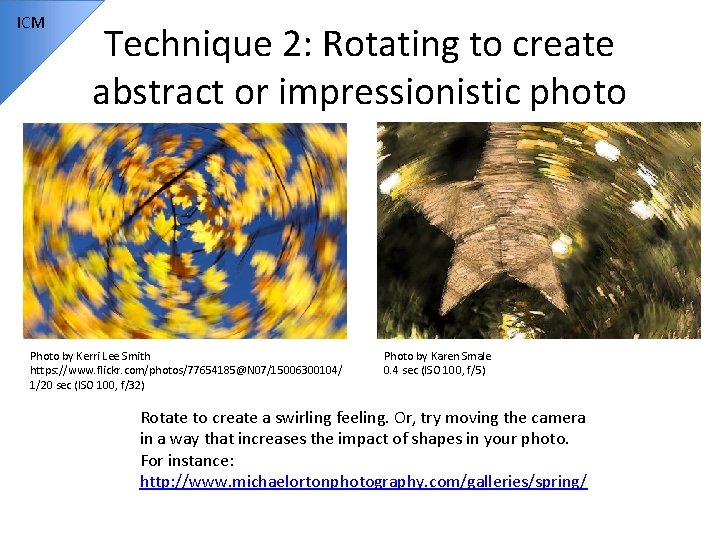
ICM Technique 2: Rotating to create abstract or impressionistic photo Photo by Kerri Lee Smith https: //www. flickr. com/photos/77654185@N 07/15006300104/ 1/20 sec (ISO 100, f/32) Photo by Karen Smale 0. 4 sec (ISO 100, f/5) Rotate to create a swirling feeling. Or, try moving the camera in a way that increases the impact of shapes in your photo. For instance: http: //www. michaelortonphotography. com/galleries/spring/
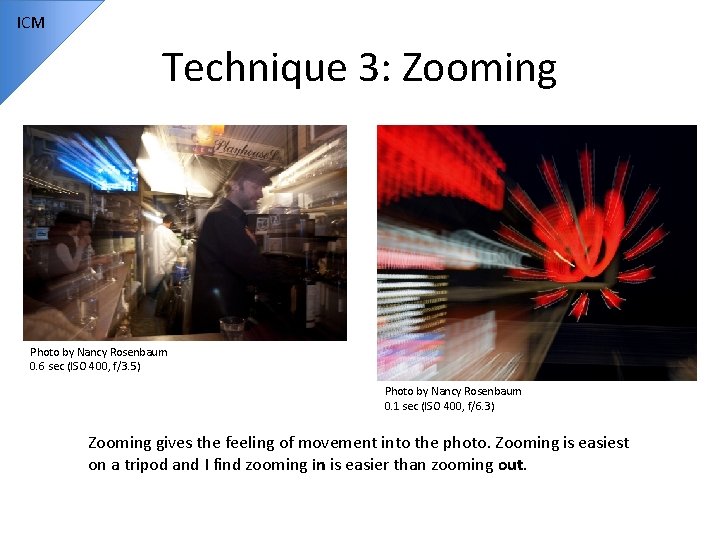
ICM Technique 3: Zooming Photo by Nancy Rosenbaum 0. 6 sec (ISO 400, f/3. 5) Photo by Karen Smale 1/8 sec (ISO 100, f/22) Photo by Nancy Rosenbaum 0. 1 sec (ISO 400, f/6. 3) Zooming gives the feeling of movement into the photo. Zooming is easiest on a tripod and I find zooming in is easier than zooming out.
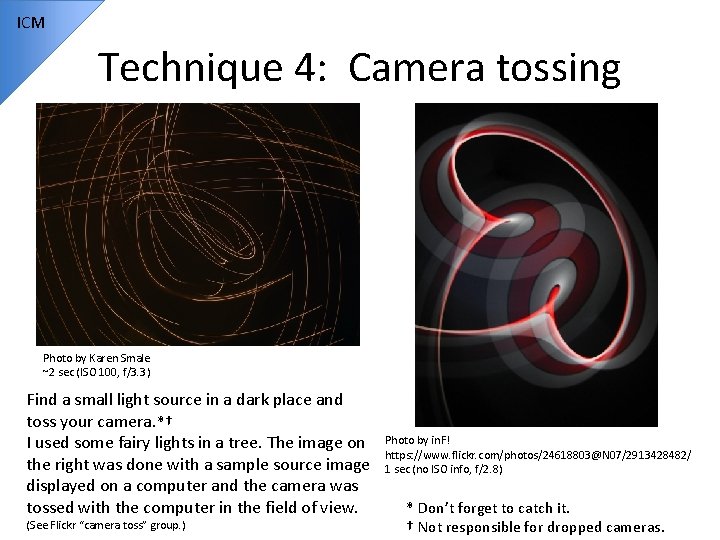
ICM Technique 4: Camera tossing Photo by Karen Smale ~2 sec (ISO 100, f/3. 3) Find a small light source in a dark place and toss your camera. *† I used some fairy lights in a tree. The image on the right was done with a sample source image displayed on a computer and the camera was tossed with the computer in the field of view. (See Flickr “camera toss” group. ) Photo by in. F! https: //www. flickr. com/photos/24618803@N 07/2913428482/ 1 sec (no ISO info, f/2. 8) * Don’t forget to catch it. † Not responsible for dropped cameras.
ICM ICM: How to do it • DSLR – Manual settings: Small aperture, low ISO, may need a neutral density filter or polarizer if it’s a bright day – Start with 1/4 to 1/8 of a second – Experiment with amount of movement, length of exposure • Cell phone apps for longer exposures – Slow. Shutter, Long. Expo, Len. X • Point & Shoot – Set to “fireworks” or “night scene” for longer exposures and shoot in a dark location to force the shutter speed to be slow
ICM Resources • http: //www. photography. ca/blog/tag/intentio nal-camera-movement/ • http: //www. michaelortonphotography. com/ic m. html • http: //www. apogeephoto. com/sept 2011/jrot h 92011. shtml • http: //www. picturecorrect. com/tips/paintingwith-light-intentional-camera-movement/
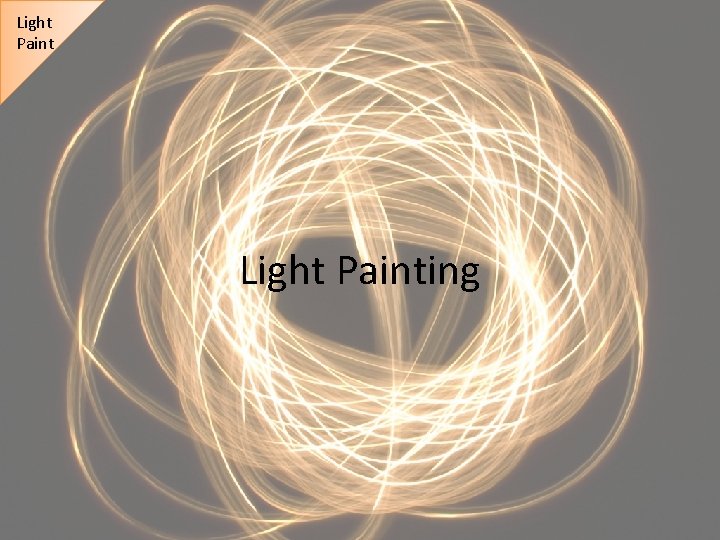
Light Painting
Light Paint What is Light Painting? • Two types: 1. Using light to illuminate your subject 2. Using light as your subject (drawing with light) • Requires quite long exposures (30 sec or more), and so you need a tripod or sturdy surface for your camera
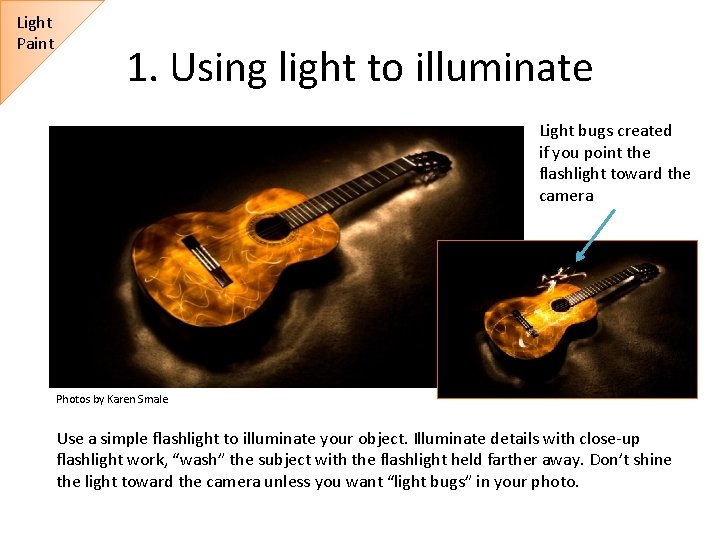
Light Paint 1. Using light to illuminate Light bugs created if you point the flashlight toward the camera Photos by Karen Smale Use a simple flashlight to illuminate your object. Illuminate details with close-up flashlight work, “wash” the subject with the flashlight held farther away. Don’t shine the light toward the camera unless you want “light bugs” in your photo.
Light Painting (1 -illuminating): How to do it • Painting/illuminating a subject – – – – Dark location Illuminate your subject, focus, lock focus Set exposure to 30 sec or 60 sec Take a test shot of unilluminated subject to see where background/stray light comes in, set exposure accordingly; low ISO Start small (guitar, not abandoned building) Larger and more complex objects (parked cars, old barns, abandoned buildings) might require multiple exposures so you don’t have to get it all done in one try. These can be combined later in Photoshop (see tutorial in “resources” slide). Don’t illuminate yourself unless you want to be in the photo Don’t point the flashlight at the camera if you don’t want “light bugs”
Light Paint 2. Using light as a subject (drawing) Photo by rafoto https: //www. flickr. com/photos/rafoto/2653254686/ Photo by Pedro Moura Pinheiro https: //www. flickr. com/photos/pedromourapinheiro/3221587377/ Shine the flashlight toward the camera (not directly into the lens unless you want flaring).
Light Painting (2 -drawing): How to do it • Light as your subject (drawing) Dark location Illuminate your subject, focus, lock focus Set exposure to 30 sec or 60 sec; low ISO Determine the “edges” of your painting space If writing, do it for yourself, then flip image in postprocessing – Shine the flashlight toward the camera but not directly into camera lens (causes flare) – Try gels for colors or use other objects as light sources (i. Phone, candle, glow sticks, sparklers, etc. ) – Try painting objects into existing scenes – – –
Light Painting Resources • http: //digital-photography-school. com/lightpainting-part-one-the-photography/ • http: //digital-photography-school. com/lightpainting-part-two-photoshop/ • http: //lightpaintingphotography. com/lightpainting-tutorials/pipslab/ • http: //www. thepixelstick. com/
- Slides: 19