
Intelligent Integration GE MAC 800 ECG INTEGRATION MAC
- Slides: 17
Intelligent Integration GE MAC 800 ECG INTEGRATION MAC 800 for EMIS Web (using Cardio. Soft)
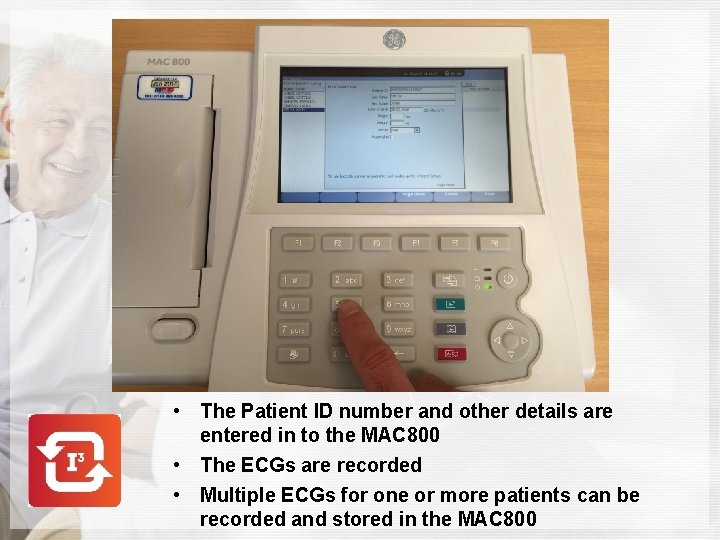
• The Patient ID number and other details are entered in to the MAC 800 • The ECGs are recorded • Multiple ECGs for one or more patients can be recorded and stored in the MAC 800
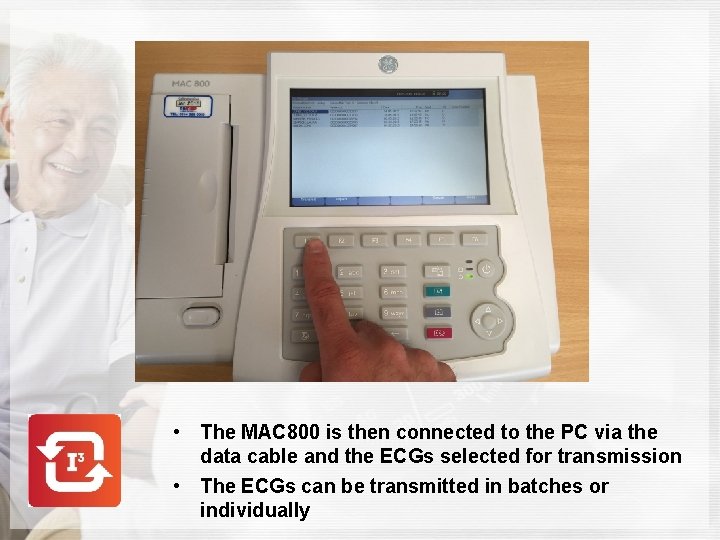
• The MAC 800 is then connected to the PC via the data cable and the ECGs selected for transmission • The ECGs can be transmitted in batches or individually
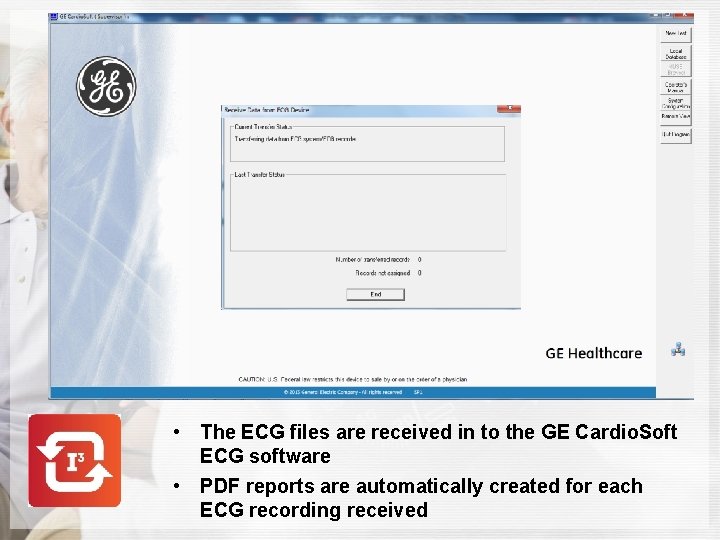
• The ECG files are received in to the GE Cardio. Soft ECG software • PDF reports are automatically created for each ECG recording received
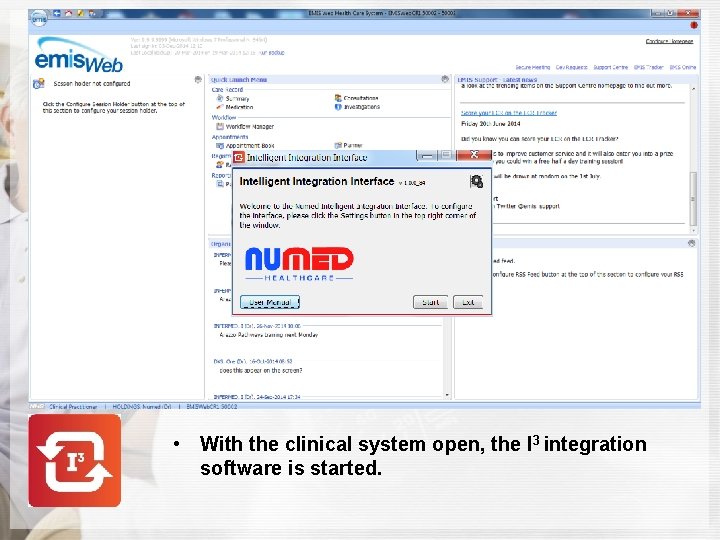
• With the clinical system open, the I 3 integration software is started.
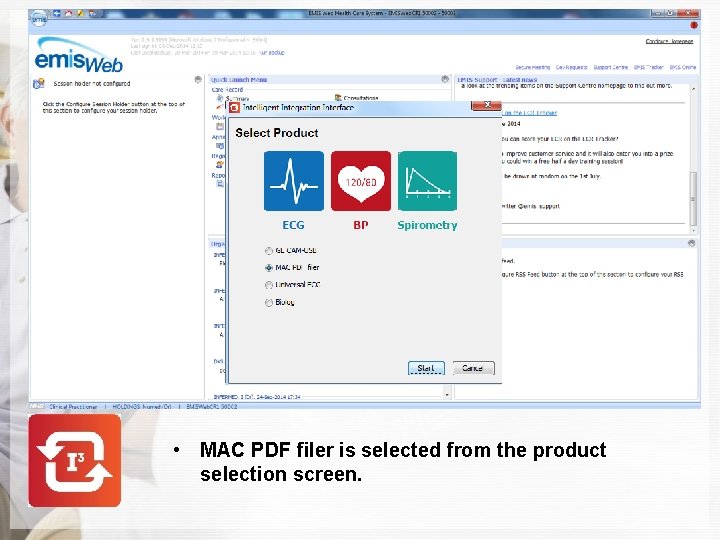
• MAC PDF filer is selected from the product selection screen.
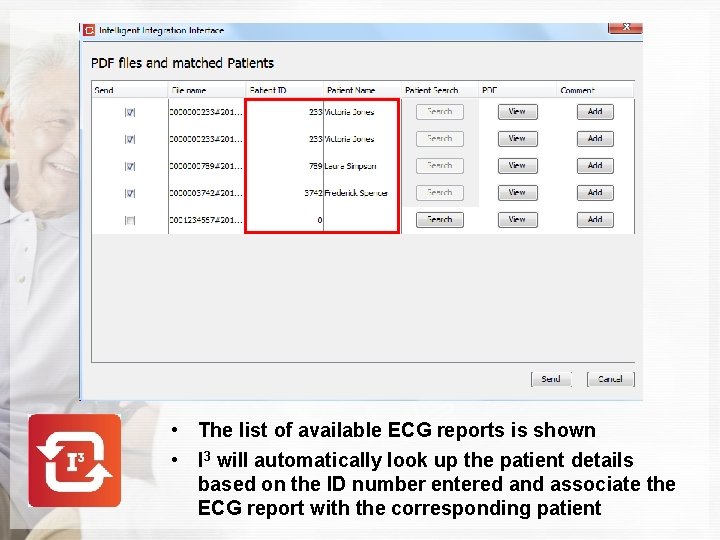
• The list of available ECG reports is shown • I 3 will automatically look up the patient details based on the ID number entered and associate the ECG report with the corresponding patient
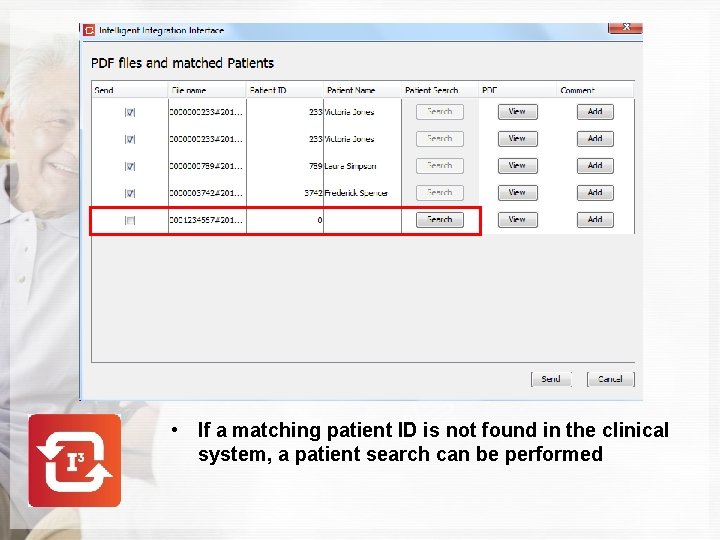
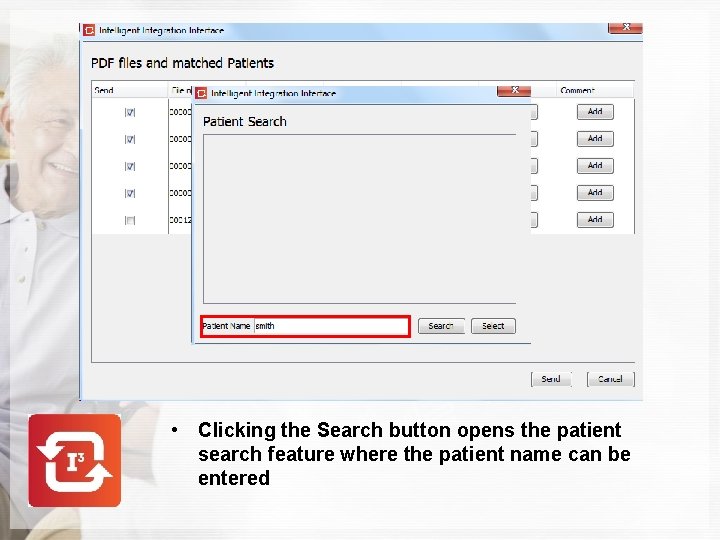
• If a matching patient ID is not found in the clinical system, a patient search can be performed
• Clicking the Search button opens the patient search feature where the patient name can be entered
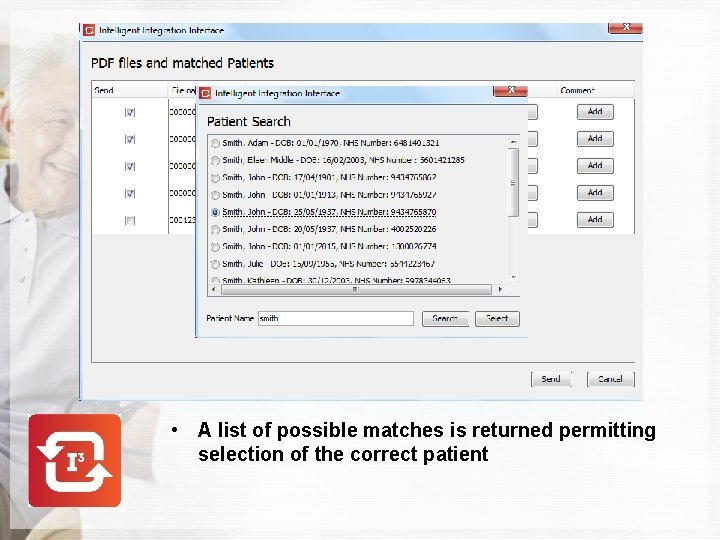
• A list of possible matches is returned permitting selection of the correct patient
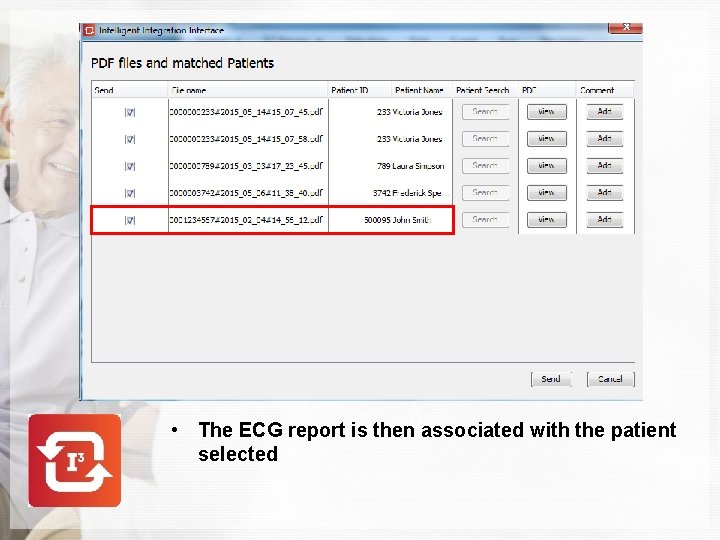
• The ECG report is then associated with the patient selected
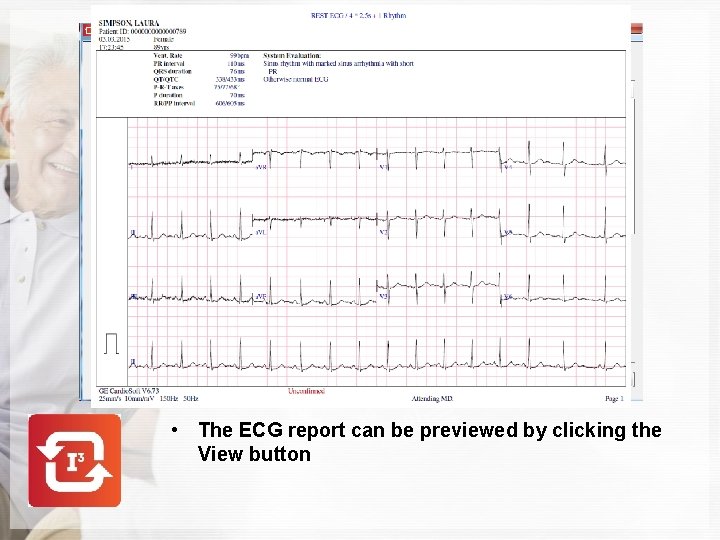
• The ECG report can be previewed by clicking the View button
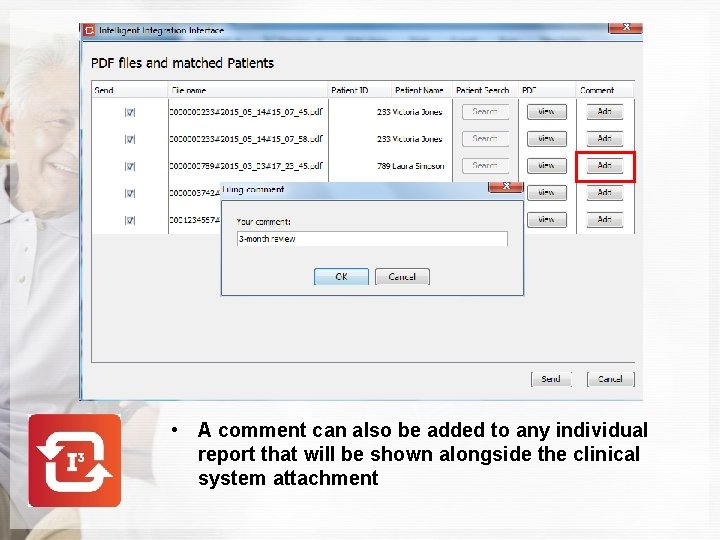
• A comment can also be added to any individual report that will be shown alongside the clinical system attachment
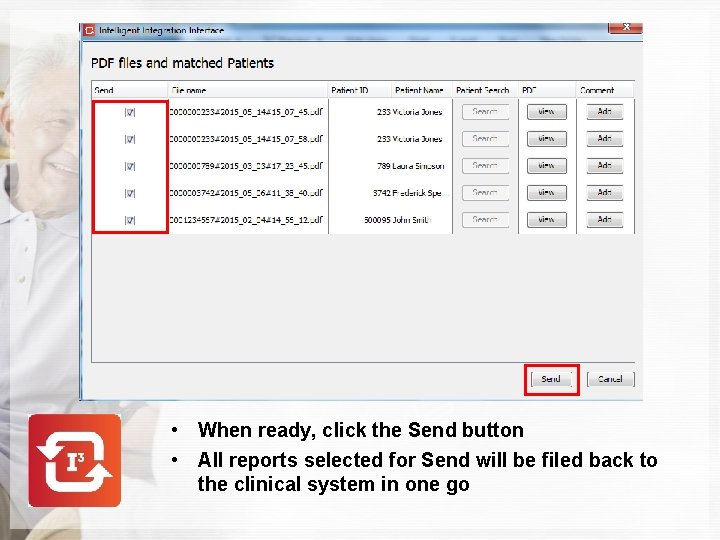
• When ready, click the Send button • All reports selected for Send will be filed back to the clinical system in one go
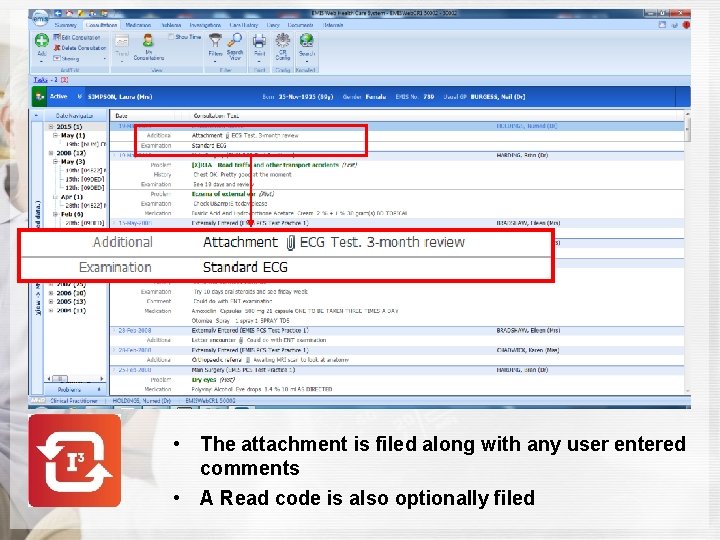
• The attachment is filed along with any user entered comments • A Read code is also optionally filed
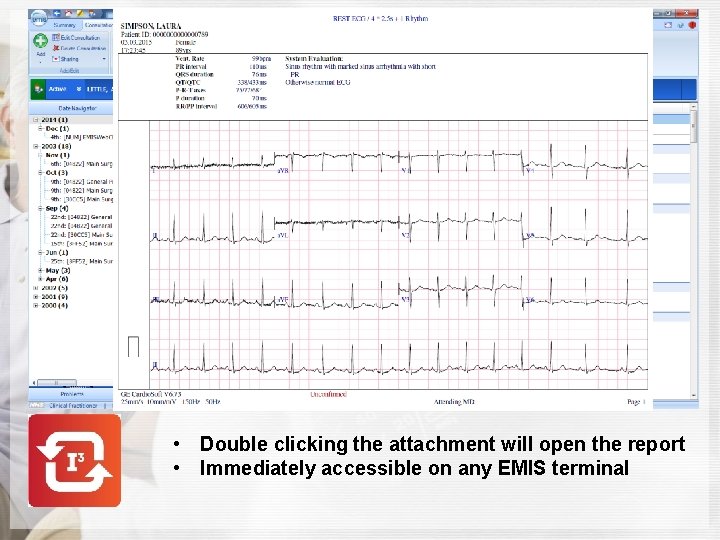
• Double clicking the attachment will open the report • Immediately accessible on any EMIS terminal
Intelligent Integration GE MAC 800 ECG INTEGRATION MAC 800 Cardio. Soft – EMIS WEB For more information contact us on 0114 243 3896 or visit www. numed. co. uk