
Intel x 86 Instruction Set Architecture Computer Organization

- Slides: 139
Intel x 86 Instruction Set Architecture Computer Organization and Assembly Languages Yung-Yu Chuang with slides by Kip Irvine
Data Transfers Instructions
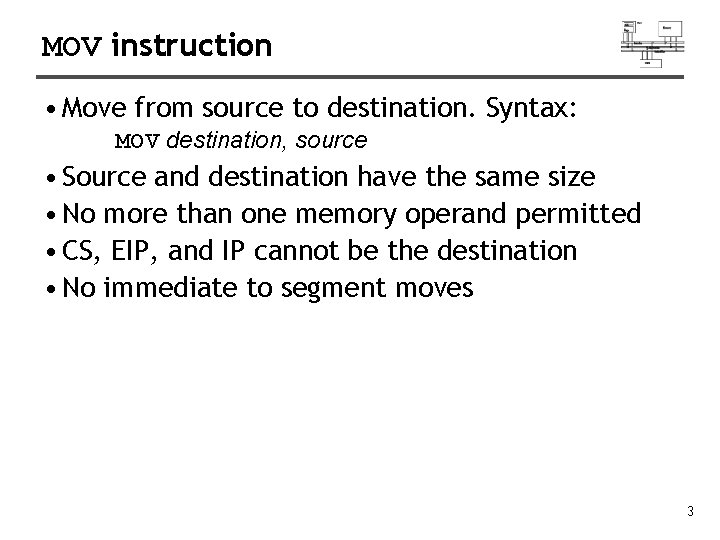
MOV instruction • Move from source to destination. Syntax: MOV destination, source • Source and destination have the same size • No more than one memory operand permitted • CS, EIP, and IP cannot be the destination • No immediate to segment moves 3
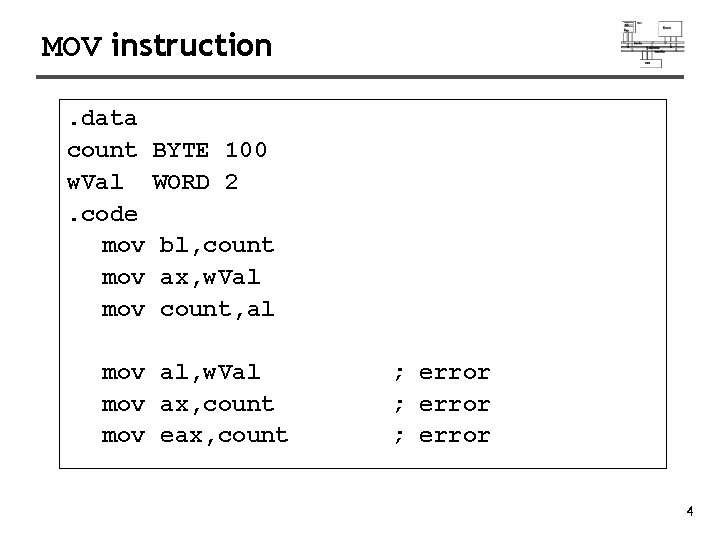
MOV instruction. data count w. Val. code mov mov BYTE 100 WORD 2 bl, count ax, w. Val count, al mov al, w. Val mov ax, count mov eax, count ; error 4
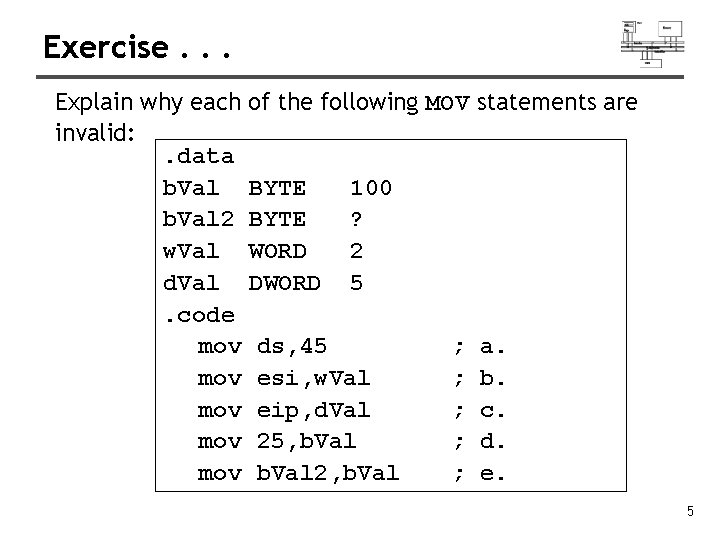
Exercise. . . Explain why each of the following MOV statements are invalid: . data b. Val BYTE 100 b. Val 2 BYTE ? w. Val WORD 2 d. Val DWORD 5. code mov ds, 45 ; a. mov esi, w. Val ; b. mov eip, d. Val ; c. mov 25, b. Val ; d. mov b. Val 2, b. Val ; e. 5
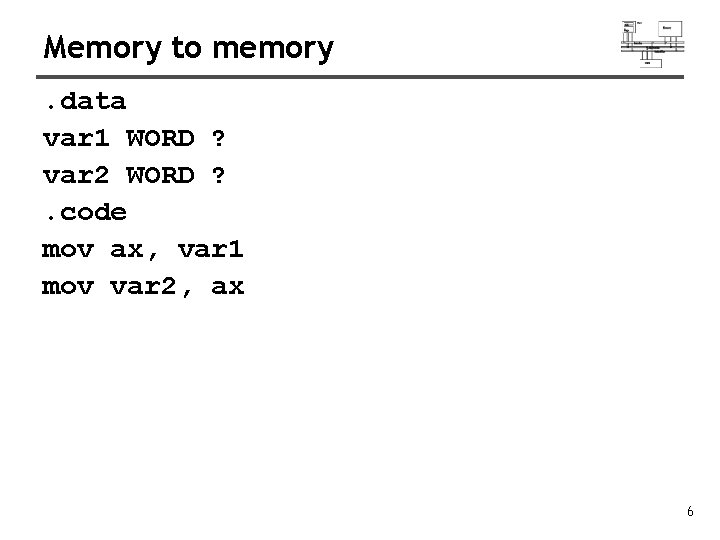
Memory to memory. data var 1 WORD ? var 2 WORD ? . code mov ax, var 1 mov var 2, ax 6
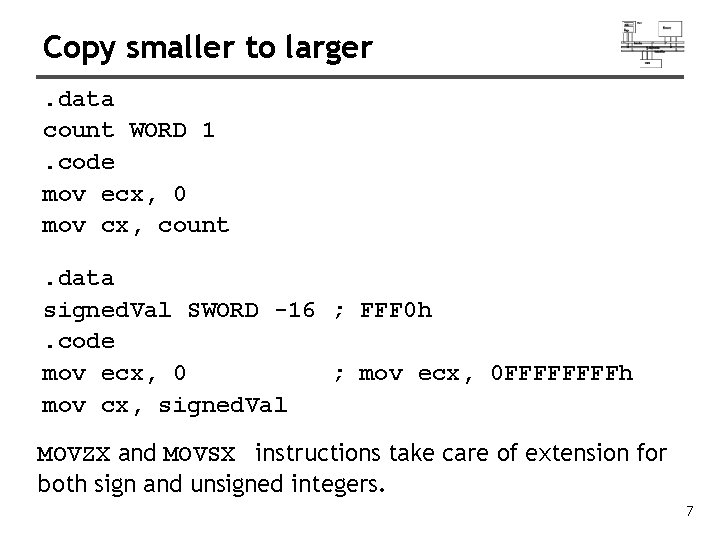
Copy smaller to larger. data count WORD 1. code mov ecx, 0 mov cx, count. data signed. Val SWORD -16 ; FFF 0 h. code mov ecx, 0 ; mov ecx, 0 FFFFh mov cx, signed. Val MOVZX and MOVSX instructions take care of extension for both sign and unsigned integers. 7
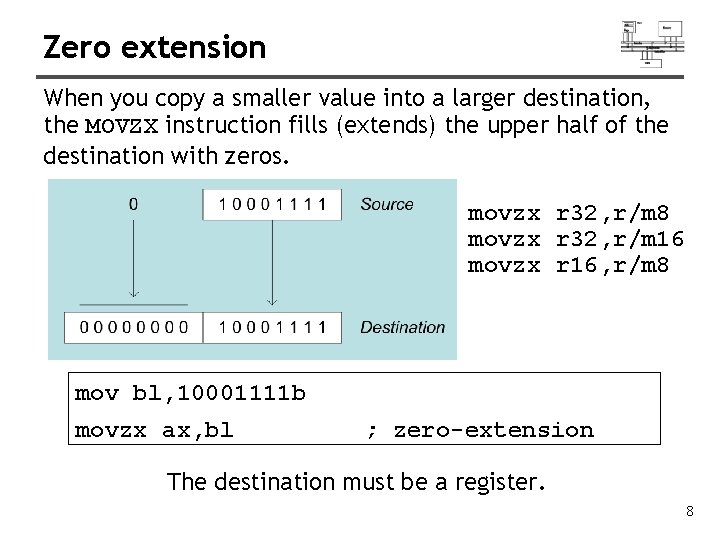
Zero extension When you copy a smaller value into a larger destination, the MOVZX instruction fills (extends) the upper half of the destination with zeros. movzx r 32, r/m 8 movzx r 32, r/m 16 movzx r 16, r/m 8 mov bl, 10001111 b movzx ax, bl ; zero-extension The destination must be a register. 8
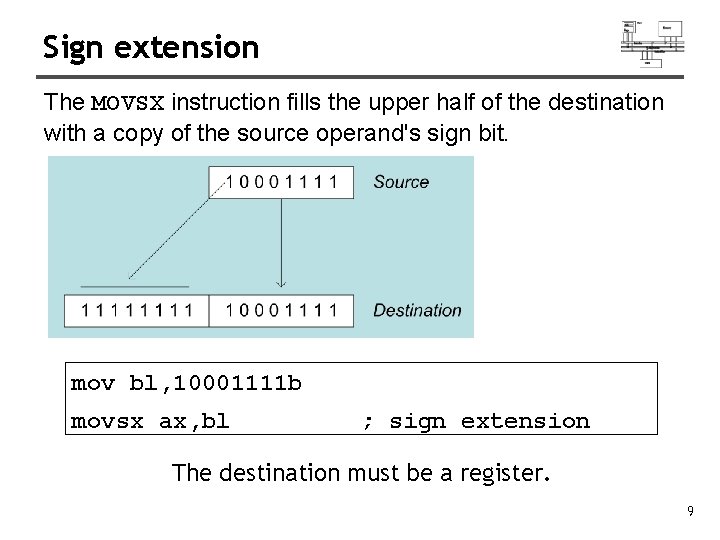
Sign extension The MOVSX instruction fills the upper half of the destination with a copy of the source operand's sign bit. mov bl, 10001111 b movsx ax, bl ; sign extension The destination must be a register. 9
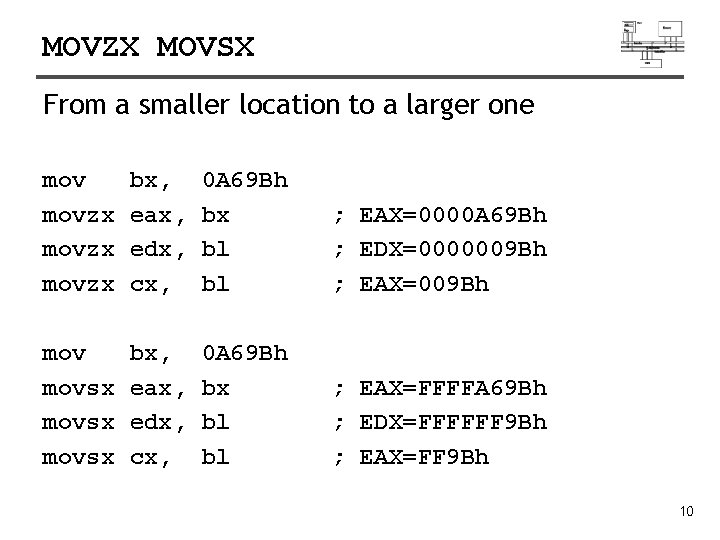
MOVZX MOVSX From a smaller location to a larger one movzx bx, eax, edx, cx, 0 A 69 Bh bx bl bl ; EAX=0000 A 69 Bh ; EDX=0000009 Bh ; EAX=009 Bh movsx bx, eax, edx, cx, 0 A 69 Bh bx bl bl ; EAX=FFFFA 69 Bh ; EDX=FFFFFF 9 Bh ; EAX=FF 9 Bh 10
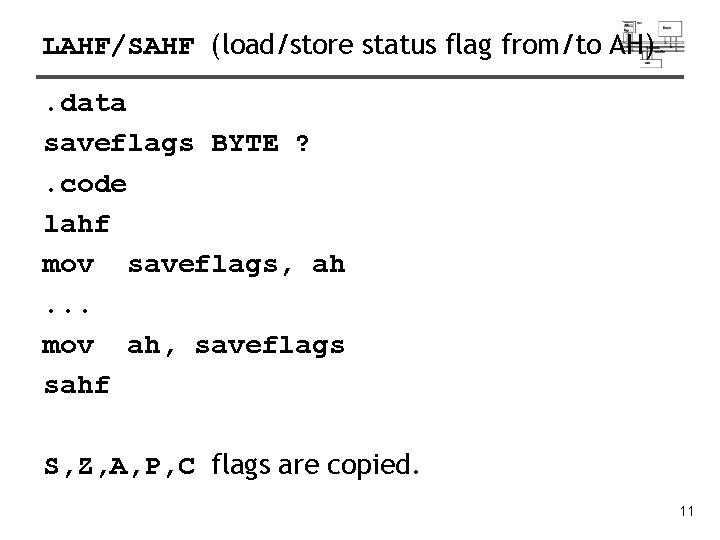
LAHF/SAHF (load/store status flag from/to AH). data saveflags BYTE ? . code lahf mov saveflags, ah. . . mov ah, saveflags sahf S, Z, A, P, C flags are copied. 11
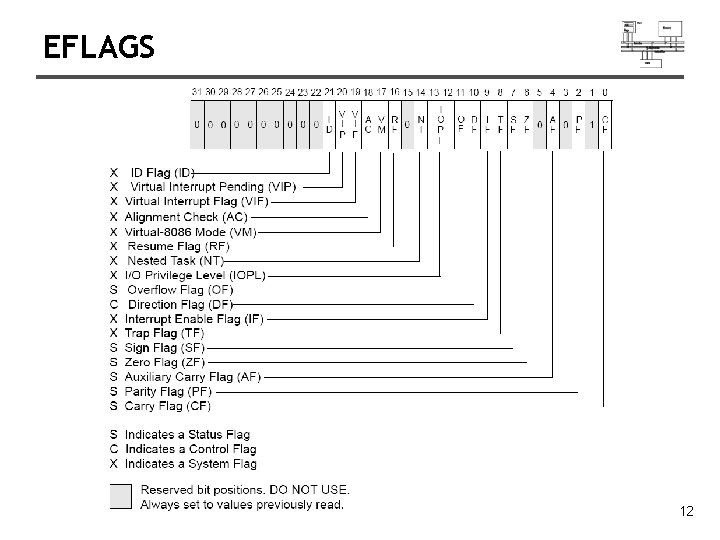
EFLAGS 12
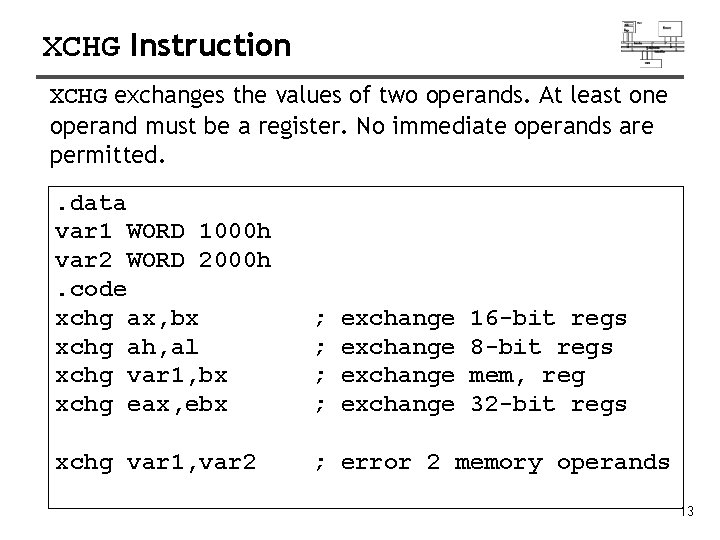
XCHG Instruction XCHG exchanges the values of two operands. At least one operand must be a register. No immediate operands are permitted. . data var 1 WORD 1000 h var 2 WORD 2000 h. code xchg ax, bx xchg ah, al xchg var 1, bx xchg eax, ebx ; ; xchg var 1, var 2 ; error 2 memory operands exchange 16 -bit regs 8 -bit regs mem, reg 32 -bit regs 13
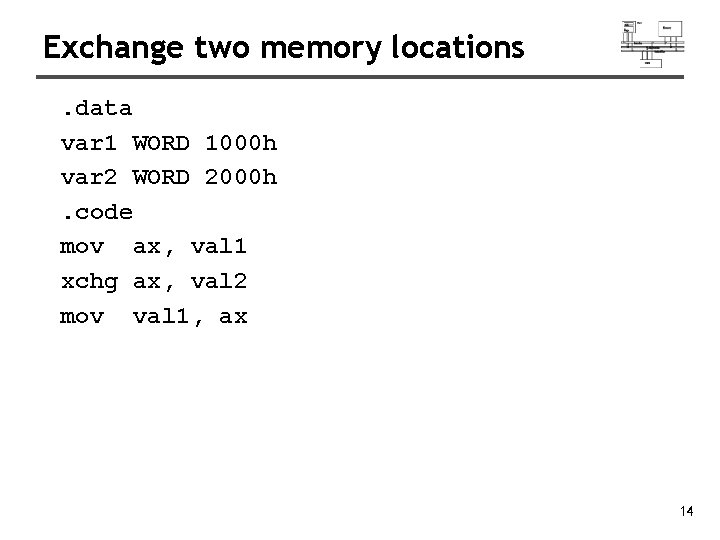
Exchange two memory locations. data var 1 WORD 1000 h var 2 WORD 2000 h. code mov ax, val 1 xchg ax, val 2 mov val 1, ax 14
Arithmetic Instructions
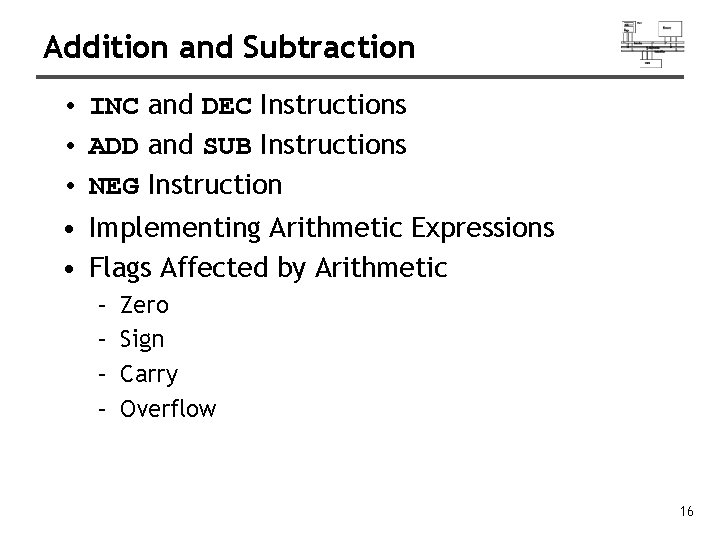
Addition and Subtraction • INC and DEC Instructions • ADD and SUB Instructions • NEG Instruction • Implementing Arithmetic Expressions • Flags Affected by Arithmetic – – Zero Sign Carry Overflow 16
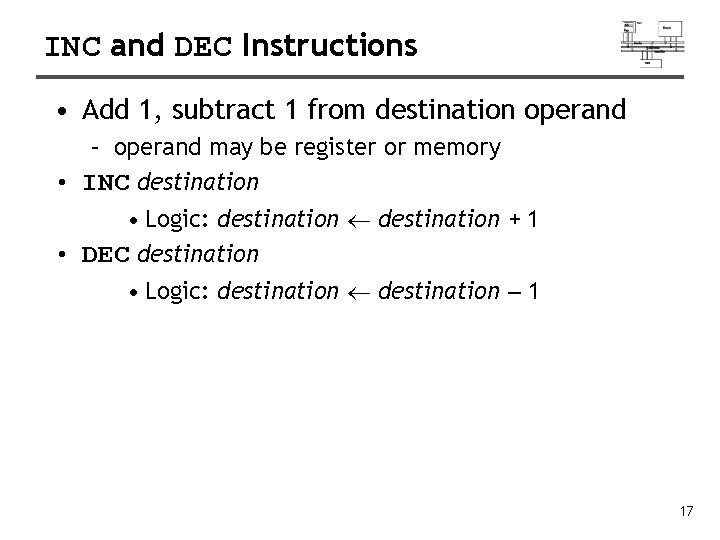
INC and DEC Instructions • Add 1, subtract 1 from destination operand – operand may be register or memory • INC destination • Logic: destination + 1 • DEC destination • Logic: destination – 1 17
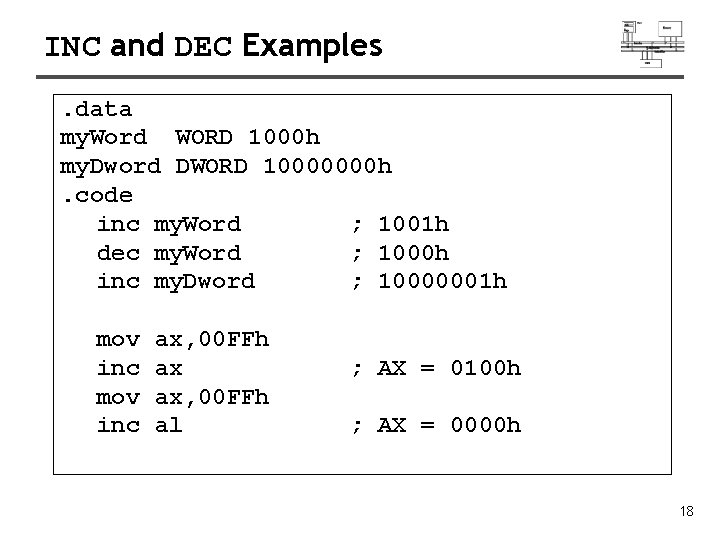
INC and DEC Examples. data my. Word WORD 1000 h my. Dword DWORD 10000000 h. code inc my. Word ; 1001 h dec my. Word ; 1000 h inc my. Dword ; 10000001 h mov inc ax, 00 FFh ax ax, 00 FFh al ; AX = 0100 h ; AX = 0000 h 18
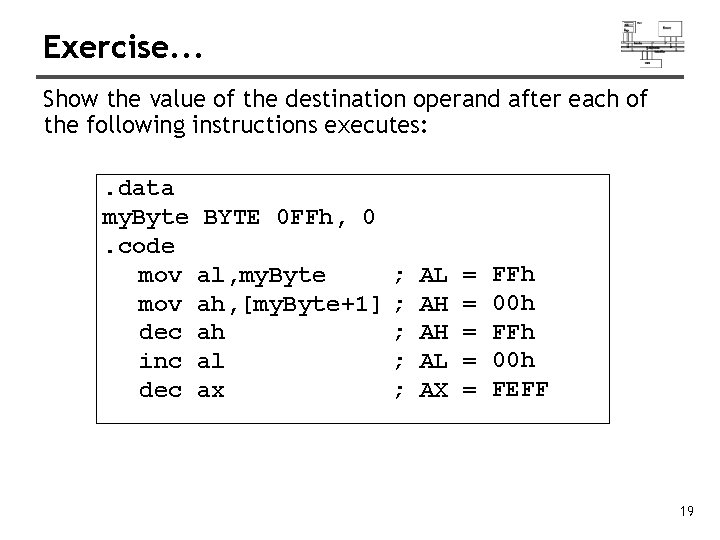
Exercise. . . Show the value of the destination operand after each of the following instructions executes: . data my. Byte BYTE 0 FFh, 0. code mov al, my. Byte mov ah, [my. Byte+1] dec ah inc al dec ax ; ; ; AL AH AH AL AX = = = FFh 00 h FEFF 19
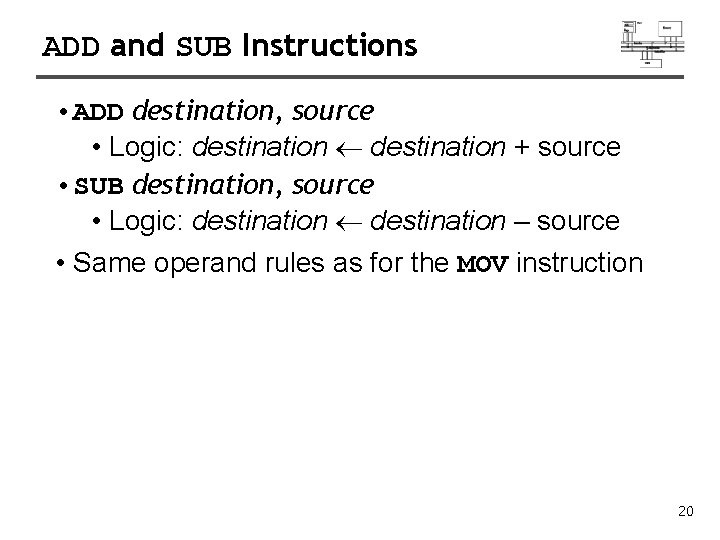
ADD and SUB Instructions • ADD destination, source • Logic: destination + source • SUB destination, source • Logic: destination – source • Same operand rules as for the MOV instruction 20
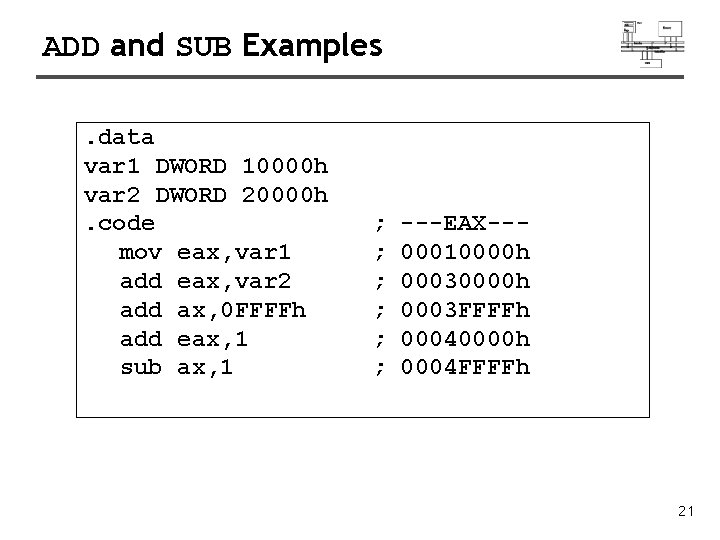
ADD and SUB Examples. data var 1 DWORD 10000 h var 2 DWORD 20000 h. code mov eax, var 1 add eax, var 2 add ax, 0 FFFFh add eax, 1 sub ax, 1 ; ; ; ---EAX--00010000 h 0003 FFFFh 00040000 h 0004 FFFFh 21
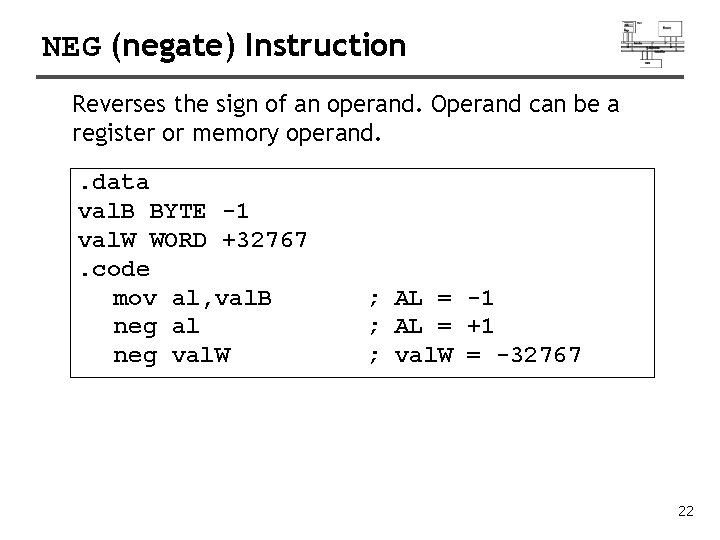
NEG (negate) Instruction Reverses the sign of an operand. Operand can be a register or memory operand. . data val. B BYTE -1 val. W WORD +32767. code mov al, val. B neg al neg val. W ; AL = -1 ; AL = +1 ; val. W = -32767 22
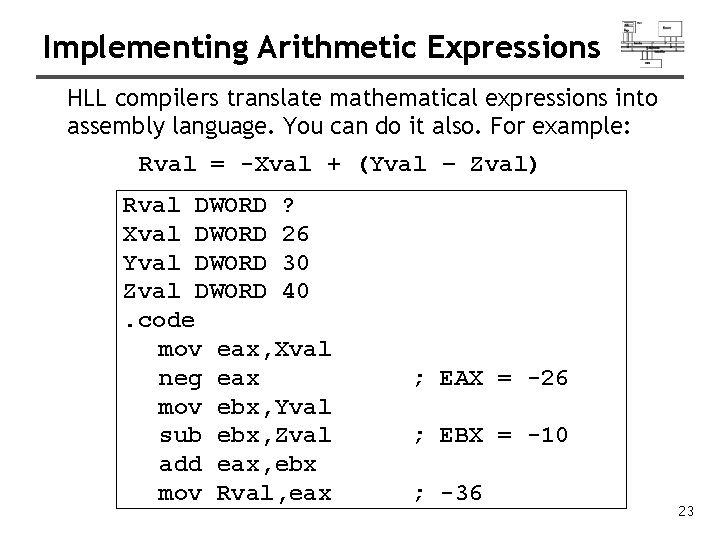
Implementing Arithmetic Expressions HLL compilers translate mathematical expressions into assembly language. You can do it also. For example: Rval = -Xval + (Yval – Zval) Rval DWORD ? Xval DWORD 26 Yval DWORD 30 Zval DWORD 40. code mov eax, Xval neg eax mov ebx, Yval sub ebx, Zval add eax, ebx mov Rval, eax ; EAX = -26 ; EBX = -10 ; -36 23
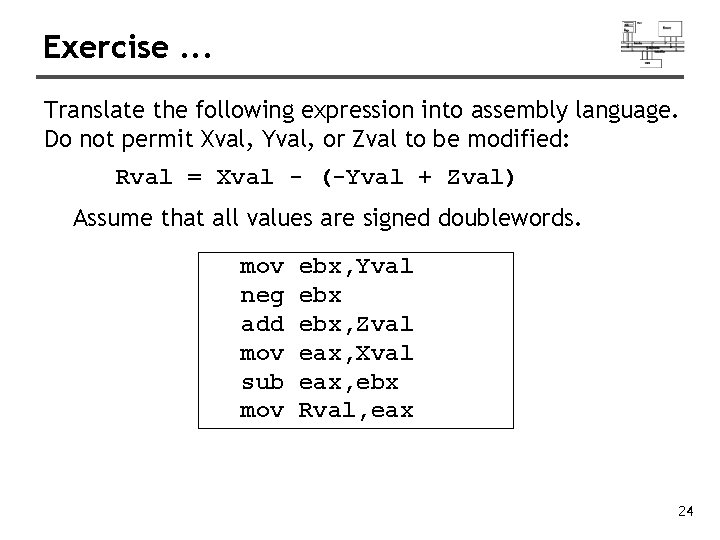
Exercise. . . Translate the following expression into assembly language. Do not permit Xval, Yval, or Zval to be modified: Rval = Xval - (-Yval + Zval) Assume that all values are signed doublewords. mov neg add mov sub mov ebx, Yval ebx, Zval eax, Xval eax, ebx Rval, eax 24
Flags Affected by Arithmetic • The ALU has a number of status flags that reflect the outcome of arithmetic (and bitwise) operations – based on the contents of the destination operand • Essential flags: – – Zero flag – destination equals zero Sign flag – destination is negative Carry flag – unsigned value out of range Overflow flag – signed value out of range • The MOV instruction never affects the flags. 25
Zero Flag (ZF) Whenever the destination operand equals Zero, the Zero flag is set. mov sub mov inc cx, 1 ax, 0 FFFFh ax ax ; CX = 0, ZF = 1 ; AX = 1, ZF = 0 A flag is set when it equals 1. A flag is clear when it equals 0. 26
Sign Flag (SF) The Sign flag is set when the destination operand is negative. The flag is clear when the destination is positive. mov cx, 0 sub cx, 1 add cx, 2 ; CX = -1, SF = 1 ; CX = 1, SF = 0 The sign flag is a copy of the destination's highest bit: mov al, 0 sub al, 1 add al, 2 ; AL=1111 b, SF=1 ; AL=00000001 b, SF=0 27
Carry Flag (CF) • Addition and CF: copy carry out of MSB to CF • Subtraction and CF: copy inverted carry out of MSB to CF • INC/DEC do not affect CF • Applying NEG to a nonzero operand sets CF 28
Exercise. . . For each of the following marked entries, show the values of the destination operand the Sign, Zero, and Carry flags: mov add sub add mov add ax, 00 FFh ax, 1 al, 1 bh, 6 Ch bh, 95 h mov al, 2 sub al, 3 ; AX= 0100 h SF= 0 ZF= 0 CF= 0 ; AX= 00 FFh SF= 0 ZF= 0 CF= 0 ; AL= 00 h SF= 0 ZF= 1 CF= 1 ; BH= 01 h SF= 0 ZF= 0 CF= 1 ; AL= FFh SF= 1 ZF= 0 CF= 1 29
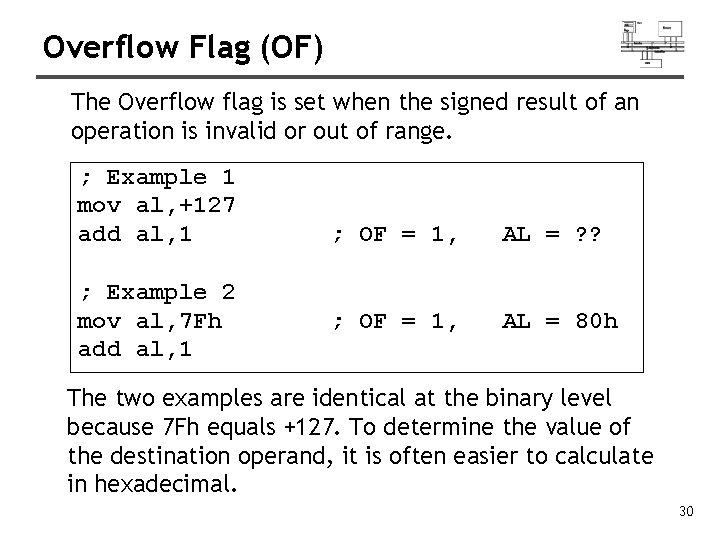
Overflow Flag (OF) The Overflow flag is set when the signed result of an operation is invalid or out of range. ; Example 1 mov al, +127 add al, 1 ; Example 2 mov al, 7 Fh add al, 1 ; OF = 1, AL = ? ? ; OF = 1, AL = 80 h The two examples are identical at the binary level because 7 Fh equals +127. To determine the value of the destination operand, it is often easier to calculate in hexadecimal. 30
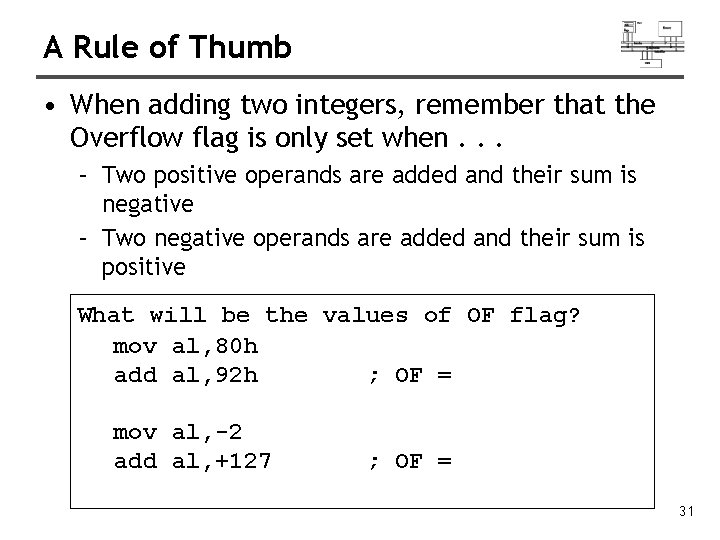
A Rule of Thumb • When adding two integers, remember that the Overflow flag is only set when. . . – Two positive operands are added and their sum is negative – Two negative operands are added and their sum is positive What will be the values of OF flag? mov al, 80 h add al, 92 h ; OF = mov al, -2 add al, +127 ; OF = 31
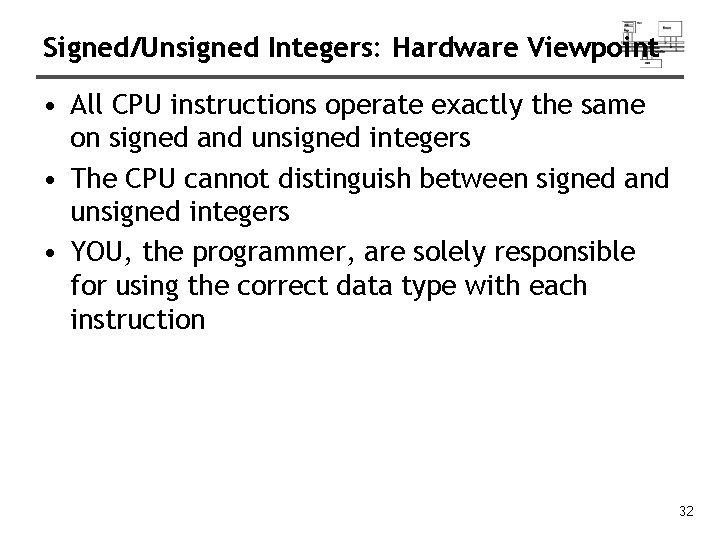
Signed/Unsigned Integers: Hardware Viewpoint • All CPU instructions operate exactly the same on signed and unsigned integers • The CPU cannot distinguish between signed and unsigned integers • YOU, the programmer, are solely responsible for using the correct data type with each instruction 32
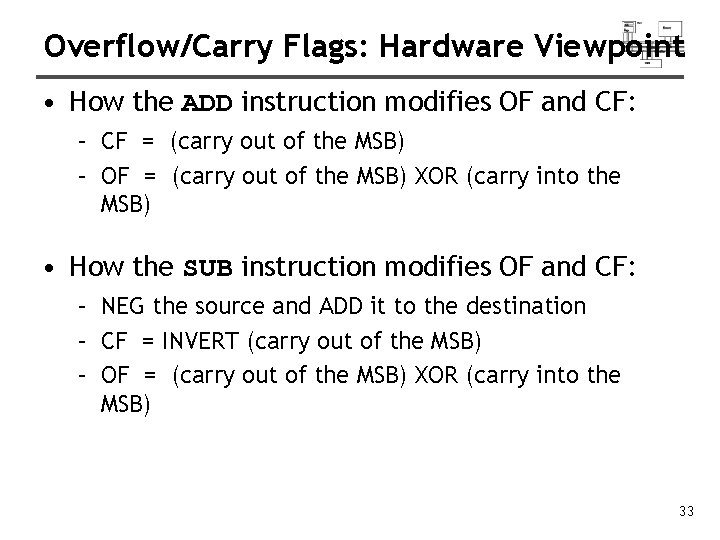
Overflow/Carry Flags: Hardware Viewpoint • How the ADD instruction modifies OF and CF: – CF = (carry out of the MSB) – OF = (carry out of the MSB) XOR (carry into the MSB) • How the SUB instruction modifies OF and CF: – NEG the source and ADD it to the destination – CF = INVERT (carry out of the MSB) – OF = (carry out of the MSB) XOR (carry into the MSB) 33
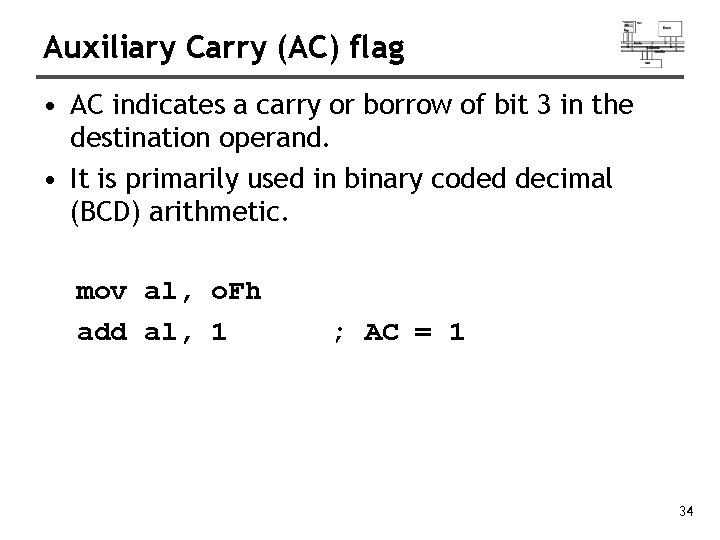
Auxiliary Carry (AC) flag • AC indicates a carry or borrow of bit 3 in the destination operand. • It is primarily used in binary coded decimal (BCD) arithmetic. mov al, o. Fh add al, 1 ; AC = 1 34
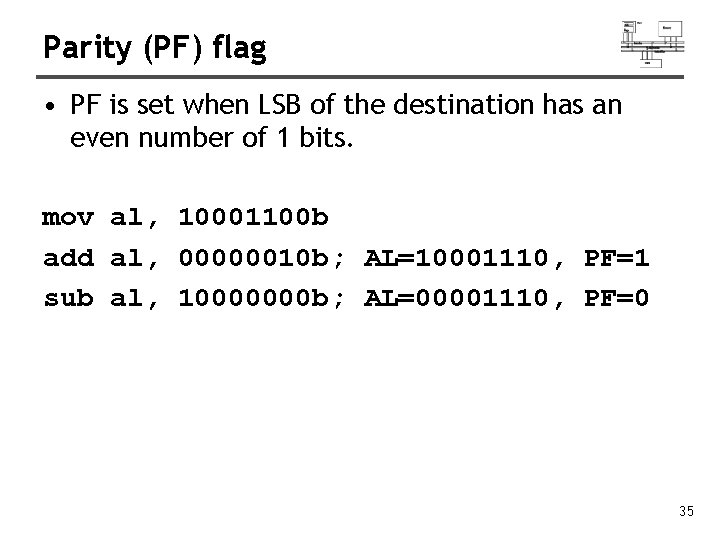
Parity (PF) flag • PF is set when LSB of the destination has an even number of 1 bits. mov al, 10001100 b add al, 00000010 b; AL=10001110, PF=1 sub al, 10000000 b; AL=00001110, PF=0 35
Jump and Loop
JMP and LOOP Instructions • Transfer of control or branch instructions – unconditional – conditional • JMP Instruction • LOOP Example • Summing an Integer Array • Copying a String 37
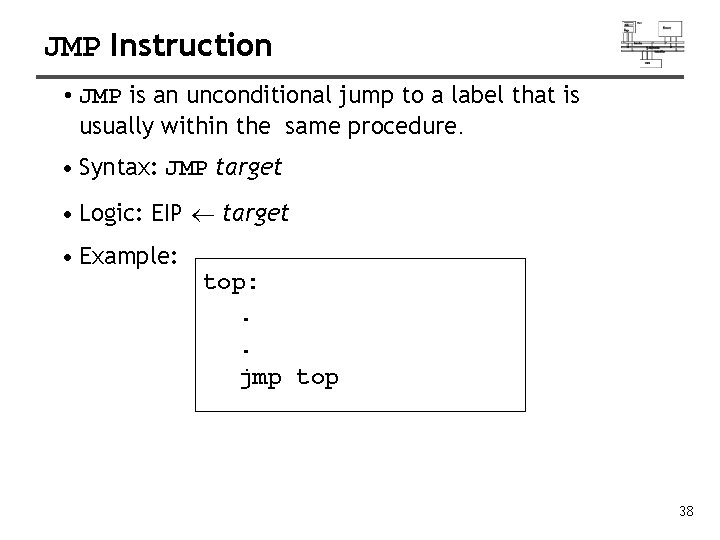
JMP Instruction • JMP is an unconditional jump to a label that is usually within the same procedure. • Syntax: JMP target • Logic: EIP target • Example: top: . . jmp top 38
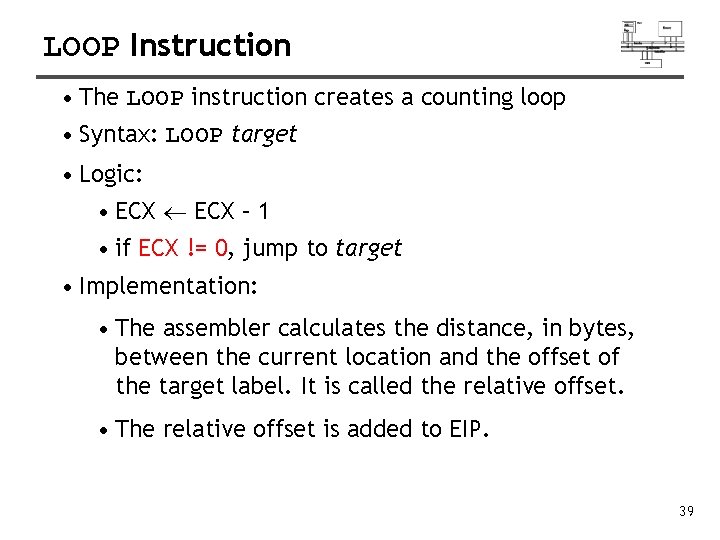
LOOP Instruction • The LOOP instruction creates a counting loop • Syntax: LOOP target • Logic: • ECX – 1 • if ECX != 0, jump to target • Implementation: • The assembler calculates the distance, in bytes, between the current location and the offset of the target label. It is called the relative offset. • The relative offset is added to EIP. 39
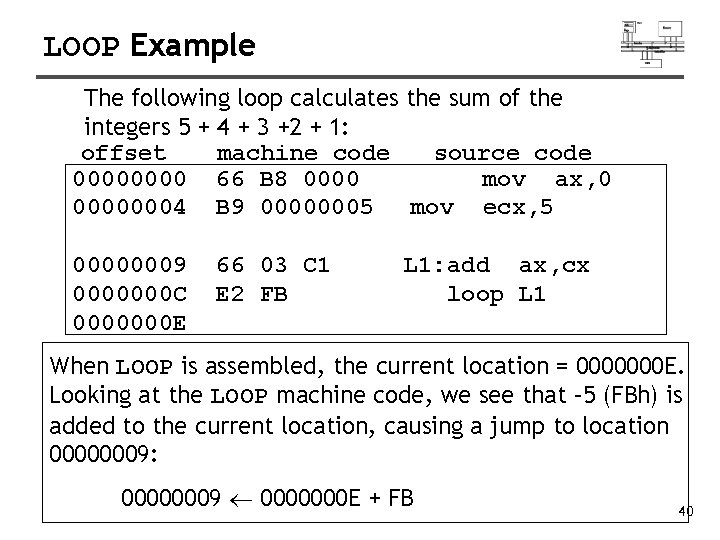
LOOP Example The following loop calculates the sum of the integers 5 + 4 + 3 +2 + 1: offset machine code source code 0000 66 B 8 0000 mov ax, 0 00000004 B 9 00000005 mov ecx, 5 00000009 0000000 C 0000000 E 66 03 C 1 E 2 FB L 1: add ax, cx loop L 1 When LOOP is assembled, the current location = 0000000 E. Looking at the LOOP machine code, we see that – 5 (FBh) is added to the current location, causing a jump to location 00000009: 00000009 0000000 E + FB 40
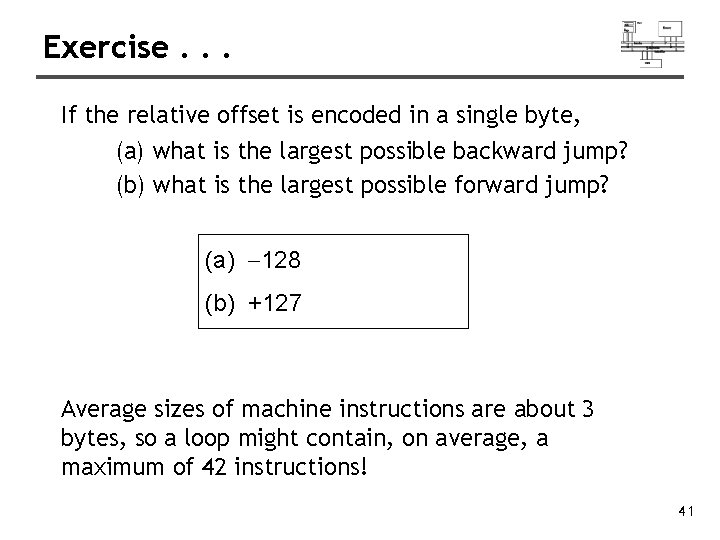
Exercise. . . If the relative offset is encoded in a single byte, (a) what is the largest possible backward jump? (b) what is the largest possible forward jump? (a) -128 (b) +127 Average sizes of machine instructions are about 3 bytes, so a loop might contain, on average, a maximum of 42 instructions! 41
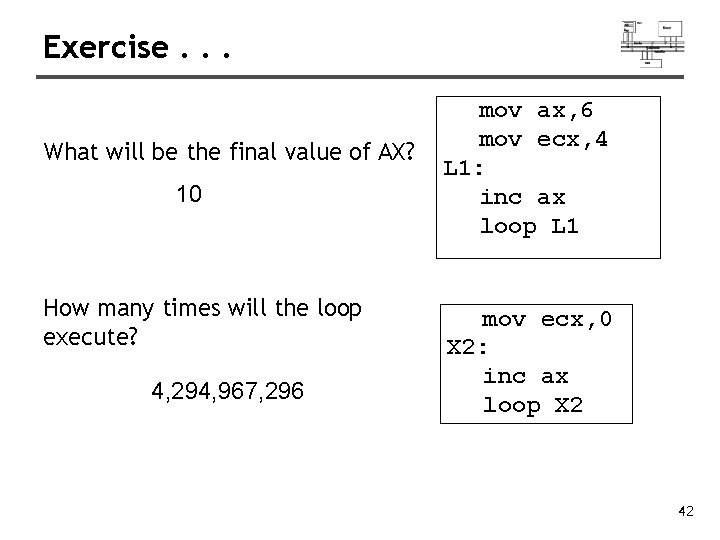
Exercise. . . What will be the final value of AX? 10 How many times will the loop execute? 4, 294, 967, 296 mov ax, 6 mov ecx, 4 L 1: inc ax loop L 1 mov ecx, 0 X 2: inc ax loop X 2 42
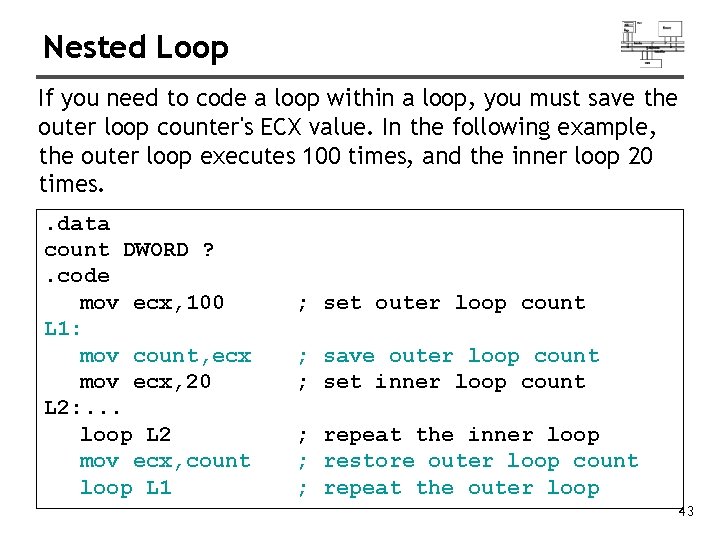
Nested Loop If you need to code a loop within a loop, you must save the outer loop counter's ECX value. In the following example, the outer loop executes 100 times, and the inner loop 20 times. . data count DWORD ? . code mov ecx, 100 L 1: mov count, ecx mov ecx, 20 L 2: . . . loop L 2 mov ecx, count loop L 1 ; set outer loop count ; save outer loop count ; set inner loop count ; repeat the inner loop ; restore outer loop count ; repeat the outer loop 43
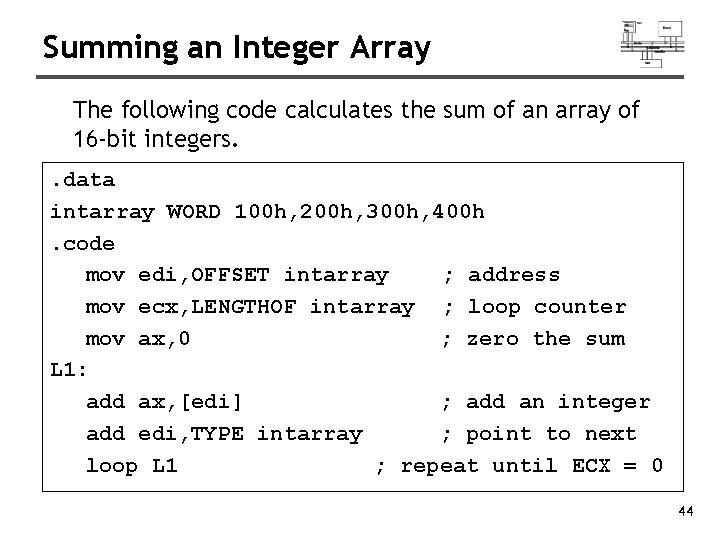
Summing an Integer Array The following code calculates the sum of an array of 16 -bit integers. . data intarray WORD 100 h, 200 h, 300 h, 400 h. code mov edi, OFFSET intarray ; address mov ecx, LENGTHOF intarray ; loop counter mov ax, 0 ; zero the sum L 1: add ax, [edi] ; add an integer add edi, TYPE intarray ; point to next loop L 1 ; repeat until ECX = 0 44
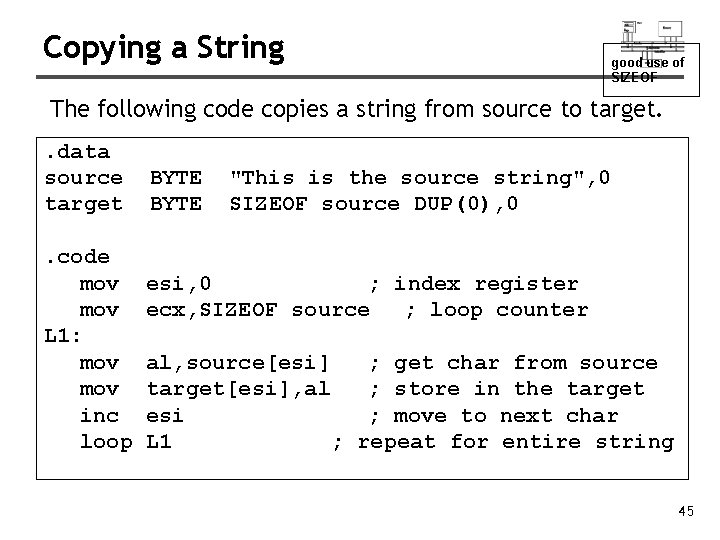
Copying a String good use of SIZEOF The following code copies a string from source to target. . data source target. code mov L 1: mov inc loop BYTE "This is the source string", 0 SIZEOF source DUP(0), 0 esi, 0 ; index register ecx, SIZEOF source ; loop counter al, source[esi] ; get char from source target[esi], al ; store in the target esi ; move to next char L 1 ; repeat for entire string 45
Conditional Processing
Status flags - review • The Zero flag is set when the result of an operation equals zero. • The Carry flag is set when an instruction generates a result that is too large (or too small) for the destination operand. • The Sign flag is set if the destination operand is negative, and it is clear if the destination operand is positive. • The Overflow flag is set when an instruction generates an invalid signed result. • Less important: – The Parity flag is set when an instruction generates an even number of 1 bits in the low byte of the destination operand. – The Auxiliary Carry flag is set when an operation produces a carry out from bit 3 to bit 4 47
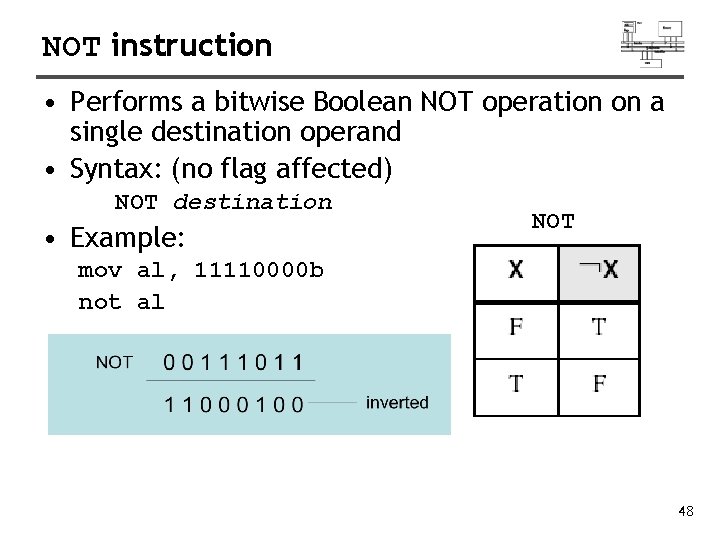
NOT instruction • Performs a bitwise Boolean NOT operation on a single destination operand • Syntax: (no flag affected) NOT destination • Example: NOT mov al, 11110000 b not al 48
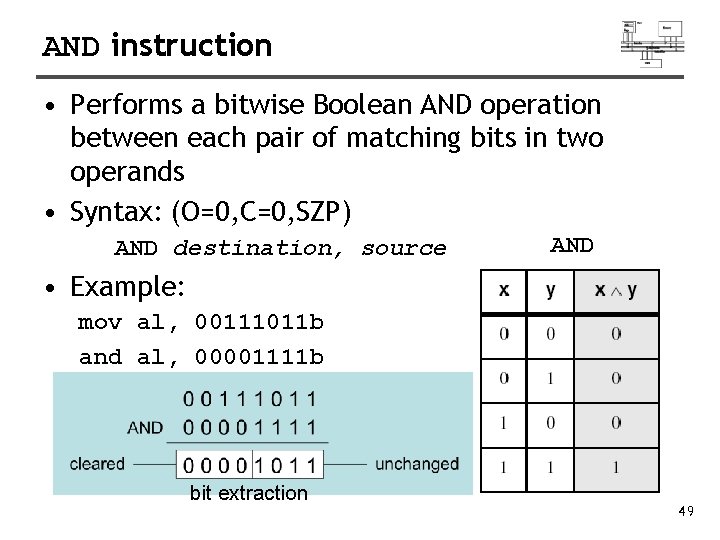
AND instruction • Performs a bitwise Boolean AND operation between each pair of matching bits in two operands • Syntax: (O=0, C=0, SZP) AND destination, source AND • Example: mov al, 00111011 b and al, 00001111 b bit extraction 49
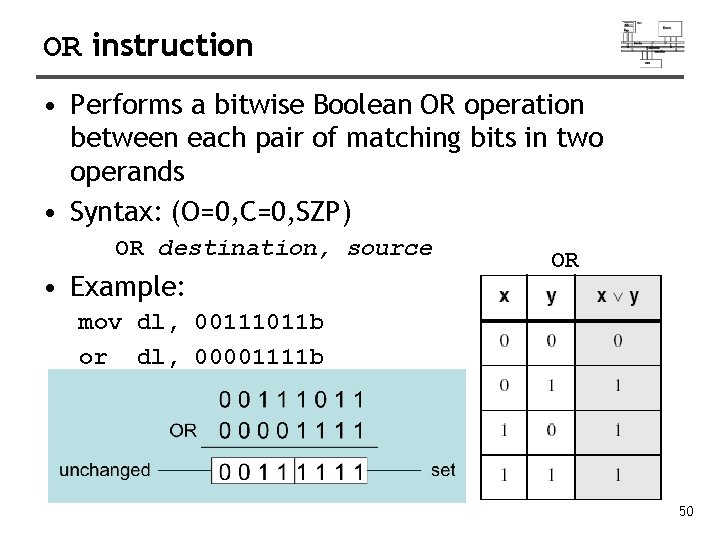
OR instruction • Performs a bitwise Boolean OR operation between each pair of matching bits in two operands • Syntax: (O=0, C=0, SZP) OR destination, source • Example: OR mov dl, 00111011 b or dl, 00001111 b 50
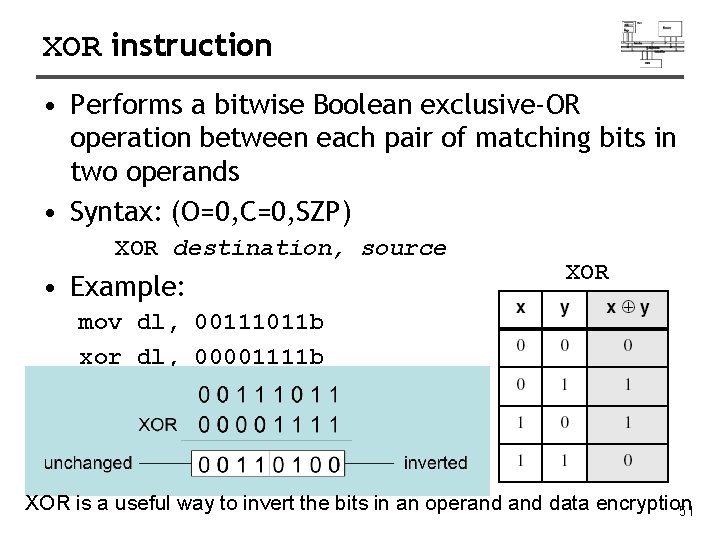
XOR instruction • Performs a bitwise Boolean exclusive-OR operation between each pair of matching bits in two operands • Syntax: (O=0, C=0, SZP) XOR destination, source • Example: XOR mov dl, 00111011 b xor dl, 00001111 b XOR is a useful way to invert the bits in an operand data encryption 51
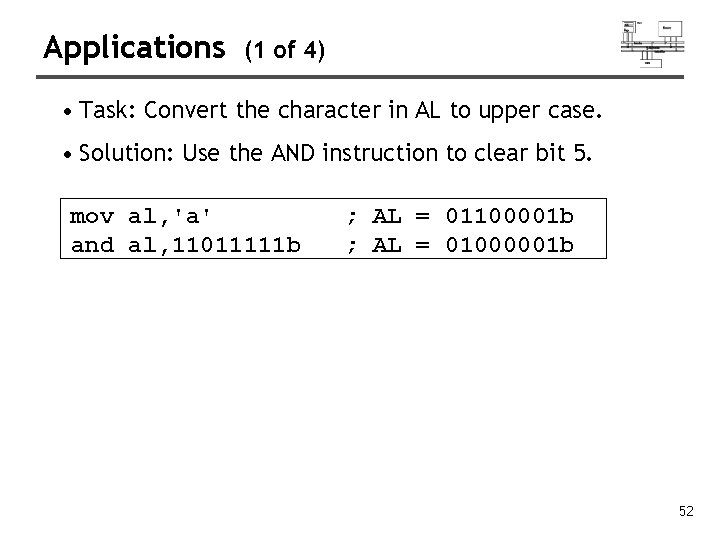
Applications (1 of 4) • Task: Convert the character in AL to upper case. • Solution: Use the AND instruction to clear bit 5. mov al, 'a' and al, 11011111 b ; AL = 01100001 b ; AL = 01000001 b 52
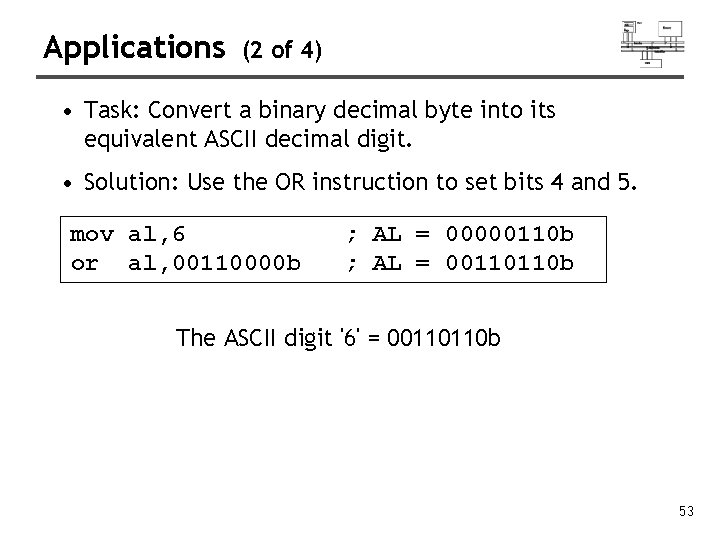
Applications (2 of 4) • Task: Convert a binary decimal byte into its equivalent ASCII decimal digit. • Solution: Use the OR instruction to set bits 4 and 5. mov al, 6 or al, 00110000 b ; AL = 00000110 b ; AL = 00110110 b The ASCII digit '6' = 00110110 b 53
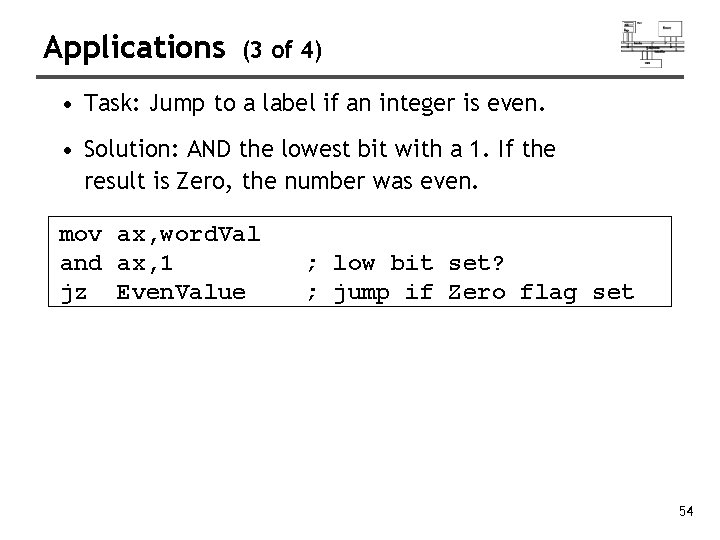
Applications (3 of 4) • Task: Jump to a label if an integer is even. • Solution: AND the lowest bit with a 1. If the result is Zero, the number was even. mov ax, word. Val and ax, 1 jz Even. Value ; low bit set? ; jump if Zero flag set 54
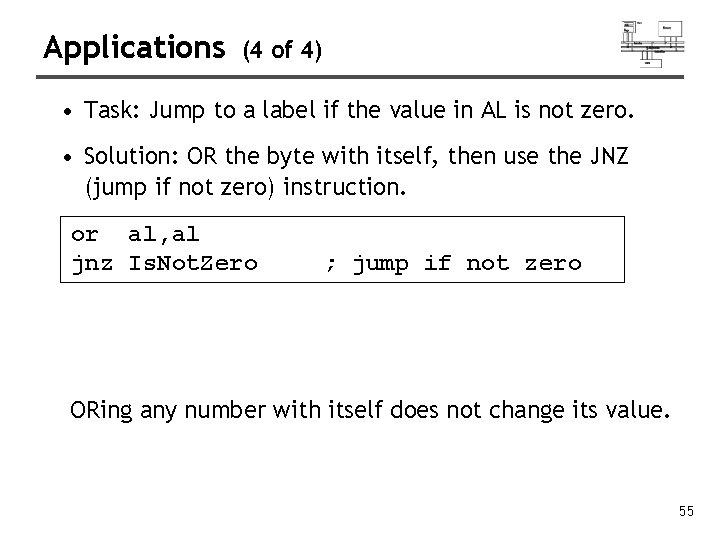
Applications (4 of 4) • Task: Jump to a label if the value in AL is not zero. • Solution: OR the byte with itself, then use the JNZ (jump if not zero) instruction. or al, al jnz Is. Not. Zero ; jump if not zero ORing any number with itself does not change its value. 55
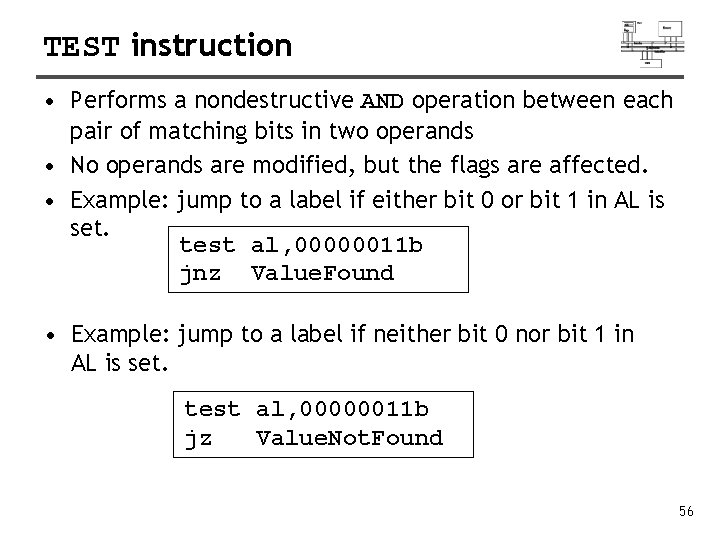
TEST instruction • Performs a nondestructive AND operation between each pair of matching bits in two operands • No operands are modified, but the flags are affected. • Example: jump to a label if either bit 0 or bit 1 in AL is set. test al, 00000011 b jnz Value. Found • Example: jump to a label if neither bit 0 nor bit 1 in AL is set. test al, 00000011 b jz Value. Not. Found 56
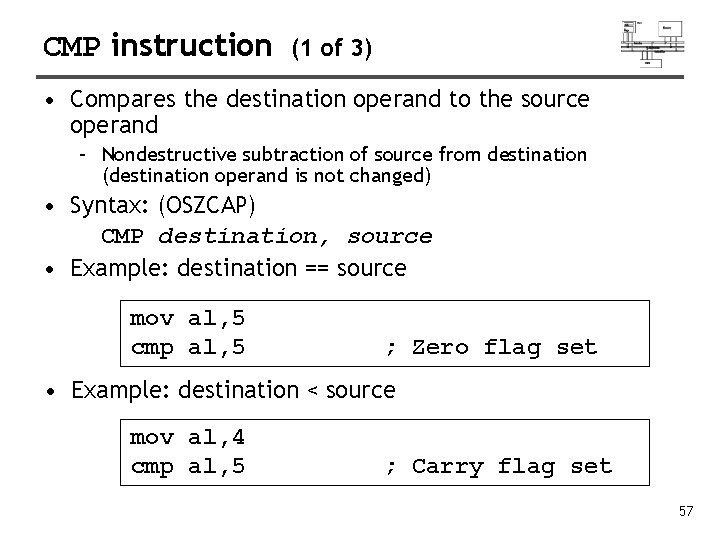
CMP instruction (1 of 3) • Compares the destination operand to the source operand – Nondestructive subtraction of source from destination (destination operand is not changed) • Syntax: (OSZCAP) CMP destination, source • Example: destination == source mov al, 5 cmp al, 5 ; Zero flag set • Example: destination < source mov al, 4 cmp al, 5 ; Carry flag set 57
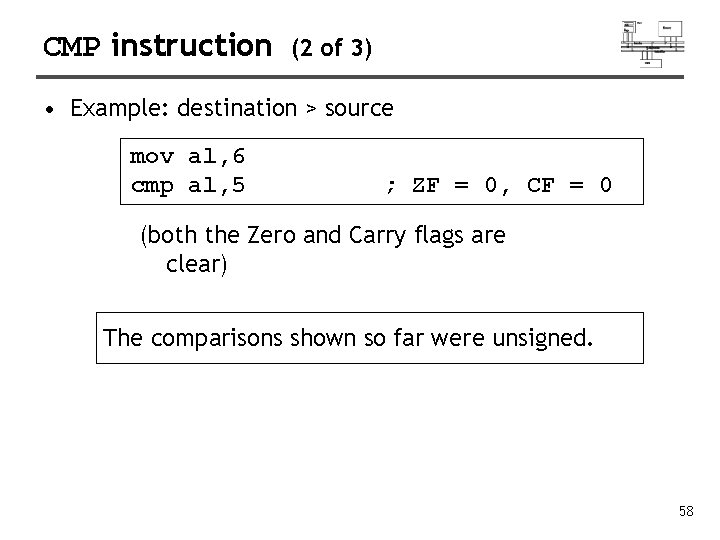
CMP instruction (2 of 3) • Example: destination > source mov al, 6 cmp al, 5 ; ZF = 0, CF = 0 (both the Zero and Carry flags are clear) The comparisons shown so far were unsigned. 58
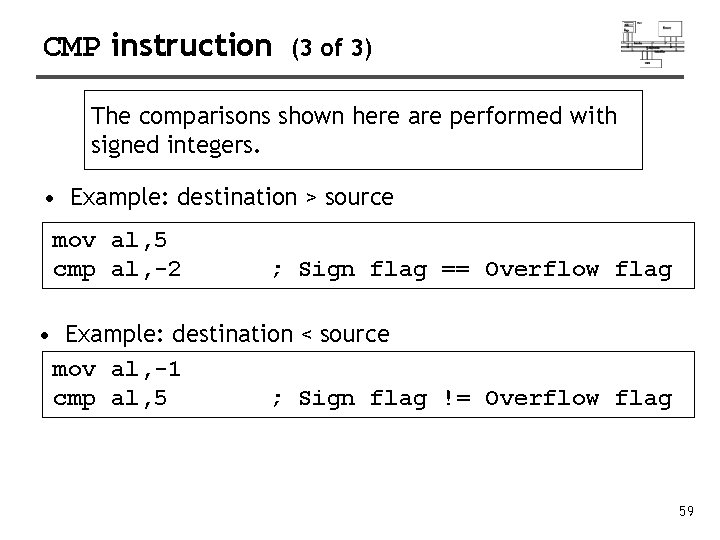
CMP instruction (3 of 3) The comparisons shown here are performed with signed integers. • Example: destination > source mov al, 5 cmp al, -2 ; Sign flag == Overflow flag • Example: destination < source mov al, -1 cmp al, 5 ; Sign flag != Overflow flag 59
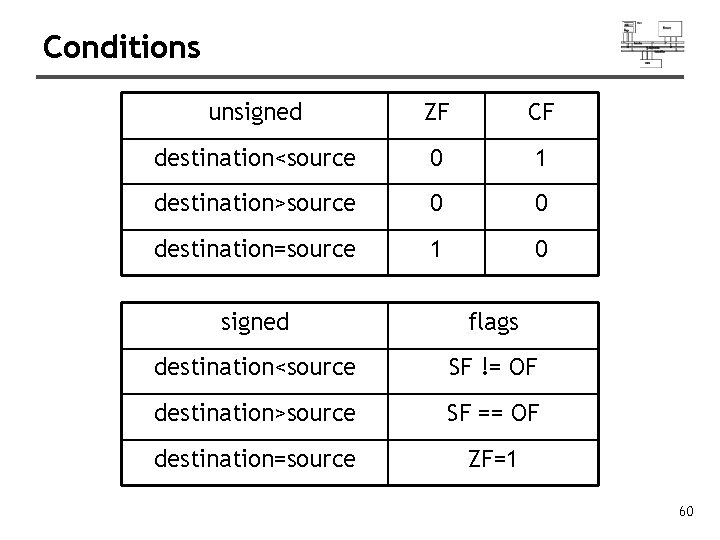
Conditions unsigned ZF CF destination<source 0 1 destination>source 0 0 destination=source 1 0 signed flags destination<source SF != OF destination>source SF == OF destination=source ZF=1 60
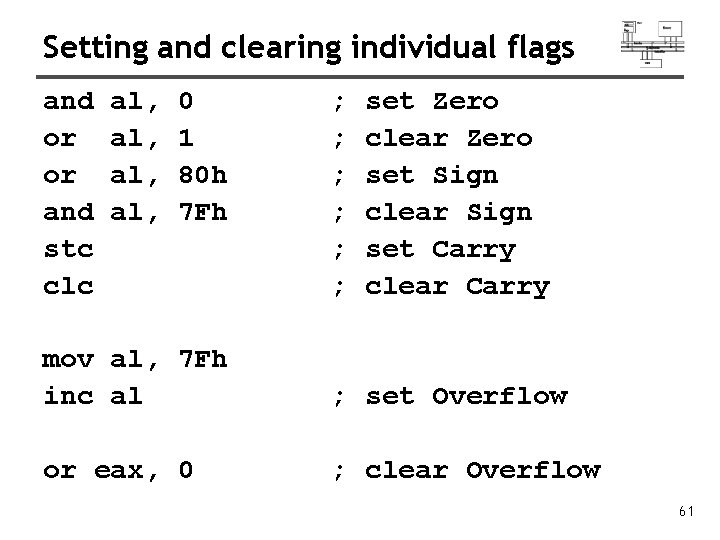
Setting and clearing individual flags and or or and stc clc al, al, 0 1 80 h 7 Fh ; ; ; set Zero clear Zero set Sign clear Sign set Carry clear Carry mov al, 7 Fh inc al ; set Overflow or eax, 0 ; clear Overflow 61
Conditional jumps
Conditional structures • There are no high-level logic structures such as if-then-else, in the IA-32 instruction set. But, you can use combinations of comparisons and jumps to implement any logic structure. • First, an operation such as CMP, AND or SUB is executed to modified the CPU flags. Second, a conditional jump instruction tests the flags and changes the execution flow accordingly. CMP AL, 0 JZ L 1 : L 1: 63
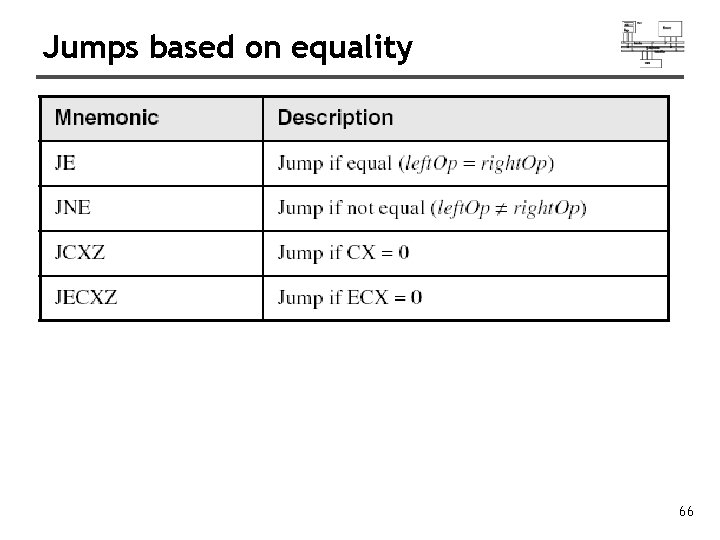
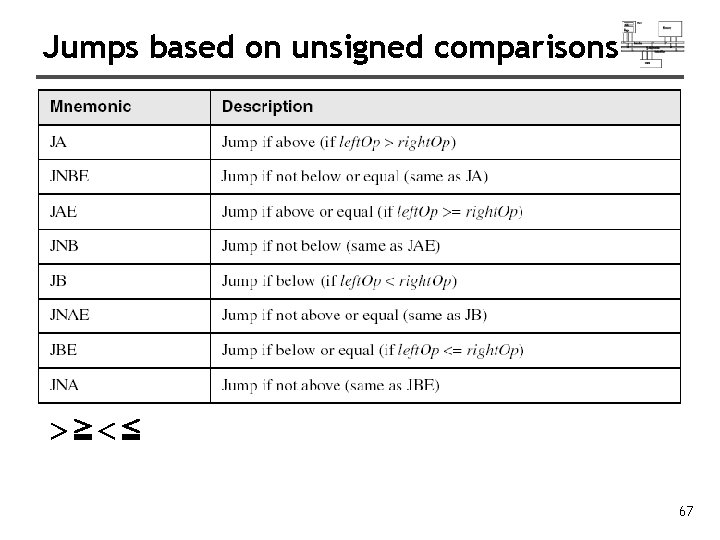
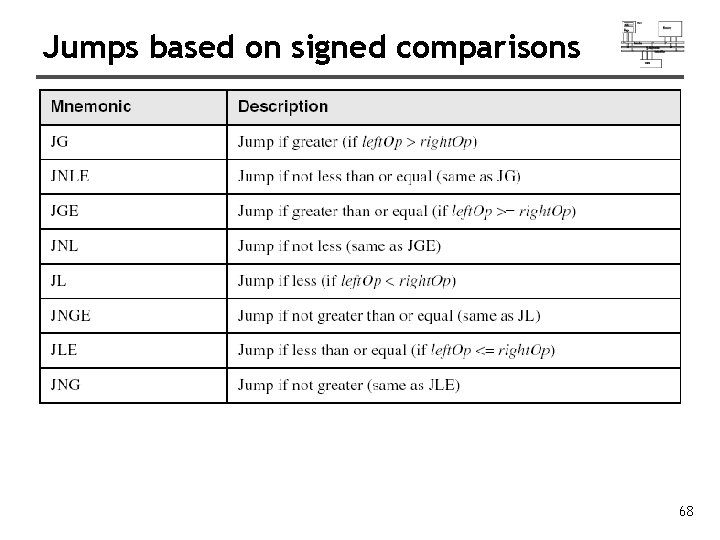
Jcond instruction • A conditional jump instruction branches to a label when specific register or flag conditions are met Jcond destination • 1. 2. 3. 4. Four groups: (some are the same) based on specific flag values based on equality between operands based on comparisons of unsigned operands based on comparisons of signed operands 64
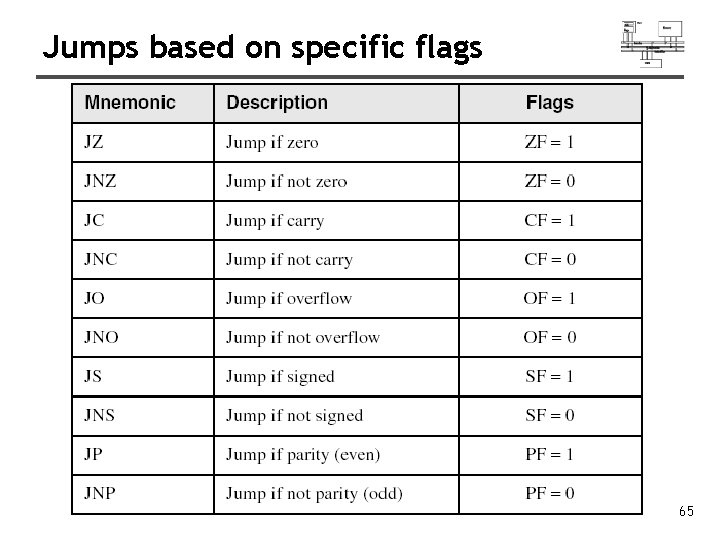
Jumps based on specific flags 65
Jumps based on equality 66
Jumps based on unsigned comparisons >≧<≦ 67
Jumps based on signed comparisons 68
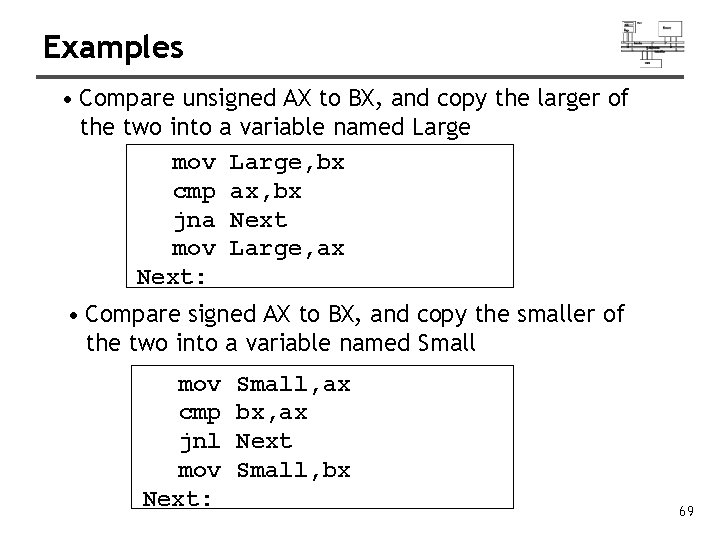
Examples • Compare unsigned AX to BX, and copy the larger of the two into a variable named Large mov Large, bx cmp ax, bx jna Next mov Large, ax Next: • Compare signed AX to BX, and copy the smaller of the two into a variable named Small mov cmp jnl mov Next: Small, ax bx, ax Next Small, bx 69
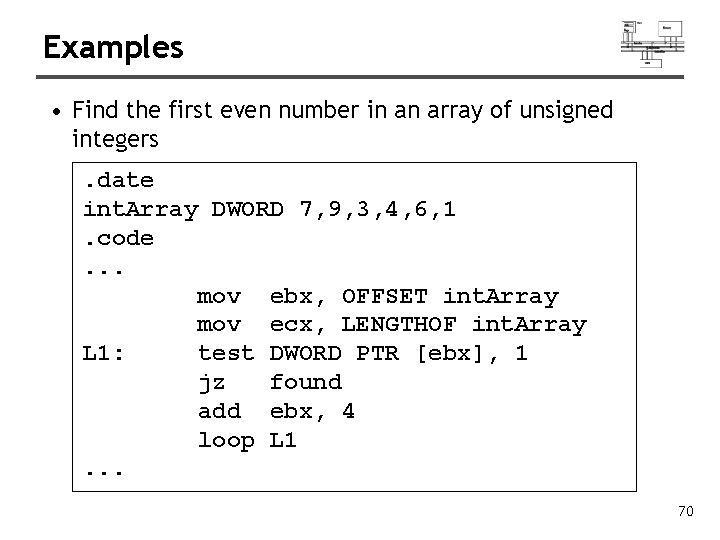
Examples • Find the first even number in an array of unsigned integers. date int. Array DWORD 7, 9, 3, 4, 6, 1. code. . . mov ebx, OFFSET int. Array mov ecx, LENGTHOF int. Array L 1: test DWORD PTR [ebx], 1 jz found add ebx, 4 loop L 1. . . 70
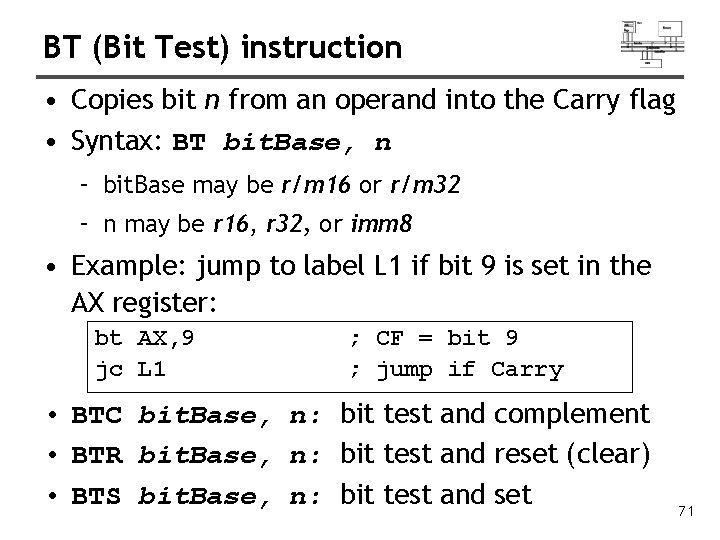
BT (Bit Test) instruction • Copies bit n from an operand into the Carry flag • Syntax: BT bit. Base, n – bit. Base may be r/m 16 or r/m 32 – n may be r 16, r 32, or imm 8 • Example: jump to label L 1 if bit 9 is set in the AX register: bt AX, 9 jc L 1 ; CF = bit 9 ; jump if Carry • BTC bit. Base, n: bit test and complement • BTR bit. Base, n: bit test and reset (clear) • BTS bit. Base, n: bit test and set 71
Conditional loops
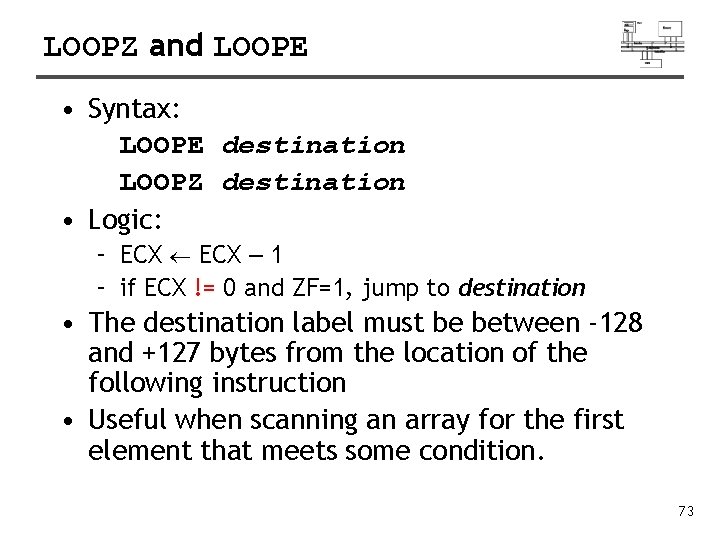
LOOPZ and LOOPE • Syntax: LOOPE destination LOOPZ destination • Logic: – ECX – 1 – if ECX != 0 and ZF=1, jump to destination • The destination label must be between -128 and +127 bytes from the location of the following instruction • Useful when scanning an array for the first element that meets some condition. 73
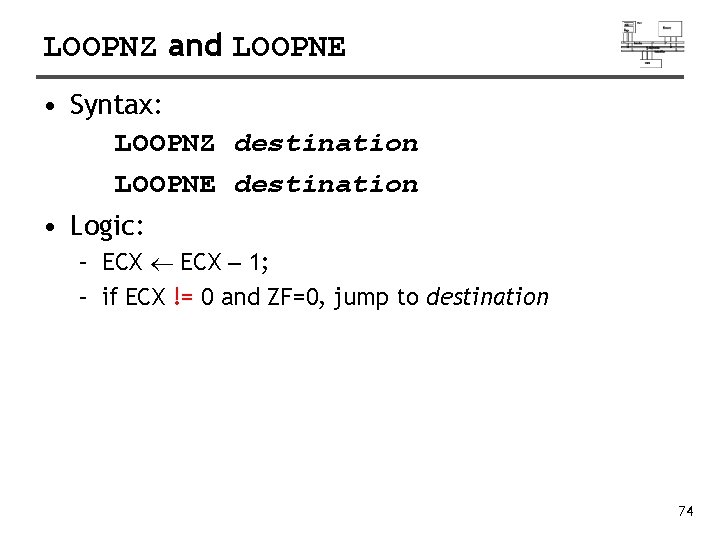
LOOPNZ and LOOPNE • Syntax: LOOPNZ destination LOOPNE destination • Logic: – ECX – 1; – if ECX != 0 and ZF=0, jump to destination 74
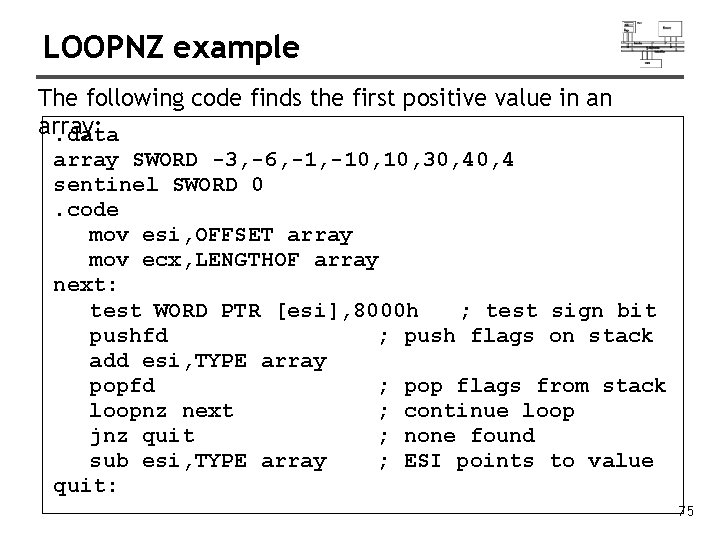
LOOPNZ example The following code finds the first positive value in an array: . data array SWORD -3, -6, -10, 10, 30, 4 sentinel SWORD 0. code mov esi, OFFSET array mov ecx, LENGTHOF array next: test WORD PTR [esi], 8000 h ; test sign bit pushfd ; push flags on stack add esi, TYPE array popfd ; pop flags from stack loopnz next ; continue loop jnz quit ; none found sub esi, TYPE array ; ESI points to value quit: 75
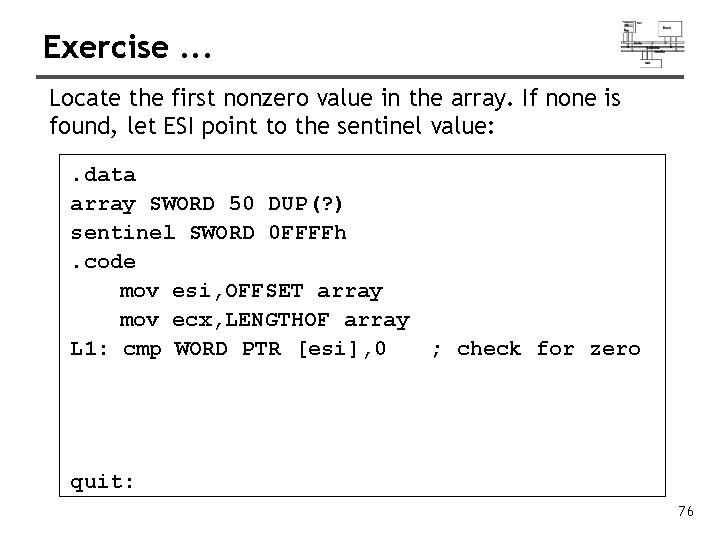
Exercise. . . Locate the first nonzero value in the array. If none is found, let ESI point to the sentinel value: . data array SWORD 50 DUP(? ) sentinel SWORD 0 FFFFh. code mov esi, OFFSET array mov ecx, LENGTHOF array L 1: cmp WORD PTR [esi], 0 ; check for zero quit: 76
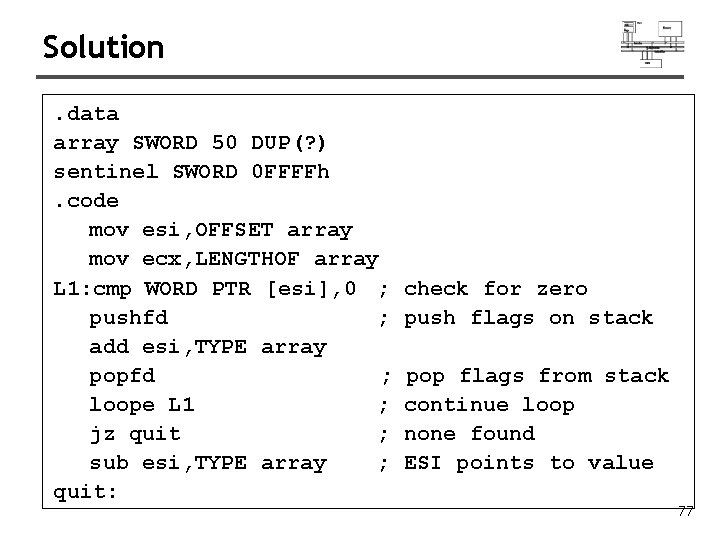
Solution. data array SWORD 50 DUP(? ) sentinel SWORD 0 FFFFh. code mov esi, OFFSET array mov ecx, LENGTHOF array L 1: cmp WORD PTR [esi], 0 ; pushfd ; add esi, TYPE array popfd ; loope L 1 ; jz quit ; sub esi, TYPE array ; quit: check for zero push flags on stack pop flags from stack continue loop none found ESI points to value 77
Conditional structures
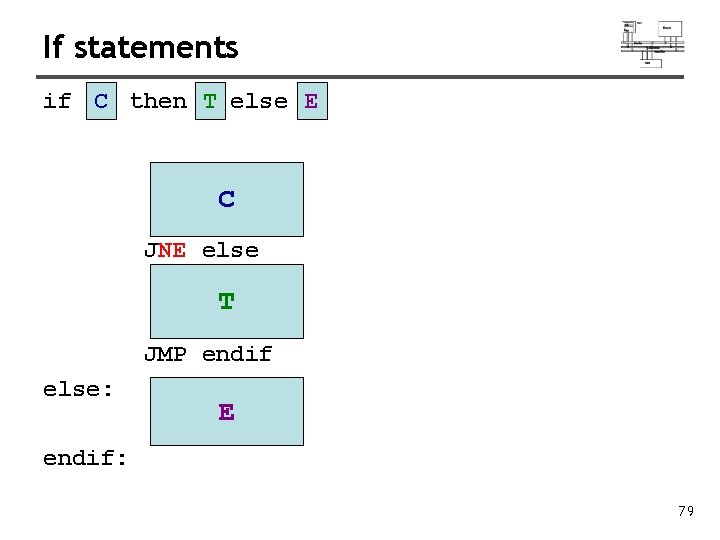
If statements if C then T else E C JNE else T JMP endif else: E endif: 79
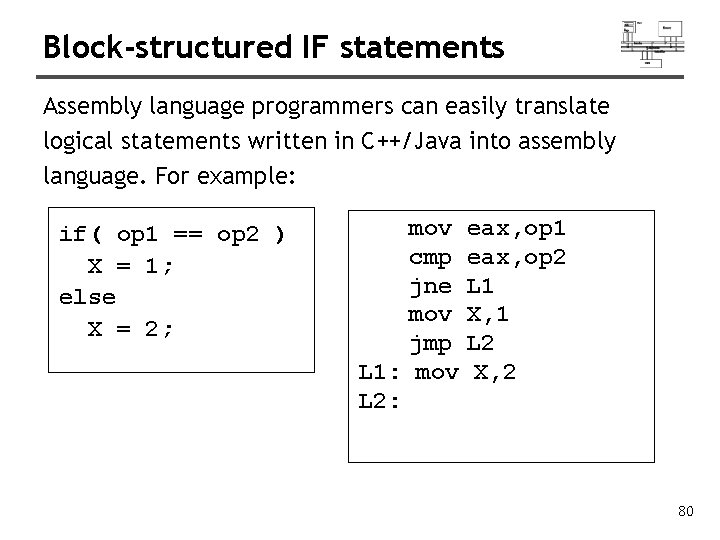
Block-structured IF statements Assembly language programmers can easily translate logical statements written in C++/Java into assembly language. For example: if( op 1 == op 2 ) X = 1; else X = 2; mov cmp jne mov jmp L 1: mov L 2: eax, op 1 eax, op 2 L 1 X, 1 L 2 X, 2 80
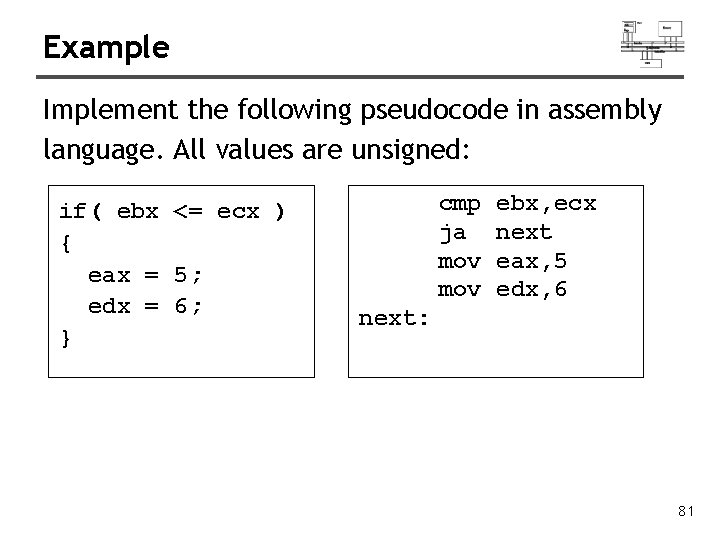
Example Implement the following pseudocode in assembly language. All values are unsigned: if( ebx <= ecx ) { eax = 5; edx = 6; } cmp ja mov ebx, ecx next eax, 5 edx, 6 next: 81
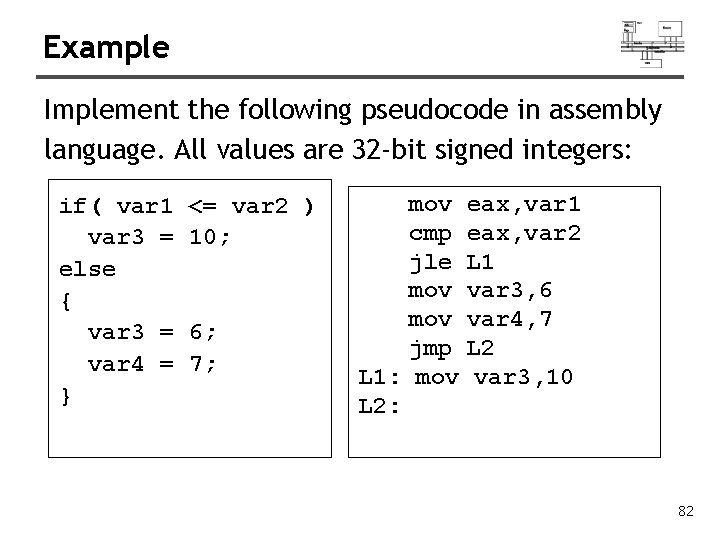
Example Implement the following pseudocode in assembly language. All values are 32 -bit signed integers: if( var 1 var 3 = else { var 3 = var 4 = } <= var 2 ) 10; 6; 7; mov cmp jle mov jmp L 1: mov L 2: eax, var 1 eax, var 2 L 1 var 3, 6 var 4, 7 L 2 var 3, 10 82
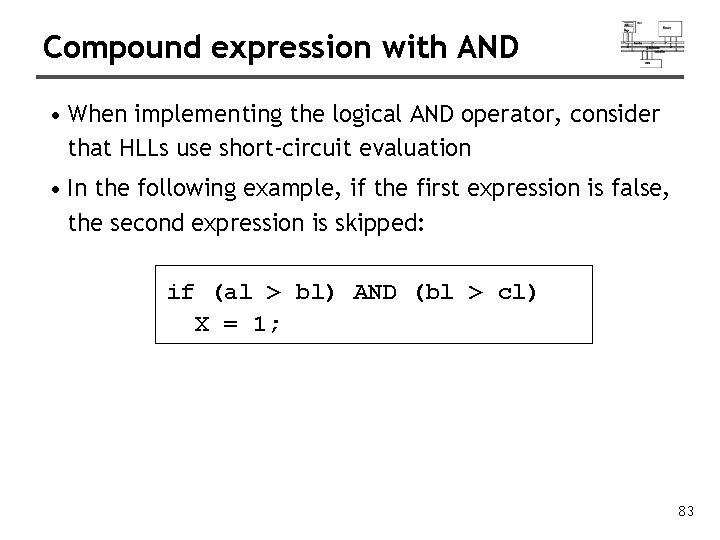
Compound expression with AND • When implementing the logical AND operator, consider that HLLs use short-circuit evaluation • In the following example, if the first expression is false, the second expression is skipped: if (al > bl) AND (bl > cl) X = 1; 83
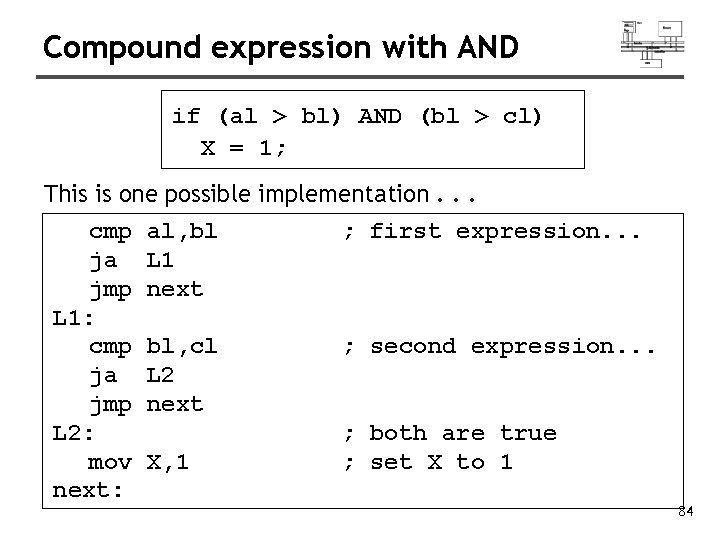
Compound expression with AND if (al > bl) AND (bl > cl) X = 1; This is one possible implementation. . . cmp ja jmp L 1: cmp ja jmp L 2: mov next: al, bl L 1 next ; first expression. . . bl, cl L 2 next ; second expression. . . X, 1 ; both are true ; set X to 1 84
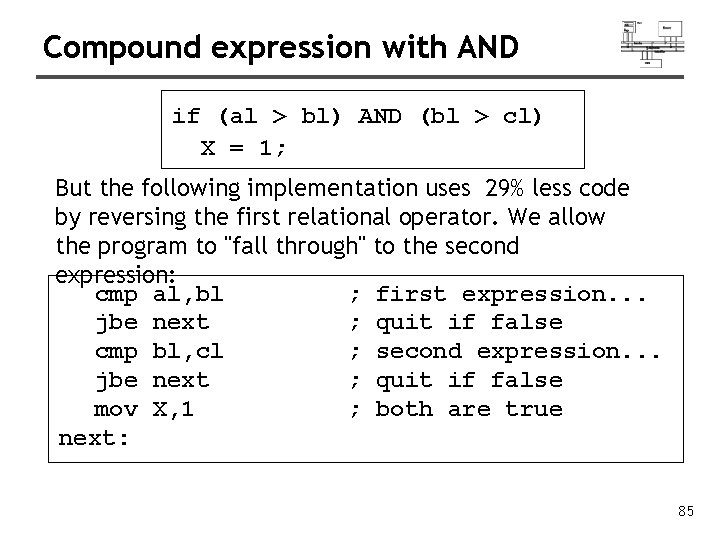
Compound expression with AND if (al > bl) AND (bl > cl) X = 1; But the following implementation uses 29% less code by reversing the first relational operator. We allow the program to "fall through" to the second expression: cmp al, bl ; first expression. . . jbe next ; quit if false cmp bl, cl ; second expression. . . jbe next ; quit if false mov X, 1 ; both are true next: 85
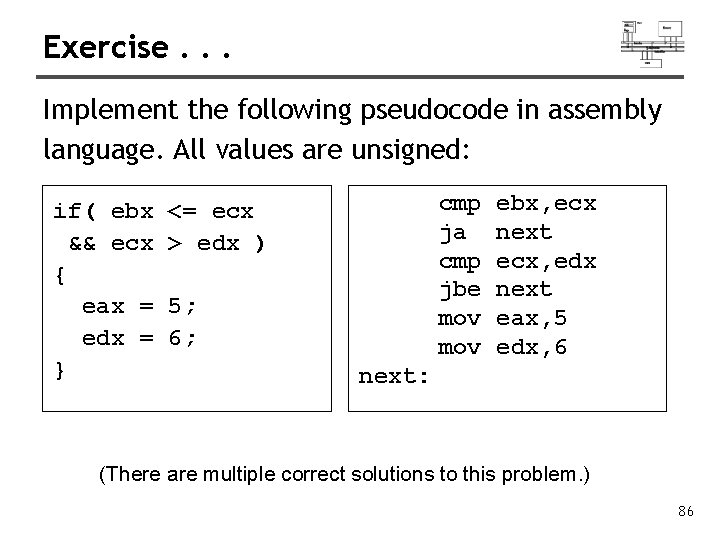
Exercise. . . Implement the following pseudocode in assembly language. All values are unsigned: if( ebx && ecx { eax = edx = } cmp ja cmp jbe mov <= ecx > edx ) 5; 6; ebx, ecx next ecx, edx next eax, 5 edx, 6 next: (There are multiple correct solutions to this problem. ) 86
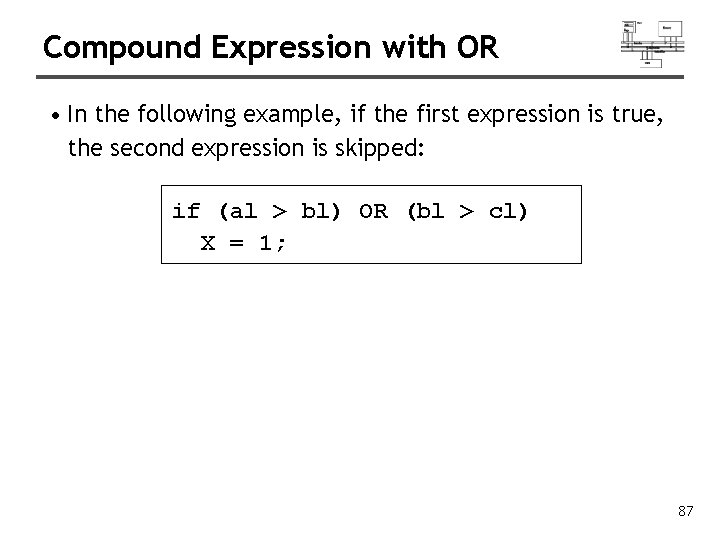
Compound Expression with OR • In the following example, if the first expression is true, the second expression is skipped: if (al > bl) OR (bl > cl) X = 1; 87
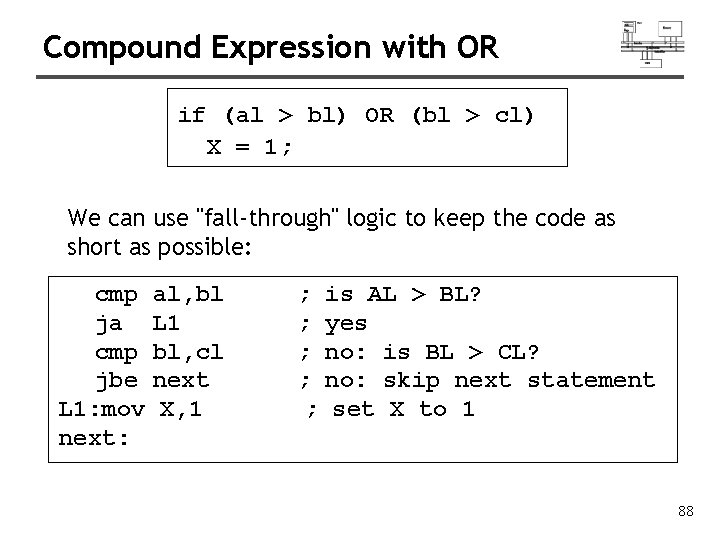
Compound Expression with OR if (al > bl) OR (bl > cl) X = 1; We can use "fall-through" logic to keep the code as short as possible: cmp ja cmp jbe L 1: mov next: al, bl L 1 bl, cl next X, 1 ; ; ; is AL > BL? yes no: is BL > CL? no: skip next statement set X to 1 88
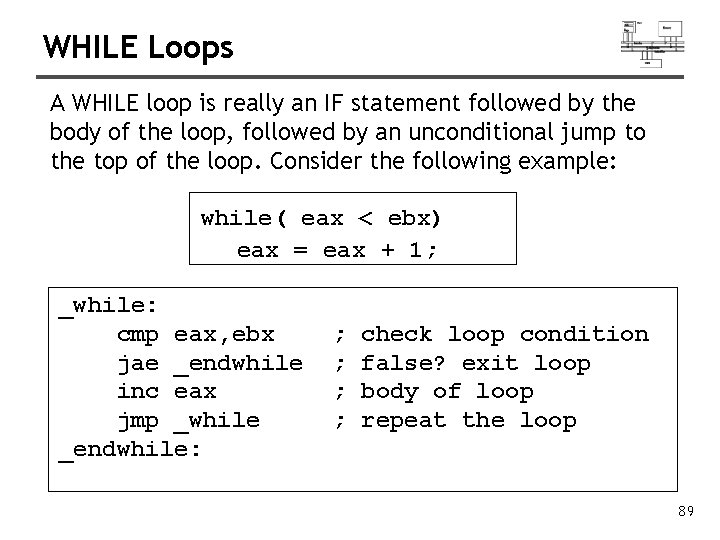
WHILE Loops A WHILE loop is really an IF statement followed by the body of the loop, followed by an unconditional jump to the top of the loop. Consider the following example: while( eax < ebx) eax = eax + 1; _while: cmp eax, ebx jae _endwhile inc eax jmp _while _endwhile: ; ; check loop condition false? exit loop body of loop repeat the loop 89
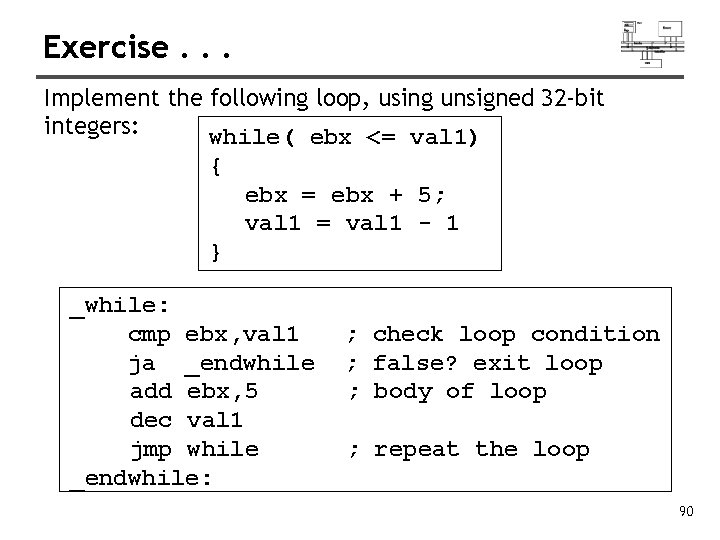
Exercise. . . Implement the following loop, using unsigned 32 -bit integers: while( ebx <= val 1) { ebx = ebx + 5; val 1 = val 1 - 1 } _while: cmp ebx, val 1 ja _endwhile add ebx, 5 dec val 1 jmp while _endwhile: ; check loop condition ; false? exit loop ; body of loop ; repeat the loop 90
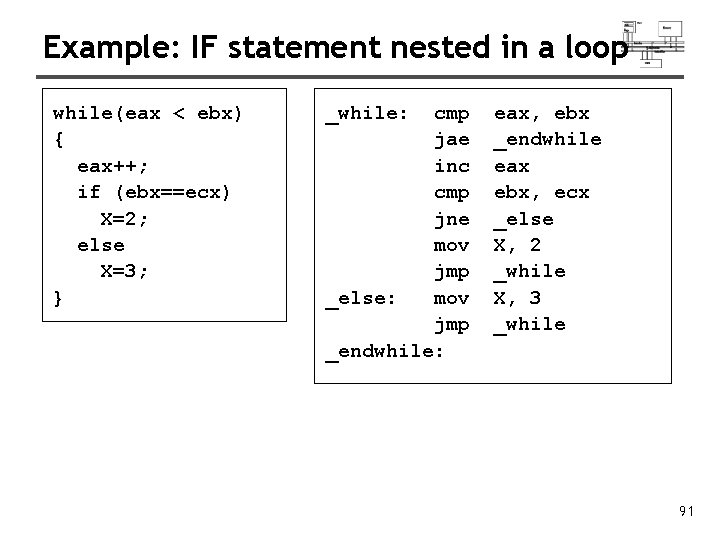
Example: IF statement nested in a loop while(eax < ebx) { eax++; if (ebx==ecx) X=2; else X=3; } _while: cmp jae inc cmp jne mov jmp _else: mov jmp _endwhile: eax, ebx _endwhile eax ebx, ecx _else X, 2 _while X, 3 _while 91
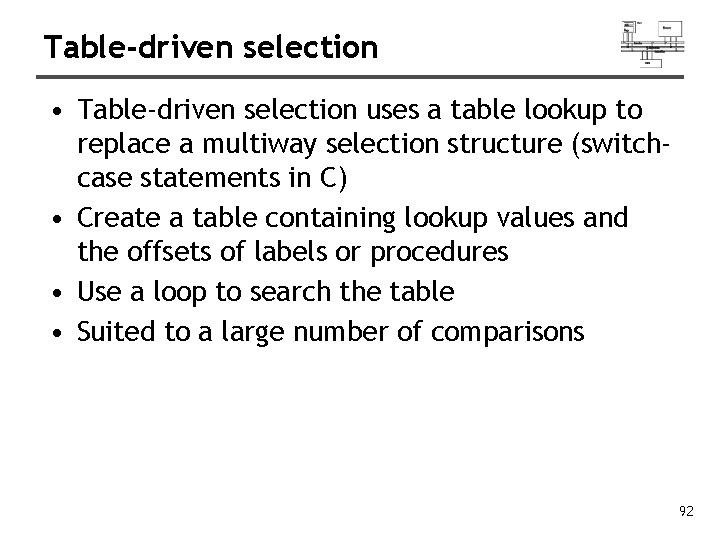
Table-driven selection • Table-driven selection uses a table lookup to replace a multiway selection structure (switchcase statements in C) • Create a table containing lookup values and the offsets of labels or procedures • Use a loop to search the table • Suited to a large number of comparisons 92
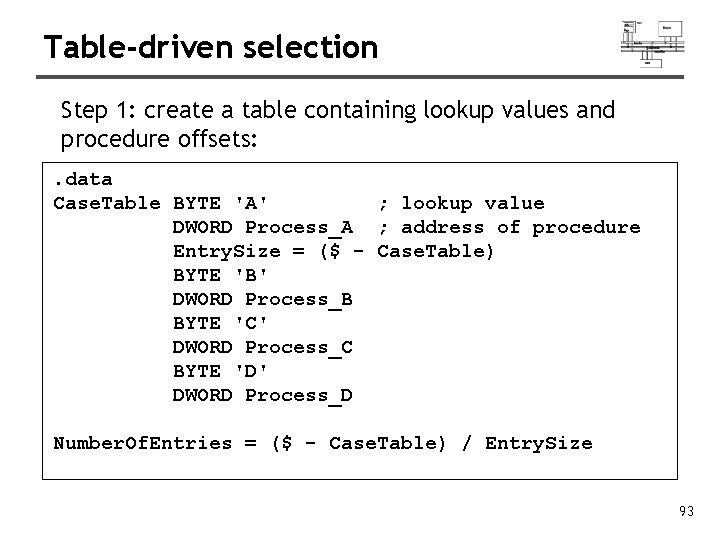
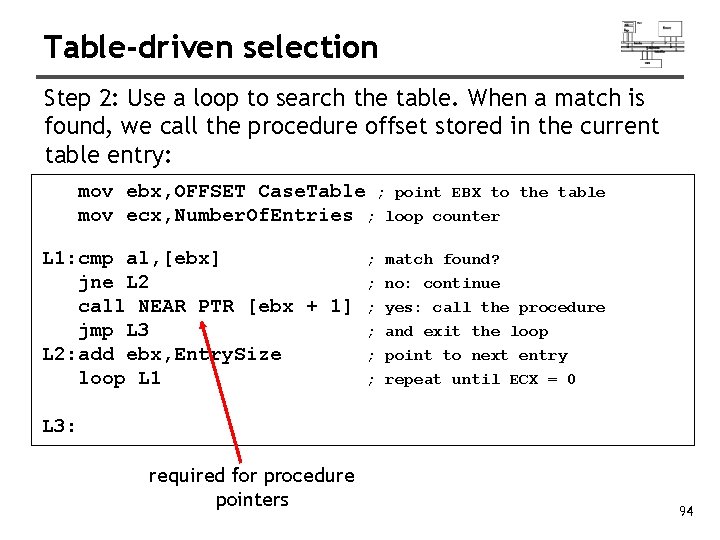
Table-driven selection Step 1: create a table containing lookup values and procedure offsets: . data Case. Table BYTE 'A' ; lookup value DWORD Process_A ; address of procedure Entry. Size = ($ - Case. Table) BYTE 'B' DWORD Process_B BYTE 'C' DWORD Process_C BYTE 'D' DWORD Process_D Number. Of. Entries = ($ - Case. Table) / Entry. Size 93
Table-driven selection Step 2: Use a loop to search the table. When a match is found, we call the procedure offset stored in the current table entry: mov ebx, OFFSET Case. Table ; point EBX to mov ecx, Number. Of. Entries ; loop counter L 1: cmp al, [ebx] jne L 2 call NEAR PTR [ebx + 1] jmp L 3 L 2: add ebx, Entry. Size loop L 1 ; ; ; the table match found? no: continue yes: call the procedure and exit the loop point to next entry repeat until ECX = 0 L 3: required for procedure pointers 94
Shift and rotate
Shift and Rotate Instructions • • Logical vs Arithmetic Shifts SHL Instruction SHR Instruction SAL and SAR Instructions ROL Instruction ROR Instruction RCL and RCR Instructions SHLD/SHRD Instructions 96
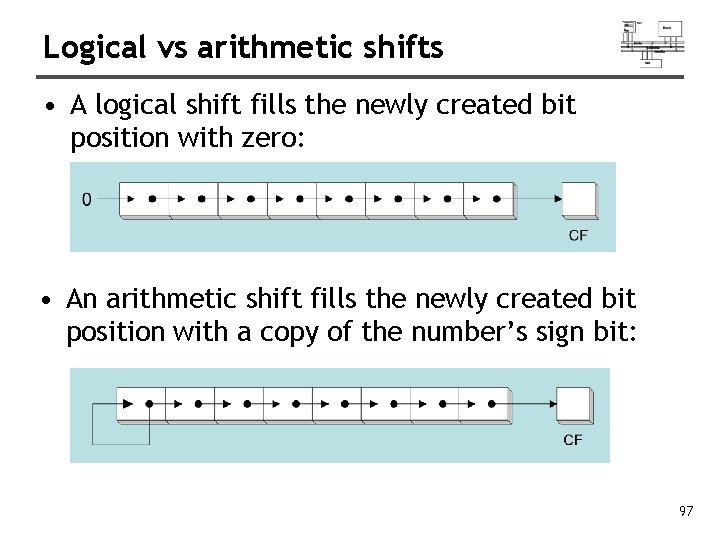
Logical vs arithmetic shifts • A logical shift fills the newly created bit position with zero: • An arithmetic shift fills the newly created bit position with a copy of the number’s sign bit: 97
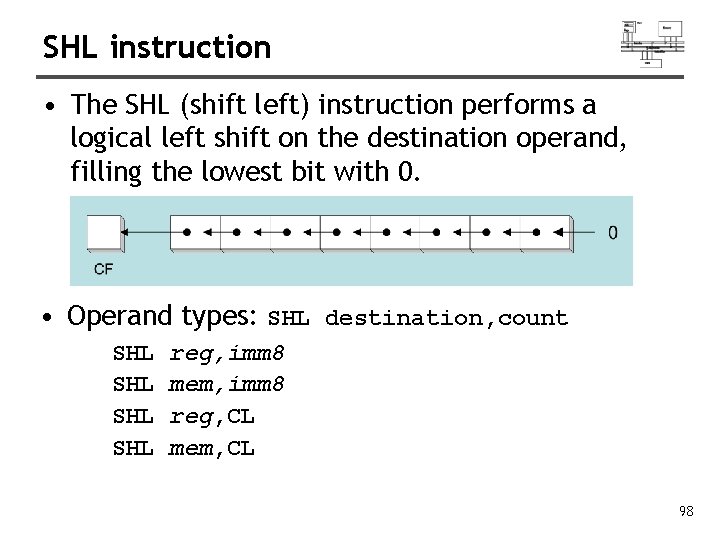
SHL instruction • The SHL (shift left) instruction performs a logical left shift on the destination operand, filling the lowest bit with 0. • Operand types: SHL destination, count SHL SHL reg, imm 8 mem, imm 8 reg, CL mem, CL 98
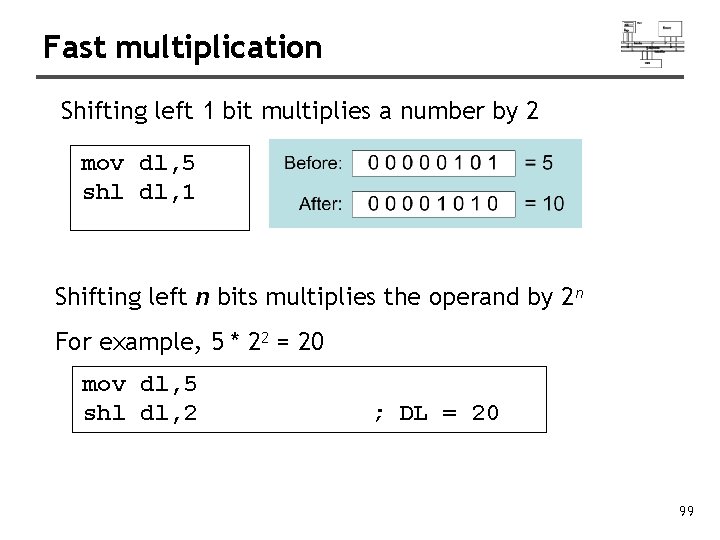
Fast multiplication Shifting left 1 bit multiplies a number by 2 mov dl, 5 shl dl, 1 Shifting left n bits multiplies the operand by 2 n For example, 5 * 22 = 20 mov dl, 5 shl dl, 2 ; DL = 20 99
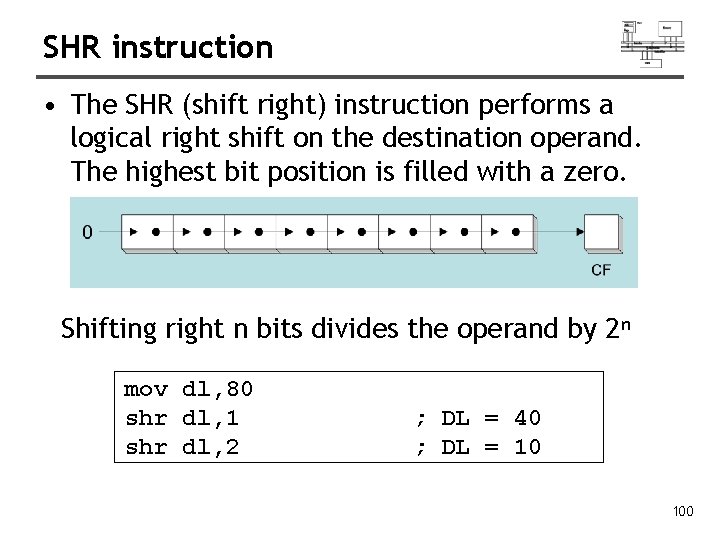
SHR instruction • The SHR (shift right) instruction performs a logical right shift on the destination operand. The highest bit position is filled with a zero. Shifting right n bits divides the operand by 2 n mov dl, 80 shr dl, 1 shr dl, 2 ; DL = 40 ; DL = 10 100
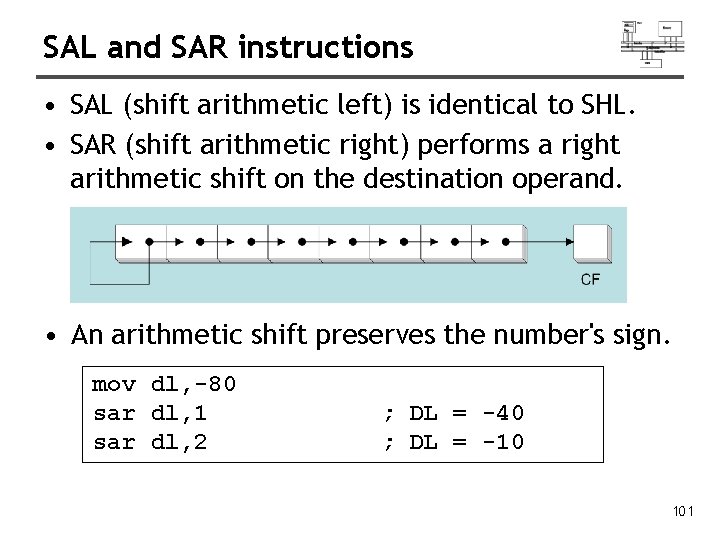
SAL and SAR instructions • SAL (shift arithmetic left) is identical to SHL. • SAR (shift arithmetic right) performs a right arithmetic shift on the destination operand. • An arithmetic shift preserves the number's sign. mov dl, -80 sar dl, 1 sar dl, 2 ; DL = -40 ; DL = -10 101
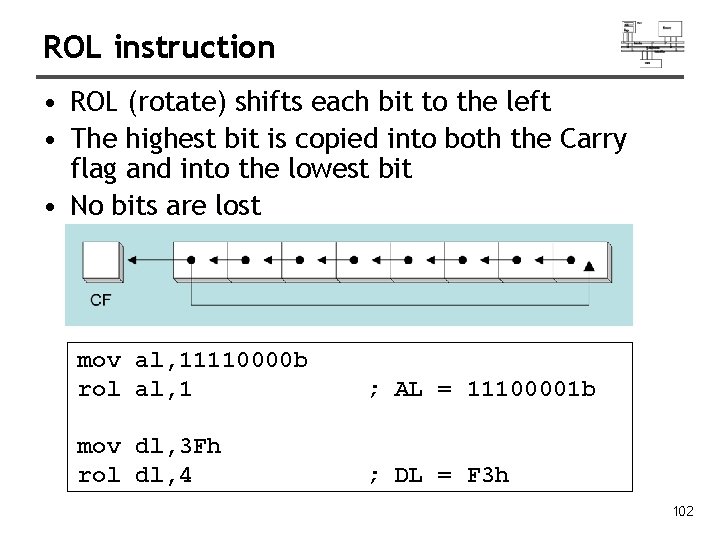
ROL instruction • ROL (rotate) shifts each bit to the left • The highest bit is copied into both the Carry flag and into the lowest bit • No bits are lost mov al, 11110000 b rol al, 1 ; AL = 11100001 b mov dl, 3 Fh rol dl, 4 ; DL = F 3 h 102
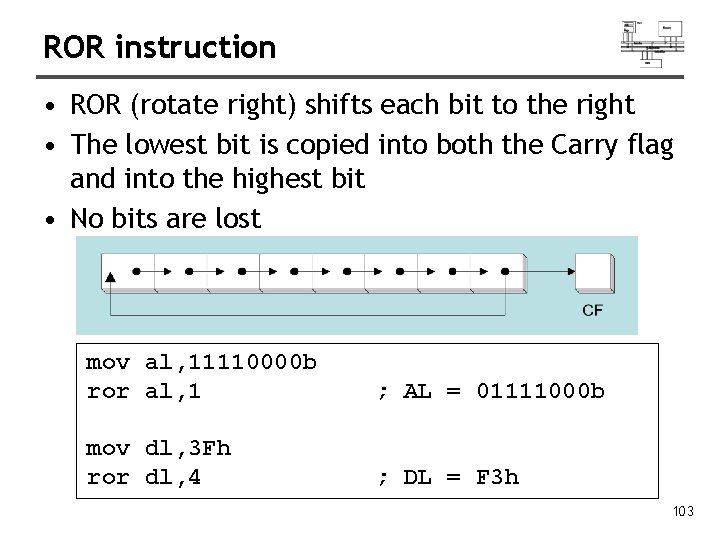
ROR instruction • ROR (rotate right) shifts each bit to the right • The lowest bit is copied into both the Carry flag and into the highest bit • No bits are lost mov al, 11110000 b ror al, 1 ; AL = 01111000 b mov dl, 3 Fh ror dl, 4 ; DL = F 3 h 103
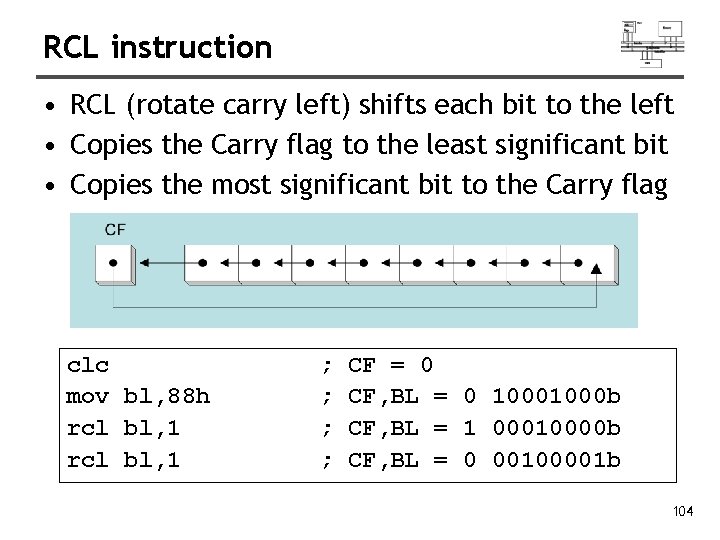
RCL instruction • RCL (rotate carry left) shifts each bit to the left • Copies the Carry flag to the least significant bit • Copies the most significant bit to the Carry flag clc mov bl, 88 h rcl bl, 1 ; ; CF = 0 CF, BL = 0 1000 b CF, BL = 1 00010000 b CF, BL = 0 00100001 b 104
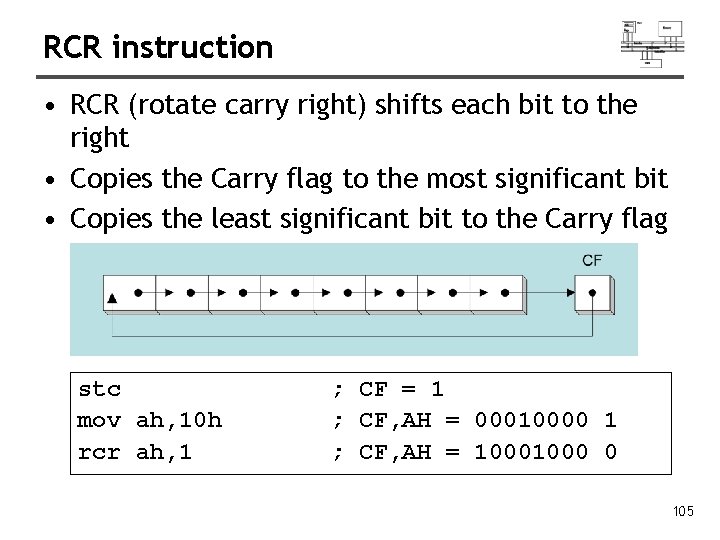
RCR instruction • RCR (rotate carry right) shifts each bit to the right • Copies the Carry flag to the most significant bit • Copies the least significant bit to the Carry flag stc mov ah, 10 h rcr ah, 1 ; CF = 1 ; CF, AH = 00010000 1 ; CF, AH = 1000 0 105
SHLD instruction • Syntax: (shift left double) SHLD destination, source, count • Shifts a destination operand a given number of bits to the left • The bit positions opened up by the shift are filled by the most significant bits of the source operand • The source operand is not affected 106
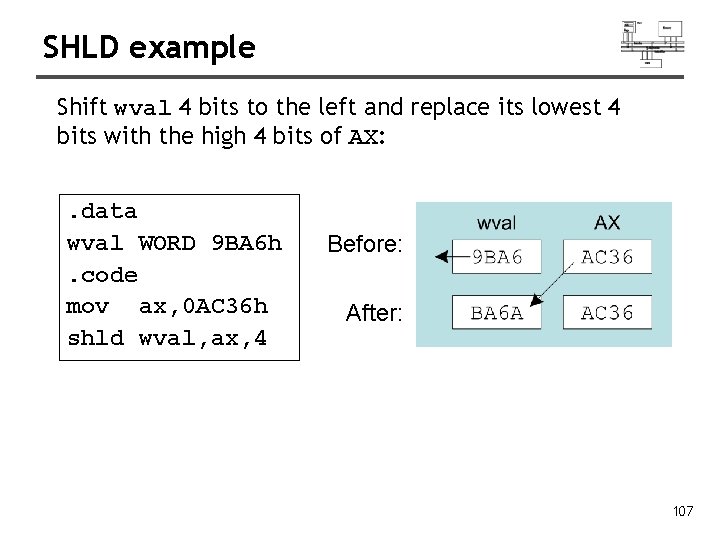
SHLD example Shift wval 4 bits to the left and replace its lowest 4 bits with the high 4 bits of AX: . data wval WORD 9 BA 6 h. code mov ax, 0 AC 36 h shld wval, ax, 4 Before: After: 107
SHRD instruction • Syntax: SHRD destination, source, count • Shifts a destination operand a given number of bits to the right • The bit positions opened up by the shift are filled by the least significant bits of the source operand • The source operand is not affected 108
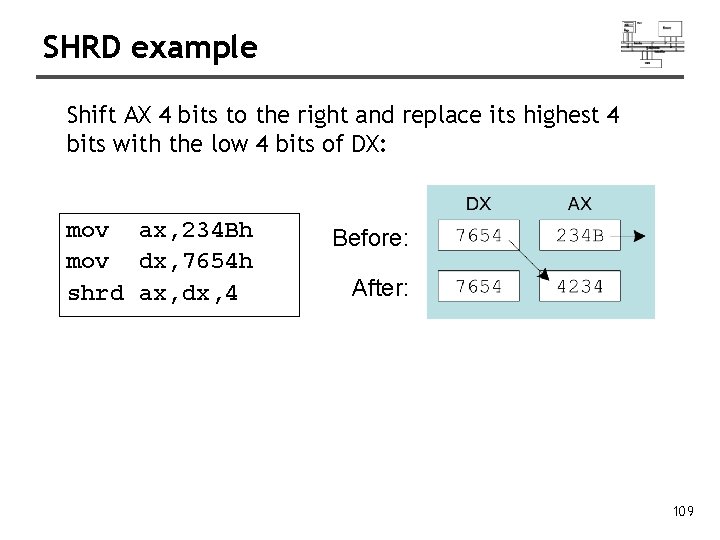
SHRD example Shift AX 4 bits to the right and replace its highest 4 bits with the low 4 bits of DX: mov ax, 234 Bh mov dx, 7654 h shrd ax, dx, 4 Before: After: 109
Shift and rotate applications • • Shifting Multiple Doublewords Binary Multiplication Displaying Binary Bits Isolating a Bit String 110
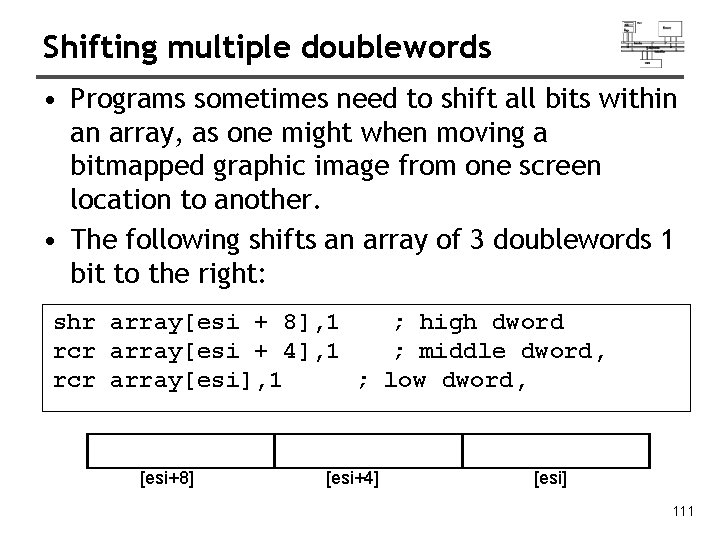
Shifting multiple doublewords • Programs sometimes need to shift all bits within an array, as one might when moving a bitmapped graphic image from one screen location to another. • The following shifts an array of 3 doublewords 1 bit to the right: shr array[esi + 8], 1 ; high dword rcr array[esi + 4], 1 ; middle dword, rcr array[esi], 1 ; low dword, [esi+8] [esi+4] [esi] 111
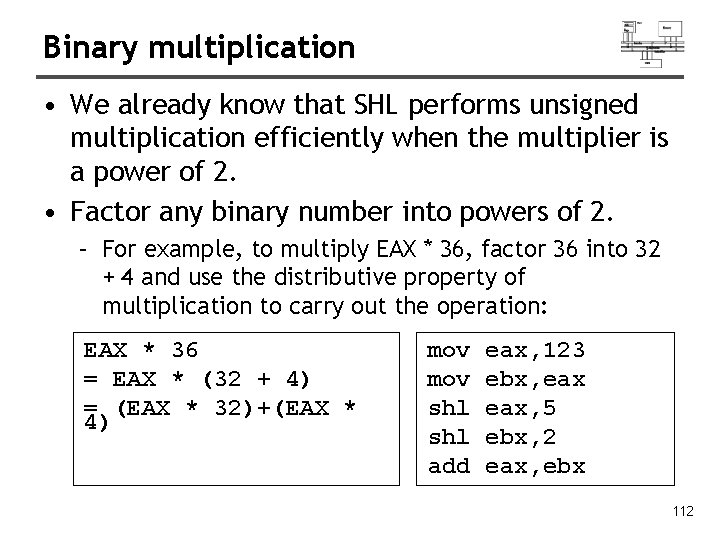
Binary multiplication • We already know that SHL performs unsigned multiplication efficiently when the multiplier is a power of 2. • Factor any binary number into powers of 2. – For example, to multiply EAX * 36, factor 36 into 32 + 4 and use the distributive property of multiplication to carry out the operation: EAX * 36 = EAX * (32 + 4) = (EAX * 32)+(EAX * 4) mov shl add eax, 123 ebx, eax, 5 ebx, 2 eax, ebx 112
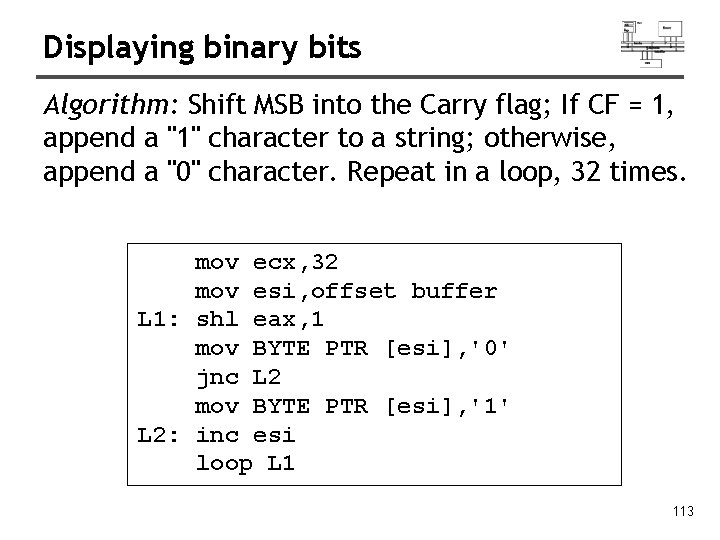
Displaying binary bits Algorithm: Shift MSB into the Carry flag; If CF = 1, append a "1" character to a string; otherwise, append a "0" character. Repeat in a loop, 32 times. mov ecx, 32 mov esi, offset buffer L 1: shl eax, 1 mov BYTE PTR [esi], '0' jnc L 2 mov BYTE PTR [esi], '1' L 2: inc esi loop L 1 113
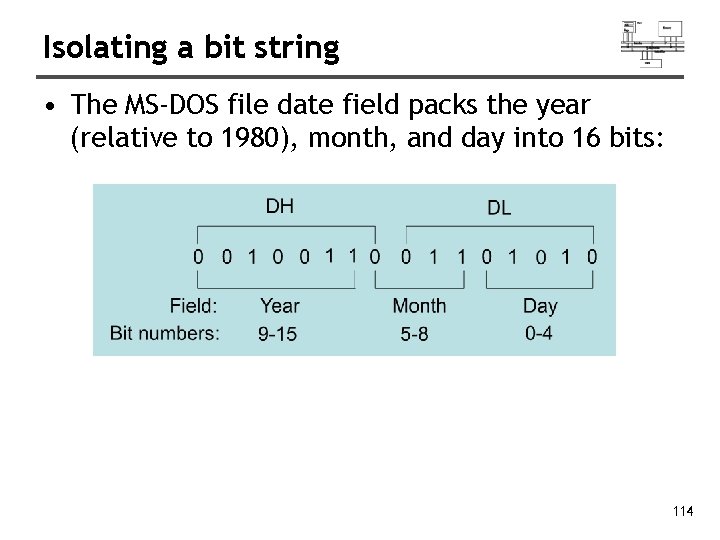
Isolating a bit string • The MS-DOS file date field packs the year (relative to 1980), month, and day into 16 bits: 114
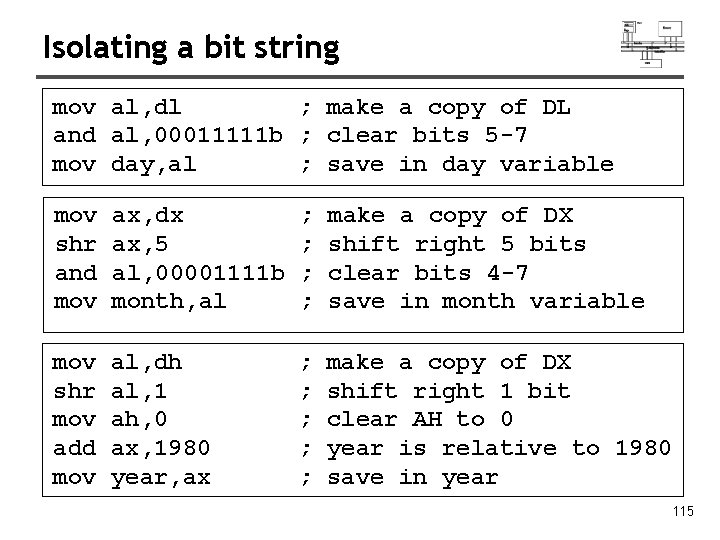
Isolating a bit string mov al, dl ; make a copy of DL and al, 00011111 b ; clear bits 5 -7 mov day, al ; save in day variable mov shr and mov ax, dx ax, 5 al, 00001111 b month, al ; ; make a copy of DX shift right 5 bits clear bits 4 -7 save in month variable mov shr mov add mov al, dh al, 1 ah, 0 ax, 1980 year, ax ; ; ; make a copy of DX shift right 1 bit clear AH to 0 year is relative to 1980 save in year 115
Multiplication and division
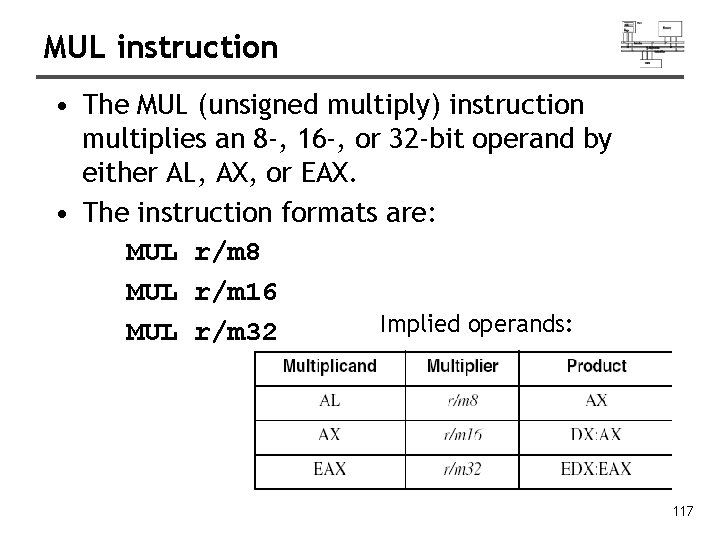
MUL instruction • The MUL (unsigned multiply) instruction multiplies an 8 -, 16 -, or 32 -bit operand by either AL, AX, or EAX. • The instruction formats are: MUL r/m 8 MUL r/m 16 Implied operands: MUL r/m 32 117
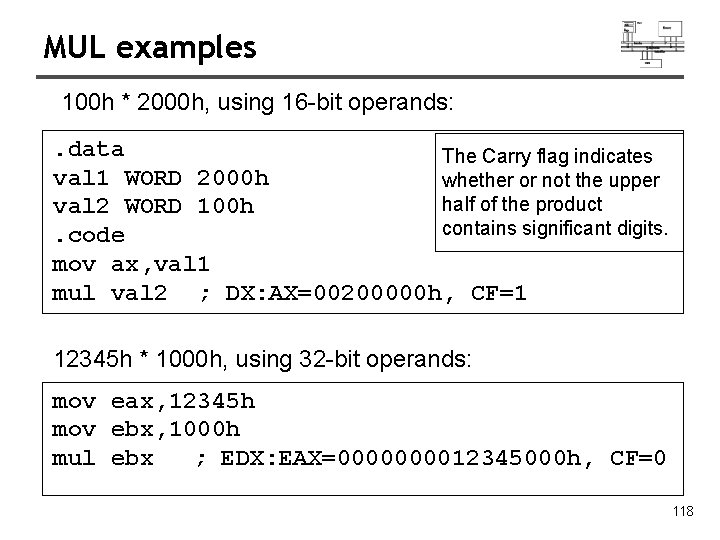
MUL examples 100 h * 2000 h, using 16 -bit operands: . data The Carry flag indicates val 1 WORD 2000 h whether or not the upper half of the product val 2 WORD 100 h contains significant digits. . code mov ax, val 1 mul val 2 ; DX: AX=00200000 h, CF=1 12345 h * 1000 h, using 32 -bit operands: mov eax, 12345 h mov ebx, 1000 h mul ebx ; EDX: EAX=000012345000 h, CF=0 118
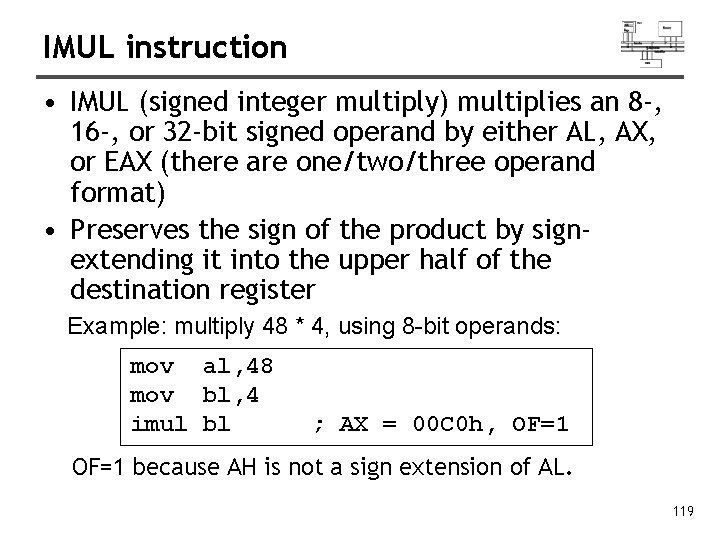
IMUL instruction • IMUL (signed integer multiply) multiplies an 8 -, 16 -, or 32 -bit signed operand by either AL, AX, or EAX (there are one/two/three operand format) • Preserves the sign of the product by signextending it into the upper half of the destination register Example: multiply 48 * 4, using 8 -bit operands: mov al, 48 mov bl, 4 imul bl ; AX = 00 C 0 h, OF=1 because AH is not a sign extension of AL. 119
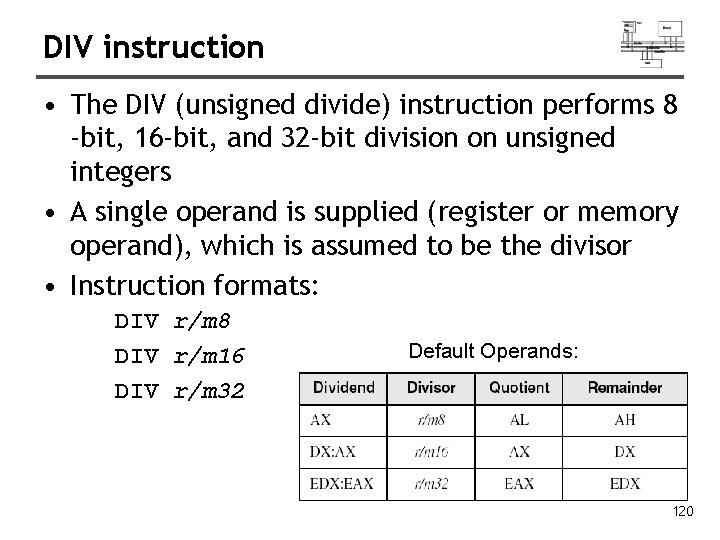
DIV instruction • The DIV (unsigned divide) instruction performs 8 -bit, 16 -bit, and 32 -bit division on unsigned integers • A single operand is supplied (register or memory operand), which is assumed to be the divisor • Instruction formats: DIV r/m 8 DIV r/m 16 DIV r/m 32 Default Operands: 120
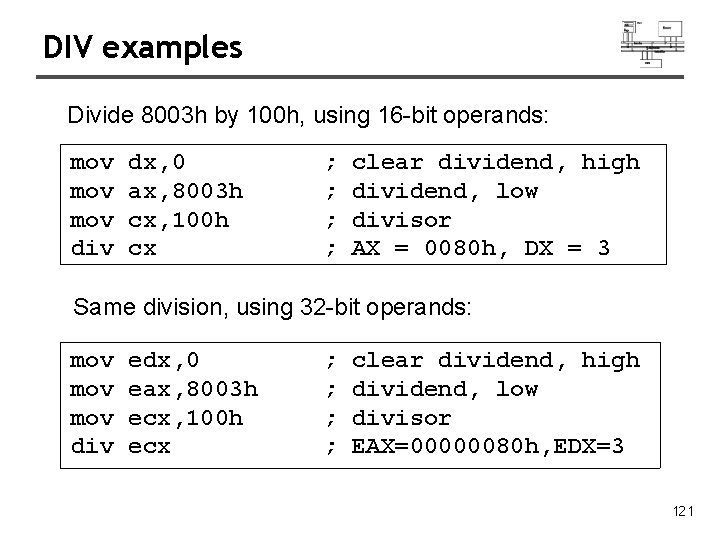
DIV examples Divide 8003 h by 100 h, using 16 -bit operands: mov mov div dx, 0 ax, 8003 h cx, 100 h cx ; ; clear dividend, high dividend, low divisor AX = 0080 h, DX = 3 Same division, using 32 -bit operands: mov mov div edx, 0 eax, 8003 h ecx, 100 h ecx ; ; clear dividend, high dividend, low divisor EAX=00000080 h, EDX=3 121
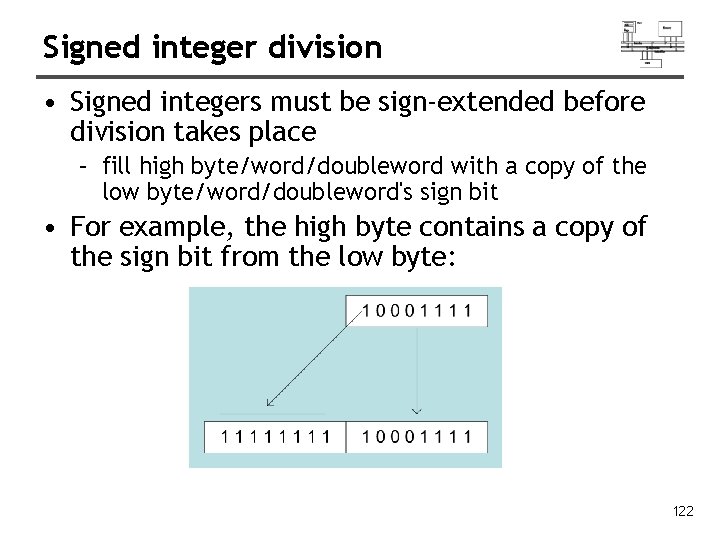
Signed integer division • Signed integers must be sign-extended before division takes place – fill high byte/word/doubleword with a copy of the low byte/word/doubleword's sign bit • For example, the high byte contains a copy of the sign bit from the low byte: 122
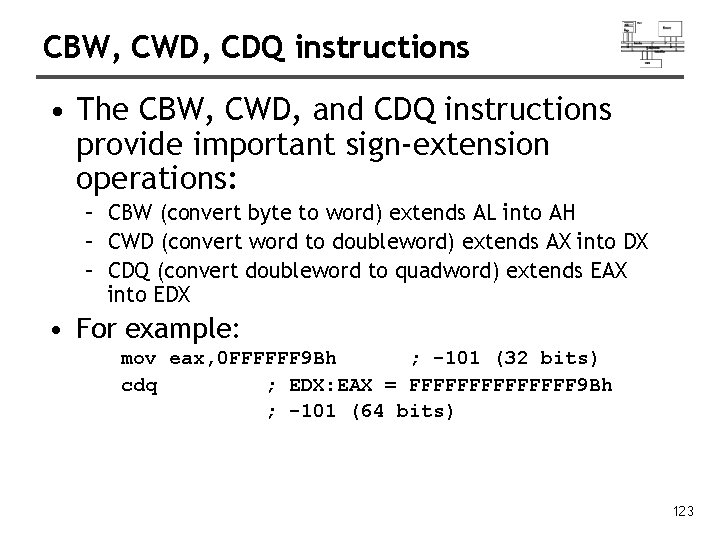
CBW, CWD, CDQ instructions • The CBW, CWD, and CDQ instructions provide important sign-extension operations: – CBW (convert byte to word) extends AL into AH – CWD (convert word to doubleword) extends AX into DX – CDQ (convert doubleword to quadword) extends EAX into EDX • For example: mov eax, 0 FFFFFF 9 Bh ; -101 (32 bits) cdq ; EDX: EAX = FFFFFFF 9 Bh ; -101 (64 bits) 123
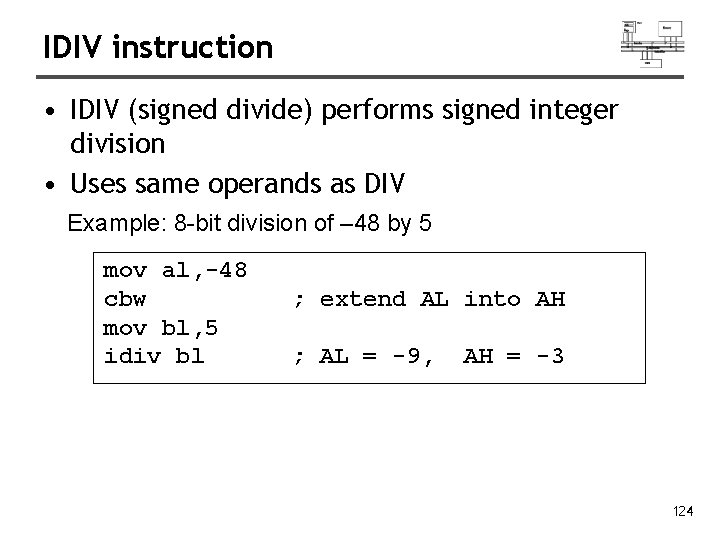
IDIV instruction • IDIV (signed divide) performs signed integer division • Uses same operands as DIV Example: 8 -bit division of – 48 by 5 mov al, -48 cbw mov bl, 5 idiv bl ; extend AL into AH ; AL = -9, AH = -3 124
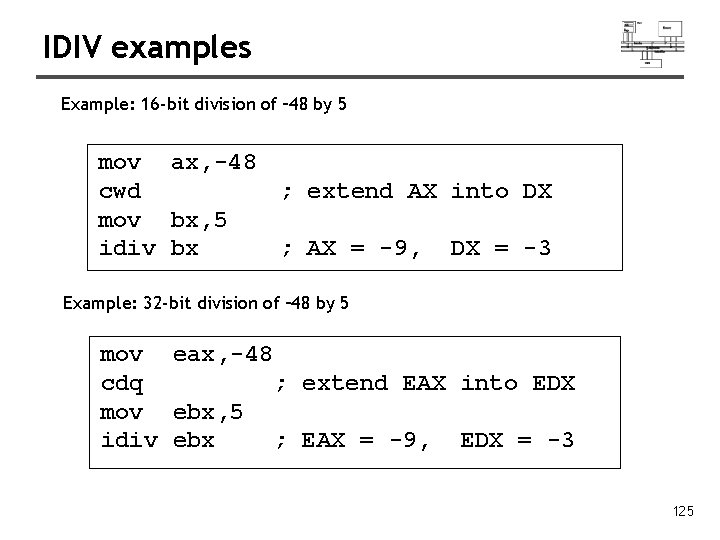
IDIV examples Example: 16 -bit division of – 48 by 5 mov ax, -48 cwd ; extend AX into DX mov bx, 5 idiv bx ; AX = -9, DX = -3 Example: 32 -bit division of – 48 by 5 mov eax, -48 cdq ; extend EAX into EDX mov ebx, 5 idiv ebx ; EAX = -9, EDX = -3 125
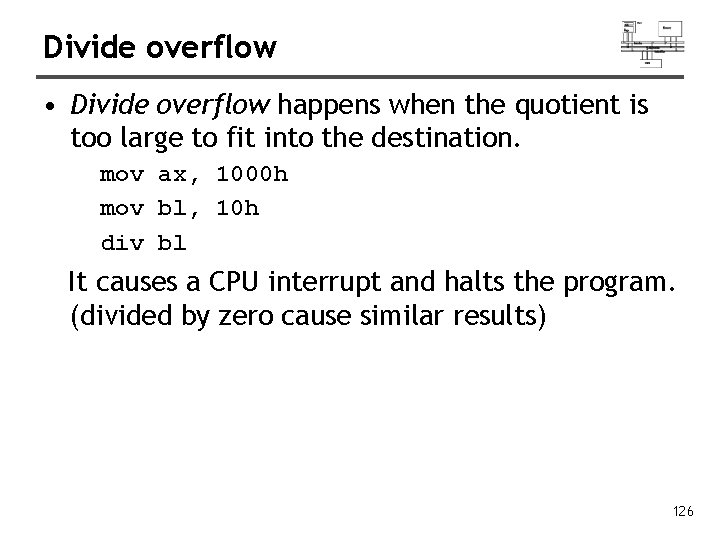
Divide overflow • Divide overflow happens when the quotient is too large to fit into the destination. mov ax, 1000 h mov bl, 10 h div bl It causes a CPU interrupt and halts the program. (divided by zero cause similar results) 126
Arithmetic expressions
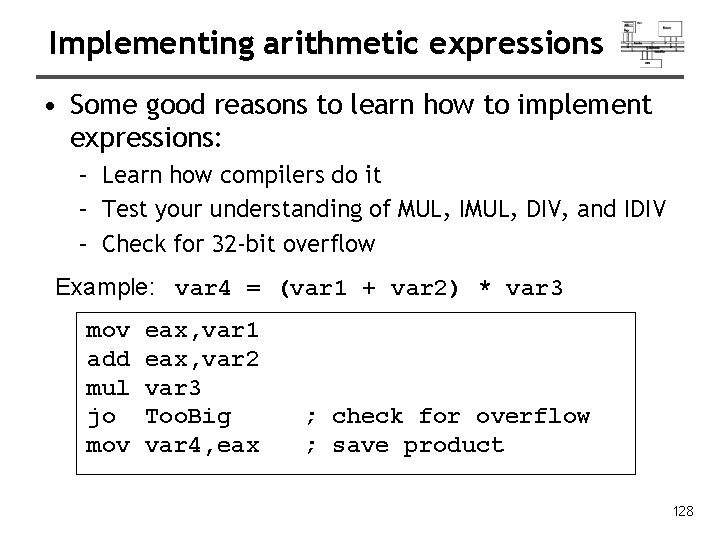
Implementing arithmetic expressions • Some good reasons to learn how to implement expressions: – Learn how compilers do it – Test your understanding of MUL, IMUL, DIV, and IDIV – Check for 32 -bit overflow Example: var 4 = (var 1 + var 2) * var 3 mov add mul jo mov eax, var 1 eax, var 2 var 3 Too. Big var 4, eax ; check for overflow ; save product 128
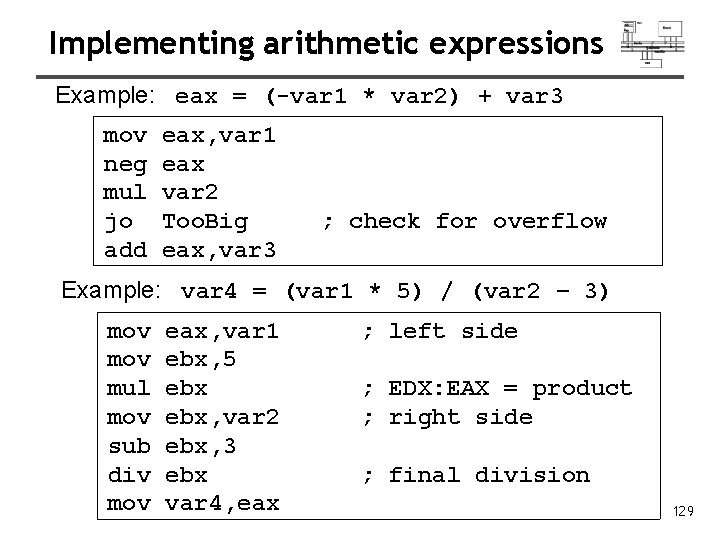
Implementing arithmetic expressions Example: eax = (-var 1 * var 2) + var 3 mov neg mul jo add eax, var 1 eax var 2 Too. Big eax, var 3 ; check for overflow Example: var 4 = (var 1 * 5) / (var 2 – 3) mov mul mov sub div mov eax, var 1 ebx, 5 ebx, var 2 ebx, 3 ebx var 4, eax ; left side ; EDX: EAX = product ; right side ; final division 129
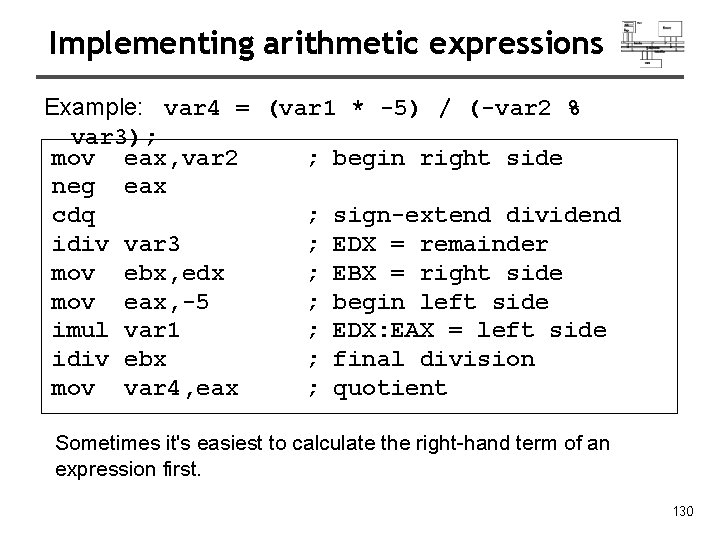
Implementing arithmetic expressions Example: var 4 = (var 1 * -5) / (-var 2 % var 3); mov eax, var 2 ; begin right side neg eax cdq ; sign-extend dividend idiv var 3 ; EDX = remainder mov ebx, edx ; EBX = right side mov eax, -5 ; begin left side imul var 1 ; EDX: EAX = left side idiv ebx ; final division mov var 4, eax ; quotient Sometimes it's easiest to calculate the right-hand term of an expression first. 130
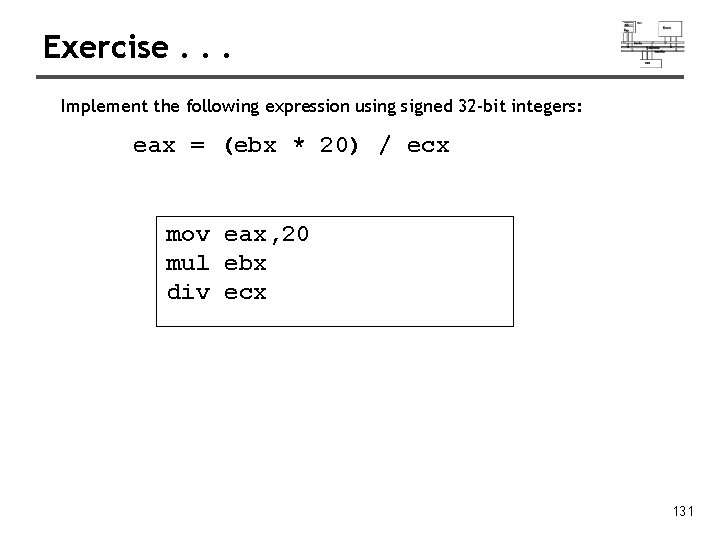
Exercise. . . Implement the following expression using signed 32 -bit integers: eax = (ebx * 20) / ecx mov eax, 20 mul ebx div ecx 131
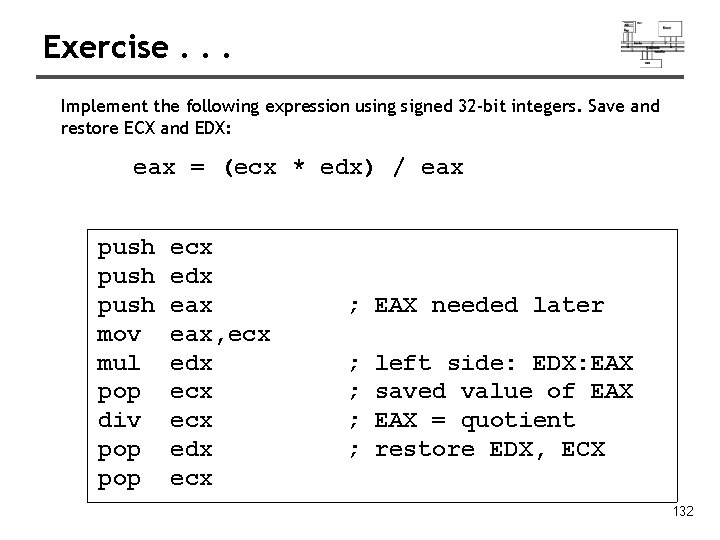
Exercise. . . Implement the following expression using signed 32 -bit integers. Save and restore ECX and EDX: eax = (ecx * edx) / eax push mov mul pop div pop ecx edx eax, ecx edx ecx ; EAX needed later ; ; left side: EDX: EAX saved value of EAX = quotient restore EDX, ECX 132
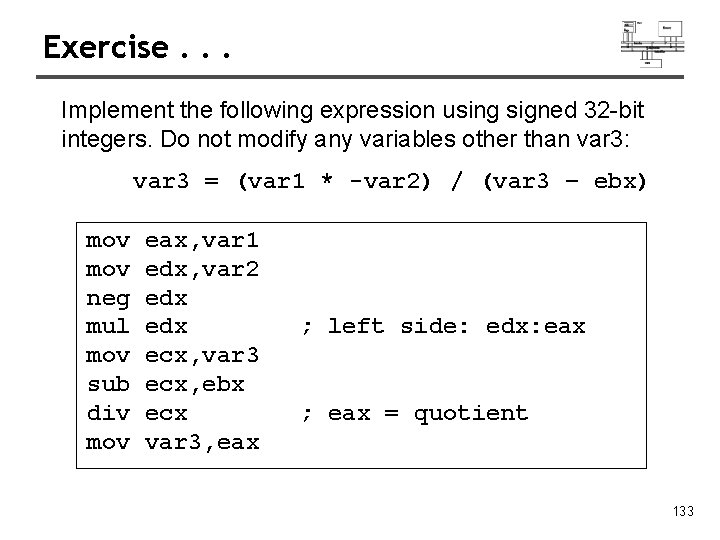
Exercise. . . Implement the following expression using signed 32 -bit integers. Do not modify any variables other than var 3: var 3 = (var 1 * -var 2) / (var 3 – ebx) mov neg mul mov sub div mov eax, var 1 edx, var 2 edx ecx, var 3 ecx, ebx ecx var 3, eax ; left side: edx: eax ; eax = quotient 133
Extended addition and subtraction
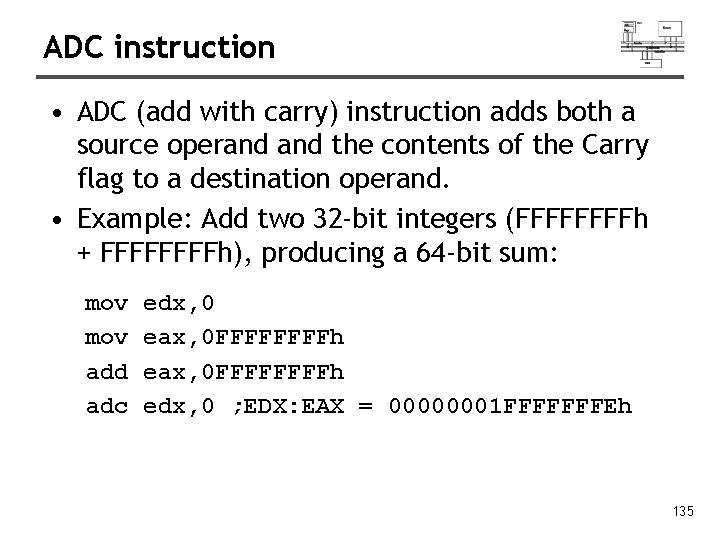
ADC instruction • ADC (add with carry) instruction adds both a source operand the contents of the Carry flag to a destination operand. • Example: Add two 32 -bit integers (FFFFh + FFFFh), producing a 64 -bit sum: mov add adc edx, 0 eax, 0 FFFFFFFFh edx, 0 ; EDX: EAX = 00000001 FFFFFFFEh 135
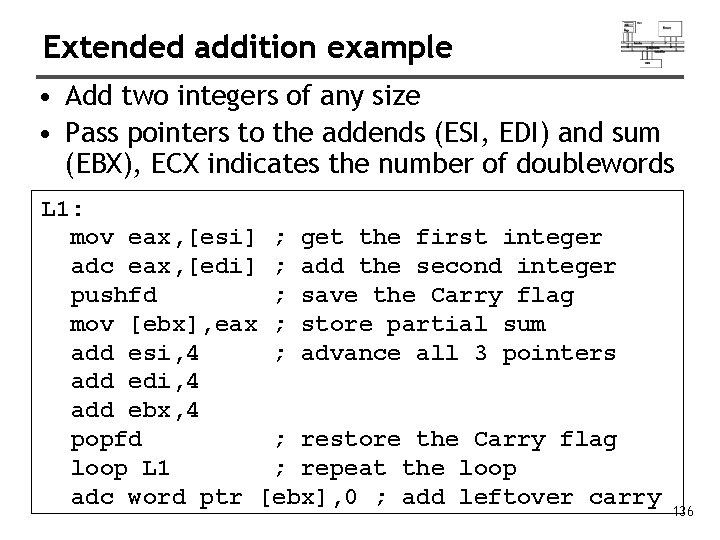
Extended addition example • Add two integers of any size • Pass pointers to the addends (ESI, EDI) and sum (EBX), ECX indicates the number of doublewords L 1: mov eax, [esi] ; get the first integer adc eax, [edi] ; add the second integer pushfd ; save the Carry flag mov [ebx], eax ; store partial sum add esi, 4 ; advance all 3 pointers add edi, 4 add ebx, 4 popfd ; restore the Carry flag loop L 1 ; repeat the loop adc word ptr [ebx], 0 ; add leftover carry 136
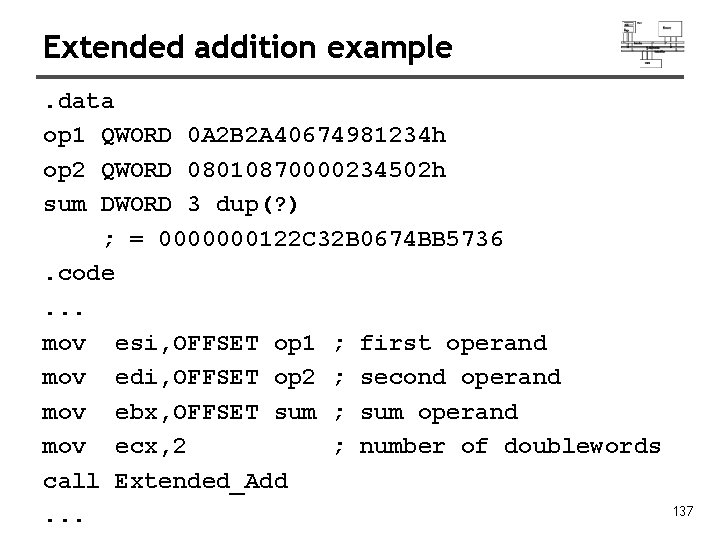
Extended addition example. data op 1 QWORD 0 A 2 B 2 A 40674981234 h op 2 QWORD 08010870000234502 h sum DWORD 3 dup(? ) ; = 0000000122 C 32 B 0674 BB 5736. code. . . mov esi, OFFSET op 1 ; first operand mov edi, OFFSET op 2 ; second operand mov ebx, OFFSET sum ; sum operand mov ecx, 2 ; number of doublewords call Extended_Add. . . 137
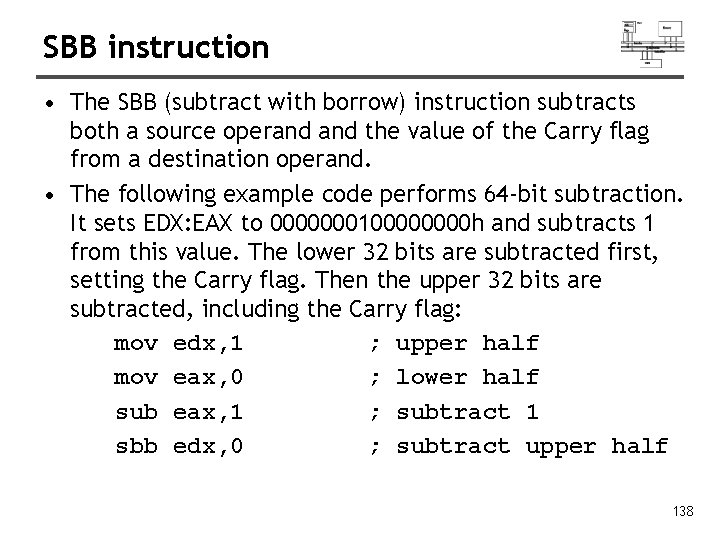
SBB instruction • The SBB (subtract with borrow) instruction subtracts both a source operand the value of the Carry flag from a destination operand. • The following example code performs 64 -bit subtraction. It sets EDX: EAX to 000000010000 h and subtracts 1 from this value. The lower 32 bits are subtracted first, setting the Carry flag. Then the upper 32 bits are subtracted, including the Carry flag: mov edx, 1 ; upper half mov eax, 0 ; lower half sub eax, 1 ; subtract 1 sbb edx, 0 ; subtract upper half 138
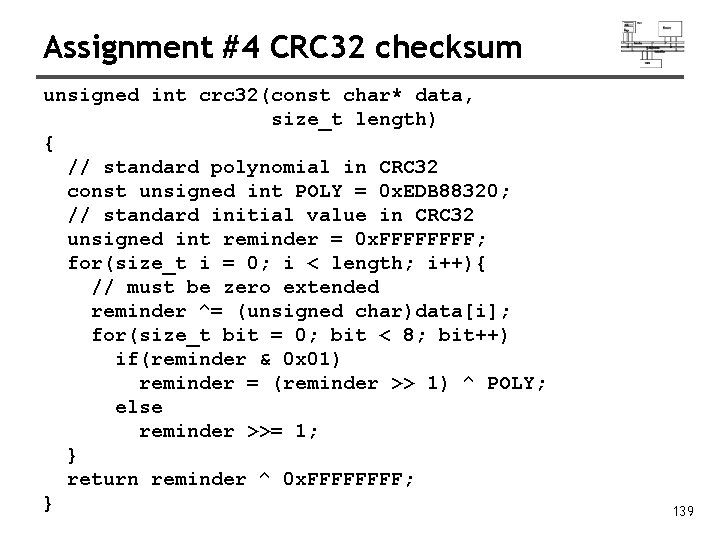
Assignment #4 CRC 32 checksum unsigned int crc 32(const char* data, size_t length) { // standard polynomial in CRC 32 const unsigned int POLY = 0 x. EDB 88320; // standard initial value in CRC 32 unsigned int reminder = 0 x. FFFF; for(size_t i = 0; i < length; i++){ // must be zero extended reminder ^= (unsigned char)data[i]; for(size_t bit = 0; bit < 8; bit++) if(reminder & 0 x 01) reminder = (reminder >> 1) ^ POLY; else reminder >>= 1; } return reminder ^ 0 x. FFFF; } 139