
Intel x 86 Assembly Fundamentals Computer Organization and
Intel x 86 Assembly Fundamentals Computer Organization and Assembly Languages Yung-Yu Chuang 2007/12/10 with slides by Kip Irvine
Intel microprocessor history
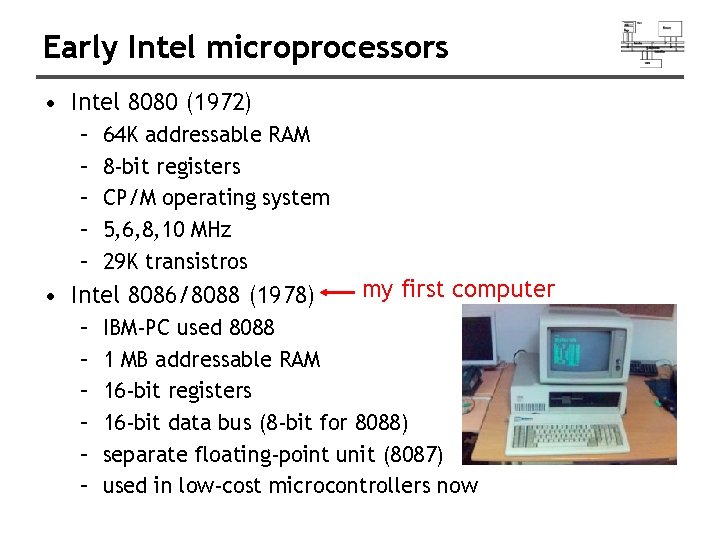
Early Intel microprocessors • Intel 8080 (1972) – – – 64 K addressable RAM 8 -bit registers CP/M operating system 5, 6, 8, 10 MHz 29 K transistros • Intel 8086/8088 (1978) – – – my first computer IBM-PC used 8088 1 MB addressable RAM 16 -bit registers 16 -bit data bus (8 -bit for 8088) separate floating-point unit (8087) used in low-cost microcontrollers now
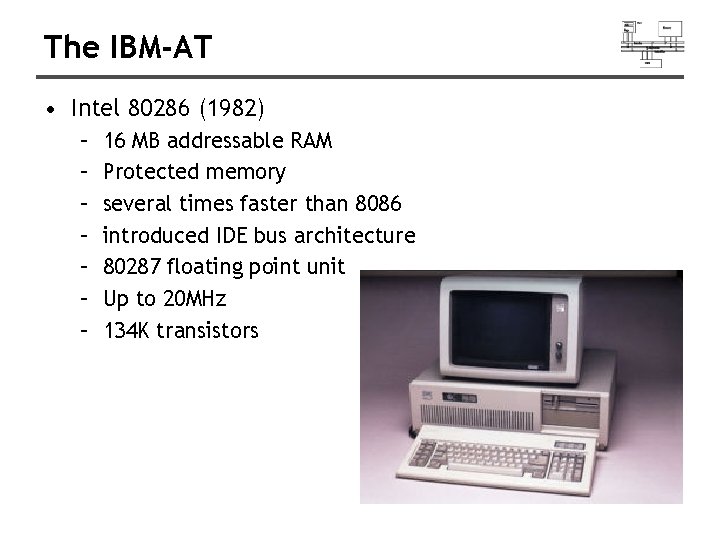
The IBM-AT • Intel 80286 (1982) – – – – 16 MB addressable RAM Protected memory several times faster than 8086 introduced IDE bus architecture 80287 floating point unit Up to 20 MHz 134 K transistors
Intel IA-32 Family • Intel 386 (1985) – – 4 GB addressable RAM 32 -bit registers paging (virtual memory) Up to 33 MHz • Intel 486 (1989) – instruction pipelining – Integrated FPU – 8 K cache • Pentium (1993) – Superscalar (two parallel pipelines)
Intel P 6 Family • Pentium Pro (1995) – advanced optimization techniques in microcode – More pipeline stages – On-board L 2 cache • Pentium II (1997) – MMX (multimedia) instruction set – Up to 450 MHz • Pentium III (1999) – SIMD (streaming extensions) instructions (SSE) – Up to 1+GHz • Pentium 4 (2000) – Net. Burst micro-architecture, tuned for multimedia – 3. 8+GHz • Pentium D (2005, Dual core)
IA-32 Architecture
IA-32 architecture • Lots of architecture improvements, pipelining, superscalar, branch prediction, hyperthreading and multi-core. • From programmer’s point of view, IA-32 has not changed substantially except the introduction of a set of high-performance instructions
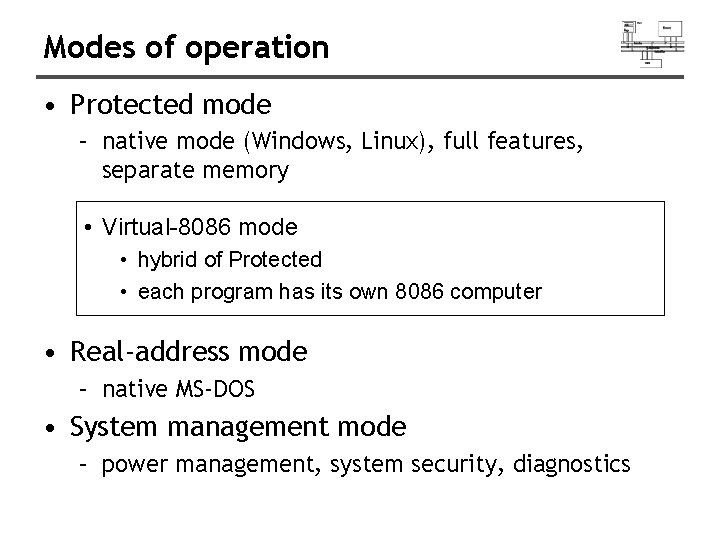
Modes of operation • Protected mode – native mode (Windows, Linux), full features, separate memory • Virtual-8086 mode • hybrid of Protected • each program has its own 8086 computer • Real-address mode – native MS-DOS • System management mode – power management, system security, diagnostics
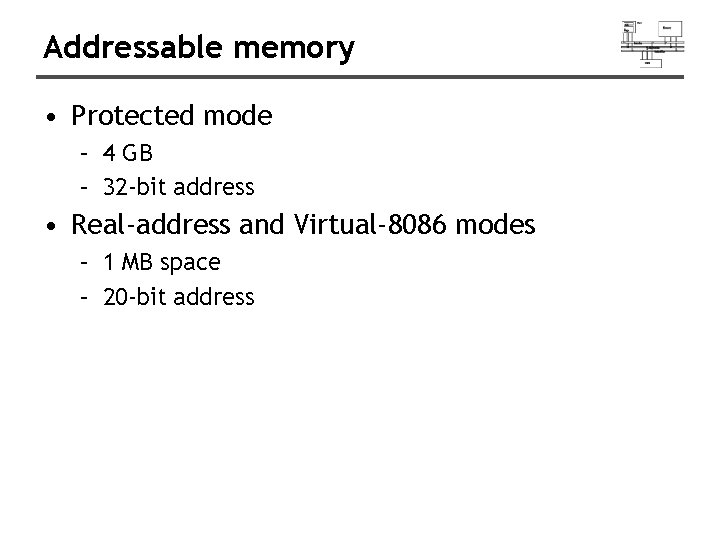
Addressable memory • Protected mode – 4 GB – 32 -bit address • Real-address and Virtual-8086 modes – 1 MB space – 20 -bit address
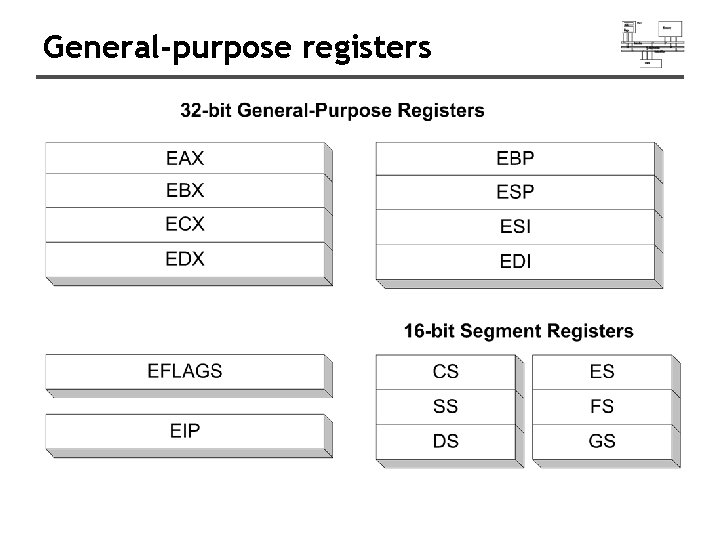
General-purpose registers
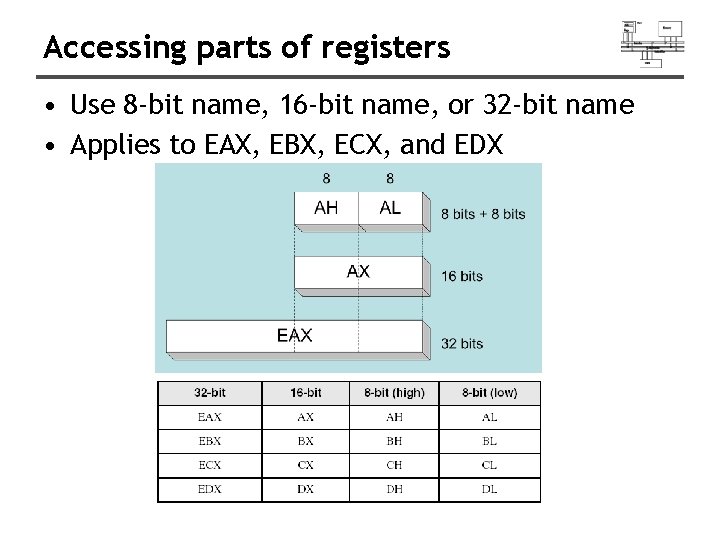
Accessing parts of registers • Use 8 -bit name, 16 -bit name, or 32 -bit name • Applies to EAX, EBX, ECX, and EDX
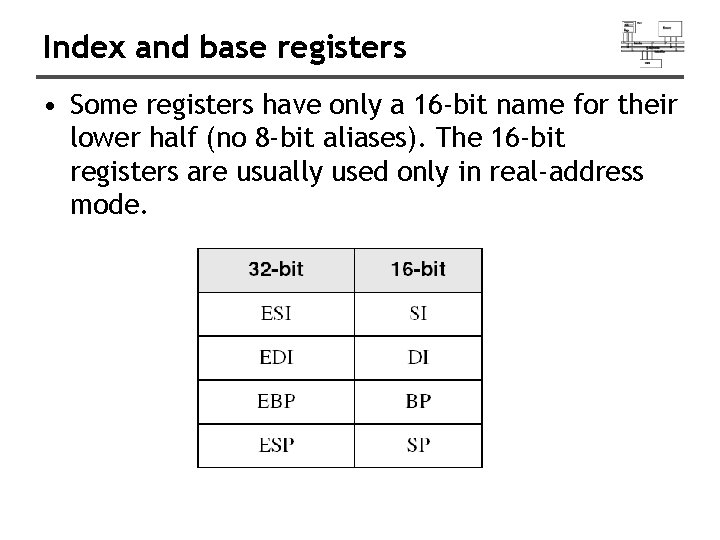
Index and base registers • Some registers have only a 16 -bit name for their lower half (no 8 -bit aliases). The 16 -bit registers are usually used only in real-address mode.
Some specialized register uses (1 of 2) • General-Purpose – EAX – accumulator (automatically used by division and multiplication) – ECX – loop counter – ESP – stack pointer (should never be used for arithmetic or data transfer) – ESI, EDI – index registers (used for high-speed memory transfer instructions) – EBP – extended frame pointer (stack)
Some specialized register uses (2 of 2) • Segment – – CS – code segment DS – data segment SS – stack segment ES, FS, GS - additional segments • EIP – instruction pointer • EFLAGS – status and control flags – each flag is a single binary bit (set or clear) • Some other system registers such as IDTR, GDTR, LDTR etc.
Status flags • Carry – unsigned arithmetic out of range • Overflow – signed arithmetic out of range • Sign – result is negative • Zero – result is zero • Auxiliary Carry – carry from bit 3 to bit 4 • Parity – sum of 1 bits is an even number
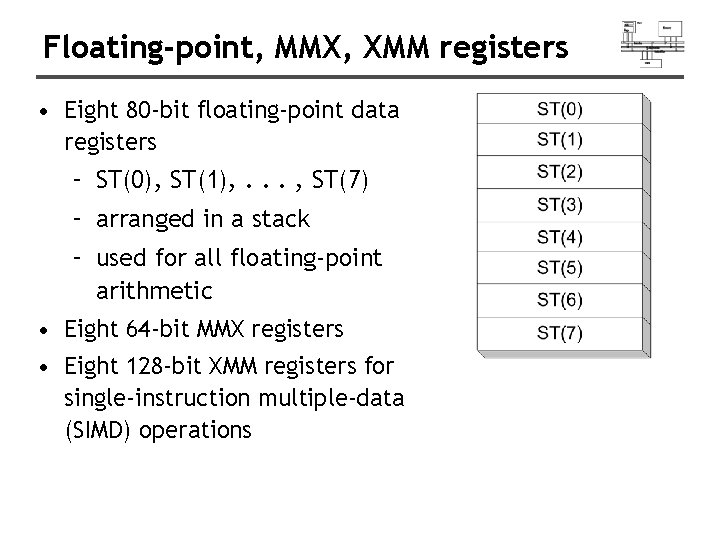
Floating-point, MMX, XMM registers • Eight 80 -bit floating-point data registers – ST(0), ST(1), . . . , ST(7) – arranged in a stack – used for all floating-point arithmetic • Eight 64 -bit MMX registers • Eight 128 -bit XMM registers for single-instruction multiple-data (SIMD) operations
IA-32 Memory Management
Real-address mode • 1 MB RAM maximum addressable (20 -bit address) • Application programs can access any area of memory • Single tasking • Supported by MS-DOS operating system
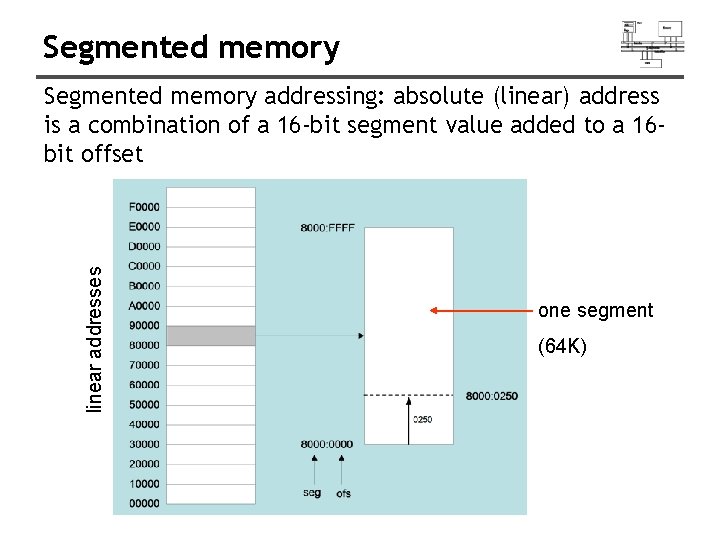
Segmented memory linear addresses Segmented memory addressing: absolute (linear) address is a combination of a 16 -bit segment value added to a 16 bit offset one segment (64 K)
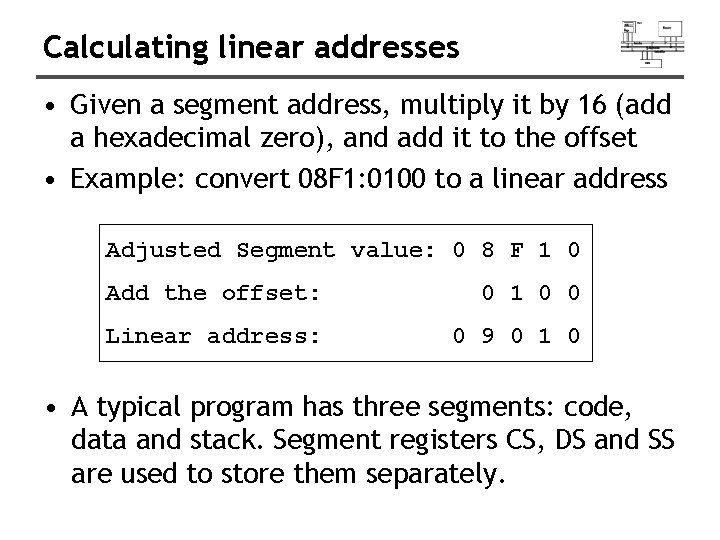
Calculating linear addresses • Given a segment address, multiply it by 16 (add a hexadecimal zero), and add it to the offset • Example: convert 08 F 1: 0100 to a linear address Adjusted Segment value: 0 8 F 1 0 Add the offset: 0 1 0 0 Linear address: 0 9 0 1 0 • A typical program has three segments: code, data and stack. Segment registers CS, DS and SS are used to store them separately.
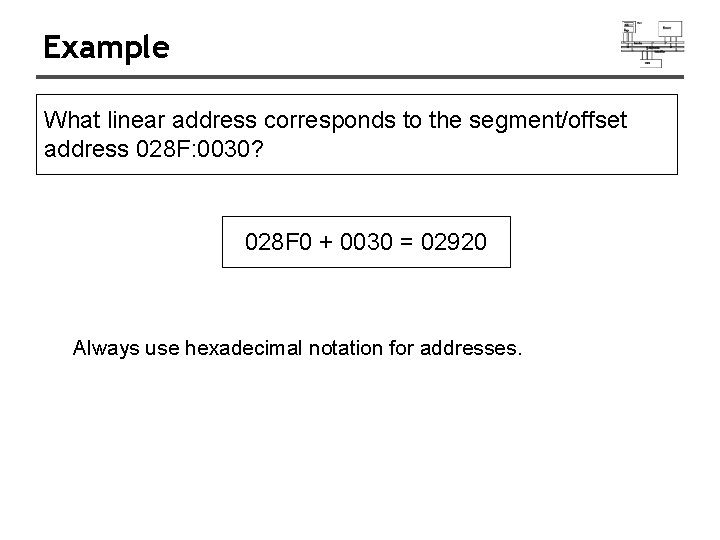
Example What linear address corresponds to the segment/offset address 028 F: 0030? 028 F 0 + 0030 = 02920 Always use hexadecimal notation for addresses.
Protected mode (1 of 2) • 4 GB addressable RAM (32 -bit address) – (0000 to FFFFh) • Each program assigned a memory partition which is protected from other programs • Designed for multitasking • Supported by Linux & MS-Windows
Protected mode (2 of 2) • Segment descriptor tables • Program structure – code, data, and stack areas – CS, DS, SS segment descriptors – global descriptor table (GDT) • MASM Programs use the Microsoft flat memory model
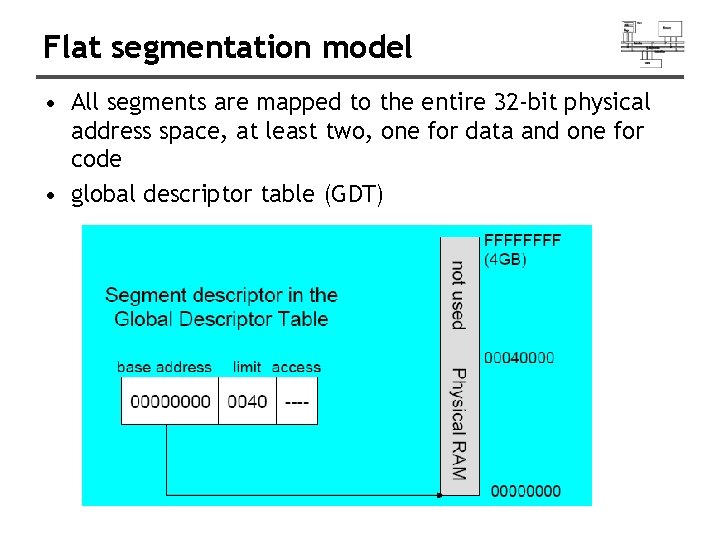
Flat segmentation model • All segments are mapped to the entire 32 -bit physical address space, at least two, one for data and one for code • global descriptor table (GDT)
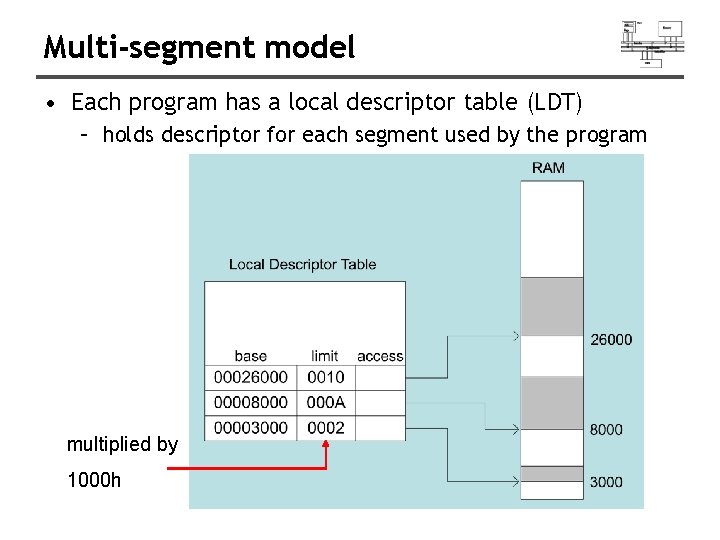
Multi-segment model • Each program has a local descriptor table (LDT) – holds descriptor for each segment used by the program multiplied by 1000 h
Paging • Virtual memory uses disk as part of the memory, thus allowing sum of all programs can be larger than physical memory • Divides each segment into 4096 -byte blocks called pages • Page fault (supported directly by the CPU) – issued by CPU when a page must be loaded from disk • Virtual memory manager (VMM) – OS utility that manages the loading and unloading of pages
x 86 Assembly Language Fundamentals
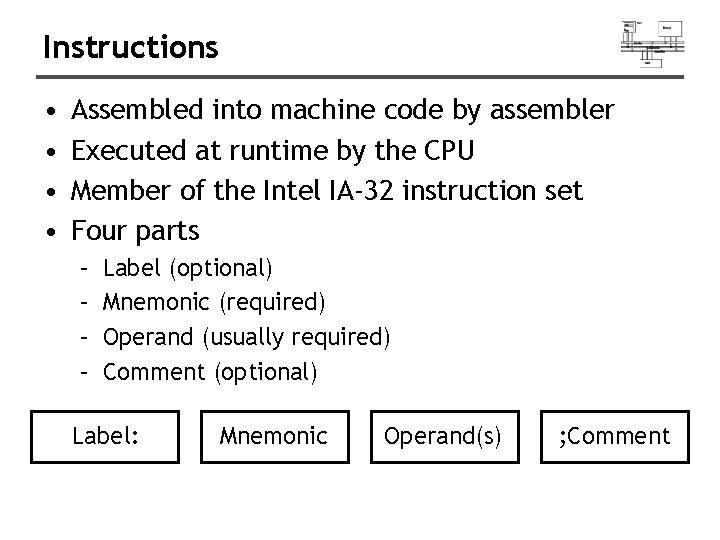
Instructions • • Assembled into machine code by assembler Executed at runtime by the CPU Member of the Intel IA-32 instruction set Four parts – – Label (optional) Mnemonic (required) Operand (usually required) Comment (optional) Label: Mnemonic Operand(s) ; Comment
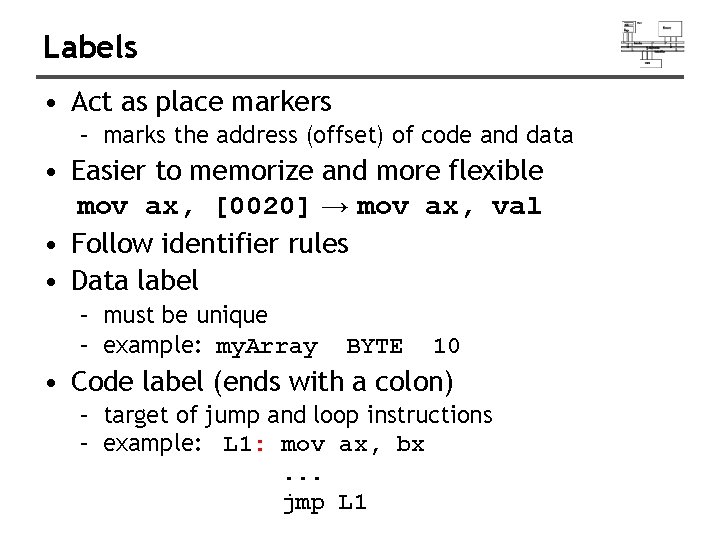
Labels • Act as place markers – marks the address (offset) of code and data • Easier to memorize and more flexible mov ax, [0020] → mov ax, val • Follow identifier rules • Data label – must be unique – example: my. Array BYTE 10 • Code label (ends with a colon) – target of jump and loop instructions – example: L 1: mov ax, bx. . . jmp L 1
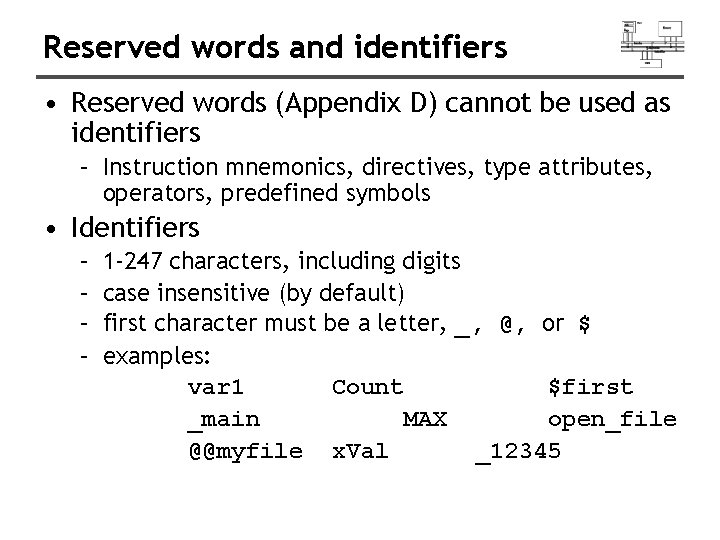
Reserved words and identifiers • Reserved words (Appendix D) cannot be used as identifiers – Instruction mnemonics, directives, type attributes, operators, predefined symbols • Identifiers – – 1 -247 characters, including digits case insensitive (by default) first character must be a letter, _, @, or $ examples: var 1 Count $first _main MAX open_file @@myfile x. Val _12345
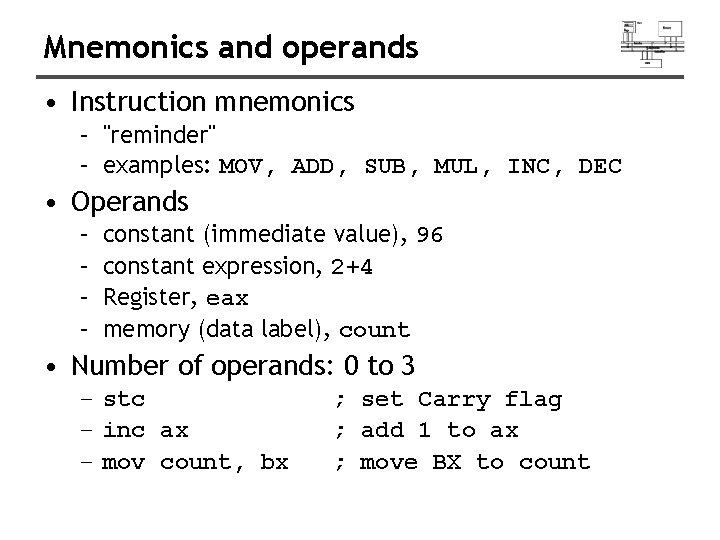
Mnemonics and operands • Instruction mnemonics – "reminder" – examples: MOV, ADD, SUB, MUL, INC, DEC • Operands – – constant (immediate value), 96 constant expression, 2+4 Register, eax memory (data label), count • Number of operands: 0 to 3 – stc – inc ax – mov count, bx ; set Carry flag ; add 1 to ax ; move BX to count
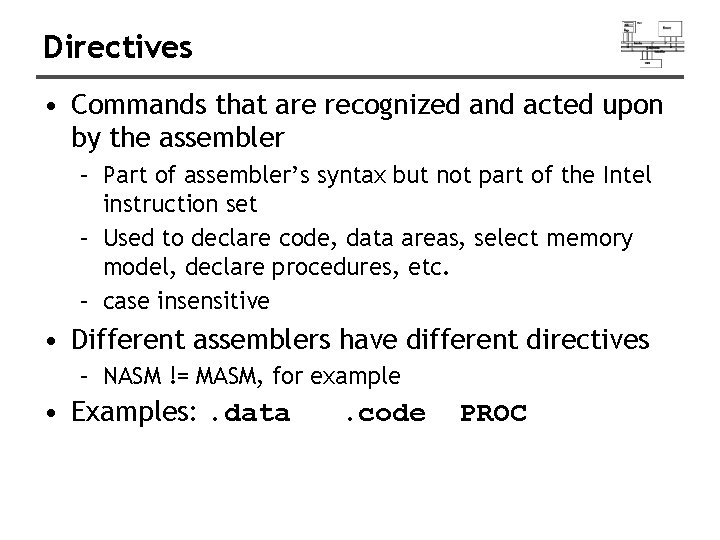
Directives • Commands that are recognized and acted upon by the assembler – Part of assembler’s syntax but not part of the Intel instruction set – Used to declare code, data areas, select memory model, declare procedures, etc. – case insensitive • Different assemblers have different directives – NASM != MASM, for example • Examples: . data . code PROC
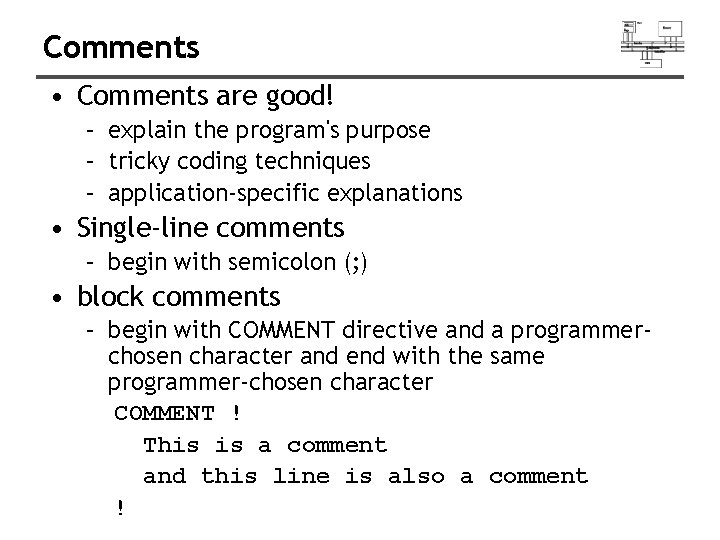
Comments • Comments are good! – explain the program's purpose – tricky coding techniques – application-specific explanations • Single-line comments – begin with semicolon (; ) • block comments – begin with COMMENT directive and a programmerchosen character and end with the same programmer-chosen character COMMENT ! This is a comment and this line is also a comment !
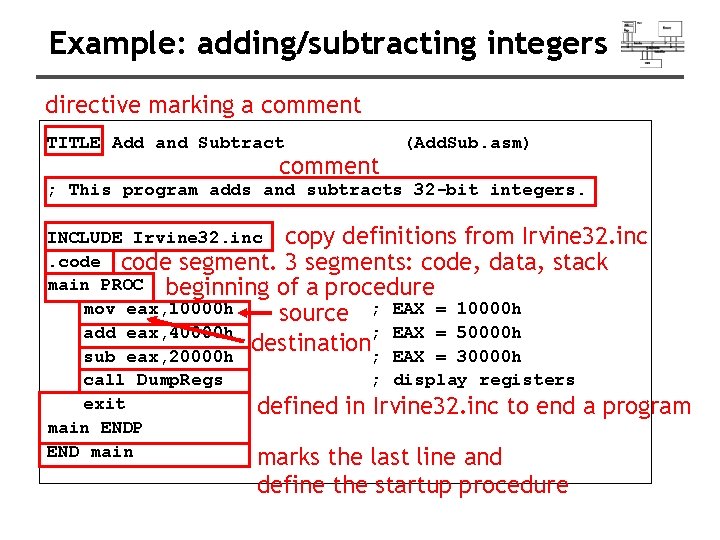
Example: adding/subtracting integers directive marking a comment TITLE Add and Subtract comment (Add. Sub. asm) ; This program adds and subtracts 32 -bit integers. INCLUDE Irvine 32. inc copy definitions from Irvine 32. inc. code segment. 3 segments: code, data, stack main PROC beginning of a procedure mov eax, 10000 h source ; EAX = 10000 h add eax, 40000 h ; EAX = 50000 h destination sub eax, 20000 h ; EAX = 30000 h call Dump. Regs ; display registers exit defined in Irvine 32. inc to end a program main ENDP END main marks the last line and define the startup procedure
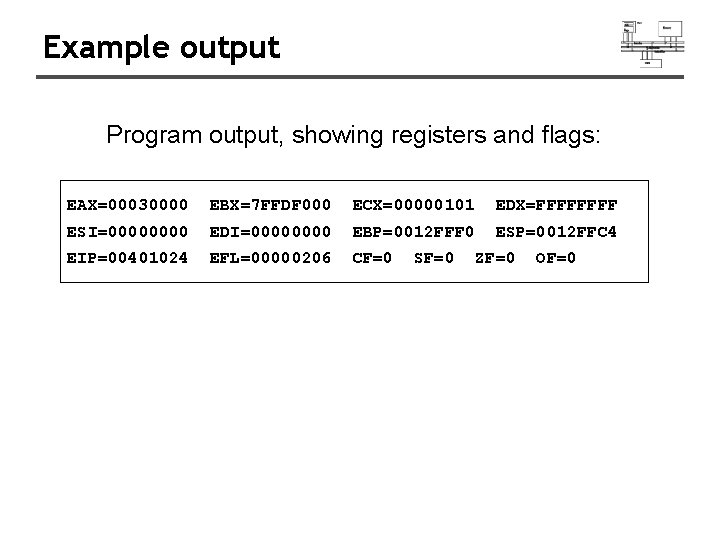
Example output Program output, showing registers and flags: EAX=00030000 EBX=7 FFDF 000 ECX=00000101 EDX=FFFF ESI=0000 EDI=0000 EBP=0012 FFF 0 ESP=0012 FFC 4 EIP=00401024 EFL=00000206 CF=0 SF=0 ZF=0 OF=0
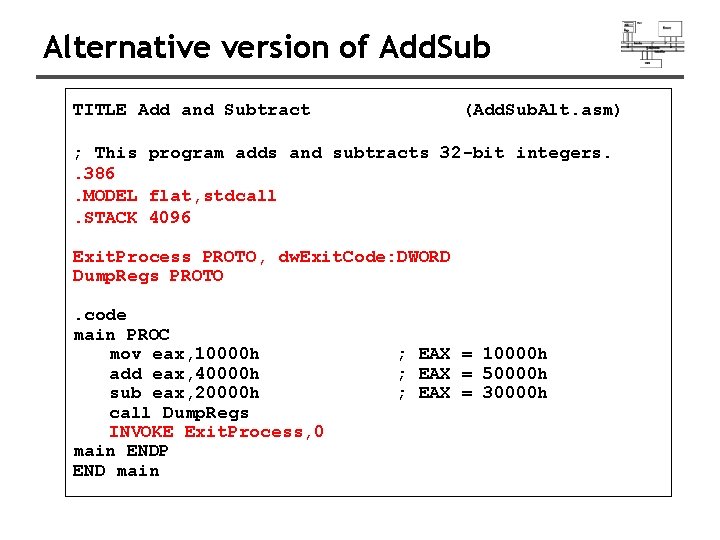
Alternative version of Add. Sub TITLE Add and Subtract (Add. Sub. Alt. asm) ; This program adds and subtracts 32 -bit integers. . 386. MODEL flat, stdcall. STACK 4096 Exit. Process PROTO, dw. Exit. Code: DWORD Dump. Regs PROTO. code main PROC mov eax, 10000 h add eax, 40000 h sub eax, 20000 h call Dump. Regs INVOKE Exit. Process, 0 main ENDP END main ; EAX = 10000 h ; EAX = 50000 h ; EAX = 30000 h
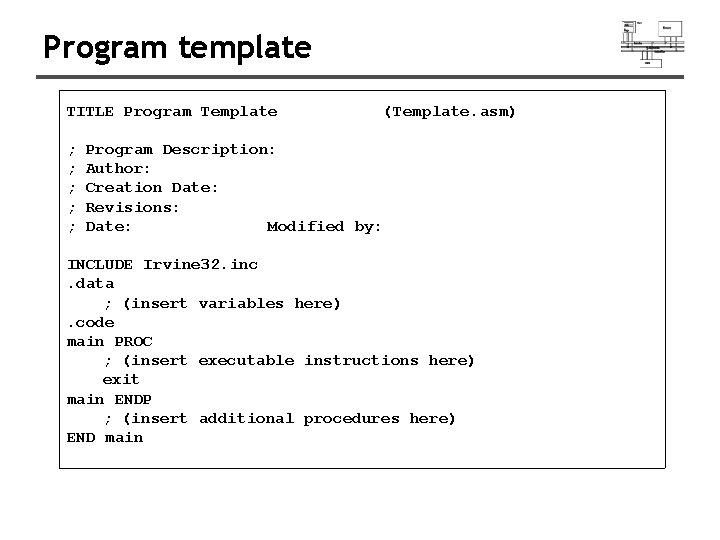
Program template TITLE Program Template ; ; ; (Template. asm) Program Description: Author: Creation Date: Revisions: Date: Modified by: INCLUDE Irvine 32. inc. data ; (insert variables here). code main PROC ; (insert executable instructions here) exit main ENDP ; (insert additional procedures here) END main
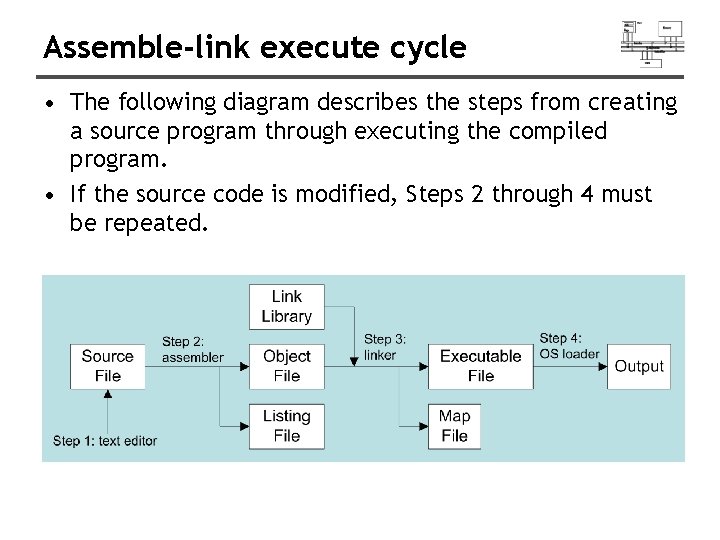
Assemble-link execute cycle • The following diagram describes the steps from creating a source program through executing the compiled program. • If the source code is modified, Steps 2 through 4 must be repeated.
Defining data
![Integer constants • • [{+|-}] digits [radix] Optional leading + or – sign binary,](http://slidetodoc.com/presentation_image_h/17fc42fdca086997168b5d74ca44a5ed/image-41.jpg "Integer constants • • [{+|-}] digits [radix] Optional leading + or – sign binary,")
Integer constants • • [{+|-}] digits [radix] Optional leading + or – sign binary, decimal, hexadecimal, or octal digits Common radix characters: – – – h d b r o – – – hexadecimal (default) binary encoded real octal Examples: 30 d, 6 Ah, 42 o, 1101 b Hexadecimal beginning with letter: 0 A 5 h
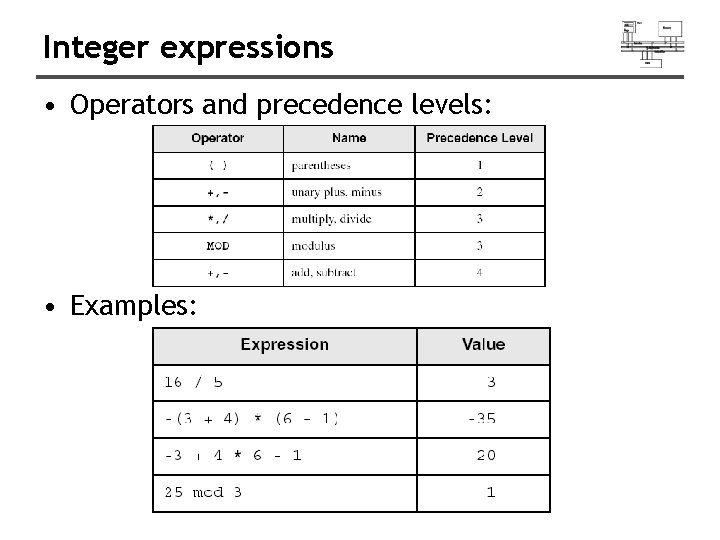
Integer expressions • Operators and precedence levels: • Examples:
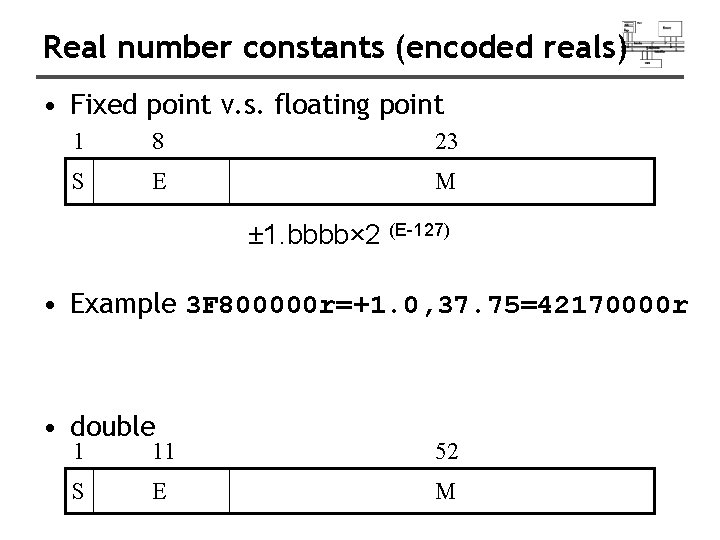
Real number constants (encoded reals) • Fixed point v. s. floating point 1 8 23 S E M ± 1. bbbb× 2 (E-127) • Example 3 F 800000 r=+1. 0, 37. 75=42170000 r • double 1 11 52 S E M
![Real number constants (decimal reals) • [sign]integer. [integer][exponent] sign → {+|-} exponent → E[{+|-}]integer](http://slidetodoc.com/presentation_image_h/17fc42fdca086997168b5d74ca44a5ed/image-44.jpg "Real number constants (decimal reals) • [sign]integer. [integer][exponent] sign → {+|-} exponent → E[{+|-}]integer")
Real number constants (decimal reals) • [sign]integer. [integer][exponent] sign → {+|-} exponent → E[{+|-}]integer • Examples: 2. +3. 0 -44. 2 E+05 26. E 5
Character and string constants • Enclose character in single or double quotes – 'A', "x" – ASCII character = 1 byte • Enclose strings in single or double quotes – "ABC" – 'xyz' – Each character occupies a single byte • Embedded quotes: – ‘Say "Goodnight, " Gracie’ – "This isn't a test"
Intrinsic data types (1 of 2) • BYTE, SBYTE – 8 -bit unsigned integer; 8 -bit signed integer • WORD, SWORD – 16 -bit unsigned & signed integer • DWORD, SDWORD – 32 -bit unsigned & signed integer • QWORD – 64 -bit integer • TBYTE – 80 -bit integer
Intrinsic data types (2 of 2) • REAL 4 – 4 -byte IEEE short real • REAL 8 – 8 -byte IEEE long real • REAL 10 – 10 -byte IEEE extended real
Data definition statement • A data definition statement sets aside storage in memory for a variable. • May optionally assign a name (label) to the data. • Only size matters, other attributes such as signed are just reminders for programmers. • Syntax: [name] directive initializer [, initializer]. . . At least one initializer is required, can be ? • All initializers become binary data in memory
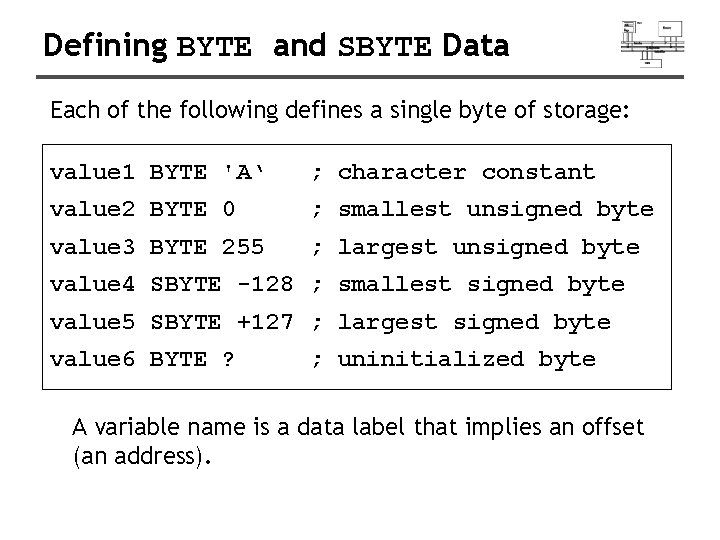
Defining BYTE and SBYTE Data Each of the following defines a single byte of storage: value 1 BYTE 'A‘ ; character constant value 2 BYTE 0 ; smallest unsigned byte value 3 BYTE 255 ; largest unsigned byte value 4 SBYTE -128 ; smallest signed byte value 5 SBYTE +127 ; largest signed byte value 6 BYTE ? ; uninitialized byte A variable name is a data label that implies an offset (an address).
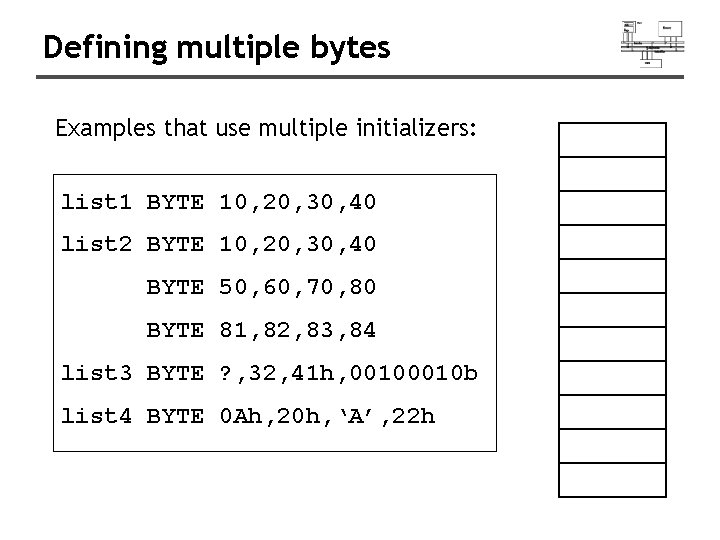
Defining multiple bytes Examples that use multiple initializers: list 1 BYTE 10, 20, 30, 40 list 2 BYTE 10, 20, 30, 40 BYTE 50, 60, 70, 80 BYTE 81, 82, 83, 84 list 3 BYTE ? , 32, 41 h, 0010 b list 4 BYTE 0 Ah, 20 h, ‘A’, 22 h
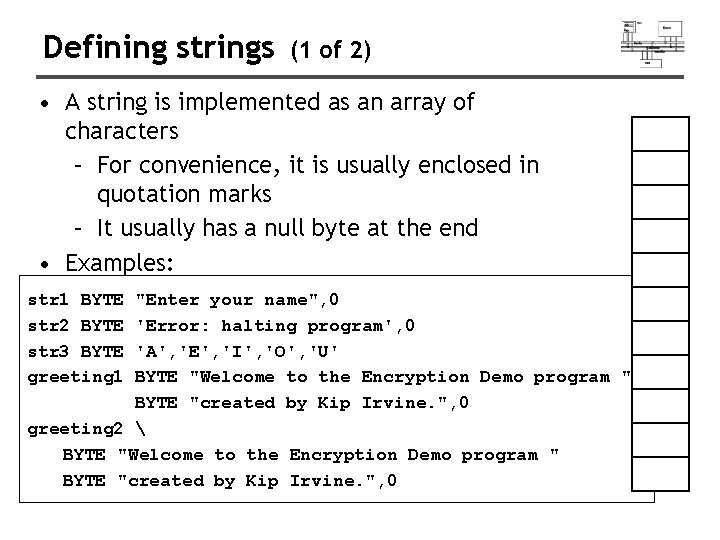
Defining strings (1 of 2) • A string is implemented as an array of characters – For convenience, it is usually enclosed in quotation marks – It usually has a null byte at the end • Examples: str 1 BYTE str 2 BYTE str 3 BYTE greeting 1 "Enter your name", 0 'Error: halting program', 0 'A', 'E', 'I', 'O', 'U' BYTE "Welcome to the Encryption Demo program " BYTE "created by Kip Irvine. ", 0 greeting 2 BYTE "Welcome to the Encryption Demo program " BYTE "created by Kip Irvine. ", 0
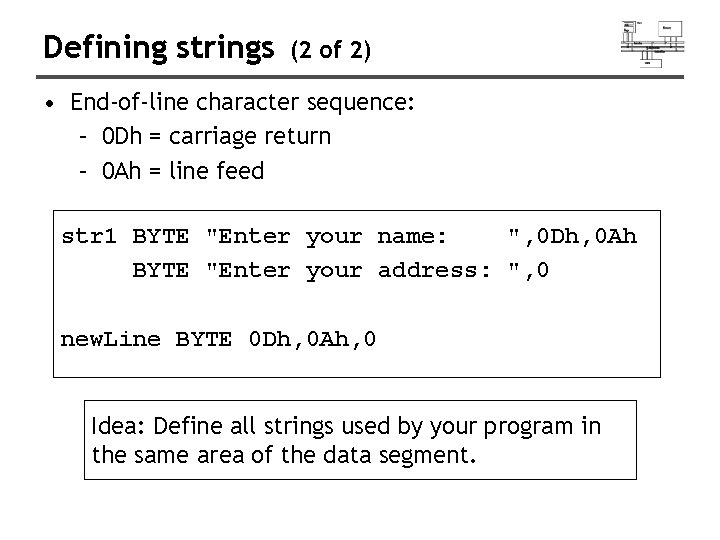
Defining strings (2 of 2) • End-of-line character sequence: – 0 Dh = carriage return – 0 Ah = line feed str 1 BYTE "Enter your name: ", 0 Dh, 0 Ah BYTE "Enter your address: ", 0 new. Line BYTE 0 Dh, 0 Ah, 0 Idea: Define all strings used by your program in the same area of the data segment.
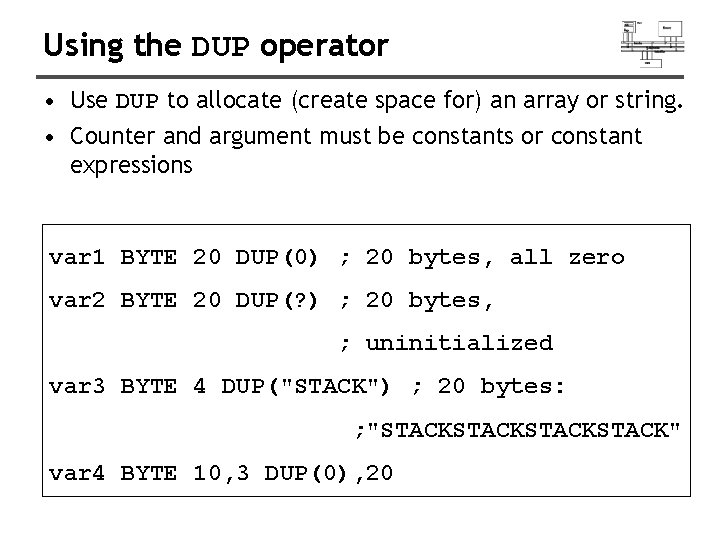
Using the DUP operator • Use DUP to allocate (create space for) an array or string. • Counter and argument must be constants or constant expressions var 1 BYTE 20 DUP(0) ; 20 bytes, all zero var 2 BYTE 20 DUP(? ) ; 20 bytes, ; uninitialized var 3 BYTE 4 DUP("STACK") ; 20 bytes: ; "STACKSTACK" var 4 BYTE 10, 3 DUP(0), 20
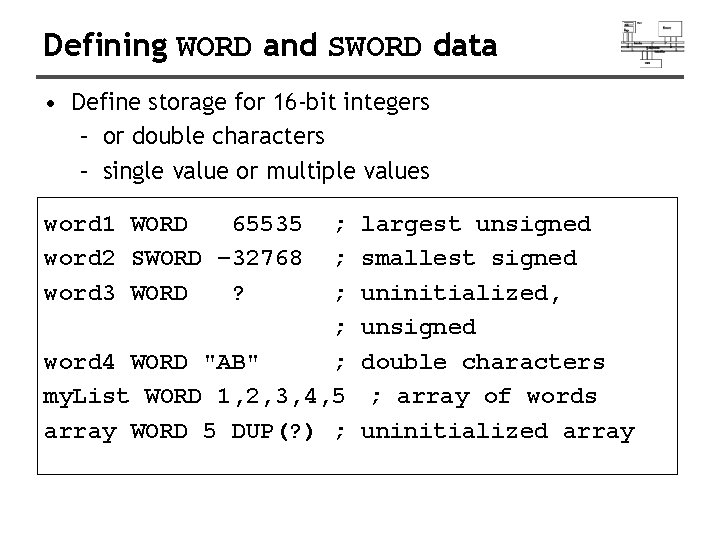
Defining WORD and SWORD data • Define storage for 16 -bit integers – or double characters – single value or multiple values word 1 WORD 65535 word 2 SWORD – 32768 word 3 WORD ? ; ; word 4 WORD "AB" ; my. List WORD 1, 2, 3, 4, 5 array WORD 5 DUP(? ) ; largest unsigned smallest signed uninitialized, unsigned double characters ; array of words uninitialized array
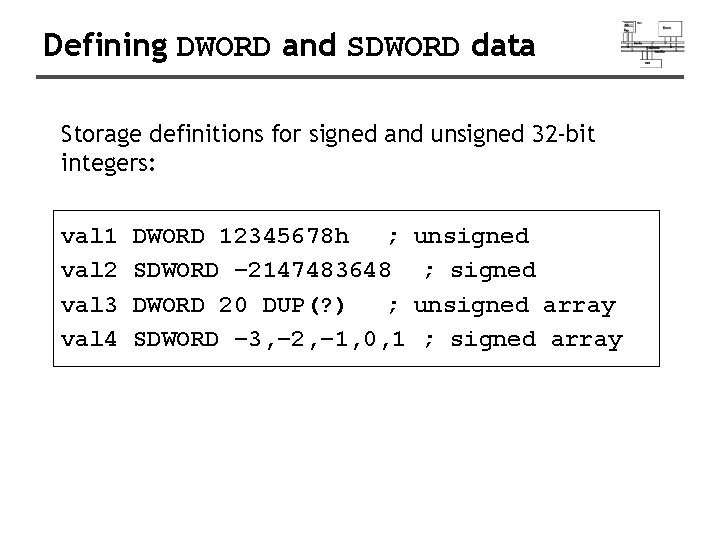
Defining DWORD and SDWORD data Storage definitions for signed and unsigned 32 -bit integers: val 1 val 2 val 3 val 4 DWORD 12345678 h ; SDWORD – 2147483648 DWORD 20 DUP(? ) ; SDWORD – 3, – 2, – 1, 0, 1 unsigned ; signed unsigned array ; signed array
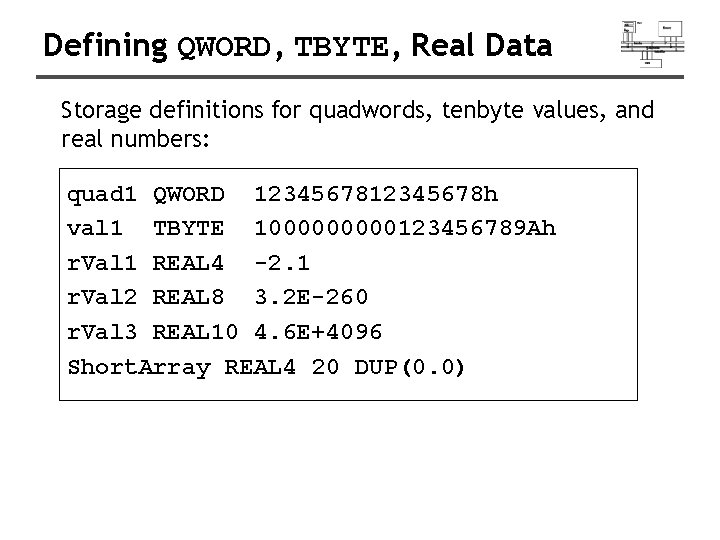
Defining QWORD, TBYTE, Real Data Storage definitions for quadwords, tenbyte values, and real numbers: quad 1 QWORD 12345678 h val 1 TBYTE 100000123456789 Ah r. Val 1 REAL 4 -2. 1 r. Val 2 REAL 8 3. 2 E-260 r. Val 3 REAL 10 4. 6 E+4096 Short. Array REAL 4 20 DUP(0. 0)
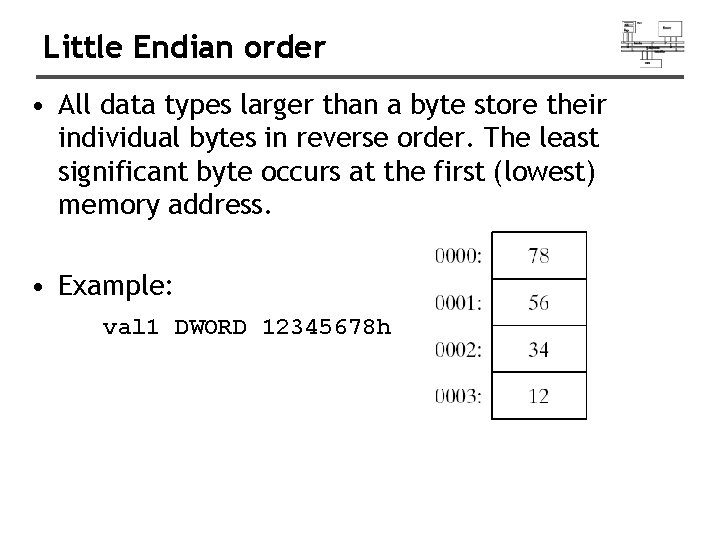
Little Endian order • All data types larger than a byte store their individual bytes in reverse order. The least significant byte occurs at the first (lowest) memory address. • Example: val 1 DWORD 12345678 h
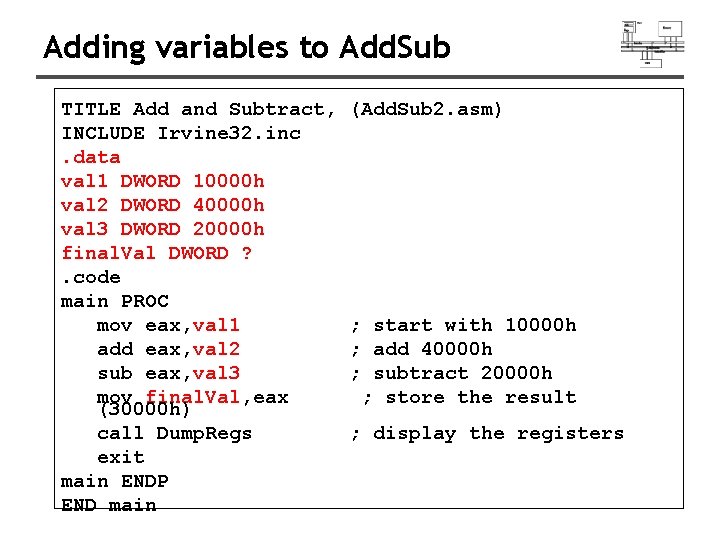
Adding variables to Add. Sub TITLE Add and Subtract, INCLUDE Irvine 32. inc. data val 1 DWORD 10000 h val 2 DWORD 40000 h val 3 DWORD 20000 h final. Val DWORD ? . code main PROC mov eax, val 1 add eax, val 2 sub eax, val 3 mov final. Val, eax (30000 h) call Dump. Regs exit main ENDP END main (Add. Sub 2. asm) ; start with 10000 h ; add 40000 h ; subtract 20000 h ; store the result ; display the registers
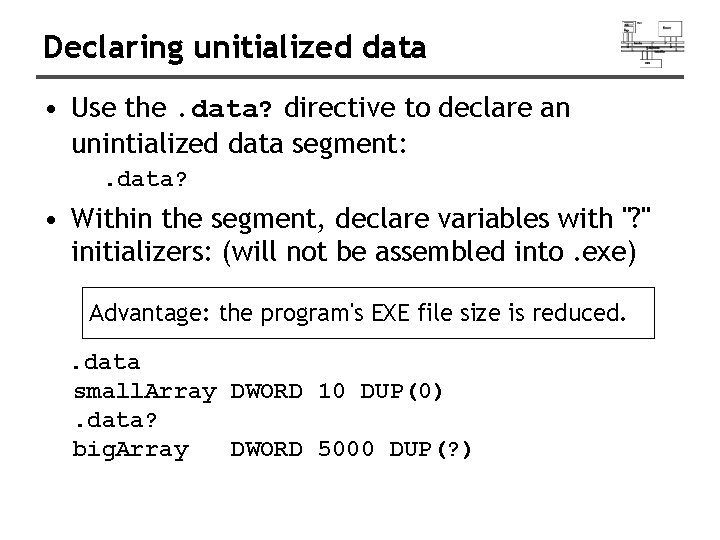
Declaring unitialized data • Use the. data? directive to declare an unintialized data segment: . data? • Within the segment, declare variables with "? " initializers: (will not be assembled into. exe) Advantage: the program's EXE file size is reduced. . data small. Array DWORD 10 DUP(0). data? big. Array DWORD 5000 DUP(? )
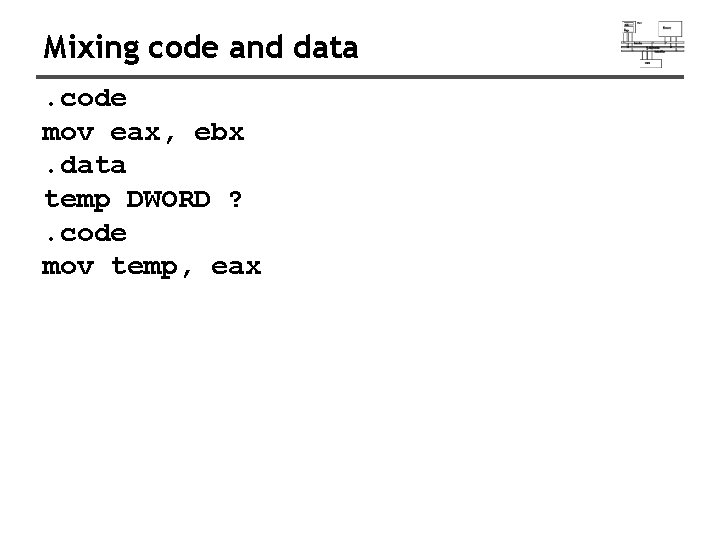
Mixing code and data. code mov eax, ebx. data temp DWORD ? . code mov temp, eax
Symbolic constants
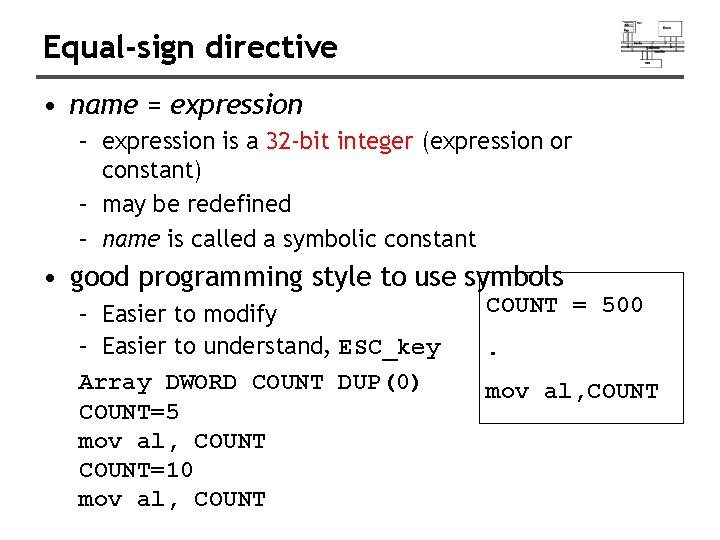
Equal-sign directive • name = expression – expression is a 32 -bit integer (expression or constant) – may be redefined – name is called a symbolic constant • good programming style to use symbols – Easier to modify – Easier to understand, ESC_key Array DWORD COUNT DUP(0) COUNT=5 mov al, COUNT=10 mov al, COUNT = 500. mov al, COUNT
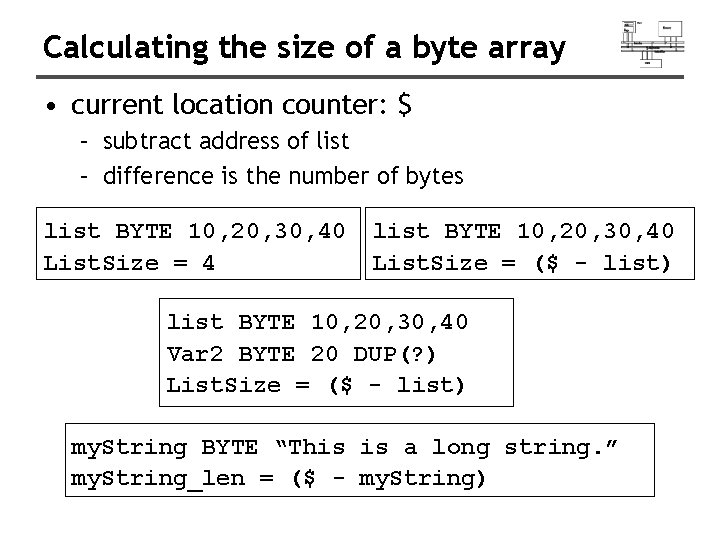
Calculating the size of a byte array • current location counter: $ – subtract address of list – difference is the number of bytes list BYTE 10, 20, 30, 40 List. Size = 4 list BYTE 10, 20, 30, 40 List. Size = ($ - list) list BYTE 10, 20, 30, 40 Var 2 BYTE 20 DUP(? ) List. Size = ($ - list) my. String BYTE “This is a long string. ” my. String_len = ($ - my. String)
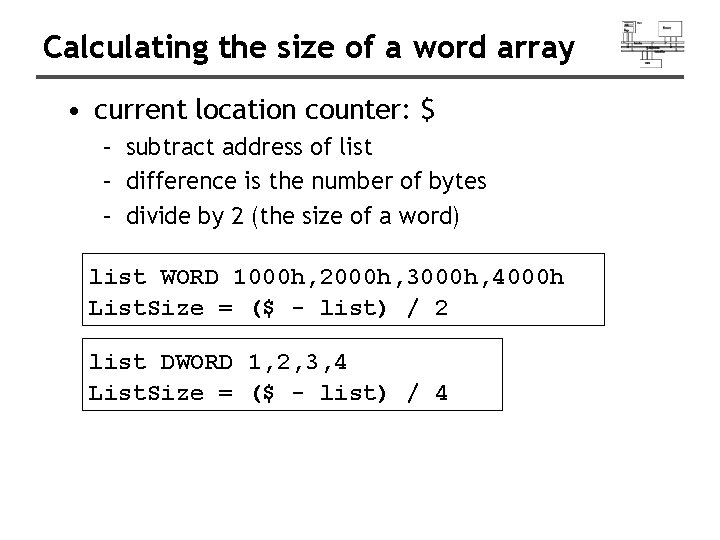
Calculating the size of a word array • current location counter: $ – subtract address of list – difference is the number of bytes – divide by 2 (the size of a word) list WORD 1000 h, 2000 h, 3000 h, 4000 h List. Size = ($ - list) / 2 list DWORD 1, 2, 3, 4 List. Size = ($ - list) / 4
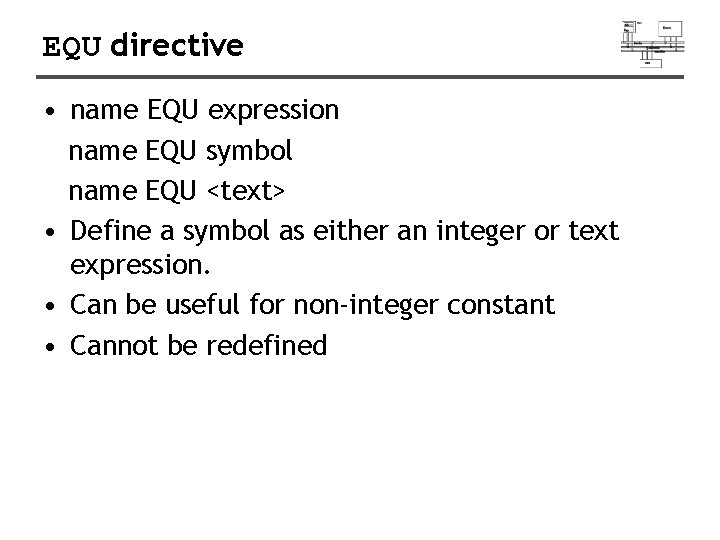
EQU directive • name EQU expression name EQU symbol name EQU <text> • Define a symbol as either an integer or text expression. • Can be useful for non-integer constant • Cannot be redefined
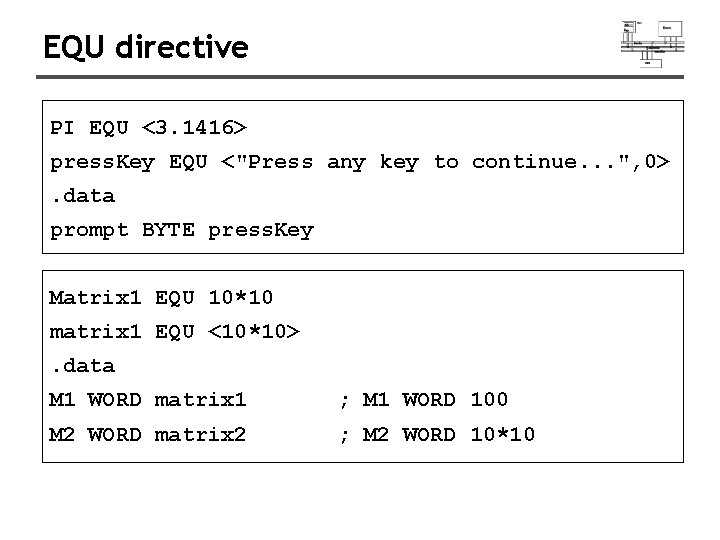
EQU directive PI EQU <3. 1416> press. Key EQU <"Press any key to continue. . . ", 0>. data prompt BYTE press. Key Matrix 1 EQU 10*10 matrix 1 EQU <10*10>. data M 1 WORD matrix 1 ; M 1 WORD 100 M 2 WORD matrix 2 ; M 2 WORD 10*10
Addressing
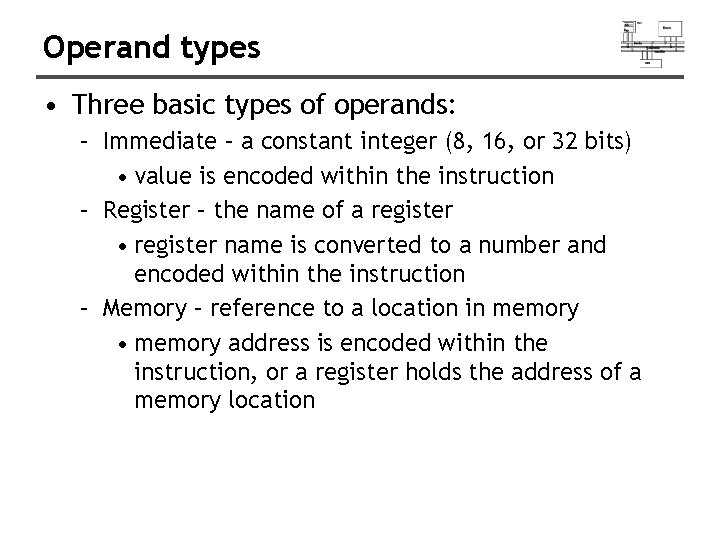
Operand types • Three basic types of operands: – Immediate – a constant integer (8, 16, or 32 bits) • value is encoded within the instruction – Register – the name of a register • register name is converted to a number and encoded within the instruction – Memory – reference to a location in memory • memory address is encoded within the instruction, or a register holds the address of a memory location
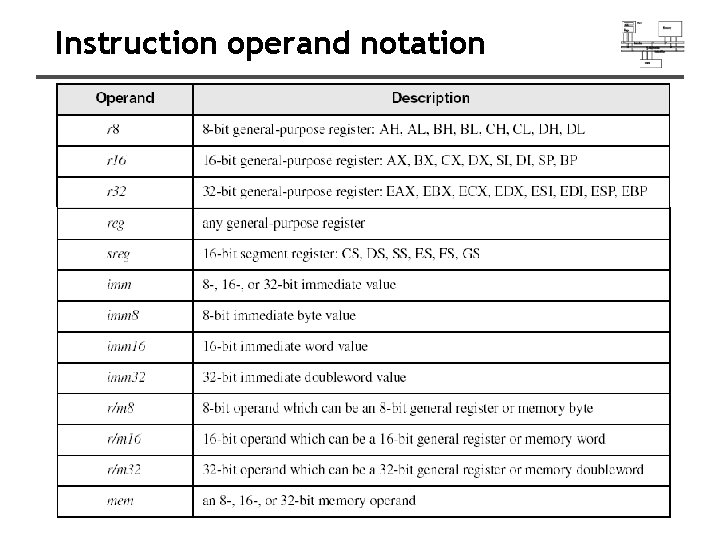
Instruction operand notation
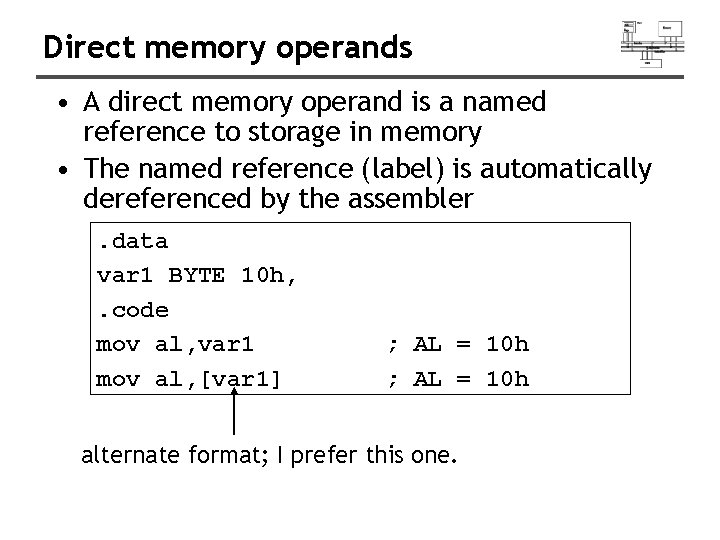
Direct memory operands • A direct memory operand is a named reference to storage in memory • The named reference (label) is automatically dereferenced by the assembler. data var 1 BYTE 10 h, . code mov al, var 1 mov al, [var 1] ; AL = 10 h alternate format; I prefer this one.
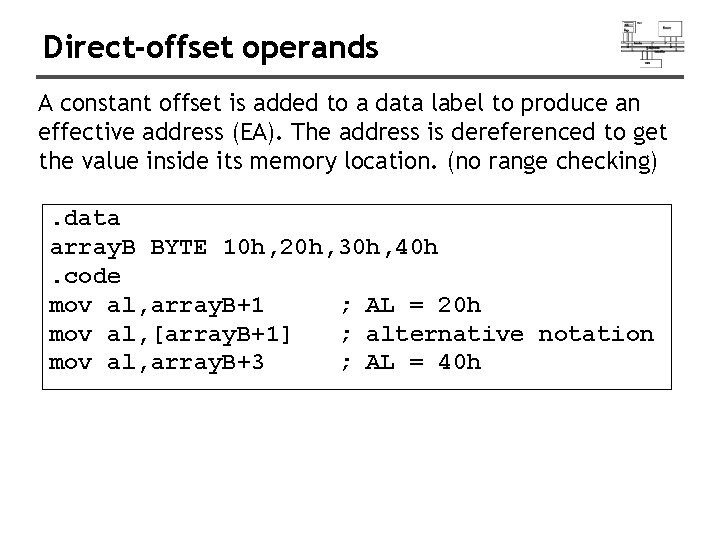
Direct-offset operands A constant offset is added to a data label to produce an effective address (EA). The address is dereferenced to get the value inside its memory location. (no range checking). data array. B BYTE 10 h, 20 h, 30 h, 40 h. code mov al, array. B+1 ; AL = 20 h mov al, [array. B+1] ; alternative notation mov al, array. B+3 ; AL = 40 h
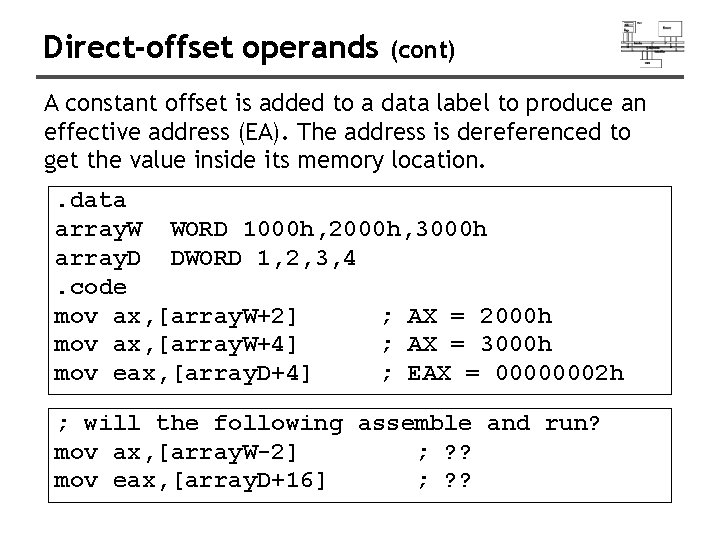
Direct-offset operands (cont) A constant offset is added to a data label to produce an effective address (EA). The address is dereferenced to get the value inside its memory location. . data array. W WORD 1000 h, 2000 h, 3000 h array. D DWORD 1, 2, 3, 4. code mov ax, [array. W+2] ; AX = 2000 h mov ax, [array. W+4] ; AX = 3000 h mov eax, [array. D+4] ; EAX = 00000002 h ; will the following assemble and run? mov ax, [array. W-2] ; ? ? mov eax, [array. D+16] ; ? ?
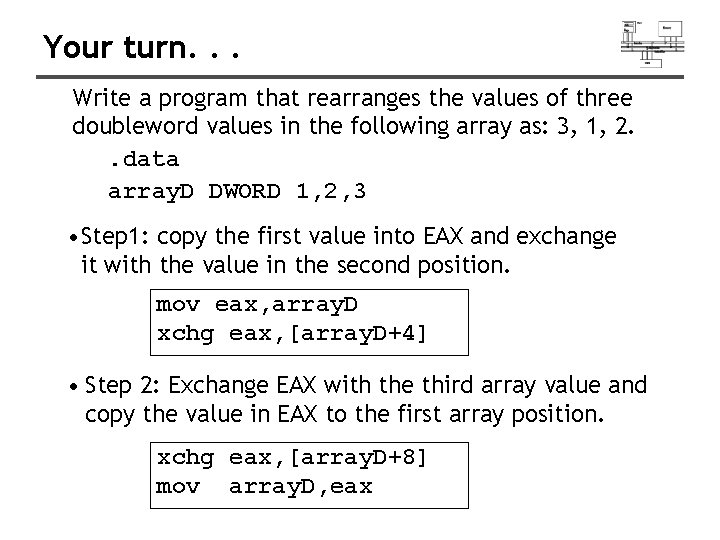
Your turn. . . Write a program that rearranges the values of three doubleword values in the following array as: 3, 1, 2. . data array. D DWORD 1, 2, 3 • Step 1: copy the first value into EAX and exchange it with the value in the second position. mov eax, array. D xchg eax, [array. D+4] • Step 2: Exchange EAX with the third array value and copy the value in EAX to the first array position. xchg eax, [array. D+8] mov array. D, eax
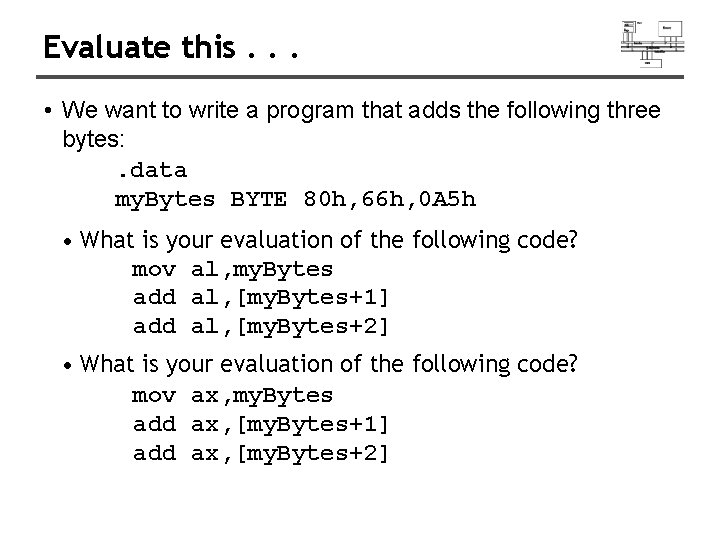
Evaluate this. . . • We want to write a program that adds the following three bytes: . data my. Bytes BYTE 80 h, 66 h, 0 A 5 h • What is your evaluation of the following code? mov al, my. Bytes add al, [my. Bytes+1] add al, [my. Bytes+2] • What is your evaluation of the following code? mov ax, my. Bytes add ax, [my. Bytes+1] add ax, [my. Bytes+2]
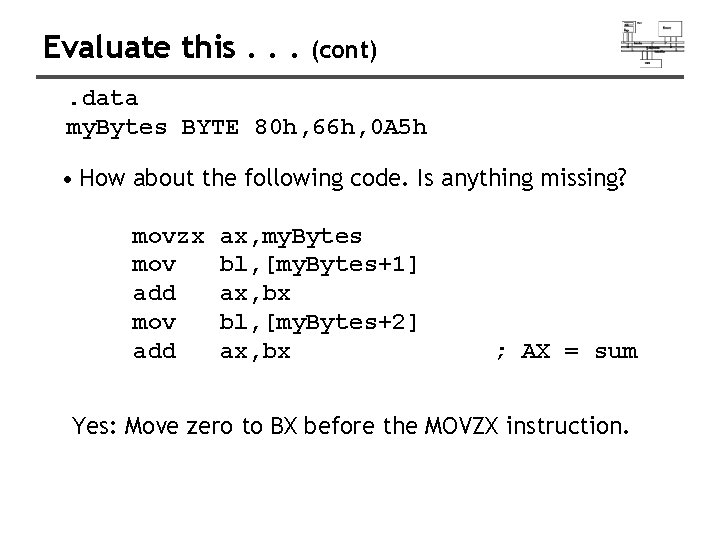
Evaluate this. . . (cont) . data my. Bytes BYTE 80 h, 66 h, 0 A 5 h • How about the following code. Is anything missing? movzx mov add ax, my. Bytes bl, [my. Bytes+1] ax, bx bl, [my. Bytes+2] ax, bx ; AX = sum Yes: Move zero to BX before the MOVZX instruction.
Data-Related Operators and Directives • • • OFFSET Operator PTR Operator TYPE Operator LENGTHOF Operator SIZEOF Operator LABEL Directive
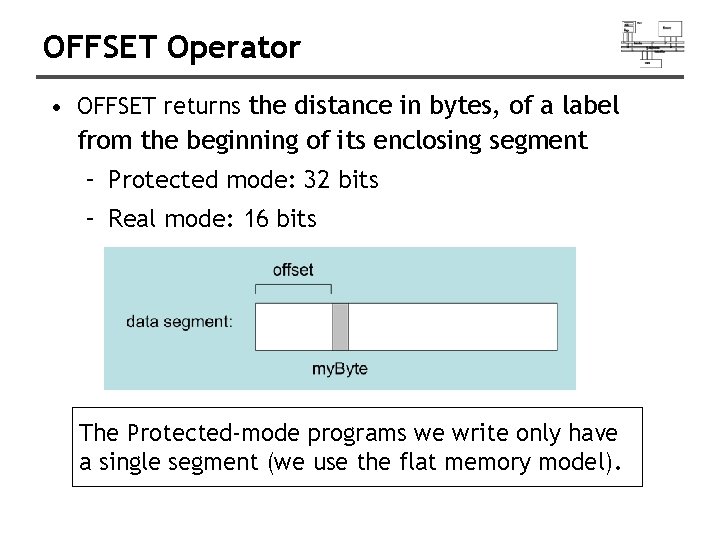
OFFSET Operator • OFFSET returns the distance in bytes, of a label from the beginning of its enclosing segment – Protected mode: 32 bits – Real mode: 16 bits The Protected-mode programs we write only have a single segment (we use the flat memory model).
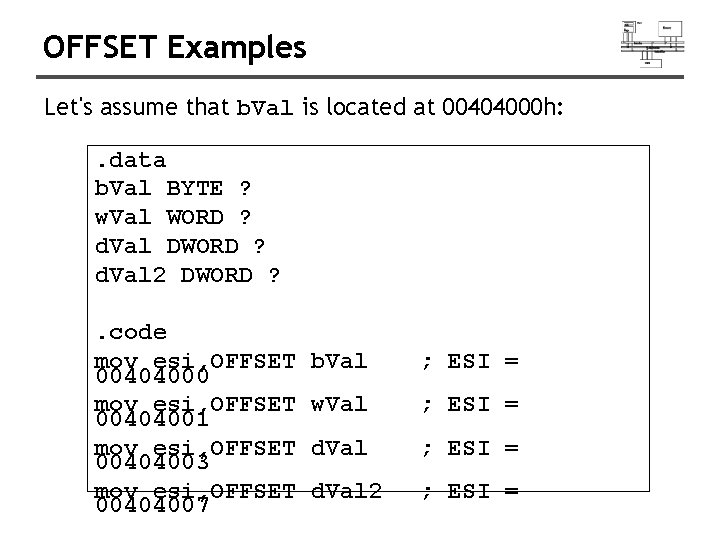
OFFSET Examples Let's assume that b. Val is located at 00404000 h: . data b. Val BYTE ? w. Val WORD ? d. Val DWORD ? d. Val 2 DWORD ? . code mov esi, OFFSET 00404000 mov esi, OFFSET 00404001 mov esi, OFFSET 00404003 mov esi, OFFSET 00404007 b. Val ; ESI = w. Val ; ESI = d. Val 2 ; ESI =
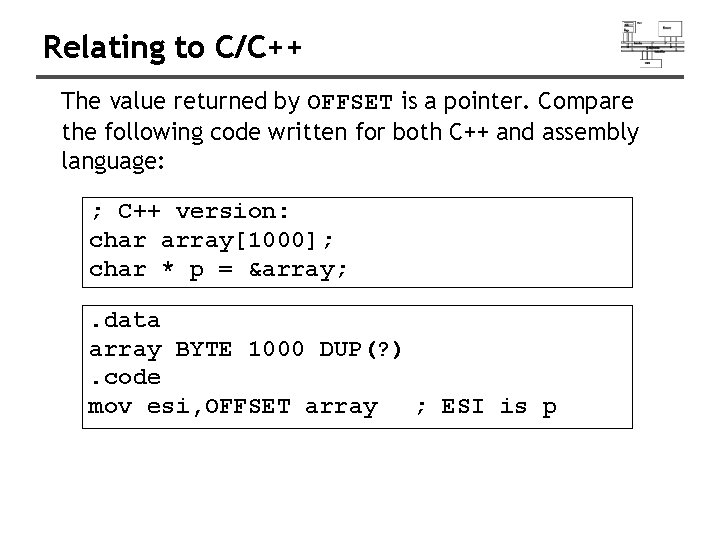
Relating to C/C++ The value returned by OFFSET is a pointer. Compare the following code written for both C++ and assembly language: ; C++ version: char array[1000]; char * p = &array; . data array BYTE 1000 DUP(? ). code mov esi, OFFSET array ; ESI is p
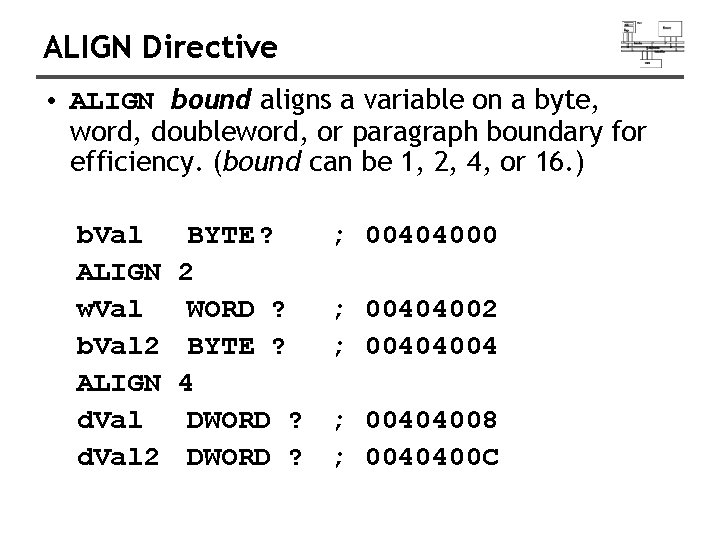
ALIGN Directive • ALIGN bound aligns a variable on a byte, word, doubleword, or paragraph boundary for efficiency. (bound can be 1, 2, 4, or 16. ) b. Val ALIGN w. Val b. Val 2 ALIGN d. Val 2 BYTE ? 2 WORD ? BYTE ? 4 DWORD ? ; 00404000 ; 00404002 ; 00404004 ; 00404008 ; 0040400 C
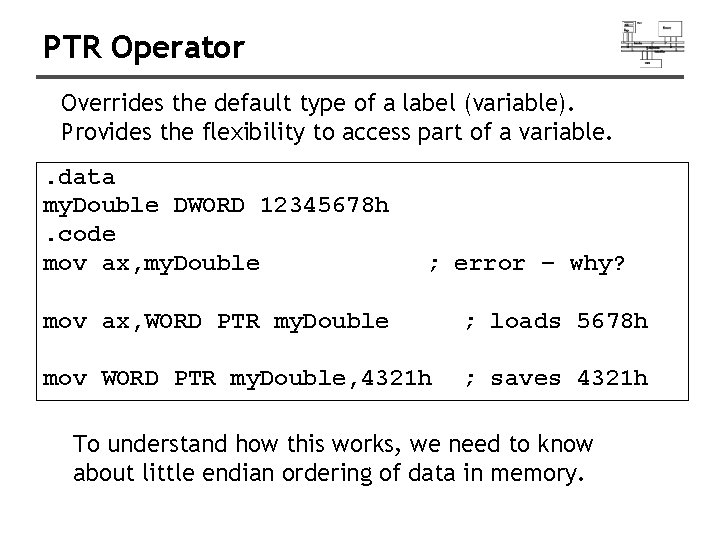
PTR Operator Overrides the default type of a label (variable). Provides the flexibility to access part of a variable. . data my. Double DWORD 12345678 h. code mov ax, my. Double ; error – why? mov ax, WORD PTR my. Double ; loads 5678 h mov WORD PTR my. Double, 4321 h ; saves 4321 h To understand how this works, we need to know about little endian ordering of data in memory.
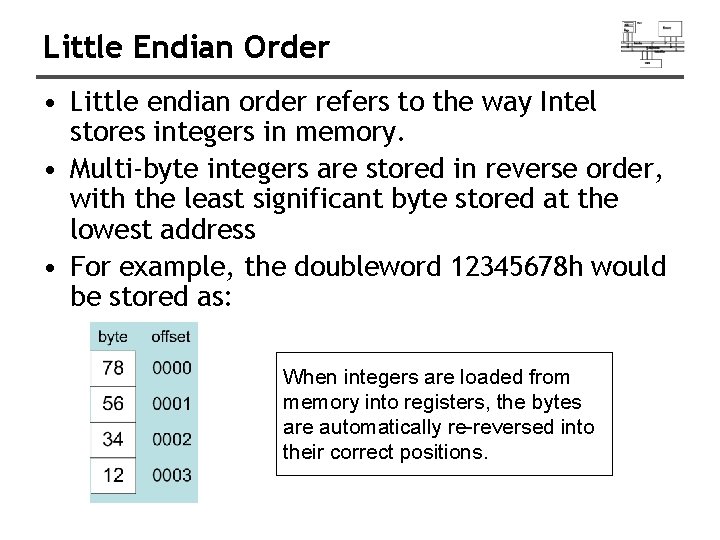
Little Endian Order • Little endian order refers to the way Intel stores integers in memory. • Multi-byte integers are stored in reverse order, with the least significant byte stored at the lowest address • For example, the doubleword 12345678 h would be stored as: When integers are loaded from memory into registers, the bytes are automatically re-reversed into their correct positions.
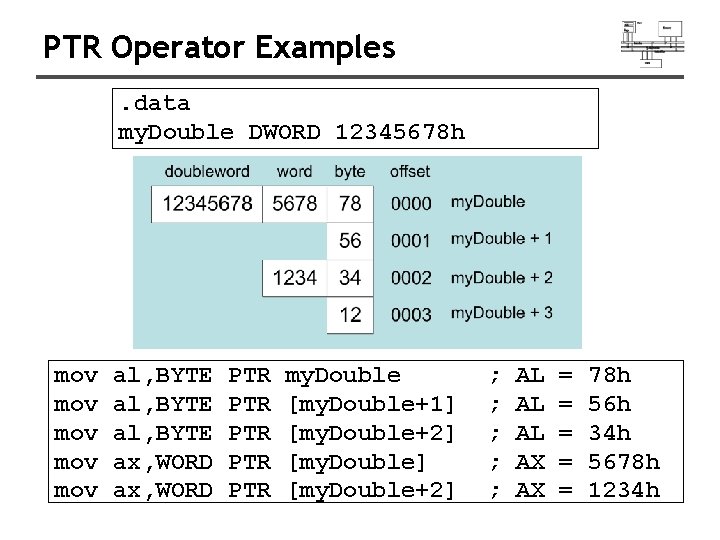
PTR Operator Examples. data my. Double DWORD 12345678 h mov mov mov al, BYTE ax, WORD PTR PTR PTR my. Double [my. Double+1] [my. Double+2] ; ; ; AL AL AL AX AX = = = 78 h 56 h 34 h 5678 h 1234 h
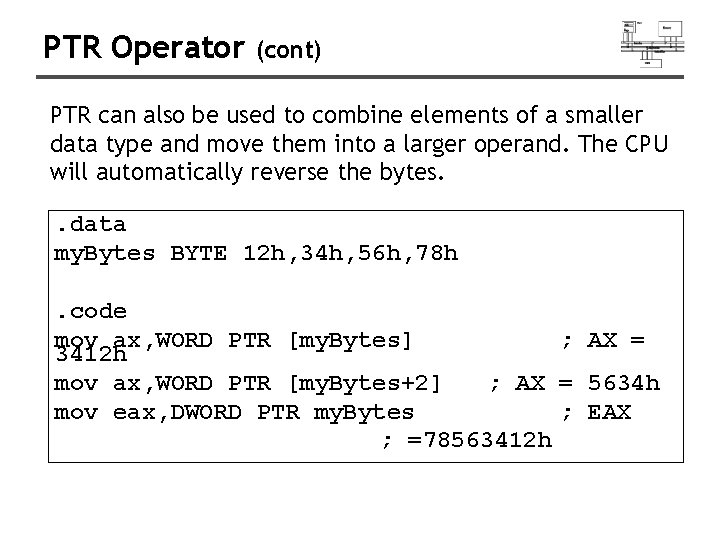
PTR Operator (cont) PTR can also be used to combine elements of a smaller data type and move them into a larger operand. The CPU will automatically reverse the bytes. . data my. Bytes BYTE 12 h, 34 h, 56 h, 78 h. code mov ax, WORD PTR [my. Bytes] ; AX = 3412 h mov ax, WORD PTR [my. Bytes+2] ; AX = 5634 h mov eax, DWORD PTR my. Bytes ; EAX ; =78563412 h
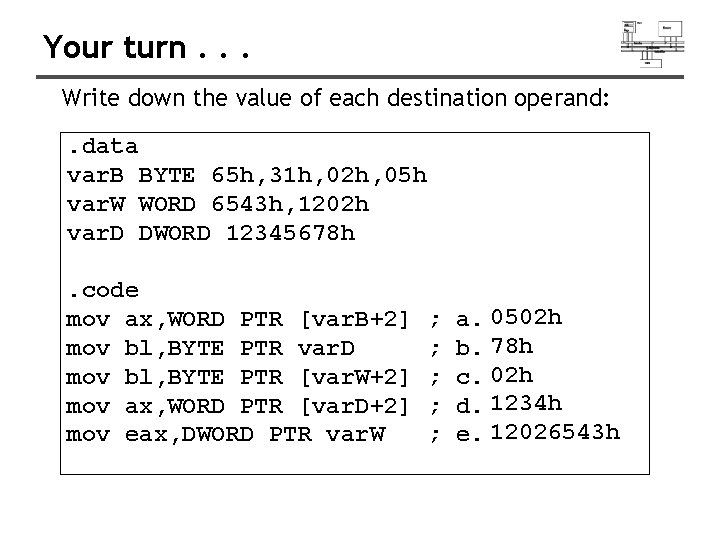
Your turn. . . Write down the value of each destination operand: . data var. B BYTE 65 h, 31 h, 02 h, 05 h var. W WORD 6543 h, 1202 h var. D DWORD 12345678 h. code mov ax, WORD PTR [var. B+2] mov bl, BYTE PTR var. D mov bl, BYTE PTR [var. W+2] mov ax, WORD PTR [var. D+2] mov eax, DWORD PTR var. W ; ; ; a. 0502 h b. 78 h c. 02 h d. 1234 h e. 12026543 h
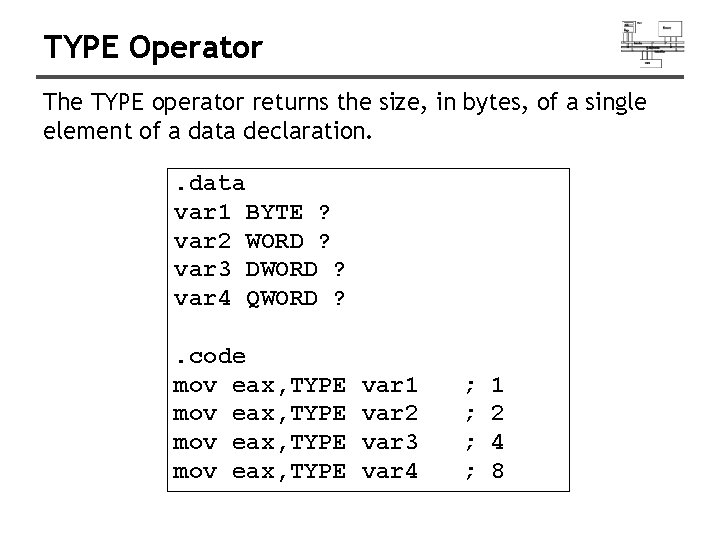
TYPE Operator The TYPE operator returns the size, in bytes, of a single element of a data declaration. . data var 1 BYTE ? var 2 WORD ? var 3 DWORD ? var 4 QWORD ? . code mov eax, TYPE var 1 var 2 var 3 var 4 ; ; 1 2 4 8
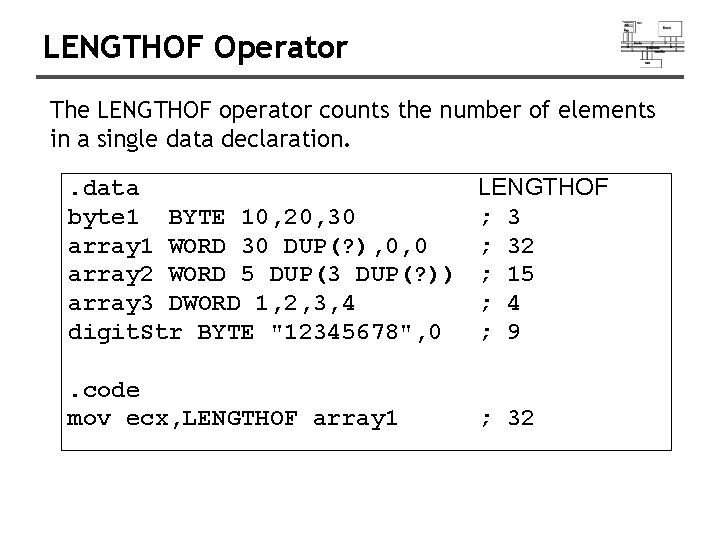
LENGTHOF Operator The LENGTHOF operator counts the number of elements in a single data declaration. . data byte 1 BYTE 10, 20, 30 array 1 WORD 30 DUP(? ), 0, 0 array 2 WORD 5 DUP(3 DUP(? )) array 3 DWORD 1, 2, 3, 4 digit. Str BYTE "12345678", 0 LENGTHOF ; 32 ; 15 ; 4 ; 9 . code mov ecx, LENGTHOF array 1 ; 32
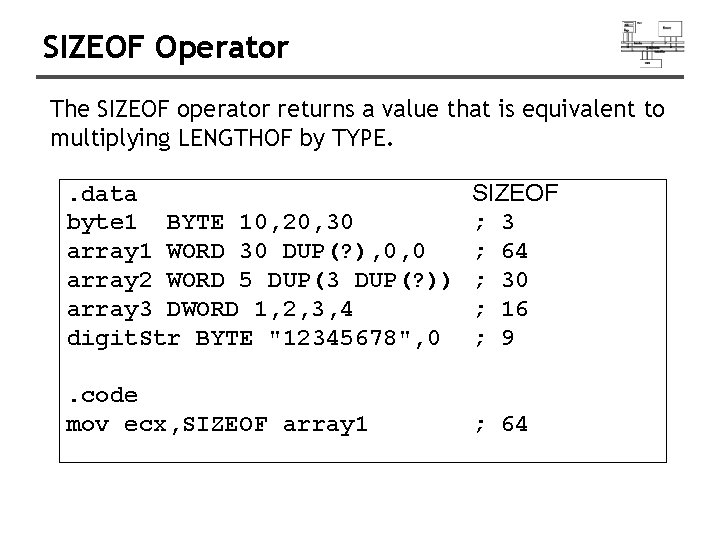
SIZEOF Operator The SIZEOF operator returns a value that is equivalent to multiplying LENGTHOF by TYPE. . data byte 1 BYTE 10, 20, 30 array 1 WORD 30 DUP(? ), 0, 0 array 2 WORD 5 DUP(3 DUP(? )) array 3 DWORD 1, 2, 3, 4 digit. Str BYTE "12345678", 0 SIZEOF ; 3 ; 64 ; 30 ; 16 ; 9 . code mov ecx, SIZEOF array 1 ; 64
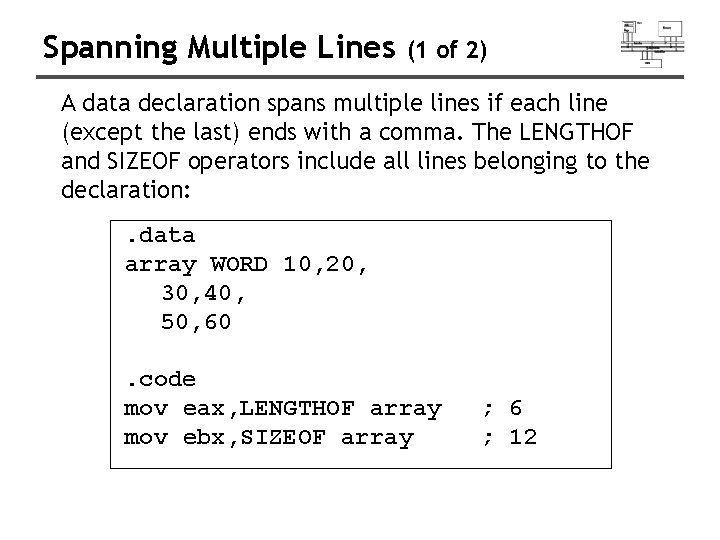
Spanning Multiple Lines (1 of 2) A data declaration spans multiple lines if each line (except the last) ends with a comma. The LENGTHOF and SIZEOF operators include all lines belonging to the declaration: . data array WORD 10, 20, 30, 40, 50, 60. code mov eax, LENGTHOF array mov ebx, SIZEOF array ; 6 ; 12
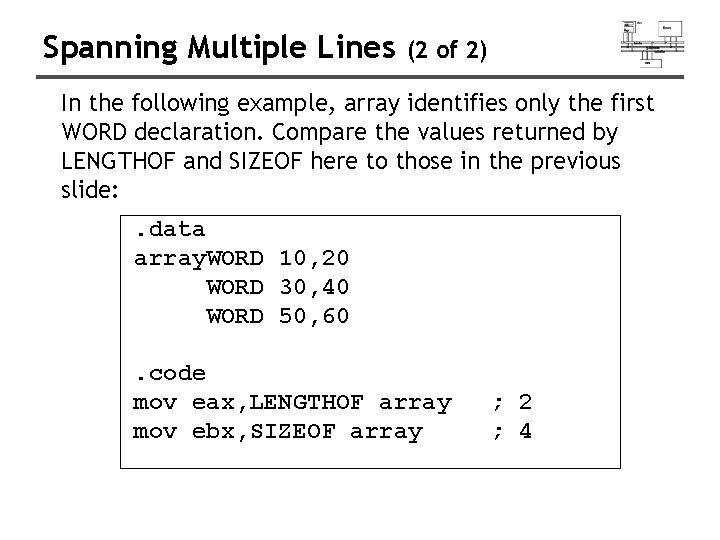
Spanning Multiple Lines (2 of 2) In the following example, array identifies only the first WORD declaration. Compare the values returned by LENGTHOF and SIZEOF here to those in the previous slide: . data array. WORD 10, 20 WORD 30, 40 WORD 50, 60. code mov eax, LENGTHOF array mov ebx, SIZEOF array ; 2 ; 4
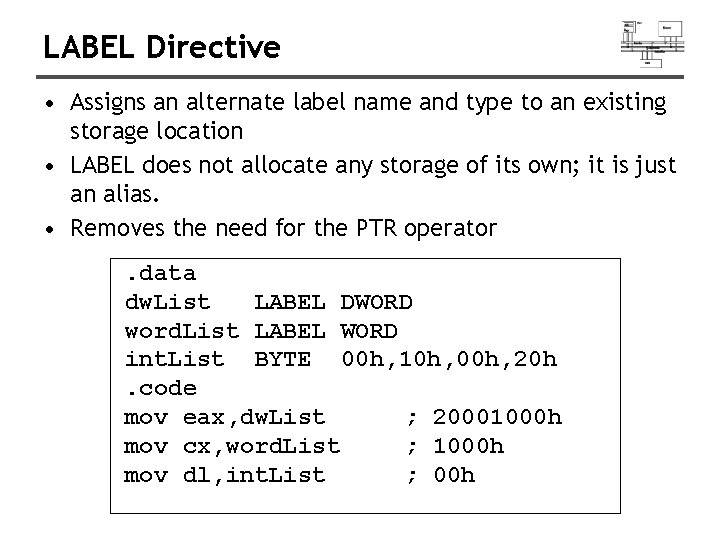
LABEL Directive • Assigns an alternate label name and type to an existing storage location • LABEL does not allocate any storage of its own; it is just an alias. • Removes the need for the PTR operator. data dw. List LABEL DWORD word. List LABEL WORD int. List BYTE 00 h, 10 h, 00 h, 20 h. code mov eax, dw. List ; 20001000 h mov cx, word. List ; 1000 h mov dl, int. List ; 00 h
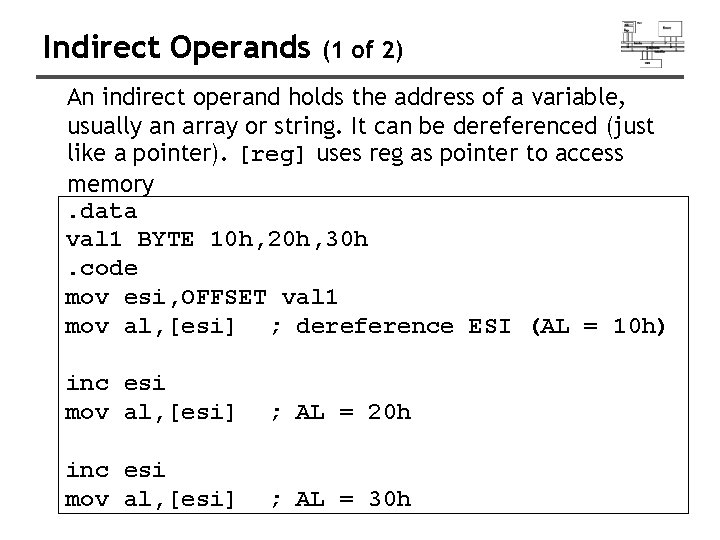
Indirect Operands (1 of 2) An indirect operand holds the address of a variable, usually an array or string. It can be dereferenced (just like a pointer). [reg] uses reg as pointer to access memory. data val 1 BYTE 10 h, 20 h, 30 h. code mov esi, OFFSET val 1 mov al, [esi] ; dereference ESI (AL = 10 h) inc esi mov al, [esi] ; AL = 20 h inc esi mov al, [esi] ; AL = 30 h
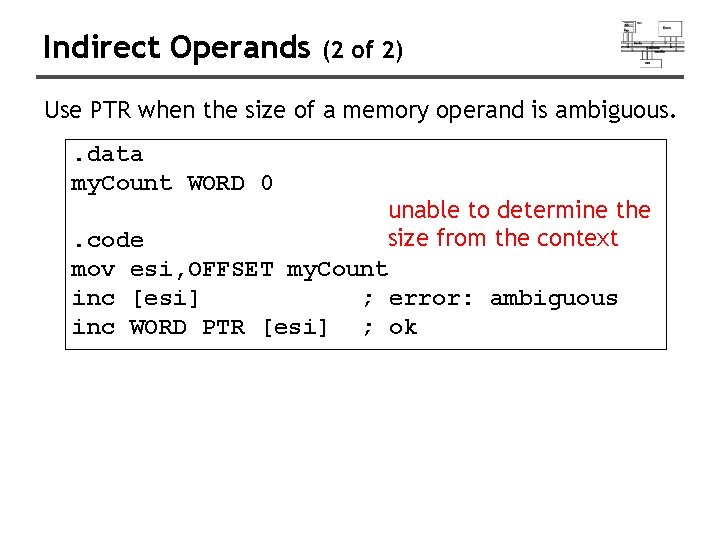
Indirect Operands (2 of 2) Use PTR when the size of a memory operand is ambiguous. . data my. Count WORD 0 unable to determine the size from the context. code mov esi, OFFSET my. Count inc [esi] ; error: ambiguous inc WORD PTR [esi] ; ok
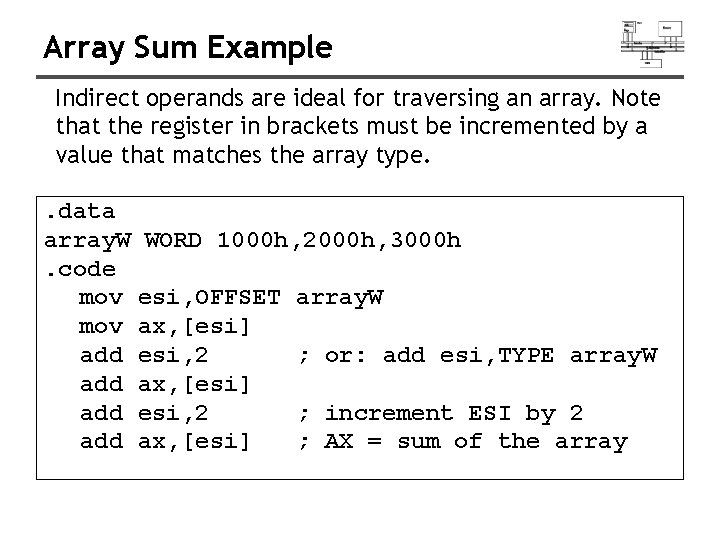
Array Sum Example Indirect operands are ideal for traversing an array. Note that the register in brackets must be incremented by a value that matches the array type. . data array. W. code mov add add WORD 1000 h, 2000 h, 3000 h esi, OFFSET ax, [esi] esi, 2 ax, [esi] array. W ; or: add esi, TYPE array. W ; increment ESI by 2 ; AX = sum of the array
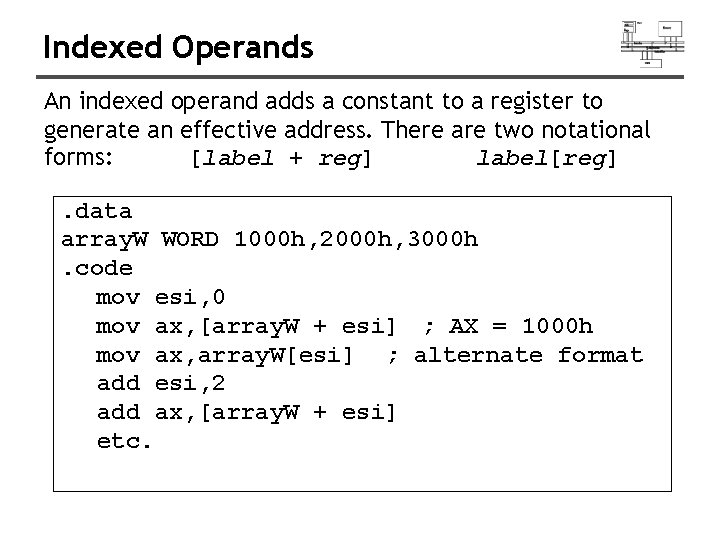
Indexed Operands An indexed operand adds a constant to a register to generate an effective address. There are two notational forms: [label + reg] label[reg]. data array. W WORD 1000 h, 2000 h, 3000 h. code mov esi, 0 mov ax, [array. W + esi] ; AX = 1000 h mov ax, array. W[esi] ; alternate format add esi, 2 add ax, [array. W + esi] etc.
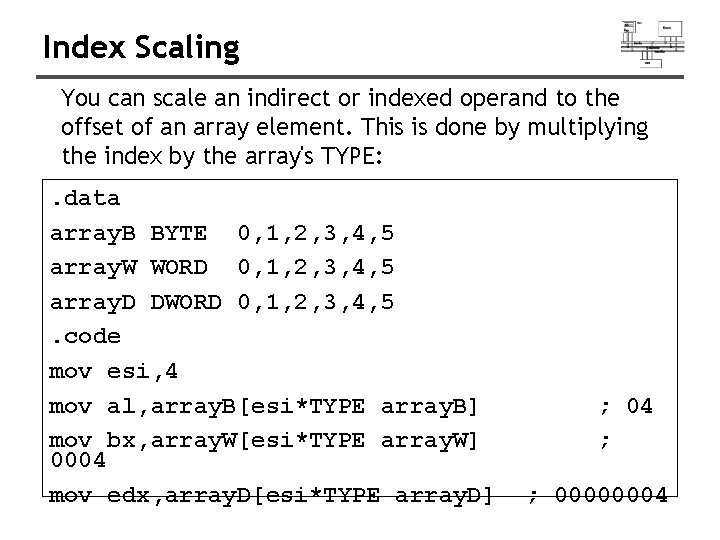
Index Scaling You can scale an indirect or indexed operand to the offset of an array element. This is done by multiplying the index by the array's TYPE: . data array. B BYTE 0, 1, 2, 3, 4, 5 array. W WORD 0, 1, 2, 3, 4, 5 array. D DWORD 0, 1, 2, 3, 4, 5. code mov esi, 4 mov al, array. B[esi*TYPE array. B] mov bx, array. W[esi*TYPE array. W] 0004 mov edx, array. D[esi*TYPE array. D] ; 04 ; ; 00000004
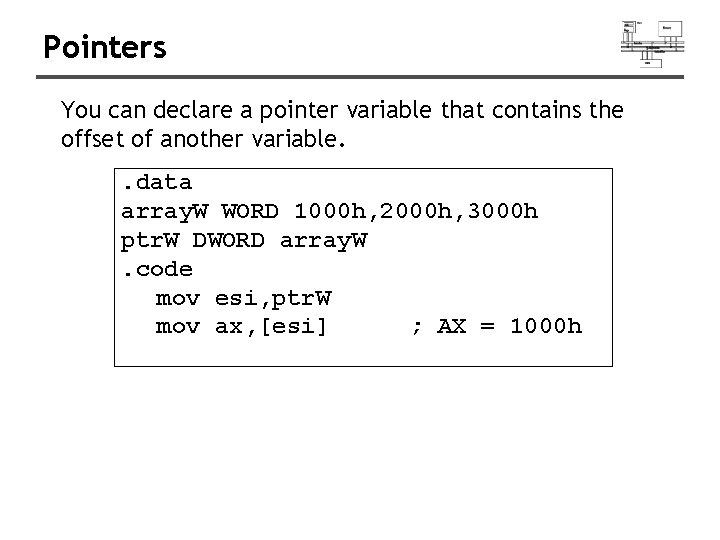
Pointers You can declare a pointer variable that contains the offset of another variable. . data array. W WORD 1000 h, 2000 h, 3000 h ptr. W DWORD array. W. code mov esi, ptr. W mov ax, [esi] ; AX = 1000 h
Data Transfers Instructions
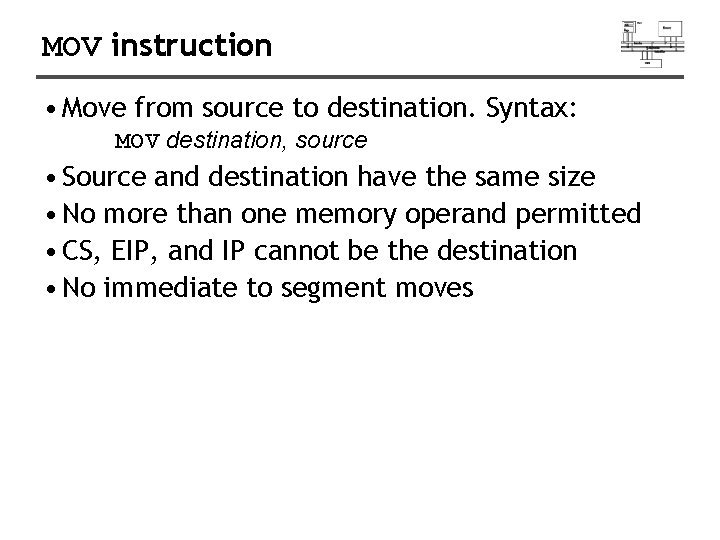
MOV instruction • Move from source to destination. Syntax: MOV destination, source • Source and destination have the same size • No more than one memory operand permitted • CS, EIP, and IP cannot be the destination • No immediate to segment moves
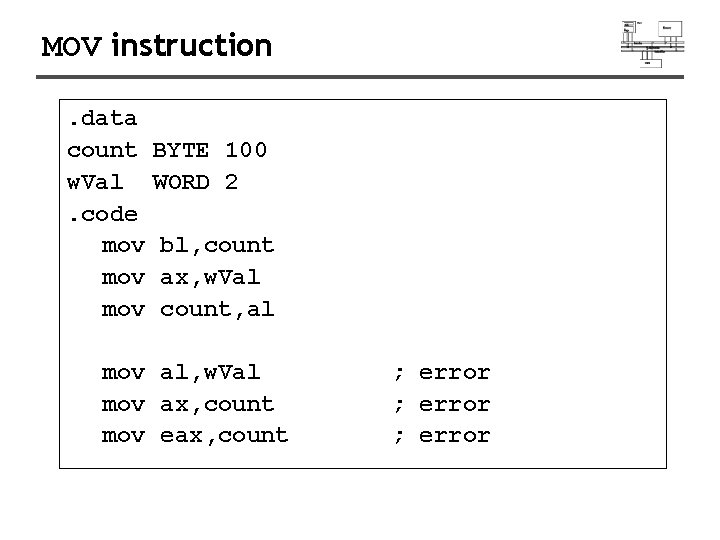
MOV instruction. data count w. Val. code mov mov BYTE 100 WORD 2 bl, count ax, w. Val count, al mov al, w. Val mov ax, count mov eax, count ; error
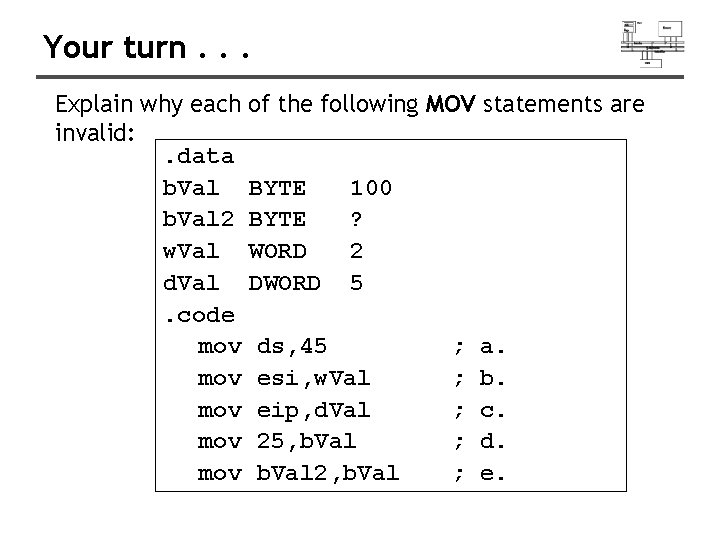
Your turn. . . Explain why each of the following MOV statements are invalid: . data b. Val BYTE 100 b. Val 2 BYTE ? w. Val WORD 2 d. Val DWORD 5. code mov ds, 45 ; a. mov esi, w. Val ; b. mov eip, d. Val ; c. mov 25, b. Val ; d. mov b. Val 2, b. Val ; e.
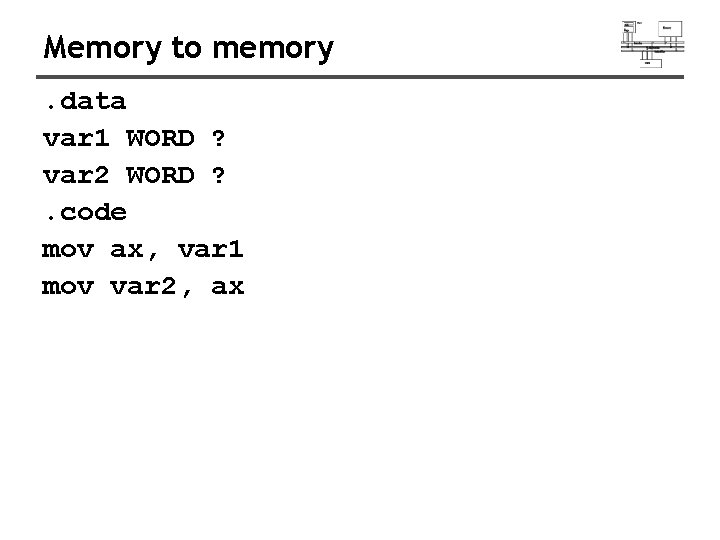
Memory to memory. data var 1 WORD ? var 2 WORD ? . code mov ax, var 1 mov var 2, ax
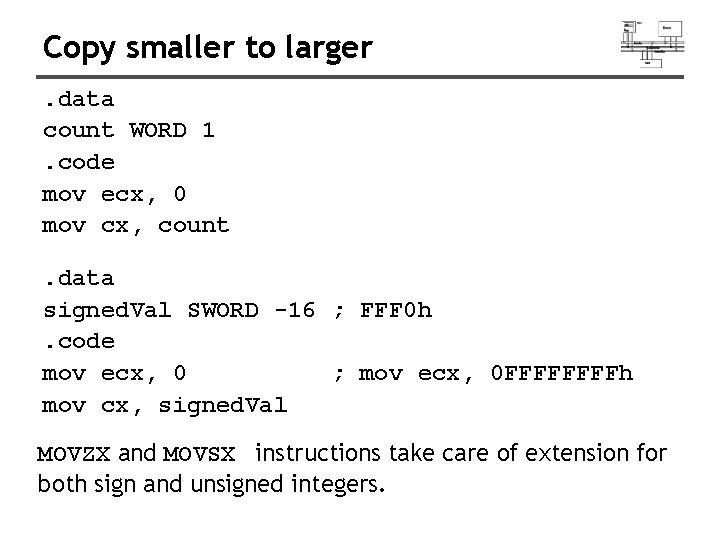
Copy smaller to larger. data count WORD 1. code mov ecx, 0 mov cx, count. data signed. Val SWORD -16 ; FFF 0 h. code mov ecx, 0 ; mov ecx, 0 FFFFh mov cx, signed. Val MOVZX and MOVSX instructions take care of extension for both sign and unsigned integers.
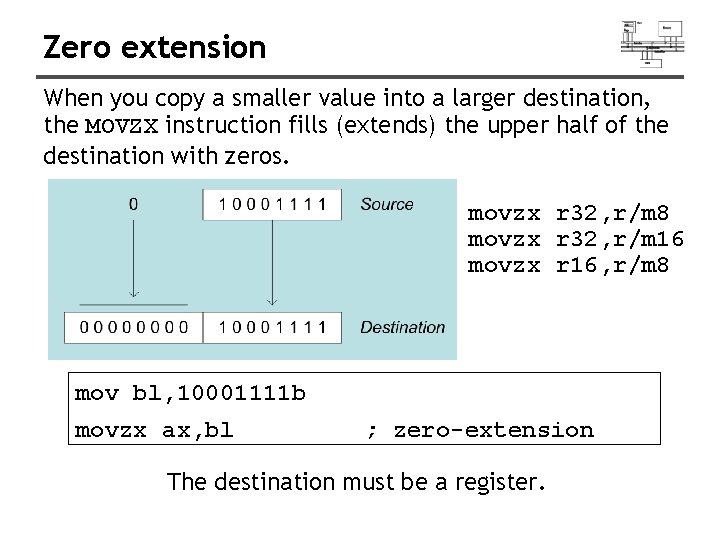
Zero extension When you copy a smaller value into a larger destination, the MOVZX instruction fills (extends) the upper half of the destination with zeros. movzx r 32, r/m 8 movzx r 32, r/m 16 movzx r 16, r/m 8 mov bl, 10001111 b movzx ax, bl ; zero-extension The destination must be a register.
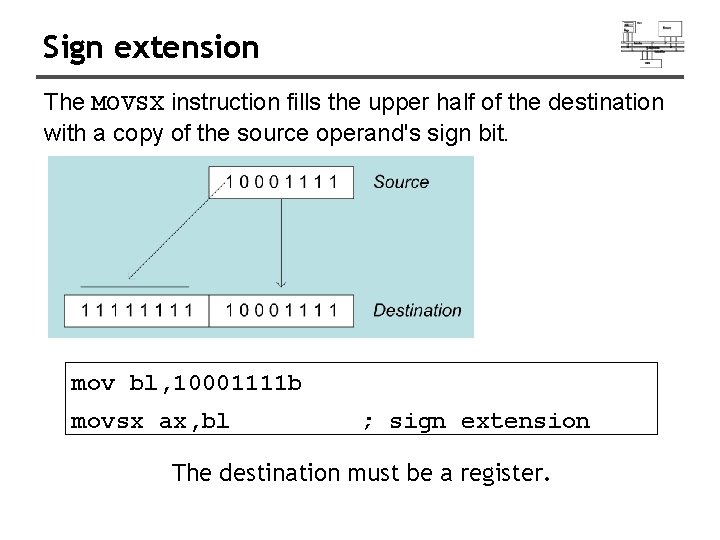
Sign extension The MOVSX instruction fills the upper half of the destination with a copy of the source operand's sign bit. mov bl, 10001111 b movsx ax, bl ; sign extension The destination must be a register.

MOVZX MOVSX From a smaller location to a larger one movzx bx, eax, edx, cx, 0 A 69 Bh bx bl bl ; EAX=0000 A 69 Bh ; EDX=0000009 Bh ; EAX=009 Bh movsx bx, eax, edx, cx, 0 A 69 Bh bx bl bl ; EAX=FFFFA 69 Bh ; EDX=FFFFFF 9 Bh ; EAX=FF 9 Bh
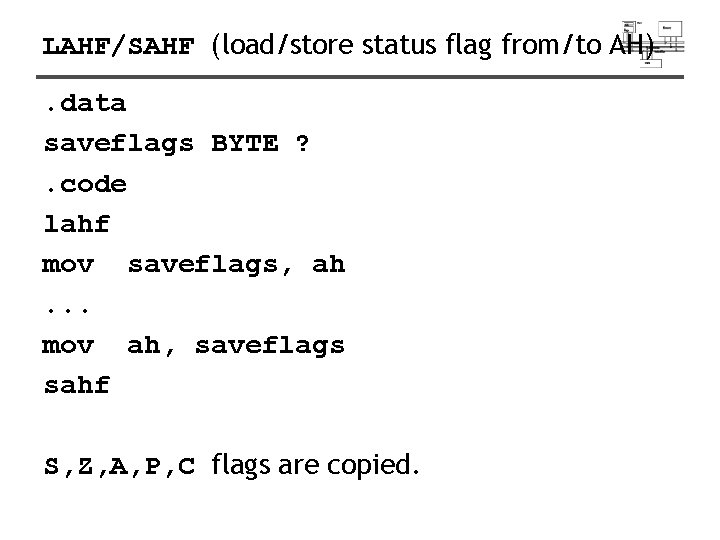
LAHF/SAHF (load/store status flag from/to AH). data saveflags BYTE ? . code lahf mov saveflags, ah. . . mov ah, saveflags sahf S, Z, A, P, C flags are copied.
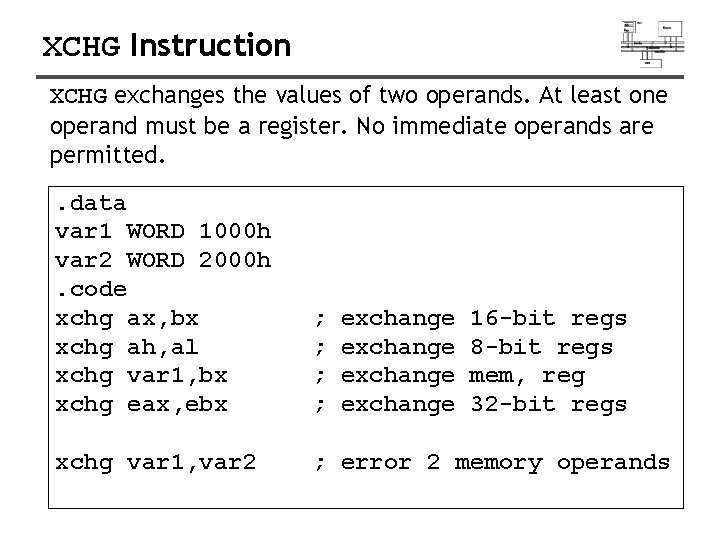
XCHG Instruction XCHG exchanges the values of two operands. At least one operand must be a register. No immediate operands are permitted. . data var 1 WORD 1000 h var 2 WORD 2000 h. code xchg ax, bx xchg ah, al xchg var 1, bx xchg eax, ebx ; ; xchg var 1, var 2 ; error 2 memory operands exchange 16 -bit regs 8 -bit regs mem, reg 32 -bit regs
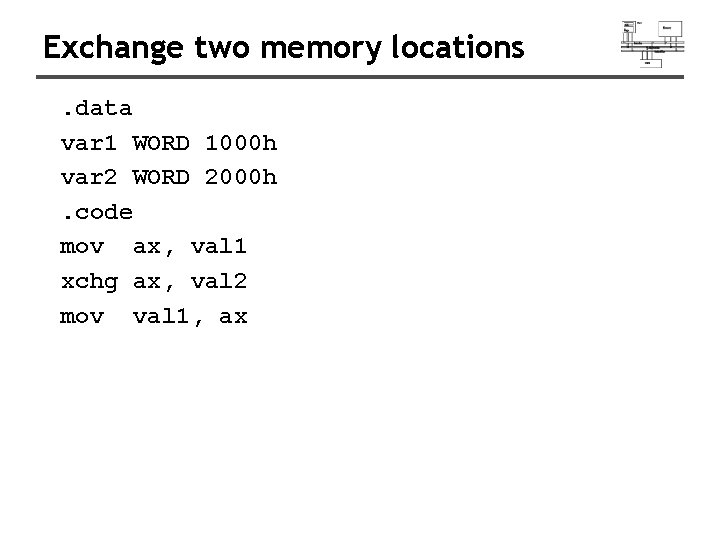
Exchange two memory locations. data var 1 WORD 1000 h var 2 WORD 2000 h. code mov ax, val 1 xchg ax, val 2 mov val 1, ax
Arithmetic Instructions
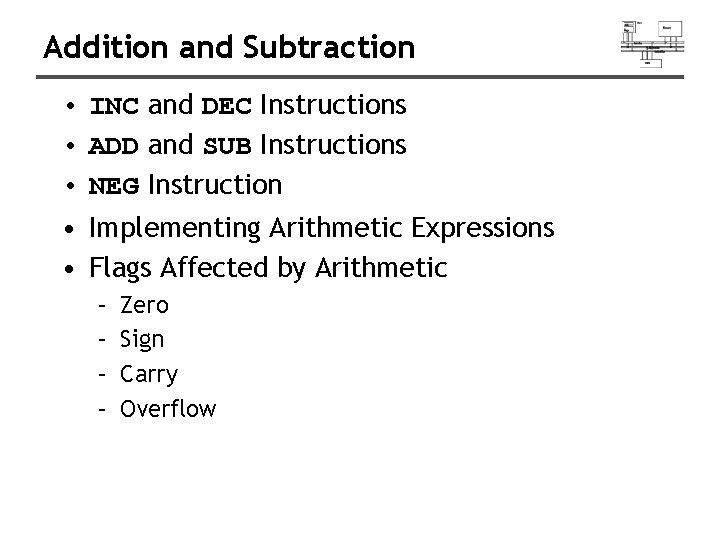
Addition and Subtraction • INC and DEC Instructions • ADD and SUB Instructions • NEG Instruction • Implementing Arithmetic Expressions • Flags Affected by Arithmetic – – Zero Sign Carry Overflow
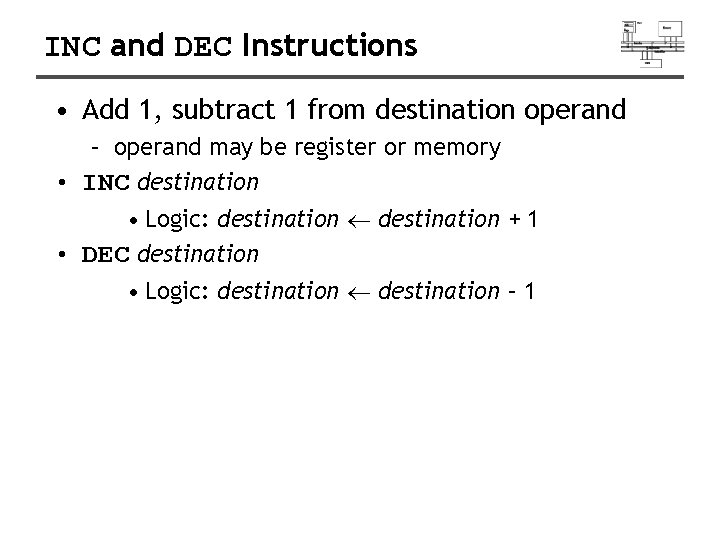
INC and DEC Instructions • Add 1, subtract 1 from destination operand – operand may be register or memory • INC destination • Logic: destination + 1 • DEC destination • Logic: destination – 1
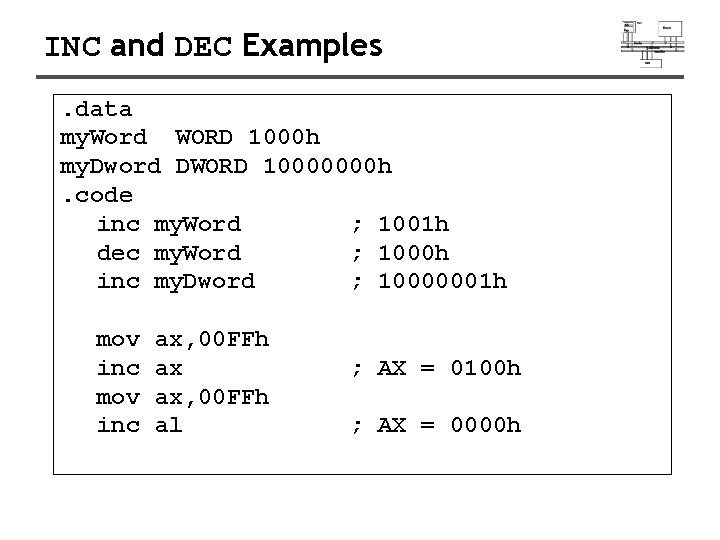
INC and DEC Examples. data my. Word WORD 1000 h my. Dword DWORD 10000000 h. code inc my. Word ; 1001 h dec my. Word ; 1000 h inc my. Dword ; 10000001 h mov inc ax, 00 FFh ax ax, 00 FFh al ; AX = 0100 h ; AX = 0000 h
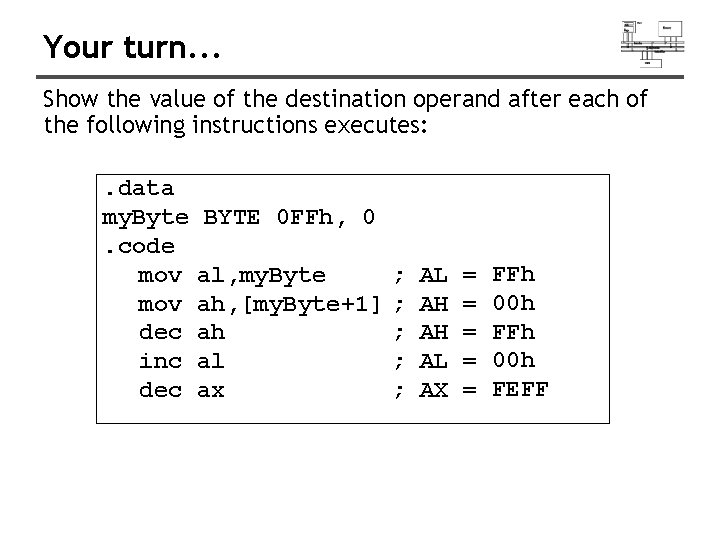
Your turn. . . Show the value of the destination operand after each of the following instructions executes: . data my. Byte BYTE 0 FFh, 0. code mov al, my. Byte ; mov ah, [my. Byte+1] ; dec ah ; inc al ; dec ax ; AL AH AH AL AX = = = FFh 00 h FEFF
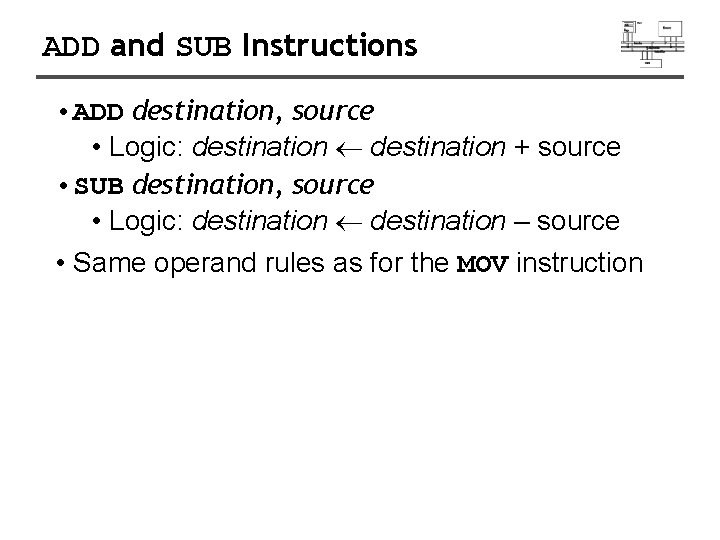
ADD and SUB Instructions • ADD destination, source • Logic: destination + source • SUB destination, source • Logic: destination – source • Same operand rules as for the MOV instruction
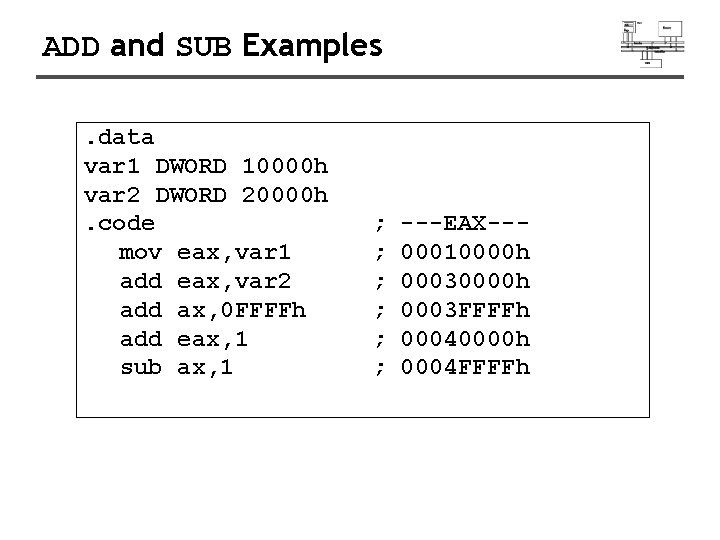
ADD and SUB Examples. data var 1 DWORD 10000 h var 2 DWORD 20000 h. code mov eax, var 1 add eax, var 2 add ax, 0 FFFFh add eax, 1 sub ax, 1 ; ; ; ---EAX--00010000 h 0003 FFFFh 00040000 h 0004 FFFFh
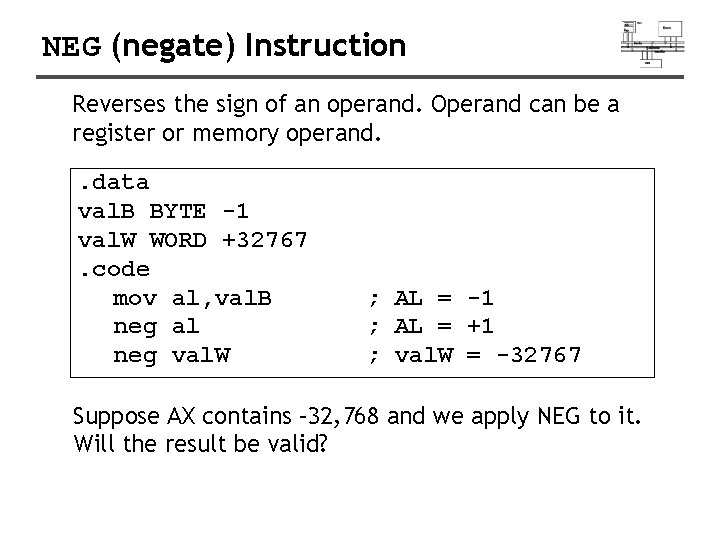
NEG (negate) Instruction Reverses the sign of an operand. Operand can be a register or memory operand. . data val. B BYTE -1 val. W WORD +32767. code mov al, val. B neg al neg val. W ; AL = -1 ; AL = +1 ; val. W = -32767 Suppose AX contains – 32, 768 and we apply NEG to it. Will the result be valid?
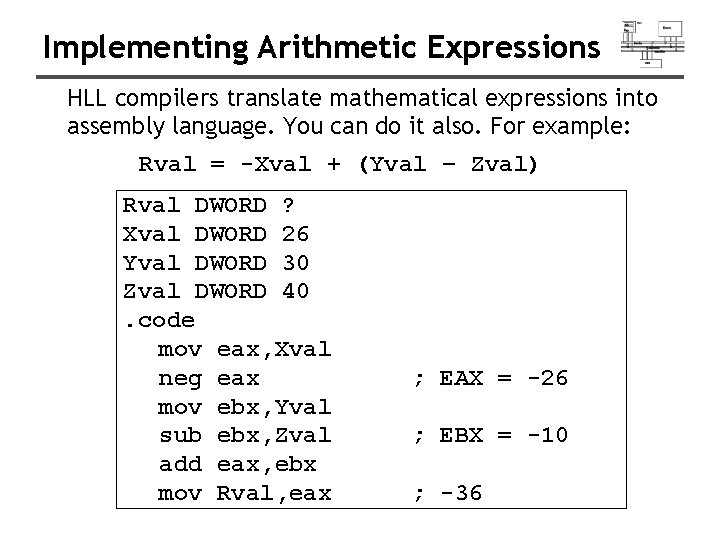
Implementing Arithmetic Expressions HLL compilers translate mathematical expressions into assembly language. You can do it also. For example: Rval = -Xval + (Yval – Zval) Rval DWORD ? Xval DWORD 26 Yval DWORD 30 Zval DWORD 40. code mov eax, Xval neg eax mov ebx, Yval sub ebx, Zval add eax, ebx mov Rval, eax ; EAX = -26 ; EBX = -10 ; -36
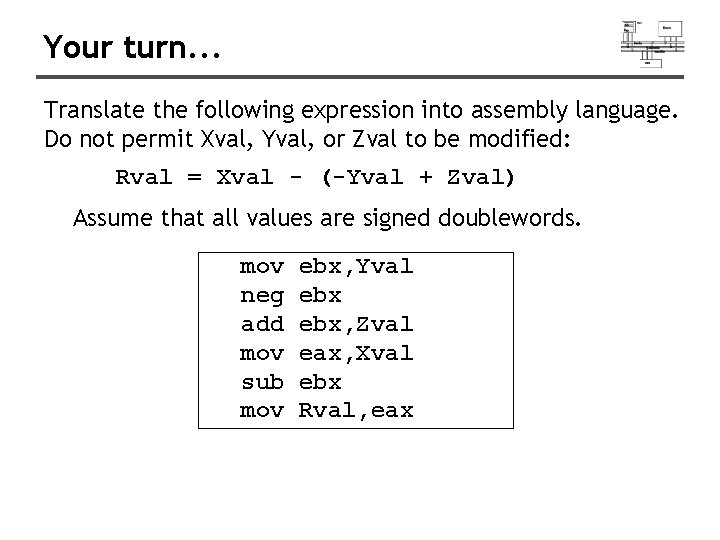
Your turn. . . Translate the following expression into assembly language. Do not permit Xval, Yval, or Zval to be modified: Rval = Xval - (-Yval + Zval) Assume that all values are signed doublewords. mov neg add mov sub mov ebx, Yval ebx, Zval eax, Xval ebx Rval, eax
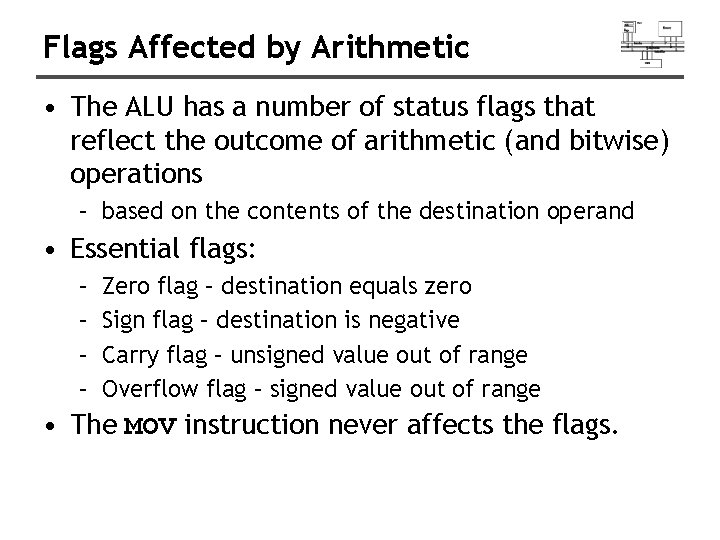
Flags Affected by Arithmetic • The ALU has a number of status flags that reflect the outcome of arithmetic (and bitwise) operations – based on the contents of the destination operand • Essential flags: – – Zero flag – destination equals zero Sign flag – destination is negative Carry flag – unsigned value out of range Overflow flag – signed value out of range • The MOV instruction never affects the flags.
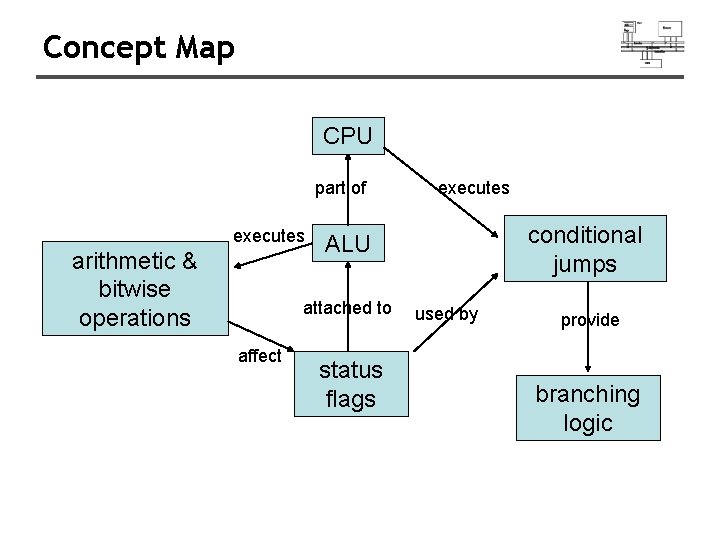
Concept Map CPU part of executes arithmetic & bitwise operations conditional jumps ALU attached to affect executes status flags used by provide branching logic
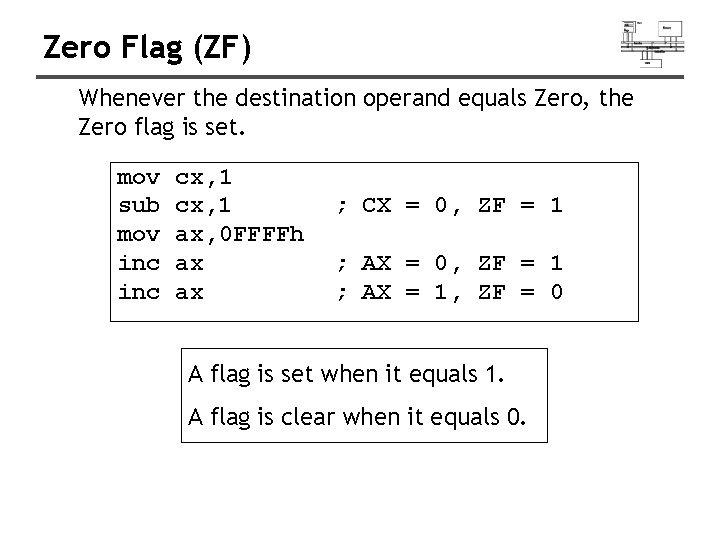
Zero Flag (ZF) Whenever the destination operand equals Zero, the Zero flag is set. mov sub mov inc cx, 1 ax, 0 FFFFh ax ax ; CX = 0, ZF = 1 ; AX = 1, ZF = 0 A flag is set when it equals 1. A flag is clear when it equals 0.
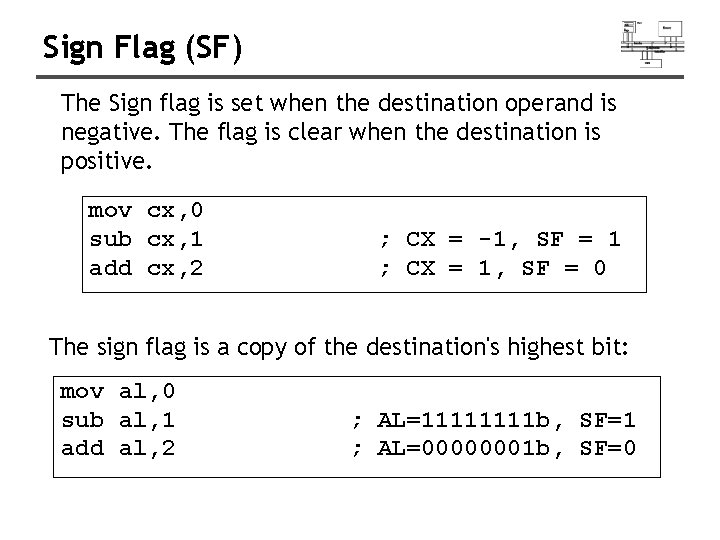
Sign Flag (SF) The Sign flag is set when the destination operand is negative. The flag is clear when the destination is positive. mov cx, 0 sub cx, 1 add cx, 2 ; CX = -1, SF = 1 ; CX = 1, SF = 0 The sign flag is a copy of the destination's highest bit: mov al, 0 sub al, 1 add al, 2 ; AL=1111 b, SF=1 ; AL=00000001 b, SF=0
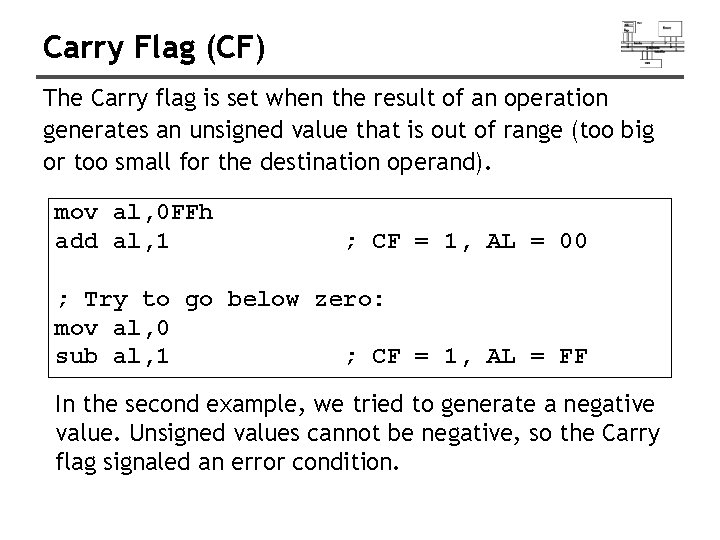
Carry Flag (CF) The Carry flag is set when the result of an operation generates an unsigned value that is out of range (too big or too small for the destination operand). mov al, 0 FFh add al, 1 ; CF = 1, AL = 00 ; Try to go below zero: mov al, 0 sub al, 1 ; CF = 1, AL = FF In the second example, we tried to generate a negative value. Unsigned values cannot be negative, so the Carry flag signaled an error condition.
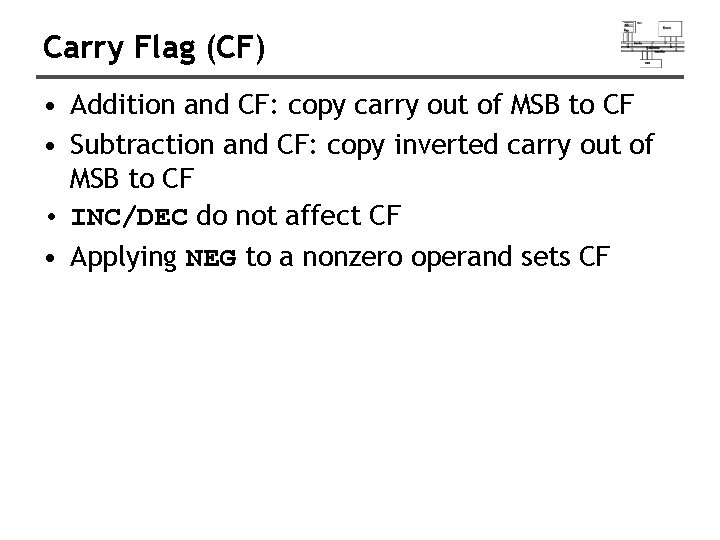
Carry Flag (CF) • Addition and CF: copy carry out of MSB to CF • Subtraction and CF: copy inverted carry out of MSB to CF • INC/DEC do not affect CF • Applying NEG to a nonzero operand sets CF
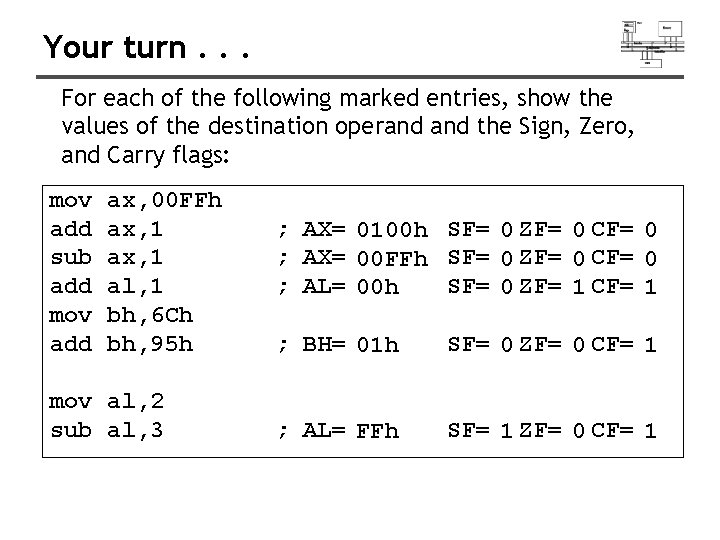
Your turn. . . For each of the following marked entries, show the values of the destination operand the Sign, Zero, and Carry flags: mov add sub add mov add ax, 00 FFh ax, 1 al, 1 bh, 6 Ch bh, 95 h mov al, 2 sub al, 3 ; AX= 0100 h SF= 0 ZF= 0 CF= 0 ; AX= 00 FFh SF= 0 ZF= 0 CF= 0 ; AL= 00 h SF= 0 ZF= 1 CF= 1 ; BH= 01 h SF= 0 ZF= 0 CF= 1 ; AL= FFh SF= 1 ZF= 0 CF= 1
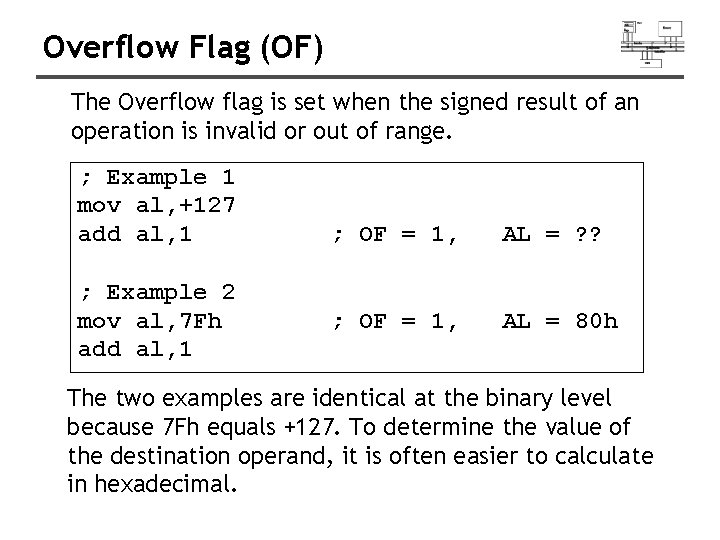
Overflow Flag (OF) The Overflow flag is set when the signed result of an operation is invalid or out of range. ; Example 1 mov al, +127 add al, 1 ; Example 2 mov al, 7 Fh add al, 1 ; OF = 1, AL = ? ? ; OF = 1, AL = 80 h The two examples are identical at the binary level because 7 Fh equals +127. To determine the value of the destination operand, it is often easier to calculate in hexadecimal.
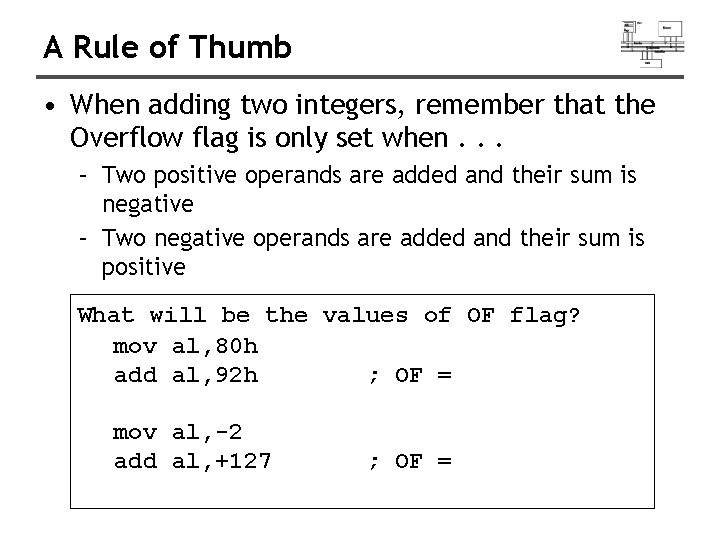
A Rule of Thumb • When adding two integers, remember that the Overflow flag is only set when. . . – Two positive operands are added and their sum is negative – Two negative operands are added and their sum is positive What will be the values of OF flag? mov al, 80 h add al, 92 h ; OF = mov al, -2 add al, +127 ; OF =
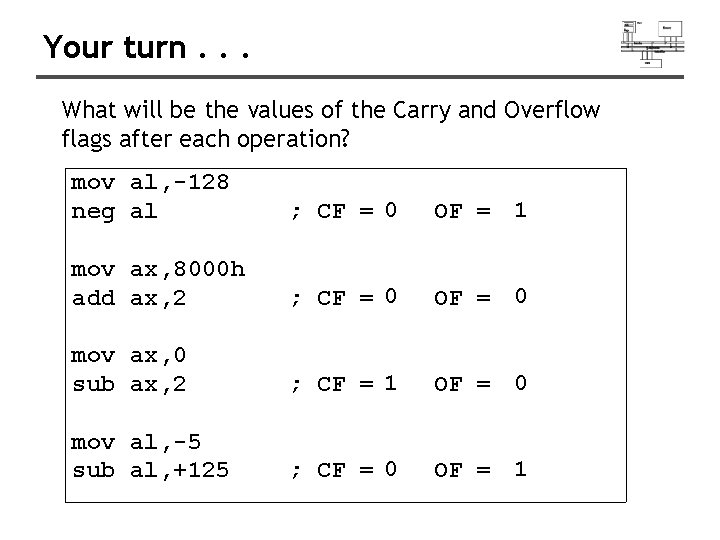
Your turn. . . What will be the values of the Carry and Overflow flags after each operation? mov al, -128 neg al ; CF = 0 OF = 1 mov ax, 8000 h add ax, 2 ; CF = 0 OF = 0 mov ax, 0 sub ax, 2 ; CF = 1 OF = 0 mov al, -5 sub al, +125 ; CF = 0 OF = 1
Signed/Unsigned Integers: Hardware Viewpoint • All CPU instructions operate exactly the same on signed and unsigned integers • The CPU cannot distinguish between signed and unsigned integers • YOU, the programmer, are solely responsible for using the correct data type with each instruction
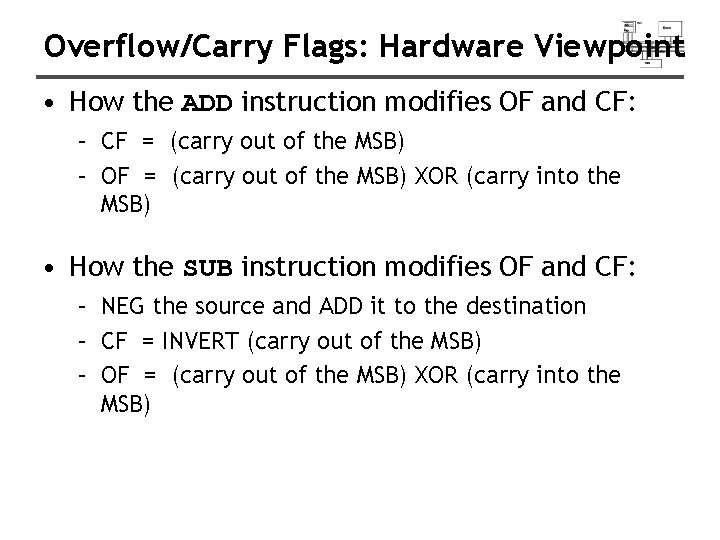
Overflow/Carry Flags: Hardware Viewpoint • How the ADD instruction modifies OF and CF: – CF = (carry out of the MSB) – OF = (carry out of the MSB) XOR (carry into the MSB) • How the SUB instruction modifies OF and CF: – NEG the source and ADD it to the destination – CF = INVERT (carry out of the MSB) – OF = (carry out of the MSB) XOR (carry into the MSB)
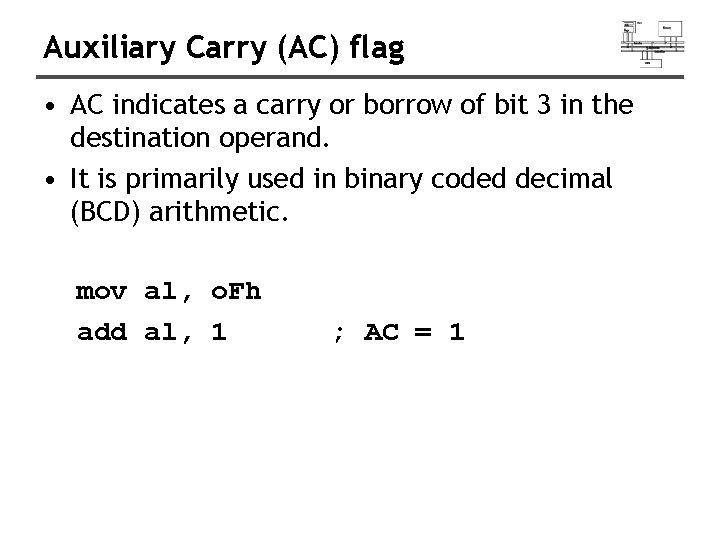
Auxiliary Carry (AC) flag • AC indicates a carry or borrow of bit 3 in the destination operand. • It is primarily used in binary coded decimal (BCD) arithmetic. mov al, o. Fh add al, 1 ; AC = 1
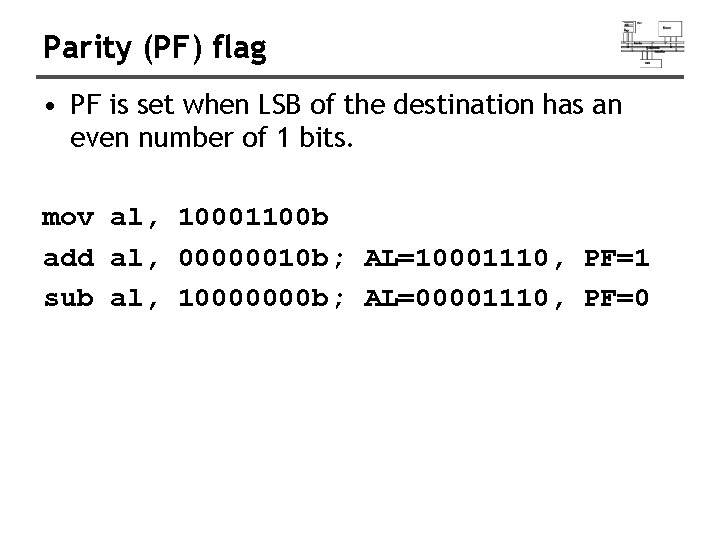
Parity (PF) flag • PF is set when LSB of the destination has an even number of 1 bits. mov al, 10001100 b add al, 00000010 b; AL=10001110, PF=1 sub al, 10000000 b; AL=00001110, PF=0
Jump and Loop
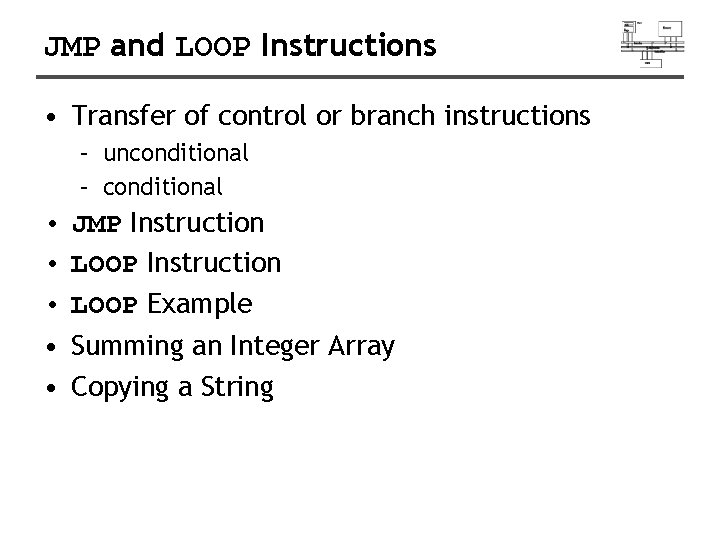
JMP and LOOP Instructions • Transfer of control or branch instructions – unconditional – conditional • JMP Instruction • LOOP Example • Summing an Integer Array • Copying a String
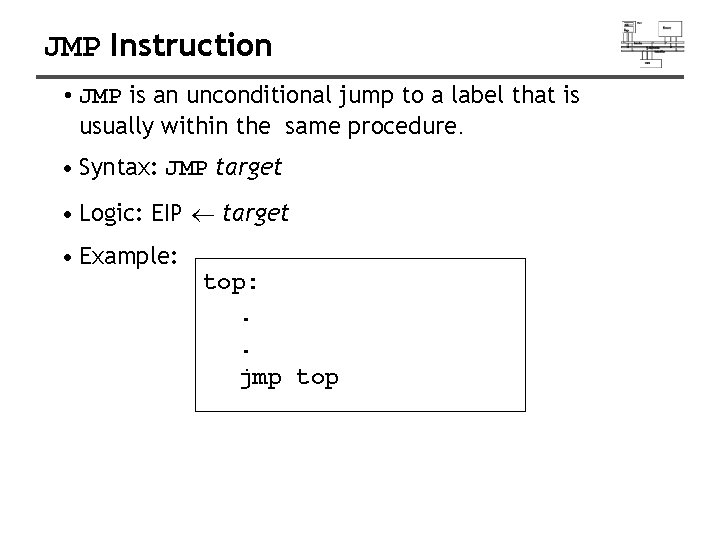
JMP Instruction • JMP is an unconditional jump to a label that is usually within the same procedure. • Syntax: JMP target • Logic: EIP target • Example: top: . . jmp top
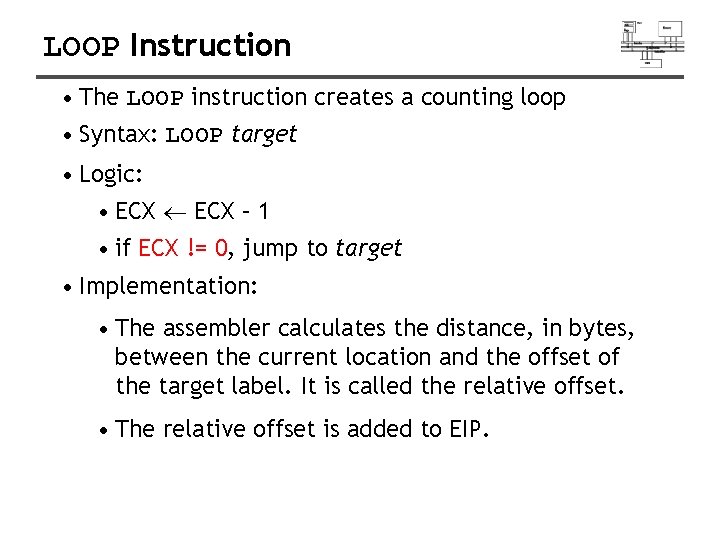
LOOP Instruction • The LOOP instruction creates a counting loop • Syntax: LOOP target • Logic: • ECX – 1 • if ECX != 0, jump to target • Implementation: • The assembler calculates the distance, in bytes, between the current location and the offset of the target label. It is called the relative offset. • The relative offset is added to EIP.
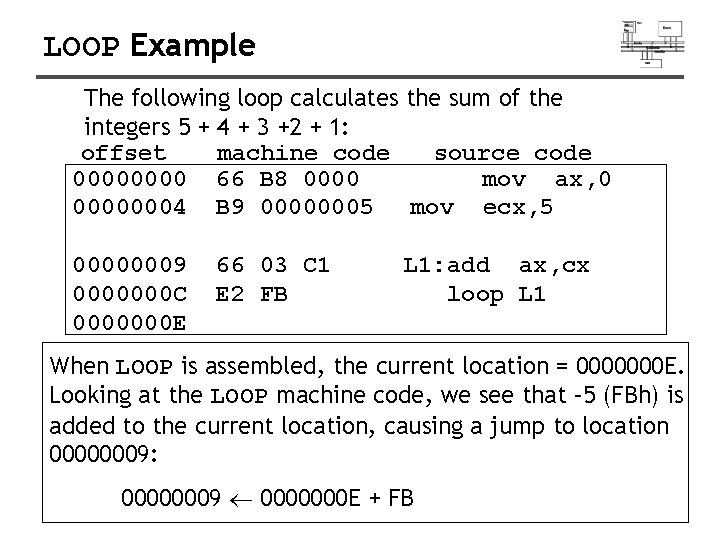
LOOP Example The following loop calculates the sum of the integers 5 + 4 + 3 +2 + 1: offset machine code source code 0000 66 B 8 0000 mov ax, 0 00000004 B 9 00000005 mov ecx, 5 00000009 0000000 C 0000000 E 66 03 C 1 E 2 FB L 1: add ax, cx loop L 1 When LOOP is assembled, the current location = 0000000 E. Looking at the LOOP machine code, we see that – 5 (FBh) is added to the current location, causing a jump to location 00000009: 00000009 0000000 E + FB
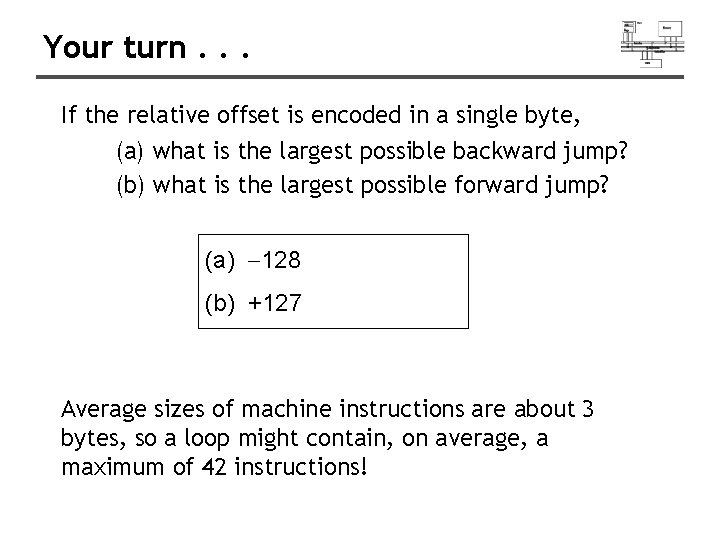
Your turn. . . If the relative offset is encoded in a single byte, (a) what is the largest possible backward jump? (b) what is the largest possible forward jump? (a) -128 (b) +127 Average sizes of machine instructions are about 3 bytes, so a loop might contain, on average, a maximum of 42 instructions!
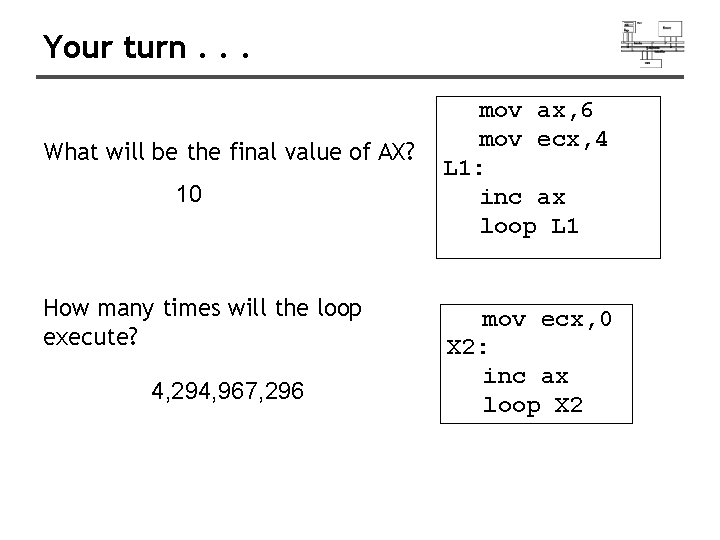
Your turn. . . What will be the final value of AX? 10 How many times will the loop execute? 4, 294, 967, 296 mov ax, 6 mov ecx, 4 L 1: inc ax loop L 1 mov ecx, 0 X 2: inc ax loop X 2
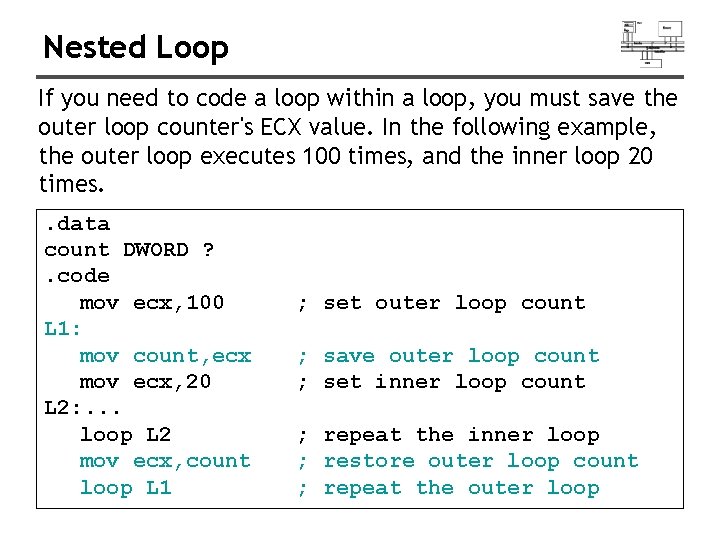
Nested Loop If you need to code a loop within a loop, you must save the outer loop counter's ECX value. In the following example, the outer loop executes 100 times, and the inner loop 20 times. . data count DWORD ? . code mov ecx, 100 L 1: mov count, ecx mov ecx, 20 L 2: . . . loop L 2 mov ecx, count loop L 1 ; set outer loop count ; save outer loop count ; set inner loop count ; repeat the inner loop ; restore outer loop count ; repeat the outer loop
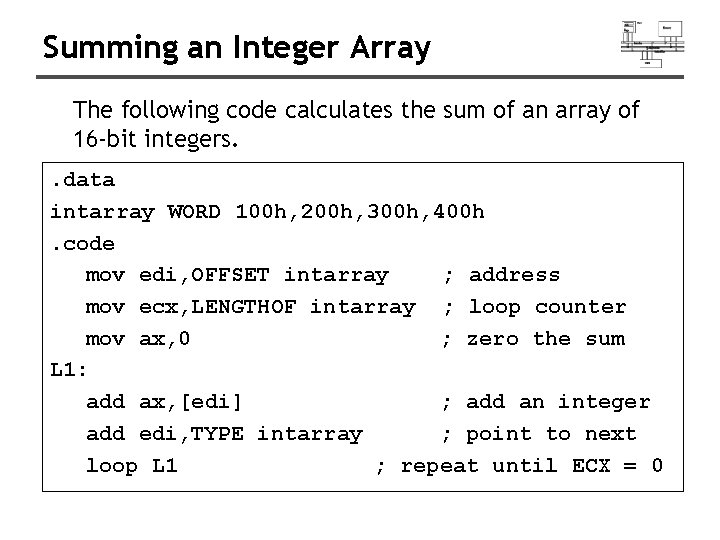
Summing an Integer Array The following code calculates the sum of an array of 16 -bit integers. . data intarray WORD 100 h, 200 h, 300 h, 400 h. code mov edi, OFFSET intarray ; address mov ecx, LENGTHOF intarray ; loop counter mov ax, 0 ; zero the sum L 1: add ax, [edi] ; add an integer add edi, TYPE intarray ; point to next loop L 1 ; repeat until ECX = 0
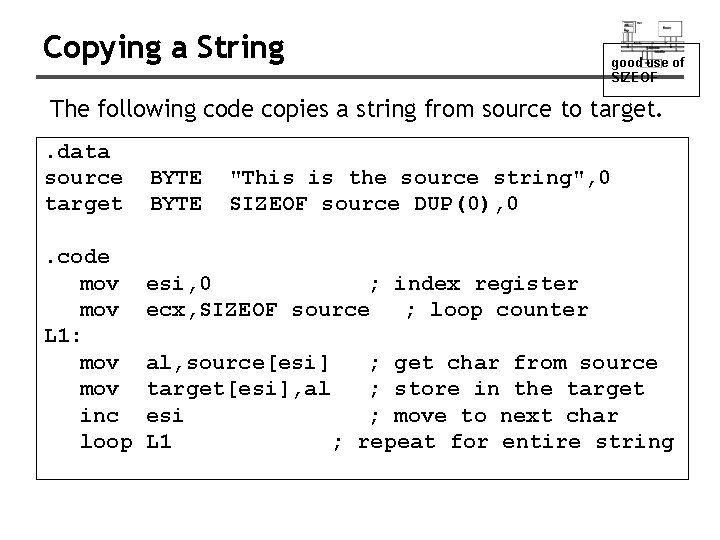
Copying a String good use of SIZEOF The following code copies a string from source to target. . data source target. code mov L 1: mov inc loop BYTE "This is the source string", 0 SIZEOF source DUP(0), 0 esi, 0 ; index register ecx, SIZEOF source ; loop counter al, source[esi] ; get char from source target[esi], al ; store in the target esi ; move to next char L 1 ; repeat for entire string
Conditional Processing
Status flags - review • The Zero flag is set when the result of an operation equals zero. • The Carry flag is set when an instruction generates a result that is too large (or too small) for the destination operand. • The Sign flag is set if the destination operand is negative, and it is clear if the destination operand is positive. • The Overflow flag is set when an instruction generates an invalid signed result. • Less important: – The Parity flag is set when an instruction generates an even number of 1 bits in the low byte of the destination operand. – The Auxiliary Carry flag is set when an operation produces a carry out from bit 3 to bit 4
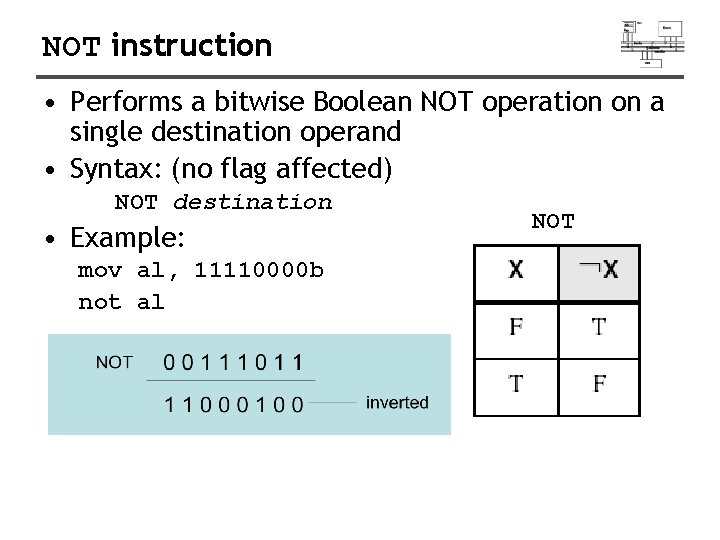
NOT instruction • Performs a bitwise Boolean NOT operation on a single destination operand • Syntax: (no flag affected) NOT destination • Example: mov al, 11110000 b not al NOT
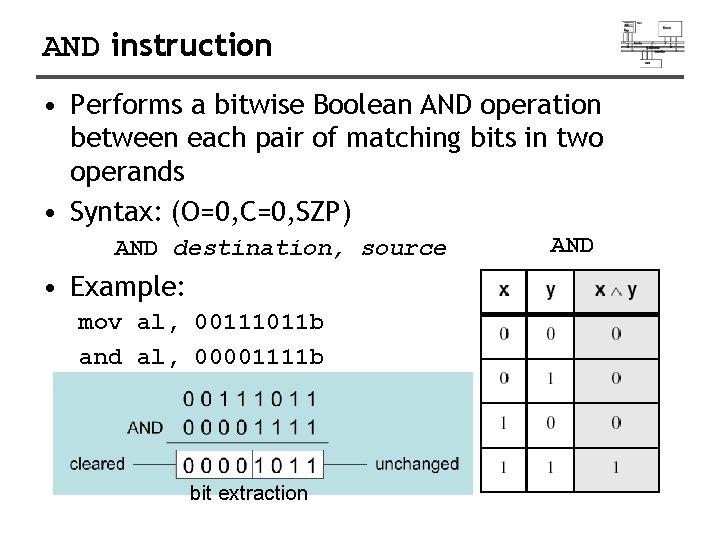
AND instruction • Performs a bitwise Boolean AND operation between each pair of matching bits in two operands • Syntax: (O=0, C=0, SZP) AND destination, source • Example: mov al, 00111011 b and al, 00001111 b bit extraction AND
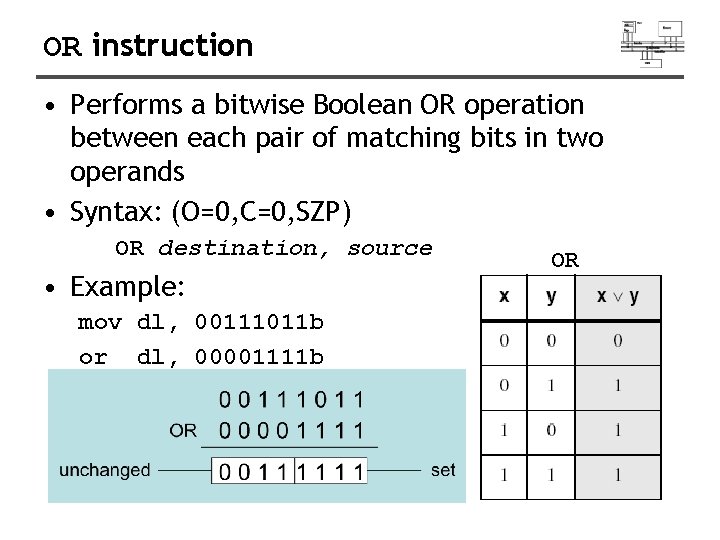
OR instruction • Performs a bitwise Boolean OR operation between each pair of matching bits in two operands • Syntax: (O=0, C=0, SZP) OR destination, source • Example: mov dl, 00111011 b or dl, 00001111 b OR
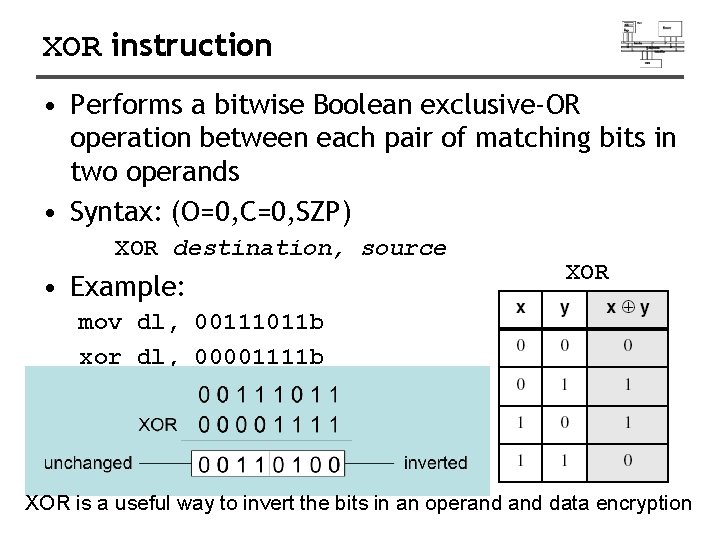
XOR instruction • Performs a bitwise Boolean exclusive-OR operation between each pair of matching bits in two operands • Syntax: (O=0, C=0, SZP) XOR destination, source • Example: XOR mov dl, 00111011 b xor dl, 00001111 b XOR is a useful way to invert the bits in an operand data encryption
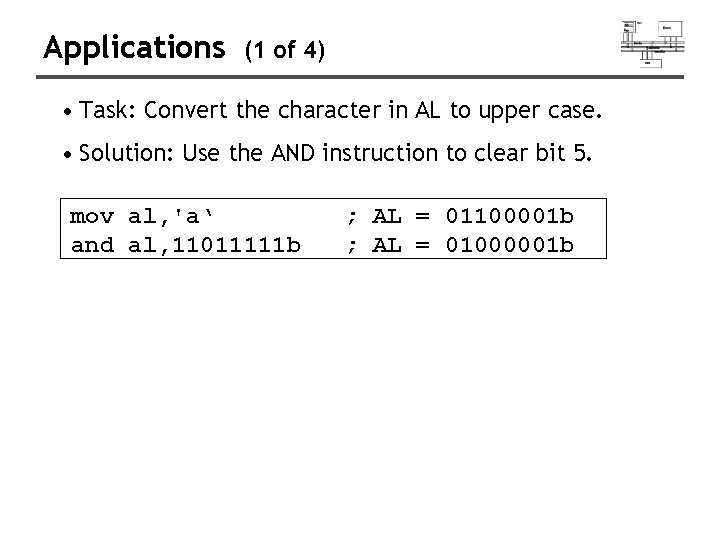
Applications (1 of 4) • Task: Convert the character in AL to upper case. • Solution: Use the AND instruction to clear bit 5. mov al, 'a‘ and al, 11011111 b ; AL = 01100001 b ; AL = 01000001 b
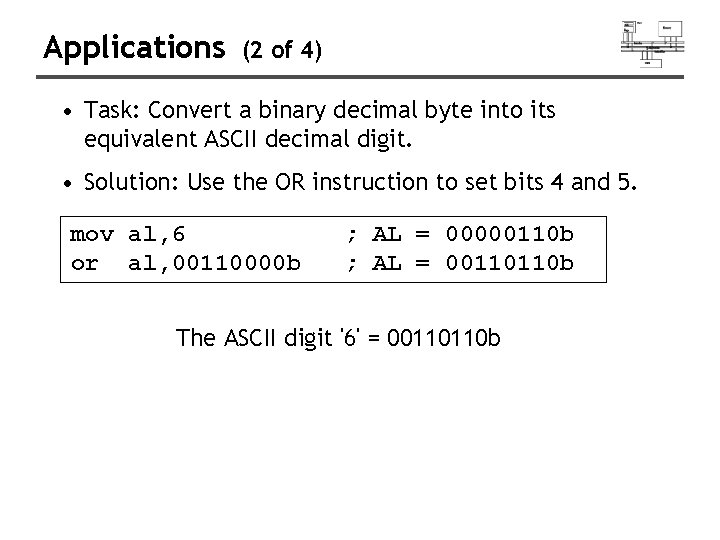
Applications (2 of 4) • Task: Convert a binary decimal byte into its equivalent ASCII decimal digit. • Solution: Use the OR instruction to set bits 4 and 5. mov al, 6 or al, 00110000 b ; AL = 00000110 b ; AL = 00110110 b The ASCII digit '6' = 00110110 b
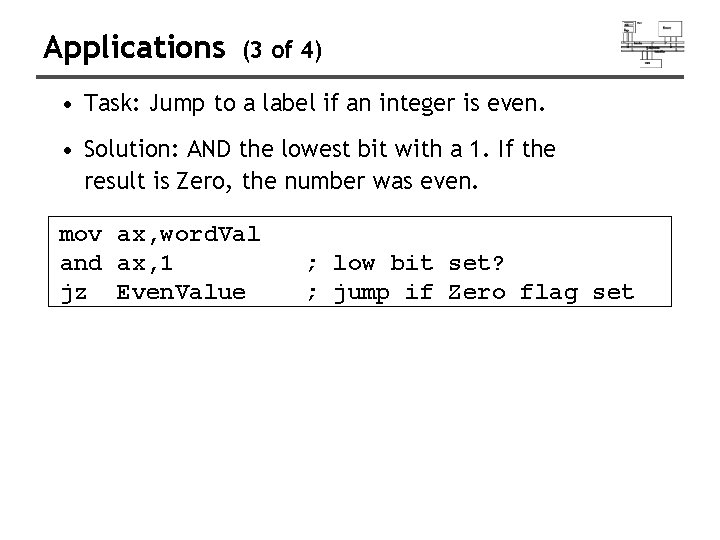
Applications (3 of 4) • Task: Jump to a label if an integer is even. • Solution: AND the lowest bit with a 1. If the result is Zero, the number was even. mov ax, word. Val and ax, 1 jz Even. Value ; low bit set? ; jump if Zero flag set
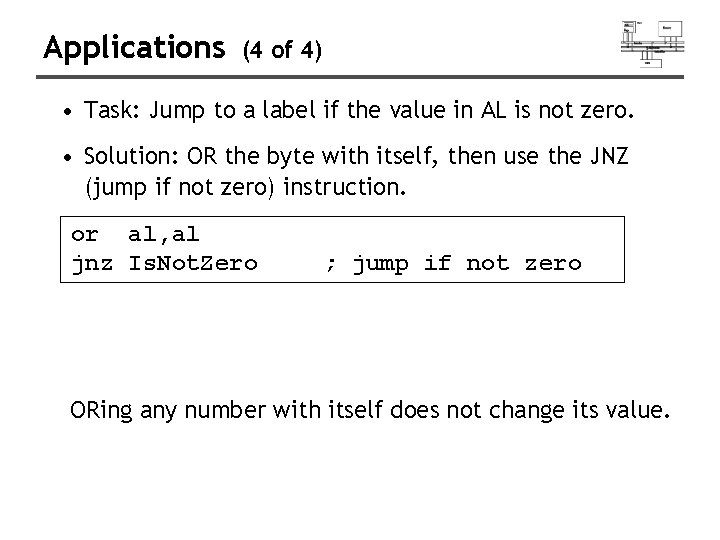
Applications (4 of 4) • Task: Jump to a label if the value in AL is not zero. • Solution: OR the byte with itself, then use the JNZ (jump if not zero) instruction. or al, al jnz Is. Not. Zero ; jump if not zero ORing any number with itself does not change its value.
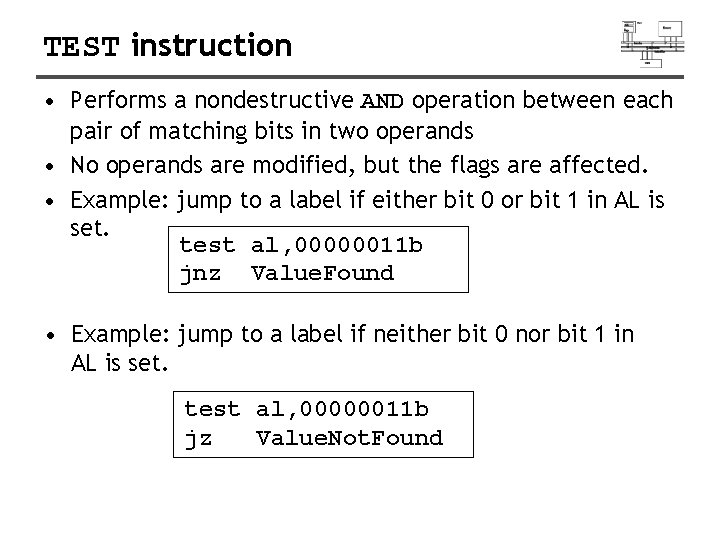
TEST instruction • Performs a nondestructive AND operation between each pair of matching bits in two operands • No operands are modified, but the flags are affected. • Example: jump to a label if either bit 0 or bit 1 in AL is set. test al, 00000011 b jnz Value. Found • Example: jump to a label if neither bit 0 nor bit 1 in AL is set. test al, 00000011 b jz Value. Not. Found
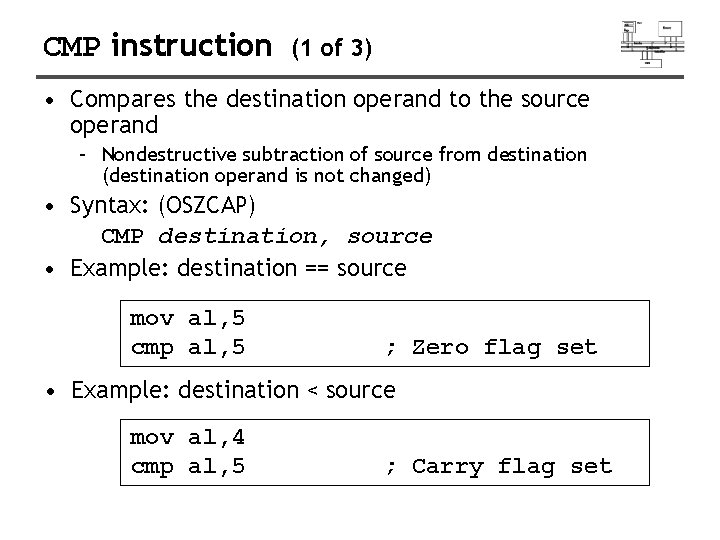
CMP instruction (1 of 3) • Compares the destination operand to the source operand – Nondestructive subtraction of source from destination (destination operand is not changed) • Syntax: (OSZCAP) CMP destination, source • Example: destination == source mov al, 5 cmp al, 5 ; Zero flag set • Example: destination < source mov al, 4 cmp al, 5 ; Carry flag set
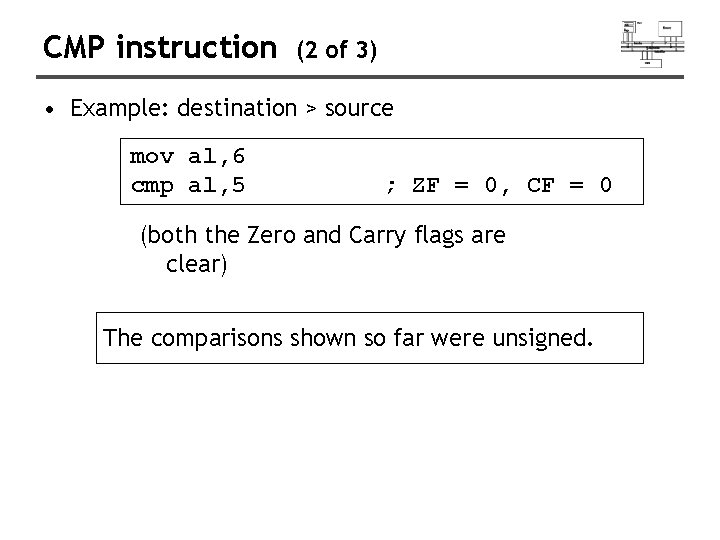
CMP instruction (2 of 3) • Example: destination > source mov al, 6 cmp al, 5 ; ZF = 0, CF = 0 (both the Zero and Carry flags are clear) The comparisons shown so far were unsigned.
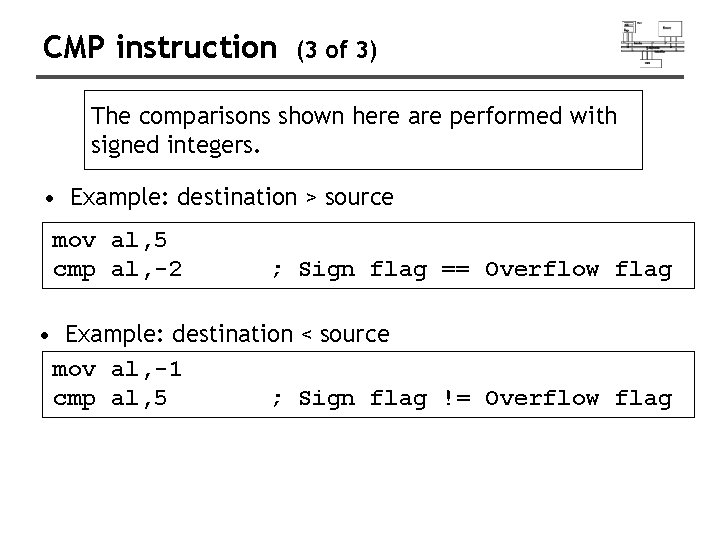
CMP instruction (3 of 3) The comparisons shown here are performed with signed integers. • Example: destination > source mov al, 5 cmp al, -2 ; Sign flag == Overflow flag • Example: destination < source mov al, -1 cmp al, 5 ; Sign flag != Overflow flag
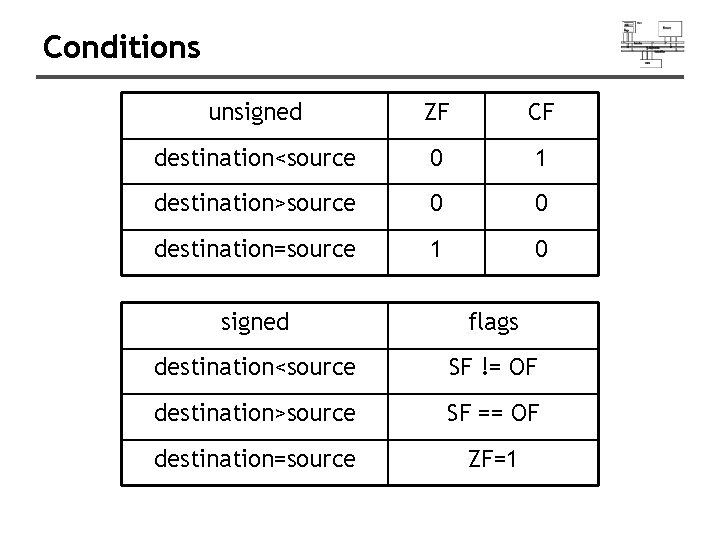
Conditions unsigned ZF CF destination<source 0 1 destination>source 0 0 destination=source 1 0 signed flags destination<source SF != OF destination>source SF == OF destination=source ZF=1
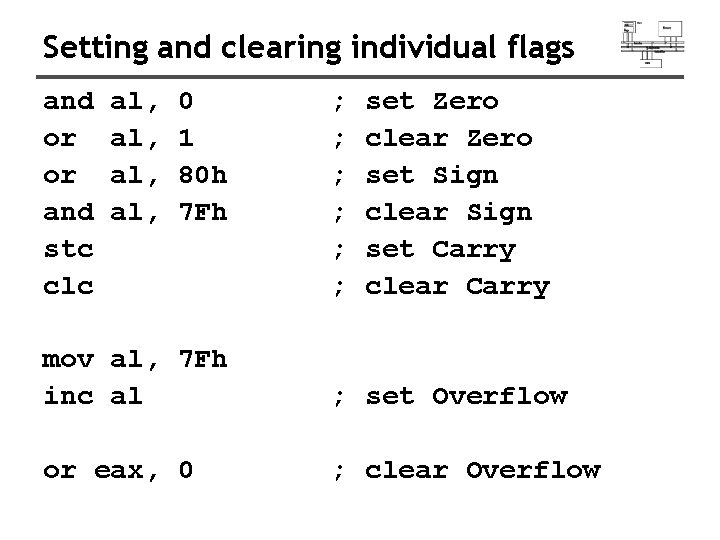
Setting and clearing individual flags and or or and stc clc al, al, 0 1 80 h 7 Fh ; ; ; set Zero clear Zero set Sign clear Sign set Carry clear Carry mov al, 7 Fh inc al ; set Overflow or eax, 0 ; clear Overflow
Conditional jumps
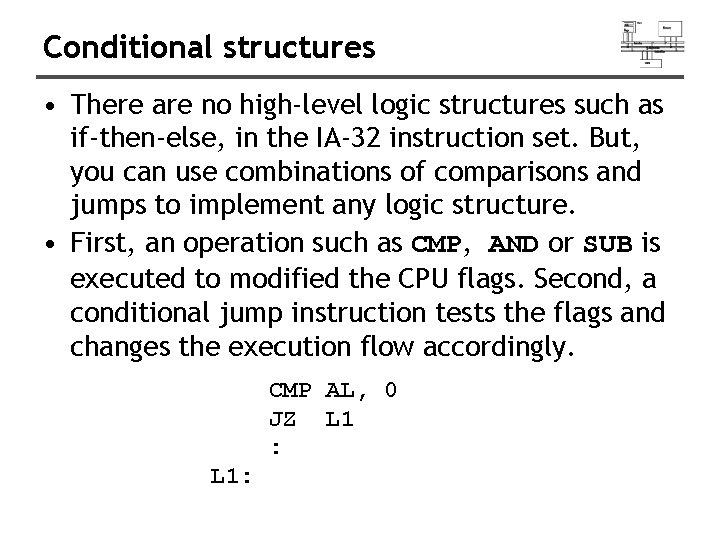
Conditional structures • There are no high-level logic structures such as if-then-else, in the IA-32 instruction set. But, you can use combinations of comparisons and jumps to implement any logic structure. • First, an operation such as CMP, AND or SUB is executed to modified the CPU flags. Second, a conditional jump instruction tests the flags and changes the execution flow accordingly. CMP AL, 0 JZ L 1 : L 1:
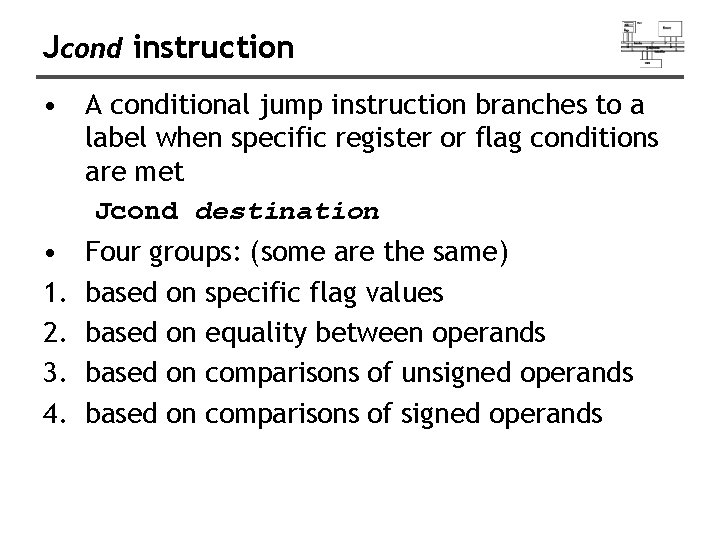
Jcond instruction • A conditional jump instruction branches to a label when specific register or flag conditions are met Jcond destination • 1. 2. 3. 4. Four groups: (some are the same) based on specific flag values based on equality between operands based on comparisons of unsigned operands based on comparisons of signed operands
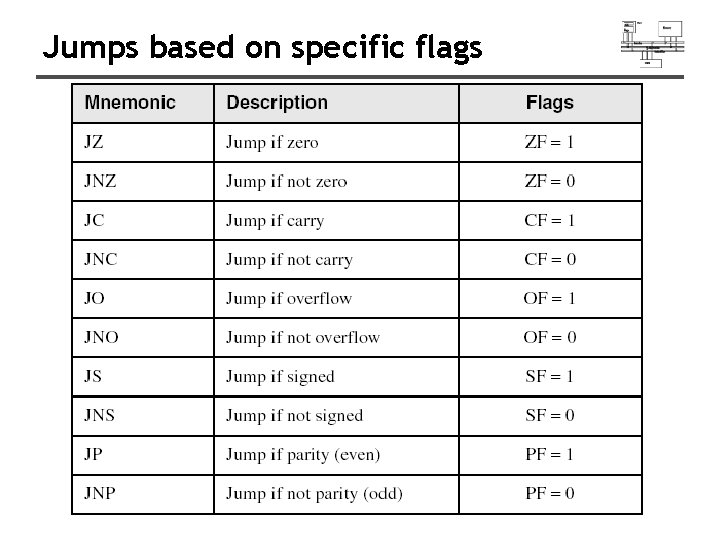
Jumps based on specific flags
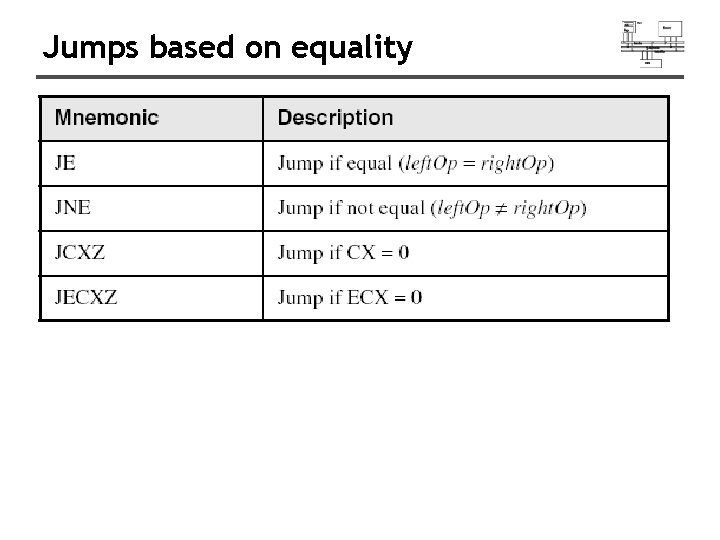
Jumps based on equality
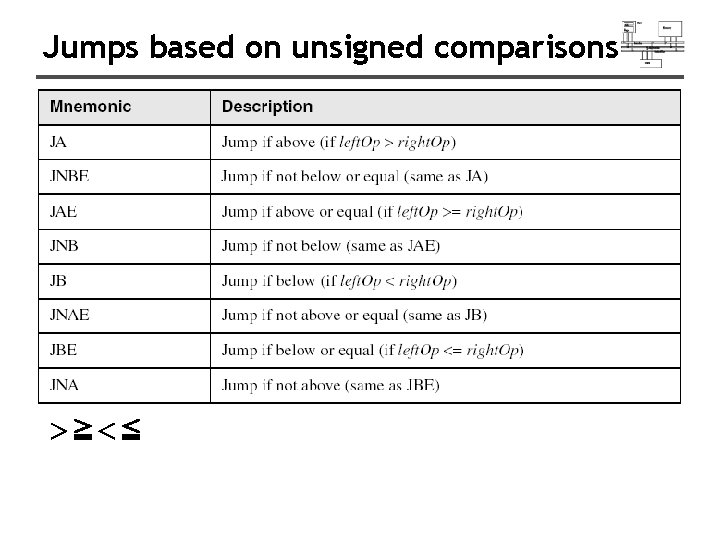
Jumps based on unsigned comparisons >≧<≦
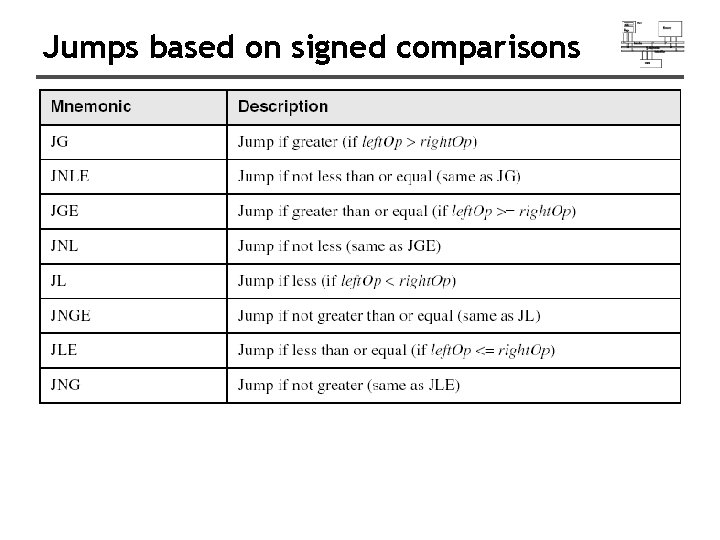
Jumps based on signed comparisons
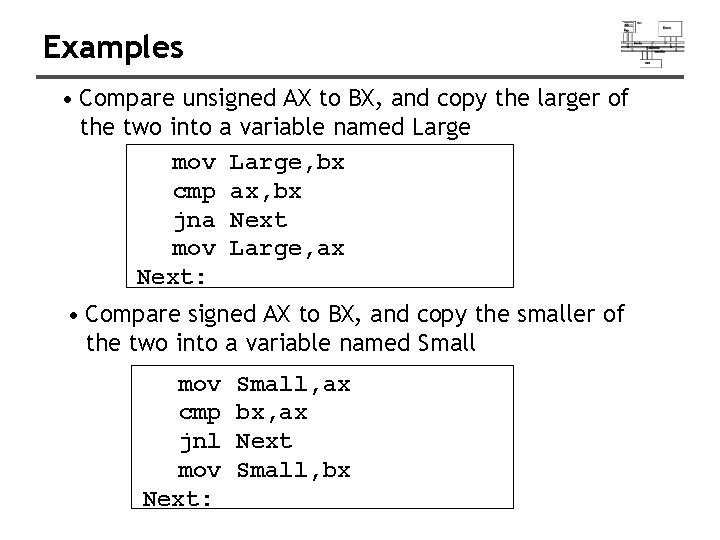
Examples • Compare unsigned AX to BX, and copy the larger of the two into a variable named Large mov Large, bx cmp ax, bx jna Next mov Large, ax Next: • Compare signed AX to BX, and copy the smaller of the two into a variable named Small mov cmp jnl mov Next: Small, ax bx, ax Next Small, bx
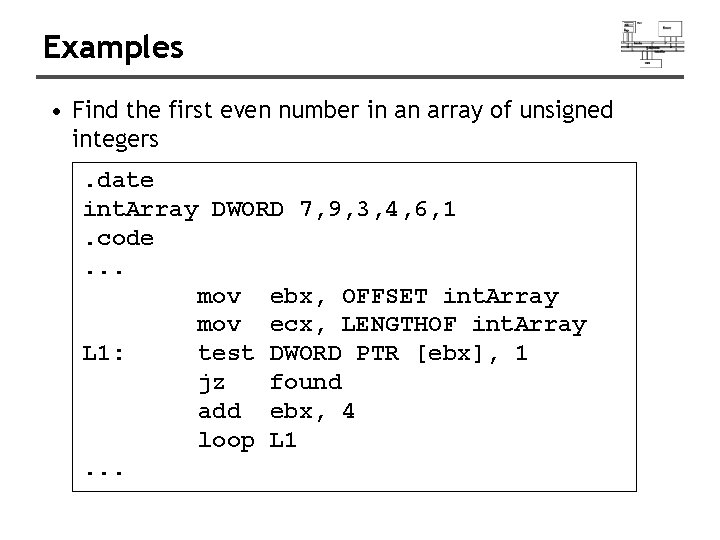
Examples • Find the first even number in an array of unsigned integers. date int. Array DWORD 7, 9, 3, 4, 6, 1. code. . . mov ebx, OFFSET int. Array mov ecx, LENGTHOF int. Array L 1: test DWORD PTR [ebx], 1 jz found add ebx, 4 loop L 1. . .
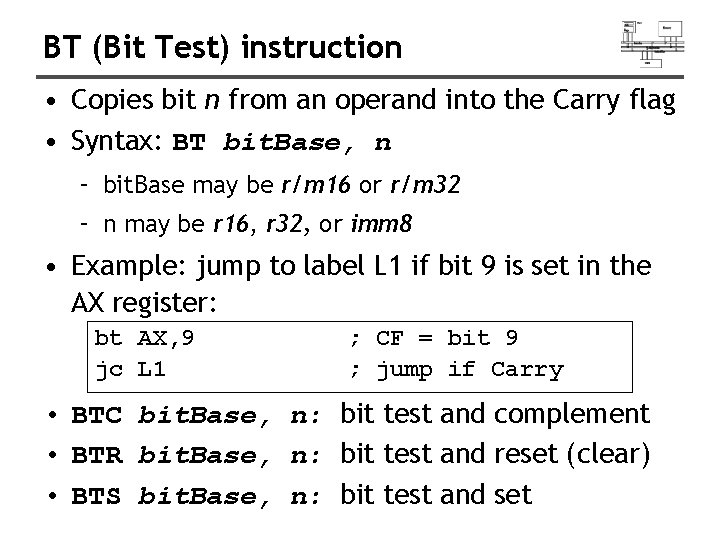
BT (Bit Test) instruction • Copies bit n from an operand into the Carry flag • Syntax: BT bit. Base, n – bit. Base may be r/m 16 or r/m 32 – n may be r 16, r 32, or imm 8 • Example: jump to label L 1 if bit 9 is set in the AX register: bt AX, 9 jc L 1 ; CF = bit 9 ; jump if Carry • BTC bit. Base, n: bit test and complement • BTR bit. Base, n: bit test and reset (clear) • BTS bit. Base, n: bit test and set
Conditional loops
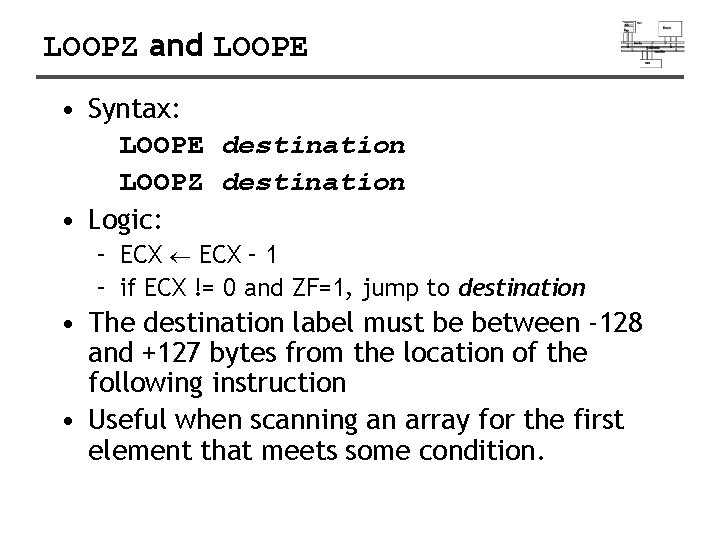
LOOPZ and LOOPE • Syntax: LOOPE destination LOOPZ destination • Logic: – ECX – 1 – if ECX != 0 and ZF=1, jump to destination • The destination label must be between -128 and +127 bytes from the location of the following instruction • Useful when scanning an array for the first element that meets some condition.
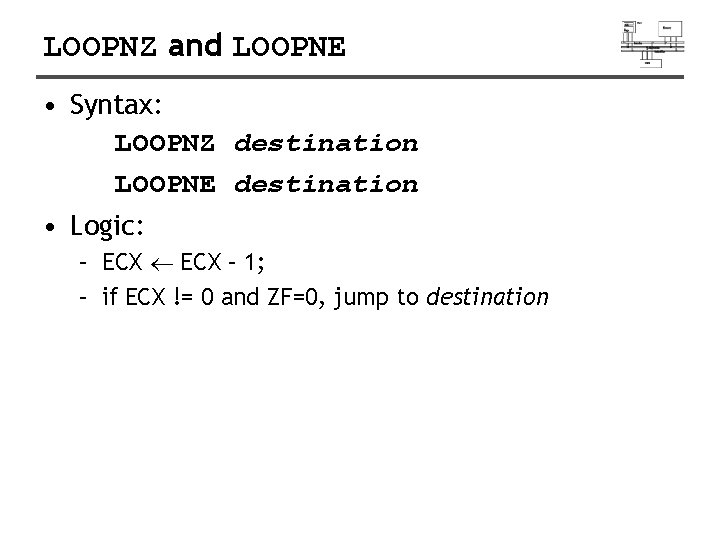
LOOPNZ and LOOPNE • Syntax: LOOPNZ destination LOOPNE destination • Logic: – ECX – 1; – if ECX != 0 and ZF=0, jump to destination
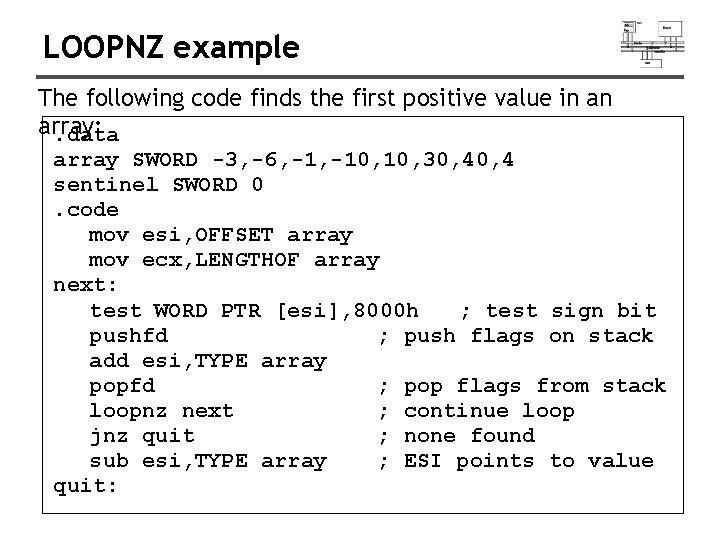
LOOPNZ example The following code finds the first positive value in an array: . data array SWORD -3, -6, -10, 10, 30, 4 sentinel SWORD 0. code mov esi, OFFSET array mov ecx, LENGTHOF array next: test WORD PTR [esi], 8000 h ; test sign bit pushfd ; push flags on stack add esi, TYPE array popfd ; pop flags from stack loopnz next ; continue loop jnz quit ; none found sub esi, TYPE array ; ESI points to value quit:
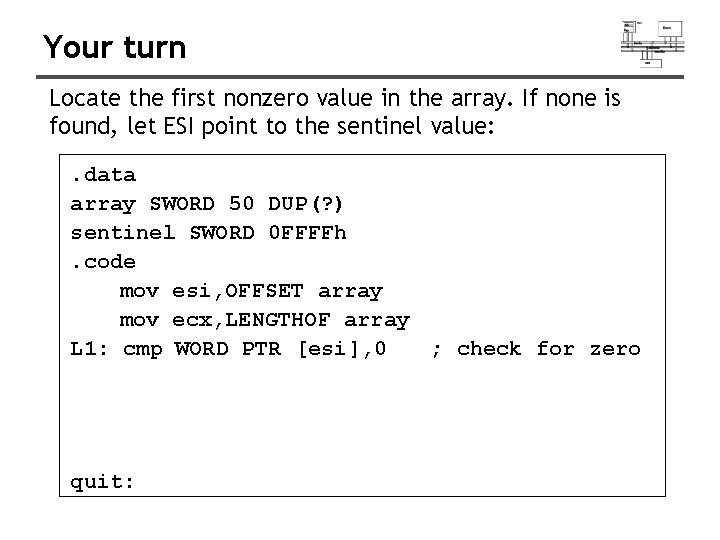
Your turn Locate the first nonzero value in the array. If none is found, let ESI point to the sentinel value: . data array SWORD 50 DUP(? ) sentinel SWORD 0 FFFFh. code mov esi, OFFSET array mov ecx, LENGTHOF array L 1: cmp WORD PTR [esi], 0 ; check for zero quit:
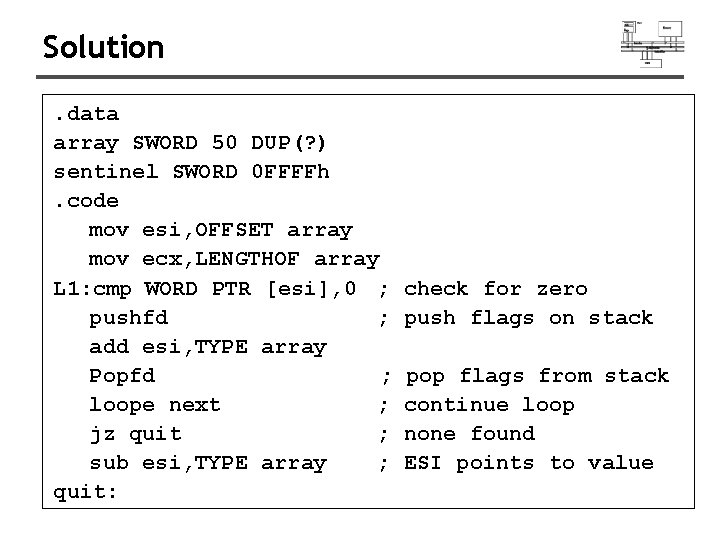
Solution. data array SWORD 50 DUP(? ) sentinel SWORD 0 FFFFh. code mov esi, OFFSET array mov ecx, LENGTHOF array L 1: cmp WORD PTR [esi], 0 ; pushfd ; add esi, TYPE array Popfd ; loope next ; jz quit ; sub esi, TYPE array ; quit: check for zero push flags on stack pop flags from stack continue loop none found ESI points to value
Conditional structures
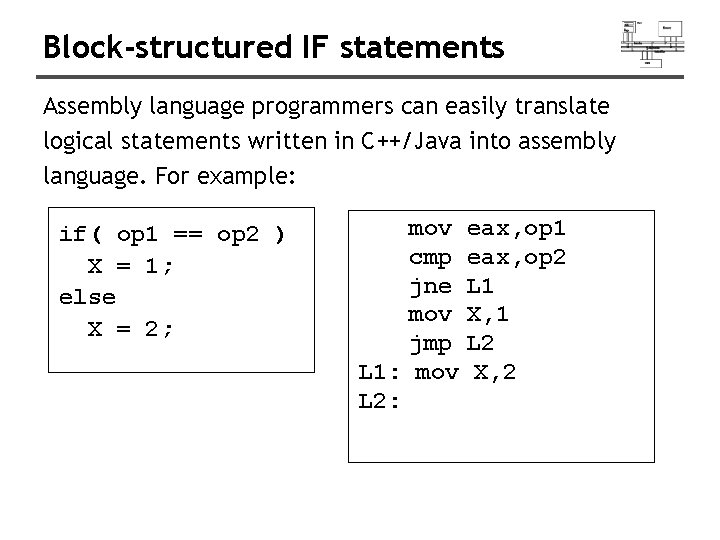
Block-structured IF statements Assembly language programmers can easily translate logical statements written in C++/Java into assembly language. For example: if( op 1 == op 2 ) X = 1; else X = 2; mov cmp jne mov jmp L 1: mov L 2: eax, op 1 eax, op 2 L 1 X, 1 L 2 X, 2
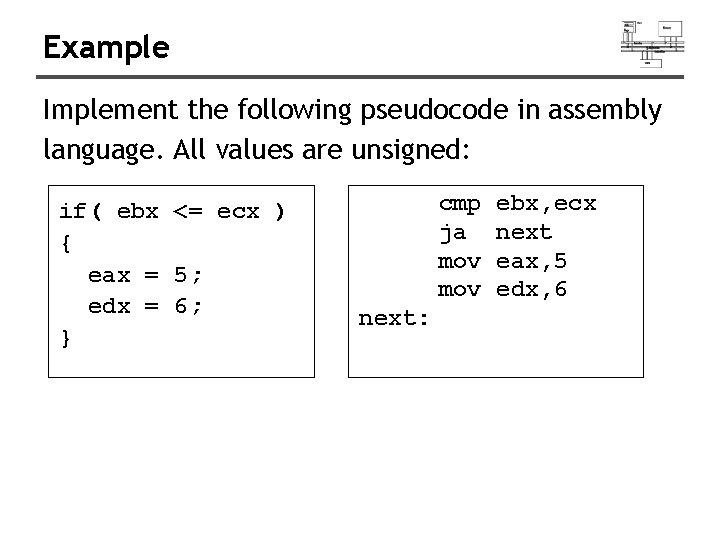
Example Implement the following pseudocode in assembly language. All values are unsigned: if( ebx <= ecx ) { eax = 5; edx = 6; } cmp ja mov next: ebx, ecx next eax, 5 edx, 6
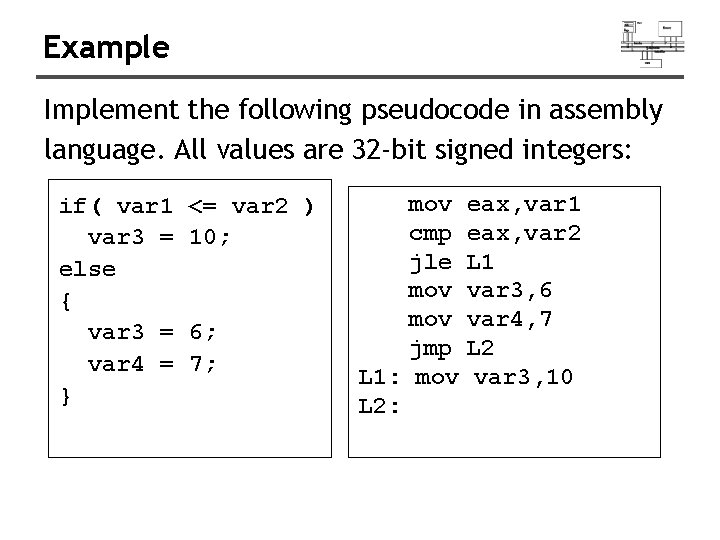
Example Implement the following pseudocode in assembly language. All values are 32 -bit signed integers: if( var 1 var 3 = else { var 3 = var 4 = } <= var 2 ) 10; 6; 7; mov cmp jle mov jmp L 1: mov L 2: eax, var 1 eax, var 2 L 1 var 3, 6 var 4, 7 L 2 var 3, 10
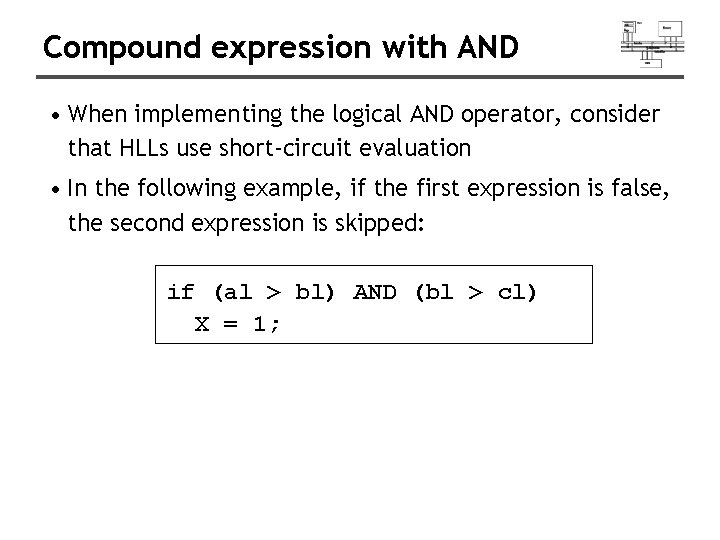
Compound expression with AND • When implementing the logical AND operator, consider that HLLs use short-circuit evaluation • In the following example, if the first expression is false, the second expression is skipped: if (al > bl) AND (bl > cl) X = 1;
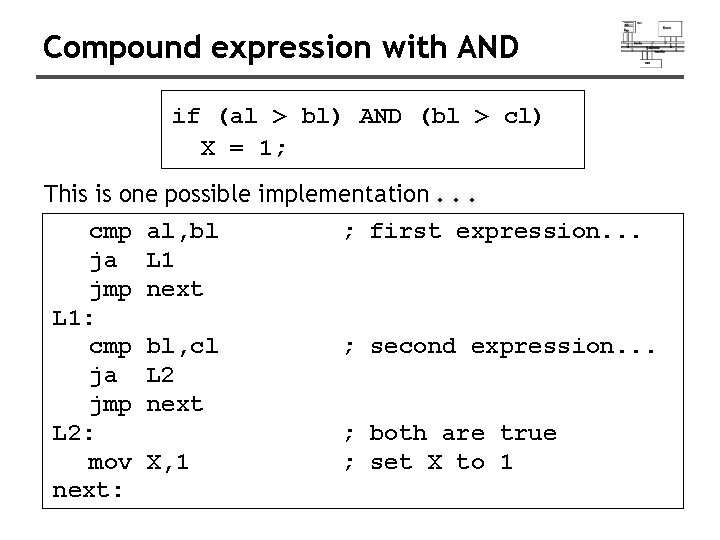
Compound expression with AND if (al > bl) AND (bl > cl) X = 1; This is one possible implementation. . . cmp ja jmp L 1: cmp ja jmp L 2: mov next: al, bl L 1 next ; first expression. . . bl, cl L 2 next ; second expression. . . X, 1 ; both are true ; set X to 1
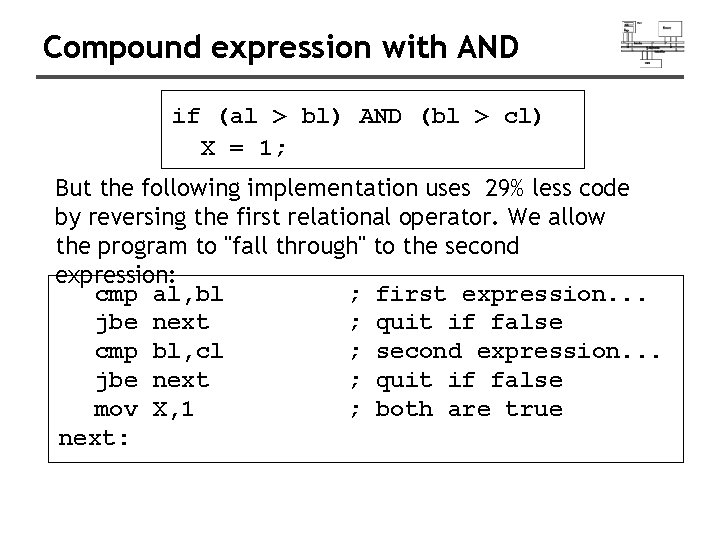
Compound expression with AND if (al > bl) AND (bl > cl) X = 1; But the following implementation uses 29% less code by reversing the first relational operator. We allow the program to "fall through" to the second expression: cmp al, bl ; first expression. . . jbe next ; quit if false cmp bl, cl ; second expression. . . jbe next ; quit if false mov X, 1 ; both are true next:
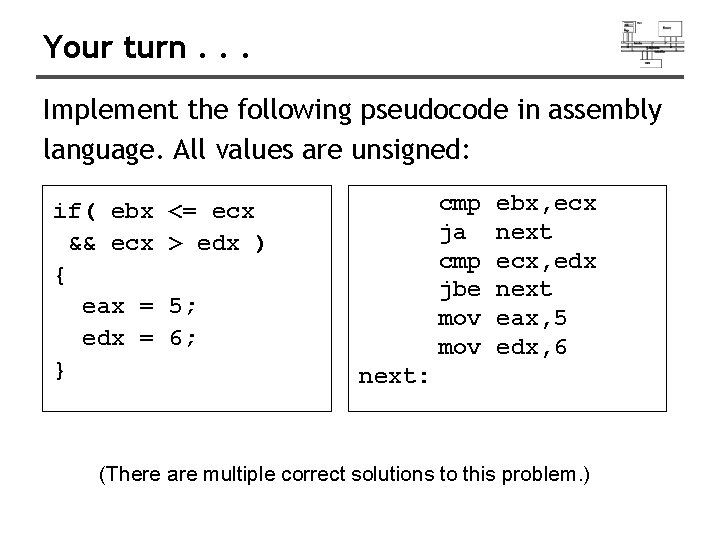
Your turn. . . Implement the following pseudocode in assembly language. All values are unsigned: if( ebx && ecx { eax = edx = } cmp ja cmp jbe mov <= ecx > edx ) 5; 6; ebx, ecx next ecx, edx next eax, 5 edx, 6 next: (There are multiple correct solutions to this problem. )
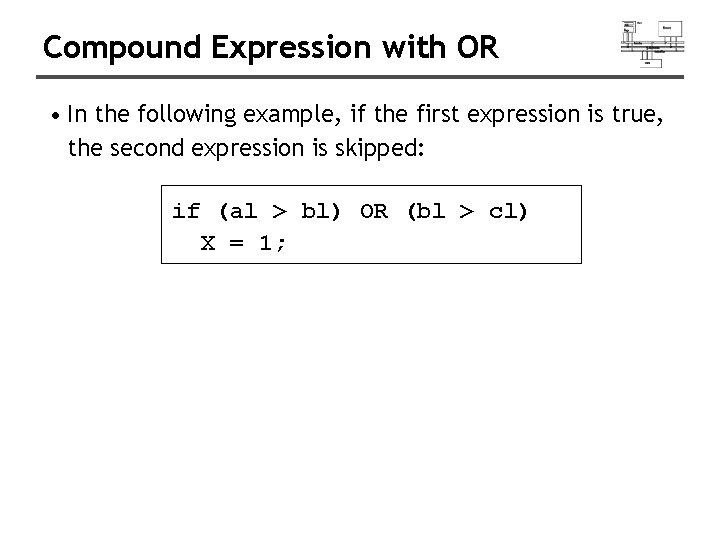
Compound Expression with OR • In the following example, if the first expression is true, the second expression is skipped: if (al > bl) OR (bl > cl) X = 1;
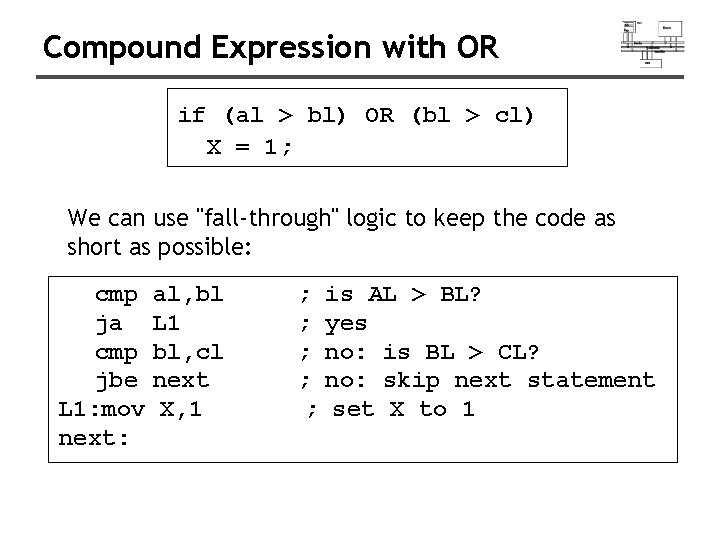
Compound Expression with OR if (al > bl) OR (bl > cl) X = 1; We can use "fall-through" logic to keep the code as short as possible: cmp ja cmp jbe L 1: mov next: al, bl L 1 bl, cl next X, 1 ; ; ; is AL > BL? yes no: is BL > CL? no: skip next statement set X to 1
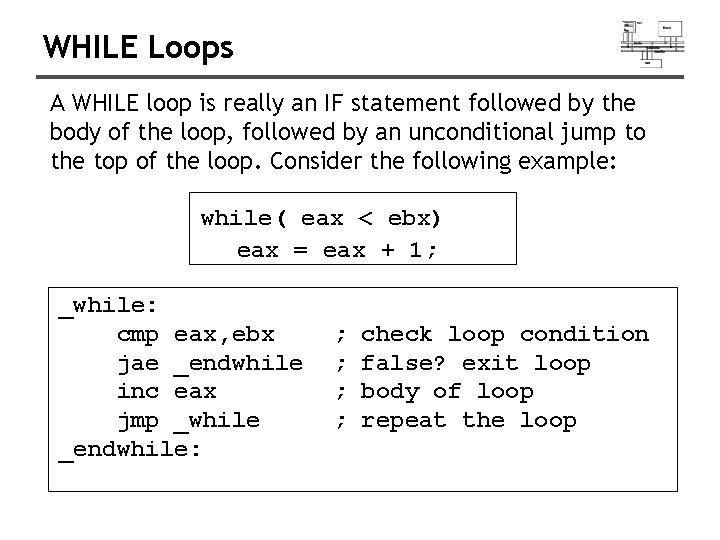
WHILE Loops A WHILE loop is really an IF statement followed by the body of the loop, followed by an unconditional jump to the top of the loop. Consider the following example: while( eax < ebx) eax = eax + 1; _while: cmp eax, ebx jae _endwhile inc eax jmp _while _endwhile: ; ; check loop condition false? exit loop body of loop repeat the loop
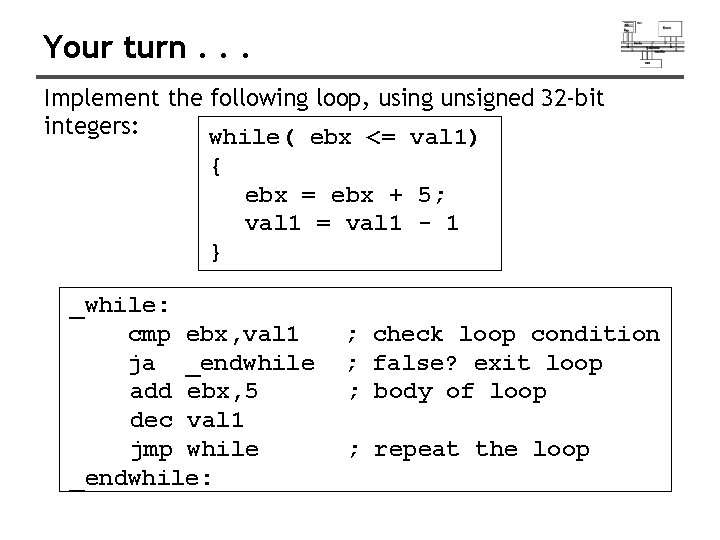
Your turn. . . Implement the following loop, using unsigned 32 -bit integers: while( ebx <= val 1) { ebx = ebx + 5; val 1 = val 1 - 1 } _while: cmp ebx, val 1 ja _endwhile add ebx, 5 dec val 1 jmp while _endwhile: ; check loop condition ; false? exit loop ; body of loop ; repeat the loop
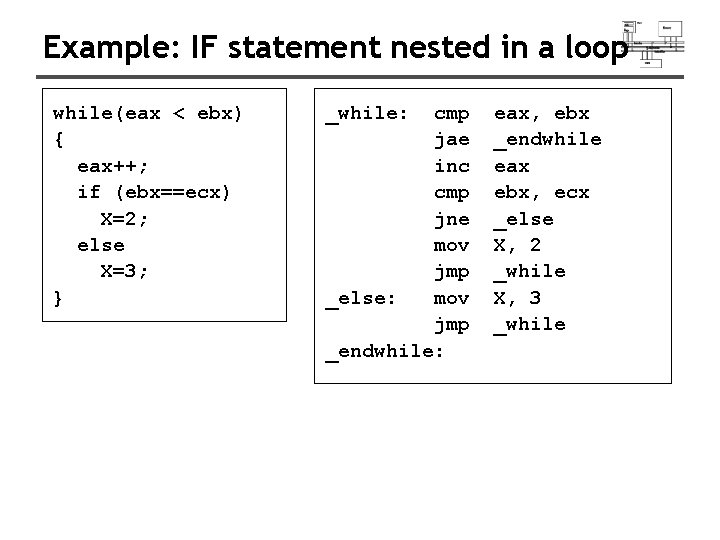
Example: IF statement nested in a loop while(eax < ebx) { eax++; if (ebx==ecx) X=2; else X=3; } _while: cmp jae inc cmp jne mov jmp _else: mov jmp _endwhile: eax, ebx _endwhile eax ebx, ecx _else X, 2 _while X, 3 _while
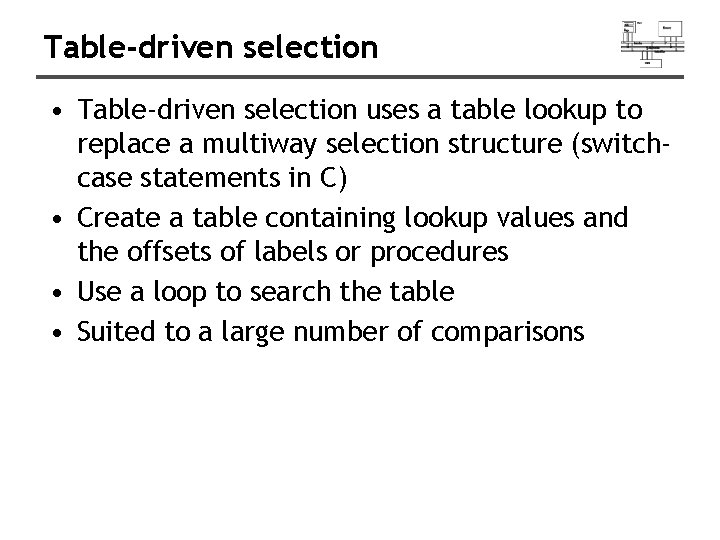
Table-driven selection • Table-driven selection uses a table lookup to replace a multiway selection structure (switchcase statements in C) • Create a table containing lookup values and the offsets of labels or procedures • Use a loop to search the table • Suited to a large number of comparisons
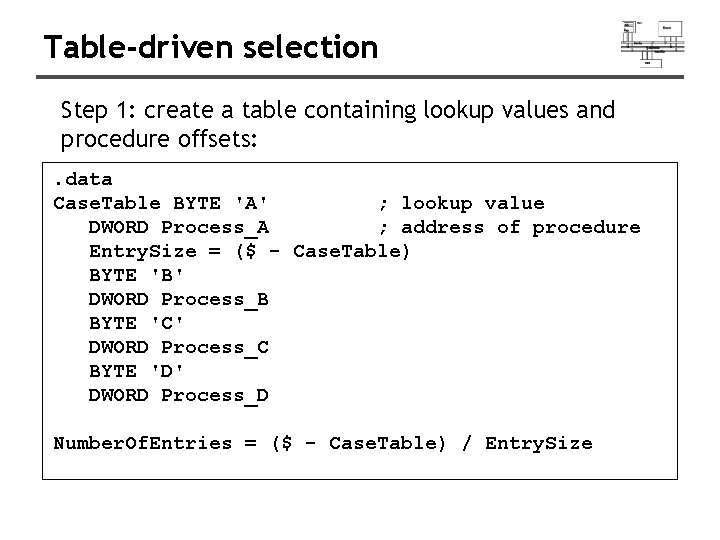
Table-driven selection Step 1: create a table containing lookup values and procedure offsets: . data Case. Table BYTE 'A' ; lookup value DWORD Process_A ; address of procedure Entry. Size = ($ - Case. Table) BYTE 'B' DWORD Process_B BYTE 'C' DWORD Process_C BYTE 'D' DWORD Process_D Number. Of. Entries = ($ - Case. Table) / Entry. Size
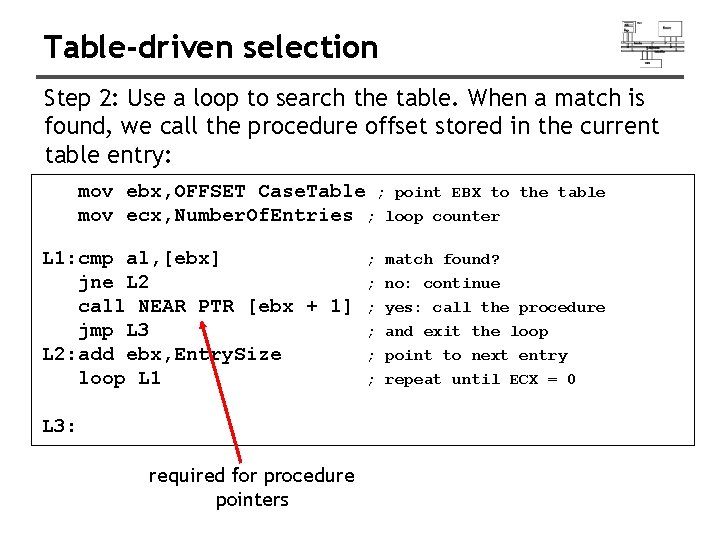
Table-driven selection Step 2: Use a loop to search the table. When a match is found, we call the procedure offset stored in the current table entry: mov ebx, OFFSET Case. Table ; point EBX to mov ecx, Number. Of. Entries ; loop counter L 1: cmp al, [ebx] jne L 2 call NEAR PTR [ebx + 1] jmp L 3 L 2: add ebx, Entry. Size loop L 1 L 3: required for procedure pointers ; ; ; the table match found? no: continue yes: call the procedure and exit the loop point to next entry repeat until ECX = 0
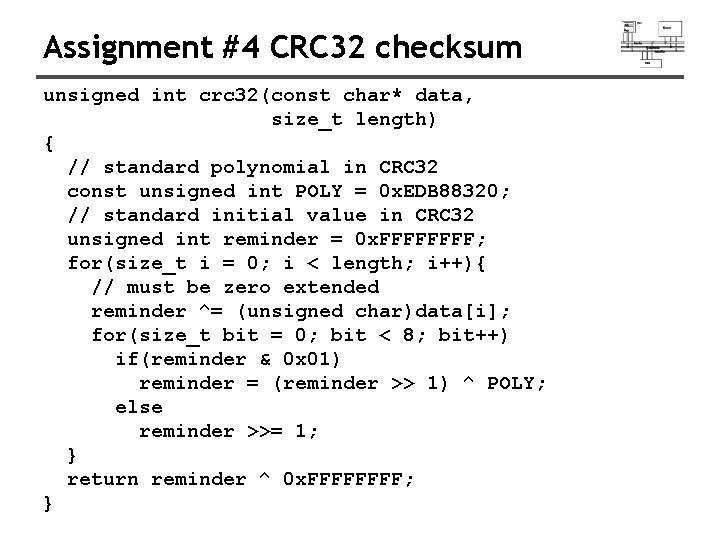
Assignment #4 CRC 32 checksum unsigned int crc 32(const char* data, size_t length) { // standard polynomial in CRC 32 const unsigned int POLY = 0 x. EDB 88320; // standard initial value in CRC 32 unsigned int reminder = 0 x. FFFF; for(size_t i = 0; i < length; i++){ // must be zero extended reminder ^= (unsigned char)data[i]; for(size_t bit = 0; bit < 8; bit++) if(reminder & 0 x 01) reminder = (reminder >> 1) ^ POLY; else reminder >>= 1; } return reminder ^ 0 x. FFFF; }
- Slides: 192