
Intel Quality Document Management System QDMS Training 1


- Slides: 61
Intel® Quality Document Management System (QDMS) Training 1 Intel Confidential
Overview of Login Page – The login page allows you to enter the site with your user name and password and reset the user name or password if you have forgotten it. – Directions: – Enter Username and Password and select Login. – Forgot your username? Request an email be sent to the email address on record with your login. – Forgot your password? Request an email be sent to the email address on record with a link to click that will allow you to reset the account with a new password – New User? Register online 2 Intel Confidential
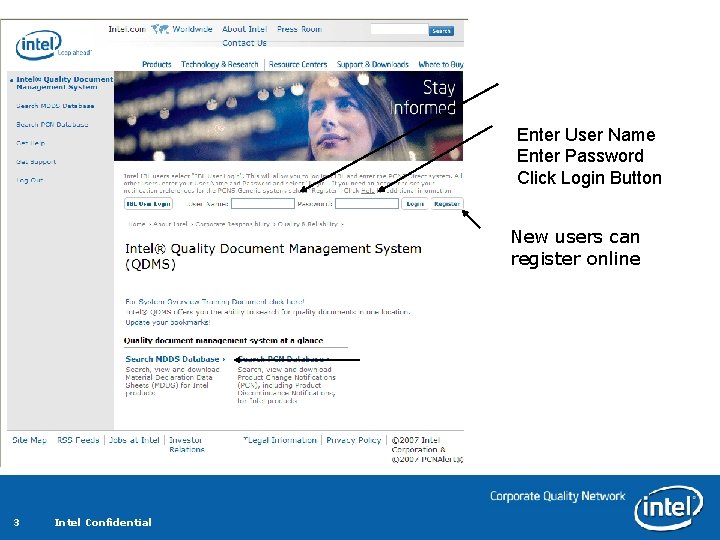
Enter User Name Enter Password Click Login Button New users can register online 3 Intel Confidential
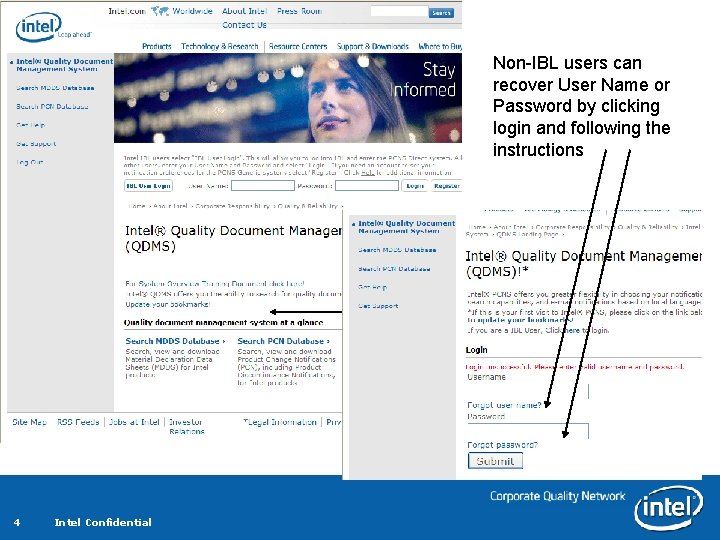
Non-IBL users can recover User Name or Password by clicking login and following the instructions 4 Intel Confidential
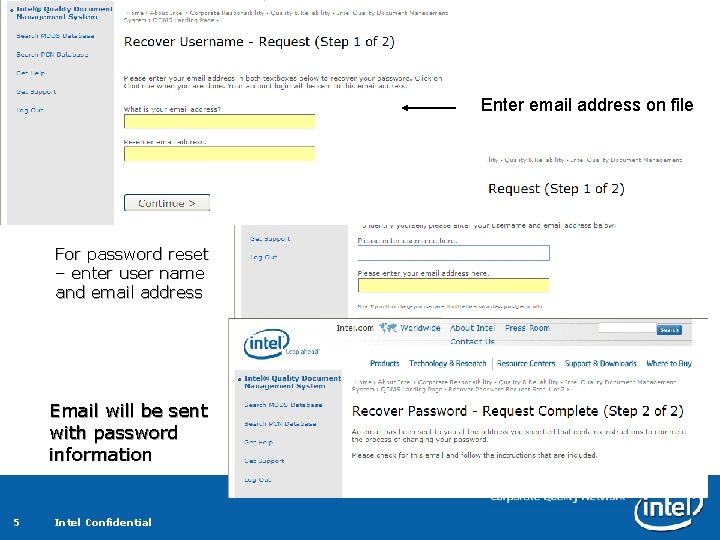
Enter email address on file For password reset – enter user name and email address Email will be sent with password information 5 Intel Confidential
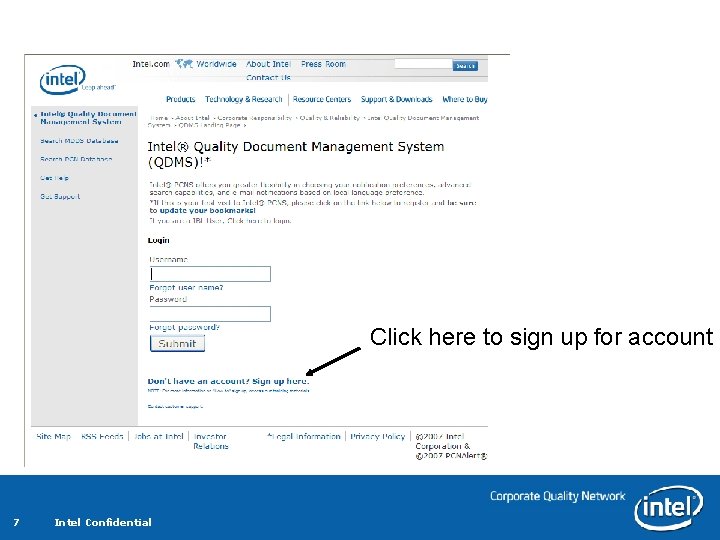
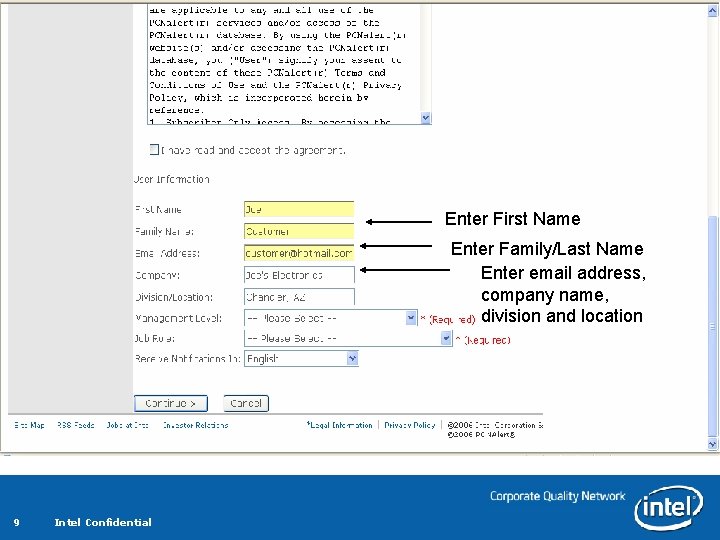
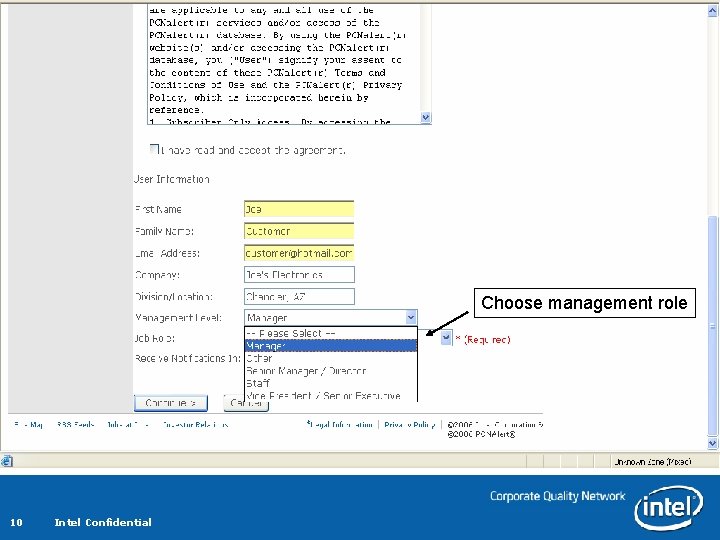
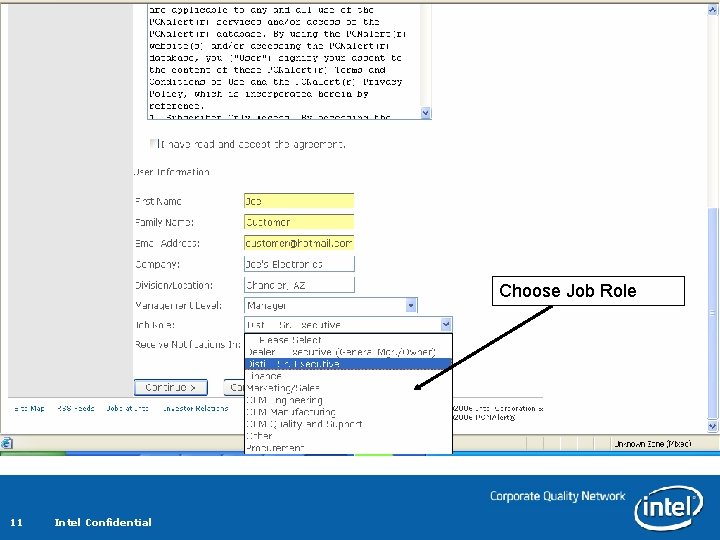
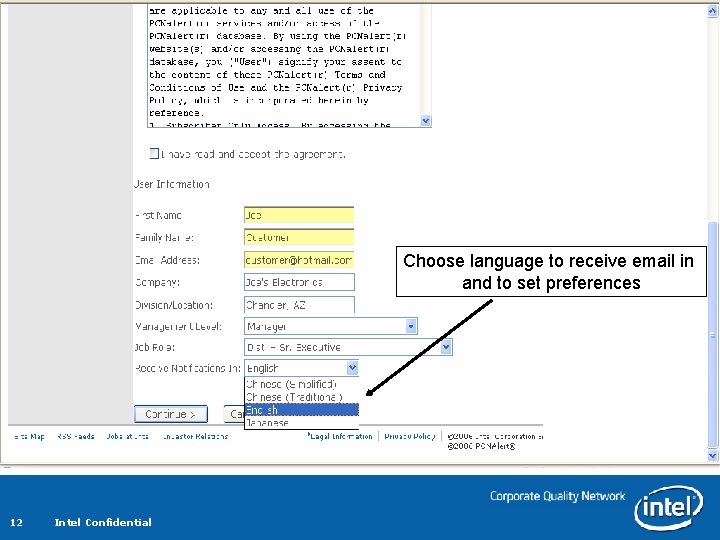
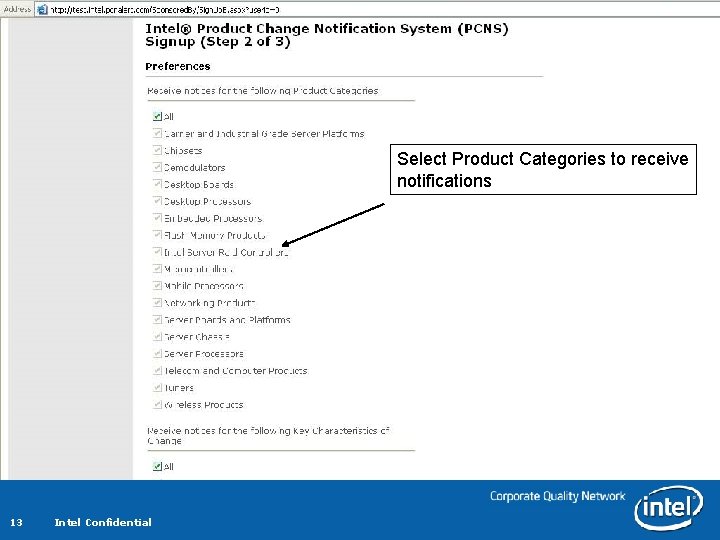
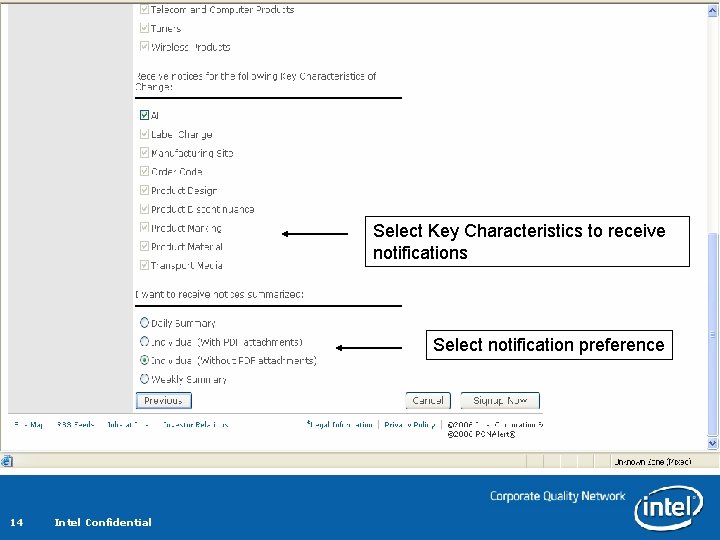
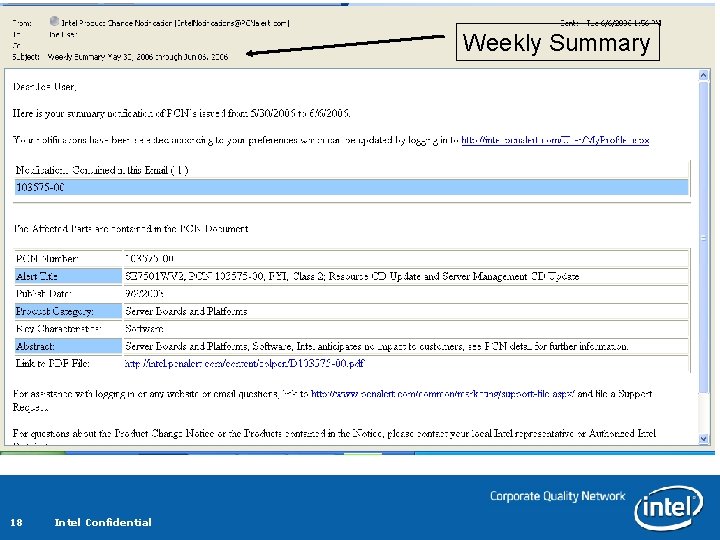
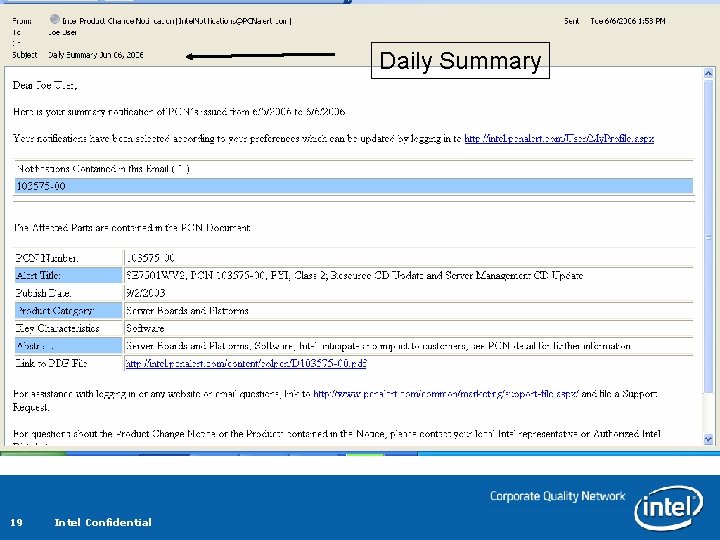
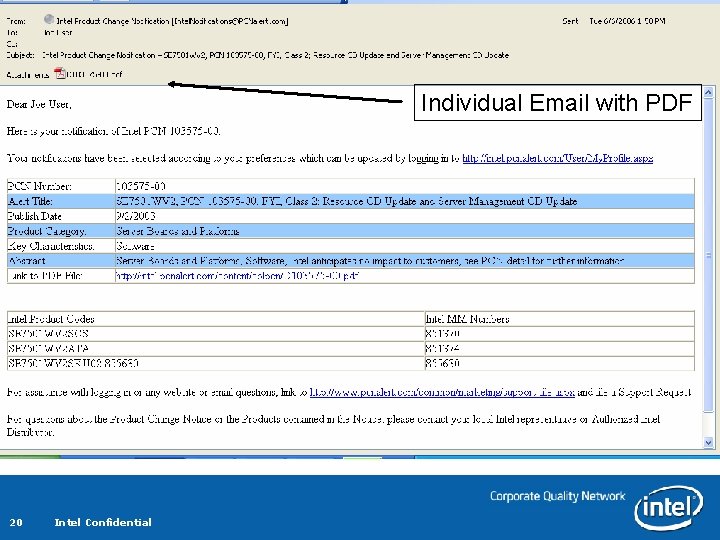
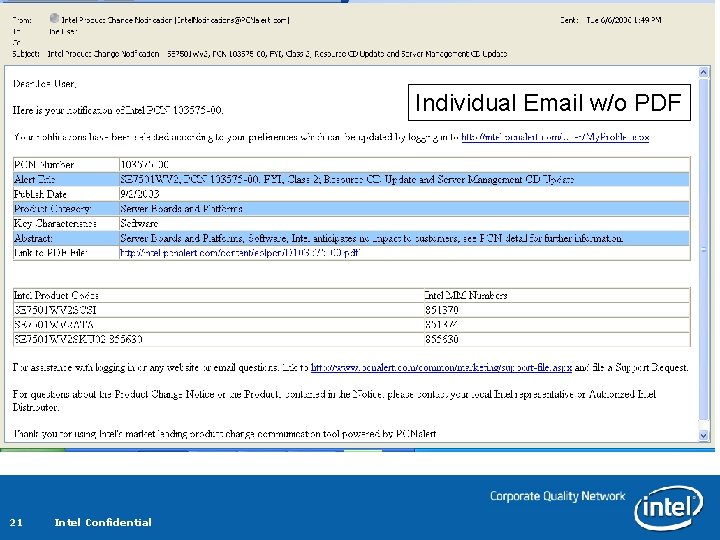
Overview of Sign Up Page – Sign up for a new account by clicking on the “Don't have an account? Sign up here” hyperlink. – You will be asked to provide: – First name, family or last name, email address, company, Division/Location, Management Level, Job Role, and email language format – You will be asked to choose what Product Categories, Key Characteristics and email intervals you prefer. – Email notifications can be sent in Japanese, Simplified Chinese, Traditional Chinese, and English – You can also select individual notifications with or without the PCN attached, daily summary, or a weekly summary of the published PCNs. 6 Intel Confidential
Click here to sign up for account 7 Intel Confidential
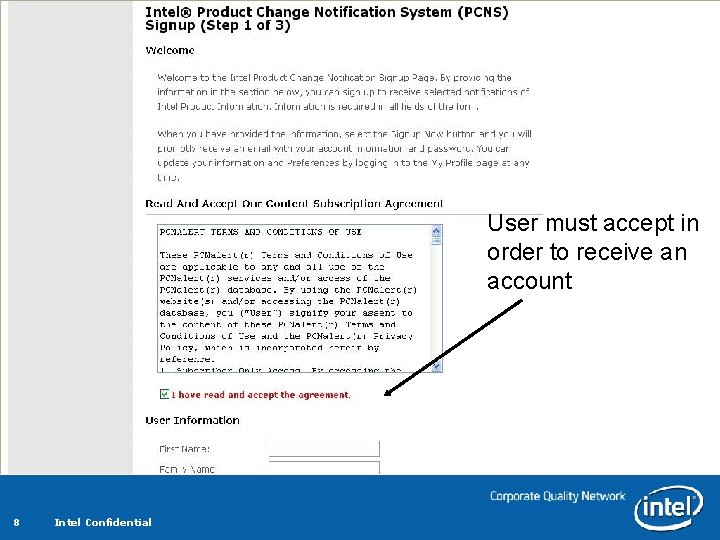
User must accept in order to receive an account 8 Intel Confidential
Enter First Name Enter Family/Last Name Enter email address, company name, division and location 9 Intel Confidential
Choose management role 10 Intel Confidential
Choose Job Role 11 Intel Confidential
Choose language to receive email in and to set preferences 12 Intel Confidential
Select Product Categories to receive notifications 13 Intel Confidential
Select Key Characteristics to receive notifications Select notification preference 14 Intel Confidential
15 Intel Confidential
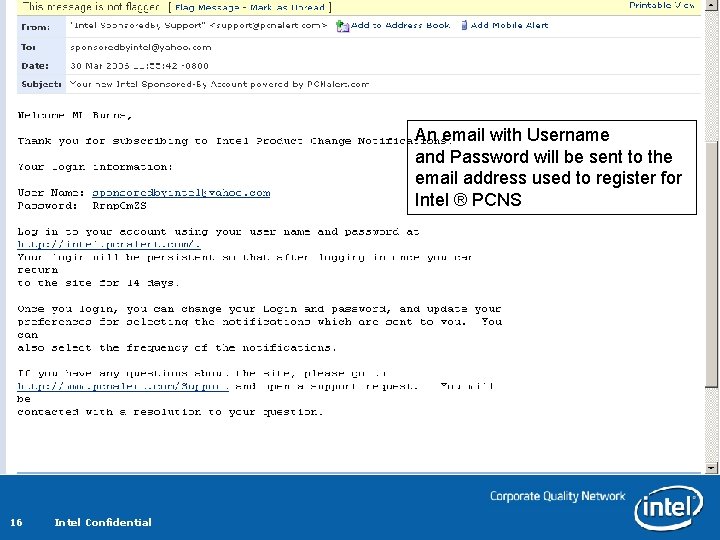
An email with Username and Password will be sent to the email address used to register for Intel ® PCNS 16 Intel Confidential
Examples Email Notifications 17 Intel Confidential
Weekly Summary 18 Intel Confidential
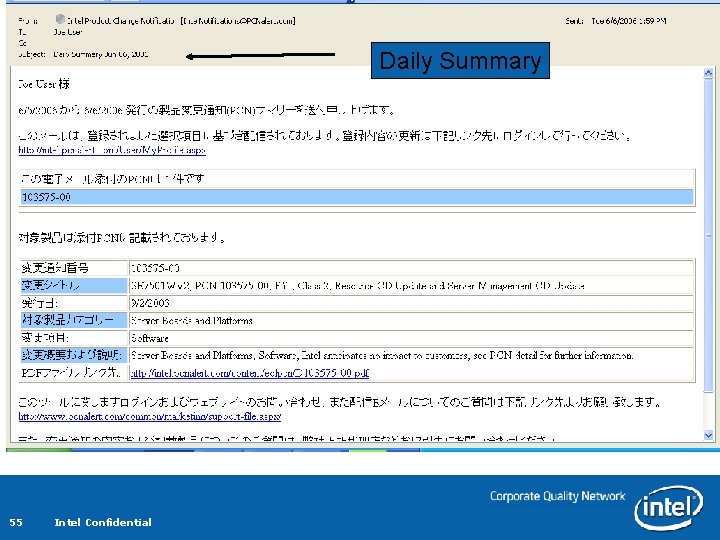
Daily Summary 19 Intel Confidential
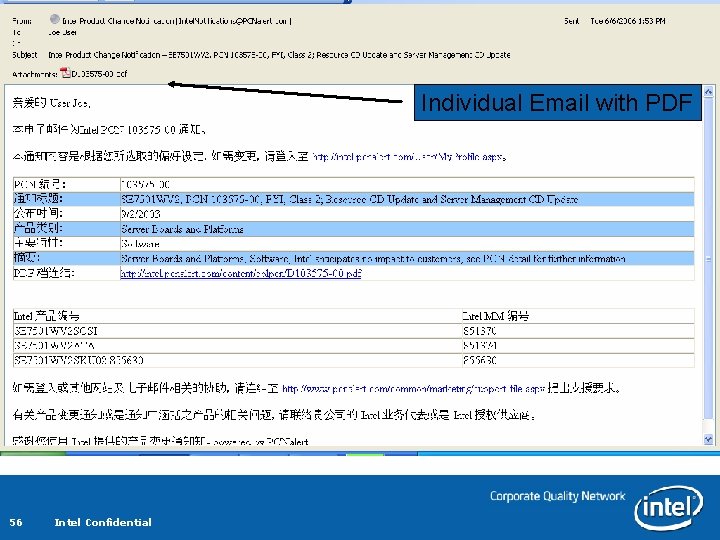
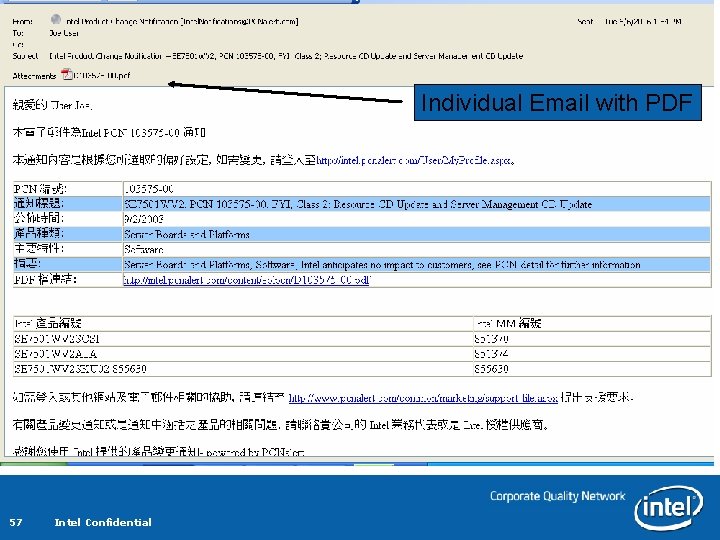
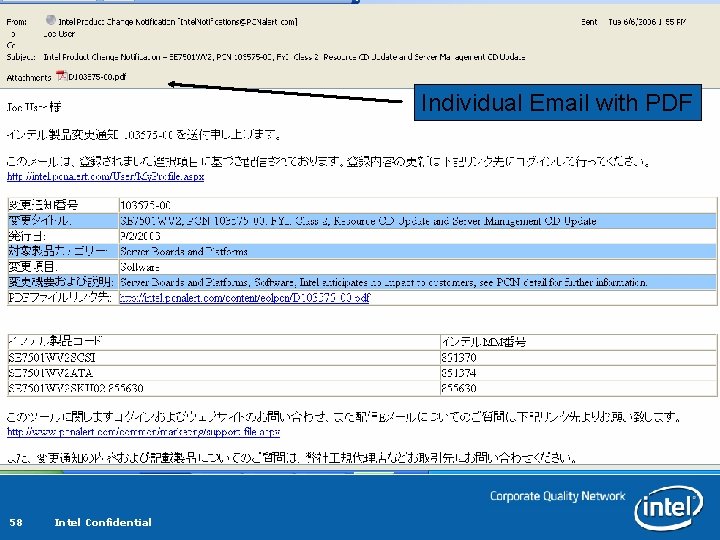
Individual Email with PDF 20 Intel Confidential
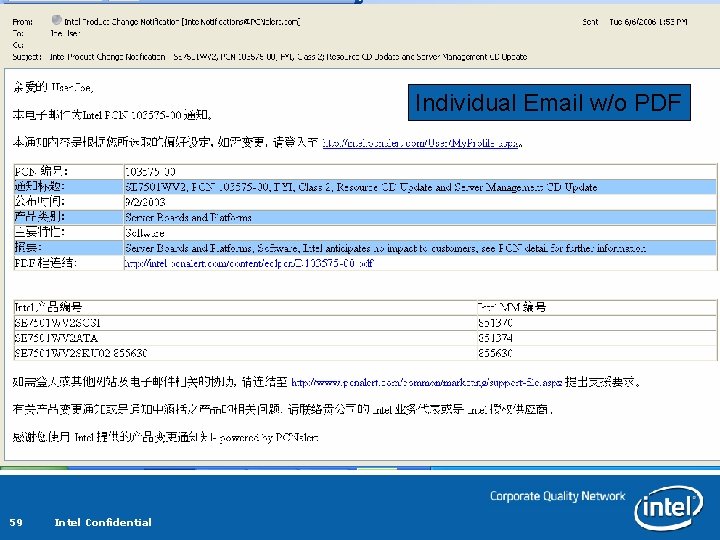
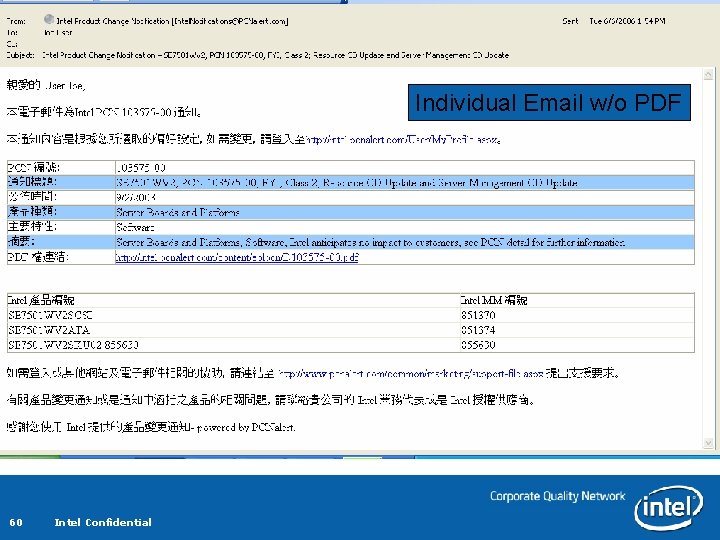
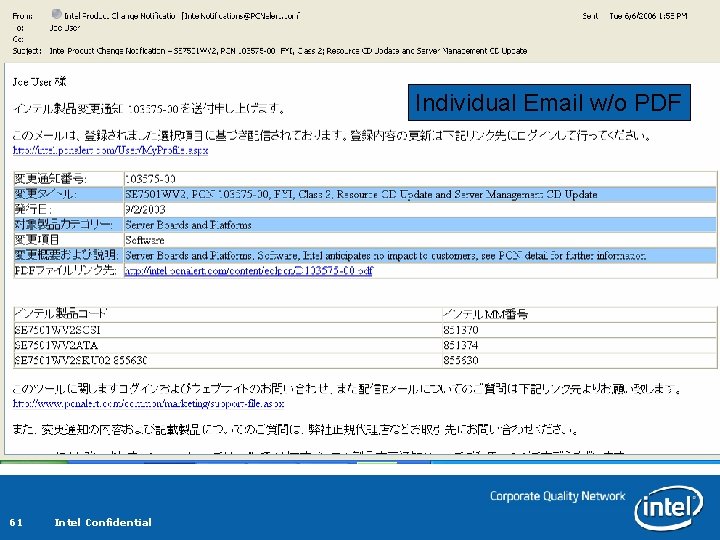
Individual Email w/o PDF 21 Intel Confidential
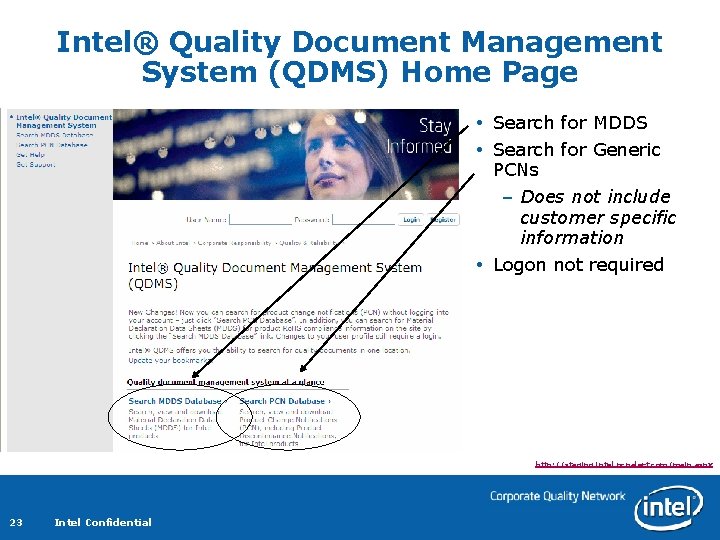
Overview of Home Page The Home Page is where all the Intel® QDMS options are located. You can … – Search MDDS – Search Database – Get Help – Log Out 22 Intel Confidential
Intel® Quality Document Management System (QDMS) Home Page Search for MDDS Search for Generic PCNs – Does not include customer specific information Logon not required http: //staging. intel. pcnalert. com/main. aspx 23 Intel Confidential
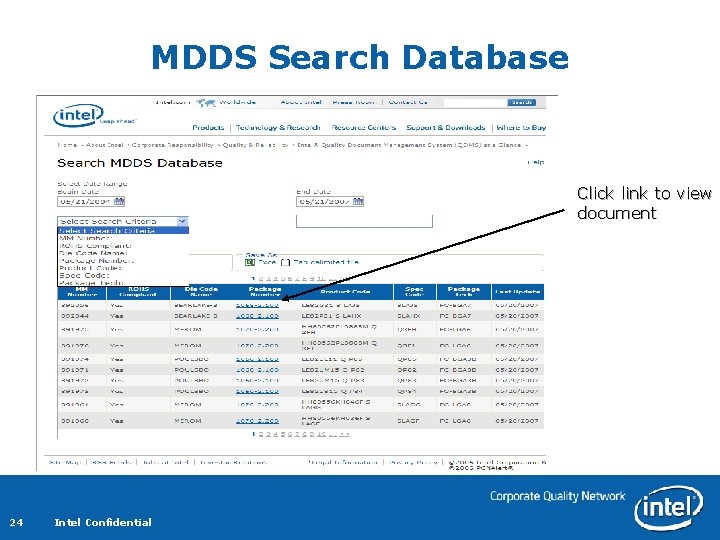
MDDS Search Database Click link to view document 24 Intel Confidential
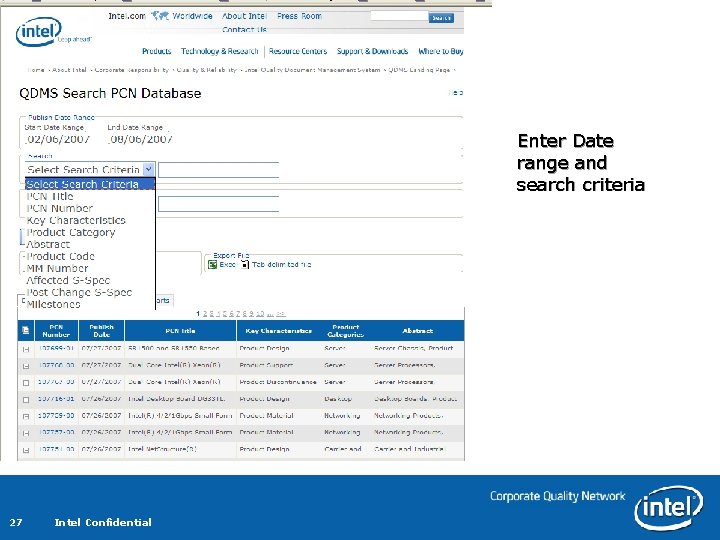
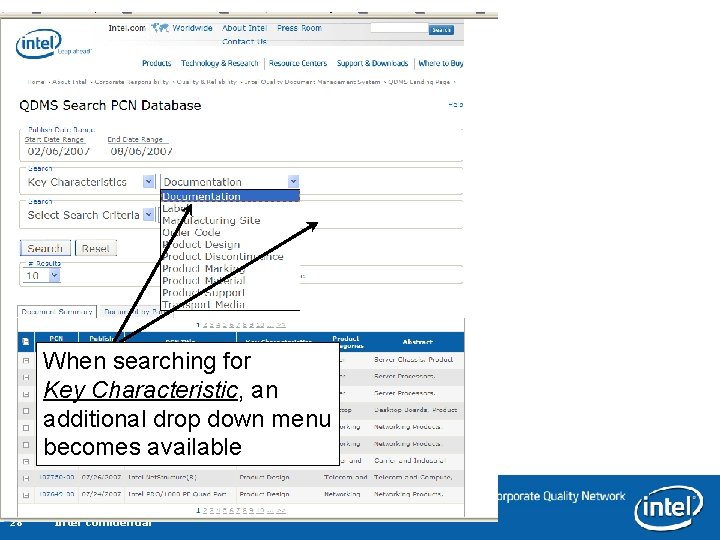
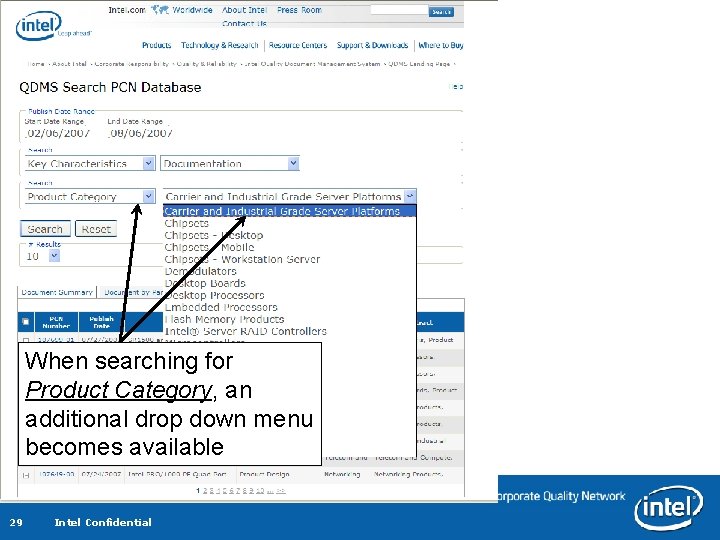
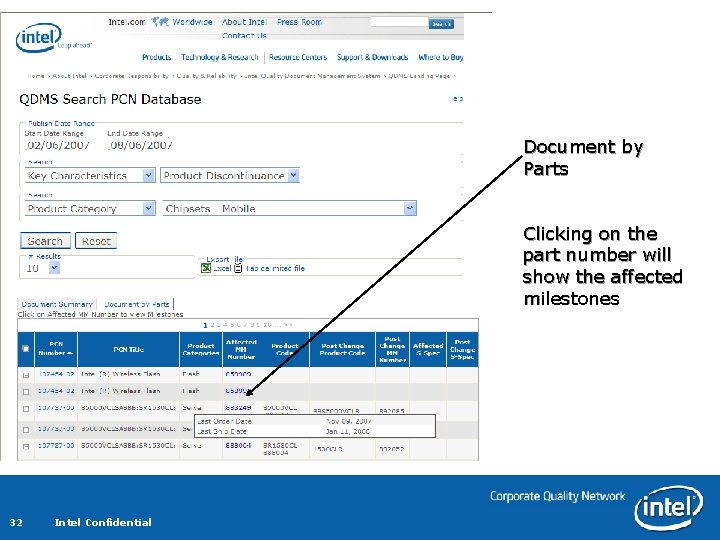
Search Database Overview The top section of the Search Database page gives you two areas for search criteria. By selecting from the drop-down in “Select Search Criteria” you can create the first filter. – You can search by product code, material master or mm#, PCN Title, key characteristic, product category, PCN number, or PCN Abstract Then select “And” or “Or” in the Select And/Or box and enter the second filter. Any part of the search criteria can be entered. – For example for a key characteristic search of product discontinuance only the word discontinuance would need to be entered. Two view are available – Document List provides a list of all documents meeting the search criteria – Document by Parts provides a list of documents with the related Intel part numbers 25 Intel Confidential
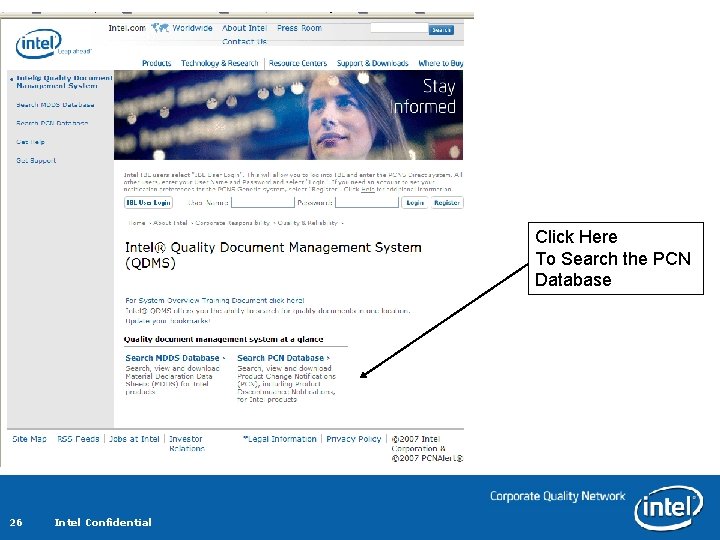
Click Here To Search the PCN Database 26 Intel Confidential
Enter Date range and search criteria 27 Intel Confidential
When searching for Key Characteristic, an additional drop down menu becomes available 28 Intel Confidential
When searching for Product Category, an additional drop down menu becomes available 29 Intel Confidential
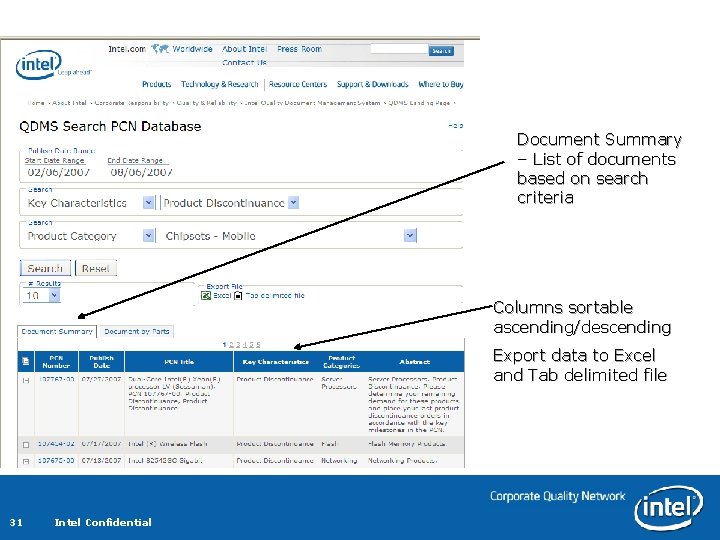
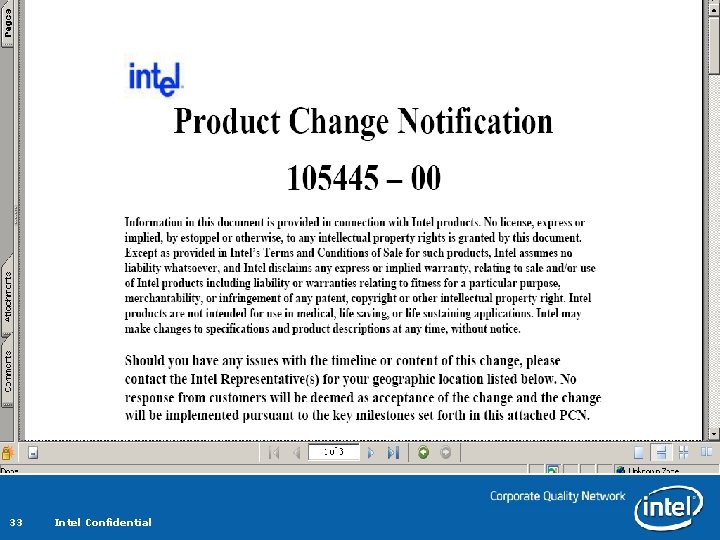
Other Search Database Features You can view the PCN by clicking on the number in the display. This will open the. pdf file where you can view, save, or print the PCN. By clicking on the Column Heading at the top of any grid column, the page re-sorts the displayed grid by that column in ascending or descending order. – The column and direction by which the data is sorted is indicated by an arrow icon at the top of the column. By clicking the Text File Export button you can download a tabdelimited text file or an Excel spreadsheet format – The Excel format is limited to the first 65, 000 rows displayed in your query. – The results in either download will reflect the data displayed per the search criteria. – For example, if you choose to only view a Product Category selection of “Networking Products” any matches made will be included in the downloaded file. The number of rows you chose to display does not impact the download – all database results will be included. 30 Intel Confidential
Document Summary – List of documents based on search criteria Columns sortable ascending/descending Export data to Excel and Tab delimited file 31 Intel Confidential
Document by Parts Clicking on the part number will show the affected milestones 32 Intel Confidential
33 Intel Confidential
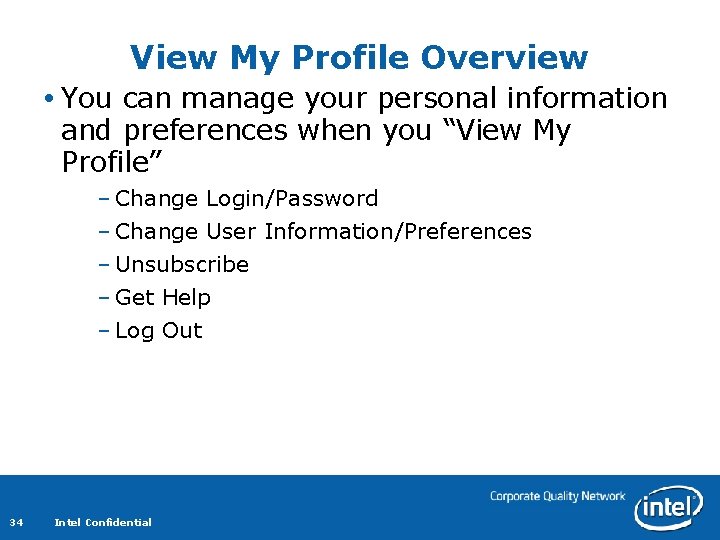
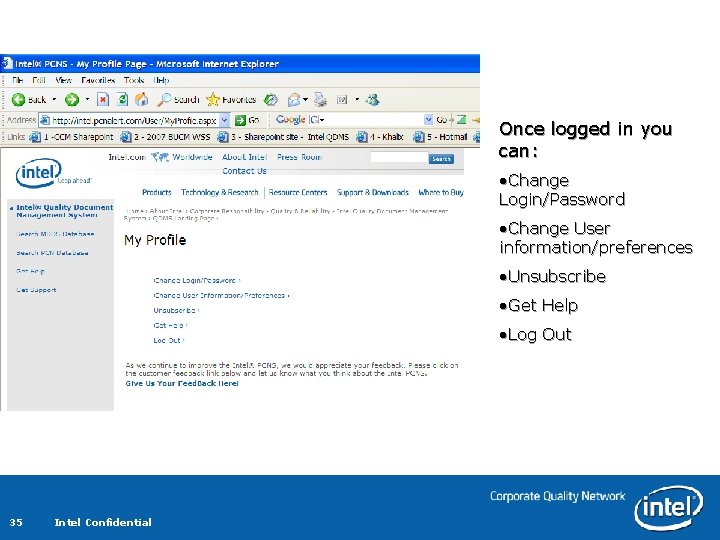
View My Profile Overview You can manage your personal information and preferences when you “View My Profile” – Change Login/Password – Change User Information/Preferences – Unsubscribe – Get Help – Log Out 34 Intel Confidential
Once logged in you can: • Change Login/Password • Change User information/preferences • Unsubscribe • Get Help • Log Out 35 Intel Confidential
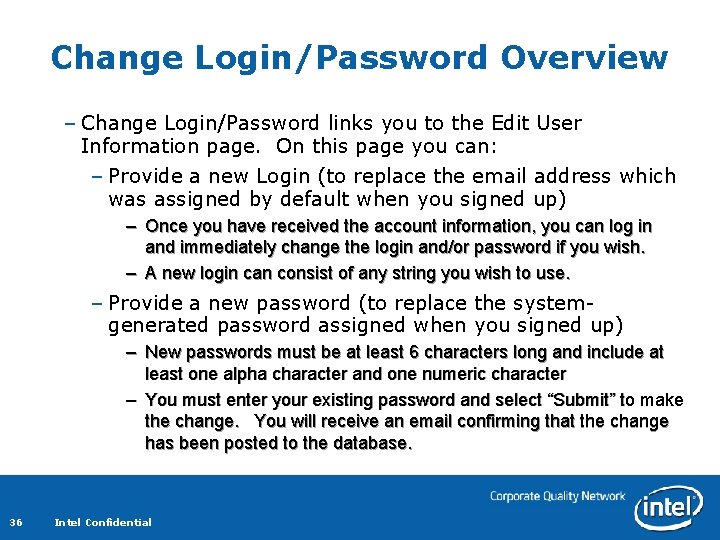
Change Login/Password Overview – Change Login/Password links you to the Edit User Information page. On this page you can: – Provide a new Login (to replace the email address which was assigned by default when you signed up) – Once you have received the account information, you can log in and immediately change the login and/or password if you wish. – A new login can consist of any string you wish to use. – Provide a new password (to replace the systemgenerated password assigned when you signed up) – New passwords must be at least 6 characters long and include at least one alpha character and one numeric character – You must enter your existing password and select “Submit” to make the change. You will receive an email confirming that the change has been posted to the database. 36 Intel Confidential
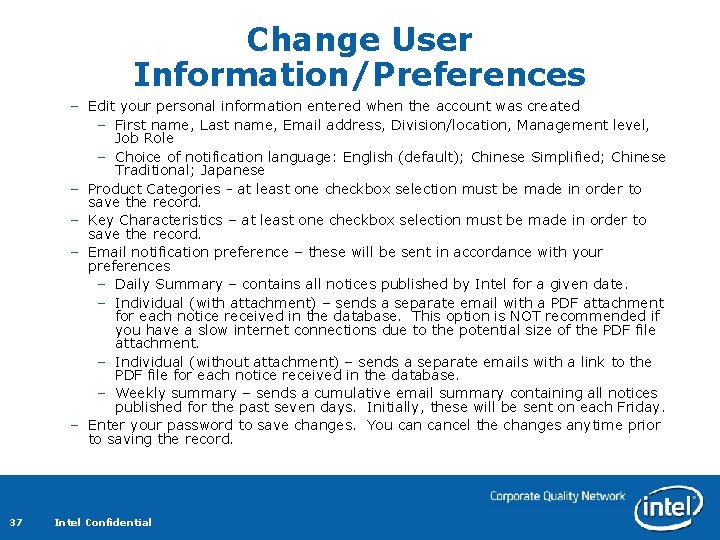
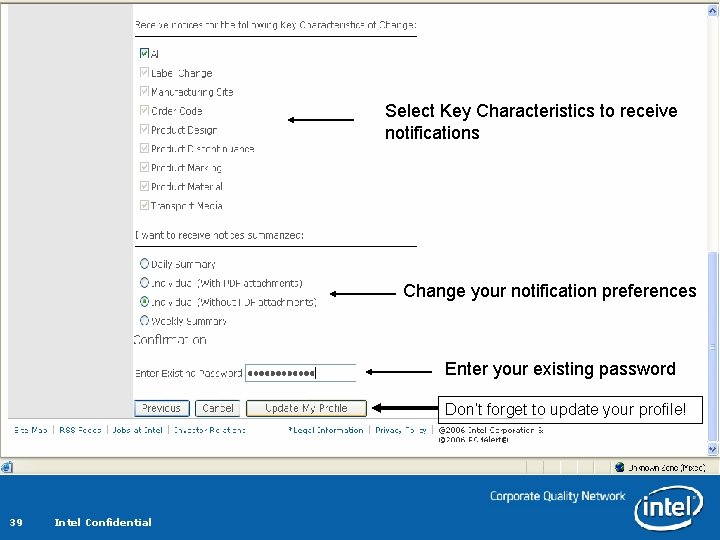
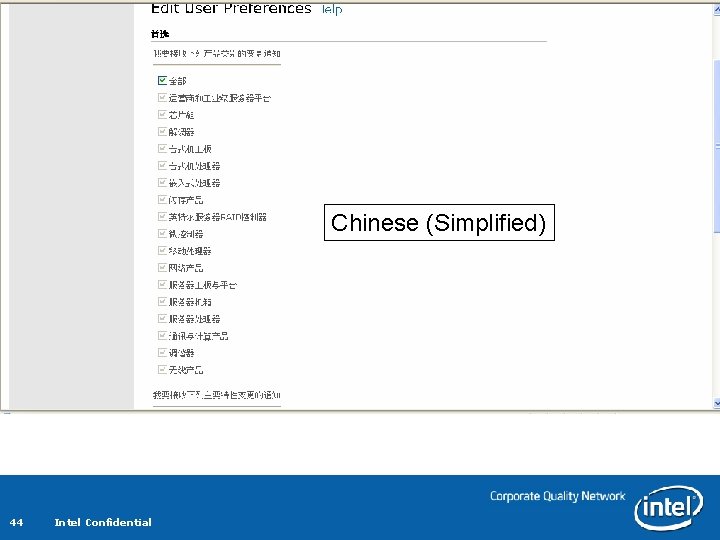
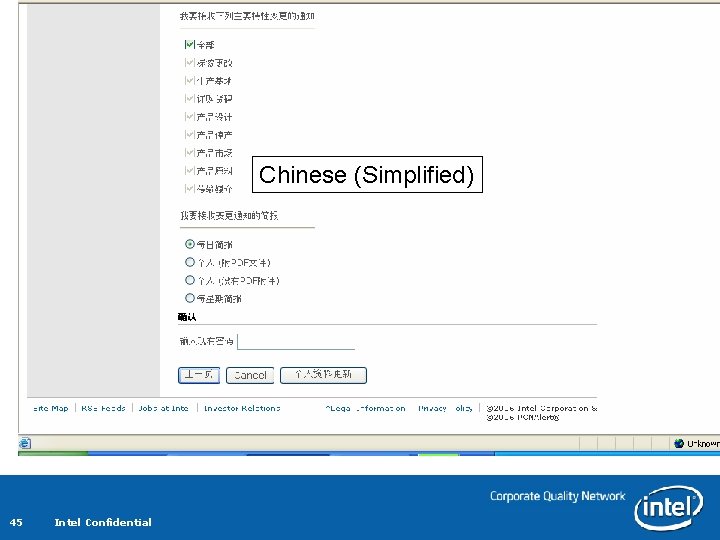
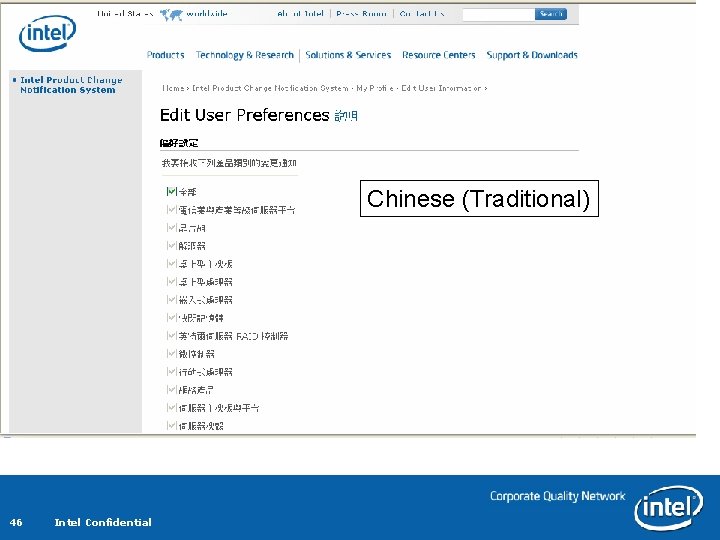
Change User Information/Preferences – Edit your personal information entered when the account was created – First name, Last name, Email address, Division/location, Management level, Job Role – Choice of notification language: English (default); Chinese Simplified; Chinese Traditional; Japanese – Product Categories - at least one checkbox selection must be made in order to save the record. – Key Characteristics – at least one checkbox selection must be made in order to save the record. – Email notification preference – these will be sent in accordance with your preferences – Daily Summary – contains all notices published by Intel for a given date. – Individual (with attachment) – sends a separate email with a PDF attachment for each notice received in the database. This option is NOT recommended if you have a slow internet connections due to the potential size of the PDF file attachment. – Individual (without attachment) – sends a separate emails with a link to the PDF file for each notice received in the database. – Weekly summary – sends a cumulative email summary containing all notices published for the past seven days. Initially, these will be sent on each Friday. – Enter your password to save changes. You cancel the changes anytime prior to saving the record. 37 Intel Confidential
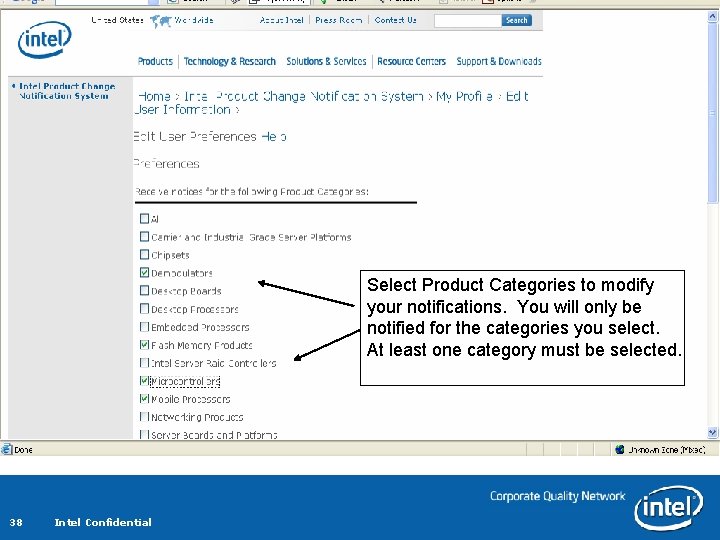
Select Product Categories to modify your notifications. You will only be notified for the categories you select. At least one category must be selected. 38 Intel Confidential
Select Key Characteristics to receive notifications Change your notification preferences Enter your existing password Don’t forget to update your profile! 39 Intel Confidential
Unsubscribe – Unsubscribe allows you to remove yourself from email distribution and removed your site login permissions. – Enter a login and an email address. Once they have disabled it, YOU WILL NOT BE ABLE TO REACTIVATE YOUR ACCOUNT. If you change your mind at any time in the future, you will have to create a new account. 40 Intel Confidential
Get Help and Logout Get Help – Help screens are located on every page – Click the get help – Logout – Logs you out of Intel PCNS 41 Intel Confidential
More Information – Customers registered with an Intel Channel Program, please check the Intel Reseller Center for additional Intel Channel member specific support services. – OEMs and ODMs should contact their Intel Field Sales representative for their support options. – Other support information and phone numbers can be found at: http: //support. intel. com/support/9089. htm 42 Intel Confidential
Examples Additional Language Options 43 Intel Confidential
Chinese (Simplified) 44 Intel Confidential
Chinese (Simplified) 45 Intel Confidential
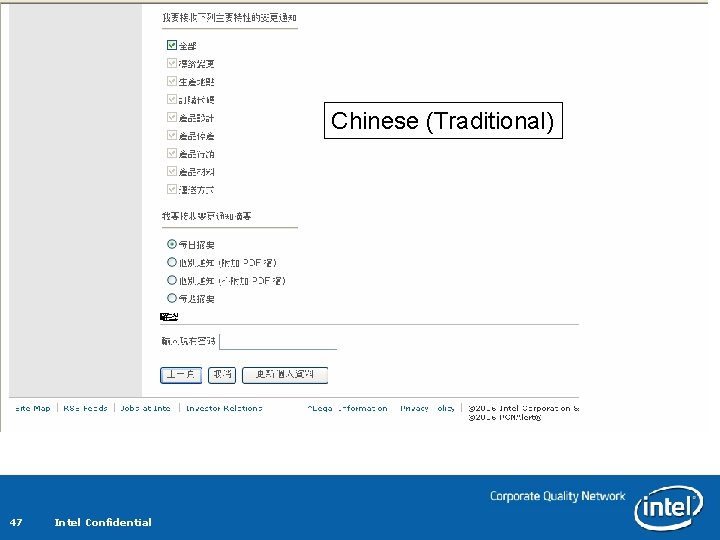
Chinese (Traditional) 46 Intel Confidential
Chinese (Traditional) 47 Intel Confidential
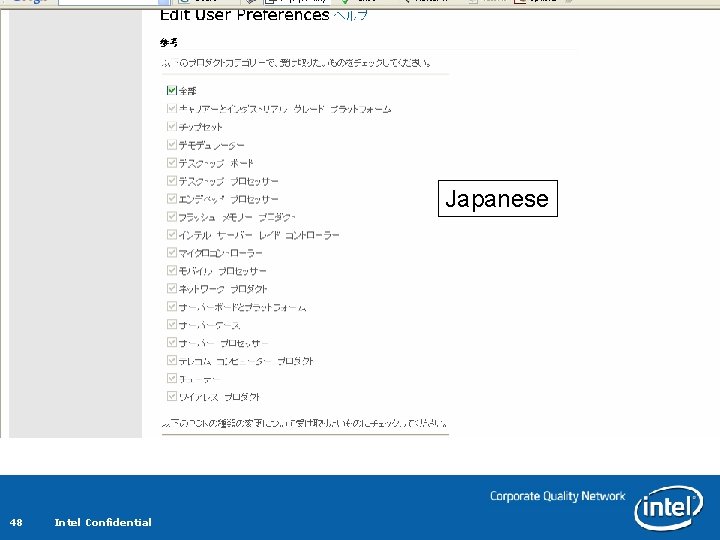
Japanese 48 Intel Confidential
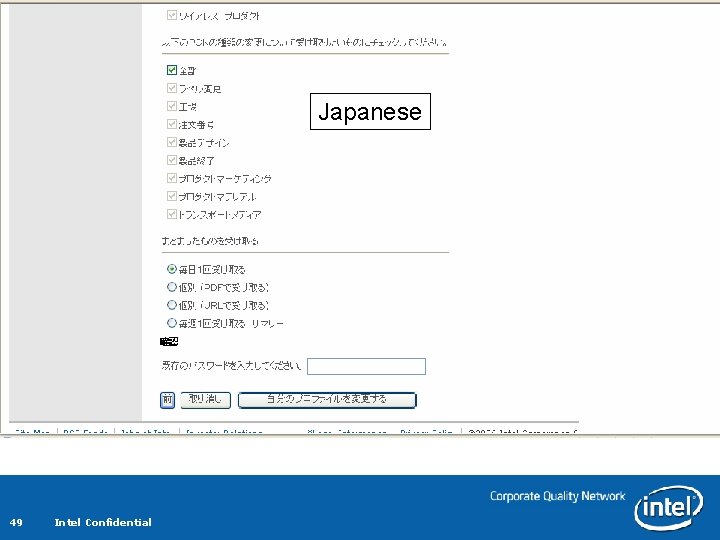
Japanese 49 Intel Confidential
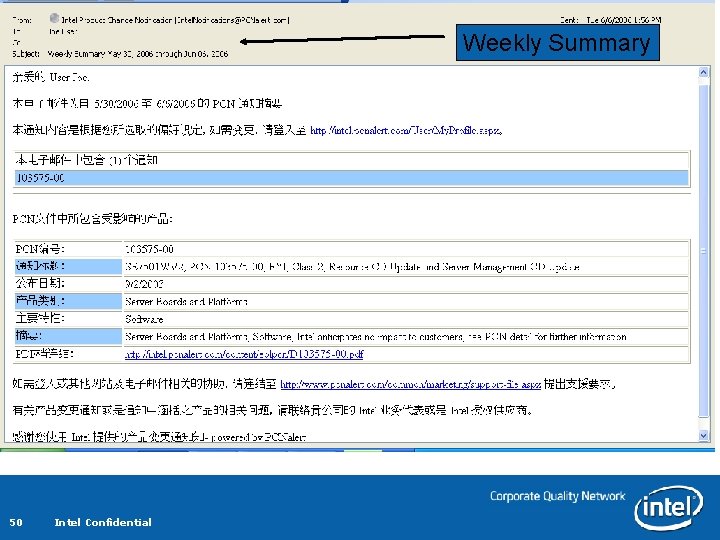
Weekly Summary 50 Intel Confidential
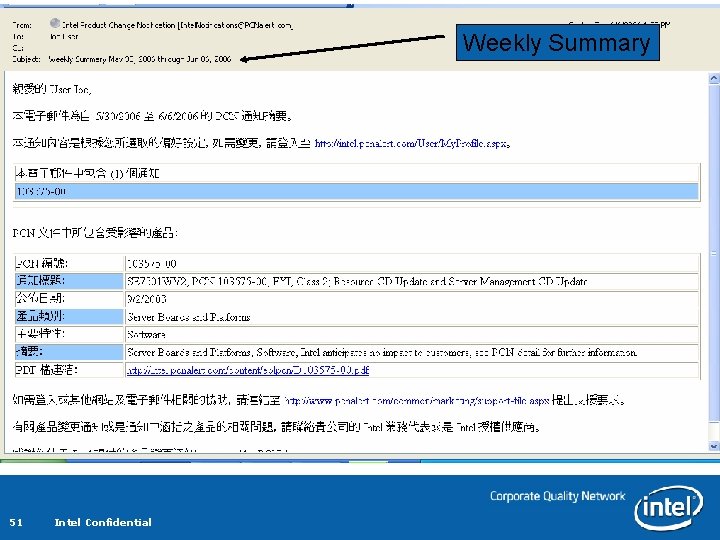
Weekly Summary 51 Intel Confidential
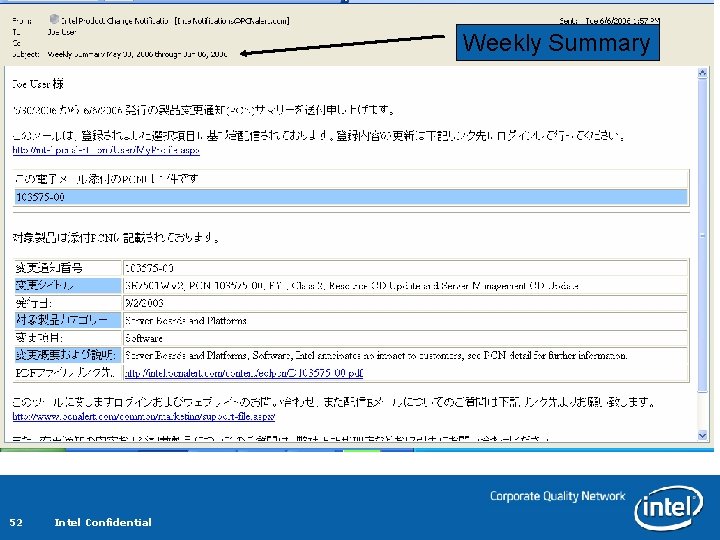
Weekly Summary 52 Intel Confidential
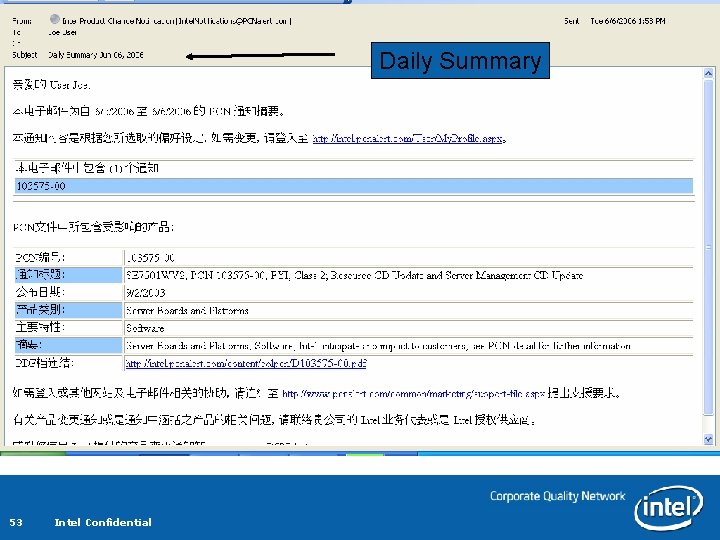
Daily Summary 53 Intel Confidential
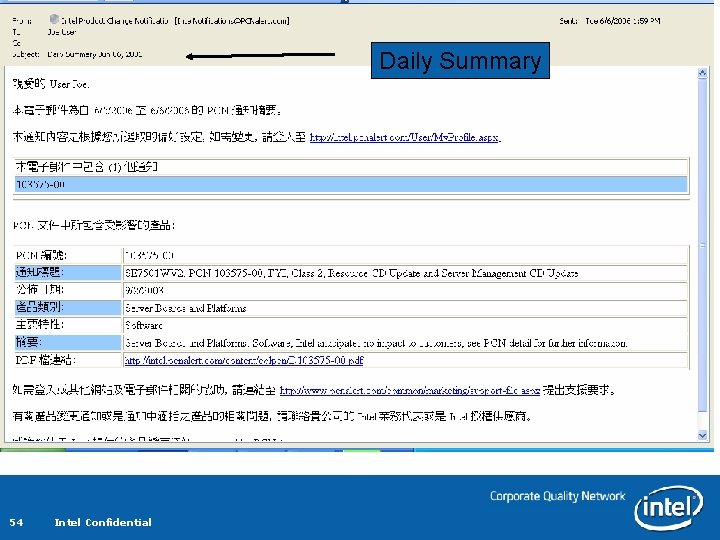
Daily Summary 54 Intel Confidential
Daily Summary 55 Intel Confidential
Individual Email with PDF 56 Intel Confidential
Individual Email with PDF 57 Intel Confidential
Individual Email with PDF 58 Intel Confidential
Individual Email w/o PDF 59 Intel Confidential
Individual Email w/o PDF 60 Intel Confidential
Individual Email w/o PDF 61 Intel Confidential