
Integrative Genomics Viewer Overview http www broadinstitute orgsoftwareigvhome
Integrative Genomics Viewer介紹 國家基因體醫學中心 葉爾瞻
Overview �http: //www. broadinstitute. org/software/igv/home �high-performance visualization tool for interactive exploration of large, integrated genomic datasets. �supports a wide variety of data types, including array-based and next-generation sequence data, and genomic annotations.
Citing IGV �Helga Thorvaldsdottir, James T. Robinson, Jill P. Mesirov. Integrative Genomics Viewer (IGV): high -performance genomics data visualization and exploration. Briefings in Bioinformatics 2012. �James T. Robinson, Helga Thorvaldsdóttir, Wendy Winckler, Mitchell Guttman, Eric S. Lander, Gad Getz, Jill P. Mesirov. Integrative Genomics Viewer. Nature Biotechnology 29, 24– 26 (2011)
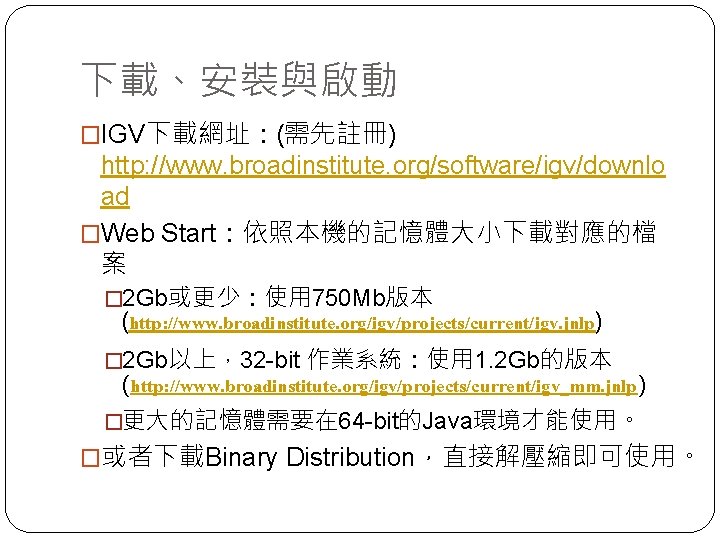
下載、安裝與啟動 �IGV下載網址:(需先註冊) http: //www. broadinstitute. org/software/igv/downlo ad �Web Start:依照本機的記憶體大小下載對應的檔 案 � 2 Gb或更少:使用 750 Mb版本 (http: //www. broadinstitute. org/igv/projects/current/igv. jnlp) � 2 Gb以上,32 -bit 作業系統:使用 1. 2 Gb的版本 (http: //www. broadinstitute. org/igv/projects/current/igv_mm. jnlp) �更大的記憶體需要在 64 -bit的Java環境才能使用。 �或者下載Binary Distribution,直接解壓縮即可使用。
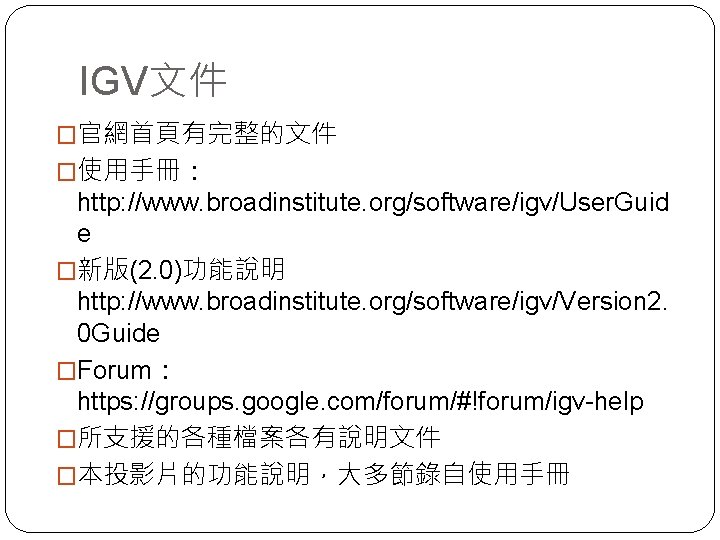
IGV文件 �官網首頁有完整的文件 �使用手冊: http: //www. broadinstitute. org/software/igv/User. Guid e �新版(2. 0)功能說明 http: //www. broadinstitute. org/software/igv/Version 2. 0 Guide �Forum: https: //groups. google. com/forum/#!forum/igv-help �所支援的各種檔案各有說明文件 �本投影片的功能說明,大多節錄自使用手冊
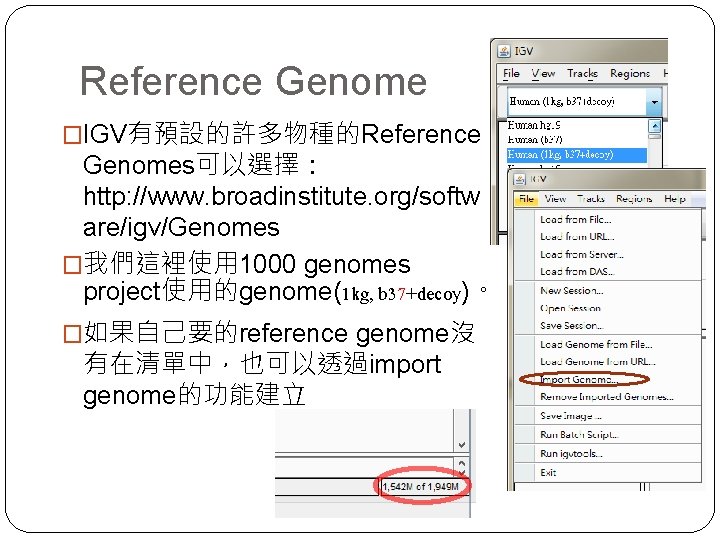
Reference Genome �IGV有預設的許多物種的Reference Genomes可以選擇: http: //www. broadinstitute. org/softw are/igv/Genomes �我們這裡使用 1000 genomes project使用的genome(1 kg, b 37+decoy)。 �如果自己要的reference genome沒 有在清單中,也可以透過import genome的功能建立
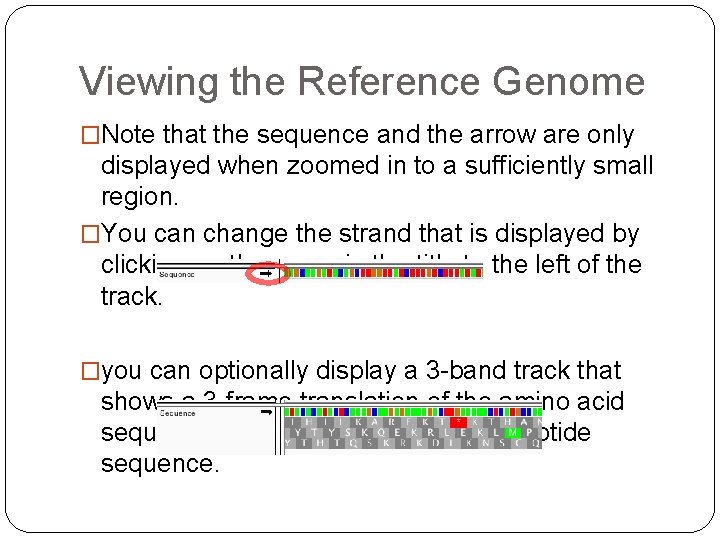
Viewing the Reference Genome �Note that the sequence and the arrow are only displayed when zoomed in to a sufficiently small region. �You can change the strand that is displayed by clicking on the arrow in the title to the left of the track. �you can optionally display a 3 -band track that shows a 3 -frame translation of the amino acid sequence for the corresponding nucleotide sequence.
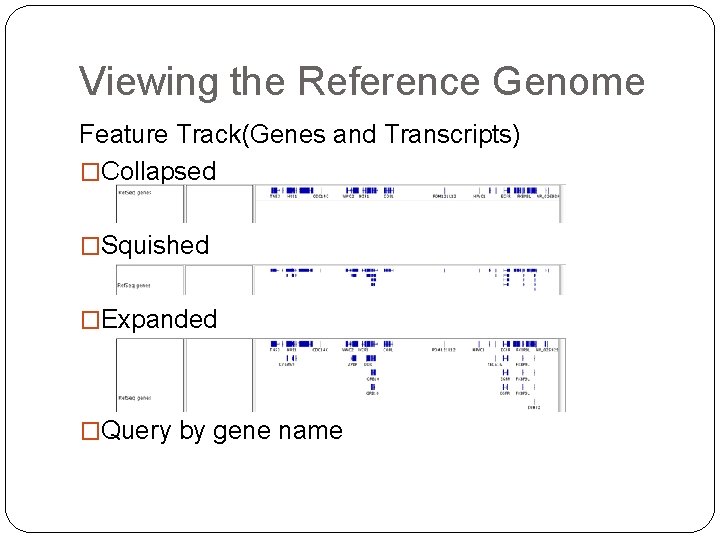
Viewing the Reference Genome Feature Track(Genes and Transcripts) �Collapsed �Squished �Expanded �Query by gene name
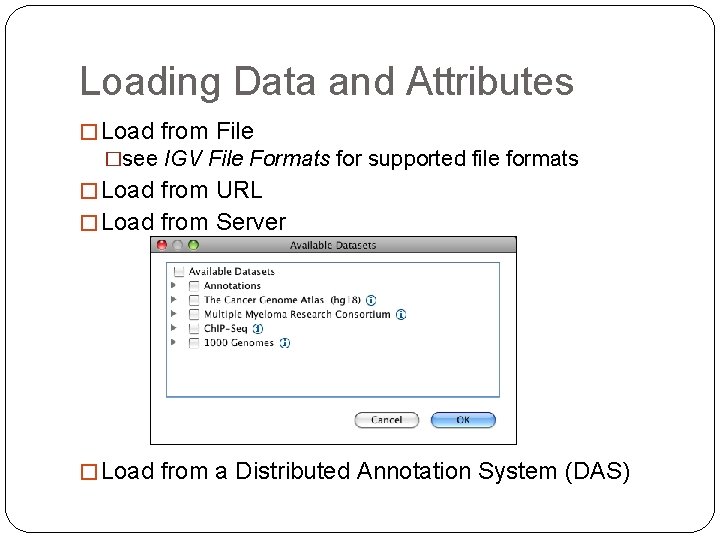
Loading Data and Attributes � Load from File �see IGV File Formats for supported file formats � Load from URL � Load from Server � Load from a Distributed Annotation System (DAS)
Removing Tracks and Attributes �To remove all tracks and attributes: �Click File>New Session. This is essentially the same as restarting IGV. � To remove specific tracks: �Right-click a track name and select Remove Tracks in the pop-up menu. �Control-click track names for multiple selections
Viewing Variants (vcf) �Open sample vcf file (from 1000 genomes project) ALL. chr. MT. phase 1. 20101123. vcf �build index with igv tools �select File>Run igvtools �select index as Command �specify the location of the vcf file �Run �Set locus to MT �Zoom in/ Zoom out �Go back/Go forward �Set Feature Visibility Windows
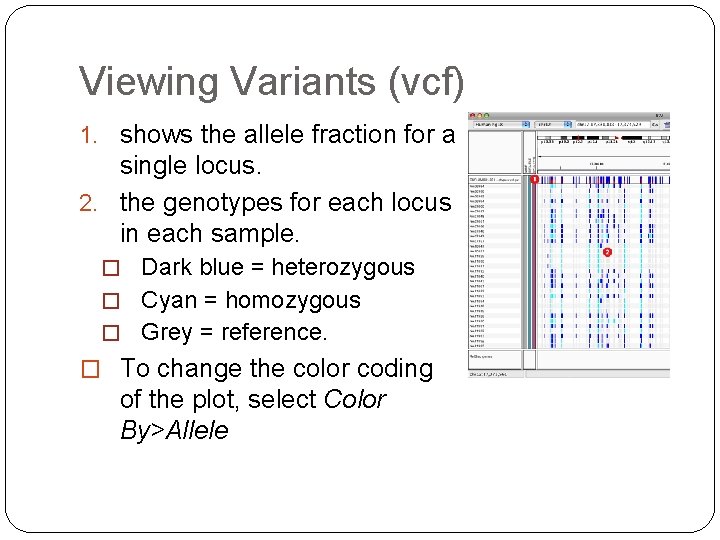
Viewing Variants (vcf) 1. shows the allele fraction for a single locus. 2. the genotypes for each locus in each sample. � Dark blue = heterozygous � Cyan = homozygous � Grey = reference. � To change the color coding of the plot, select Color By>Allele
About VCF format �less {sample vcf file}. �Or try to open vcf file with excel �VCF Format 4. 1 Spec �http: //www. 1000 genomes. org/wiki/Analysis/Variant %20 Call%20 Format/vcf-variant-call-format-version 41 �VCF Poster �http: //vcftools. sourceforge. net/VCF-poster. pdf �Fixed Fields �Genotype Fields (Optional) �Meta-information lines
Viewing Alignments �Remove 1000 genomes track(or Click File>New Session) �Load sample files from URL(Ctrl-click for multiselect) � 1_149003461 -149460645. bam � 1_149003461 -149460645. vcf �Set locus to 1: 149022000 -149023000 �View>Preferences for alignments view settings �downsampling �Can be Collapsed, Squished or Expanded
Viewing Alignments �Control+click a read to find its mate �Split Screen View �Right-click over an alignment and select View mate region in split screen from the drop-down list �Return to Normal View �To return to the “normal view”, double-click the name panel at the top of one of the panes, or rightclick in a name panel and select Switch to standard view.
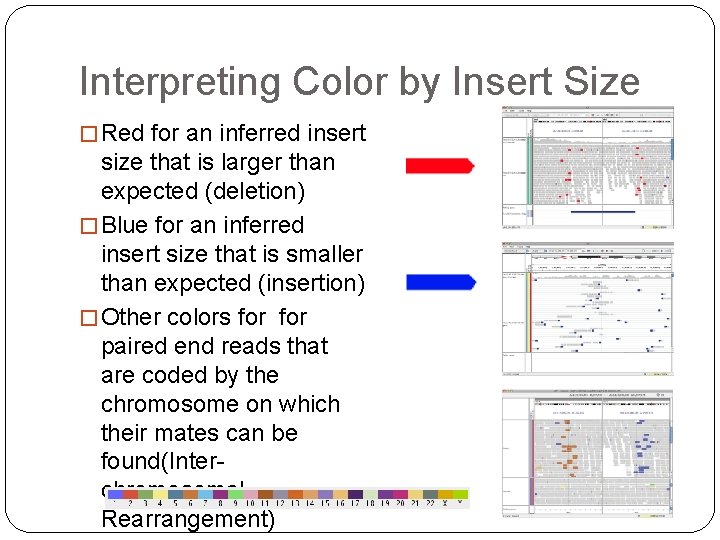
Interpreting Color by Insert Size � Red for an inferred insert size that is larger than expected (deletion) � Blue for an inferred insert size that is smaller than expected (insertion) � Other colors for paired end reads that are coded by the chromosome on which their mates can be found(Interchromosomal Rearrangement)
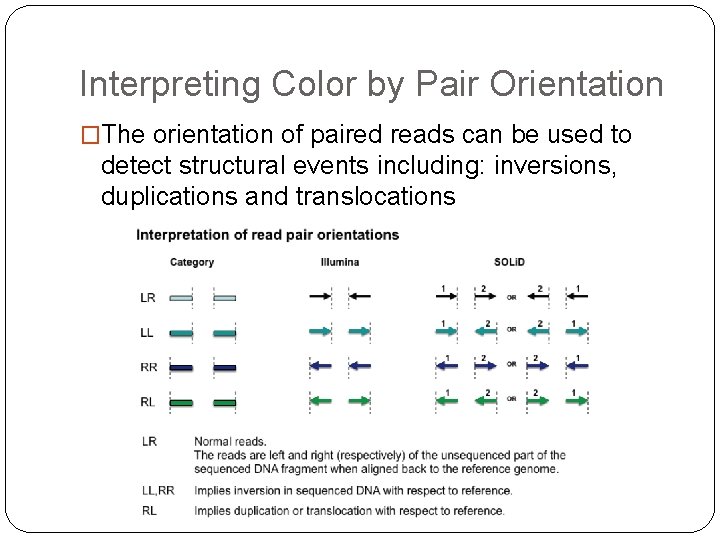
Interpreting Color by Pair Orientation �The orientation of paired reads can be used to detect structural events including: inversions, duplications and translocations
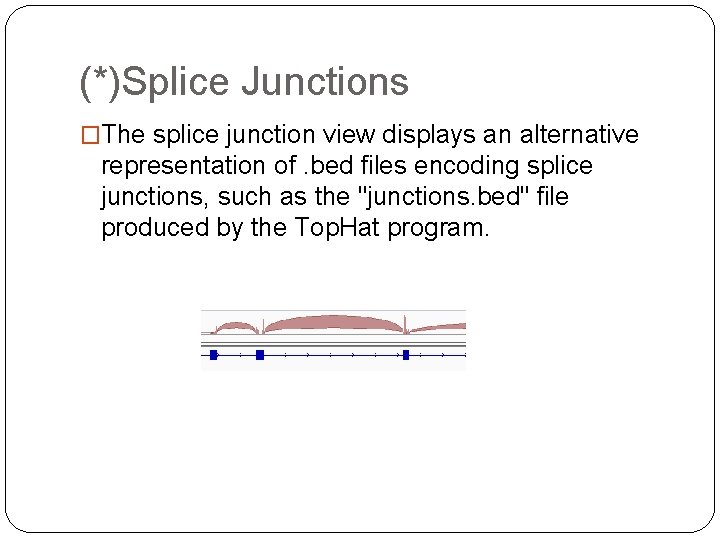
(*)Splice Junctions �The splice junction view displays an alternative representation of. bed files encoding splice junctions, such as the "junctions. bed" file produced by the Top. Hat program.
About SAM(BAM) format �SAM/BAM spec �http: //samtools. sourceforge. net/SAM 1. pdf �A human-readable summary �http: //genome. sph. umich. edu/wiki/SAM �Explan SAM flags �http: //picard. sourceforge. net/explain-flags. html

- Slides: 23