
Integrating Reporting into your Application The BIRT Programming
Integrating Reporting into your Application The BIRT Programming Interfaces Scott Rosenbaum – Innovent Solutions, BIRT PMC scottr@innoventsolutions. com © 2008 by Scott Rosenbaum; made available under the EPL v 1. 0 | 3/11/2008
Getting The Examples • Subversion Repository http: //longlake. minnovent. com/repos/birt_example Integrating Reporting Into your Application | © 2008 by Scott Rosenbaum; made available under the EPL v 1. 0
How was your spring vacation? Integrating Reporting Into your Application | © 2008 by Scott Rosenbaum; made available under the EPL v 1. 0
Agenda • Overview • BIRT Home • Running Reports • Deployment Scenarios • Develop Designs in Code • Modify Designs using BIRT Event Handlers • Extending BIRT Integrating Reporting Into your Application | © 2008 by Scott Rosenbaum; made available under the EPL v 1. 0
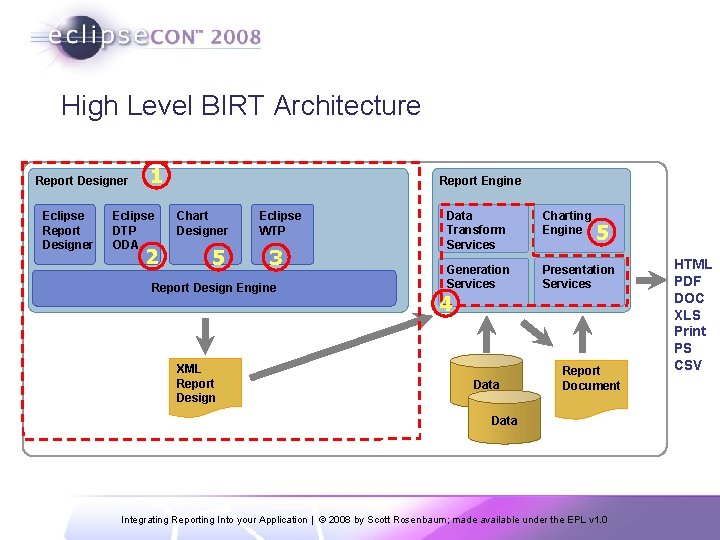
High Level BIRT Architecture Report Designer Eclipse Report Designer 1 Eclipse DTP ODA 2 Report Engine Chart Designer 5 Eclipse WTP 3 Report Design Engine XML Report Design Data Transform Services Charting Engine Generation Services Presentation Services 5 4 Data Report Document Data 5 Integrating Reporting Into your Application | © 2008 by Scott Rosenbaum; made available under the EPL v 1. 0 HTML PDF DOC XLS Print PS CSV
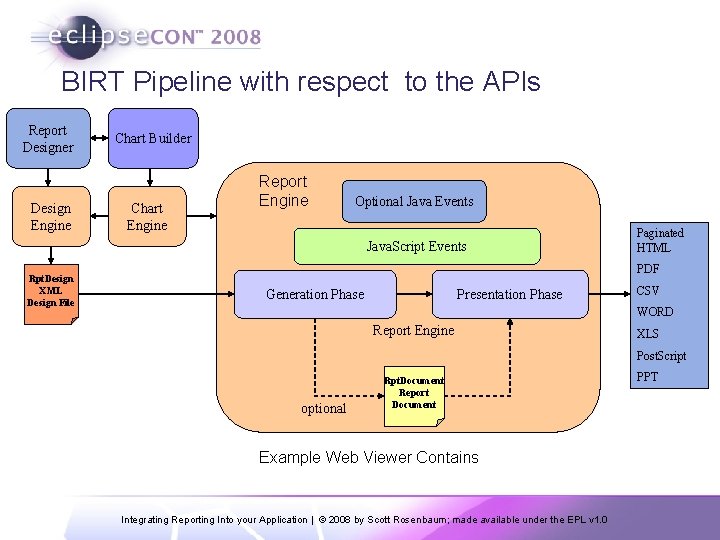
BIRT Pipeline with respect to the APIs Report Designer Design Engine Chart Builder Chart Engine Report Engine Optional Java Events Java. Script Events Rpt. Design XML Design File Paginated HTML PDF Generation Phase Presentation Phase CSV WORD Report Engine XLS Post. Script optional Rpt. Document Report Document Example Web Viewer Contains Integrating Reporting Into your Application | © 2008 by Scott Rosenbaum; made available under the EPL v 1. 0 PPT
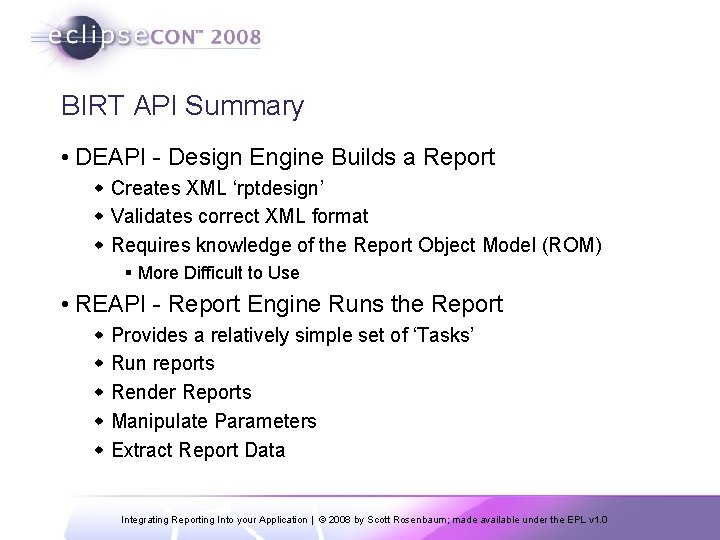
BIRT API Summary • DEAPI - Design Engine Builds a Report w Creates XML ‘rptdesign’ w Validates correct XML format w Requires knowledge of the Report Object Model (ROM) § More Difficult to Use • REAPI - Report Engine Runs the Report w Provides a relatively simple set of ‘Tasks’ w Run reports w Render Reports w Manipulate Parameters w Extract Report Data Integrating Reporting Into your Application | © 2008 by Scott Rosenbaum; made available under the EPL v 1. 0
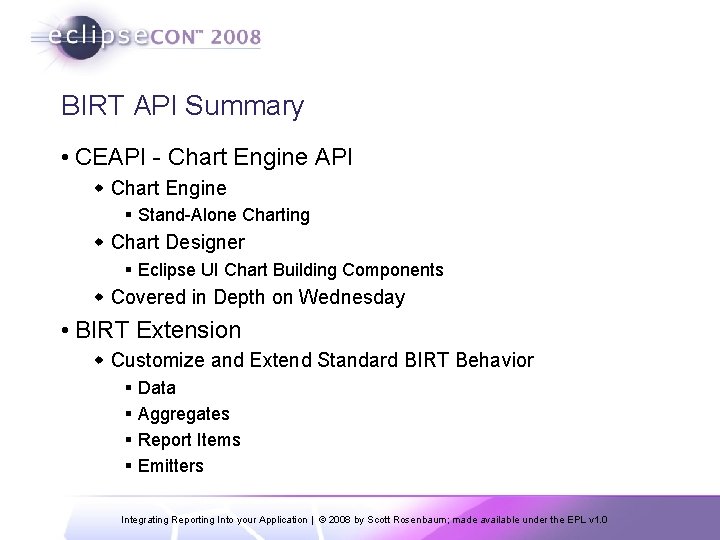
BIRT API Summary • CEAPI - Chart Engine API w Chart Engine § Stand-Alone Charting w Chart Designer § Eclipse UI Chart Building Components w Covered in Depth on Wednesday • BIRT Extension w Customize and Extend Standard BIRT Behavior § Data § Aggregates § Report Items § Emitters Integrating Reporting Into your Application | © 2008 by Scott Rosenbaum; made available under the EPL v 1. 0
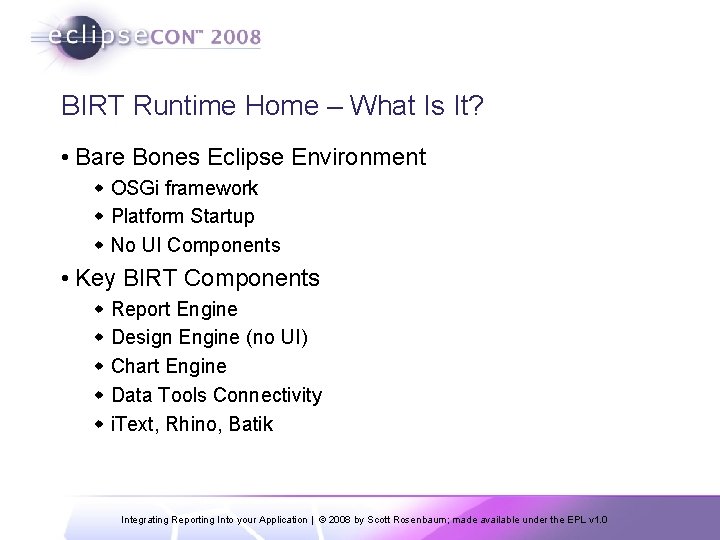
BIRT Runtime Home – What Is It? • Bare Bones Eclipse Environment w OSGi framework w Platform Startup w No UI Components • Key BIRT Components w Report Engine w Design Engine (no UI) w Chart Engine w Data Tools Connectivity w i. Text, Rhino, Batik Integrating Reporting Into your Application | © 2008 by Scott Rosenbaum; made available under the EPL v 1. 0
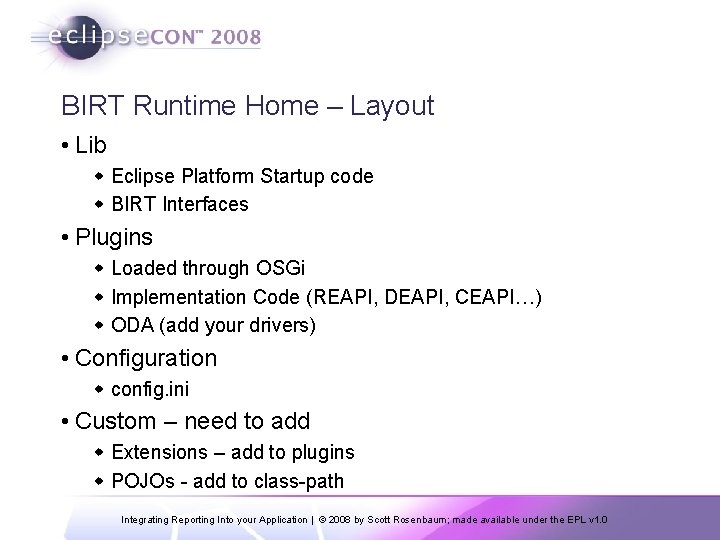
BIRT Runtime Home – Layout • Lib w Eclipse Platform Startup code w BIRT Interfaces • Plugins w Loaded through OSGi w Implementation Code (REAPI, DEAPI, CEAPI…) w ODA (add your drivers) • Configuration w config. ini • Custom – need to add w Extensions – add to plugins w POJOs - add to class-path Integrating Reporting Into your Application | © 2008 by Scott Rosenbaum; made available under the EPL v 1. 0
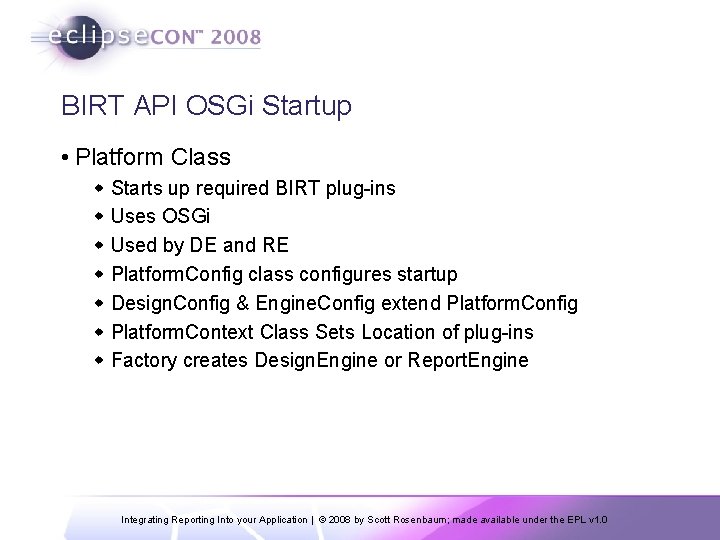
BIRT API OSGi Startup • Platform Class w Starts up required BIRT plug-ins w Uses OSGi w Used by DE and RE w Platform. Config class configures startup w Design. Config & Engine. Config extend Platform. Config w Platform. Context Class Sets Location of plug-ins w Factory creates Design. Engine or Report. Engine Integrating Reporting Into your Application | © 2008 by Scott Rosenbaum; made available under the EPL v 1. 0
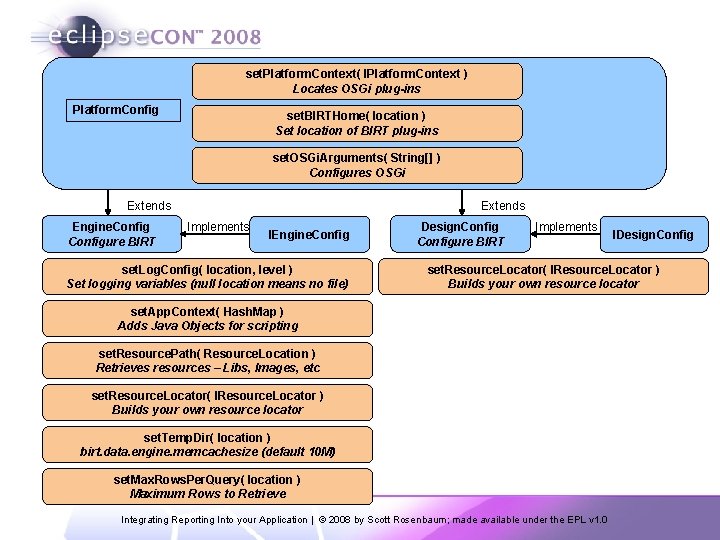
set. Platform. Context( IPlatform. Context ) Locates OSGi plug-ins Platform. Config set. BIRTHome( location ) Set location of BIRT plug-ins set. OSGi. Arguments( String[] ) Configures OSGi Extends Engine. Configure BIRT Extends Implements IEngine. Config set. Log. Config( location, level ) Set logging variables (null location means no file) Design. Configure BIRT Implements IDesign. Config set. Resource. Locator( IResource. Locator ) Builds your own resource locator set. App. Context( Hash. Map ) Adds Java Objects for scripting set. Resource. Path( Resource. Location ) Retrieves resources – Libs, Images, etc set. Resource. Locator( IResource. Locator ) Builds your own resource locator set. Temp. Dir( location ) birt. data. engine. memcachesize (default 10 M) set. Max. Rows. Per. Query( location ) Maximum Rows to Retrieve Integrating Reporting Into your Application | © 2008 by Scott Rosenbaum; made available under the EPL v 1. 0
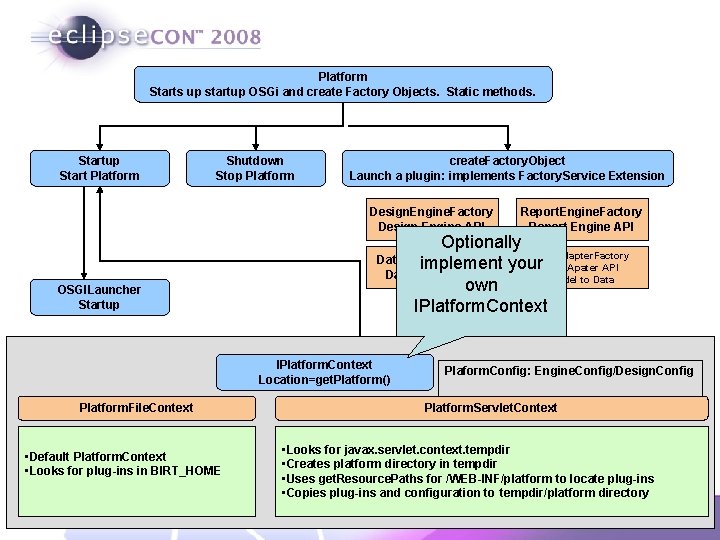
Platform Starts up startup OSGi and create Factory Objects. Static methods. Startup Start Platform Shutdown Stop Platform create. Factory. Object Launch a plugin: implements Factory. Service Extension Design. Engine. Factory Design Engine API OSGILauncher Startup Optionally Data. Adapter. Factory Data. Engine. Factory implement your. Data Apater API Data Engine API Model to Data own IPlatform. Context Location=get. Platform() Platform. File. Context • Default Platform. Context • Looks for plug-ins in BIRT_HOME Report. Engine. Factory Report Engine API Plaform. Config: Engine. Config/Design. Config Platform. Servlet. Context • Looks for javax. servlet. context. tempdir • Creates platform directory in tempdir • Uses get. Resource. Paths for /WEB-INF/platform to locate plug-ins • Copies plug-ins and configuration to tempdir/platform directory Integrating Reporting Into your Application | © 2008 by Scott Rosenbaum; made available under the EPL v 1. 0
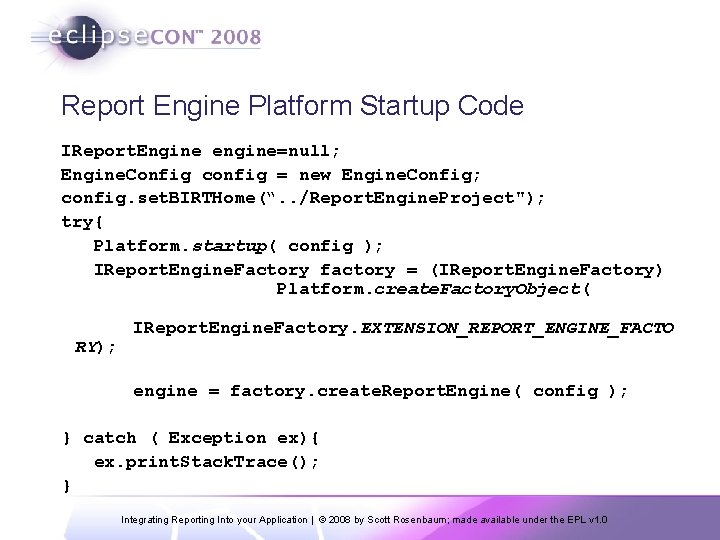
Report Engine Platform Startup Code IReport. Engine engine=null; Engine. Config config = new Engine. Config; config. set. BIRTHome(“. . /Report. Engine. Project"); try{ Platform. startup( config ); IReport. Engine. Factory factory = (IReport. Engine. Factory) Platform. create. Factory. Object( RY); IReport. Engine. Factory. EXTENSION_REPORT_ENGINE_FACTO engine = factory. create. Report. Engine( config ); } catch ( Exception ex){ ex. print. Stack. Trace(); } Integrating Reporting Into your Application | © 2008 by Scott Rosenbaum; made available under the EPL v 1. 0
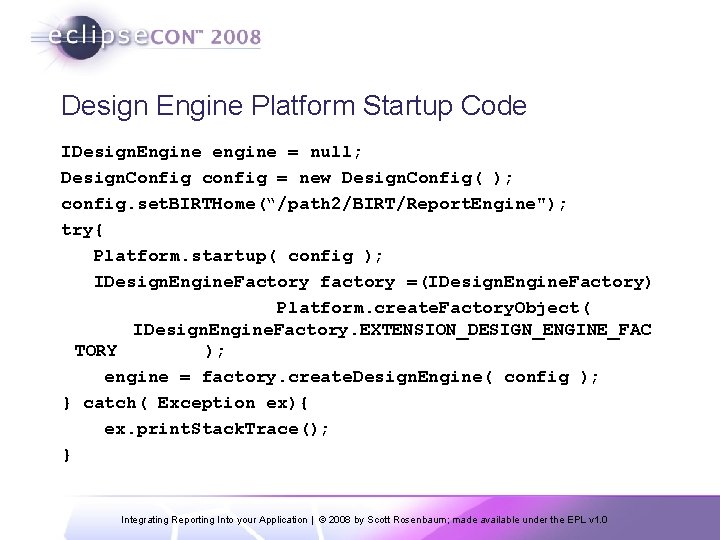
Design Engine Platform Startup Code IDesign. Engine engine = null; Design. Config config = new Design. Config( ); config. set. BIRTHome(“/path 2/BIRT/Report. Engine"); try{ Platform. startup( config ); IDesign. Engine. Factory factory =(IDesign. Engine. Factory) Platform. create. Factory. Object( IDesign. Engine. Factory. EXTENSION_DESIGN_ENGINE_FAC TORY ); engine = factory. create. Design. Engine( config ); } catch( Exception ex){ ex. print. Stack. Trace(); } Integrating Reporting Into your Application | © 2008 by Scott Rosenbaum; made available under the EPL v 1. 0
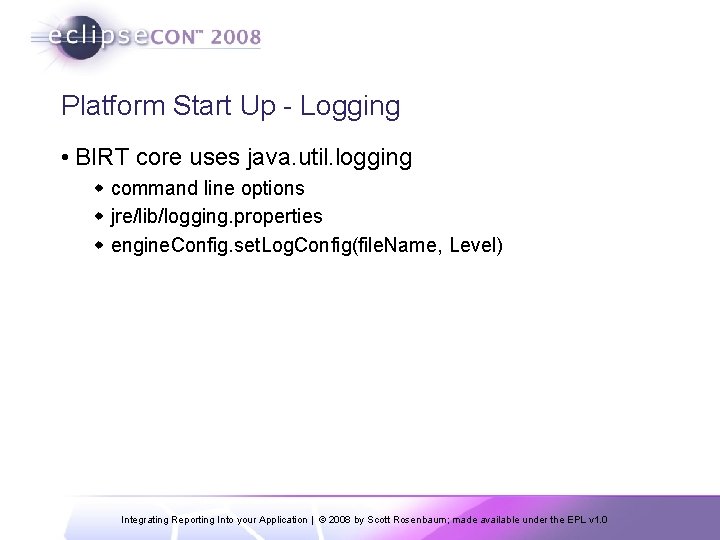
Platform Start Up - Logging • BIRT core uses java. util. logging w command line options w jre/lib/logging. properties w engine. Config. set. Log. Config(file. Name, Level) Integrating Reporting Into your Application | © 2008 by Scott Rosenbaum; made available under the EPL v 1. 0
Platform Startup – Class. Path • Standard Java Class Loader • Class loader set through app. Context w WEBAPP_CLASSPATH_KEY § Web. Viewer sets this through scriptlib parm w PROJECT_CLASSPATH_KEY w WORKSPACE_CLASSPATH_KEY • What do you add – Why? w Plug-ins are automatically added through OSGi (so don’t add them to class path) w Any other java classes that your reports call (through expressions or event handlers) need to be added to the classpath. Integrating Reporting Into your Application | © 2008 by Scott Rosenbaum; made available under the EPL v 1. 0
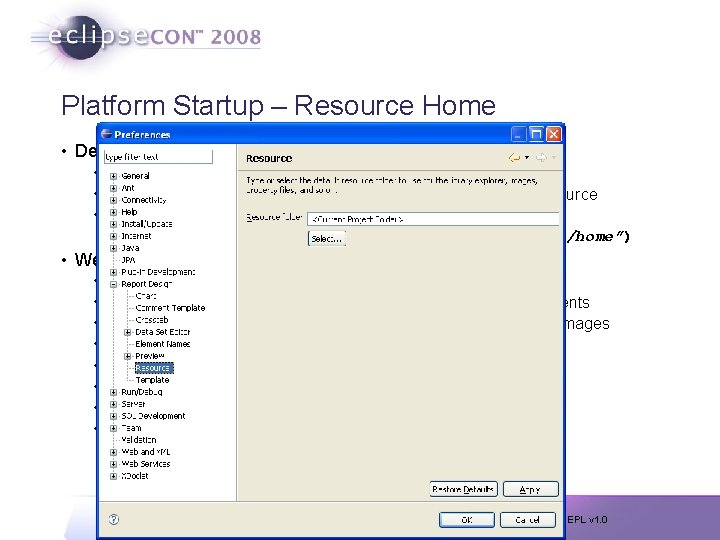
Platform Startup – Resource Home • Designer w Defaults to Project Home w Configure : Windows => Preferences => Report Design => Resource w Need to locate Resources in your deployment engine. Config. set. Resource. Path(“path/to/resource/home”) • Web Viewer w w w w BIRT_VIEWER_WORKING_FOLDER BIRT_VIEWER_DOCUMENT_FOLDER BIRT_VIEWER_IMAGE_DIR BIRT_VIEWER_LOG_LEVEL BIRT_VIEWER_SCRIPTLIB_DIR BIRT_RESOURCE_PATH BIRT_VIEWER_LOCALE ${birt home}/documents ${birt home}/report/images ${birt home}/logs WARNING ${birt home}/scriptlib ${birt home} Integrating Reporting Into your Application | © 2008 by Scott Rosenbaum; made available under the EPL v 1. 0
Platform Startup/Shutdown • Relatively Expensive Process w IReport. Engine w IDesign. Engine w Thread-safe w Save for re-use • Shutdown w Call report. Engine. destroy() w Platform. shutdown() Integrating Reporting Into your Application | © 2008 by Scott Rosenbaum; made available under the EPL v 1. 0
Platform Startup • Demo Integrating Reporting Into your Application | © 2008 by Scott Rosenbaum; made available under the EPL v 1. 0
Report Engine API • Engine Tasks are used to implement operations w Run. And. Render. Task w Run. Task w Render Task w Data. Extraction Task w Parameter. Details Task § Retrieves Parameter information § Dynamic and Cascading Parameters • Report Engine Basic Operation w Open rptdesign w Run Report w Generate Report Output (HTML, PDF, Excel…) Integrating Reporting Into your Application | © 2008 by Scott Rosenbaum; made available under the EPL v 1. 0
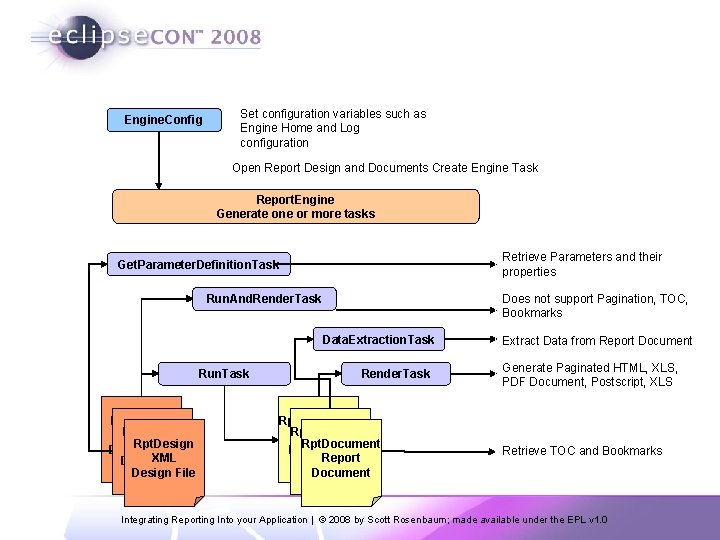
Engine. Config Set configuration variables such as Engine Home and Log configuration Open Report Design and Documents Create Engine Task Report. Engine Generate one or more tasks Retrieve Parameters and their properties Get. Parameter. Definition. Task Does not support Pagination, TOC, Bookmarks Run. And. Render. Task Data. Extraction. Task Run. Task Rpt. Design XML Design File Render. Task Rpt. Document Report Document Extract Data from Report Document Generate Paginated HTML, XLS, PDF Document, Postscript, XLS Retrieve TOC and Bookmarks Integrating Reporting Into your Application | © 2008 by Scott Rosenbaum; made available under the EPL v 1. 0
BIRT Runtime Demos • Two Eclipse Projects w Runtime Lib Project w Runtime Example • Demos w Run. And. Render w Run Then Render w Data Extraction w Parameters w Automated Report Testing Integrating Reporting Into your Application | © 2008 by Scott Rosenbaum; made available under the EPL v 1. 0
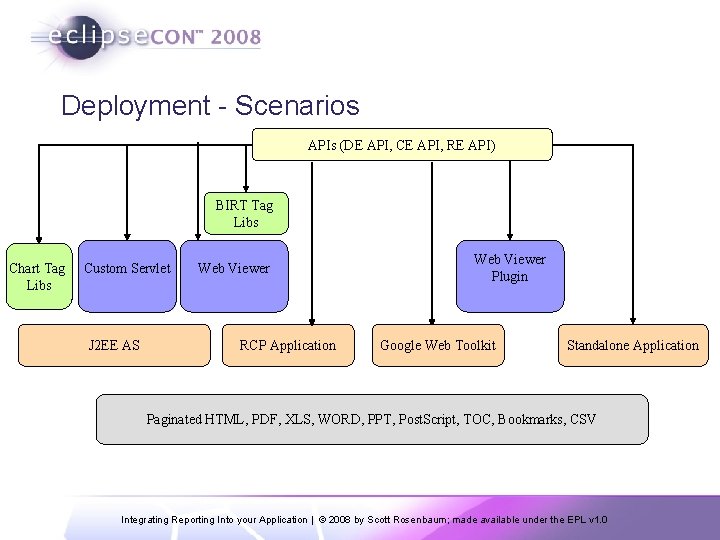
Deployment - Scenarios APIs (DE API, CE API, RE API) BIRT Tag Libs Chart Tag Libs Custom Servlet J 2 EE AS Web Viewer RCP Application Web Viewer Plugin Google Web Toolkit Standalone Application Paginated HTML, PDF, XLS, WORD, PPT, Post. Script, TOC, Bookmarks, CSV Integrating Reporting Into your Application | © 2008 by Scott Rosenbaum; made available under the EPL v 1. 0
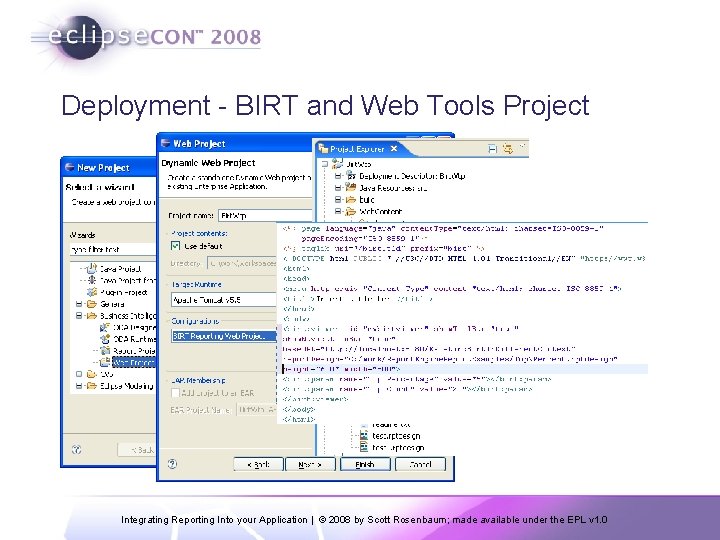
Deployment - BIRT and Web Tools Project Integrating Reporting Into your Application | © 2008 by Scott Rosenbaum; made available under the EPL v 1. 0
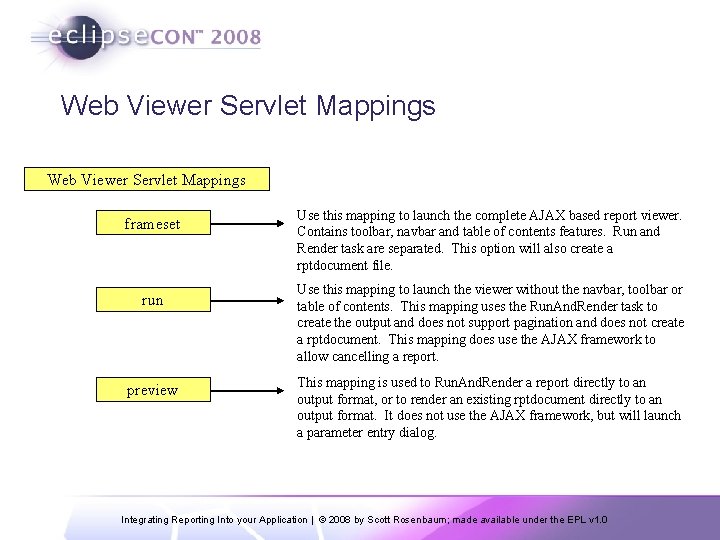
Web Viewer Servlet Mappings frameset run preview Use this mapping to launch the complete AJAX based report viewer. Contains toolbar, navbar and table of contents features. Run and Render task are separated. This option will also create a rptdocument file. Use this mapping to launch the viewer without the navbar, toolbar or table of contents. This mapping uses the Run. And. Render task to create the output and does not support pagination and does not create a rptdocument. This mapping does use the AJAX framework to allow cancelling a report. This mapping is used to Run. And. Render a report directly to an output format, or to render an existing rptdocument directly to an output format. It does not use the AJAX framework, but will launch a parameter entry dialog. Integrating Reporting Into your Application | © 2008 by Scott Rosenbaum; made available under the EPL v 1. 0
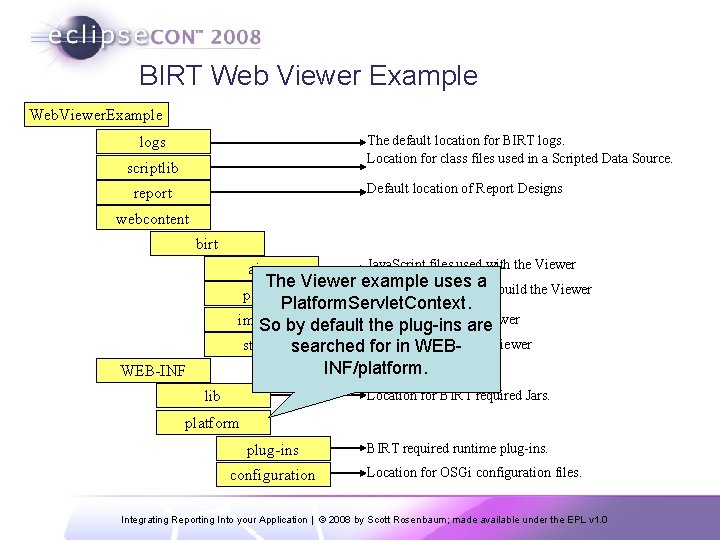
BIRT Web Viewer Example Web. Viewer. Example The default location for BIRT logs. Location for class files used in a Scripted Data Source. logs scriptlib Default location of Report Designs report webcontent birt ajax Java. Script files used with the Viewer The Viewer example uses JSP Fragments usedato build the Viewer Platform. Servlet. Context. used by the Viewer images So by default Images the plug-ins are used by the Viewer styles searched CSS for files in WEBINF/platform. pages WEB-INF lib Location for BIRT required Jars. platform plug-ins configuration BIRT required runtime plug-ins. Location for OSGi configuration files. Integrating Reporting Into your Application | © 2008 by Scott Rosenbaum; made available under the EPL v 1. 0
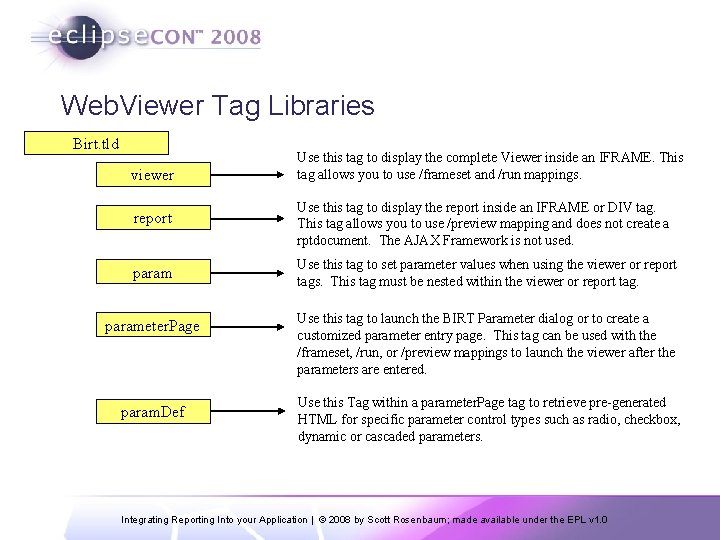
Web. Viewer Tag Libraries Birt. tld viewer Use this tag to display the complete Viewer inside an IFRAME. This tag allows you to use /frameset and /run mappings. report Use this tag to display the report inside an IFRAME or DIV tag. This tag allows you to use /preview mapping and does not create a rptdocument. The AJAX Framework is not used. param Use this tag to set parameter values when using the viewer or report tags. This tag must be nested within the viewer or report tag. parameter. Page Use this tag to launch the BIRT Parameter dialog or to create a customized parameter entry page. This tag can be used with the /frameset, /run, or /preview mappings to launch the viewer after the parameters are entered. param. Def Use this Tag within a parameter. Page tag to retrieve pre-generated HTML for specific parameter control types such as radio, checkbox, dynamic or cascaded parameters. Integrating Reporting Into your Application | © 2008 by Scott Rosenbaum; made available under the EPL v 1. 0
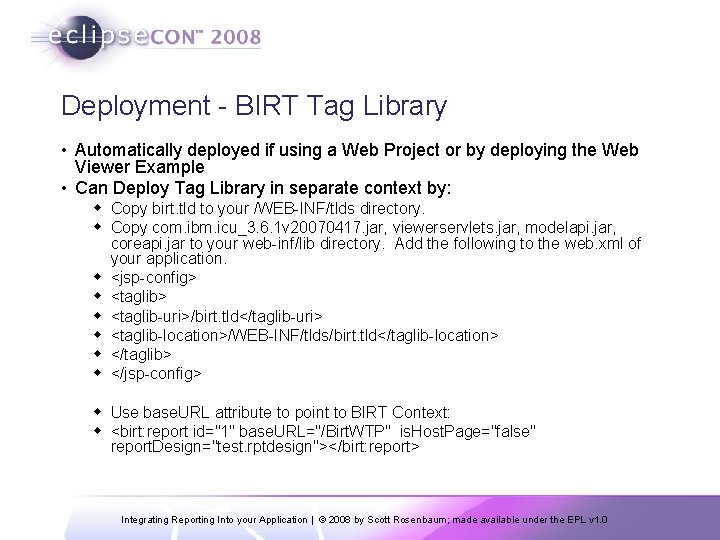
Deployment - BIRT Tag Library • Automatically deployed if using a Web Project or by deploying the Web Viewer Example • Can Deploy Tag Library in separate context by: w Copy birt. tld to your /WEB-INF/tlds directory. w Copy com. ibm. icu_3. 6. 1 v 20070417. jar, viewerservlets. jar, modelapi. jar, coreapi. jar to your web-inf/lib directory. Add the following to the web. xml of your application. w <jsp-config> w <taglib-uri>/birt. tld</taglib-uri> w <taglib-location>/WEB-INF/tlds/birt. tld</taglib-location> w </taglib> w </jsp-config> w Use base. URL attribute to point to BIRT Context: w <birt: report id="1" base. URL="/Birt. WTP" is. Host. Page="false" report. Design="test. rptdesign"></birt: report> Integrating Reporting Into your Application | © 2008 by Scott Rosenbaum; made available under the EPL v 1. 0
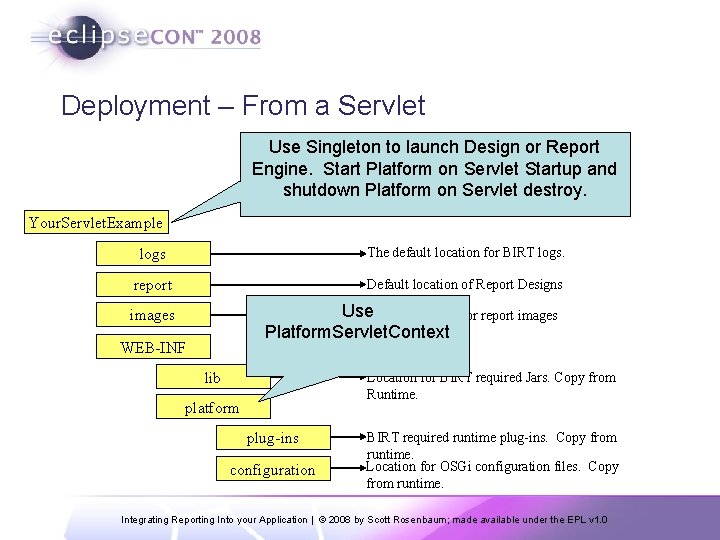
Deployment – From a Servlet Use Singleton to launch Design or Report Engine. Start Platform on Servlet Startup and shutdown Platform on Servlet destroy. Your. Servlet. Example logs The default location for BIRT logs. report Default location of Report Designs Use. Default location for report images Platform. Servlet. Context images WEB-INF lib Location for BIRT required Jars. Copy from Runtime. platform plug-ins configuration BIRT required runtime plug-ins. Copy from runtime. Location for OSGi configuration files. Copy from runtime. Integrating Reporting Into your Application | © 2008 by Scott Rosenbaum; made available under the EPL v 1. 0
Deployment - Servlet Demo • Example Servlet using the Report Engine Integrating Reporting Into your Application | © 2008 by Scott Rosenbaum; made available under the EPL v 1. 0
Deployment – RCP Application • Using the BIRT plug-ins in Eclipse based applications Integrating Reporting Into your Application | © 2008 by Scott Rosenbaum; made available under the EPL v 1. 0
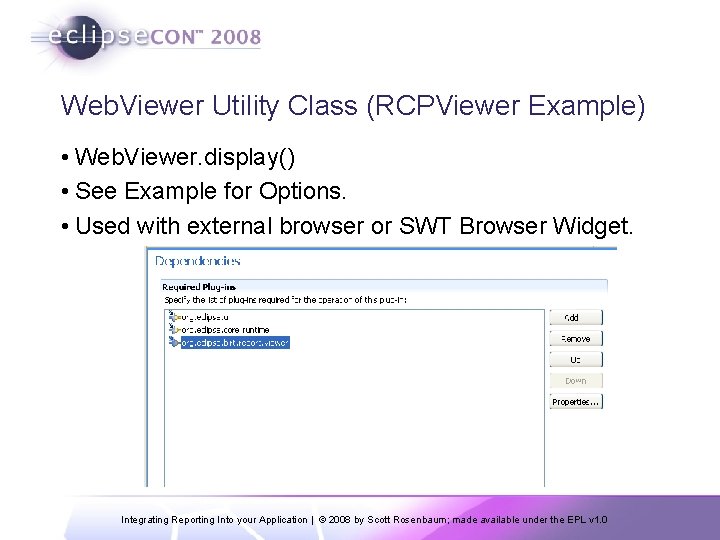
Web. Viewer Utility Class (RCPViewer Example) • Web. Viewer. display() • See Example for Options. • Used with external browser or SWT Browser Widget. Integrating Reporting Into your Application | © 2008 by Scott Rosenbaum; made available under the EPL v 1. 0
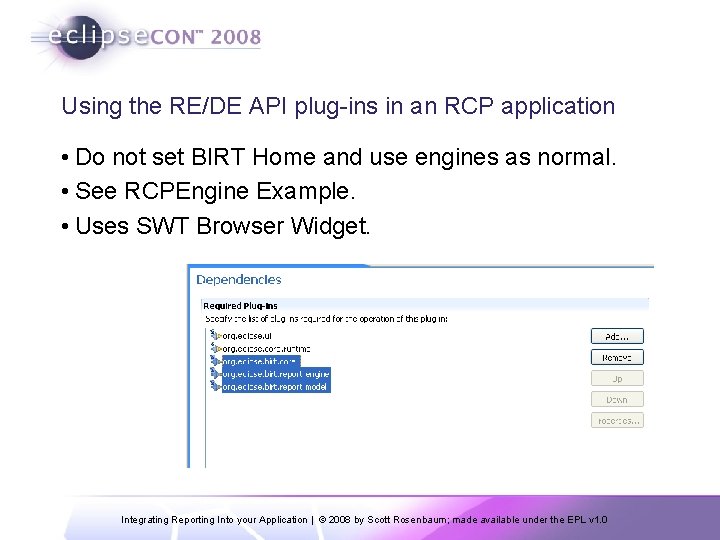
Using the RE/DE API plug-ins in an RCP application • Do not set BIRT Home and use engines as normal. • See RCPEngine Example. • Uses SWT Browser Widget. Integrating Reporting Into your Application | © 2008 by Scott Rosenbaum; made available under the EPL v 1. 0
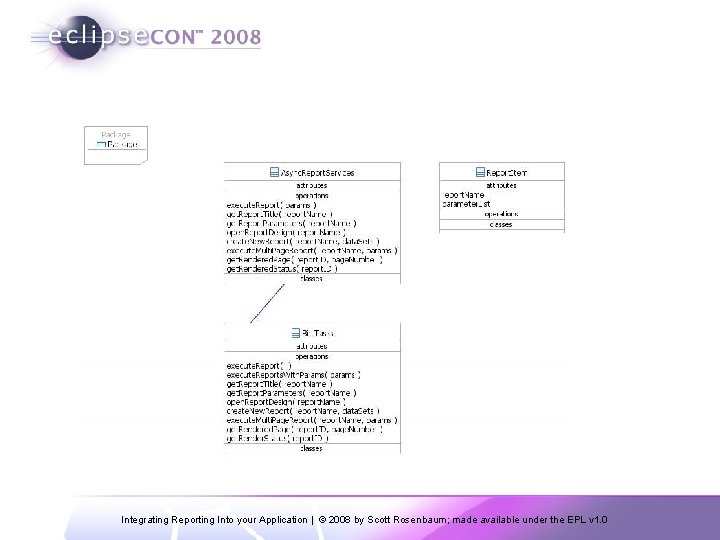
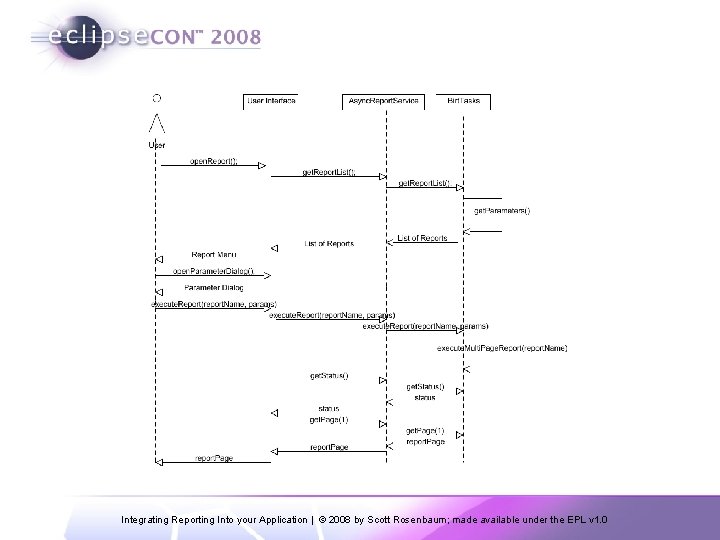
Deployment – Google Web Toolkit • Utility Classes w Needed due to Asyncronous nature of GWT w Client Side § Async. Report. Services § Report. Item Must extend is. Serializable w Server. Side § Birt. Tasks § RPC Web Services providing actual BIRT calls Integrating Reporting Into your Application | © 2008 by Scott Rosenbaum; made available under the EPL v 1. 0
Integrating Reporting Into your Application | © 2008 by Scott Rosenbaum; made available under the EPL v 1. 0
Integrating Reporting Into your Application | © 2008 by Scott Rosenbaum; made available under the EPL v 1. 0
Develop Designs in Code • • • Design Engine API Manipulate Report Designs, Templates and Libraries Build New Designs Modify Existing Designs Combine with BIRT Script to modify designs on the fly Create and delete report elements Put report elements into slots Get and set parameter values Retrieve metadata from report elements, properties and slots Undo/Redo Semantic Checks on report designs Integrating Reporting Into your Application | © 2008 by Scott Rosenbaum; made available under the EPL v 1. 0
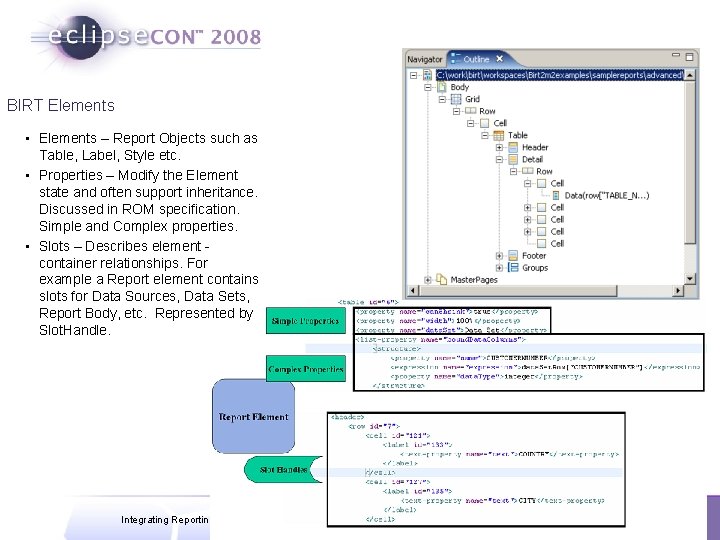
BIRT Elements • Elements – Report Objects such as Table, Label, Style etc. • Properties – Modify the Element state and often support inheritance. Discussed in ROM specification. Simple and Complex properties. • Slots – Describes element container relationships. For example a Report element contains slots for Data Sources, Data Sets, Report Body, etc. Represented by Slot. Handle. Integrating Reporting Into your Application | © 2008 by Scott Rosenbaum; made available under the EPL v 1. 0
DEAPI – Figuring Things Out • Build it with the designer • Explore the Outline view • Explore the XML Source • Property names and values are often static properties w Design. Choice. Constants w IStyle. Model w IReport. Item. Model • Element. Factory to build new element • Structure. Factory to build new structures • BIRT Source Test Cases Integrating Reporting Into your Application | © 2008 by Scott Rosenbaum; made available under the EPL v 1. 0
DEAPI – Basic Report Elements • Page Layout • Data Source • Data Sets • Body w Grids w Tables w Rows, Columns, Cells w Data, Labels, Text, Charts • Parameters • Styles Integrating Reporting Into your Application | © 2008 by Scott Rosenbaum; made available under the EPL v 1. 0
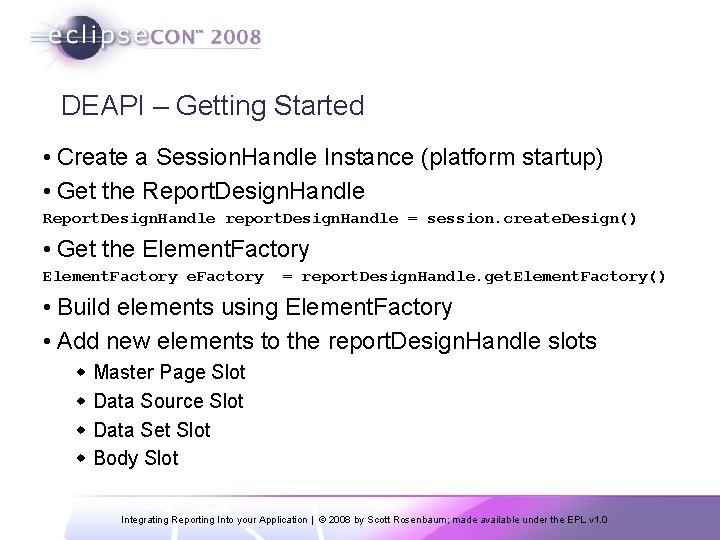
DEAPI – Getting Started • Create a Session. Handle Instance (platform startup) • Get the Report. Design. Handle report. Design. Handle = session. create. Design() • Get the Element. Factory e. Factory = report. Design. Handle. get. Element. Factory() • Build elements using Element. Factory • Add new elements to the report. Design. Handle slots w Master Page Slot w Data Source Slot w Data Set Slot w Body Slot Integrating Reporting Into your Application | © 2008 by Scott Rosenbaum; made available under the EPL v 1. 0
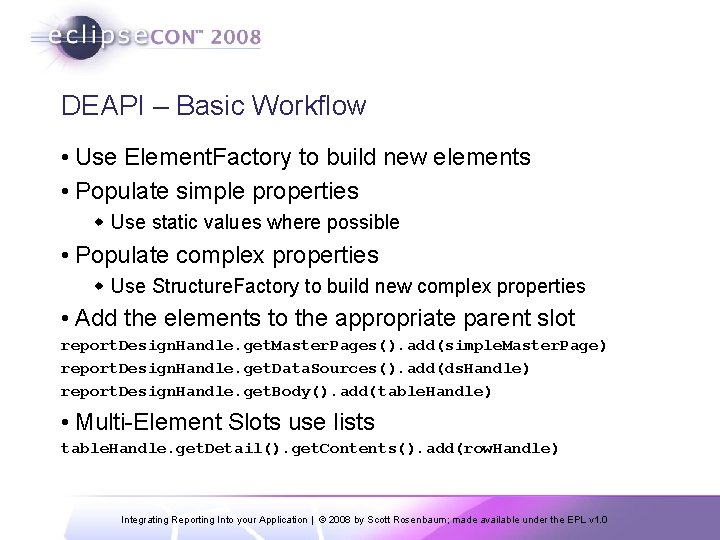
DEAPI – Basic Workflow • Use Element. Factory to build new elements • Populate simple properties w Use static values where possible • Populate complex properties w Use Structure. Factory to build new complex properties • Add the elements to the appropriate parent slot report. Design. Handle. get. Master. Pages(). add(simple. Master. Page) report. Design. Handle. get. Data. Sources(). add(ds. Handle) report. Design. Handle. get. Body(). add(table. Handle) • Multi-Element Slots use lists table. Handle. get. Detail(). get. Contents(). add(row. Handle) Integrating Reporting Into your Application | © 2008 by Scott Rosenbaum; made available under the EPL v 1. 0
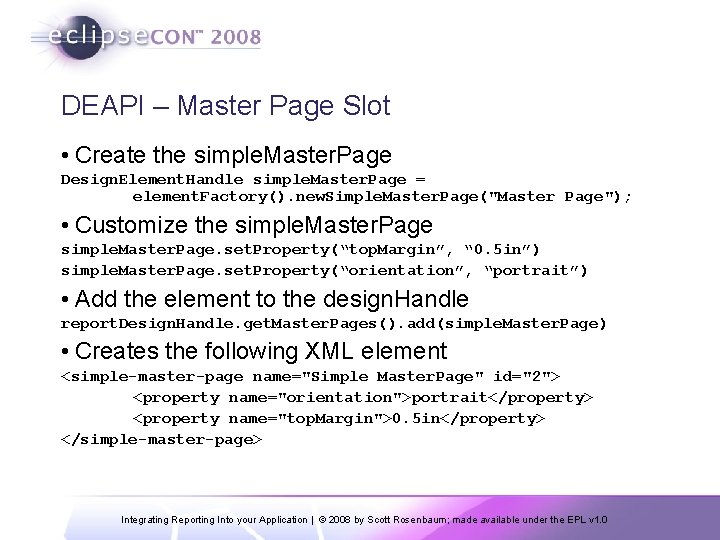
DEAPI – Master Page Slot • Create the simple. Master. Page Design. Element. Handle simple. Master. Page = element. Factory(). new. Simple. Master. Page("Master Page"); • Customize the simple. Master. Page. set. Property(“top. Margin”, “ 0. 5 in”) simple. Master. Page. set. Property(“orientation”, “portrait”) • Add the element to the design. Handle report. Design. Handle. get. Master. Pages(). add(simple. Master. Page) • Creates the following XML element <simple-master-page name="Simple Master. Page" id="2"> <property name="orientation">portrait</property> <property name="top. Margin">0. 5 in</property> </simple-master-page> Integrating Reporting Into your Application | © 2008 by Scott Rosenbaum; made available under the EPL v 1. 0
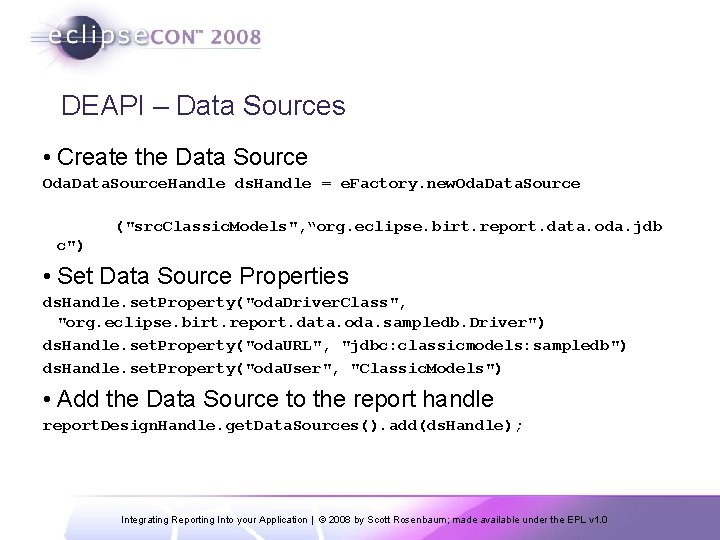
DEAPI – Data Sources • Create the Data Source Oda. Data. Source. Handle ds. Handle = e. Factory. new. Oda. Data. Source ("src. Classic. Models", “org. eclipse. birt. report. data. oda. jdb c") • Set Data Source Properties ds. Handle. set. Property("oda. Driver. Class", "org. eclipse. birt. report. data. oda. sampledb. Driver") ds. Handle. set. Property("oda. URL", "jdbc: classicmodels: sampledb") ds. Handle. set. Property("oda. User", "Classic. Models") • Add the Data Source to the report handle report. Design. Handle. get. Data. Sources(). add(ds. Handle); Integrating Reporting Into your Application | © 2008 by Scott Rosenbaum; made available under the EPL v 1. 0
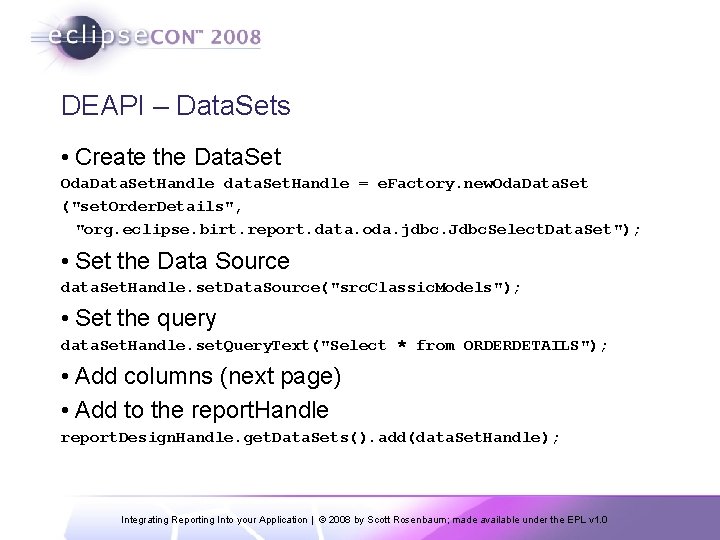
DEAPI – Data. Sets • Create the Data. Set Oda. Data. Set. Handle data. Set. Handle = e. Factory. new. Oda. Data. Set ("set. Order. Details", "org. eclipse. birt. report. data. oda. jdbc. Jdbc. Select. Data. Set"); • Set the Data Source data. Set. Handle. set. Data. Source("src. Classic. Models"); • Set the query data. Set. Handle. set. Query. Text("Select * from ORDERDETAILS"); • Add columns (next page) • Add to the report. Handle report. Design. Handle. get. Data. Sets(). add(data. Set. Handle); Integrating Reporting Into your Application | © 2008 by Scott Rosenbaum; made available under the EPL v 1. 0
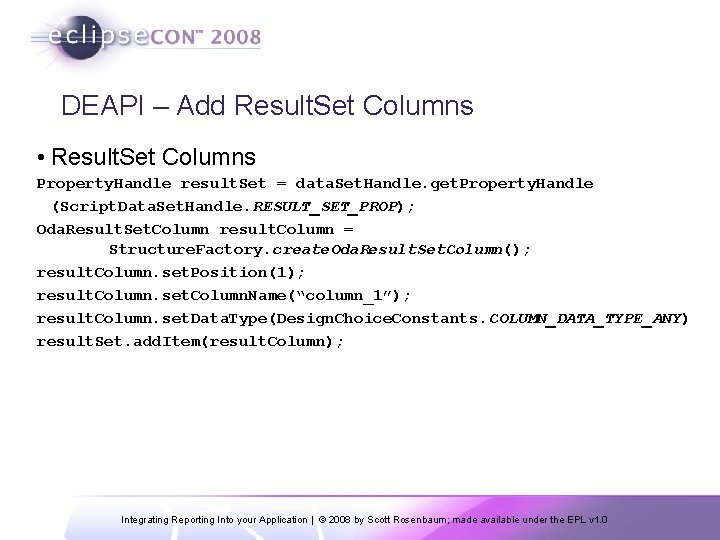
DEAPI – Add Result. Set Columns • Result. Set Columns Property. Handle result. Set = data. Set. Handle. get. Property. Handle (Script. Data. Set. Handle. RESULT_SET_PROP); Oda. Result. Set. Column result. Column = Structure. Factory. create. Oda. Result. Set. Column(); result. Column. set. Position(1); result. Column. set. Column. Name(“column_1”); result. Column. set. Data. Type(Design. Choice. Constants. COLUMN_DATA_TYPE_ANY) result. Set. add. Item(result. Column); Integrating Reporting Into your Application | © 2008 by Scott Rosenbaum; made available under the EPL v 1. 0
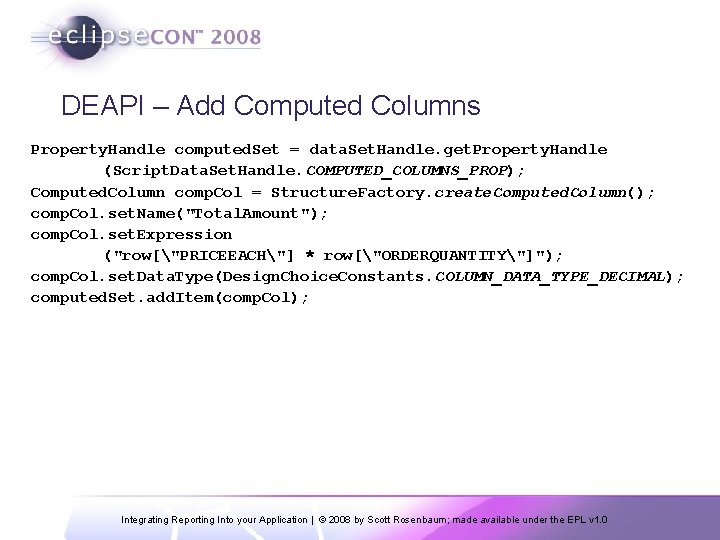
DEAPI – Add Computed Columns Property. Handle computed. Set = data. Set. Handle. get. Property. Handle (Script. Data. Set. Handle. COMPUTED_COLUMNS_PROP); Computed. Column comp. Col = Structure. Factory. create. Computed. Column(); comp. Col. set. Name("Total. Amount"); comp. Col. set. Expression ("row["PRICEEACH"] * row["ORDERQUANTITY"]"); comp. Col. set. Data. Type(Design. Choice. Constants. COLUMN_DATA_TYPE_DECIMAL); computed. Set. add. Item(comp. Col); Integrating Reporting Into your Application | © 2008 by Scott Rosenbaum; made available under the EPL v 1. 0
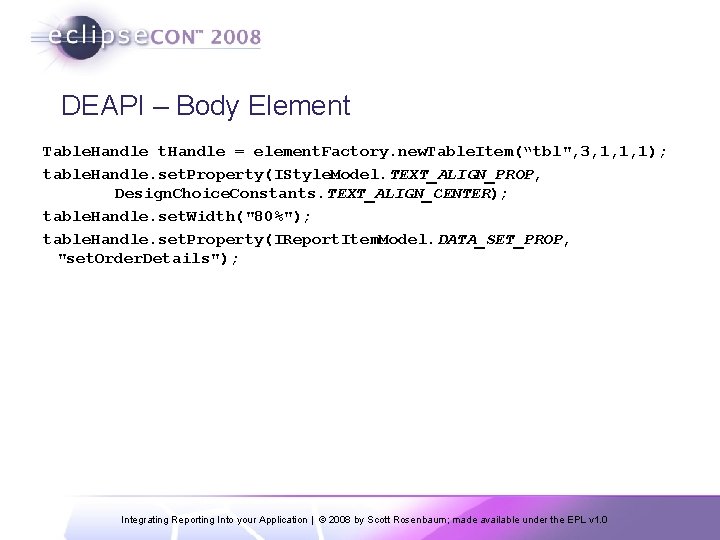
DEAPI – Body Element Table. Handle t. Handle = element. Factory. new. Table. Item(“tbl", 3, 1, 1, 1); table. Handle. set. Property(IStyle. Model. TEXT_ALIGN_PROP, Design. Choice. Constants. TEXT_ALIGN_CENTER); table. Handle. set. Width("80%"); table. Handle. set. Property(IReport. Item. Model. DATA_SET_PROP, "set. Order. Details"); Integrating Reporting Into your Application | © 2008 by Scott Rosenbaum; made available under the EPL v 1. 0
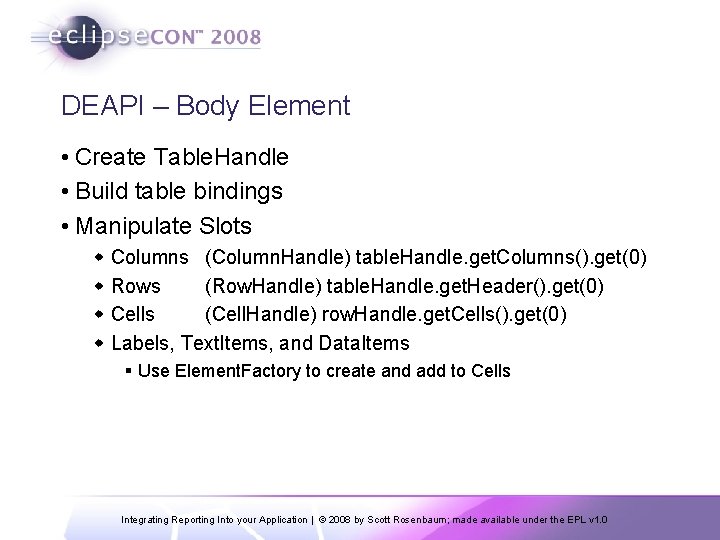
DEAPI – Body Element • Create Table. Handle • Build table bindings • Manipulate Slots w Columns (Column. Handle) table. Handle. get. Columns(). get(0) w Rows (Row. Handle) table. Handle. get. Header(). get(0) w Cells (Cell. Handle) row. Handle. get. Cells(). get(0) w Labels, Text. Items, and Data. Items § Use Element. Factory to create and add to Cells Integrating Reporting Into your Application | © 2008 by Scott Rosenbaum; made available under the EPL v 1. 0
DEMO - Design Engine API Examples • Build a Simple Report • Data Sources and Data Sets • Tables and Data Binding • Slots, Groups, and Styles • Parameters • Modify Existing Design • Access Libraries Integrating Reporting Into your Application | © 2008 by Scott Rosenbaum; made available under the EPL v 1. 0
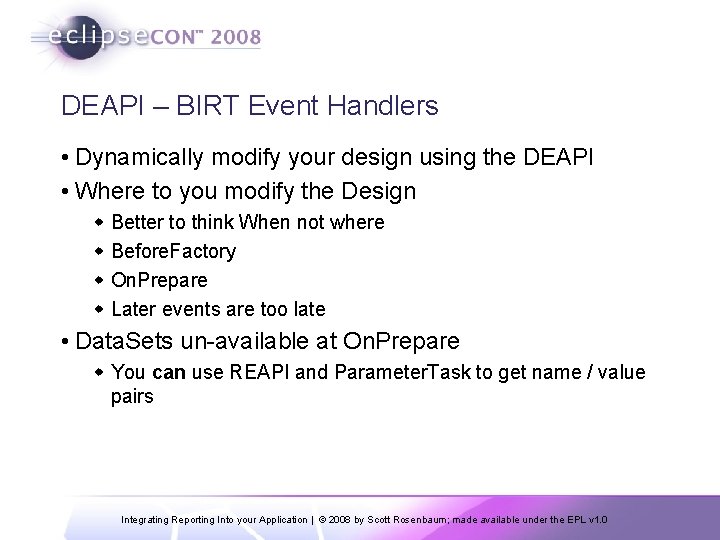
DEAPI – BIRT Event Handlers • Dynamically modify your design using the DEAPI • Where to you modify the Design w Better to think When not where w Before. Factory w On. Prepare w Later events are too late • Data. Sets un-available at On. Prepare w You can use REAPI and Parameter. Task to get name / value pairs Integrating Reporting Into your Application | © 2008 by Scott Rosenbaum; made available under the EPL v 1. 0
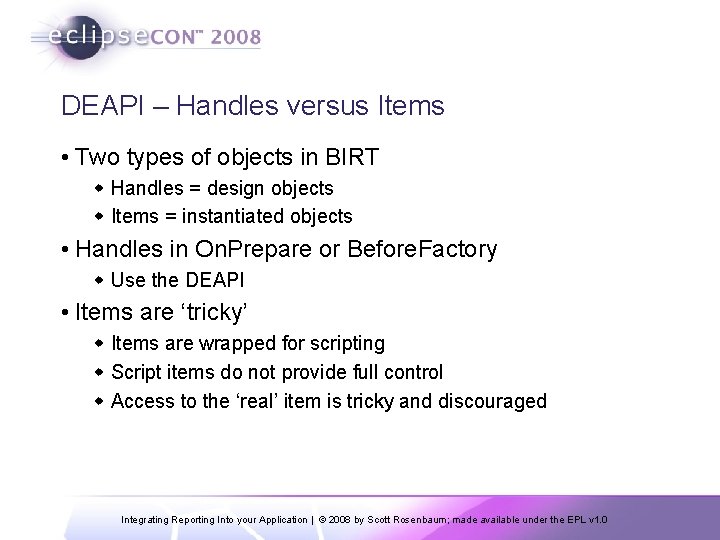
DEAPI – Handles versus Items • Two types of objects in BIRT w Handles = design objects w Items = instantiated objects • Handles in On. Prepare or Before. Factory w Use the DEAPI • Items are ‘tricky’ w Items are wrapped for scripting w Script items do not provide full control w Access to the ‘real’ item is tricky and discouraged Integrating Reporting Into your Application | © 2008 by Scott Rosenbaum; made available under the EPL v 1. 0
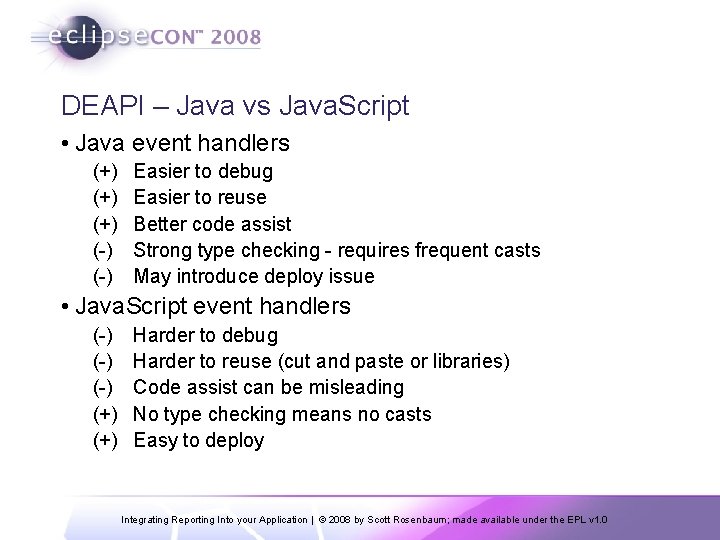
DEAPI – Java vs Java. Script • Java event handlers (+) (+) (-) Easier to debug Easier to reuse Better code assist Strong type checking - requires frequent casts May introduce deploy issue • Java. Script event handlers (-) (-) (+) Harder to debug Harder to reuse (cut and paste or libraries) Code assist can be misleading No type checking means no casts Easy to deploy Integrating Reporting Into your Application | © 2008 by Scott Rosenbaum; made available under the EPL v 1. 0
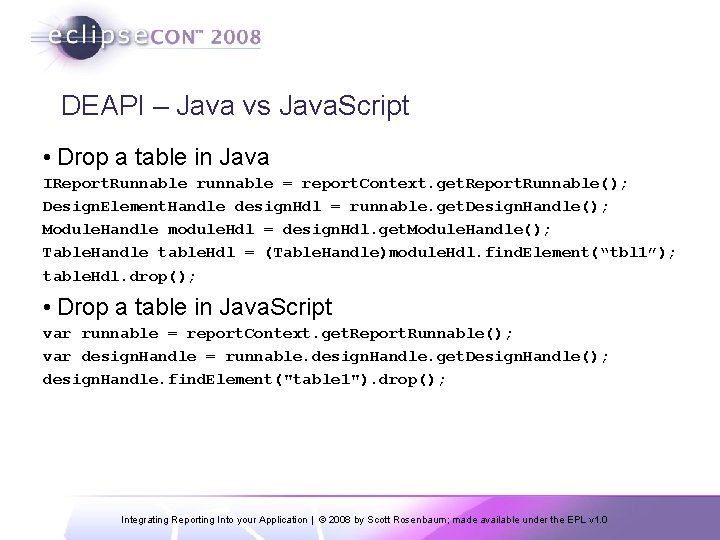
DEAPI – Java vs Java. Script • Drop a table in Java IReport. Runnable runnable = report. Context. get. Report. Runnable(); Design. Element. Handle design. Hdl = runnable. get. Design. Handle(); Module. Handle module. Hdl = design. Hdl. get. Module. Handle(); Table. Handle table. Hdl = (Table. Handle)module. Hdl. find. Element(“tbl 1”); table. Hdl. drop(); • Drop a table in Java. Script var runnable = report. Context. get. Report. Runnable(); var design. Handle = runnable. design. Handle. get. Design. Handle(); design. Handle. find. Element("table 1"). drop(); Integrating Reporting Into your Application | © 2008 by Scott Rosenbaum; made available under the EPL v 1. 0
DEMO – DEAPI BIRT Event Handlers • Java. Script w Drop a Table w Add a Data. Set Filter • Java w Modify a Table w Debug using Runtime Engine w Debug using Tester Integrating Reporting Into your Application | © 2008 by Scott Rosenbaum; made available under the EPL v 1. 0
BIRT Extensions • Data Tool Extension Points w Driver. Bridge w Open Data Access (ODA) w ODA UI • BIRT Extension Points w Aggregates w Report Items w Emitters w Charts • BIRT Extensions use Eclipse Plug-In Framework Integrating Reporting Into your Application | © 2008 by Scott Rosenbaum; made available under the EPL v 1. 0
What Is a Plug-In ? • Plugins - Reusable component arch. • Eclipse is built using Plug-ins • Core Platform provides Extension Points • BIRT extends the core Eclipse Plug-Ins • You extend BIRT through extension points Integrating Reporting Into your Application | © 2008 by Scott Rosenbaum; made available under the EPL v 1. 0
Interfaces vs. Adapters • All BIRT Extensions are defined by an Interface • Most extension interfaces have an adapter class • Implement the Interface w Required to implement all methods w Interface changes may break your code • Extend the Adapter w Hides infrequently used interfaces w Isolate implementation from an Interface change w Recommended procedure Integrating Reporting Into your Application | © 2008 by Scott Rosenbaum; made available under the EPL v 1. 0
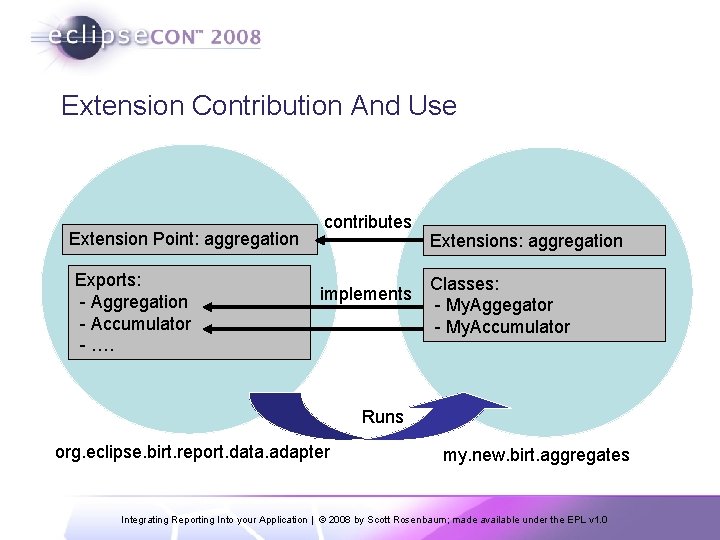
Extension Contribution And Use Extension Point: aggregation Exports: - Aggregation - Accumulator - …. contributes implements Extensions: aggregation Classes: - My. Aggegator - My. Accumulator Runs org. eclipse. birt. report. data. adapter my. new. birt. aggregates Integrating Reporting Into your Application | © 2008 by Scott Rosenbaum; made available under the EPL v 1. 0
What is a Plug-in (more) • A new plug-in: w Uses dependency to resolve required classes w Implements extension points through extensions w Optionally – can export packages to clients w Optionally – can create extension points • Eclipse framework is based on OSGi framework R 4. 0 spec w Eclipse plug-ins ≈ OSGi bundles Integrating Reporting Into your Application | © 2008 by Scott Rosenbaum; made available under the EPL v 1. 0
Aggregate Extension Point • Allows you to define your own aggregates w Total. your. Function. Here() • Relatively easy to implement w Create a Plug-in project § Add Dependencies § Fill-out Extension interface w Implement Aggregate classes § Aggregator extends Aggregation § Accumulator extends Accumulator w Test using Runtime Workbench instance Integrating Reporting Into your Application | © 2008 by Scott Rosenbaum; made available under the EPL v 1. 0
ODA = Open Data Architecture • Create new data access components w Data Sources § Connect to the data w Data Sets § Specify what to get § Can re-use same Data Source w/o re-connect • Access to Non-Standard Data Sources w Based on standard Data. Source and Data. Set UI w Filter, Computed Columns, Preview, Joint Data Set are all built in w Report Developers use a Similar Drag and Drop UI Integrating Reporting Into your Application | © 2008 by Scott Rosenbaum; made available under the EPL v 1. 0
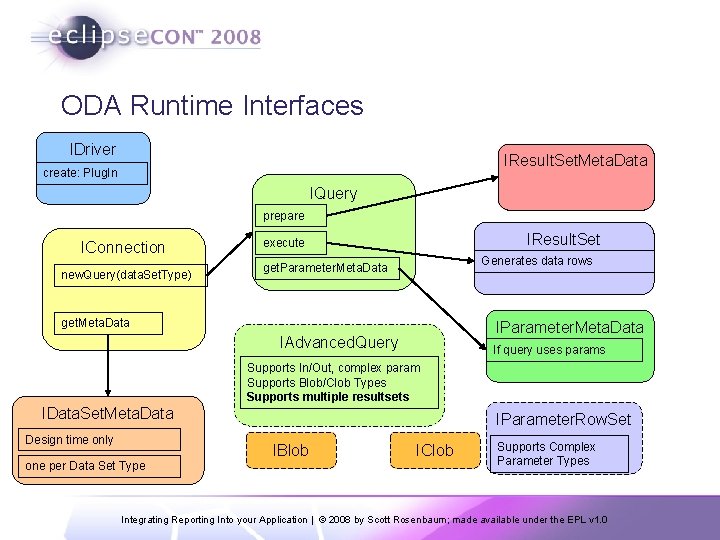
ODA Runtime Interfaces IDriver IResult. Set. Meta. Data create: Plug. In IQuery prepare IConnection new. Query(data. Set. Type) IResult. Set execute Generates data rows get. Parameter. Meta. Data get. Meta. Data IParameter. Meta. Data IAdvanced. Query If query uses params Supports In/Out, complex param Supports Blob/Clob Types Supports multiple resultsets IData. Set. Meta. Data Design time only IParameter. Row. Set IBlob one per Data Set Type IClob Supports Complex Parameter Types Integrating Reporting Into your Application | © 2008 by Scott Rosenbaum; made available under the EPL v 1. 0
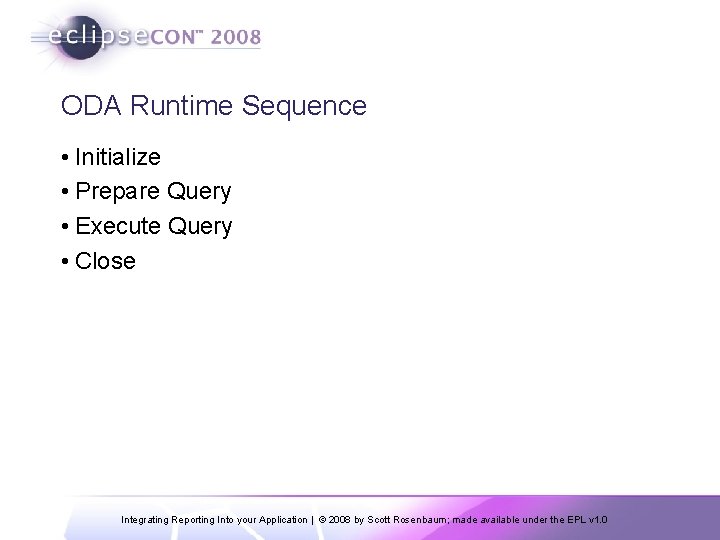
ODA Runtime Sequence • Initialize • Prepare Query • Execute Query • Close Integrating Reporting Into your Application | © 2008 by Scott Rosenbaum; made available under the EPL v 1. 0
ODA Data. Source Wizards • Run. Time Wizard w Creates plugin. xml, manifest. mf, and plugin. properties w Creates hard code example of ODA interfaces w Works, but requires a Designer component • Design. Time Wizard w Creates simple UI for Data. Source § Uses Eclipse property editor w Creates simple query based UI for Data. Set Integrating Reporting Into your Application | © 2008 by Scott Rosenbaum; made available under the EPL v 1. 0
Report. Item Extension • Add New Items to the Palette w Charts are Report. Item extension w Crosstab is a Report. Item extension • Implements multiple extension points w w Report Object Model – How is persisted in the rptdesign Report Item UI – How does the designer interact Report Item Generation – What happens at run time Report Item Presentation – What happens at view time • Creating Report. Item extensions is non-trivial w Data handling, Presentation, Script handling, Styles w UI Issues Integrating Reporting Into your Application | © 2008 by Scott Rosenbaum; made available under the EPL v 1. 0
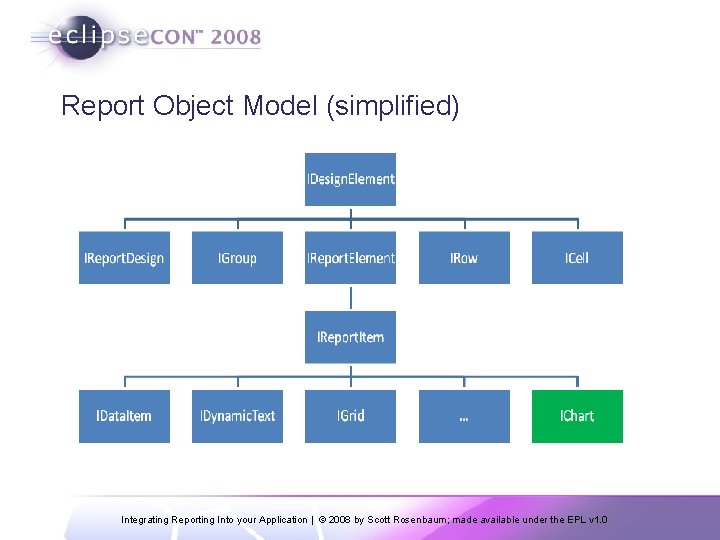
Report Object Model (simplified) Integrating Reporting Into your Application | © 2008 by Scott Rosenbaum; made available under the EPL v 1. 0
Emitters – Interfaces • IContent. Emitter w Walks through all of the components in the report w Tables, Rows, Cells, Data, Styles, Script … w Use Content. Emitter. Adapter w Stubs out required interfaces, implement as needed • IEmitter. Services w Provides required info for emitter w E. g. Output. Stream, report name, report context, etc. • IContent. Visitor • XMLWriter Integrating Reporting Into your Application | © 2008 by Scott Rosenbaum; made available under the EPL v 1. 0
Emitters - Difficulty • Data Dump Emitters w Relatively trivial w Walk through each component and wrap/write the value • Full function Emitters w Styles, links, actions, etc. w Create numerous complex issues for layout and function mapping • Report Complexity = Emitter Complexity w Complex report designs w Require complex emitters Integrating Reporting Into your Application | © 2008 by Scott Rosenbaum; made available under the EPL v 1. 0
Want More BIRT Talks? • Introduction to BIRT 2. 2 Tuesday 11: 10 207 Paul Clenahan • Because Size Matters : Combining CDT and BIRT to Analyze Binary Code Size of Embedded Applications Tuesday 14: 00 209/210 Philippe Coucaud • BIRT Chart API's Tuesday 16: 30 207 Jason Weathersby • Using Eclipse BIRT in the real word seriously Tuesday 16: 30 Great America Ballroom JK Justin Miranda • Getting the most from your BIRT reports Wednesday 10: 10 Ballroom E Virgil Dodson • Introducing DTP Open Data Access Framework Wednesday 13: 30 Great America Room 2 Linda Chan Integrating Reporting Into your Application | © 2008 by Scott Rosenbaum; made available under the EPL v 1. 0
We’re not done yet… • BIRT Short Talks Wednesday 15: 30 (5 talks in one hour) 203/204 Amazon Web Service Report Virgil Dodson BIRT and Google Maps Mashup Pierre Tessier BIRT and Google Web Toolkit John Ward Charting Everywhere Philippe Coucaud Open. Document Format Spread-Sheet Emitter for BIRT Santosh Kumar • Meeting customer’s reporting reqs by extending BIRT Wednesday 4: 30 207 Neil Wang, Wei Liu, Santosh Kumar, Maged Elaasar Integrating Reporting Into your Application | © 2008 by Scott Rosenbaum; made available under the EPL v 1. 0
Finally • BIRT BOF - Birts of a Feather Wednesday 8: 45 pm Grand Ballroom C Talk to the BIRT tech leads about what you are doing, what you want to do, how we can make the product better, etc. We’re buying the beer … • Come by the Actuate Booth at the Exhibitor Hall Integrating Reporting Into your Application | © 2008 by Scott Rosenbaum; made available under the EPL v 1. 0
Questions? • Thank You Very Much • www. eclipse. org/birt • birtworld. blogspot. com • www. birt-exchange. com • longlake. minnovent. com/repos/birt_example w Example Code • scottr@innoventsolutions. com Integrating Reporting Into your Application | © 2008 by Scott Rosenbaum; made available under the EPL v 1. 0
- Slides: 74