
Integrating PASCO Probeware into your Science Curriculum Julie

Integrating PASCO Probeware into your Science Curriculum Julie Brunel Science Teacher Virden Collegiate jbrunel@flbsd. mb. ca
Who I am • Fort La Bosse School Division • Google Classroom - @gdrive. flbsd. mb. ca • Virden Collegiate • 30 S/40 S Biology • Crime Scene Investigations • Introduction to Geology/Environmental Sciences • 41 Interdisciplinary Sciences Astronomy
What is Pasco p. Robeware? Click picture to play video.
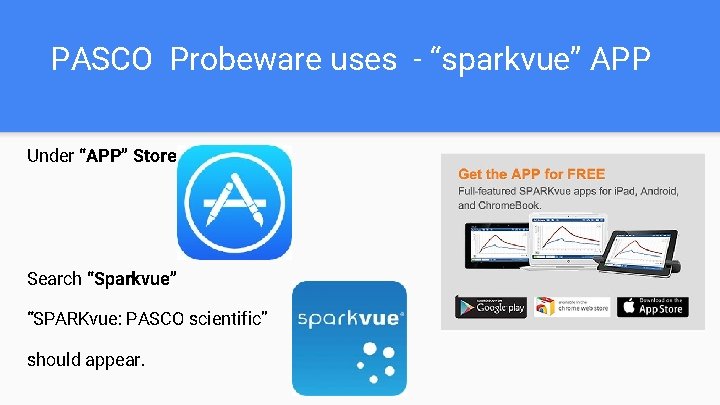
PASCO Probeware uses - “sparkvue” APP Under “APP” Store Search “Sparkvue” “SPARKvue: PASCO scientific” should appear.
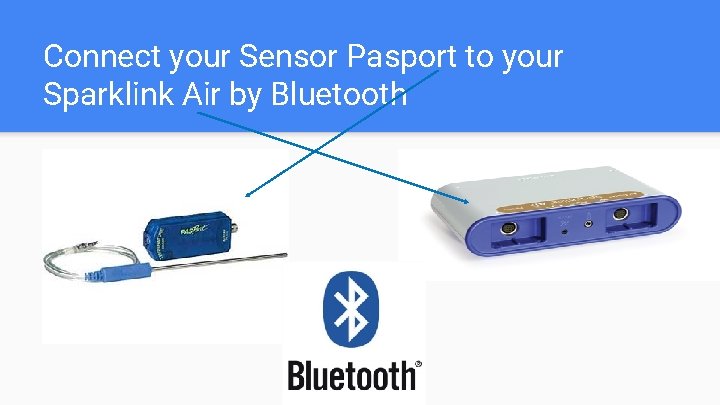
Connect your Sensor Pasport to your Sparklink Air by Bluetooth
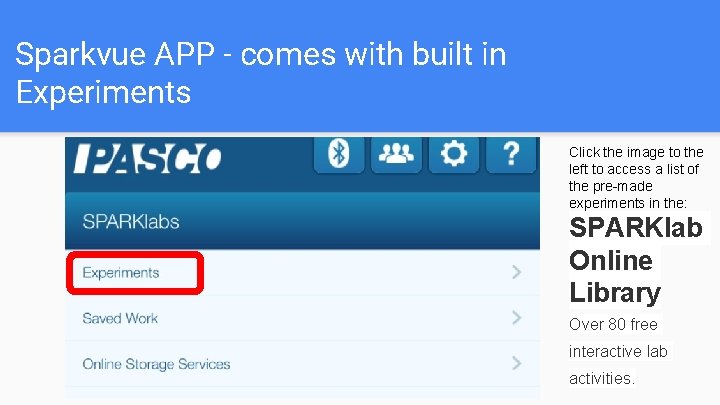
Sparkvue APP - comes with built in Experiments Click the image to the left to access a list of the pre-made experiments in the: SPARKlab Online Library Over 80 free interactive lab activities.
How Virden Collegiate Science Department has used the technology Biology Teacher - Julie Brunel • 30 S Biology - Unit 3 - Transportation & Respiration • “Heart Activity” Experiment - Effect of exercise on EKG line • EKG Sensor
Physics Teacher - Daniel Brick • 30 S Physics - Topic 3 Mechanics - 3. 1 Kinematics • “Speed & Velocity” Experiment - Position versus Time Graphs • Motion Sensors
Chemistry Teacher - Mike Bertram • Grade 12 Chemistry • Built his own experiment (Gas Law) • Chemistry Sensors (Multimeasure sensor, Temperature probe, Voltage probe, p. H electrode)
PROS • We integrated technology into our curricula to engage Science students. • Allowed students to collect data efficiently as a group, yet allowed them to analyze the results individually. • There are some really cool labs that are already built for you! • Allows students to see the value of using probes in Science (Consultants use probes daily to measure environmental variables).
CONS • If there is not a pre-made lab, it is very time consuming to build one • How students “submit” their work, is not as user friendly as their APP / website suggests. • Had to use Google Classroom for students to turn their work in • Create an “Assignment” with a copy of the Google Doc lab attached (Make copy for each student) • Students took screen shots of each SPARKvue screen in their built in experiments • Uploaded their screen shots into their Google Doc • Then “Turned In” their assignment
Play Time! “Experiments” • Group 1: Heart Activity (EKG)- Need: EKG Sensors • Group 2: Thermoregulation - Need: Temperature Sensors • Group 3: p. H of Household Chemicals - Need: p. H probe • Group 4: Speed and Velocity (Position Time Graphs) - Need: Motion Sensors
- Slides: 12