
Integrating HADOOP with Eclipse on a Virtual Machine
- Slides: 17
Integrating HADOOP with Eclipse on a Virtual Machine Moheeb Alwarsh January 26, 2012 Kent State University
Outline Installing Virtual. Box Importing Virtual OS to Virtual. Box Live Demo Integrating HADOOP with Eclipse on a Virtual Machine 2
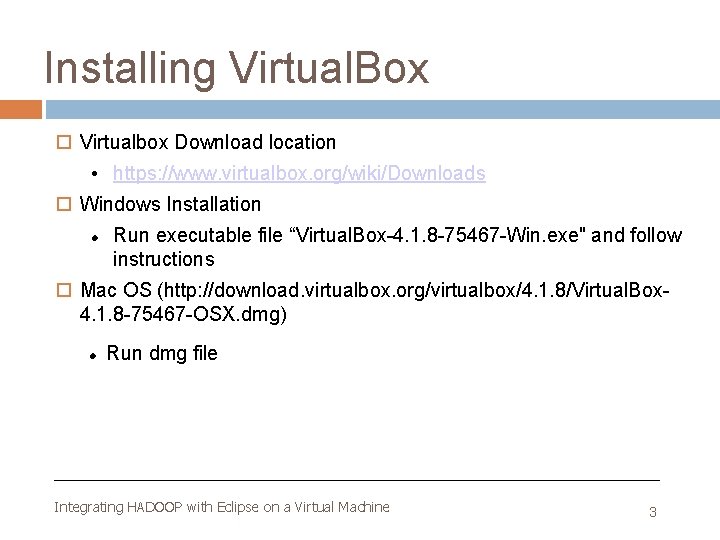
Installing Virtual. Box Virtualbox Download location • https: //www. virtualbox. org/wiki/Downloads Windows Installation Run executable file “Virtual. Box-4. 1. 8 -75467 -Win. exe" and follow instructions Mac OS (http: //download. virtualbox. org/virtualbox/4. 1. 8/Virtual. Box 4. 1. 8 -75467 -OSX. dmg) Run dmg filee file and follow instruction Integrating HADOOP with Eclipse on a Virtual Machine 3
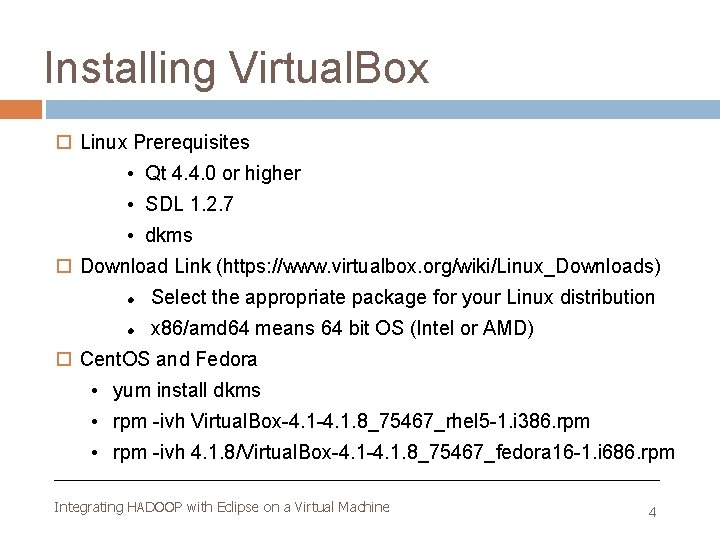
Installing Virtual. Box Linux Prerequisites • Qt 4. 4. 0 or higher • SDL 1. 2. 7 • dkms Download Link (https: //www. virtualbox. org/wiki/Linux_Downloads) Select the appropriate package for your Linux distribution x 86/amd 64 means 64 bit OS (Intel or AMD) Cent. OS and Fedora • yum install dkms • rpm -ivh Virtual. Box-4. 1. 8_75467_rhel 5 -1. i 386. rpm • rpm -ivh 4. 1. 8/Virtual. Box-4. 1. 8_75467_fedora 16 -1. i 686. rpm Integrating HADOOP with Eclipse on a Virtual Machine 4
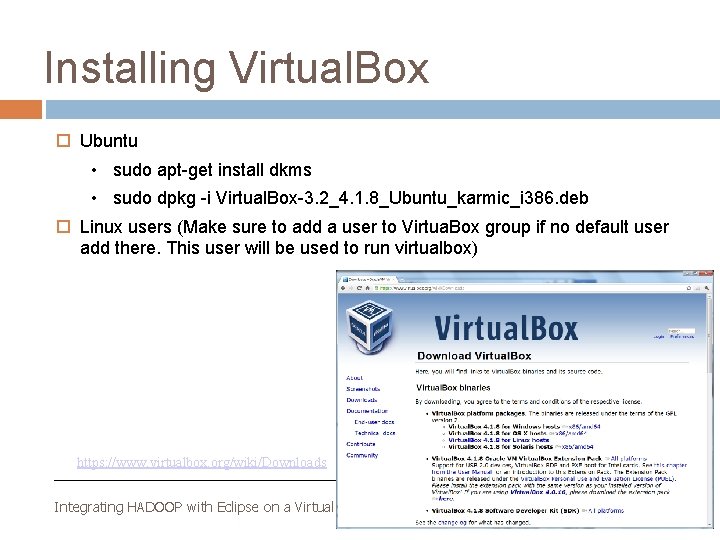
Installing Virtual. Box Ubuntu • sudo apt-get install dkms • sudo dpkg -i Virtual. Box-3. 2_4. 1. 8_Ubuntu_karmic_i 386. deb Linux users (Make sure to add a user to Virtua. Box group if no default user add there. This user will be used to run virtualbox) https: //www. virtualbox. org/wiki/Downloads Integrating HADOOP with Eclipse on a Virtual Machine 5
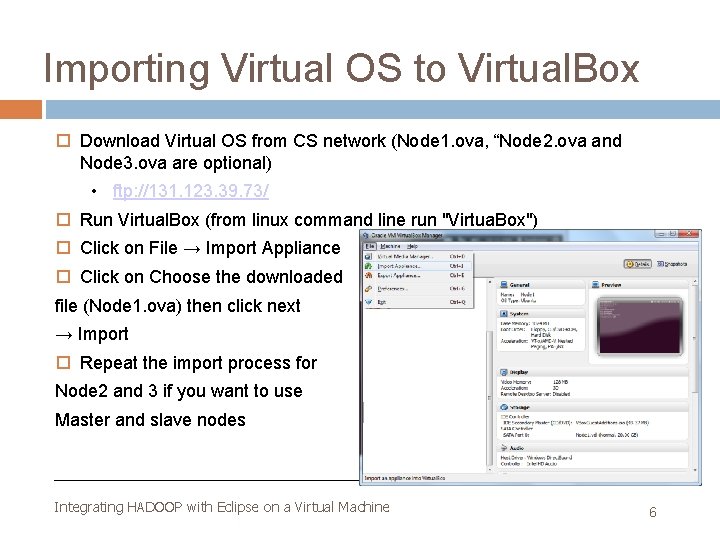
Importing Virtual OS to Virtual. Box Download Virtual OS from CS network (Node 1. ova, “Node 2. ova and Node 3. ova are optional) • ftp: //131. 123. 39. 73/ Run Virtual. Box (from linux command line run "Virtua. Box") Click on File → Import Appliance Click on Choose the downloaded file (Node 1. ova) then click next → Import Repeat the import process for Node 2 and 3 if you want to use Master and slave nodes Integrating HADOOP with Eclipse on a Virtual Machine 6
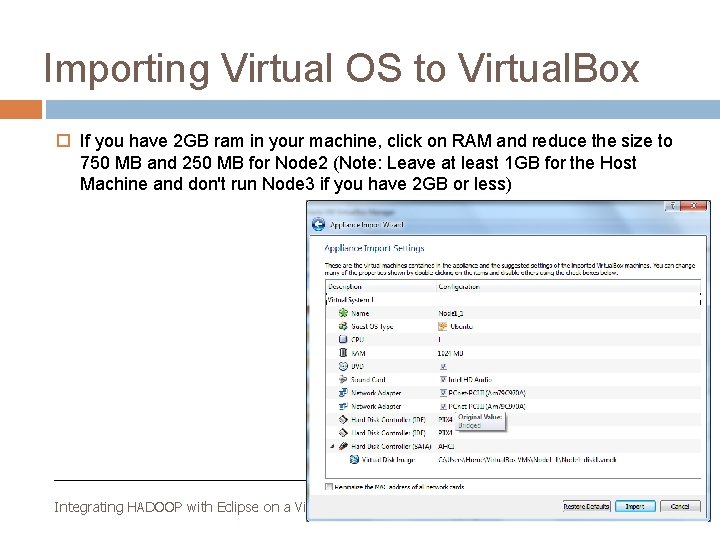
Importing Virtual OS to Virtual. Box If you have 2 GB ram in your machine, click on RAM and reduce the size to 750 MB and 250 MB for Node 2 (Note: Leave at least 1 GB for the Host Machine and don't run Node 3 if you have 2 GB or less) Integrating HADOOP with Eclipse on a Virtual Machine 7
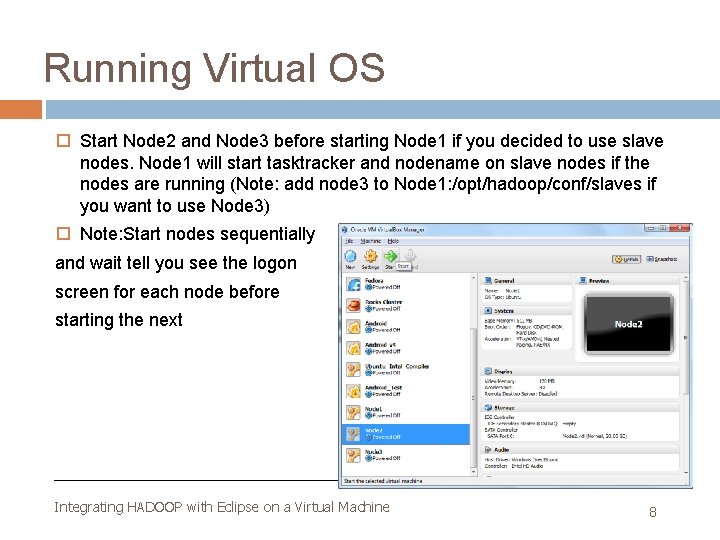
Running Virtual OS Start Node 2 and Node 3 before starting Node 1 if you decided to use slave nodes. Node 1 will start tasktracker and nodename on slave nodes if the nodes are running (Note: add node 3 to Node 1: /opt/hadoop/conf/slaves if you want to use Node 3) Note: Start nodes sequentially and wait tell you see the logon screen for each node before starting the next Integrating HADOOP with Eclipse on a Virtual Machine 8
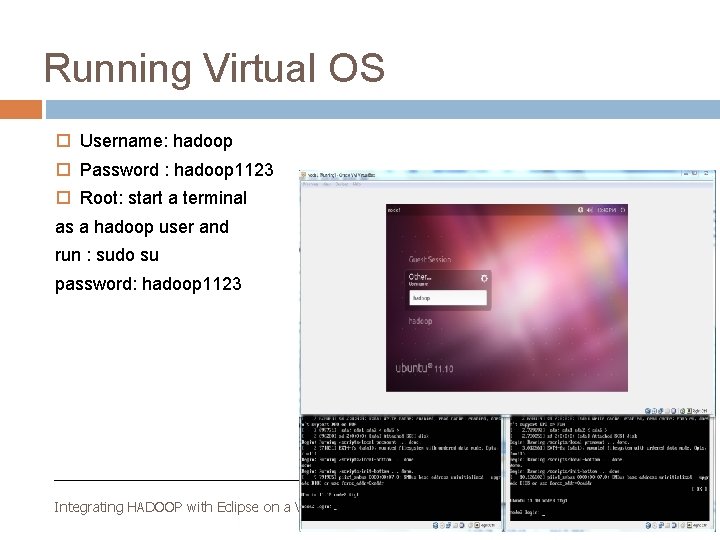
Running Virtual OS Username: hadoop Password : hadoop 1123 Root: start a terminal as a hadoop user and run : sudo su password: hadoop 1123 Integrating HADOOP with Eclipse on a Virtual Machine 9
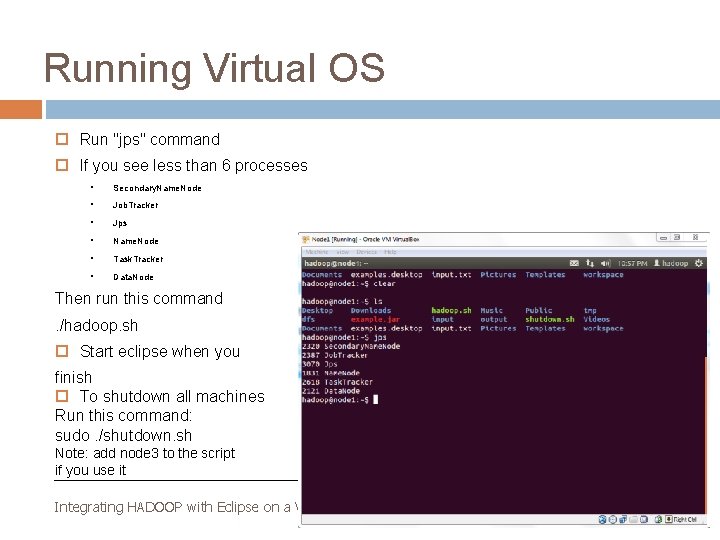
Running Virtual OS Run "jps" command If you see less than 6 processes • Secondary. Name. Node • Job. Tracker • Jps • Name. Node • Task. Tracker • Data. Node Then run this command. /hadoop. sh Start eclipse when you finish To shutdown all machines Run this command: sudo. /shutdown. sh Note: add node 3 to the script if you use it Integrating HADOOP with Eclipse on a Virtual Machine 10
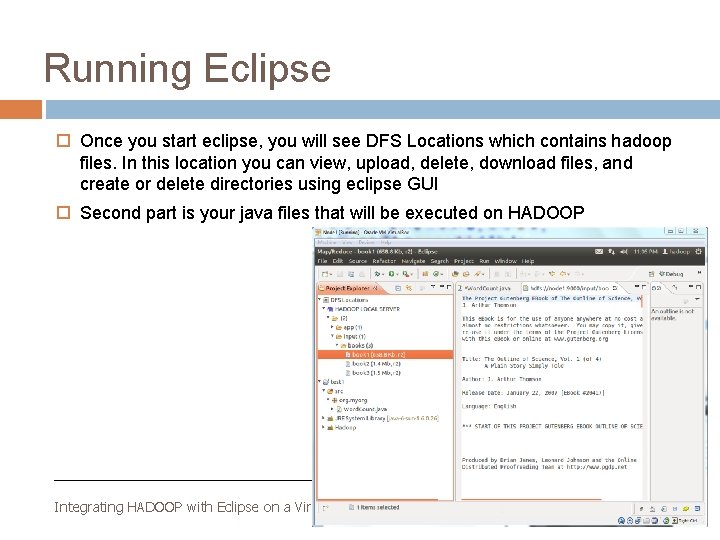
Running Eclipse Once you start eclipse, you will see DFS Locations which contains hadoop files. In this location you can view, upload, delete, download files, and create or delete directories using eclipse GUI Second part is your java files that will be executed on HADOOP Integrating HADOOP with Eclipse on a Virtual Machine 11
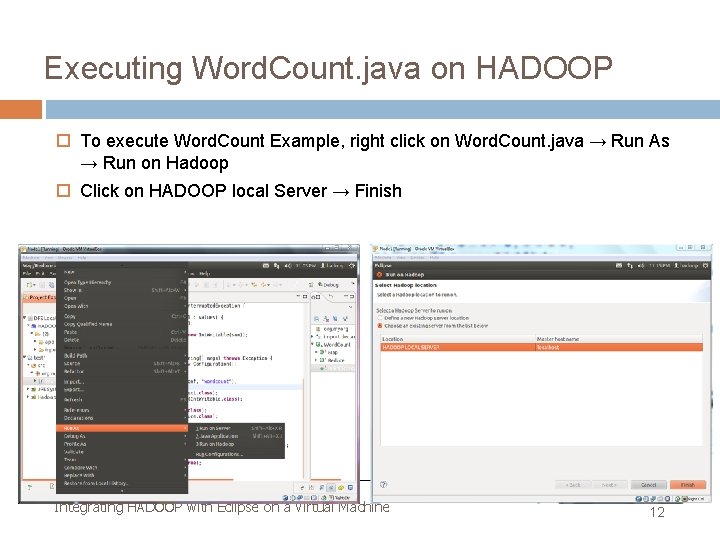
Executing Word. Count. java on HADOOP To execute Word. Count Example, right click on Word. Count. java → Run As → Run on Hadoop Click on HADOOP local Server → Finish Integrating HADOOP with Eclipse on a Virtual Machine 12
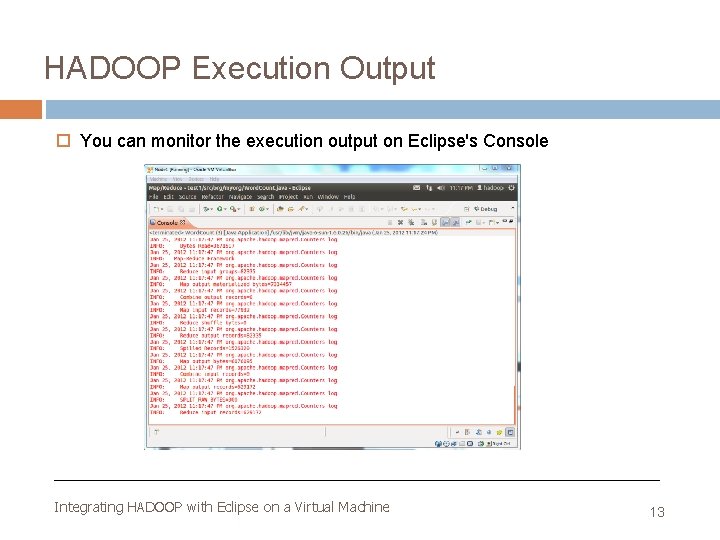
HADOOP Execution Output You can monitor the execution output on Eclipse's Console Integrating HADOOP with Eclipse on a Virtual Machine 13
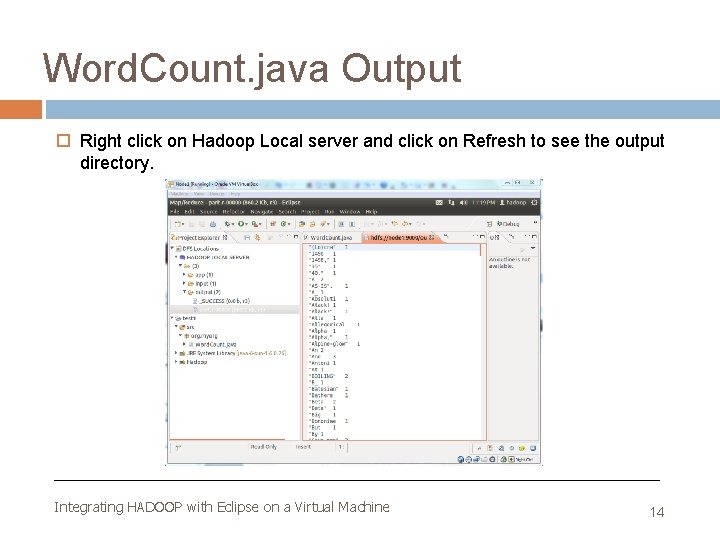
Word. Count. java Output Right click on Hadoop Local server and click on Refresh to see the output directory. Integrating HADOOP with Eclipse on a Virtual Machine 14
Live Demo Integrating HADOOP with Eclipse on a Virtual Machine 15
References http: //www. eclipse. org/ http: //hadoop. apache. org/ https: //www. virtualbox. org Integrating HADOOP with Eclipse on a Virtual Machine 16
Questions Integrating HADOOP with Eclipse on a Virtual Machine 17