
Integrated ARMOR Projects Part 1 ARMOR Data Collection

- Slides: 60
Integrated ARMOR Projects
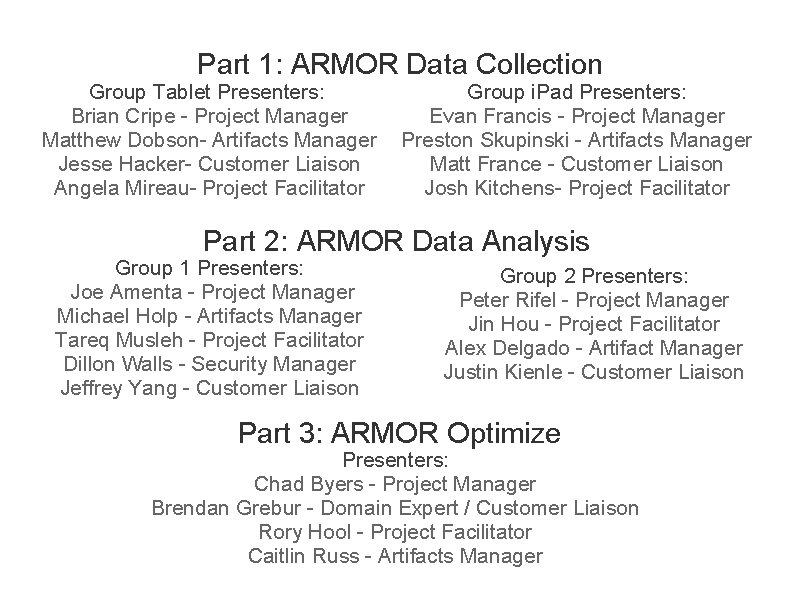
Part 1: ARMOR Data Collection Group Tablet Presenters: Brian Cripe - Project Manager Matthew Dobson- Artifacts Manager Jesse Hacker- Customer Liaison Angela Mireau- Project Facilitator Group i. Pad Presenters: Evan Francis - Project Manager Preston Skupinski - Artifacts Manager Matt France - Customer Liaison Josh Kitchens- Project Facilitator Part 2: ARMOR Data Analysis Group 1 Presenters: Joe Amenta - Project Manager Michael Holp - Artifacts Manager Tareq Musleh - Project Facilitator Dillon Walls - Security Manager Jeffrey Yang - Customer Liaison Group 2 Presenters: Peter Rifel - Project Manager Jin Hou - Project Facilitator Alex Delgado - Artifact Manager Justin Kienle - Customer Liaison Part 3: ARMOR Optimize Presenters: Chad Byers - Project Manager Brendan Grebur - Domain Expert / Customer Liaison Rory Hool - Project Facilitator Caitlin Russ - Artifacts Manager
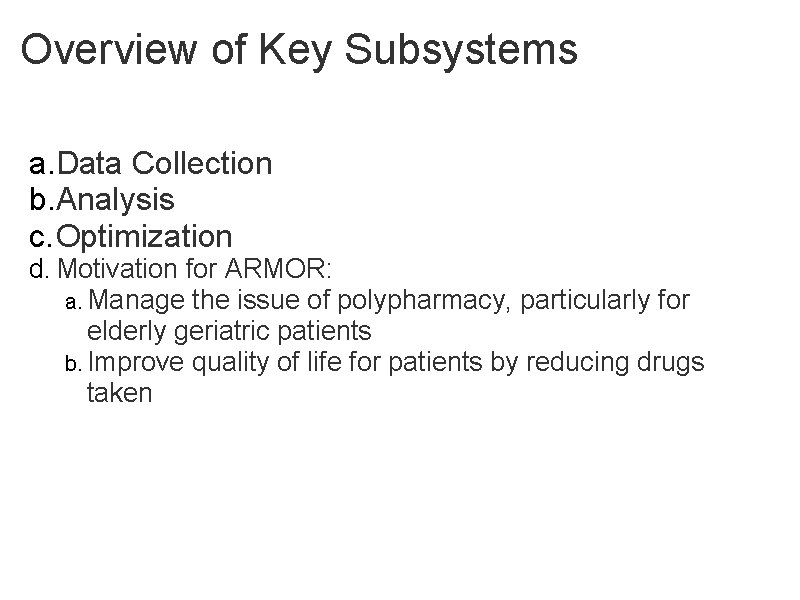
Overview of Key Subsystems a. Data Collection b. Analysis c. Optimization d. Motivation for ARMOR: a. Manage the issue of polypharmacy, particularly for elderly geriatric patients b. Improve quality of life for patients by reducing drugs taken
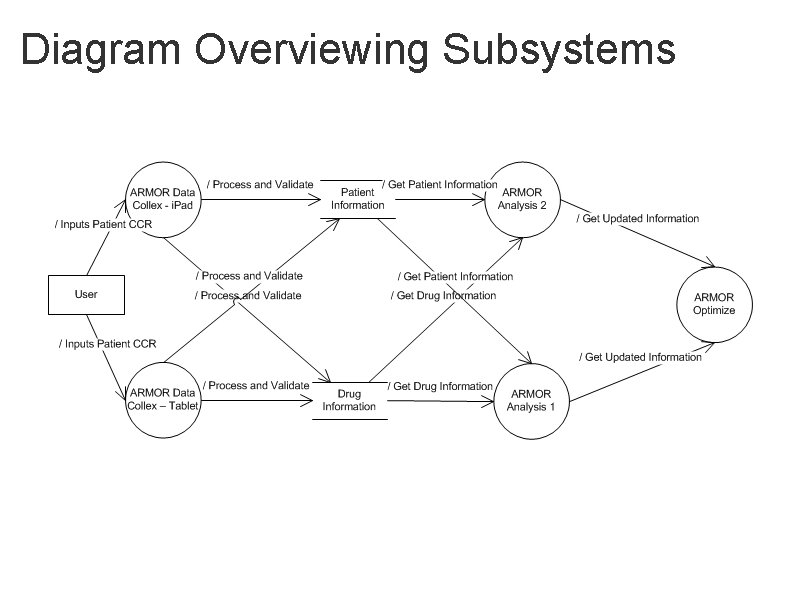
Diagram Overviewing Subsystems
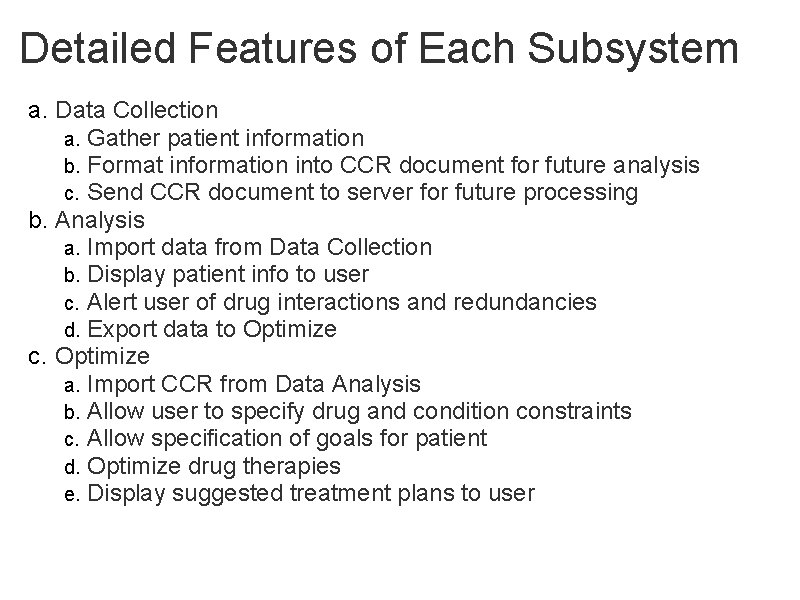
Detailed Features of Each Subsystem a. Data Collection a. Gather patient information b. Format information into CCR document for future analysis c. Send CCR document to server for future processing b. Analysis a. Import data from Data Collection b. Display patient info to user c. Alert user of drug interactions and redundancies d. Export data to Optimize c. Optimize a. Import CCR from Data Analysis b. Allow user to specify drug and condition constraints c. Allow specification of goals for patient d. Optimize drug therapies e. Display suggested treatment plans to user
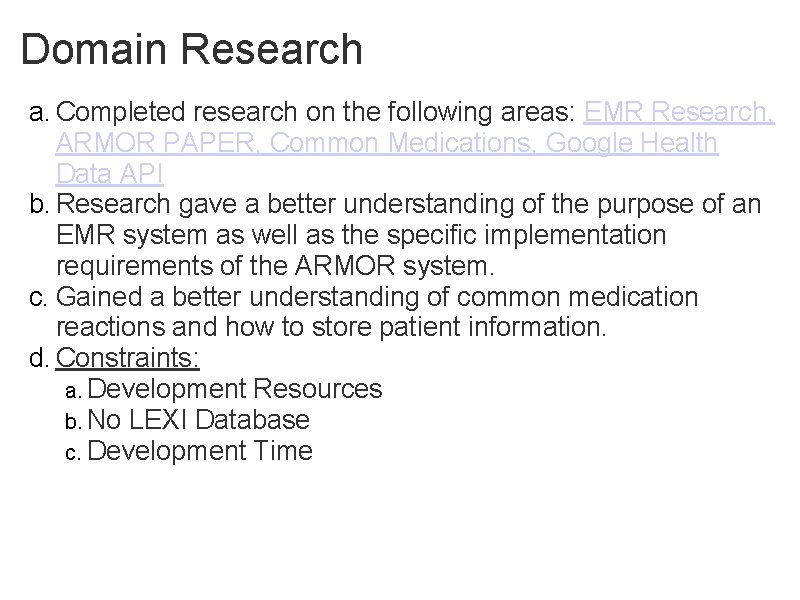
Domain Research a. Completed research on the following areas: EMR Research, ARMOR PAPER, Common Medications, Google Health Data API b. Research gave a better understanding of the purpose of an EMR system as well as the specific implementation requirements of the ARMOR system. c. Gained a better understanding of common medication reactions and how to store patient information. d. Constraints: a. Development Resources b. No LEXI Database c. Development Time
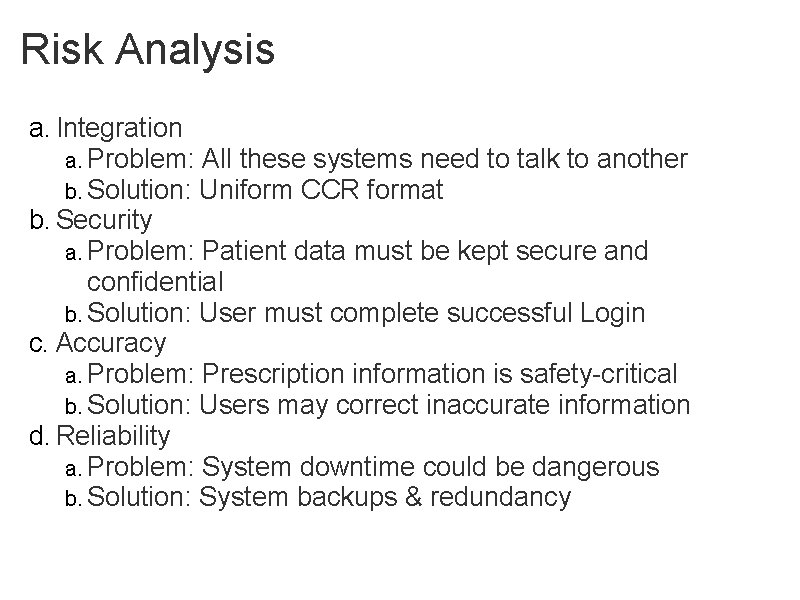
Risk Analysis a. Integration a. Problem: All these systems need to talk to another b. Solution: Uniform CCR format b. Security a. Problem: Patient data must be kept secure and confidential b. Solution: User must complete successful Login c. Accuracy a. Problem: Prescription information is safety-critical b. Solution: Users may correct inaccurate information d. Reliability a. Problem: System downtime could be dangerous b. Solution: System backups & redundancy
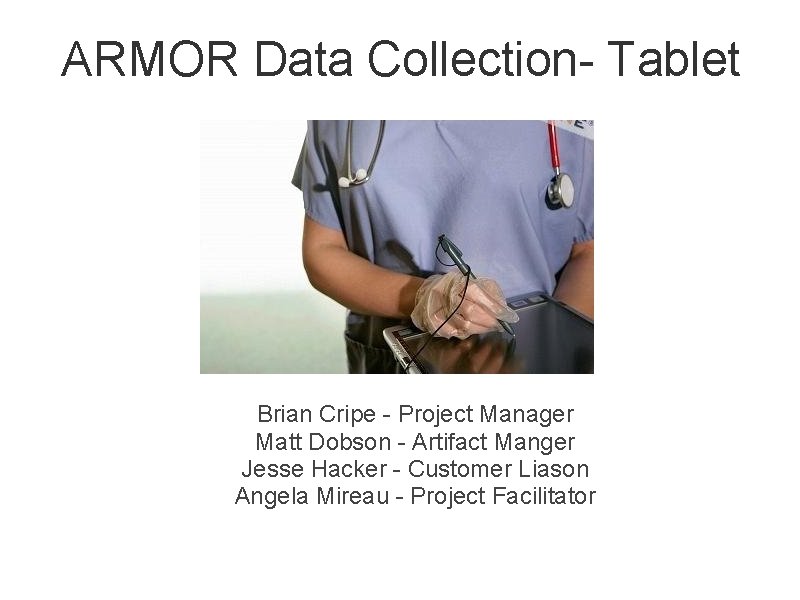
ARMOR Data Collection- Tablet Brian Cripe - Project Manager Matt Dobson - Artifact Manger Jesse Hacker - Customer Liason Angela Mireau - Project Facilitator
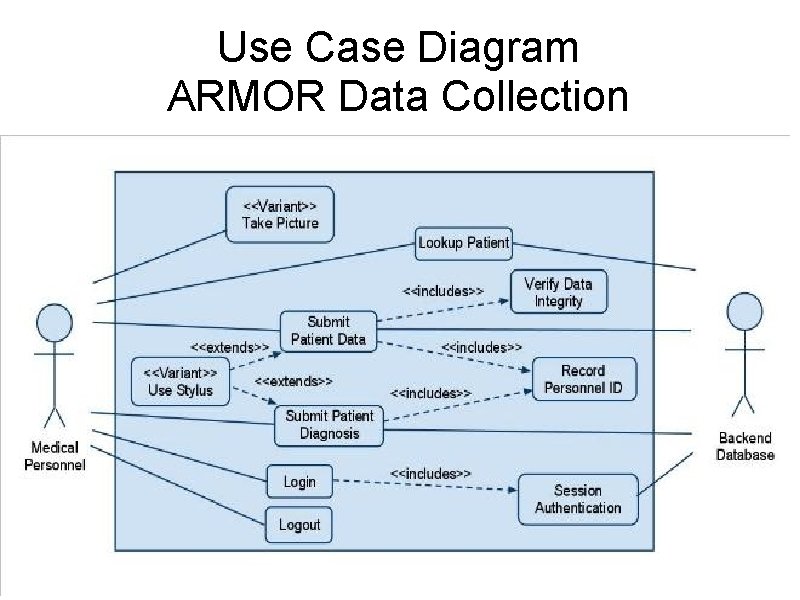
Use Case Diagram ARMOR Data Collection
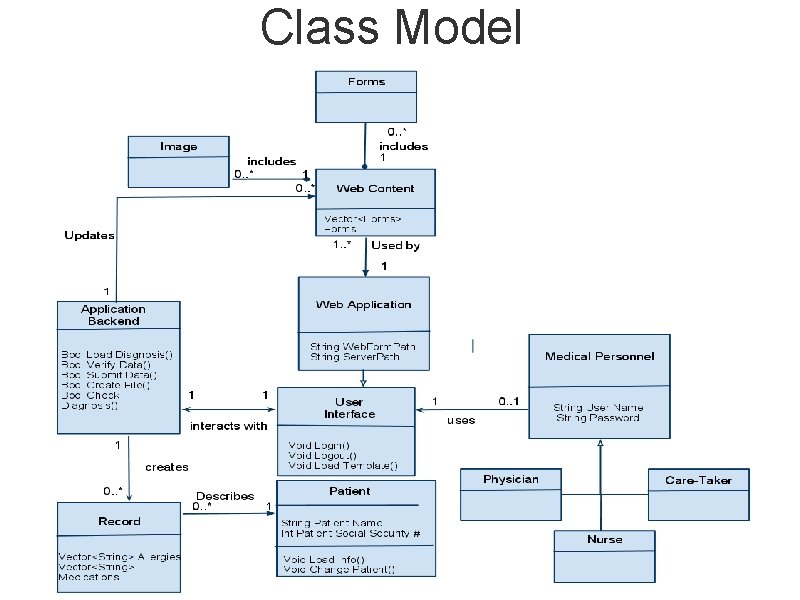
Class Model
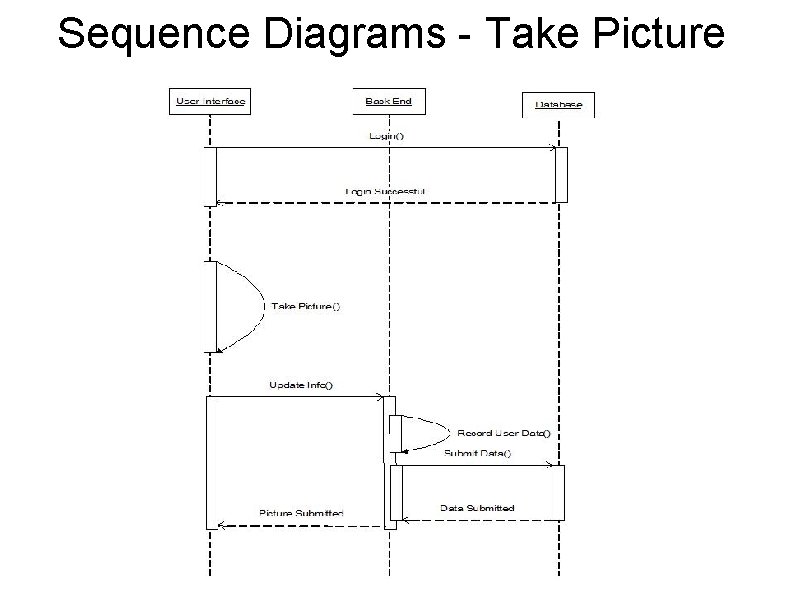
Sequence Diagrams - Take Picture
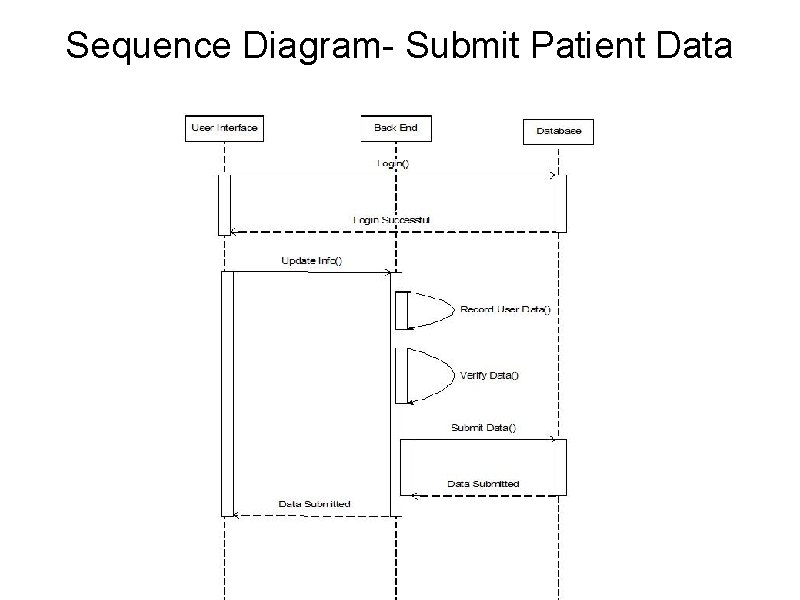
Sequence Diagram- Submit Patient Data
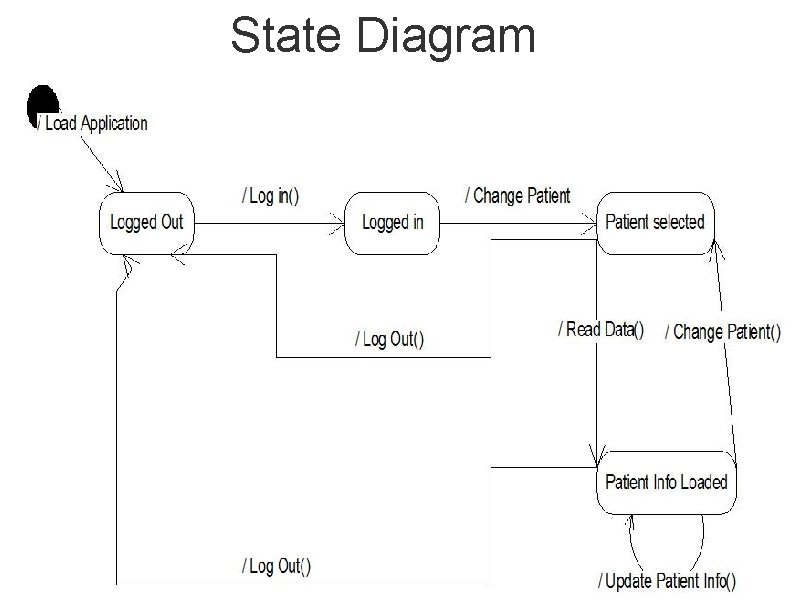
State Diagram
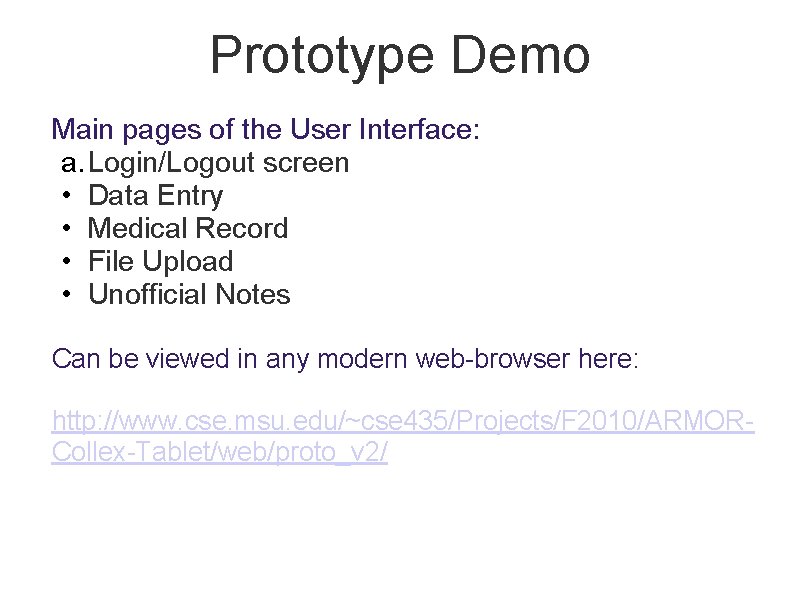
Prototype Demo Main pages of the User Interface: a. Login/Logout screen • Data Entry • Medical Record • File Upload • Unofficial Notes Can be viewed in any modern web-browser here: http: //www. cse. msu. edu/~cse 435/Projects/F 2010/ARMORCollex-Tablet/web/proto_v 2/
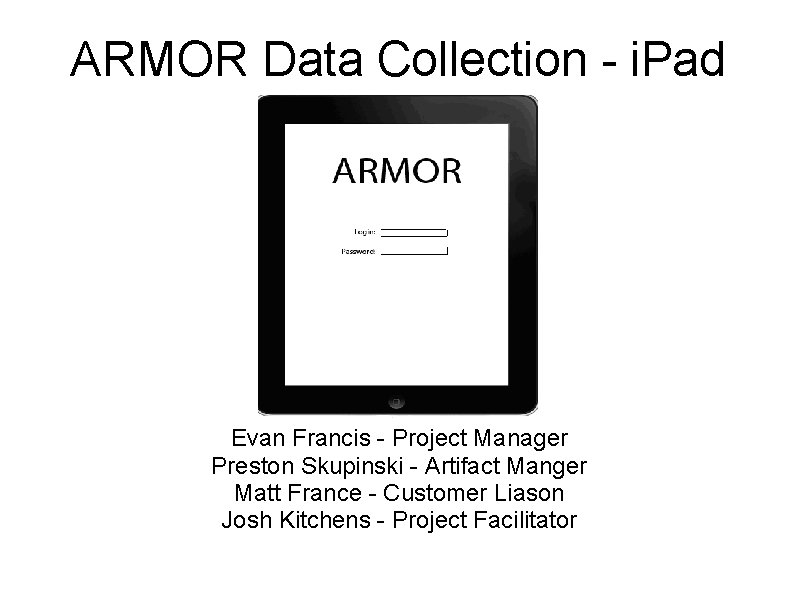
ARMOR Data Collection - i. Pad Evan Francis - Project Manager Preston Skupinski - Artifact Manger Matt France - Customer Liason Josh Kitchens - Project Facilitator
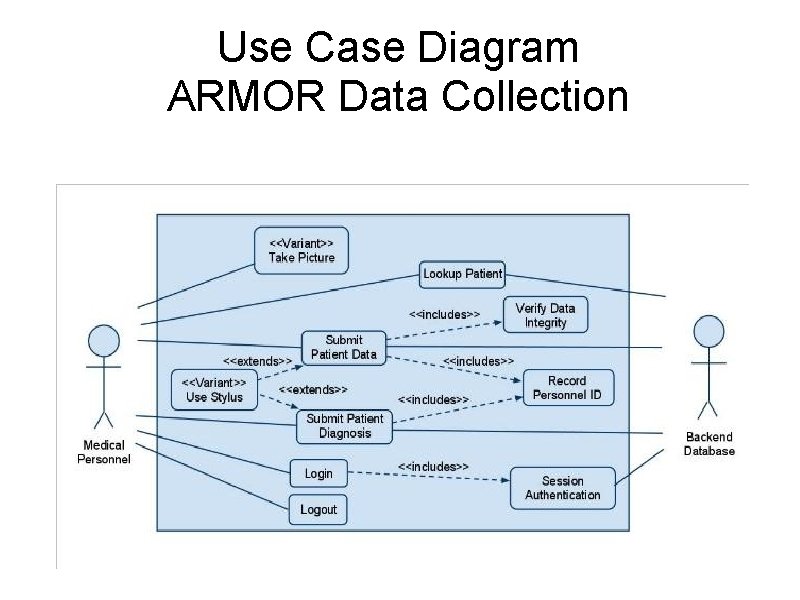
Use Case Diagram ARMOR Data Collection
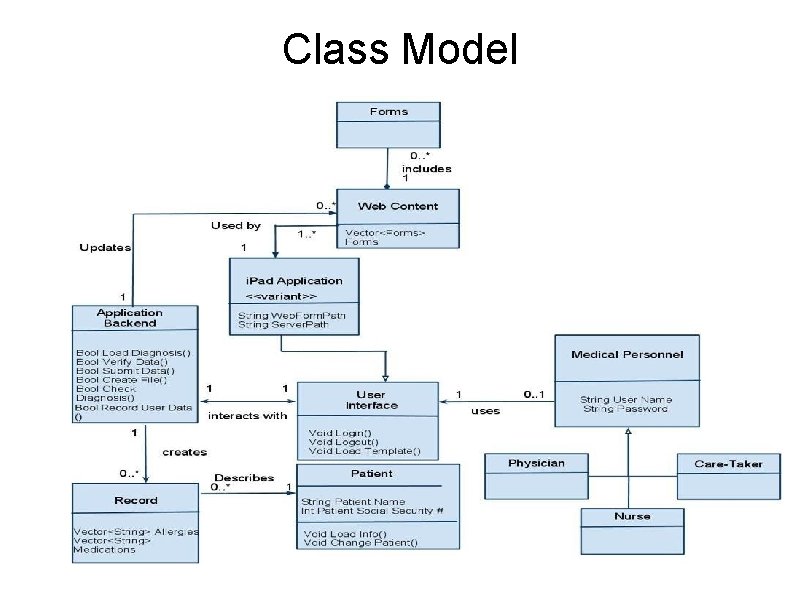
Class Model
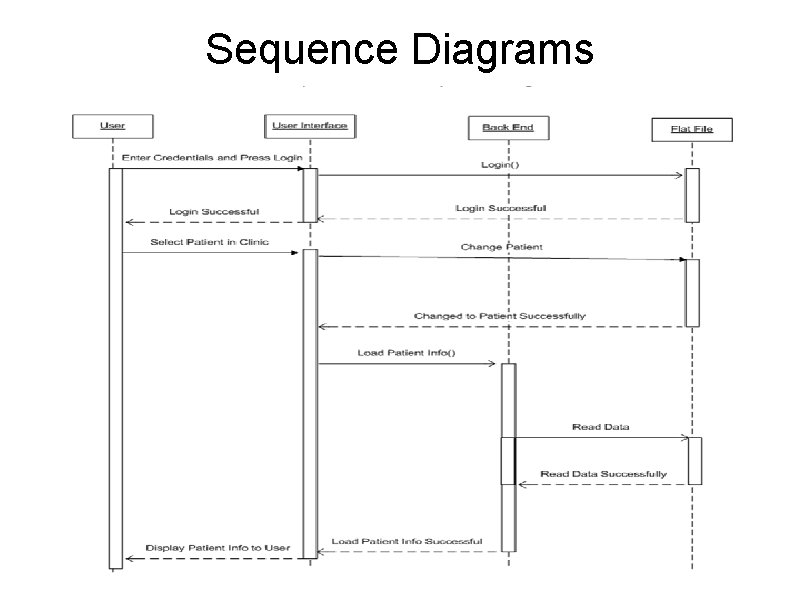
Sequence Diagrams
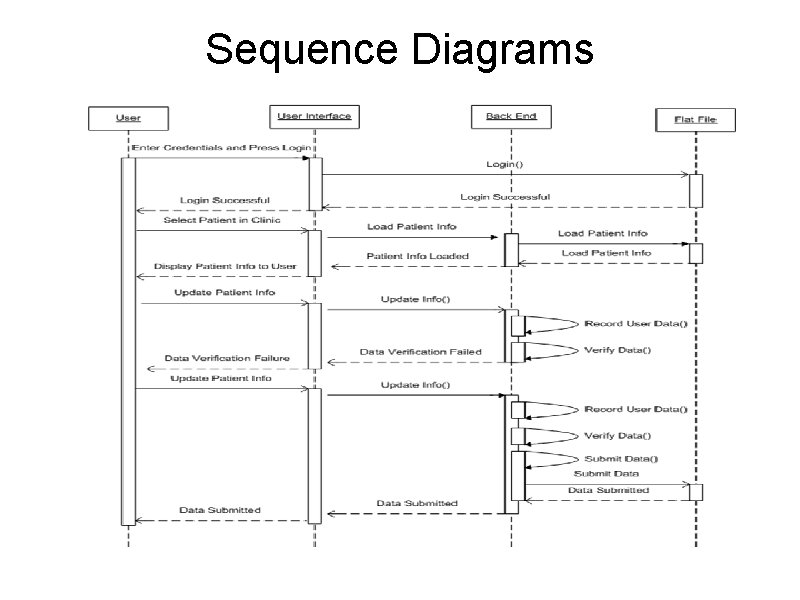
Sequence Diagrams
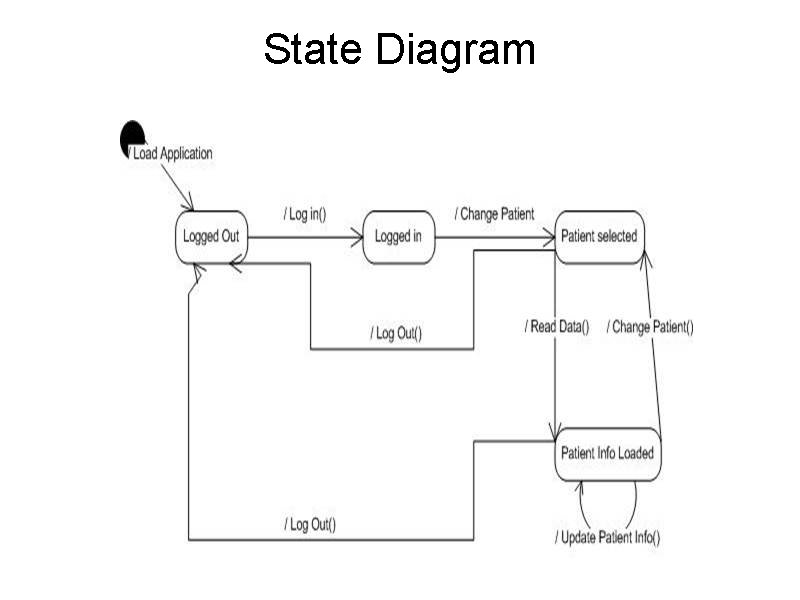
State Diagram
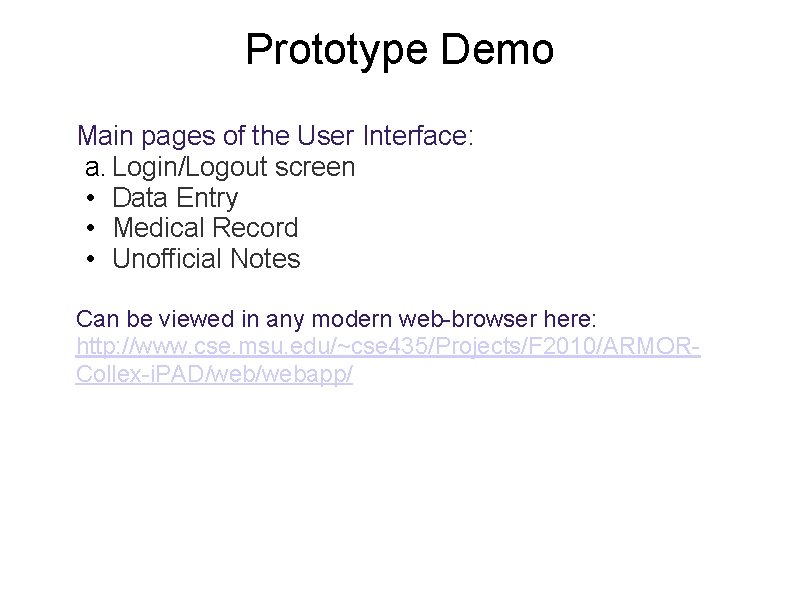
Prototype Demo Main pages of the User Interface: a. Login/Logout screen • Data Entry • Medical Record • Unofficial Notes Can be viewed in any modern web-browser here: http: //www. cse. msu. edu/~cse 435/Projects/F 2010/ARMORCollex-i. PAD/webapp/
Armor Data Analysis 1 Joe Amenta - Project Manager Tareq Musleh - Project Facilitator Michael Holp - Artifacts Manager Dillon Walls - Assurance Manager Jeffrey Yang- Customer Liaison
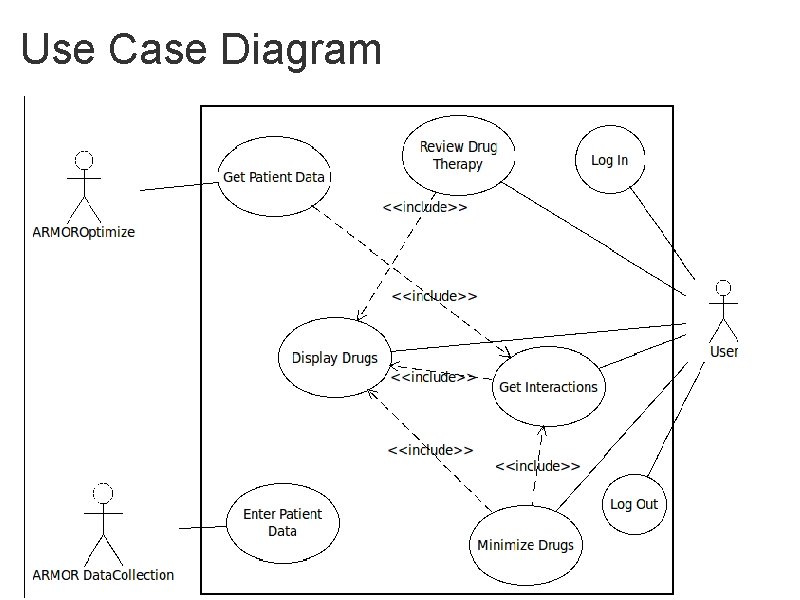
Use Case Diagram
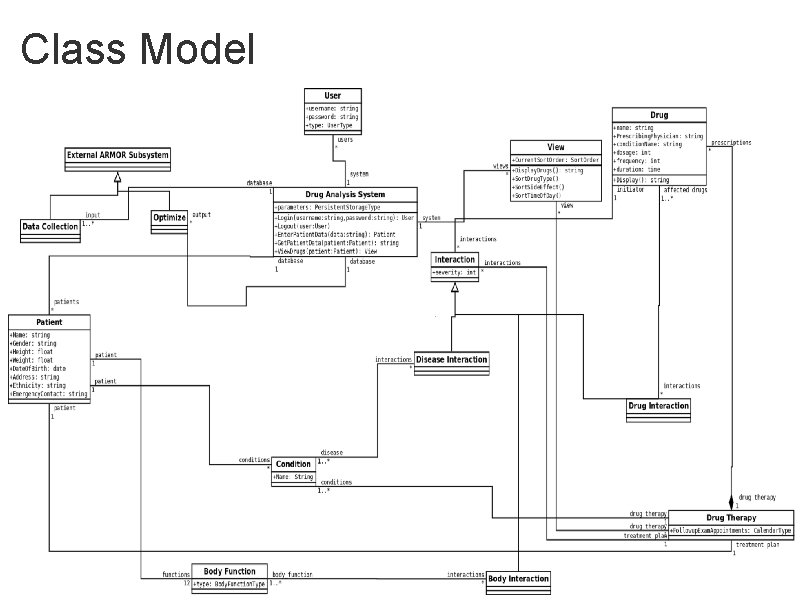
Class Model
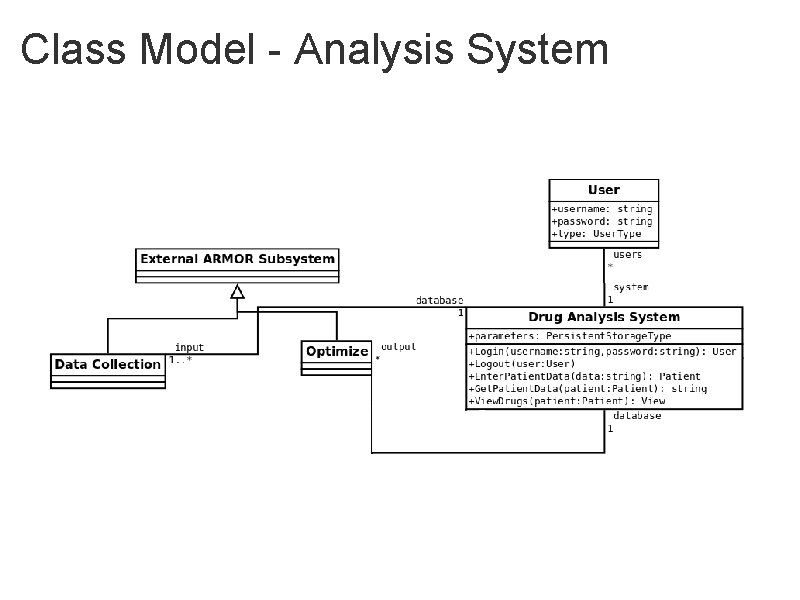
Class Model - Analysis System
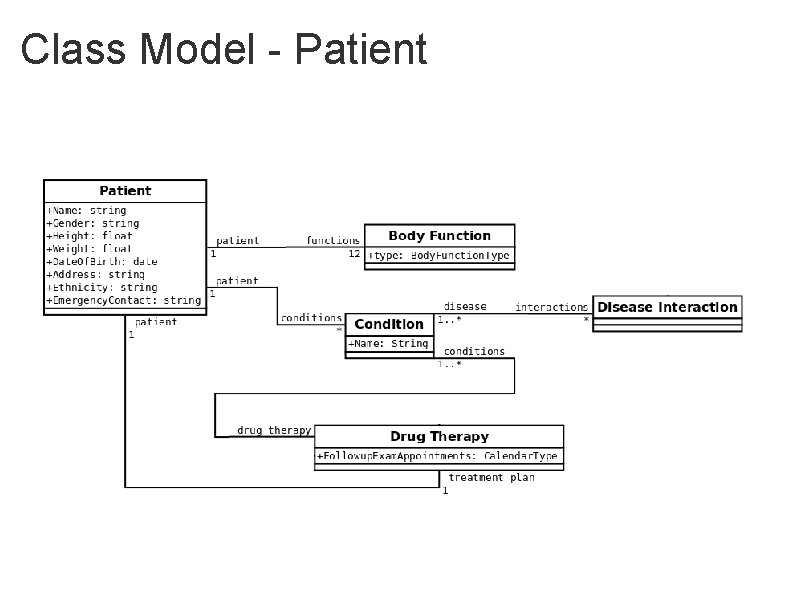
Class Model - Patient
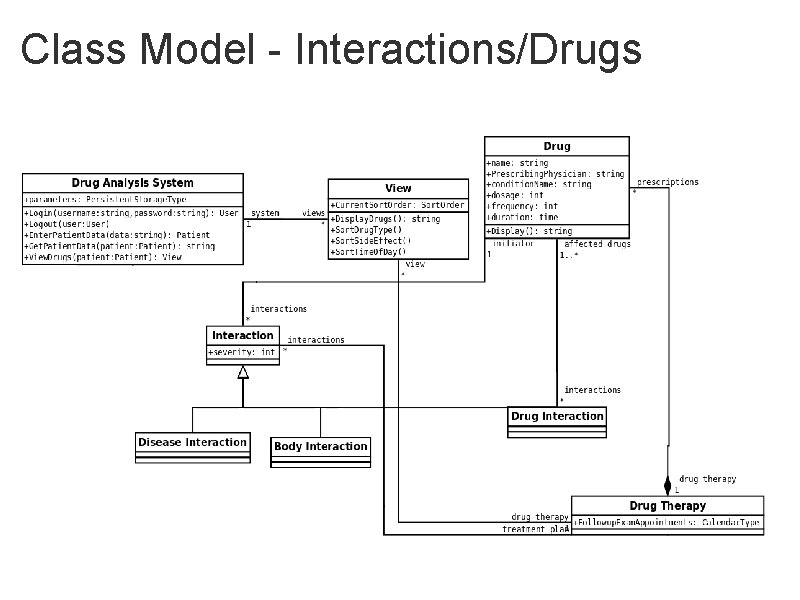
Class Model - Interactions/Drugs
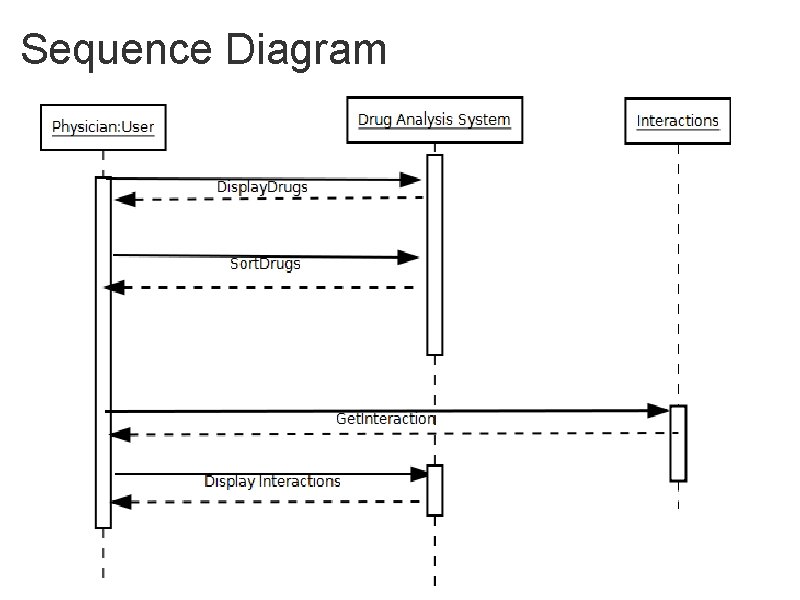
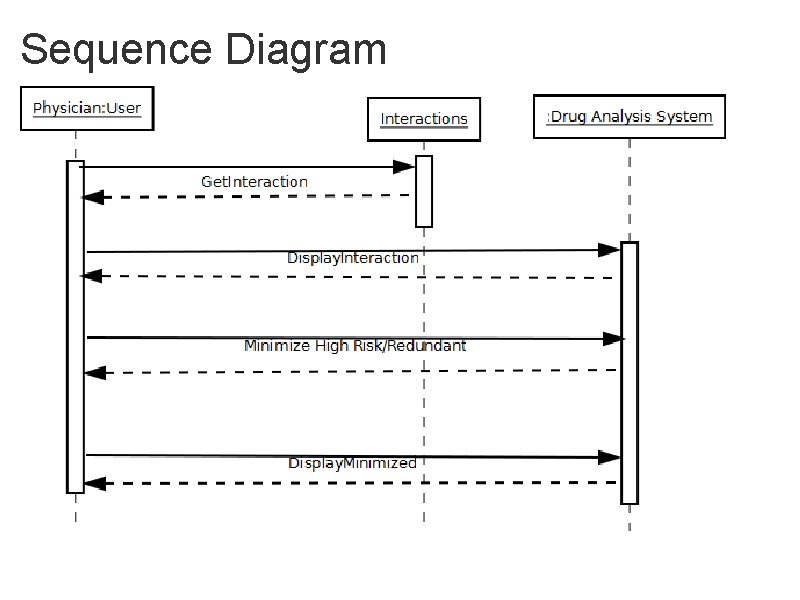
Sequence Diagram
Sequence Diagram
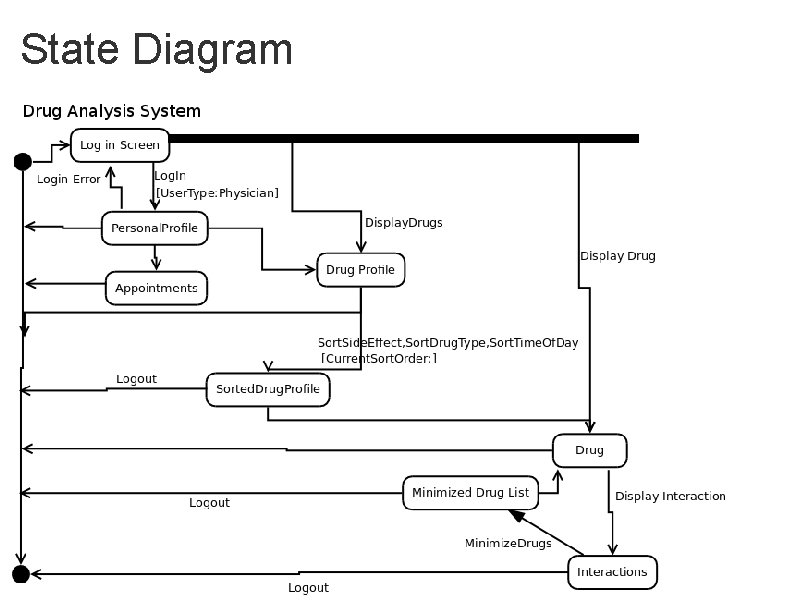
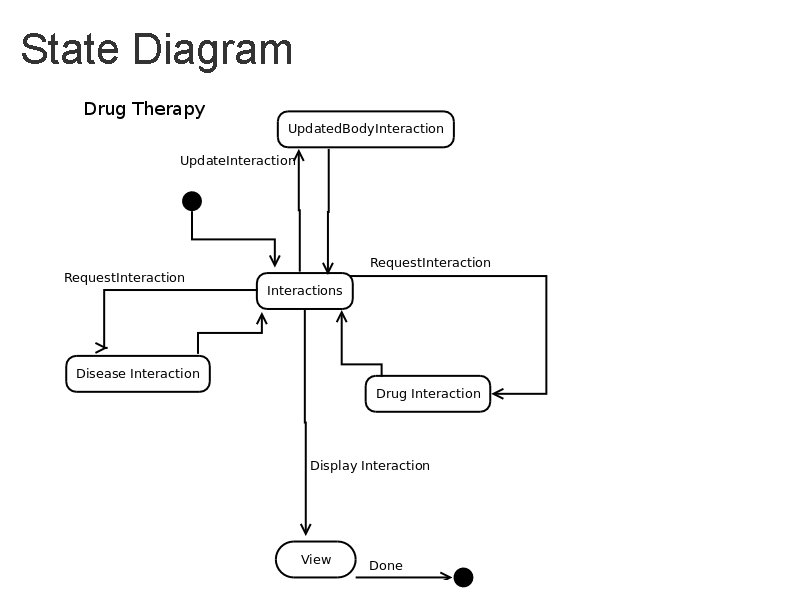
State Diagram
State Diagram
Prototype http: //amentajo. user. msu. edu: 8080/
ARMOR Data Analysis 2 Peter Rifel - Project Manager Jin Hou - Project Facilitator Alex Delgado - Artifact Manager Justin Kienle - Customer Liaison
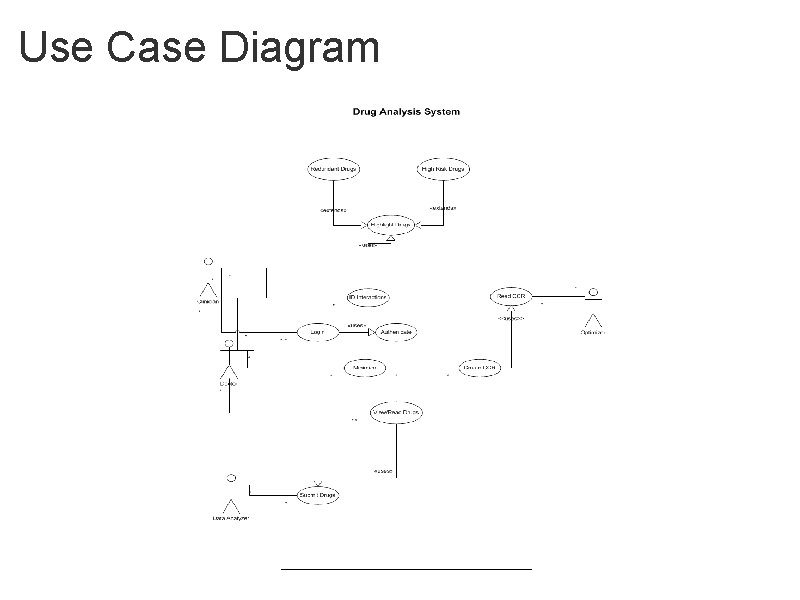
Use Case Diagram
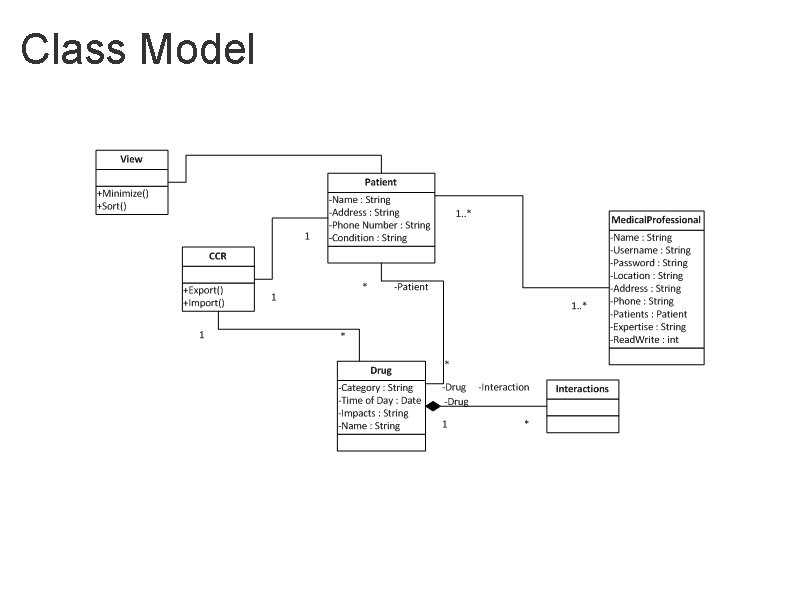
Class Model
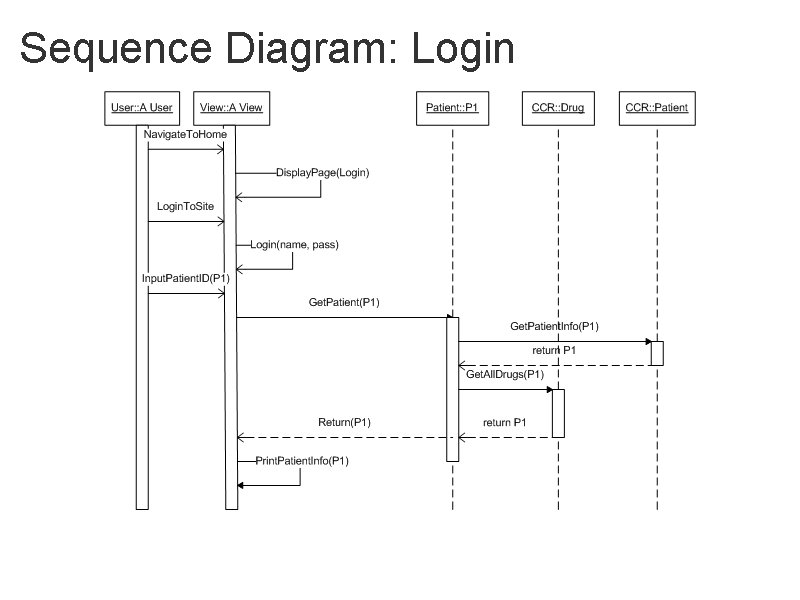
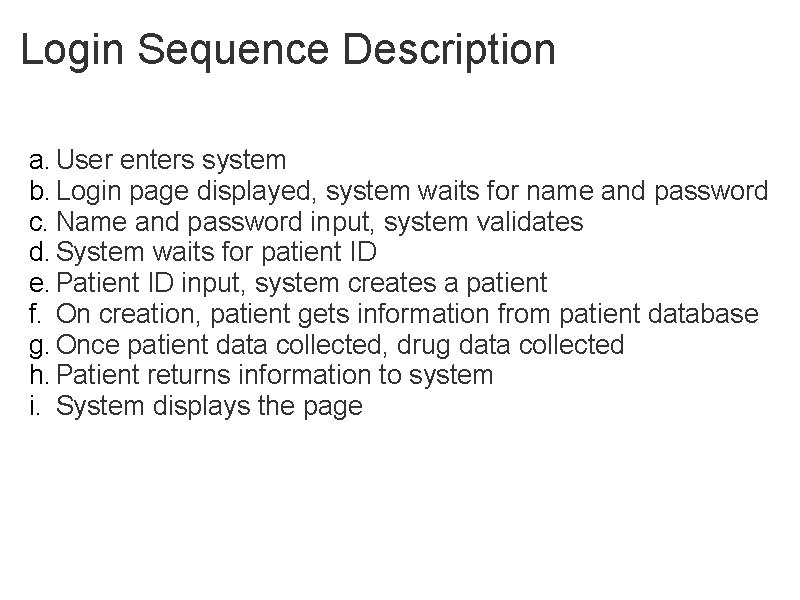
Sequence Diagram: Login
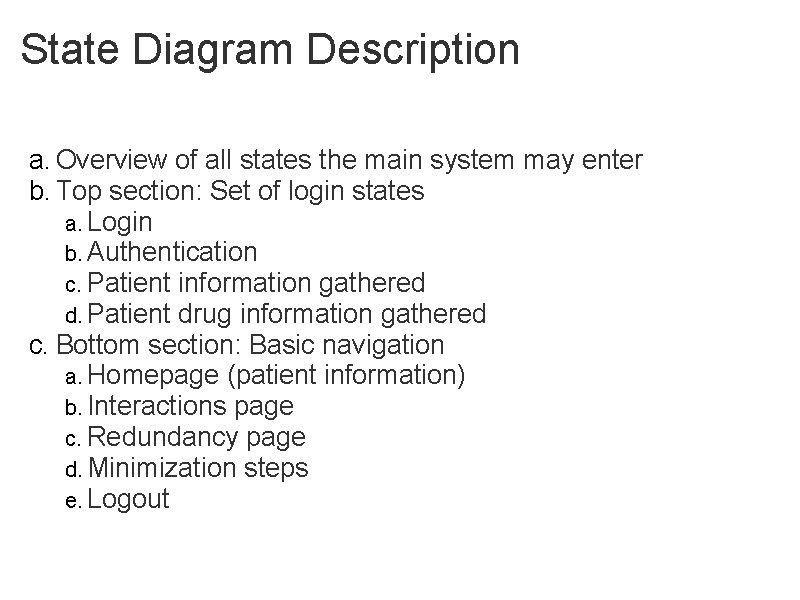
Login Sequence Description a. User enters system b. Login page displayed, system waits for name and password c. Name and password input, system validates d. System waits for patient ID e. Patient ID input, system creates a patient f. On creation, patient gets information from patient database g. Once patient data collected, drug data collected h. Patient returns information to system i. System displays the page
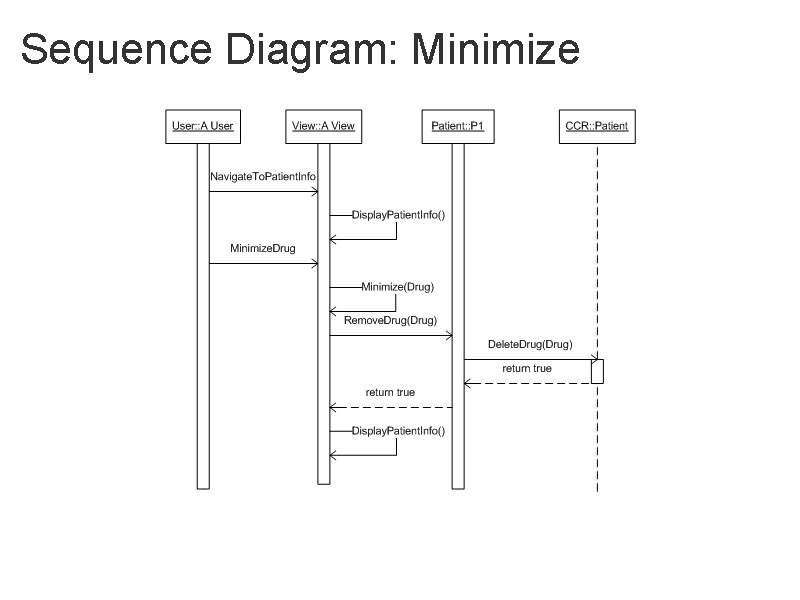
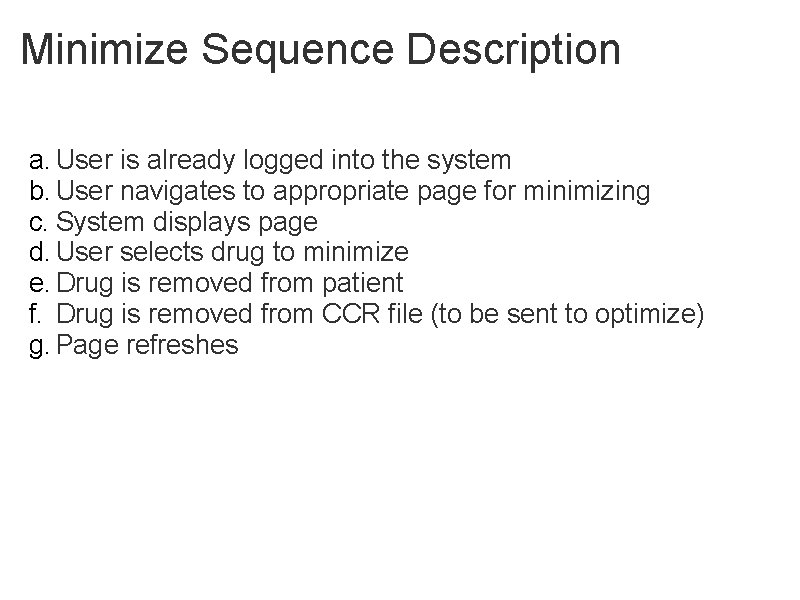
Sequence Diagram: Minimize
Minimize Sequence Description a. User is already logged into the system b. User navigates to appropriate page for minimizing c. System displays page d. User selects drug to minimize e. Drug is removed from patient f. Drug is removed from CCR file (to be sent to optimize) g. Page refreshes
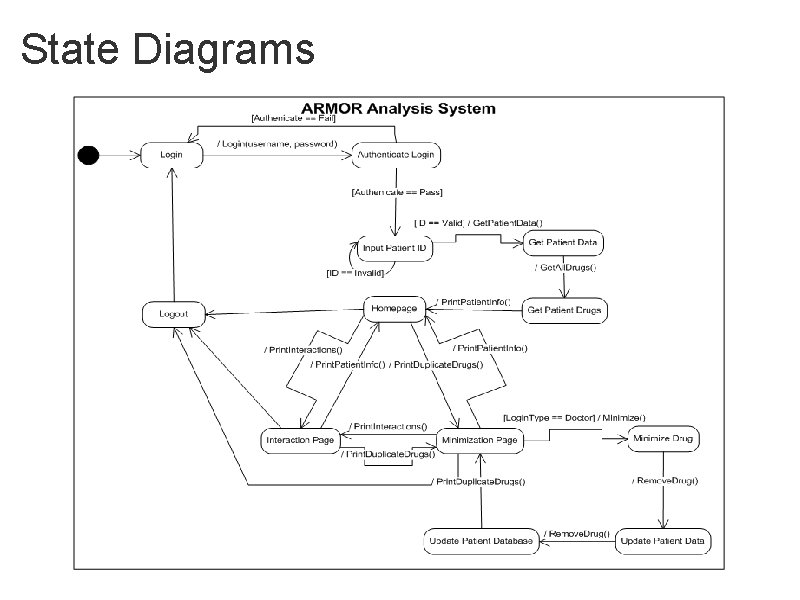
State Diagrams
State Diagram Description a. Overview of all states the main system may enter b. Top section: Set of login states a. Login b. Authentication c. Patient information gathered d. Patient drug information gathered c. Bottom section: Basic navigation a. Homepage (patient information) b. Interactions page c. Redundancy page d. Minimization steps e. Logout
Prototype Demo Web Prototype
ARMOR Optimize Chad Byers - Project Manager Brendan Grebur - Domain Expert / Customer Liaison Rory Hool - Project Facilitator Caitlin Russ - Artifacts Manager
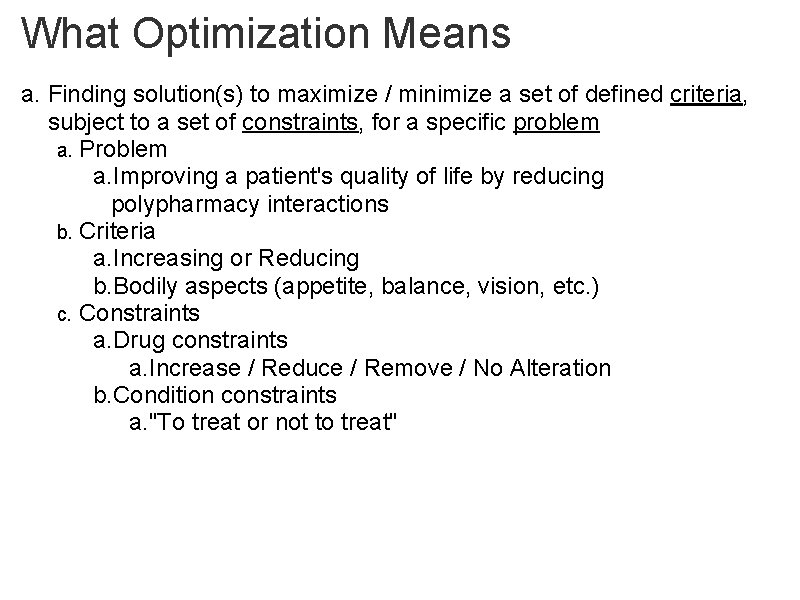
What Optimization Means a. Finding solution(s) to maximize / minimize a set of defined criteria, subject to a set of constraints, for a specific problem a. Problem a. Improving a patient's quality of life by reducing polypharmacy interactions b. Criteria a. Increasing or Reducing b. Bodily aspects (appetite, balance, vision, etc. ) c. Constraints a. Drug constraints a. Increase / Reduce / Remove / No Alteration b. Condition constraints a. "To treat or not to treat"
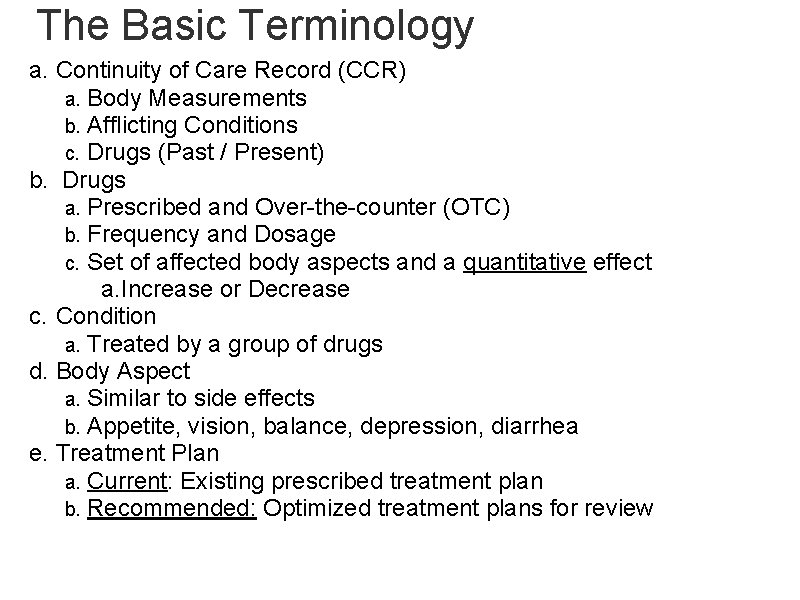
The Basic Terminology a. Continuity of Care Record (CCR) a. Body Measurements b. Afflicting Conditions c. Drugs (Past / Present) b. Drugs a. Prescribed and Over-the-counter (OTC) b. Frequency and Dosage c. Set of affected body aspects and a quantitative effect a. Increase or Decrease c. Condition a. Treated by a group of drugs d. Body Aspect a. Similar to side effects b. Appetite, vision, balance, depression, diarrhea e. Treatment Plan a. Current: Existing prescribed treatment plan b. Recommended: Optimized treatment plans for review
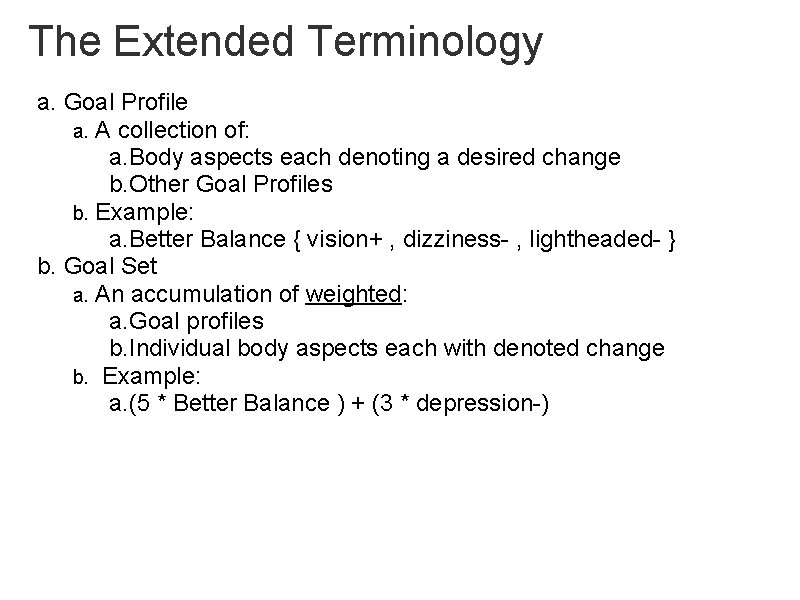
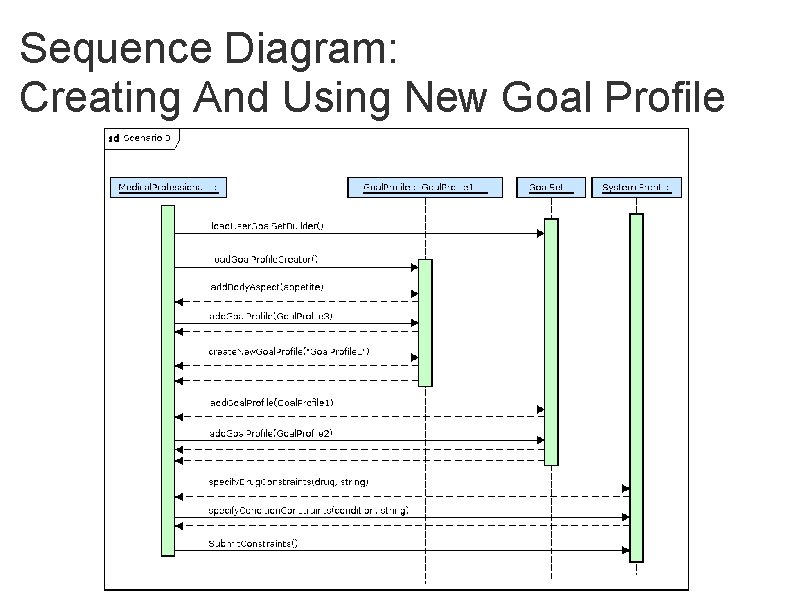
The Extended Terminology a. Goal Profile a. A collection of: a. Body aspects each denoting a desired change b. Other Goal Profiles b. Example: a. Better Balance { vision+ , dizziness- , lightheaded- } b. Goal Set a. An accumulation of weighted: a. Goal profiles b. Individual body aspects each with denoted change b. Example: a. (5 * Better Balance ) + (3 * depression-)
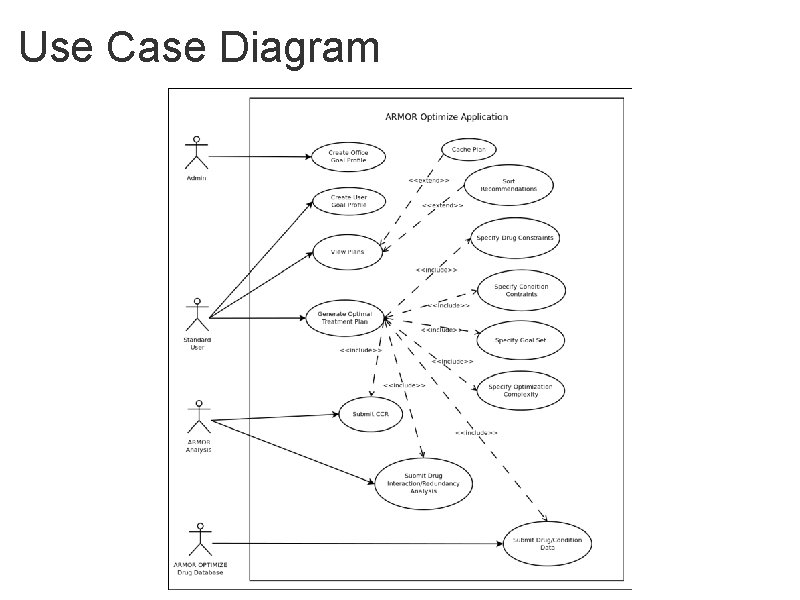
Use Case Diagram
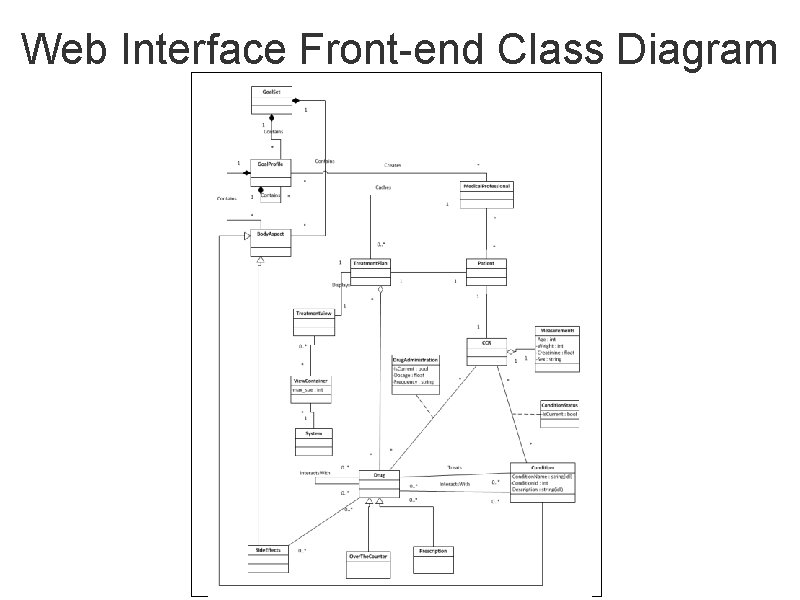
Web Interface Front-end Class Diagram
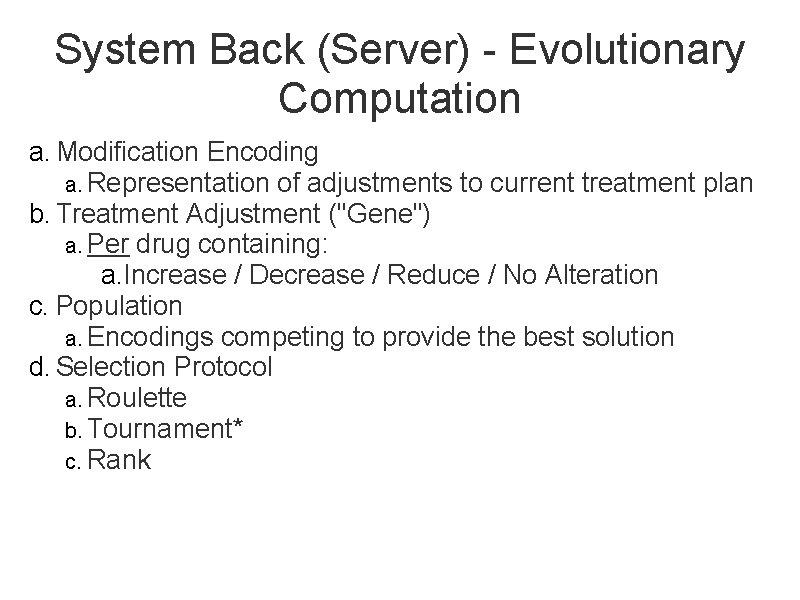
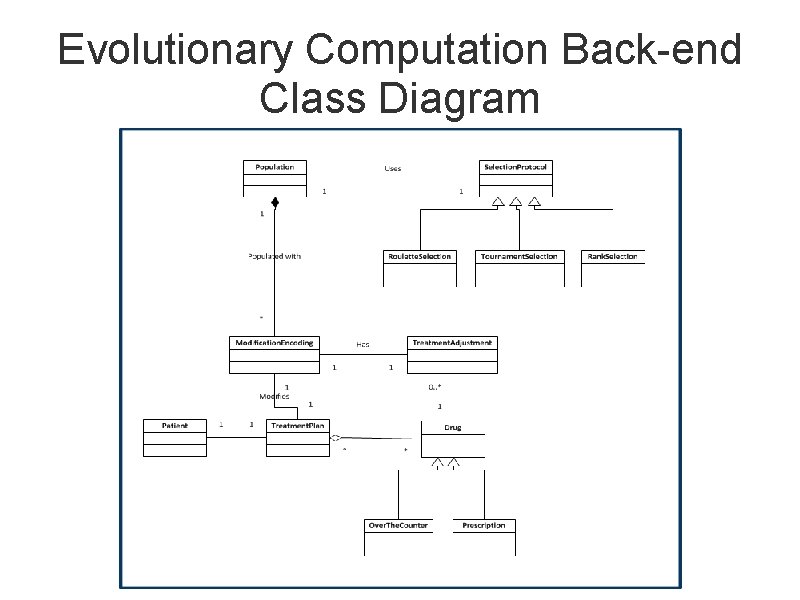
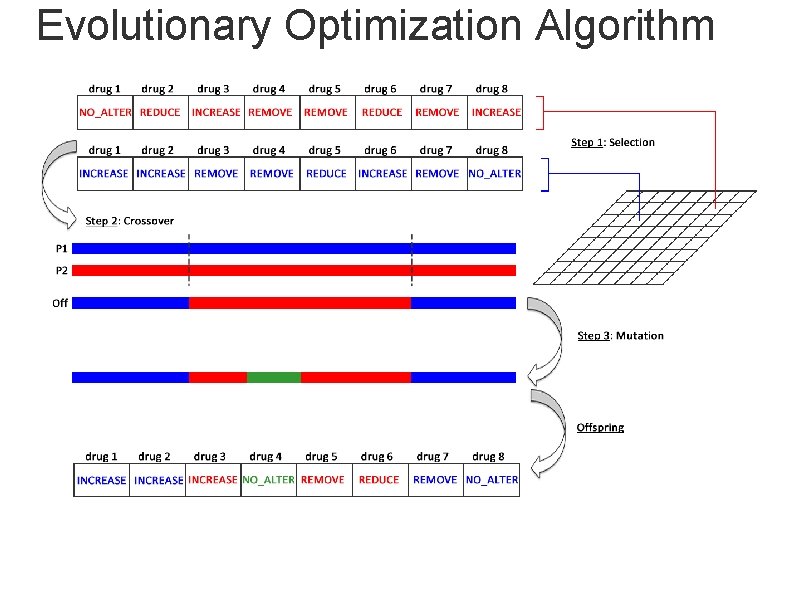
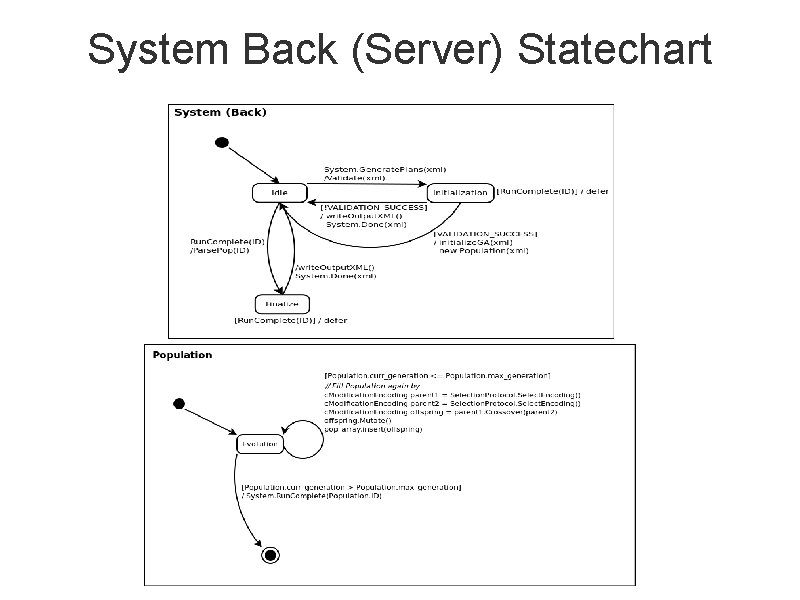
System Back (Server) - Evolutionary Computation a. Modification Encoding a. Representation of adjustments to current treatment plan b. Treatment Adjustment ("Gene") a. Per drug containing: a. Increase / Decrease / Reduce / No Alteration c. Population a. Encodings competing to provide the best solution d. Selection Protocol a. Roulette b. Tournament* c. Rank
Evolutionary Computation Back-end Class Diagram
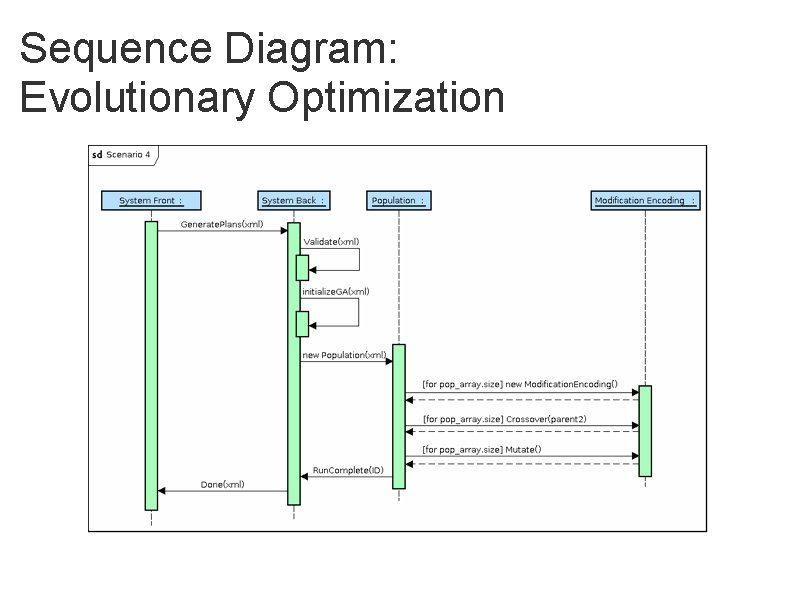
Evolutionary Optimization Algorithm
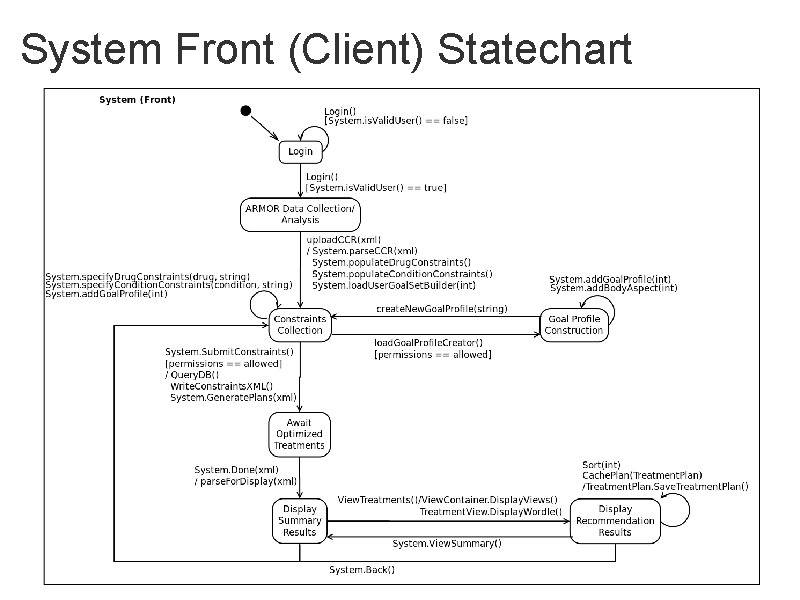
System Front (Client) Statechart
System Back (Server) Statechart
Sequence Diagram: Creating And Using New Goal Profile
Sequence Diagram: Evolutionary Optimization
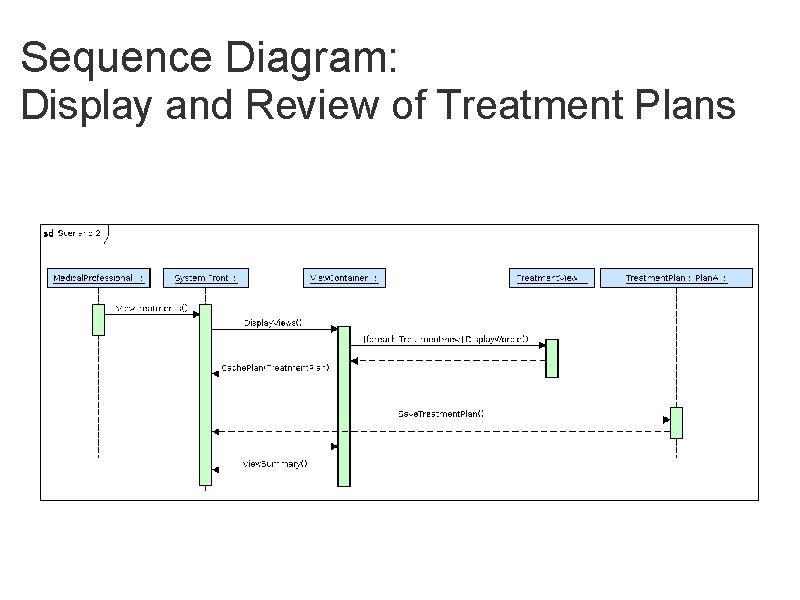
Sequence Diagram: Display and Review of Treatment Plans
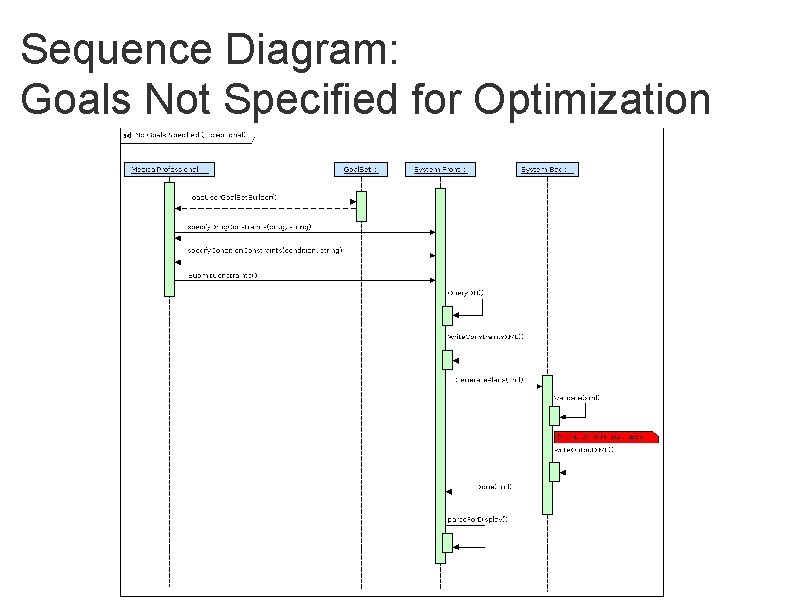
Sequence Diagram: Goals Not Specified for Optimization
Prototype Demo a. High Level Features of User Interface a. Upload CCR with Analysis Results b. Select drug / condition constraints c. Create custom Goal Profile d. Select Goal Profiles and Body Aspects for Goal Set e. Select Weighting Criteria for members of Goal Set f. View Optimization summary g. View Optimized treatment plans h. Save / Delete treatment plans Web Prototype
Integrated System Demo