
Instructional Materials ICT Overview for An Education Overview


- Slides: 68
Instructional Materials & ICT Overview for An. Education
Overview § § ICTs in Education – Dilemmas and Realities Role and Nature of ICTs in Education Potential of ICTs From Potential to Effectiveness
Dilemmas Qs abo ut V Realities § Analyze Educational objectives alu eo f IC § Determine Objective for ICT Ts Decision Maker Myths P s re su s re • Vendors Monolithic § Understand Potential of ICTs • Belief § Examine suitability of ICTs • Parents Automatic • Doubt § Plan program of investment • Business Computers • Wait prerequisites § Implement Substitute Techies and • corequisites § Evaluate and adjust continuously
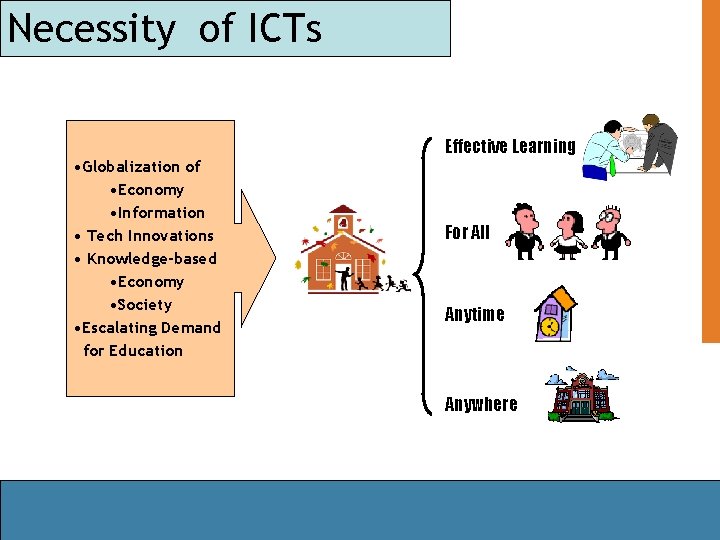
Necessity of ICTs • Globalization of • Economy • Information • Tech Innovations • Knowledge-based • Economy • Society • Escalating Demand for Education Effective Learning For All Anytime Anywhere
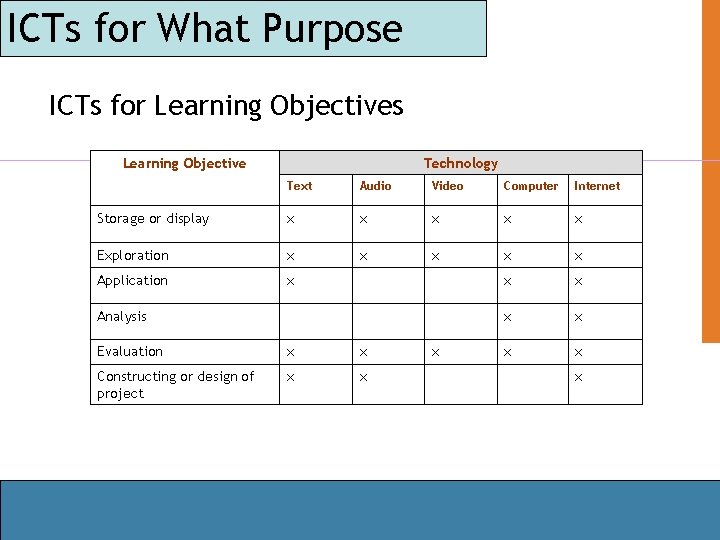
ICTs for What Purpose ICTs for Learning Objectives Learning Objective Technology Text Audio Video Computer Internet Storage or display x x x Exploration x x x Application x x x x Analysis Evaluation x x Constructing or design of project x x
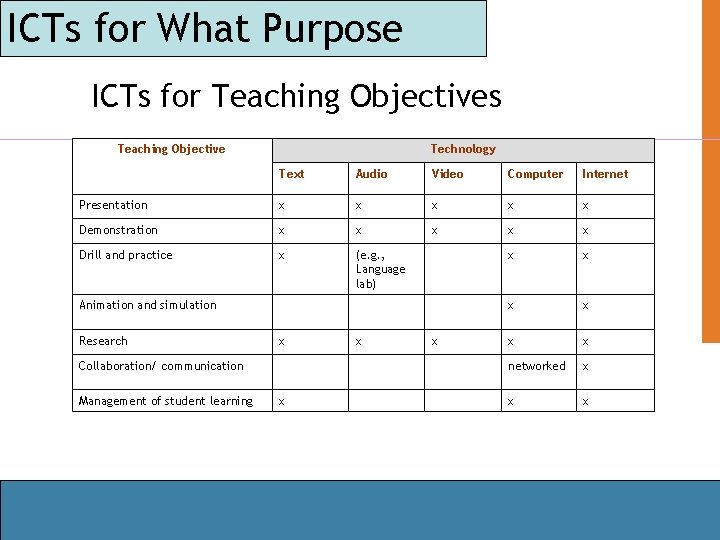
ICTs for What Purpose ICTs for Teaching Objectives Teaching Objective Technology Text Audio Video Computer Internet Presentation x x x Demonstration x x x Drill and practice x (e. g. , Language lab) x x x networked x x x Animation and simulation Research x Collaboration/ communication Management of student learning x x x
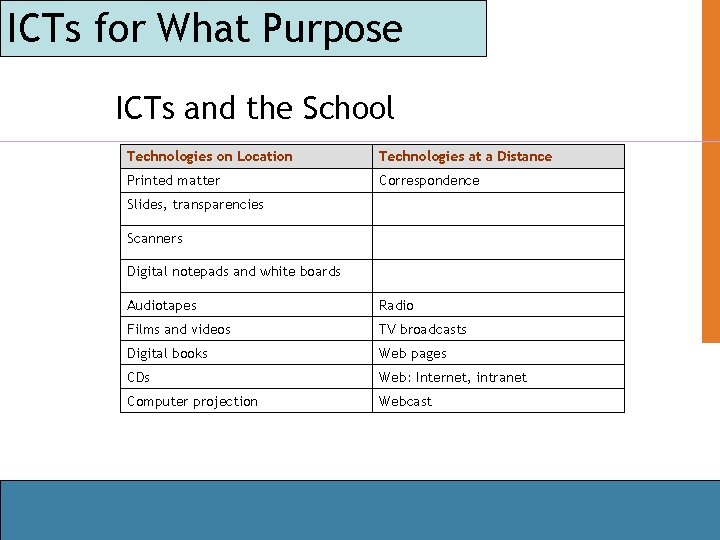
ICTs for What Purpose ICTs and the School Technologies on Location Technologies at a Distance Printed matter Correspondence Slides, transparencies Scanners Digital notepads and white boards Audiotapes Radio Films and videos TV broadcasts Digital books Web pages CDs Web: Internet, intranet Computer projection Webcast
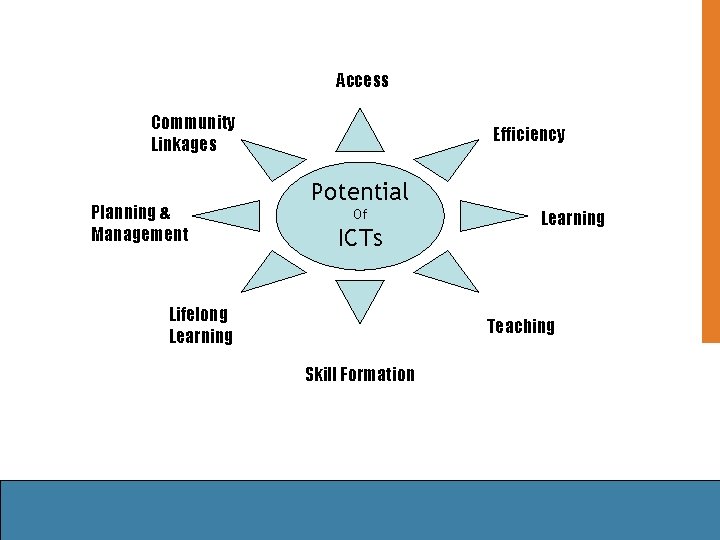
Access Community Linkages Planning & Management Efficiency Potential Of ICTs Lifelong Learning Teaching Skill Formation
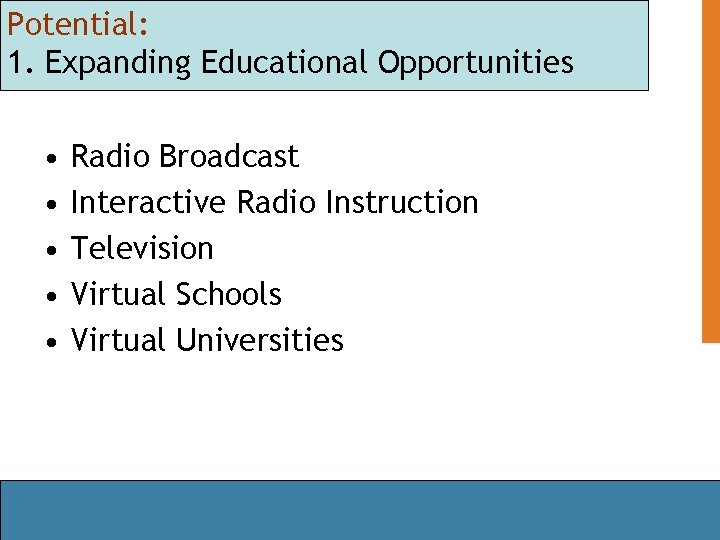
Potential: 1. Expanding Educational Opportunities • • • Radio Broadcast Interactive Radio Instruction Television Virtual Schools Virtual Universities
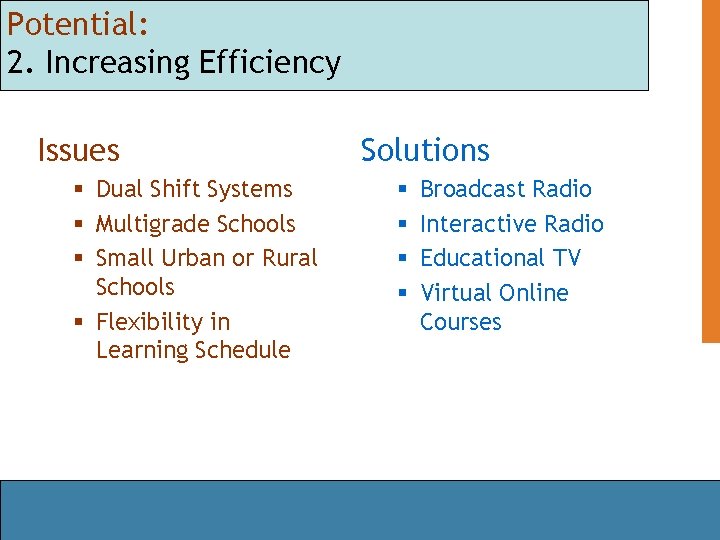
Potential: 2. Increasing Efficiency Issues § Dual Shift Systems § Multigrade Schools § Small Urban or Rural Schools § Flexibility in Learning Schedule Solutions § § Broadcast Radio Interactive Radio Educational TV Virtual Online Courses
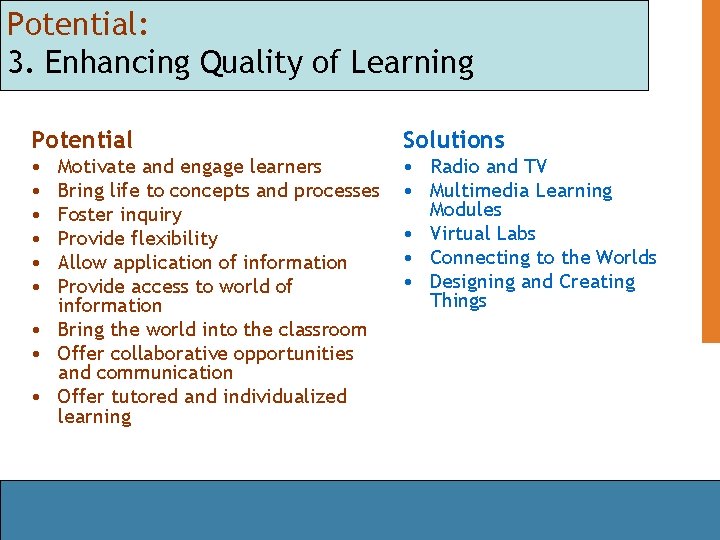
Potential: 3. Enhancing Quality of Learning Potential Solutions • • Radio and TV • Multimedia Learning Modules • Virtual Labs • Connecting to the Worlds • Designing and Creating Things Motivate and engage learners Bring life to concepts and processes Foster inquiry Provide flexibility Allow application of information Provide access to world of information • Bring the world into the classroom • Offer collaborative opportunities and communication • Offer tutored and individualized learning
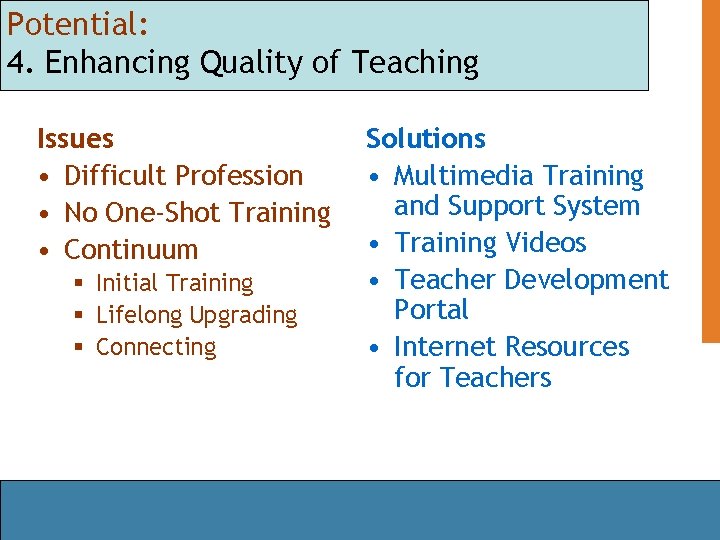
Potential: 4. Enhancing Quality of Teaching Issues • Difficult Profession • No One-Shot Training • Continuum § Initial Training § Lifelong Upgrading § Connecting Solutions • Multimedia Training and Support System • Training Videos • Teacher Development Portal • Internet Resources for Teachers
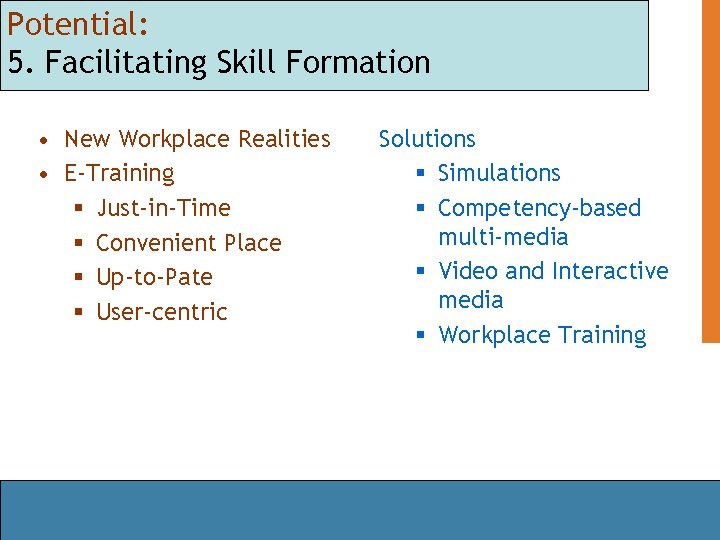
Potential: 5. Facilitating Skill Formation • New Workplace Realities • E-Training § Just-in-Time § Convenient Place § Up-to-Pate § User-centric Solutions § Simulations § Competency-based multi-media § Video and Interactive media § Workplace Training
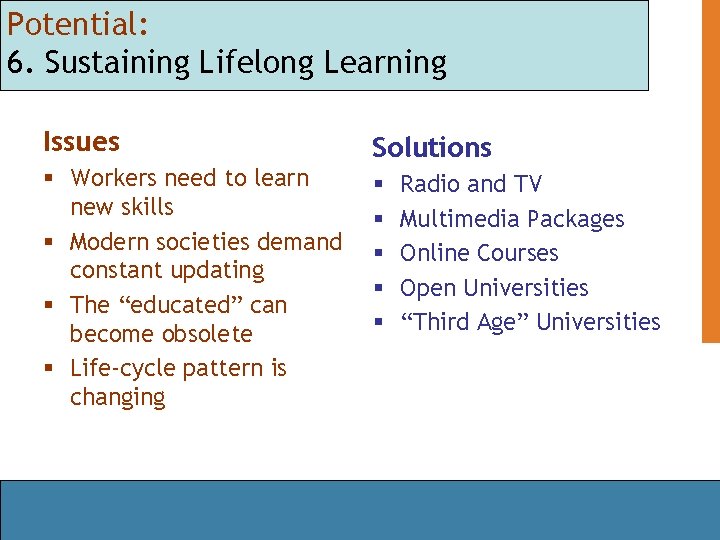
Potential: 6. Sustaining Lifelong Learning Issues Solutions § Workers need to learn new skills § Modern societies demand constant updating § The “educated” can become obsolete § Life-cycle pattern is changing § § § Radio and TV Multimedia Packages Online Courses Open Universities “Third Age” Universities
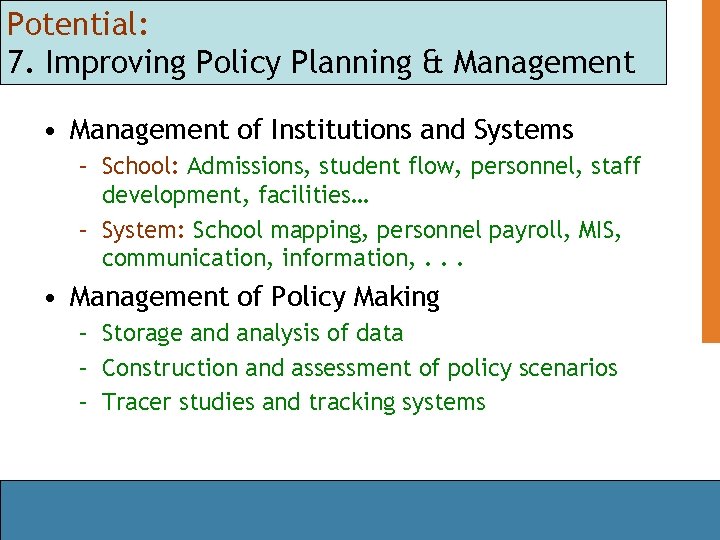
Potential: 7. Improving Policy Planning & Management • Management of Institutions and Systems – School: Admissions, student flow, personnel, staff development, facilities… – System: School mapping, personnel payroll, MIS, communication, information, . . . • Management of Policy Making – Storage and analysis of data – Construction and assessment of policy scenarios – Tracer studies and tracking systems
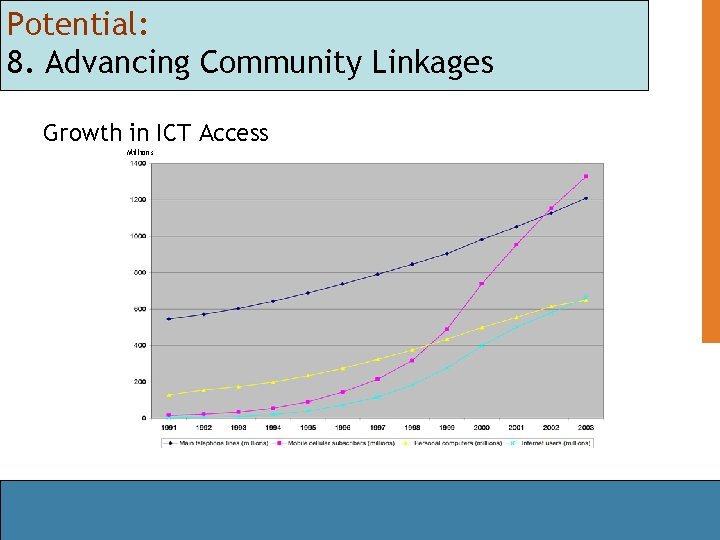
Potential: 8. Advancing Community Linkages Growth in ICT Access Millions
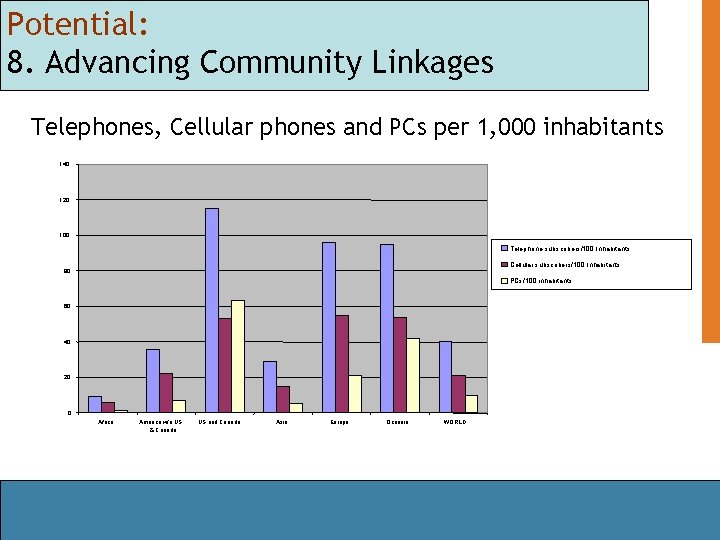
Potential: 8. Advancing Community Linkages Telephones, Cellular phones and PCs per 1, 000 inhabitants 140 120 100 Telephone subscribers/100 Inhabitants Cellular subscribers/100 Inhabitants 80 PCs/100 inhabitants 60 40 20 0 Africa America w/o US & Canada US and Canada Asia Europe Oceania WORLD
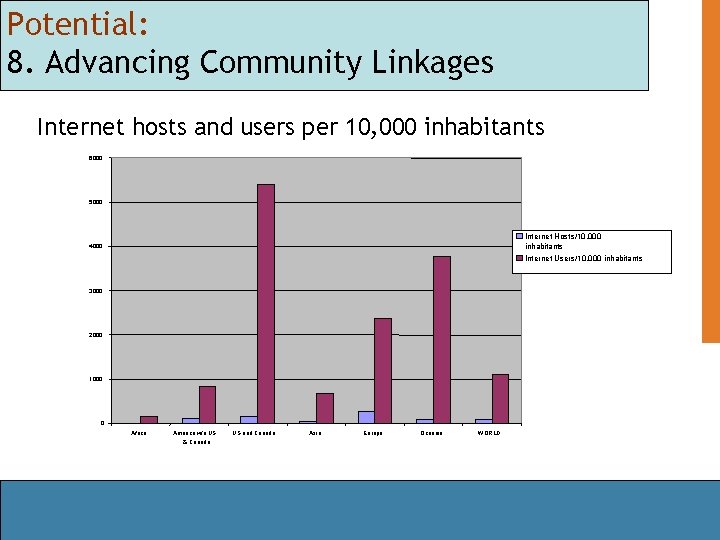
Potential: 8. Advancing Community Linkages Internet hosts and users per 10, 000 inhabitants 6000 5000 Internet Hosts/10, 000 inhabitants Internet Users/10, 000 inhabitants 4000 3000 2000 1000 0 Africa America w/o US & Canada US and Canada Asia Europe Oceania WORLD
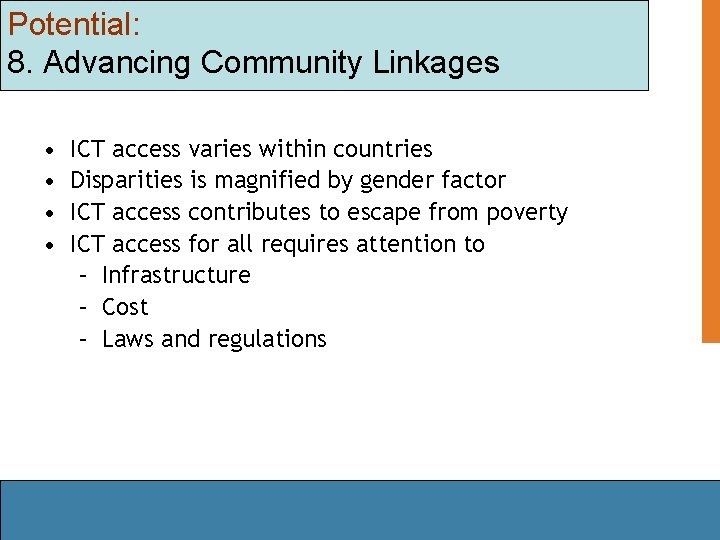
Potential: 8. Advancing Community Linkages • • ICT access varies within countries Disparities is magnified by gender factor ICT access contributes to escape from poverty ICT access for all requires attention to – Infrastructure – Cost – Laws and regulations
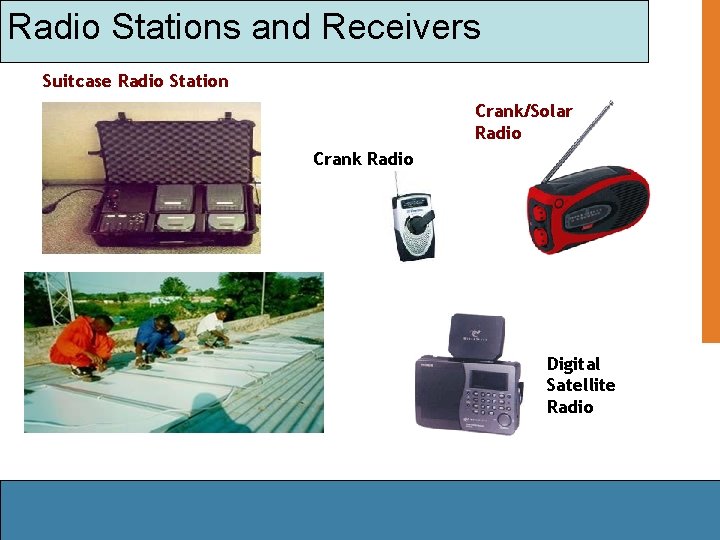
Radio Stations and Receivers Suitcase Radio Station Crank/Solar Radio Crank Radio Digital Satellite Radio
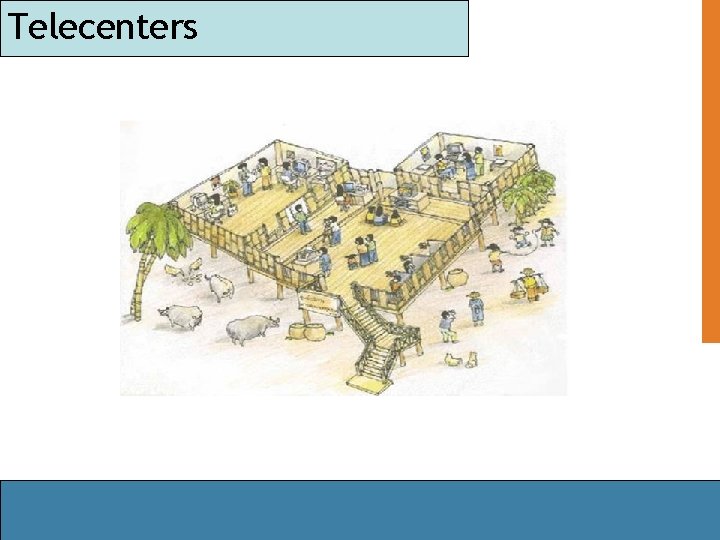
Telecenters
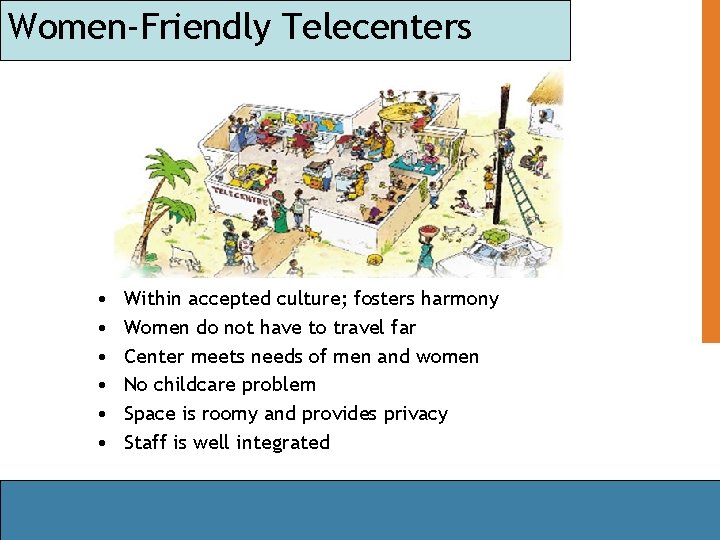
Women-Friendly Telecenters • • • Within accepted culture; fosters harmony Women do not have to travel far Center meets needs of men and women No childcare problem Space is roomy and provides privacy Staff is well integrated
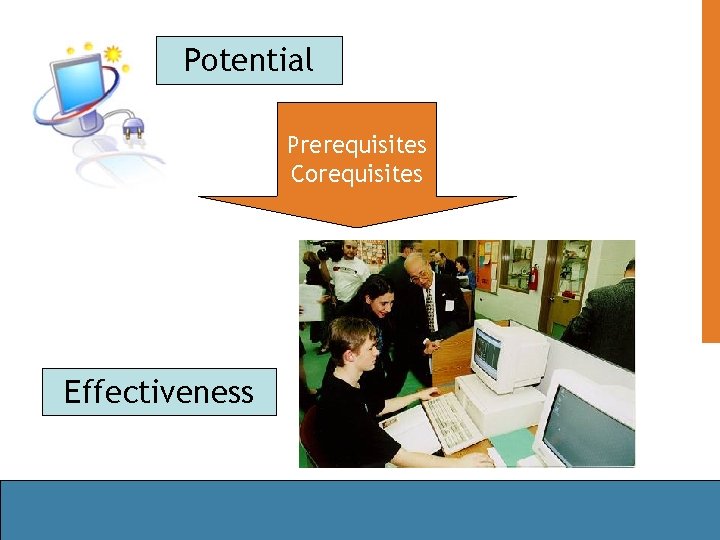
Potential Prerequisites Corequisites Effectiveness
From Potential to Effectiveness 1. 2. 3. 4. 5. 6. 7. 8. Educational Policy Approach to ICTs Infrastructure ICT-Enhanced Content Committed and Trained Personnel Financial Resources Integration Piloting and Evaluation
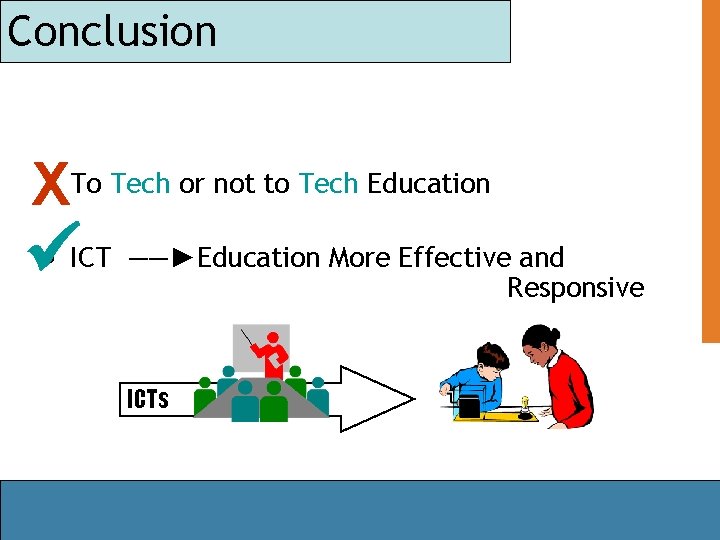
Conclusion X • To Tech or not to Tech Education • ICT ――►Education More Effective and Responsive ICTs
“We do not think anymore of the spectacle of printing every time we read a book, the phenomenon of TV every time we watch a movie, or the miracle of the telephone every time we make a call. The ultimate success of ICTs for learning will be attained when we stop marveling about the ICTs and apply our minds and emotions to the wonders of learning. ”
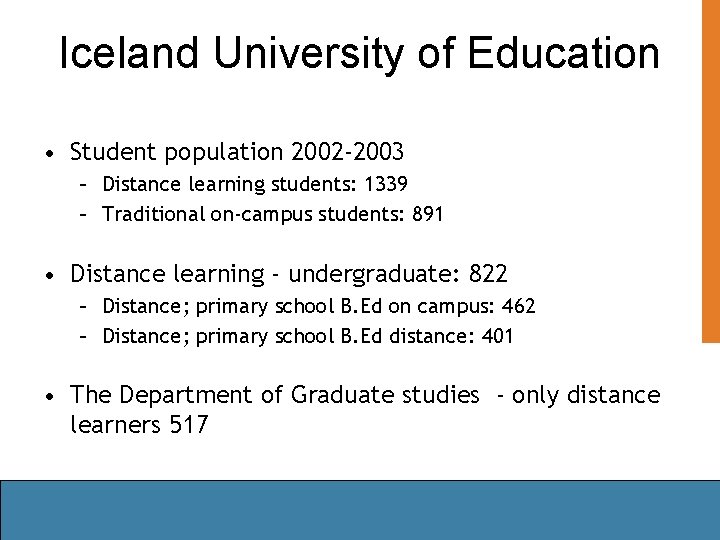
Iceland University of Education • Student population 2002 -2003 – Distance learning students: 1339 – Traditional on-campus students: 891 • Distance learning - undergraduate: 822 – Distance; primary school B. Ed on campus: 462 – Distance; primary school B. Ed distance: 401 • The Department of Graduate studies - only distance learners 517
Reasearch on distance education • How is the use of ICT affecting the way the institution goes about organizing teaching and learning? • How is the use of ICT affecting the way the teachers perform their teaching activities? • How is the use of ICT affecting the way the students perform their learning activities?
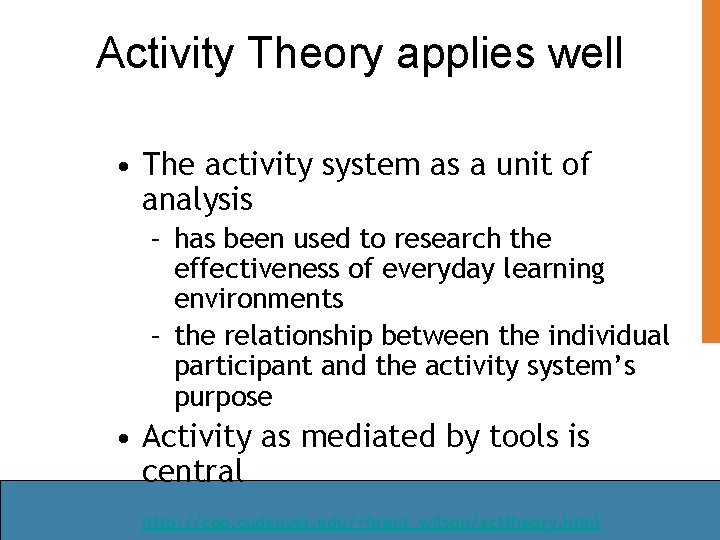
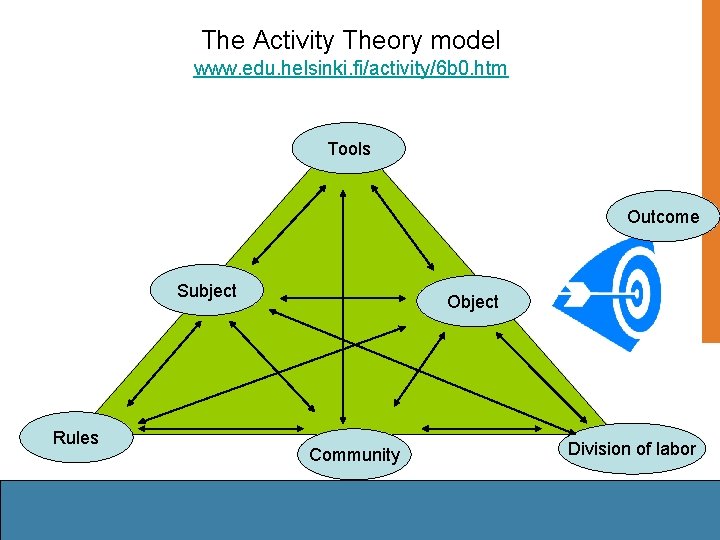
Activity Theory applies well • The activity system as a unit of analysis – has been used to research the effectiveness of everyday learning environments – the relationship between the individual participant and the activity system’s purpose • Activity as mediated by tools is central http: //ceo. cudenver. edu/~brent_wilson/acttheory. html
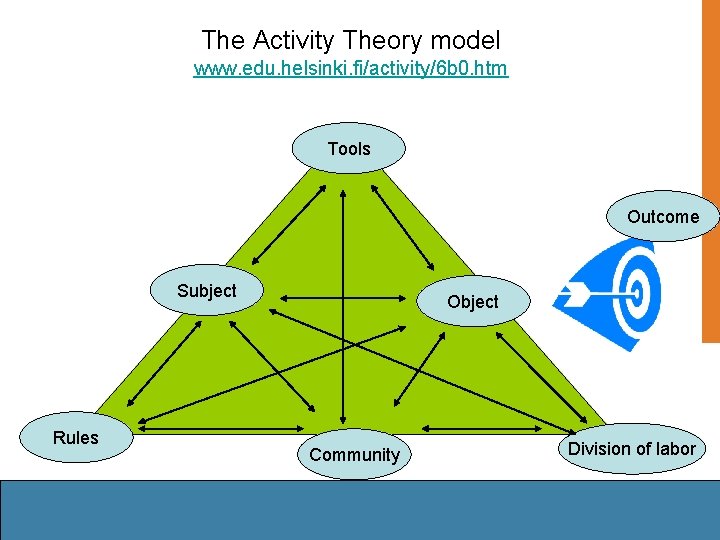
The Activity Theory model www. edu. helsinki. fi/activity/6 b 0. htm Tools Outcome Subject Rules Object Community Division of labor
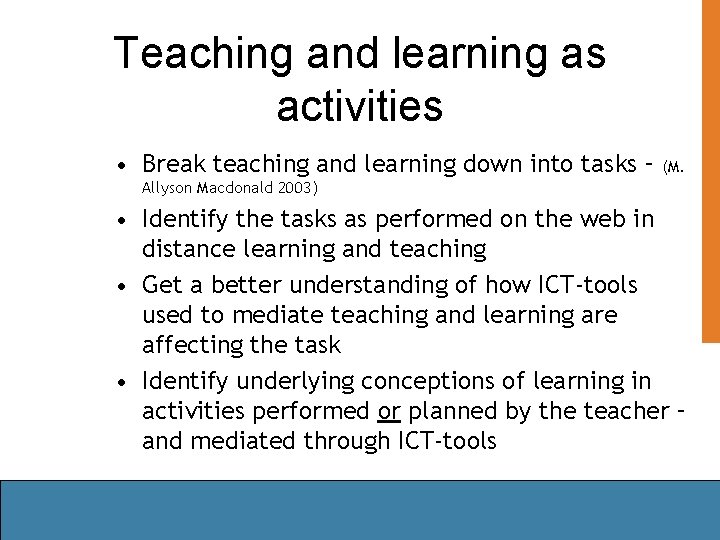
Teaching and learning as activities • Break teaching and learning down into tasks – (M. Allyson Macdonald 2003) • Identify the tasks as performed on the web in distance learning and teaching • Get a better understanding of how ICT-tools used to mediate teaching and learning are affecting the task • Identify underlying conceptions of learning in activities performed or planned by the teacher – and mediated through ICT-tools
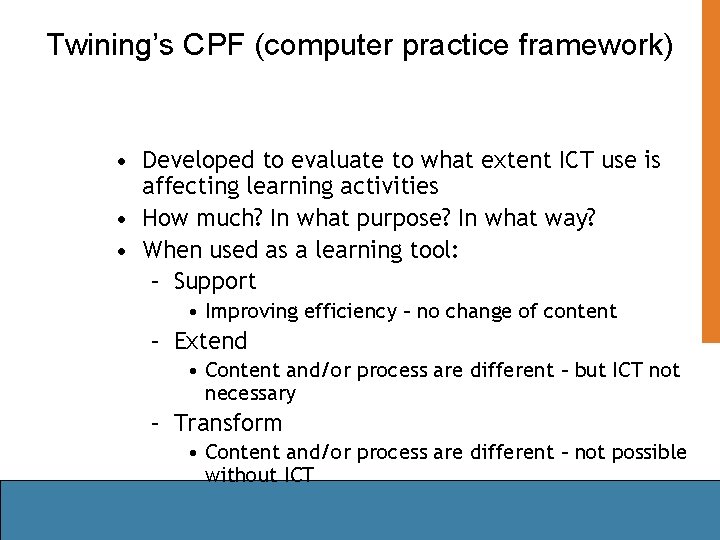
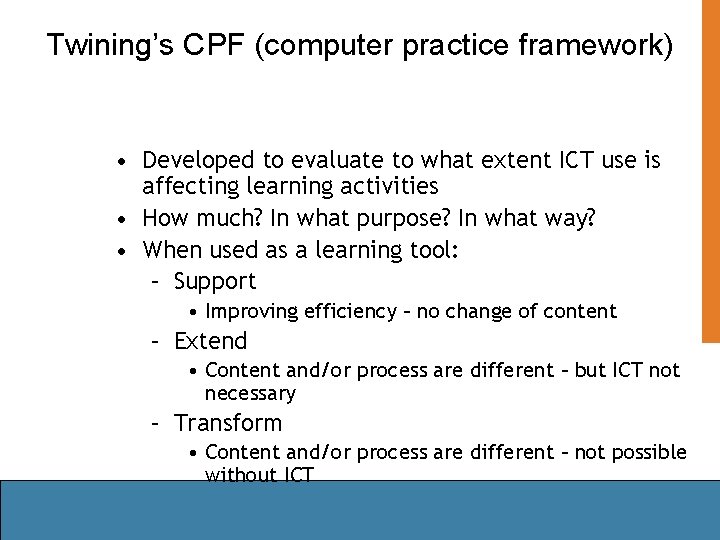
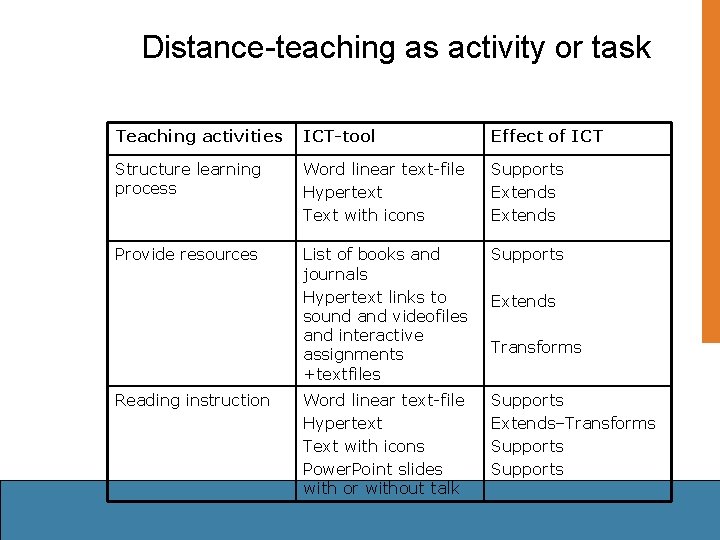
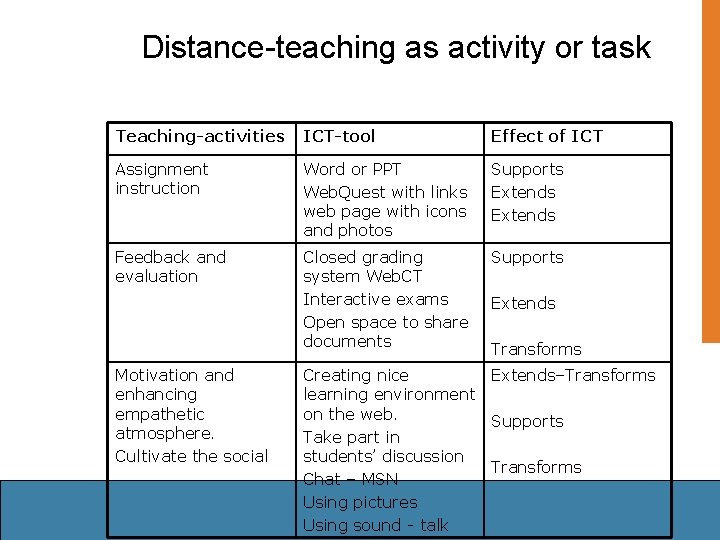
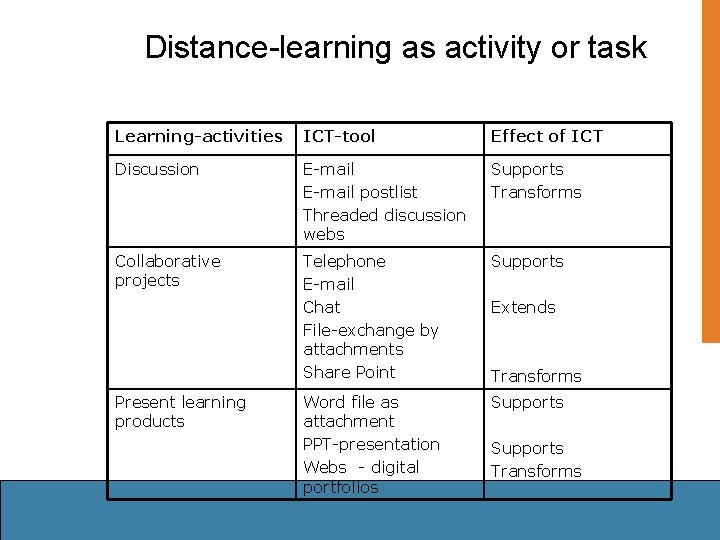
Twining’s CPF (computer practice framework) • Developed to evaluate to what extent ICT use is affecting learning activities • How much? In what purpose? In what way? • When used as a learning tool: – Support • Improving efficiency – no change of content – Extend • Content and/or process are different – but ICT not necessary – Transform • Content and/or process are different – not possible without ICT
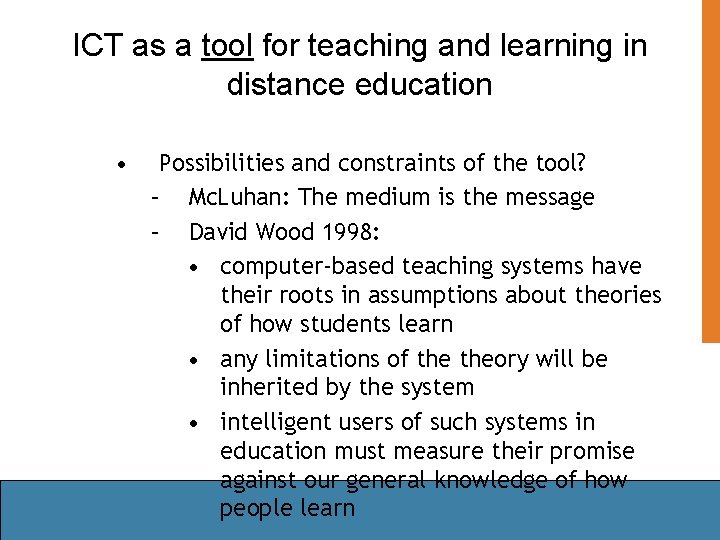
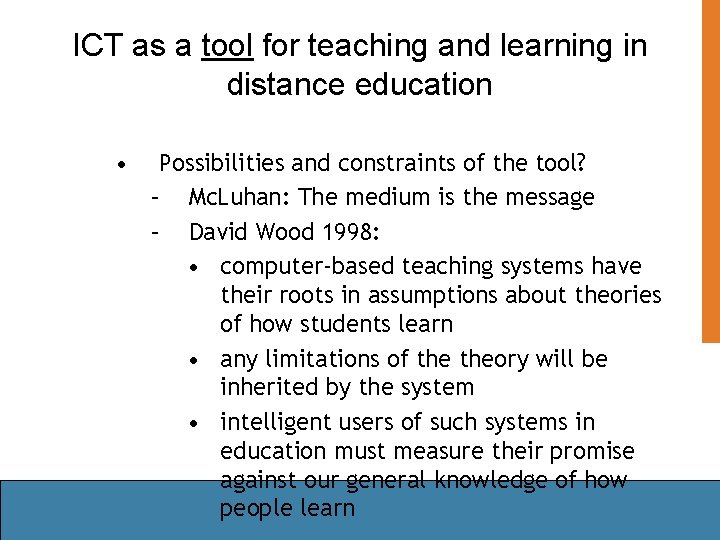
ICT as a tool for teaching and learning in distance education • Possibilities and constraints of the tool? – Mc. Luhan: The medium is the message – David Wood 1998: • computer-based teaching systems have their roots in assumptions about theories of how students learn • any limitations of theory will be inherited by the system • intelligent users of such systems in education must measure their promise against our general knowledge of how people learn
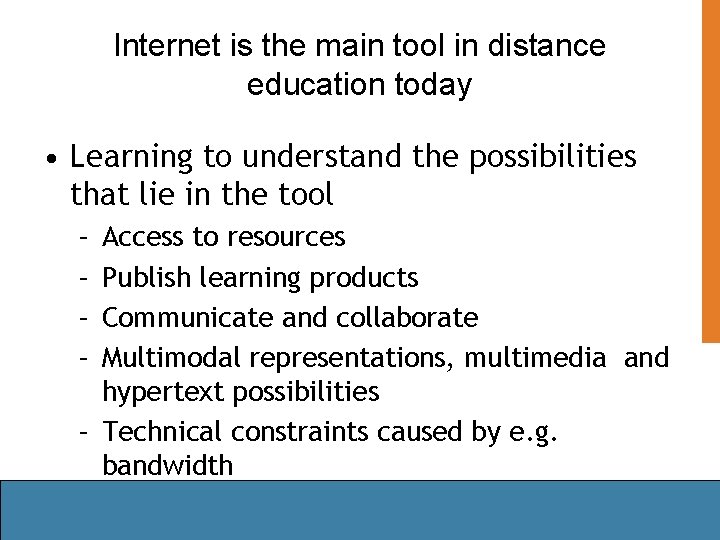
Internet is the main tool in distance education today • Learning to understand the possibilities that lie in the tool – – Access to resources Publish learning products Communicate and collaborate Multimodal representations, multimedia and hypertext possibilities – Technical constraints caused by e. g. bandwidth
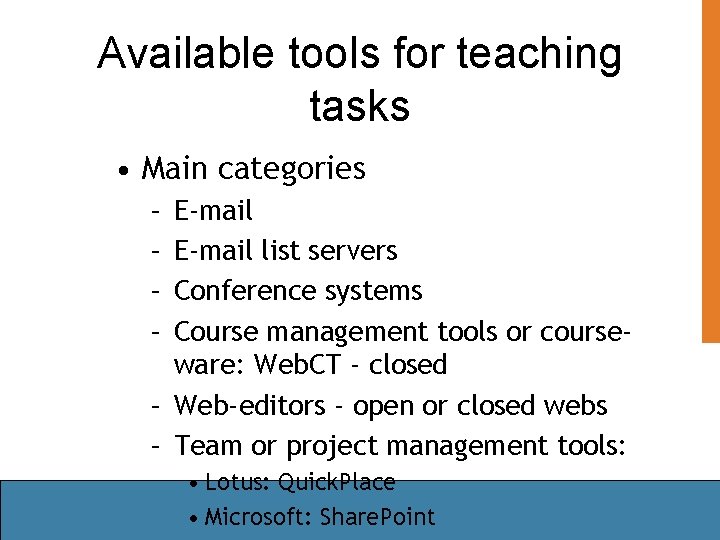
Available tools for teaching tasks • Main categories – – E-mail list servers Conference systems Course management tools or courseware: Web. CT - closed – Web-editors - open or closed webs – Team or project management tools: • Lotus: Quick. Place • Microsoft: Share. Point
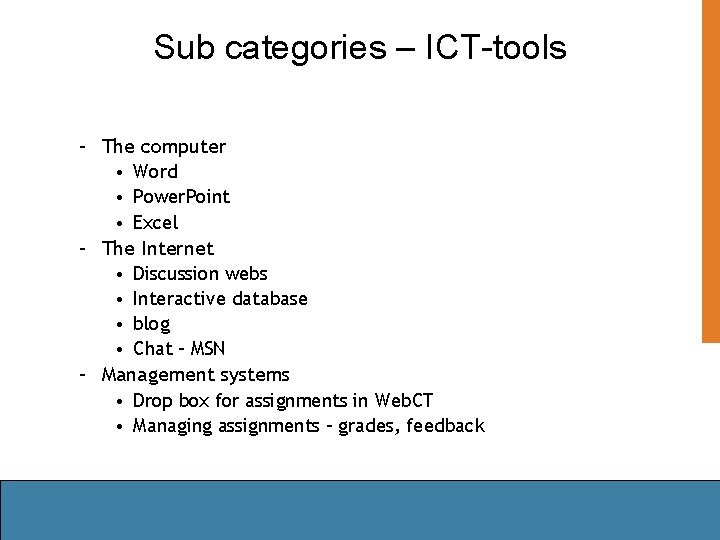
Sub categories – ICT-tools – The computer • Word • Power. Point • Excel – The Internet • Discussion webs • Interactive database • blog • Chat – MSN – Management systems • Drop box for assignments in Web. CT • Managing assignments – grades, feedback
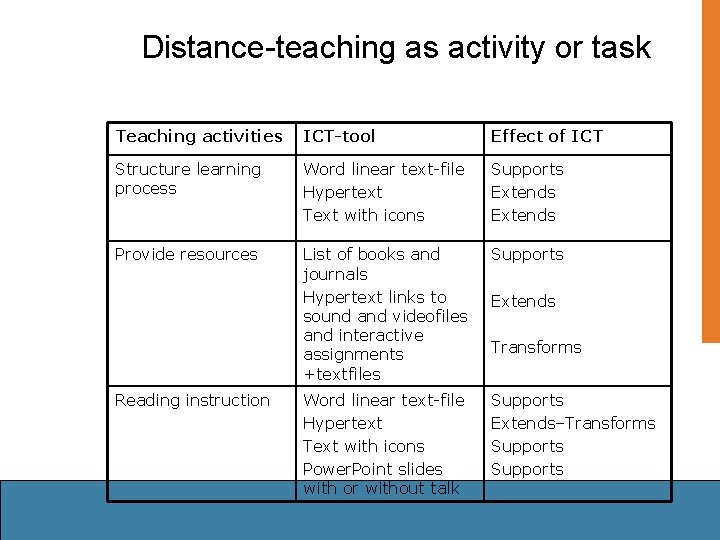
Distance-teaching as activity or task Teaching activities ICT-tool Effect of ICT Structure learning process Word linear text-file Hypertext Text with icons Supports Extends Provide resources List of books and journals Hypertext links to sound and videofiles and interactive assignments +textfiles Supports Word linear text-file Hypertext Text with icons Power. Point slides with or without talk Supports Extends–Transforms Supports Reading instruction Extends Transforms
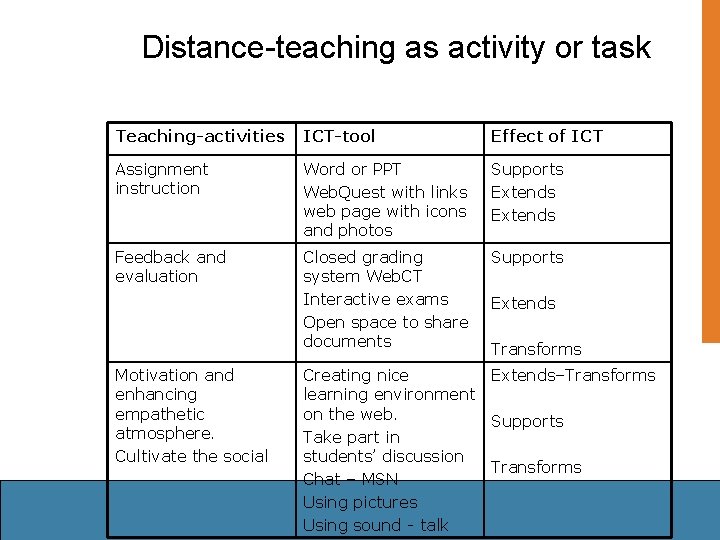
Distance-teaching as activity or task Teaching-activities ICT-tool Effect of ICT Assignment instruction Word or PPT Web. Quest with links web page with icons and photos Supports Extends Feedback and evaluation Closed grading system Web. CT Interactive exams Open space to share documents Supports Motivation and enhancing empathetic atmosphere. Cultivate the social Extends Transforms Creating nice Extends–Transforms learning environment on the web. Supports Take part in students’ discussion Transforms Chat – MSN Using pictures Using sound - talk
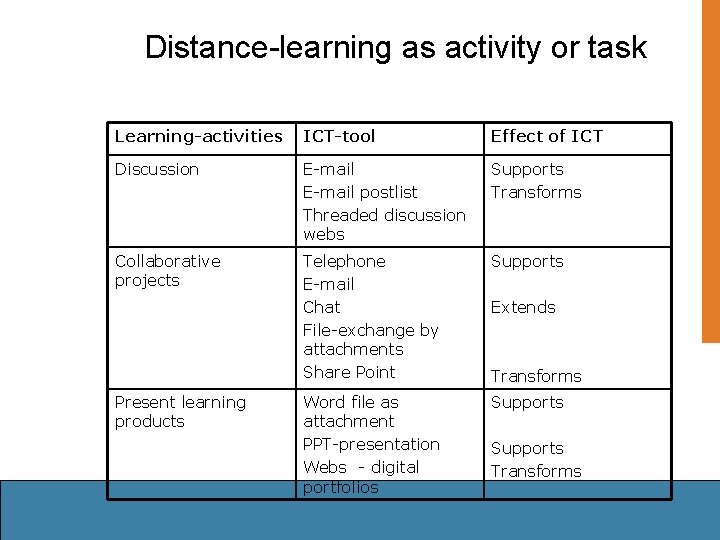
Distance-learning as activity or task Learning-activities ICT-tool Effect of ICT Discussion E-mail postlist Threaded discussion webs Supports Transforms Collaborative projects Telephone E-mail Chat File-exchange by attachments Share Point Supports Word file as attachment PPT-presentation Webs - digital portfolios Supports Present learning products Extends Transforms Supports Transforms
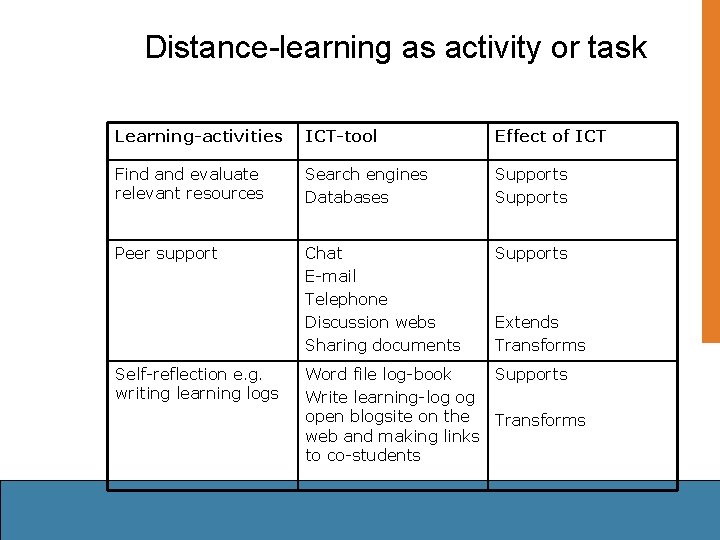
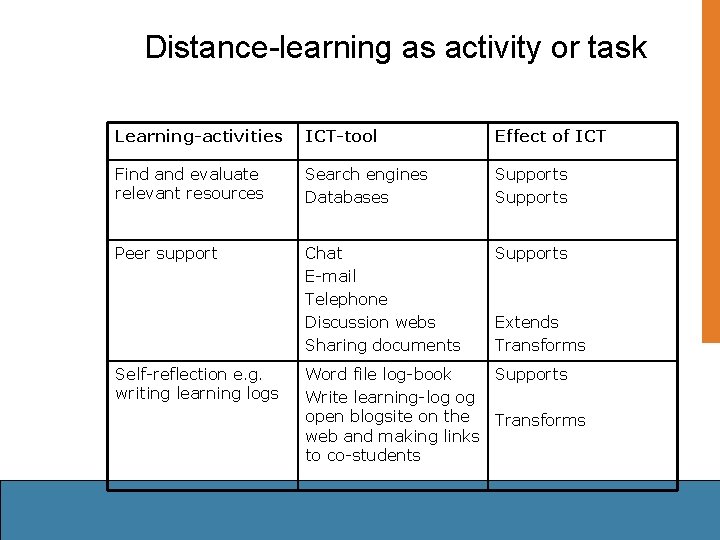
Distance-learning as activity or task Learning-activities ICT-tool Effect of ICT Find and evaluate relevant resources Search engines Databases Supports Peer support Chat E-mail Telephone Discussion webs Sharing documents Supports Self-reflection e. g. writing learning logs Extends Transforms Word file log-book Supports Write learning-log og open blogsite on the Transforms web and making links to co-students
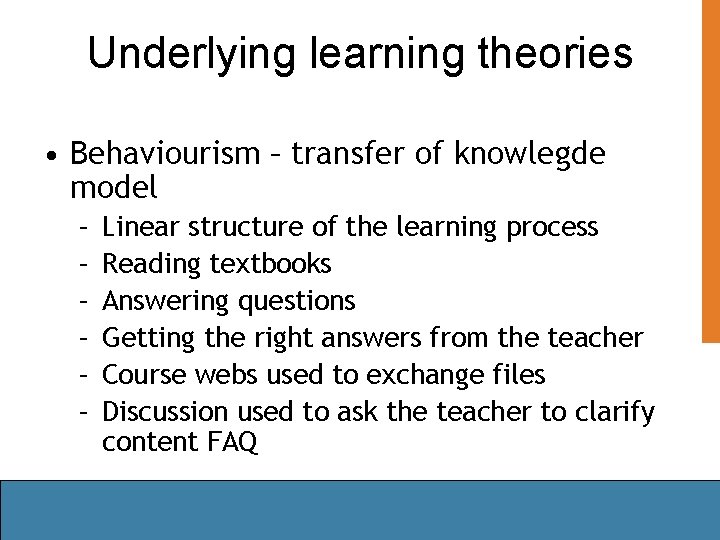
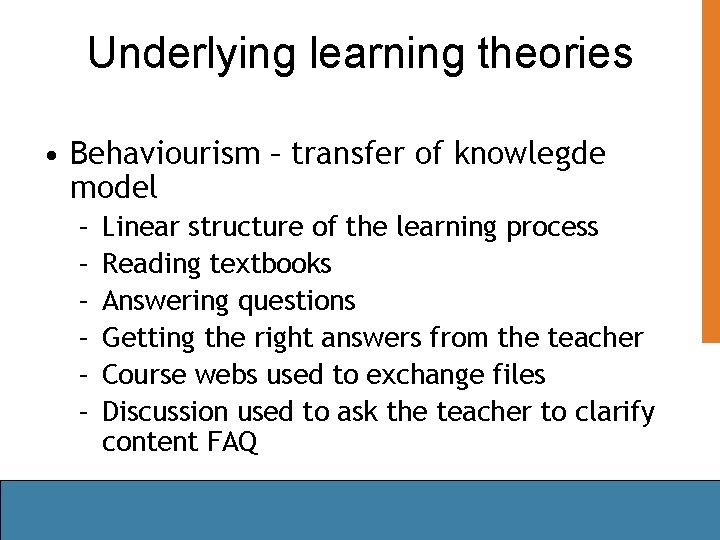
Underlying learning theories • Behaviourism – transfer of knowlegde model – – – Linear structure of the learning process Reading textbooks Answering questions Getting the right answers from the teacher Course webs used to exchange files Discussion used to ask the teacher to clarify content FAQ
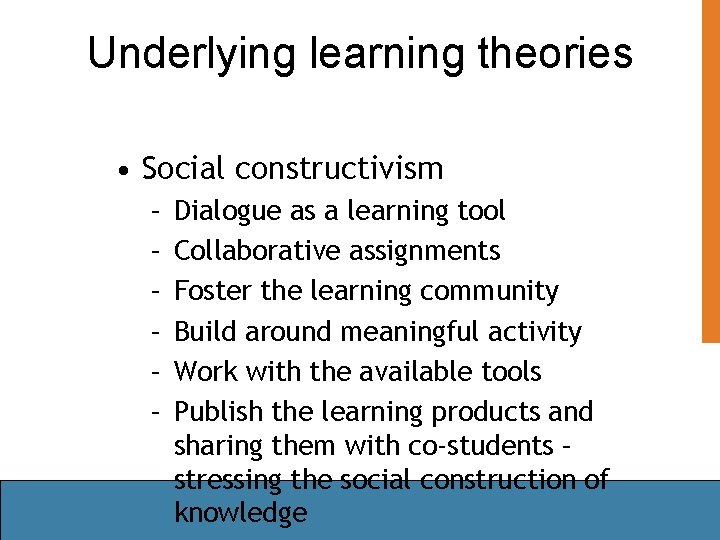
Underlying learning theories • Social constructivism – – – Dialogue as a learning tool Collaborative assignments Foster the learning community Build around meaningful activity Work with the available tools Publish the learning products and sharing them with co-students – stressing the social construction of knowledge
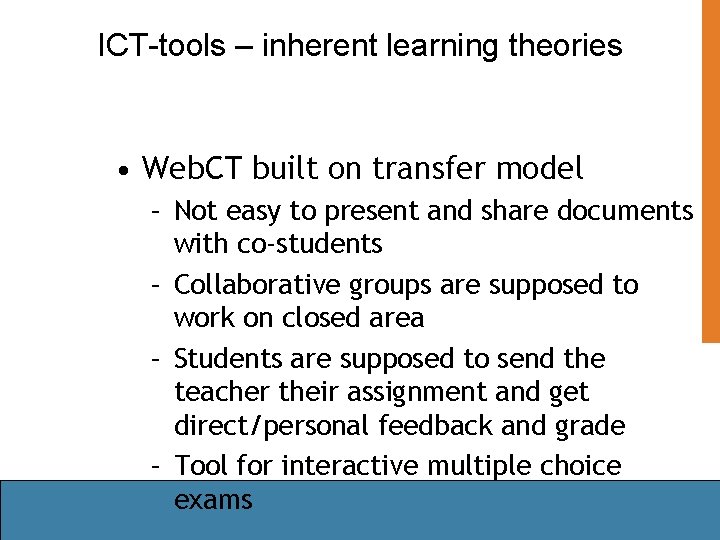
ICT-tools – inherent learning theories • Web. CT built on transfer model – Not easy to present and share documents with co-students – Collaborative groups are supposed to work on closed area – Students are supposed to send the teacher their assignment and get direct/personal feedback and grade – Tool for interactive multiple choice exams
Tools for constructive learning • Open web-sites where the teachers provide for resources and tools needed to learn • Use authentic tools available on the Internet • Share Point for team work • Lotus knowledge rooms Weigler • Blog-sites • Digital portfolios
Authentic learning on the Internet • Learning as an authentic activity • Using the tools available in the respective culture • Learning from real communities on the web – – how they work – rules – Which tools they are using and in what purpose – How they collaborate – division of labour – and distributed cognition
Reasearch on distance education • How is the use of ICT affecting the way the institution goes about organizing teaching and learning? • How is the use of ICT affecting the way the teachers perform their teaching activities? • How is the use of ICT affecting the way the students perform their learning activities?
Activity Theory applies well • The activity system as a unit of analysis – has been used to research the effectiveness of everyday learning environments – the relationship between the individual participant and the activity system’s purpose • Activity as mediated by tools is central http: //ceo. cudenver. edu/~brent_wilson/acttheory. html
The Activity Theory model www. edu. helsinki. fi/activity/6 b 0. htm Tools Outcome Subject Rules Object Community Division of labor
Teaching and learning as activities • Break teaching and learning down into tasks – (M. Allyson Macdonald 2003) • Identify the tasks as performed on the web in distance learning and teaching • Get a better understanding of how ICT-tools used to mediate teaching and learning are affecting the task • Identify underlying conceptions of learning in activities performed or planned by the teacher – and mediated through ICT-tools
Twining’s CPF (computer practice framework) • Developed to evaluate to what extent ICT use is affecting learning activities • How much? In what purpose? In what way? • When used as a learning tool: – Support • Improving efficiency – no change of content – Extend • Content and/or process are different – but ICT not necessary – Transform • Content and/or process are different – not possible without ICT
ICT as a tool for teaching and learning in distance education • Possibilities and constraints of the tool? – Mc. Luhan: The medium is the message – David Wood 1998: • computer-based teaching systems have their roots in assumptions about theories of how students learn • any limitations of theory will be inherited by the system • intelligent users of such systems in education must measure their promise against our general knowledge of how people learn
Internet is the main tool in distance education today • Learning to understand the possibilities that lie in the tool – – Access to resources Publish learning products Communicate and collaborate Multimodal representations, multimedia and hypertext possibilities – Technical constraints caused by e. g. bandwidth
Available tools for teaching tasks • Main categories – – E-mail list servers Conference systems Course management tools or courseware: Web. CT - closed – Web-editors - open or closed webs – Team or project management tools: • Lotus: Quick. Place • Microsoft: Share. Point
Sub categories – ICT-tools – The computer • Word • Power. Point • Excel – The Internet • Discussion webs • Interactive database • blog • Chat – MSN – Management systems • Drop box for assignments in Web. CT • Managing assignments – grades, feedback
Distance-teaching as activity or task Teaching activities ICT-tool Effect of ICT Structure learning process Word linear text-file Hypertext Text with icons Supports Extends Provide resources List of books and journals Hypertext links to sound and videofiles and interactive assignments +textfiles Supports Word linear text-file Hypertext Text with icons Power. Point slides with or without talk Supports Extends–Transforms Supports Reading instruction Extends Transforms
Distance-teaching as activity or task Teaching-activities ICT-tool Effect of ICT Assignment instruction Word or PPT Web. Quest with links web page with icons and photos Supports Extends Feedback and evaluation Closed grading system Web. CT Interactive exams Open space to share documents Supports Motivation and enhancing empathetic atmosphere. Cultivate the social Extends Transforms Creating nice Extends–Transforms learning environment on the web. Supports Take part in students’ discussion Transforms Chat – MSN Using pictures Using sound - talk
Distance-learning as activity or task Learning-activities ICT-tool Effect of ICT Discussion E-mail postlist Threaded discussion webs Supports Transforms Collaborative projects Telephone E-mail Chat File-exchange by attachments Share Point Supports Word file as attachment PPT-presentation Webs - digital portfolios Supports Present learning products Extends Transforms Supports Transforms
Distance-learning as activity or task Learning-activities ICT-tool Effect of ICT Find and evaluate relevant resources Search engines Databases Supports Peer support Chat E-mail Telephone Discussion webs Sharing documents Supports Self-reflection e. g. writing learning logs Extends Transforms Word file log-book Supports Write learning-log og open blogsite on the Transforms web and making links to co-students
Underlying learning theories • Behaviourism – transfer of knowlegde model – – – Linear structure of the learning process Reading textbooks Answering questions Getting the right answers from the teacher Course webs used to exchange files Discussion used to ask the teacher to clarify content FAQ
Underlying learning theories • Social constructivism – – – Dialogue as a learning tool Collaborative assignments Foster the learning community Build around meaningful activity Work with the available tools Publish the learning products and sharing them with co-students – stressing the social construction of knowledge
ICT-tools – inherent learning theories • Web. CT built on transfer model – Not easy to present and share documents with co-students – Collaborative groups are supposed to work on closed area – Students are supposed to send the teacher their assignment and get direct/personal feedback and grade – Tool for interactive multiple choice exams
Tools for constructive learning • Open web-sites where the teachers provide for resources and tools needed to learn • Use authentic tools available on the Internet • Share Point for team work • Lotus knowledge rooms Weigler • Blog-sites • Digital portfolios
Authentic learning on the Internet • Learning as an authentic activity • Using the tools available in the respective culture • Learning from real communities on the web – – how they work – rules – Which tools they are using and in what purpose – How they collaborate – division of labour – and distributed cognition
The End
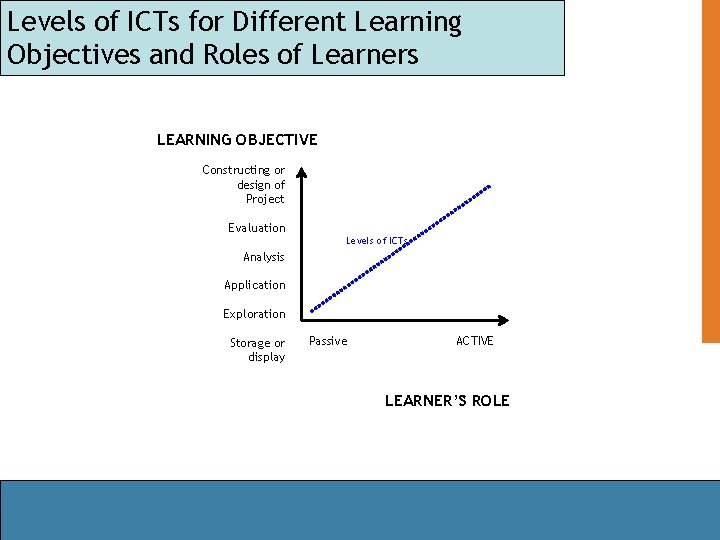
Levels of ICTs for Different Learning Objectives and Roles of Learners LEARNING OBJECTIVE Constructing or design of Project Evaluation Levels of ICTs Analysis Application Exploration Storage or display Passive ACTIVE LEARNER’S ROLE
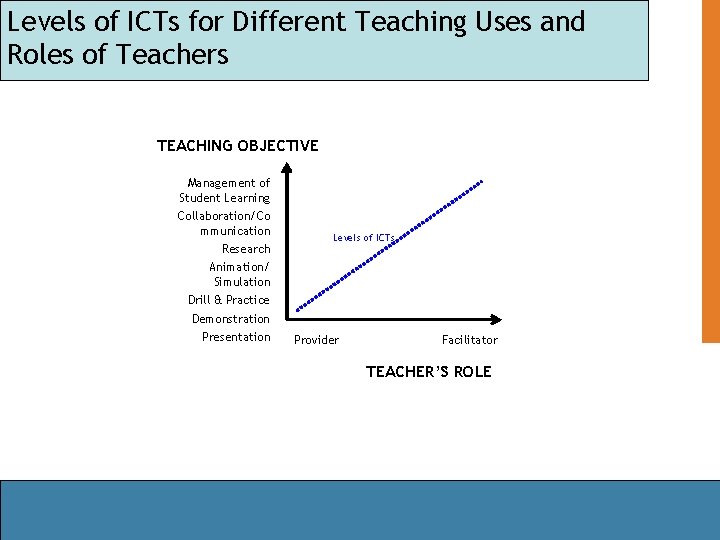
Levels of ICTs for Different Teaching Uses and Roles of Teachers TEACHING OBJECTIVE Management of Student Learning Collaboration/Co mmunication Research Levels of ICTs Animation/ Simulation Drill & Practice Demonstration Presentation Provider Facilitator TEACHER’S ROLE
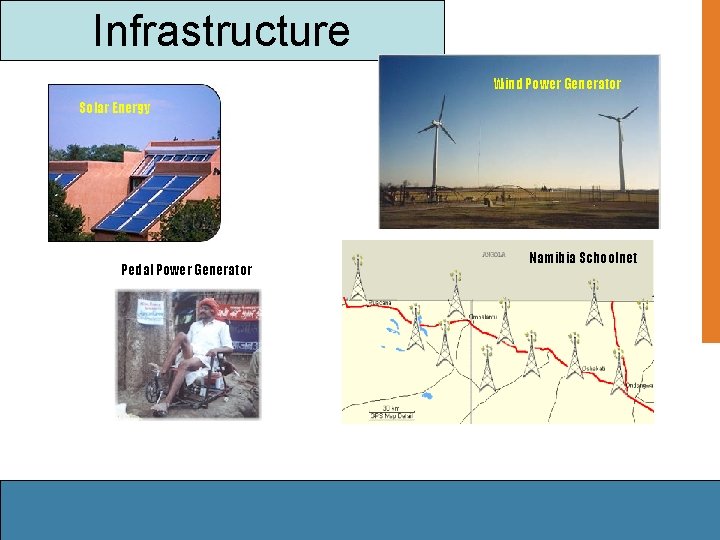
Infrastructure Wind Power Generator Solar Energy Pedal Power Generator Namibia Schoolnet
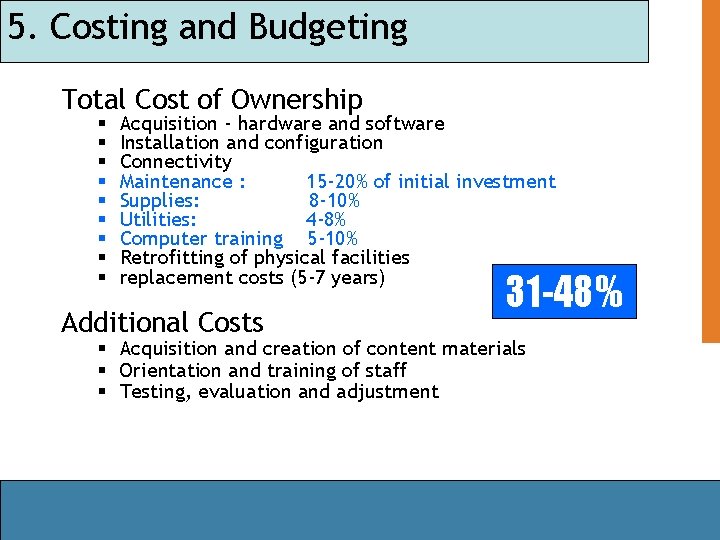
5. Costing and Budgeting Total Cost of Ownership § § § § § Acquisition - hardware and software Installation and configuration Connectivity Maintenance : 15 -20% of initial investment Supplies: 8 -10% Utilities: 4 -8% Computer training 5 -10% Retrofitting of physical facilities replacement costs (5 -7 years) Additional Costs 31 -48% § Acquisition and creation of content materials § Orientation and training of staff § Testing, evaluation and adjustment