
Instruction formats for the PIC series ROM encoding








![Register addition ADDWF f, d Add reg[f] to w and store in either w](https://slidetodoc.com/presentation_image_h/7ca12a2c6a1ec25aabe8f860fc7e5f6f/image-21.jpg "Register addition ADDWF f, d Add reg[f] to w and store in either w")

![andwf ANDWF f, d And reg[f] with w and store in either w or](https://slidetodoc.com/presentation_image_h/7ca12a2c6a1ec25aabe8f860fc7e5f6f/image-23.jpg "andwf ANDWF f, d And reg[f] with w and store in either w or")
![Clear registers l l Clrf f set reg[f] to zero • Eg CLRF Clrw](https://slidetodoc.com/presentation_image_h/7ca12a2c6a1ec25aabe8f860fc7e5f6f/image-25.jpg "Clear registers l l Clrf f set reg[f] to zero • Eg CLRF Clrw")


![Complement continued Suppose we want reg[32]: =reg[33]-reg[40] Initial values Binary Code 10 7 00001010](https://slidetodoc.com/presentation_image_h/7ca12a2c6a1ec25aabe8f860fc7e5f6f/image-29.jpg "Complement continued Suppose we want reg[32]: =reg[33]-reg[40] Initial values Binary Code 10 7 00001010")

![Decrement register Decf f, d Decrements reg[f] and stores result in either reg[f] or](https://slidetodoc.com/presentation_image_h/7ca12a2c6a1ec25aabe8f860fc7e5f6f/image-31.jpg "Decrement register Decf f, d Decrements reg[f] and stores result in either reg[f] or")


![Inclusive or IORWF f, d Example If w=1100 0001 and reg[40]=0001 IORWF 40, 0](https://slidetodoc.com/presentation_image_h/7ca12a2c6a1ec25aabe8f860fc7e5f6f/image-34.jpg "Inclusive or IORWF f, d Example If w=1100 0001 and reg[40]=0001 IORWF 40, 0")

![Exclusive or XORWF f, d Example If w=1100 0001 and reg[40]=0001 XORWF 40, 0](https://slidetodoc.com/presentation_image_h/7ca12a2c6a1ec25aabe8f860fc7e5f6f/image-36.jpg "Exclusive or XORWF f, d Example If w=1100 0001 and reg[40]=0001 XORWF 40, 0")






- Slides: 47
Instruction formats for the PIC series
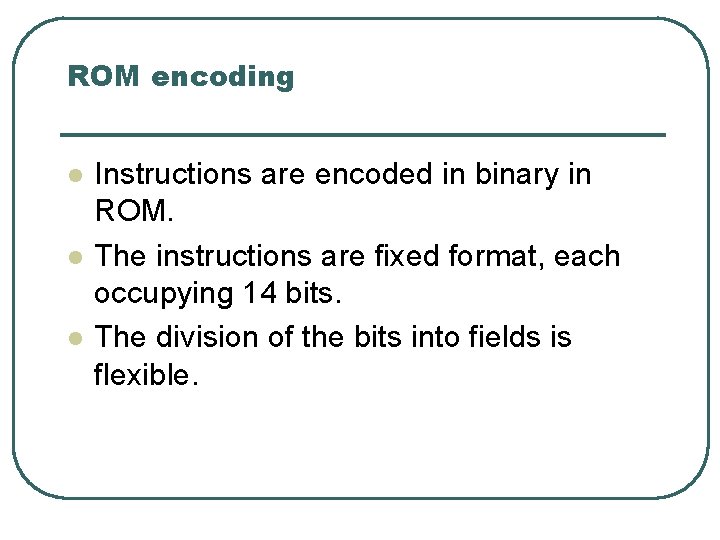
ROM encoding l l l Instructions are encoded in binary in ROM. The instructions are fixed format, each occupying 14 bits. The division of the bits into fields is flexible.
byte oriented register ops 13 8 7 opcode d 6 0 f ( reg num ) when d=0 destination = W reg d=1 destination = reg[f] f= 7 bit register selector
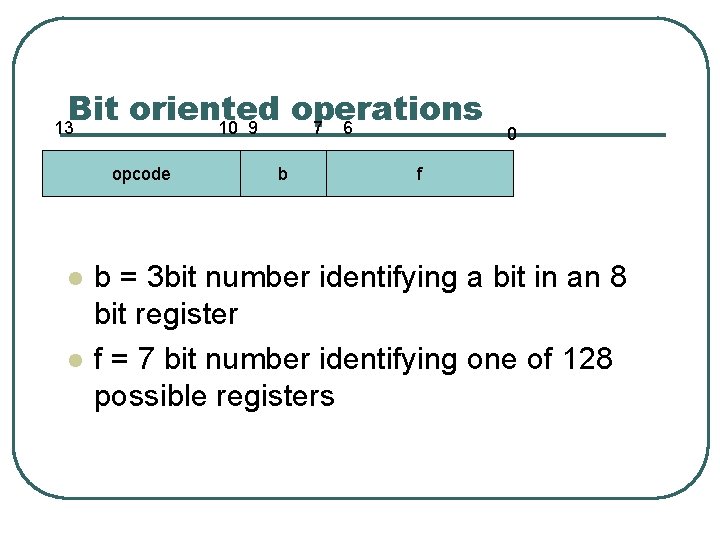
Bit oriented operations 13 10 9 7 6 opcode l l b 0 f b = 3 bit number identifying a bit in an 8 bit register f = 7 bit number identifying one of 128 possible registers
Literal ops 8 13 opcode l l l 7 0 K=Literal value These generally operate on the w register The second operand is a value specified in the instruction W: = w op k
Control transfer 13 11 10 opcode l l 0 K Used for call or goto K is a 11 bit literal that specifies an address in the program memory
Example binary instructions l l We will look at the binary layout of some of the instructions in the instructionset before going on to look at the way these are accessed in assembler Goto 6 101 Binary for goto 0000 0110 Binary for 6
Remember about registers General registers 128 of them 0 Working or W register Program counter or PC 127
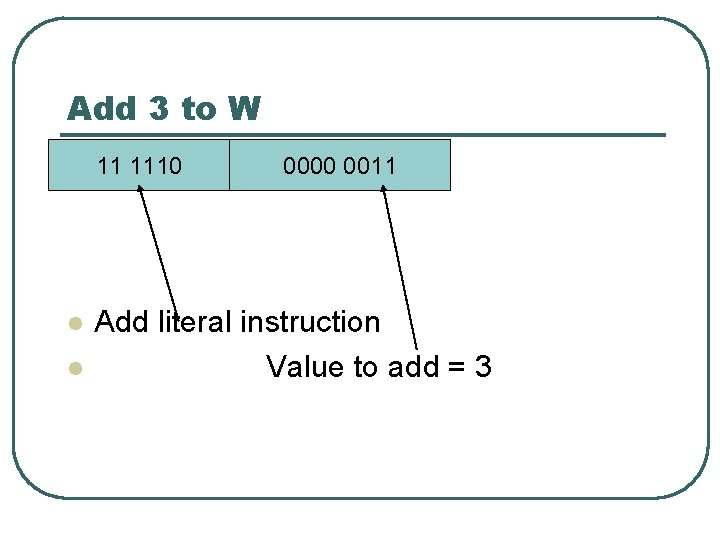
Add 3 to W 11 1110 l l 0000 0011 Add literal instruction Value to add = 3
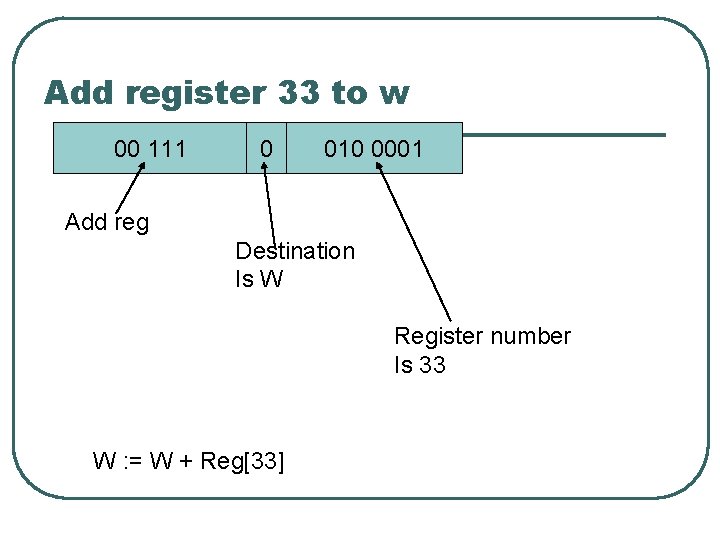
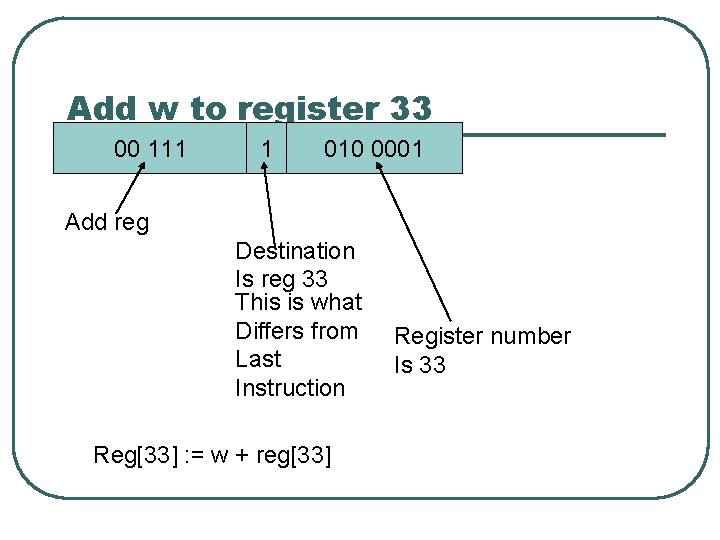
Add register 33 to w 00 111 0 010 0001 Add reg Destination Is W Register number Is 33 W : = W + Reg[33]
Add w to register 33 00 111 1 010 0001 Add reg Destination Is reg 33 This is what Differs from Last Instruction Reg[33] : = w + reg[33] Register number Is 33
Disadvantages of binary l l l Hard to remember Very hard to remember for complex instructionsets Allows no variation in word lengths between different processor models ( PICs come with 12, 14 and 16 bit instructions )
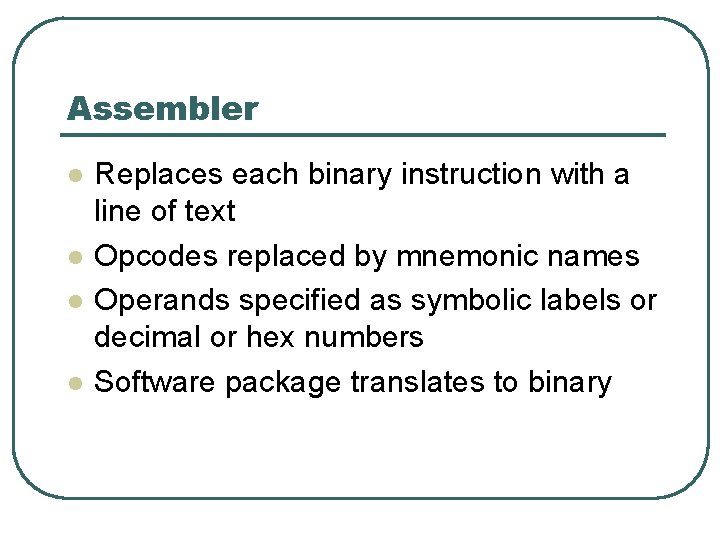
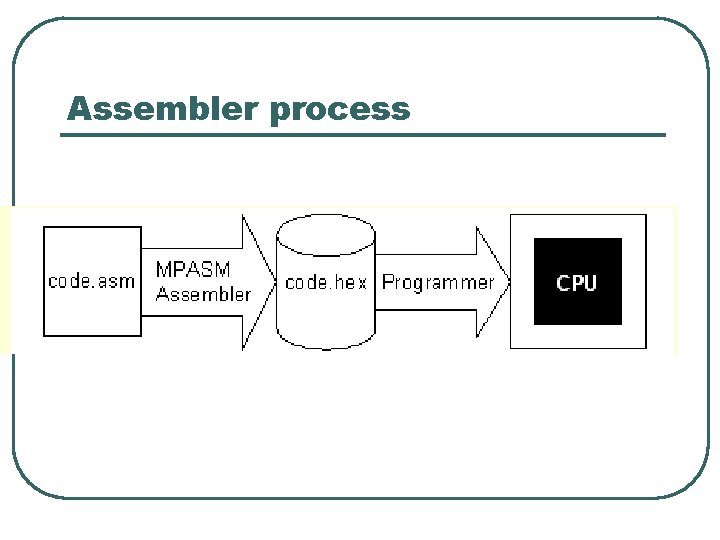
Assembler l l Replaces each binary instruction with a line of text Opcodes replaced by mnemonic names Operands specified as symbolic labels or decimal or hex numbers Software package translates to binary
Assembler process
Operands looks like What assembler start clrw comments main call_m movlw movwf 0 x 35 mulplr 0 x 2 D mulcnd call mpy_S ; test 0 x 35 times 0 x 2 D ; The result is in file ; registers H_byte & L_byte ; and should equal 0 x 0951 opcodes labels Comments start with ;
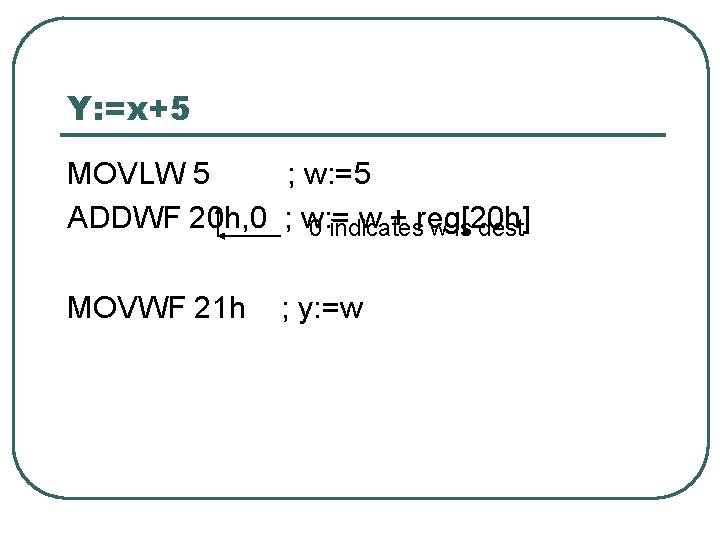
A simple example What we want to compute is Y: = x+5 We must associate these variables x, y with registers. We must select machine instructions that will perform the calculation
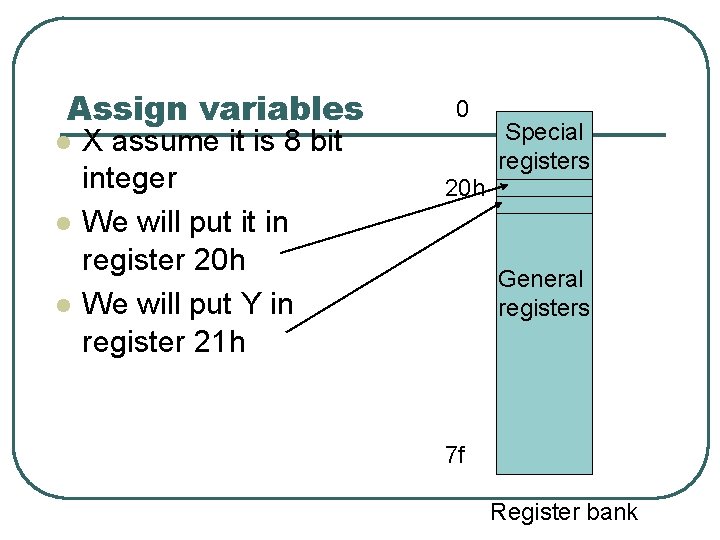
Assign variables l l l X assume it is 8 bit integer We will put it in register 20 h We will put Y in register 21 h 0 Special registers 20 h General registers 7 f Register bank
Analyse possible data flows 1. 2. 3. YES W : = x W: =w+5 Y: =w W: =x Y: =w Y: =y+5 1. W: =5 2. W: =w+x 3. Y: =w NO, cant add 5 to y YES
Y: =x+5 MOVLW 5 ; w: =5 ADDWF 20 h, 0 ; w: = w + reg[20 h] 0 indicates w is dest MOVWF 21 h ; y: =w
Outline the instructions l l We will now look at the instructionset of the PIC processor. There are 35 instructions
Register addition ADDWF f, d Add reg[f] to w and store in either w or reg[f] depending on d, if d=0 then store in w, else in reg[f] If reg[24 h] =6 and w=4 then ADDWF 24 h, 1 Sets reg[24 h] to 10
Addition of a constant ADDLW const Add const to w and store in w If w=4 then ADDLW 24 h Sets w to 28 h
andwf ANDWF f, d And reg[f] with w and store in either w or reg[f] depending on d, if d=0 then store in w, else in reg[f] If W = 0001 1111 and reg[20 h]= 1111 0100 ANDWF 20 h, 0 will set w to 0001 0100
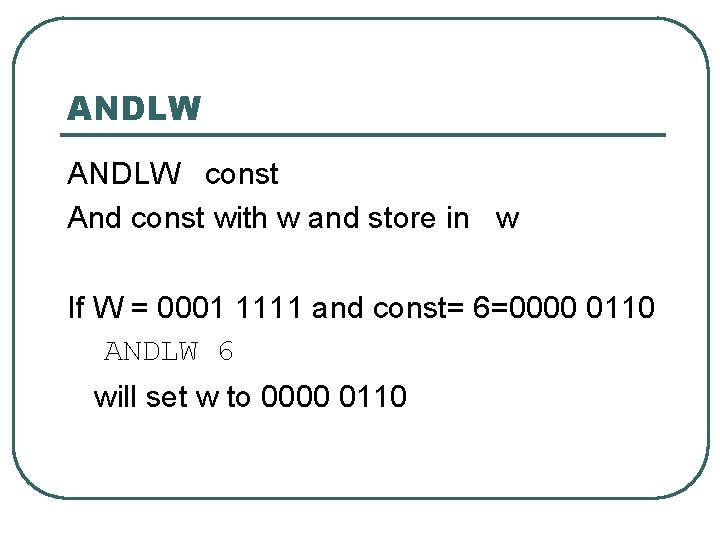
ANDLW const And const with w and store in w If W = 0001 1111 and const= 6=0000 0110 ANDLW 6 will set w to 0000 0110
Clear registers l l Clrf f set reg[f] to zero • Eg CLRF Clrw 40 ; reg[40]: =0 set w register to zero
MOVE OPERATIONS MOVFW f Moves contents of register f to the W register MOVWF f l Moves the W reg to register f MOVLW const l l Moves the literal constant to the W register Last two letters are memonics FW, WF, LW
NOP l l l NOP stands for NO o. Peration It is an opcode that does nothing Its binary pattern is 00000 0 0000 Destination=w This is similar to MOVWF whose pattern is 00000 1 Destination bit FFFF Destination register
subtractions This can be done by using complement or subtract operations, subtract is not strictly needed COMF f, d This sets either reg[f] or w to –reg[f] For example if x is in reg[32] and y in reg[33] then x: =x-y would be done by COMF 33, 0 ; w: =-y ADDWF 32, 1 ; x: =x+w l
Complement continued Suppose we want reg[32]: =reg[33]-reg[40] Initial values Binary Code 10 7 00001010 00000111 4 00000100 Values manipulated Comf 40, 0 ; 00000100 → 11111011+1 → 11111100 →w Addwf 33, 0 ; 00000111 Carry bit 11111100 + 1 00000011 →w Movwf 32 ; 00000011 → reg[32]
SUBWF Subtract w from f SUBWF f, d This has two forms l SUBWF f, 0 ; w: = reg[f]-w l SUBWF f, 1 ; reg[f]: = reg[f]-w MOVFW 33 ; w: =y SUBWF 32, 1; x: =x-w Instead of Comf 33, 0 ; w: =-y Addwf 32, 1 ; x: =x+w
Decrement register Decf f, d Decrements reg[f] and stores result in either reg[f] or w depending on d DECF 50, 1 Subtracts 1 from register 50 DECF 50, 0 Sets w : = reg[50] -1
Decrement and skip DECFSZ f, d Meaning of f, and d fields as before If the result of decrementing is zero, skip the next instruction Top: ; some instructions DECFSZ 38, 1 GOTO Top ; some other instructions Reg[38] holds the number of times to go round loop
Incrementing INCF and INCFSZ work like DECF and DECFSZ except that they increment In this case you would load a negative number into your count register and count up towards zero. Alternatively, count up, and skip when the result would have been 256. Incfsz 50, 1; means reg[50] : = reg[50]+1 if reg[50] is 0 then skip next instruction
Inclusive or IORWF f, d Example If w=1100 0001 and reg[40]=0001 IORWF 40, 0 Will set w= 1101 0001 11000001 or 11010001
Inclusive or Literal IORLW const Example If w=1100 0001 IORLW 7 Will set w= 1100 0111 1100000111 or 11000111
Exclusive or XORWF f, d Example If w=1100 0001 and reg[40]=0001 XORWF 40, 0 Will set w= 1101 0000 11000001 xor 11010000
Exclusive or Literal XORLW const Example If w=1100 0001 XORLW 7 Will set w= 1100 0110 1100000111 xor 11000110
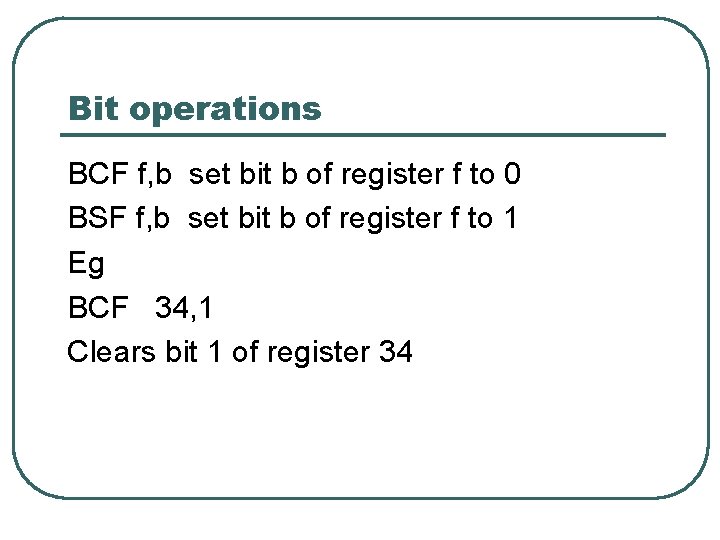
Bit operations BCF f, b set bit b of register f to 0 BSF f, b set bit b of register f to 1 Eg BCF 34, 1 Clears bit 1 of register 34
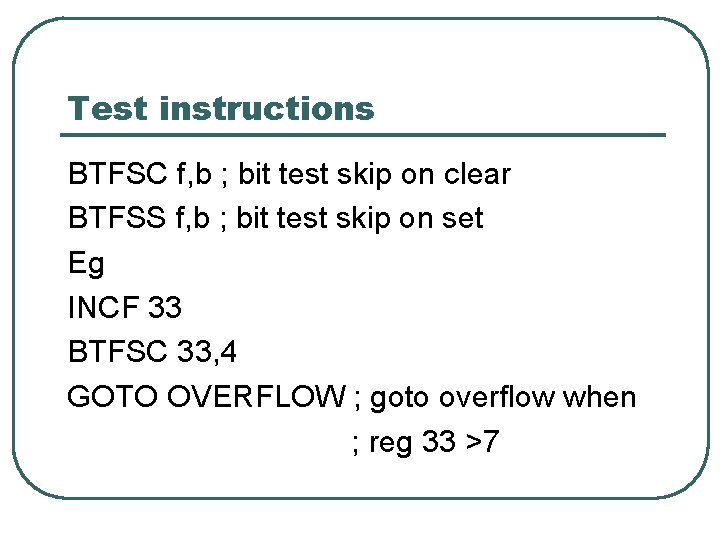
Test instructions BTFSC f, b ; bit test skip on clear BTFSS f, b ; bit test skip on set Eg INCF 33 BTFSC 33, 4 GOTO OVERFLOW ; goto overflow when ; reg 33 >7
GOTO label Eg GOTO home …. . home MOVLW 7 …. Transfers control to the label
CALL and RETURN Thare used for subroutines or procedures. CALL foo …. foo ; start of procedure …. ; body of procedure RETURN; end of procedure
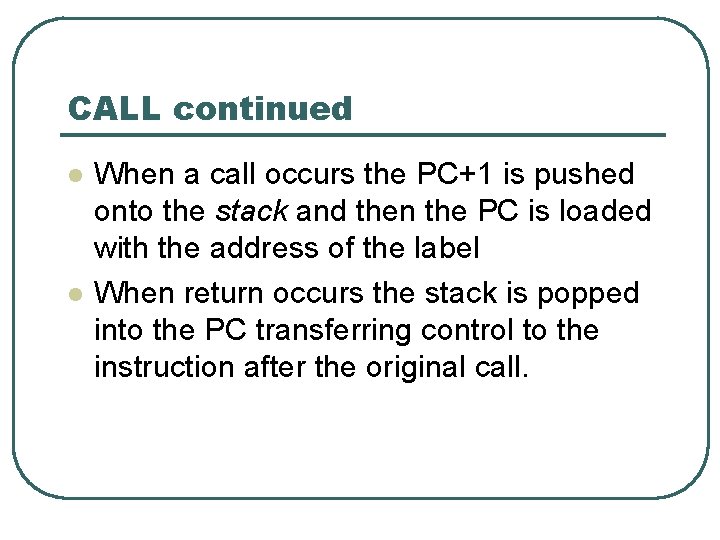
CALL continued l l When a call occurs the PC+1 is pushed onto the stack and then the PC is loaded with the address of the label When return occurs the stack is popped into the PC transferring control to the instruction after the original call.
example call source Init call increment goto Init increment incf Count. L return labels
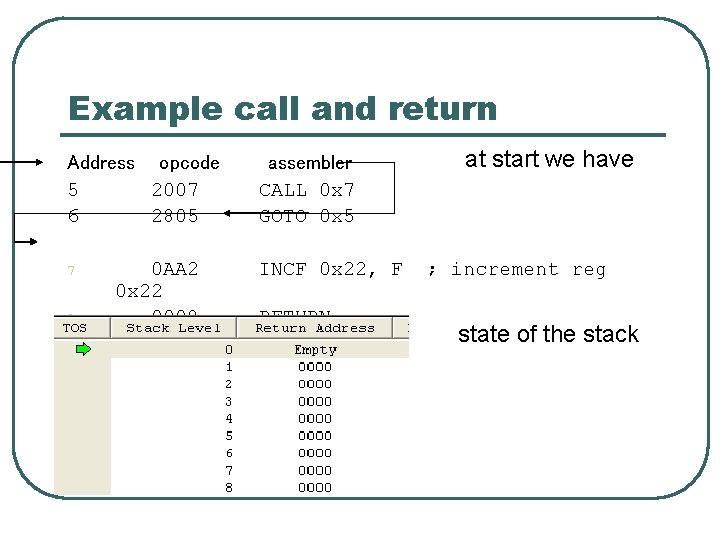
Example call and return Address opcode 5 2007 6 2805 7 8 0 AA 2 0 x 22 0008 assembler CALL 0 x 7 GOTO 0 x 5 INCF 0 x 22, F RETURN at start we have ; increment reg state of the stack
Next step Address opcode 5 2007 6 2805 7 8 0 AA 2 0008 assembler CALL 0 x 7 GOTO 0 x 5 INCF 0 x 22, F RETURN stack holds address to return to
just before return
after return stack pointer is retracted