
Installing the Network Chapter 11 Release 1672009 Chapter
- Slides: 41
Installing the Network Chapter 11 Release 16/7/2009
Chapter Objectives n n n Explain the need of structured cabling Identify cables and different types of connectors Work with different types of cables Identify closets, conduits and cable tray Install racks and manage cables Work with modular outlets Release 16/7/2009
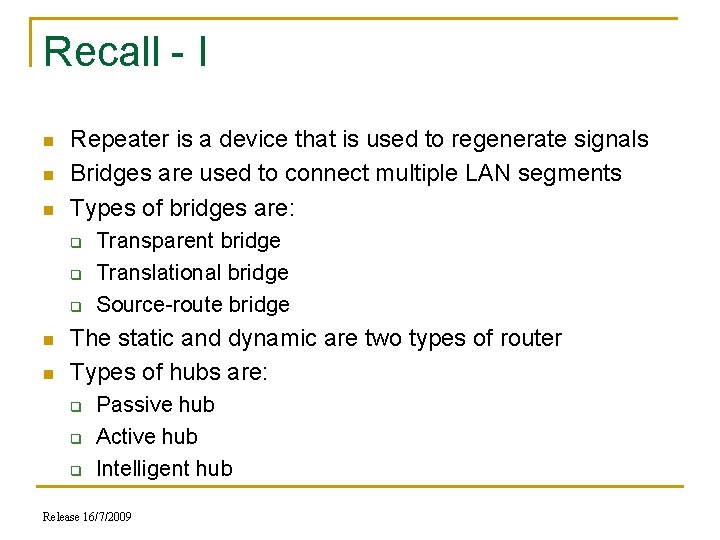
Recall - I n n n Repeater is a device that is used to regenerate signals Bridges are used to connect multiple LAN segments Types of bridges are: q q q n n Transparent bridge Translational bridge Source-route bridge The static and dynamic are two types of router Types of hubs are: q q q Passive hub Active hub Intelligent hub Release 16/7/2009
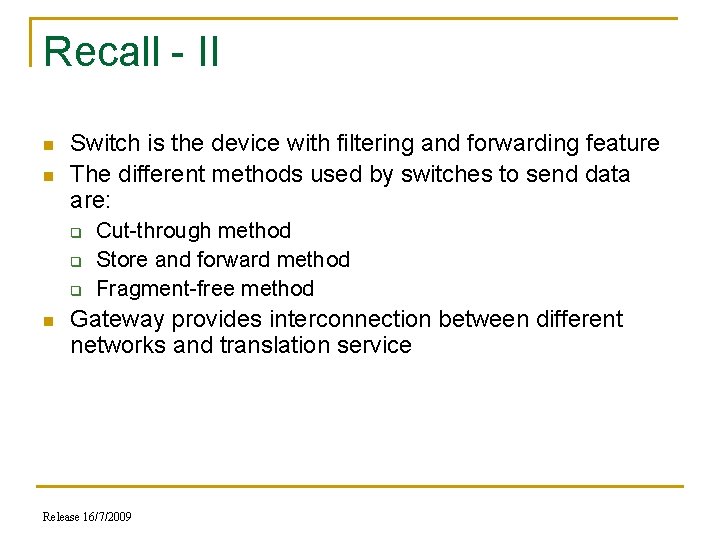
Recall - II n n Switch is the device with filtering and forwarding feature The different methods used by switches to send data are: q q q n Cut-through method Store and forward method Fragment-free method Gateway provides interconnection between different networks and translation service Release 16/7/2009
Structured Cabling n n Comprises of cables and associated hardware parts Provides an organized way of low voltage wiring Transmits data that is built in structured form Need of structured cabling: q q q Consistency – Standard cabling systems for Data, voice and video Cost Reduction – Reduces the cost by reducing the number of cables Troubleshooting – Isolates and fixes the problem Mobility – Network resources are portable Supports upgrading – Supports future applications Release 16/7/2009
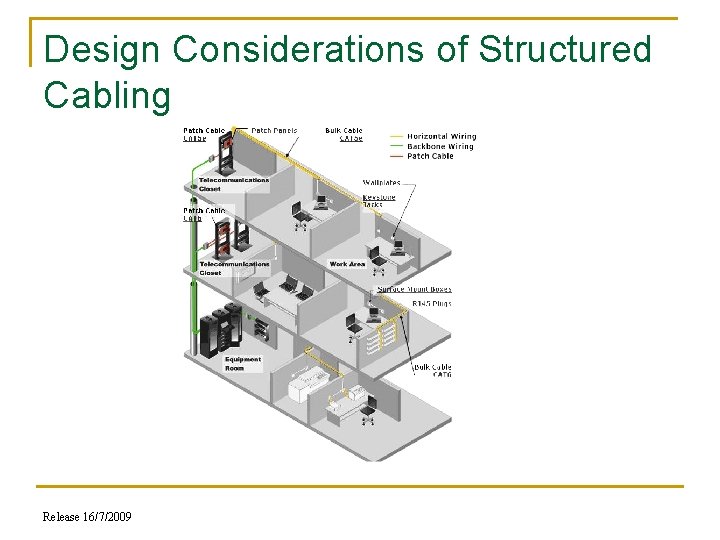
Design Considerations of Structured Cabling Release 16/7/2009
Structured Cabling - II n Design Considerations of structured cabling q q Entrance Facilities – Connects the building with the outside world Equipment Room – Serves the users within the room Telecommunications Room – Accommodates the cabling system equipment Backbone Cabling – Interconnects telecommunications room, equipments room and entrance facilities Release 16/7/2009
Structured Cabling - III n Design Considerations of structured cabling q q q Horizontal Cabling – Extends from the work area telecommunications outlet to telecommunications closet Work Area – Components extend from the telecommunications outlet to the stations equipment Cable Administration – Involves logical numbering scheme that can be applied to all the cables, outlets, patch cables and even control systems Release 16/7/2009
Pulling Cables - I n n n While dealing with structured cabling you have to pull out the cables from some conduits and punch down the free end of the cable Conduits are PVC or flexible plastic pipes used to organize the cables Pull twine through the conduits Release 16/7/2009
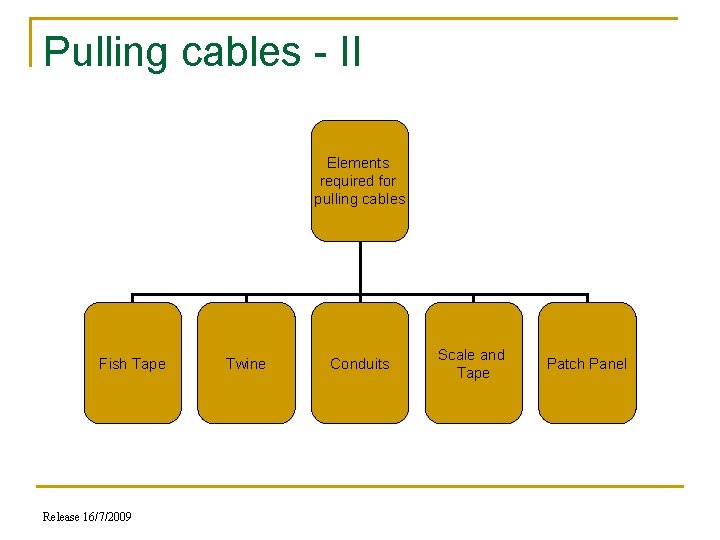
Pulling cables - II Elements required for pulling cables Fish Tape Release 16/7/2009 Twine Conduits Scale and Tape Patch Panel
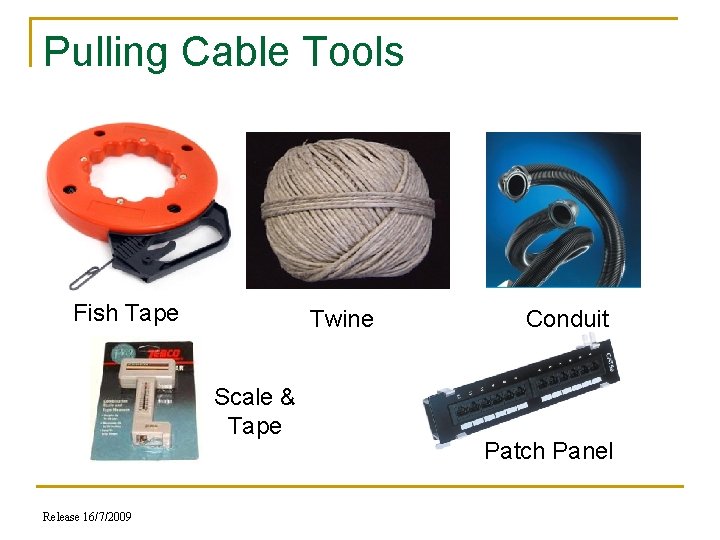
Pulling Cable Tools Fish Tape Twine Scale & Tape Release 16/7/2009 Conduit Patch Panel
Cables n n Two or more wires bound together, in protective jacket or sheath Different types of cables: q q Twisted pair cable Coaxial cable Optical fiber cable Shielded and Unshielded cable Release 16/7/2009
Cable Connectors – I n n Part of cable which plugs into port or interface to connect one device to another Connectors: Male and Female q q q DB-15 connectors - Commonly used on electronic and computer equipment RJ 45 Connectors – Used in networking to connect computer to network card BNC Coaxial Connectors – Used with coaxial cables or used with Ethernet system Release 16/7/2009
Cable Connectors – II q q n 210 Patch Plug – Uses internal pair isolation, pair-topair compensation and layered contacts Token-Ring Data Connector – Used on end of a shielded twisted pair cable Distinguishing Wires q q Color coding makes identification each wire or pair of wires in the cable easier Tip and ring – Identifies plus wire and minus wire Release 16/7/2009
Show distinguishing wire from CBT Release 16/7/2009
Cabling Tools and show it from CBT n n Used in networking to work with wires or devices or to connect wires and devices to each other Different tools used are: q q q Punchdown Tools RJ 45 Crimping Tool Coaxial Cable Crimping Tool Pin Crimping Tool Cable stripper Release 16/7/2009
Working with Cables – I and show from CBT n Installation works in three stages: q q q n Running cable from central point to the room Wall jacks are mounted and cables ended into jacks Wire cables from the central end to switchboard Color Coding q q Helps to classify different types of wires Patch cable and cross over cable can be differentiated on the basis of colour coding Release 16/7/2009
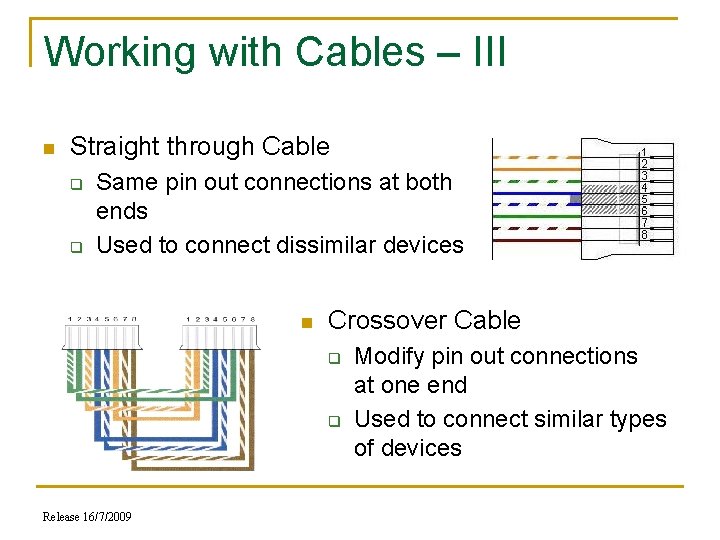
Working with Cables – III n Straight through Cable q q Same pin out connections at both ends Used to connect dissimilar devices n Crossover Cable q q Release 16/7/2009 Modify pin out connections at one end Used to connect similar types of devices
Show crimping cables from CBT Release 16/7/2009
Show modular outlet from CBT Release 16/7/2009
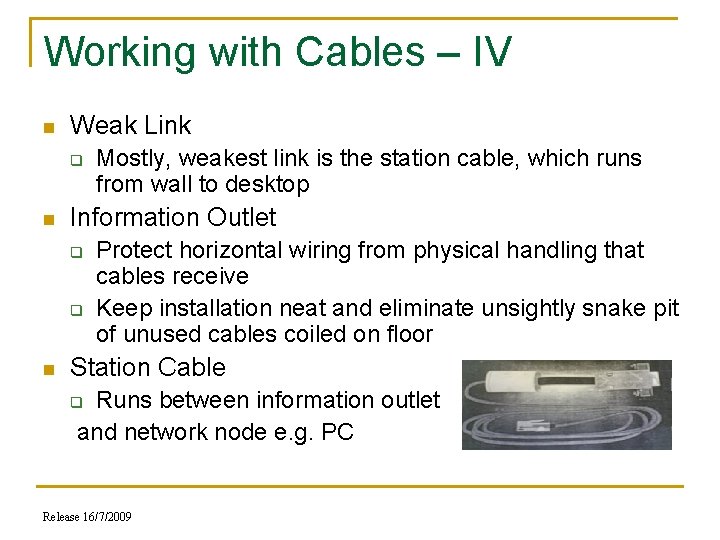
Working with Cables – IV n Weak Link q n Information Outlet q q n Mostly, weakest link is the station cable, which runs from wall to desktop Protect horizontal wiring from physical handling that cables receive Keep installation neat and eliminate unsightly snake pit of unused cables coiled on floor Station Cable Runs between information outlet and network node e. g. PC q Release 16/7/2009
Grounding n n Two wires that come from the transformer are called the hot wires usually RED in color and neutral wire in BLACK A large building requires more than one earth ground and the earth ground between two buildings is different in different situations Fiber optic cable is the best option to link buildings Power grounding problems are two types: open or high resistance ground or an abnormal pulse or condition between power conductors Release 16/7/2009
Closet n n n Main point in an organization where major networking cabling come together Equipment in a wiring closet includes: q Patch panels for vertical wiring q Patch panels for horizontal wiring q Wiring hubs q Uninterruptible Power Supplies Types of wiring closets: q Intermediate Distribution Frames (IDF) – at least one IDF per floor for a multi storey building q Main Distribution Frame (MDF) – where the inside cable plant meets the outside world’s connectivity. All IDFs throughout building are connected to MDF in a star topology Release 16/7/2009
Closet Details n Typical equipment in a wiring closet are: Backbone wiring cross-connect device q Horizontal wiring cross-connect device q Patch cables q Wiring hubs q Backup power for wiring hubs q Router and modems q Access server q Fire Sprinkler System The layout for the equipments in a wiring closet are put on the wall or in an equipment rack q Release 16/7/2009
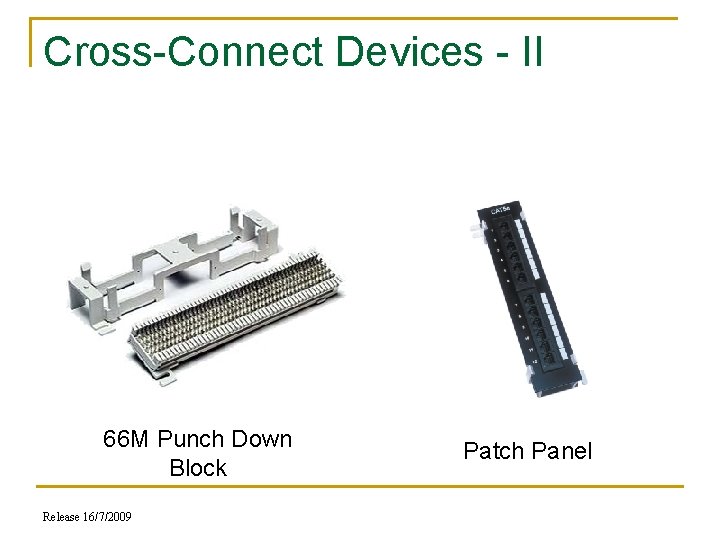
Cross-Connect Devices - I n n n Make easy to configure horizontal and backbone wiring Terminates cable or group of cables Adaptability is easy when the organization grows year after year In data networks – Small cross-connect device will terminate backbone cable and make it available for connection to wiring hub In wiring hub – Larger cross-connect device will terminate horizontal wiring before it enters hub Release 16/7/2009
Cross-Connect Devices - II 66 M Punch Down Block Release 16/7/2009 Patch Panel
Cabinets and Racks – I show this from CBT n n Patch panels and wiring hubs can mount on wall in brackets, stand in racks or reside in full cabinets that are racks with doors If small installation – Mount patch panels and wiring hubs on wall Release 16/7/2009
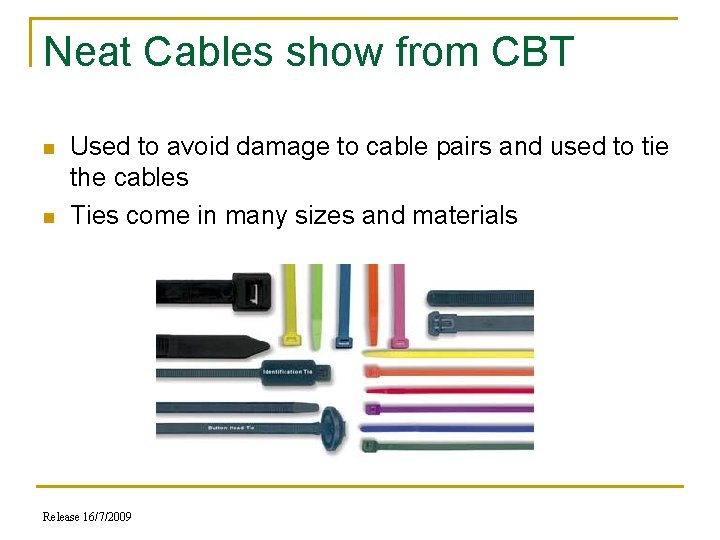
Neat Cables show from CBT n n Used to avoid damage to cable pairs and used to tie the cables Ties come in many sizes and materials Release 16/7/2009
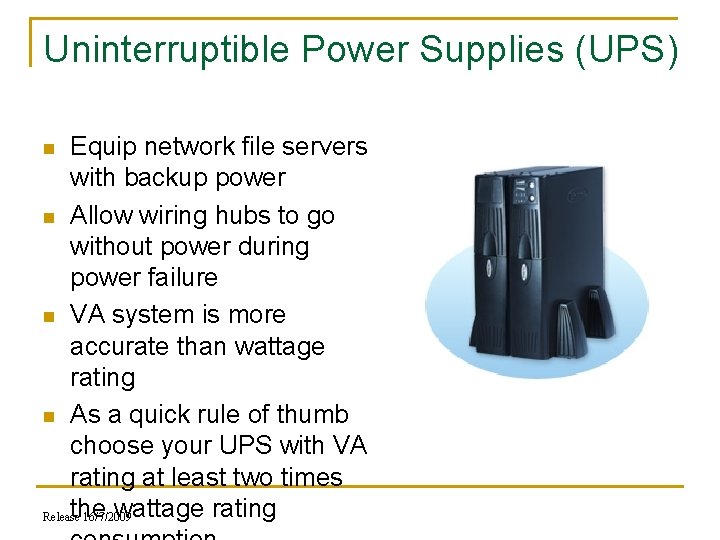
Uninterruptible Power Supplies (UPS) Equip network file servers with backup power n Allow wiring hubs to go without power during power failure n VA system is more accurate than wattage rating n As a quick rule of thumb choose your UPS with VA rating at least two times the wattage rating Release 16/7/2009 n
Conduits n n Plastic pipes that run through wall plate between wiring closets If space left: q q n Used to pull a new cable Used as replacement for a bad one For added capacity New conduit should have a piece of string used to pull the cable in future Fish tape q q q An equipment which is part of any installers toolbox Consists of a reel of wire stiff enough to push its way through the conduit When pulling through conduit ensure the power is turned off for those wires Release 16/7/2009
Cable Trays show this from CBT n n Provide large cable system Wire rack designed to carry the weight of the cables Common in modern wiring closets and in building infrastructure spaces such as basements, airshafts, and ceiling Point to note when cables run inside ceilings and walls Release 16/7/2009
Configuring Backbone Cable n n n Backbone wiring is also known as vertical wiring TIA/EIA standard suggests that the backbone system should be a star configuration Wiring closet that contain patch and cross-connect panels which connect to horizontal wiring Backbone wiring link each wiring closet to cross-connect point or (MDF) Locating the closet q Different parameters to keep in mind when going for closet Backbone Cable q Modern installations use UTP or fiber-optic cable for the backbone Release 16/7/2009
Installation of Racks and show form CBT n n Explains how to place networking equipments and accumulate different small equipment on the plate of the rack Factors to be considered while installing the rack: Location to install the rack q Installation holes marking q Installation of the rack nuts q Mount the different rails onto the rack q Mount the different devices onto the rack One U equals 1. 75 inches q Release 16/7/2009
Managing Cables n n Cables: q Should not run over desk q Should not be entangled To manage cables: q Free space on the desk where the cables will run q q Holes at top of desk Mount to protect cables Release 16/7/2009
Wire Manager n n Used to mange wires that are common to one place Tools used to manage wires: q q q q Cable ties Conduits Twines Cable manager Labels Spiral wraps Unitags Release 16/7/2009
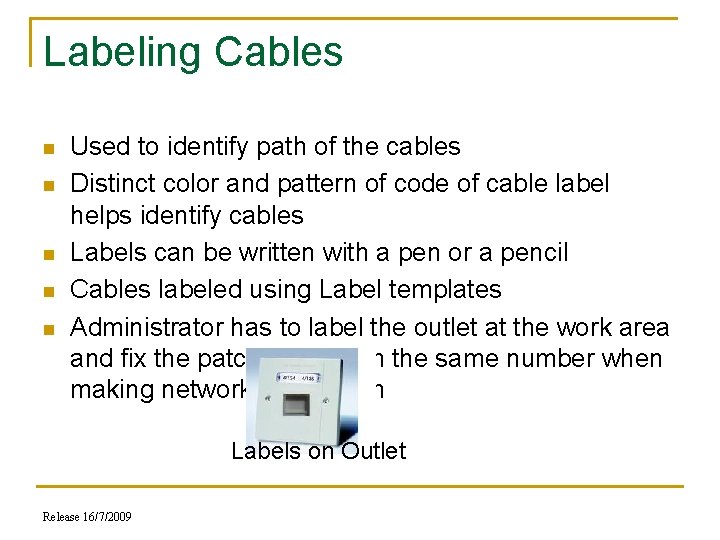
Labeling Cables n n n Used to identify path of the cables Distinct color and pattern of code of cable label helps identify cables Labels can be written with a pen or a pencil Cables labeled using Label templates Administrator has to label the outlet at the work area and fix the patch panel with the same number when making network connection Labels on Outlet Release 16/7/2009
Case Study 1 The network administrator of the Mumbai branch of Money. Maker bank is facing difficulties in maintaining the network. In case the network goes down due to some hardware failure, identifying the source of the problem and troubleshooting it is very time consuming. The layout of the network has not been changed since the time it was set up. Release 16/7/2009
Problem The maintenance and troubleshooting of the network is problematic and time consuming Release 16/7/2009
Solution n n n n Deploy a dedicated closet Use full equipment cabinet Use rack and configure the hardware Use appropriate cable and crimp the cable Define maximum backbone cable length and horizontal cable length Use different wire manager Use modular outlet and I/O plate Use third party hardware monitoring or the troubleshooting devices Release 16/7/2009
Summary - I n n n Structured cabling system is a set of cabling which interconnects different equipments in an organization in a structured manner Cable connectors are used to connect the cables Cabling tolls are helpful to make connection between the cable and the connector Colour Code helps to identify the types of wires Cat 5 cables are punched into Information outlet (IO) as per the colour coding Jack Panel is used to connect horizontal cabling to network Release 16/7/2009
Summary - II n n n Straight through cables have the pin out connections similar at both the ends Cross over cable change the pin out connections at one end Installing the rack explains how to place networking equipments and accumulate different small equipment on the tray of the rack Wire manager can organize the disorganized cables and makes it easy to access Labeling the cables help you to identify the path of the cables and makes the troubleshooting easy Release 16/7/2009