
Installing RMsis Simplify Requirement Management for JIRA Prerequisites

- Slides: 15
Installing RMsis Simplify Requirement Management for JIRA
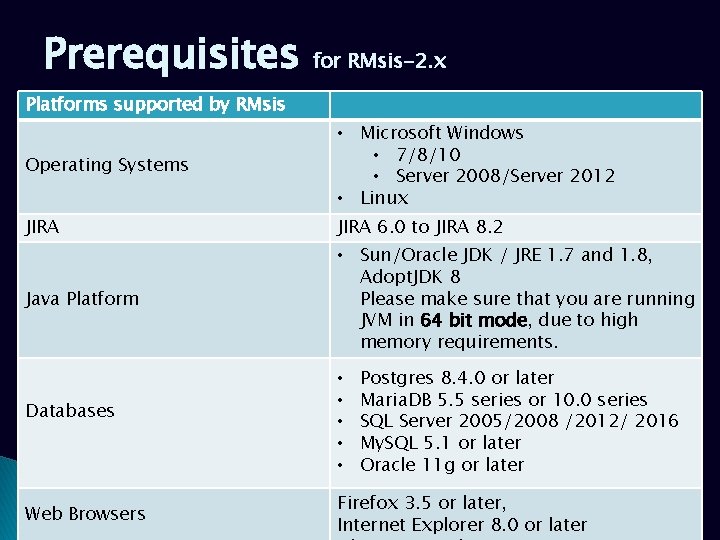
Prerequisites for RMsis-2. x Platforms supported by RMsis Operating Systems • Microsoft Windows • 7/8/10 • Server 2008/Server 2012 • Linux JIRA 6. 0 to JIRA 8. 2 Java Platform • Sun/Oracle JDK / JRE 1. 7 and 1. 8, Adopt. JDK 8 Please make sure that you are running JVM in 64 bit mode, due to high memory requirements. Databases Web Browsers • • • Postgres 8. 4. 0 or later Maria. DB 5. 5 series or 10. 0 series SQL Server 2005/2008 /2012/ 2016 My. SQL 5. 1 or later Oracle 11 g or later Firefox 3. 5 or later, Internet Explorer 8. 0 or later
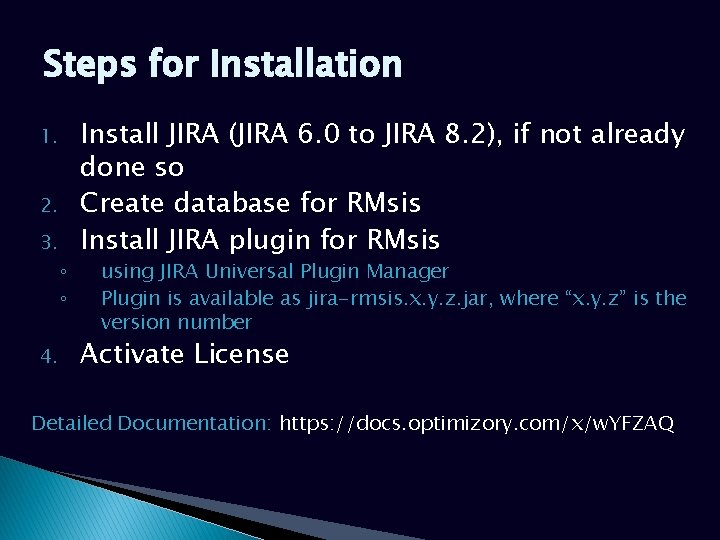
Steps for Installation 1. 2. 3. ◦ ◦ 4. Install JIRA (JIRA 6. 0 to JIRA 8. 2), if not already done so Create database for RMsis Install JIRA plugin for RMsis using JIRA Universal Plugin Manager Plugin is available as jira-rmsis. x. y. z. jar, where “x. y. z” is the version number Activate License Detailed Documentation: https: //docs. optimizory. com/x/w. YFZAQ
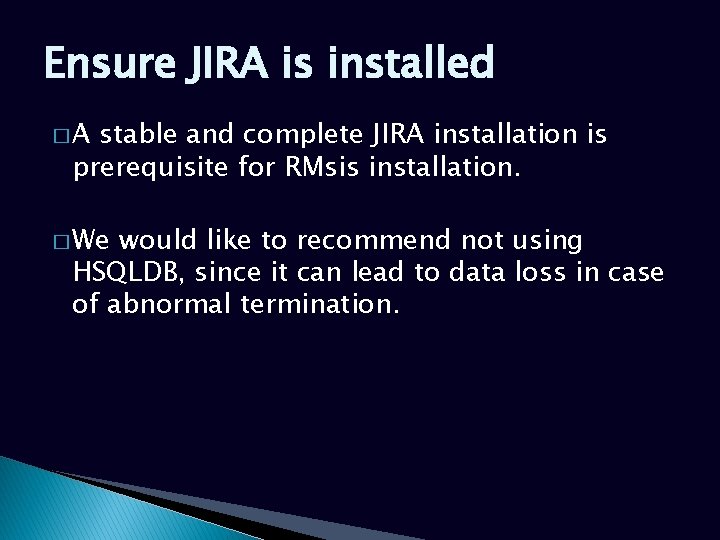
Ensure JIRA is installed �A stable and complete JIRA installation is prerequisite for RMsis installation. � We would like to recommend not using HSQLDB, since it can lead to data loss in case of abnormal termination.
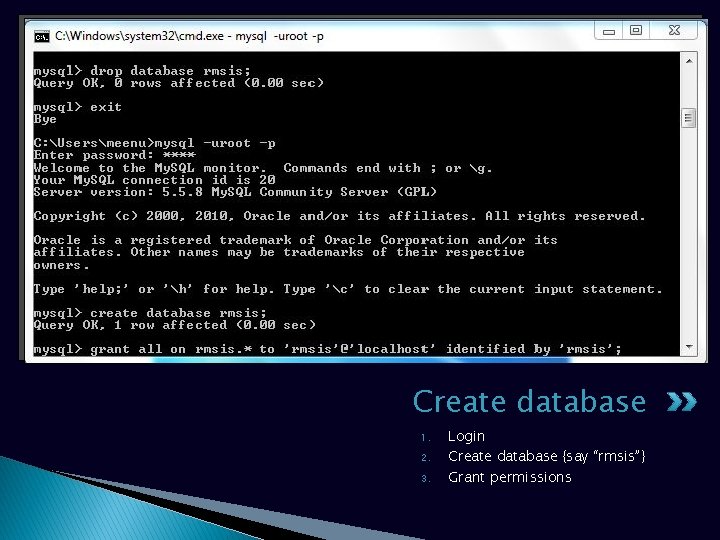
Create database 1. 2. 3. Login Create database {say “rmsis”} Grant permissions
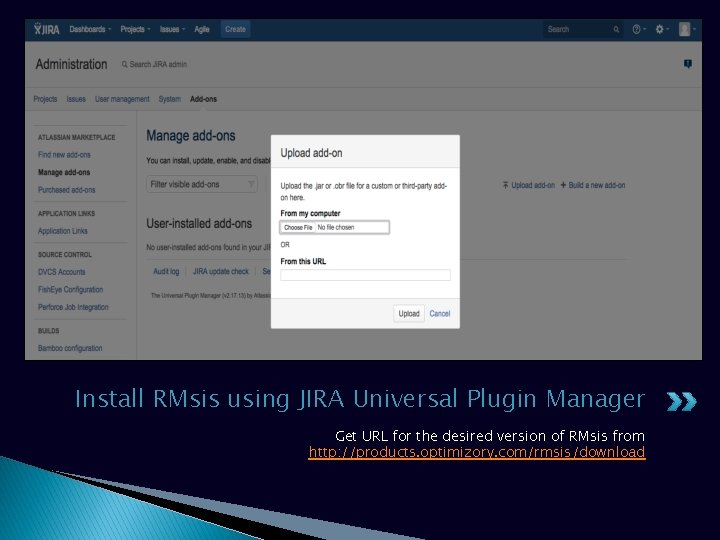
Install RMsis using JIRA Universal Plugin Manager Get URL for the desired version of RMsis from http: //products. optimizory. com/rmsis/download
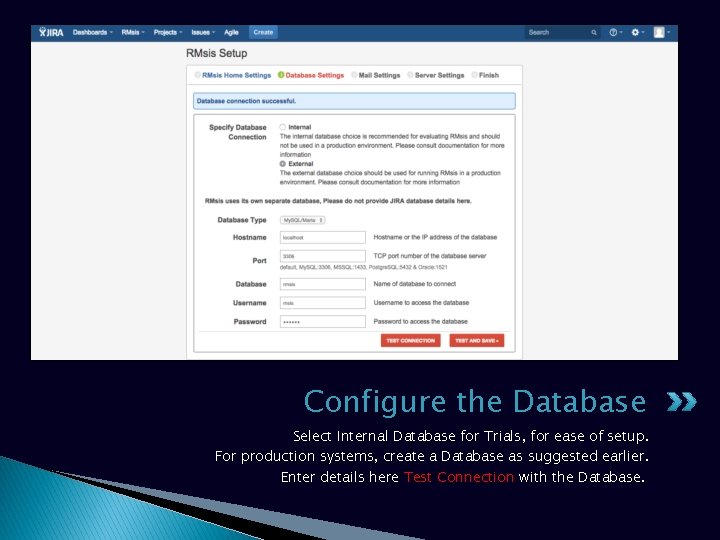
Configure the Database Select Internal Database for Trials, for ease of setup. For production systems, create a Database as suggested earlier. Enter details here Test Connection with the Database.
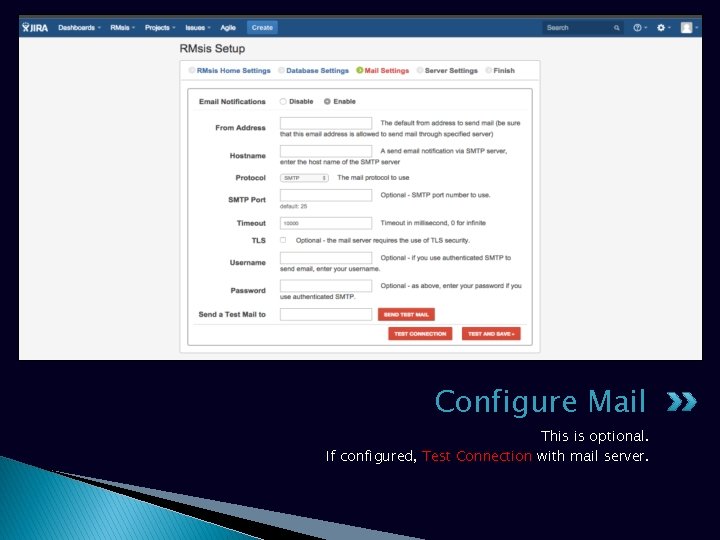
Configure Mail This is optional. If configured, Test Connection with mail server.
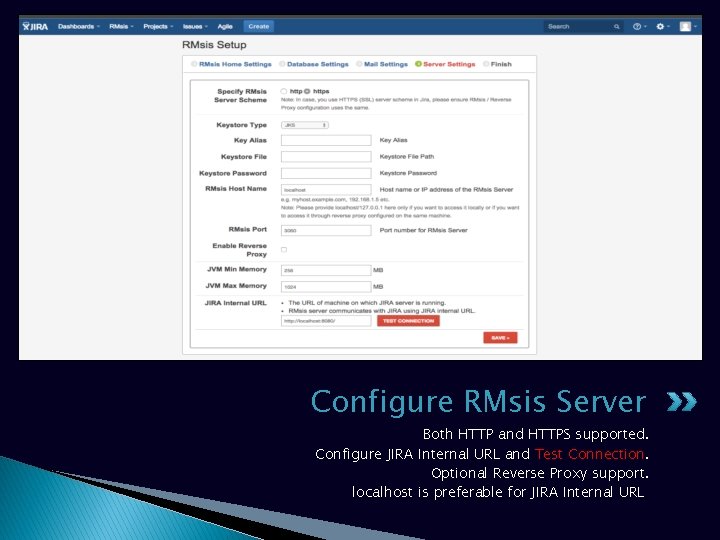
Configure RMsis Server Both HTTP and HTTPS supported. Configure JIRA Internal URL and Test Connection. Optional Reverse Proxy support. localhost is preferable for JIRA Internal URL
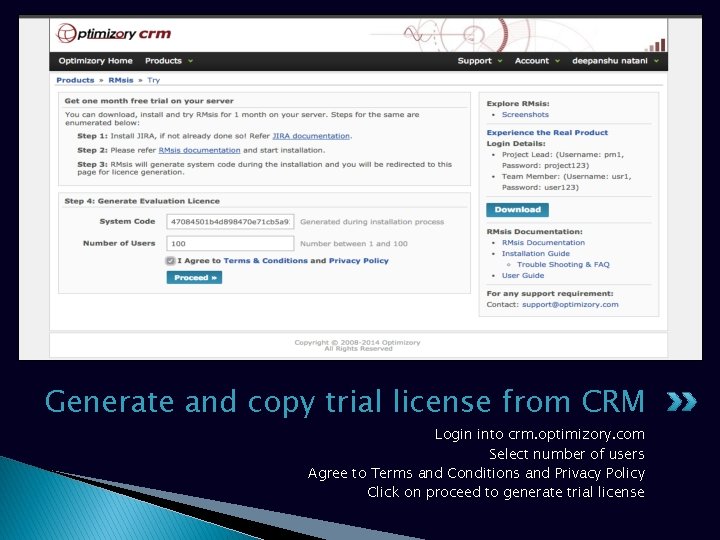
Generate and copy trial license from CRM Login into crm. optimizory. com Select number of users Agree to Terms and Conditions and Privacy Policy Click on proceed to generate trial license
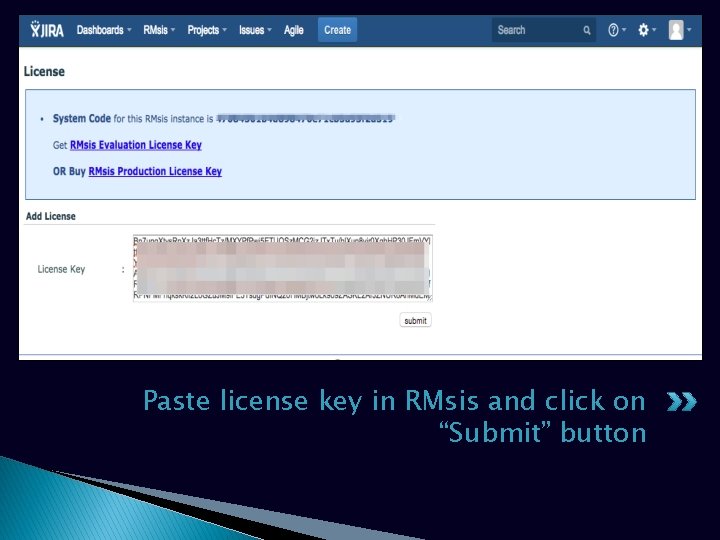
Paste license key in RMsis and click on “Submit” button
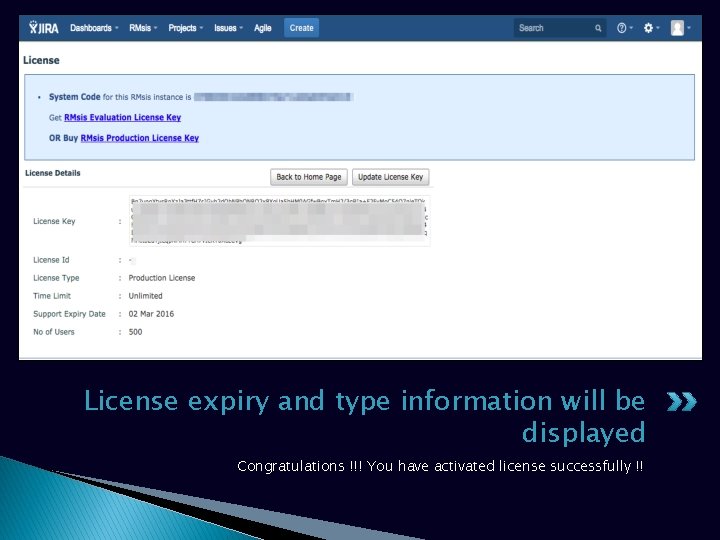
License expiry and type information will be displayed Congratulations !!! You have activated license successfully !!
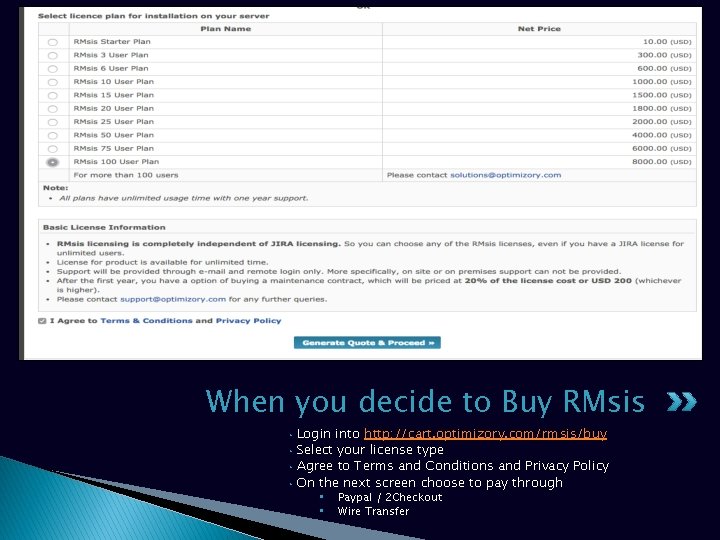
When you decide to Buy RMsis • • Login into http: //cart. optimizory. com/rmsis/buy Select your license type Agree to Terms and Conditions and Privacy Policy On the next screen choose to pay through • • Paypal / 2 Checkout Wire Transfer
See Also. . � RMsis Home § http: //products. optimizory. com/rmsis � RMsis Documents § Latest Release : http: //docs. optimizory. com/display/rmsis/RMsis+Documentation++Latest+Release § Preview of latest features : http: //docs. optimizory. com/display/preview/Home § Functions included in Releases : http: //docs. optimizory. com/display/rmsis/Summary+of+RMsis+Releases � RMsis at Atlassian § https: //marketplace. atlassian. com/plugins/com. optimizory. rmsis. plugin. jirarmsis/server/overview � RMsis Demo link § http: //jira-rmsis. optimizory. com/ � Project manager login details � Login: pm 1 � Password: project 123 � Team member login details � Login: usr 1 � Password: user 123
Thanks! For further questions or issues, contact support@optimizory. com