
Install Shield Admin Studio 2008 Acresso Software Company
- Slides: 22
Install. Shield & Admin. Studio © 2008 Acresso Software | Company Confidential
Introduction - Acresso Software Ltd • 새로운 회사의 설립 2008년 4월 1일 • Private Equity Investment • 이전에는 Macrovision 모든 소프트웨어 제품 및 브랜드 : – Install. Shield, Admin. Studio, Workflow Manager, Install. Anywhere, Flex. Net Publisher, Flex. Net Manager, Flex. Net connect & virtualisation support • 소프트웨어 라이선스와 리패키징 및 설치 프로그램에 대한 시장의 선 두 주자 • WW HQ in Santa Clara • APAC HQ in Tokyo © 2008 Acresso Software | Company Confidential 2
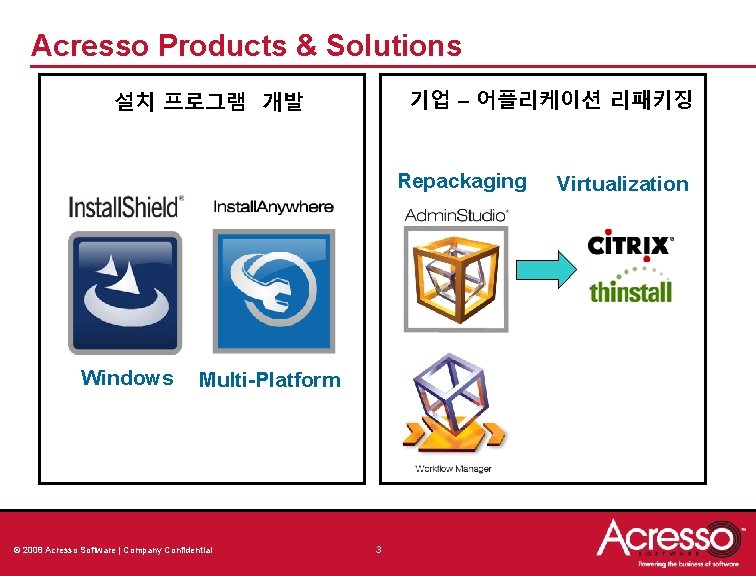
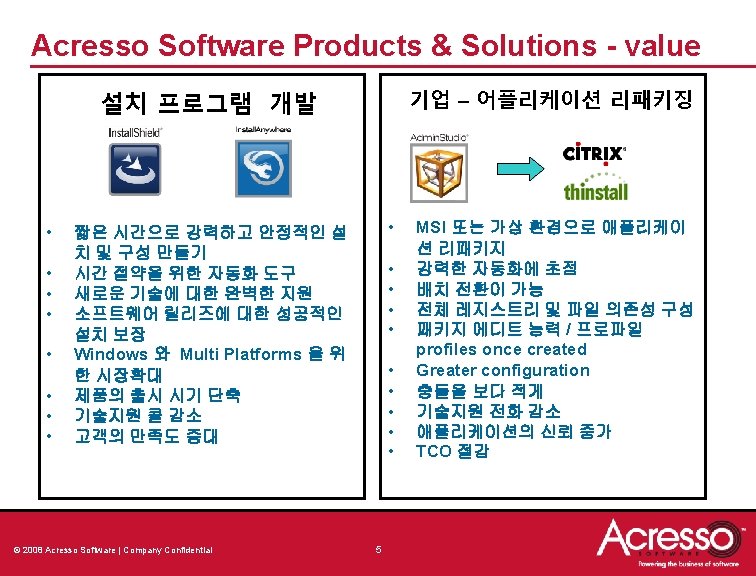
Acresso Products & Solutions 기업 – 어플리케이션 리패키징 설치 프로그램 개발 Repackaging Windows Multi-Platform © 2008 Acresso Software | Company Confidential 3 Virtualization
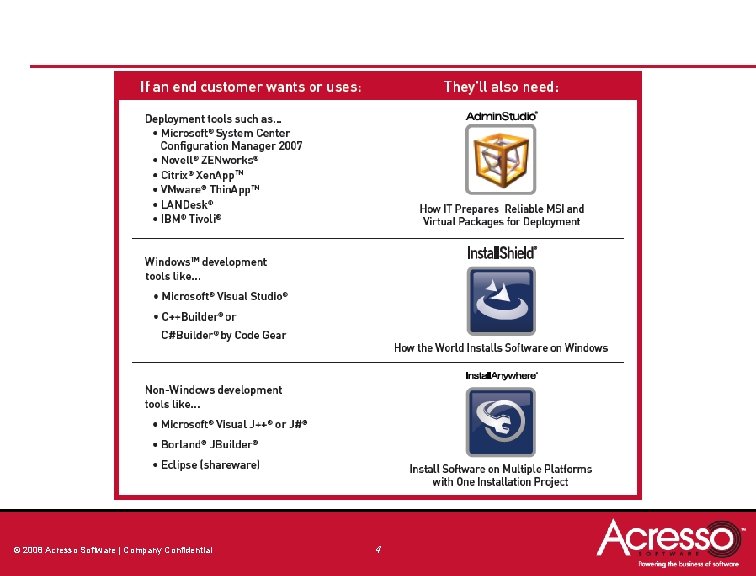
© 2008 Acresso Software | Company Confidential 4
Install. Shield 2009 & Install. Anywhere 2008 © 2008 Acresso Software | Company Confidential 6
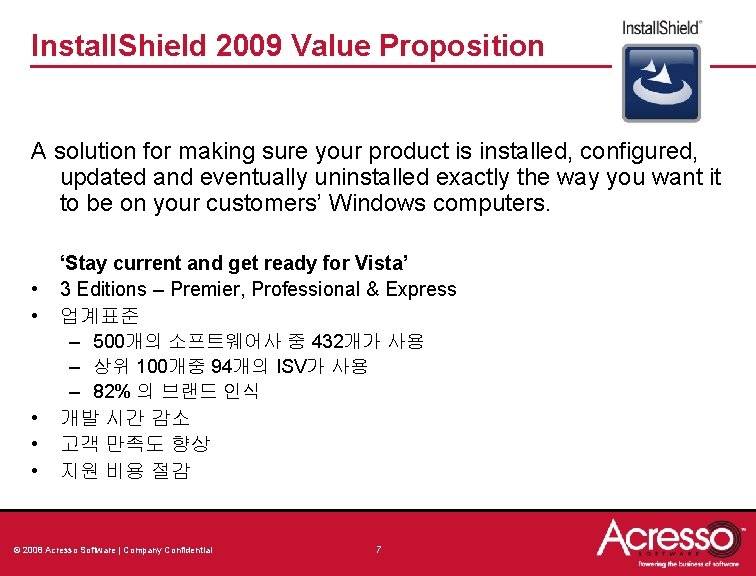
Install. Shield 2009 Value Proposition A solution for making sure your product is installed, configured, updated and eventually uninstalled exactly the way you want it to be on your customers’ Windows computers. • • • ‘Stay current and get ready for Vista’ 3 Editions – Premier, Professional & Express 업계표준 – 500개의 소프트웨어사 중 432개가 사용 – 상위 100개중 94개의 ISV가 사용 – 82% 의 브랜드 인식 개발 시간 감소 고객 만족도 향상 지원 비용 절감 © 2008 Acresso Software | Company Confidential 7
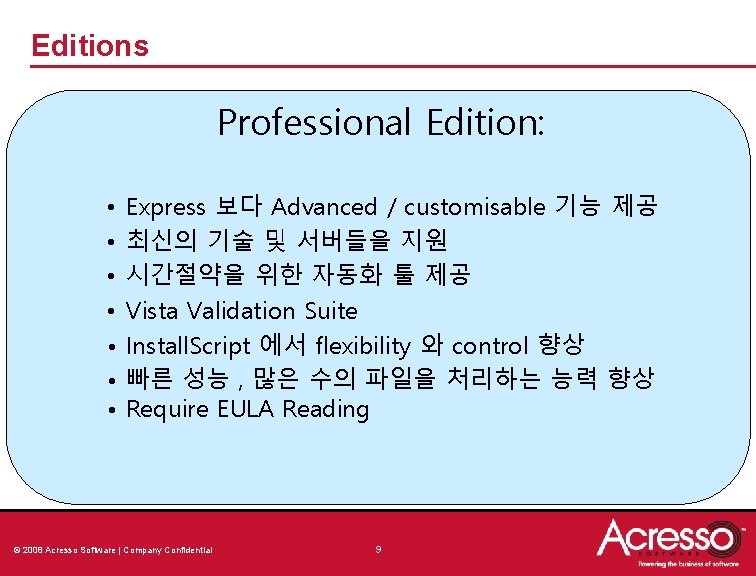
Editions Professional Edition: • • Express 보다 Advanced / customisable 기능 제공 최신의 기술 및 서버들을 지원 시간절약을 위한 자동화 툴 제공 Vista Validation Suite Install. Script 에서 flexibility 와 control 향상 빠른 성능 , 많은 수의 파일을 처리하는 능력 향상 Require EULA Reading © 2008 Acresso Software | Company Confidential 9
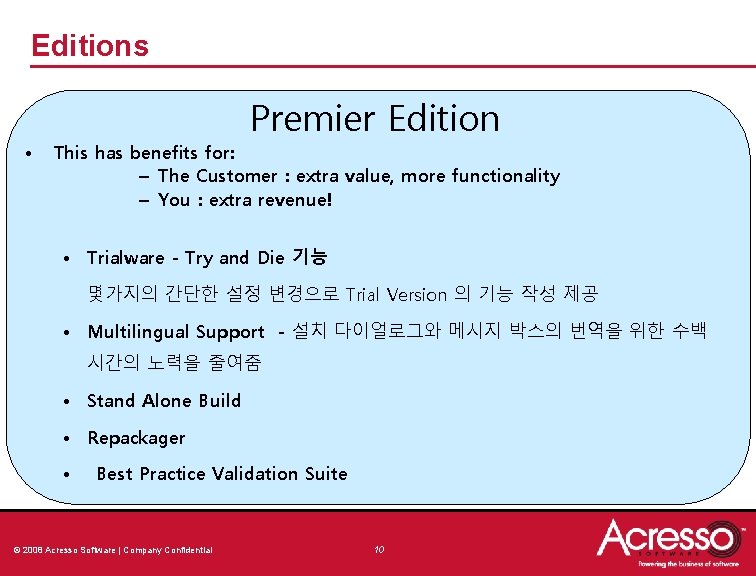
Editions • Premier Edition This has benefits for: – The Customer : extra value, more functionality – You : extra revenue! • Trialware - Try and Die 기능 몇가지의 간단한 설정 변경으로 Trial Version 의 기능 작성 제공 • Multilingual Support - 설치 다이얼로그와 메시지 박스의 번역을 위한 수백 시간의 노력을 줄여줌 • Stand Alone Build • Repackager • Best Practice Validation Suite © 2008 Acresso Software | Company Confidential 10
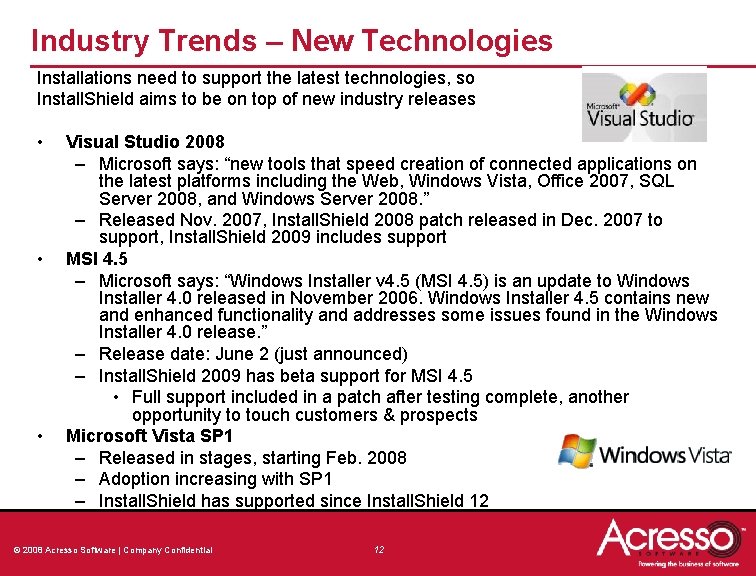
Industry Trends – New Technologies Installations need to support the latest technologies, so Install. Shield aims to be on top of new industry releases • • • Visual Studio 2008 – Microsoft says: “new tools that speed creation of connected applications on the latest platforms including the Web, Windows Vista, Office 2007, SQL Server 2008, and Windows Server 2008. ” – Released Nov. 2007, Install. Shield 2008 patch released in Dec. 2007 to support, Install. Shield 2009 includes support MSI 4. 5 – Microsoft says: “Windows Installer v 4. 5 (MSI 4. 5) is an update to Windows Installer 4. 0 released in November 2006. Windows Installer 4. 5 contains new and enhanced functionality and addresses some issues found in the Windows Installer 4. 0 release. ” – Release date: June 2 (just announced) – Install. Shield 2009 has beta support for MSI 4. 5 • Full support included in a patch after testing complete, another opportunity to touch customers & prospects Microsoft Vista SP 1 – Released in stages, starting Feb. 2008 – Adoption increasing with SP 1 – Install. Shield has supported since Install. Shield 12 © 2008 Acresso Software | Company Confidential 12
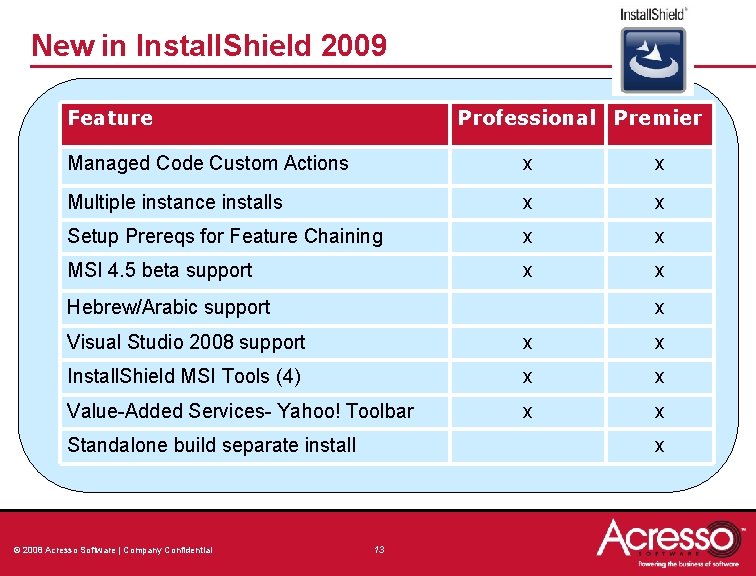
New in Install. Shield 2009 Feature Professional Premier Managed Code Custom Actions x x Multiple instance installs x x Setup Prereqs for Feature Chaining x x MSI 4. 5 beta support x x Hebrew/Arabic support x Visual Studio 2008 support x x Install. Shield MSI Tools (4) x x Value-Added Services- Yahoo! Toolbar x x Standalone build separate install © 2008 Acresso Software | Company Confidential x 13
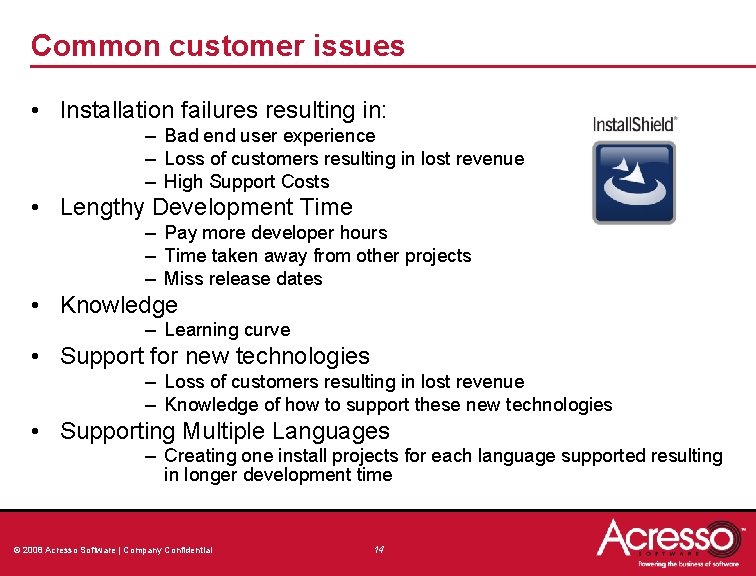
Common customer issues • Installation failures resulting in: – Bad end user experience – Loss of customers resulting in lost revenue – High Support Costs • Lengthy Development Time – Pay more developer hours – Time taken away from other projects – Miss release dates • Knowledge – Learning curve • Support for new technologies – Loss of customers resulting in lost revenue – Knowledge of how to support these new technologies • Supporting Multiple Languages – Creating one install projects for each language supported resulting in longer development time © 2008 Acresso Software | Company Confidential 14
Admin. Studio & Virtualization © 2008 Acresso Software | Company Confidential
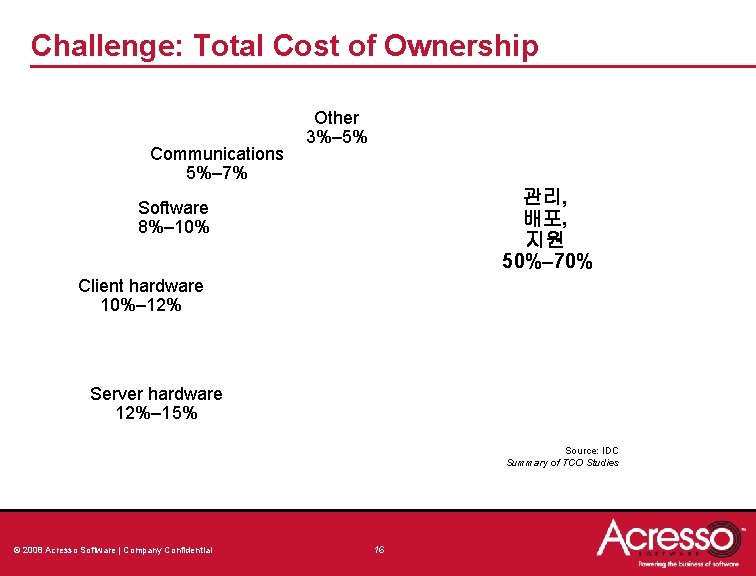
Challenge: Total Cost of Ownership Communications 5%– 7% Other 3%– 5% 관리, 배포, 지원 50%– 70% Software 8%– 10% Client hardware 10%– 12% Server hardware 12%– 15% Source: IDC Summary of TCO Studies © 2008 Acresso Software | Company Confidential 16
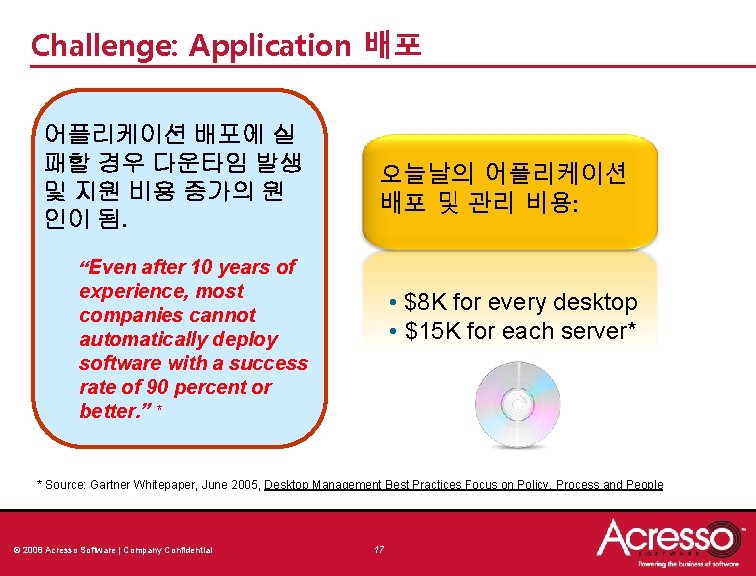
Challenge: Application 배포 어플리케이션 배포에 실 패할 경우 다운타임 발생 및 지원 비용 증가의 원 인이 됨. 오늘날의 어플리케이션 배포 및 관리 비용: “Even after 10 years of experience, most companies cannot automatically deploy software with a success rate of 90 percent or better. ” * • $8 K for every desktop • $15 K for each server* * Source: Gartner Whitepaper, June 2005, Desktop Management Best Practices Focus on Policy, Process and People © 2008 Acresso Software | Company Confidential 17
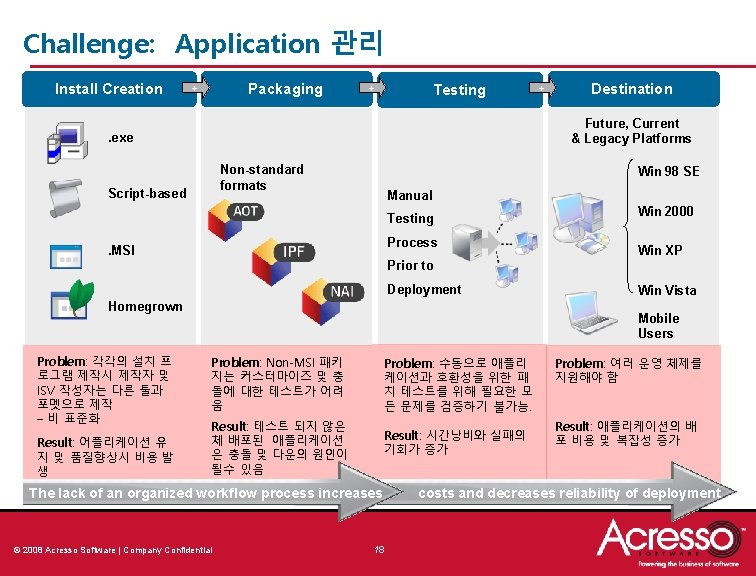
Challenge: Application 관리 Install Creation Packaging + + Testing + Destination Future, Current & Legacy Platforms . exe Non-standard formats Script-based Win 98 SE Manual Testing Process . MSI Win 2000 Win XP Prior to Deployment Homegrown Problem: 각각의 설치 프 로그램 제작시 제작자 및 ISV 작성자는 다른 툴과 포멧으로 제작 – 비 표준화 Result: 어플리케이션 유 지 및 품질향상시 비용 발 생 Win Vista Mobile Users Problem: Non-MSI 패키 지는 커스터마이즈 및 충 돌에 대한 테스트가 어려 움 Problem: 수동으로 애플리 케이션과 호환성을 위한 패 치 테스트를 위해 필요한 모 든 문제를 검증하기 불가능. Result: 테스트 되지 않은 체 배포된 애플리케이션 은 충돌 및 다운의 원인이 될수 있음 Result: 시간낭비와 실패의 기회가 증가 The lack of an organized workflow process increases © 2008 Acresso Software | Company Confidential 18 Problem: 여러 운영 체제를 지원해야 함 Result: 애플리케이션의 배 포 비용 및 복잡성 증가 costs and decreases reliability of deployment
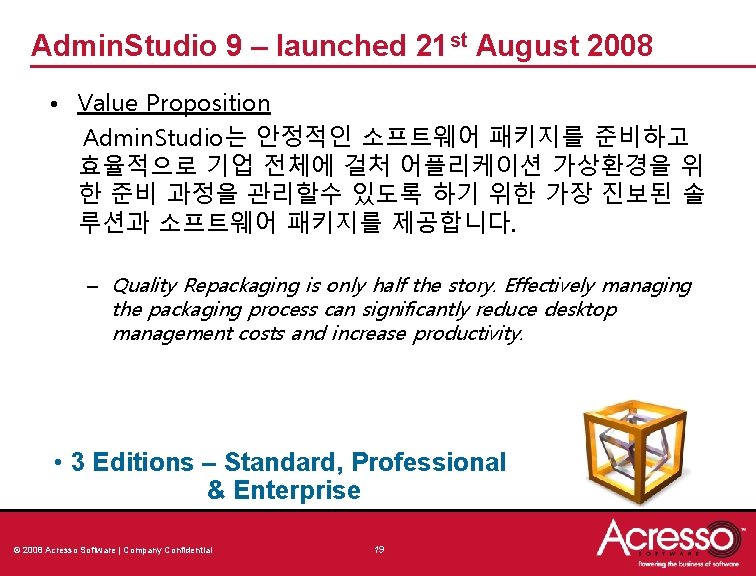
Admin. Studio 9 – launched 21 st August 2008 • Value Proposition Admin. Studio는 안정적인 소프트웨어 패키지를 준비하고 효율적으로 기업 전체에 걸처 어플리케이션 가상환경을 위 한 준비 과정을 관리할수 있도록 하기 위한 가장 진보된 솔 루션과 소프트웨어 패키지를 제공합니다. – Quality Repackaging is only half the story. Effectively managing the packaging process can significantly reduce desktop management costs and increase productivity. • 3 Editions – Standard, Professional & Enterprise © 2008 Acresso Software | Company Confidential 19
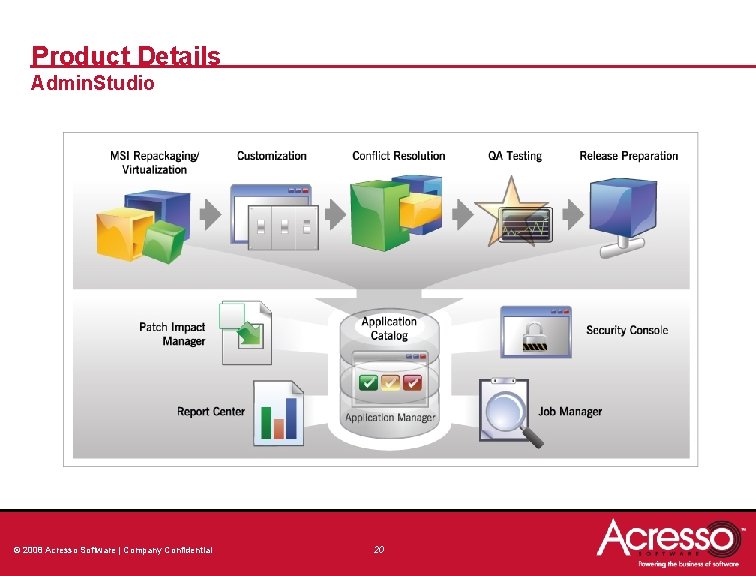
Product Details Admin. Studio © 2008 Acresso Software | Company Confidential 20
So What’s New In Admin. Studio 9? • Pre-Virtualisation Scanning • Use the new automated scanning capabilities to quickly determine which MSIs in your environment are good candidates for virtualization. • Virtual Application Suiting • Suite several applications together in a single virtual container, enabling them to work together properly. • Install. Shield 2009 • All editions have latest version of 2009 included • Repackager refresh • Create more streamlined MSI’s, also now captures context data © 2008 Acresso Software | Company Confidential 21
Acresso Role in Application Virtualization • Challenge: Preparing a large number of applications for virtualization • Action: Use Admin. Studio to quickly, easily help prepare for virtualization by allowing a proven software tool to package applications • Results: Save time, money, with tested apps that are less likely to fail -- improving enterprise productivity © 2008 Acresso Software | Company Confidential 22