
Install Aware for Windows Installer Agenda Who is
- Slides: 34
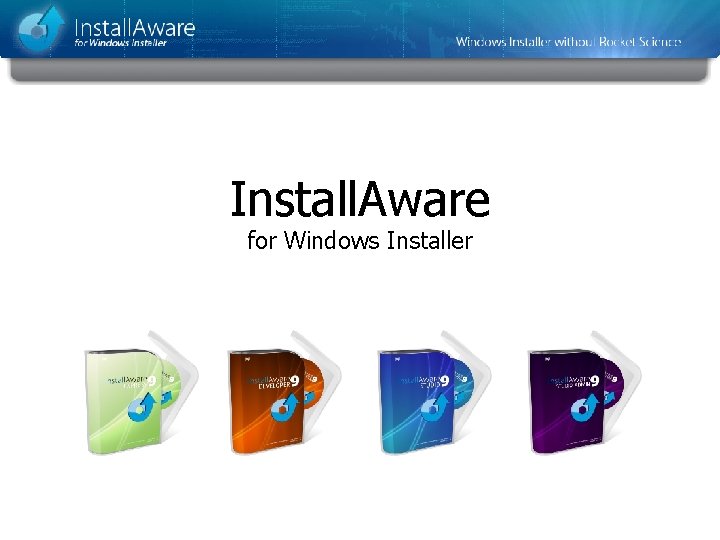
Install. Aware for Windows Installer
Agenda • • Who is Install. Aware? Eliminate Bloated MSI Packages One-Click Deployment of Runtimes Improve Customer Relationships Simplify and Consolidate Setup Projects Eliminate Custom Actions Install. Aware 9 R 2 Feature Highlights Available Editions and Pricing
Who is Install. Aware? Founded in 2003 by former Install. Shield employees who sensed that Install. Shield was not leading the market: – Lack of innovation – Hard to learn and use – Thousands of outstanding work orders – Copy-cat products were not innovating either
What Makes Install. Aware Unique? Install. Aware’s innovations save setup developers and end-users: – Time – Money – Frustration Install. Aware improves the end-user experience and the development experience.
What Makes Install. Aware Unique? Install. Aware provides leadership by: – Making it much easier to support Microsoft standards – Keeping standards from driving your processes – Helping you do with your setups what was not possible before – Providing a powerful abstraction of Windows Installer technology in MSIcode scripting
What Makes Install. Aware Unique? Install. Aware makes it much easier to support Windows Installer: – No proprietary database or custom action programming is required to build installations – Install. Aware abstracts all MSI internals into an intelligible script called MSIcode! – Install. Aware automatically builds logo-compliant Windows Installer packages – Install. Aware builds setups that can be deployed unattended via Group Policy – Install. Aware lets you integrate your business logic into your installer and make intelligent decisions at install-time
Eliminate Bloated MSI Packages Install. Aware reduces the size of a setup by up to 67% using the best compression available – LZMA/BCJ 2. Install. Aware can even re-compress files and packages that have already been compressed using other compression formats. Only Install. Aware can build MSI setups with better-than-CAB compression.
Eliminate Bloated MSI Packages Install. Aware makes it easy to download technology runtimes or optional application features only when needed/selected. Install. Aware does not produce empty web based installers that force an Internet connection even to copy vital application files. Only Install. Aware lets the developer choose exactly which files go online in a setup.
One-Click Deployment of Runtimes Install. Shield’s bundled runtimes can be very difficult to get working properly. Common frameworks like Microsoft. NET and SQL Server deploy very simply using Install. Aware. Plus, Install. Aware improves compression by as much as 67% - at no effort/cost to you.
One-Click Deployment of Runtimes Install. Aware provides one-click runtime installers for: – – – – Microsoft. NET Framework (with service packs) Microsoft SQL Server Express (custom instances) Microsoft Visual Basic VMs Microsoft Visual C++ Runtimes (with secure updates) Crystal Reports for Microsoft. NET Framework Microsoft Data Access Components (MDAC) Microsoft Direct. X Add your own custom runtime installers
One-Click Deployment of Runtimes All one-click runtimes can, with one click: – Add all nested dependencies to the setup project – Add all necessary hardware/software requirements to the setup project Only Install. Aware automatically adds the proper system checks and nested runtime dependencies.
Can I install older technologies? You can easily add any merge module or other technology installers to your setup, plus Install. Aware lets you: – Improve compression – Run them silently – Capture and display native progress – Take actions based on return codes
Improve Customer Relationships Install. Aware helps you gain critical software Business Intelligence by making it much easier to: – Register users online from directly within the setup dialogs – Survey users when they uninstall your software – Track product usage when customers check your website for updates
Improve Customer Relationships Only Install. Aware lets you handle Digital Rights Management tasks such as: – Authenticating users online before they can install the product (full sample project included) – Authenticating users before they download and install updates – Defining application features on-the-fly, based on results of live authentication
Consolidate Setup Projects • Do you maintain separate installers for similar products or product editions? • Do you use complex automation interfaces to emit setup projects? • Wish you had an easier way to manage your releases? Consolidate your projects with Install. Aware.
Consolidate Setup Projects Only Install. Aware lets you: • Conditionally exclude/include files, registry keys, and other setup actions at build time • Inject and customize text at build time • Build multiple flavors and editions of your product from a single setup project • Save yourself the complexity and overhead of managing multiple redundant setup projects
Eliminate Custom Actions • Custom action authoring is an inherently error prone process • Developing custom action DLLs requires programming skills • Unforeseen scheduling errors with custom actions can lead to unexpected, hard to reproduce setup errors
Eliminate Custom Actions MSIcode eliminates custom actions: • Only available with Install. Aware, MSIcode is a human readable, linear setup script • No programming skills are required to develop MSIcode scripts • All common setup tasks are available as drag-drop script commands in MSIcode • Install. Aware converts your MSIcode script to a Windows Installer MSI database automatically at build time • Let Install. Aware worry about generating an MSI package that gets the job done right
What’s New with Version 9 R 2? Install. Aware supported. NET 4 and SQL Server 2008 R 2 before anyone else – just hours after they shipped! These were free updates for all users. Now Install. Aware is first to market with: – Windows 7 support across the board – Pinning to the new Taskbar or Start Menu – A full collection of 32 and 64 bit application runtimes – over 6 gigabytes!
64 Bit Support in Install. Aware 9 R 2 Target all 32 and 64 bit versions of Windows with one setup, one wizard. Support includes: – x 64 processors – ia 64 processors – EM 64 T processors – Windows 95 Gold through Windows 2008 R 2
Virtualization in Install. Aware 9 R 2 Check to see if the setup is running on a virtualized operating system – Detect if VMware or Virtual PC is hosting the OS – Optionally disable setups from running when a virtual machine is detected – Take specific actions when your software is being installed virtualized
Drivers with Install. Aware 9 R 2 – Install drivers on x 86, x 64, and ia 64 platforms – Check for the presence of a device – Manage signature warnings – Suppress ARP applet entries – Complete sample project included – Based on DIFx 2. 1
Windows 7 and Visual Studio 2010 No matter how you author your setups – Install. Aware’s output MSI is always Windows 7 Certified logo compliant, automatically. Forget about validation suites and authoring requirements! Install. Aware’s Visual Studio 2010 Add-In automatically creates setup projects for your solutions. Build/run your setups inside the Visual Studio IDE or fine tune them with Install. Aware.
Web Updates with Install. Aware 9 R 2 – Build updates from an integrated view – Configure update schedules, or choose on-demand updates – Deploy an update client that integrates with the Windows Task Scheduler, or works stand-alone from the Start Menu – Minimize updates to the system tray, or work interactively – Deliver a completely standard user experience modeled after Windows Update – No stand-alone browsers or HTML pages are launched at any time – Fully customizable update user interface and logic – target updates by product version, language, and other business logic – Serve patches, full blown new version installers, or other types of applications as updates
Web Update Costs Install. Aware Web Updates do not cost extra. – In Version 9 R 2 Web Updates are included with every product version, from Express to Studio Admin editions – Install. Shield has removed the Update Service Starter edition, requiring their users to pay for web updates
Upgrading to Install. Aware 92 Now is the best time to upgrade your projects to Install. Aware. – New built-in Install. Shield import for one-click conversion of Install. Shield projects saved as XML files – Also contains Wise. Script import – so Wise users have an upgrade path following the discontinuance of their product line on 4/19/2010.
What Else Can Install. Aware Do? • Run SQL Scripts on Microsoft, Oracle, or My. SQL database servers • Create new IIS websites, virtual folders, application pools • Register assemblies, call. NET installer classes • Install ODBC drivers and DSNs • Install services, register file types, environment variables • Share folders, set access control lists on a variety of system objects • Call any custom DLL or EXE file • Extend the IDE directly with custom plug-ins that participate in the build process
Express vs. Developer Edition – Express provides point-and-click simplicity – Express does not include MSIcode scripting capabilities – Developer provides full scripting capabilities with advanced project samples – Express uses the same project format with other Install. Aware editions for instant migration
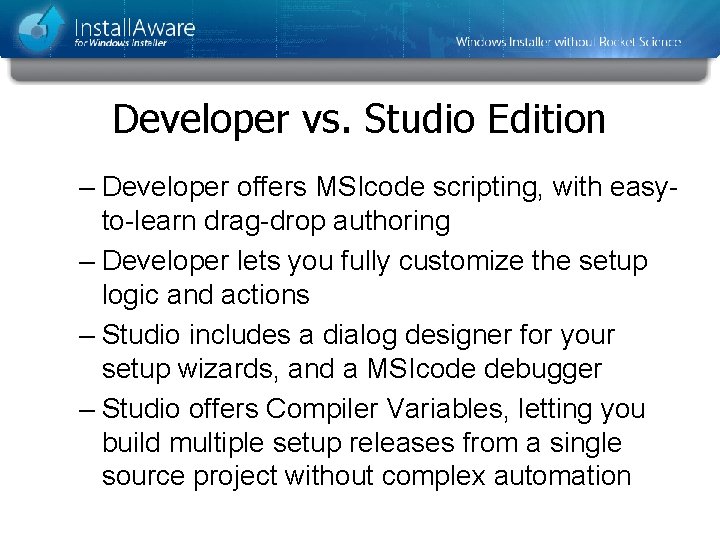
Developer vs. Studio Edition – Developer offers MSIcode scripting, with easyto-learn drag-drop authoring – Developer lets you fully customize the setup logic and actions – Studio includes a dialog designer for your setup wizards, and a MSIcode debugger – Studio offers Compiler Variables, letting you build multiple setup releases from a single source project without complex automation
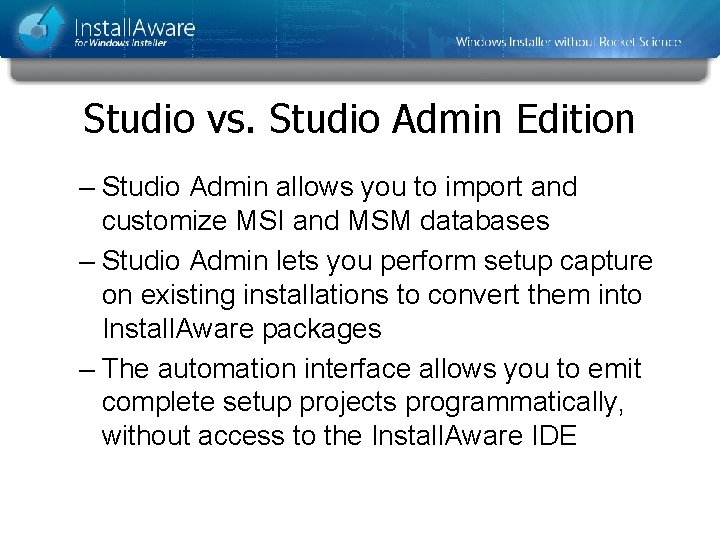
Studio vs. Studio Admin Edition – Studio Admin allows you to import and customize MSI and MSM databases – Studio Admin lets you perform setup capture on existing installations to convert them into Install. Aware packages – The automation interface allows you to emit complete setup projects programmatically, without access to the Install. Aware IDE
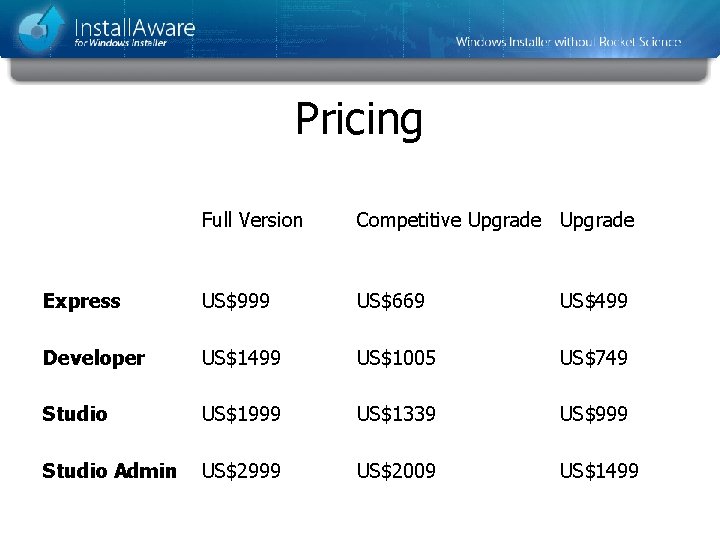
Pricing Full Version Competitive Upgrade Express US$999 US$669 US$499 Developer US$1499 US$1005 US$749 Studio US$1999 US$1339 US$999 Studio Admin US$2999 US$2009 US$1499
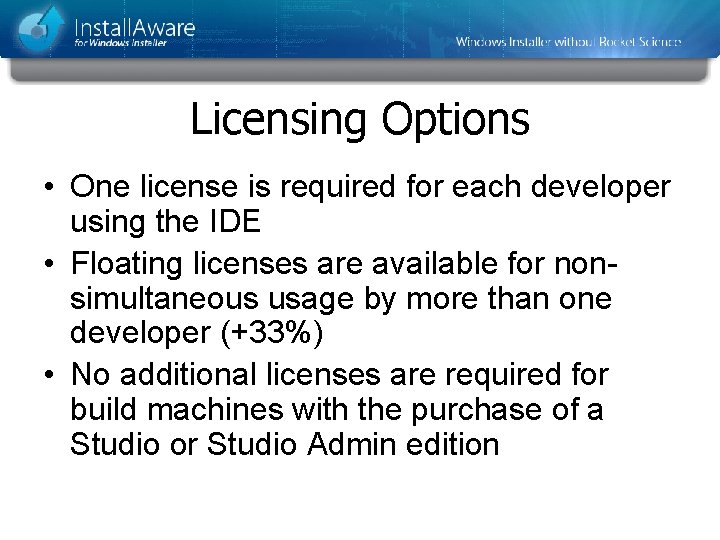
Licensing Options • One license is required for each developer using the IDE • Floating licenses are available for nonsimultaneous usage by more than one developer (+33%) • No additional licenses are required for build machines with the purchase of a Studio or Studio Admin edition
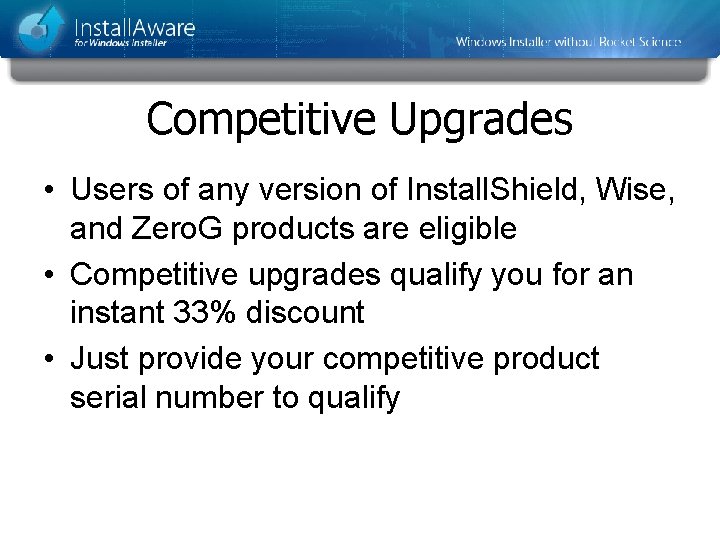
Competitive Upgrades • Users of any version of Install. Shield, Wise, and Zero. G products are eligible • Competitive upgrades qualify you for an instant 33% discount • Just provide your competitive product serial number to qualify
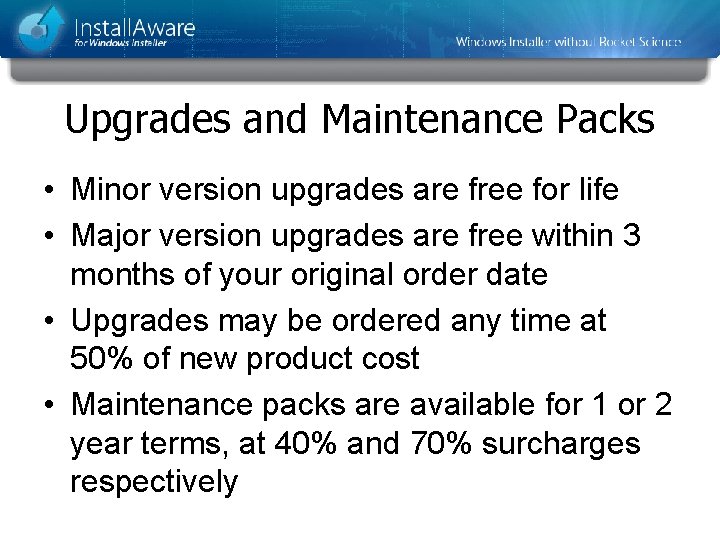
Upgrades and Maintenance Packs • Minor version upgrades are free for life • Major version upgrades are free within 3 months of your original order date • Upgrades may be ordered any time at 50% of new product cost • Maintenance packs are available for 1 or 2 year terms, at 40% and 70% surcharges respectively