
inst eecs berkeley educs 61 c UCB CS

inst. eecs. berkeley. edu/~cs 61 c UCB CS 61 C : Machine Structures Lecture 12 – Caches I Lecturer SOE Dan Garcia Midterm exam in 3 weeks! BITCASA OFFERS INFINITE A Mountain View startup promises to do STORAGE! Dropbox one better. 10 GB free storage, and (pause for effect) they are offering INFINITE storage for only $10/month ($99/yr, $69/yr if you sign up before March). Data available anytime, everywhere. Game changer? bitcasa. com
Review Register Conventions: Each register has a purpose and limits to its usage. Learn these and follow them, even if you’re writing all the code yourself. Logical and Shift Instructions Operate on bits individually, unlike arithmetic, which operate on entire word. Use to isolate fields, either by masking or by shifting back and forth. Use shift left logical, sll, for multiplication by powers of 2 Use shift right logical, srl, for division by powers of 2 of unsigned numbers (unsigned int) Use shift right arithmetic, sra, for division by powers of 2 of signed numbers (int) New Instructions: and, andi, ori, sll, sra CS 61 C L 12 Caches I (2) Garcia, Spring 2014 © UCB
6 Great Ideas in Computer Architecture Layers of Representation/Interpretation Moore’s Law Principle of Locality/Memory Hierarchy Parallelism Performance Measurement & Improvement 6. Dependability via Redundancy 1. 2. 3. 4. 5. CS 61 C L 12 Caches I (3) Garcia, Spring 2014 © UCB
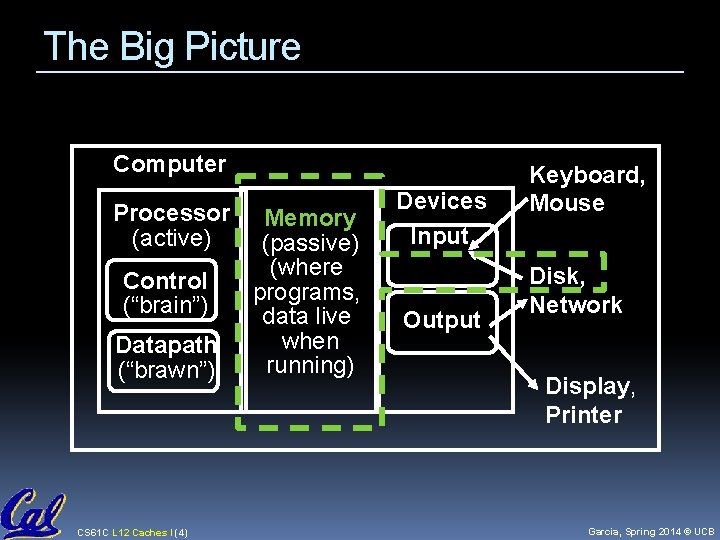
The Big Picture Computer Processor (active) Control (“brain”) Datapath (“brawn”) CS 61 C L 12 Caches I (4) Memory (passive) (where programs, data live when running) Devices Input Output Keyboard, Mouse Disk, Network Display, Printer Garcia, Spring 2014 © UCB
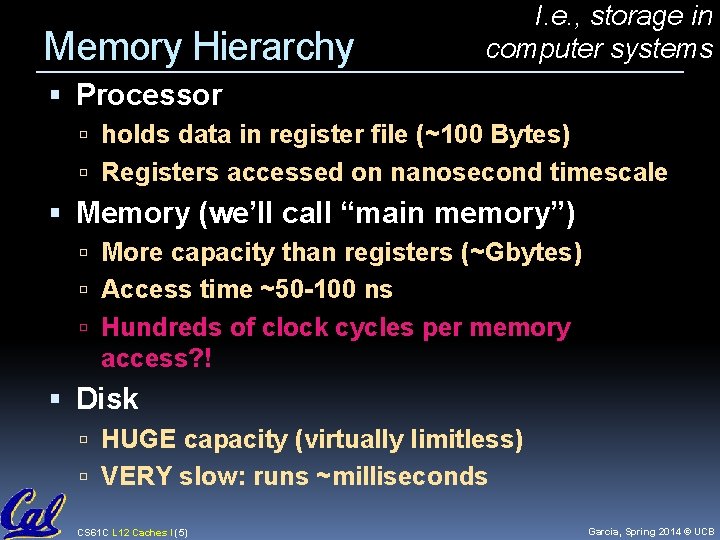
Memory Hierarchy I. e. , storage in computer systems Processor holds data in register file (~100 Bytes) Registers accessed on nanosecond timescale Memory (we’ll call “main memory”) More capacity than registers (~Gbytes) Access time ~50 -100 ns Hundreds of clock cycles per memory access? ! Disk HUGE capacity (virtually limitless) VERY slow: runs ~milliseconds CS 61 C L 12 Caches I (5) Garcia, Spring 2014 © UCB
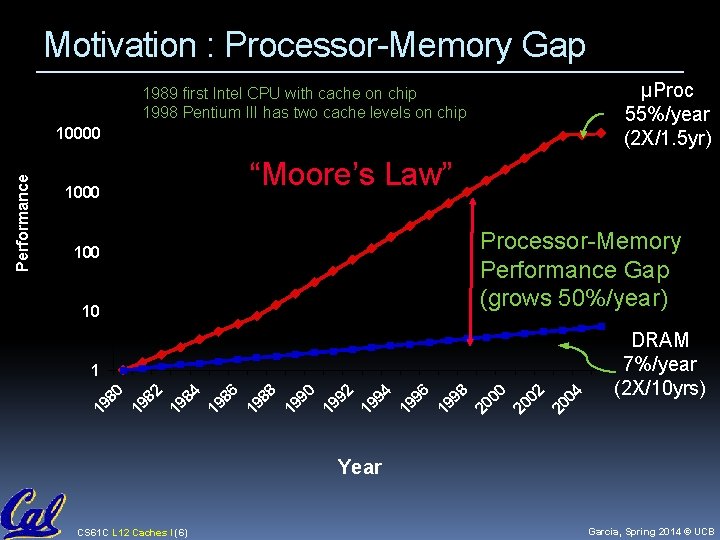
Motivation : Processor-Memory Gap µProc 55%/year (2 X/1. 5 yr) 1989 first Intel CPU with cache on chip 1998 Pentium III has two cache levels on chip “Moore’s Law” 1000 Processor-Memory Performance Gap (grows 50%/year) 100 10 04 DRAM 7%/year (2 X/10 yrs) 20 02 20 00 20 98 19 96 19 94 19 92 19 90 19 88 19 86 19 84 19 82 19 80 1 19 Performance 10000 Year CS 61 C L 12 Caches I (6) Garcia, Spring 2014 © UCB
Memory Caching Mismatch between processor and memory speeds leads us to add a new level: a memory cache Implemented with same IC processing technology as the CPU (usually integrated on same chip): faster but more expensive than DRAM memory. Cache is a copy of a subset of main memory. Most processors have separate caches for instructions and data. CS 61 C L 12 Caches I (7) Garcia, Spring 2014 © UCB
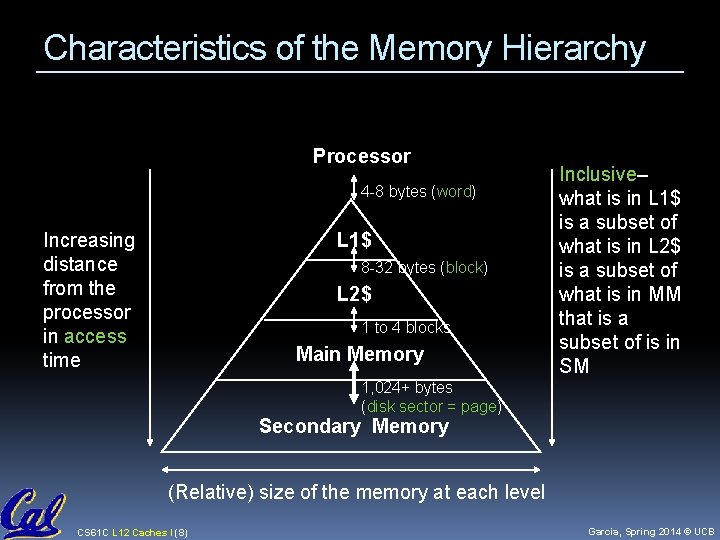
Characteristics of the Memory Hierarchy Processor 4 -8 bytes (word) Increasing distance from the processor in access time L 1$ 8 -32 bytes (block) L 2$ 1 to 4 blocks Main Memory Inclusive– what is in L 1$ is a subset of what is in L 2$ is a subset of what is in MM that is a subset of is in SM 1, 024+ bytes (disk sector = page) Secondary Memory (Relative) size of the memory at each level CS 61 C L 12 Caches I (8) Garcia, Spring 2014 © UCB
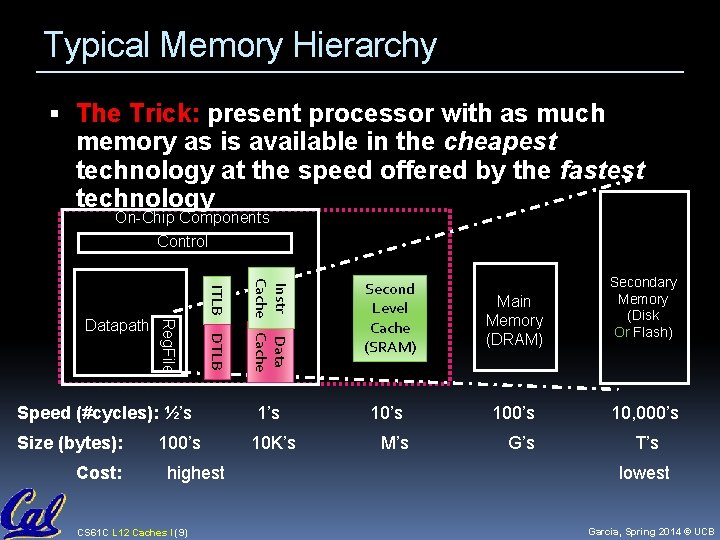
Typical Memory Hierarchy The Trick: present processor with as much memory as is available in the cheapest technology at the speed offered by the fastest technology On-Chip Components Control DTLB Speed (#cycles): ½’s Size (bytes): Cost: 100’s highest CS 61 C L 12 Caches I (9) Instr Data Cache ITLB Reg. File Datapath Second Level Cache (SRAM) Main Memory (DRAM) 1’s 100’s 10 K’s M’s G’s Secondary Memory (Disk Or Flash) 10, 000’s T’s lowest Garcia, Spring 2014 © UCB
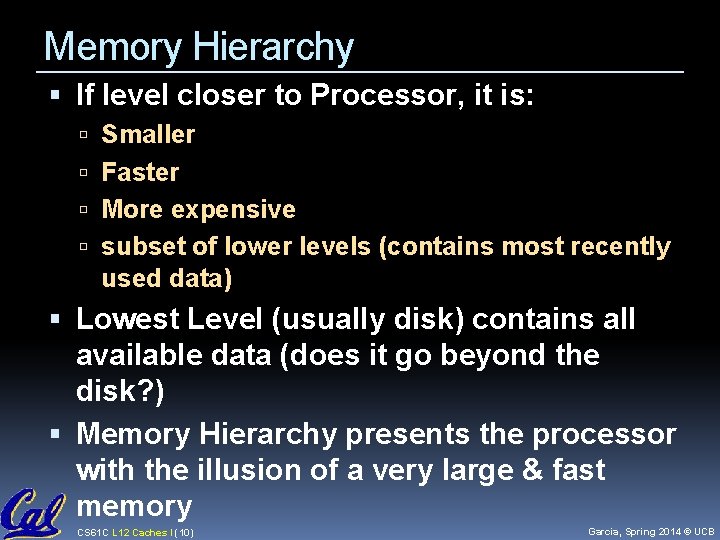
Memory Hierarchy If level closer to Processor, it is: Smaller Faster More expensive subset of lower levels (contains most recently used data) Lowest Level (usually disk) contains all available data (does it go beyond the disk? ) Memory Hierarchy presents the processor with the illusion of a very large & fast memory CS 61 C L 12 Caches I (10) Garcia, Spring 2014 © UCB
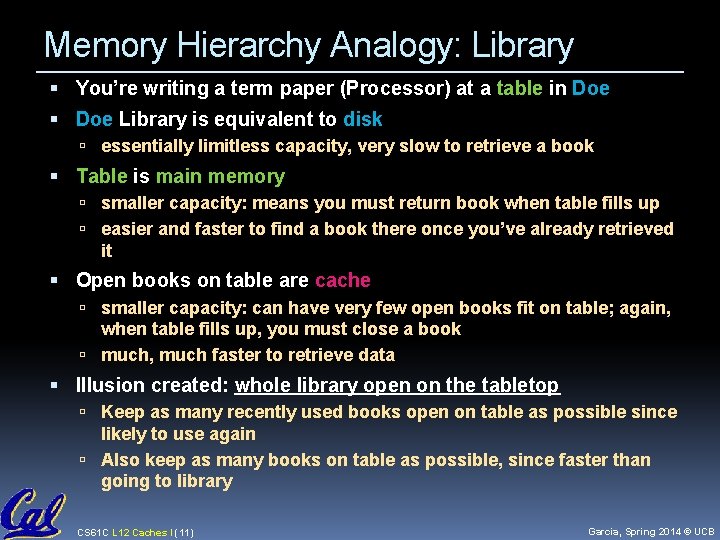
Memory Hierarchy Analogy: Library You’re writing a term paper (Processor) at a table in Doe Library is equivalent to disk essentially limitless capacity, very slow to retrieve a book Table is main memory smaller capacity: means you must return book when table fills up easier and faster to find a book there once you’ve already retrieved it Open books on table are cache smaller capacity: can have very few open books fit on table; again, when table fills up, you must close a book much, much faster to retrieve data Illusion created: whole library open on the tabletop Keep as many recently used books open on table as possible since likely to use again Also keep as many books on table as possible, since faster than going to library CS 61 C L 12 Caches I (11) Garcia, Spring 2014 © UCB
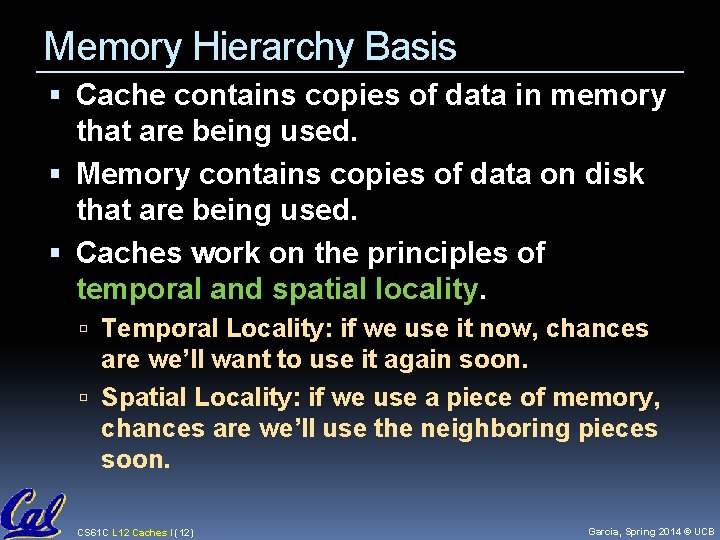
Memory Hierarchy Basis Cache contains copies of data in memory that are being used. Memory contains copies of data on disk that are being used. Caches work on the principles of temporal and spatial locality. Temporal Locality: if we use it now, chances are we’ll want to use it again soon. Spatial Locality: if we use a piece of memory, chances are we’ll use the neighboring pieces soon. CS 61 C L 12 Caches I (12) Garcia, Spring 2014 © UCB
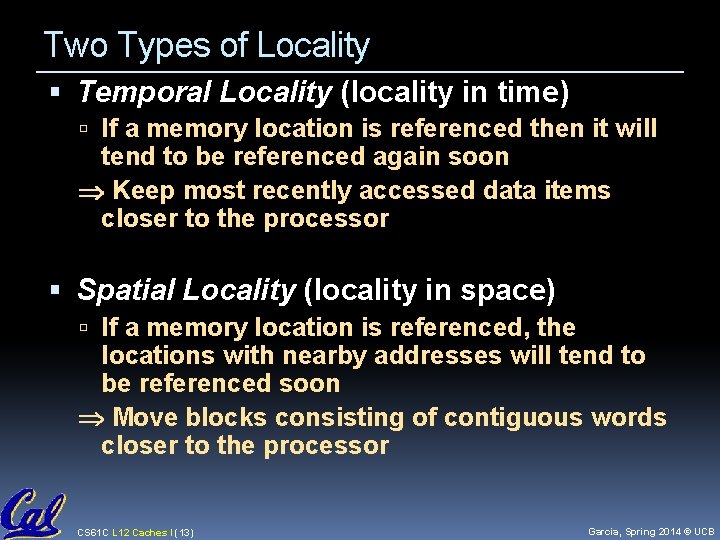
Two Types of Locality Temporal Locality (locality in time) If a memory location is referenced then it will tend to be referenced again soon Keep most recently accessed data items closer to the processor Spatial Locality (locality in space) If a memory location is referenced, the locations with nearby addresses will tend to be referenced soon Move blocks consisting of contiguous words closer to the processor CS 61 C L 12 Caches I (13) Garcia, Spring 2014 © UCB
Cache Design (for ANY cache) How do we organize cache? Where does each memory address map to? (Remember that cache is subset of memory, so multiple memory addresses map to the same cache location. ) How do we know which elements are in cache? How do we quickly locate them? CS 61 C L 12 Caches I (14) Garcia, Spring 2014 © UCB
How is the Hierarchy Managed? registers memory By compiler (or assembly level programmer) cache main memory By the cache controller hardware main memory disks (secondary storage) By the operating system (virtual memory) Virtual to physical address mapping assisted by the hardware (TLB) By the programmer (files) CS 61 C L 12 Caches I (15) Garcia, Spring 2014 © UCB
Administrivia How many hours h on Project 1 part a? A) 0 ≤ h < 5 B) 5 ≤ h < 10 C) 10 ≤ h < 15 D) 15 ≤ h < 20 E) 20 ≤ h Project part b due sunday! It’s 75% of your grade. Midterm in 3 weeks CS 61 C L 12 Caches I (16) Garcia, Spring 2014 © UCB
Direct-Mapped Cache (1/4) In a direct-mapped cache, each memory address is associated with one possible block within the cache Therefore, we only need to look in a single location in the cache for the data if it exists in the cache Block is the unit of transfer between cache and memory CS 61 C L 12 Caches I (17) Garcia, Spring 2014 © UCB
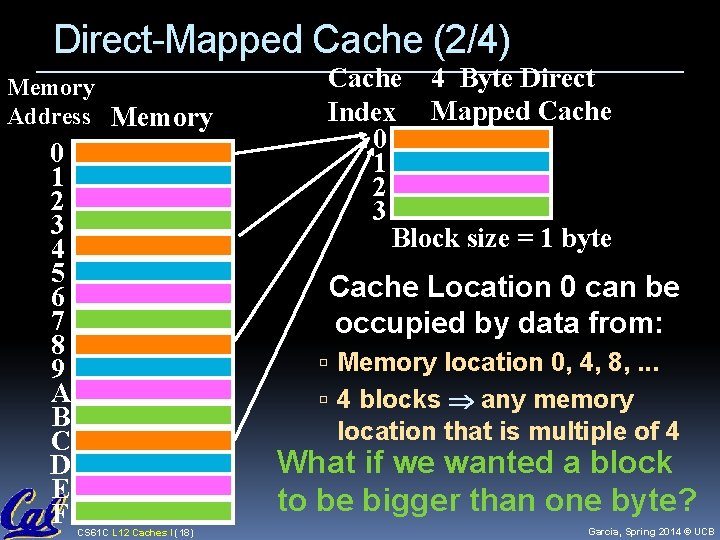
Direct-Mapped Cache (2/4) Memory Address Memory 0 1 2 3 4 5 6 7 8 9 A B C D E F Cache 4 Byte Direct Index Mapped Cache 0 1 2 3 Block size = 1 byte Cache Location 0 can be occupied by data from: Memory location 0, 4, 8, . . . 4 blocks any memory location that is multiple of 4 What if we wanted a block to be bigger than one byte? CS 61 C L 12 Caches I (18) Garcia, Spring 2014 © UCB
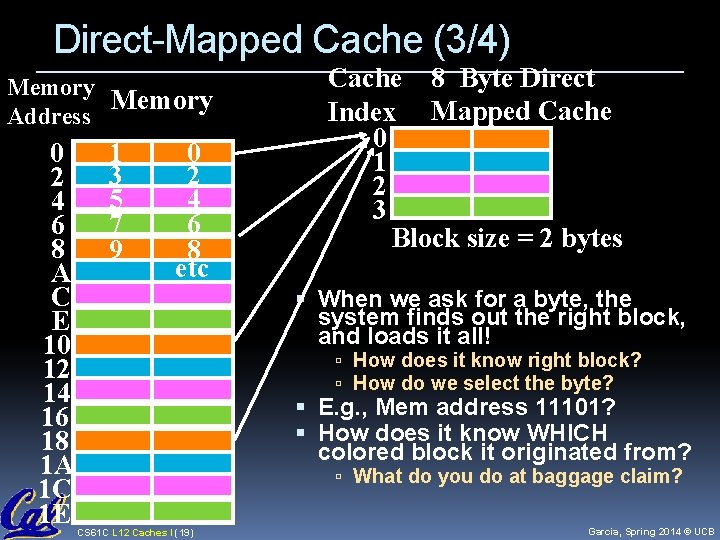
Direct-Mapped Cache (3/4) Memory Address 0 2 4 6 8 A C E 10 12 14 16 18 1 A 1 C 1 E 1 3 5 7 9 0 2 4 6 8 etc Cache 8 Byte Direct Index Mapped Cache 0 1 2 3 Block size = 2 bytes When we ask for a byte, the system finds out the right block, and loads it all! How does it know right block? How do we select the byte? E. g. , Mem address 11101? How does it know WHICH colored block it originated from? What do you do at baggage claim? CS 61 C L 12 Caches I (19) Garcia, Spring 2014 © UCB
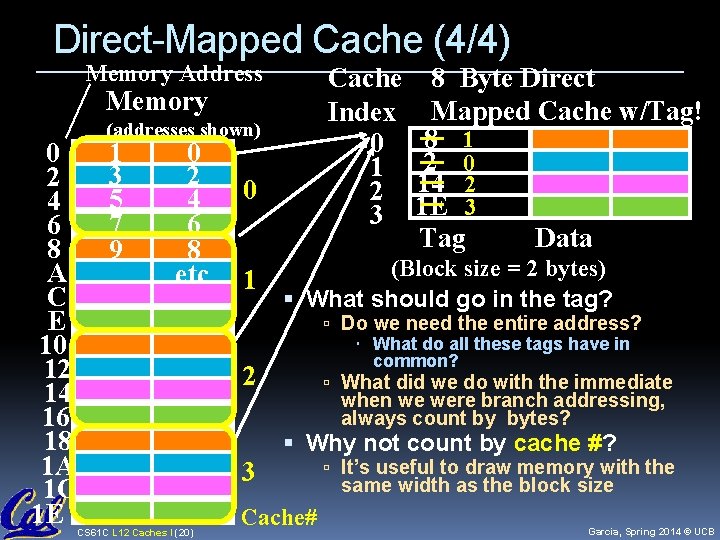
Direct-Mapped Cache (4/4) Memory Address Cache Index 0 1 2 3 Memory 0 2 4 6 8 A C E 10 12 14 16 18 1 A 1 C 1 E (addresses shown) 1 3 5 7 9 0 2 4 6 8 etc CS 61 C L 12 Caches I (20) 0 1 (Block size = 2 bytes) What should go in the tag? Do we need the entire address? What do all these tags have in common? What did we do with the immediate 2 3 8 Byte Direct Mapped Cache w/Tag! 8 1 2 0 14 2 1 E 3 Tag Data when we were branch addressing, always count by bytes? Why not count by cache #? Cache# It’s useful to draw memory with the same width as the block size Garcia, Spring 2014 © UCB
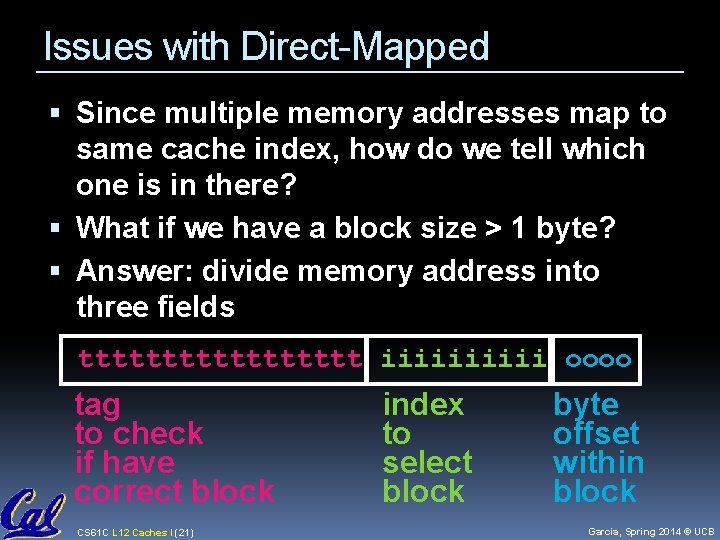
Issues with Direct-Mapped Since multiple memory addresses map to same cache index, how do we tell which one is in there? What if we have a block size > 1 byte? Answer: divide memory address into three fields ttttttttt iiiii oooo tag to check if have correct block CS 61 C L 12 Caches I (21) index to select block byte offset within block Garcia, Spring 2014 © UCB
Direct-Mapped Cache Terminology All fields are read as unsigned integers. Index specifies the cache index (which “row”/block of the cache we should look in) Offset once we’ve found correct block, specifies which byte within the block we want Tag the remaining bits after offset and index are determined; these are used to distinguish between all the memory addresses that map to the same location CS 61 C L 12 Caches I (22) Garcia, Spring 2014 © UCB
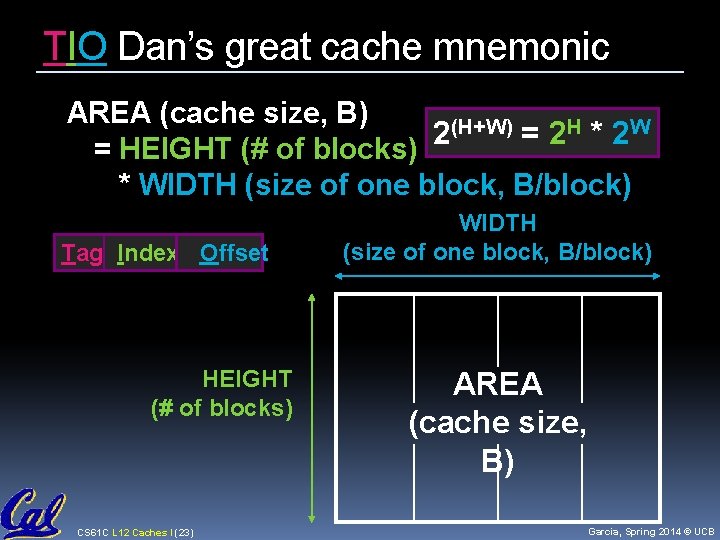
TIO Dan’s great cache mnemonic AREA (cache size, B) (H+W) = 2 H * 2 W 2 = HEIGHT (# of blocks) * WIDTH (size of one block, B/block) Tag Index Offset HEIGHT (# of blocks) CS 61 C L 12 Caches I (23) WIDTH (size of one block, B/block) AREA (cache size, B) Garcia, Spring 2014 © UCB
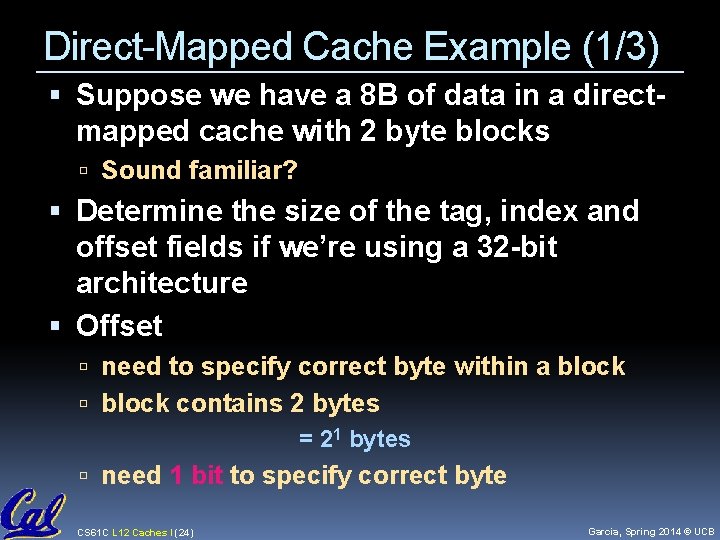
Direct-Mapped Cache Example (1/3) Suppose we have a 8 B of data in a directmapped cache with 2 byte blocks Sound familiar? Determine the size of the tag, index and offset fields if we’re using a 32 -bit architecture Offset need to specify correct byte within a block contains 2 bytes = 21 bytes need 1 bit to specify correct byte CS 61 C L 12 Caches I (24) Garcia, Spring 2014 © UCB
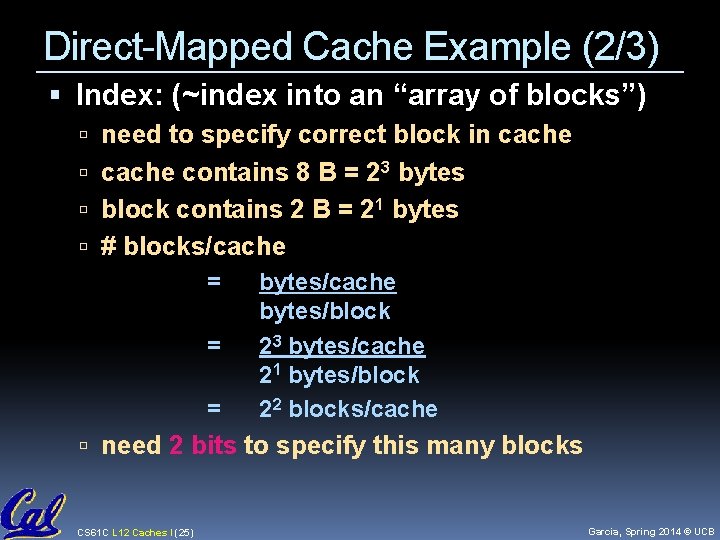
Direct-Mapped Cache Example (2/3) Index: (~index into an “array of blocks”) need to specify correct block in cache contains 8 B = 23 bytes block contains 2 B = 21 bytes # blocks/cache = bytes/cache bytes/block = 23 bytes/cache 21 bytes/block = 22 blocks/cache need 2 bits to specify this many blocks CS 61 C L 12 Caches I (25) Garcia, Spring 2014 © UCB
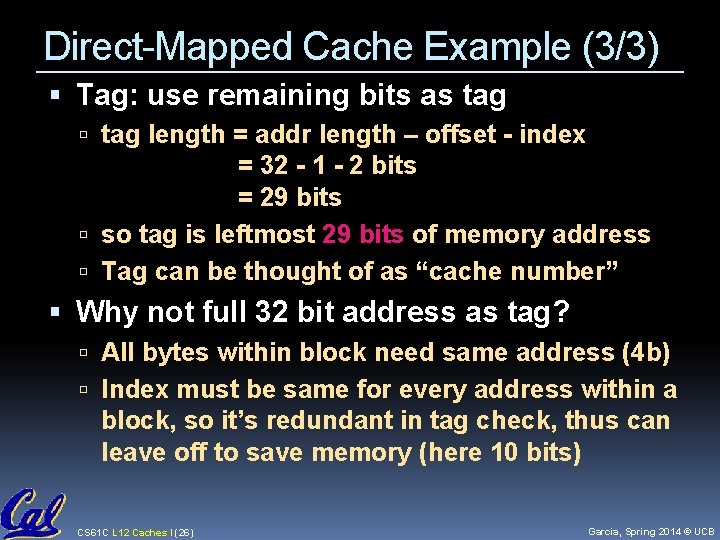
Direct-Mapped Cache Example (3/3) Tag: use remaining bits as tag length = addr length – offset - index = 32 - 1 - 2 bits = 29 bits so tag is leftmost 29 bits of memory address Tag can be thought of as “cache number” Why not full 32 bit address as tag? All bytes within block need same address (4 b) Index must be same for every address within a block, so it’s redundant in tag check, thus can leave off to save memory (here 10 bits) CS 61 C L 12 Caches I (26) Garcia, Spring 2014 © UCB
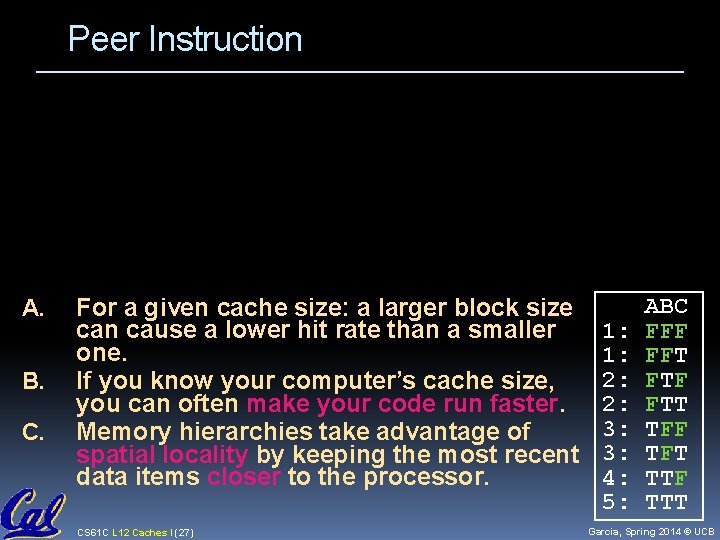
Peer Instruction A. B. C. For a given cache size: a larger block size can cause a lower hit rate than a smaller one. If you know your computer’s cache size, you can often make your code run faster. Memory hierarchies take advantage of spatial locality by keeping the most recent data items closer to the processor. CS 61 C L 12 Caches I (27) 1: 1: 2: 2: 3: 3: 4: 5: ABC FFF FFT FTF FTT TFF TFT TTF TTT Garcia, Spring 2014 © UCB
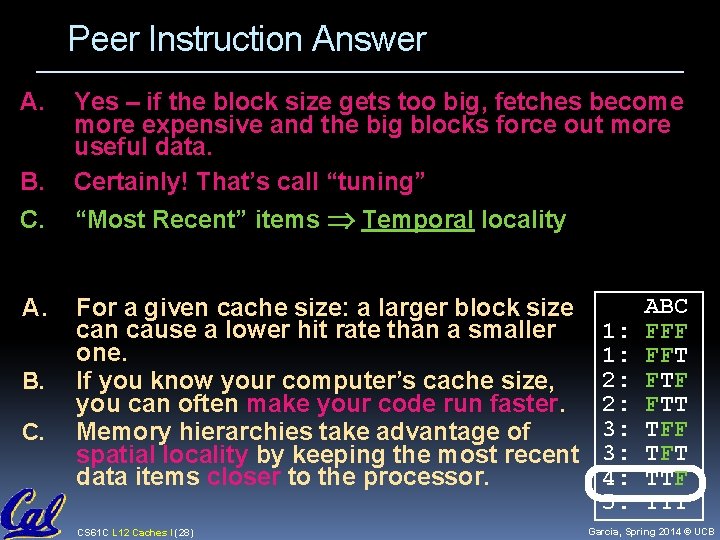
Peer Instruction Answer A. B. Yes – if the block size gets too big, fetches become more expensive and the big blocks force out more useful data. Certainly! That’s call “tuning” C. “Most Recent” items Temporal locality A. For a given cache size: a larger block size can cause a lower hit rate than a smaller one. If you know your computer’s cache size, you can often make your code run faster. Memory hierarchies take advantage of spatial locality by keeping the most recent data items closer to the processor. B. C. CS 61 C L 12 Caches I (28) 1: 1: 2: 2: 3: 3: 4: 5: ABC FFF FFT FTF FTT TFF TFT TTF TTT Garcia, Spring 2014 © UCB
And in Conclusion… We would like to have the capacity of disk at the speed of the processor: unfortunately this is not feasible. So we create a memory hierarchy: each successively lower level contains “most used” data from next higher level exploits temporal & spatial locality do the common case fast, worry less about the exceptions (design principle of MIPS) Locality of reference is a Big Idea CS 61 C L 12 Caches I (29) Garcia, Spring 2014 © UCB
- Slides: 29