
inst eecs berkeley educs 61 c CS 61
inst. eecs. berkeley. edu/~cs 61 c CS 61 C : Machine Structures Lecture #1 – Introduction and Number Representation 1 2008 -06 -23 Albert Chae Instructor inst. eecs. berkeley. edu/~cs 61 c Welcome to CS 61 C! CS 61 C L 01 Introduction + Numbers (1) Chae, Summer 2008 © UCB
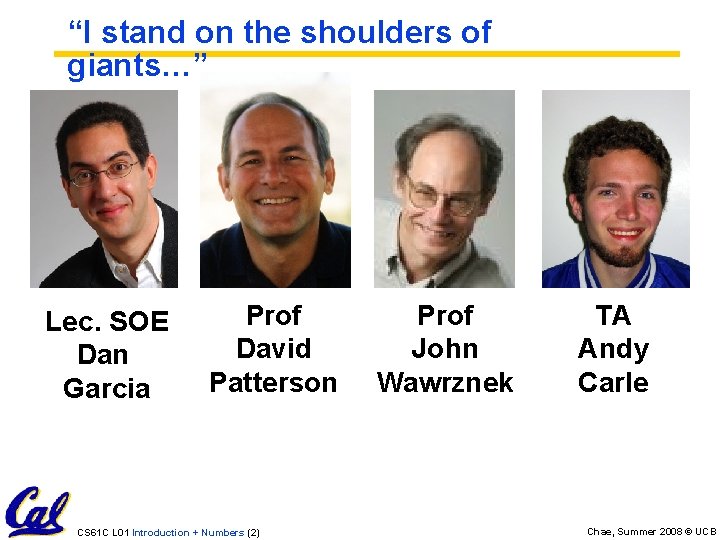
“I stand on the shoulders of giants…” Lec. SOE Dan Garcia Prof David Patterson CS 61 C L 01 Introduction + Numbers (2) Prof John Wawrznek TA Andy Carle Chae, Summer 2008 © UCB
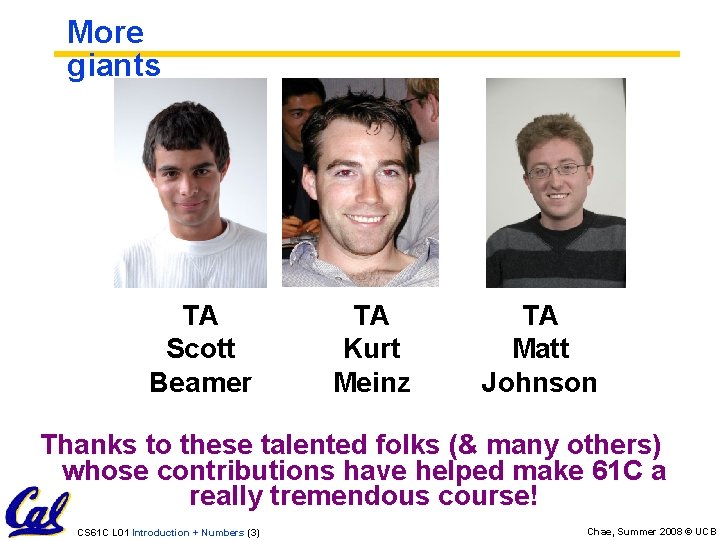
More giants TA Scott Beamer TA Kurt Meinz TA Matt Johnson Thanks to these talented folks (& many others) whose contributions have helped make 61 C a really tremendous course! CS 61 C L 01 Introduction + Numbers (3) Chae, Summer 2008 © UCB
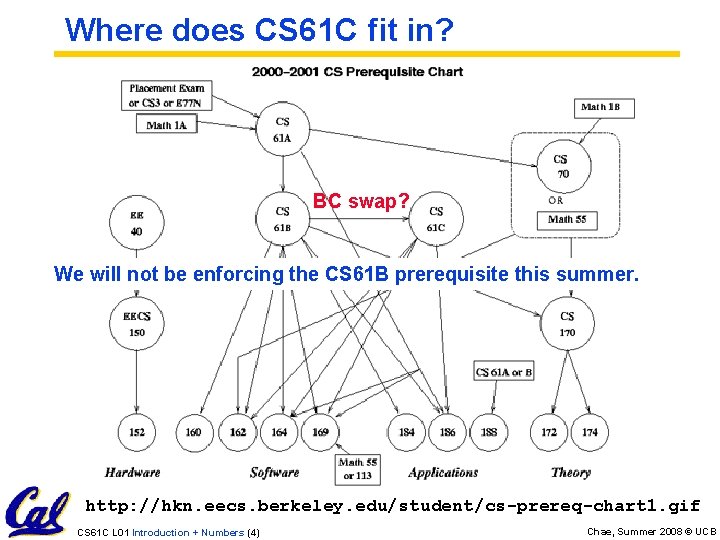
Where does CS 61 C fit in? BC swap? We will not be enforcing the CS 61 B prerequisite this summer. http: //hkn. eecs. berkeley. edu/student/cs-prereq-chart 1. gif CS 61 C L 01 Introduction + Numbers (4) Chae, Summer 2008 © UCB
Are Computers Smart? • To a programmer: • Very complex operations / functions: - (map (lambda (x) (* x x)) ‘(1 2 3 4)) • Automatic memory management: - List l = new List; • “Basic” structures: - Integers, floats, characters, plus, minus, print commands Computers are smart! CS 61 C L 01 Introduction + Numbers (5) Chae, Summer 2008 © UCB
Are Computers Smart? • In real life: • Only a handful of operations: - {and, or, not} • No automatic memory management. • Only 2 values: - {0, 1} or {low, high} or {off, on} Computers are dumb! CS 61 C L 01 Introduction + Numbers (6) Chae, Summer 2008 © UCB
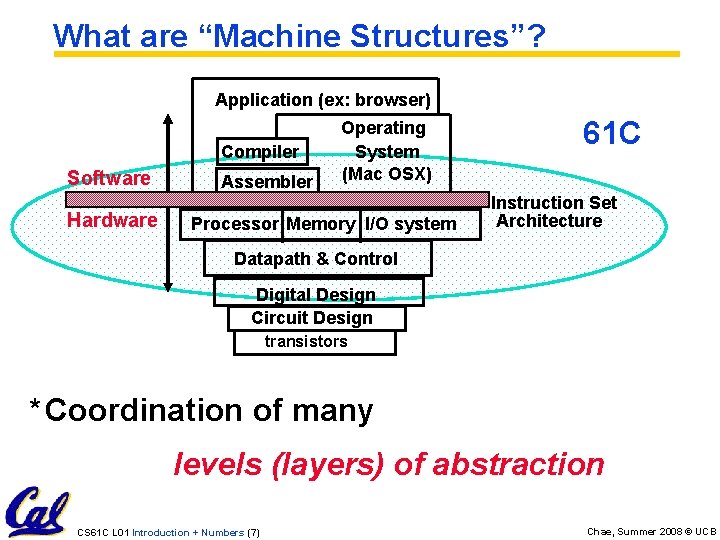
What are “Machine Structures”? Application (ex: browser) Compiler Software Hardware Assembler Operating System (Mac OSX) Processor Memory I/O system 61 C Instruction Set Architecture Datapath & Control Digital Design Circuit Design transistors * Coordination of many levels (layers) of abstraction CS 61 C L 01 Introduction + Numbers (7) Chae, Summer 2008 © UCB
![61 C Levels of Representation temp = v[k]; v[k] = v[k+1]; v[k+1] = temp;](http://slidetodoc.com/presentation_image_h2/059119f78386cd6455123fc0c29d562e/image-8.jpg "61 C Levels of Representation temp = v[k]; v[k] = v[k+1]; v[k+1] = temp;")
61 C Levels of Representation temp = v[k]; v[k] = v[k+1]; v[k+1] = temp; High Level Language Program (e. g. , C) Compiler Assembly Language Program (e. g. , MIPS) Assembler Machine Language Program (MIPS) lw lw sw sw 0000 1010 1100 0101 $t 0, 0($2) $t 1, 4($2) $t 1, 0($2) $t 0, 4($2) 1001 1111 0110 1000 1100 0101 1010 0000 0110 1000 1111 1001 1010 0000 0101 1100 1111 1000 0110 0101 1100 0000 1010 1000 0110 1001 1111 Machine Interpretation Hardware Architecture Description (Logic, Logisim, etc. ) Architecture Implementation Logic Circuit Description (Logisim, etc. ) CS 61 C L 01 Introduction + Numbers (8) Chae, Summer 2008 © UCB
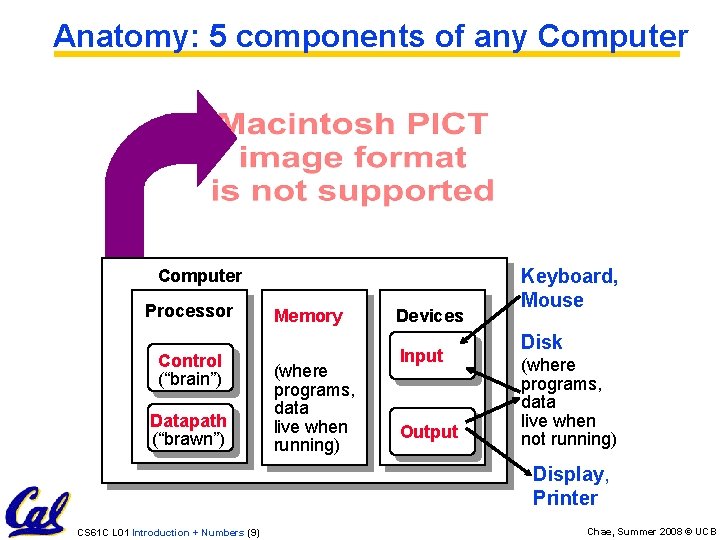
Anatomy: 5 components of any Computer Processor Control (“brain”) Datapath (“brawn”) Memory (where programs, data live when running) Devices Input Output Keyboard, Mouse Disk (where programs, data live when not running) Display, Printer CS 61 C L 01 Introduction + Numbers (9) Chae, Summer 2008 © UCB
Overview of Physical Implementations The hardware out of which we make systems. • Integrated Circuits (ICs) • Combinational logic circuits, memory elements, analog interfaces. • Printed Circuits (PC) boards • substrate for ICs and interconnection, distribution of CLK, Vdd, and GND signals, heat dissipation. • Power Supplies • Converts line AC voltage to regulated DC low voltage levels. • Chassis (rack, card case, . . . ) • holds boards, power supply, provides physical interface to user or other systems. • Connectors and Cables. CS 61 C L 01 Introduction + Numbers (10) Chae, Summer 2008 © UCB
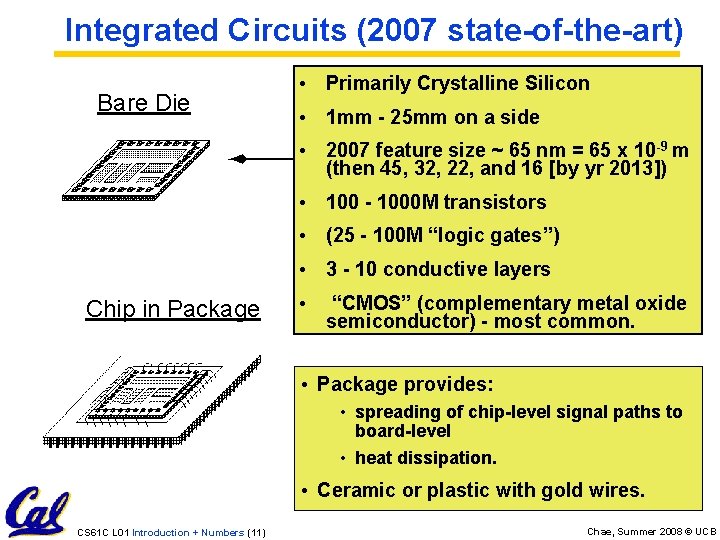
Integrated Circuits (2007 state-of-the-art) Bare Die • Primarily Crystalline Silicon • 1 mm - 25 mm on a side • 2007 feature size ~ 65 nm = 65 x 10 -9 m (then 45, 32, 22, and 16 [by yr 2013]) • 100 - 1000 M transistors • (25 - 100 M “logic gates”) • 3 - 10 conductive layers Chip in Package • “CMOS” (complementary metal oxide semiconductor) - most common. • Package provides: • spreading of chip-level signal paths to board-level • heat dissipation. • Ceramic or plastic with gold wires. CS 61 C L 01 Introduction + Numbers (11) Chae, Summer 2008 © UCB
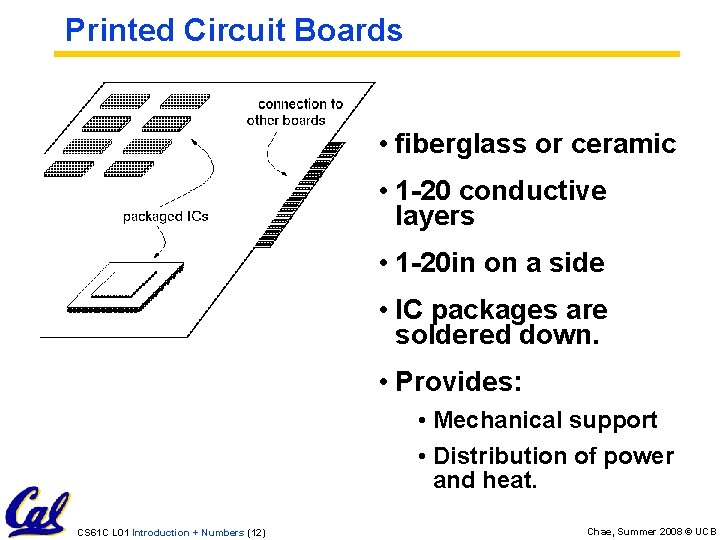
Printed Circuit Boards • fiberglass or ceramic • 1 -20 conductive layers • 1 -20 in on a side • IC packages are soldered down. • Provides: • Mechanical support • Distribution of power and heat. CS 61 C L 01 Introduction + Numbers (12) Chae, Summer 2008 © UCB

# of transistors on an IC Technology Trends: Microprocessor Complexity Gordon Moore Intel Cofounder B. S. Cal 1950! 2 X Transistors / Chip Every 1. 5 years Called “Moore’s Law” Year CS 61 C L 01 Introduction + Numbers (13) Chae, Summer 2008 © UCB
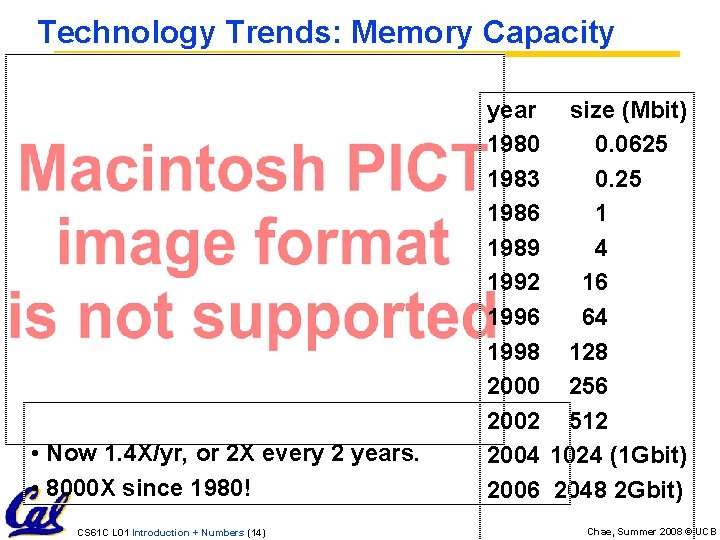
Technology Trends: Memory Capacity (Single-Chip DRAM) • Now 1. 4 X/yr, or 2 X every 2 years. • 8000 X since 1980! CS 61 C L 01 Introduction + Numbers (14) year size (Mbit) 1980 0. 0625 1983 0. 25 1986 1 1989 4 1992 16 1996 64 1998 128 2000 256 2002 512 2004 1024 (1 Gbit) 2006 2048 2 Gbit) Chae, Summer 2008 © UCB
Performance measure Technology Trends: Processor Performance Intel P 4 2000 MHz (Fall 2001) 1. 54 X/yr year We’ll talk about processor performance later on… CS 61 C L 01 Introduction + Numbers (15) Chae, Summer 2008 © UCB
Computer Technology - Dramatic Change! • Memory • DRAM capacity: 2 x / 2 years (since ‘ 96); 64 x size improvement in last decade. • Processor • Speed 2 x / 1. 5 years (since ‘ 85); [slowing!] 100 X performance in last decade. • Disk • Capacity: 2 x / 1 year (since ‘ 97) 250 X size in last decade. CS 61 C L 01 Introduction + Numbers (16) Chae, Summer 2008 © UCB
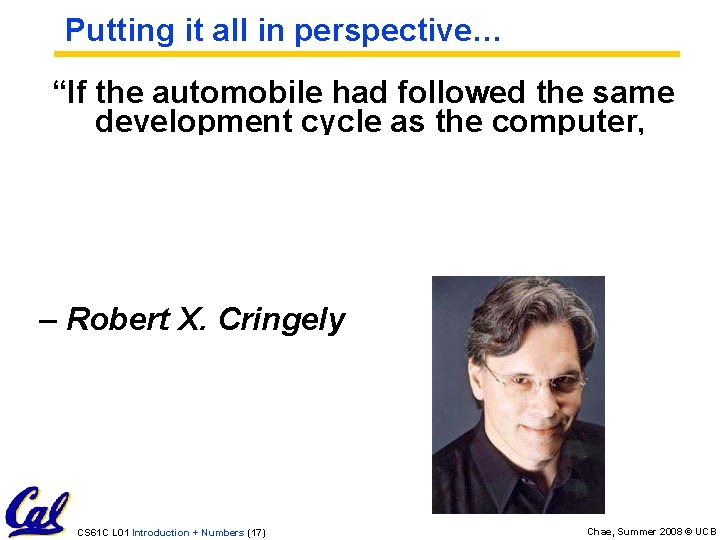
Putting it all in perspective… “If the automobile had followed the same development cycle as the computer, a Rolls-Royce would today cost $100, get a million miles per gallon, and explode once a year, killing everyone inside. ” – Robert X. Cringely CS 61 C L 01 Introduction + Numbers (17) Chae, Summer 2008 © UCB
Computer Technology - Dramatic Change! We’ll see why Kilo, Mega, etc. are incorrect later! • State-of-the-art PC when you graduate: (at least…) • Processor clock speed: 5000 Mega. Hertz (5. 0 Giga. Hertz) • Memory capacity: 8000 Mebi. Bytes (8. 0 Gibi. Bytes) • Disk capacity: 2000 Gibi. Bytes (2. 0 Tebi. Bytes) • New units! Mega => Giga, Giga => Tera (Tera => Peta, Peta => Exa, Exa => Zetta => Yotta = 1024) CS 61 C L 01 Introduction + Numbers (18) Chae, Summer 2008 © UCB
CS 61 C: So what's in it for me? • Learn some of the big ideas in CS & engineering: • 5 Classic components of a Computer • Data can be anything (integers, floating point, characters): a program determines what it is • Stored program concept: instructions just data • Principle of Locality, exploited via a memory hierarchy (cache) • Greater performance by exploiting parallelism • Principle of abstraction, used to build systems as layers • Compilation v. interpretation thru system layers • Principles/Pitfalls of Performance Measurement CS 61 C L 01 Introduction + Numbers (19) Chae, Summer 2008 © UCB
Others Skills learned in 61 C • Learning C • If you know one, you should be able to learn another programming language largely on your own • If you know C++ or Java, should be easy to pick up their ancestor, C • Assembly Language Programming • This is a skill you will pick up, as a side effect of understanding the Big Ideas • Hardware design • We think of hardware at the abstract level, with only a little bit of physical logic to give things perspective • CS 150, 152 teach this CS 61 C L 01 Introduction + Numbers (20) Chae, Summer 2008 © UCB
Course Lecture Outline • • • • Number representations C-Language (basics + pointers) Memory management Assembly Programming Floating Point make-ing an Executable Logic Design Introduction to Logisim CPU organization Pipelining Caches Virtual Memory I/O Disks, Networks Performance, Parallelism Advanced Topic CS 61 C L 01 Introduction + Numbers (21) Chae, Summer 2008 © UCB
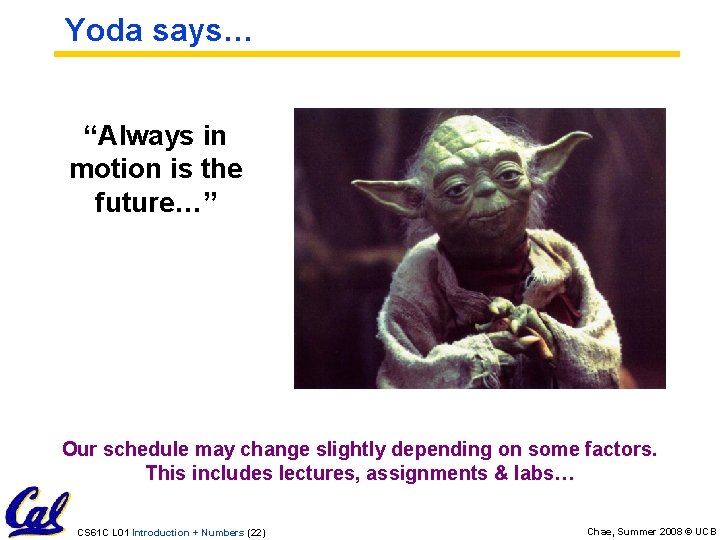
Yoda says… “Always in motion is the future…” Our schedule may change slightly depending on some factors. This includes lectures, assignments & labs… CS 61 C L 01 Introduction + Numbers (22) Chae, Summer 2008 © UCB
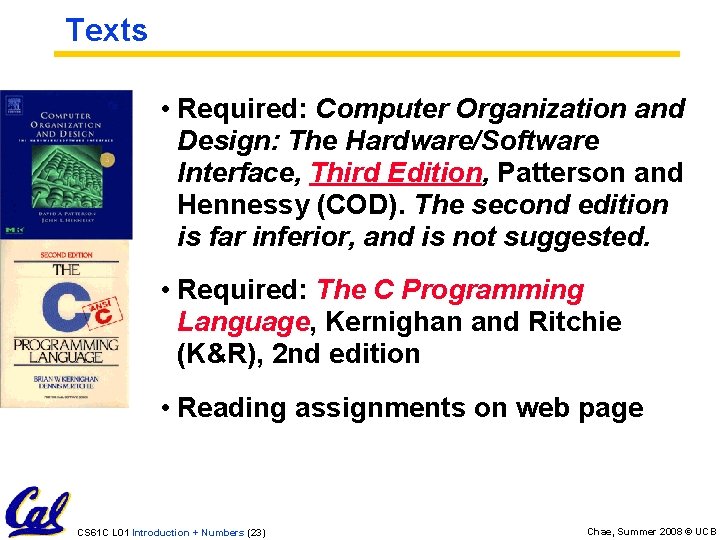
Texts • Required: Computer Organization and Design: The Hardware/Software Interface, Third Edition, Patterson and Hennessy (COD). The second edition is far inferior, and is not suggested. • Required: The C Programming Language, Kernighan and Ritchie (K&R), 2 nd edition • Reading assignments on web page CS 61 C L 01 Introduction + Numbers (23) Chae, Summer 2008 © UCB
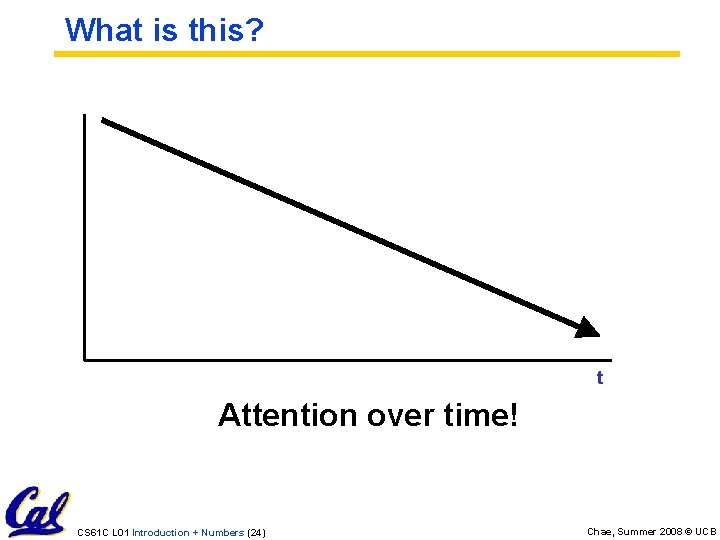
What is this? t Attention over time! CS 61 C L 01 Introduction + Numbers (24) Chae, Summer 2008 © UCB
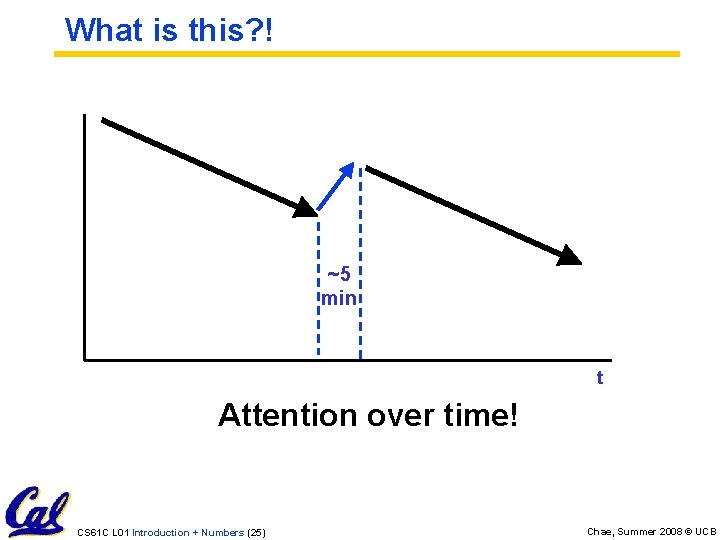
What is this? ! ~5 min t Attention over time! CS 61 C L 01 Introduction + Numbers (25) Chae, Summer 2008 © UCB
Tried-and-True Technique: Peer Instruction • Increase real-time learning in lecture, test understanding of concepts vs. details • As complete a “segment” ask multiple choice question • 1 -2 minutes to decide yourself • 3 minutes in pairs/triples to reach consensus. Teach others! • 5 -7 minute discussion of answers, questions, clarifications • You don’t need transmitters - We will be low tech this session - If you already bought one, try to return it (let me know if this doesn’t work) CS 61 C L 01 Introduction + Numbers (26) Chae, Summer 2008 © UCB
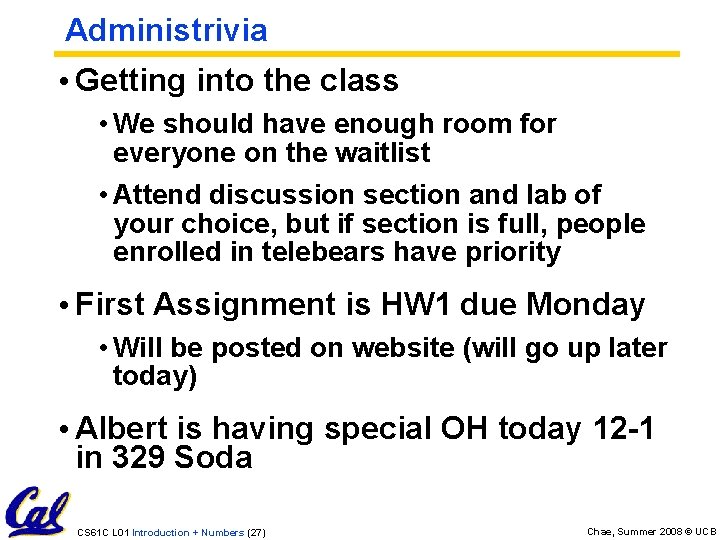
Administrivia • Getting into the class • We should have enough room for everyone on the waitlist • Attend discussion section and lab of your choice, but if section is full, people enrolled in telebears have priority • First Assignment is HW 1 due Monday • Will be posted on website (will go up later today) • Albert is having special OH today 12 -1 in 329 Soda CS 61 C L 01 Introduction + Numbers (27) Chae, Summer 2008 © UCB
Who am I? • Don’t call me Professor or Dr. , I’m neither. Just call me Albert. • Constructive criticism welcome -anonymous online form available soon. • Let’s make 61 C great together! CS 61 C L 01 Introduction + Numbers (28) Chae, Summer 2008 © UCB
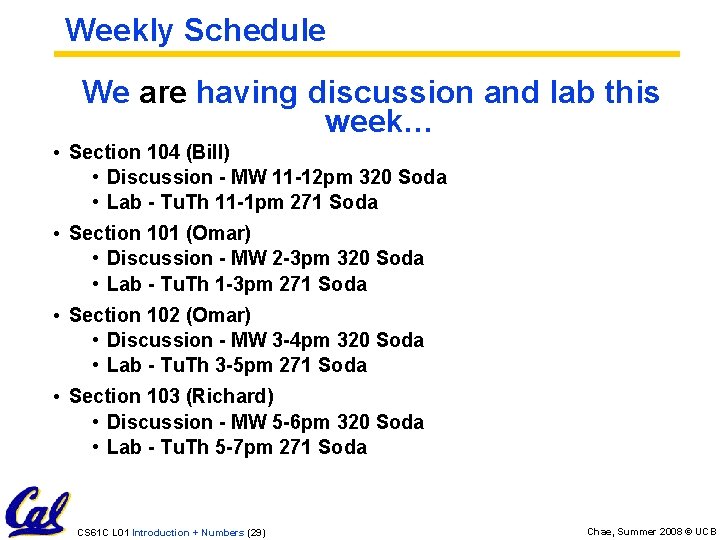
Weekly Schedule We are having discussion and lab this week… • Section 104 (Bill) • Discussion - MW 11 -12 pm 320 Soda • Lab - Tu. Th 11 -1 pm 271 Soda • Section 101 (Omar) • Discussion - MW 2 -3 pm 320 Soda • Lab - Tu. Th 1 -3 pm 271 Soda • Section 102 (Omar) • Discussion - MW 3 -4 pm 320 Soda • Lab - Tu. Th 3 -5 pm 271 Soda • Section 103 (Richard) • Discussion - MW 5 -6 pm 320 Soda • Lab - Tu. Th 5 -7 pm 271 Soda CS 61 C L 01 Introduction + Numbers (29) Chae, Summer 2008 © UCB
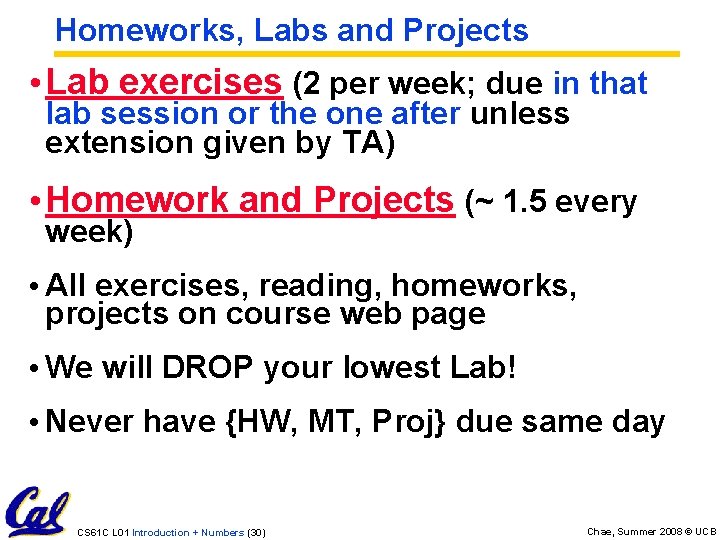
Homeworks, Labs and Projects • Lab exercises (2 per week; due in that lab session or the one after unless extension given by TA) • Homework and Projects (~ 1. 5 every week) • All exercises, reading, homeworks, projects on course web page • We will DROP your lowest Lab! • Never have {HW, MT, Proj} due same day CS 61 C L 01 Introduction + Numbers (30) Chae, Summer 2008 © UCB
Late Assignments • 3 Slip days, max ONE per assignment • INTEGER slip days (1 hour late = 1 slip day, 23 hours late = 1 slip day) • No credit for late hw if you run out of slip days • Projects may be turned in up to 24 hours late • But, will only be eligible for 2/3 credit • Be aware that the instructional servers tend to slow down right around 61 c deadlines • It is to your advantage to get assignments done early! CS 61 C L 01 Introduction + Numbers (31) Chae, Summer 2008 © UCB
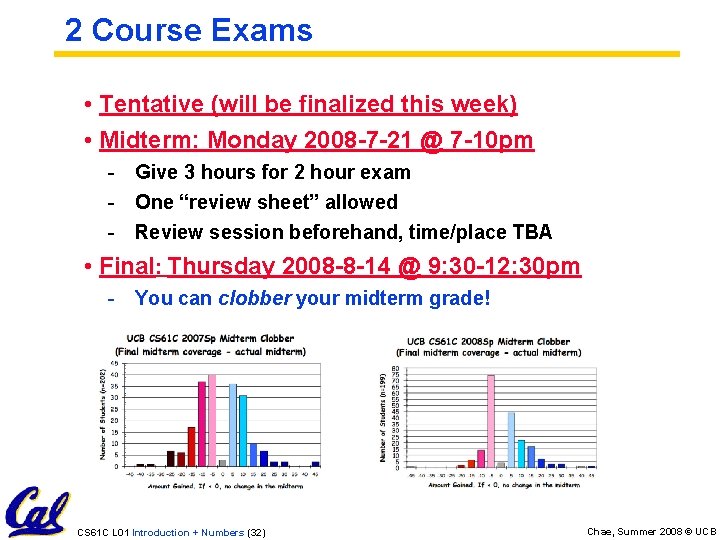
2 Course Exams • Tentative (will be finalized this week) • Midterm: Monday 2008 -7 -21 @ 7 -10 pm - Give 3 hours for 2 hour exam - One “review sheet” allowed - Review session beforehand, time/place TBA • Final: Thursday 2008 -8 -14 @ 9: 30 -12: 30 pm - You can clobber your midterm grade! CS 61 C L 01 Introduction + Numbers (32) Chae, Summer 2008 © UCB
Your final grade • Grading • 15 pts = 5% Labs + 2 quizzes • 30 pts = 10% Homework • 60 pts = 20% Projects • 75 pts = 25% Midterm* [can be clobbered by Final] • 120 pts = 40% Final • + extra credit for early lab, online quizzes • Grade distributions • Similar to CS 61 A, in the absolute scale. • Perfect score is 300 points. 10 -20 -10 for A+, A, A • Similar for Bs and Cs (40 pts per letter-grade) • … C+, C, C-, D, F (No D+ or D- distinction) • Differs: No F will be given if all-but-one lab, all projects submitted and all exams taken • We’ll “ooch” grades up but never down CS 61 C L 01 Introduction + Numbers (33) Chae, Summer 2008 © UCB
Grade Scale CS 61 C L 01 Introduction + Numbers (34) Chae, Summer 2008 © UCB
Course Problems…Cheating • What is cheating? • Studying together in groups is encouraged. • Turned-in work must be completely your own. • Common examples of cheating: running out of time on a assignment and then pick up output, take homework from box and copy, person asks to borrow solution “just to take a look”, copying an exam question, … • You’re not allowed to work on homework/projects/exams with anyone (other than ask Qs walking out of lecture) • Both “giver” and “receiver” are equally culpable • Cheating points: negative points for that assignment / project / exam (e. g. , if it’s worth 10 pts, you get -10) In most cases, F in the course. • Every offense will be referred to the Office of Student Judicial Affairs. www. eecs. berkeley. edu/Policies/acad. dis. shtml CS 61 C L 01 Introduction + Numbers (35) Chae, Summer 2008 © UCB
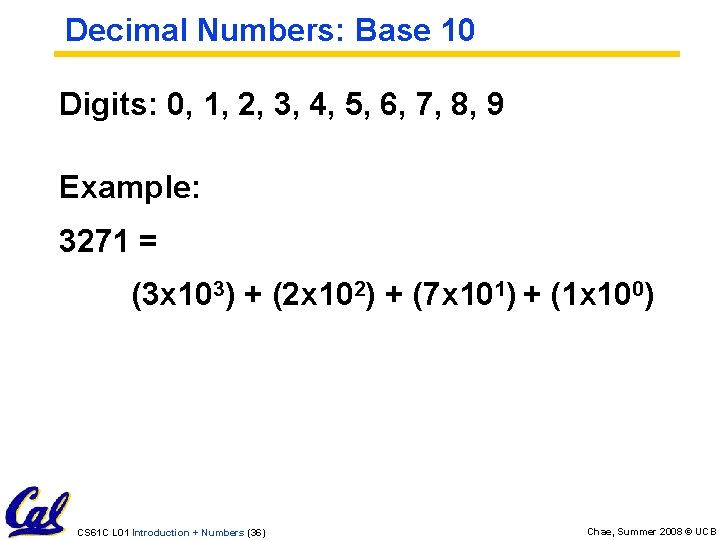
Decimal Numbers: Base 10 Digits: 0, 1, 2, 3, 4, 5, 6, 7, 8, 9 Example: 3271 = (3 x 10³) + (2 x 10²) + (7 x 101) + (1 x 100) CS 61 C L 01 Introduction + Numbers (36) Chae, Summer 2008 © UCB
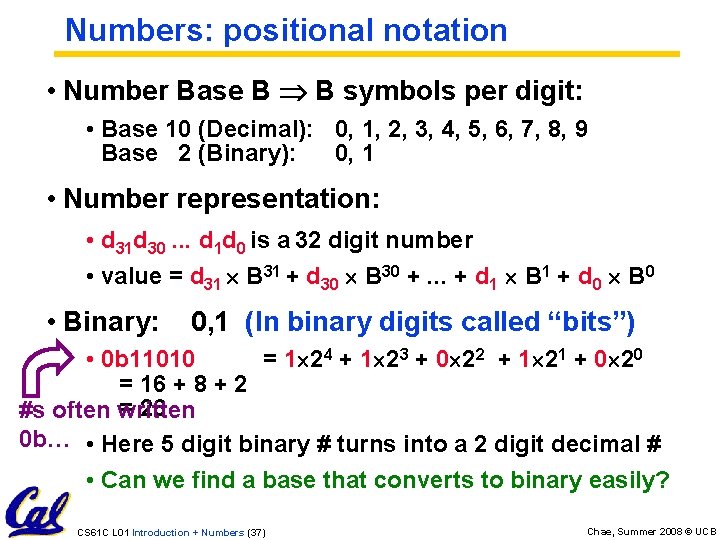
Numbers: positional notation • Number Base B B symbols per digit: • Base 10 (Decimal): 0, 1, 2, 3, 4, 5, 6, 7, 8, 9 Base 2 (Binary): 0, 1 • Number representation: • d 31 d 30. . . d 1 d 0 is a 32 digit number • value = d 31 B 31 + d 30 B 30 +. . . + d 1 B 1 + d 0 B 0 • Binary: 0, 1 (In binary digits called “bits”) • 0 b 11010 = 1 24 + 1 23 + 0 22 + 1 21 + 0 20 = 16 + 8 + 2 = 26 #s often written 0 b… • Here 5 digit binary # turns into a 2 digit decimal # • Can we find a base that converts to binary easily? CS 61 C L 01 Introduction + Numbers (37) Chae, Summer 2008 © UCB
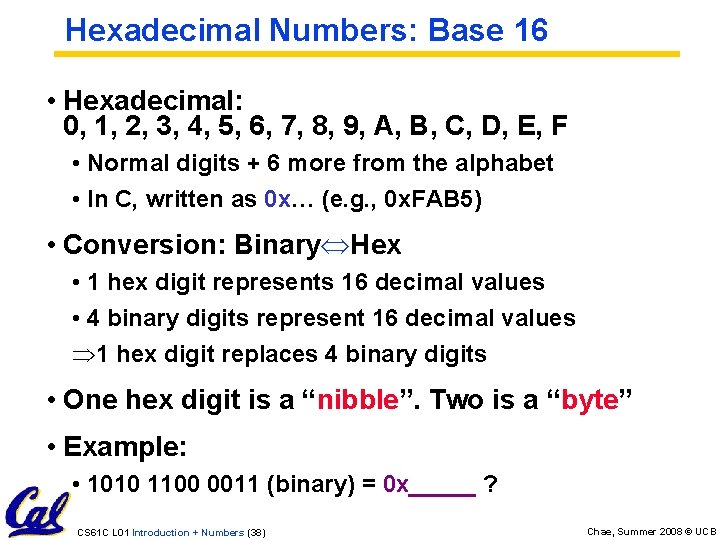
Hexadecimal Numbers: Base 16 • Hexadecimal: 0, 1, 2, 3, 4, 5, 6, 7, 8, 9, A, B, C, D, E, F • Normal digits + 6 more from the alphabet • In C, written as 0 x… (e. g. , 0 x. FAB 5) • Conversion: Binary Hex • 1 hex digit represents 16 decimal values • 4 binary digits represent 16 decimal values Þ 1 hex digit replaces 4 binary digits • One hex digit is a “nibble”. Two is a “byte” • Example: • 1010 1100 0011 (binary) = 0 x_____ ? CS 61 C L 01 Introduction + Numbers (38) Chae, Summer 2008 © UCB
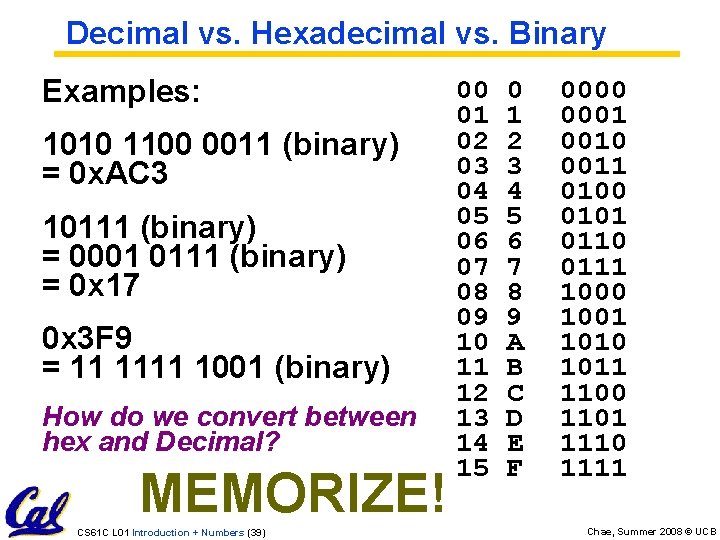
Decimal vs. Hexadecimal vs. Binary Examples: 1010 1100 0011 (binary) = 0 x. AC 3 10111 (binary) = 0001 0111 (binary) = 0 x 17 0 x 3 F 9 = 11 1111 1001 (binary) How do we convert between hex and Decimal? MEMORIZE! CS 61 C L 01 Introduction + Numbers (39) 00 01 02 03 04 05 06 07 08 09 10 11 12 13 14 15 0 1 2 3 4 5 6 7 8 9 A B C D E F 0000 0001 0010 0011 0100 0101 0110 0111 1000 1001 1010 1011 1100 1101 1110 1111 Chae, Summer 2008 © UCB
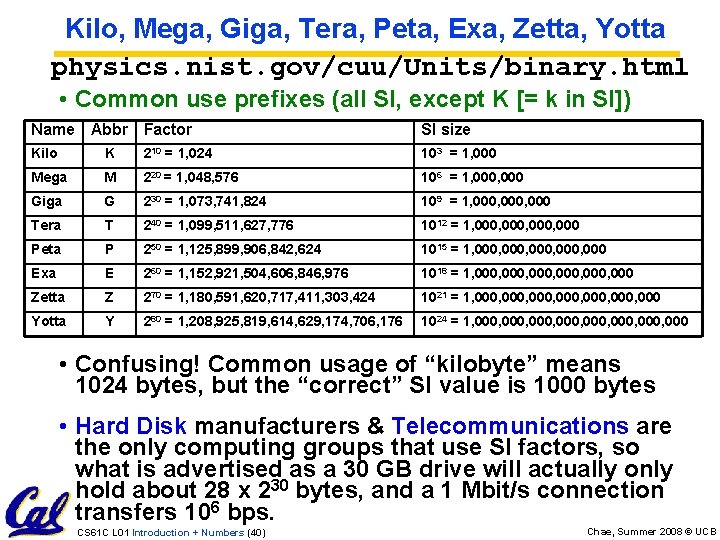
Kilo, Mega, Giga, Tera, Peta, Exa, Zetta, Yotta physics. nist. gov/cuu/Units/binary. html • Common use prefixes (all SI, except K [= k in SI]) Name Abbr Factor SI size Kilo K 210 = 1, 024 103 = 1, 000 Mega M 220 = 1, 048, 576 106 = 1, 000 Giga G 230 = 1, 073, 741, 824 109 = 1, 000, 000 Tera T 240 = 1, 099, 511, 627, 776 1012 = 1, 000, 000 Peta P 250 = 1, 125, 899, 906, 842, 624 1015 = 1, 000, 000 Exa E 260 = 1, 152, 921, 504, 606, 846, 976 1018 = 1, 000, 000 Zetta Z 270 = 1, 180, 591, 620, 717, 411, 303, 424 1021 = 1, 000, 000, 000 Yotta Y 280 = 1, 208, 925, 819, 614, 629, 174, 706, 176 1024 = 1, 000, 000, 000 • Confusing! Common usage of “kilobyte” means 1024 bytes, but the “correct” SI value is 1000 bytes • Hard Disk manufacturers & Telecommunications are the only computing groups that use SI factors, so what is advertised as a 30 GB drive will actually only hold about 28 x 230 bytes, and a 1 Mbit/s connection transfers 106 bps. CS 61 C L 01 Introduction + Numbers (40) Chae, Summer 2008 © UCB
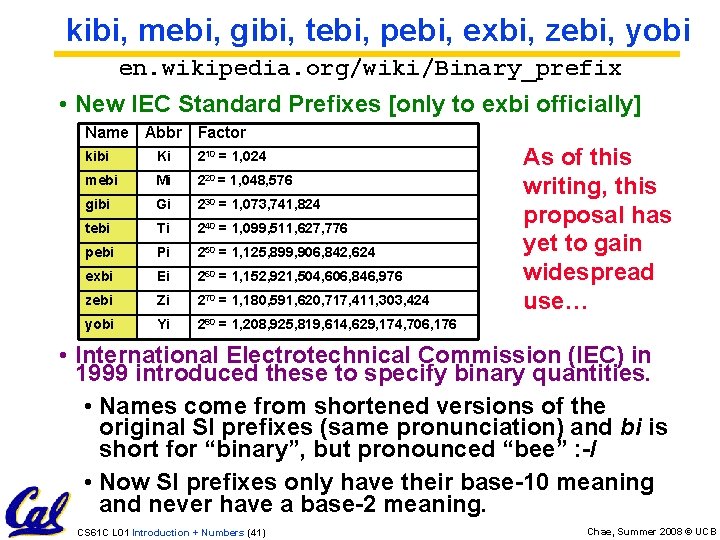
kibi, mebi, gibi, tebi, pebi, exbi, zebi, yobi en. wikipedia. org/wiki/Binary_prefix • New IEC Standard Prefixes [only to exbi officially] Name Abbr Factor kibi Ki 210 = 1, 024 mebi Mi 220 = 1, 048, 576 gibi Gi 230 = 1, 073, 741, 824 tebi Ti 240 = 1, 099, 511, 627, 776 pebi Pi 250 = 1, 125, 899, 906, 842, 624 exbi Ei 260 = 1, 152, 921, 504, 606, 846, 976 zebi Zi 270 = 1, 180, 591, 620, 717, 411, 303, 424 yobi Yi 280 = 1, 208, 925, 819, 614, 629, 174, 706, 176 As of this writing, this proposal has yet to gain widespread use… • International Electrotechnical Commission (IEC) in 1999 introduced these to specify binary quantities. • Names come from shortened versions of the original SI prefixes (same pronunciation) and bi is short for “binary”, but pronounced “bee” : -/ • Now SI prefixes only have their base-10 meaning and never have a base-2 meaning. CS 61 C L 01 Introduction + Numbers (41) Chae, Summer 2008 © UCB
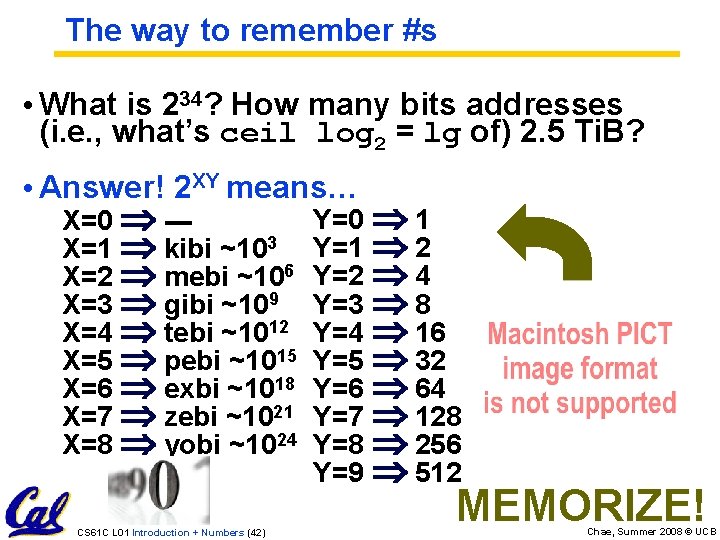
The way to remember #s • What is 234? How many bits addresses (i. e. , what’s ceil log 2 = lg of) 2. 5 Ti. B? • Answer! 2 XY means… X=0 --X=1 kibi ~103 X=2 mebi ~106 X=3 gibi ~109 X=4 tebi ~1012 X=5 pebi ~1015 X=6 exbi ~1018 X=7 zebi ~1021 X=8 yobi ~1024 CS 61 C L 01 Introduction + Numbers (42) Y=0 1 Y=1 2 Y=2 4 Y=3 8 Y=4 16 Y=5 32 Y=6 64 Y=7 128 Y=8 256 Y=9 512 MEMORIZE! Chae, Summer 2008 © UCB
![A few mnemonics • Kirby Messed Gigglypuff Terribly, (then) Perfectly Exterminated Zelda and Yoshi[CB]](http://slidetodoc.com/presentation_image_h2/059119f78386cd6455123fc0c29d562e/image-43.jpg "A few mnemonics • Kirby Messed Gigglypuff Terribly, (then) Perfectly Exterminated Zelda and Yoshi[CB]")
A few mnemonics • Kirby Messed Gigglypuff Terribly, (then) Perfectly Exterminated Zelda and Yoshi[CB] • Kissing mediocre {girls, guys} teaches people (to) expect zero (from) you [MT] • Try to think of your own • It’s a great way to learn the material • Email me your own and we will present the best in lecture. CS 61 C L 01 Introduction + Numbers (43) Chae, Summer 2008 © UCB
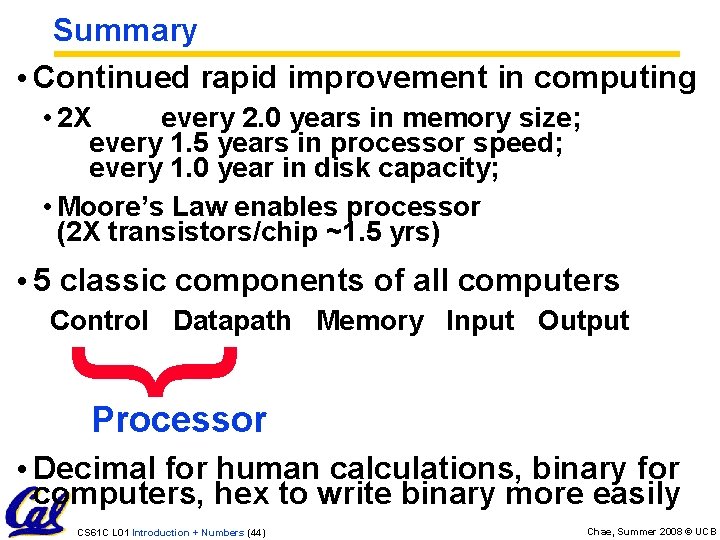
Summary • Continued rapid improvement in computing • 2 X every 2. 0 years in memory size; every 1. 5 years in processor speed; every 1. 0 year in disk capacity; • Moore’s Law enables processor (2 X transistors/chip ~1. 5 yrs) • 5 classic components of all computers Control Datapath Memory Input Output } Processor • Decimal for human calculations, binary for computers, hex to write binary more easily CS 61 C L 01 Introduction + Numbers (44) Chae, Summer 2008 © UCB
- Slides: 44