
inst eecs berkeley educs 61 c CS 61
inst. eecs. berkeley. edu/~cs 61 c CS 61 C : Machine Structures Lecture 40 – I/O Networks 2004 -04 -30 Lecturer PSOE Dan Garcia www. cs. berkeley. edu/~ddgarcia PRS! New York Times highlights the benefits of PRS devices in classrooms across US! www. nytimes. com/2004/04/29/technology/circuits/29 hand. html CS 61 C L 40 I/O Networks (1) Garcia, Spring 2004 © UCB
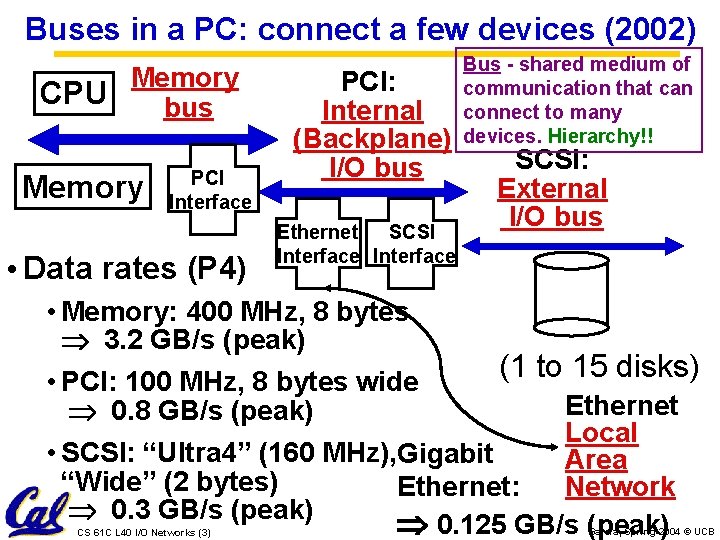
Buses in a PC: connect a few devices (2002) Memory CPU bus Memory PCI Interface • Data rates (P 4) PCI: Internal (Backplane) I/O bus Ethernet SCSI Interface Bus - shared medium of communication that can connect to many devices. Hierarchy!! SCSI: External I/O bus • Memory: 400 MHz, 8 bytes 3. 2 GB/s (peak) (1 to 15 disks) • PCI: 100 MHz, 8 bytes wide Ethernet 0. 8 GB/s (peak) Local • SCSI: “Ultra 4” (160 MHz), Gigabit Area “Wide” (2 bytes) Network Ethernet: 0. 3 GB/s (peak) 0. 125 GB/s (peak) CS 61 C L 40 I/O Networks (3) Garcia, Spring 2004 © UCB
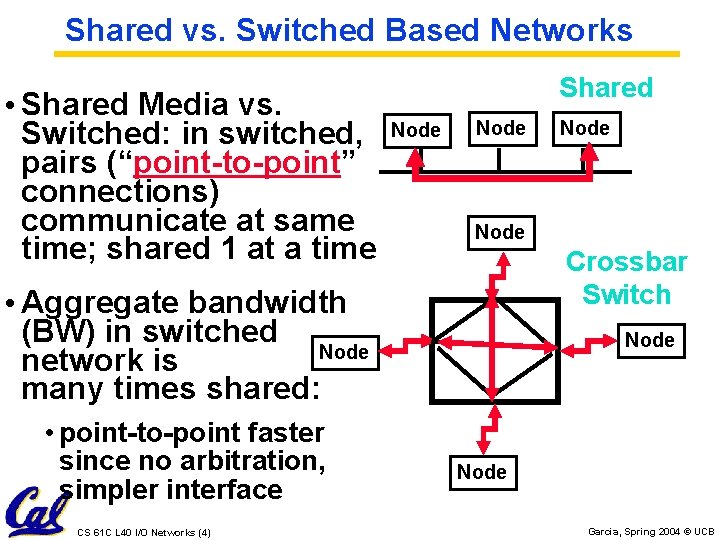
Shared vs. Switched Based Networks • Shared Media vs. Switched: in switched, pairs (“point-to-point” connections) communicate at same time; shared 1 at a time Shared Node Crossbar Switch • Aggregate bandwidth (BW) in switched Node network is many times shared: • point-to-point faster since no arbitration, simpler interface CS 61 C L 40 I/O Networks (4) Node Garcia, Spring 2004 © UCB
Why Networks? • Originally sharing I/O devices between computers (e. g. , printers) • Then Communicating between computers (e. g, file transfer protocol) • Then Communicating between people (e. g. , email) • Then Communicating between networks of computers File sharing, WWW, … CS 61 C L 40 I/O Networks (5) Garcia, Spring 2004 © UCB
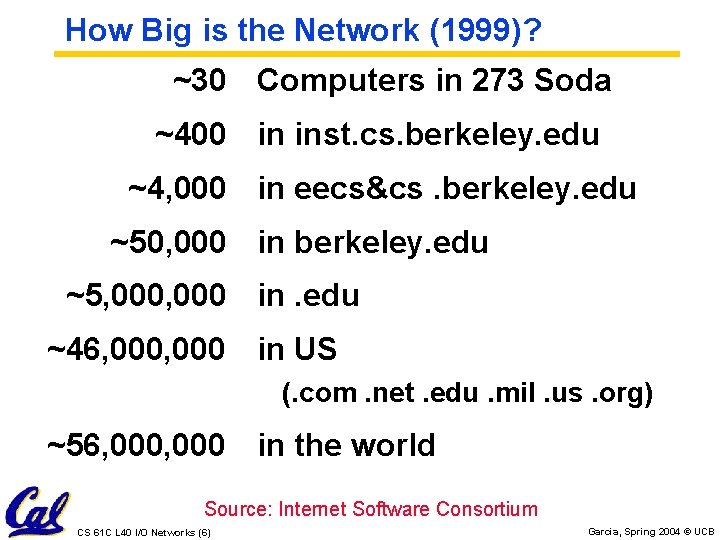
How Big is the Network (1999)? ~30 Computers in 273 Soda ~400 in inst. cs. berkeley. edu ~4, 000 in eecs&cs. berkeley. edu ~50, 000 in berkeley. edu ~5, 000 in. edu ~46, 000 in US (. com. net. edu. mil. us. org) ~56, 000 in the world Source: Internet Software Consortium CS 61 C L 40 I/O Networks (6) Garcia, Spring 2004 © UCB
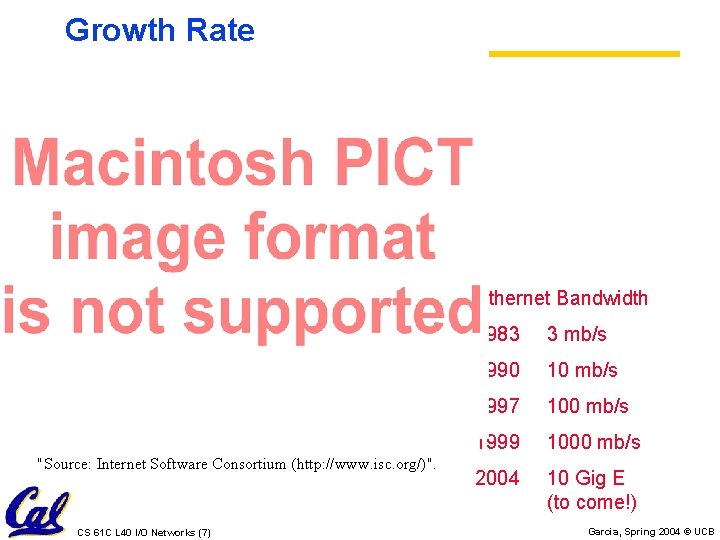
Growth Rate Ethernet Bandwidth "Source: Internet Software Consortium (http: //www. isc. org/)". CS 61 C L 40 I/O Networks (7) 1983 3 mb/s 1990 10 mb/s 1997 100 mb/s 1999 1000 mb/s 2004 10 Gig E (to come!) Garcia, Spring 2004 © UCB

What makes networks work? • links connecting switches to each other and to computers or devices Computer switch network interface switch • ability to name the components and to route packets of information messages - from a source to a destination • Layering, protocols, and encapsulation as means of abstraction (61 C big idea) CS 61 C L 40 I/O Networks (8) Garcia, Spring 2004 © UCB
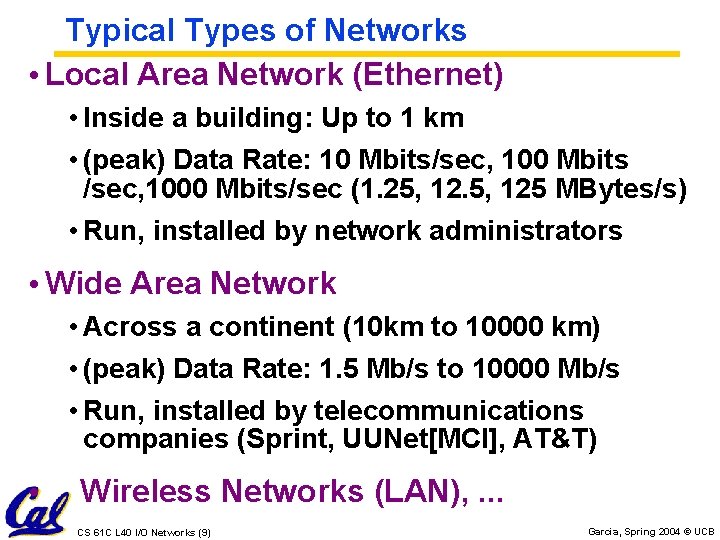
Typical Types of Networks • Local Area Network (Ethernet) • Inside a building: Up to 1 km • (peak) Data Rate: 10 Mbits/sec, 100 Mbits /sec, 1000 Mbits/sec (1. 25, 125 MBytes/s) • Run, installed by network administrators • Wide Area Network • Across a continent (10 km to 10000 km) • (peak) Data Rate: 1. 5 Mb/s to 10000 Mb/s • Run, installed by telecommunications companies (Sprint, UUNet[MCI], AT&T) • Wireless Networks (LAN), . . . CS 61 C L 40 I/O Networks (9) Garcia, Spring 2004 © UCB
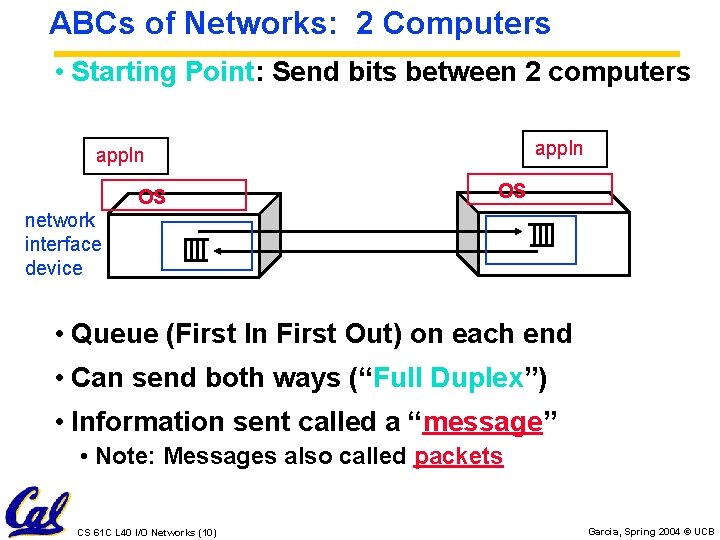
ABCs of Networks: 2 Computers • Starting Point: Send bits between 2 computers appln OS OS network interface device • Queue (First In First Out) on each end • Can send both ways (“Full Duplex”) • Information sent called a “message” • Note: Messages also called packets CS 61 C L 40 I/O Networks (10) Garcia, Spring 2004 © UCB
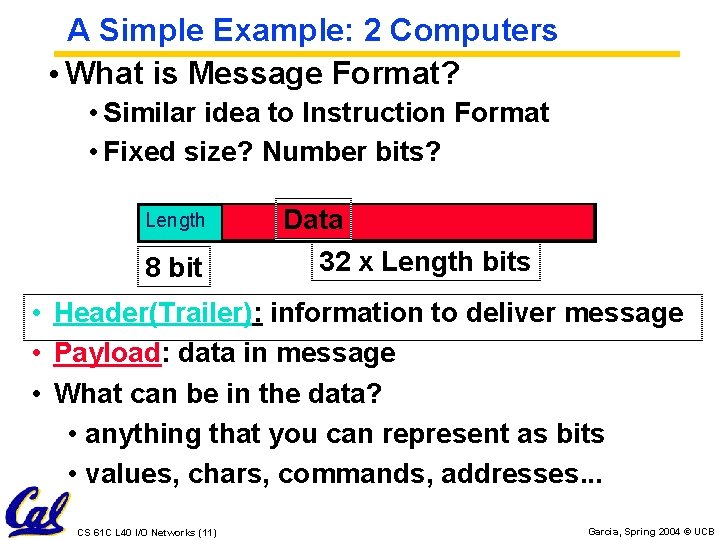
A Simple Example: 2 Computers • What is Message Format? • Similar idea to Instruction Format • Fixed size? Number bits? Length 8 bit Data 32 x Length bits • Header(Trailer): information to deliver message • Payload: data in message • What can be in the data? • anything that you can represent as bits • values, chars, commands, addresses. . . CS 61 C L 40 I/O Networks (11) Garcia, Spring 2004 © UCB
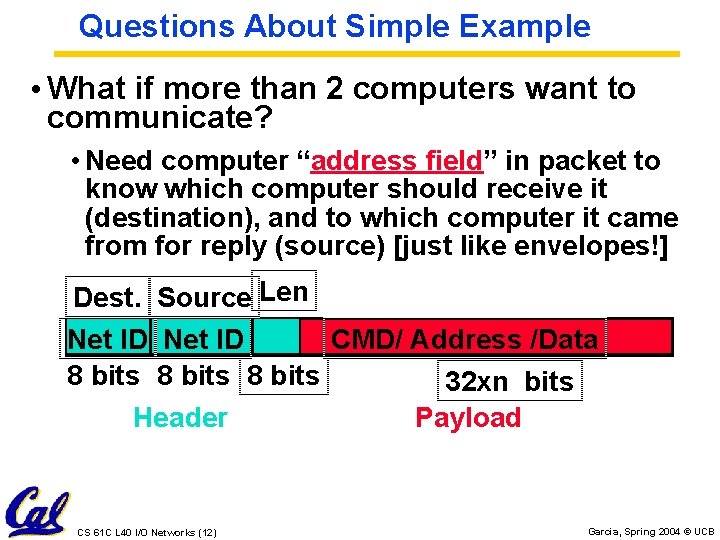
Questions About Simple Example • What if more than 2 computers want to communicate? • Need computer “address field” in packet to know which computer should receive it (destination), and to which computer it came from for reply (source) [just like envelopes!] Dest. Source Len Net ID CMD/ Address /Data 8 bits 32 xn bits Header Payload CS 61 C L 40 I/O Networks (12) Garcia, Spring 2004 © UCB
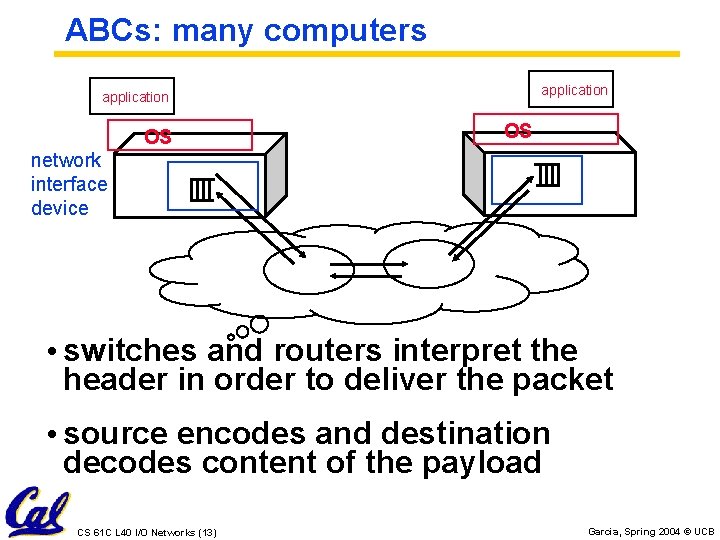
ABCs: many computers application OS OS network interface device • switches and routers interpret the header in order to deliver the packet • source encodes and destination decodes content of the payload CS 61 C L 40 I/O Networks (13) Garcia, Spring 2004 © UCB
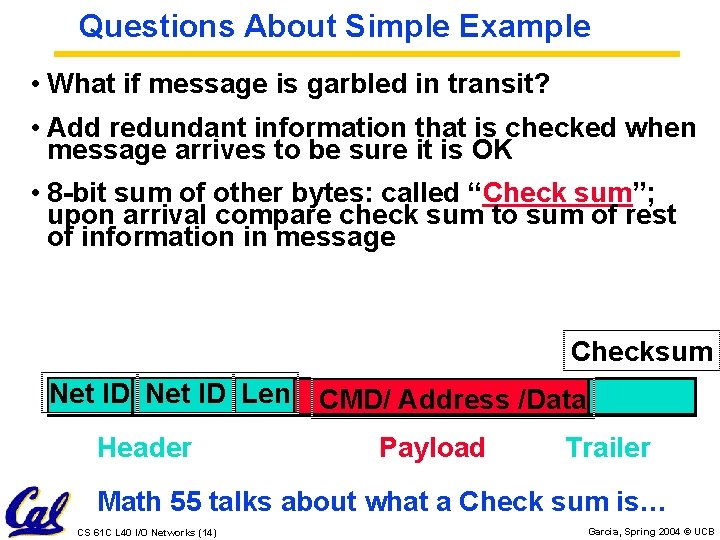
Questions About Simple Example • What if message is garbled in transit? • Add redundant information that is checked when message arrives to be sure it is OK • 8 -bit sum of other bytes: called “Check sum”; upon arrival compare check sum to sum of rest of information in message Checksum Net ID Len Header CMD/ Address /Data Payload Trailer Math 55 talks about what a Check sum is… CS 61 C L 40 I/O Networks (14) Garcia, Spring 2004 © UCB
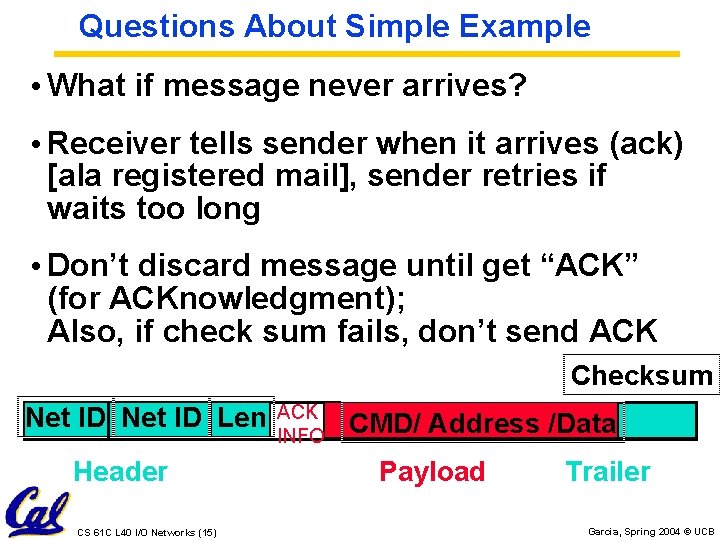
Questions About Simple Example • What if message never arrives? • Receiver tells sender when it arrives (ack) [ala registered mail], sender retries if waits too long • Don’t discard message until get “ACK” (for ACKnowledgment); Also, if check sum fails, don’t send ACK Checksum Net ID Len Header CS 61 C L 40 I/O Networks (15) ACK INFO CMD/ Address /Data Payload Trailer Garcia, Spring 2004 © UCB
Observations About Simple Example • Simple questions such as those above lead to more complex procedures to send/receive message and more complex message formats • Protocol: algorithm for properly sending and receiving messages (packets) CS 61 C L 40 I/O Networks (16) Garcia, Spring 2004 © UCB
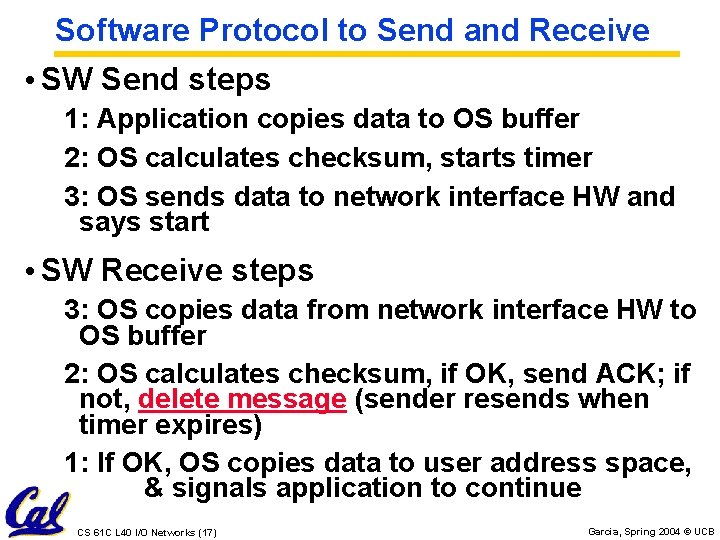
Software Protocol to Send and Receive • SW Send steps 1: Application copies data to OS buffer 2: OS calculates checksum, starts timer 3: OS sends data to network interface HW and says start • SW Receive steps 3: OS copies data from network interface HW to OS buffer 2: OS calculates checksum, if OK, send ACK; if not, delete message (sender resends when timer expires) 1: If OK, OS copies data to user address space, & signals application to continue CS 61 C L 40 I/O Networks (17) Garcia, Spring 2004 © UCB
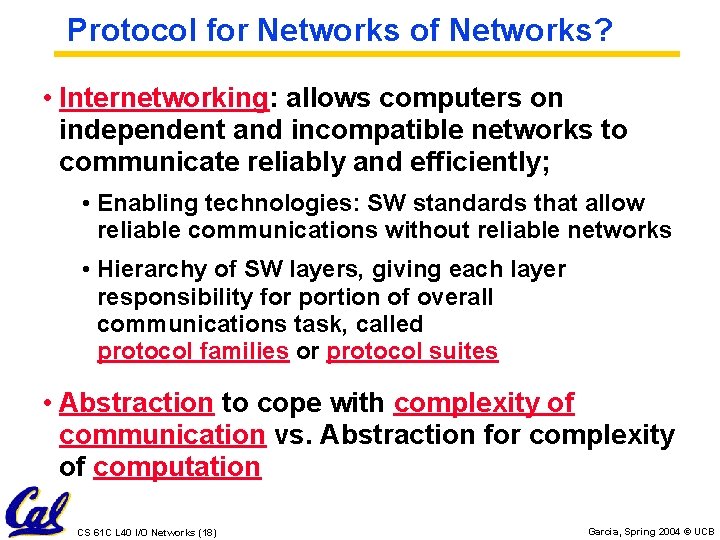
Protocol for Networks of Networks? • Internetworking: allows computers on independent and incompatible networks to communicate reliably and efficiently; • Enabling technologies: SW standards that allow reliable communications without reliable networks • Hierarchy of SW layers, giving each layer responsibility for portion of overall communications task, called protocol families or protocol suites • Abstraction to cope with complexity of communication vs. Abstraction for complexity of computation CS 61 C L 40 I/O Networks (18) Garcia, Spring 2004 © UCB
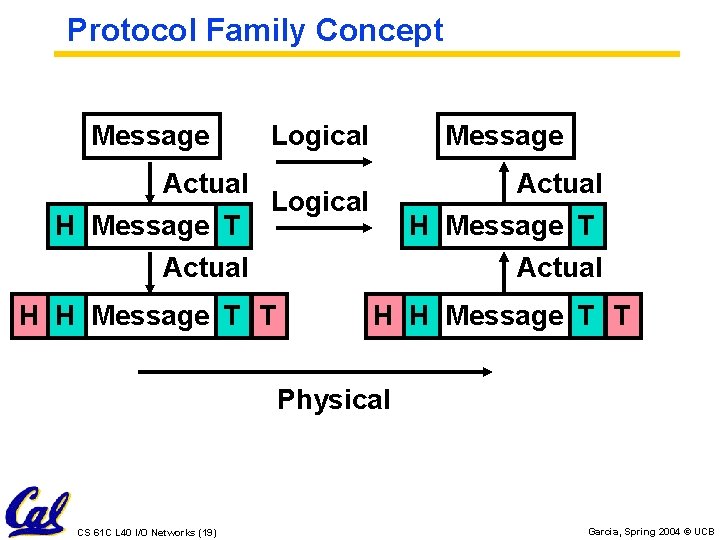
Protocol Family Concept Message Logical Message Actual Logical H Message T Actual H H Message T T Actual H Message T Actual H H Message T T Physical CS 61 C L 40 I/O Networks (19) Garcia, Spring 2004 © UCB
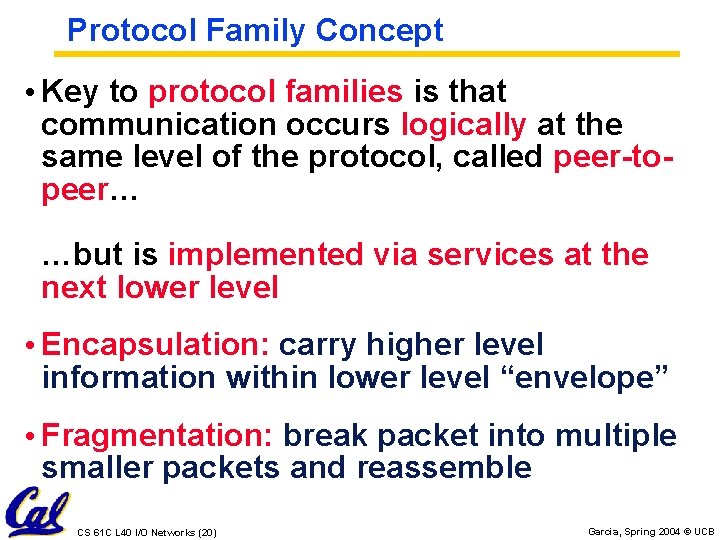
Protocol Family Concept • Key to protocol families is that communication occurs logically at the same level of the protocol, called peer-topeer… …but is implemented via services at the next lower level • Encapsulation: carry higher level information within lower level “envelope” • Fragmentation: break packet into multiple smaller packets and reassemble CS 61 C L 40 I/O Networks (20) Garcia, Spring 2004 © UCB
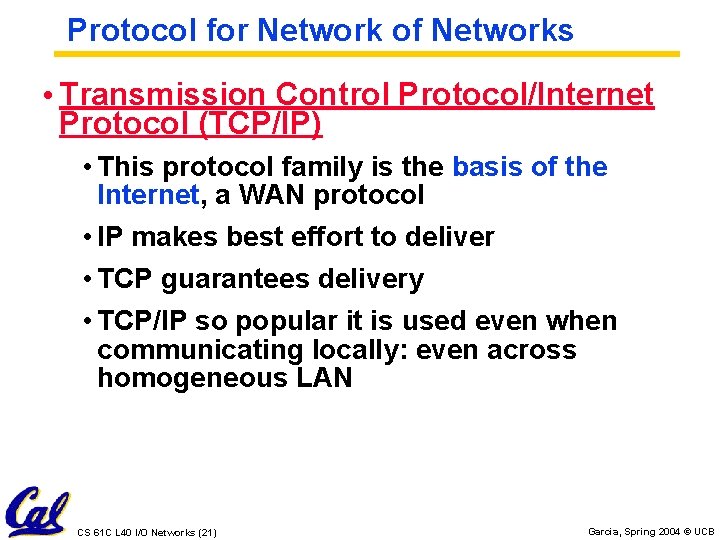
Protocol for Network of Networks • Transmission Control Protocol/Internet Protocol (TCP/IP) • This protocol family is the basis of the Internet, a WAN protocol • IP makes best effort to deliver • TCP guarantees delivery • TCP/IP so popular it is used even when communicating locally: even across homogeneous LAN CS 61 C L 40 I/O Networks (21) Garcia, Spring 2004 © UCB
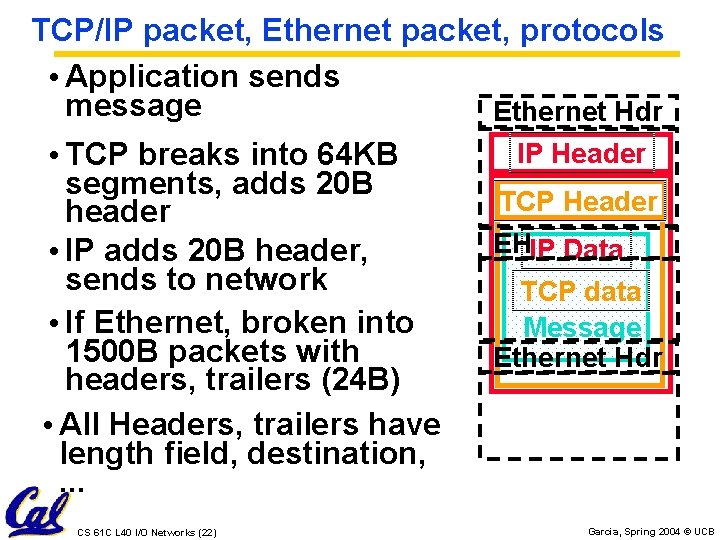
TCP/IP packet, Ethernet packet, protocols • Application sends message Ethernet Hdr • TCP breaks into 64 KB segments, adds 20 B header • IP adds 20 B header, sends to network • If Ethernet, broken into 1500 B packets with headers, trailers (24 B) • All Headers, trailers have length field, destination, . . . CS 61 C L 40 I/O Networks (22) IP Header TCP Header EHIP Data TCP data Message Ethernet Hdr Garcia, Spring 2004 © UCB
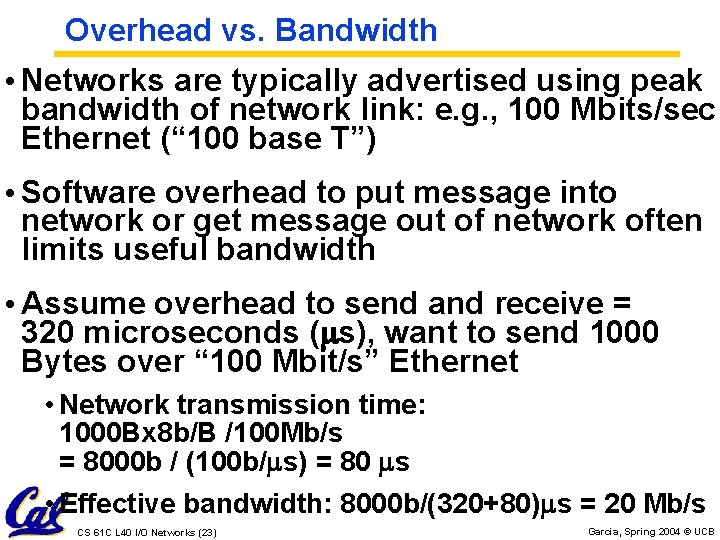
Overhead vs. Bandwidth • Networks are typically advertised using peak bandwidth of network link: e. g. , 100 Mbits/sec Ethernet (“ 100 base T”) • Software overhead to put message into network or get message out of network often limits useful bandwidth • Assume overhead to send and receive = 320 microseconds (ms), want to send 1000 Bytes over “ 100 Mbit/s” Ethernet • Network transmission time: 1000 Bx 8 b/B /100 Mb/s = 8000 b / (100 b/ms) = 80 ms • Effective bandwidth: 8000 b/(320+80)ms = 20 Mb/s CS 61 C L 40 I/O Networks (23) Garcia, Spring 2004 © UCB
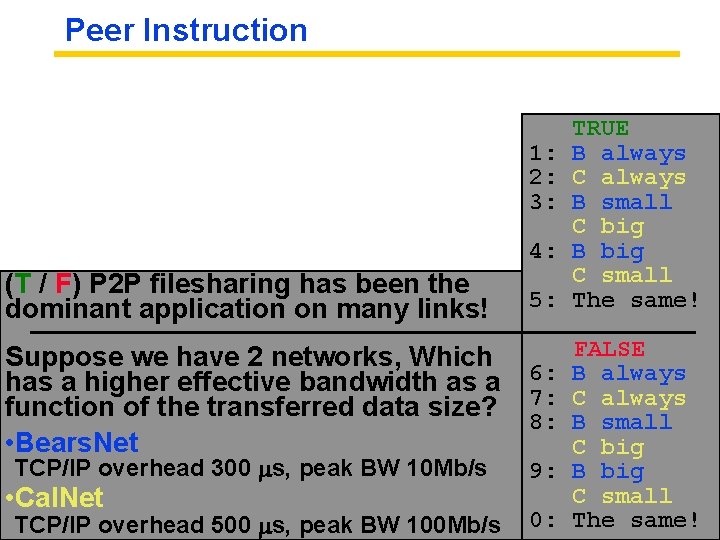
Peer Instruction 1: 2: 3: 4: (T / F) P 2 P filesharing has been the dominant application on many links! Suppose we have 2 networks, Which has a higher effective bandwidth as a function of the transferred data size? • Bears. Net TCP/IP overhead 300 ms, peak BW 10 Mb/s • Cal. Net TCP/IP overhead CS 61 C L 40 I/O Networks (24)500 ms, peak BW 100 Mb/s 5: 6: 7: 8: 9: 0: TRUE B always C always B small C big B big C small The same! FALSE B always C always B small C big B big C small The same! Garcia, Spring 2004 © UCB
And in conclusion… • Protocol suites allow heterogeneous networking • Another form of principle of abstraction • Protocols operation in presence of failures • Standardization key for LAN, WAN • Integrated circuit (“Moore’s Law”) revolutionizing network switches as well as processors • Switch just a specialized computer • Trend from shared to switched networks to get faster links and scalable bandwidth CS 61 C L 40 I/O Networks (25) Garcia, Spring 2004 © UCB
- Slides: 24