
inst eecs berkeley educs 61 c CS 61
inst. eecs. berkeley. edu/~cs 61 c CS 61 C : Machine Structures Lecture 40 – I/O Disks 2004 -05 -03 Lecturer PSOE Dan Garcia www. cs. berkeley. edu/~ddgarcia Yankees v As 3 -game series starts Tuesday CS 61 C L 41 I/O Disks (1) Garcia, Spring 2004 © UCB
Review • Protocol suites allow heterogeneous networking • Another form of principle of abstraction • Protocols operation in presence of failures • Standardization key for LAN, WAN • Integrated circuit (“Moore’s Law”) revolutionizing network switches as well as processors • Switch just a specialized computer • Trend from shared to switched networks to get faster links and scalable bandwidth CS 61 C L 41 I/O Disks (2) Garcia, Spring 2004 © UCB
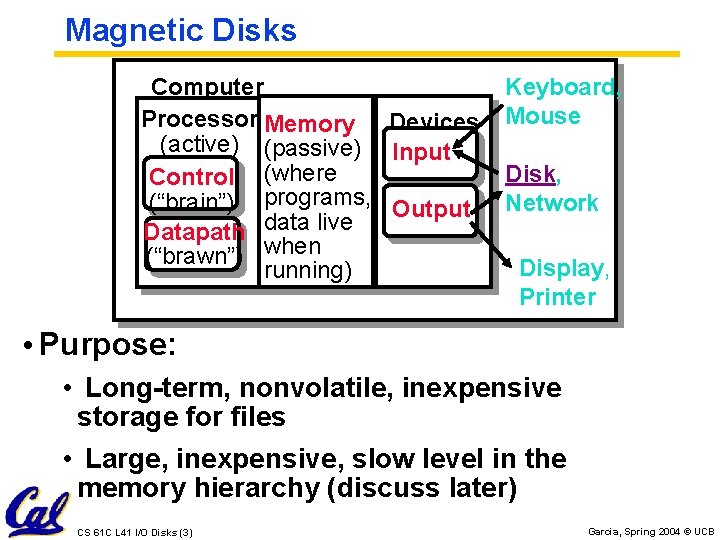
Magnetic Disks Computer Processor Memory Devices (active) (passive) Input Control (where (“brain”) programs, Output Datapath data live (“brawn”) when running) Keyboard, Mouse Disk, Network Display, Printer • Purpose: • Long-term, nonvolatile, inexpensive storage for files • Large, inexpensive, slow level in the memory hierarchy (discuss later) CS 61 C L 41 I/O Disks (3) Garcia, Spring 2004 © UCB
Photo of Disk Head, Arm, Actuator Spindle Arm Head CS 61 C L 41 I/O Disks (4) { Actuator Platters (12) Garcia, Spring 2004 © UCB

Disk Device Terminology Arm Head Actuator Sector Inner Outer Track Platter • Several platters, with information recorded magnetically on both surfaces (usually) • Bits recorded in tracks, which in turn divided into sectors (e. g. , 512 Bytes) • Actuator moves head (end of arm) over track (“seek”), wait for sector rotate under head, then read or write CS 61 C L 41 I/O Disks (5) Garcia, Spring 2004 © UCB
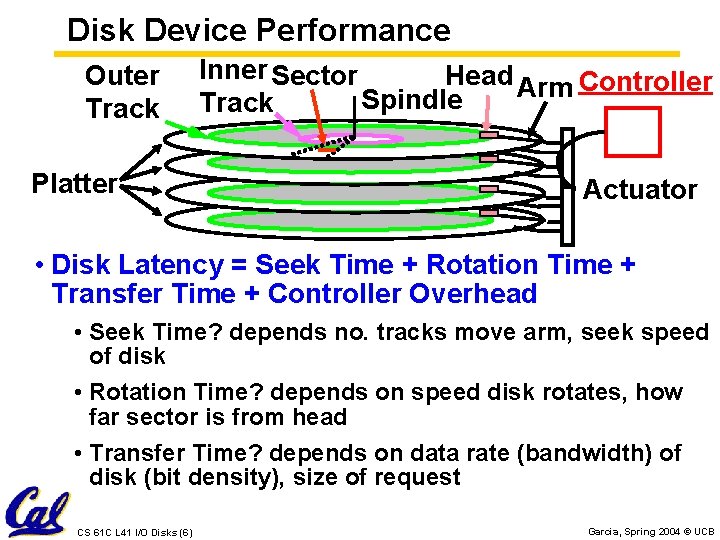
Disk Device Performance Outer Track Platter Inner Sector Head Arm Controller Spindle Track Actuator • Disk Latency = Seek Time + Rotation Time + Transfer Time + Controller Overhead • Seek Time? depends no. tracks move arm, seek speed of disk • Rotation Time? depends on speed disk rotates, how far sector is from head • Transfer Time? depends on data rate (bandwidth) of disk (bit density), size of request CS 61 C L 41 I/O Disks (6) Garcia, Spring 2004 © UCB
Data Rate: Inner vs. Outer Tracks • To keep things simple, originally same # of sectors/track • Since outer track longer, lower bits per inch • Competition decided to keep bits/inch (BPI) high for all tracks (“constant bit density”) • More capacity per disk • More sectors per track towards edge • Since disk spins at constant speed, outer tracks have faster data rate • Bandwidth outer track 1. 7 X inner track! CS 61 C L 41 I/O Disks (7) Garcia, Spring 2004 © UCB
Disk Performance Model /Trends • Capacity : + 100% / year (2 X / 1. 0 yrs) Over time, grown so fast that # of platters has reduced (some even use only 1 now!) • Transfer rate (BW) : + 40%/yr (2 X / 2 yrs) • Rotation+Seek time : – 8%/yr (1/2 in 10 yrs) • Areal Density • Bits recorded along a track: Bits/Inch (BPI) • # of tracks per surface: Tracks/Inch (TPI) • We care about bit density per unit area Bits/Inch 2 • Called Areal Density = BPI x TPI • MB/$: > 100%/year (2 X / 1. 0 yrs) • Fewer chips + areal density CS 61 C L 41 I/O Disks (8) Garcia, Spring 2004 © UCB
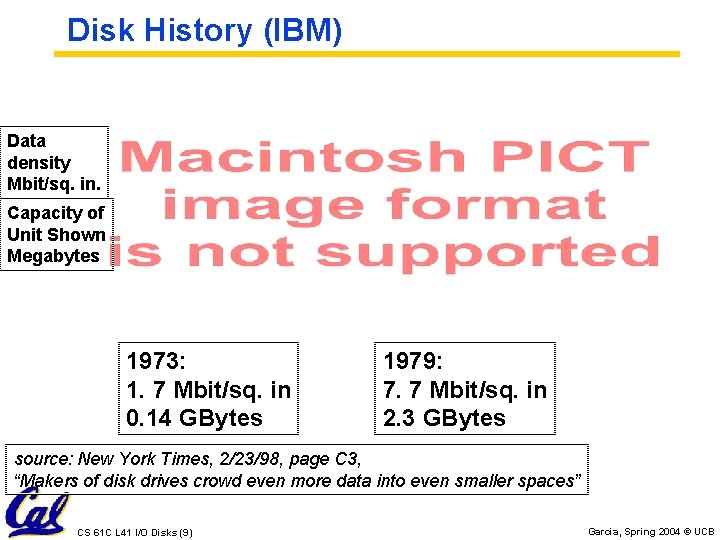
Disk History (IBM) Data density Mbit/sq. in. Capacity of Unit Shown Megabytes 1973: 1. 7 Mbit/sq. in 0. 14 GBytes 1979: 7. 7 Mbit/sq. in 2. 3 GBytes source: New York Times, 2/23/98, page C 3, “Makers of disk drives crowd even more data into even smaller spaces” CS 61 C L 41 I/O Disks (9) Garcia, Spring 2004 © UCB
Disk History 1989: 63 Mbit/sq. in 60 GBytes 1997: 1450 Mbit/sq. in 2. 3 GBytes 1997: 3090 Mbit/sq. in 8. 1 GBytes source: New York Times, 2/23/98, page C 3, “Makers of disk drives crowd even more data into even smaller spaces” CS 61 C L 41 I/O Disks (10) Garcia, Spring 2004 © UCB
Historical Perspective • Form factor and capacity drives market, more than performance • 1970 s: Mainframes 14" diam. disks • 1980 s: Minicomputers, Servers 8", 5. 25" diam. disks • Late 1980 s/Early 1990 s: • Pizzabox PCs 3. 5 inch diameter disks • Laptops, notebooks 2. 5 inch disks • Palmtops didn’t use disks, so 1. 8 inch diameter disks didn’t make it CS 61 C L 41 I/O Disks (11) Garcia, Spring 2004 © UCB
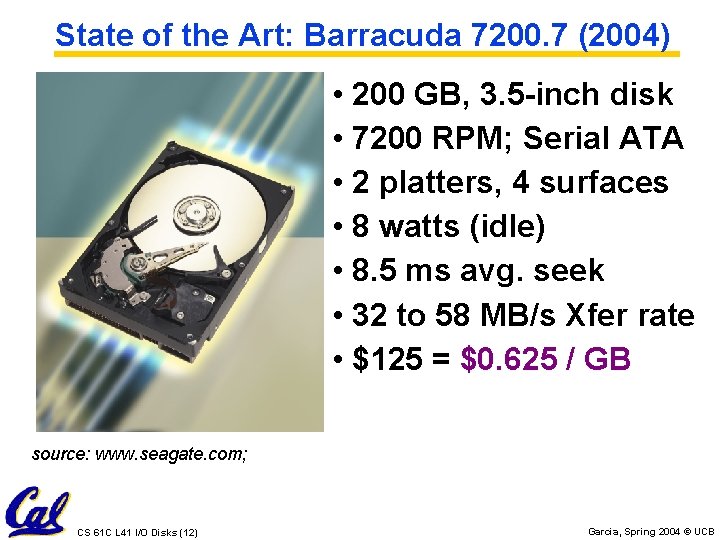
State of the Art: Barracuda 7200. 7 (2004) • 200 GB, 3. 5 -inch disk • 7200 RPM; Serial ATA • 2 platters, 4 surfaces • 8 watts (idle) • 8. 5 ms avg. seek • 32 to 58 MB/s Xfer rate • $125 = $0. 625 / GB source: www. seagate. com; CS 61 C L 41 I/O Disks (12) Garcia, Spring 2004 © UCB
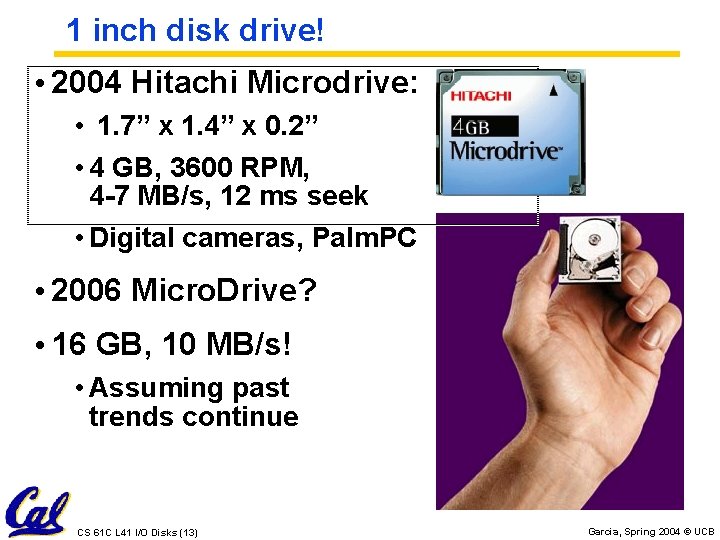
1 inch disk drive! • 2004 Hitachi Microdrive: • 1. 7” x 1. 4” x 0. 2” • 4 GB, 3600 RPM, 4 -7 MB/s, 12 ms seek • Digital cameras, Palm. PC • 2006 Micro. Drive? • 16 GB, 10 MB/s! • Assuming past trends continue CS 61 C L 41 I/O Disks (13) Garcia, Spring 2004 © UCB
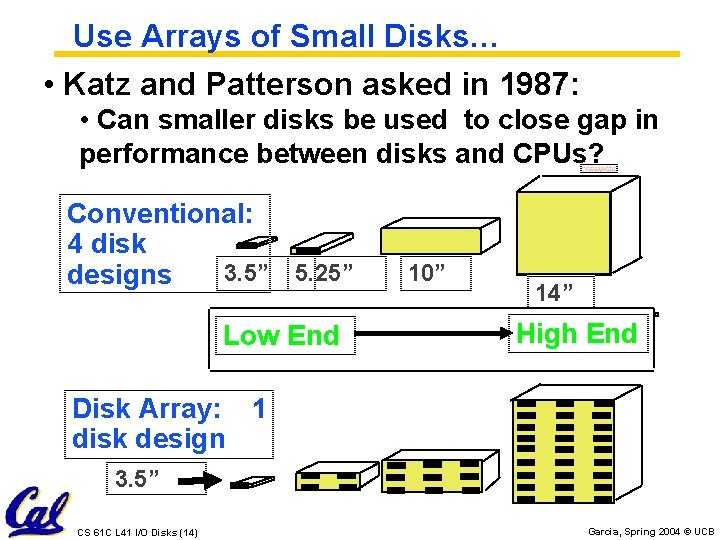
Use Arrays of Small Disks… • Katz and Patterson asked in 1987: • Can smaller disks be used to close gap in performance between disks and CPUs? Conventional: 4 disk 3. 5” 5. 25” designs Low End 10” 14” High End Disk Array: 1 disk design 3. 5” CS 61 C L 41 I/O Disks (14) Garcia, Spring 2004 © UCB
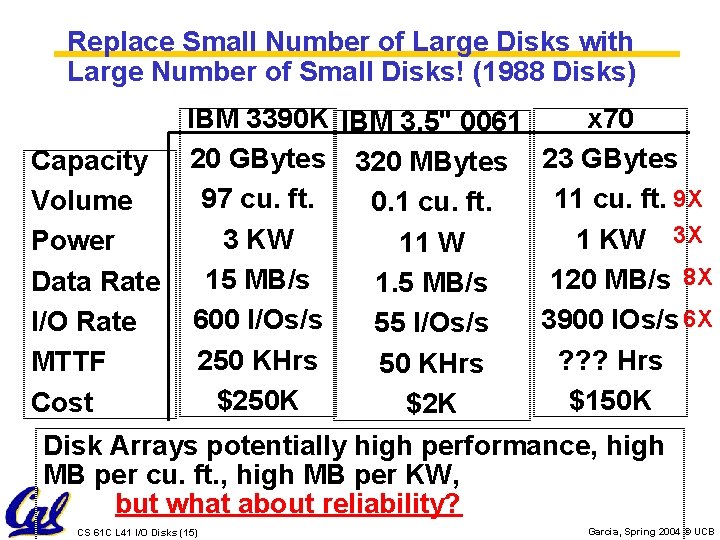
Replace Small Number of Large Disks with Large Number of Small Disks! (1988 Disks) IBM 3390 K IBM 3. 5" 0061 x 70 Capacity 20 GBytes 320 MBytes 23 GBytes 97 cu. ft. 11 cu. ft. 9 X Volume 0. 1 cu. ft. 3 KW 1 KW 3 X Power 11 W 15 MB/s 120 MB/s 8 X Data Rate 1. 5 MB/s 600 I/Os/s 3900 IOs/s 6 X I/O Rate 55 I/Os/s 250 KHrs ? ? ? Hrs MTTF 50 KHrs $250 K $150 K Cost $2 K Disk Arrays potentially high performance, high MB per cu. ft. , high MB per KW, but what about reliability? CS 61 C L 41 I/O Disks (15) Garcia, Spring 2004 © UCB
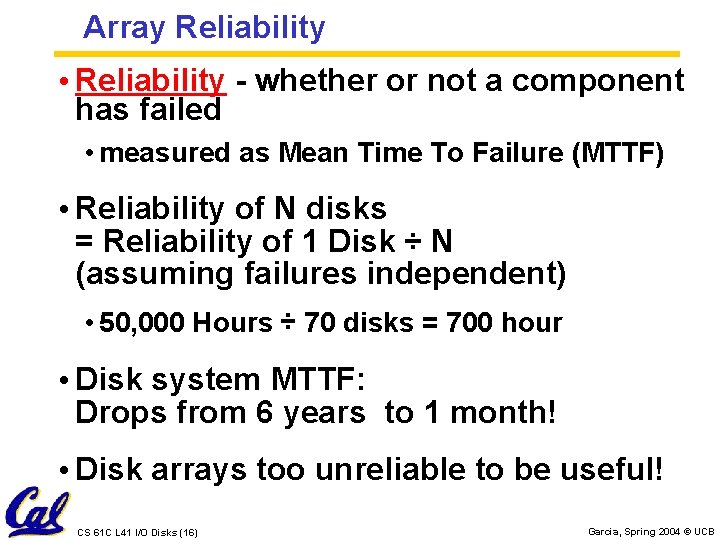
Array Reliability • Reliability - whether or not a component has failed • measured as Mean Time To Failure (MTTF) • Reliability of N disks = Reliability of 1 Disk ÷ N (assuming failures independent) • 50, 000 Hours ÷ 70 disks = 700 hour • Disk system MTTF: Drops from 6 years to 1 month! • Disk arrays too unreliable to be useful! CS 61 C L 41 I/O Disks (16) Garcia, Spring 2004 © UCB
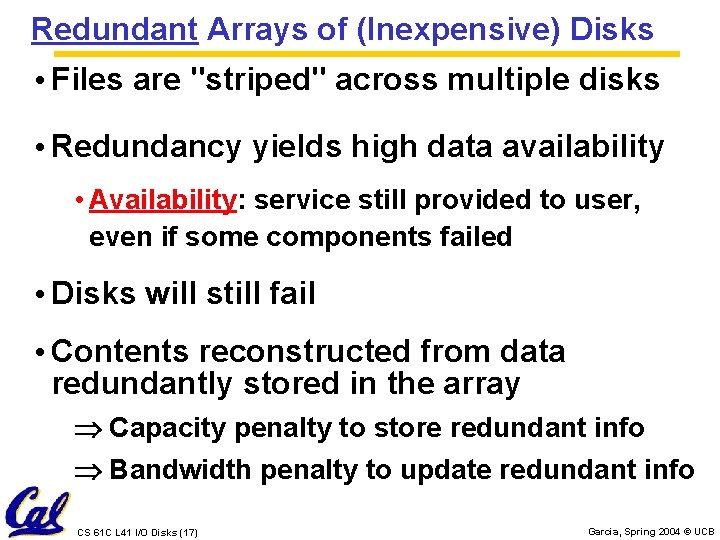
Redundant Arrays of (Inexpensive) Disks • Files are "striped" across multiple disks • Redundancy yields high data availability • Availability: service still provided to user, even if some components failed • Disks will still fail • Contents reconstructed from data redundantly stored in the array Capacity penalty to store redundant info Bandwidth penalty to update redundant info CS 61 C L 41 I/O Disks (17) Garcia, Spring 2004 © UCB
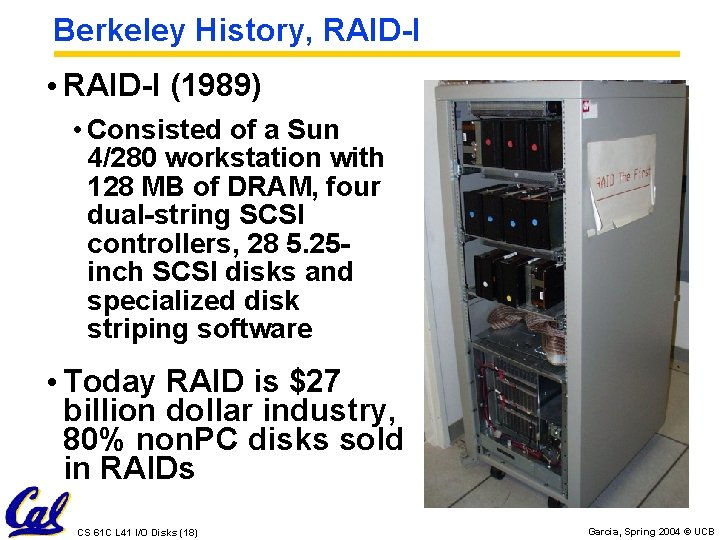
Berkeley History, RAID-I • RAID-I (1989) • Consisted of a Sun 4/280 workstation with 128 MB of DRAM, four dual-string SCSI controllers, 28 5. 25 inch SCSI disks and specialized disk striping software • Today RAID is $27 billion dollar industry, 80% non. PC disks sold in RAIDs CS 61 C L 41 I/O Disks (18) Garcia, Spring 2004 © UCB
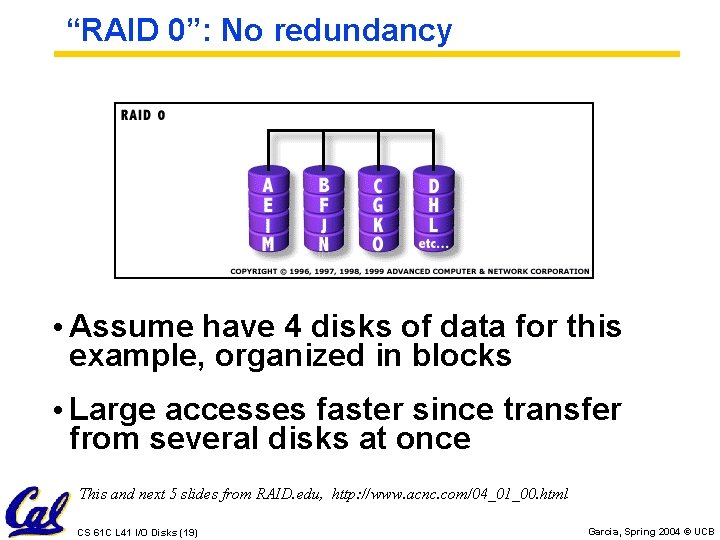
“RAID 0”: No redundancy • Assume have 4 disks of data for this example, organized in blocks • Large accesses faster since transfer from several disks at once This and next 5 slides from RAID. edu, http: //www. acnc. com/04_01_00. html CS 61 C L 41 I/O Disks (19) Garcia, Spring 2004 © UCB
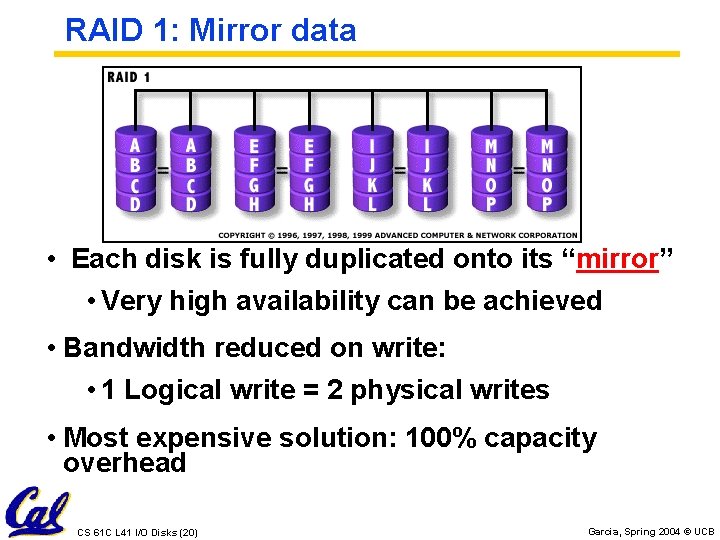
RAID 1: Mirror data • Each disk is fully duplicated onto its “mirror” • Very high availability can be achieved • Bandwidth reduced on write: • 1 Logical write = 2 physical writes • Most expensive solution: 100% capacity overhead CS 61 C L 41 I/O Disks (20) Garcia, Spring 2004 © UCB
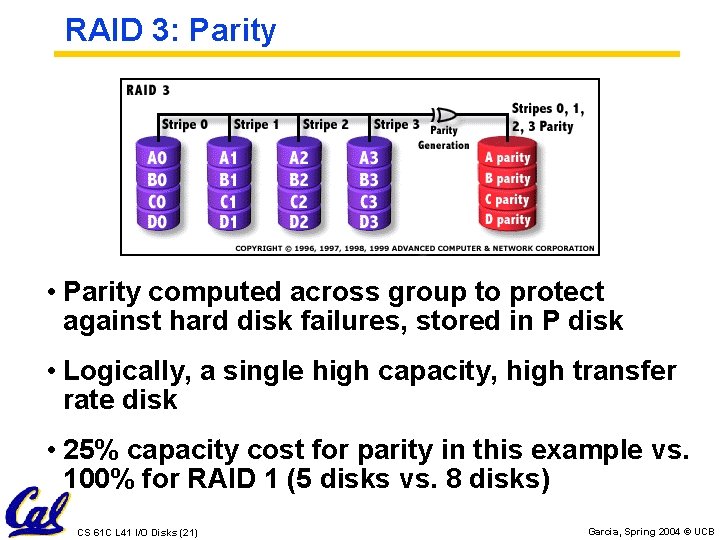
RAID 3: Parity • Parity computed across group to protect against hard disk failures, stored in P disk • Logically, a single high capacity, high transfer rate disk • 25% capacity cost for parity in this example vs. 100% for RAID 1 (5 disks vs. 8 disks) CS 61 C L 41 I/O Disks (21) Garcia, Spring 2004 © UCB
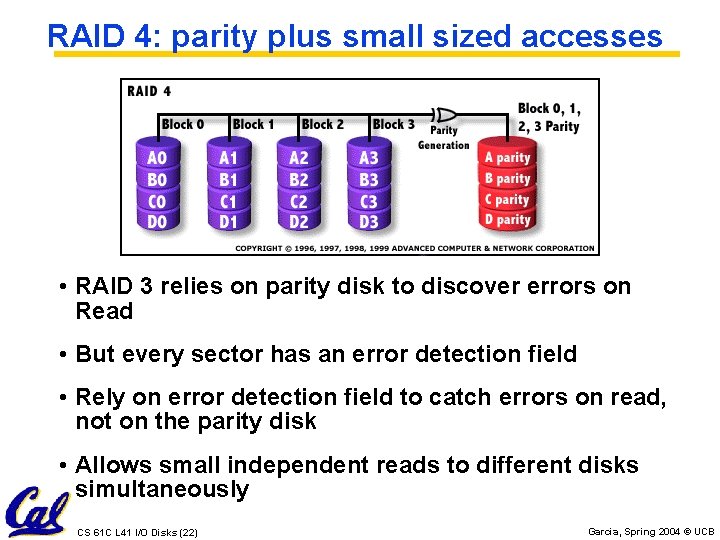
RAID 4: parity plus small sized accesses • RAID 3 relies on parity disk to discover errors on Read • But every sector has an error detection field • Rely on error detection field to catch errors on read, not on the parity disk • Allows small independent reads to different disks simultaneously CS 61 C L 41 I/O Disks (22) Garcia, Spring 2004 © UCB
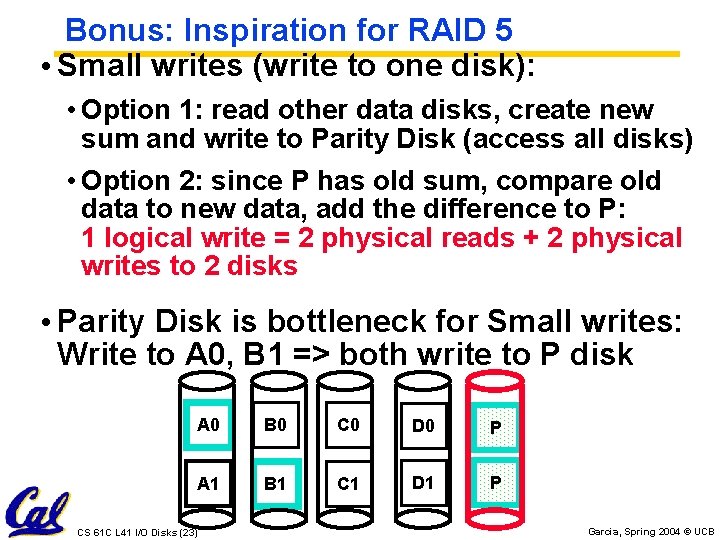
Bonus: Inspiration for RAID 5 • Small writes (write to one disk): • Option 1: read other data disks, create new sum and write to Parity Disk (access all disks) • Option 2: since P has old sum, compare old data to new data, add the difference to P: 1 logical write = 2 physical reads + 2 physical writes to 2 disks • Parity Disk is bottleneck for Small writes: Write to A 0, B 1 => both write to P disk A 0 B 0 C 0 D 0 P A 1 B 1 C 1 D 1 P CS 61 C L 41 I/O Disks (23) Garcia, Spring 2004 © UCB
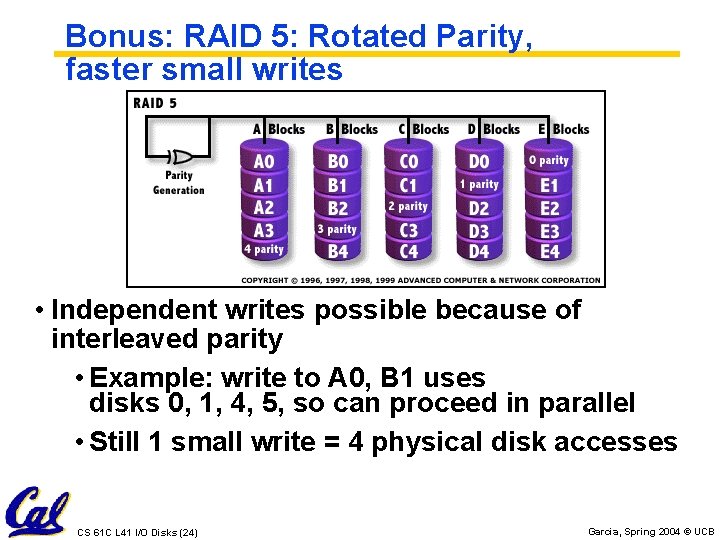
Bonus: RAID 5: Rotated Parity, faster small writes • Independent writes possible because of interleaved parity • Example: write to A 0, B 1 uses disks 0, 1, 4, 5, so can proceed in parallel • Still 1 small write = 4 physical disk accesses CS 61 C L 41 I/O Disks (24) Garcia, Spring 2004 © UCB
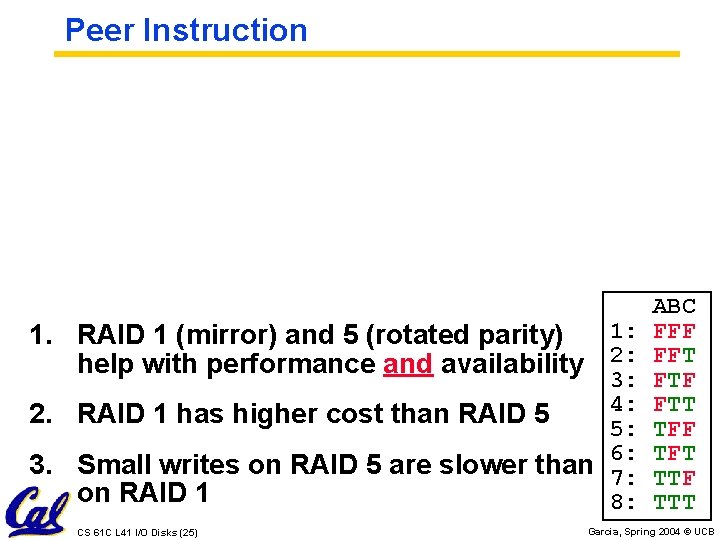
Peer Instruction 1: 1. RAID 1 (mirror) and 5 (rotated parity) help with performance and availability 2: 3: 4: 5: Small writes on RAID 5 are slower than 6: 7: on RAID 1 8: 2. RAID 1 has higher cost than RAID 5 3. CS 61 C L 41 I/O Disks (25) ABC FFF FFT FTF FTT TFF TFT TTF TTT Garcia, Spring 2004 © UCB
“And In conclusion…” • Magnetic Disks continue rapid advance: 60%/yr capacity, 40%/yr bandwidth, slow on seek, rotation improvements, MB/$ improving 100%/yr? • Designs to fit high volume form factor • RAID • Higher performance with more disk arms per $ • Adds option for small # of extra disks • Today RAID is > $27 billion dollar industry, 80% non. PC disks sold in RAIDs; started at Cal CS 61 C L 41 I/O Disks (26) Garcia, Spring 2004 © UCB
Administrivia • Project deadline extended to Friday • We are canceling the second required faux midterm and replacing it with: • We hand you a sample final, you take it, we’ll go over it @ the final review • Review to be scheduled right before exam (around the 20 th…) CS 61 C L 41 I/O Disks (27) Garcia, Spring 2004 © UCB
- Slides: 27