
inst eecs berkeley educs 61 c CS 61
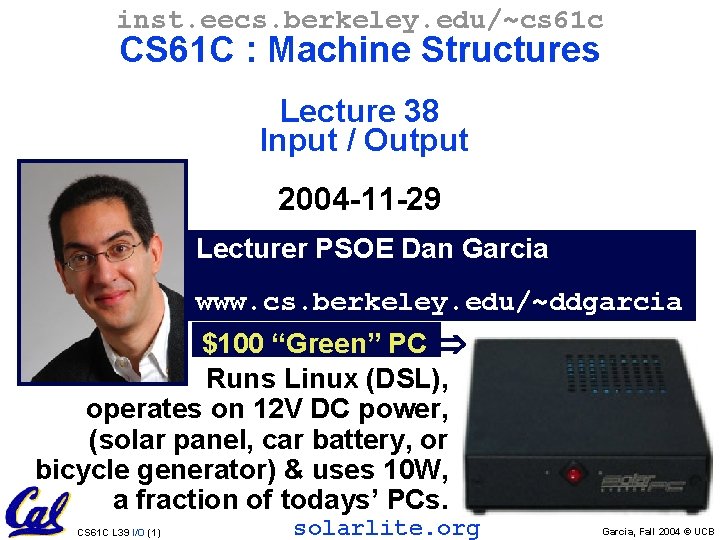
inst. eecs. berkeley. edu/~cs 61 c CS 61 C : Machine Structures Lecture 38 Input / Output 2004 -11 -29 Lecturer PSOE Dan Garcia www. cs. berkeley. edu/~ddgarcia $100 “Green” PC Runs Linux (DSL), operates on 12 V DC power, (solar panel, car battery, or bicycle generator) & uses 10 W, a fraction of todays’ PCs. CS 61 C L 39 I/O (1) solarlite. org Garcia, Fall 2004 © UCB
Review • Virtual memory to Physical Memory Translation too slow? • Add a cache of Virtual to Physical Address Translations, called a TLB • Spatial Locality means Working Set of Pages is all that must be in memory for process to run fairly well • Virtual Memory allows protected sharing of memory between processes with less swapping to disk CS 61 C L 39 I/O (2) Garcia, Fall 2004 © UCB
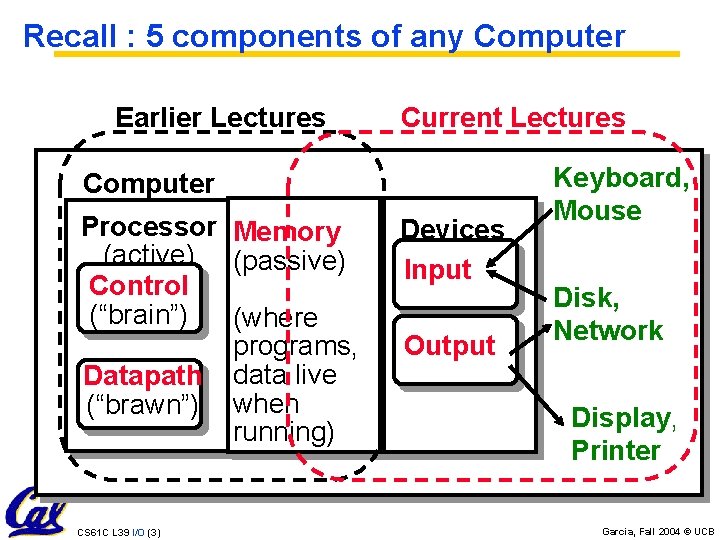
Recall : 5 components of any Computer Earlier Lectures Current Lectures Computer Processor Memory (active) (passive) Control (“brain”) (where programs, Datapath data live (“brawn”) when running) CS 61 C L 39 I/O (3) Devices Input Output Keyboard, Mouse Disk, Network Display, Printer Garcia, Fall 2004 © UCB
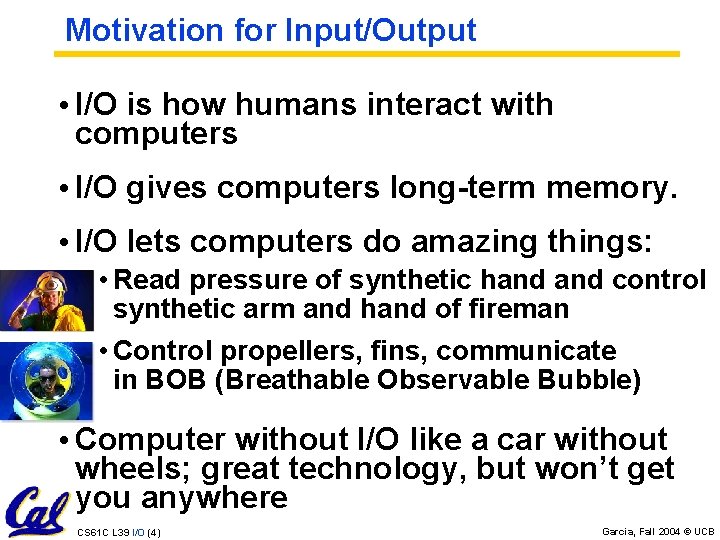
Motivation for Input/Output • I/O is how humans interact with computers • I/O gives computers long-term memory. • I/O lets computers do amazing things: • Read pressure of synthetic hand control synthetic arm and hand of fireman • Control propellers, fins, communicate in BOB (Breathable Observable Bubble) • Computer without I/O like a car without wheels; great technology, but won’t get you anywhere CS 61 C L 39 I/O (4) Garcia, Fall 2004 © UCB

I/O Device Examples and Speeds • I/O Speed: bytes transferred per second (from mouse to Gigabit LAN: 100 -million-to-1) • Device Behavior Partner Data Rate (KBytes/s) Keyboard Input Human 0. 01 Mouse Input Human 0. 02 Voice output Output Human 5. 00 Floppy disk Storage Machine 50. 00 Laser Printer Output Human 100. 00 Magnetic Disk Storage Machine 10, 000. 00 Wireless Network I or O Machine 10, 000. 00 Graphics Display Output Human 30, 000. 00 Wired LAN Network I or O Machine 1, 000. 00 When discussing transfer rates, use 10 x CS 61 C L 39 I/O (5) Garcia, Fall 2004 © UCB
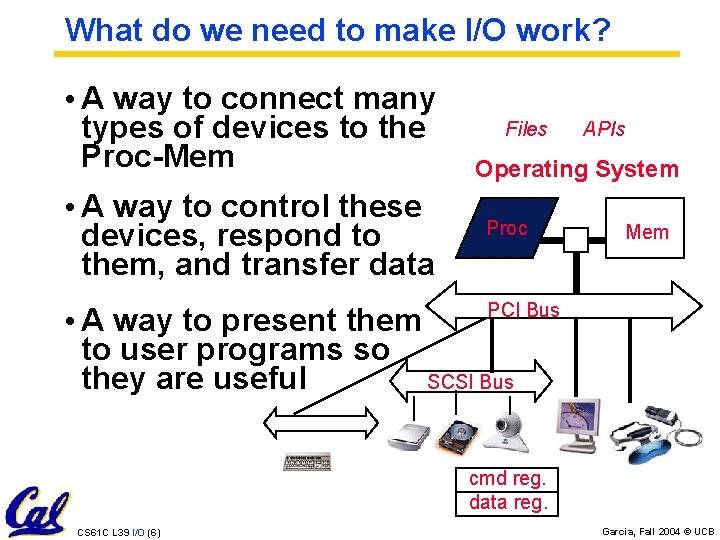
What do we need to make I/O work? • A way to connect many types of devices to the Proc-Mem • A way to control these devices, respond to them, and transfer data Files APIs Operating System Proc Mem PCI Bus • A way to present them to user programs so they are useful SCSI Bus cmd reg. data reg. CS 61 C L 39 I/O (6) Garcia, Fall 2004 © UCB
Instruction Set Architecture for I/O • What must the processor do for I/O? • Input: reads a sequence of bytes • Output: writes a sequence of bytes • Some processors have special input and output instructions • Alternative model (used by MIPS): • Use loads for input, stores for output • Called “Memory Mapped Input/Output” • A portion of the address space dedicated to communication paths to Input or Output devices (no memory there) CS 61 C L 39 I/O (7) Garcia, Fall 2004 © UCB
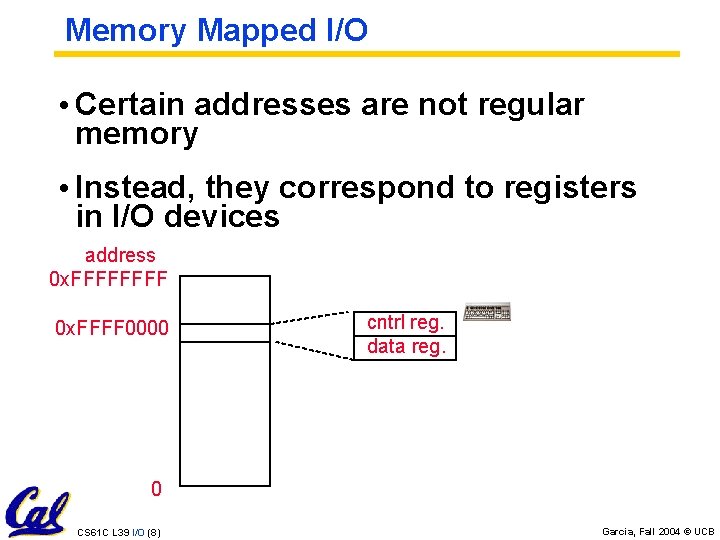
Memory Mapped I/O • Certain addresses are not regular memory • Instead, they correspond to registers in I/O devices address 0 x. FFFF 0000 cntrl reg. data reg. 0 CS 61 C L 39 I/O (8) Garcia, Fall 2004 © UCB
Processor-I/O Speed Mismatch • 1 GHz microprocessor can execute 1 billion load or store instructions per second, or 4, 000 KB/s data rate • I/O devices data rates range from 0. 01 KB/s to 1, 000 KB/s • Input: device may not be ready to send data as fast as the processor loads it • Also, might be waiting for human to act • Output: device not be ready to accept data as fast as processor stores it • What to do? CS 61 C L 39 I/O (9) Garcia, Fall 2004 © UCB
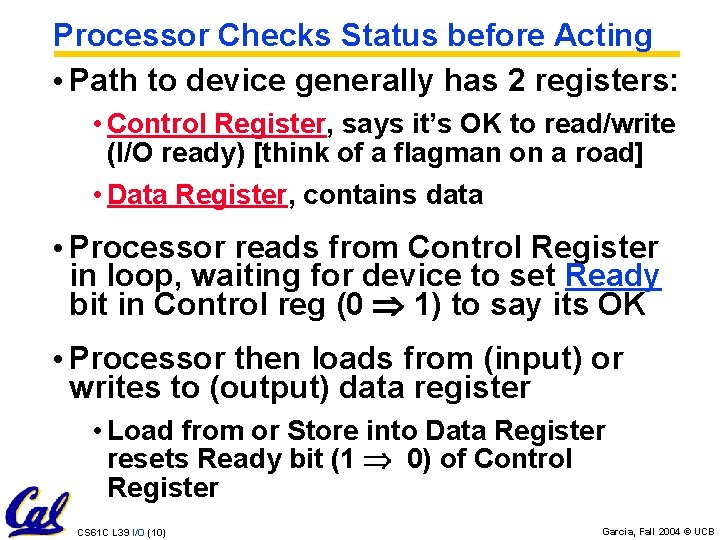
Processor Checks Status before Acting • Path to device generally has 2 registers: • Control Register, says it’s OK to read/write (I/O ready) [think of a flagman on a road] • Data Register, contains data • Processor reads from Control Register in loop, waiting for device to set Ready bit in Control reg (0 1) to say its OK • Processor then loads from (input) or writes to (output) data register • Load from or Store into Data Register resets Ready bit (1 0) of Control Register CS 61 C L 39 I/O (10) Garcia, Fall 2004 © UCB
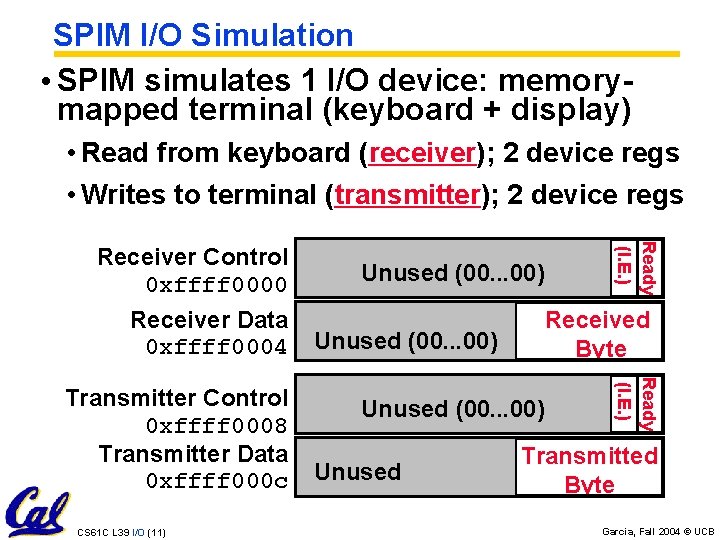
SPIM I/O Simulation • SPIM simulates 1 I/O device: memorymapped terminal (keyboard + display) • Read from keyboard (receiver); 2 device regs • Writes to terminal (transmitter); 2 device regs Receiver Data 0 xffff 0004 CS 61 C L 39 I/O (11) Unused (00. . . 00) Received Byte Unused (00. . . 00) Unused Ready (I. E. ) Transmitter Control 0 xffff 0008 Transmitter Data 0 xffff 000 c (IE) Ready (I. E. ) Receiver Control 0 xffff 0000 Transmitted Byte Garcia, Fall 2004 © UCB
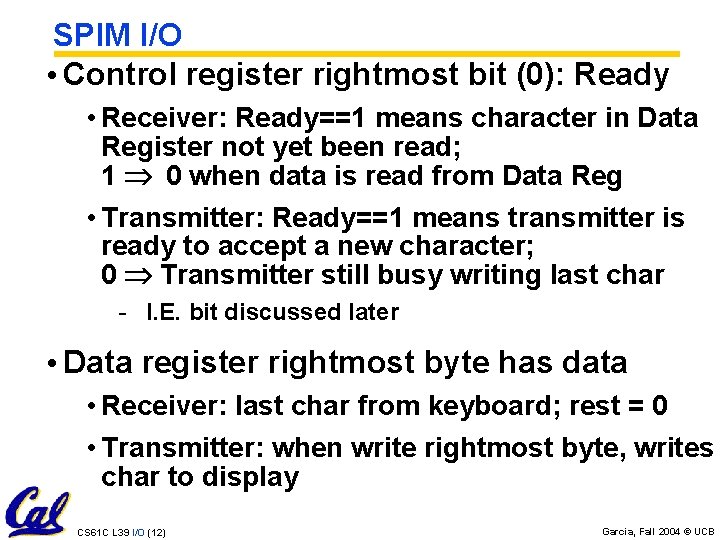
SPIM I/O • Control register rightmost bit (0): Ready • Receiver: Ready==1 means character in Data Register not yet been read; 1 0 when data is read from Data Reg • Transmitter: Ready==1 means transmitter is ready to accept a new character; 0 Transmitter still busy writing last char - I. E. bit discussed later • Data register rightmost byte has data • Receiver: last char from keyboard; rest = 0 • Transmitter: when write rightmost byte, writes char to display CS 61 C L 39 I/O (12) Garcia, Fall 2004 © UCB
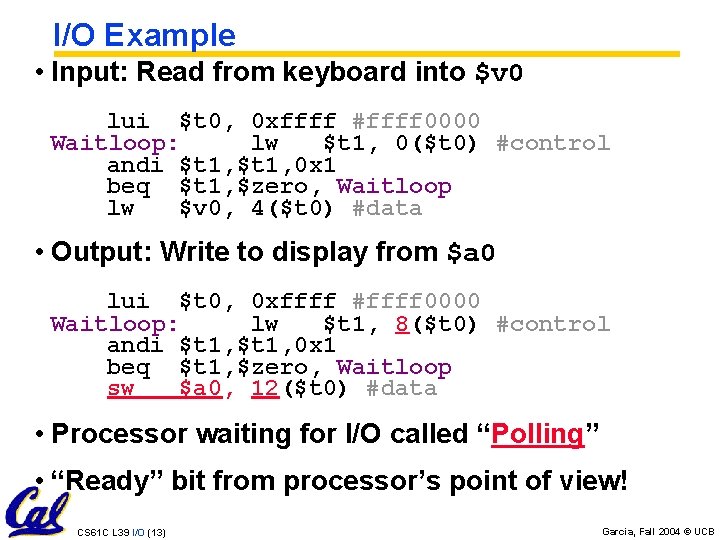
I/O Example • Input: Read from keyboard into $v 0 lui $t 0, 0 xffff #ffff 0000 Waitloop: lw $t 1, 0($t 0) #control andi $t 1, 0 x 1 beq $t 1, $zero, Waitloop lw $v 0, 4($t 0) #data • Output: Write to display from $a 0 lui $t 0, 0 xffff #ffff 0000 Waitloop: lw $t 1, 8($t 0) #control andi $t 1, 0 x 1 beq $t 1, $zero, Waitloop sw $a 0, 12($t 0) #data • Processor waiting for I/O called “Polling” • “Ready” bit from processor’s point of view! CS 61 C L 39 I/O (13) Garcia, Fall 2004 © UCB
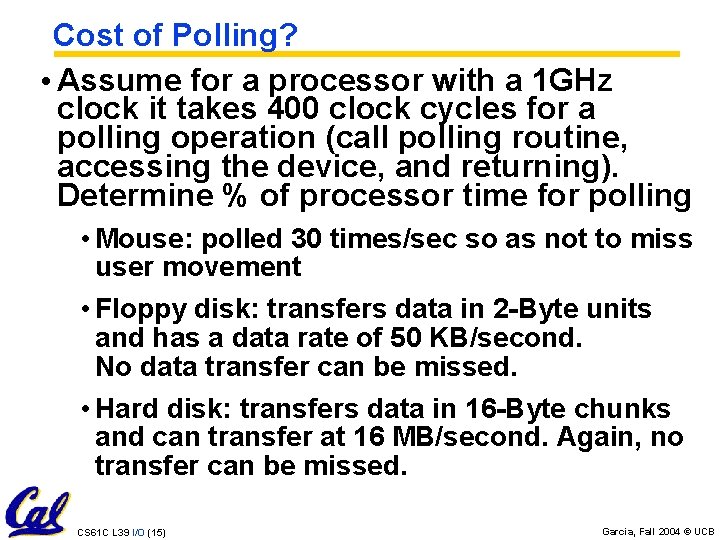
Cost of Polling? • Assume for a processor with a 1 GHz clock it takes 400 clock cycles for a polling operation (call polling routine, accessing the device, and returning). Determine % of processor time for polling • Mouse: polled 30 times/sec so as not to miss user movement • Floppy disk: transfers data in 2 -Byte units and has a data rate of 50 KB/second. No data transfer can be missed. • Hard disk: transfers data in 16 -Byte chunks and can transfer at 16 MB/second. Again, no transfer can be missed. CS 61 C L 39 I/O (15) Garcia, Fall 2004 © UCB
![% Processor time to poll [p. 677 in book] Mouse Polling, Clocks/sec = 30](http://slidetodoc.com/presentation_image_h2/97765f041f9806bb0deef39eb3d403c6/image-15.jpg "% Processor time to poll [p. 677 in book] Mouse Polling, Clocks/sec = 30")
% Processor time to poll [p. 677 in book] Mouse Polling, Clocks/sec = 30 [polls/s] * 400 [clocks/poll] = 12 K [clocks/s] • % Processor for polling: 12*103 [clocks/s] / 1*109 [clocks/s] = 0. 0012% Polling mouse little impact on processor Frequency of Polling Floppy = 50 [KB/s] / 2 [B/poll] = 25 K [polls/s] • Floppy Polling, Clocks/sec = 25 K [polls/s] * 400 [clocks/poll] = 10 M [clocks/s] • % Processor for polling: 10*106 [clocks/s] / 1*109 [clocks/s] = 1% OK if not too many I/O devices CS 61 C L 39 I/O (16) Garcia, Fall 2004 © UCB
![% Processor time to poll hard disk Frequency of Polling Disk = 16 [MB/s]](http://slidetodoc.com/presentation_image_h2/97765f041f9806bb0deef39eb3d403c6/image-16.jpg "% Processor time to poll hard disk Frequency of Polling Disk = 16 [MB/s]")
% Processor time to poll hard disk Frequency of Polling Disk = 16 [MB/s] / 16 [B] = 1 M [polls/s] • Disk Polling, Clocks/sec = 1 M [polls/s] * 400 [clocks/poll] = 400 M [clocks/s] • % Processor for polling: 400*106 [clocks/s] / 1*109 [clocks/s] = 40% Unacceptable CS 61 C L 39 I/O (17) Garcia, Fall 2004 © UCB
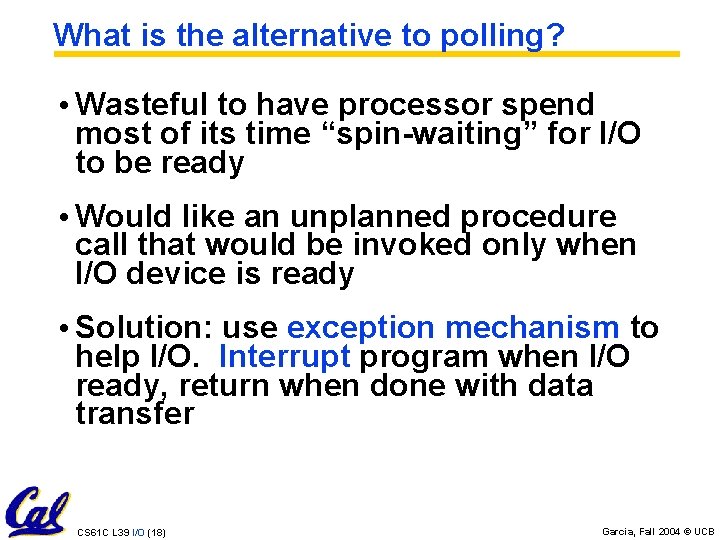
What is the alternative to polling? • Wasteful to have processor spend most of its time “spin-waiting” for I/O to be ready • Would like an unplanned procedure call that would be invoked only when I/O device is ready • Solution: use exception mechanism to help I/O. Interrupt program when I/O ready, return when done with data transfer CS 61 C L 39 I/O (18) Garcia, Fall 2004 © UCB
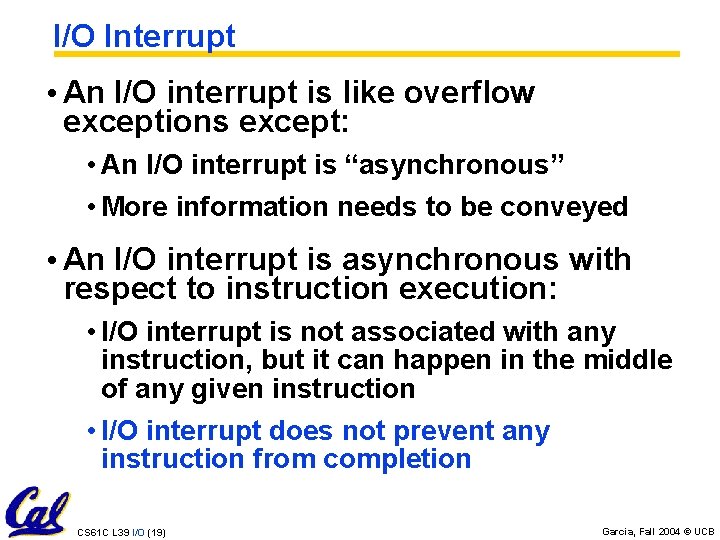
I/O Interrupt • An I/O interrupt is like overflow exceptions except: • An I/O interrupt is “asynchronous” • More information needs to be conveyed • An I/O interrupt is asynchronous with respect to instruction execution: • I/O interrupt is not associated with any instruction, but it can happen in the middle of any given instruction • I/O interrupt does not prevent any instruction from completion CS 61 C L 39 I/O (19) Garcia, Fall 2004 © UCB
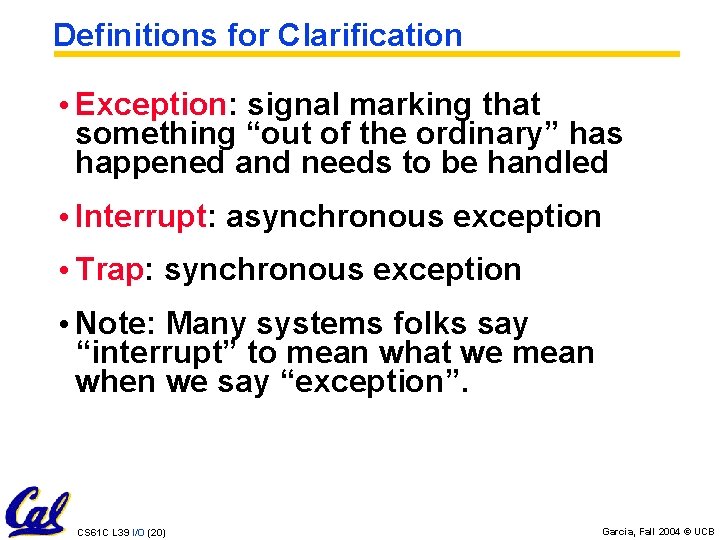
Definitions for Clarification • Exception: signal marking that something “out of the ordinary” has happened and needs to be handled • Interrupt: asynchronous exception • Trap: synchronous exception • Note: Many systems folks say “interrupt” to mean what we mean when we say “exception”. CS 61 C L 39 I/O (20) Garcia, Fall 2004 © UCB
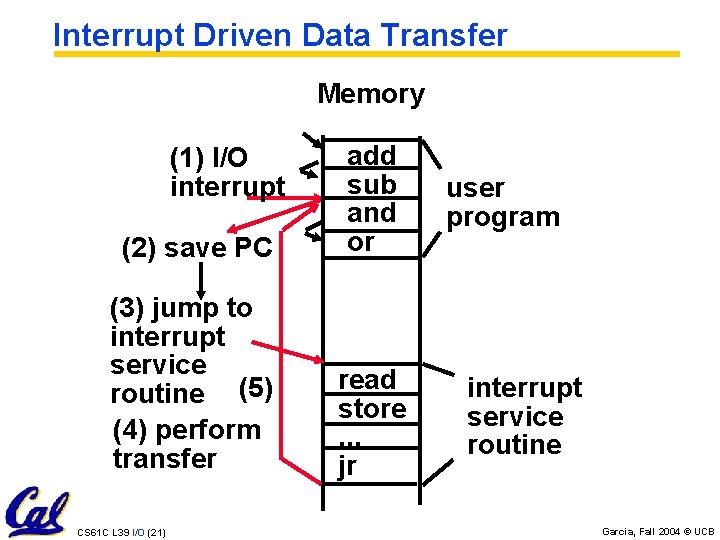
Interrupt Driven Data Transfer Memory (2) save PC add sub and or (3) jump to interrupt service routine (5) (4) perform transfer read store. . . jr (1) I/O interrupt CS 61 C L 39 I/O (21) user program interrupt service routine Garcia, Fall 2004 © UCB
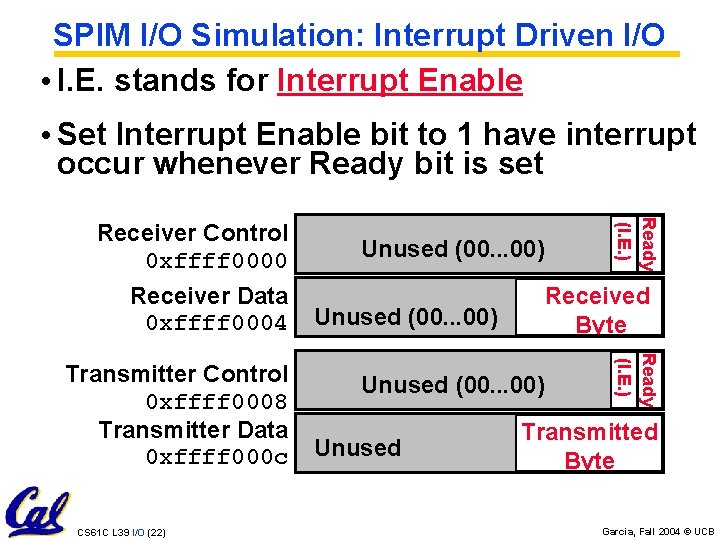
SPIM I/O Simulation: Interrupt Driven I/O • I. E. stands for Interrupt Enable • Set Interrupt Enable bit to 1 have interrupt occur whenever Ready bit is set Receiver Data 0 xffff 0004 CS 61 C L 39 I/O (22) Unused (00. . . 00) Received Byte Unused (00. . . 00) Unused Ready (I. E. ) Transmitter Control 0 xffff 0008 Transmitter Data 0 xffff 000 c (IE) Ready (I. E. ) Receiver Control 0 xffff 0000 Transmitted Byte Garcia, Fall 2004 © UCB
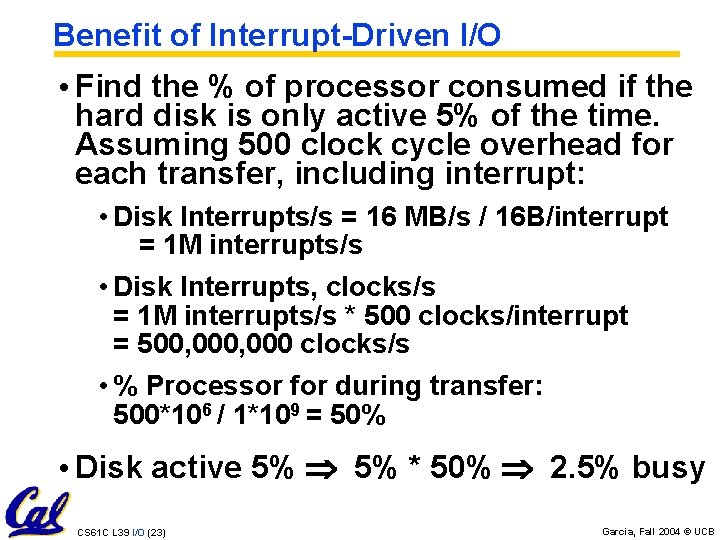
Benefit of Interrupt-Driven I/O • Find the % of processor consumed if the hard disk is only active 5% of the time. Assuming 500 clock cycle overhead for each transfer, including interrupt: • Disk Interrupts/s = 16 MB/s / 16 B/interrupt = 1 M interrupts/s • Disk Interrupts, clocks/s = 1 M interrupts/s * 500 clocks/interrupt = 500, 000 clocks/s • % Processor for during transfer: 500*106 / 1*109 = 50% • Disk active 5% * 50% 2. 5% busy CS 61 C L 39 I/O (23) Garcia, Fall 2004 © UCB
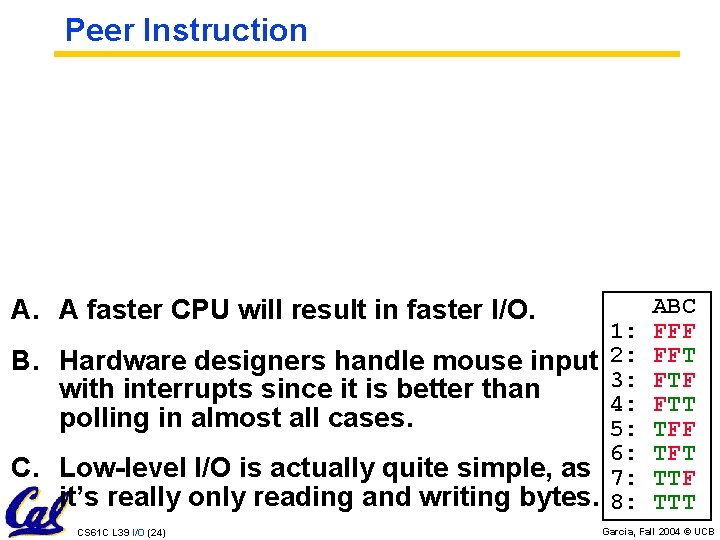
Peer Instruction A. A faster CPU will result in faster I/O. 1: B. Hardware designers handle mouse input 2: 3: with interrupts since it is better than 4: polling in almost all cases. 5: 6: C. Low-level I/O is actually quite simple, as 7: it’s really only reading and writing bytes. 8: CS 61 C L 39 I/O (24) ABC FFF FFT FTF FTT TFF TFT TTF TTT Garcia, Fall 2004 © UCB
“And in conclusion…” • I/O gives computers their 5 senses • I/O speed range is 100 -million to one • Processor speed means must synchronize with I/O devices before use • Polling works, but expensive • processor repeatedly queries devices • Interrupts works, more complex • devices causes an exception, causing OS to run and deal with the device • I/O control leads to Operating Systems CS 61 C L 39 I/O (26) Garcia, Fall 2004 © UCB
- Slides: 24