
Inside the CPU COSC100 Elements of Computer Science
- Slides: 24
Inside the CPU COSC-100 (Elements of Computer Science) Prof. Juola
What’s a computer? • Information-processing device • Primary function : math, decisions • Normally “digital” (vs. analog) 1: 38 pm
Computers : A history • • 3000 BC -- digital counting device (abacus) 16 th c. -- Napier’s bones 19 th c. -- Jacquard’s (programmable) loom 1830 -- Babbage’s Analytic Engine • 1940 -- WWII, programmable coding and decoding machines (Colossus)
Computers: A history (cont. ) • 1943 -6 -- Programmable computers • ENIAC • 10 feet tall, 10, 000 square feet footprint, 150 k. W of power, and 18, 000 vacuum tubes • 1945 -- First program “bug” • Moth found in computer wiring @ Harvard • 1945 -- Von Neumann defines “computer”
Computers: A history (cont. ) • 1947 -- First transistor (no more tubes!) • Begins “second generation” computers • 1949 -- First programming language • 1958 -- First integrated circuit, • Begins “third generation” computers • 1971 -- VLSI microprocessor • Computer-on-a-chip • Begins “fourth generation” computers
Computers: A recent history • 1971 -- Intel builds 4004, eventually to become the Pentium (IV) • 1975 -- Microsoft founded • 1981 -- IBM produces IBM-PC (Personal Computer) • 1984 -- Apple Macintosh • Change in hardware since then mostly incremental
Software : A history • 1950 --1975 : Institutional computing • Banks, large corporations, scientific problems • 1975 --1995 : Personal computing • Document processing, data storage, calculations • 1995 --today : Interpersonal computing • Primarily networking ; Email, web, IM, gaming
Computing issues • Computers are algorithmic; they only do what you tell them to do. • Limited by validity of data : GIGO principle • Primarily an enabling tool, but enabling of what?
Structure of CPU • CPU most salient part of computer • E. g. “Intel Pentium 4 Processor at 3. 4 GHz with 800 MHz front-end bus” • Describes type of computer (Pentium 4), and how fast it does stuff (3. 4 billion clock ticks/second)
Electronically Speaking • Basic computer design hinges on electronic switch (valve? ) controlling current • Current is either flowing or not. • Fundamental representation : flowing/not becomes a yes/no or a 1/0 “binary” representation. • All quantities in computers represented by binary quantities
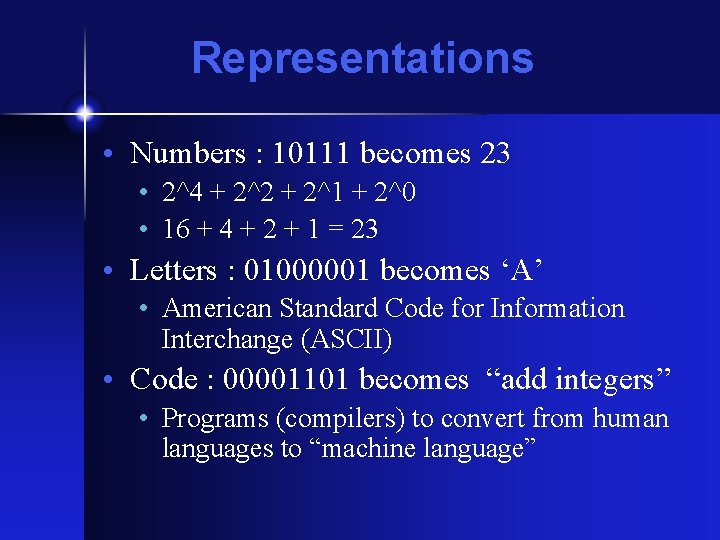
Representations • Numbers : 10111 becomes 23 • 2^4 + 2^2 + 2^1 + 2^0 • 16 + 4 + 2 + 1 = 23 • Letters : 01000001 becomes ‘A’ • American Standard Code for Information Interchange (ASCII) • Code : 00001101 becomes “add integers” • Programs (compilers) to convert from human languages to “machine language”
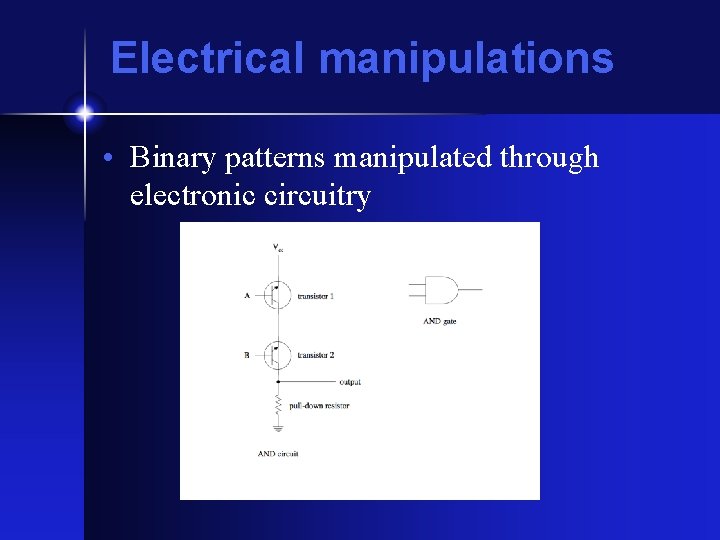
Electrical manipulations • Binary patterns manipulated through electronic circuitry
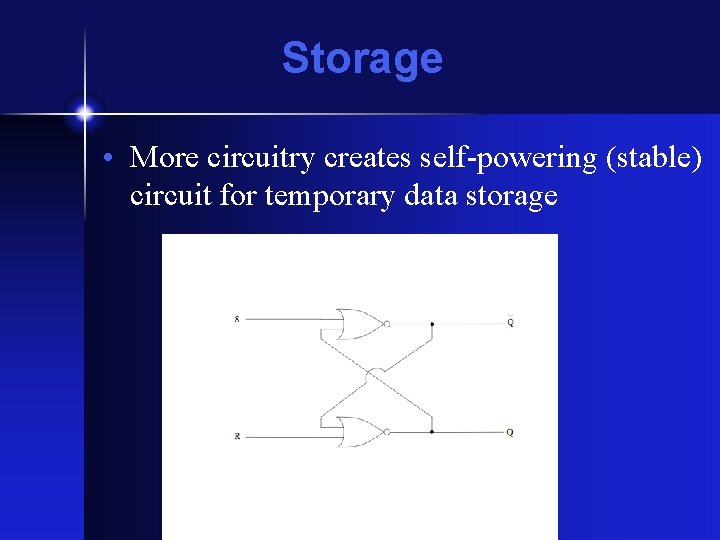
Storage • More circuitry creates self-powering (stable) circuit for temporary data storage
CPU Structure • Several sub-components • Arithmetic-Logical Unit -- does math/logic • Bus Unit -- talks to rest of computer • Prefetch/Decode Units -- load/figure out next instruction • Control Unit -- executes instructions, controls rest of CPU • Cache memory -- high-speed local memory for scratch-pad style storage
Terminology • Bit -- one yes/no pattern • Byte -- 8 yes/no patterns, grouped • Word -- several bytes, grouped for easy manipulation • • • 8 -bit computer : microcomputer 16 -bit computer : minicomputer 32 -bit computer : mainframe 64 -bit computer : ? ? 128 -bit computer : supercomputer
More terminology • • Kilo : either 1000 or 1024 (2^10) Mega : one million Giga : one billion Tera : one trillion Example : 1 GHz is one billion Hertz, and a 256 MB pen-drive stores 256 million bytes
Why different CPUs? • Different capacities : bigger word size means more expensive, but also more powerful. Why buy more than you need? • Incompatible designs. Different machines (e. g. Power. PC vs. Pentium) have different machine codes, different architectures • Different philosophies : RISC vs. CISC
Virtual machines • “The CPU that isn’t. ” • Virtual CPU is software to interpret patterns for another machine. E. g. your Mac can run PC software. • Java Virtual Machine exists nowhere but in software. As software, built into every web browser, so Java programs run everywhere the Web does.
Moore’s Law • Eniac had 18, 000 tubes • Pentium 4 has 55 million transistors • Gordon Moore (1965) observed : • The number of transistors that can be put on a chip doubles every eighteen months • The cost of a given amount of computing power halves every 18 months • The cost to develop a new chip doubles every 18 months.
Why so important? • Primary factor : transistor size • Smaller transistor takes up less space • … but also • draws less power • operates faster • costs less to fabricate (but more to design) • Unknown how long Moore’s law will continue to be true.
Programs get bigger • Demand for programs is getting larger • PDP-11 text processor (troff) used less than 64 K of memory. Compare to MS-Word • Game design often pushes limits of both computer speed and memory capacity. • How to make computers faster?
Multiprogramming • Multiple CPUs per “computer, ” all cooperating • Extreme example : CM-2 Connection Machine had 65, 536 CPUs. • Alternatively, use networked computers (SETI@home)
The future • Transistor density may hit fundamental limitations (can’t build a transistor smaller than an atom). • Faster substances (Ga. As? ) • DNA computing in experimental stage • “Quantum computing” a possibility, but will require fundamental re-think of how computers work.
The future (cont. ) • Smaller computers mean more uses (e. g. PDA’s, MP 3 players) • “Ubiquitous computing” aims to put Star Trek style computers everywhere for simple tasks. • Computer assist for many tasks we can’t even imagine today.