
Insert Picture Here My Oracle Support The next

- Slides: 47
<Insert Picture Here> My Oracle Support (The next generation Metalink experience) lynn. pionkowski@oracle. com Regional Customer Advocate
The following is intended to outline our general product direction. It is intended for information purposes only, and may not be incorporated into any contract. It is not a commitment to deliver any material, code, or functionality, and should not be relied upon in making purchasing decisions. The development, release, and timing of any features or functionality described for Oracle’s products remains at the sole discretion of Oracle.
Agenda • • • What is My Oracle Support Personalizing My Oracle Support Customer User Administration/Changes Searching and Browsing My Oracle Support Navigation Overview Getting the most out of My Oracle Support
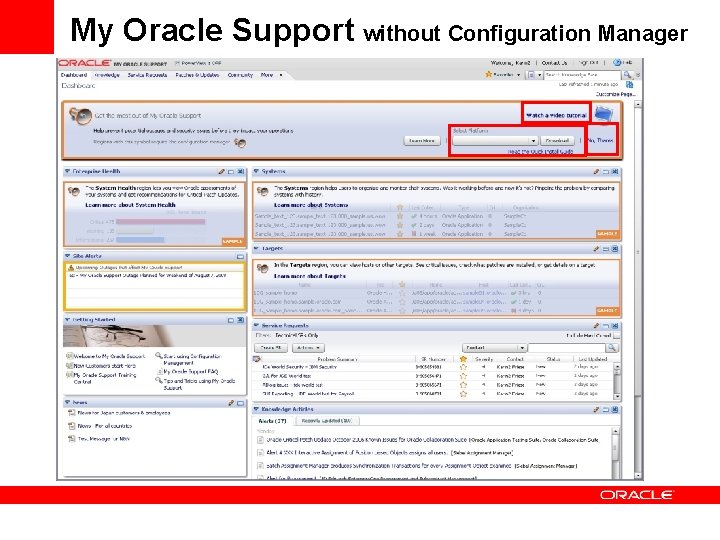
What is My Oracle Support? • Next Generation Support Platform • Single Unified Customer Support Portal • 1 Portal for all Products • Consolidation of over 50+ acquisitions, portals and systems • Personalized, Customizable and Extensible • Support Configuration Manager • Proactive Healthchecks and Alerts • Projects-based SR creation • Knowledge Base and Product Content Regions • Proactive Alerts and Notifications • Service Request – creation, management and reporting • Patches, Fixes & Version Updates • Certification, Roadmaps & Lifecycle Management
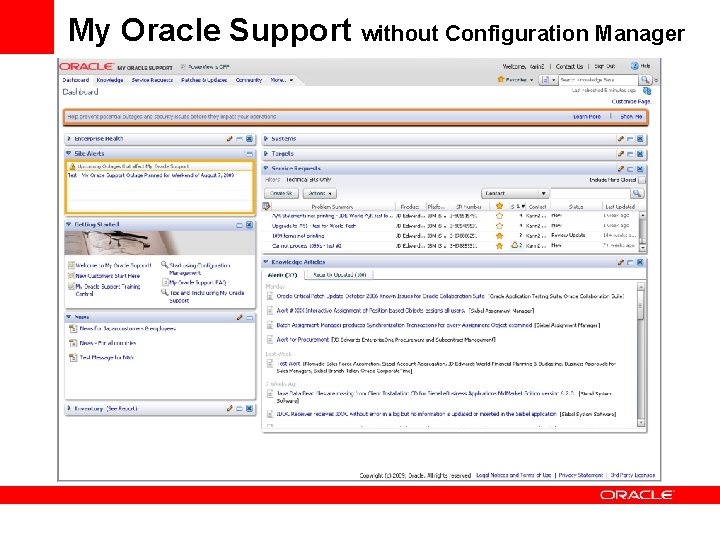
My Oracle Support without Configuration Manager
My Oracle Support without Configuration Manager
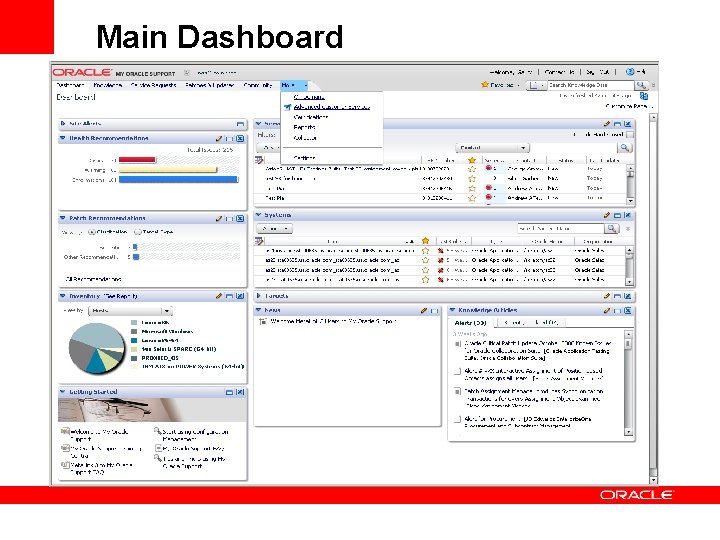
Main Dashboard
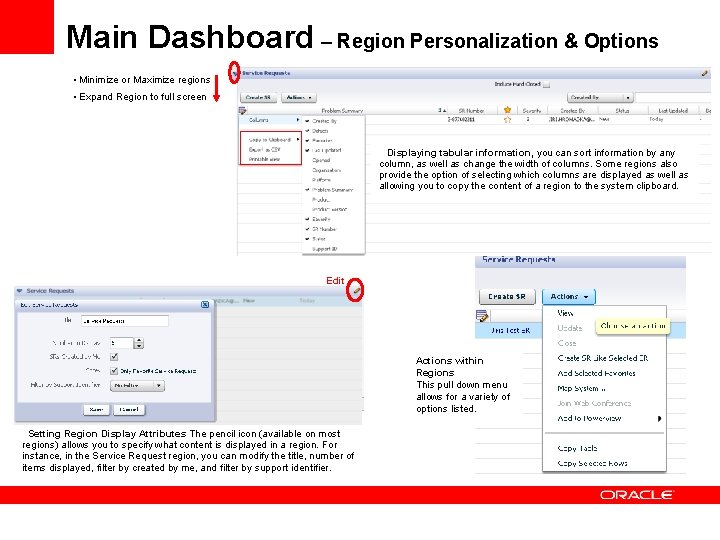
Main Dashboard – Region Personalization & Options • Minimize or Maximize regions • Expand Region to full screen Displaying tabular information, you can sort information by any column, as well as change the width of columns. Some regions also provide the option of selecting which columns are displayed as well as allowing you to copy the content of a region to the system clipboard. Edit Actions within Regions This pull down menu allows for a variety of options listed. Setting Region Display Attributes The pencil icon (available on most regions) allows you to specify what content is displayed in a region. For instance, in the Service Request region, you can modify the title, number of items displayed, filter by created by me, and filter by support identifier.
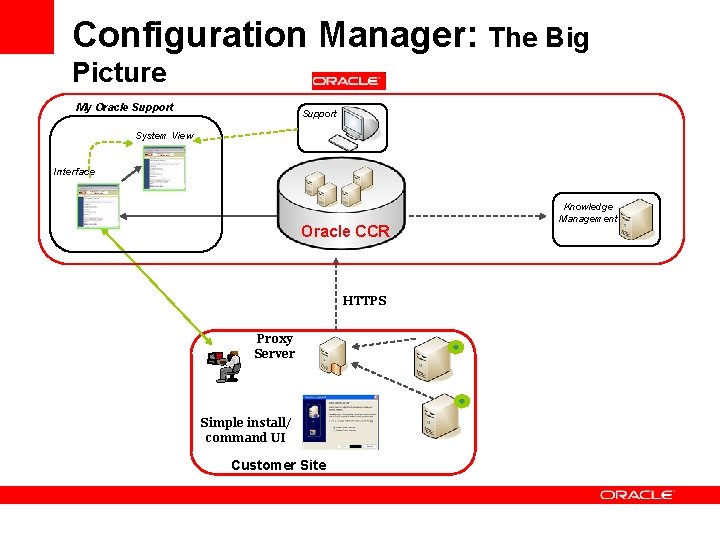
Configuration Manager: The Big Picture My Oracle Support System View Interface Oracle CCR HTTPS Proxy Server Simple install/ command UI Customer Site Knowledge Management
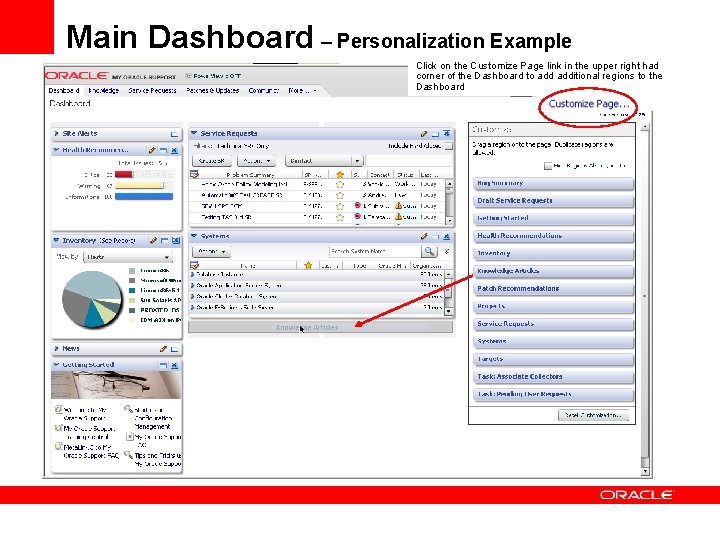
Main Dashboard – Personalization Example Click on the Customize Page link in the upper right had corner of the Dashboard to additional regions to the Dashboard
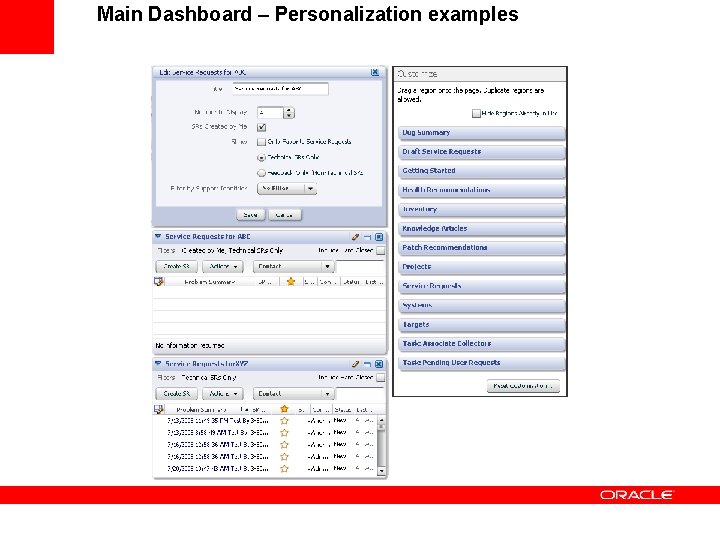
Main Dashboard – Personalization examples
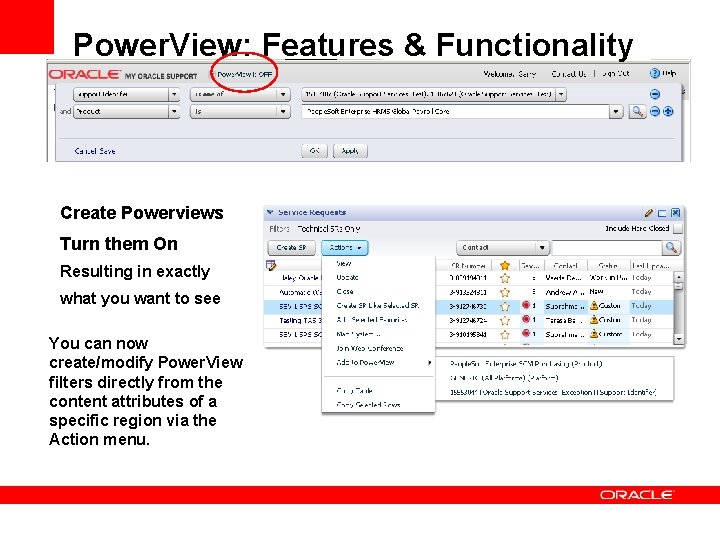
Power. View: Features & Functionality Create Powerviews Turn them On Resulting in exactly what you want to see You can now create/modify Power. View filters directly from the content attributes of a specific region via the Action menu.
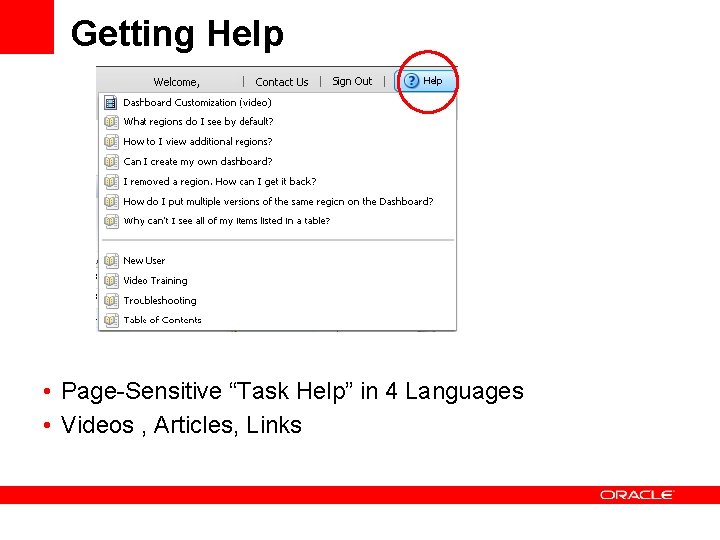
Getting Help • Page-Sensitive “Task Help” in 4 Languages • Videos , Articles, Links
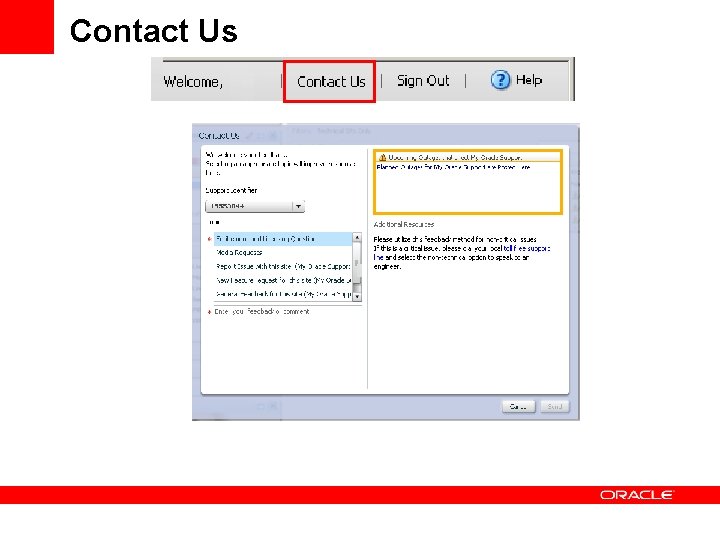
Contact Us
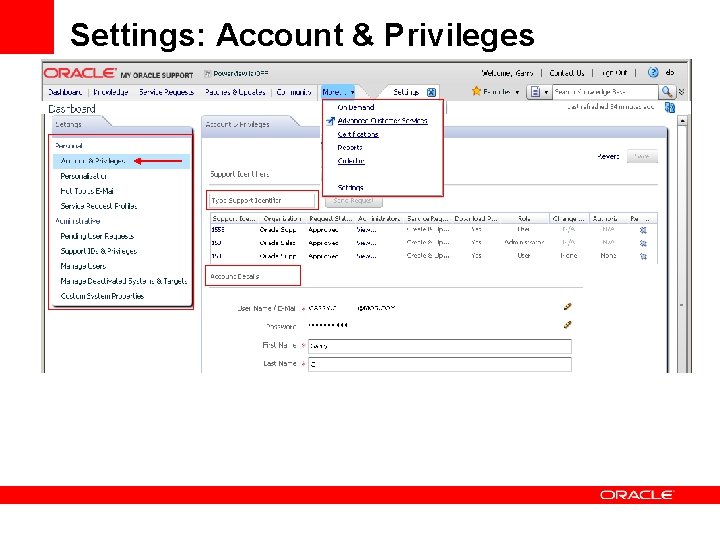
Settings: Account & Privileges
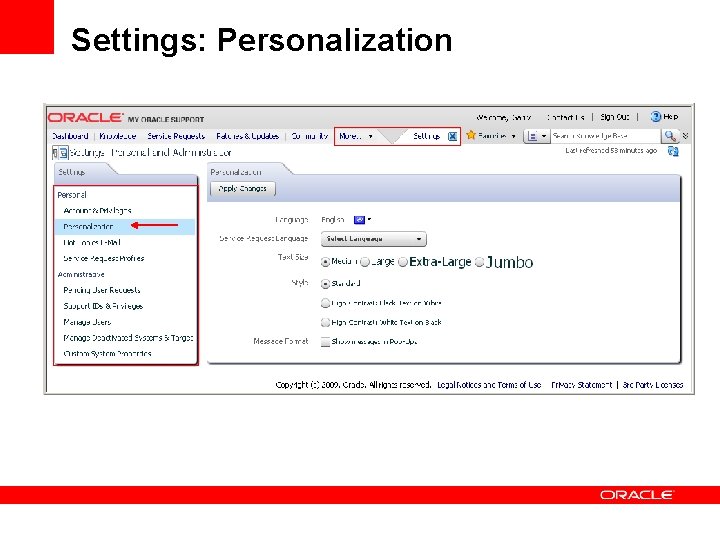
Settings: Personalization
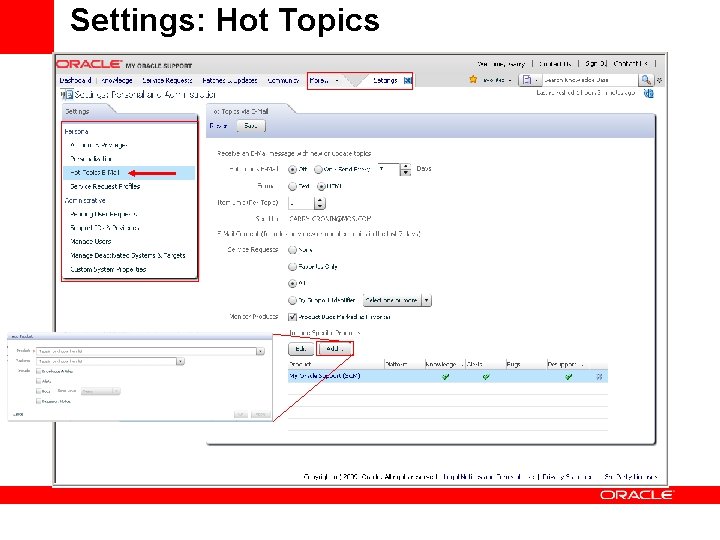
Settings: Hot Topics
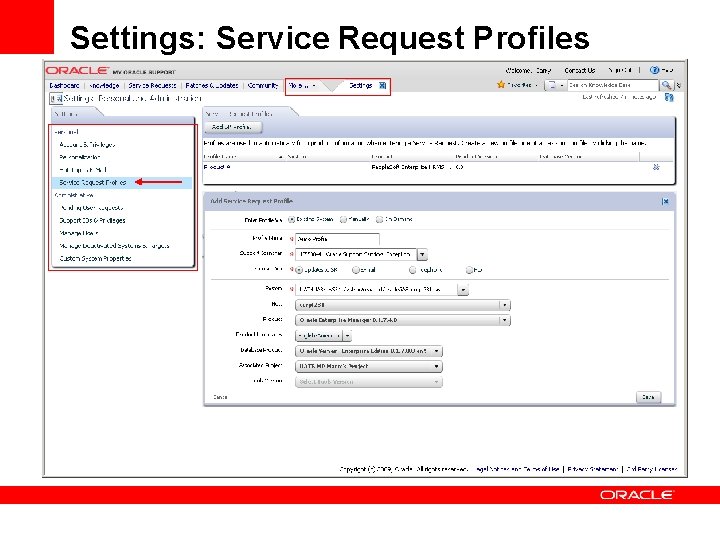
Settings: Service Request Profiles
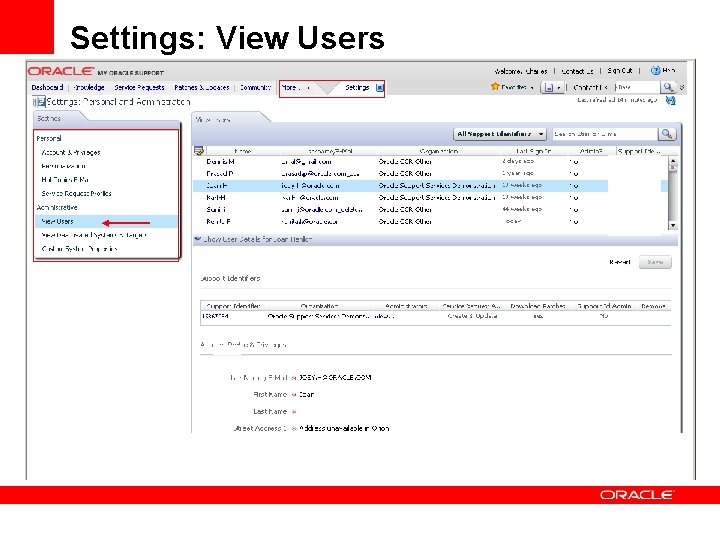
Settings: View Users
<Insert Picture Here> For Customer User Administrators (CUA)
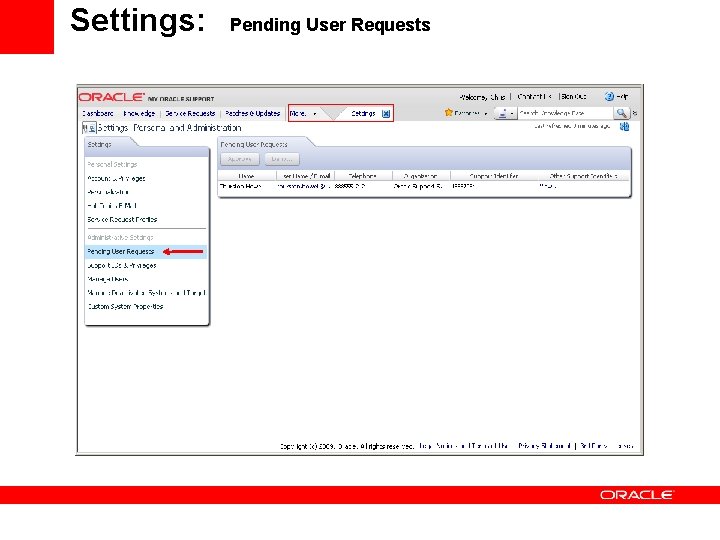
Settings: Pending User Requests
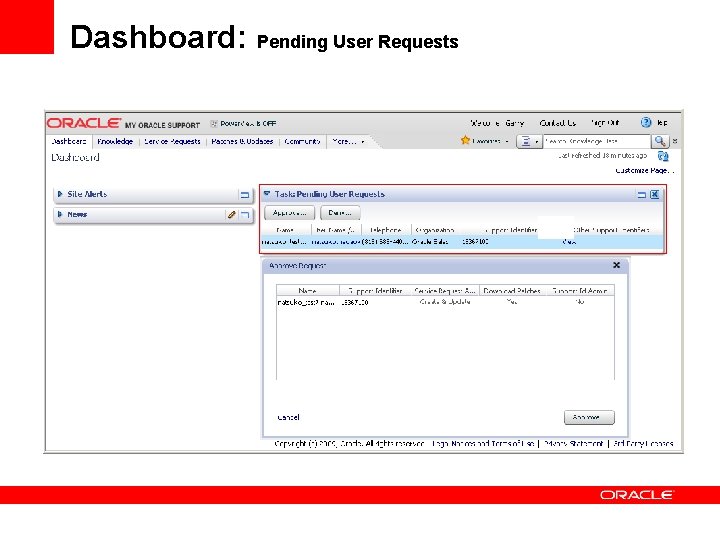
Dashboard: Pending User Requests
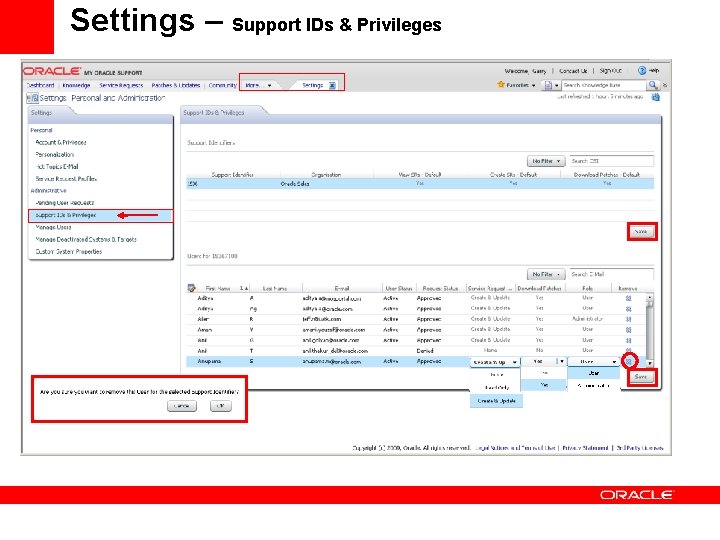
Settings – Support IDs & Privileges
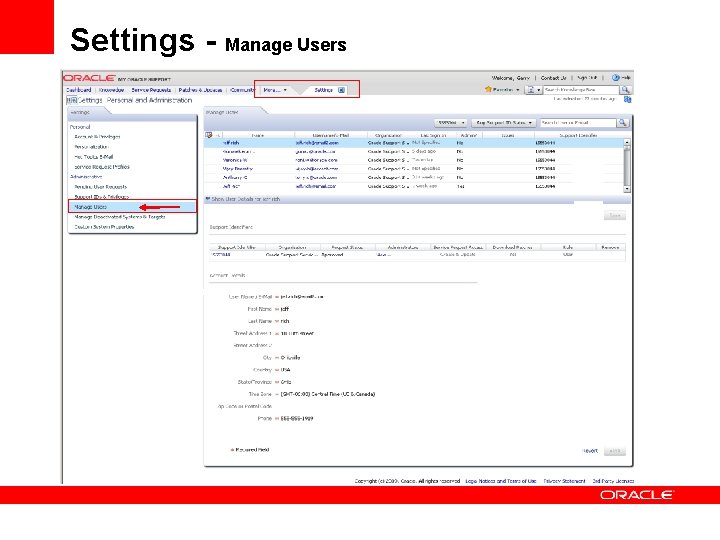
Settings - Manage Users
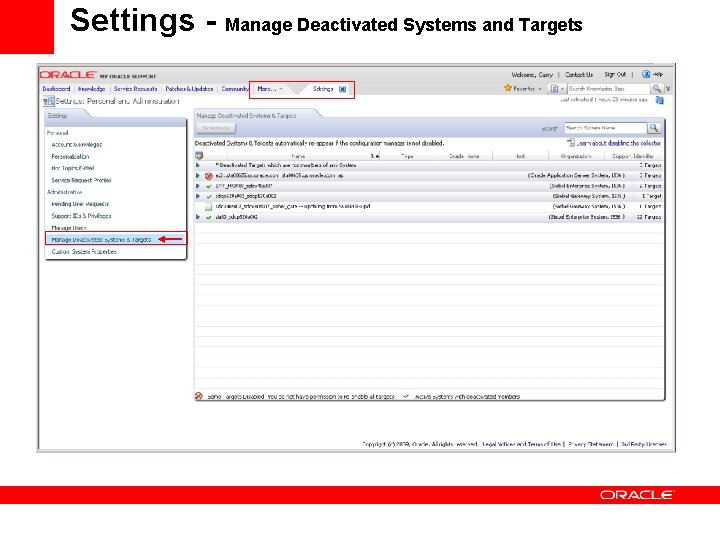
Settings - Manage Deactivated Systems and Targets
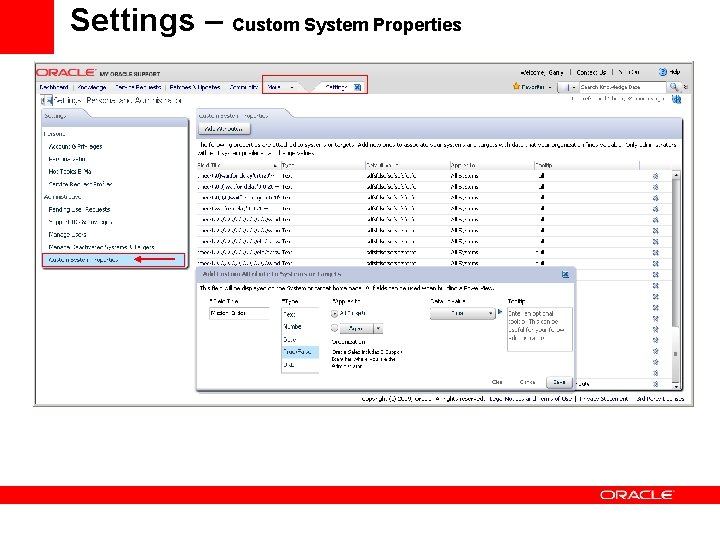
Settings – Custom System Properties
<Insert Picture Here> Search Options
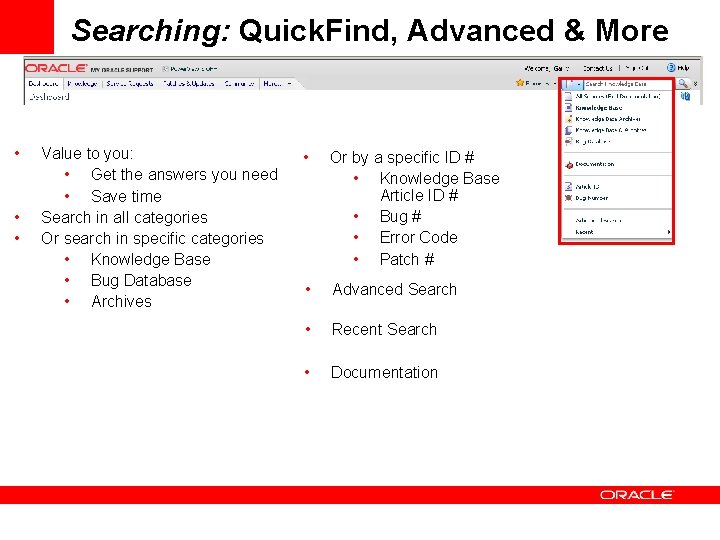
Searching: Quick. Find, Advanced & More • • • Value to you: • Get the answers you need • Save time Search in all categories Or search in specific categories • Knowledge Base • Bug Database • Archives • Or by a specific ID # • Knowledge Base Article ID # • Bug # • Error Code • Patch # • Advanced Search • Recent Search • Documentation
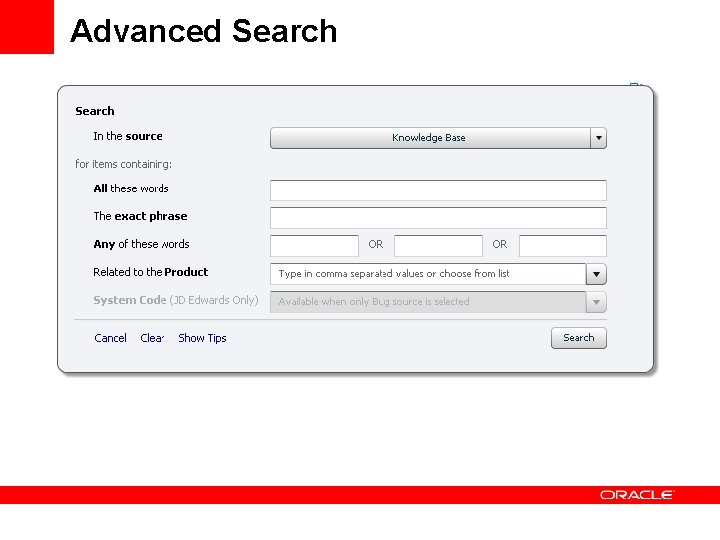
Advanced Search
<Insert Picture Here> TABs Overview
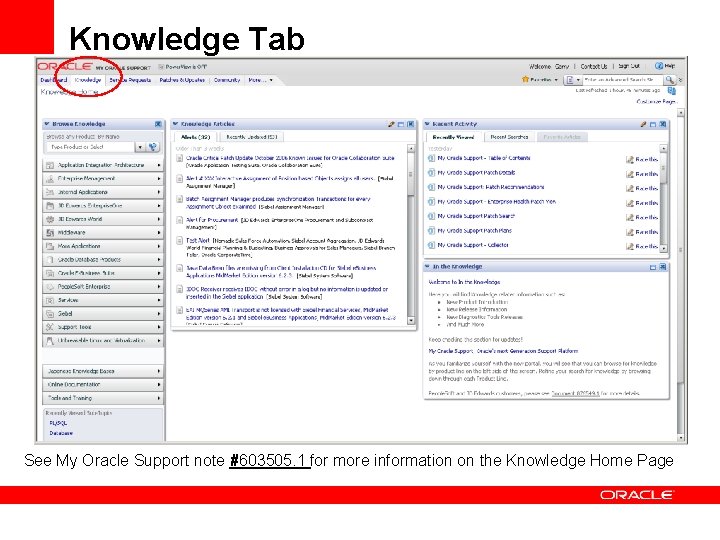
Knowledge Tab See My Oracle Support note #603505. 1 for more information on the Knowledge Home Page
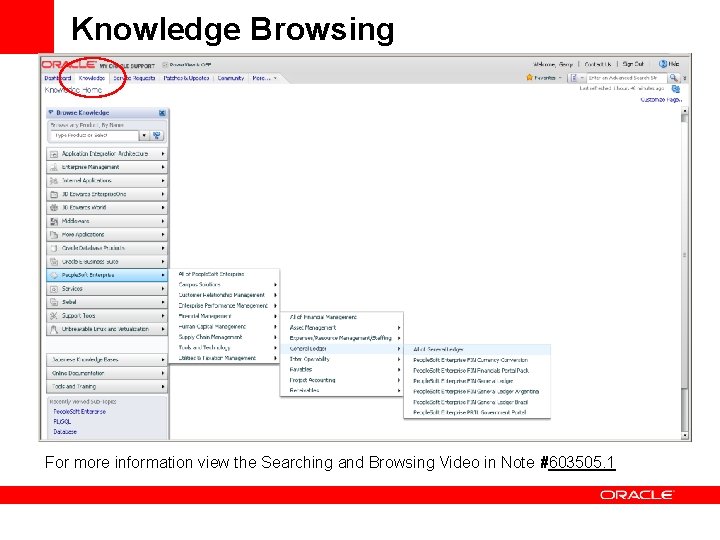
Knowledge Browsing For more information view the Searching and Browsing Video in Note #603505. 1
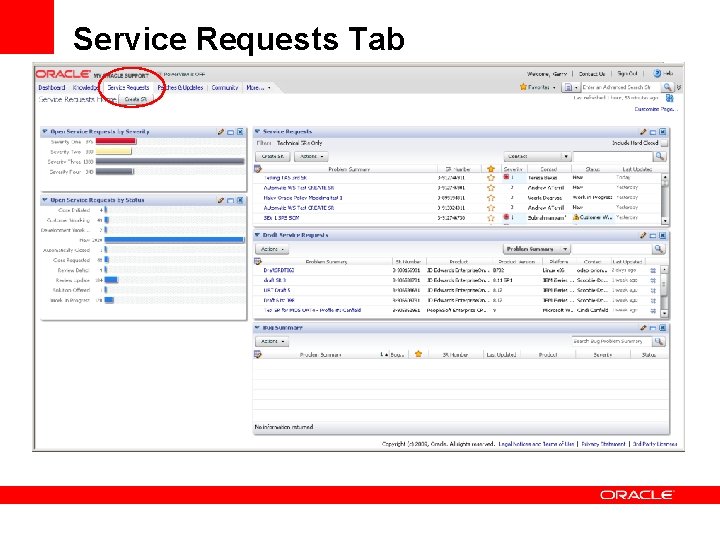
Service Requests Tab
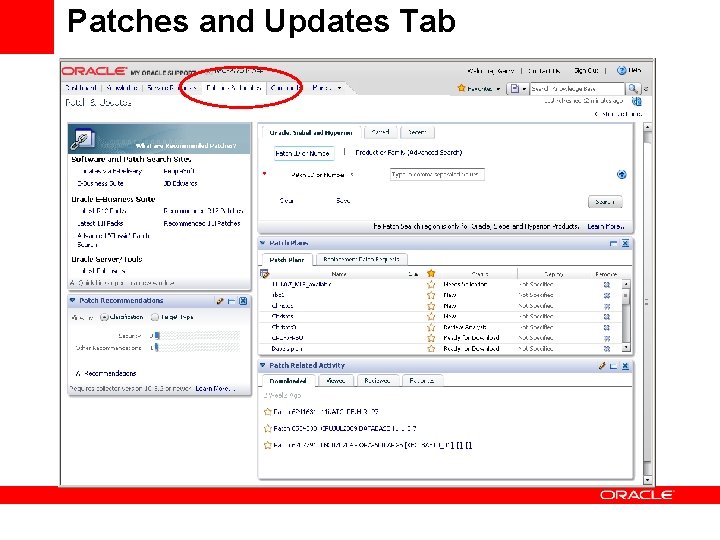
Patches and Updates Tab
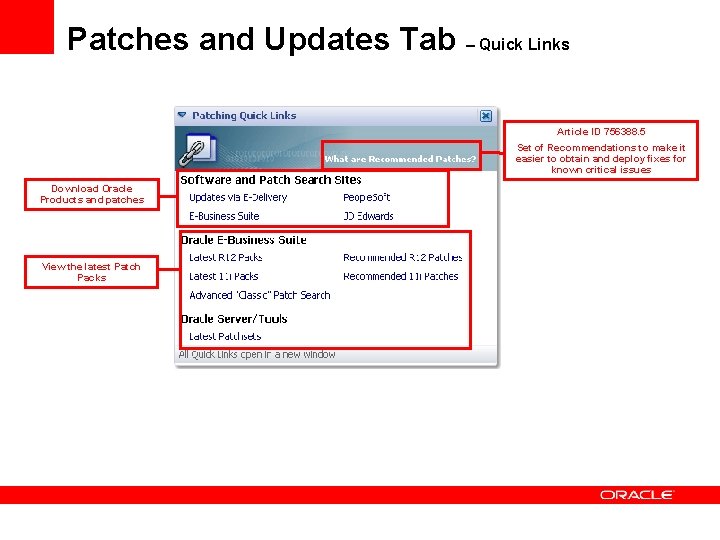
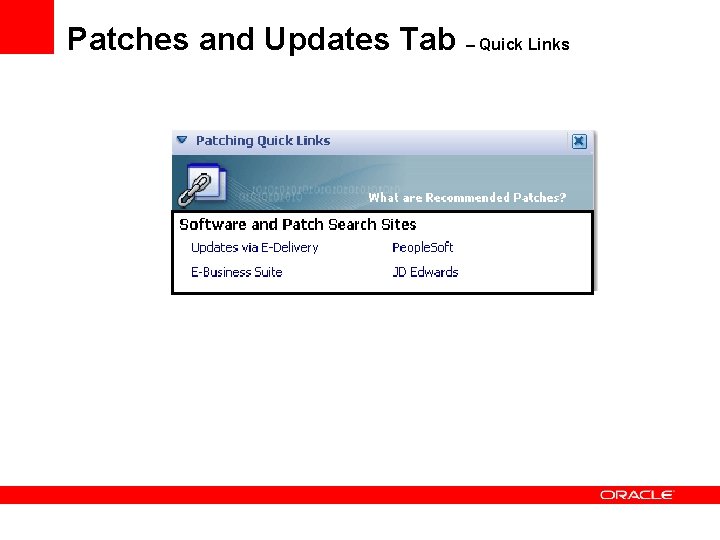
Patches and Updates Tab – Quick Links Article ID 756388. 5 Set of Recommendations to make it easier to obtain and deploy fixes for known critical issues Download Oracle Products and patches View the latest Patch Packs
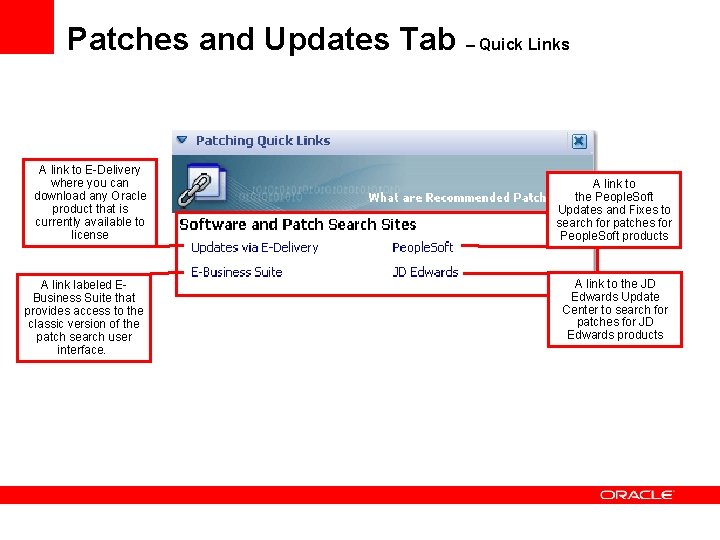
Patches and Updates Tab – Quick Links A link to E-Delivery where you can download any Oracle product that is currently available to license A link labeled EBusiness Suite that provides access to the classic version of the patch search user interface. A link to the People. Soft Updates and Fixes to search for patches for People. Soft products A link to the JD Edwards Update Center to search for patches for JD Edwards products
Patches and Updates Tab – Quick Links
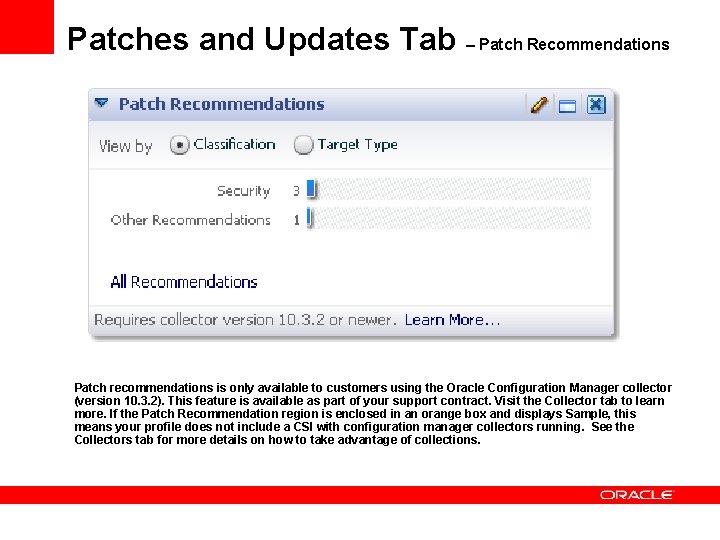
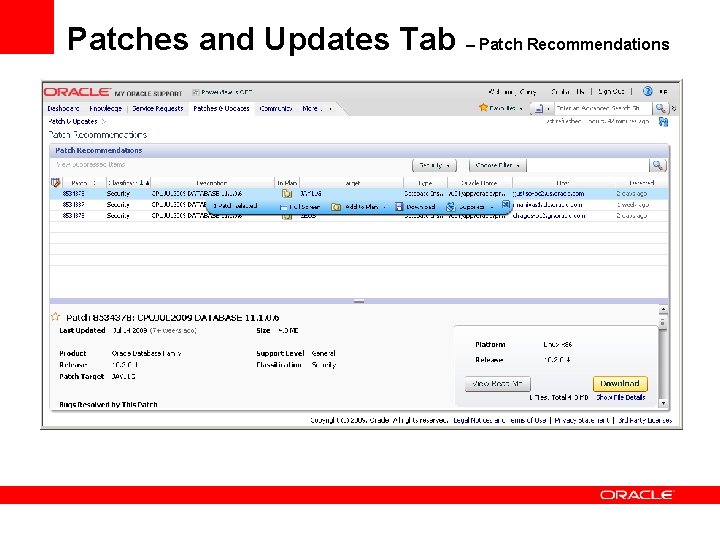
Patches and Updates Tab – Patch Recommendations Patch recommendations is only available to customers using the Oracle Configuration Manager collector (version 10. 3. 2). This feature is available as part of your support contract. Visit the Collector tab to learn more. If the Patch Recommendation region is enclosed in an orange box and displays Sample, this means your profile does not include a CSI with configuration manager collectors running. See the Collectors tab for more details on how to take advantage of collections.
Patches and Updates Tab – Patch Recommendations
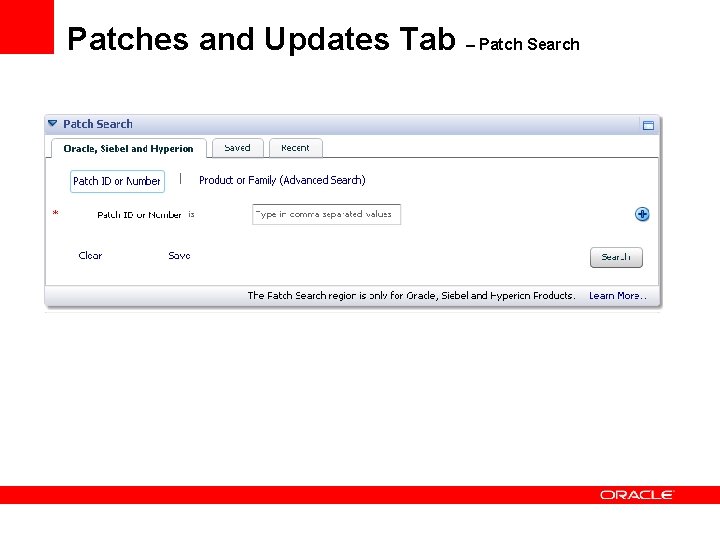
Patches and Updates Tab – Patch Search
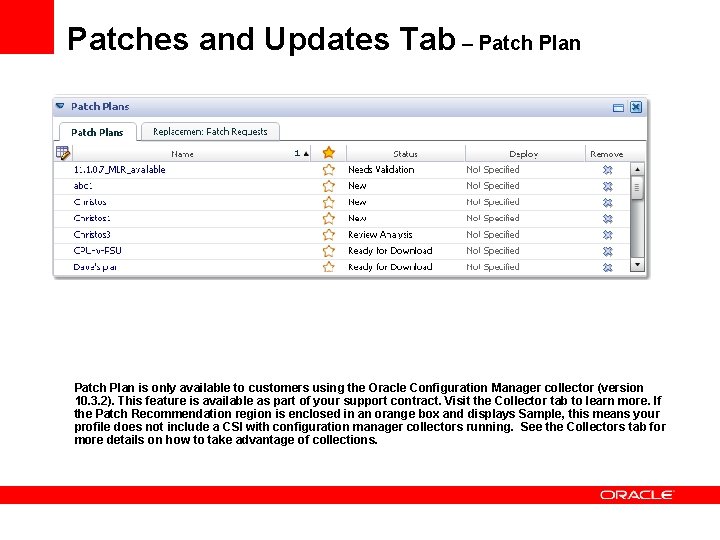
Patches and Updates Tab – Patch Plan is only available to customers using the Oracle Configuration Manager collector (version 10. 3. 2). This feature is available as part of your support contract. Visit the Collector tab to learn more. If the Patch Recommendation region is enclosed in an orange box and displays Sample, this means your profile does not include a CSI with configuration manager collectors running. See the Collectors tab for more details on how to take advantage of collections.
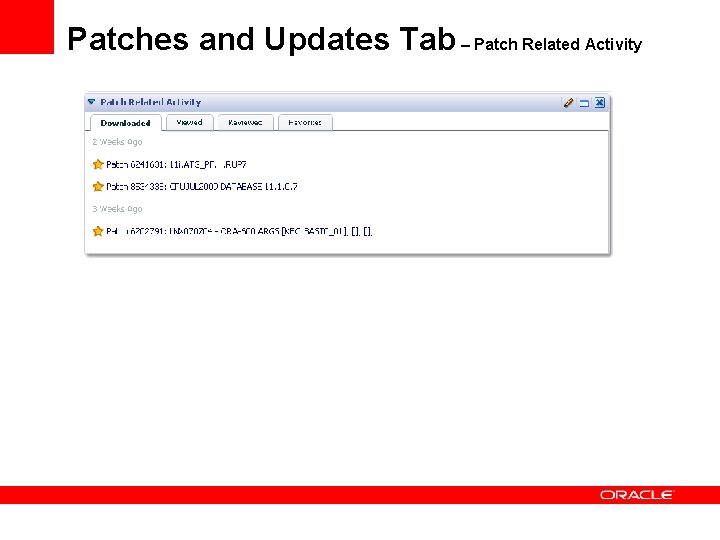
Patches and Updates Tab – Patch Related Activity
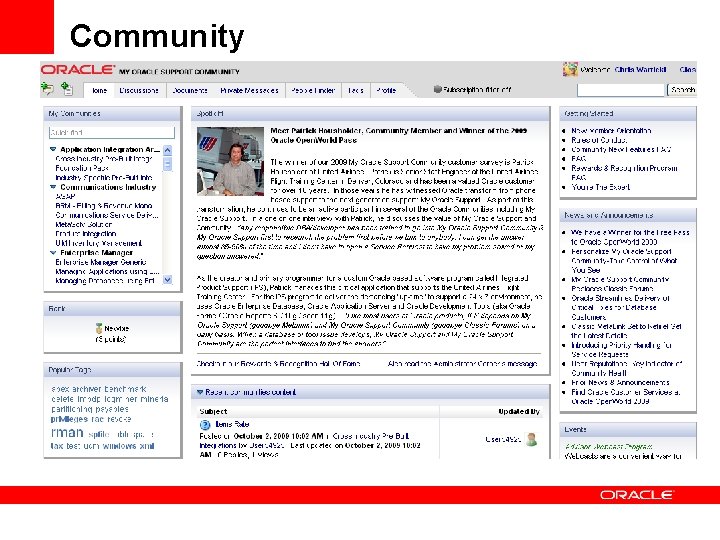
Community
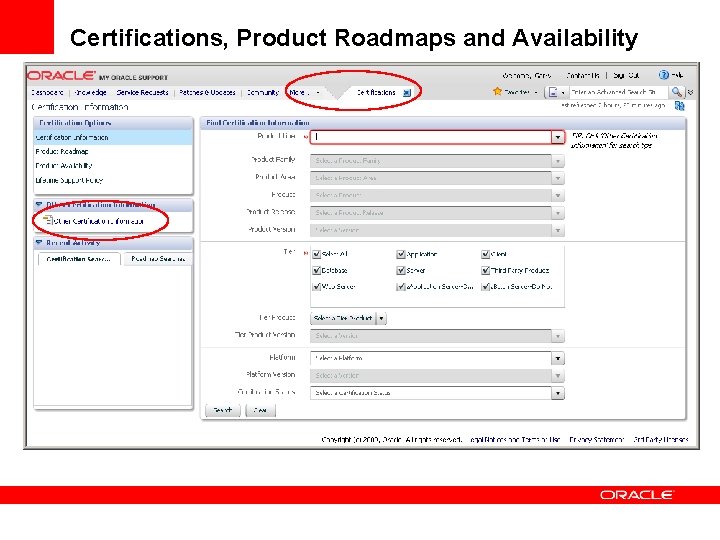
Certifications, Product Roadmaps and Availability
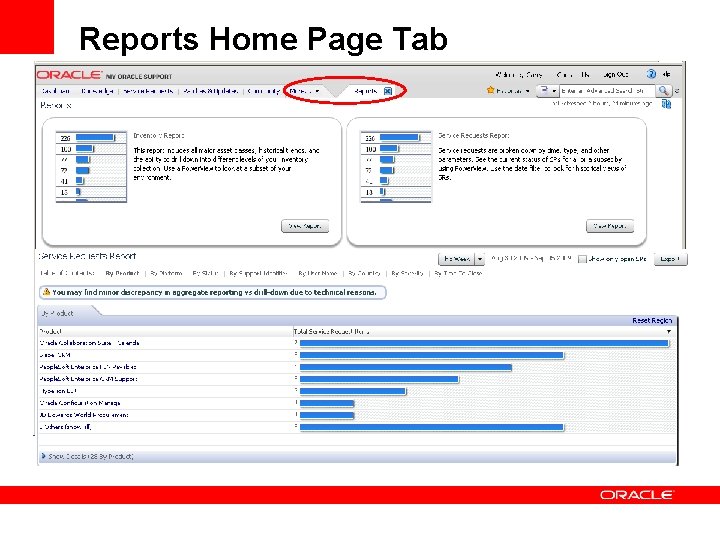
Reports Home Page Tab
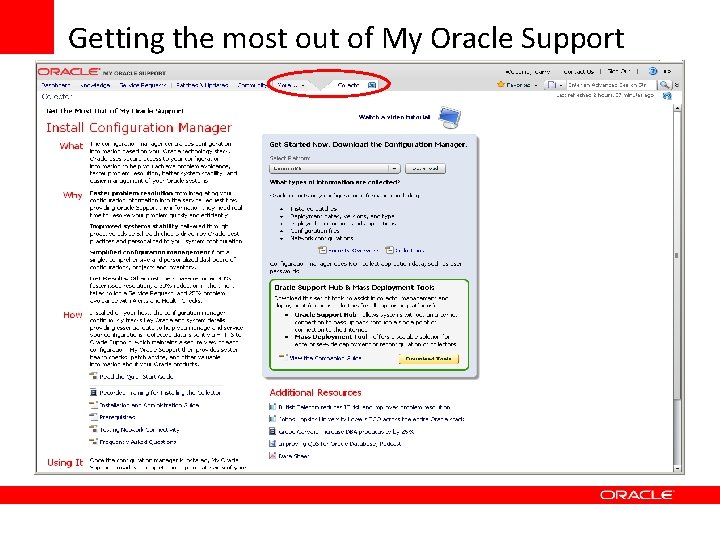
Getting the most out of My Oracle Support