
InputOuput Chap 22 22 1 Streams Stream means
![printf() • printf(format string, other arguments); • Format specification: Ø%[flags] [width] [. precision] [{h](https://slidetodoc.com/presentation_image_h/f1b1d4d2cd50234dfee9d2730f049ca0/image-13.jpg "printf() • printf(format string, other arguments); • Format specification: Ø%[flags] [width] [. precision] [{h")

![Examples printf("%. 3 dn", score[i]); 301 023 2134 printf("%. 3 fn", value[i]); 3. 010](https://slidetodoc.com/presentation_image_h/f1b1d4d2cd50234dfee9d2730f049ca0/image-20.jpg "Examples printf(\"%. 3 dn\", score[i]); 301 023 2134 printf(\"%. 3 fn\", value[i]); 3. 010")
![Examples printf("%. 5 en", score[i]); 3. 40000 e-003 3. 40000 e-005 3. 45678 e-005](https://slidetodoc.com/presentation_image_h/f1b1d4d2cd50234dfee9d2730f049ca0/image-21.jpg "Examples printf(\"%. 5 en\", score[i]); 3. 40000 e-003 3. 40000 e-005 3. 45678 e-005")
![Examples printf("%8 s%dn", month. Name[i], i+1); January 1 Fabruary 2 March 3 printf("%-8 s%+dn",](https://slidetodoc.com/presentation_image_h/f1b1d4d2cd50234dfee9d2730f049ca0/image-24.jpg "Examples printf(\"%8 s%dn\", month. Name[i], i+1); January 1 Fabruary 2 March 3 printf(\"%-8 s%+dn\",")
![Examples printf("%dn", number[i]); 85 -85 printf("%06 dn", score[i]); 000085 000100 25](https://slidetodoc.com/presentation_image_h/f1b1d4d2cd50234dfee9d2730f049ca0/image-25.jpg "Examples printf(\"%dn\", number[i]); 85 -85 printf(\"%06 dn\", score[i]); 000085 000100 25")
![scanf() • scanf(format string, other arguments); • Format specification: Ø%[*] [width] [{h | l](https://slidetodoc.com/presentation_image_h/f1b1d4d2cd50234dfee9d2730f049ca0/image-28.jpg "scanf() • scanf(format string, other arguments); • Format specification: Ø%[*] [width] [{h | l")
![Examples scanf("%[^abcde]", str); printf("您輸入的字串是 %sn", str); lover (←自己輸入) 您輸入的字串是 lov 37](https://slidetodoc.com/presentation_image_h/f1b1d4d2cd50234dfee9d2730f049ca0/image-37.jpg "Examples scanf(\"%[^abcde]\", str); printf(\"您輸入的字串是 %sn\", str); lover (←自己輸入) 您輸入的字串是 lov 37")
- Slides: 51
Input/Ouput Chap 22
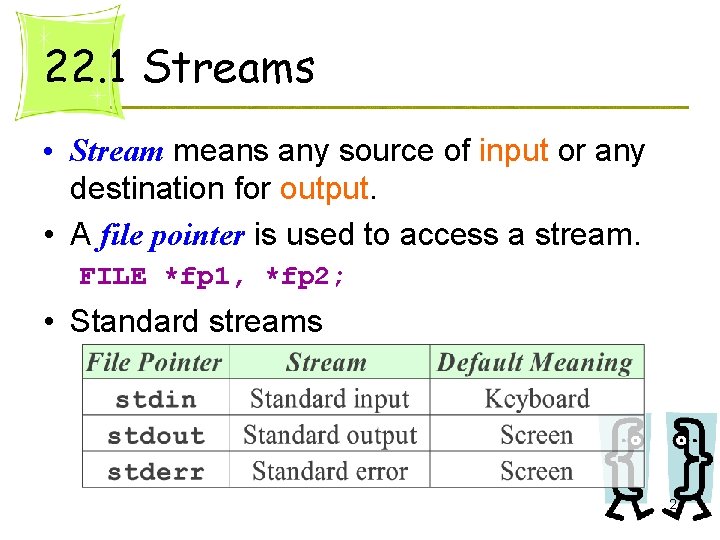
22. 1 Streams • Stream means any source of input or any destination for output. • A file pointer is used to access a stream. FILE *fp 1, *fp 2; • Standard streams 2
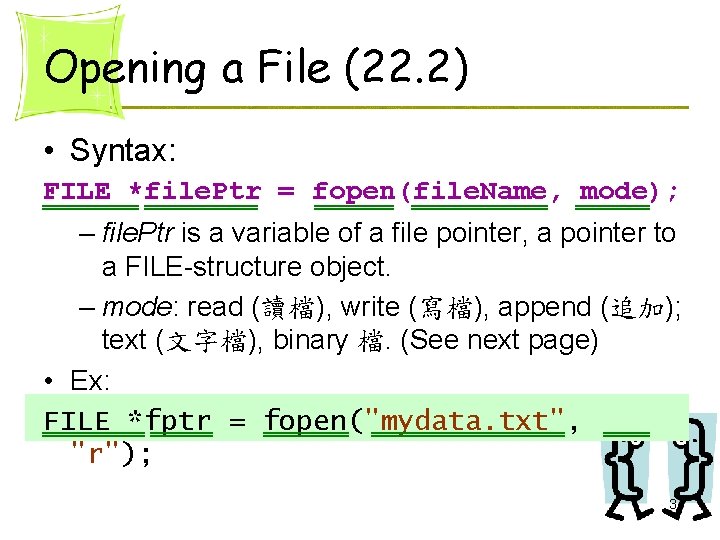
Opening a File (22. 2) • Syntax: FILE *file. Ptr = fopen(file. Name, mode); – file. Ptr is a variable of a file pointer, a pointer to a FILE-structure object. – mode: read (讀檔), write (寫檔), append (追加); text (文字檔), binary 檔. (See next page) • Ex: FILE *fptr = fopen("mydata. txt", "r"); 3
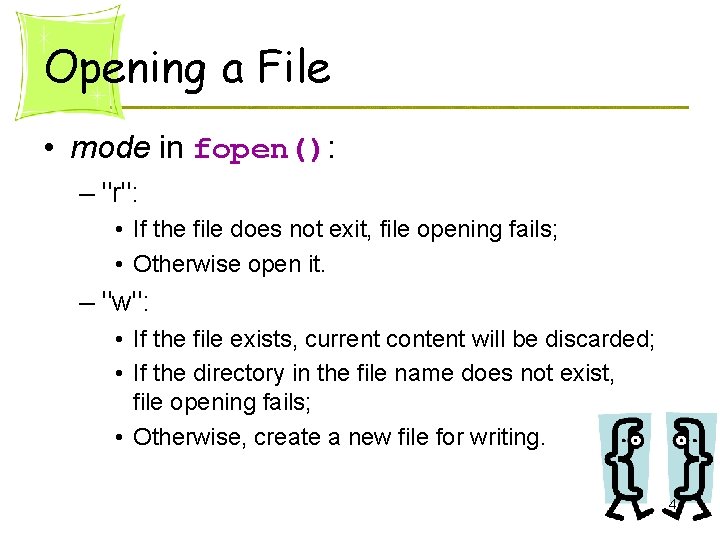
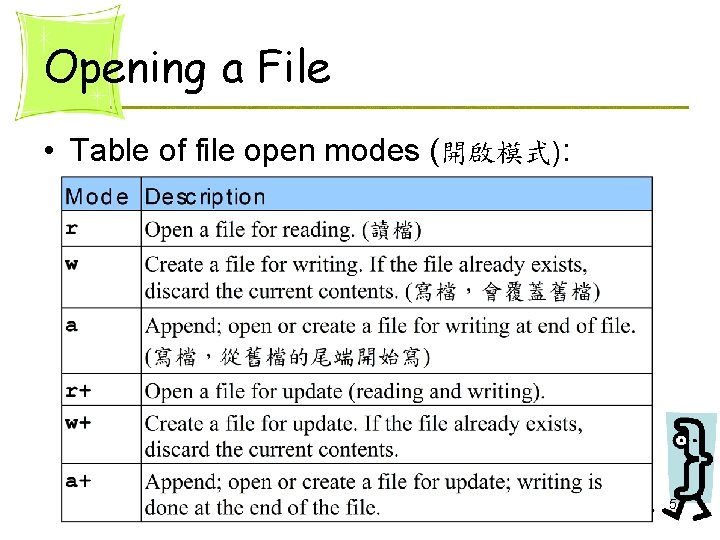
Opening a File • mode in fopen(): – "r": • If the file does not exit, file opening fails; • Otherwise open it. – "w": • If the file exists, current content will be discarded; • If the directory in the file name does not exist, file opening fails; • Otherwise, create a new file for writing. 4
Opening a File • Table of file open modes (開啟模式): 5
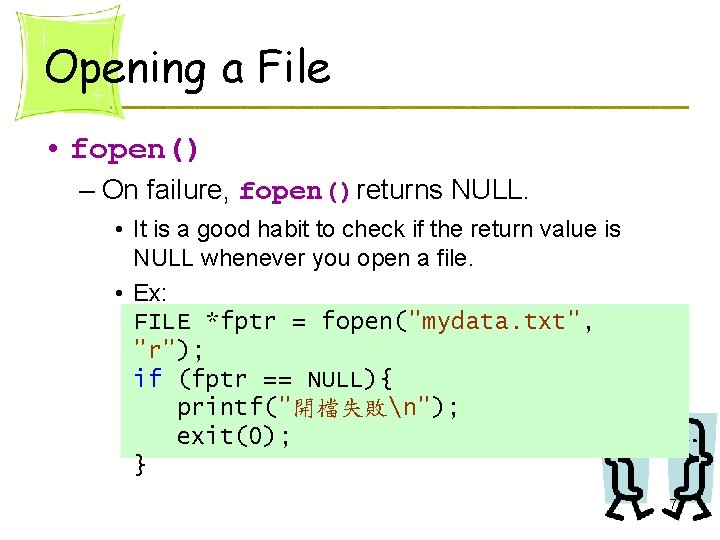
Opening a File • fopen() – On failure, fopen()returns NULL. • It is a good habit to check if the return value is NULL whenever you open a file. • Ex: FILE *fptr = fopen("mydata. txt", "r"); if (fptr == NULL){ printf("開檔失敗n"); exit(0); } 7
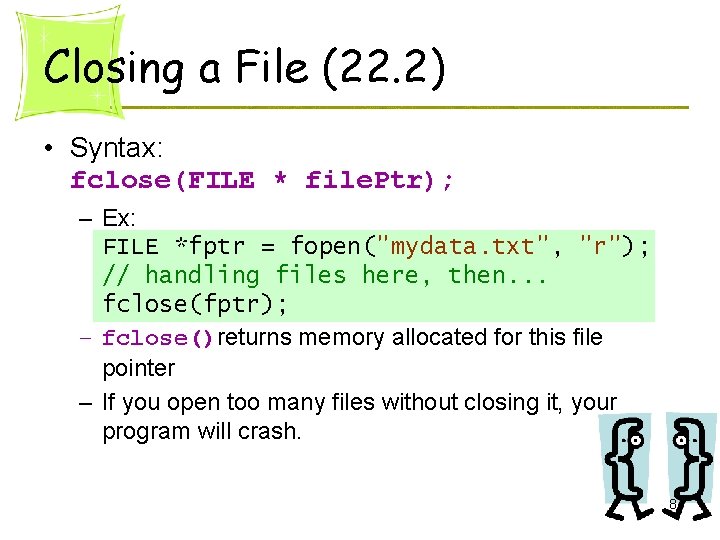
Closing a File (22. 2) • Syntax: fclose(FILE * file. Ptr); – Ex: FILE *fptr = fopen("mydata. txt", "r"); // handling files here, then. . . fclose(fptr); – fclose()returns memory allocated for this file pointer – If you open too many files without closing it, your program will crash. 8
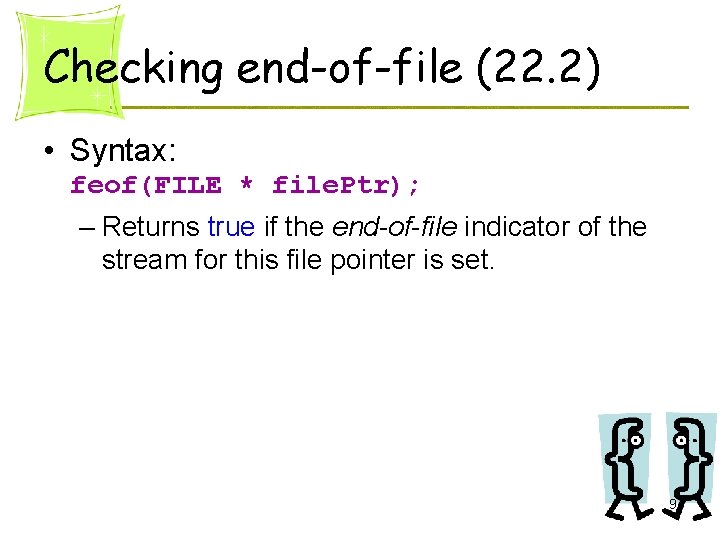
Checking end-of-file (22. 2) • Syntax: feof(FILE * file. Ptr); – Returns true if the end-of-file indicator of the stream for this file pointer is set. 9
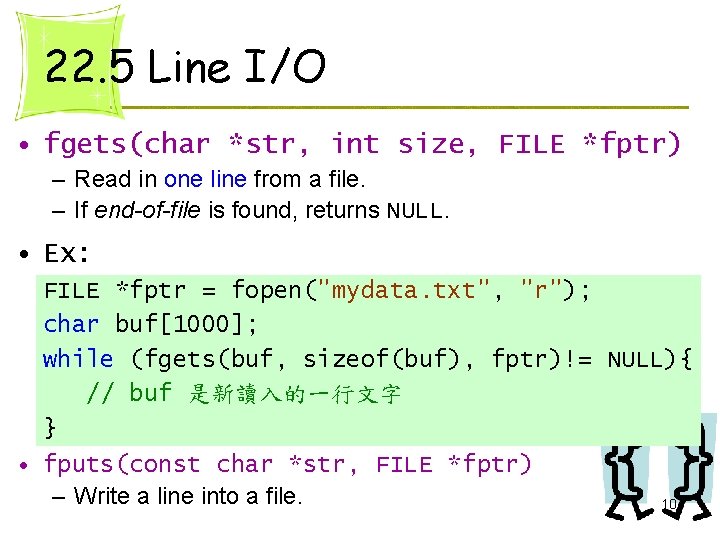
22. 5 Line I/O • fgets(char *str, int size, FILE *fptr) – Read in one line from a file. – If end-of-file is found, returns NULL. • Ex: FILE *fptr = fopen("mydata. txt", "r"); char buf[1000]; while (fgets(buf, sizeof(buf), fptr)!= NULL){ // buf 是新讀入的一行文字 } • fputs(const char *str, FILE *fptr) – Write a line into a file. 10
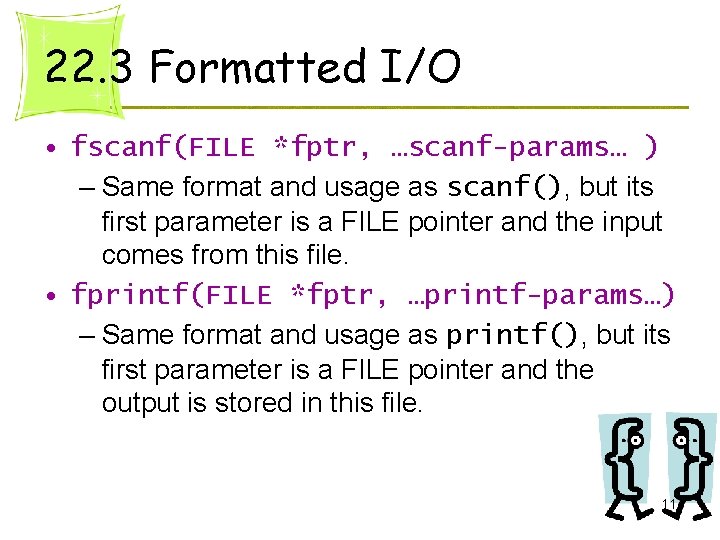
22. 3 Formatted I/O • fscanf(FILE *fptr, …scanf-params… ) – Same format and usage as scanf(), but its first parameter is a FILE pointer and the input comes from this file. • fprintf(FILE *fptr, …printf-params…) – Same format and usage as printf(), but its first parameter is a FILE pointer and the output is stored in this file. 11
Formatted Input/Output Section 22. 3
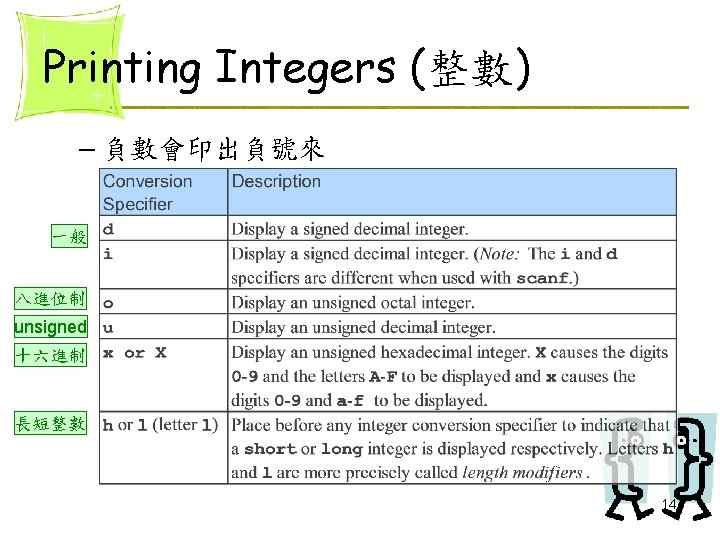
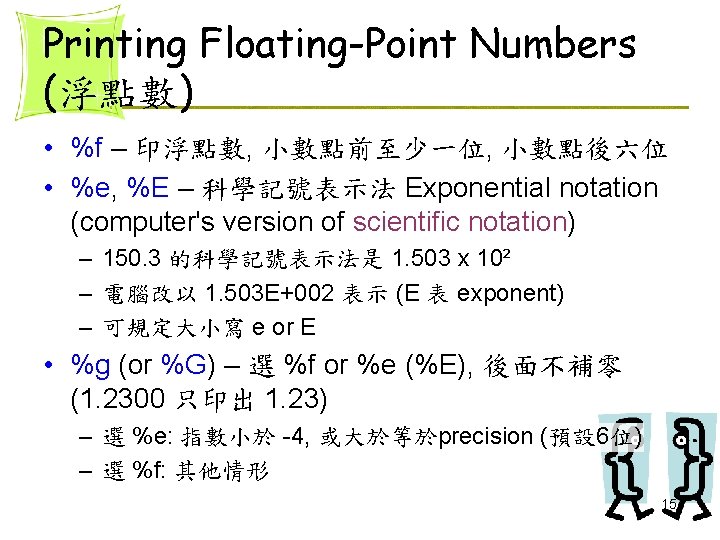
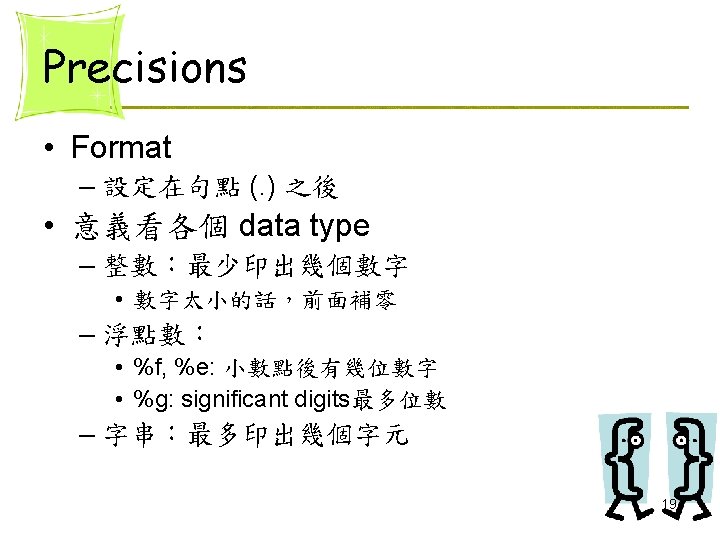
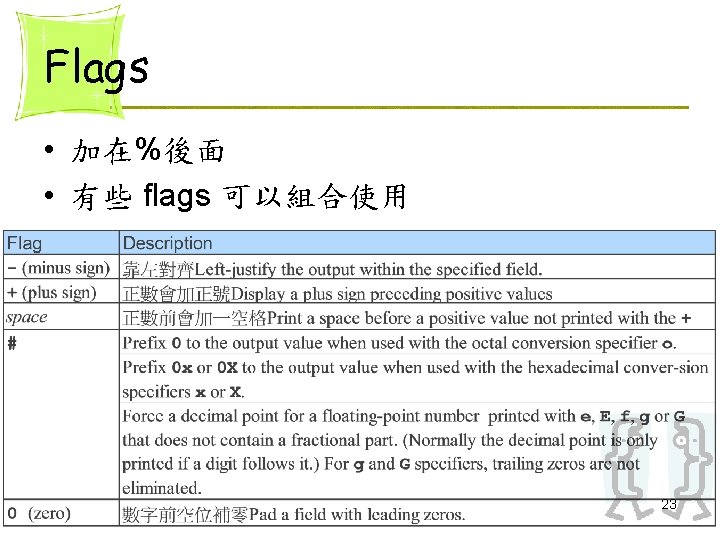
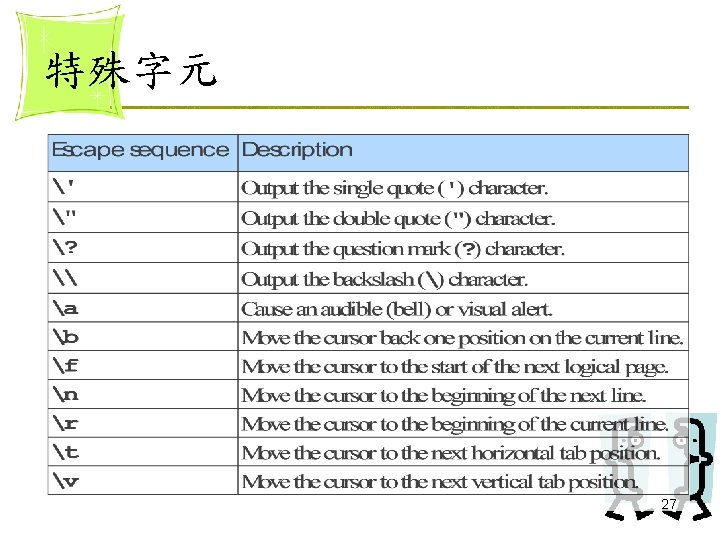
printf() • printf(format string, other arguments); • Format specification: Ø%[flags] [width] [. precision] [{h | l | I 64 | L}]type ØEx: printf( "%+3. 5 lf", 4. 56); 13
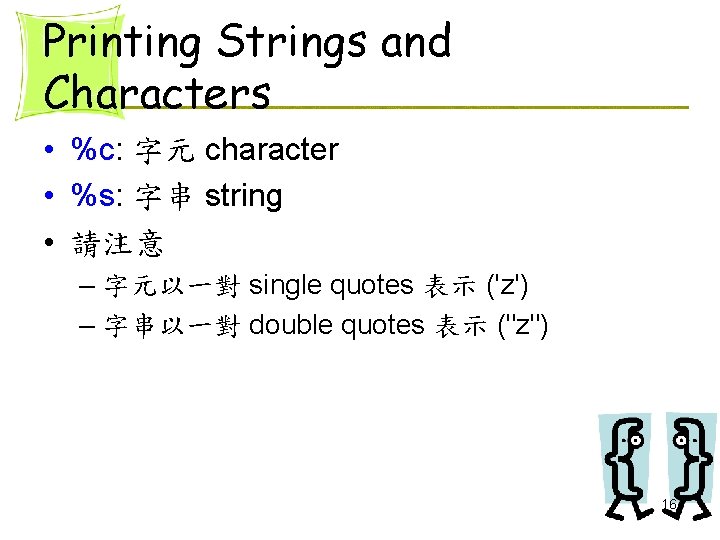
Printing Strings and Characters • %c: 字元 character • %s: 字串 string • 請注意 – 字元以一對 single quotes 表示 ('z') – 字串以一對 double quotes 表示 ("z") 16
Other Conversion Specifiers • %p – 印出位址格式 • %% – 印出百分比號 (%) 回 printf 17
Examples printf("%. 3 dn", score[i]); 301 023 2134 printf("%. 3 fn", value[i]); 3. 010 23. 000 2. 135 printf("%. 6 sn", month. Name[i]); Januar Fabrua March 20
Examples printf("%. 5 en", score[i]); 3. 40000 e-003 3. 40000 e-005 3. 45678 e-005 printf("%. 5 gn", score[i]); 0. 0034 3. 4 e-005 3. 4568 e-005 21
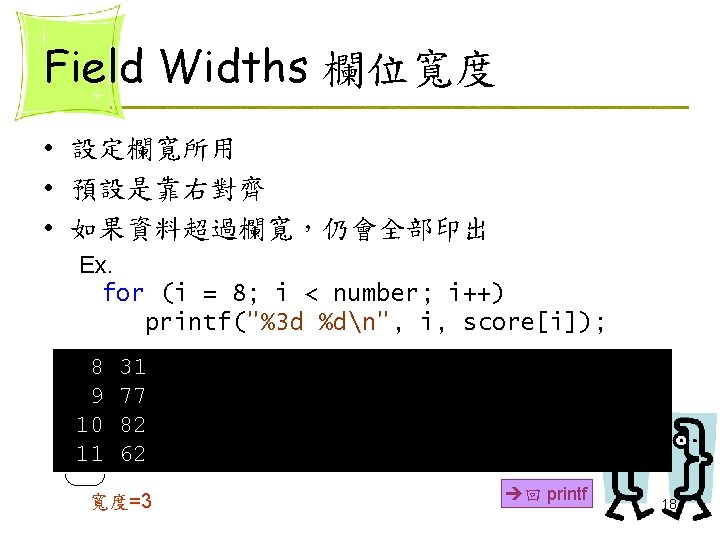
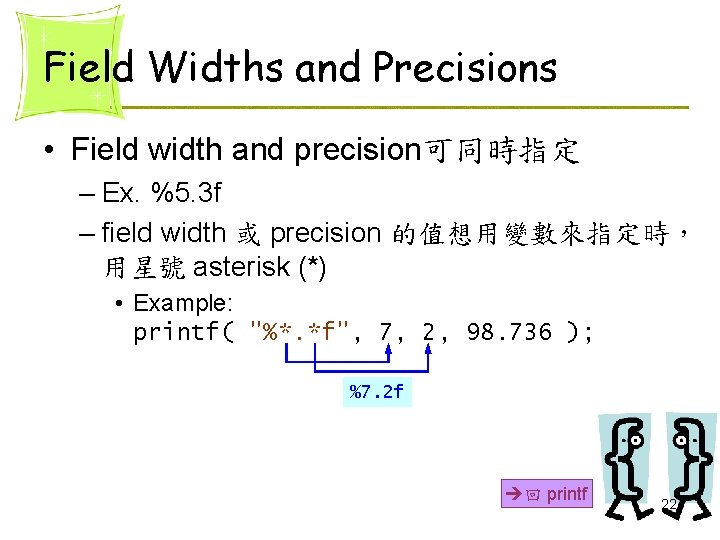
Field Widths and Precisions • Field width and precision可同時指定 – Ex. %5. 3 f – field width 或 precision 的值想用變數來指定時, 用星號 asterisk (*) • Example: printf( "%*. *f", 7, 2, 98. 736 ); %7. 2 f 回 printf 22
Examples printf("%8 s%dn", month. Name[i], i+1); January 1 Fabruary 2 March 3 printf("%-8 s%+dn", month. Name[i], i+1); January +1 Fabruary+2 March +3 24
Examples printf("%dn", number[i]); 85 -85 printf("%06 dn", score[i]); 000085 000100 25
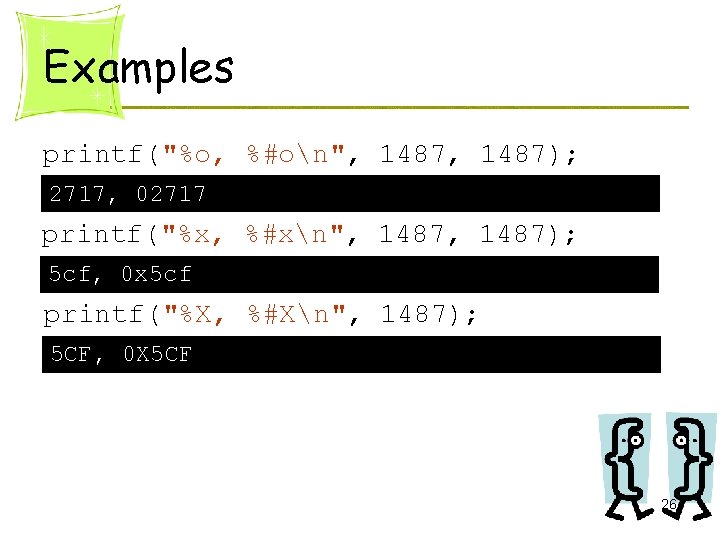
Examples printf("%o, %#on", 1487); 2717, 02717 printf("%x, %#xn", 1487); 5 cf, 0 x 5 cf printf("%X, %#Xn", 1487); 5 CF, 0 X 5 CF 26
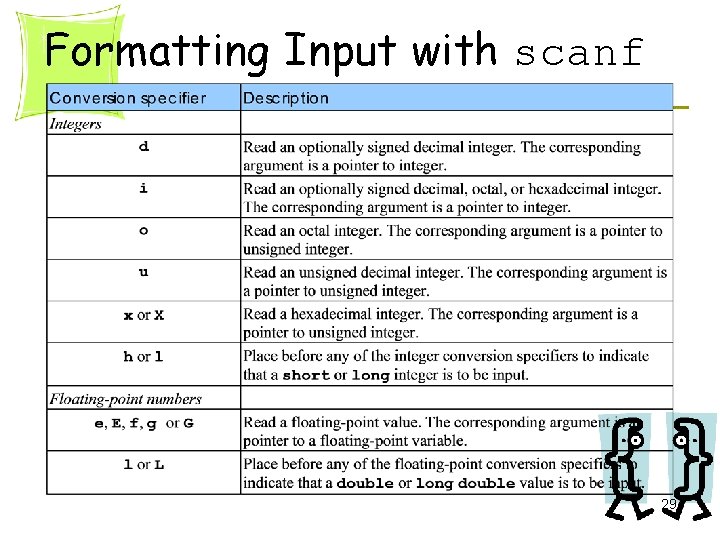
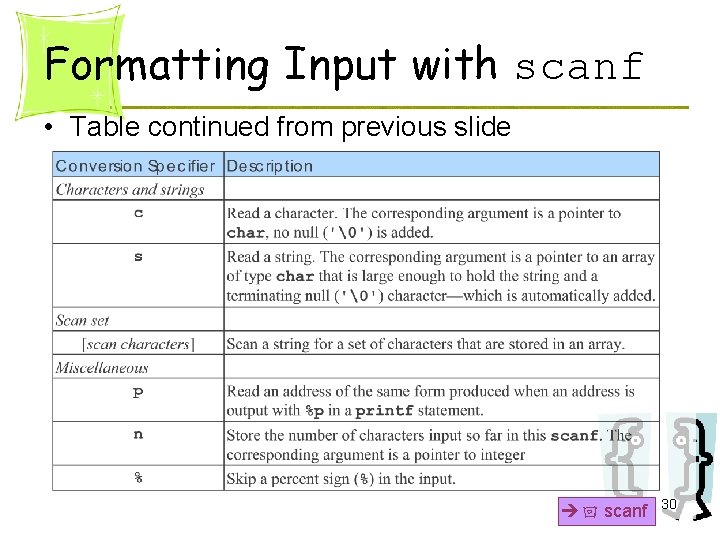
scanf() • scanf(format string, other arguments); • Format specification: Ø%[*] [width] [{h | l | I 64 | L}]type ØEx: scanf( "%3 d", &name); 28
Formatting Input with scanf 29
Formatting Input with scanf • Table continued from previous slide 回 scanf 30
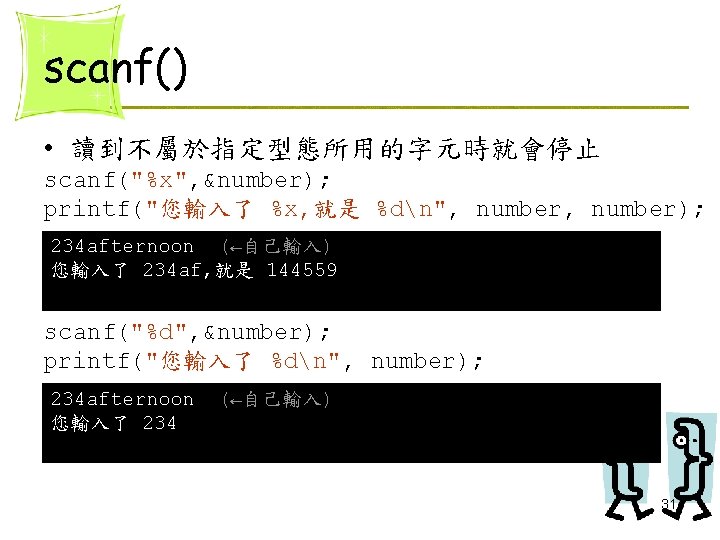
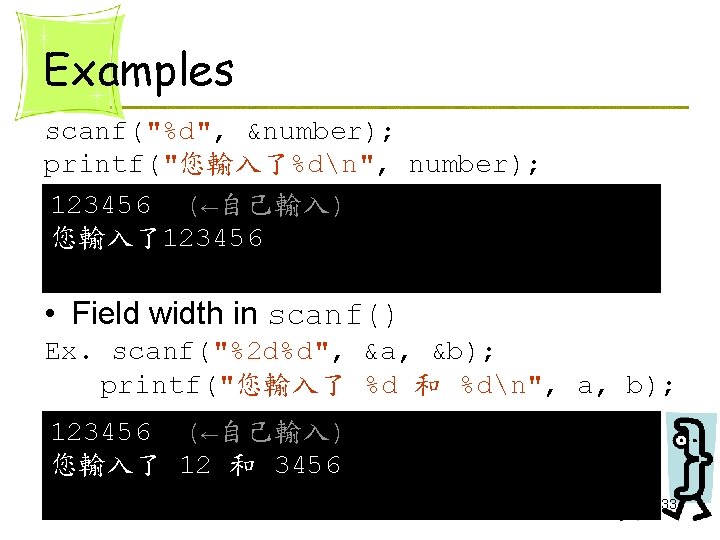
Examples scanf("%d", &number); printf("您輸入了%dn", number); 123456 (←自己輸入) 您輸入了123456 • Field width in scanf() Ex. scanf("%2 d%d", &a, &b); printf("您輸入了 %d 和 %dn", a, b); 123456 (←自己輸入) 您輸入了 12 和 3456 33
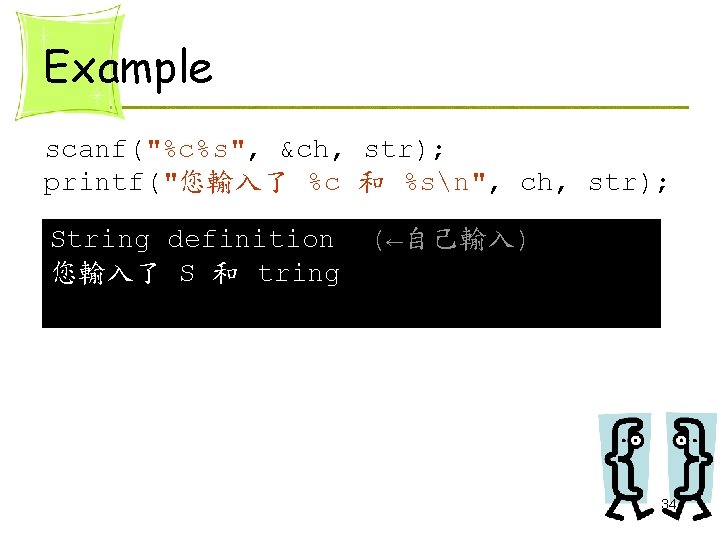
Example scanf("%c%s", &ch, str); printf("您輸入了 %c 和 %sn", ch, str); String definition 您輸入了 S 和 tring (←自己輸入) 34
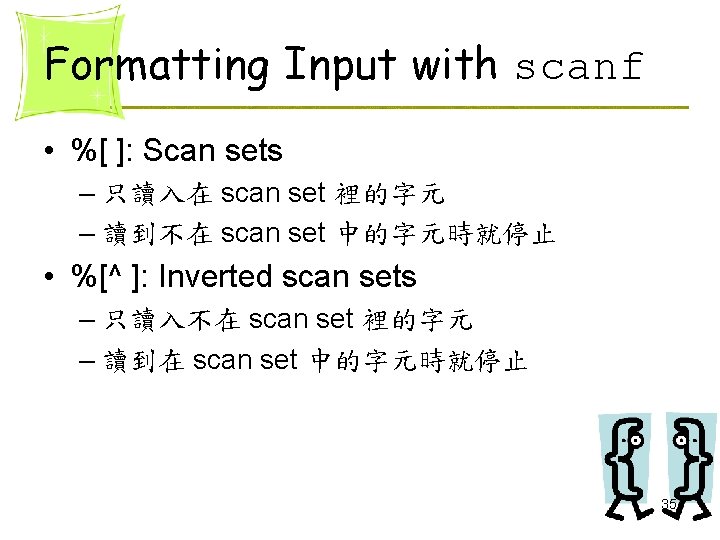
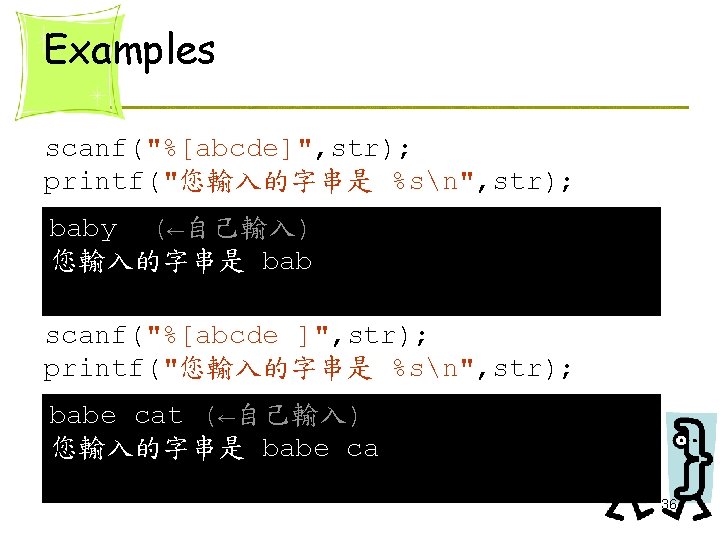
Examples scanf("%[^abcde]", str); printf("您輸入的字串是 %sn", str); lover (←自己輸入) 您輸入的字串是 lov 37
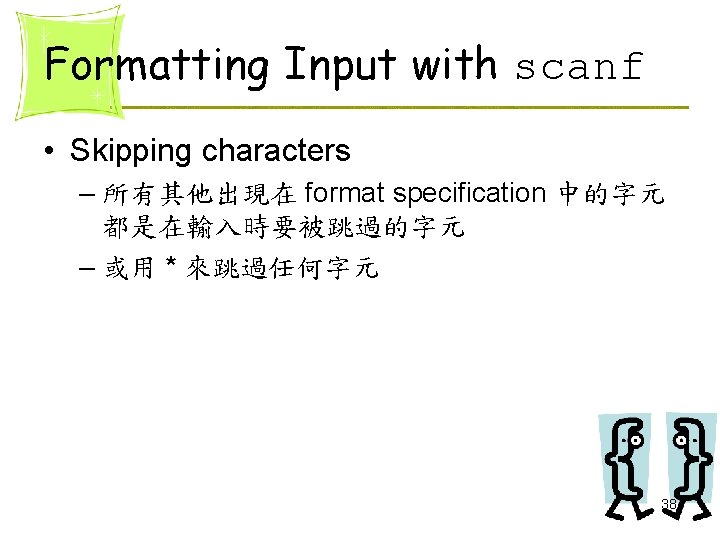
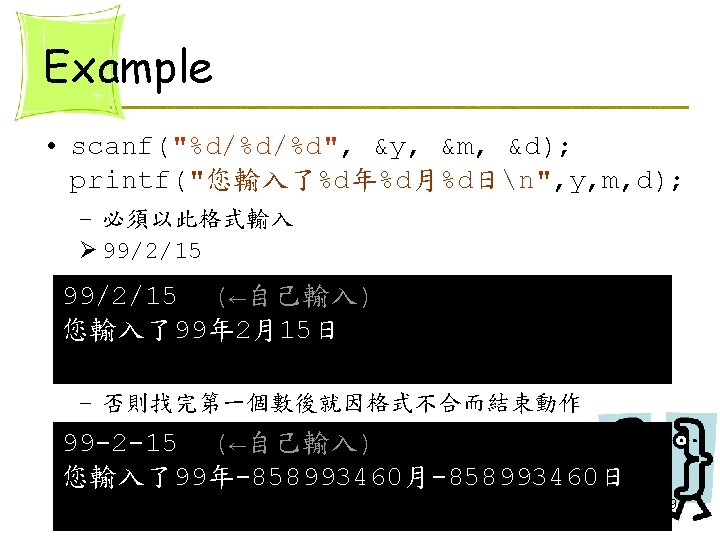
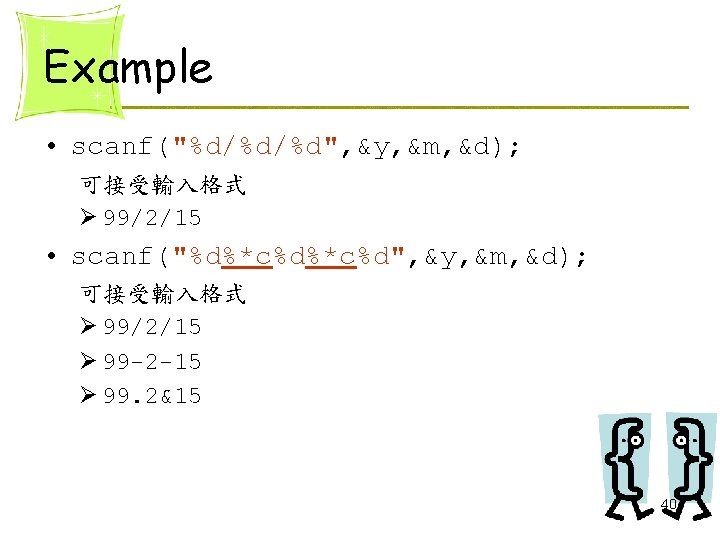
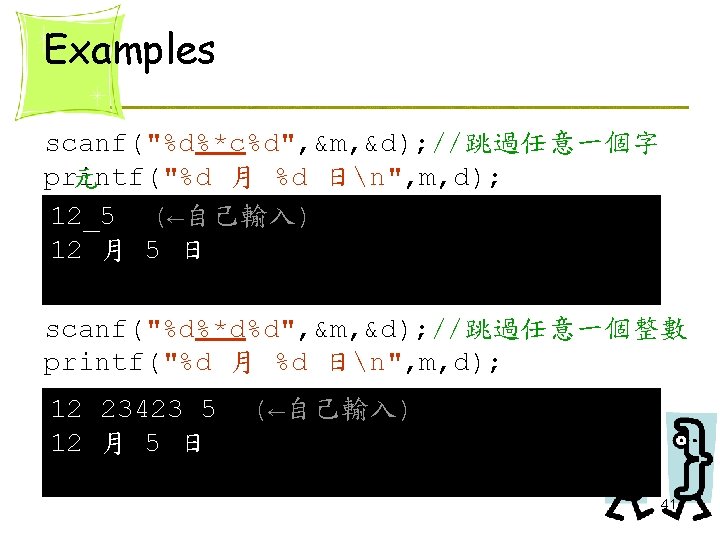
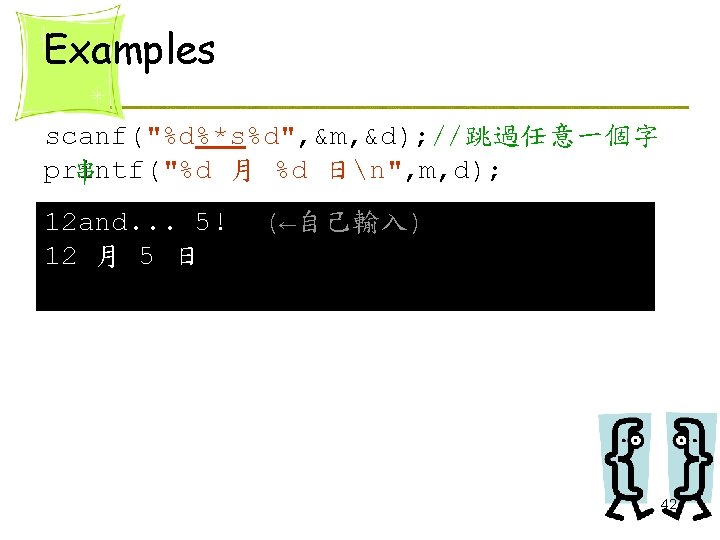
Formatting Input with scanf • Skipping characters – 所有其他出現在 format specification 中的字元 都是在輸入時要被跳過的字元 – 或用 * 來跳過任何字元 38
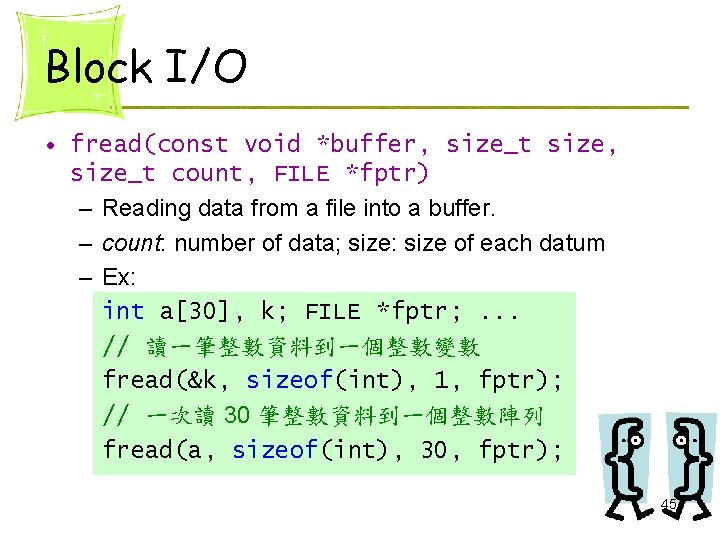
22. 6 Block I/O • Reading or writing a block of data into a file at one time. Øfread() Øfwrite() • Especially useful for handling binary files 44
Block I/O • fread(const void *buffer, size_t size, size_t count, FILE *fptr) – Reading data from a file into a buffer. – count: number of data; size: size of each datum – Ex: int a[30], k; FILE *fptr; . . . // 讀一筆整數資料到一個整數變數 fread(&k, sizeof(int), 1, fptr); // 一次讀 30 筆整數資料到一個整數陣列 fread(a, sizeof(int), 30, fptr); 45
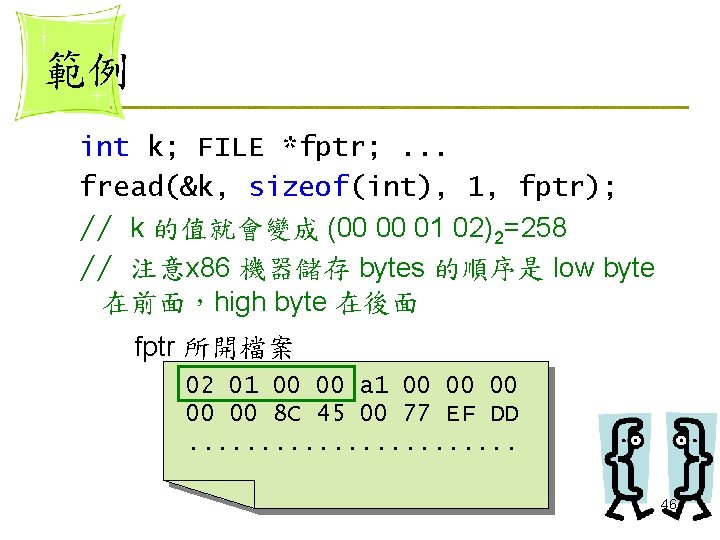
範例 int k; FILE *fptr; . . . fread(&k, sizeof(int), 1, fptr); // k 的值就會變成 (00 00 01 02)2=258 // 注意x 86 機器儲存 bytes 的順序是 low byte 在前面,high byte 在後面 fptr 所開檔案 02 01 00 00 a 1 00 00 00 8 C 45 00 77 EF DD. . . 46
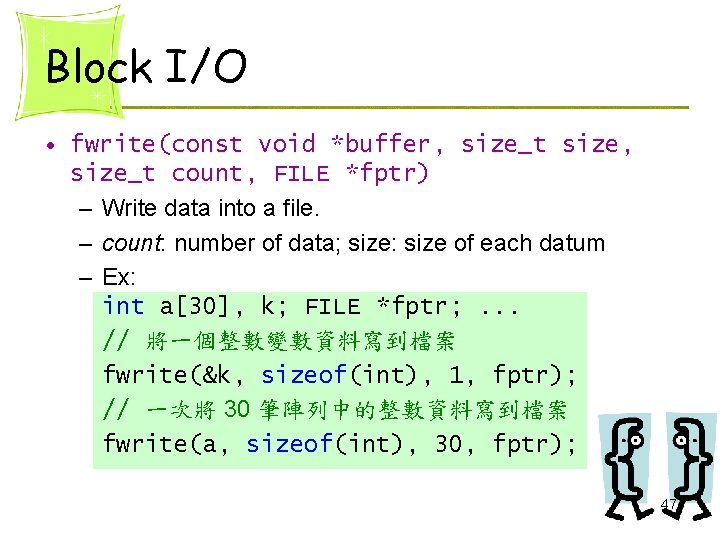
Block I/O • fwrite(const void *buffer, size_t size, size_t count, FILE *fptr) – Write data into a file. – count: number of data; size: size of each datum – Ex: int a[30], k; FILE *fptr; . . . // 將一個整數變數資料寫到檔案 fwrite(&k, sizeof(int), 1, fptr); // 一次將 30 筆陣列中的整數資料寫到檔案 fwrite(a, sizeof(int), 30, fptr); 47
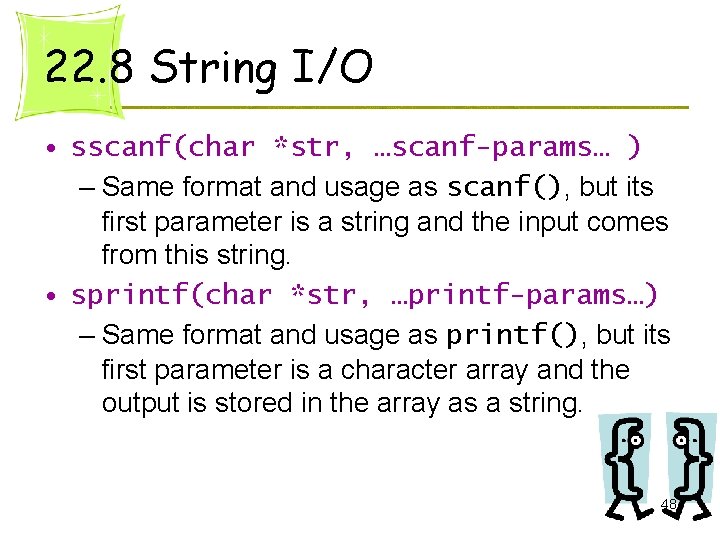
22. 8 String I/O • sscanf(char *str, …scanf-params… ) – Same format and usage as scanf(), but its first parameter is a string and the input comes from this string. • sprintf(char *str, …printf-params…) – Same format and usage as printf(), but its first parameter is a character array and the output is stored in the array as a string. 48
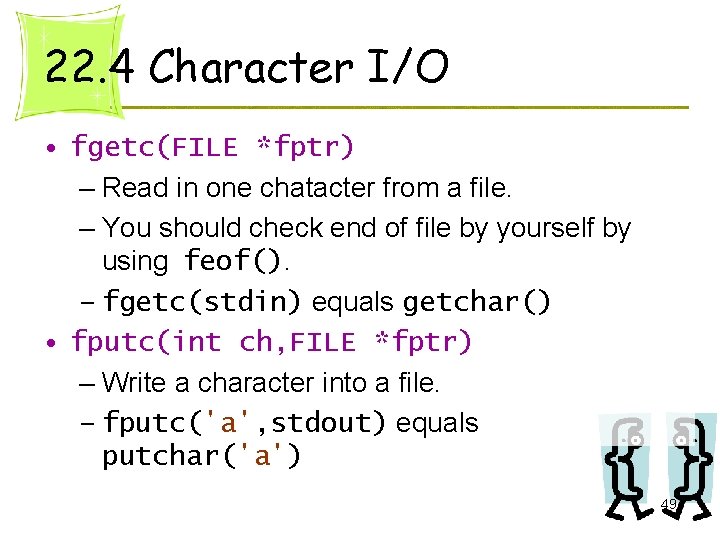
22. 4 Character I/O • fgetc(FILE *fptr) – Read in one chatacter from a file. – You should check end of file by yourself by using feof(). – fgetc(stdin) equals getchar() • fputc(int ch, FILE *fptr) – Write a character into a file. – fputc('a', stdout) equals putchar('a') 49