
Inhibition of Return IOR Building the Posner cueing
Inhibition of Return (IOR) Building the Posner cueing task in Psycho. Py 1
The experiment needs… ◦ A fixation cross/spot (controlling eye gaze will be important in this study) ◦ We want the fixation to flash a different colour. To do this briefly draw another one ‘in front’ of the fixation ◦ A target (another cross? ) that could be on left or right ◦ A method for subjects to respond (keyboard) ◦ A pair of rectangles (left and right, to help locate the target in space) ◦ A cue �draw a yellow square, bigger than the locating rectangles and ‘behind them’ In Psycho. Py, to have something draw ‘behind’ the others, it needs to be higher in the list of Components 2
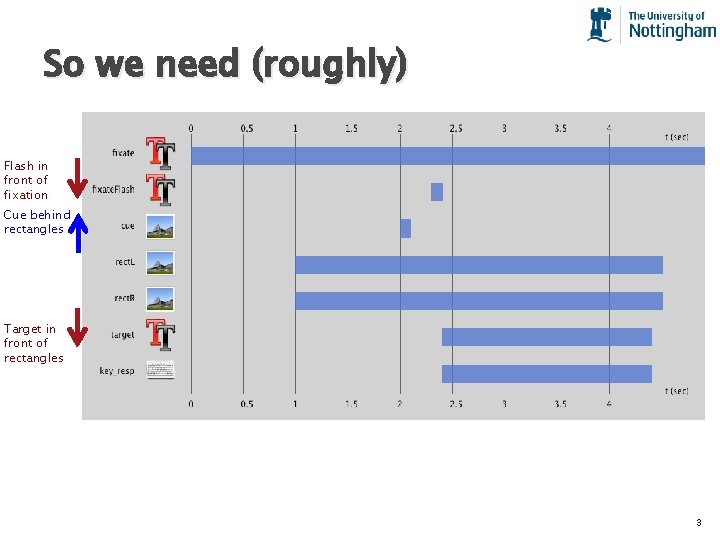
So we need (roughly) Flash in front of fixation Cue behind rectangles Target in front of rectangles 3
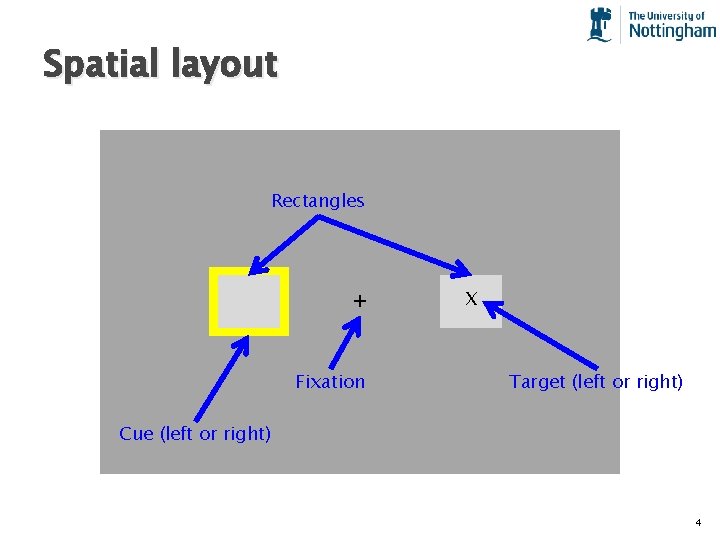
Spatial layout Rectangles + Fixation X Target (left or right) Cue (left or right) 4
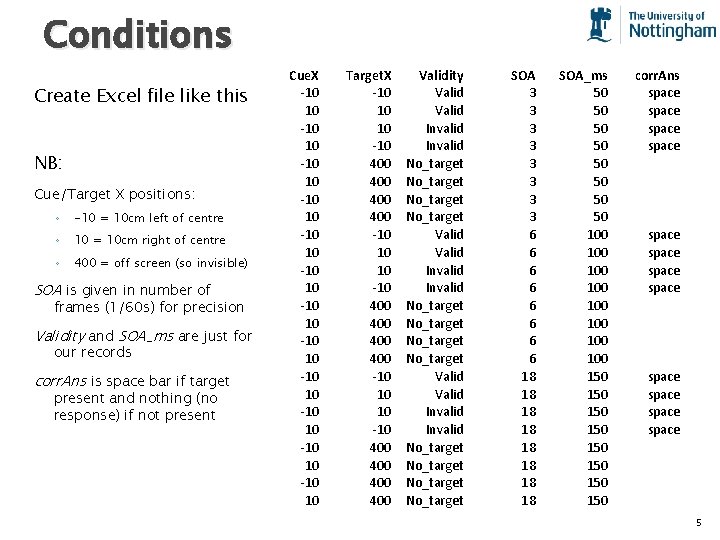
Conditions Create Excel file like this NB: Cue/Target X positions: ◦ -10 = 10 cm left of centre ◦ 10 = 10 cm right of centre ◦ 400 = off screen (so invisible) SOA is given in number of frames (1/60 s) for precision Validity and SOA_ms are just for our records corr. Ans is space bar if target present and nothing (no response) if not present Cue. X -10 10 -10 10 -10 10 Target. X -10 10 10 -10 400 400 -10 10 10 -10 400 400 Validity Valid Invalid No_target No_target Valid Invalid No_target SOA 3 3 3 3 6 6 6 6 18 18 SOA_ms 50 50 100 100 150 150 corr. Ans space space space 5
Stimulus timing and layout For this study, the time differences are going to be very small so precise timing is going to be very important We should use number of frames to control onset/offset with greatest precision 3 frames = 3 x 1/60 s = 0. 05 s = 50 ms 6
Component Details Rectangles and cue: ◦ To create a grey square add a Patch Component with; �Image = None �Colour (advanced properties) right-click and select a colour (e. g. light grey for rectangle, yellow for cue) 7
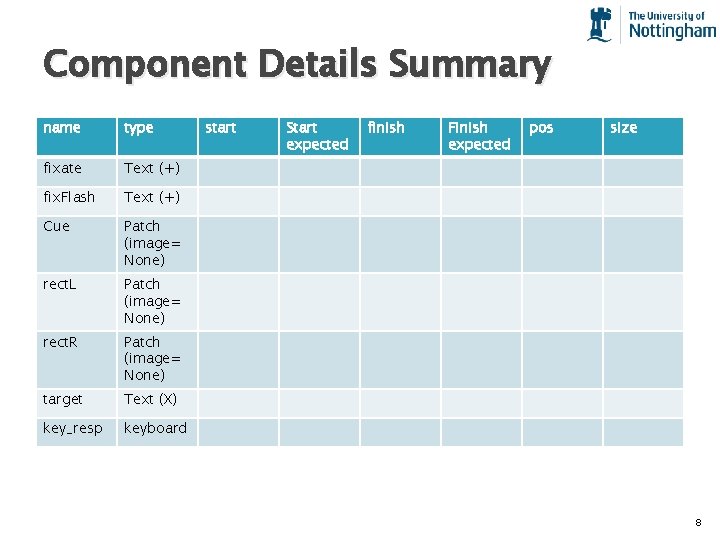
Component Details Summary name type fixate Text (+) fix. Flash Text (+) Cue Patch (image= None) rect. L Patch (image= None) rect. R Patch (image= None) target Text (X) key_resp keyboard start Start expected finish Finish expected pos size 8
- Slides: 8