
Information Visualization Information Visualization Introduction Data Type by
Information Visualization

Information Visualization • Introduction • Data Type by Task Taxonomy • Challenges for Information Visualization 14 -2
Introduction • “A Picture is worth a thousand words” • Information visualization can be defined as the use of interactive visual representations of abstract data to amplify cognition (Ware, 2008; Card et al. , 1999). • The abstract characteristic of the data is what distinguishes information visualization from scientific visualization. • Information visualization: categorical variables and the discovery of patterns, trends, clusters, outliers, and gaps • Scientific visualization: continuous variables, volumes and surfaces • Information visualization provides compact graphical presentations and user interfaces for interactively manipulating large numbers of items, possibly extracted from far larger datasets. 14 -3
Introduction (cont. ) • Sometimes called visual data mining, it uses the enormous visual bandwidth and the remarkable human perceptual system to enable users to make discoveries, take decisions, or propose explanations about patterns, groups of items, or individual items. • Visual-information-seeking mantra: - Overview first, zoom and filter, then details on demand. 14 -4
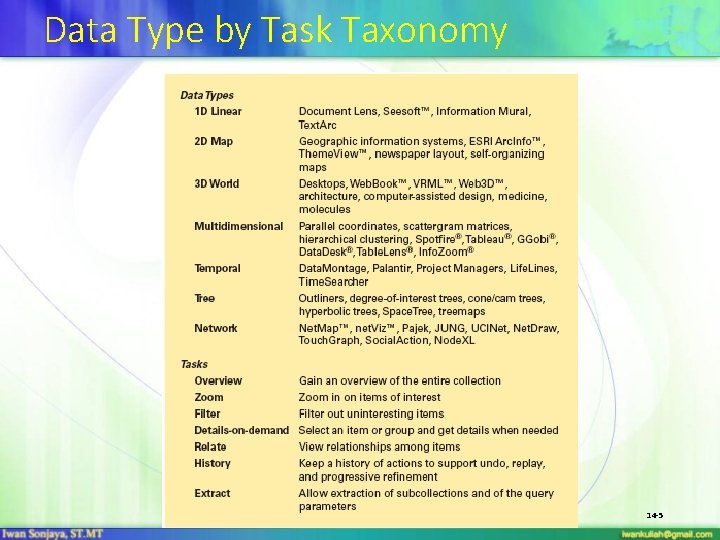
Data Type by Task Taxonomy 14 -5
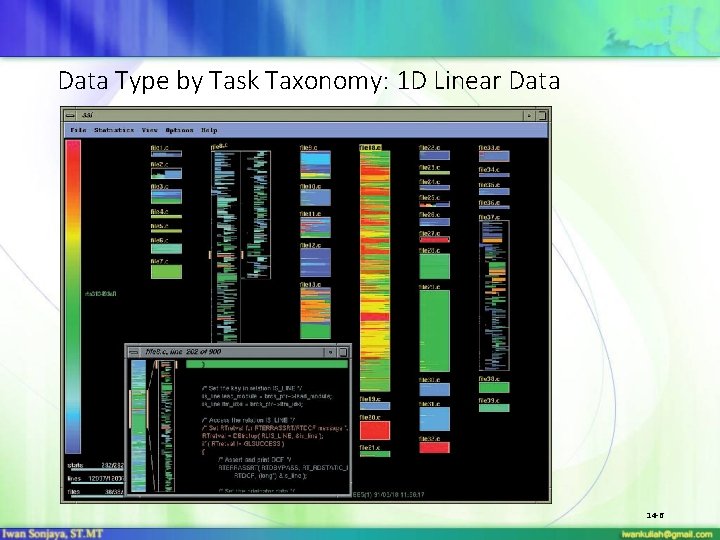
Data Type by Task Taxonomy: 1 D Linear Data 14 -6

Data Type by Task Taxonomy: 1 D Linear Data (cont. ) 14 -7
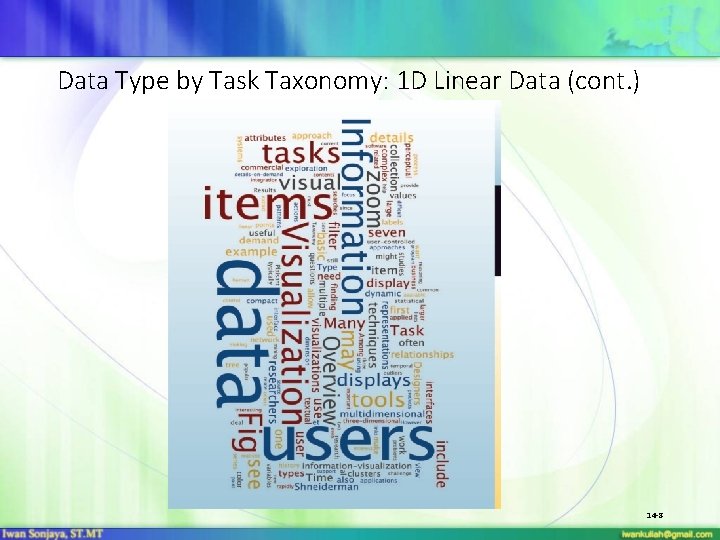
Data Type by Task Taxonomy: 1 D Linear Data (cont. ) 14 -8
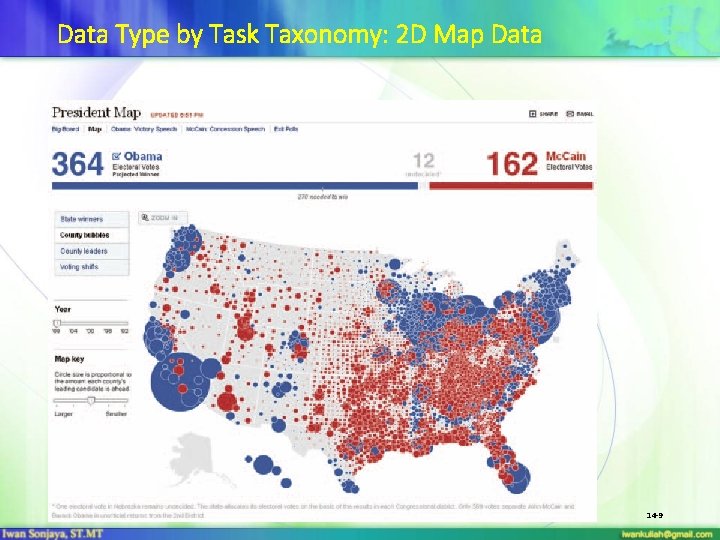
Data Type by Task Taxonomy: 2 D Map Data 14 -9
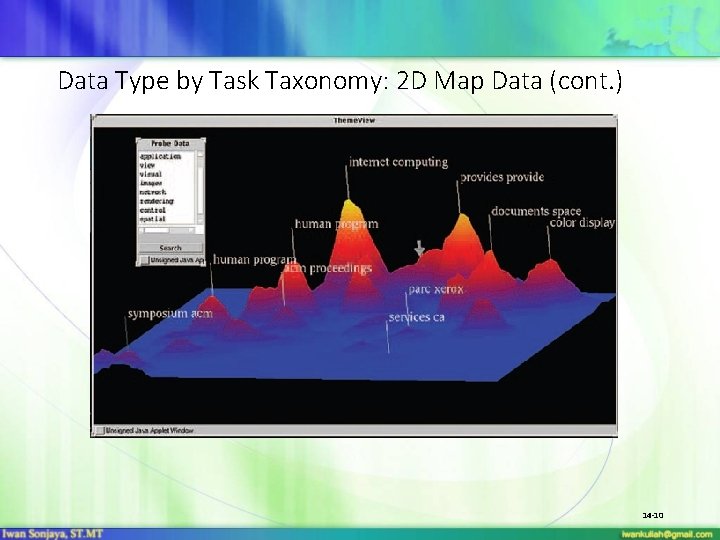
Data Type by Task Taxonomy: 2 D Map Data (cont. ) 14 -10
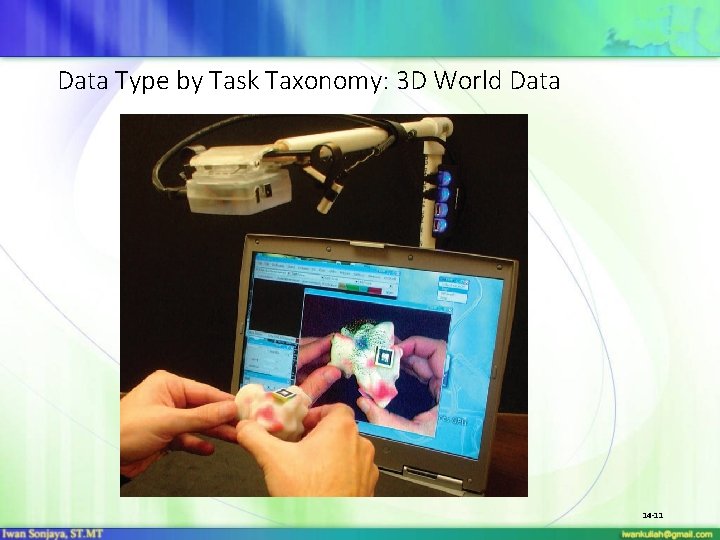
Data Type by Task Taxonomy: 3 D World Data 14 -11
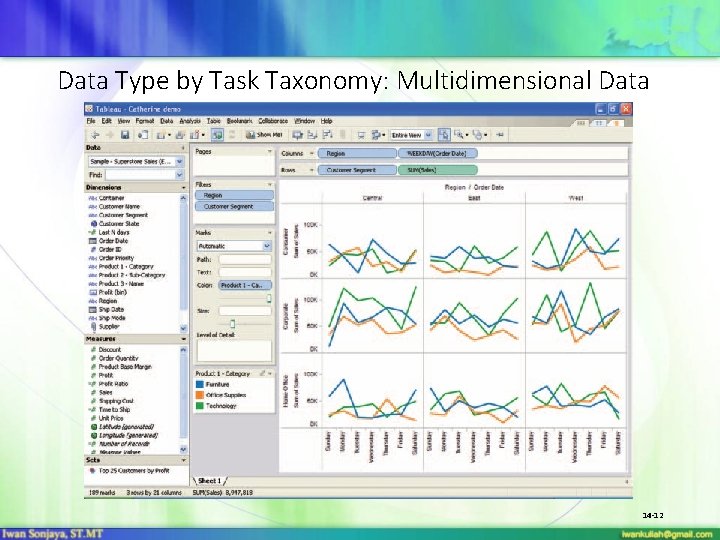
Data Type by Task Taxonomy: Multidimensional Data 14 -12
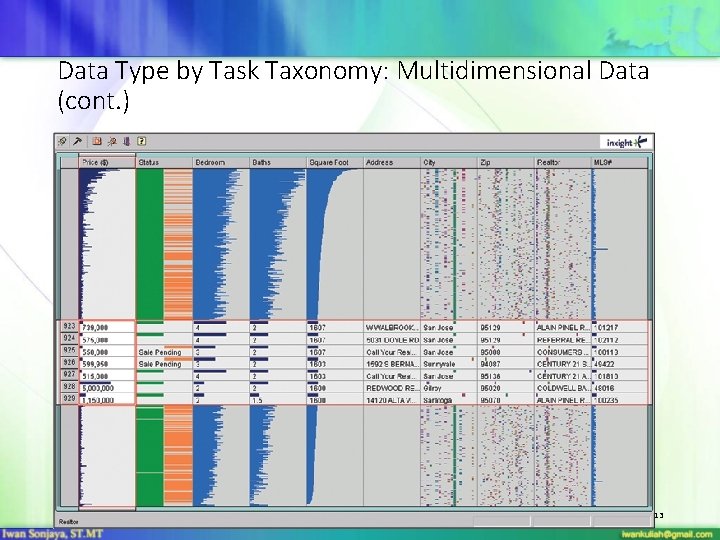
Data Type by Task Taxonomy: Multidimensional Data (cont. ) 14 -13
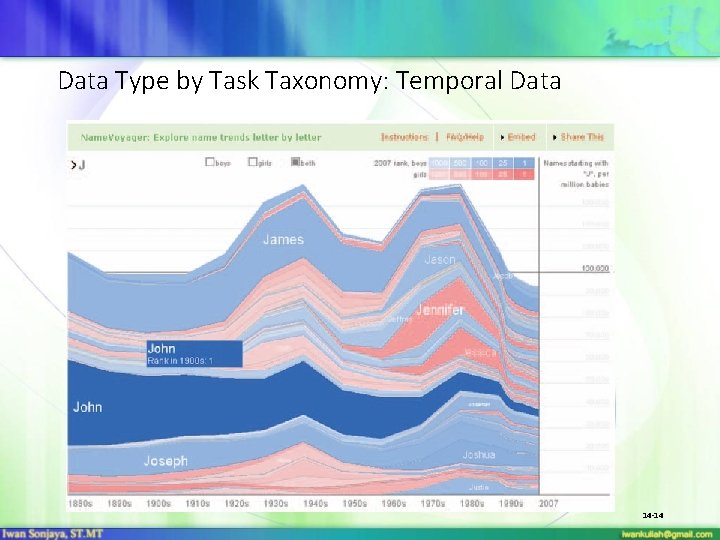
Data Type by Task Taxonomy: Temporal Data 14 -14
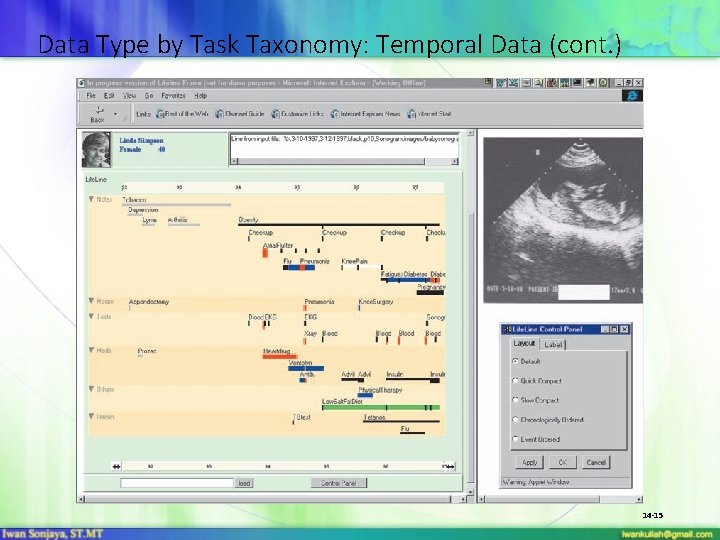
Data Type by Task Taxonomy: Temporal Data (cont. ) 14 -15
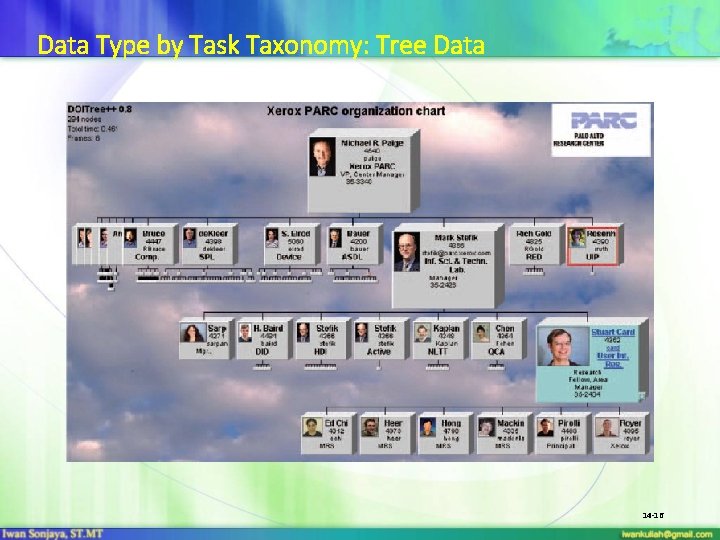
Data Type by Task Taxonomy: Tree Data 14 -16
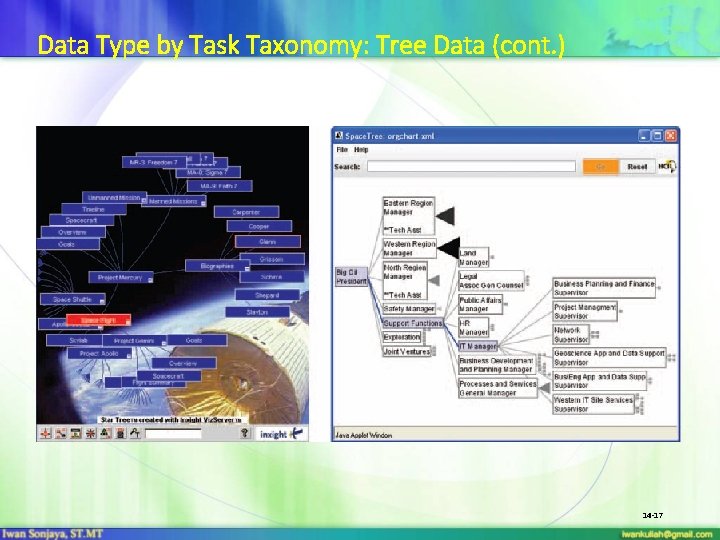
Data Type by Task Taxonomy: Tree Data (cont. ) 14 -17
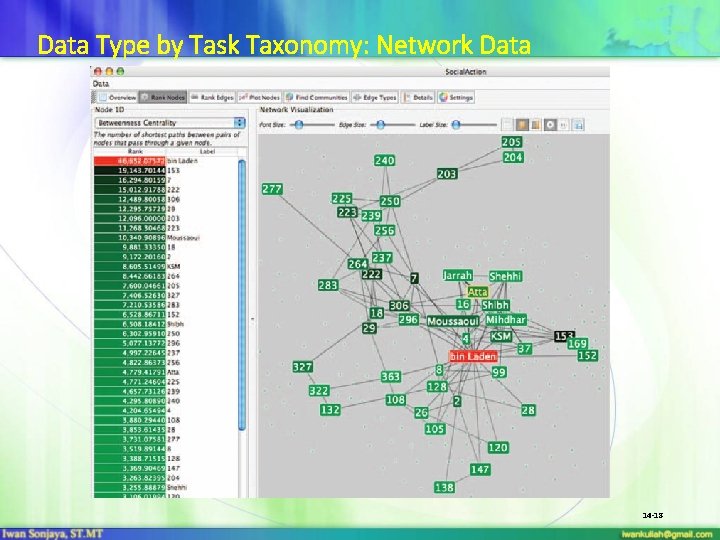
Data Type by Task Taxonomy: Network Data 14 -18
The seven basic tasks 1. Overview task - users can gain an overview of the entire collection 2. Zoom task - users can zoom in on items of interest 3. Filter task - users can filter out uninteresting items 4. Details-on-demand task - users can select an item or group to get details 5. Relate task - users can relate items or groups within the collection 6. History task - users can keep a history of actions to support undo, replay, and progressive refinement 7. Extract task - users can allow extraction of sub-collections and of the query parameters 14 -19
Challenges for Information Visualization • • • Importing and cleaning data Combining visual representations with textual labels Finding related information Viewing large volumes of data Integrating data mining Integrating with analytical reasoning techniques Collaborating with others Achieving universal usability Evaluation 14 -20
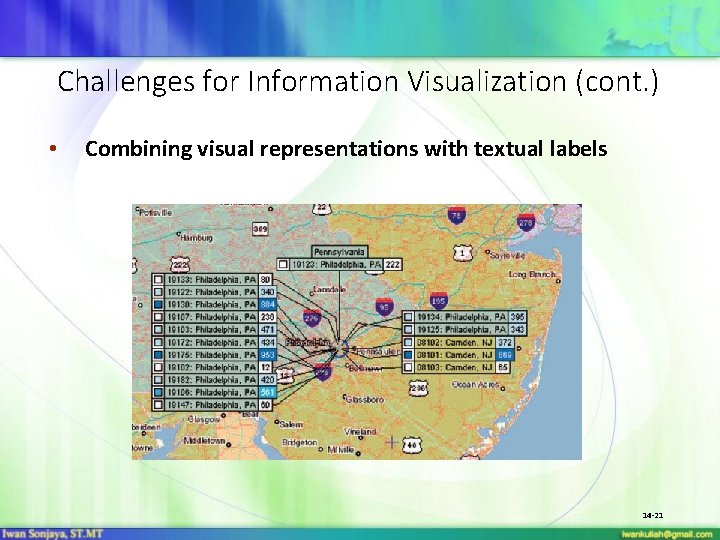
Challenges for Information Visualization (cont. ) • Combining visual representations with textual labels 14 -21
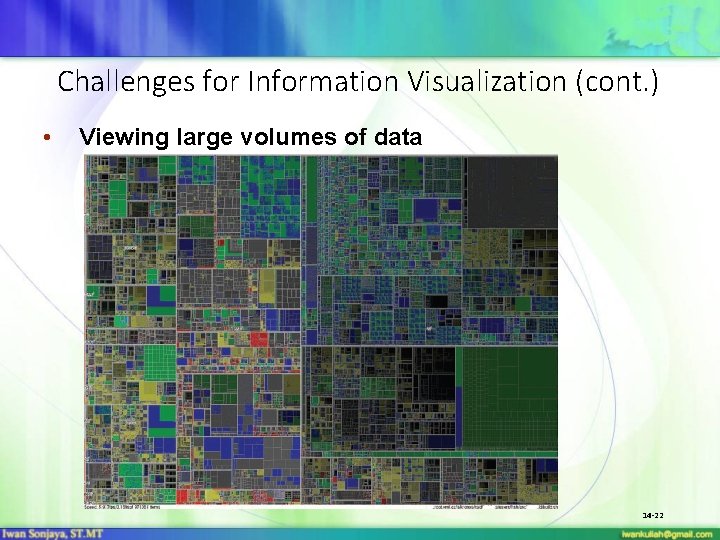
Challenges for Information Visualization (cont. ) • Viewing large volumes of data 14 -22
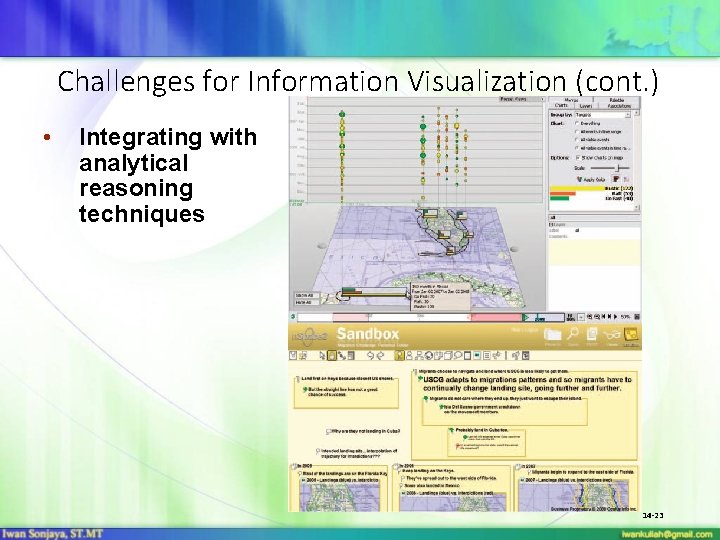
Challenges for Information Visualization (cont. ) • Integrating with analytical reasoning techniques 14 -23
- Slides: 23