
Information Systems Project Management A Process Approach C





- Slides: 48
Information Systems Project Management: A Process Approach C. Schneider, M. A. Fuller, J. S. Valacich, J. F. George Chapter 4—Managing Project Stakeholders and Communication © Prospect Press 4 -
Chapter 4 Managing Project Stakeholders and Communication 4 -2
Learning Objectives 1. Understand the importance of stakeholders and how to manage stakeholder engagement 2. Describe how the three key communications management processes are used to enhance project success 3. Understand various methods for enhancing project communication including how to run an effective meeting, deliver an effective presentation, be a better listener, utilize communication templates, and make a walk-through presentation 4. Describe various collaboration technologies and how they can be utilized to enhance project communication 4 -3
Chapter Outline • • • Introduction Project Stakeholder Management Project Communications Management Enhancing Project Communication Using Collaboration Technologies to Enhance Project Communication • Managing Project Stakeholders and Communication and PMBOK • Chapter Summary 4 -4
Introduction 4 -5
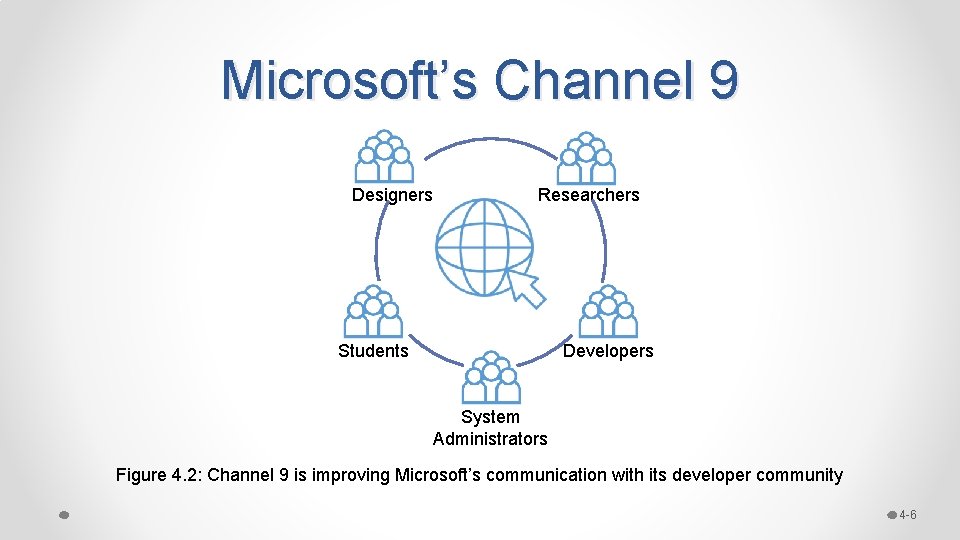
Microsoft’s Channel 9 Designers Researchers Students Developers System Administrators Figure 4. 2: Channel 9 is improving Microsoft’s communication with its developer community 4 -6
Project Stakeholder Management 4 -7
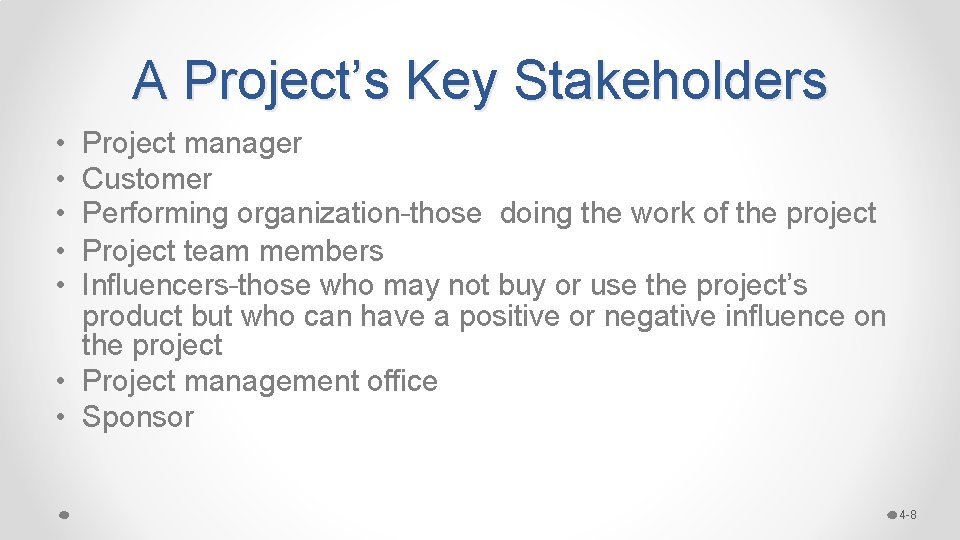
A Project’s Key Stakeholders • • • Project manager Customer Performing organization–those doing the work of the project Project team members Influencers–those who may not buy or use the project’s product but who can have a positive or negative influence on the project • Project management office • Sponsor 4 -8
Four Key Processes 1. 2. 3. 4. Identify stakeholders Plan stakeholder engagement Manage stakeholder engagement Monitor stakeholder engagement 4 -9
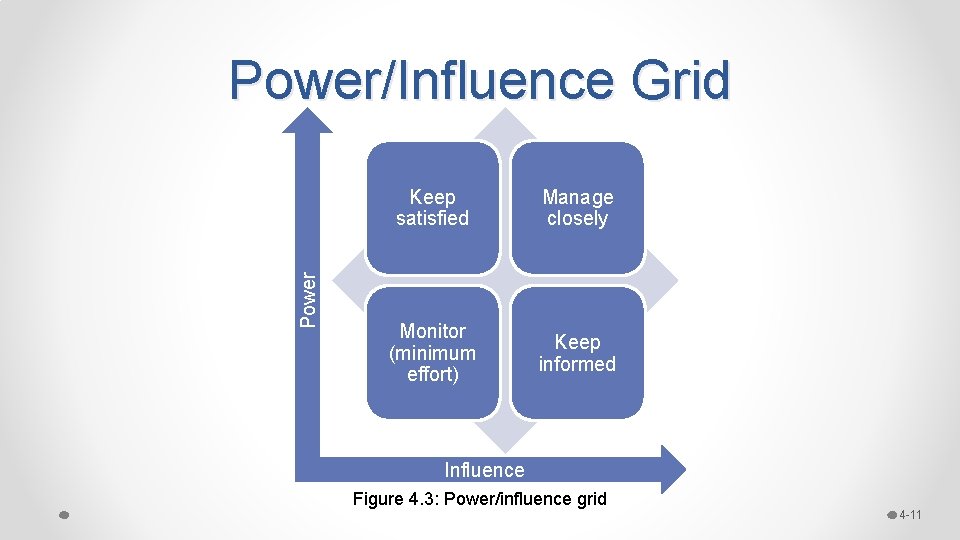
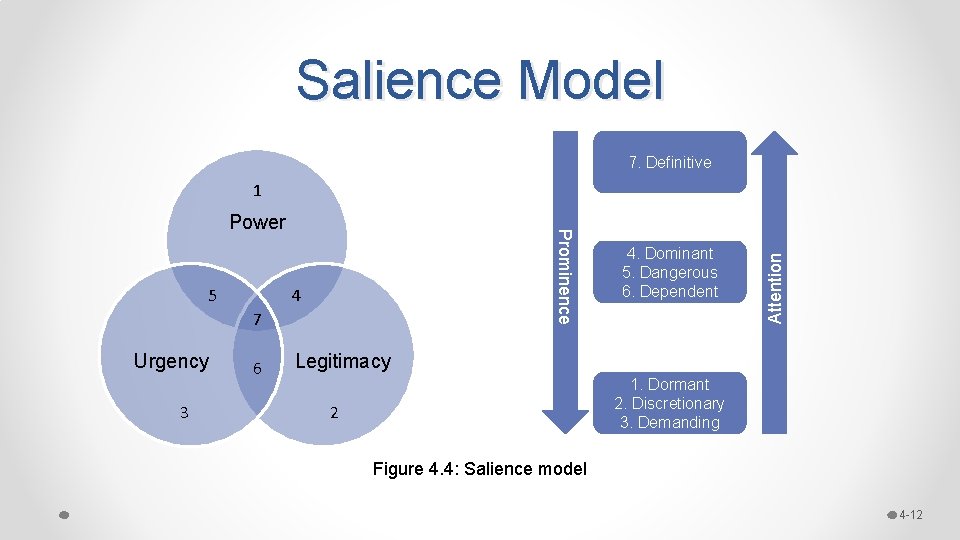
1. Identify Stakeholders • Critical to successful stakeholder engagement because o it helps managers understand the nature of the stakeholders, their interests, and potential influence they may have on project success o Helps guide the communication efforts throughout the project • Tools: to classify stakeholders o Power/Influence Grid, Power/Interest Grid, Influence/Impact Grid o Salience Model 4 -10
Power/Influence Grid Keep satisfied Manage closely Monitor (minimum effort) Keep informed Influence Figure 4. 3: Power/influence grid 4 -11
Salience Model 7. Definitive 5 Prominence Power 4 7 Urgency 3 6 4. Dominant 5. Dangerous 6. Dependent Attention 1 Legitimacy 1. Dormant 2. Discretionary 3. Demanding 2 Figure 4. 4: Salience model 4 -12
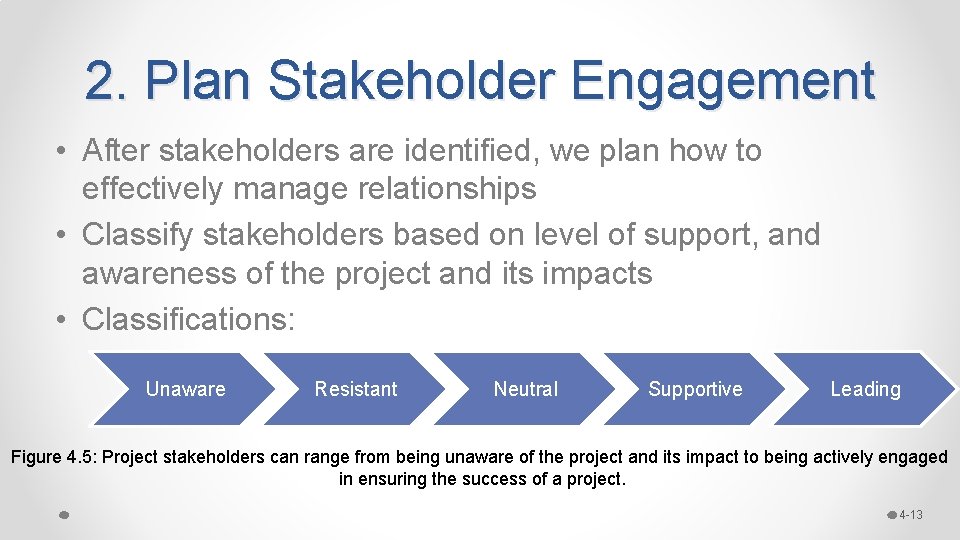
2. Plan Stakeholder Engagement • After stakeholders are identified, we plan how to effectively manage relationships • Classify stakeholders based on level of support, and awareness of the project and its impacts • Classifications: Unaware Resistant Neutral Supportive Leading Figure 4. 5: Project stakeholders can range from being unaware of the project and its impact to being actively engaged in ensuring the success of a project. 4 -13
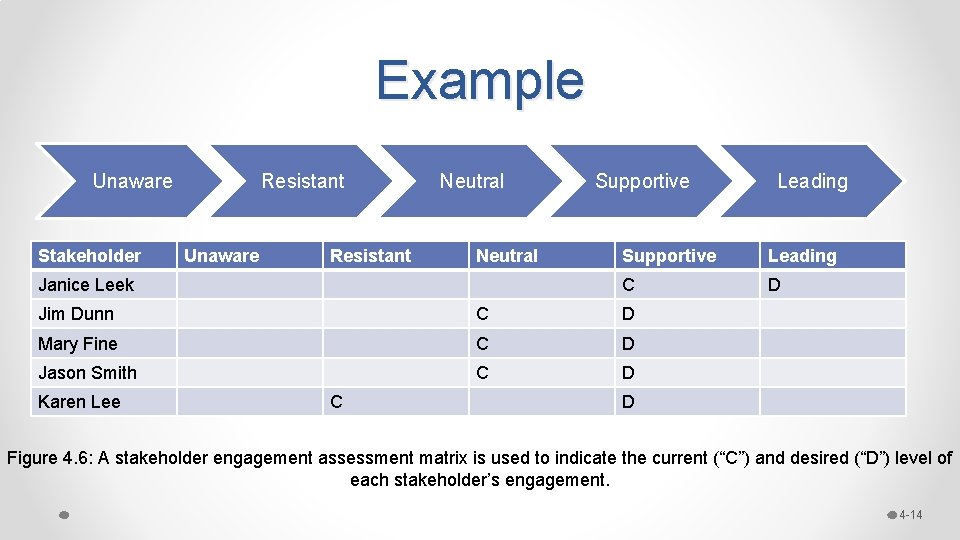
Example Unaware Stakeholder Resistant Unaware Resistant Neutral Janice Leek Supportive Leading C D Jim Dunn C D Mary Fine C D Jason Smith C D Karen Lee C Leading D Figure 4. 6: A stakeholder engagement assessment matrix is used to indicate the current (“C”) and desired (“D”) level of each stakeholder’s engagement. 4 -14
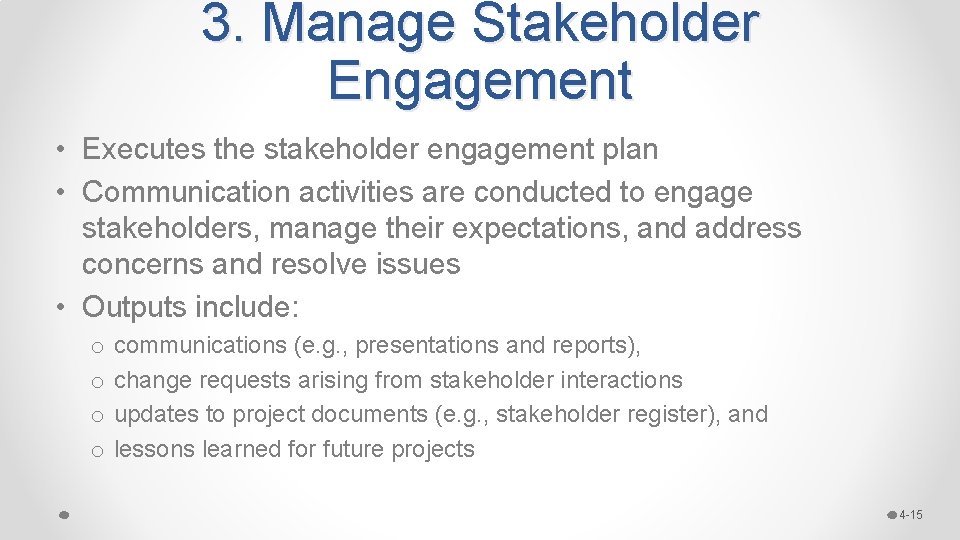
3. Manage Stakeholder Engagement • Executes the stakeholder engagement plan • Communication activities are conducted to engage stakeholders, manage their expectations, and address concerns and resolve issues • Outputs include: o o communications (e. g. , presentations and reports), change requests arising from stakeholder interactions updates to project documents (e. g. , stakeholder register), and lessons learned for future projects 4 -15
4. Monitor Stakeholder Engagement • Entails assessing the effectiveness of the strategies for engaging stakeholders and managing their relationships • Some plans and strategies may need to be adjusted to achieve the desired stakeholder engagement 4 -16
Project Communications Management 4 -17
Key Terms • • • Communication Feedback Noise Interactive communication Push communication Pull communication 4 -18
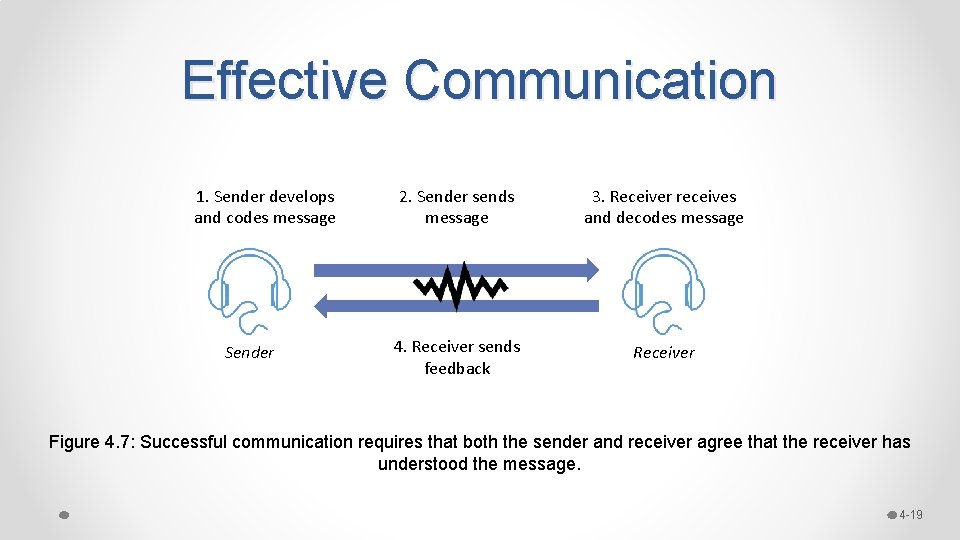
Effective Communication 1. Sender develops and codes message Sender 2. Sender sends message 3. Receiver receives and decodes message 4. Receiver sends feedback Receiver Figure 4. 7: Successful communication requires that both the sender and receiver agree that the receiver has understood the message. 4 -19
Three Key Processes 1. Plan communications management 2. Manage communications 3. Monitor communications 4 -20
1. Plan Communications Mgt. • Process of developing a comprehensive plan for informing project stakeholders of all relevant information on a timely basis, so as to ensure effective and efficient communication. o Output: Communications Management Plan. This plan should include how project information is stored, retrieved, and discarded at the end of the project. 4 -21
2. Manage Communications • Focuses on getting needed project information to project stakeholders in a timely manner. • This is the process of executing the project management plan and responding to any ad hoc information requests by stakeholders. • Ensures that project information is properly created, collected, stored, retrieved, distributed, monitored, and discarded. 4 -22
Effective Communication • • • Performance Reporting Written, Oral, and Nonverbal Communication Informal versus Formal Communication Vertical versus Horizontal Communication Internal versus External communication 4 -23
Performance Reporting • Involves the collection and distribution of project performance information to stakeholders so that they understand the status of the project at any given time. • Three general types of reports: 1. Status reports: Describe current information about the project such as project schedule and budget. 2. Progress reports: Describe what the project team has accomplished. 3. Forecasting reports: Make predictions about future status and progress. 4 -24
Written, Oral & Nonverbal • Written: Exchange of memos, reports, letters, email, instant messaging – provides record of communication • Oral: Exchange of spoken words – is fast, requires little effort to produce, and is less formal than written communication • Nonverbal: Information that is conveyed by body language through our posture, hands, facial expressions, eye contact, and personal space; helps to transmit and decode oral communication 4 -25
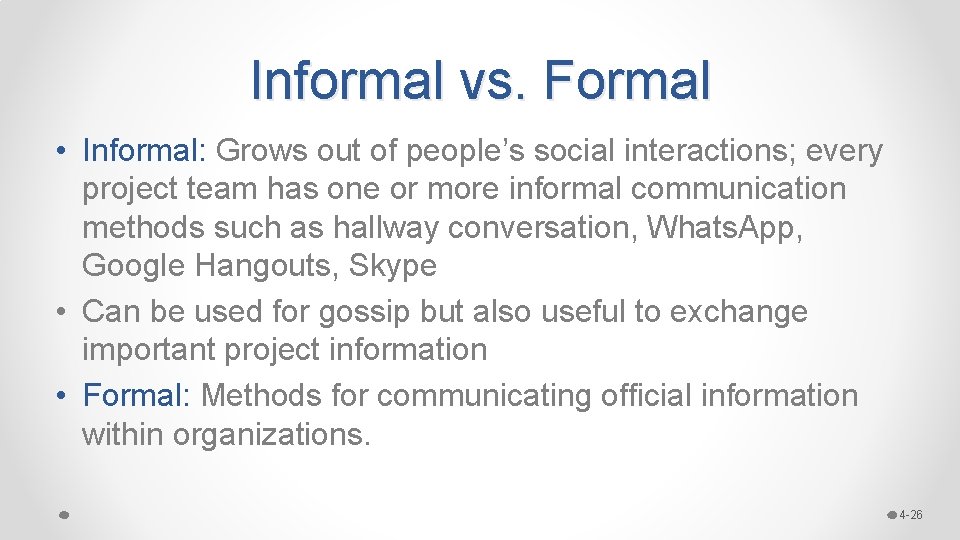
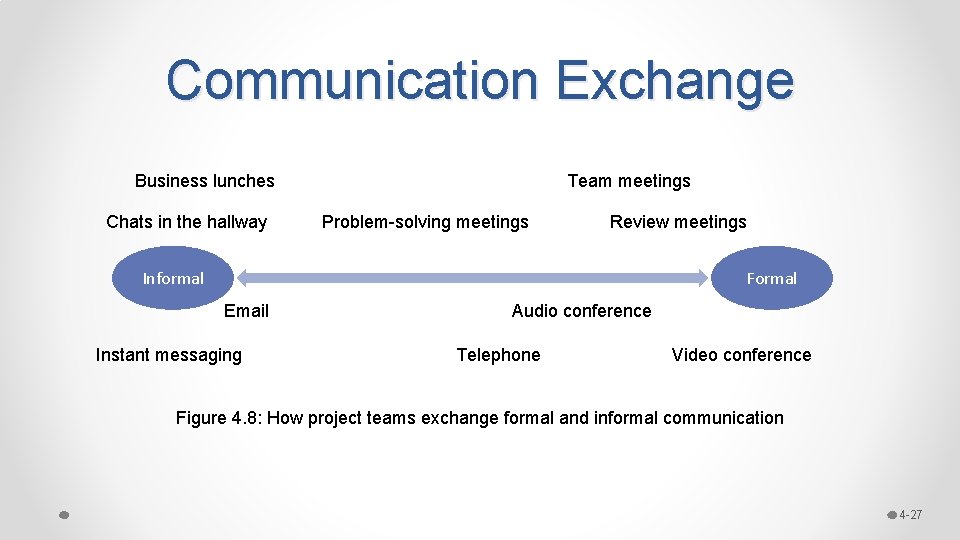
Informal vs. Formal • Informal: Grows out of people’s social interactions; every project team has one or more informal communication methods such as hallway conversation, Whats. App, Google Hangouts, Skype • Can be used for gossip but also useful to exchange important project information • Formal: Methods for communicating official information within organizations. 4 -26
Communication Exchange Business lunches Chats in the hallway Team meetings Problem-solving meetings Review meetings Informal Formal Email Instant messaging Audio conference Telephone Video conference Figure 4. 8: How project teams exchange formal and informal communication 4 -27
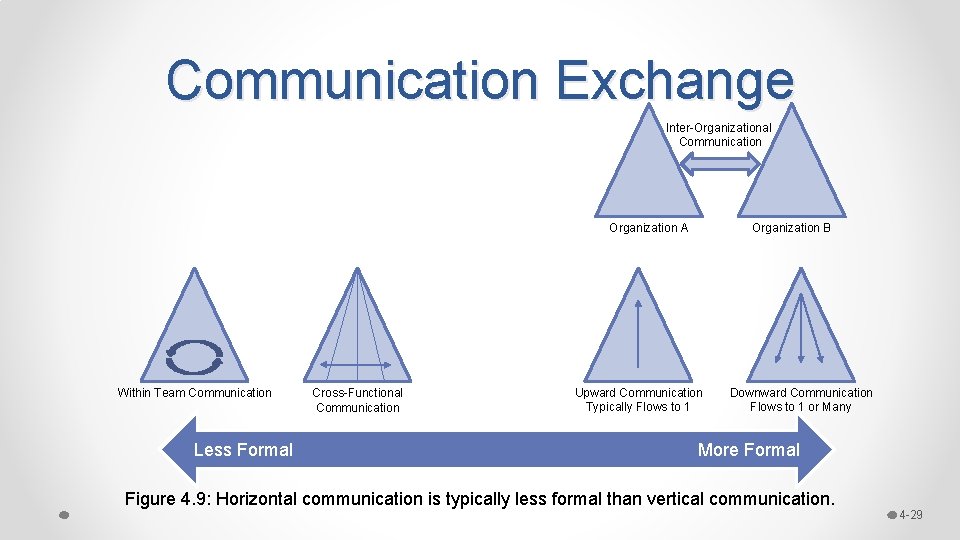
Vertical vs. Horizontal • Vertical: The exchange of information between higher and lower levels within an organization. o External team communication • Horizontal: This exchange of information among team members or across functional areas within the same level of an organization. o Within-team communication 4 -28
Communication Exchange Inter-Organizational Communication Organization B Organization A Within Team Communication Less Formal Cross-Functional Communication Upward Communication Typically Flows to 1 Downward Communication Flows to 1 or Many More Formal Figure 4. 9: Horizontal communication is typically less formal than vertical communication. 4 -29
Internal vs. External • For internal communications, teams are used to using collaboration tools ranging from email to electronic meeting systems. • For external stakeholders, a variety of tools suitable for push communication are needed. Social media tools such as Facebook and Twitter are often used, especially when urgent information needs to be disseminated • The PM needs to monitor and respond to social media 4 -30
3. Monitor Communications • It is important to monitor the effectiveness of the communication activities. • This process involves assessing how well the communication reached the intended audiences, whether the communication had the intended impact, and what actions need to be taken to resolve any issues that may arise. 4 -31
Enhancing Project Communication 4 -32
Five Techniques Here are five techniques for improving project communication skills: 1. Running effective meetings 2. Making effective presentations 3. Being a better listener 4. Using communication templates and glossaries 5. Making a walk-through presentation 4 -33
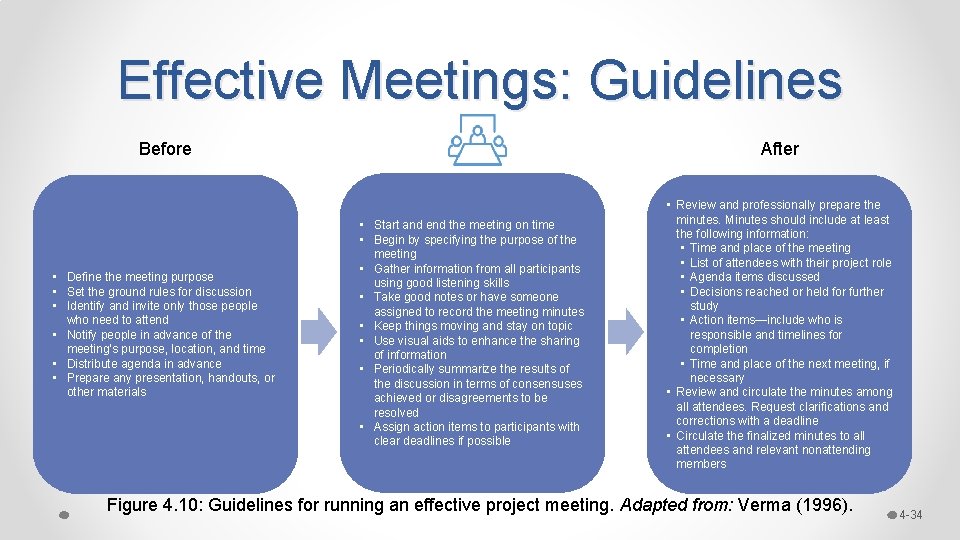
Effective Meetings: Guidelines Before After • Define the meeting purpose • Set the ground rules for discussion • Identify and invite only those people who need to attend • Notify people in advance of the meeting’s purpose, location, and time • Distribute agenda in advance • Prepare any presentation, handouts, or other materials • Review and professionally prepare the minutes. Minutes should include at least the following information: • Time and place of the meeting • List of attendees with their project role • Agenda items discussed • Decisions reached or held for further study • Action items—include who is responsible and timelines for completion • Time and place of the next meeting, if necessary • Review and circulate the minutes among all attendees. Request clarifications and corrections with a deadline • Circulate the finalized minutes to all attendees and relevant nonattending members • Start and end the meeting on time • Begin by specifying the purpose of the meeting • Gather information from all participants using good listening skills • Take good notes or have someone assigned to record the meeting minutes • Keep things moving and stay on topic • Use visual aids to enhance the sharing of information • Periodically summarize the results of the discussion in terms of consensuses achieved or disagreements to be resolved • Assign action items to participants with clear deadlines if possible Figure 4. 10: Guidelines for running an effective project meeting. Adapted from: Verma (1996). 4 -34
Communication Templates • Communication templates are specifications that enforce standards for the appearance and content of formal project documents. Figure 4. 12: A project template for requesting a design change 4 -35
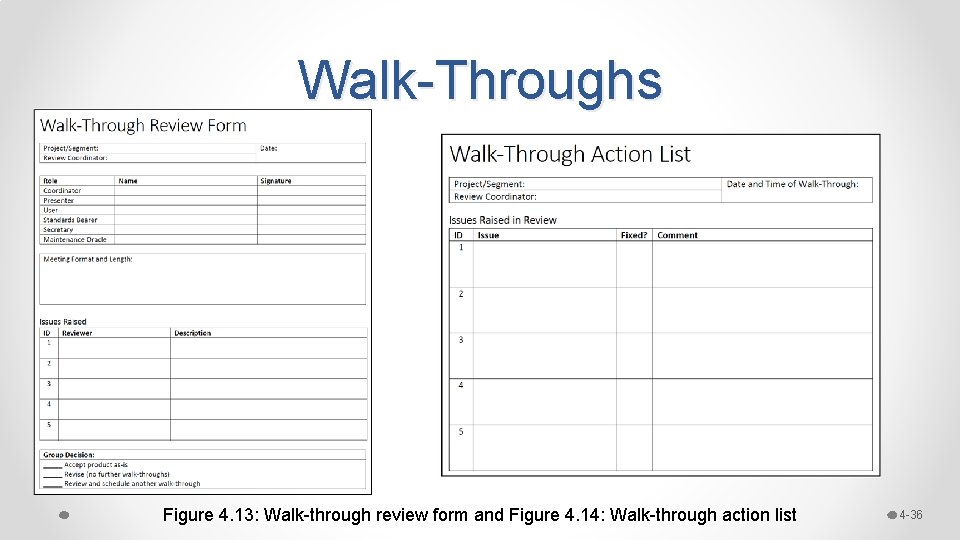
Walk-Throughs Figure 4. 13: Walk-through review form and Figure 4. 14: Walk-through action list 4 -36
Using Collaboration Technologies 4 -37
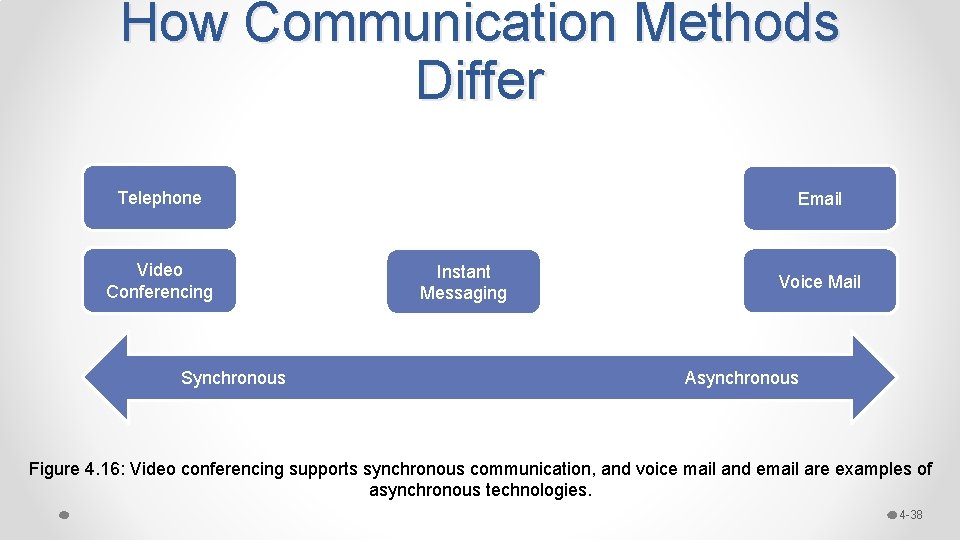
How Communication Methods Differ Telephone Video Conferencing Synchronous Email Instant Messaging Voice Mail Asynchronous Figure 4. 16: Video conferencing supports synchronous communication, and voice mail and email are examples of asynchronous technologies. 4 -38
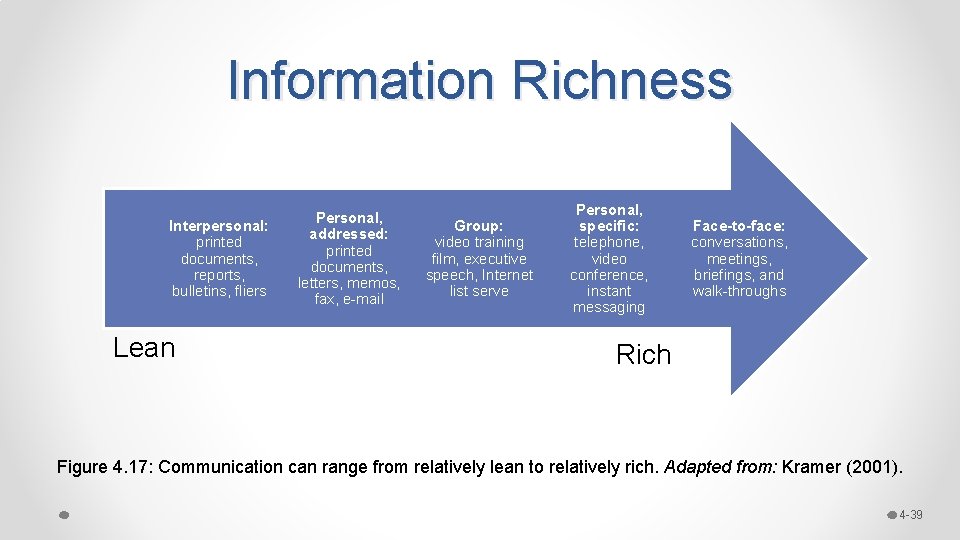
Information Richness Interpersonal: printed documents, reports, bulletins, fliers Lean Personal, addressed: printed documents, letters, memos, fax, e-mail Group: video training film, executive speech, Internet list serve Personal, specific: telephone, video conference, instant messaging Face-to-face: conversations, meetings, briefings, and walk-throughs Rich Figure 4. 17: Communication can range from relatively lean to relatively rich. Adapted from: Kramer (2001). 4 -39
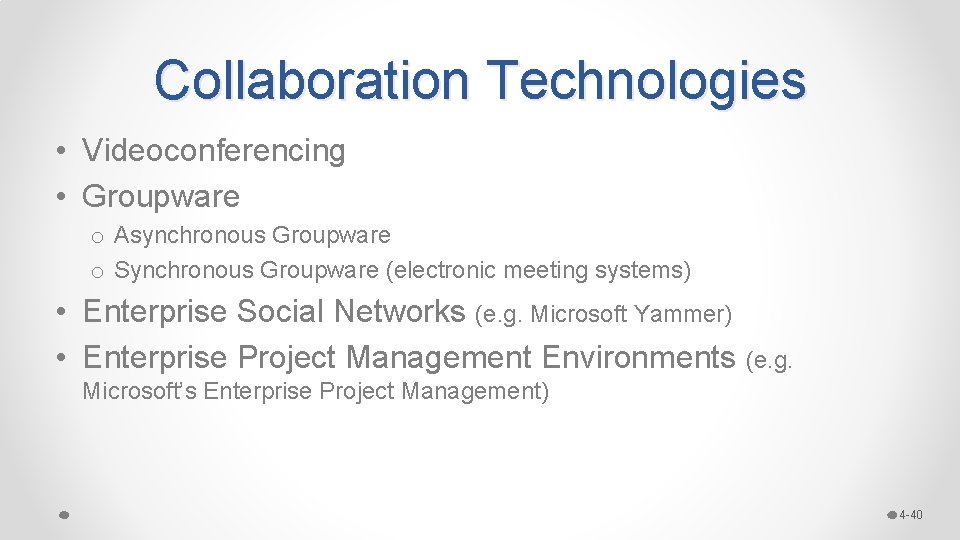
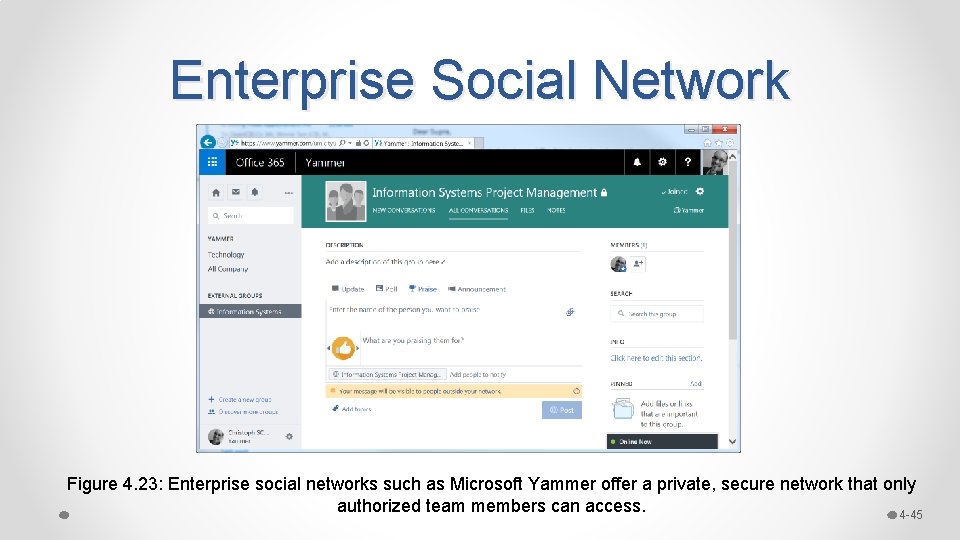
Collaboration Technologies • Videoconferencing • Groupware o Asynchronous Groupware o Synchronous Groupware (electronic meeting systems) • Enterprise Social Networks (e. g. Microsoft Yammer) • Enterprise Project Management Environments (e. g. Microsoft’s Enterprise Project Management) 4 -40
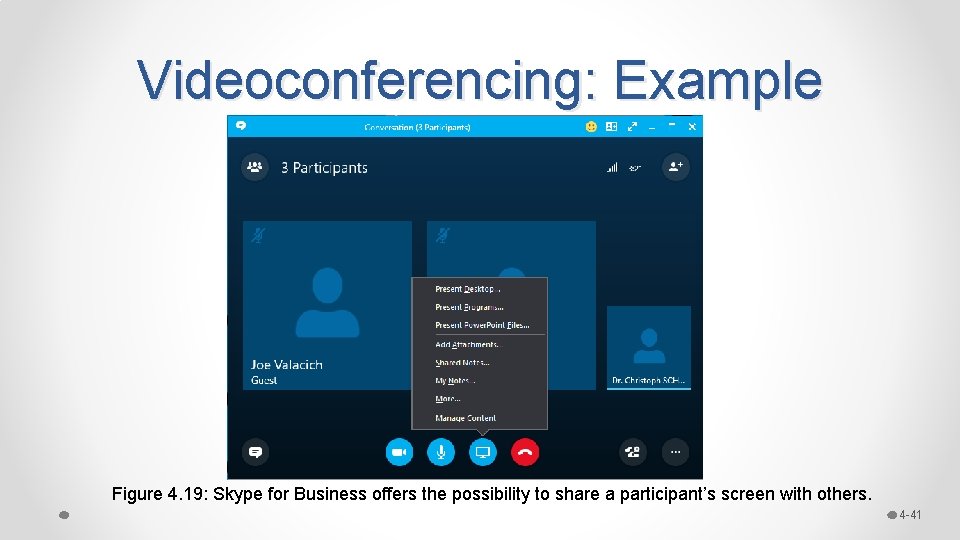
Videoconferencing: Example Figure 4. 19: Skype for Business offers the possibility to share a participant’s screen with others. 4 -41
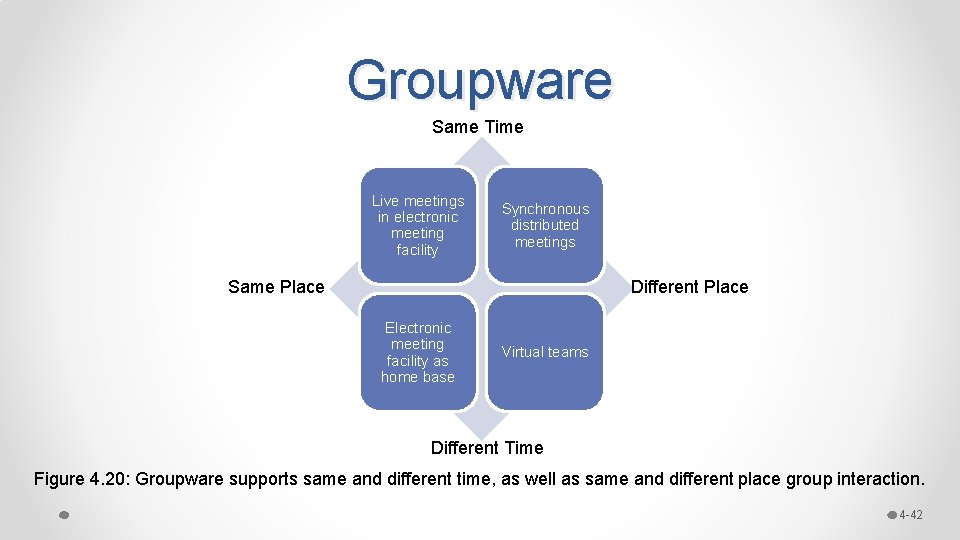
Groupware Same Time Live meetings in electronic meeting facility Synchronous distributed meetings Same Place Different Place Electronic meeting facility as home base Virtual teams Different Time Figure 4. 20: Groupware supports same and different time, as well as same and different place group interaction. 4 -42
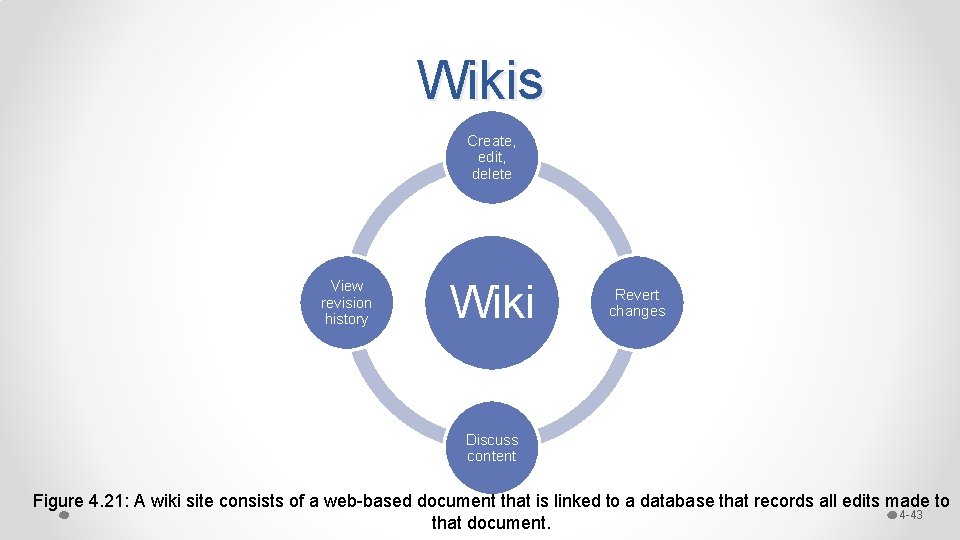
Wikis Create, edit, delete View revision history Wiki Revert changes Discuss content Figure 4. 21: A wiki site consists of a web-based document that is linked to a database that records all edits made to 4 -43 that document.
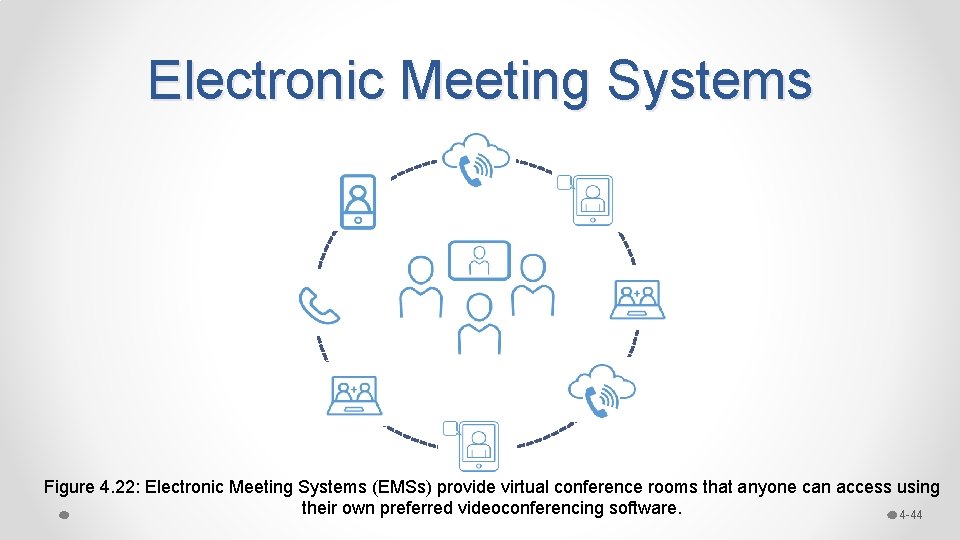
Electronic Meeting Systems Figure 4. 22: Electronic Meeting Systems (EMSs) provide virtual conference rooms that anyone can access using their own preferred videoconferencing software. 4 -44
Enterprise Social Network Figure 4. 23: Enterprise social networks such as Microsoft Yammer offer a private, secure network that only authorized team members can access. 4 -45
Managing Project Stakeholders and Communication and PMBOK 4 -46
Chapter Summary 4 -47
Let’s Review • Project Stakeholder Management 1. Identify Stakeholders 2. Plan Stakeholder Engagement 3. Manage Stakeholder Engagement 4. Monitor Stakeholder Engagement • Project Communications Management 1. Plan Communications Management 2. Manage Communications 3. Monitor Communications • Enhancing Project Communication o Running Effective Project Meetings o Making Effective Presentations o Being a Better Listener o Using Communication Templates o Making a Walk-Through Presentation • Using Collaboration Technologies to Enhance Project Communication o How Communication Methods Differ o A variety of technologies including videoconferencing, asynchronous and synchronous groupware, enterprise social networks, etc. 4 -48