
Information Literacy The Big 6 Skills Why Information
Information Literacy & The Big 6 Skills
Why Information Literacy? Information literacy forms the basis for lifelong learning. It is common to all disciplines, to all learning environments, and to all levels of education. It enables learners to master content and extend their investigations, become more self-directed, and assume greater control over their own learning. An information literate individual is able to: q Determine the extent of information needed q Access the needed information effectively and efficiently q Evaluate information and its sources critically q Incorporate selected information into one’s knowledge base q Use information effectively to accomplish a specific purpose q Understand the economic, legal, and social issues surrounding the use of information, and access and use information ethically and legally
Students Online There are 10 million children online This year, there will be over 50 million children online 14% of people under 18 are currently online 32% of children between the ages of 16 and 17 spend five or more hours online per week
INFORMATION OVERLOAD! • World Wide Web is doubling every 90 days! This month, another 18 million people will go on line • There is a new website every 4 seconds! • More information has been produced in the last 30 years than in the previous 5000
Students need help organizing information How can one deal with the amount of information? How can students learn to sift and sort through what is important and what is not? Teach them a strategy for searching, using and evaluating information on the World Wide Web – Teach them…
THE BIG 6 SKILLS
THE BIG SIX #1 Task Definition “What do I need to do? ” • Define the problem • Identify the information needed
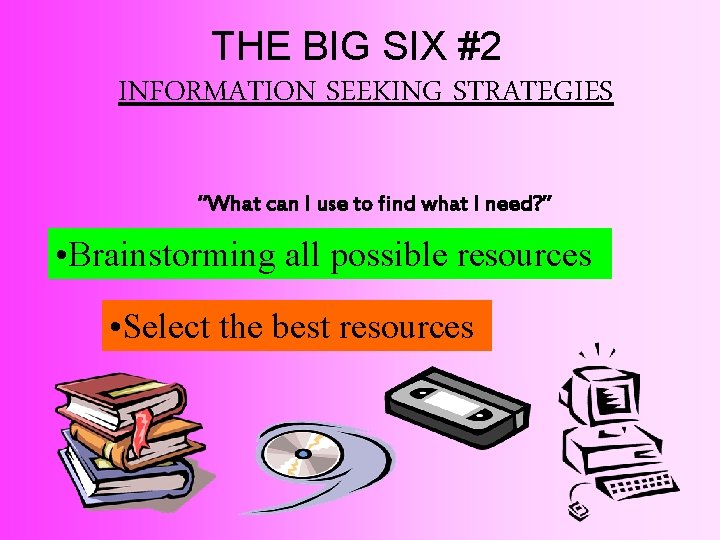
THE BIG SIX #2 INFORMATION SEEKING STRATEGIES “What can I use to find what I need? ” • Brainstorming all possible resources • Select the best resources
THE BIG SIX #3 LOCATION & ACCESS “What can I use to find what I need? ” • Locate Sources • Find information within sources
THE BIG SIX #4 USE OF INFORMATION “What information can I use? ” • Engage (read, hear, view, or touch) • Take out needed information
THE BIG SIX #5 SYNTHESIS “How can I put my information together? ” • Organize information from multiple sources • Present the results
THE BIG SIX #6 EVALUATION “How will I know if I did well? ” • Judge the results (effectiveness) • Judge the process (efficiency)
The Internet can be misleading, inaccurate, or contains totally bogus information. Our ability to discriminate good sites from bad is an important skill. Reliability… Bias… Authenticity…
CRITERIA TO EVALUATE:
Bias - Is the information presented with objectivity? v To what extent is the information presented an attempt to sway the opinion of the reader? v Is the information biased? v Are various sides of the topic or issue presented? v Is the site used to sell or advertise a product or service? v Who sponsors the site? - Governmental, scientific or educational sites are less likely to present biased information than a company or organizational site (look at the domain @ end of the address to determine, . edu, . gov, . com, . net, . org)
Authenticity: What are the author’s qualifications for writing on this subject? Ø Can the author of the site be easily identified? Ø Is the author a known and respected organization (corporate, government, or non-profit)? Ø Does information about the author demonstrate her or his education, training, affiliations, and/or experience in a field relevant to the information? Ø Is contact information provided for the author (address, e-mail address, etc. )? Ø Can the information presented about the author be verified in other sources such as printed reference tools (Who’s Who, etc. )? Ø What is the relationship between the author and the sponsor/publisher? Ø Is it a personal home page or an official page from an organization or other institution? ØWeb pages with / ~ name/ in their URL’s may actually be personal home pages. The information may not be as authoritative, but you may wish to give the page some additional scrutiny. Ø Is the author the original creator of the information? Ø What information can be inferred from the site’s URL to determine sponsorship of the site? For example: • non-profit organization =. org • government department or agency =. gov, . state. xx. us (for example, . state. sd. us = South Dakota) • educational institution =. edu • commercial entity -. com • internet service provider =. net • military affiliation =. mil • country code =. xx (for example, . au = Australia or. kr = Korea)
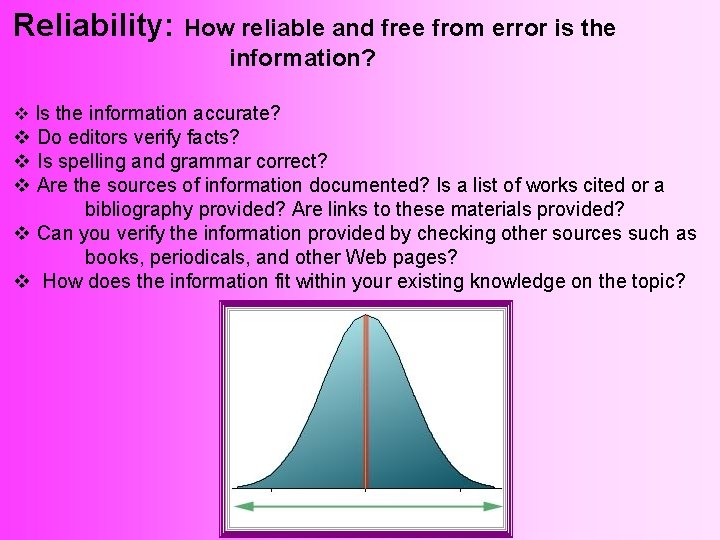
Reliability: How reliable and free from error is the information? v Is the information accurate? v Do editors verify facts? v Is spelling and grammar correct? v Are the sources of information documented? Is a list of works cited or a bibliography provided? Are links to these materials provided? v Can you verify the information provided by checking other sources such as books, periodicals, and other Web pages? v How does the information fit within your existing knowledge on the topic?

Where to find the answers Well designed web pages usually share some characteristics: Header / Footer - Information about web pages should appear at the top or bottom of each page. This should include: • The author’s name. • Author’s affiliation. • Author’s contact information. Links - Links should be working and up-to-date. The following links should be easily located: • Links to the sponsoring organization, business, agency, etc (if appropriate) • Links to home page of the document (if appropriate). • Links to other relevant portions of the site (if appropriate). Dates - Dates indicating when the information was originally created, placed on the Internet, and/or last revised should be included. An explanation of each date should be included.
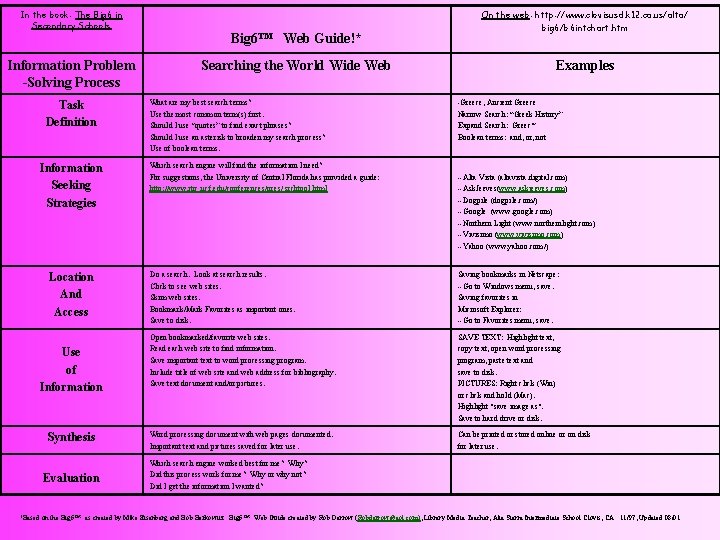
In the book: The Big 6 in Secondary Schools Information Problem -Solving Process Task Definition Information Seeking Strategies Location And Access Use of Information Synthesis Evaluation Big 6™ Web Guide!* Searching the World Wide Web What are my best search terms? Use the most common term(s) first. Should I use “quotes” to find exact phrases? Should I use an asterisk to broaden my search process? Use of boolean terms. Which search engine will find the information I need? For suggestions, the University of Central Florida has provided a guide: http: //www. itrc. ucf. edu/conferences/pres/ srchtool. html On the web: http: //www. clovisusd. k 12. ca. us/alta/ big 6/b 6 intchart. htm Examples -Greece, Ancient Greece Narrow Search: “Greek History” Expand Search: Greec* Boolean terms: and, or, not --Alta Vista (altavista. digital. com) --Ask. Jeeves(www. askjeeves. com) --Dogpile (dogpile. com/) --Google (www. google. com) --Northern Light (www. northernlight. com) --Vivisimo (www. vivisimo. com) --Yahoo (www. yahoo. com/) Do a search. Look at search results. Click to see web sites. Skim web sites. Bookmark/Mark Favorites as important ones. Save to disk. Saving bookmarks in Netscape: --Go to Windows menu, save. Saving favorites in Microsoft Explorer: --Go to Favorites menu, save. Open bookmarked/favorite web sites. Read each web site to find information. Save important text to word processing program. Include title of web site and web address for bibliography. Save text document and/or pictures. SAVE TEXT: Highlight text, copy text, open word processing program, paste text and save to disk. PICTURES: Right click (Win) or click and hold (Mac). Highlight "save image as". Save to hard drive or disk. Word processing document with web pages documented. Important text and pictures saved for later use. Can be printed or stored online or on disk for later use. Which search engine worked best for me? Why? Did this process work for me? Why or why not? Did I get the information I wanted? *Based on the Big 6™ as created by Mike Eisenberg and Bob Berkowitz. Big 6™ Web Guide created by Rob Darrow (Robdarrow@aol. com), Library Media Teacher, Alta Sierra Intermediate School Clovis, CA. 11/97, Updated 08/01.
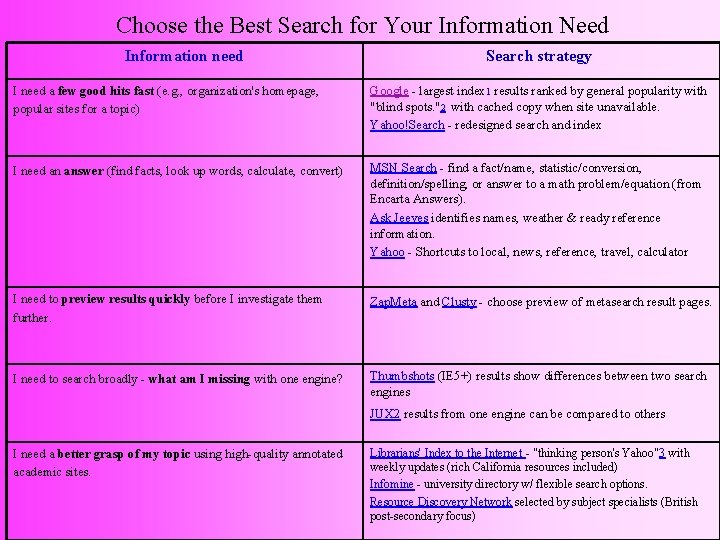
Choose the Best Search for Your Information Need Information need Search strategy I need a few good hits fast (e. g. , organization's homepage, popular sites for a topic) Google - largest index 1 results ranked by general popularity with "blind spots. "2 with cached copy when site unavailable. Yahoo!Search - redesigned search and index I need an answer (find facts, look up words, calculate, convert) MSN Search - find a fact/name, statistic/conversion, definition/spelling, or answer to a math problem/equation (from Encarta Answers). Ask Jeeves identifies names, weather & ready reference information. Yahoo - Shortcuts to local, news, reference, travel, calculator I need to preview results quickly before I investigate them further. Zap. Meta and Clusty - choose preview of metasearch result pages. I need to search broadly - what am I missing with one engine? Thumbshots (IE 5+) results show differences between two search engines JUX 2 results from one engine can be compared to others I need a better grasp of my topic using high-quality annotated academic sites. Librarians' Index to the Internet - "thinking person's Yahoo"3 with weekly updates (rich California resources included) Infomine - university directory w/ flexible search options. Resource Discovery Network selected by subject specialists (British post-secondary focus)
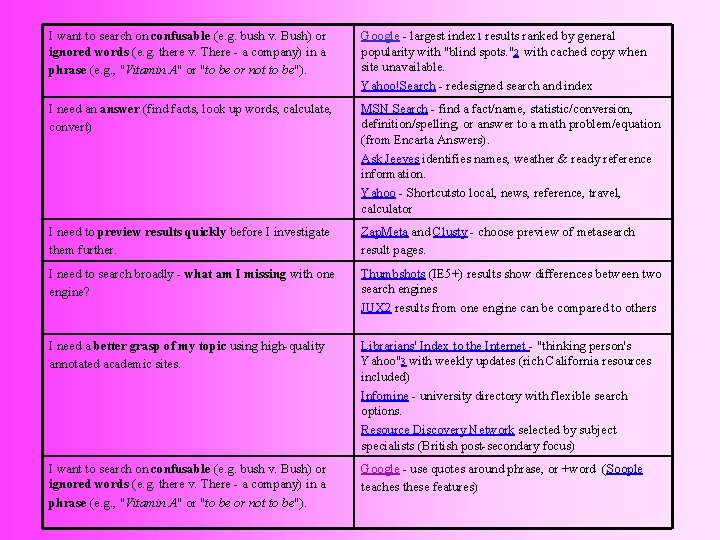
I want to search on confusable (e. g. bush v. Bush) or ignored words (e. g. there v. There - a company) in a phrase (e. g. , "Vitamin A" or "to be or not to be"). Google - largest index 1 results ranked by general popularity with "blind spots. "2 with cached copy when site unavailable. Yahoo!Search - redesigned search and index I need an answer (find facts, look up words, calculate, convert) MSN Search - find a fact/name, statistic/conversion, definition/spelling, or answer to a math problem/equation (from Encarta Answers). Ask Jeeves identifies names, weather & ready reference information. Yahoo - Shortcutsto local, news, reference, travel, calculator I need to preview results quickly before I investigate them further. Zap. Meta and Clusty - choose preview of metasearch result pages. I need to search broadly - what am I missing with one engine? Thumbshots (IE 5+) results show differences between two search engines JUX 2 results from one engine can be compared to others I need a better grasp of my topic using high-quality annotated academic sites. Librarians' Index to the Internet - "thinking person's Yahoo"3 with weekly updates (rich California resources included) Infomine - university directory with flexible search options. Resource Discovery Network selected by subject specialists (British post-secondary focus) I want to search on confusable (e. g. bush v. Bush) or ignored words (e. g. there v. There - a company) in a phrase (e. g. , "Vitamin A" or "to be or not to be"). Google - use quotes around phrase, or +word (Soople teaches these features)
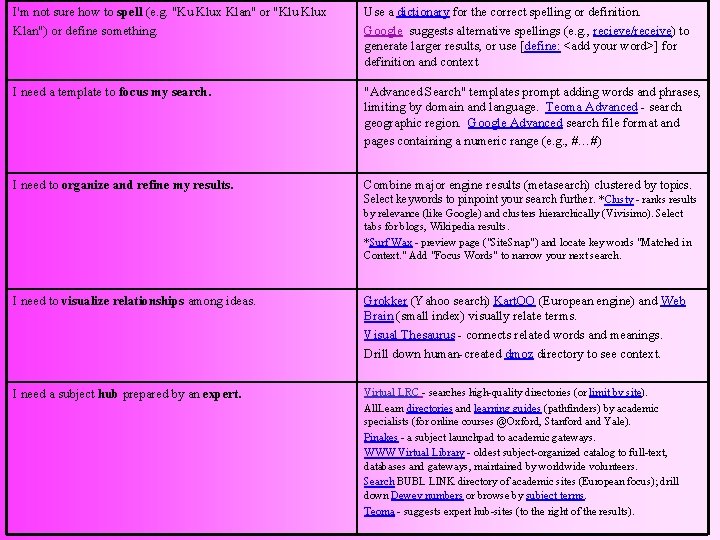
I'm not sure how to spell (e. g. "Ku Klux Klan" or "Klu Klux Klan") or define something. Use a dictionary for the correct spelling or definition. Google suggests alternative spellings (e. g. , recieve/receive) to generate larger results, or use [define: <add your word>] for definition and context I need a template to focus my search. "Advanced Search" templates prompt adding words and phrases, limiting by domain and language. Teoma Advanced - search geographic region. Google Advanced search file format and pages containing a numeric range (e. g. , #…#) I need to organize and refine my results. Combine major engine results (metasearch) clustered by topics. Select keywords to pinpoint your search further. *Clusty - ranks results by relevance (like Google) and clusters hierarchically (Vivisimo). Select tabs for blogs, Wikipedia results. *Surf Wax - preview page ("Site. Snap") and locate key words "Matched in Context. " Add "Focus Words" to narrow your next search. I need to visualize relationships among ideas. Grokker (Yahoo search) Kart. OO (European engine) and Web Brain (small index) visually relate terms. Visual Thesaurus - connects related words and meanings. Drill down human-created dmoz directory to see context. I need a subject hub prepared by an expert. Virtual LRC - searches high-quality directories (or limit by site). All. Learn directories and learning guides (pathfinders) by academic specialists (for online courses @Oxford, Stanford and Yale). Pinakes - a subject launchpad to academic gateways. WWW Virtual Library - oldest subject-organized catalog to full-text, databases and gateways, maintained by worldwide volunteers. Search BUBL LINK directory of academic sites (European focus); drill down Dewey numbers or browse by subject terms. Teoma - suggests expert hub-sites (to the right of the results).
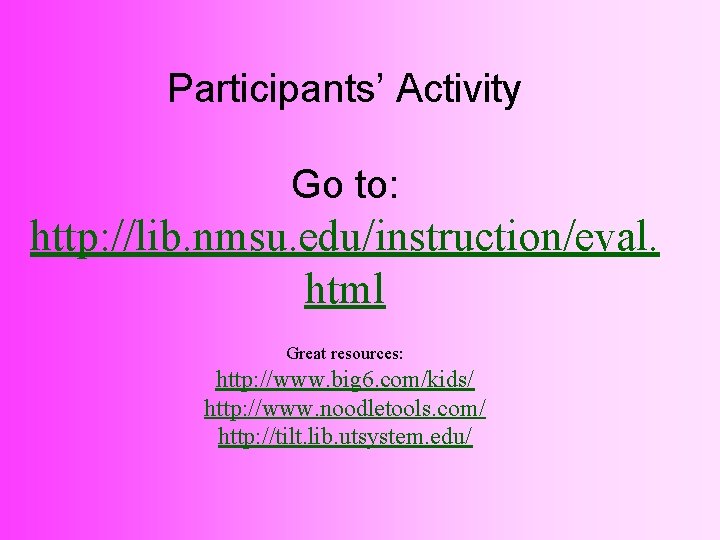
Participants’ Activity Go to: http: //lib. nmsu. edu/instruction/eval. html Great resources: http: //www. big 6. com/kids/ http: //www. noodletools. com/ http: //tilt. lib. utsystem. edu/
- Slides: 23